
⚡ The Brief
- What it is: OpenAI Codex is an AI model integrated into ChatGPT for generating and understanding code, enhancing full-stack development.
- Who it’s for: It’s designed for developers and engineers looking to streamline their full-stack application development using AI.
- Key takeaways: Codex in ChatGPT offers seamless code generation, debugging, and feature implementation, supporting iterative workflows and natural language interactions.
- Pricing/Cost: ChatGPT Business and Enterprise plans use a credit-based pricing model for Codex features, replacing the previous flat-rate system.
- Bottom line: OpenAI Codex within ChatGPT transforms how developers build applications, offering powerful AI-driven coding assistance.
✓ Instant access✓ No spam✓ Unsubscribe anytime
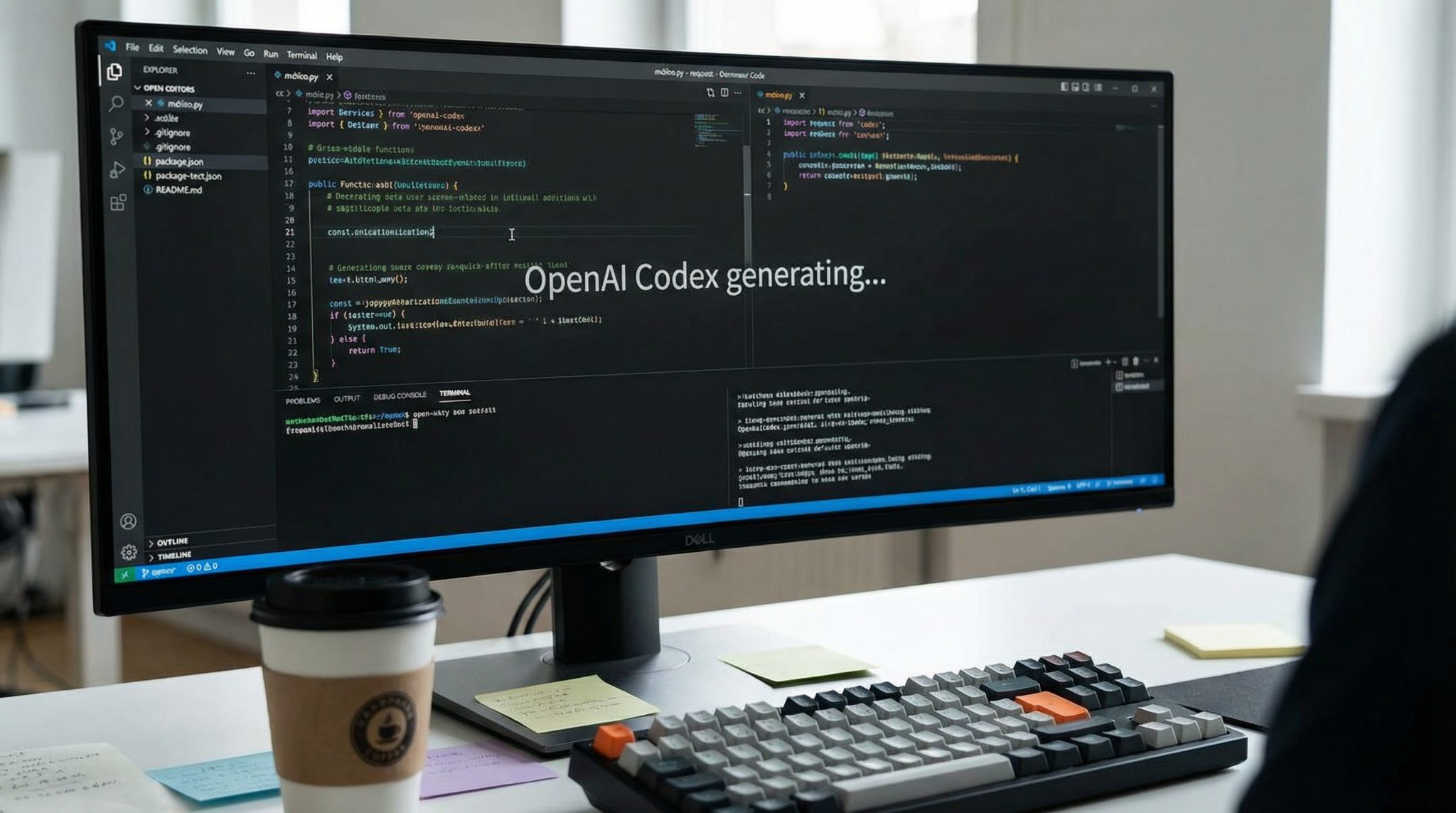
In the rapidly evolving world of software engineering, integrating artificial intelligence to accelerate development workflows is no longer a futuristic concept but a present-day reality. OpenAI Codex, the powerful AI model capable of generating and understanding code, has been embedded into ChatGPT Business and Enterprise offerings, transforming how developers architect full-stack applications. This comprehensive tutorial delves into how to harness OpenAI Codex within ChatGPT’s advanced environment to build robust full-stack projects efficiently.
We will explore the recent transition to a credit-based pricing system, the revolutionary agent management paradigm designed for engineering task orchestration, and the innovative ‘Plan Mode’ (activated via Shift+Tab) that enables developers to outline and refine project next steps seamlessly. Along the way, you will find detailed coding examples across popular frameworks and languages such as React, Node.js, and Python, alongside troubleshooting insights and workflow optimization strategies tailored for diverse tech stacks.
Understanding OpenAI Codex Integration in ChatGPT Business/Enterprise
What is OpenAI Codex?
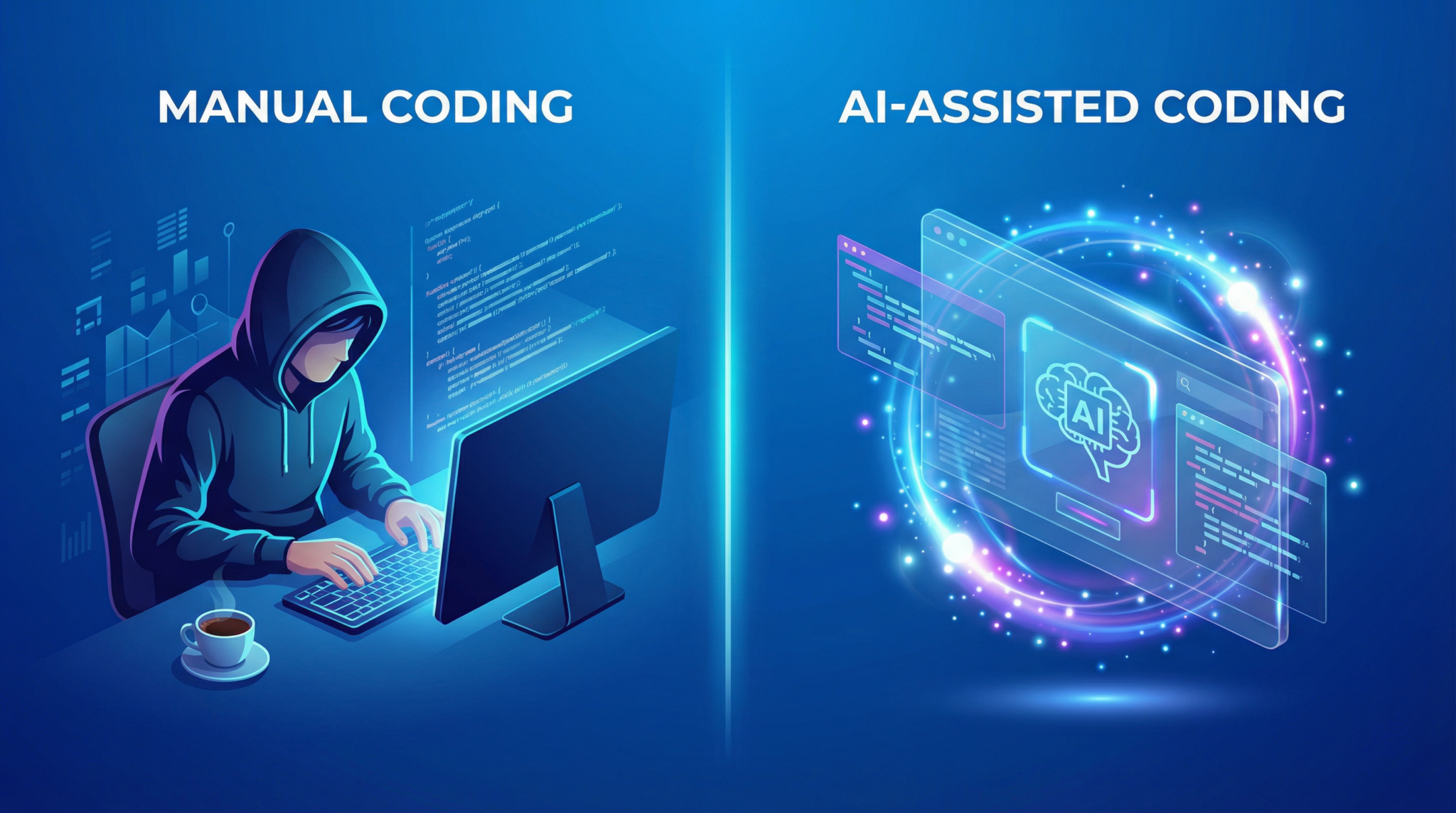
OpenAI Codex is a state-of-the-art AI system built on the GPT architecture, specialized in understanding and generating programming code. It supports dozens of programming languages and can interpret natural language prompts to produce executable code snippets, refactor existing code, or even write comprehensive applications. Embedded within ChatGPT Business and Enterprise plans, Codex acts as a virtual pair programmer, helping full-stack developers accelerate code generation, debugging, and feature implementation.
How ChatGPT Leverages Codex for Development
ChatGPT now integrates Codex at its core for coding-related queries and tasks, creating a seamless conversational coding assistant. Developers can interact naturally with the AI — describing functionality, requesting code snippets, or asking for code reviews — and receive real-time, context-aware responses. This integration supports an iterative workflow, allowing users to refine prompts, test code, and build complex applications directly within the chat interface.
Recent Shift: Credit-Based Pricing System
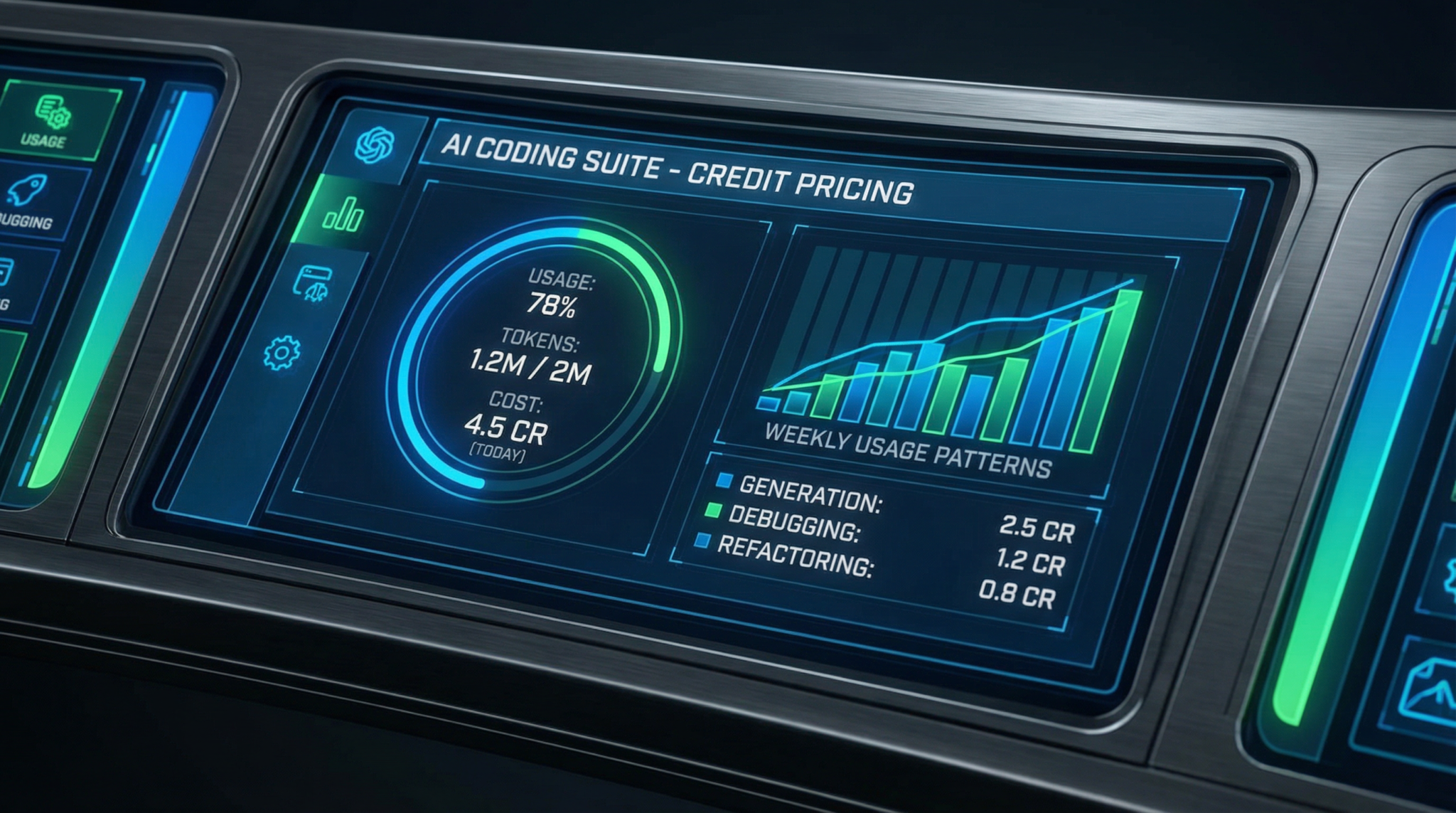
One major update for ChatGPT Business and Enterprise users is the shift from flat-rate or subscription-based usage to a credit-based pricing model for Codex-powered features. Each coding interaction consumes a certain number of credits based on compute resources and model usage complexity. This credit system encourages efficient task management and helps enterprises optimize their AI development budgets.
- Credit Consumption: Simple code completions use fewer credits, while complex multi-file code generation or debugging sessions consume more.
- Credit Allocation: Businesses can allocate credits across teams and projects to track usage granularly.
- Monitoring and Alerts: Admin dashboards provide real-time credit usage stats and customizable alerts to prevent overspending.
Understanding this pricing model is crucial for sustainable use of Codex in enterprise-grade full-stack projects.
The Emergence of Agent Management for Engineering Tasks
Another pivotal advancement is the introduction of agent management within ChatGPT’s AI coding ecosystem. This system allows teams to create, assign, and manage AI “agents” specialized for various development tasks — from frontend UI generation to backend API design and testing automation.
Agent management enables:
- Task Modularization: Breaking down complex projects into discrete AI-driven tasks assigned to specific agents.
- Collaboration: Parallel workflows where frontend, backend, and QA agents operate simultaneously and communicate through defined interfaces.
- State Preservation: Agents maintain context over sessions to provide coherent multi-step development support.
By leveraging agent management, engineering teams can optimize AI resource allocation and maintain high code quality throughout the development lifecycle.
Introducing ‘Plan Mode’ (Shift+Tab) for Development Roadmapping
‘Plan Mode’ is a powerful new feature within ChatGPT Business and Enterprise coding sessions. Activated by pressing Shift+Tab, it enables developers to outline, organize, and prioritize upcoming coding steps or milestones within the chat interface before actual code generation begins.
This mode is especially beneficial for full-stack projects where multiple components need synchronization. It supports:
- Hierarchical task lists with dependencies.
- Inline annotations and reminders.
- Dynamic plan updates as project requirements evolve.
Utilizing Plan Mode helps developers maintain a clear project roadmap, reduce scope creep, and improve collaboration efficiency.
Setting Up Your Environment for Using OpenAI Codex in ChatGPT
Prerequisites for Full-Stack Development with Codex
Before diving into coding, ensure the following prerequisites are fulfilled:
- ChatGPT Business/Enterprise Access: Codex-powered features require a valid subscription with enabled coding capabilities.
- Credit Allocation: Confirm sufficient credits are allocated to your account or project team.
- Code Editor: While ChatGPT provides code generation, integrating outputs with your favorite IDE (e.g., VS Code, WebStorm) streamlines testing and deployment.
- Version Control Setup: Git repositories (GitHub, GitLab, Bitbucket) should be configured for source control and collaboration.
- API Keys and Environment Variables: For backend integration with external services, ensure API credentials are securely stored.
Configuring ChatGPT for Maximum Coding Productivity
To fully leverage Codex within ChatGPT, customize your chat settings:
- Enable ‘Plan Mode’ Shortcut: Verify that
Shift+Tabtriggers plan outlining in your chat interface. - Agent Management Setup: Create distinct AI agents for frontend, backend, and testing workflows aligned with your project structure.
- Context Window Management: Use session memory prudently by summarizing previous conversations to stay within token limits.
- Code Snippet Formatting: Ensure generated code is formatted with proper syntax highlighting and indentation for readability.
Integrating ChatGPT Codex Output with Your Development Workflow
Successful full-stack development requires seamless handoff between AI-generated code and human developers. Best practices include:
- Copy-pasting generated code snippets into local environments for immediate testing rather than deploying blindly.
- Using linters and static analysis tools (e.g., ESLint, Pylint) to verify AI-produced code quality.
- Leveraging continuous integration pipelines to automate testing of AI-assisted commits.
- Providing feedback to ChatGPT on code accuracy to improve subsequent outputs.
To deepen your understanding of integrating OpenAI Codex in development projects, the post on automating coding workflows with ChatGPT and Codex explores advanced workflows using multi-agent coding pipelines. It builds on previous masterclass topics by demonstrating how to orchestrate AI agents for continuous deployment and AI-assisted CI/CD processes, enhancing full-stack development automation.
Step-by-Step Tutorial: Building a Full-Stack Application with OpenAI Codex in ChatGPT
Get Free Access to 40,000+ AI Prompts
Join 40,000+ AI professionals. Get instant access to our curated Notion Prompt Library with prompts for ChatGPT, Claude, Codex, Gemini, and more — completely free.
Get Free Access Now →No spam. Instant access. Unsubscribe anytime.

Project Overview: Task Manager Application
For this tutorial, we will build a simple Task Manager web application with the following features:
- User authentication.
- Task CRUD (Create, Read, Update, Delete) operations.
- Frontend built with React.
- Backend REST API implemented in Node.js with Express.
- Database integration with PostgreSQL.
The goal is to demonstrate how to orchestrate the AI agents, use Plan Mode for task planning, and leverage Codex to generate and debug code across the stack.
Step 1: Using Plan Mode to Outline the Project
Start your ChatGPT coding session and press Shift+Tab to enter Plan Mode. Outline the main development milestones:
- Set up backend Express server with user authentication routes.
- Design PostgreSQL database schema and migration scripts.
- Implement REST API endpoints for task management.
- Build React frontend components and routing.
- Connect frontend to backend API.
- Write automated tests for both frontend and backend.
Annotate dependencies, such as requiring user authentication before task CRUD operations, and save the plan for ongoing reference within the chat session.
Step 2: Creating the Backend Express Server with OpenAI Codex
Invoke the backend AI agent and prompt ChatGPT Codex:
Generate an Express.js server setup with user authentication routes using JWT tokens. Include middleware for token verification.Codex returns:
const express = require('express');
const jwt = require('jsonwebtoken');
const app = express();

app.use(express.json());

const SECRET_KEY = 'your_secret_key';

// Middleware to verify JWT token
function authenticateToken(req, res, next) {
  const authHeader = req.headers['authorization'];
  const token = authHeader && authHeader.split(' ')[1];
  if (!token) return res.sendStatus(401);
  jwt.verify(token, SECRET_KEY, (err, user) => {
    if (err) return res.sendStatus(403);
    req.user = user;
    next();
  });
}

// User login route
app.post('/login', (req, res) => {
  // authenticate user here (e.g. check username & password)
  const username = req.body.username;
  const user = { name: username };
  const accessToken = jwt.sign(user, SECRET_KEY);
  res.json({ accessToken });
});

app.listen(3000, () => console.log('Server running on port 3000'));
Test the server locally, then ask Codex to generate unit tests for the authentication routes to confirm coverage.
Step 3: Designing PostgreSQL Schema and Migrations
Prompt the backend agent:
Write SQL migration scripts to create tables for users and tasks. Tasks should have fields for ID, description, completion status, and a foreign key referencing users.Codex generates:
-- users table
CREATE TABLE users (
  id SERIAL PRIMARY KEY,
  username VARCHAR(255) UNIQUE NOT NULL,
  password_hash VARCHAR(255) NOT NULL,
  created_at TIMESTAMP DEFAULT CURRENT_TIMESTAMP
);

-- tasks table
CREATE TABLE tasks (
  id SERIAL PRIMARY KEY,
  user_id INTEGER REFERENCES users(id) ON DELETE CASCADE,
  description TEXT NOT NULL,
  is_completed BOOLEAN DEFAULT FALSE,
  created_at TIMESTAMP DEFAULT CURRENT_TIMESTAMP
);
Use a migration tool like knex or sequelize to apply these changes. For example, ask Codex to generate a Knex migration file, ensuring the team’s migration strategy aligns with project standards.
Step 4: Implementing REST API Endpoints for Task Management
Request the backend agent to:
Generate Express routes for CRUD operations on tasks with JWT authentication middleware applied.Codex returns:
app.get('/tasks', authenticateToken, async (req, res) => {
  // Fetch tasks from DB by user
});

app.post('/tasks', authenticateToken, async (req, res) => {
  // Create new task
});

app.put('/tasks/:id', authenticateToken, async (req, res) => {
  // Update task by ID
});

app.delete('/tasks/:id', authenticateToken, async (req, res) => {
  // Delete task by ID
});
Prompt Codex to fill in the database query logic using your preferred Node.js ORM or raw SQL with pg package.
Step 5: Building the React Frontend Components
Switch to the frontend agent and prompt:
Create a React application with the following components: LoginForm, TaskList, TaskItem, and AddTaskForm. Use React Router for navigation and Context API for authentication state.Codex produces:
import React, { useState, createContext, useContext } from 'react';
import { BrowserRouter as Router, Route, Switch, Redirect } from 'react-router-dom';

const AuthContext = createContext();

export function AuthProvider({ children }) {
  const [token, setToken] = useState(null);
  const login = (newToken) => setToken(newToken);
  const logout = () => setToken(null);
  return (
    <AuthContext.Provider value={{ token, login, logout }}>
      {children}
    </AuthContext.Provider>
  );
}

function LoginForm() {
  // form for username/password and API call to /login
}

function TaskList() {
  // fetch and display tasks
}

function AddTaskForm() {
  // add new task form
}

function App() {
  return (
    <Router>
      <AuthProvider>
        <Switch>
          <Route path="/login" component={LoginForm} />
          <Route path="/tasks" component={TaskList} />
          <Redirect to="/login" />
        </Switch>
      </AuthProvider>
    </Router>
  );
}

export default App;
Ask Codex to generate detailed implementations for each component, including API integration with the backend routes.
Step 6: Connecting Frontend to Backend API
Request Codex to create utility functions for API calls with fetch or Axios, handling authentication headers and error states. Then embed these utilities within React components to enable seamless user interaction.
Step 7: Writing Automated Tests
To ensure reliability, instruct Codex to generate tests for the backend API using Jest and Supertest, and frontend component tests with React Testing Library. Example prompt:
Generate Jest tests for Express task endpoints, including authentication and CRUD operations.Similarly, for frontend:
Generate React Testing Library tests for TaskList and AddTaskForm components, mocking API calls.Incorporating test automation early reduces bugs and improves maintainability.
Troubleshooting Common Issues with OpenAI Codex in ChatGPT
1. Handling Token Limit Exceeded Errors
Due to token limits within ChatGPT sessions, long conversations or extensive code snippets can cause truncation or errors. To mitigate this:
- Use Plan Mode to summarize and prune completed tasks.
- Archive older chat sessions and start fresh when necessary.
- Break down large code generation requests into smaller, modular prompts.
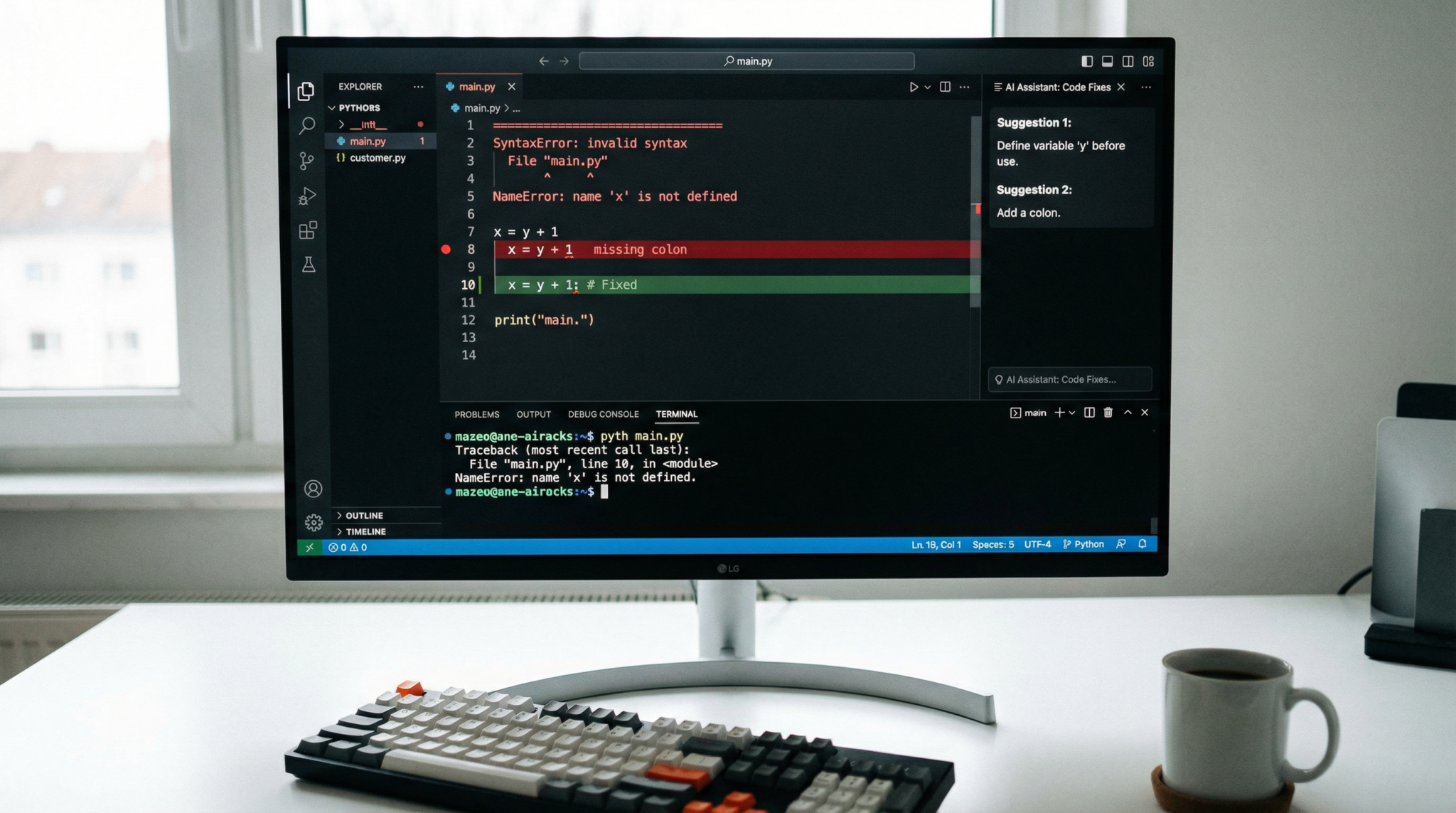
2. Debugging AI-Generated Code Errors
Sometimes Codex-generated code may contain syntax errors or logical bugs. When this happens:
- Run the code in local environments and note error messages.
- Provide specific error outputs back to ChatGPT and request fixes.
- Use interactive debugging prompts like “Explain why this function causes a null pointer exception.”
3. Managing Unexpected Behavior in Agent Management
If AI agents produce inconsistent or conflicting outputs:
- Clearly define each agent’s responsibilities in the project plan.
- Establish communication protocols between agents via shared context or explicit messages.
- Use Plan Mode to synchronize agent tasks and dependencies.
4. Credit Exhaustion and Usage Optimization
To avoid running out of credits mid-project:
- Monitor credit usage regularly via the administrative dashboard.
- Batch code generation requests to minimize token waste.
- Prioritize critical tasks and defer exploratory coding to manual efforts.
Best Practices for Using OpenAI Codex in Different Tech Stacks
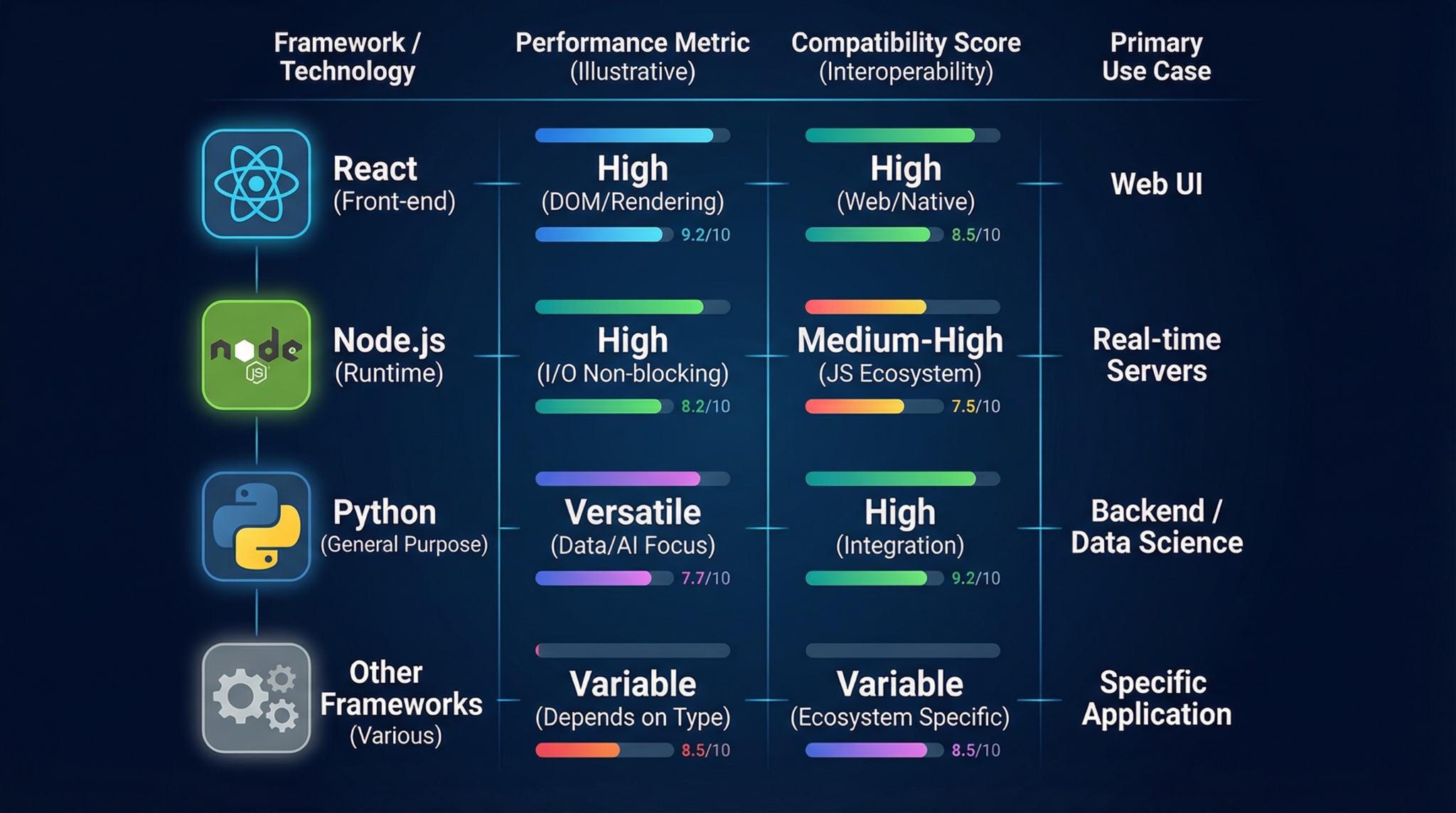
React Development Best Practices with Codex
- Component-Based Prompts: Request Codex to generate reusable components rather than monolithic UI code.
- State Management: Specify preferred state management approaches (Context API, Redux, Zustand) in prompts for consistent code output.
- Accessibility: Include accessibility guidelines in prompts to ensure generated markup follows WAI-ARIA standards.
- Styling: Clarify whether to use CSS-in-JS, Tailwind, or traditional CSS for styling integration.
- Performance Optimization: Ask Codex to implement memoization or lazy loading patterns where applicable.
Node.js Backend Development Best Practices
- Modular Architecture: Encourage Codex to split routes, controllers, and services into separate files for maintainability.
- Security: Emphasize secure coding practices such as input validation, sanitization, and proper error handling in prompts.
- Async/Await Usage: Specify usage of modern asynchronous patterns for readability and performance.
- Database Integration: Define ORM or query builder preferences and request schema validation code generation.
- Testing: Instruct Codex to generate unit and integration tests alongside feature code.
Python Stack Considerations
- Framework Specification: State whether to use Flask, Django, or FastAPI for backend APIs.
- Virtual Environment Setup: Request Codex to generate environment setup scripts and dependency files (requirements.txt or Pipfile).
- Data Models: Define data models using SQLAlchemy or Django ORM and have Codex generate migration scripts.
- API Documentation: Ask for OpenAPI or Swagger schema generation alongside code.
- Testing Best Practices: Generate Pytest test cases and fixtures to ensure robust code coverage.
Building on the fundamentals of full-stack development with OpenAI Codex, explore how a Fortune 500 retailer achieved a 40% reduction in development costs by leveraging advanced Python development with OpenAI Codex through Codex plugins and ChatGPT Enterprise. This case study highlights practical applications of AI-driven workflows in large-scale enterprise environments.
Optimizing Your Workflow for Maximum Efficiency
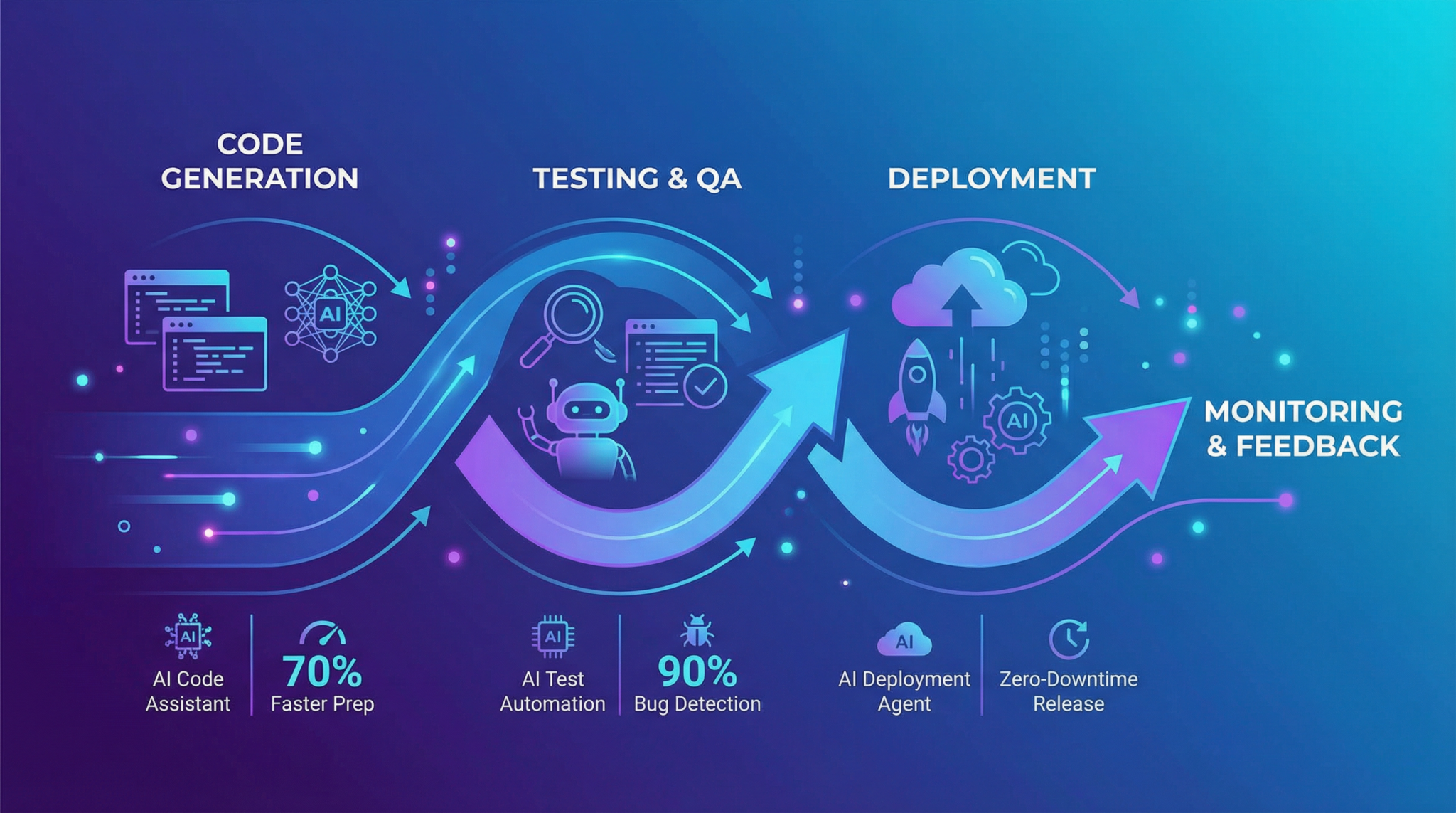
1. Iterative Prompt Refinement
Refining your natural language prompts is key to obtaining high-quality code from Codex. Start with broad requests, then narrow down based on responses. Use clarifying follow-up prompts to address edge cases or performance improvements.
2. Employ Plan Mode for Complex Tasks
Utilize Plan Mode not only at the project start but throughout development. Update plans dynamically as priorities shift or new requirements arise. This maintains clarity and prevents duplicated effort.
3. Leverage Agent Management for Parallelization
Distribute frontend, backend, and testing tasks to dedicated AI agents to work in parallel, reducing overall development time. Coordinate agents with explicit handoff prompts and shared data formats.
4. Integrate AI Code Reviews into Pull Requests
Use Codex to generate code review comments or automated lint fixes within your version control system’s pull request process. This ensures AI assistance extends beyond code generation into quality assurance.
5. Monitor Credit Usage and Optimize Prompt Length
Track credit consumption regularly and optimize your prompt length by removing unnecessary verbosity or combining related requests. This maximizes output per credit spent.
Comprehensive Code Examples for Common Full-Stack Scenarios

Example 1: React Hook for Fetching Authenticated API Data
import { useState, useEffect, useContext } from 'react';
import { AuthContext } from './AuthProvider';

function useFetchTasks() {
  const { token } = useContext(AuthContext);
  const [tasks, setTasks] = useState([]);
  const [error, setError] = useState(null);

  useEffect(() => {
    if (!token) return;
    fetch('/tasks', {
      headers: { Authorization: `Bearer ${token}` },
    })
      .then(res => {
        if (!res.ok) throw new Error('Failed to fetch tasks');
        return res.json();
      })
      .then(data => setTasks(data))
      .catch(err => setError(err.message));
  }, [token]);

  return { tasks, error };
}

export default useFetchTasks;
Example 2: Node.js Express Middleware for Error Handling
function errorHandler(err, req, res, next) {
  console.error(err.stack);
  res.status(500).json({ message: 'Internal server error' });
}

app.use(errorHandler);
Example 3: Python FastAPI Endpoint with Dependency Injection
from fastapi import FastAPI, Depends, HTTPException
from pydantic import BaseModel

app = FastAPI()

class Task(BaseModel):
    id: int
    description: str
    is_completed: bool

def get_current_user(token: str):
    # Validate token and return user info or raise HTTPException
    pass

@app.get("/tasks/")
async def read_tasks(user=Depends(get_current_user)):
    # Return tasks for the authenticated user
    return [{"id": 1, "description": "Sample task", "is_completed": False}]
These examples showcase how Codex can generate idiomatic, production-ready code snippets tailored to your stack and project conventions.
Advanced Troubleshooting and Debugging Techniques
Debugging ChatGPT Codex Output in Real-Time
When encountering unexpected or incorrect code, use the following methods:
- Explain Code: Ask ChatGPT to explain what the generated code does line-by-line to spot logic flaws.
- Refactor Prompt: Request a rewritten version with added comments or improved structure.
- Simulate Input/Output: Provide sample inputs and ask Codex to simulate function outputs for validation.
- Unit Test Generation: Generate failing and passing test cases to isolate bugs.
Resolving API Authentication and CORS Issues
Common issues when integrating frontend and backend include authentication token mismanagement and Cross-Origin Resource Sharing (CORS) errors. Solutions include:
- Ensure JWT tokens are stored securely (httpOnly cookies or secure storage) and sent with every API request.
- Configure Express CORS middleware correctly to allow frontend origin.
- Ask Codex to generate sample CORS configuration snippets for your backend.
Handling Package Compatibility and Version Conflicts
AI-generated code may occasionally produce dependencies incompatible with your current environment. To address this:
- Specify package versions explicitly in your prompts.
- Use dependency managers (npm, pipenv) to lock versions.
- Request Codex to generate package.json or requirements.txt files with compatible versions.
Improving AI Code Generation Accuracy with Contextual Prompts
Provide Codex with detailed context such as:
- Existing codebase snippets.
- Project-specific naming conventions.
- Framework versions and libraries in use.
- Explicit functional requirements and constraints.
This practice enhances the relevance and correctness of AI-generated code.
Summary and Next Steps for Developers
Leveraging OpenAI Codex within ChatGPT Business and Enterprise offers a transformative approach to full-stack development projects. By understanding the credit-based pricing, utilizing agent management for task orchestration, and employing Plan Mode for project planning, developers can supercharge their productivity and code quality.
Integrating Codex-generated code thoughtfully into your development workflow with proper testing, debugging, and version control ensures sustainable, scalable applications. Whether building React frontends, Node.js APIs, or Python backends, Codex adapts to your stack’s best practices and accelerates innovation.
Building on the capabilities of OpenAI Codex in full-stack projects, our detailed guide on mastering React development with AI assistance dives into the latest OpenAI Codex Plugins introduced in 2026, highlighting how these tools enhance component-driven design and streamline AI-assisted testing workflows for React applications.
By continuously refining prompts and workflows, your team can maximize the benefits of AI-powered coding, reduce technical debt, and deliver sophisticated full-stack applications faster than ever before.
Access 40,000+ AI Prompts for ChatGPT, Claude & Codex — Free!
Subscribe to get instant access to our complete Notion Prompt Library — the largest curated collection of prompts for ChatGPT, Claude, OpenAI Codex, and other leading AI models. Optimized for real-world workflows across coding, research, content creation, and business.
Access Free Prompt Library🕐 Instant∞ Unlimited🎁 Free
Frequently Asked Questions
How does OpenAI Codex improve coding efficiency?
OpenAI Codex enhances coding efficiency by generating code snippets, refactoring existing code, and providing real-time, context-aware responses to natural language prompts. This allows developers to quickly iterate on their projects, reducing development time and improving code quality through AI-assisted debugging and feature implementation.
What programming languages does Codex support?
Codex supports dozens of programming languages, including popular ones like Python, JavaScript, and Java. It can interpret natural language prompts to produce executable code snippets across various frameworks, making it versatile for different development environments and tech stacks.
How does the credit-based pricing model work?
The credit-based pricing model allows users to pay for Codex-powered features based on usage, rather than a flat-rate subscription. Each interaction with Codex consumes credits, providing flexibility and scalability for businesses and developers to manage costs according to their specific needs and usage patterns.
Can Codex assist with debugging and code reviews?
Yes, Codex can assist with debugging by analyzing code snippets and suggesting improvements or corrections. It also aids in code reviews by providing insights and recommendations, helping developers identify potential issues and optimize their code for better performance and maintainability.
What is 'Plan Mode' in ChatGPT?
'Plan Mode' is a feature in ChatGPT activated via Shift+Tab, allowing developers to outline and refine project steps. It helps in organizing tasks and setting clear objectives, facilitating structured project management and enhancing collaboration within development teams by providing a clear roadmap.
How does Codex handle natural language prompts?
Codex processes natural language prompts by translating them into executable code or actionable insights. It leverages advanced AI algorithms to understand the context and intent behind queries, enabling developers to communicate with the AI as they would with a human collaborator, thus streamlining the coding process.
