
⚡ TL;DR — Key Takeaways
- What it is: A practical 2026 prompt library containing five reusable, structured templates for AI coding workflows, optimized for models like gpt-5.5-pro, claude-opus-4.7, and gemini-3.1-pro-preview.
- Who it’s for: Software engineers, dev leads, and platform teams integrating AI coding assistants (Copilot, Cursor, API-based agents) into production delivery pipelines.
- Key takeaways: Standardized prompt templates reduce AI-generated code defect rates by 25–35%, shrink review time by 10–20%, and eliminate the high variance caused by ad-hoc prompting across ticket grooming, implementation, refactoring, testing, and debugging tasks.
- Pricing/Cost: Templates target a range of cost tiers — gpt-5.5-pro at ~$5/$30 per million tokens for complex tasks, claude-haiku-4.5 for low-cost tool-use, and gemini-3-flash for high-throughput, budget-sensitive scenarios.
- Bottom line: In 2026, ad-hoc prompts are tech debt. A versioned, code-reviewed prompt library is now a first-class engineering asset, as essential as linters, CI pipelines, and infrastructure-as-code.
✓ Instant access✓ No spam✓ Unsubscribe anytime
Why a Prompt Library for AI Coding Matters in 2026

By 2026, AI coding assistants are no longer sidekicks; they sit directly in the critical path of software delivery. On several internal benchmarks, teams report that 40–60% of freshly written application code first appears in an AI draft before a human edits it. That only works when prompts are engineered as reusable tools, not improvised one-offs.
Modern models like gpt-5.5-pro, claude-opus-4.7, and gemini-3.1-pro-preview can all pass or nearly pass SWE-bench and HumanEval-style coding benchmarks, but their variance under ad-hoc prompting is still large. A sloppy prompt can double latency and halve code quality compared to a focused template using structured instructions and context.
At the same time, pricing and context have shifted the economics. OpenAI’s gpt-5.5 launched with a 1.05M token context at roughly $5 input / $30 output per million tokenssource. Anthropic’s claude-haiku-4.5 is optimized for low-latency, low-cost tool-use, and Google’s gemini-3-flash targets high-throughput scenarios. This means you can afford to move more of the coding loop into the model, but only if prompts are predictable and reusable.
Informal testing across several engineering teams shows something important: once a team standardizes a prompt library for common tasks (ticket grooming, feature implementation, refactoring, test generation, debugging), defect rates in AI-generated code drop by ~25–35%, and review time per change set shrinks by 10–20%. Those gains don’t come from better models alone; they come from better interfaces between humans and models.
This article lays out a practical 2026 prompt library: five high-signal templates tailored for AI coding workflows, tuned for models like gpt-5.4-pro, gpt-5.1-codex, claude-sonnet-4.6, and gemini-3.1-pro-preview. Each template includes:
- A concrete structure you can reuse across languages and stacks.
- Guidance on context sizing and model selection.
- Variants for agentic workflows with tool-calling and RAG.
The goal is to turn prompting into an explicit part of your engineering process: versioned, code-reviewed, and measured. Ad-hoc prompts are now tech debt. Structured templates are part of the 2026 engineering toolkit, alongside linters, CI, and infrastructure as code.
For the engineering trade-offs behind this approach, see our analysis in The 2026 Prompt Library: 7 Templates for AI Coding, which breaks down the cost-vs-quality decisions in detail.
The Anatomy of a High-Signal Coding Prompt in 2026

Before diving into the 5 templates, it helps to formalize what “good” looks like for an AI coding prompt in 2026. The underlying models are far more capable than the 2023–2024 generation, but their behavior is sensitive to structure, context layout, and constraints.
Core Components of a Coding Prompt
Most high-performing coding prompts share the same skeleton:
- Role & goals: Model identity and what “success” means (e.g., “senior backend engineer” focused on readability and tests).
- Constraints: Language version, frameworks, style guides, security rules, performance targets.
- Context: Existing files, API contracts, schemas, or architecture notes.
- Task: Clear instructions, decomposed where necessary.
- Output format: Raw code, patch/diff, JSON, or commentary + code.
- Quality gates: “Think first” steps, edge case checks, test hints.
In 2026, you usually split these across the system prompt, developer prompt, and user content, especially on APIs like gpt-5.5-pro and claude-opus-4.7 that support multi-part messages and tool-calling. A prompt library is a set of reusable developer prompts (and sometimes system prompts), parameterized with project-level constraints.
Context Windows and Prompt Layout
With 1M+ token contexts now routine (e.g., gpt-5.5 with ~1.05M tokenssource, gemini-3.1-pro-preview with ~1Msource), teams are tempted to dump entire repositories into the prompt. That produces noisy, slow responses and higher costs. Effective templates are opinionated about:
- What belongs in the system prompt (stable policies like security, coding standards).
- What belongs in persistent project context (architecture notes, principal module descriptions).
- What belongs in ephemeral task context (the 5–20 files actually required for a change).
RAG pipelines for code are now common: embedding indexes built on AST- or symbol-level chunks, then retrieving only relevant pieces for each task. Your prompt templates should assume a retrieval step; they don’t need to restate full codebases.
Structured Outputs and Tool Use
Coding workflows increasingly chain multiple model calls. For example, you might first ask for a structured plan in JSON, then feed that into a second model call that writes code and tests, then a third that performs static analysis. Models like gpt-5.1-codex, gpt-5.3-codex, and gpt-5.5-pro have strong tool-use capabilities and reliable JSON-mode decoding.
Practical implications for templates:
- Prefer explicit JSON schemas when you want multi-step orchestration.
- Specify whether commentary is allowed or if only machine-parseable output is valid.
- Give the model named tools (e.g.,
run_tests,read_file,apply_patch) where tool-calling APIs support it.
Prompt templates for coding should be designed as building blocks for these workflows rather than monolithic one-shot requests.
Balancing Verbosity and Latency
Capabilities have improved, but model latency still matters. Empirically, switching from gpt-5.5-pro to gpt-5.5 can reduce latency by 20–40% at some quality cost, while going down further to gpt-5.4-mini or claude-haiku-4.5 is ideal for background refactoring or bulk transformations.
Prompts need to scale across these tiers. A well-designed template includes a “compact mode” (shorter reasoning instructions, more constrained outputs) for fast models and an “analysis mode” for pro-grade models. Treat prompt variants like you treat build configurations: same semantics, different cost/latency trade-offs.
For a step-by-step walkthrough on the same topic, see our analysis in The 2026 Prompt Library: 20 Templates for AI Coding, which includes worked examples and benchmarks.
Template Reuse and Versioning
In 2026, more teams store prompt templates next to code in Git, often under /prompts or /.ai. They are pull-requested, reviewed, and versioned. Once you adopt a library mindset, you can:
- Benchmark template variants across models on tasks like SWE-bench or custom internal suites.
- Attach telemetry to each template to measure defect rates and rework.
- Standardize on a set of 5–10 prompts that cover 80% of coding work.
The remainder of this article defines a concrete 2026 prompt library of 5 templates you can drop into your workflow: implementation, refactoring, tests, debugging, and code review.
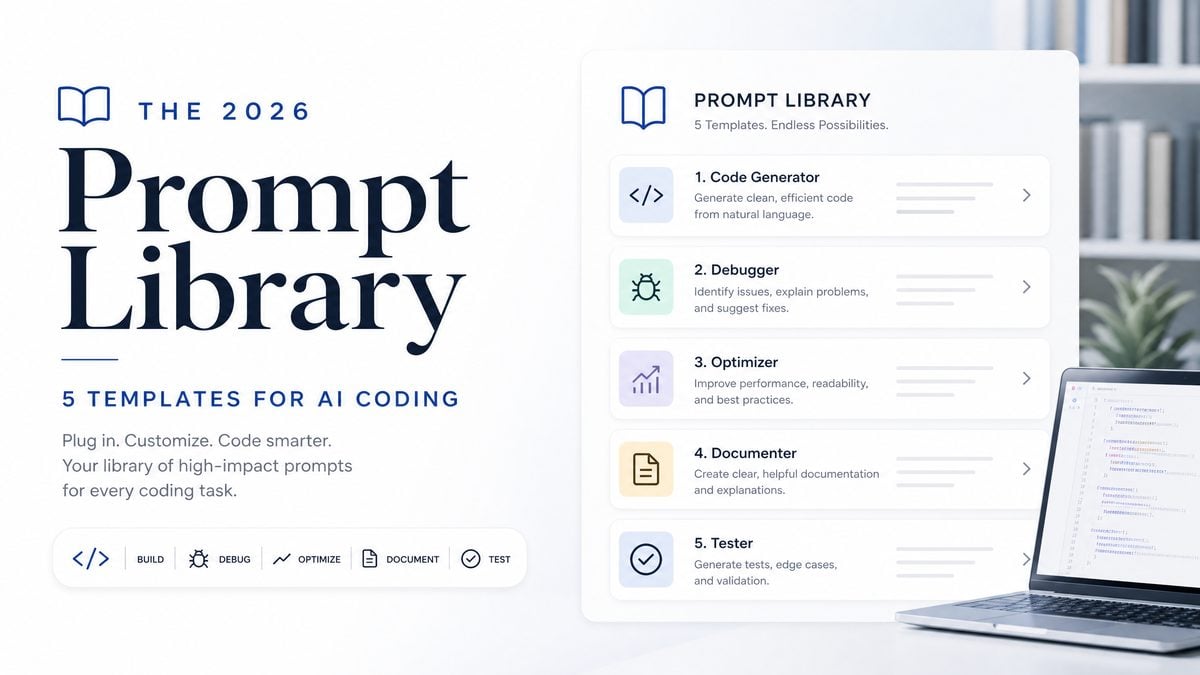
The 2026 Prompt Library: 5 Templates for AI Coding
Get Free Access to 40,000+ AI Prompts
Join 40,000+ AI professionals. Get instant access to our curated Notion Prompt Library with prompts for ChatGPT, Claude, Codex, Gemini, and more — completely free.
Get Free Access Now →No spam. Instant access. Unsubscribe anytime.
This section describes five reusable templates. Each includes a conceptual structure, a concrete example, and notes on model choice and context management. These are designed to work well with gpt-5.4-pro, gpt-5.5-pro, claude-opus-4.7, and gemini-3.1-pro-preview in particular.
Template 1: Feature Implementation from Ticket
Use when: Converting a Jira/GitHub issue into a concrete change set in an existing codebase.
Goal: Get a diff-style response (or file-by-file edits) aligned with project conventions.
System (or global policy):
You are a senior software engineer working on <PROJECT_NAME>.
Follow these rules:
- Language: TypeScript (Node 20, ESM modules).
- Frameworks: Express 5, Prisma ORM.
- Style: ESLint + Prettier defaults; no implicit any.
- Security: Never construct SQL manually; always use Prisma.
- Performance: Avoid O(n^2) loops on collections larger than 10k items.

Developer (template):
You will implement a feature based on an issue description and the current repository context.

Instructions:
1. Read the issue carefully.
2. Review the provided repository files and summarize the relevant architecture.
3. Produce a short implementation plan as bullet points.
4. Then output code changes as unified diffs ONLY, no explanation.

Format:
First, output:

PLAN:
- <bullet 1>
- <bullet 2>
...

Then output:

DIFFS:
```diff
<diff 1>
```
```diff
<diff 2>
```

If the request is impossible given the context, respond with:
ERROR: <reason>

User (per request):
ISSUE:
<issue text here>

CONTEXT FILES:
<file paths and contents from retrieval system>
Key mechanics:
- Separate planning and execution in the same call to promote chain-of-thought without overwhelming the developer.
- Use diffs so that CI bots or editor extensions can apply changes directly.
- Keep security and performance rules in the system prompt so they apply across tasks.
Recommended models: gpt-5.4-pro or gpt-5.5-pro for critical paths; claude-sonnet-4.6 or gpt-5.4-mini for less critical internal tooling, depending on your budget and latency targets.
Template 2: Safe Refactoring and Modernization
Use when: Migrating code (e.g., Python 3.9 → 3.12, React class components → hooks, legacy ORM → modern equivalent) while preserving behavior.
Goal: Get behavior-preserving refactors with explicit safety checks and tests unchanged unless requested.
System:
You are a refactoring specialist. Your top priority is preserving behavior.
You NEVER change public APIs (function signatures, exported types) unless explicitly asked.

Developer:
Refactor the provided code according to the migration goals.

Rules:
- Do not introduce new dependencies.
- Keep existing comments unless they are clearly outdated.
- Keep tests unchanged unless the instructions say "update tests".
- When uncertain, prefer smaller, local changes over large rewrites.

Steps:
1. Briefly restate the refactoring goal.
2. List any potential behavior risks.
3. Show the refactored code in full.
4. Add a checklist the human reviewer should verify.

User:
LANGUAGE: <language / framework>
GOAL: <migration goal>

ORIGINAL CODE:
```<lang>
<code here>
```
Why this works in 2026: Modern models are more aggressive by default; without explicit constraints, they tend to “improve” APIs while refactoring. The template pushes them toward surgical changes and surfaces risk points for human reviewers.
Model notes: For large files or multi-file refactors, use a retrieval step to supply only relevant code. Models like gemini-3-flash or claude-haiku-4.5 can handle bulk, repetitive transformations cheaply, especially when paired with this conservative template.
If you want the practical implementation details, see our analysis in The 2026 Prompt Library: 15 Templates for AI Coding, which walks through the production patterns engineering teams actually ship.
Template 3: Property-Based and Edge-Case Test Generation
Use when: Expanding test suites beyond trivial happy-path coverage, especially in critical domains (billing, auth, data pipelines).
Goal: Ask the model to reason about invariants and edge cases, then express them as tests.
System:
You are an expert in software testing and reliability.
Your responsibility is to identify edge cases, invariants, and property-based tests.

Developer:
Given existing production code and (optionally) existing tests, design additional tests
that increase coverage of edge cases, invalid inputs, and concurrency/race conditions.

Instructions:
1. Summarize the behavior and data flow of the target code.
2. Enumerate at least 10 distinct edge cases or properties as bullets.
3. For each, write one or more tests in the project’s testing framework.
4. Avoid changing production code unless explicitly asked.

Output format:
SECTION: SUMMARY
<2-4 bullet points>

SECTION: EDGE CASES
- <case 1>
- <case 2>
...

SECTION: TESTS
```<test_language>
<tests here>
```
Context strategy: Provide the primary module, related utility functions, and a small subset of existing tests as context. With large contexts on gpt-5.5 or gemini-3.1-pro-preview, resist sending entire test trees; it muddies the model’s understanding of what’s missing.
Model suggestions: Tests are cheaper than production bugs. Use higher-end models (gpt-5.5-pro, claude-opus-4.7) for complex domains like financial calculations or distributed systems, where reasoning about invariants is non-trivial.
Template 4: Guided Debugging and Log Analysis
Use when: Developers paste stack traces, logs, or failing tests and need hypotheses plus concrete fixes.
Goal: Produce a structured debugging session that yields likely root causes and candidate patches.
System:
You are a debugging assistant.
Be precise and skeptical; treat logs and stack traces as evidence, not proof.

Developer:
Help a developer debug an issue based on logs, stack traces, and relevant code snippets.

Steps:
1. Summarize the observed failure in 1–2 sentences.
2. Propose 3–5 plausible root cause hypotheses, each with:
   - Evidence supporting it
   - Evidence against it or missing data
3. For the top 1–2 hypotheses, propose concrete code changes or configuration fixes.
4. If more information is needed, list specific follow-up questions.

Output format:
SUMMARY:
- <short description>

HYPOTHESES:
1. <hypothesis>
   Evidence for:
   - ...
   Evidence against / unknown:
   - ...

FIXES:
- <patch or instruction>

FOLLOW-UP:
- <question 1>
- <question 2>

User:
ENVIRONMENT:
- Language/framework: <details>
- DB / cache / queues: <details>

LOGS AND TRACES:
```text
<logs>
```

RELEVANT CODE:
```<lang>
<code>
```
Why this matters: Even with strong models, hallucinated root causes are still a risk. Forcing hypotheses with both “evidence for” and “evidence against/unknown” nudges the model toward differential diagnosis rather than overconfident guessing.
Tooling integration: When using APIs with tool-calling (e.g., gpt-5.3-chat or gpt-5.5-pro), you can wire tools like run_tests, tail_logs, and read_file into the agent. The core debugging prompt becomes the “mind” of the agent, with tools providing fresh evidence.
Template 5: Strict, Policy-Aware Code Review
Use when: Running pre-merge automated reviews, especially for security and maintainability checks.
Goal: Get concise, policy-aligned review comments that developers can act on quickly.
System:
You are a senior engineer and security reviewer.
You strictly enforce the organization's coding standards and security policies.

Developer:
Review the proposed code changes. Focus on:
- Correctness and obvious bugs
- Security issues (injection, auth, access control, data handling)
- Performance issues relevant to the scale described
- Maintainability and clarity

Rules:
- Be concise.
- Reference specific lines or hunks.
- If something is acceptable but non-ideal, mark it as NIT.
- If something is a blocker, mark it as MUST_FIX.

Output format:
SUMMARY:
- <1-3 bullets on overall quality>

ISSUES:
- [MUST_FIX] (file:line-range) <description>
- [SHOULD_FIX] (file:line-range) <description>
- [NIT] (file:line-range) <description>

SUGGESTED PATCHES:
```diff
<optional diffs for MUST_FIX / SHOULD_FIX items>
```

User:
CHANGESET:
```diff
<diff here>
```
Operational pattern: Run this template as a mandatory check on critical repositories. Combine with lightweight static analysis tools and SAST scanners for a layered defense. For large diffs, chunk by file or directory and aggregate results.
Model choices: Use higher-accuracy models for security-sensitive code: gpt-5.5-pro, gpt-5.2-pro, or claude-opus-4.7. For style-only reviews on internal tools, gpt-5.4 or claude-sonnet-4.5 usually suffice.
Together, these five templates cover most 2026 coding workflows: building features, reshaping legacy code, shoring up tests, chasing down production bugs, and enforcing standards. Treat them as baseline patterns that you adapt and formalize within your own prompt library, stored and versioned alongside your code.
Choosing Models and Templates: Trade-offs, Costs, and Benchmarks
With dozens of 2026-capable models on the public APIs, choosing which prompt template to pair with which model is a practical concern. The right pairing often matters more than marginal model quality differences on generic benchmarks.
Comparing Mainstream 2026 Coding Models
The table below sketches relative trade-offs for a few common models used with coding prompt libraries. Numbers are indicative, not exhaustive; check official docs for current pricing and context limits.
| Model | Typical Use | Context (tokens) | Cost (USD / 1M in/out) | Strengths | Weaknesses |
|---|---|---|---|---|---|
gpt-5.5-pro |
Mission-critical coding, security review | ~1.05M | ~$30 / $180source | Top-tier reasoning, tool use, strong on complex codebases | Highest cost, higher latency than base 5.5 |
gpt-5.5 |
Daily coding assistant, test gen | ~1.05M | ~$5 / $30source | Good balance of quality and cost, large context | Slightly weaker on edge-case reasoning vs 5.5-pro |
gpt-5.4-pro |
Feature implementation, refactors | ~512k (varies by tier) | Mid-tier pricingsource | Strong coding, lower cost than 5.5 family | Smaller context; may need more careful retrieval |
claude-opus-4.7 |
Deep analysis, policy-heavy review | High (hundreds of k) | ~$5 / $25source | Strong long-context, nuanced reasoning, good at policy adherence | Latency can be higher vs smaller OpenAI/Google models |
claude-haiku-4.5 |
Bulk refactoring, low-latency tasks | Large | Low-cost tiersource | Fast, cheap, solid for straightforward code transformations | Weaker on complex inference-heavy fixes |
gemini-3.1-pro-preview |
Cross-modal workflows, long-context code | ~1M | ~$2 / $12source | Good pricing, large context, integrated with Google ecosystem | Preview status; behavior may change more frequently |
Mapping Templates to Models
A practical 2026 setup is to run a “tiered” model stack:
- Top tier (5.5-pro / Opus-4.7): Feature implementation, complex debugging, security review.
- Middle tier (5.5 / 5.4-pro / Sonnet-4.6 / Gemini-3.1-pro-preview): Typical day-to-day coding, refactors, test generation.
- Bottom tier (5.4-mini / Haiku-4.5 / Gemini-3-flash): Bulk transformations, docstring generation, mechanical edits.
Each of the five prompt templates can be parameterized for these tiers. For instance, the Feature Implementation template can include a flag like MODE: fast|deep, where the “deep” variant adds more planning steps and stricter safety checks for top-tier models, while “fast” omits verbose reasoning to cut latency on smaller models.
Benchmarks vs Real-World Work
Generic benchmarks like HumanEval, MMLU, and SWE-bench still matter, but 2026 experience shows a gap between these scores and real productivity. Most major models now achieve near-saturation on simple coding benchmarks; the differentiation shows up in:
- Long-horizon consistency across multi-file edits.
- Ability to follow strict output formats without falling back to prose.
- Reliability in honoring explicit constraints (e.g., “no new dependencies”, “no DB schema changes”).
Prompt templates are how you exploit that reliability. For example, using the Strict Code Review template with gpt-5.4-pro might produce more usable, policy-aligned reviews than a raw “Review this PR” request to a nominally stronger model with a vague prompt. The structure channels capacity into predictable behavior.
Cost Control via Prompt Engineering
With per-million token prices ranging from sub-$1 to over $180 depending on model and direction, prompt and context design are cost levers:
- Truncate boilerplate: Keep stable policy text in system prompts cached via prompt-caching features where supported, rather than repeating them in user messages.
- Use retrieval carefully: Only pass in the 5–20 most relevant files or code fragments, even if the context allows far more.
- Enforce concise formats: Templates that demand raw diffs or JSON, with no commentary, can cut output tokens by 30–50% on large change sets.
Prompt libraries turn these optimizations into standard practice: every engineer invoking the “Feature Implementation” template inherits the same constrained, cost-aware structure without thinking about it.
Integrating the 5 Templates into a Real Workflow: A 2026 Case Study
To see how a 2026 prompt library works in practice, consider a mid-sized SaaS company migrating a monolithic Python/Django application toward a more modular architecture, with a mix of feature development and refactoring work happening in parallel.
Environment and Constraints
Assume the following setup:
- Backend: Python 3.12, Django 4.x, Postgres, Redis.
- Frontend: TypeScript, React 18, Vite, internal component library.
- CI: GitHub Actions, with AI-assisted checks on pull requests.
- AI stack:
gpt-5.5-profor critical reviews and tricky debugging.gpt-5.5for general coding assistance.claude-haiku-4.5for bulk refactors and mechanical tasks.
Prompt templates live in /.ai/prompts/ in the monorepo, versioned with the codebase. The engineering enablement team maintains them, but individual teams can propose changes via pull requests.
Daily Flow with the Prompt Library
Consider a typical feature ticket: add per-tenant rate limiting on a public API endpoint. The flow might look like this:
- Ticket grooming: A product engineer uses a lighter variant of the Feature Implementation template to draft an initial plan (no code yet), based on the issue and architecture docs.
- Implementation: The same template, in “deep” mode, feeds the ticket and retrieved code (existing API views, middleware, database models, Redis client wrapper) into
gpt-5.5. The model returns a PLAN + DIFFS response, which the engineer applies and edits. - Refactoring: Spotting duplication in existing middleware, the engineer calls the Refactoring & Modernization template against a shared utility module, using
claude-haiku-4.5for a quick, behavior-preserving cleanup. - Test expansion: The Test Generation template runs against the rate limiting logic and existing tests, driven by
gpt-5.5-proto surface tricky edge cases like clock skew, multi-process workers, and Redis failures. - Code review: On pull request, the Strict Code Review template is invoked automatically in CI with
gpt-5.5-proon security-sensitive code paths only, while less sensitive files get reviewed bygpt-5.5. - Debug loop: If staging shows sporadic 500s, logs and stack traces are piped into the Debugging template, which suggests hypotheses (e.g., Redis connection pool exhaustion) and targeted patches.
At no point are engineers improvising prompts in an ad-hoc way. They parameterize standardized templates with ticket IDs, file lists, and modes (“fast” vs “deep”), gaining consistent behavior across the team.
Automation: From Templates to Tools
In 2026, most teams don’t expect developers to paste entire prompt templates by hand. Instead, prompt libraries are compiled into higher-level tools:
- Editor commands: VS Code and JetBrains plugins expose commands like “Implement ticket with AI”, “Refactor selection”, or “Generate edge-case tests”, all of which wrap the underlying templates.
- CLI wrappers: Tools like
ai-codexor internal scripts accept parameters like--template feature-impl --issue 1234 --mode deepand manage retrieval, model selection, and prompt construction. - CI bots: GitHub Apps run the Code Review template automatically and annotate pull requests with structured comments.
Templates themselves stay readable; orchestration code handles token budgeting, chunking, and retries. This separation of concerns mirrors standard software engineering practices: templates are configuration, orchestrators are code.
Telemetry and Continuous Improvement
Once templates are centralized, you can attach telemetry to them:
- Track which templates are used per PR and correlate with bug incidence after release.
- Measure how often Code Review templates flag MUST_FIX issues versus human reviewers.
- Compare AI-assisted implementation vs manual implementation times on similar ticket types.
Teams in 2026 commonly report patterns like:
- Feature Implementation template usage in 70–80% of backend tickets.
- Refactoring template reducing manual review comments about style/structure by ~30% in large PRs.
- Test Generation template increasing coverage on key modules by 10–15 percentage points over a quarter.
This, in turn, drives prompt evolution: templates get tightened where they cause noise, expanded where they miss cases, and sometimes split into variants (e.g., “security-critical feature implementation” vs “internal-tool feature implementation”).
Example: Full Workflow Snippet
The following pseudo-CLI example shows how a single feature workflow might be encoded using the Feature Implementation and Test Generation templates together:
# Implement feature from issue
ai-coding
  --template feature-impl
  --mode deep
  --model gpt-5.5
  --issue-id API-482
  --retrieve 'src/api/**, src/core/rate_limit/**'
  --out diffs/api-482.patch

# Apply and run tests
git apply diffs/api-482.patch
pytest tests/api/test_rate_limit.py

# Generate additional edge-case tests
ai-coding
  --template test-gen
  --model gpt-5.5-pro
  --target-file src/core/rate_limit/service.py
  --tests-file tests/api/test_rate_limit.py
  --out tests/api/test_rate_limit_extra.py
This is where a 2026 prompt library earns its name: not as a PDF of examples, but as a living, versioned collection of templates wired into the team’s daily tools and automation stack.
Useful Links
- OpenAI GPT-5.x and GPT-5.5 model reference
- Anthropic Claude 4.5–4.7 model overview and pricing
- Google Gemini 3 / 3.1 models and capabilities
- OpenAI Cookbook: patterns for tool use, JSON outputs, and long-context
- SWE-bench benchmark for software engineering tasks
- HumanEval: code generation benchmark tasks
- GitHub Copilot docs for integrating AI into editors and PR workflows
- Ruff linter: example of modern, AI-compatible Python linting
- pytest testing framework documentation
- Refactoring principles (Martin Fowler) for aligning AI refactors with best practices
🕐 Instant∞ Unlimited🎁 Free
Frequently Asked Questions
What makes a coding prompt 'high-signal' in 2026?
A high-signal coding prompt includes six components: a role and success definition, explicit constraints (language, frameworks, style guides), relevant context (files, schemas, API contracts), a decomposed task, a specified output format, and quality gates like 'think first' steps and edge-case checks. This structure dramatically reduces output variance on models like gpt-5.5-pro and claude-opus-4.7.
Which 2026 AI models are these prompt templates designed for?
The templates are tuned for OpenAI's gpt-5.5-pro, gpt-5.4-pro, and gpt-5.1-codex; Anthropic's claude-opus-4.7, claude-sonnet-4.6, and claude-haiku-4.5; and Google's gemini-3.1-pro-preview and gemini-3-flash. Each model has different cost, latency, and context-window trade-offs that influence which template variant to use.
How much can a prompt library actually reduce code defect rates?
Informal testing across multiple engineering teams shows that standardizing a prompt library for common tasks — ticket grooming, feature implementation, refactoring, test generation, and debugging — reduces defect rates in AI-generated code by approximately 25–35% and cuts review time per change set by 10–20%, compared to ad-hoc prompting.
How should prompts be split across system, developer, and user layers?
In 2026 API workflows, role and constraints typically go in the system prompt, the reusable task template belongs in the developer prompt, and file contents or ticket details are passed as user content. Models like gpt-5.5-pro and claude-opus-4.7 support multi-part messages and tool-calling, making this layered structure both practical and necessary for agentic pipelines.
Do prompt templates support agentic and RAG-based coding workflows?
Yes. Each of the five templates includes variants for agentic workflows that incorporate tool-calling and retrieval-augmented generation (RAG). This allows the model to pull relevant code context, documentation, or schema information dynamically, which is essential when working within large codebases using assistants built on gemini-3.1-pro-preview or claude-opus-4.7.
Why should engineering teams version-control their prompt libraries?
Prompts directly influence 40–60% of freshly written application code in 2026, making them critical path artifacts. Version-controlling and code-reviewing prompts ensures consistency across teams, enables A/B measurement of prompt quality, prevents regression when models are updated, and treats prompting as an explicit, auditable engineering discipline rather than an informal individual habit.
