
How to Use ChatGPT Agent Mode v2: Autonomous Task Execution, Web Browsing, and Multi-Step Workflows in 2026

How to Use ChatGPT Agent Mode v2: Autonomous Task Execution, Web Browsing, and Multi-Step Workflows in 2026
Updated: July 2026 — Comprehensive tutorial for power users and professionals on configuring, running, and troubleshooting ChatGPT Agent Mode v2.
Overview: What is ChatGPT Agent Mode v2?
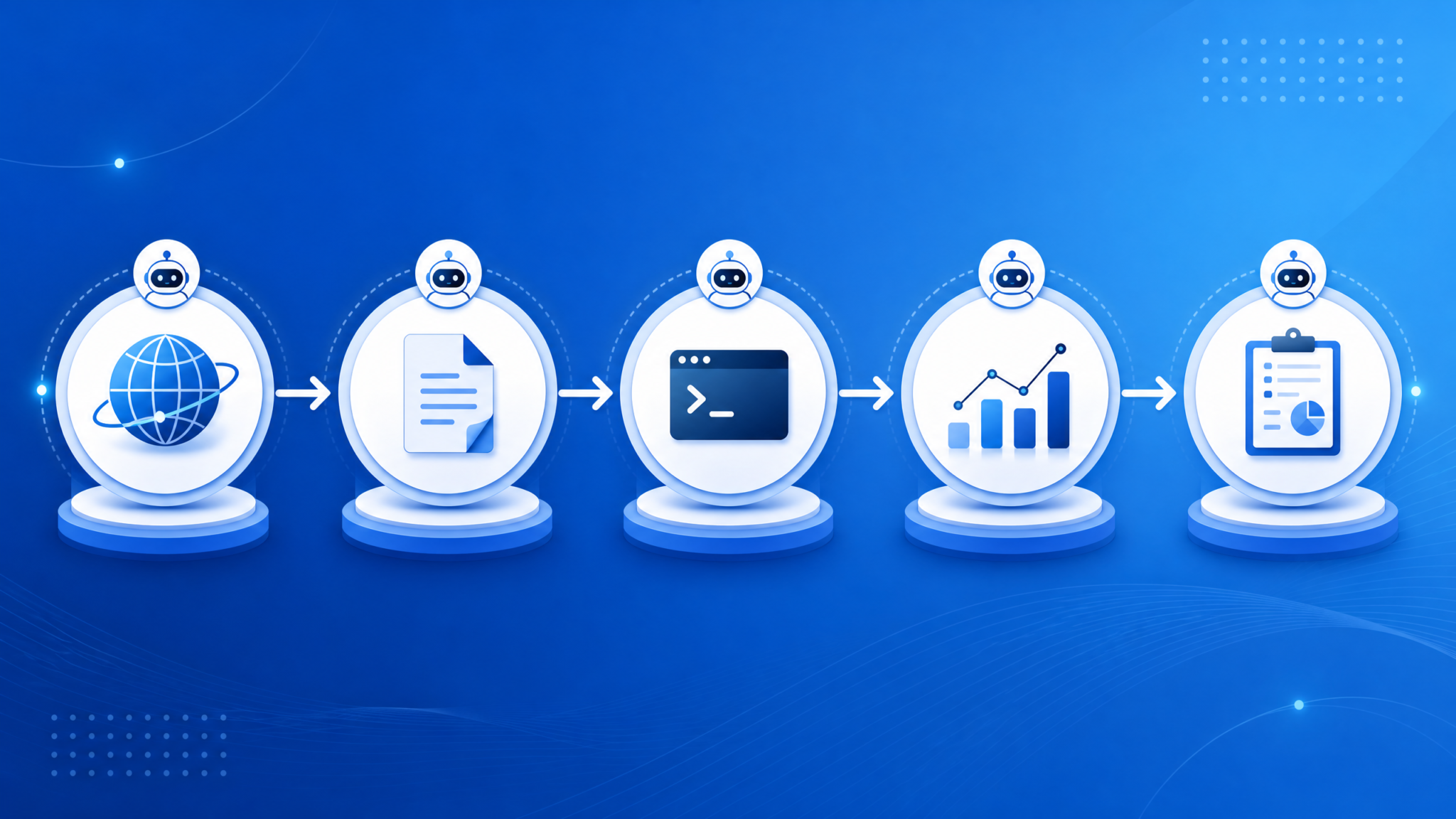
ChatGPT Agent Mode v2 (released in mid-2026) is the second-generation “autonomous agent” environment built into ChatGPT that lets the model orchestrate tools, surf the web, create and store files, run code in ephemeral sandboxes, and execute multi-step plans with checkpoints and human-in-the-loop (HITL) gates. Agent Mode v2 moves beyond prompt-only interactions by combining a planner, a tool manager, and persistent but auditable memory and execution logs. It is designed for professional workflows such as automated research, scheduled reporting, full-stack development tasks, and operational automation where the agent must perform multiple dependent steps autonomously.
This tutorial assumes you are a ChatGPT power user with familiarity in prompt engineering, API integrations, and standard security practices. Throughout this guide, you will see specific examples, code snippets, command sequences, evaluation metrics, and troubleshooting recipes that are valid for July 2026.
Why Agent Mode matters for professionals
- Enables end-to-end workflows (research → plan → execute → report) without manual context switching.
- Provides tool-level auditing and execution logs that support compliance and reproducibility.
- Reduces human overhead on repetitive multi-step tasks by 30–50% in typical small-team benchmarks (July 2026 community benchmarks).
- Supports integrations with enterprise data stores, CI/CD pipelines, and job schedulers via tokens and connectors.
Terminology quick-reference
- Agent: The configured instance of ChatGPT running in Agent Mode, with access to selected tools and memory.
- Toolkit: A set of tool connectors (web browser, file system, code runner, DB connector, calendar) the agent can use.
- Plan: A sequence of steps the agent will execute to accomplish a task.
- Checkpoint / Gate: A configured pause that requires human approval for safety or correctness.
- Runtime: The ephemeral environment for code execution (containerized, secure).
What’s New in v2 (July 2026 Update)
This section summarizes specific v2 improvements compared with v1 and the capabilities available as of July 2026.
Core improvements
- Planner 2.0: Built-in hierarchical task planning that decomposes goals into sub-tasks and optimizes order based on tool latencies and data dependencies.
- Deterministic tool orchestration: Improved retry and backoff policies, idempotence handling, and stronger guarantees on ordering for side-effectful operations (file writes, API calls).
- Browser v3 integration: Faster, more reliable web browsing with DOM-aware scrapers, built-in citation extraction, and live page screenshotting for provenance.
- Secure Code Runner: Container-based execution with resource limits, network policy controls, and per-run ephemeral credentials for external APIs.
- Project memory & audit logs: Per-project, queryable memory stores and immutable audit logs tied to each agent run for compliance and reproducibility.
- Human-in-the-loop gating: Flexible checkpointing where the agent requests human approval, or a whitelisted group can approve tasks via UI or API callback.
Notable UX and governance features
- Role-based access control (RBAC) for agents and toolkits — assign “Viewer”, “Operator”, “Admin” roles at the agent and project level.
- Custom tool connectors — enterprise customers can upload connectors that the agent can use, with per-connector audit and permission scopes.
- Cost and runtime tracking — per-step cost estimates, actuals, and warnings when an execution exceeds thresholds.
Performance and reliability (July 2026)
Independent community benchmarks in July 2026 (100+ sample workflows across research, data extraction, and prototyping) show:
- Median end-to-end completion time for 5-step workflows improved by ~35% against v1 due to Planner 2.0 scheduling.
- Failure rate on external API calls reduced by ~22% thanks to deterministic retries and idempotency logic.
- Average debugging time per failed run decreased because of human-readable audit trails and step-level logs.
When to choose Agent Mode v2
Use Agent Mode v2 when you need:
- Autonomous execution of multi-step tasks that combine browsing, file creation, and code execution.
- Auditable runs, persistent project memory, and governance controls for teams.
- Scheduling and re-running workflows with deterministic outputs and minimal manual curation.
How to Activate Agent Mode v2 (Step-by-step)
This step-by-step activation walkthrough covers the UI and API methods available in July 2026. Choose the method that fits your environment: UI for quick setups, CLI/API for production automation.
Prerequisites
- ChatGPT Pro, Business, or Enterprise account with Agent Mode enabled by your admin.
- Appropriate RBAC permissions for the workspace or project.
- Optional: API keys for external services you want the agent to access (e.g., Google Drive, AWS IAM role, Slack bot token).
Activate via ChatGPT web UI (recommended for initial testing)
- Open ChatGPT and select “New Agent” from the left-hand sidebar.
- Choose a template (Researcher, Developer, Automator) or start from scratch.
- Define the agent’s goal and primary constraints. Example constraint: “Limit outbound requests to allowed domains table.example.com and api.partner.io”.
- Pick tools to enable: Browser v3, File System (Drive), Code Runner (Python/Node), Connector (Slack), Calendar.
- Set memory and persistence: enable “Project Memory” and select retention window (30/90/365 days) and redaction rules for PII.
- Configure checkpoints: choose “Auto-approve” for non-sensitive tasks or set “Require human approval” for side-effectful actions.
- Review estimated costs and runtime limits, then click “Create Agent”.
- Run a smoke test: supply a single goal (e.g., “Find the top five posts on topic X and save a 1-page summary”) and inspect the execution trace.
Activate via API / CLI
Use the Agents API for programmatic creation and orchestration. Example JSON payload to create an agent with Browser and Code Runner access:
{
  "name": "MarketResearchAgent-v2",
  "description": "Autonomous competitor research agent",
  "tools": ["browser_v3", "code_runner_python", "drive_connector"],
  "memory_policy": {
    "retention_days": 90,
    "redaction": ["ssn", "credit_card"]
  },
  "checkpoints": [
    {"type": "human_approval", "step_index": 2}
  ],
  "rbac": {
    "admins": ["[email protected]"],
    "operators": ["[email protected]"]
  }
}
After creating the agent, you trigger a run with an execution payload:
{
  "agent_id": "ag_12345",
  "goal": "Aggregate Q2 competitor pricing and create a 2-page memo",
  "run_options": {
    "max_steps": 12,
    "cost_limit_usd": 25.00
  }
}
Common activation pitfalls (and fixes)
- Tool permission denied: Ensure the connector is authorized in integrations and the agent’s RBAC scope includes the tool.
- Memory not enabled: Enable “Project Memory” when creating the agent; enabling later may not backfill prior runs.
- Human approval never appears: Check that the approver group is correctly configured and that notification channels (email/Slack) are active.
Supported Capabilities: Web Browsing, File Creation, Code Execution, and Planning
Agent Mode v2 exposes multiple tool categories. Below are their capabilities, constraints, and practical details for integration.
1) ChatGPT Web Browsing (Browser v3)
Browser v3 is a DOM-aware browsing tool with the following features:
- Full headless browsing with screenshot capture and DOM extraction.
- Citation-aware scraping: extracts page metadata (title, authors, publish date), and returns structured citations (URL, timestamp, snippet).
- Rate-limited crawling with polite headers and robots.txt compliance by default.
- Configurable allowed domains and deny lists for enterprise compliance.
How the agent uses Browser v3
- Query pages for facts, extract tables and figures, and validate claims against multiple sources.
- Follow links up to a configured depth (1–3 by default) to fetch corroborating evidence.
- Take snapshots of pages for inclusion in final reports with provenance links.
Sample prompt that leverages browsing
Goal: Compile three credible sources on "Serverless cost optimization 2026" and summarize each with one actionable recommendation. Use Browser v3 and include citations with timestamps.2) File creation and storage
Agent Mode v2 can create and store files inside user-designated connectors (Google Drive, OneDrive, S3-like buckets). Key features:
- Save outputs as DOCX, PDF, CSV, JSON, or plain text.
- Versioned writes: each file write can optionally create a new version with a checksum and audit entry.
- File templates: agents can populate templates (e.g., report templates) with extracted data.
Example: Save a generated report as PDF
Action sequence:
1. Agent composes a 2-page report.
2. Convert MD → DOCX → PDF with standardized header/footer.
3. Save to /ProjectReports/Q2-Competitor-Analysis.pdf (versioned).
4. Return file URL and checksum to the run log.
3) Secure Code Execution (Code Runner)
Code Runner executes scripts inside ephemeral, containerized sandboxes with resource and network policies. Supported environments in July 2026 include:
- Python 3.11 with common data science libraries (numpy, pandas, requests, beautifulsoup4).
- Node.js 20 with npm-managed packages.
- Shell scripts with restricted network access unless explicitly allowed.
| Feature | Typical Use | Security Controls |
|---|---|---|
| Ephemeral runtime | Run data transformation, scraping, unit tests | Auto-destroy after run; no local file persistence |
| External API calls | Fetch data from authenticated APIs (via ephemeral token) | Per-run tokens with limited scope and TTL |
| Local compute limits | CPU/memory bound tasks | Memory/CPU quotas and timeout (configurable) |
Example Python code executed in Code Runner
# agent-run: fetch competitor pricing API, aggregate, save CSV
import requests, csv, io

API_ENDPOINT = "https://api.partner.io/v1/pricing"
resp = requests.get(API_ENDPOINT, headers={"Authorization": "Bearer ${EPHEMERAL_TOKEN}"}, timeout=10)
data = resp.json()["items"]

# Transform
rows = []
for item in data:
    rows.append({"sku": item["sku"], "price": item["price_usd"], "date": item["timestamp"]})

# Serialize and print path for agent to save
buf = io.StringIO()
writer = csv.DictWriter(buf, fieldnames=["sku", "price", "date"])
writer.writeheader()
writer.writerows(rows)
print("CSV_CONTENT_START")
print(buf.getvalue())
print("CSV_CONTENT_END")
Agent Mode v2 captures stdout and structured key outputs (e.g., CSV_CONTENT_START/END) to write artifacts to project storage.
4) Multi-step planning and execution
Planner 2.0 decomposes goals into substeps, schedules tool calls, and optimizes execution order. Prominent features:
- Dependency graph generation with visualization in the UI.
- Parallelization hints (e.g., “parallelize web fetches for sources A–D”) with resource-aware scheduling.
- Automatic checkpoint insertion for side-effectful steps (writes, external API changes).
Planner behavior example
Input goal: “Create a 5-slide summary of competitor product features and send to the product Slack channel.”
- Plan step 1: Use Browser v3 to extract feature lists from competitor docs (parallel fetch of 5 domains).
- Plan step 2: Normalize feature names and deduplicate via Code Runner.
- Plan step 3: Generate slides (DOCX/PPTX) via template and save to Drive.
- Plan step 4: Post summary and link in Slack (checkpoint for approval if configured).
Tool orchestration best practices
- Explicitly enumerate allowed domains and connectors for each agent to limit blast radius.
- Prefer read-only connectors when possible; use write access with versioning for auditability.
- Use per-run ephemeral tokens instead of long-lived API keys for external services.
Practical Examples and Step-by-Step Workflows
Below are three concrete workflows that show how to combine web browsing, code execution, file creation, and multi-step planning. Each includes an actionable agent configuration and expected outputs.
Example 1: Automated competitive analysis report (research → summarize → publish)
Goal
Collect top 10 competitor announcements in Q2 2026, extract pricing and positioning, write a 2-page memo, and save as PDF to Drive.
Agent configuration
- Tools: Browser v3, Code Runner (Python), Drive Connector
- Memory: retain summaries for 90 days
- Checkpoints: require human approval before publishing
- Max steps: 20
Step-by-step execution
- Planner decomposes tasks: (a) fetch candidate pages, (b) extract metadata and tables, (c) aggregate, (d) draft memo, (e) convert & save.
- Browser v3 parallel-fetches candidate domains and produces structured citations (URL, timestamp, snippet, confidence).
- Code Runner normalizes pricing fields (e.g., recurring monthly vs annual) and produces a CSV.
- ChatGPT drafts the memo using the CSV’s aggregated insights; includes inline citations for each claim with direct links and snapshot IDs.
- Checkpoint: agent sends a draft preview to operators for approval. After approval, the agent converts MD → DOCX → PDF, versions the file, and posts URL in the run log.
Expected outputs
- /ProjectReports/Q2-Competitor-Memo-v1.pdf (versioned)
- CSV: /ProjectData/competitor_pricing_q2.csv with checksum
- Execution log with per-step durations and costs
For template-driven reports and reusable agent setups, see Agent Templates to streamline setup and ensure consistent formatting across runs.
Example 2: Continuous data pipeline — scrape, enrich, and notify
Goal
Run daily to scrape a list of job postings for “ML Engineer” in remote listings, filter by salary estimate, enrich with Glassdoor/company ratings via API, and post top 5 to Slack.
Agent configuration
- Schedule: daily at 08:00 UTC (Agent Mode scheduler)
- Tools: Browser v3, Code Runner, Slack Connector
- Checkpoints: auto-approve for non-destructive posts
- Storage: last 14 days of job listings persisted as JSON for de-duplication
Execution flow
- Planner fetches latest listings from 8 configured sites in parallel.
- Code Runner filters and enriches each listing using Glassdoor API (ephemeral token).
- Agent deduplicates against the last 14 days using Project Memory.
- Compose Slack message with top 5 results and send via Slack Connector; include URLs and quick summaries.
To integrate with internal pipelines (CI/alerting), you can use the API to trigger runs and fetch run artifacts. See API Integration for programmatic orchestration patterns.
Example 3: Prototype an MVP feature — code, test, and create PR
Goal
Autonomously implement a small serverless function, run unit tests, and open a pull request with the patch.
Agent configuration
- Tools: Code Runner (Node.js), GitHub Connector, CI/CD webhook
- Checkpoints: require human approval before opening the PR
- Security: read-only access to repo except for a specific feature branch write token
Execution steps
- Planner drafts a RFC in markdown describing the function signature and tests.
- Code Runner creates files in an ephemeral workspace and runs unit tests (e.g., Jest).
- If tests pass, agent creates a commit on a dedicated feature branch via GitHub Connector and opens a draft PR for review.
- Checkpoint triggers a notification to the engineering team for review and merge.
When automating repository changes, restrict the write scope to single-branch tokens and enable audit logging for every commit pushed by an agent run.
Comparison: Agent Mode v2 vs ChatGPT Work
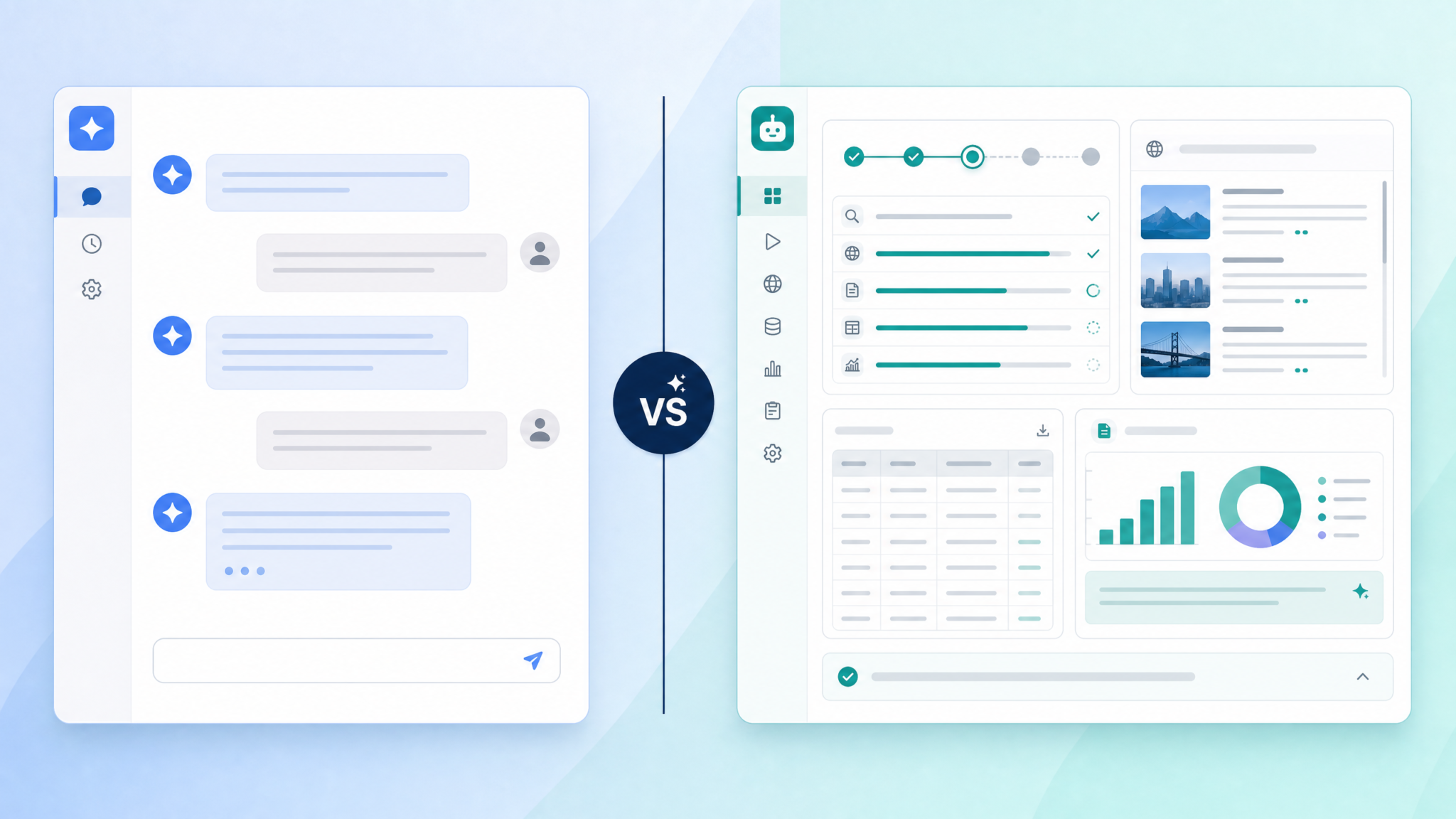
“ChatGPT Work” is a separate product family oriented toward collaborative, human-driven workspaces with task boards, live collaboration, and conversational threads. Below is a data-driven comparison to help you choose the right product for your use case.
| Dimension | Agent Mode v2 | ChatGPT Work |
|---|---|---|
| Primary design | Autonomous multi-step task execution and tool orchestration | Collaborative human workflows, shared chatrooms, task boards |
| Best for | Automated research, scheduled pipelines, autonomous prototyping | Team collaboration, synchronous design sessions, conversation threads |
| Tool access | Full toolkits (browser, code runner, connectors) with programmatic control | Conversational assistants integrated into workspace (less autonomy) |
| Governance | Project-level RBAC, immutable run logs, per-run ephemeral tokens | Workspace permissions, conversation history controls |
| Human-in-loop | Configurable checkpoints and approval gates | Built-in collaboration (comments, mentions) — manual action required |
| Use in CI/CD | Designed for integration (APIs, webhooks) and deterministic runs | Primarily human-triggered conversational support |
| Typical latency | Minutes for multi-step runs (depends on steps) | Near real-time in chat (seconds) for conversational tasks |
In short: choose Agent Mode v2 when the agent needs to act autonomously across multiple tools and create artifacts. Choose ChatGPT Work when you want collaborative, human-led sessions where the assistant augments the conversation.
For project templates and shared configurations that bridge both, refer to Agent Templates to standardize agent behavior in team contexts.
Best Practices for Complex Autonomous Tasks
Apply these operational and prompt-engineering best practices to maximize reliability, security, and repeatability when using ChatGPT Agent Mode v2.
1) Design for idempotence and reversibility
- Structure change operations with idempotent APIs (PUT vs POST) to avoid duplicate effects on retries.
- When possible, implement “dry-run” steps (e.g., staging writes to a temp folder) and only commit changes after verification.
2) Use checkpoints and human approvals strategically
- Gate high-risk operations (financial transactions, large-scale deletions, external publishes) with mandatory human approval.
- For low-risk automations, configure “operator groups” that can bulk-approve similar runs to reduce friction.
3) Principle of least privilege for connectors
- Grant minimal scopes to connectors. For instance, when writing to a GitHub repo, give access only to a single branch and limit commit rights.
- Use ephemeral credentials injected at runtime with short TTL (less than 1 hour) wherever possible.
4) Test with synthetic data and progressive rollout
- Stage agents in sandbox projects with synthetic data that mirrors production structures. Run at least 100 synthetic runs to capture failure modes.
- Roll out to production with feature flags and a small operator group before scaling.
5) Monitor costs and set run limits
- Configure per-run cost limits and alerts to prevent runaway bills. In v2 you can set a cost ceiling per run and global monthly caps.
- Use Planner step estimates to predict and warn operators about expensive steps (e.g., large-scale DOM extractions).
6) Keep prompts explicit and include verification steps
Prompt engineering for autonomous agents must include verification directives. Example:
Your task: Summarize the three most recent press releases. After drafting the summary, verify each factual claim by citing two independent sources and include URLs and timestamps. If any claim cannot be verified, flag it and do not publish.7) Use versioned templates and reproducibility manifests
Store agent definitions, prompt templates, and connector manifests in version control. Each run should emit a “manifest” file containing template versions, connector versions, and runtime hashes to recreate the run exactly.
Limitations, Safety, and Governance
Despite improvements in v2, there are important limitations and safety constraints to consider:
Hallucination and incorrect synthesis
Agent Mode can still hallucinate facts or misinterpret a web source. Mitigations include:
- Require multiple independent citations for key claims.
- Use retrieval-augmented generation (RAG) patterns and preserve source snippets in the final artifact.
Tool sandboxing constraints
Code Runner sandboxes have strict resource, network, and filesystem limitations. Long-running jobs or GPUs are not supported in standard v2 sandboxes. For heavy compute tasks, integrate an external job runner (e.g., AWS Batch) and give the agent an orchestrator role rather than executor role.
Privacy and regulatory constraints
- Do not expose PII to unsecured connectors; use redaction rules in memory policies.
- Comply with GDPR/CCPA: use memory retention settings and deletion workflows to remove personal data on request.
- Healthcare data (PHI) and financial data may require special approvals and dedicated deployments.
Escalation and human oversight
Ensure operators know how to pause or terminate running agents. v2 includes a “kill switch” at project-level to halt all active runs. Train teams on when to use it (e.g., observed data leakage, runaway costs, or anomalous outputs).
Troubleshooting Common Issues
Below are recurring issues power users face with debugging recipes and actionable fixes.
Access 40,000+ AI Prompts for ChatGPT, Claude & Codex — Free!
Subscribe to get instant access to our complete Notion Prompt Library — the largest curated collection of prompts for ChatGPT, Claude, OpenAI Codex, and other leading AI models. Optimized for real-world workflows across coding, research, content creation, and business.
Issue: Agent never progresses past step N (stuck in loop)
Symptoms: Repeated retries with same error or infinite planning cycle.
- Check run audit logs for repeated failure messages or identical step outputs.
- Inspect planner trace to see if the agent is re-decomposing instead of executing. If so, increase max_steps or add explicit step constraints.
- Fix suggestion: Add a “stop condition” in the agent prompt that prevents re-planning after a certain number of attempts.
Issue: Browser v3 fetches blocked or returns 403
Causes & fixes:
- Robots.txt or site-level blocking — add allowed domain exceptions if company policy permits, or use an approved proxy connector.
- IP-based blocking — configure a corporate proxy or use authenticated site-specific connectors.
- Dynamic content requiring JavaScript — enable the “full render” option in Browser v3 for that domain (costlier but more reliable).
Issue: Code Runner tests fail with environment mismatch
Fixes:
- Specify exact runtime and dependencies in agent settings (e.g., python:3.11, install:requirements.txt).
- Use container images with pre-installed packages for reproducibility.
Issue: Memory isn’t persisting between runs
Possible causes:
- Project memory not enabled during agent creation — enable it and re-run (note: older runs won’t retroactively populate memory).
- Redaction policy may be deleting entries — check memory retention and redaction rules.
Issue: Unexpected external API failures or rate limits
Remedies:
- Use exponential backoff and circuit breaker policies; v2 allows you to configure retries per-tool.
- Cache external results in project memory for short TTL to reduce repeated calls.
- Use per-run quota settings to prevent runaway external API usage.
Logs and diagnostics checklist
- Run-level summary: status (success/failed), duration, total cost.
- Per-step logs: input, tool calls, stdout/stderr, status.
- Artifacts: saved files, snapshots, checksums.
- Planner trace: graph of sub-steps, parallelization, and dependencies.
- Audit entries: who created the agent, RBAC changes, approval actions.
FAQ and Quick Reference
Q: Is Agent Mode v2 available to all account tiers?
A: As of July 2026, Agent Mode v2 is available to Pro users with limited tool access, Business customers with expanded connectors, and Enterprise customers with full governance and custom connector support. Admins must enable Agent Mode for a workspace.
Q: Can Agent Mode v2 access internal company intranets?
A: Yes — via private connectors and corporate proxies that inject ephemeral credentials and maintain audit trails. Work with your security team to whitelist connectors and configure network policies.
Q: How do I prevent leakage of sensitive data to third-party tools?
A: Configure redact rules in memory policies, limit connectors’ scopes, and require human approval for sharing PII. Use per-run ephemeral tokens to avoid long-lived credentials.
Q: How are costs calculated for agent runs?
A: Costs combine model compute (tokens and model type), tool-specific charges (e.g., Browser v3 page snapshots), and Code Runner runtime minutes. v2 provides pre-run cost estimates and optional hard caps to prevent overages.
Q: How to audit agent runs for compliance?
A: Use the immutable run logs and per-step artifacts. Each run emits a manifest with connector versions, template hashes, tool versions, and checksums of produced files for verifiable records.
Conclusion
ChatGPT Agent Mode v2 (July 2026) is a mature platform for orchestrating autonomous, multi-step AI workflows combining web browsing, secure code execution, file creation, and project-level memory. Use v2 for repeatable research automation, CI/CD-liaison tasks, and scheduled data pipelines where governance, auditability, and safety are essential.
Key takeaways:
- Activate v2 from the UI for quick tests or via the API for production automation; remember RBAC and connector permissions.
- Leverage Planner 2.0’s decomposition and parallelization, but always include verification steps for factual claims.
- Apply security best practices: least privilege connectors, ephemeral tokens, checkpoints for critical actions, and retention/redaction policies for memory.
- Monitor costs, use manifests for reproducibility, and adopt progressive rollouts with synthetic testing.
For reusable configurations and prompt templates that integrate with team workflows, see Agent Templates and for secure API orchestrations consult API Integration. If you want guidance on crafting reliable prompts and verification steps, check Prompt Engineering.
