
OpenAI DevDay 2026 Preview: Confirmed Keynote, Technical Sessions, Livestream, Global Exchanges, and What Is Not Announced
DevDay 2026 Is Confirmed; Product Predictions Are Not
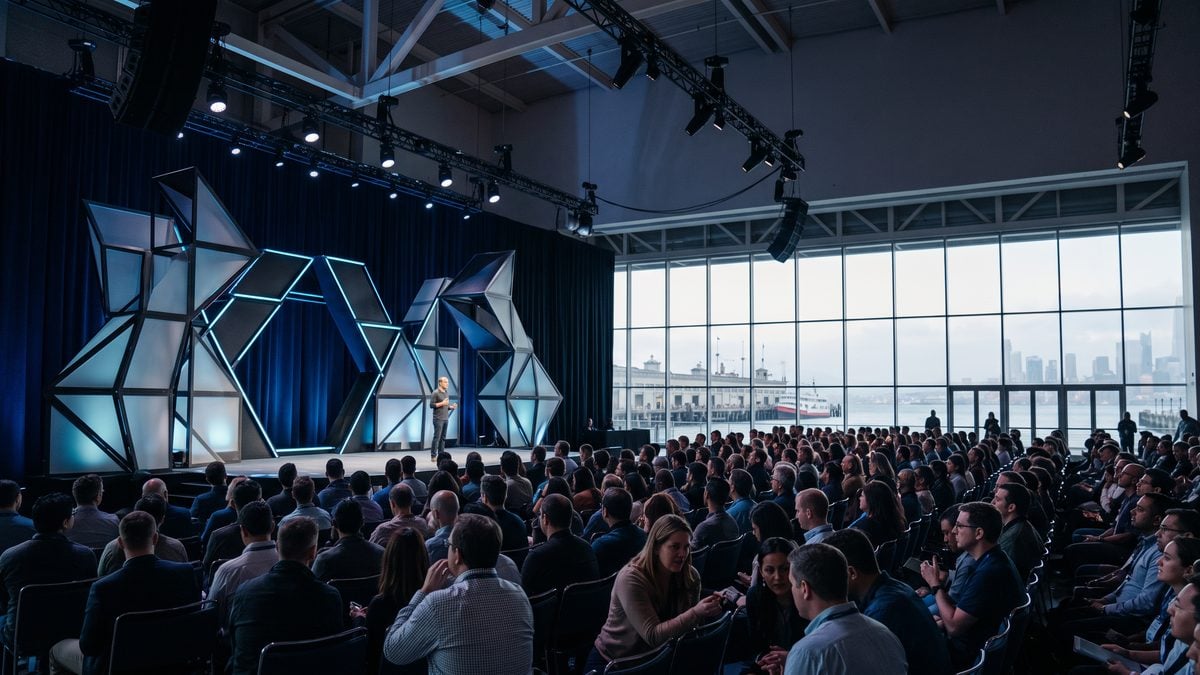
OpenAI DevDay 2026 is confirmed for Tuesday, September 29, 2026, at Fort Mason in San Francisco, according to OpenAI’s official DevDay event page. The opening keynote is scheduled for 10:00 a.m. Pacific and features Sam Altman. OpenAI describes the event as a technical gathering for developers and hands-on builders, with breakouts, programming, hands-on technical content, a closing session, and a reception. That is the firm ground for this preview: date, place, keynote time, keynote speaker, audience orientation, and the broad shape of the day.
The equally important boundary is what OpenAI has not announced. The DevDay page does not confirm a new model launch, a new API surface, a new pricing schedule, a new production feature, a model retirement, a benchmark result, a migration deadline, or a general-availability date for any future capability. A keynote can include news, demos, product strategy, research context, partner segments, or developer education, but none of those possibilities should be treated as confirmed before OpenAI publishes them. For developers and enterprise teams, the right posture is to prepare questions and evaluation plans, not to pre-commit roadmaps around rumors.
The article covers GPT-5.6 Sol as OpenAI’s latest flagship model and summarizes its capabilities. The Exploring GPT-5.6 Sol: OpenAI’s Latest Flagship Model and its Capabilities article is a focused companion for Latest OpenAI Model Releases because this is the most direct match for a DevDay preview reference to recent or current OpenAI model releases.
OpenAI also confirms that in-person applications are closed. Invited registration costs $650, and tickets are non-transferable under the official event information and terms. The opening keynote livestream will be free and open to everyone, which makes the first part of the event accessible to developers, founders, administrators, security reviewers, and knowledge teams who are not attending in person. OpenAI says other sessions are expected to be recorded and posted on openai.com shortly after the event, but teams should still treat exact posting times, session availability, and recording completeness as operational unknowns until the recordings appear.
The Confirmed Snapshot as of Publication
This preview uses a confirmed-facts approach because DevDay is exactly the kind of event where technical audiences need separation between logistics, likely discussion areas, and unsupported claims. The official DevDay page confirms the main event at Fort Mason, the 10:00 a.m. Pacific keynote featuring Sam Altman, technical programming for builders, free public access to the livestreamed keynote, and the status of in-person registration. The DevDay Exchange page confirms additional city events, while OpenAI’s changelog remains the appropriate source for current ChatGPT and Codex feature releases rather than event inference.
| Topic | Confirmed by OpenAI | What remains unknown or not announced |
|---|---|---|
| Main event date | Tuesday, September 29, 2026 | No confirmation that any specific product release will happen that day. |
| Main event location | Fort Mason, San Francisco | No basis to infer regional product availability from the host city. |
| Opening keynote | 10:00 a.m. Pacific, featuring Sam Altman | No confirmed keynote agenda, product list, benchmarks, or launch sequence beyond the official schedule summary. |
| Audience | Developers and hands-on builders | No confirmation that every session will apply to every plan, surface, language, framework, workspace type, or region. |
| In-person access | Applications are closed; invited registration costs $650; tickets are non-transferable | No instruction to assume secondary access, transferability, or late registration outside official channels. |
| Remote access | The opening keynote livestream is free and open to everyone | No guarantee that all breakout sessions will stream live. |
| Recordings | Other sessions are expected to be recorded and posted after the event | No confirmed posting time, complete session list, or permanent archive promise in the source notes. |
| Global Exchanges | Bengaluru, Tokyo, Seoul, Paris, Berlin, London, São Paulo, and Mexico City are listed | More program details are pending; do not infer identical content, speaker lineups, or release timing. |
Why This Preview Avoids Product Forecasting
Developer events are useful because they concentrate official messaging, demonstrations, technical sessions, and community questions into a short period. They are risky for planning because audiences often compress different evidence types into a single mental category called “announced.” A keynote statement, a live demo, a documentation page, a changelog entry, a beta label, and a stable release are not equivalent. The practical difference matters when a founder changes a product roadmap, an enterprise administrator enables a feature, a security team approves a new data flow, or a developer adds a dependency to production code.
The safest reading is narrow: OpenAI has confirmed an event and its core logistics, not the contents of every future announcement. If a session demonstrates an agent workflow, that does not by itself prove general availability, pricing, workspace eligibility, audit coverage, regional support, data residency, service-level behavior, or tool-permission semantics. If a slide mentions a capability, teams still need the matching documentation, changelog entry, availability statement, maturity label, and account-level confirmation before using it in production. If a customer story is presented, it should be treated as a reported experience rather than a benchmark that transfers to a different architecture, team, dataset, or governance model.
The article examines OpenAI’s strategic pivot toward rebuilding its developer platform in response to competition from Claude Code. The From Wake-Up Call to Strategic Pivot: How OpenAI Is Rebuilding Its Developer Platform to Compete with Claude Code article is a focused companion for OpenAI Developer Announcements because it provides useful background for readers following OpenAI’s developer-facing announcements and platform direction around DevDay.
What Builders Should Expect From the Confirmed Format
OpenAI’s description of DevDay as a technical event for developers and hands-on builders is meaningful even without a detailed session catalog. It signals that the audience is expected to care about implementation details: APIs, model behavior, tool use, workflows, demos, integration patterns, evaluation, safety, and deployment constraints. The official page confirms breakouts and programming, hands-on technical content, a closing session, and a reception, but it does not provide enough detail to assign specific topics, skill levels, prerequisites, or takeaways to each session.
A practical attendee should therefore prepare in layers. The first layer is logistics: calendar holds in Pacific time, travel or livestream arrangements, note-taking roles, and a place to store official claims. The second layer is technical triage: a list of current projects that might be affected by any OpenAI announcement, such as model selection, agent orchestration, Codex workflows, internal tools, retrieval systems, admin controls, analytics, safety reviews, or enterprise data access. The third layer is governance: who is allowed to decide that a new feature enters a pilot, who approves spend, who reviews data flows, and who signs off on customer-facing or production use.
Remote viewers should plan around the confirmed free keynote livestream rather than assuming access to the full in-person experience. The opening keynote is the only livestream element identified in the source notes as free and open to everyone. Because other sessions are expected to be recorded and posted after the event, distributed teams can still build a review workflow: watch the keynote live, capture claims without embellishment, wait for session recordings and official documentation, then reconcile what was said against what is actually released or documented.
Access, Registration, and Ticket Boundaries
The official DevDay information states that in-person applications are closed. That matters for teams that are still trying to send additional staff, transfer access, or buy a seat from another attendee. Invited registration is $650, and tickets are non-transferable. Treat those facts as compliance boundaries, not merely event logistics. A non-transferable ticket should not be operationally treated as a shareable company asset, and an invitation should not be assumed to extend to another employee, contractor, customer, or partner unless OpenAI’s official process explicitly allows it.
For companies sending staff, the minimum internal process should record who is attending, who paid, what business purpose applies, what confidentiality expectations apply, and what information the attendee is authorized to bring back. If an attendee hears roadmap-sensitive or unreleased information in a setting with terms or access restrictions, they should follow those terms and internal legal guidance before redistributing notes. If a session is public, recorded, and later posted by OpenAI, teams can use the official recording as the evidence source rather than relying only on personal summaries.
Operational warning: Do not ask another attendee to transfer a non-transferable ticket, forward private registration materials, or share access credentials. Treat event access, livestream access, and post-event recordings as separate channels with separate permissions and evidence value.
The Livestream Is the Public Baseline
The free public keynote livestream is the most important confirmed access path for the broader developer ecosystem. It gives non-attendees a direct way to hear the opening presentation, including the exact phrasing of any announcements OpenAI chooses to make. Teams should assign at least one person to capture timestamps, exact claims, named products, stated maturity, stated availability, and any references to documentation or follow-up posts. That record should distinguish between what Sam Altman says, what appears on slides, what is demonstrated, and what is later documented.
A good livestream note should be boringly precise. “OpenAI announced feature X is available today for all API developers” is a very different claim from “OpenAI demonstrated feature X during the keynote” or “OpenAI said more details are coming.” If the speaker uses terms such as beta, preview, coming soon, limited rollout, early access, research, demo, prototype, or generally available, preserve those words. If no plan, region, model, price, limit, endpoint, admin control, or safety behavior is stated, mark it as unstated rather than filling the gap from prior expectations.
Suggested live-note fields:
- Timestamp in Pacific time
- Speaker or source
- Exact claim or close quotation
- Product, model, API, tool, or workflow named
- Availability language used
- Maturity language used, if any
- Pricing or limit language used, if any
- Documentation or changelog reference given
- Required follow-up question
- Decision impact for our team
Global DevDay Exchanges: Confirmed Cities, Pending Details
OpenAI’s DevDay Exchange page lists events for Bengaluru, Tokyo, Seoul, Paris, Berlin, London, São Paulo, and Mexico City. Those cities are confirmed as part of the DevDay Exchange program, but the source notes state that more program details will be shared later. The correct interpretation is that OpenAI is planning a global event series around DevDay, not that each city will necessarily have the same agenda, speakers, demos, capacity, eligibility, or timing as the San Francisco event.
International teams should watch the Exchange pages for official updates rather than making assumptions from the main event. A city listing does not by itself confirm local product availability, language support, regulatory posture, data residency, customer eligibility, or enterprise support terms. If a regional team wants to use an Exchange as a planning milestone, it should define the decision it expects to make after attending: for example, whether to start a sandbox pilot, whether to invite security review, whether to update internal training, or whether to wait for more documentation.
The eight-city list is still useful for operational planning. Developer relations teams can coordinate local attendance, enterprise administrators can identify regional stakeholders who should collect questions, and founders can decide which product leads should monitor local sessions for customer-relevant clarification. The key is to frame attendance as evidence gathering, not as proof that a feature is available or approved for deployment.
A Confirmed-Facts Watch List, Not a Prediction List
The most productive way to prepare for DevDay is to build a watch list organized by developer concerns. This is not a forecast of what OpenAI will announce. It is a structured set of questions that helps teams convert any official DevDay news into implementation decisions. The list should be reviewed after the keynote, after session recordings are posted, and after any matching changelog or documentation updates appear.
- Models: Did OpenAI name a model, retirement, replacement, capability change, or availability boundary? If yes, which product surfaces and plans were named, and what was not said?
- APIs: Was any API surface described as released, beta, preview, or future work? Was there official documentation, or only a demo?
- Codex: Were coding workflows, repositories, reviews, shell behavior, snapshots, or model choices discussed? Were security and sharing boundaries documented?
- Agents: Were agent workflows presented with clear tool-permission, environment, approval, cost, and failure-handling guidance?
- Tools and plugins: Were integrations described with explicit access controls, admin settings, source permissions, and audit or analytics boundaries?
- Safety and security: Did OpenAI provide concrete controls, evaluation methods, red-team findings, or deployment guidance, or did it only discuss high-level principles?
- Pricing and limits: Were prices, quotas, token treatment, tool charges, or rate limits officially stated? If not, do not infer them from demos.
- Migration: Were customers asked to move from one model, endpoint, workflow, or feature to another? If yes, what deadline, compatibility statement, and rollback guidance were provided?
How to Use This Preview Before the Event
Before September 29, assign roles rather than predictions. One person should own keynote capture, one should monitor official documentation and changelog updates, one should collect questions from developers, one should represent security and privacy review, and one should translate any confirmed release into a pilot proposal. Small teams can combine roles, but they should not skip the distinction between watching, verifying, testing, and approving.
Developers should prepare representative test cases now, using synthetic or approved data rather than production secrets, customer records, regulated data, or confidential code that has not been cleared for the relevant environment. If a new capability is announced, a prepared test set lets the team compare it against existing baselines instead of improvising under event excitement. For API or agent-related claims, include failure cases, permission-denied cases, malformed inputs, budget limits, latency observations, and human-approval gates for external writes or destructive actions.
Enterprise administrators should prepare a different checklist: plan eligibility, workspace policy, admin controls, user groups, data connectors, retention expectations, audit requirements, and support status. A feature that is exciting for an individual developer may still be inappropriate for a regulated workspace until the organization confirms access controls, documentation, legal review, and operational ownership. Analytics from usage dashboards can help identify interest and adoption after the fact, but usage is activity evidence rather than proof of productivity, quality, causation, or financial return.
Security teams should treat DevDay as an intake event. Any new model, tool, agent, connector, or sharing mechanism should be mapped to data categories, permission boundaries, logging needs, incident procedures, and human approval requirements. Do not approve external messages, code changes, payments, publication, permission changes, or destructive operations solely because a demo looked polished. Demos are designed to communicate capability; production approval requires evidence under your organization’s constraints.
The Bottom Line for the Opening Brief
The confirmed DevDay 2026 story is substantial without embellishment: OpenAI is holding a technical builder event on September 29 at Fort Mason in San Francisco; Sam Altman is featured in a 10:00 a.m. Pacific opening keynote; the keynote livestream is free and open to everyone; in-person applications are closed; invited registration is $650; tickets are non-transferable; hands-on technical programming is planned; session recordings are expected after the event; and DevDay Exchanges are listed for Bengaluru, Tokyo, Seoul, Paris, Berlin, London, São Paulo, and Mexico City.
The unconfirmed story is everything else. Until OpenAI publishes specific announcements, documentation, changelog entries, or terms, readers should not assume new models, APIs, prices, benchmarks, product availability, enterprise controls, regional support, or migration requirements. The best preparation is a disciplined evidence workflow: watch the public keynote, record exact claims, wait for official follow-through, test with controlled data, preserve uncertainty, and require human approval before consequential adoption.
How the DevDay Day-Of Schedule and Access Model Actually Work
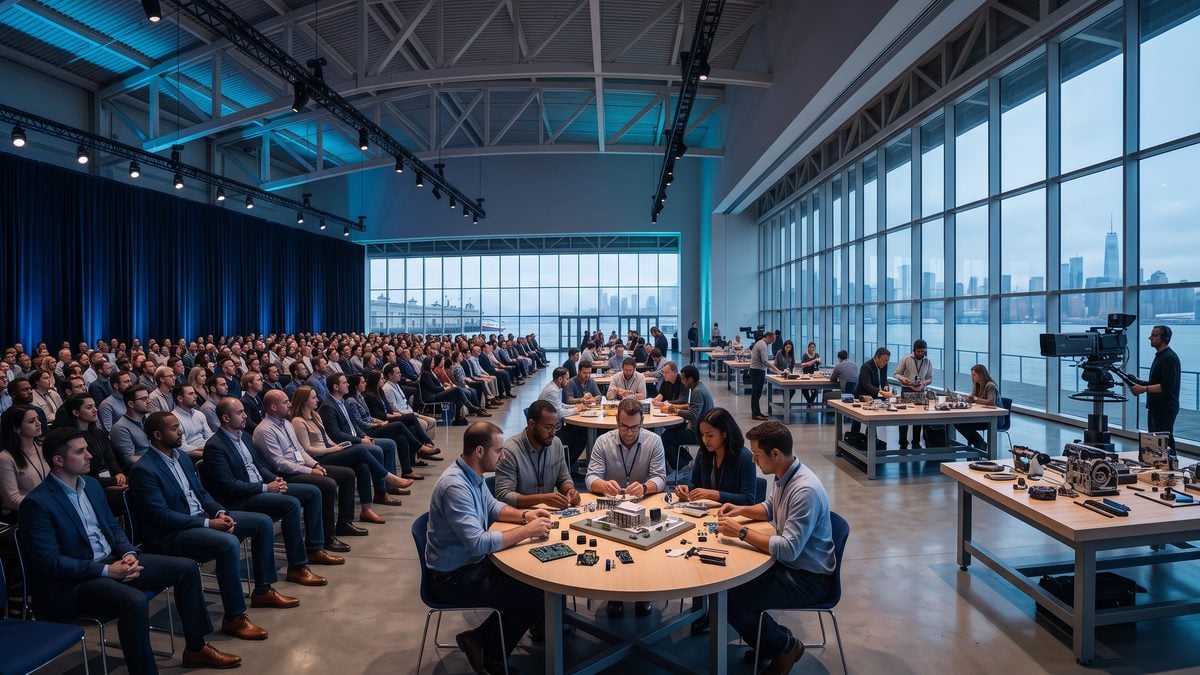
OpenAI’s official DevDay page confirms the event date, venue, and public keynote timing: DevDay 2026 takes place on Tuesday, September 29, 2026, at Fort Mason in San Francisco, and the opening keynote begins at 10:00 a.m. Pacific with Sam Altman. That is the only fixed clock time that should be treated as broadly public at this stage; the rest of the day is described by OpenAI in program categories, including breakouts, programming, hands-on technical content, a closing session, and a reception.
The practical reading is straightforward: teams can plan around a 10:00 a.m. Pacific keynote and a full in-person technical day, but they should not build internal roadmaps around unannounced session titles, unreleased model names, rumored API changes, or inferred product launches. A keynote time is a logistics fact; it is not evidence that any specific model, pricing tier, benchmark, agent capability, migration deadline, safety policy, or enterprise control will be announced.
Editorial boundary: Treat the DevDay page as an event schedule source, not a product roadmap. OpenAI has confirmed the format and access rules, while more program details are pending.
The confirmed day structure, separated from unknowns
The official public schedule is best understood as a sequence of confirmed blocks rather than a minute-by-minute agenda. The keynote is the public anchor. The technical sessions, hands-on demos, workshops, and breakouts are confirmed as categories of programming, but OpenAI has not provided enough public detail to identify exact topics, presenters, session lengths, prerequisites, or whether any particular session will correspond to a launch, beta, migration notice, or documentation update.
| Program block | What OpenAI has confirmed | What teams should not infer | Operational use |
|---|---|---|---|
| Opening keynote | Starts at 10:00 a.m. Pacific and features Sam Altman. | Do not infer specific launches, model names, pricing, API changes, or release dates. | Assign one or two note-takers to capture exact wording, timestamps, and official follow-up references. |
| Breakouts and technical programming | OpenAI confirms breakouts and programming as part of the in-person day. | Do not assume every breakout will be livestreamed, repeated, or tied to a stable product release. | Use sessions to gather questions, implementation constraints, maturity labels, and documentation pointers. |
| Hands-on technical content | OpenAI describes DevDay as a technical event for developers and hands-on builders. | Do not treat a hands-on demo as production authorization, security approval, or enterprise availability. | Bring safe test cases, non-sensitive evaluation tasks, and a list of required controls for later validation. |
| Closing session | A closing session is confirmed as part of the event flow. | Do not assume the closing session will contain a second announcement cycle or unreleased roadmap commitments. | Use it to reconcile notes, unresolved questions, and official next steps before internal reporting. |
| Reception | A reception is confirmed. | Do not treat informal conversations as binding support guidance, procurement terms, or product commitments. | Capture follow-up names and questions, but validate any claim against official documentation after the event. |
A useful internal practice is to mark every observed claim with its evidence state: “keynote statement,” “demo behavior,” “session slide,” “documentation page,” “changelog entry,” “terms condition,” or “private conversation.” This prevents a hallway explanation from becoming an engineering requirement and prevents a polished demo from being treated as stable availability in your own workspace.
The article offers a GPT-5 and GPT-5.5 API developer guide with production patterns, cost math, and practical backend implementation guidance. The GPT-5 & GPT-5.5 API Developer Guide 2026 (Free PDF) article is a focused companion for Developer Event Preparation because a practical API guide is a strong preparatory resource for developers planning to follow or act on technical DevDay sessions.
Pacific time is the source of truth for the keynote
OpenAI states the keynote begins at 10:00 a.m. Pacific. Because the event is in San Francisco on September 29, that time will normally be interpreted by calendar systems as Pacific Daylight Time, but the safest operational rule is to create your calendar entry using the event’s stated Pacific time and then let a trusted calendar application convert it for each participant. This matters for global teams because a one-hour mistake can cause a remote team to miss the only confirmed livestreamed part of the day.
| Location or reference zone | Approximate local time for 10:00 a.m. Pacific on Sept. 29, 2026 | Scheduling note |
|---|---|---|
| UTC | 17:00 | Use UTC for incident-style logs and cross-region note coordination. |
| New York | 1:00 p.m. | Suitable for a same-day engineering watch party or executive summary draft. |
| London | 6:00 p.m. | Consider assigning asynchronous note review if the team’s workday has ended. |
| Paris and Berlin | 7:00 p.m. | Plan for next-business-day review rather than same-evening adoption decisions. |
| Bengaluru | 10:30 p.m. | Use recordings or delegated live coverage if late attendance creates fatigue risk. |
| Tokyo and Seoul | 2:00 a.m. on Sept. 30 | Remote teams should rely on captured notes and official recordings unless live coverage is essential. |
| São Paulo | 2:00 p.m. | Good candidate for live viewing plus end-of-day claim triage. |
| Mexico City | 11:00 a.m. | Verify local calendar conversion because regional time rules can change. |
This time-zone table is for coordination, not travel planning. Teams should verify local calendar conversions, especially where daylight-saving rules have changed in recent years or where corporate calendar systems apply regional settings differently. The event’s stated Pacific keynote time remains the controlling public reference.
What “technical sessions” should mean for developers and admins
For developers, the confirmed technical format means DevDay should be approached as an evidence-gathering opportunity rather than a migration trigger. A session may reveal design patterns, tool workflows, demo architectures, or implementation constraints, but production adoption still requires current documentation, available access in your account, security review, cost controls, reliability testing, and human approval for consequential actions.
For enterprise administrators, technical sessions are especially useful for identifying questions that ordinary release notes may not answer: which surfaces are affected, whether a feature is available in ChatGPT, ChatGPT Work, Codex, API, or a specific admin console, whether workspace policy can disable it, whether data flows through connected tools, and whether audit, analytics, or compliance records exist for the relevant activity. None of those answers should be assumed from an event title.
For founders and product leaders, the correct output from a technical session is not “we should ship this immediately.” A better output is a short decision memo listing the observed capability, the official evidence source, missing documentation, expected customer value, security and privacy implications, required pilot scope, cost unknowns, rollback requirements, and the human owner who will decide whether the feature is worth testing.
Hands-on demos and workshops: use safe inputs, not production secrets
OpenAI describes DevDay as a technical event for developers and hands-on builders, so attendees should expect practical content rather than only high-level talks. The safe preparation pattern is to bring synthetic or approved sample tasks, non-confidential prompts, non-sensitive code snippets, and a list of questions that can be asked without exposing customer data, credentials, unreleased product plans, regulated records, internal incident details, or privileged legal material.
Hands-on settings can blur the line between learning and disclosure. If a workshop invites participants to test a tool, the participant still controls what they enter, paste, upload, describe, or connect. Do not use a conference demo environment to process production logs, customer records, private repositories, secrets, financial forecasts, health information, identity documents, confidential HR material, or anything governed by contractual or regulatory restrictions unless your organization has explicitly approved that use case and the event process supports it.
Safe workshop preparation checklist:
- Prepare three non-sensitive test prompts that represent real workflows.
- Bring synthetic sample data instead of customer or employee records.
- Remove credentials, hostnames, private repository paths, and internal identifiers.
- Record the feature name, surface, maturity label if stated, and documentation pointer.
- Mark every impressive demo result as "observed in demo" until reproduced later.
- Require human approval before any external message, write action, purchase, permission change, publication, or destructive operation.
Workshops can also expose hidden prerequisites. A demonstrated workflow might depend on a plan, region, workspace setting, connected tool, permission scope, model picker option, beta enrollment, or admin-approved integration that your organization does not have. The right follow-up is to verify access and constraints in your own environment after DevDay, not to promise a delivery date based on what was shown on stage.
Breakouts are for specificity, not rumor amplification
Breakouts are where builders often hope to get the detail missing from a keynote, but the same evidence rules apply. A breakout explanation may be more technical than the keynote, yet it still needs to be reconciled against official docs, changelog entries, terms, and product behavior in the relevant account. If an answer is verbal, capture it as a question to validate, not as a final implementation contract.
A strong breakout note should include the speaker or session label if available, the exact claim, any stated limitations, whether the feature was described as available, beta, experimental, planned, or merely demonstrated, and what surface was named. A weak note says “OpenAI is launching agents everywhere” or “pricing is changing” without a source, qualifier, account surface, or date. Those weak notes create avoidable engineering churn and procurement confusion.
Closing session and reception: useful, but not a substitute for official documentation
The closing session is confirmed, and teams should use it to consolidate what is known rather than to search for hidden commitments. Before leaving the venue or ending remote coverage, designate someone to produce a short “same-day facts only” brief. That brief should separate confirmed event logistics, official announcements if any, demo observations, unanswered questions, and items requiring documentation checks.
The reception is also confirmed, and it can be valuable for meeting OpenAI staff, other developers, founders, enterprise administrators, and security peers. The operational warning is that reception conversations are informal unless backed by official materials. Do not treat a casual answer as a support entitlement, contractual commitment, procurement term, safety approval, roadmap guarantee, or authorization to process sensitive data.
Invited registration, closed applications, and non-transferable tickets
OpenAI’s official page states that in-person applications are closed, invited registration costs $650, and tickets are non-transferable. The practical consequence is that organizations should not plan around late general admission, secondary ticket markets, informal badge sharing, forwarded invitations, or substituting another employee after a ticket has been issued unless OpenAI’s own event process explicitly permits it.
Non-transferable means the ticket should be treated as assigned to the invited registrant, not as a company asset that can be freely reassigned. If the original attendee can no longer attend, the conservative path is to follow the official event instructions rather than sending a colleague with the original confirmation. This matters for security, capacity planning, venue operations, and compliance with the event terms and conditions.
Teams should also avoid concentrating all event knowledge in one attendee. Because tickets are limited and non-transferable, create a pre-event question list, a shared note template, and a post-event debrief slot before the attendee goes on site. That way, a single in-person pass can still produce useful knowledge for platform engineering, product, security, procurement, legal, support, and executive stakeholders.
Scholarship-related access should be treated as governed access
If an attendee’s access depends on a scholarship, grant, sponsored admission, or similar event-specific arrangement, the safest rule is to treat the official award or registration instructions as controlling. Scholarship-related access should not be assumed to override non-transferability, identity, attendance, code-of-conduct, payment, or registration conditions. It also should not be treated as a general-purpose entitlement to future OpenAI events, products, credits, support, or enterprise features unless OpenAI explicitly says so.
Applicants and organizations should minimize sensitive disclosure when dealing with scholarship processes. Provide only information required by the official process, avoid sending unrelated personal documents or financial records, and keep award notices in a controlled internal location if reimbursement, tax, procurement, or compliance review is required. Do not publish another person’s scholarship status or attendance details without their approval.
Accessibility and accommodation planning
Accessibility should be handled through OpenAI’s official event channels and timelines, not through assumptions about the venue or informal workarounds. Attendees who need accommodations should request them as early as the official process allows, provide only the minimum necessary information, and retain confirmation of the accommodation request and response. Managers should not require employees to disclose medical details to justify ordinary conference planning decisions.
For remote participants, accessibility planning means confirming whether the livestream format and later recordings meet the team’s needs for note-taking, caption review, asynchronous viewing, or internal summaries. Because only the opening keynote is confirmed as free and open to everyone via livestream, teams that require full-session access should not assume that every breakout, workshop, or reception-related discussion will be available live online.
Virtual participation: the keynote is public; the rest is recording-dependent
The opening keynote livestream is the public baseline because OpenAI says it will be livestreamed free and open to everyone. That makes it the most reliable source for remote teams, journalists, developers who did not receive an in-person invitation, and organizations that want a common reference point without sending staff to San Francisco.
OpenAI also says other sessions are expected to be recorded and posted on openai.com shortly after the event. The word “expected” matters: teams should plan for recordings, but they should not rely on exact posting times, assume every session will be available, or schedule production adoption meetings before recordings and documentation can be reviewed. Treat recordings as a verification layer, not as a substitute for source documentation.
A practical remote plan is to watch the keynote live, record internal notes with timestamps, wait for official recordings and changelog updates, and then reconcile any announcement against product documentation. This order reduces the risk of acting on partial phrasing from a livestream or social clip. It also helps separate a compelling stage demo from a feature that is actually available in the relevant plan, region, workspace, app, API, or admin policy.
Post-event recordings and internal evidence handling
When recordings appear after the event, teams should review them with the same discipline used for formal release assessment. Capture the exact statement, the speaker context, the timestamp, and whether the recording points to a documentation page, changelog entry, terms update, or developer guide. If a capability is not documented after the event, record it as unresolved rather than filling the gap with assumptions.
The best post-event artifact is a claim ledger that distinguishes logistics, announcements, demos, and actions. Logistics include the date, venue, ticket rules, livestream, recordings, and Exchange cities. Announcements require official wording. Demos require reproduction in a safe environment. Actions require ownership, risk review, evaluation criteria, and approval gates. This structure keeps DevDay useful without letting event excitement override engineering discipline.
One-day attendance plan for a technical organization
A small organization can cover DevDay with three roles: a keynote note-taker, a technical evaluator, and an adoption skeptic. The note-taker captures exact claims and timestamps. The technical evaluator maps claims to APIs, SDKs, models, tools, Codex, ChatGPT Work, or admin controls only when those surfaces are explicitly named. The adoption skeptic lists missing evidence, security implications, pricing unknowns, migration risks, and open questions for OpenAI documentation.
Day-of evidence template:
Claim:
Source type: keynote / breakout / demo / workshop / recording / documentation / informal conversation
Timestamp or session:
Named surface: ChatGPT / ChatGPT Work / Codex / API / admin / unspecified
Availability stated: yes / no / unclear
Maturity stated: under development / experimental / beta / stable / deprecated / not stated
Required follow-up:
Owner:
Decision deadline:
Do not act before:
This template is intentionally conservative. It prevents a team from confusing “shown at DevDay” with “approved for production,” and it gives founders, developers, admins, and security reviewers the same shared record. If OpenAI later publishes recordings or changelog updates, the team can update the ledger instead of relying on memory or social media summaries.
The access model in one sentence
For DevDay 2026, the in-person event is a closed-application, invited-registration technical day at Fort Mason with a $650 non-transferable ticket, while the public access path is the free opening keynote livestream and the expected post-event recordings. That split should guide how teams allocate attention: live remote coverage for the keynote, disciplined note capture for attendees, careful review of recordings afterward, and no production commitment until official documentation supports it.
Watch List: Questions to Ask Without Turning Them Into Predictions

The safest way to preview DevDay 2026 is to treat every unannounced item as a question, not a forecast. OpenAI has confirmed the event date, location, keynote timing, livestream, recording expectations, in-person access boundary, and DevDay Exchange cities, but the official event page says more program details will be shared later. That leaves legitimate developer questions across models, APIs, Codex, agents, tools, safety, pricing, availability, migration, and documentation. The discipline is to record those questions before the event, then answer them only with official keynote wording, release notes, documentation, changelog entries, terms, or product surfaces that your own account can verify.
This watch list is therefore not a rumor tracker. It does not infer launches from prior DevDays, public code activity, community screenshots, trademark filings, session-title speculation, or the fact that a topic is strategically important. If OpenAI uses the keynote to describe a capability, the immediate follow-up is not “how do we deploy it?” but “what exactly was announced, where is it documented, what maturity label applies, which surfaces and plans are included, what limits or permissions govern it, and what remains unconfirmed?”
Evidence states: how to classify what you hear on DevDay
For teams making production decisions, the first task is to classify the evidence state of every claim. A keynote phrase, a live demo, a release-note entry, an API guide, a beta label, and a stable documented release are not interchangeable. Treating them as equivalent is how organizations accidentally promise features to customers, budget against unconfirmed pricing, migrate workflows before support exists, or expose data to tools that have not passed internal review.
| Evidence state | What it can support | What it should not support by itself | Operational question to record |
|---|---|---|---|
| Keynote language | Awareness that OpenAI publicly discussed a direction, capability, or theme. | Production commitments, pricing assumptions, migration deadlines, security approvals, or guaranteed availability. | What exact words were used, and did OpenAI say the feature is available now? |
| Live demo | Understanding a possible workflow and the type of outcome OpenAI chose to demonstrate. | Reliability assumptions, latency claims, benchmark comparisons, permission semantics, or enterprise readiness. | Was the demo performed on a generally available product surface, a beta, a controlled environment, or a staged scenario? |
| Release notes | Evidence that OpenAI has described a product change for a named surface, often with rollout or limitation notes. | Guarantees for every plan, region, workspace policy, application, or account unless those are explicitly stated. | Which product surface, date, rollout caveat, and limitation are named in the release note? |
| Changelog entry | A current product boundary for ChatGPT or Codex features when the official changelog records the change. | Undocumented behavior, hidden limits, or assumptions that a similar feature exists in another product surface. | Does the changelog entry match the keynote claim, and does it identify access, scope, or maturity? |
| API or product documentation | Implementation planning, pilot design, and compatibility checks against documented behavior. | Skipping security review, least-privilege design, evaluation, rate and spend controls, or human approval gates. | Is the documentation current, complete enough for implementation, and applicable to your plan and workspace? |
| Beta label | Evaluation, limited pilots, and controlled feedback loops with rollback plans. | Assumptions of permanence, stable interfaces, support parity, or broad production dependency. | What changes could break our pilot, and what evidence would move this from evaluation to production? |
| Stable documented release | Broader adoption planning, subject to internal governance, support terms, and product-specific limits. | Unlimited use, universal availability, unchanged pricing, or exemption from future deprecation. | What are the documented limits, permissions, support boundaries, and deprecation expectations? |
OpenAI’s documented maturity taxonomy is useful for this classification exercise. Under development means not ready for use. Experimental means unstable and subject to change or removal. Beta is suitable for broad testing and pilots but may still change. Stable means documented, fully supported, and ready for broad use, with removals typically handled through a deprecation process. Deprecated means the feature remains for compatibility but should not be selected for new work and requires a migration plan. These labels should be copied into your event notes exactly as OpenAI presents them, because a single word can change the adoption decision.
Model watch-list questions
Model questions usually attract the most attention, but they are also the easiest area to overstate. DevDay is a developer event, and the official page confirms a keynote featuring Sam Altman, breakouts, hands-on technical content, a closing session, and a reception. It does not confirm any model launch, retirement, benchmark, pricing tier, context length, modality, routing behavior, or default-model change. If a model is discussed, teams should separate what is said about capability from what is documented about access, limits, and supported surfaces.
- Does OpenAI announce or document any new model by name, or does the keynote only describe general research or product direction?
- If a model name is mentioned, is it available in ChatGPT, ChatGPT Work, Codex, the API, or only in a demo environment?
- Does OpenAI publish release notes or documentation that identify the model’s maturity label, supported tools, input and output modalities, and applicable limits?
- Does OpenAI state whether any existing model is deprecated, scheduled for retirement, or unchanged?
- Does OpenAI provide official migration guidance, or should teams continue testing current prompts, tools, and workflows against the models already available in their own workspace?
- Does any model-related language describe quality, speed, cost, or reasoning behavior in a way that is measurable and reproducible, or is it a qualitative keynote statement?
API watch-list questions
API teams need a narrower standard of evidence than keynote viewers. An API claim is actionable only when developers can identify the documented interface, authentication model, request and response behavior, limits, tool requirements, lifecycle status, and changelog history. Even then, implementation should begin in a sandbox using approved test data, budget controls, and failure logging rather than production credentials or customer data.
- Does OpenAI publish new or updated API documentation during or after DevDay, and does it identify whether the feature is beta, stable, experimental, or otherwise limited?
- Does the documentation define the supported surfaces, parameters, tool integrations, and error behavior, or does the keynote only show a conceptual workflow?
- Does OpenAI state whether pricing is unchanged, changed, or not yet specified for any API capability discussed?
- Does OpenAI provide migration guidance for any existing endpoint, SDK behavior, agent harness, tool interface, or model parameter?
- Does the changelog record a product change that matches the keynote language, and does it include rollout caveats?
- Does the feature require new permissions, workspace configuration, or administrative enablement before developers can test it?
Codex watch-list questions
Codex questions should be handled with extra care because development workflows can include source code, repository metadata, paths, diffs, screenshots, logs, and build output. A DevDay demo may show a clean coding task, but an enterprise implementation must account for repository boundaries, secret handling, review workflows, branch protections, human approvals, and audit requirements. OpenAI’s current changelog and release-note boundaries are the source to check before assuming any Codex behavior has changed.
- Does OpenAI announce any Codex capability that changes how tasks are created, reviewed, shared, or connected to repositories?
- If Codex sharing is mentioned, does OpenAI restate or modify the current boundary for static read-only snapshots, bearer-link exposure, omitted tool calls, omitted shell input/output, and known-secret-pattern redaction?
- Does any Codex announcement include a documented maturity label, or is it shown only as a keynote demonstration?
- Does OpenAI publish guidance on model selection, replacement models, tool behavior, or migration for existing Codex workflows?
- Does the announcement affect developer review responsibilities, or do pull requests, diffs, shell-derived content, and generated code still require qualified human review?
- Does OpenAI provide new administrator controls, analytics boundaries, or compliance records for Codex, and are those controls documented rather than implied?
Agents watch-list questions
Agent announcements require the strongest distinction between a compelling demo and an operationally safe deployment. OpenAI introduced the Agents API as a public beta before DevDay 2026, describing a managed agent harness where developers specify a task, model, tools, and execution environment. The public beta status matters: teams can evaluate and pilot, but they should not infer stability, general availability, pricing permanence, permission completeness, or production safety beyond official documentation.
The article explains OpenAI’s Agents API public beta, including the managed Codex harness, durable sessions, hosted sandboxes, and beta limits. The OpenAI Launches Agents API: Managed Codex Harness, Durable Sessions, Hosted Sandboxes, and Public-Beta Limits article is a focused companion for Agents API Overview because it is the clearest overview match for a marker about the Agents API and directly supports DevDay coverage of agentic developer infrastructure.
- Does DevDay change the maturity status of the Agents API, or does it remain a public beta according to OpenAI documentation?
- Does OpenAI announce new supported environments, tool patterns, or multi-agent orchestration behavior, and are those changes documented after the keynote?
- Does any “single API call” language preserve the requirement to design tools, permissions, network boundaries, secrets handling, budgets, durable state, idempotency, and incident response?
- Does OpenAI explain how agent context management, compaction, or delegation should be evaluated without exposing raw chain-of-thought or assuming perfect state preservation?
- Does multi-agent behavior introduce new cost, concurrency, reconciliation, or data-flow risks that must be tested before production use?
- Does the documentation identify which actions require human approval before external writes, messages, purchases, permission changes, publication, or destructive operations?
Tools, plugins, and data-source watch-list questions
Tooling is where product announcements often become operational risk. A tool demo can hide the work required to authorize data sources, configure roles, align semantic layers, choose source-of-truth metrics, manage row and column permissions, and prevent accidental publication of sensitive information. If OpenAI discusses tools or data connections at DevDay, administrators should ask whether the capability changes access control, or merely makes an existing authorized workflow easier to invoke.
- Does OpenAI announce new tools, plugins, connectors, or data-source categories, and are they documented for ChatGPT Work, Codex, the API, or another named surface?
- Does the announcement state that existing table, row, column, file, repository, or application permissions continue to apply?
- Does OpenAI describe administrator controls for enabling, disabling, scoping, or auditing the tool, and are those controls available in the current workspace?
- Does the tool produce drafts, dashboards, reports, pull requests, messages, or external actions, and which of those require explicit human approval?
- Does publishing or sharing copy data into a new location, and does the receiving audience have an independent right to see that data?
- Does the documentation distinguish a successful connection from permission to use the resulting analysis for business, legal, HR, security, financial, or compliance decisions?
Safety and security watch-list questions
Safety language must be translated into concrete control questions. Developers and security teams should avoid reducing safety to a keynote assurance or a benchmark chart. The practical questions are whether OpenAI publishes updated system behavior, policy guidance, model-card-style documentation, incident reporting instructions, admin controls, compliance records, or deployment patterns that your organization can validate in its own environment.
The article covers OpenAI’s model misalignment reporting framework and six disclosures related to agent behavior, oversight, and unauthorized actions. The OpenAI Launches a Model Misalignment Reporting Framework: Six Disclosures on Agent Behavior, Oversight, and Unauthorized Actions article is a focused companion for OpenAI Safety Reporting because it directly matches the safety reporting marker and adds concrete context on OpenAI’s formal reporting approach.
- Does OpenAI publish new safety documentation, reporting processes, policy guidance, or product controls as part of DevDay?
- Does any safety claim identify the exact model, product surface, tool, or deployment context where the claim applies?
- Does OpenAI distinguish model behavior from workspace policy, administrator configuration, user permissions, and connected-tool authorization?
- Does the announcement change how organizations should report unsafe behavior, sensitive-data exposure, security incidents, or misuse?
- Does OpenAI provide auditable records for the relevant surface, or does the announcement only affect interactive analytics or user-facing behavior?
- Does a demo include external actions, code execution, data access, or publication, and if so, what approvals and guardrails are documented?
Pricing, limits, and commercial watch-list questions
Pricing and limits should be treated as unconfirmed until OpenAI states them in an official source applicable to the product surface in question. A free livestream does not imply free product access. A public beta statement does not imply future pricing. A session recording does not imply entitlement to a feature. Teams should avoid updating budgets, customer commitments, internal chargeback rules, or procurement plans until the relevant commercial terms are published or visible in the appropriate administrative surface.
- Does OpenAI announce any new price, fee, included usage, token treatment, tool charge, or plan entitlement, or is pricing not discussed?
- If pricing is discussed, does the statement apply to ChatGPT, ChatGPT Work, Codex, the API, or a specific beta program?
- Does OpenAI specify whether existing limits are unchanged, increased, reduced, or not addressed?
- Does any public beta statement include “no separate API fee beyond tokens and tools used,” and does that statement apply only to the named beta capability?
- Does your workspace actually show the feature, limit, or entitlement after the announcement, or is access still pending, unavailable, or policy-restricted?
- Does procurement need updated terms before teams can pilot the feature with production-adjacent data or regulated workflows?
Availability and rollout watch-list questions
Availability is not a single yes-or-no variable. A capability may be available in one app, unavailable in Work mode, staged by platform, limited by region, gated by administrator configuration, or visible only to invited users. DevDay attendees should record the exact surface OpenAI names and avoid generalizing from an onstage environment to every account.
- Does OpenAI state that a capability is available now, rolling out, coming later, limited to invited users, or still under development?
- Does availability differ across web, iOS, Android, ChatGPT Work, Codex, API, Enterprise, Edu, or other surfaces?
- Does OpenAI identify regional, plan, workspace, role, or administrator-policy constraints?
- Does the feature require separate installation, connection authorization, data-source setup, or role assignment before users can access it?
- Does the changelog or release note preserve caveats such as platform variation, unchanged generation limits, or unavailable templates in Work mode?
- Does your own account confirm access without bypassing policy, sharing credentials, or using unauthorized data?
Migration and deprecation watch-list questions
Migration questions should be asked even when DevDay is not framed as a migration event. Any new model, agent harness, tool behavior, sharing mechanism, or workspace control can create compatibility work. Conversely, teams should not invent a migration deadline just because a new capability appears attractive. The right standard is to look for explicit deprecation language, official dates, replacement guidance, documented parity limits, and changelog entries.
- Does OpenAI announce a retirement, deprecation, default change, or required migration for any model, feature, tool, API behavior, or product surface?
- If replacement guidance is given, does OpenAI state whether prompts, saved workflows, tool behavior, permissions, limits, pricing, and outputs are expected to remain equivalent?
- Does the migration apply to ChatGPT, ChatGPT Work, Codex, the API, or only to a subset of those surfaces?
- Does OpenAI publish a migration guide, evaluation recommendation, or compatibility checklist?
- Does the organization have representative prompt suites, tool tests, safety cases, cost baselines, and rollback evidence before switching defaults?
- Does any automated migration require administrator approval, user notice, or customer communication under internal policy?
Documentation and changelog watch-list questions
The documentation question is the final gate because it converts an event impression into an implementation record. The official ChatGPT and Codex changelog is a primary source for current feature releases, but teams should still pair it with the relevant product documentation, release notes, maturity labels, and their own account-level verification. If a capability is not in the changelog or docs after the event, the safest note is “discussed or demonstrated, not yet documented for adoption.”
- Does the changelog contain an entry that corresponds to the DevDay claim?
- Does the entry name the product surface, release date, limitation, rollout status, or maturity label?
- Does product documentation explain how to configure, test, govern, or disable the capability?
- Do release notes contradict, narrow, or add caveats to the keynote wording?
- Does the documentation distinguish analytics, compliance records, auditability, admin controls, and user-facing features?
- Does the organization’s decision memo quote the official source rather than paraphrasing a livestream clip or social post?
Global DevDay Exchange questions for distributed teams
OpenAI’s official DevDay page lists planned DevDay Exchanges for Bengaluru, Tokyo, Seoul, Paris, Berlin, London, São Paulo, and Mexico City. Those city names are confirmed, but more program details are pending. Distributed teams should not assume that each exchange will have identical sessions, identical speakers, identical access rules, identical demos, or new announcements. The practical use of the city list is planning: identify who can attend locally, who will monitor official updates, and which questions should be carried consistently across regions.
| Confirmed Exchange city | Question for local teams | Question for central governance |
|---|---|---|
| Bengaluru | Who will capture official program details when OpenAI publishes them? | How will local notes be reconciled with the San Francisco keynote and changelog? |
| Tokyo | Which engineering, product, or admin questions should attendees prioritize? | How will language, timing, and documentation differences be handled without changing the claim? |
| Seoul | Which demos or sessions require follow-up with official documentation before pilots? | Who decides whether a local observation is evidence or only context? |
| Paris | Which privacy, data-governance, and enterprise-administration questions should be raised? | How will regulated-data assumptions be reviewed before any tool pilot? |
| Berlin | Which API, agent, or Codex details need exact wording captured? | How will developer enthusiasm be separated from approved roadmap commitments? |
| London | Which procurement, support, and commercial questions remain unanswered? | How will pricing or availability claims be verified before budget changes? |
| São Paulo | Which regional availability questions should be documented rather than assumed? | How will access differences across regions and workspaces be tracked? |
| Mexico City | Which customer-facing promises should be avoided until official sources confirm them? | How will unresolved questions be carried into post-event vendor review? |
A practical claim ledger for the day after DevDay
After the keynote and sessions, teams should turn the watch list into a claim ledger. Each row should contain the exact claim, the source type, timestamp, speaker or document, affected surface, maturity label if any, availability statement, pricing statement, migration impact, security or privacy implication, and owner for verification. The ledger should preserve uncertainty rather than smoothing it away. “No documentation found yet” is a useful finding because it prevents premature adoption.
Claim:
Source type: keynote | demo | release note | changelog | docs | terms | product surface
Exact wording:
Timestamp or publication date:
Named product surface:
Maturity label:
Availability statement:
Pricing or limit statement:
Migration or deprecation statement:
Security, privacy, or compliance implication:
Required human approval before action:
Verification owner:
Current status: unanswered | documented | piloting | rejected | blocked
Next evidence needed:
This format is intentionally conservative. It forces the team to distinguish a keynote sentence from a supported release, a demo from a documented workflow, a beta from a stable feature, and a city listing from a complete local program. It also gives founders, enterprise administrators, developers, and security teams a shared method for saying “interesting, but not yet actionable” without losing the question. That is the right posture for DevDay 2026 until OpenAI publishes the next layer of official detail.
Editorial boundary: Every item in this watch list is framed as questions rather than predictions. It must remain unresolved until OpenAI supplies a primary announcement, current documentation, a changelog entry, availability details, or another verifiable product record.
Livestream Operating Plan for Teams That Need Evidence, Not Recaps
OpenAI’s official DevDay page confirms that the opening keynote starts at 10:00 a.m. Pacific on Tuesday, September 29, 2026, features Sam Altman, and will be livestreamed free and open to everyone. Treat that keynote as the common source baseline for remote teams. Do not assume that every breakout, hands-on session, workshop, hallway conversation, or reception discussion will be livestreamed; OpenAI says other sessions are expected to be recorded and posted on openai.com shortly after the event, which makes post-event verification part of the operating plan rather than an optional cleanup task.
A practical viewing plan should separate real-time capture from decision-making. During the keynote, assign one person to record exact claims, one person to watch for documentation references, one person to flag security and administrative implications, and one person to maintain the unresolved-question register. The team should not approve production changes, customer announcements, purchasing decisions, model migrations, or permission changes during the livestream. The correct output of the live hour is a structured evidence packet, not an adoption decision.
Recommended remote viewing schedule
| Time window | Team action | Decision boundary |
|---|---|---|
| 30–45 minutes before the keynote | Open the official DevDay page, confirm the livestream access path, distribute the claim-ledger template, and verify that note takers know Pacific time is the schedule reference. | Do not rely on social posts, reposted streams, or unofficial summaries as the primary source. |
| During the keynote | Capture exact wording, timestamps, speaker context, named surfaces, and any reference to documentation, changelog entries, availability, pricing, maturity, or rollout limits. | Do not convert a demo, phrase, slide, or applause line into a release fact unless an official source supports it. |
| Immediately after the keynote | Freeze the first-pass ledger, mark each claim as confirmed, unclear, or unsupported, and identify which items require official documentation before evaluation. | Do not brief executives with inferred roadmap statements or community interpretations. |
| When recordings or posts appear | Compare the ledger against OpenAI’s posted recordings, official DevDay materials, and the ChatGPT and Codex changelog. | Do not treat an edited clip, attendee memory, or third-party transcript as equivalent to official documentation. |
The article presents a complete 2026 guide to API testing and automation for AI-powered applications, including strategy for validating AI system behavior. The API Testing and Automation for AI Applications: The Complete 2026 Guide article is a focused companion for API Evaluation Checklists because it is the best fit for readers needing practical evaluation and testing criteria for API-related DevDay announcements.
Assign Roles Before the Keynote Starts
DevDay is a technical event for developers and hands-on builders, but the implications of any confirmed announcement can cross engineering, product, security, legal, finance, support, and enterprise administration. A role-based viewing plan prevents the common failure mode where the loudest post-event interpretation becomes the operating truth. Each role below should produce a written artifact with uncertainty preserved.
| Role | Primary responsibility | What the role must not do |
|---|---|---|
| Claim recorder | Write exact claim text, timestamp, speaker, surface named, and whether the claim came from keynote remarks, a slide, a demo, or a posted source. | Do not paraphrase uncertain claims into stronger product guarantees. |
| Documentation verifier | Check the official DevDay page, OpenAI event materials, and the ChatGPT and Codex changelog for matching documentation after the keynote. | Do not treat missing documentation as proof of hidden availability. |
| Developer evaluator | Translate documented claims into testable questions about APIs, SDKs, models, tools, rate behavior, migration needs, and failure modes. | Do not run demos against production secrets, privileged repositories, or customer data. |
| Workspace administrator | Check whether any documented capability requires workspace policy changes, user access changes, group targeting, or admin communication. | Do not assume availability across plans, accounts, regions, or workspaces. |
| Security reviewer | Identify data-flow, permission, logging, tool-use, external-action, and incident-response questions that must be answered before pilot use. | Do not approve external writes, permission changes, destructive actions, or public sharing without human review and organizational authorization. |
| Commercial owner | Track any officially documented pricing, limits, contractual, ticket, or access terms relevant to adoption or attendance. | Do not infer pricing, free quotas, enterprise availability, support coverage, or renewal impact from stage language. |
Build a Claim Ledger That Separates Words From Evidence
The claim ledger is the single most important artifact for preventing post-event drift. It should preserve exactly what was said and where the team later found support for it. A keynote statement, a live demo, an event page, terms and conditions, an exchange registration page, and the ChatGPT and Codex changelog are different evidence classes. The ledger should make those differences visible so that a founder, administrator, or security lead can see why one item is ready for evaluation while another remains a watch-list question.
Claim ID:
Timestamp:
Speaker or source:
Exact wording or observed statement:
Named product surface:
Named plan, account type, or audience:
Named region or availability condition:
Named documentation or changelog reference:
Evidence state:
  - Official event logistics
  - Keynote statement only
  - Demo only
  - Official documentation found
  - Changelog entry found
  - Terms or registration page support
  - Not verified
Operational impact:
Required follow-up:
Adoption status:
  - No action
  - Monitor
  - Evaluate in sandbox
  - Pilot candidate
  - Delay until documented
Owner:
Last reviewed:
Use neutral verbs in the ledger. “OpenAI showed,” “OpenAI said,” “the official DevDay page states,” and “the changelog lists” are safer than “OpenAI launched” unless an official release source confirms a launch. If a capability is described without plan, region, pricing, limit, maturity, or documentation details, record that absence explicitly. Missing constraints are not minor footnotes; they determine whether a team can evaluate safely.
Capture Sources Without Creating a New Compliance Problem
Source capture should preserve enough evidence for internal review while respecting event terms, workspace policies, and intellectual-property controls. The official DevDay page is the source for the confirmed date, Fort Mason location, keynote time, livestream availability, closed in-person applications, invited registration price, non-transferable tickets, and the statement that more program details will be shared later. The DevDay Exchange page is the source for the listed Exchange program context and should be checked directly for city-specific updates. The official changelog is the source to check for current ChatGPT and Codex feature-release entries after the event.
Recommended source capture means recording the official URL, access date, visible page title, relevant sentence, and a short internal note explaining why the sentence matters. If your organization permits screenshots or archived internal copies, store them in an access-controlled location with retention rules. Do not paste confidential user data, private workspace screenshots, credentials, unpublished partner material, or attendee-only content into broad company channels. Treat redistributed clips and social summaries as leads to verify, not as source-of-truth material.
| Source type | What to capture | Operational caution |
|---|---|---|
| Official DevDay page | Date, venue, keynote time, livestream statement, access constraints, and recording expectations. | Do not infer unannounced products from event logistics. |
| Terms and conditions | Attendance, registration, ticket, conduct, and legal terms relevant to participants. | Do not summarize legal obligations loosely; route questions to the appropriate internal owner. |
| DevDay Exchange page | City list, program status, and any official updates for regional events. | Do not assume the San Francisco program, livestream, or session mix applies to every Exchange city. |
| Official changelog | New entries, release descriptions, scope, surface, and date. | Do not treat a keynote mention as a changelog entry until it appears in the official changelog. |
Maintain an Unresolved-Question Register
An unresolved-question register is different from a wish list. It should contain only questions that affect evaluation, governance, procurement, security, migration, user communications, or production readiness. Each question should name the missing official evidence required to close it. This prevents teams from debating preferences when the real problem is absent documentation.
| Question category | Register entry | Evidence needed to close |
|---|---|---|
| Availability | Is the capability available to our plan, workspace type, account, or region? | Official documentation, admin-visible availability, or changelog language naming the scope. |
| API behavior | Are endpoints, schemas, SDK support, limits, and error behavior documented? | Official API documentation or current reference material, not a demo transcript. |
| Pricing and limits | Are usage charges, quotas, rate limits, or tool costs specified? | Official pricing, plan, or administrative documentation relevant to the customer’s context. |
| Security | What data is processed, stored, logged, shared with tools, or exposed through integrations? | Official security, privacy, admin, or product documentation sufficient for internal review. |
| Migration | Does adoption require prompt, model, workflow, tool, repository, or user-training changes? | Migration notes, deprecation notices, release notes, or testable documentation. |
| Supportability | Is the feature experimental, beta, stable, deprecated, or otherwise labeled? | Official maturity or release-state language from OpenAI documentation. |
Keep unresolved items open even if a demo looked polished. A well-produced demo can show a direction, but it does not answer whether a capability is documented, available in your workspace, compatible with your controls, priced for your use case, or safe with your data. Closing questions without source evidence creates downstream risk for administrators who must explain policy, access, and user expectations.
Post-Event Verification Cadence
Because OpenAI states that other sessions are expected to be recorded and posted after the event, a serious team should plan multiple verification passes. The first pass captures what was said. The second pass checks official posts and recordings. The third pass checks the changelog and documentation. The fourth pass turns documented items into sandbox evaluations, if appropriate. This cadence is intentionally slower than social media because enterprise adoption decisions need durable evidence.
- Same day: Freeze the live claim ledger, identify claims supported by the official DevDay page, and mark everything else as keynote-only, demo-only, or unresolved.
- Within one business day: Review any official post-event materials that OpenAI publishes, update timestamps and wording, and remove claims that depended on misheard or incomplete notes.
- When recordings appear: Reconcile internal notes against the posted recordings and preserve corrections. A corrected ledger is more valuable than a confident but inaccurate recap.
- During the following week: Check the official ChatGPT and Codex changelog for matching release entries, scope, dates, and product-surface details.
- Before any pilot: Require a sandbox plan, approved test data, least-privilege access, spend limits, human review checkpoints, and rollback criteria.
- Before production use: Require official documentation sufficient for security, administration, support, training, procurement, and incident response in your organization’s environment.
Analytics from your own teams should be interpreted conservatively during this process. A spike in experimentation after DevDay can prove interest, but it does not prove quality, return on investment, safety, or production readiness. If a documented capability later becomes available in your environment, pair usage evidence with task outcomes, failure reviews, user feedback, and independent quality measures before expanding access.
When to Delay Adoption Until Documentation Exists
Delay adoption when the only evidence is a keynote phrase, live demo, attendee summary, rumor, code reference, trademark filing, or prior-year pattern. Those signals may justify monitoring, but they do not justify production design. Documentation is the minimum basis for understanding scope, constraints, permissions, support expectations, and operational responsibilities.
Delay adoption if the feature surface is unclear. For example, a statement that appears relevant to ChatGPT may not apply to ChatGPT Work, Codex, an API, an enterprise workspace, an educational account, a regional deployment, or a specific plan. The official DevDay page confirms the event format and access model; it does not, by itself, announce new model availability, API features, pricing, benchmarks, partnerships, or migration behavior. Treat each surface as a separate verification task.
Delay adoption if there is no authoritative statement on pricing, rate limits, quotas, tool costs, or commercial impact. Founders and finance owners should not build launch plans around assumed free access or unchanged limits. Enterprise administrators should not promise broad rollout until they can verify plan eligibility, administrative controls, support path, and user-communication requirements.
Delay adoption if security review cannot answer basic questions about data inputs, outputs, retention, tool access, permission boundaries, auditability, and external actions. Never reproduce a conference demo with production credentials, private repositories, regulated data, customer records, payment information, health information, personal identifiers, privileged legal material, or confidential business content unless your organization has explicitly approved that use and the product documentation supports it. Human approval remains mandatory for external messages, writes, payments, destructive changes, permission updates, publication, and other consequential operations.
Delay adoption if the team cannot reproduce the documented behavior in a controlled environment. A safe pilot should use synthetic or approved data, least-privilege accounts, reversible actions, budget controls, and prewritten stop conditions. Preserve failures as evidence. A capability that succeeds only in a narrow staged example may still be useful, but it should not be represented internally as ready for general production use.
Final Operating Rule for DevDay 2026
The safest way to benefit from DevDay is to treat it as a high-signal starting point, not as a procurement order, migration mandate, or production release note. OpenAI has confirmed the event date, venue, keynote time, livestream access, general technical format, expected post-event recordings, in-person access constraints, and DevDay Exchange cities. OpenAI has not, through the assigned event sources alone, confirmed any unannounced model, API, price, benchmark, production capability, or migration requirement. Teams that keep those two categories separate will move faster after the event because they will already know which claims are documented, which require testing, and which remain open questions.
For builders, the practical objective is to leave the keynote with a clean claim ledger. For administrators, it is to know what cannot be enabled yet. For security teams, it is to identify data-flow and permission questions before pilots begin. For founders and executives, it is to prevent external excitement from becoming internal overcommitment. The result should be a disciplined evidence packet that can survive the first wave of recap posts and still be useful when the official recordings, changelog entries, and documentation arrive.
Access 40,000+ AI Prompts for ChatGPT, Claude & Codex — Free!
Get instant access to our complete Notion Prompt Library — the largest curated collection of prompts for ChatGPT, Claude, OpenAI Codex, and other leading AI models. Optimized for real-world workflows across coding, research, content creation, and business.
Useful Links
- OpenAI DevDay 2026 official event page
- OpenAI DevDay terms and conditions
- OpenAI DevDay Exchange 2026 official page
- OpenAI ChatGPT and Codex changelog
