
Mastering ChatGPT Atlas Agent Mode: 12 Advanced Prompting Strategies for AI-Powered Browsing

Mastering ChatGPT Atlas Agent Mode: 12 Advanced Prompting Strategies for AI-Powered Browsing
Author: Markos Symeonides | Date: April 6, 2026
ChatGPT Atlas Agent Mode has revolutionized AI-driven browsing by seamlessly combining natural language understanding with real-time web access. This powerful combination allows users to extract precise information, automate complex tasks, and perform multi-step research workflows with unprecedented ease. However, to unlock the full potential of ChatGPT Atlas Agent Mode, you need to master advanced prompting strategies that guide the AI to perform targeted, efficient, and reliable web interactions.
In this comprehensive guide, we dive deep into 12 advanced prompting techniques designed specifically for ChatGPT Atlas Agent Mode. You’ll learn how to craft prompts that maximize data extraction accuracy, automate form filling, conduct competitive analysis, curate content, plan travel, and much more. Each strategy includes detailed explanations, example prompts ready to copy and paste, pro tips, and common pitfalls to avoid—ensuring you gain actionable expertise for sophisticated AI-powered browsing.
1. Structured Research Queries – Multi-Source Research with Specific Output Formatting
Structured research queries leverage ChatGPT Atlas Agent Mode’s ability to scan multiple web sources simultaneously and synthesize information into clean, well-organized outputs. This technique is especially valuable when tackling complex questions that require corroborating data from diverse websites such as academic papers, news outlets, official reports, and industry blogs.
When you want a comprehensive summary or detailed comparison, specifying the output format in your prompt helps the AI deliver results that can be readily consumed or integrated into reports. For example, instructing the agent to provide a bullet-point list, a table, or categorized sections ensures clarity and usability.
"Using ChatGPT Atlas Agent Mode, research the latest trends in renewable energy adoption worldwide. Extract key statistics from at least three authoritative sources published within the last year. Provide a summary in a table with columns for Country, Adoption Rate (%), Primary Energy Source, and Source URL."
- Pro Tips:
- Specify the minimum number of sources and publication date range to ensure up-to-date information.
- Request URLs or citations alongside data for verification.
- Define output structure explicitly (e.g., table, list, sections) for easy digestion.
Common Pitfalls: Avoid vague instructions like “find info on X” without specifying output format or data quality requirements. This leads to scattered or incomplete responses. Overloading the prompt with too many unrelated queries can confuse the agent and reduce accuracy.
2. Shopping Agent Prompts – Price Comparison Across Retailers, Deal Alerts
ChatGPT Atlas Agent Mode excels at real-time price comparison across multiple e-commerce platforms, enabling users to find the best deals on products quickly. By instructing the agent to search specific retailers or marketplaces, extract pricing, shipping costs, and availability, you can receive tailored shopping recommendations optimized for cost and convenience.
Additionally, you can prompt the AI to identify ongoing discounts, coupon codes, or bundled offers, turning it into a powerful deal alert system. This use case is perfect for budget-conscious shoppers or procurement professionals looking to optimize purchasing strategies.
"Browse the top five online retailers for the latest model of the Sony WH-1000XM5 wireless headphones. List each retailer’s price, shipping cost, estimated delivery time, and any active discount codes or promotions. Highlight the best overall deal considering total cost and delivery speed."
- Pro Tips:
- Include specific product models and variants to avoid mismatched results.
- Request the AI to factor in shipping and taxes when comparing prices.
- Ask for additional perks like warranty or return policies to weigh value beyond price.
Common Pitfalls: Omitting product details or asking for too broad a category (e.g., “laptops”) can yield overwhelming or irrelevant choices. Also, not specifying geographic location or preferred retailers may cause inconsistent price comparisons due to regional differences.
3. Form Automation Prompts – Filling Applications, Registrations, Surveys
One of the most practical applications of ChatGPT Atlas Agent Mode is automating form completion for applications, registrations, and surveys. By providing the agent with structured user data, preferences, and specific instructions, you can delegate repetitive form-filling tasks to the AI, saving significant time and reducing errors.
This strategy is ideal when dealing with multiple similar forms or when applying to numerous jobs, events, or online services. The agent can parse form fields on the page, intelligently match them to provided data, and generate accurate entries, even adapting to slight variations in form design.
"Access the online job application form at the company careers page I have open. Using the following candidate profile: Name: Jane Doe, Email: [email protected], Phone: 555-123-4567, Resume: attached in my previous message, cover letter: provided below, fill out all required fields accurately and submit the form. Confirm submission success or provide error details."
- Pro Tips:
- Supply clean, structured personal data and documents for precise mapping to form fields.
- Include instructions for optional fields or custom answers to open-ended questions.
- Request confirmation of form submission or error diagnostics to verify success.
Common Pitfalls: Avoid vague profile data or missing required fields, which can cause incomplete submissions. Also, not specifying which forms or URLs to target may confuse the agent. Beware of forms with CAPTCHAs or multi-step verification, as these can limit automation.
4. Data Extraction Prompts – Pulling Tables, Prices, Contact Info from Pages
Data extraction is a core strength of ChatGPT Atlas Agent Mode, enabling users to scrape structured information such as tables, price lists, and contact details from web pages without coding. Precise prompts instruct the agent to locate specific data elements and format them in accessible ways like CSV, JSON, or markdown tables.
This technique is invaluable for market research, lead generation, and competitive intelligence. When combined with filters such as date ranges or keyword constraints, it can harvest targeted datasets from complex web environments.
"Visit the webpage [URL of electronics distributor]. Extract the entire pricing table for laptops, including brand, model, price, and warranty period. Format the output as a markdown table and include the source URL for each entry."
- Pro Tips:
- Specify exact data fields to extract and preferred output format for seamless integration.
- When extracting contact info, ask for phone numbers, emails, and physical addresses separately.
- Use keyword filters to avoid irrelevant data cluttering your extraction.
Common Pitfalls: Avoid generic extraction requests that lack field definitions, leading to incomplete or inconsistent outputs. Also, websites with dynamic content loading or anti-scraping measures may limit data accuracy. Always verify extracted data against source pages.
5. Competitive Analysis Prompts – Monitoring Competitor Pricing, Features, Content
For businesses and analysts, ChatGPT Atlas Agent Mode offers a powerful way to monitor competitor activity in near real-time. Prompts can direct the agent to gather pricing data, feature updates, marketing content, and even customer reviews from competitor websites or marketplaces.
This intelligence helps identify market trends, pricing shifts, or new product launches, enabling proactive strategic decisions. When paired with scheduled queries, it can form the basis for continuous competitive insights.
"Analyze the pricing and feature differences between the top three competitors for project management software: Asana, Monday.com, and Trello. Extract current subscription plans, prices, key features, and recent product updates from their official sites. Summarize findings in a comparative table."
- Pro Tips:
- Keep competitor lists concise and focused to ensure depth over breadth.
- Request dates or version numbers for product updates to track timelines.
- Ask for official source links to validate collected information.
Common Pitfalls: Avoid ambiguous competitor names or outdated URLs which may lead to incomplete data. Aggregating too many competitors in one prompt can dilute analysis quality. Also, beware of content behind paywalls or login screens.
6. Content Curation Prompts – Finding Articles, Videos, Resources by Topic
Content curation is a critical task for marketers, educators, and researchers aiming to gather authoritative materials on specific topics. Using ChatGPT Atlas Agent Mode, you can instruct the agent to find recent articles, videos, podcasts, and other media related to a niche subject, filtering by relevance, credibility, or publication date.
Curated content lists generated by the AI can serve as resource libraries, briefing documents, or inspiration for original content. Including summary or annotation requests enhances utility for quick evaluation.
"Locate the top 10 most recent and relevant articles, videos, and podcasts about advancements in AI ethics published in the last 6 months. For each resource, provide the title, author/creator, publication date, summary (2-3 sentences), and direct URL."
- Pro Tips:
- Specify content types and timeframes to tailor results to your needs.
- Request concise summaries to quickly assess relevance without clicking through.
- Ask for author or publisher credibility indicators when critical.
Common Pitfalls: Avoid overly broad topics that yield generic or low-quality results. Skipping content type specification can result in mixed media that may not fit your purpose. Also, be cautious of outdated resources if timeliness is essential.
7. Travel Planning Prompts – Flight/Hotel Comparison, Itinerary Building
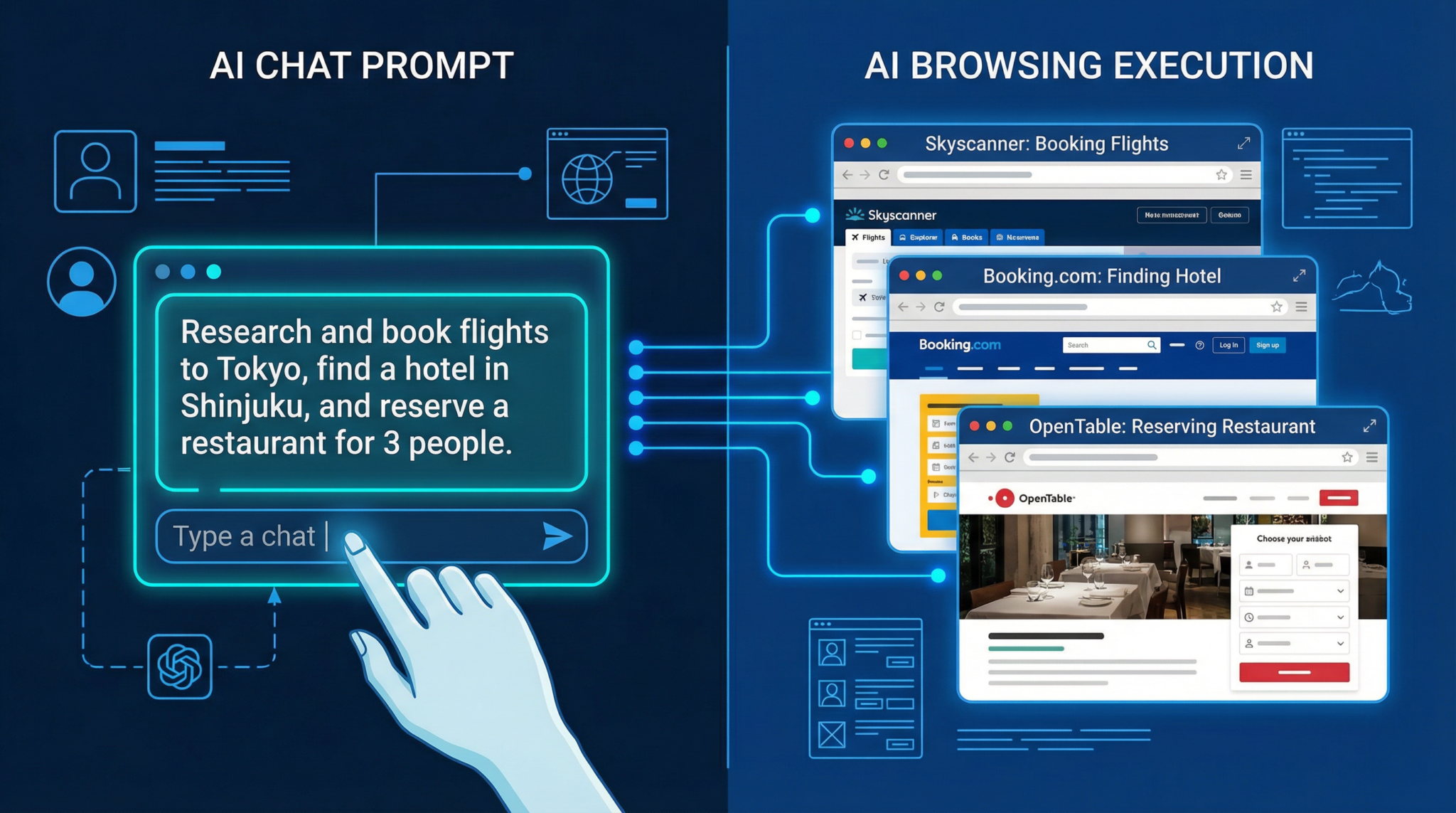
Travel planning is one of the most complex use cases for AI-powered browsing. ChatGPT Atlas Agent Mode can automate searches for flights, hotels, and transportation options, comparing prices, times, and amenities across multiple booking platforms. Beyond simple search, you can build detailed itineraries incorporating sightseeing, dining, and local transport recommendations.
This strategy suits both casual travelers and professional planners who need fast, comprehensive trip overviews without switching between numerous websites manually.
"Plan a 5-day trip to Tokyo in October 2026 for two adults. Find the best round-trip flights from New York (JFK) to Tokyo (NRT) with prices under $1200 each. Compare 3-star and 4-star hotels in Shinjuku with ratings above 4.0 and include nightly rates. Create a detailed day-by-day itinerary including top sightseeing spots, local dining options, and transport suggestions."
- Pro Tips:
- Be explicit about traveler counts, budget limits, and accommodation ratings.
- Include travel dates and flexibility parameters to optimize flight and hotel options.
- Request itinerary formatting with timing estimates and links to booking sites.
Common Pitfalls: Vague travel dates or budget constraints can produce impractical recommendations. Not specifying preferred neighborhoods or hotel standards may lead to unsuitable lodging suggestions. Complex itineraries may require multi-step prompting for best results.
8. Job Application Prompts – Finding Positions, Tailoring Applications
Job seekers can harness ChatGPT Atlas Agent Mode to streamline job discovery and application processes. The AI can scan job boards and company career pages for openings matching specified roles, locations, and industries. Furthermore, it can customize resumes and cover letters tailored to each job description, increasing application effectiveness.
This approach helps candidates manage multiple applications efficiently while maintaining high relevance and professionalism in submissions.
"Search for software engineer positions in San Francisco posted in the last 30 days on LinkedIn, Indeed, and company career pages of Google, Meta, and Apple. For each position, provide job title, company, key requirements, and application URL. Using my resume provided in the conversation, craft a customized cover letter highlighting my experience in Python, cloud computing, and team leadership."
- Pro Tips:
- Specify job titles, locations, and skills to filter relevant positions.
- Provide detailed resume data or links for tailored application materials.
- Request summaries of job requirements to target cover letter content precisely.
Common Pitfalls: Broad job titles or omitting location preferences can flood results with irrelevant listings. Supplying incomplete resume info hinders customization quality. Also, applying to jobs behind paywalls or with complex portals may require manual follow-up.
9. Social Media Monitoring Prompts – Tracking Brand Mentions, Trending Topics
Brands and marketers can use ChatGPT Atlas Agent Mode as a social listening tool by prompting it to scan social media platforms, forums, and blogs for brand mentions, sentiment analysis, and trending topics. This real-time monitoring helps identify emerging conversations, potential PR issues, or viral content opportunities.
Effective prompts specify platforms and keywords, and request summaries of sentiment or engagement metrics, enabling data-driven marketing strategies.
"Monitor Twitter, Reddit, and Instagram for mentions of the brand 'EcoWear' over the past week. Extract key themes, sentiment (positive, neutral, negative), and top posts with engagement metrics including likes, shares, and comments. Summarize trends and alert if any negative sentiment spikes are detected."
- Pro Tips:
- Define exact keywords, hashtags, and timeframes for focused monitoring.
- Request engagement data to prioritize influential posts.
- Ask for sentiment classification and alerts for sudden changes.
Common Pitfalls: Omitting platform specifications can yield scattered results across unrelated sources. Overly broad keywords may generate noise rather than actionable insights. Also, some social platforms limit data accessibility due to privacy policies.
10. Academic Research Prompts – Finding Papers, Building Bibliographies
Academics and students benefit from ChatGPT Atlas Agent Mode’s capacity to locate scholarly papers, preprints, and literature reviews from multiple academic databases and repositories. This capability accelerates literature reviews, hypothesis formation, and bibliography compilation.
Prompts can specify research topics, publication date ranges, authors, or journals, and request formatted citations in styles such as APA or MLA, streamlining the research workflow.
"Search Google Scholar, PubMed, and arXiv for peer-reviewed papers published in the last 5 years on 'machine learning applications in medical imaging.' For each paper, provide title, authors, journal/conference, publication year, abstract, and a properly formatted APA citation."
- Pro Tips:
- Use precise keywords with Boolean operators to narrow searches.
- Request abstracts and citations to facilitate quick assessment and referencing.
- Specify citation format to match academic requirements.
Common Pitfalls: Using overly general topics can produce vast, unfocused results. Some academic papers may be behind paywalls, limiting access to full texts. Ensure to verify citation accuracy from original sources.
11. Real Estate Research Prompts – Property Comparison, Neighborhood Analysis
Real estate professionals and homebuyers can employ ChatGPT Atlas Agent Mode to gather detailed property data, compare listings across portals, and analyze neighborhood statistics such as crime rates, schools, and amenities. This multi-dimensional research supports informed purchasing or investment decisions.
Prompts should specify property types, price ranges, desired features, and geographic boundaries to obtain tailored results. Neighborhood insights help contextualize listings beyond price and size.
"Find available 3-bedroom houses for sale under $800,000 in the Brooklyn, NY area from Zillow, Realtor.com, and Redfin. Extract listing price, square footage, year built, and contact info for agents. Additionally, provide neighborhood data including average school ratings, crime statistics, and proximity to public transport."
- Pro Tips:
- Define precise location parameters and budget to focus searches.
- Request agent contact details separately for easy follow-up.
- Ask for neighborhood metrics to evaluate livability and investment potential.
Common Pitfalls: Failure to include geographic scope can return irrelevant locations. Not specifying data fields may produce incomplete listing profiles. Some real estate sites dynamically load data, which might require multiple prompt iterations for comprehensive extraction.
12. Multi-Step Workflow Prompts – Chaining Complex Browsing Sequences
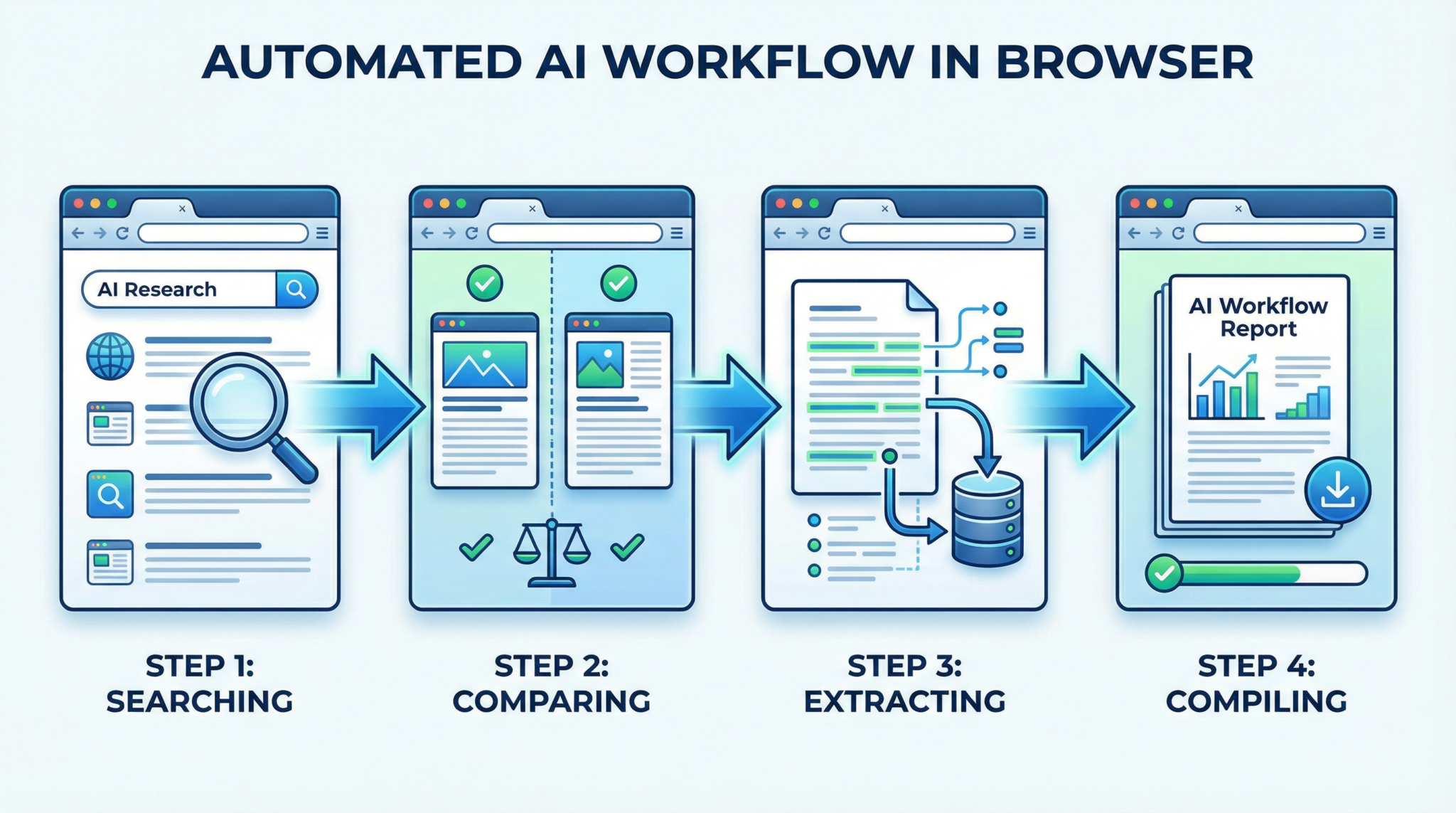
Multi-step workflow prompting chains together several browsing and data processing tasks into a single seamless operation. This strategy takes advantage of ChatGPT Atlas Agent Mode’s ability to maintain context and execute sequential web queries, transforming complex processes into automated workflows.
Examples include researching a topic, extracting key data, summarizing findings, and then emailing the report or updating a database—all initiated by one prompt. This technique is ideal for advanced users seeking to maximize AI efficiency in professional or research settings.
"Step 1: Search for the latest quarterly earnings reports of Tesla, Apple, and Microsoft on their official investor relations pages. Step 2: Extract revenue, net income, and EPS for each company and compile the data into a comparison table. Step 3: Summarize key financial trends and highlight any significant changes from the previous quarter. Step 4: Draft an email report to the finance team with the table and summary included."
- Pro Tips:
- Break down complex tasks into clear, numbered steps within the prompt.
- Use explicit instructions for data formats and summary styles at each stage.
- Request confirmation of task completion at each step to monitor progress.
Common Pitfalls: Overly complex or ambiguous instructions can cause the agent to lose track of context. Ensure each step logically follows the previous one. Avoid mixing unrelated tasks in one prompt to maintain coherence.
Mastering these 12 advanced prompting strategies empowers users to fully leverage ChatGPT Atlas Agent Mode for diverse, real-world applications. By crafting precise, structured prompts and understanding best practices, you unlock AI-powered browsing that is both efficient and reliable.
For a deeper understanding of designing effective prompts to optimize AI interactions, especially in the context of emerging models like GPT-5.3-Codex, refer to our detailed guide in ChatGPT Coding Masterclass Part 2: Prompt Engineering for Developers in the Era of GPT-5.3-Codex. This article covers techniques for crafting precise prompts that enhance model performance and facilitate more accurate, efficient coding workflows.
For those interested in mastering ChatGPT’s capabilities for in-depth research, the article How to Use ChatGPT Agent Mode for Deep Research in 2026: Step-by-Step Guide offers a comprehensive walkthrough of leveraging agent mode effectively. It provides valuable insights into advanced techniques that can enhance your research efficiency with ChatGPT Atlas.
For those interested in the future of autonomous AI development, The Ultimate Guide to CrewAI: Building Autonomous AI Agents in 2026 offers an in-depth overview of how CrewAI is shaping the landscape of AI agents. Understanding these advancements can provide valuable insights into the evolving strategies for deploying sophisticated AI systems like ChatGPT Atlas in complex environments.
Access 40,000+ AI Prompts for ChatGPT, Claude & Codex — Free!
Subscribe to get instant access to our complete Notion Prompt Library — the largest curated collection of prompts for ChatGPT, Claude, OpenAI Codex, and other leading AI models. Optimized for real-world workflows across coding, research, content creation, and business.

