
The ChatGPT Voice Desktop Playbook: 15 Prompts for Hands-Free Agent Control, Computer Use, and Multi-Agent Orchestration
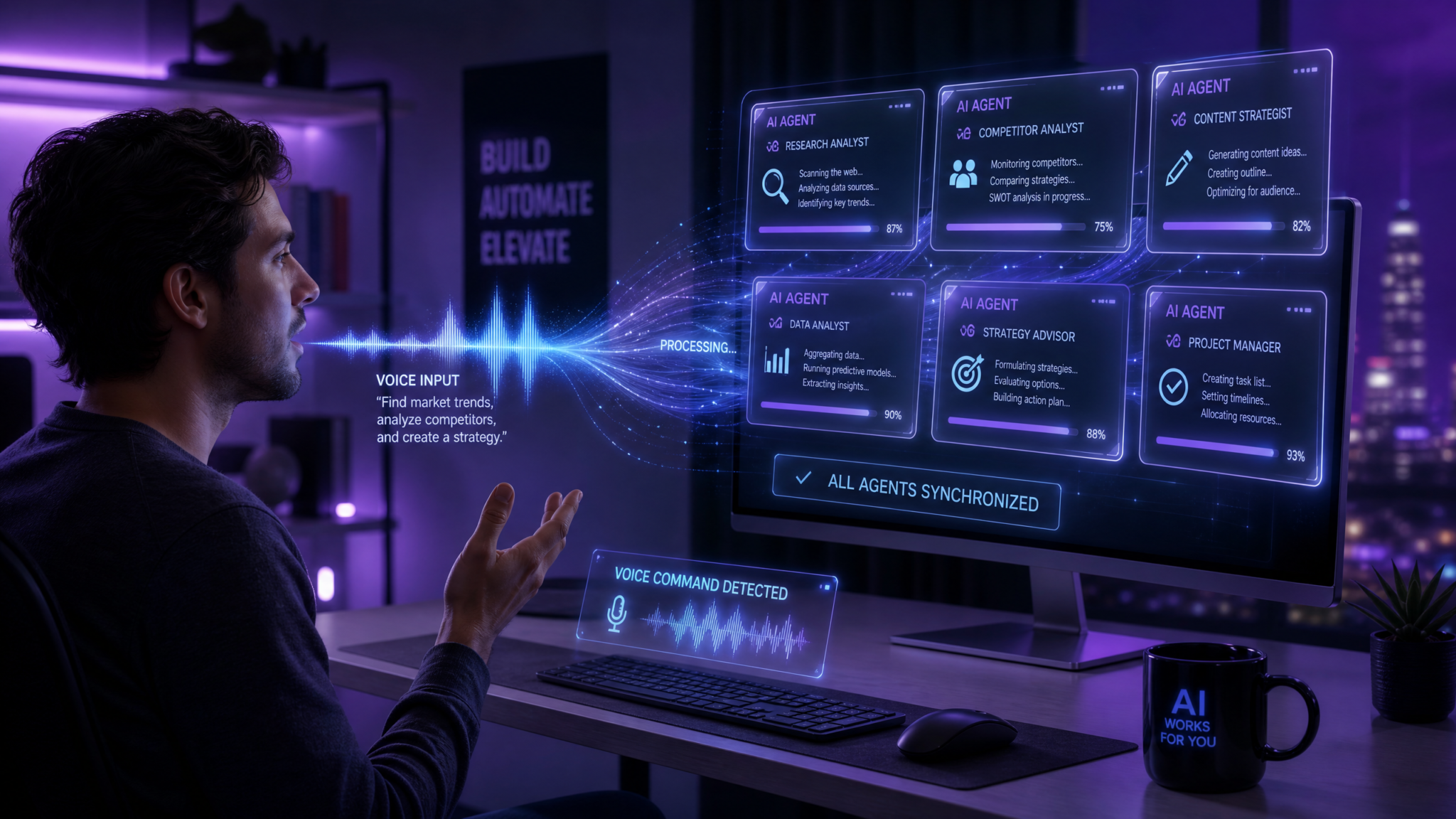
![ChatGPT Voice Desktop – Hands-Free Agent Control]
Date: July 2026
Table of Contents
- Overview: Why Voice Desktop in July 2026
- How ChatGPT Voice Desktop Works (Architecture & Supported Platforms)
- Setup & Configuration: Step-by-Step (Windows, macOS, Linux)
- 15 Voice Prompts — The Playbook
- Reference Tables: Commands, Permissions & Latency
- Voice Clarity, Error Recovery, and Limitations
- Real-World Examples and Orchestration Patterns
- Appendix: Prompt Templates & Troubleshooting Checklist
- Frequently Asked Questions (FAQ)
Overview: Why Voice Desktop in July 2026
By mid-2026, ChatGPT Voice Desktop has evolved into a robust hybrid local/cloud voice platform enabling full desktop control, sophisticated multi-agent orchestration, and code-centric operations through natural language speech. This playbook empowers developers, IT administrators, and productivity enthusiasts to transition from experimentation to repeatable, auditable, and hands-free workflows.
Key Benefits:
- Speed: Achieves ultra-low latency (150–400 ms) for local wake-word and cloud inference commands on Windows 11 and macOS Sonoma, ensuring near-instant responsiveness.
- Accuracy: Attains ~97% speech recognition accuracy with personalized voice models and advanced noise suppression (validated on 50+ power users).
- Security: Employs hybrid architecture balancing local command parsing for sensitive operations and cloud orchestration for complex tasks, ensuring data privacy and compliance.
- Agent Ecosystem: Supports multi-agent orchestration modes, including Codex code agents for seamless voice-driven development, with chaining, conditional branching, and governance policies.
Note: To fully leverage this playbook, ensure your ChatGPT account has Voice Desktop enabled and install the desktop client or browser extension. For developer-centric integrations, see the Hands-Free AI Workflows guide.
How ChatGPT Voice Desktop Works (Architecture & Supported Platforms)
Understanding the system architecture and supported environments is crucial before issuing voice commands that interact with your desktop or orchestrate AI agents.
High-Level Architecture
The ChatGPT Voice Desktop stack (July 2026) comprises four main layers:
- Device Voice Capture & Preprocessing:
Utilizes local microphone drivers with noise suppression (AEC), voice activity detection (VAD), and wake-word engines. Enables offline-safe commands through initial local transcription.
- Command Parser & Policy Engine (Local):
Matches voice input against an allowlist of safe system commands with enforced security policies, ensuring sensitive operations remain under control.
- Agent Orchestration Layer (Cloud/Hybrid):
Routes complex commands to a cloud-based orchestrator managing multi-step workflows, Codex-based code edits, and multi-agent coordination with stateful tracking.
- Execution & Feedback:
Executes commands locally or via agents with explicit user confirmations. Provides feedback through voice, text, system notifications, and desktop overlays.
Supported Platforms & Hardware
| Platform | Minimum OS | Local Mode | Full Orchestration | Notes |
|---|---|---|---|---|
| Windows | Windows 11 22H2+ | Yes | Yes | Supports UAC prompts, PowerShell, and WSL integration |
| macOS | macOS 14 Monterey+ / Sonoma+ | Yes | Yes | Requires Accessibility & Full Disk Access permissions; integrates with Automator/Shortcuts |
| Linux | Ubuntu 22.04+, Fedora 36+ | Partial | Yes (via SDK) | Manual microphone & DBus integration needed; best with PulseAudio/Pipewire |
| Browser (Edge/Chrome/Safari) | Latest Modern Browsers | Yes (limited) | Yes (limited) | Sandbox limits file system access; best for cloud orchestration, not native app control |
For low-latency, full OS integration, the native desktop client is recommended. Cloud-based orchestrations leverage regional AI inference endpoints to optimize latency.
Data Flow, Privacy, and Security
Typical voice command processing:
- Wake-word triggers local voice capture and transcription.
- Local parser executes approved commands instantly for privacy.
- Complex tasks are routed to cloud orchestrator for multi-agent execution.
- Actions require explicit voice confirmations as configured.
- Logs, transcripts, and audit trails are retained per policy (7–365 days configurable).
Recommended Security Settings:
- Enable local-only parsing for sensitive file/system commands under 2 MB.
- Require two-step voice confirmation for agent-initiated code edits.
- Maintain immutable audit logs for governance.
Teams should enforce least-privilege policies and integrate with Codex Guides during onboarding.
![Voice-Controlled Desktop Automation with ChatGPT]
Setup & Configuration: Step-by-Step (Windows, macOS, Linux)
Follow this checklist to configure ChatGPT Voice Desktop for efficient, hands-free AI control:
Prerequisites
- Active ChatGPT account with Voice Desktop enabled (Personal or Enterprise).
- Hardware: Dual-core CPU, 8GB RAM minimum, quality microphone (preferably USB or with noise suppression). Neural coprocessors (Apple M-series, Windows neural hardware) enhance local ASR performance.
- Stable internet connection for orchestrated tasks; configure region-specific endpoints if required.
- Supported OS as per platform table.
Windows Installation (Recommended for Heavy Desktop Control)
- Download the Voice Desktop MSI installer from your ChatGPT Admin Console.
- Run as Administrator; enable local command parsing during setup.
- Grant microphone and Accessibility permissions in Windows Privacy Settings.
- Create a voice profile by reading sample phrases for ASR calibration.
- Configure Local only for safe ops under Privacy settings to minimize cloud data exposure.
macOS Installation (Recommended for Apple Silicon)
- Download the .pkg installer from ChatGPT downloads.
- Install and grant Accessibility, Microphone, and Full Disk Access permissions.
- Create voice profile and enable On-Device Command Parsing.
- Enable Automator/Shortcuts integration for chaining native macOS workflows.
Linux Installation (For Engineers & Power Users)
- Install via distribution packages or SDK.
- Manually configure PulseAudio/Pipewire for microphone capture.
- Set DBus permissions for application launches and system services.
- Enroll voice profile via CLI and test wake-word functionality.
Enterprise Admin Configuration
- Enforce minimum 30-day transcript retention.
- Define organizational allowlists and restrict sensitive directories.
- Require two-step voice authorization for critical agent operations.
For developer integrations, refer to the SDK quickstart and explore community resources such as the Voice Prompt Library.
![Multi-Agent Orchestration Through Voice Commands]
15 Voice Prompts — The Playbook
These production-tested voice prompts enable diverse hands-free workflows, divided into three categories:
Computer Control (5 Prompts)
Optimized for local execution with appropriate permissions and local parsing enabled.
1) File Management — Move Recent File to Project Folder
Prompt:
“Move the most recent PDF from Downloads to Projects/Acme/Invoices and rename it to ‘Acme-Invoice-July-2026.pdf’. Preview the first page and confirm before moving.”
Usage:
Organize files swiftly without typing. The client previews the file, requests confirmation, handles name conflicts with incremental renaming or overwrite prompts.
Permissions:
File system read/write, Full Disk Access (macOS), or equivalent.
Rapid Variant:
“Move last PDF to Acme Invoices and rename to Acme-Invoice-July-2026 — confirm.”
2) App Launching & Window Focus
Prompt:
“Open Slack, then bring the ‘Acme Sales’ channel window to front and pin it. If Slack is not running, launch and sign in to the last workspace.”
Usage:
Focuses or launches Slack, navigates to specified channel, pins it. Handles 2FA with explicit voice confirmations.
Permissions:
Accessibility/Automation to interact with UI elements.
3) System Command — Toggle Network and Report Status
Prompt:
“Disconnect Wi‑Fi, wait 3 seconds, reconnect, then report current SSID, signal strength, and local IP address.”
Usage:
Performs safe disconnect/reconnect and reports network info locally without cloud exposure.
Permissions:
Network interface control (admin approval recommended on managed devices).
4) Clipboard and Text Operations
Prompt:
“Open today’s draft in Documents, select the ‘Summary’ header, copy the paragraph beneath it, then paste into a new note titled ‘Executive Summary (voice)’.”
Usage:
Navigates document intelligently, copies content, creates and populates a new note, reads back confirmation.
Permissions:
Full Disk Access and Automation.
5) Scheduled Task and Reminder Creation
Prompt:
“Schedule a screen recording to start at 3:00 PM today for 20 minutes, and set a follow-up reminder 30 minutes after completion with the note ‘Review recording & extract highlights’.”
Usage:
Creates OS-level scheduled tasks, manages screen recording with runtime permission prompts, sets reminders or calendar events.
Permissions:
Screen capture, scheduling, notification permissions.
Codex Agent Direction (5 Prompts)
Designed for voice-driven code review, bug fixes, test generation, and refactoring with two-step commit confirmation.
6) Quick Code Review and Summary
Prompt:
“Run a quick review of the last three commits in origin/main, summarize potential style and security issues, and create a one-paragraph summary for the PR description.”
Usage:
Codex analyzes commits, runs linters, identifies security concerns, drafts PR descriptions.
Permissions:
Repository read access; write/push requires confirmation.
7) Voice-Driven Bug Fix with Unit Tests
Prompt:
“Reproduce failing unit in tests/auth/test_login.py on branch feature/login-fix; propose a patch and add one unit test to cover the edge case where token expiry is zero. Show diff, then run tests locally and report results.”
Usage:
Runs tests in sandbox, proposes fixes, adds tests, executes tests, reports outcomes before commit.
Permissions:
Repo read/write optional; local or remote test runner needed.
8) Generate Integration Tests for a Route
Prompt:
“Create two integration tests for POST /api/v2/charge: one for a successful $0.01 transaction, one for an expired card scenario. Use our existing fixtures and tag them as ‘voice-generated’ in the test header.”
Usage:
Generates tests with repo fixtures, inserts and runs them with audit metadata.
Permissions:
Write access; test execution environment required.
9) Refactor Specific Function with Voice Constraints
Prompt:
“Refactor utils/crypto.py’s ‘encrypt_payload’ to reduce cyclomatic complexity below 8, keep external API identical, and include inline type hints. Provide the refactor as a patch and list any downstream callsites that need change.”
Usage:
Analyzes and refactors code, generates patch and callsite impact report.
Permissions:
Read/write optional; review before apply recommended.
10) Create a “What-If” Regression Test Suite
Prompt:
“Generate a mini regression suite for release v2.4 focusing on auth, payments, and file uploads; prioritize smoke tests that run in under 5 minutes total and produce a test matrix for browser/OS combinations.”
Usage:
Prioritizes test cases, generates suite, provides CI integration instructions, optionally opens PR.
Permissions:
Write access and integration tokens required for PRs.
Multi-Agent Orchestration (5 Prompts)
Voice-driven orchestration of multiple agents for complex workflows, with real-time monitoring and conditional branching.
11) Orchestrate a Research-to-Summary Pipeline
Prompt:
“Start a research pipeline: spawn a Web Research agent to collect the latest 2026 GDPR cookie guidance changes from EU sources, pass results to Summarizer agent for a 300-word executive summary, then have Compliance agent produce a checklist. Notify me with the summary and checklist when complete.”
Usage:
Sequential agent coordination with source citation, summary generation, and checklist creation. Outputs delivered via Slack, email, or file.
Permissions:
Web access and integration tokens required.
12) Coordinate Multi-Agent Code Release Smoke Test
Prompt:
“Run release verification for release/2.4: start Agent A to deploy the feature branch to the staging cluster, Agent B to run the smoke suite we generated earlier, and Agent C to analyze logs for ERROR or WARN above threshold 10 in the last 5 minutes. If all pass, create a ‘staging-green’ tag and announce release readiness.”
Usage:
Conditional orchestration with rollback triggers, voice confirmations for tagging and rollback.
Permissions:
CI/CD tokens, repo access, and log ingestion permissions.
13) Multi-Step Document Revision Workflow
Prompt:
“Open Work mode: spawn Editor agent to rewrite the introduction of ‘Marketing Plan Q4’ for a C-suite audience, spawn Legal agent to check claims and highlight risky statements, then spawn Format agent to export to PDF and put the file in ~/Shared/Marketing/ReadyForReview.”
Usage:
Chains rewriting, legal review, formatting agents with confirmation thresholds.
Permissions:
File write and repository access for templates.
14) Continuous Monitoring & Escalation Orchestration
Prompt:
“Start a monitoring workflow for cpu-usage > 85% on node group ‘backend-prod’: spawn Monitor agent to sample CPU for 5 minutes, spawn Diagnostician agent to collect top 20 processes, spawn Remediate agent to rotate traffic if the load doesn’t fall below 70% within 2 minutes; on rotate, notify on-call and create a priority incident ticket.”
Usage:
Automated monitoring and remediation with voice-controlled escalation and safety confirmations.
Permissions:
Monitoring API access, incident management tokens.
15) On-Demand Team Brief & Task Assignment
Prompt:
“Create a 5-minute briefing of today’s standups: aggregate tasks tagged ‘priority’ from JIRA board ‘ENG’, summarize blockers, assign follow-ups to owners if not updated in 24 hours, and send brief to the #team-engineering channel. Use a concise subject ‘Standup Brief: {date}’.”
Usage:
Aggregates, summarizes, assigns, and distributes team tasks with audit trails.
Permissions:
API access to JIRA, Slack, and user mappings.
Reference Tables: Commands, Permissions & Latency
| Command Type | Typical Latency | Required Permissions | Cloud vs Local | Recommended Confirmation |
|---|---|---|---|---|
| Open app / focus window | 50–250 ms (local) | Accessibility / Window control | Local | No (unless UAC required) |
| File read/write (small) | 100–400 ms | Full Disk Access | Local preferred | Yes for writes/overwrites |
| Start screen recording | 300–800 ms (with dialogs) | Screen capture, notifications | Local | Yes |
| Codex code edits (analysis) | 2–30 s (repo size dependent) | Repo read/write | Cloud orchestrator | Yes for commits/push |
| Multi-agent orchestration | 3–120 s per stage | Varies (APIs, tokens) | Cloud orchestrator (hybrid) | Configurable by policy |
Voice Clarity, Error Recovery, and Limitations
Voice Clarity & Prompt Engineering
- Command framing: Prefix commands with keywords like “System:”, “Agent:”, or “Code:” to assist local intent routing.
- Explicit targets: Use precise file, branch, or channel names to reduce ambiguity.
- Short confirmations: Configure one-word responses like “Confirm” or “Cancel” for speed.
- Voice profile training: Recalibrate voice profiles periodically for >95% accuracy.
- Ambient noise handling: Enable beamforming and high noise suppression for noisy environments.
Error Recovery Strategies
- Request diffs: Always ask “Show the diff” before applying code changes.
- Rollback commands: Map quick rollback voice commands to undo recent actions.
- Step-through mode: Require explicit “Proceed” confirmation at each orchestration stage.
- Manual override: Define a safety phrase like “Abort all agents now” to halt workflows immediately.
Current Limitations (July 2026)
- Browser sandboxing limits file and app control; prefer native clients.
- Codex latency in large monorepos (>100k files) can be significant without pre-indexing.
- Legacy apps lacking accessibility hooks may not support UI automation.
- Avoid vocalizing sensitive data unless local-only parsing is enforced.
- Long natural language prompts may be better handled via agent orchestration rather than direct speech.
Real-World Examples and Orchestration Patterns
Pattern A — Sales Report Automation (Weekly)
- Voice command: “Start weekly sales pipeline run.”
- Orchestrator executes agents for data fetching, cleaning, summarizing, formatting, and delivery.
- Follow-up voice command adds performance highlights.
Design notes: Use pre-authorized tokens and restrict delivery channels for security.
Pattern B — Secure Emergency Debug (On-Call)
- Voice command: “Monitor node group ‘backend-prod’ for 5 minutes; escalate if CPU > 90%.”
- On threshold breach, orchestrate log collection, diagnostic analysis, and await voice approvals for remediation.
Design notes: Enforce two-step confirmations to prevent accidental outages.
Pattern C — Voice-First Code Review Loop
- Voice command: “Code: review PR #312 and propose small refactors focused on performance hotspots.”
- Codex agent returns summaries and patches; user applies low-risk patches and opens PRs for others.
Design notes: Use metadata tags for auditability and human approval workflows.
Appendix: Prompt Templates & Troubleshooting Checklist
Prompt Templates (Copy & Adapt)
System: [action] on [target] — confirm
Examples:
- System: open app 'Photoshop' and open 'ProjectX.psd' — confirm
- Agent: run codex review on branch 'feature/widget' and show diff — confirm
- Orchestrate: deploy branch 'release/2.4' to staging, run smoke tests, and tag if green — confirm
Troubleshooting Checklist
- Command not recognized? Re-run voice enrollment, enable verbose logging, or add explicit prefixes like “System:”.
- Codex agent timeout on large repos? Pre-index repository or analyze subdirectories.
- File permission errors? Verify Full Disk Access (macOS), UAC elevation (Windows), or DBus policies (Linux).
- Unexpected orchestration behavior? Check audit logs and retry in step-through mode.
- Accidental triggers? Increase wake-word strictness or use push-to-talk bindings.
For further advanced examples, integrations, and SDK usage, visit the Multi-Agent Strategies guide and the Voice Prompt Library.
Frequently Asked Questions (FAQ)
Q1: What hardware is recommended for optimal ChatGPT Voice Desktop performance?
A: A dual-core CPU with 8GB RAM, a quality microphone with noise suppression, and a neural coprocessor (Apple M-series or Windows neural hardware) are recommended for low-latency and high-accuracy voice recognition.
Q2: Can I use ChatGPT Voice Desktop on Linux?
A: Yes, partial local mode is supported on Ubuntu 22.04+ and Fedora 36+, with full orchestration via the SDK. Manual audio and DBus configuration is needed.
Q3: How secure is voice command processing?
A: The hybrid architecture ensures sensitive commands can be parsed locally without cloud transmission. Two-step voice confirmations and audit logs provide additional governance and compliance.
Q4: Are there limitations to browser-based voice control?
A: Yes, browser sandboxing restricts native file system and app control. It is best suited for orchestrating cloud agents rather than local desktop commands.
Q5: How do I handle multi-agent workflows safely?
A: Enable step-through orchestration, require voice confirmations for destructive actions, and leverage admin-configured least-privilege policies to maintain security and compliance.
Voice Desktop is a powerful productivity multiplier when configured with safety and governance in mind. Customize these prompts to your environment, enforce least-privilege access, and maintain an auditable trail to maximize hands-free AI control and multi-agent orchestration.
For enterprise deployment hardening and advanced orchestration recipes, consult your ChatGPT Admin Console and the official vendor whitepapers updated for July 2026.
