
The Complete Guide to ChatGPT Pricing in 2026 — Free, Go, Plus, Pro, Business, and Enterprise Compared

ChatGPT Pricing in 2026: The Complete Guide to Tiers, Credits, Models, and Cost Optimization
Choosing the right ChatGPT plan in 2026 is as much about understanding your workload and governance needs as it is about headline prices. With six subscription tiers, multiple GPT-5.x model families (including GPT-5.5 and GPT-5.6 Sol/Terra/Luna), Work agent capabilities, Codex for developers, configurable memory, and a credit-based overage system, OpenAI’s lineup offers flexibility—but also complexity. This in-depth guide explains every tier and feature, compares subscription and API pricing, maps upgrade paths, and gives practical strategies to keep your AI bill predictable while getting the performance and safeguards you need.
Use this article as your 2026 playbook for deciding between Free, Go, Plus, Pro, Business, and Enterprise, and for planning when to combine subscription seats with API usage. We also include a high-level comparison to Anthropic Claude plans, real-world decision frameworks, student and special programs, and hidden costs teams often overlook.
Overview
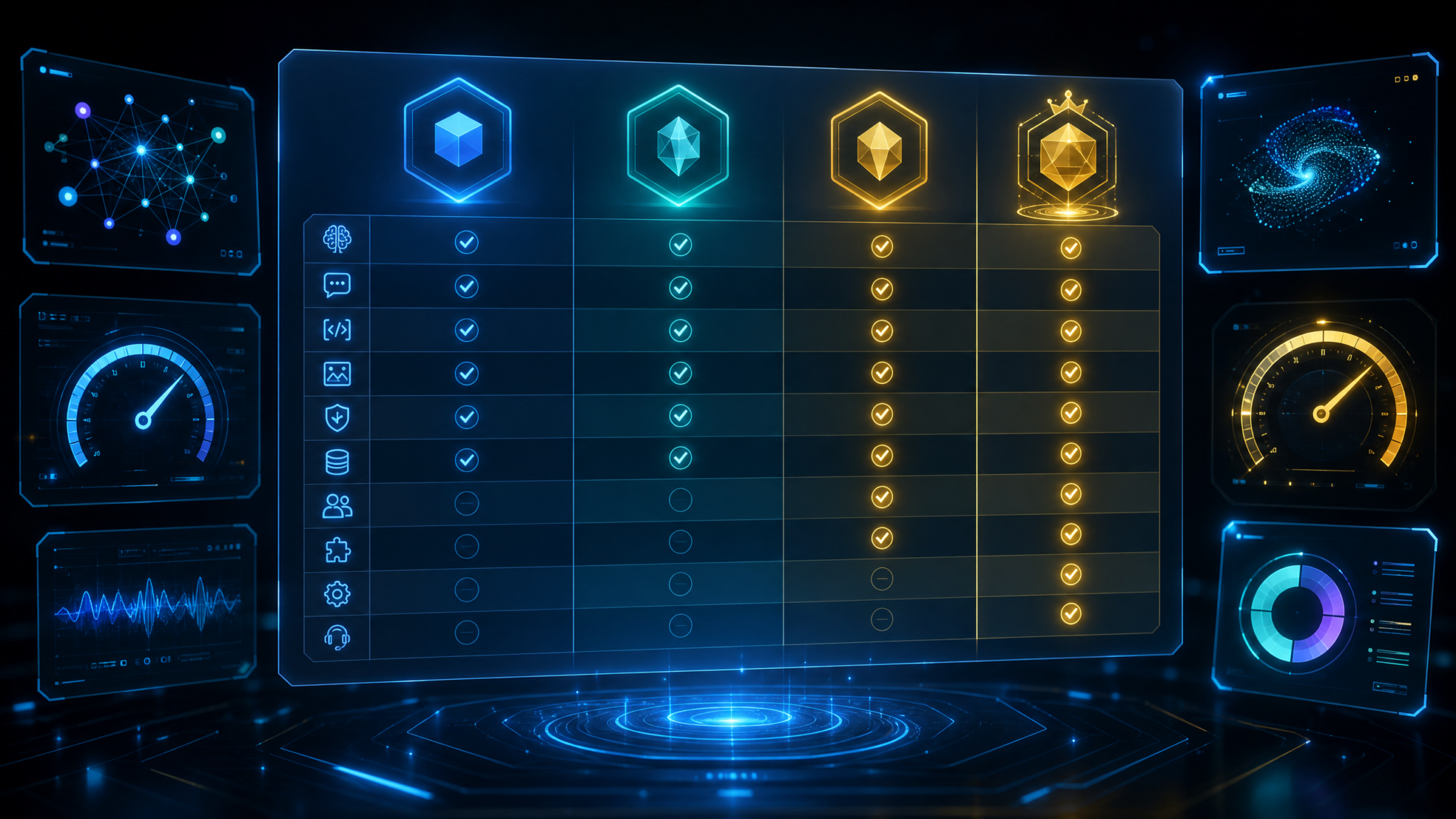
OpenAI’s 2026 ChatGPT lineup is organized into six subscription tiers that range from a zero-cost entry point for casual use to enterprise-grade deployments with advanced security, data controls, and commercial SLAs. On top of subscription access, developers and businesses can use the OpenAI API for usage-based workloads, integrating ChatGPT models directly into apps, backends, and automations. A credit system bridges subscription and consumption, letting you burst above included usage in a controlled, billable way.
Key elements to understand before you choose a plan:
- Six tiers: Free ($0), Go (new low-cost tier), Plus ($20/month), Pro ($100+/month), Business (team/compliance features), Enterprise (custom security, capacity, and SLAs).
- Model access: Consumer and professional tiers include GPT-5.5 and GPT-5.6 families. GPT-5.6 is offered in Sol, Terra, and Luna variants optimized for speed, balance, and long context, respectively.
- Work agent: A managed agent that orchestrates tasks across tools and documents. Deeper capabilities and governance controls unlock as you move up tiers.
- Codex: Developer-focused features for coding, code review, and automation—integrated into chat and IDE extensions—with advanced usage in Pro and above.
- Memory: Persistent, user-configurable memory improves personalization and continuity across chats and tools. Higher tiers get larger, more granular memory controls.
- Context window: Larger allowable prompt and response sizes are available with higher-tier models such as GPT-5.6 Luna for extended documents and multi-source reasoning.
- Credits: Each subscription includes an allowance of usage. When you exceed it, you can consume paid overage credits under clear rates and thresholds.
- Team vs Business vs Enterprise: “Team” denotes light multi-seat management for smaller groups; Business adds compliance, security, and data controls; Enterprise offers advanced guarantees, controls, and dedicated capacity.
- Subscription vs API: Subscriptions are seat-based for interactive chat usage with included allowances; API is pure pay-as-you-go usage for programmatic workloads. Many organizations use both.
In brief: If you’re deciding for yourself, start with Free or Go, then Plus if you need consistent access and better models, and Pro if you’re a power user or developer. If you’re deciding for a team, use Team to organize seats, Business for compliance and data controls at scale, and Enterprise when you need dedicated capacity, auditability, and premium SLAs. For application backends or batch workloads, model your cost with API pricing and optionally keep Plus/Pro seats for your staff.
Note: Pricing, limits, and model availability can vary by region and change over time. Always confirm current terms on OpenAI’s official pricing pages and in your admin console before purchasing or renewing.
Tier Breakdown: What Each Plan Includes and Who It’s For
Free ($0): For Exploration and Light Personal Use
ChatGPT Free is the easiest way to start. It’s designed for casual users, students exploring basic concepts, and anyone wanting to quickly test prompts or get help drafting short content. Free delivers access to foundational ChatGPT capabilities and limited exposure to newer GPT-5.x model features under fair-use caps.
- Model access: Baseline access to GPT-5.5 for core chat tasks; limited access windows for GPT-5.6 variants during low-traffic periods.
- Context window: Sufficient for day-to-day conversations and short documents. Intensive long-document reasoning may require Plus or higher.
- Memory: Basic, opt-in memory for personalization and recurring preferences, with conservative limits to protect system capacity.
- Work agent: Basic task orchestration, primarily within the chat canvas and common productivity tasks. Advanced workflows require a paid tier.
- Codex: Intro-level coding help and code completion in chat. IDE integrations and higher throughput are gated to Plus/Pro.
- Credits: An included monthly allowance designed for light use. Overages are not billed; instead usage is throttled to protect free access for all.
- Data and controls: Personal use settings and export tools. Organizational controls, DLP, audit logging, and retention policies require Business/Enterprise.
- Support: Self-serve help center and community resources.
Best for: Light drafting, brainstorming, language practice, Q&A, small snippets of code, and casual experimentation.
Not ideal for: Long-context tasks, sustained coding projects, automated workflows, or business use with data governance needs.
Scenario: A student asks free-tier ChatGPT to outline an essay and summarize a 5-page article. Occasional peak-time access restrictions are acceptable, and privacy controls are handled at the personal-account level.
Go (New Tier): Affordable Step-Up for Consistent Personal Use
Go sits between Free and Plus as a low-cost way to get more consistent capacity and newer features. It’s well-suited to students and individuals who need a dependable assistant for daily tasks but don’t yet require the full power or allowances of Plus. Pricing varies by region, intended to remain accessible for broad adoption.
- Model access: Priority access to GPT-5.5; improved access to GPT-5.6 Sol for fast, everyday tasks.
- Context window: Larger than Free for handling moderate-length documents, research notes, or multi-turn reasoning.
- Memory: Enhanced personal memory capacity with better control over what’s remembered and forgotten.
- Work agent: Expanded core automations and calendar/document integrations; some advanced automation and toolchains remain gated to Plus/Pro.
- Codex: More generous coding assistance in chat; intro-level IDE extension usage (throttled for heavy use).
- Credits: A modest, paid monthly allowance; optional overage credits available at standard rates.
- Support: Priority over Free for capacity at peak times; standard support channels.
Best for: Students, freelancers, and personal productivity users who hit Free limits and want reliable throughput without committing to Plus.
Scenario: A graduate student uses Go to manage literature notes, draft emails, and get coding help on class projects—with enough runway before needing Plus/Pro-level allowances.
Plus ($20/month): Consistent Access to Advanced Models
Plus is the mainstream paid plan for individuals who rely on ChatGPT regularly. It offers consistent access to newer models, higher caps, and better performance when demand is high. Many independent professionals and students find Plus the best ratio of power to price.
- Model access: Full access to GPT-5.5 and broad access to GPT-5.6 Sol and Terra. Occasional access to Luna for long-context tasks.
- Context window: Substantially larger than Go; capable of analyzing longer documents, tables, and code bases.
- Memory: Larger persistent memory and more granular controls (per-topic or per-project toggles).
- Work agent: Advanced workflows, including multi-step tasking and structured tool use with supported integrations.
- Codex: Robust coding support, including chat-based code generation, refactoring, and limited IDE extension throughput suitable for solo devs.
- Credits: A balanced monthly allowance designed for daily use; optional overage credits to burst above baseline.
- Support and reliability: Better performance at peak times; access to early features rolling out to consumers.
Best for: Freelancers, solo creators, researchers, and students with heavy workloads; writers and analysts who need reliable long-form assistance.
Scenario: A language teacher uses Plus to plan lessons, translate materials, and analyze student writing with memory-enabled personalization of rubrics and classroom norms.
Pro ($100+/month): Power Users, Developers, and Heavy Creators
Pro delivers higher allowances, faster and more consistent access to high-end models, and developer-centric features. If you’re building complex automations, working on sizable codebases, or producing long-form content daily, Pro reduces friction and gives you more headroom before you need API-only workflows.
- Model access: Priority access to GPT-5.6 Terra and Luna; better throughput guarantees and performance resiliency.
- Context window: Designed for expansive prompts and multi-document analysis that outstrip Plus’s practical limits.
- Memory: Significantly expanded persistent memory with fine-grained controls (workspace/project-level memory, pinning key facts, and advanced redaction options).
- Work agent: Pro-level task orchestration across multiple tools, with custom toolchains and scheduling.
- Codex: Advanced coding features, including larger context code analysis, iterative code review, and increased IDE plugin throughput.
- Credits: High monthly allowance; favorable overage rates compared to lower tiers.
- Support: Priority support channels and access to feature previews; faster incident communication.
Best for: Professional writers, analysts, consultants, indie developers with heavy usage, small agencies prototyping AI offerings, and creators who need to ship daily.
Scenario: A solo developer uses Pro to iterate on a SaaS MVP: Chat-based architecture reviews, Codex-guided refactors of a 100K+ LOC codebase, and a Work agent that scaffolds test plans and documentation.
Business: Team Management, Governance, and Compliance
Business is the organizational step-up from individual plans. It introduces admin tooling, identity integrations, data controls, and pooled allowances. Business is optimized for small to mid-sized teams that need consistent performance, shared controls, and a path to scale without immediately committing to Enterprise contracts.
- Model access: Organization-wide access to GPT-5.5 and GPT-5.6 variants; policy-based model gating and safe defaults.
- Context window: Access to Luna for long-context tasks where permitted; per-seat or per-workspace policies keep usage predictable.
- Memory: Organization-governed memory policies (retention windows, project-scoped memories, data redaction templates).
- Work agent: Team automation with admin-approved integrations, sandboxed tool execution, and activity logs.
- Codex: Team-scale coding assistance, role-based IDE connectivity, and optional integration with internal code hosts.
- Credits: Per-seat allowances pooled at the org level; configurable overage budgets with alerts and approval workflows.
- Security and governance: SSO, basic SCIM provisioning, audit logs, configurable data retention, and legal-hold support.
- Support and reliability: Business support SLAs and incident communications; early access to admin features.
Best for: 10–500 person organizations that need multi-seat control, data protections, and predictable spend without enterprise procurement overhead.
Scenario: A 60-person marketing agency on Business centralizes Work agent automations for client content calendars, uses memory policies per client workspace, and caps overage credits with finance-approver workflows.
Enterprise: Dedicated Capacity, Advanced Security, and Customization
Enterprise is built for regulated, large-scale, or mission-critical deployments. It includes advanced security, risk, data residency, observability, SSO/SAML integrations, and support SLAs. Enterprise also offers commercial options like dedicated capacity, custom model policies, and tailored deployment patterns.
- Model access: Full access to GPT-5.5 and GPT-5.6 families with enterprise policy controls; options for dedicated capacity tiers and regional routing.
- Context window: Highest practical context options, including Luna for extended analysis and knowledge-intensive workflows.
- Memory: Enterprise-grade memory with encryption controls, role-based access to memories, and cross-workspace governance.
- Work agent: Enterprise agents with policy enforcement, integration catalogs (pre-approved tools), human-in-the-loop checkpoints, and SOC2/ISO-aligned logging.
- Codex: Deep developer integrations, code scanning, and secure repository connections with audit trails.
- Credits: Enterprise-level allowances and custom overage terms; consolidated billing; cost center tracking and automated chargeback reports.
- Security and compliance: SSO/SAML, SCIM, DLP, customer-managed keys (BYOK), data residency options, network controls, and export safeguards.
- Support and reliability: Contracted SLAs, priority routing, technical account management, deployment reviews, and change windows guidance.
Best for: Enterprises with strict compliance requirements, large user footprints, or workloads demanding guaranteed throughput and tight observability.
Scenario: A multinational bank deploys Enterprise with region-aware data residency, BYOK, and tightly controlled Work agent tool access. Finance receives monthly chargeback reports broken down by business unit and project.
Feature Comparison
At-a-Glance Feature Matrix
| Feature | Free | Go | Plus | Pro | Business | Enterprise |
|---|---|---|---|---|---|---|
| Monthly price (indicative) | $0 | Low-cost (varies by region) | $20 | $100+ | Per-seat (contact sales) | Custom (contract) |
| Model access | GPT-5.5; limited GPT-5.6 access | GPT-5.5; GPT-5.6 Sol priority | GPT-5.5; GPT-5.6 Sol/Terra | GPT-5.5; GPT-5.6 Terra/Luna priority | GPT-5.5; GPT-5.6 Sol/Terra/Luna (policy-gated) | Full family access with policy controls |
| Context window | Short to moderate | Moderate | Large | Very large | Configurable; access to Luna | Max practical; custom options |
| Memory | Basic personal memory | Enhanced personal memory | Expanded memory; granular toggles | Advanced memory controls | Org-governed memory policies | Enterprise-governed memory with RBAC |
| Work agent | Basic automations | Expanded automations | Advanced workflows and tool use | Pro-level orchestration and scheduling | Team agents with admin policies | Enterprise agents with governance |
| Codex (developer features) | Intro coding help | Improved in-chat coding | Robust coding support | Advanced coding and IDE throughput | Team-scale integrations | Secure enterprise integrations |
| Credits (included) | Light allowance | Modest allowance | Balanced allowance | High allowance | Pooled allowances | Custom allowances |
| Overage credits | Not applicable (throttle) | Optional top-ups | Optional top-ups | Favorable overage rates | Budgeted with approvals | Contracted rates and terms |
| Team management | No | Limited (personal) | Team packaging available | Team packaging available | Full admin console | Advanced admin and observability |
| Security and compliance | Personal | Personal | Personal + basic controls | Personal + developer controls | SSO, audit logs, retention | BYOK, residency, DLP, SLAs |
| Support | Self-serve | Standard | Priority at peak | Priority + previews | Business support | Enterprise support/TAM |
GPT-5.x Model Families and Context Windows
In 2026, model access is grouped around GPT-5.5 (general-purpose) and GPT-5.6, which comes in three named variants to align performance with workload types:
- GPT-5.6 Sol: Optimized for speed and cost efficiency. Great for chatty tasks, customer responses, drafts, and iterative brainstorming.
- GPT-5.6 Terra: Balanced performance for reasoning, coding, and content. A reliable default for professional work.
- GPT-5.6 Luna: Tuned for very long context. Ideal for analyzing large documents, multi-source research, or codebases spanning many files.
Context windows vary across models and tiers. As a rule of thumb, Sol supports a generous window suited to everyday use; Terra supports larger prompts and responses for complex tasks; Luna supports the largest practical windows for expert workflows. Actual token limits and performance characteristics can change as models evolve, so check the model selector in your account for current values and guidance.
Team vs Business vs Enterprise
Teams often start by packaging individual seats under a “Team” umbrella before moving to Business or Enterprise. Here’s how they differ:
| Capability | Team (Plus/Pro packaged) | Business | Enterprise |
|---|---|---|---|
| Seat management | Basic seat assignments | Full admin console, roles | Advanced RBAC and org units |
| Identity | Email invites | SSO, basic SCIM | SSO/SAML, full SCIM |
| Audit and logs | Basic activity overview | Audit logs and exports | SIEM integrations, API access |
| Data retention | Per-user settings | Org policies and legal holds | Granular retention by workspace/project |
| Security | Standard account security | Admin policy controls | BYOK, data residency, DLP, IP allowlists |
| Credits | Per-seat, limited pooling | Pooled with budgets/alerts | Contracted allowances and chargeback |
| Support | Standard/prioritized per seat | Business support SLAs | Enterprise SLAs and TAM |
| Work agent governance | Light controls | Admin-approved integrations | Catalogs, human checkpoints, audit trails |
Credit System for Overage Usage
Each paid subscription tier includes a monthly allowance of usage (credits) covering tokens, tool use, and select modalities (for example, image or audio tasks) under fair-use terms. When you exceed your included allowance, your account can consume paid “overage credits” at published rates. Admins on Business/Enterprise can configure budgets and alerts for overages, approve top-ups, or disable overages altogether to force throttling.
While exact metrics and rates can vary, the credit system typically covers:
- Text tokens processed (input + output) by chat models.
- Tool or function-calling steps by Work agent where applicable.
- Coding assistant throughput under Codex features (within inclusive and overage bounds).
- Vision/audio usage for multimodal tasks, where included for your tier.
Overage behavior by tier (typical patterns):
- Go/Plus: Optional overage credits, billed monthly; gentle rate tiers to limit surprise costs.
- Pro: Favorable overage pricing to match heavy usage patterns; higher daily and monthly ceilings.
- Business: Org-wide pooled overage, budgets and alerts, finance approvals, and cost center tagging.
- Enterprise: Contracted overage terms with negotiated rates, caps, and reporting guarantees.
Important: Overage credits don’t usually roll over; they reset with your billing cycle. Configure alerts (per-seat and org-wide) so heavy workflows don’t surprise your finance team.
Subscription vs API Pricing
| Dimension | Subscription (ChatGPT seats) | API (usage-based) |
|---|---|---|
| Billing unit | Per user/month with included credits | Per request usage (e.g., tokens, images, audio) |
| Best suited for | Interactive chat, personal productivity, team collaboration | Apps, backends, batch jobs, automations, high-scale workloads |
| Governance | Seat-based settings; Business/Enterprise admin console | Programmatic controls; per-key policies and observability |
| Unit economics | Predictable per-seat budget; burst via overage credits | Granular per-call costs; scale with volume optimizations |
| Rate limits | Generous per-seat limits, higher on Pro/Enterprise | Enforced per-API key; can contract for higher ceilings |
| Integrations | Work agent tools, extensions, memory across chats | Custom integrations via SDKs and tooling |
| Support/SLA | Varies by tier (Business and Enterprise SLAs) | Varies by plan/contract; enterprise-grade options |
Most organizations blend both: give staff Plus/Pro/Business seats for interactive work and deploy APIs for production systems. This hybrid model balances predictable user productivity with elastic app capacity.
ChatGPT vs Claude Plans: High-Level Comparison
OpenAI and Anthropic both offer consumer, professional, and business-ready plans. Claude’s “Pro,” “Max,” and “Team” options are popular among writers, researchers, and developers for their strengths in reasoning, summarization, and language nuance. Because list prices and quotas can change, treat any numerical comparisons as indicative and verify on vendor pricing pages before purchasing.
| Category | ChatGPT (OpenAI) | Claude (Anthropic) |
|---|---|---|
| Main consumer tier | Plus ($20/month) | Claude Pro (historically around $20/month) |
| Power/pro tier | Pro ($100+/month) | Claude Max or higher-usage Pro (varies by offering) |
| Team/business | Team packaging for Plus/Pro; Business and Enterprise tiers | Claude Team and enterprise offerings |
| Model families | GPT-5.5; GPT-5.6 Sol/Terra/Luna | Claude family (e.g., Sonnet/Opus lineages, may evolve) |
| Context windows | Large to very large with Luna | Historically strong long-context options |
| Developer focus | Codex features and IDE support | Solid coding capabilities; API focus |
| Agent capabilities | Work agent with tool orchestration | Anthropic agent features vary by plan |
| Governance | Business/Enterprise with SSO, BYOK, etc. | Team/Enterprise controls; verify current options |
How to choose: If you’re already invested in OpenAI tools, ChatGPT’s Work agent and Codex may tip the scales. If your team leans toward Claude’s writing style or long-context performance, consider a split: ChatGPT for coding and tool orchestration, Claude for narrative-heavy research. Many teams license both to match writers and developers with their preferred tools.
Related reading you may find useful: The Big Prompt Engineering Story: What July 13’s News Means for Developers — this internal resource covers how to structure prompts to reduce token usage and improve answer quality, regardless of which plan you choose. It’s one of the most effective levers for cutting costs without downgrading your tier.
When to Upgrade (or Downgrade): Practical Decision Frameworks
Deciding between Free, Go, Plus, Pro, Business, and Enterprise comes down to usage volume, model needs, governance, and support requirements. Use the frameworks below to make a confident choice today and revisit quarterly or when workloads shift.
For Individuals
- Start on Free if you’re experimenting or using ChatGPT occasionally. If you hit daily or peak-time limits regularly, move to Go.
- Upgrade to Plus if you:
- Consistently work with medium-length documents and need reliable access during peak hours.
- Rely on Work agent and Codex multiple times per day.
- Value faster model access and extended context for deeper tasks.
- Go to Pro if you:
- Produce long-form content, research syntheses, or manage large codebases most days of the week.
- Push Plus into overages regularly (or would, absent throttles) and need better performance and credits.
- Run multi-step automations with Work agent and need steady throughput and priority access.
- Downgrade from Pro to Plus if your workload subsides for a quarter or two; you can still buy overage credits in peak months.
For Teams and SMBs
- Package Plus/Pro under Team management if you’re fewer than 10 people and don’t need formal governance. Add a few Pro seats for your heaviest users.
- Upgrade to Business if you:
- Need SSO, audit logs, and data retention controls (e.g., ISO/SOC-aligned practices).
- Want pooled credits and budgets with alerts and approvals.
- Plan to standardize on Work agent automations with admin-reviewed integrations.
- Introduce API usage when:
- Automations or features must run server-side with predictable per-call costs.
- You’re building customer-facing apps and need CI/CD, versioning, and telemetry control.
- Maintain a handful of Pro seats for staff who prototype and troubleshoot, while production runs via API.
For Regulated and Large Enterprises
- Adopt Enterprise when:
- You require BYOK, data residency, DLP, private integrations, and domain-wide policy enforcement.
- You need dedicated capacity and SLAs for mission-critical internal or external services.
- Procurement mandates enterprise support and change management processes.
- Mix Business and Enterprise:
- Use Business for lower-risk departments and piloting teams; Enterprise for regulated units.
- Apply consistent policy baselines and monitoring through the admin console and SIEM integrations.
- Run apps and high-volume automations via API with enterprise contracts for rate limits, reliability, and billing controls.
Upgrade Triggers and Break-Even Checks
- Usage density: If you’re hitting included credits mid-month and buying top-ups, compare the cost of upgrading versus your recurring overage spend.
- Task quality: If your tasks demand Luna’s long context frequently, upgrade to ensure priority access and better throughput.
- Governance: If security reviews are blocking broader adoption, step up to Business or Enterprise to unlock identity, logging, and data controls.
- Support: If delayed support impacts delivery or SLAs with your customers, move into Business/Enterprise support tiers.
- Developers: If your IDE integration is throttled or code reviews hit context limits, Pro is often worth the uplift over Plus.
Pro tip: Re-evaluate quarterly. As prompts mature, memories stabilize, and agents improve, you might be able to downgrade and save—or justify an upgrade as workloads productize. Pair your plan reviews with prompt audits and usage dashboards.
Additional deep-dive: The Complete Guide to GPT-5.6 Sol, Terra, and Luna API Pricing — Choosing the Right Tier for Your Budget — a detailed look at Sol vs Terra vs Luna performance characteristics and how to route tasks to the right model to minimize cost without sacrificing accuracy.
Cost Optimization Strategies

Optimizing ChatGPT costs in 2026 isn’t just about picking a cheaper plan. It’s about aligning models, memory, agents, and workflows with your use case. The following strategies consistently reduce spend while improving outcomes.
1) Route Work to the Right Model
- Use GPT-5.6 Sol for rapid iterations, drafts, and short-form responses.
- Use GPT-5.6 Terra for balanced reasoning, coding, and analysis.
- Use GPT-5.6 Luna only when you need its long-context capabilities; avoid defaulting to it for simple tasks.
- Cache outcomes of stable prompts (e.g., templates) to avoid recomputing.
2) Keep Context Windows Tight
- Summarize source material before feeding it to the model. Use Work agent to auto-summarize attachments into concise notes.
- Chunk large documents intelligently and reference only what’s relevant. Avoid pasting entire codebases or transcripts when snippets suffice.
- Leverage memory for persistent facts so you don’t restate them in every prompt.
3) Use Memory Strategically
- Store stable preferences and reference data in memory to cut repetitive tokens.
- Clear or scope memory for projects that shouldn’t cross-contaminate (e.g., separate clients or classes).
- In Business/Enterprise, align memory policies with data classification. Sensitive items should be redacted or excluded from memory.
4) Design Prompts and Agents for Efficiency
- Establish reusable prompt patterns with placeholders for variables; avoid verbose instructions each time.
- Let the agent decide minimal-tool paths: simpler toolchains mean fewer steps and credits.
- Prefer structured outputs (JSON, tables) to reduce follow-up clarifications and rework.
5) Combine Subscriptions with API Where It Counts
- Give human users Plus/Pro seats for ad-hoc work.
- Run production and batch workloads on API with usage controls, observability, and retries.
- Route background tasks to Sol or Terra via API; reserve Luna for long-context cases only.
6) Guardrails and Policies
- In Business/Enterprise, set Work agent tool catalogs and approval steps for expensive operations (e.g., multi-source ingestion).
- Set per-seat and org budgets for overage credits with alerts at 50/80/100% to avoid runaway costs.
- Adopt DLP and data minimization patterns to keep sensitive data out of unnecessary prompts or memory.
7) Developer-Specific Tips (Codex)
- Scope analysis to changed files rather than entire repos.
- Adopt test-scaffolding prompts and reuse them; avoid re-generating similar boilerplate.
- Use IDE integrations for local context rather than pasting context manually in chat.
8) Contracting and Billing
- Choose annual billing for discounts when usage is predictable.
- Pool seats with Team/Business to benefit from shared allowances and smoother peaks.
- Negotiate Enterprise terms if you anticipate sustained high overage or need premium SLAs.
9) Measure, Then Tune
- Use built-in dashboards to track token consumption, agent steps, and overages by user and workspace.
- Run quarterly prompt audits. Remove verbose instructions, add structure, and update memory to reflect stable facts.
- Benchmark Sol vs Terra vs Luna for your tasks to find the cheapest acceptable model.
10) Educate Your Team
- Create playbooks on choosing models, using memory, and structuring prompts.
- Standardize Work agent templates for common tasks (RFP response, client report, sprint planning).
- Encourage experimentation on Free/Go for new hires before assigning Pro seats.
For more on building efficient retrieval and context strategies, see: 5 research Prompts for OpenAI Codex — Copy-Paste Ready for Production Workflows. It explains how to keep prompts small by storing and recalling only the most relevant snippets with embeddings and metadata filtering.
API Pricing vs Subscription Pricing: Deep Dive
Subscriptions are ideal for interactive human work with predictable monthly budgets. APIs shine when you need to integrate models into software with per-call visibility and scalable throughput. Many teams pay for subscriptions to empower people and use APIs to power products.
When a Subscription Seat Wins
- Ad-hoc research and summarization where human iteration is central.
- Daily writing, ideation, and planning—especially with memory and Work agent workflows.
- Code reviews in chat or IDE for developers who aren’t yet scaling workloads in CI/CD.
When the API Wins
- Customer-facing features with SLAs and telemetry.
- Back-office automations that run at night or in response to events.
- High-volume tasks (e.g., classification, extraction, translation) that need batching and rate control.
Cost Modeling Tips
- Estimate token volume per task (input + output), then multiply by expected calls per day and per month.
- Add safety buffers (20–30%) for prompt growth and unexpected retries.
- Attach latency costs: if a slower/cheaper model increases abandonment, the business cost might exceed token savings.
Hybrid Pattern: The Best of Both
- Give core staff Plus/Pro for ideation, QA, and oversight.
- Build pipelines and apps with the API using Sol for bulk tasks, Terra for complex reasoning, Luna for long-context jobs.
- Sync organizational memory policies so both chat and API follow the same data-handling rules.
- Centralize monitoring for token usage, error rates, and cost by function or product line.
Real-World Scenarios and Plan Selection
1) Solo Creator Publishing Daily
Profile: Writes a daily newsletter and weekly research pieces. Heavy outlining, drafting, and editing. Occasional code snippets for data analysis, plus image captioning.
- Recommendation: Plus if drafts are short-to-medium and long-context needs are occasional. Pro if every piece requires multi-source synthesis and structured outputs with Work agent orchestration.
- Why: Plus gives consistent performance at a modest price; Pro’s larger allowances and Luna access reduce friction for frequent long-form work.
- Optimization: Build prompt templates for outlines and edits to cut tokens. Use memory for voice, tone, and citation style.
2) Indie Developer Building a SaaS MVP
Profile: Active coding, architecture experimentation, documentation, and a small API-backed feature in the product.
- Recommendation: Pro for the human developer (Codex throughput and long-context code analysis). API for the product feature(s), starting with Sol and selective Terra calls.
- Why: Pro streamlines dev cycles; API delivers precise per-call costs in production.
- Optimization: Keep repository context scoping tight in IDE; run code generation with structured prompts; benchmark model variants in CI before shipping changes to production.
Access 40,000+ AI Prompts for ChatGPT, Claude & Codex — Free!
Subscribe to get instant access to our complete Notion Prompt Library…
3) 12-Person Startup (Marketing + Product + Ops)
Profile: Content marketing, customer emails, operational checklists, and a small internal automation pipeline.
- Recommendation: Team package of Plus seats for most; 2–3 Pro seats for power users. Consider Business if you need SSO and pooled credits.
- Why: Plus handles most chat needs; Pro unlocks higher allowances and performance for heavy content or ops owners.
- Optimization: Standardize Work agent flows for campaign briefs, blog-to-social repurposing, and customer responses. Centralize memory by campaign.
4) 200-Person Mid-Market Company
Profile: Sales, marketing, support, and product teams. Some regulated data, corporate procurement, and the need for identity and auditing.
- Recommendation: Business. It provides SSO, audit logs, data controls, pooled credits, and admin-approved Work agent integrations.
- Why: Governance and cost controls enable broader rollout across departments.
- Optimization: Define model routing rules by use case (Sol for support macros; Terra for research; Luna only for RFP and competitive deep dives). Use budgets with 50/80/100% alerts.
5) Global Enterprise (10,000+ Employees)
Profile: Complex org with regulated data, strict IT policies, and mission-critical workflows. Mix of knowledge, engineering, and operations use cases.
- Recommendation: Enterprise. Deploy with BYOK, data residency, DLP, and dedicated capacity where required. Use Business for pilot groups in low-risk areas.
- Why: Compliance, observability, SLAs, and scale demand enterprise-grade controls and support.
- Optimization: Establish a center of excellence to publish prompt libraries, agent templates, and model routing guardrails. Implement chargeback by business unit and use dashboards for adoption and savings tracking.
6) University Program and Research Lab
Profile: Students, faculty, and researchers sharing resources, with a need for academic discounts and ethical use oversight.
- Recommendation: Go or Plus for students (with student discounts), Business for faculty/admin cohorts needing SSO and retention controls.
- Why: Discounts and team management reduce friction; governance tools help align with academic policies.
- Optimization: Pre-built Work agent flows for literature reviews and lab notebooks. Memory conventions for citations and IRB-compliant handling of research data.
7) Healthcare Provider
Profile: Clinical and operational support, strict privacy requirements, and oversight.
- Recommendation: Enterprise with data protection features, audit trails, and medical-specific policies.
- Why: Sensitive data handling and compliance oversight are non-negotiable.
- Optimization: Use human-in-the-loop Work agent steps for clinical notes processing. Enforce memory exclusions on PHI. Contract for capacity in critical windows.
Student Discounts and Special Programs
Accessibility remains a priority across the ecosystem. If you’re a student, educator, nonprofit, or builder in an accelerator/incubator, look into discounted plans and credits. While specific rates vary by program and region, several patterns are common in 2026:
- Student discounts: Reduced pricing for Go or Plus tiers with verification. Some institutions partner directly for campus-wide access.
- Educator programs: Credits or discounts for classroom usage, including Work agent templates for lesson planning and grading support.
- Nonprofits: Discounted Business seats or API credits for qualifying organizations working on social impact projects.
- Startups: Promotional API credits and Pro seat discounts through partner accelerators, cloud credits programs, and hackathon grants.
- Research access: Special allowances for labs under strict data-use agreements, with publication-related support.
Always verify eligibility and application steps on official program pages. Terms can change and may be limited to specific geographies or partner networks.
Decision Tools: Picking Your Tier with Confidence
Quick Selector
- Free: You’re exploring casually with low usage and can tolerate peak-time limits.
- Go: You want consistency on a tight budget for personal/school tasks.
- Plus: You use ChatGPT daily for work or study and need solid performance.
- Pro: You’re a power user or dev handling long documents or code regularly.
- Business: You’re standardizing across teams and need SSO, audit, and pooled credits.
- Enterprise: You require BYOK, data residency, SLAs, and enterprise-scale governance.
Workload-Centric Routing
- Short tasks, iterative drafting: Route to GPT-5.6 Sol.
- Complex reasoning, balanced performance: Route to GPT-5.6 Terra.
- Large document/code analysis: Route to GPT-5.6 Luna.
- Production app calls: Prefer API; keep human interactive tasks on seats.
Governance Checklist
- Do you need SSO/SAML and SCIM provisioning? If yes, consider Business or Enterprise.
- Do you require data residency or BYOK? If yes, Enterprise is typically necessary.
- Do you need SIEM integration for audits? Business/Enterprise recommended.
- Do you need chargebacks by department? Business/Enterprise supports cost center tracking.
FAQ: Answers to Common Questions About ChatGPT Pricing in 2026
Does the Free plan include access to the newest models?
Free includes GPT-5.5 for core tasks and limited-access windows to GPT-5.6 models during off-peak times. For consistent access to the newest models, upgrade to Go or Plus.
What is the Go plan and who should use it?
Go is a low-cost tier for users who outgrow Free and want more consistent access and features without committing to Plus. It’s popular with students and personal users needing daily reliability on a budget.
What does Plus at $20/month include?
Plus reliably unlocks GPT-5.5 and GPT-5.6 Sol/Terra models, larger context windows than Free/Go, expanded memory, Work agent automations, and a balanced monthly credit allowance. It’s a strong default for heavy personal and professional use.
What does Pro at $100+/month add?
Pro offers higher allowances, priority access to GPT-5.6 Terra/Luna, long-context capabilities, advanced memory controls, Pro-level Work agent orchestration, and developer-centric Codex features with higher IDE throughput. It’s geared for power users and coders.
How do Business and Enterprise differ from Team?
“Team” is a light packaging of Plus/Pro seats for small groups. Business adds SSO, audit logs, data retention controls, pooled credits, and admin governance. Enterprise adds BYOK, data residency, DLP, dedicated capacity options, premium SLAs, and deeper observability.
How do credits and overages work?
Each paid plan includes a monthly allowance of usage. If you exceed it, you can consume overage credits billed at published rates (or contracted terms for Enterprise). Admins can enforce budgets and approvals. Credits usually don’t roll over; they reset each billing cycle.
When should I use the API instead of a seat?
Use the API for programmatic workloads, production features, and batch automations where you need per-call cost control, telemetry, and scale. Keep seats for human interactive work.
What’s the difference between Sol, Terra, and Luna?
They’re GPT-5.6 variants optimized for different needs: Sol for speed and cost, Terra for balanced performance, and Luna for very long context windows. Choose based on workload and cost tolerance.
Do student discounts exist?
Yes. In 2026, students commonly have access to discounted Go or Plus plans through verification, and some institutions provide broader access. Check current eligibility and pricing for your region.
Can I combine ChatGPT with Claude?
Yes. Many teams license both to match user preferences and task strengths. For example, ChatGPT for coding and tool orchestration (Codex + Work agent) and Claude for certain long-form writing styles.
Do chats train the model?
Data usage policies vary by plan and user settings. Business/Enterprise typically offer stronger data governance defaults. Review and configure your data settings in the admin console according to your policies.
Will overages surprise me?
They shouldn’t if you configure alerts and budgets. In Business/Enterprise, set approvals for top-ups. Review dashboards weekly if you’re running heavy workloads.
Are there regional differences in price?
Yes. Taxes, exchange rates, and regional pricing can vary. Check your account’s billing page or official pricing pages for your location.
What about cancellations and refunds?
Policies vary by tier and billing cycle. Review terms in your account and contact support for assistance with cancellations, renewals, or seat changes.
Can I fine-tune models under my plan?
Fine-tuning availability and economics are typically part of API offerings and enterprise features. Check your admin console and documentation for supported models and costs.
Summary: How to Get Maximum Value from ChatGPT in 2026
Pick the right tier for your current needs, then allow your plan to evolve with your workloads. Individuals typically thrive on Plus, power users on Pro. Teams flourish on Business with admin policies, budget alerts, and pooled credits. Regulated or mission-critical environments belong on Enterprise. Use the API for production and high-volume tasks, keep seats for interactive work, and route to the cheapest acceptable model for each job. Finally, govern proactively: set identity, data, and budget policies before scaling user counts, and invest in playbooks so your people make the most of models, memory, and agents without overspending.
