

⚡ TL;DR — Key Takeaways
- What it is: A collection of 10 copy-paste-ready GPT-5.4 writing prompts engineered for solo developers covering specs, code reviews, tests, docs, user communication, and roadmap planning.
- Who it’s for: Solo developers and indie hackers using GPT-5.4, GPT-5.4-pro, or GPT-5.4-mini via the OpenAI API who want structured, reusable prompt infrastructure instead of ad hoc queries.
- Key takeaways: Structured prompts with explicit output schemas, system-prompt separation, and chain-of-thought constraints can improve benchmark success rates by 10–25 percentage points over freeform queries on models like GPT-5.4 and claude-opus-4.7.
- Pricing/Cost: GPT-5.4 runs approximately $1.50–$3.00 per 1M input tokens (OpenAI April 2026 pricing), making thousands of daily structured prompt calls feasible without enterprise budgets.
- Bottom line: Prompt design is developer infrastructure in 2026 — these 10 templates give solo builders repeatable, parseable artifacts that directly drive code, documentation, and product decisions using GPT-5.4.
✓ Instant access✓ No spam✓ Unsubscribe anytime
Why prompt excellence matters for solo developers using GPT-5.4 in 2026
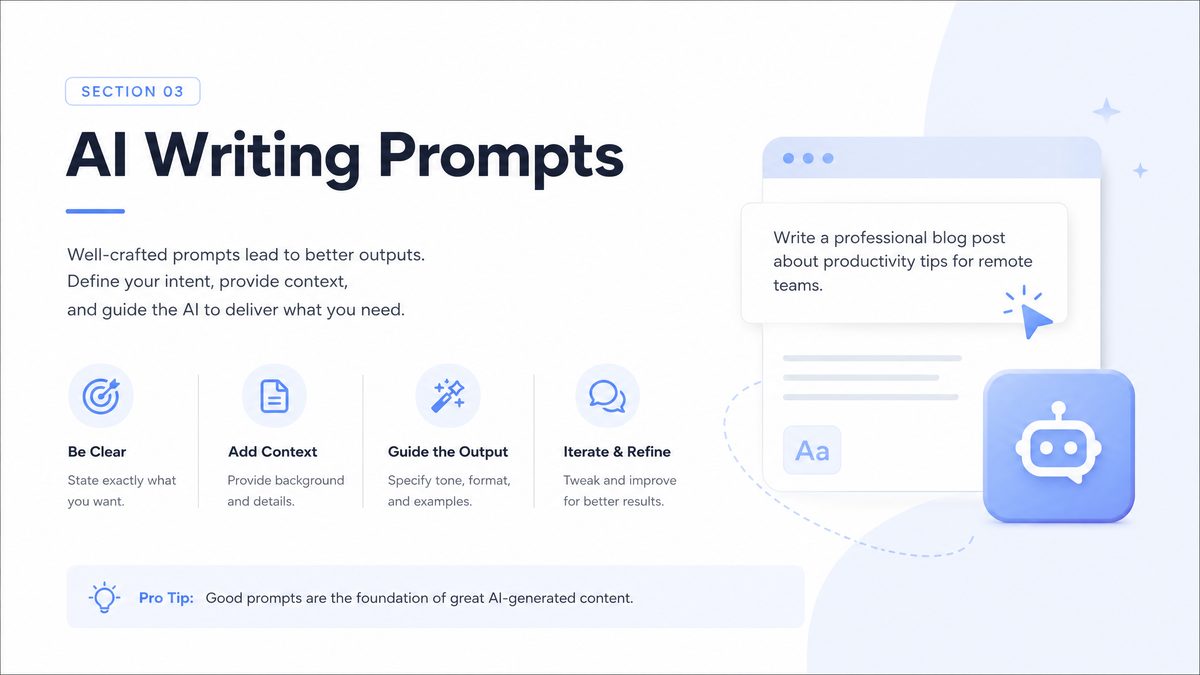
GPT-5.4 and GPT-5.4-pro are now cheap and fast enough that a solo developer can treat them as a full-time collaborator. At current pricing (approximately $1.50–$3.00 per 1M input tokens for gpt-5.4 and higher for gpt-5.4-pro, per OpenAI’s April 2026 pricing tables source), you can run thousands of structured prompts per day without touching enterprise budgets.
The gap in output quality between “ask it something” and “design a prompt once, reuse it for months” is enormous. For code generation benchmarks such as HumanEval and SWE-bench, model vendors repeatedly show that structured instructions, tool definitions, and exemplars can move success rates by 10–25 percentage points. Prompt design has become a form of infrastructure.
For solo developers, prompt infrastructure is leverage. You do not have mid-level engineers to hand off specs to, or tech writers to clean up your docs. The writing prompts you give GPT-5.4 determine whether you ship a coherent API reference, a test plan that catches regressions, or a product announcement that converts real users instead of just sounding impressive.
This article focuses on copy-paste ready prompts: templates you can lift into your own workflow with minimal edits. The goal is not to produce generic prose, but to generate structured, repeatable artifacts that drive code, docs, and product decisions.
Each prompt is designed around modern GPT-5.4 behavior in 2026:
- Support for 1M+ token contexts when you switch to gpt-5.5 or gpt-5.5-pro for large codebases source.
- Tool calling and JSON-mode outputs compatible with agent frameworks.
- Competitor baselines like claude-opus-4.7 and gemini-3.1-pro-preview for comparison when quality matters more than vendor lock-in source, source.
The 10 prompts that follow are organized around solo developer workflows: specs, code reviews, tests, docs, user communication, and roadmap thinking. They assume you are comfortable wiring prompts into scripts or lightweight agents, not just pasting into a chat UI.
Most prompts include JSON or markdown structure so you can parse the responses deterministically. GPT-5.4, gpt-5.4-mini, and gpt-5.4-nano all respect these structures reasonably well, with gpt-5.4-pro giving the most consistent adherence when responses become long or multi-step.
How to aim GPT-5.4: system prompts, structure, and guardrails
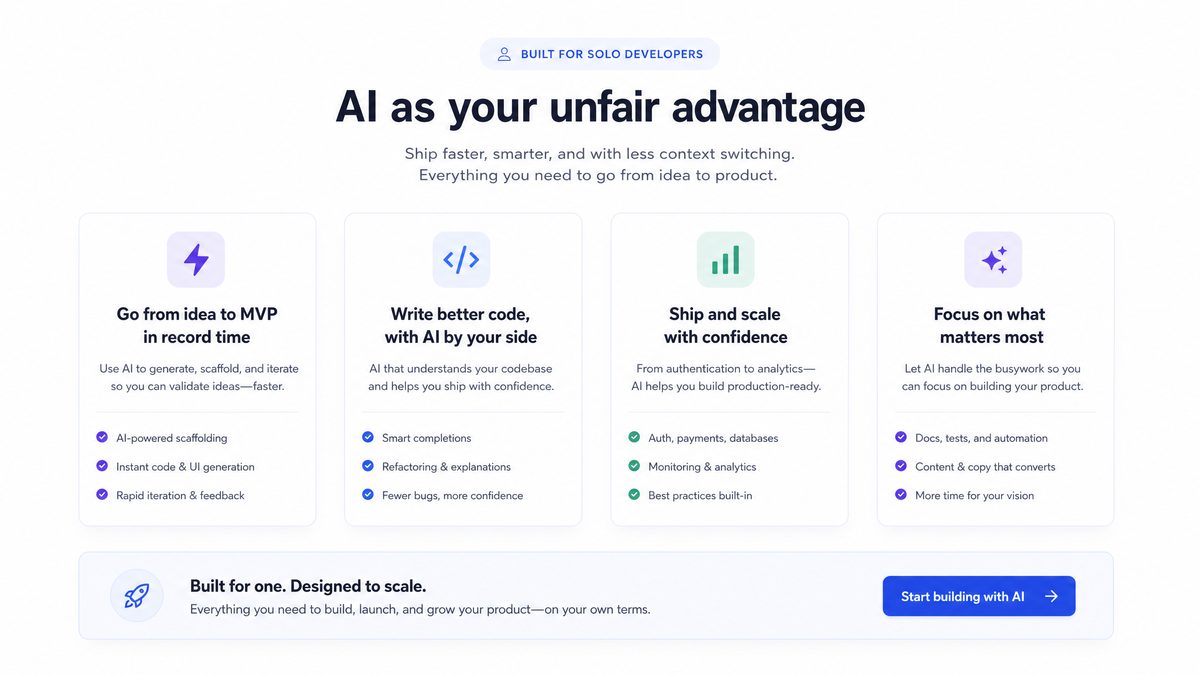
Before diving into the 10 writing prompts, it is worth standardizing how you talk to GPT-5.4 as a solo developer. The same content-level instruction can perform very differently depending on whether you use a persistent system prompt, explicit output schemas, or chain-of-thought constraints.
At API level, GPT-5.4 behaves similarly to gpt-5.3-chat but with better tool-use and longer coherent chains of reasoning. You can and should split your instructions across:
- System prompt – persistent “persona” and global rules (no fluff, audience, formatting).
- Developer prompt – task-specific instructions for the current call.
- User content – raw material: your code, product description, logs, or research notes.
A solid baseline system prompt for these writing workflows looks like this:
{
  "role": "system",
  "content": [
    {
      "type": "text",
      "text": "You are a senior staff engineer and technical writer helping a solo developer.
Write concisely, avoid marketing language, and use concrete details. Prefer bullet points,
tables, and code blocks where useful. Follow requested output formats exactly. Do not invent APIs;
derive behavior from provided context or say you are unsure."
    }
  ]
}
From there, each of the 10 prompts in this article becomes the developer prompt or user content. The structure is deliberate so that you can:
- Swap GPT-5.4 for claude-sonnet-4.6 when you want lower latency but similar structure.
- Run the same template against gpt-5.5-pro when you need more safety on very long inputs.
- Integrate with prompt caching layers that key primarily on system + developer prompt content.
For solo developers, the main failure modes in writing-related prompting are:
- Over-broad instructions – vague asks like “rewrite this nicely” yield generic fluff.
- No target artifact – not specifying that you want, for example, an API reference vs a feature overview.
- Lack of negative instructions – not banning marketing adjectives, fictitious performance claims, or made-up endpoints.
- No structure – freeform text is hard to diff and hard to post-process.
Every prompt below explicitly sets the target artifact (spec, RFC, doc, email, etc.), the audience (internal engineer, power user, stakeholder), and the structural form (JSON, markdown sections, bullet lists). That keeps GPT-5.4 on rails and makes it easier to automate.
As GPT-5.x models have improved in 2025–2026, structured prompting has become more about constraining verbosity than about forcing coherence. On benchmarks like MMLU and HumanEval, gpt-5.4 and claude-opus-4.7 already exceed many human baselines; the problem is that verbose chain-of-thought buries the parts you need. Good prompts explicitly tell the model when not to reason out loud.
A useful design pattern for writing work is the “two-pass” prompt inside a single call:
- Step 1: silently analyze, extract constraints, and identify missing information.
- Step 2: produce only the requested artifact, with no analysis in the final output.
Several prompts later in this article use that structure to keep the final content focused while still benefiting from GPT-5.4’s reasoning capability.
For the engineering trade-offs behind this approach, see our analysis in 7 coding Prompts for GPT-5.4 u2014 Copy-Paste Ready for Indie Shipping, which breaks down the cost-vs-quality decisions in detail.
Finally, treat these prompts as starting points. For your own stack, you will likely want variants optimized for gpt-5.4-mini (cheaper batch documentation runs) and gpt-5.4-nano (on-device or edge inference) when latency or cost dominates.
10 copy-paste ready GPT-5.4 writing prompts for solo developers
Get Free Access to 40,000+ AI Prompts
Join 40,000+ AI professionals. Get instant access to our curated Notion Prompt Library with prompts for ChatGPT, Claude, Codex, Gemini, and more — completely free.
Get Free Access Now →No spam. Instant access. Unsubscribe anytime.
This section contains the 10 prompts themselves. Each is presented as a developer-message template that you can paste around your own content. Replace the ALL_CAPS placeholders and keep the structural instructions intact.
Prompt 1: Turn messy feature ideas into a spec
Use this when you have a feature idea in notes, tickets, or partial sketches and need a concrete spec you can implement over a few focused sessions.
You are helping a solo developer turn rough notes into a shippable, minimal technical spec.

GOAL
- Produce a concise, implementation-ready spec for a single feature.
- Audience: a future version of the same developer, 3 months from now.
- Avoid marketing language; focus on behavior, API shapes, edge cases, and data flows.

INPUT
- Product context:
{{PRODUCT_CONTEXT}}

- Rough notes, ideas, or tickets:
{{RAW_NOTES}}

REQUIREMENTS
1. Start with a short "Feature summary" (3–5 sentences) aimed at an engineer.
2. Define "Non-goals" to prevent scope creep.
3. Specify:
   - Data model changes (if any)
   - API contracts (HTTP/CLI/SDK), including request/response examples
   - UX flows (step-by-step, including empty states and error states)
4. List explicit "Open questions" where information is missing.
5. Add a "Risks and trade-offs" section, focusing on:
   - Performance implications
   - Backwards compatibility
   - Operational complexity

FORMAT
Return markdown with these top-level headings:

## Feature summary
## Goals
## Non-goals
## Detailed design
### Data model
### APIs
### UX flows
## Edge cases
## Open questions
## Risks and trade-offs

Only use information implied by the input or clearly labeled as an open question.
This prompt works well across gpt-5.4, claude-opus-4.7, and gemini-3-pro variants. GPT-5.4-pro tends to produce the most concrete API sections, especially when you provide prior endpoint examples in {{PRODUCT_CONTEXT}}.
For the engineering trade-offs behind this approach, see our analysis in 10 coding Prompts for Gemini 3.1 Pro u2014 Copy-Paste Ready for Production Workflows, which breaks down the cost-vs-quality decisions in detail.
Prompt 2: Structured design doc from code diff
Solo developers often implement the change first and document later, which is backwards but realistic. This prompt lets GPT-5.4 reverse-engineer a design doc from a diff or PR.
You are a staff engineer documenting a change that has ALREADY been implemented.

GOAL
- Produce a short design doc explaining the rationale and behavior of this change set.

INPUT
- Code diff or pull request description:
{{DIFF_OR_PR}}

- Repository / system context (optional but helpful):
{{SYSTEM_CONTEXT}}

TASKS
1. Infer the primary problem this change solves.
2. Describe the behavior "before" vs "after" at a high level.
3. Identify any observable external behavior changes (APIs, CLI flags, metrics, logs).
4. Highlight data model or schema migrations.
5. Call out risks, failure modes, and rollback strategy.

OUTPUT FORMAT (markdown)

# Title
A concise title that a future engineer could search for.

## Context
- Problem being solved
- Why now / why this approach

## Proposed / Implemented change
- Behavior before
- Behavior after
- Key components touched

## Impact
- External APIs / contracts
- Performance implications
- Operational / monitoring changes

## Migration / rollout
- Rollout steps
- Rollback plan
- Known risks

## Future work
- Follow-up tasks
- Cleanups or refactors suggested by this change

CONSTRAINTS
- If the diff is ambiguous, mark assumptions explicitly as such.
- Do NOT invent unrelated features or APIs.
Prompt 3: Generate test cases from a spec or bug report
Use GPT-5.4 as a test designer when you have a spec or a bug report and minimal time to think through edge cases. This prompt produces structured test definitions you can feed into your own frameworks.
You are a test engineer creating high-value test cases for a solo developer.

INPUT
- Source document (spec, bug report, or issue thread):
{{SOURCE_TEXT}}

- System constraints / existing test framework (if any):
{{TEST_CONTEXT}}

GOAL
- Identify a prioritized set of test cases that maximize regression coverage.

OUTPUT FORMAT
Return valid JSON only. No explanations.

{
  "test_suite_name": "string",
  "assumptions": ["string"],
  "test_cases": [
    {
      "id": "short_slug",
      "title": "string",
      "type": "unit|integration|e2e|property",
      "priority": "P0|P1|P2",
      "preconditions": ["string"],
      "steps": ["string"],
      "expected_result": "string",
      "notes": "string"
    }
  ]
}

RULES
- Include at least 3 P0 cases that cover critical paths from the source.
- Include error, boundary, and concurrency cases when applicable.
- If behavior is unspecified, add a test case with "expected_result": "UNDEFINED – decide and document".
This JSON structure makes it easy to attach a small script that converts the output into Jest, pytest, or Playwright skeletons. GPT-5.4 is particularly strong at surfacing concurrency and failure-mode tests if the input spec includes even minimal hints.
Prompt 4: API reference from handler code
This one turns existing handler implementations into human-readable API reference documentation. Ideal when you have fast-moving backends and lagging docs.
You are generating an API reference for external developers from actual handler code.

INPUT
- One or more handler implementations (any language):
{{HANDLER_CODE}}

- Framework / routing conventions (if non-obvious):
{{FRAMEWORK_NOTES}}

GOAL
Produce an API reference suitable for external developers consuming this API.

OUTPUT FORMAT (markdown)

## Endpoint: METHOD PATH
- Summary: one-sentence explanation.
- Stability: "experimental" | "beta" | "stable" (infer if possible, else "unspecified").
- Authentication: describe how the caller is authenticated.
- Permissions: required roles / scopes if applicable.

### Request
- Path parameters (table)
- Query parameters (table)
- Headers (table, only non-standard)
- Request body schema (bullet list or JSON schema-like structure)
- Example request (code block)

### Response
- Status codes and meanings (table)
- Response body schema
- Example successful response (code block)
- Example error responses (code block)

### Notes
- Idempotency behavior
- Rate limiting considerations
- Deprecations / related endpoints

RULES
- Derive behavior only from code and given framework notes.
- If the behavior is ambiguous, document uncertainty instead of guessing.
- Use consistent formatting across endpoints.
For larger codebases (hundreds of handlers), consider using gpt-5.5 with a 1M token context and batching handlers by domain. GPT-5.4-mini also works if you keep each call to a handful of endpoints.
For the engineering trade-offs behind this approach, see our analysis in 15 automation Prompts for Cursor u2014 Copy-Paste Ready for Enterprise Deployments, which breaks down the cost-vs-quality decisions in detail.
Prompt 5: Human-readable architecture snapshot from a monorepo
When you are the only person touching a monorepo, architecture tends to live in your head. This prompt captures the state of the system at a point in time so you can reason about impact and onboard future collaborators faster.
You are documenting the current architecture of a codebase for future maintainers.

INPUT
- File tree (truncated if needed):
{{FILE_TREE}}

- Key files (representative samples of core components):
{{KEY_FILES}}

- Any existing docs or READMEs:
{{EXISTING_DOCS}}

GOAL
Produce a concise architecture overview that someone new can read in 10–15 minutes.

OUTPUT FORMAT (markdown)

# System overview
- One-paragraph description
- Primary use cases / user journeys

## High-level components
For each major component or service:
- Purpose
- Main technologies / libraries
- Key entry points (files, classes, functions)

## Data flow
- How data enters the system
- How it is transformed
- Where it is stored
- External dependencies (APIs, queues, databases)

## Deployment / runtime
- How and where the system runs (local, staging, prod)
- Build / CI/CD notes
- Runtime configuration (env vars, feature flags)

## Observability
- Logging approach
- Metrics and dashboards (if any)
- Common failure modes and where they surface

## Risks and complexity hotspots
- Modules that are hard to change safely
- Areas with missing tests
- Tech debt that blocks future work

RULES
- Prefer bullet lists and short paragraphs over prose.
- If input is incomplete, explicitly call out unknowns.
Prompt 6: Release notes and upgrade guide from git history
Solo developers rarely enjoy writing release notes. This prompt leverages commit messages and merged PR descriptions to produce both human-friendly notes and a practical upgrade checklist.
You are preparing release notes and an upgrade guide for a new version of a developer-facing library or service.

INPUT
- Git log / PR titles and descriptions since the last release:
{{GIT_HISTORY}}

- Previous release version and notes (if available):
{{PREVIOUS_NOTES}}

GOAL
Communicate changes clearly and concisely for existing users, emphasizing breaking changes and actions required.

OUTPUT FORMAT (markdown)

# <PROJECT_NAME> <NEW_VERSION> Release Notes

## Highlights
- 3–7 bullet points summarizing the most impactful changes.

## Breaking changes
For each breaking change:
- What changed
- Who is affected
- How to migrate (code snippets when useful)

## New features
- Brief description
- Example usage (if applicable)

## Bug fixes
- Short descriptions grouped by area

## Performance / reliability
- Notable improvements or regressions
- Any tuning or config changes needed

## Upgrade checklist
A numbered list of concrete steps for existing users to upgrade safely.

RULES
- Do not exaggerate impact.
- If commit messages are vague, group them under "Other changes" with a note about limited detail.
- Preserve semantic versioning semantics when inferring change type.
Prompt 7: User-facing walkthrough from CLI or API behavior
This turns raw behavior (CLI help output, API examples) into a short, practical walkthrough that you can drop into docs or a README.
You are writing a short, practical walkthrough for power users.

INPUT
- CLI help output and sample invocations OR API examples:
{{INTERFACE_EXAMPLES}}

- Target user persona (e.g., "backend engineer", "data scientist"):
{{USER_PERSONA}}

GOAL
Show a new but experienced user how to accomplish 1–2 core tasks end-to-end in <15 minutes.

OUTPUT FORMAT (markdown)

# Quickstart: {{SHORT_FEATURE_NAME}}

## Prerequisites
- Environment / tools
- Accounts / tokens
- Any assumptions

## Core workflow
For 1–2 key tasks:
- Step-by-step instructions
- Command or request examples (code blocks)
- Expected outputs or side effects

## Common variations
- Alternative flags / options
- Typical customizations

## Troubleshooting
- 3–7 common failure modes
- How to diagnose and fix each (commands, logs, config)

RULES
- Use concrete commands and payloads, not pseudocode.
- Prefer minimal options that are likely to succeed on first try.
- Clearly distinguish shell commands, code, and output.
Prompt 8: Prioritized roadmap from backlog and constraints
Solo developers often drown in ideas and issues. GPT-5.4 can help structure this into a realistic, constrained roadmap.
You are acting as a pragmatic product/engineering lead for a solo developer.

INPUT
- Backlog items (issues, ideas, user requests):
{{BACKLOG}}

- Constraints (time per week, runway, technical limits):
{{CONSTRAINTS}}

GOAL
Produce a realistic, prioritized 6–12 week roadmap.

OUTPUT FORMAT (markdown)

# Roadmap overview
- Time horizon
- Theme(s)
- Constraints considered

## Prioritized work items
For each item:
- ID / short name
- Description
- Expected impact (users, reliability, revenue, learning)
- Effort estimate (S/M/L/XL)
- Dependencies
- Suggested ordering and grouping into "weeks" or "batches"

## Trade-offs
- What is being deferred
- Risks of this ordering
- Alternative paths if constraints change

RULES
- Be ruthless about scope under given constraints.
- Preference: de-risk core reliability and UX before speculative features.
- If information is missing, propose clarifying questions.
Prompt 9: Refactor plan and rationale from a messy module
Instead of asking GPT-5.4 to rewrite entire modules (which can be risky), use it to design a refactor plan and accompanying rationale.
You are a staff engineer preparing a refactor plan for a messy but working module.

INPUT
- Problematic module code (or key excerpts):
{{MODULE_CODE}}

- Known issues (bugs, performance problems, maintainability pain):
{{KNOWN_ISSUES}}

GOAL
Produce a practical refactor plan that a solo developer can execute in small steps without breaking everything.

OUTPUT FORMAT (markdown)

# Current state
- What the module does
- Why it is hard to work with

## Pain points
- Specific issues tied to code examples (line ranges or function names)

## Refactor goals
- What "better" looks like (testability, boundaries, performance, readability)

## Stepwise plan
A numbered sequence of steps, each:
- <1 day of work
- Includes concrete actions (rename/move/split functions, introduce interfaces, add tests)
- Explains how to validate safety (tests, logging, feature flags)

## Risks and mitigations
- What could go wrong during refactor
- How to detect problems early
- Rollback options

RULES
- Avoid "rewrite everything" unless module is very small.
- Favor incremental changes that improve seams and test coverage first.
Prompt 10: Stakeholder-friendly status update from your own notes
Even solo developers answer to someone: clients, managers, or users. This prompt cleans up raw daily notes into a status update that non-engineers can digest, without hiding technical nuance.
You are writing a concise, honest status update for non-engineer stakeholders, based on raw notes.

INPUT
- Time range for the update:
{{TIME_RANGE}}

- Raw notes (journal, todo lists, commit messages):
{{RAW_NOTES}}

- Stakeholder context (what they care about: deadlines, reliability, budget, scope):
{{STAKEHOLDER_CONTEXT}}

GOAL
Communicate progress, risks, and next steps without technical oversimplification.

OUTPUT FORMAT (markdown)

# Status update – {{TIME_RANGE}}

## What changed
- 5–10 bullet points describing meaningful progress, in language a smart non-engineer can follow.

## Risks and issues
- Risks grouped by area (schedule, quality, dependencies, scope)
- For each: likelihood, impact, mitigation plan.

## Next steps
- Concrete work items for the next period
- Any decisions or input needed from stakeholders

## Notes for future reference (optional)
- Technical nuances worth remembering
- Links or IDs to key tickets / PRs

RULES
- Avoid jargon unless necessary; when necessary, define it briefly.
- Be precise about uncertainty instead of being optimistic by default.
These 10 prompts cover most writing-heavy workflows a solo developer runs into during a real product cycle: design, implementation, testing, documentation, planning, and communication.
From prompts to workflows: automating GPT-5.4 usage in a solo stack
Good prompts are necessary but not sufficient. To get real leverage as a solo developer, you want to turn these copy-paste templates into callable building blocks inside your own tools and CI pipelines.
At a minimum, wrap GPT-5.4 behind a small client library that standardizes:
- Which system prompt you use for technical writing vs user communication.
- How you pass context (code, git history, docs) into the model with truncation rules.
- Structured outputs (JSON schemas, markdown section headers) to keep responses machine-usable.
A lightweight Node or Python wrapper around the OpenAI API does the job. For example, a Python helper for the “spec from notes” prompt might look like this:
import openai

MODEL = "gpt-5.4"

SYSTEM_PROMPT = """You are a senior staff engineer and technical writer helping a solo developer.
Write concisely, avoid marketing language, and use concrete details.
Prefer bullet points, tables, and code blocks where useful.
Follow requested output formats exactly.
"""

def generate_feature_spec(product_context: str, raw_notes: str) -> str:
    dev_prompt = f"""
You are helping a solo developer turn rough notes into a shippable, minimal technical spec.

GOAL
- Produce a concise, implementation-ready spec for a single feature.
- Audience: a future version of the same developer, 3 months from now.
- Avoid marketing language; focus on behavior, API shapes, edge cases, and data flows.

INPUT
- Product context:
{product_context}

- Rough notes, ideas, or tickets:
{raw_notes}

REQUIREMENTS
1. Start with a short "Feature summary" (3–5 sentences) aimed at an engineer.
2. Define "Non-goals" to prevent scope creep.
3. Specify:
   - Data model changes (if any)
   - API contracts (HTTP/CLI/SDK), including request/response examples
   - UX flows (step-by-step, including empty states and error states)
4. List explicit "Open questions" where information is missing.
5. Add a "Risks and trade-offs" section.

FORMAT
Return markdown with these headings:
## Feature summary
## Goals
## Non-goals
## Detailed design
### Data model
### APIs
### UX flows
## Edge cases
## Open questions
## Risks and trade-offs
"""
    response = openai.chat.completions.create(
        model=MODEL,
        messages=[
            {"role": "system", "content": SYSTEM_PROMPT},
            {"role": "user", "content": dev_prompt}
        ],
        temperature=0.3,
    )
    return response.choices[0].message.content
Once you have this layer, you can start wiring prompts into agents or scripts:
- A pre-commit hook that runs the “design doc from diff” prompt whenever a large change touches core modules.
- A release script that aggregates git history and calls the “release notes and upgrade guide” prompt, opening a PR with the generated markdown.
- A nightly job that runs the “architecture snapshot” prompt across key folders, keeping a rolling history of system diagrams.
- A CLI tool that lets you pipe bug reports into the “test cases from spec/bug report” prompt and returns JSON suitable for test scaffolding.
Modern agent frameworks can also treat these prompts as sub-tools. For instance, an internal “docs agent” might:
- Use a retrieval layer (RAG) over your repo and design docs.
- Select between prompts 4, 5, and 7 depending on the file types it encounters.
- Call GPT-5.4 with a consistent system prompt but different task prompts per artifact type.
Because GPT-5.4 and gpt-5.4-mini are significantly cheaper than claude-opus-4.7 and gemini-3.1-pro-preview at comparable context sizes, they are attractive defaults for high-volume internal documentation tasks. When you care more about adherence to complex formats, gpt-5.5-pro and claude-opus-4.7 often edge out gpt-5.4 in reliability, at the expense of higher cost.
Batched prompting also matters. Rather than invoking GPT-5.4 separately for each handler or small diff, feed multiple related units into a single call and ask for multiple artifacts in parallel, up to the context window limit. This is especially effective for prompts 3, 4, and 6, where related endpoints or commits share context.
Prompt caching can reduce costs further. If your “spec from notes” prompt and system prompt are stable, you can cache embeddings or full responses for repeated or slightly-edited inputs, only re-querying GPT-5.4 when the input crosses a similarity threshold. This matters if you run these workflows on every push.
Finally, enforce guardrails by validating GPT outputs. For JSON-producing prompts, run strict schema validation and fail the pipeline if parsing errors occur. For markdown, use simple linters to ensure required headings are present before merging generated docs.
When to use GPT-5.4 vs other models for writing-heavy workflows
GPT-5.4 is not the only reasonable choice for these prompts. Model selection depends on cost, latency, context, and how strict you need formats to be. The table below sketches typical trade-offs for writing-centric solo developer workflows as of mid-2026.
| Model | Strengths for writing prompts | Weaknesses / caveats | Typical use in this article |
|---|---|---|---|
| gpt-5.4 | Good balance of quality, speed, and price; strong on technical detail and examples | Occasional verbosity; JSON adherence good but not perfect on very long outputs | Default for all 10 prompts |
| gpt-5.4-pro | More consistent structure, better long-chain reasoning, higher reliability on complex tasks | Higher cost; may be overkill for small artifacts | Architecture snapshot, refactor plan, roadmap |
| gpt-5.4-mini | Cheaper; good enough for smaller docs and straightforward prompts | Weaker at subtle trade-off analysis; may miss edge cases | Release notes, status updates, simple walkthroughs |
| claude-opus-4.7 | Strong at long-form analysis and high-level reasoning; often excellent prose quality | Higher price per token; minor formatting quirks in strict JSON modes | Design docs from diff, refactor rationales |
| claude-haiku-4.5 | Very low latency and cost; good for quick, small edits and summaries | Not ideal for deep architecture reasoning or large contexts | Status update cleanup, short summaries |
| gemini-3.1-pro-preview | Integrated with Google tooling; strong on code+docs combos; 1M ctx support | Preview status; API ergonomics differ; pricing varies by region | Large codebase documentation where Google ecosystem is already in use |
For a solo developer focusing on practical automation, a reasonable strategy is:
- Use gpt-5.4-mini for low-risk, high-volume writing tasks (basic docs, status updates, small roadmaps).
- Use gpt-5.4 for anything that touches APIs, specs, tests, or architecture, where accuracy matters.
- Switch to gpt-5.4-pro or gpt-5.5-pro for large, cross-cutting analyses (multi-service architecture, extensive refactor plans) or whenever you ask the model to reason across many files and constraints.
Benchmarks back up these usage patterns. On coding and reasoning benchmarks like SWE-bench and HumanEval, the “pro” and “.5” series models usually show several percentage points higher pass rates than their base counterparts, reflecting better long-context reasoning. While benchmarks do not directly measure documentation quality, the same capabilities—tracking constraints, resolving contradictions, and structuring arguments—matter for writing prompts.
On the other hand, latency and cost are not abstract concerns for solo developers. If you wire these prompts heavily into CI, a single run may consume tens or hundreds of thousands of tokens. At approximately $1.50–$3.00 per 1M tokens for gpt-5.4 and more for gpt-5.5-pro source, costs remain manageable but non-zero across months of heavy usage.
Finally, consider vendor redundancy. Keeping your prompts relatively model-agnostic (no vendor-specific instruction quirks, clear structure, explicit headings) makes it easier to swap in claude-sonnet-4.6 or gemini-3-flash for specific tasks. That matters if you later optimize for latency in specific geographies or integrate with tools on different clouds.
For all 10 prompts in this article, the structure is intentionally compatible with these alternative models. The system and developer instructions do not rely on GPT-5.4-specific behaviors; they use plain language constraints and explicit formats that any modern 2026 LLM can respect.
Useful Links
- OpenAI model reference (gpt-5.x, pricing, context sizes)
- OpenAI Prompt Engineering Guide
- Anthropic Claude 4.x model overview and pricing
- Google Gemini 3 model documentation
- OpenAI Cookbook – examples of structured outputs and tools
- LangChain – framework for agents, tools, and prompt management
- LlamaIndex – RAG framework for codebases and docs
- OpenAI Evals – framework for evaluating prompts and models
- OpenAI Python SDK
🕐 Instant∞ Unlimited🎁 Free
Frequently Asked Questions
What makes GPT-5.4 prompts different from earlier OpenAI model prompts?
GPT-5.4 offers improved tool-use consistency, longer coherent reasoning chains, and reliable JSON-mode adherence compared to gpt-5.3-chat. It also supports agent framework integration, making structured multi-step prompts far more predictable and parseable for automated solo-developer pipelines.
How should solo developers split instructions across GPT-5.4 API calls?
Split instructions into three layers: a persistent system prompt for persona and global rules, a developer prompt for task-specific instructions, and user content containing raw material like code or logs. This separation improves output consistency and makes prompts easier to version-control and reuse.
Can these prompts work with claude-opus-4.7 or gemini-3.1-pro-preview as well?
Yes. The prompts are designed around structured output schemas and explicit instructions that transfer well to competing frontier models. The article recommends benchmarking against claude-opus-4.7 and gemini-3.1-pro-preview when output quality matters more than avoiding vendor lock-in.
When should a solo developer upgrade from GPT-5.4 to GPT-5.5 for these prompts?
Switch to gpt-5.5 or gpt-5.5-pro when working with large codebases that exceed standard context windows, as those models support 1M+ token contexts. For most documentation, spec, and code-review prompts, GPT-5.4 provides sufficient context length at lower cost.
Which GPT-5.4 model tier gives the most consistent structured output adherence?
GPT-5.4-pro provides the most consistent adherence to JSON schemas and markdown structures in long or multi-step responses. GPT-5.4-mini and gpt-5.4-nano respect these structures reasonably well and are suitable for shorter, simpler prompt tasks where cost efficiency is the priority.
How much can structured prompts improve AI code generation benchmark scores?
Model vendors report that structured instructions, explicit tool definitions, and few-shot exemplars can shift success rates on benchmarks like HumanEval and SWE-bench by 10–25 percentage points compared to unstructured queries, making prompt engineering a measurable productivity multiplier for solo developers.
