
25 ChatGPT Prompts for AI-Powered Email Management: Inbox Zero, Smart Replies, Follow-Up Tracking, and Email Workflow Automation
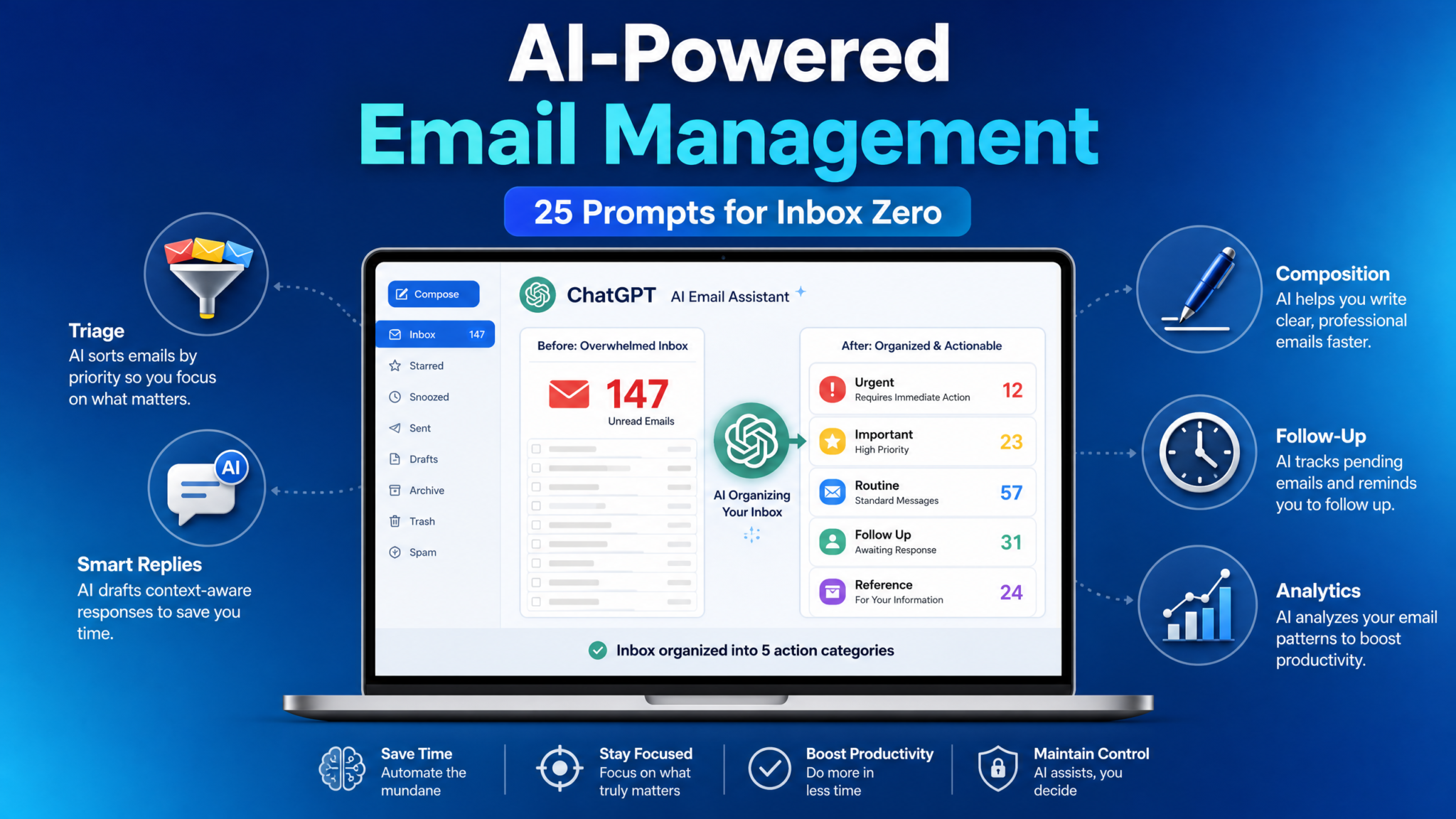
25 ChatGPT Prompts for
AI-Powered Email Management
Stop drowning in your inbox. Master these 25 precision-crafted ChatGPT prompts to triage, reply, compose, track, and analyze every email with machine-level efficiency.
The average professional spends 28% of their workweek managing email — that’s roughly 13 hours every week reading, sorting, drafting, and following up on messages. For knowledge workers, executives, and entrepreneurs, that number climbs even higher. What if you could cut that time in half while simultaneously improving the quality and professionalism of every email you send?
This masterclass delivers exactly that. Inside, you’ll find 25 precisely engineered ChatGPT prompts divided across five critical email management disciplines: Inbox Triage, Smart Replies, Email Composition, Follow-Up Tracking, and Email Analytics. Each prompt has been built with specificity, context, and real-world application in mind. They are not generic starters — they are fully operational frameworks you can deploy immediately.
Whether you’re a solopreneur managing client communications, a manager fielding departmental requests, or a sales professional juggling hundreds of prospects, these prompts will transform ChatGPT into your most capable email assistant. Pair this guide with our ChatGPT productivity prompts collection for a complete AI workflow system.
Table of Contents
Why AI Email Management Changes Everything
Category 1: Inbox Triage (Prompts 1–5)
Category 2: Smart Replies (Prompts 6–10)
Category 3: Email Composition (Prompts 11–15)
Category 4: Follow-Up Tracking (Prompts 16–20)
Category 5: Email Analytics (Prompts 21–25)
Advanced Prompt Engineering Tips
Building Your Full Email Workflow
Final Thoughts & Next Steps
Why AI-Powered Email Management Is No Longer Optional
The Modern Email Crisis
Before diving into the prompts themselves, it’s worth understanding the problem at scale. Email volume continues to accelerate across every industry, and the cognitive tax of managing a full inbox without systems is enormous.
- The average office worker receives 121 emails per day and sends around 40
- Email is cited as a top productivity killer by 62% of professionals surveyed globally
- Response time expectations have compressed from days to hours in the last decade
- Inbox overload leads to missed opportunities, delayed projects, and professional stress
- Most professionals have no formal system for processing, prioritizing, or archiving email
ChatGPT represents a paradigm shift in how we approach this problem. Unlike simple filters or keyword sorting rules, large language models understand context, intent, tone, urgency, and relationship dynamics. They can summarize thread histories, generate contextually appropriate replies, flag risk signals in email content, and even identify patterns across large batches of communications.
The key to unlocking this capability is the quality of your prompts. Vague instructions produce vague results. Structured, context-rich prompts produce output that can go straight to your inbox with minimal editing. That’s exactly what this masterclass delivers.
Precision Sorting
Triage dozens of emails in seconds with AI priority scoring
Instant Replies
Generate professional responses that match your tone and context
Power Composition
Write cold outreach, proposals, and updates that convert
Never Miss Follow-Ups
Build intelligent tracking systems for every conversation
Data-Driven Insights
Analyze your email habits and communication patterns
Inbox triage is the art and science of deciding what deserves your attention, when, and to what degree. Without a system, your inbox becomes a flat, undifferentiated stream of noise where a $50,000 client email sits next to a newsletter you forgot to unsubscribe from. These five prompts give ChatGPT the framework it needs to act as a world-class executive assistant — scanning your incoming messages and producing intelligent, actionable priority maps. Combine these with our AI productivity workflow guide to build a complete daily management system.
The Priority Matrix Classifier
Paste a batch of email subjects and sender names into this prompt to get a fully categorized priority matrix. ChatGPT will sort everything into four quadrants based on urgency and importance, giving you an immediate action plan for your inbox processing session.
You are an expert executive assistant specializing in inbox management and task prioritization. I am going to give you a list of email subjects and sender names from my inbox. Your job is to categorize each one using the Eisenhower Priority Matrix:

- Q1 (Urgent + Important): Requires immediate action today
- Q2 (Not Urgent + Important): Schedule dedicated time this week
- Q3 (Urgent + Not Important): Delegate or respond briefly
- Q4 (Not Urgent + Not Important): Archive, unsubscribe, or ignore

For each email, provide:
1. The quadrant assignment (Q1/Q2/Q3/Q4)
2. A one-sentence rationale for your decision
3. A recommended action verb (Reply, Schedule, Delegate, Archive, Skim)
4. A priority score from 1–10

Format your output as a clean table with columns: Subject | Sender | Quadrant | Action | Score | Rationale

Here is my email list:
[PASTE YOUR EMAIL SUBJECTS AND SENDERS HERE — one per line in format: "Subject | Sender"]

After the table, write a brief executive summary (3–4 sentences) telling me where to start and what pattern you notice in today's inbox.
The Email Thread Summarizer
When you return from vacation or need to catch up on a long, multi-participant thread, this prompt condenses hours of reading into a 90-second briefing. It extracts decisions made, open questions, and your required next action.
You are a highly skilled communications analyst. I'm going to paste the full content of an email thread below. Please analyze it thoroughly and produce a structured briefing document with the following sections:

**THREAD OVERVIEW**
- Subject of the thread
- Number of messages
- Key participants and their roles (infer from context if not stated)
- Date range of the conversation

**EXECUTIVE SUMMARY** (3–5 sentences max)
A concise summary of what this thread is about and why it matters.

**KEY DECISIONS MADE**
A bulleted list of any decisions, agreements, or conclusions reached in the thread.

**OPEN QUESTIONS & UNRESOLVED ISSUES**
A bulleted list of questions that remain unanswered or issues that are still in play.

**ACTION ITEMS**
A table with columns: Action | Responsible Party | Deadline | Status

**MY REQUIRED RESPONSE**
Based on the thread, what do I need to do or say next? Give me 2–3 specific options ranging from minimal (brief acknowledgment) to comprehensive (full engagement).

**SENTIMENT ANALYSIS**
What is the overall tone of this thread? Are there any tension signals, urgency indicators, or relationship dynamics I should be aware of?

Here is the email thread:
[PASTE FULL EMAIL THREAD HERE]
The Newsletter & Promotional Filter
Newsletters and promotional emails silently consume hours each week. This prompt helps you rapidly decide which subscriptions deserve your attention, which to unsubscribe from, and which contain genuinely valuable intelligence for your work.
Access 40,000+ AI Prompts for ChatGPT, Claude & Codex — Free!
Subscribe to get instant access to our complete Notion Prompt Library — the largest curated collection of prompts for ChatGPT, Claude, OpenAI Codex, and other leading AI models. Optimized for real-world workflows across coding, research, content creation, and business.
I am performing an inbox cleanup and I need your help evaluating a batch of newsletter and promotional emails. My professional focus is [DESCRIBE YOUR ROLE AND INDUSTRY — e.g., "B2B SaaS marketing manager focused on demand generation"].

For each email I paste below, evaluate it on three dimensions and produce a recommendation:

**VALUE SCORE (1–10):** How relevant and useful is this content to my professional goals?
**SIGNAL-TO-NOISE RATIO:** Does this newsletter typically contain original insights, or is it mostly repurposed content?
**RECOMMENDATION:** Choose from — Keep & Prioritize / Keep & Skim / Unsubscribe / One-Time Read

Additionally, for each newsletter you recommend "Keep & Prioritize," suggest:
- The best day/time to read it based on its content type
- A keyword filter I could create to auto-label it in my inbox

Format as a table: Newsletter Name | Value Score | Signal-to-Noise | Recommendation | Reading Time | Auto-Label Keyword

Here are the newsletters/promotional emails to evaluate:
[PASTE NEWSLETTER NAMES, SENDERS, AND BRIEF DESCRIPTION OF CONTENT]

End with a summary of how many I should keep, how many to cut, and an estimated weekly time I'll save by unsubscribing from the low-value ones.
The Stakeholder Relationship Mapper
When you receive an email from a new contact or need to understand how a correspondent fits into a larger organizational picture, this prompt helps you map relationships, identify decision-making authority, and calibrate your response appropriately.
I have received an email from someone I need to properly understand and categorize before responding. Please analyze the email content I paste below and help me build a relationship profile.

**SENDER PROFILE**
Based on the email content, infer:
- Likely role and seniority level (entry/mid/senior/executive)
- Their relationship to me (client, prospect, vendor, colleague, recruiter, other)
- Their apparent goal or motivation in writing this email
- Their communication style (formal, casual, assertive, collaborative, etc.)

**ORGANIZATIONAL CONTEXT**
- What company or team do they appear to represent?
- What is the apparent size or type of organization?
- Are there any signals about budget authority, decision-making power, or urgency?

**EMAIL INTENT CLASSIFICATION**
Classify the primary intent: Request / Information Share / Complaint / Introduction / Negotiation / Social / Other

**RISK SIGNALS**
Are there any phrases or patterns that suggest:
- Time pressure or hidden urgency
- Potential conflict or dissatisfaction
- Unrealistic expectations
- Opportunities I should not miss

**RESPONSE CALIBRATION**
Given this analysis, what tone, length, and level of formality should my reply use? Should I prioritize speed of response or thoroughness?

Here is the email:
[PASTE EMAIL HERE]
The Daily Inbox Briefing Generator
Start every morning with clarity. This prompt takes your raw inbox list and generates a complete morning briefing document — actionable, scannable, and organized so you know exactly where to invest your first hour of the workday.
You are my personal Chief of Staff. Every morning, I give you a snapshot of my inbox and you produce my Daily Email Briefing. Today is [DAY, DATE]. My top three priorities for today are: [LIST YOUR 3 WORK PRIORITIES].

Based on the email list I paste below, create my morning briefing in this exact format:

---
🌅 DAILY EMAIL BRIEFING — [DATE]
---

**🔴 MUST HANDLE BEFORE 10AM** (list emails requiring urgent action with one-sentence context)

**🟡 HANDLE BEFORE END OF DAY** (list emails important but not time-critical)

**🟢 BATCH PROCESS THIS AFTERNOON** (emails that can be grouped and handled in a block)

**📥 READ ONLY — NO REPLY NEEDED** (FYIs, confirmations, internal updates)

**🗑️ SAFE TO ARCHIVE/DELETE** (newsletters you already acted on, automated notifications, etc.)

**⚡ TODAY'S TOP 3 EMAIL ACTIONS** (the three specific email actions that will have the biggest impact on my stated priorities today)

**📊 INBOX HEALTH SNAPSHOT**
- Total emails to process: X
- Emails requiring active response: X
- Estimated total processing time: X minutes
- Anything unusual or worth flagging: [your observation]

Here is my inbox list for today:
[PASTE EMAIL SUBJECTS, SENDERS, AND BRIEF CONTEXT — one per line]

The biggest fear professionals have about AI-generated replies is that they’ll sound robotic, generic, or out of character. These five prompts have been engineered to solve that problem. Each one includes mechanisms for capturing your tone, your relationship with the recipient, the context of the situation, and the specific outcome you want to achieve. The result is replies that are indistinguishable from your best writing — only faster. For even more advanced techniques, explore our ChatGPT writing prompts for professionals.
The Tone-Matched Intelligent Responder
This is the foundational smart reply prompt. It analyzes the incoming email, matches your personal communication style, and generates three different reply options at different lengths — giving you real choice in how you respond.
You are my professional email writing assistant. You know my communication style well: I am [DESCRIBE YOUR STYLE — e.g., "direct but warm, conversational, never overly formal, I use minimal corporate jargon and I prefer short sentences"]. I work in [YOUR INDUSTRY] as a [YOUR ROLE].

I need to reply to the email below. Here is the context you need:
- My relationship with this person: [e.g., "long-term client, we have good rapport"]
- The outcome I want from this reply: [e.g., "schedule a 30-minute call to discuss their concern"]
- Any constraints I have: [e.g., "I can't commit to a deadline before Friday"]
- My current sentiment about this situation: [e.g., "slightly frustrated but I want to keep the relationship positive"]

Please write THREE versions of my reply:

**VERSION A — THE BRIEF RESPONSE** (3–5 sentences)
Fast, efficient, covers the essentials only.

**VERSION B — THE BALANCED RESPONSE** (1–2 short paragraphs)
Professional and complete without being verbose.

**VERSION C — THE COMPREHENSIVE RESPONSE** (2–4 paragraphs)
Full context, empathy, and detail. Use when stakes are high.

For each version, include:
- A subject line option if this warrants a new subject
- A natural sign-off that fits my style

After all three versions, give me your recommendation on which version to use based on the context.

Here is the email I received:
[PASTE EMAIL HERE]
The Difficult Conversation Defuser
Some emails arrive already heated — an angry client, a passive-aggressive colleague, or a disappointed stakeholder. This prompt doesn’t just draft a reply; it coaches you through the interpersonal dynamics and generates a response that de-escalates tension while protecting your professional interests.
I need help crafting a careful, professional reply to a sensitive or difficult email. Please approach this as both a communications strategist and an emotional intelligence advisor.

**SITUATION CONTEXT:**
- Type of relationship: [client / colleague / manager / vendor / other]
- The core issue or complaint being raised: [summarize in 1–2 sentences]
- My honest assessment of whether they have a valid point: [yes / partially / no — and explain why]
- What I want to preserve from this relationship: [e.g., "the contract, their trust, team harmony"]
- What I absolutely cannot agree to or concede: [be specific]

**STEP 1 — SITUATION ANALYSIS**
Analyze the email's emotional temperature, identify the specific triggers, and explain what the sender really needs (which may be different from what they're literally asking for).

**STEP 2 — STRATEGY RECOMMENDATION**
Before writing anything, give me your recommended approach. Should I acknowledge, apologize, clarify, redirect, stand firm, or some combination? And why?

**STEP 3 — THE DRAFT REPLY**
Write a reply that:
- Opens by acknowledging their perspective (without admitting fault unless genuinely warranted)
- Addresses the core issue directly and honestly
- Proposes a concrete next step or solution
- Closes on a note that reinforces the relationship's value
- Uses a calm, professional, and confident tone throughout

**STEP 4 — PHRASES TO AVOID**
List 5 phrases I should NOT include in this type of email and explain why each one would make things worse.

Here is the email I received:
[PASTE EMAIL HERE]
The Rapid Batch Reply Generator
When you have 15–20 emails that all need responses, sitting down to draft each one individually is inefficient. This prompt processes multiple emails simultaneously, generating draft replies for each one in a single output you can review and send in sequence.
I need to process a batch of emails efficiently. I'm going to give you multiple emails, each labeled [EMAIL 1], [EMAIL 2], etc. For each one, generate a professional reply.

Global context about me:
- My name: [YOUR NAME]
- My role: [YOUR ROLE AND COMPANY]
- My communication style: [BRIEF STYLE DESCRIPTION]
- Any blanket policies to honor in all replies: [e.g., "I don't commit to deadlines in email — I always say I'll confirm after checking my schedule"]

For each email, produce:

📧 REPLY TO [EMAIL N]:
Subject: [subject line]
---
[The full email reply]
---
Confidence Level: [High / Medium — needs review / Low — needs significant editing]
Estimated send time: [Now / After review / Requires more context before sending]

Process all emails in sequence. After completing all replies, give me a batch summary showing how many are ready to send vs. need review.

Here are the emails:

[EMAIL 1]
[PASTE FULL EMAIL]

[EMAIL 2]
[PASTE FULL EMAIL]

[EMAIL 3]
[PASTE FULL EMAIL]

[Continue for as many as needed — recommended max 10 per batch for quality control]
The Decline & Boundary Setter
Saying no professionally is one of the most valuable and underrated communication skills. This prompt helps you craft replies that decline requests, set expectations, or push back on unreasonable asks — without burning bridges or damaging professional relationships.
I need to decline or push back on a request made via email. Help me craft a response that is firm yet respectful, honest without being harsh, and that preserves the professional relationship even when delivering unwelcome news.

**WHAT THEY WANT FROM ME:**
[Describe the request clearly — e.g., "They want me to reduce my consulting rate by 30% for an additional project"]

**WHY I'M DECLINING OR LIMITING MY AGREEMENT:**
[Be honest — e.g., "The rate reduction isn't financially viable, and undercuts the value I've established"]

**WHAT I AM WILLING TO OFFER INSTEAD (if anything):**
[Alternative option, partial agreement, or a redirected suggestion — e.g., "I can offer a smaller scope at the current rate"]

**HOW IMPORTANT IS THIS RELATIONSHIP TO ME?**
[Critical / Important / Moderate / Low]

**THE DECLINE FRAMEWORK TO USE:**
Choose one:
- [ ] The Empathetic Decline: Acknowledge fully, explain briefly, offer alternative
- [ ] The Boundary Decline: Firm and clear without extensive explanation
- [ ] The Redirect Decline: Decline the specific ask but redirect to something better
- [ ] The Provisional Decline: Decline now but leave the door open for the future

Write the reply using my chosen framework. Then write a second version using a different framework so I can compare and choose. End with a brief note on which version is likely to land better given the context I've provided.

Here is the original email requesting this:
[PASTE EMAIL HERE]
The Meeting Request Optimizer
Meeting requests are one of the highest-volume email types in professional life. This prompt generates replies to meeting requests that are clear about availability, set the right agenda expectations, and prevent wasted calendar time through strategic pre-meeting communication.
I've received a meeting request and I need to respond strategically. Not all meetings deserve equal time, and my reply should reflect that. Please help me craft the optimal response.

**MEETING REQUEST DETAILS:**
- Requested by: [Name and role]
- Meeting purpose as stated: [What they said]
- Duration requested: [X minutes/hours]
- My honest assessment of this meeting's necessity: [Essential / Useful / Questionable / Unnecessary]

**MY CALENDAR CONSTRAINTS:**
- My available times this week: [List 3–5 windows]
- My preference for meeting length: [What you think is appropriate]
- Any conditions I want to attach: [e.g., "I need an agenda in advance" or "I'd prefer async first"]

**REPLY SCENARIO — Choose one:**
- [ ] Accept enthusiastically (high value meeting, I'm genuinely excited)
- [ ] Accept with conditions (I'll meet but need agenda/shorter time/specific format)
- [ ] Propose async alternative first (suggest a document/voice note instead of meeting)
- [ ] Decline but offer limited alternative (brief call or email Q&A instead)
- [ ] Decline entirely (not a good use of my time)

Write my reply for the chosen scenario. Include:
1. A warm but efficient opening
2. Clear communication of my decision
3. Any conditions or alternatives I'm proposing
4. Proposed times (if accepting) formatted as options, not demands
5. A next step action they need to take

Also write a 2-sentence internal Slack/Teams message I could send to a colleague to give them context on why I handled this meeting request the way I did.

Here is the original meeting request:
[PASTE EMAIL HERE]
Composing emails from a blank page is where most professionals lose the most time. Whether you’re writing a cold outreach campaign, an internal announcement, a project status update, or a high-stakes proposal, the quality of your composition determines whether your message achieves its goal. These five prompts eliminate blank-page paralysis and produce first drafts that are structured, purposeful, and persuasive. See also our comprehensive business writing prompts for ChatGPT resource for related composition tools.
The Cold Outreach Architect
Cold email remains one of the highest-ROI communication channels when executed correctly. This prompt builds a personalized, value-first outreach email that avoids the clichés and self-centered framing that makes most cold emails fail on contact.
You are an expert B2B copywriter and sales strategist with deep expertise in cold email campaigns that achieve above-average open and reply rates. Help me write a cold outreach email that feels personal, leads with value, and earns a reply.

**ABOUT ME:**
- My name and role: [NAME — ROLE at COMPANY]
- What I do/offer: [Clear description of your product, service, or proposal]
- My credibility signals: [Relevant accomplishments, clients, or results you can reference]

**ABOUT THE RECIPIENT:**
- Their name and role: [NAME — ROLE at COMPANY]
- Their company and industry: [COMPANY — INDUSTRY]
- What I know about them or their business: [Personalization hooks — news, LinkedIn activity, shared connections, recent company developments]
- The specific pain or challenge they likely have: [Be precise — vague pain points produce vague emails]

**THE OFFER OR ASK:**
- What I want them to do: [Single, specific CTA — e.g., "Reply to this email" or "Book a 20-minute call"]
- What's in it for them: [Specific value proposition — not features, but outcomes]

**EMAIL PARAMETERS:**
- Maximum word count: [150 words recommended for cold outreach]
- Tone: [Professional and confident / Casual and conversational / Industry-specific]
- Format: No bullet points — flowing prose only (cold emails read better as natural writing)

Please write:
1. The primary cold email (optimized for reply rate)
2. Three alternative subject lines (A/B testing options) with open rate rationale for each
3. A one-sentence follow-up email I can send 4 days later if no reply
4. What NOT to say in this email — 3 phrases that would kill my chances

After the drafts, give me an honest critique of the outreach strategy itself. Is this a solid approach?
The Internal Announcement Composer
Internal communications are often where professional writing goes to die. Vague announcements create confusion, bury the required action, and force readers to ask follow-up questions. This prompt turns raw notes into a clear announcement with the right context, ownership, and next step.
You are an internal communications editor. Turn my raw notes into a concise company or team announcement that readers can understand without requesting basic clarification.

**AUDIENCE**
- Recipients: [WHO WILL RECEIVE THE ANNOUNCEMENT]
- Their existing knowledge: [WHAT THEY ALREADY KNOW]
- Likely concerns: [QUESTIONS OR CONCERNS TO ADDRESS]

**ANNOUNCEMENT DETAILS**
- What is changing or happening: [ANNOUNCEMENT]
- Why it matters: [REASON]
- Effective date or milestone: [VERIFIED DATE OR MILESTONE]
- Who is affected: [PEOPLE, TEAMS, OR CUSTOMERS]
- Required action: [WHAT READERS MUST DO]
- Owner for questions: [NAME OR TEAM]

**WRITING REQUIREMENTS**
- Tone: [DIRECT / REASSURING / CELEBRATORY / FORMAL]
- Length: [BRIEF / STANDARD / DETAILED]
- Terms that must appear exactly as written: [TERMS OR NONE]
- Sensitive details to omit: [DETAILS OR NONE]

Write:
1. A specific subject line
2. An opening that states the news immediately
3. The essential context and practical impact
4. A clearly labeled action section
5. A closing that identifies where questions should go

After the draft, include a **PRE-SEND CHECK** listing any missing dates, owners, approvals, links, or instructions. Do not invent policies, commitments, or facts.

My notes:
[PASTE NOTES HERE]The Project Status Update Builder
Convert scattered project notes into an update that separates completed work, decisions, risks, requests, and next steps.
You are a project communications specialist. Convert my notes into a status email that helps stakeholders understand progress, risks, ownership, and required decisions without reading the full project history.

**PROJECT CONTEXT**
- Project: [PROJECT NAME]
- Audience: [RECIPIENTS AND ROLES]
- Reporting period: [PERIOD]
- Current phase: [PHASE]
- Overall status stated in my notes: [STATUS OR UNKNOWN]

**UPDATE MATERIAL**
- Work completed: [COMPLETED ITEMS]
- Work in progress: [ACTIVE ITEMS]
- Decisions made: [DECISIONS]
- Risks or blockers: [RISKS]
- Support or decisions needed: [REQUESTS]
- Next milestone: [MILESTONE]
- Known owners and dates: [OWNERS AND VERIFIED DATES]

**OUTPUT REQUIREMENTS**
Write:
1. A subject line that identifies the project and reporting period
2. A short opening summary
3. Clearly labeled sections for progress, decisions, risks, requests, and next steps
4. A direct action request near the top when action is required
5. A closing that confirms the next reporting point only if my notes provide one

Use short paragraphs and scannable bullets where useful. Assign an owner only when my notes identify one. Keep verified progress separate from planned work.

After the email, provide a **VERIFICATION LIST** of unclear owners, missing dates, unsupported status claims, or unresolved dependencies.

Project notes:
[PASTE NOTES HERE]The Proposal Email Framer
Present a recommendation around the recipient’s decision instead of burying the request beneath background information.
You are a business proposal editor. Draft an email that makes the proposed decision, supporting rationale, tradeoffs, and next step easy to evaluate.

**RECIPIENT CONTEXT**
- Recipient and role: [RECIPIENT]
- My relationship with the recipient: [RELATIONSHIP]
- What the recipient cares about: [PRIORITIES]
- Their likely objection or concern: [OBJECTION]

**PROPOSAL DETAILS**
- Current situation: [CONTEXT]
- Problem to solve: [PROBLEM]
- Recommended approach: [PROPOSAL]
- Expected benefit: [SUPPORTED BENEFIT]
- Evidence I can support: [EVIDENCE]
- Tradeoffs or constraints: [TRADEOFFS]
- Alternatives considered: [ALTERNATIVES]
- Decision requested: [ONE CLEAR DECISION]
- Desired next step: [NEXT STEP]

**WRITING PARAMETERS**
- Tone: [TONE]
- Maximum length: [LENGTH]
- Required terminology: [TERMS OR NONE]
- Details that remain uncertain: [UNCERTAINTIES]

Write:
1. A decision-oriented subject line
2. An opening that states the recommendation or opportunity
3. A concise explanation of the problem and proposed approach
4. A fair account of the principal tradeoff
5. A response to the likely objection
6. One clear decision request and next step

Distinguish verified facts from assumptions. Do not add unsupported results, pricing, deadlines, approvals, or guarantees.

After the draft, list:
- Claims that require verification
- Questions the recipient is likely to ask
- Any information missing from the decision requestThe Professional Introduction Email
Create an introduction that explains the connection, gives each person useful context, and makes the handoff easy.
You are a professional networking assistant. Write an introduction email that accurately explains why two people should connect without overselling either person or sharing unnecessary private information.

**PERSON A**
- Name and role: [DETAILS]
- Relevant goal or need: [DETAILS]
- Information I have permission to share: [DETAILS]

**PERSON B**
- Name and role: [DETAILS]
- Relevant expertise or interest: [DETAILS]
- Information I have permission to share: [DETAILS]

**CONNECTION CONTEXT**
- Why the introduction makes sense: [CONNECTION]
- My relationship with Person A: [CONTEXT]
- My relationship with Person B: [CONTEXT]
- Whether both people expect the introduction: [YES / NO / UNKNOWN]
- Suggested next step: [EMAIL EXCHANGE / CALL / OTHER]
- Tone: [WARM / FORMAL / CONCISE]

Write:
1. A clear subject line naming both people or the shared topic
2. A short opening explaining why I am connecting them
3. A balanced introduction of each person
4. The specific point of mutual relevance
5. A low-pressure next step
6. A handoff that makes clear they can continue without me

Then provide a **PRIVACY AND ACCURACY CHECK** identifying any detail that should be confirmed before sending.

Do not invent credentials, imply endorsement beyond my notes, or disclose private context that is not necessary.04 Category 4: Follow-Up Tracking (Prompts 16–20)
Follow-up systems work best when they capture the commitment, owner, timing trigger, and next action. These prompts turn conversations into reviewable records without pretending that a reminder has already been sent or a task has already been completed.
The Follow-Up Schedule Builder
Translate a conversation into a practical follow-up plan tied to actual commitments and user-supplied timing.
You are an executive assistant responsible for tracking open conversations. Analyze the email or thread below and build a follow-up plan based only on explicit commitments and the timing rules I provide.

**MY CONTEXT**
- My role: [ROLE]
- Relationship with the recipient: [RELATIONSHIP]
- Desired outcome: [OUTCOME]
- Priority of this conversation: [PRIORITY]
- Timing rules I use: [RULES]
- Known deadlines or triggers: [DEADLINES OR NONE]

**ANALYSIS TASK**
For every open item, identify:
1. The commitment or unresolved question
2. The responsible person
3. The stated deadline, event, or trigger
4. The next action
5. What evidence in the thread supports the entry
6. Whether the item is confirmed or needs clarification

Format the result as a table:
Conversation | Commitment | Owner | Timing or Trigger | Next Action | Status | Evidence

Then provide:

**NEXT MESSAGE**
Draft the next email I should send.

**REMINDER NOTE**
Write a concise note for my task manager containing the outcome, trigger, and next action.

**MISSING INFORMATION**
List any commitments, owners, dependencies, or dates I need to clarify.

Do not invent a deadline, claim that a reminder was created, or treat a tentative statement as a confirmed commitment.

Email or thread:
[PASTE CONTENT HERE]The No-Response Follow-Up Writer
Draft a reminder that adds context or makes the next step easier instead of merely asking whether the recipient saw the first message.
You are a professional correspondence editor. Draft a follow-up to an email that has not received a response without assuming the recipient ignored or even read the earlier message.

**RELATIONSHIP CONTEXT**
- Recipient and role: [RECIPIENT]
- Relationship: [RELATIONSHIP]
- Importance of preserving the relationship: [CONTEXT]
- Appropriate level of firmness: [LOW / MODERATE / HIGH]

**FOLLOW-UP DETAILS**
- Original request: [REQUEST]
- Why it matters: [CONTEXT]
- Previous contact timing: [TIMING]
- Relevant deadline or trigger: [VERIFIED TIMING OR NONE]
- New information I can add: [INFORMATION OR NONE]
- Preferred next step: [ACTION]
- Alternative response they could give: [ALTERNATIVE]
- Tone: [TONE]

Write three options:

**OPTION A — LOW-PRESSURE REMINDER**
Briefly resurface the request and make replying easy.

**OPTION B — DIRECT FOLLOW-UP**
State the unresolved action and its practical impact.

**OPTION C — CLOSE-THE-LOOP MESSAGE**
Politely explain what I will do if no response is received, using only consequences I supplied.

For each option, include a subject line and one clear requested action. Do not use guilt, accusation, false urgency, or claims about whether the previous email was opened.

Original email:
[PASTE EMAIL HERE]The Commitment and Deadline Extractor
Identify promises and unresolved ownership before they disappear inside a long thread.
You are a project coordination analyst. Review the email thread below and extract every explicit commitment, deadline, dependency, and unresolved ownership question.

**THREAD CONTEXT**
- Project or conversation: [NAME]
- My role: [ROLE]
- Participants and known roles: [PARTICIPANTS]
- Terms that have a specific meaning here: [TERMS OR NONE]

**EXTRACTION RULES**
For each explicit commitment, record:
- Exact commitment
- Responsible person
- Stated deadline or trigger
- Dependencies
- Current status, if stated
- Supporting quotation or message reference
- Recommended follow-up action

Separate the output into:

**CONFIRMED COMMITMENTS**
Include only promises clearly stated in the thread.

**POSSIBLE OR IMPLIED COMMITMENTS**
Include language that may indicate intent but does not establish a firm promise.

**NEEDS CONFIRMATION**
List missing owners, ambiguous scope, conflicting dates, and unclear dependencies.

After the analysis, draft a short recap email asking participants to correct any inaccurate owner, scope, timing, or dependency. Do not convert suggestions, forecasts, or tentative language into commitments.

Thread:
[PASTE THREAD HERE]The Relationship Cadence Planner
Plan purposeful check-ins around active work and meaningful events rather than sending generic messages.
You are a relationship management advisor. Create a follow-up plan that keeps this professional relationship active without generating unnecessary or intrusive messages.

**CONTACT PROFILE**
- Contact name and role: [DETAILS]
- Relationship type: [CLIENT / PROSPECT / COLLEAGUE / PARTNER / OTHER]
- Current relationship strength: [CONTEXT]
- Shared work or interest: [CONTEXT]
- Current conversation stage: [STAGE]

**FOLLOW-UP INPUTS**
- Open commitments: [COMMITMENTS OR NONE]
- Important milestones: [MILESTONES]
- Useful topics or resources: [TOPICS]
- Known communication preferences: [PREFERENCES]
- My communication boundaries: [BOUNDARIES]
- Topics to avoid: [TOPICS OR NONE]

Create a plan with these columns:
Trigger | Purpose | Useful Context | Suggested Opening | Desired Next Step | Risk Check

Prefer event-based triggers such as a decision, milestone, deliverable, or relevant update. Do not create arbitrary intervals when there is no useful reason to make contact.

Then explain:
1. What would make each follow-up valuable
2. What would make it feel intrusive
3. What information must be confirmed before sending
4. Which proposed messages should be omitted entirely

Draft one sample check-in using the strongest valid trigger.The Escalation Tracker
Prepare a factual escalation when repeated follow-ups have not resolved an issue.
You are a senior operations communications advisor. Help me prepare a professional escalation that focuses on the unresolved issue, documented impact, and required decision rather than blame.

**ISSUE DETAILS**
- Issue: [ISSUE]
- Business impact: [SUPPORTED IMPACT]
- Current owner: [OWNER OR UNKNOWN]
- Decision or action needed: [REQUEST]
- Required timing: [USER-SUPPLIED TIMING]
- Escalation recipient: [RECIPIENT AND ROLE]

**DOCUMENTED HISTORY**
- Original request: [REQUEST AND DATE]
- Previous follow-ups: [TIMELINE]
- Responses received: [RESPONSES]
- Attempts to resolve the issue: [ACTIONS]
- Remaining uncertainty: [UNCERTAINTY]

**WRITING REQUIREMENTS**
- Tone: Calm, factual, and solution-focused
- Length: [BRIEF / STANDARD]
- Relationship considerations: [CONTEXT]
- Consequence I am authorized to state: [CONSEQUENCE OR NONE]

Write:
1. A neutral subject line
2. A concise opening stating the unresolved decision
3. A brief factual chronology
4. The current impact
5. The action, owner, or decision requested
6. A clear next step based only on the timing I supplied

After the draft, add a **FACT CHECK** separating supported facts, interpretations, and missing evidence. Remove blame, speculation, threats, and emotional language.05 Category 5: Email Analytics (Prompts 21–25)
Email analysis should lead to a specific process change. Use redacted or approved data, define fields consistently, and treat model-generated classifications as drafts that require review.
The Inbox Workload Audit
Group a representative inbox sample by work type so you can see where attention is going.
You are an operations analyst reviewing a redacted inbox sample. Classify the work represented in the sample and identify practical opportunities to improve routing, templates, and processing.

**AUDIT CONTEXT**
- My role: [ROLE]
- Main responsibilities: [RESPONSIBILITIES]
- Sample period: [PERIOD]
- Categories I already use: [CATEGORIES OR NONE]
- Fields supplied: [SUBJECT / SENDER TYPE / DATE / RESPONSE NEEDED / OTHER]
- Known gaps in the data: [GAPS]

**CLASSIFICATION TASK**
For each item, identify:
1. Work category
2. Sender or stakeholder type
3. Required action
4. Urgency supported by the content
5. Whether a reusable template may help
6. Whether the work appears recurring
7. Classification confidence
8. Reason for the classification

Then produce:

**WORKLOAD PATTERNS**
Describe the dominant categories and recurring sources of work qualitatively.

**PROCESS OPPORTUNITIES**
Recommend possible routing rules, templates, documentation, batching, or ownership changes.

**REVIEW QUEUE**
List low-confidence or high-risk classifications that require human review.

Do not invent time savings, message counts, performance figures, or missing attributes. Explain the limitations of the sample before making recommendations.

Data:
[PASTE REDACTED DATA HERE]The Response Pattern Analyzer
Examine supplied timestamps and outcomes to locate avoidable delays, unclear handoffs, and opportunities for batching.
You are a workflow analyst. Examine the response log below and identify patterns that may indicate unclear ownership, repeated clarification, ineffective urgency labels, or work suitable for batching.

**OPERATING CONTEXT**
- My working schedule and time zone: [DETAILS]
- Priority definitions: [DEFINITIONS]
- Expected handling rules: [RULES]
- Known exceptions: [EXCEPTIONS]
- Fields included in the log: [FIELDS]
- Missing fields: [MISSING DATA]

**ANALYSIS**
Using only the supplied timestamps and fields, identify:
1. Message types that wait longest relative to my stated expectations
2. Categories that frequently require clarification
3. Handoffs with unclear or changing ownership
4. Work that may be suitable for batching
5. Cases where urgency labels do not match the content
6. Patterns that cannot be evaluated with the available data

For every finding, show:
Pattern | Supporting Records | Possible Cause | Confidence | Recommended Review

Then provide a short improvement plan that separates:
- Changes I can test
- Questions requiring more data
- Exceptions that should remain manual

Do not estimate missing times, infer working hours I did not supply, or treat correlation as proof of cause.

Response log:
[PASTE REDACTED LOG HERE]The Tone Consistency Reviewer
Compare sent messages against a voice guide while preserving necessary differences between audiences and situations.
You are an editorial reviewer. Compare the sent emails below with my intended professional voice while preserving valid differences in tone for different recipients, stakes, and purposes.

**VOICE GUIDE**
- Intended voice: [VOICE DESCRIPTION]
- Preferred sentence style: [STYLE]
- Words or phrases I favor: [EXAMPLES]
- Words or phrases I avoid: [EXAMPLES]
- Approved writing sample: [PASTE SAMPLE OR NONE]

**AUDIENCE RULES**
- Client communication: [RULES]
- Internal communication: [RULES]
- Leadership communication: [RULES]
- Sensitive or conflict-related messages: [RULES]

For each email, assess:
1. Clarity
2. Warmth
3. Directness
4. Formality
5. Strength and visibility of the requested action
6. Alignment with my voice guide
7. Phrases that sound inconsistent or ambiguous

Format the review as:
Email | Audience | Strong Elements | Inconsistencies | Revision Priority | Rationale

Provide a revised version only when substantial adjustment is needed. Quote the minimum source text necessary to explain each finding.

Do not force every message into the same tone or remove language needed for precision, empathy, or risk management.

Emails:
[PASTE REDACTED EMAILS HERE]The Recurring Request Detector
Find repeated questions and decide which ones deserve a template, document, form, routing rule, or individual response.
You are a service operations analyst. Analyze the incoming requests below and group messages that seek the same outcome even when their wording, sender, or context differs.

**WORKFLOW CONTEXT**
- My role or team: [ROLE OR TEAM]
- Types of requests we handle: [REQUEST TYPES]
- Existing templates or documentation: [RESOURCES OR NONE]
- Requests that always require individual judgment: [EXCEPTIONS]
- Sensitive categories: [CATEGORIES OR NONE]

For each recurring request group, provide:
1. Shared outcome being requested
2. Typical sender
3. Information usually supplied
4. Information frequently missing
5. Current response pattern
6. Best handling method: template, documentation, form, routing rule, or individual response
7. Risk of over-automating
8. Confidence that the messages belong together

Then create:

**REUSABLE RESPONSE**
Draft a response only when the required facts are stable. Insert visible placeholders wherever details vary.

**INTAKE IMPROVEMENT**
Suggest the minimum information a form or initial reply should request.

**HUMAN REVIEW RULE**
Explain when the request should leave the standard workflow and receive individual attention.

Do not group messages merely because they share keywords, and do not automate judgment-heavy exceptions.

Requests:
[PASTE REDACTED REQUESTS HERE]The Weekly Email Review
Turn a week of email activity into a short operational review and a manageable set of workflow changes.
You are my weekly communications operations reviewer. Use the notes and redacted data below to identify unresolved work, recurring requests, and one practical improvement for the next review period.

**WEEKLY CONTEXT**
- My priorities: [PRIORITIES]
- Important relationships or projects: [RELATIONSHIPS OR PROJECTS]
- Working constraints: [CONSTRAINTS]
- Changes tested this week: [CHANGES OR NONE]

**INPUT MATERIAL**
- Inbox notes: [NOTES]
- Sent-mail notes: [NOTES]
- Open commitments: [COMMITMENTS]
- Follow-up list: [LIST]
- Known exceptions or incomplete data: [EXCEPTIONS]

Review:
1. Important conversations still open
2. Commitments awaiting action
3. Messages that should be archived or documented elsewhere
4. Repeated requests
5. Drafts or follow-ups needing review
6. Habits that helped or hindered my priorities
7. Items with unclear owners, timing, or status

Produce:

**WEEKLY SUMMARY**
A concise account of the most important patterns.

**OPEN LOOPS**
A table with Item | Owner | Trigger or Deadline | Next Action | Confidence.

**PROCESS CHANGE**
Recommend one manageable workflow change and explain what problem it addresses.

**REUSABLE ASSET**
Create one prompt or template based on the clearest recurring need.

Do not infer that an action was completed unless the input confirms it. Flag missing evidence and uncertain status explicitly.06 Advanced Prompt Engineering Tips
The strongest email prompts define the audience, relationship, desired outcome, constraints, source material, and required format. They also tell the model what it must not assume.
- Provide decision context: Explain what the recipient needs to understand, approve, answer, or do.
- Separate facts from assumptions: Label uncertain details and require the draft to flag unsupported claims.
- Set a concrete output shape: Request a subject line, message body, next action, and review notes when those fields matter.
- Include a voice sample: A short approved email is clearer than a vague instruction to sound professional.
- Generate alternatives selectively: Ask for multiple versions only when tone, length, or firmness presents a real choice.
- Use placeholders: Keep names, dates, figures, commitments, and confidential details visible for human verification.
- Require a risk check: Ask the model to identify ambiguous ownership, unsupported promises, sensitive information, and missing attachments.
Use this compact frame when you need to build a prompt from scratch:
**TASK**
[WHAT TO WRITE OR ANALYZE]

**AUDIENCE AND RELATIONSHIP**
[CONTEXT]

**DESIRED OUTCOME**
[OUTCOME]

**VERIFIED FACTS**
[FACTS]

**CONSTRAINTS**
[BOUNDARIES]

**TONE**
[VOICE]

**REQUIRED FORMAT**
[STRUCTURE]

**DO NOT ASSUME**
[MISSING OR SENSITIVE DETAILS]

**SOURCE MATERIAL**
[PASTE CONTENT]
07 Building Your Full Email Workflow
A practical workflow separates classification, drafting, review, sending, and tracking. Keeping those stages distinct makes it easier to catch errors before an email creates a commitment.
- Collect: Gather the messages you need to process and remove unnecessary sensitive information.
- Triage: Classify each message by required action, importance, and urgency supported by its content.
- Draft: Use the prompt that matches the task instead of relying on one generic reply instruction.
- Verify: Check recipients, names, dates, attachments, links, figures, quoted material, and promises.
- Send: Make the final decision yourself, especially for legal, financial, personnel, security, or conflict-sensitive messages.
- Track: Record the commitment, owner, deadline or trigger, and next follow-up action.
- Review: Use the weekly review to improve templates and remove recurring sources of inbox friction.
Do not paste confidential, regulated, or personally sensitive email content into a tool unless your organization permits that use. Match redaction, access controls, and human approval to the sensitivity of the message.
08 Final Thoughts & Next Steps
Start with the prompt that addresses your largest recurring email task, then refine it with your role, voice, boundaries, and review checklist. A focused prompt paired with careful verification is more useful than automating every message at once.
The goal is not to remove judgment from email. It is to spend less attention on repetitive formatting and more on the decisions, relationships, and commitments each message represents.
