
Codex Sites Prompts Masterclass: 40 Production-Ready Prompts for Building Web Apps, Dashboards, and Tools
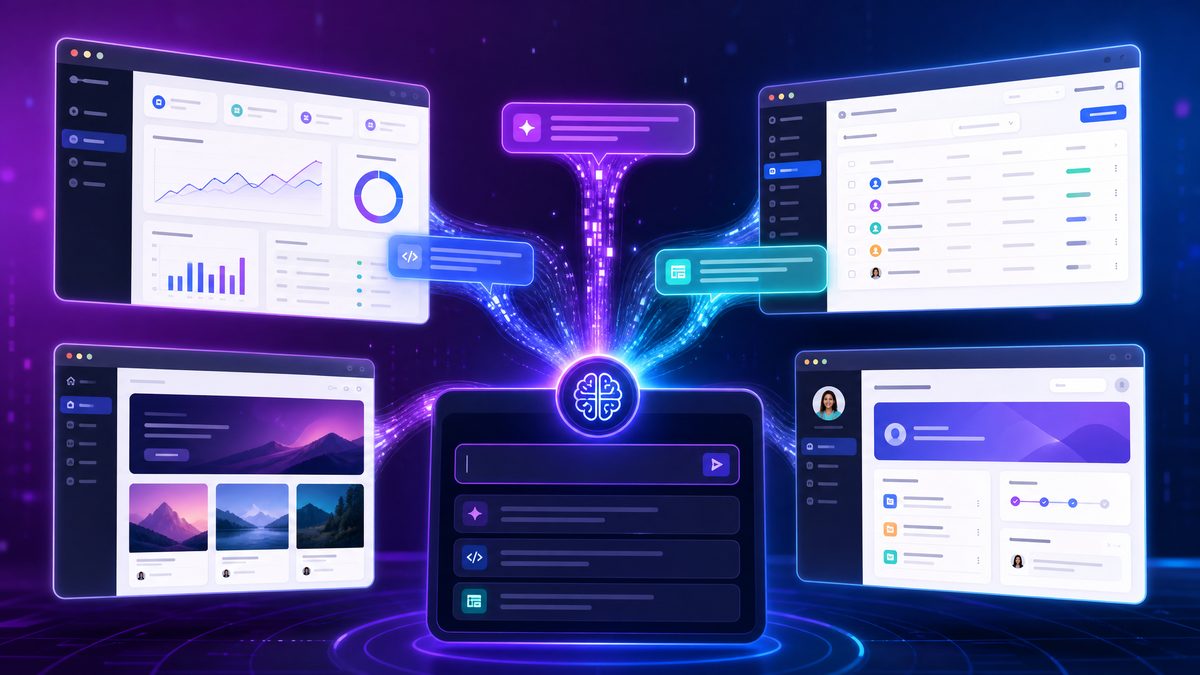
Codex Sites Prompts Masterclass: 40 Production-Ready Prompts for Building Web Apps, Dashboards, and Tools
OpenAI’s Codex Sites feature revolutionizes how developers and product teams build interactive web applications, dashboards, and tools by leveraging the power of AI-driven code generation. This masterclass presents a comprehensive prompting playbook with 40 production-ready prompts tailored specifically for Codex Sites, empowering you to accelerate development and build robust, scalable solutions without extensive manual coding.
Whether you are creating internal dashboards to monitor key performance indicators, developing client-facing calculators and configurators, visualizing complex datasets, or automating workflows, this guide equips you with actionable prompts and best practices to harness Codex Sites effectively. Additionally, you’ll find expert tips on iterating with Codex and deploying your projects for production-grade reliability.
Understanding Codex Sites and Prompting Fundamentals
Codex Sites is an AI-powered platform that transforms natural language prompts into fully functional web applications. Unlike traditional development, where you write code line by line, Codex Sites allows you to describe the functionality you want, and the underlying Codex model generates the corresponding React, JavaScript, and backend code automatically.
Effective prompting is key to maximizing Codex Sites. A well-crafted prompt provides clear instructions about the UI components, data sources, interactivity, and styling. Iteratively refining prompts based on generated output leads to efficient development cycles.
Before diving into the prompts, here are some fundamental tips for prompting Codex Sites:
- Be Explicit: Specify the UI layout, data inputs, outputs, and user interactions in detail.
- Define Data Models: Describe the data schema or API endpoints clearly to ensure accurate code generation.
- Iterate Incrementally: Start with a minimal viable prompt, then expand functionality through successive prompts.
- Use Comments and Instructions: Embed comments or instructions within the prompt for the AI to understand implementation nuances.
- Test and Validate: Continuously test generated code snippets and adjust prompts to fix bugs or optimize performance.
Deeper Analysis of Prompt Structuring
When constructing prompts for Codex Sites, it is crucial to balance brevity with completeness. Overly verbose prompts may confuse the model, while overly terse prompts can lead to ambiguous or incomplete code generation. For example, instead of saying “create a form,” specify the form fields, validation rules, and submission behavior: “Create a user registration form with fields for username, email, and password. Validate email format and require password to be at least 8 characters. On submission, send data to the /api/register endpoint.” This level of detail helps Codex Sites generate precise and functional code.
Another effective strategy is to modularize your requirements within the prompt. Break down complex features into smaller components or functions, and prompt Codex Sites to generate each part individually before combining them. This approach not only simplifies debugging but also helps in maintaining clean and reusable codebases.
Examples of Advanced Prompting Techniques
Consider you want to build a dashboard that displays real-time stock prices. A basic prompt might be: “Create a stock price dashboard.” However, a more effective prompt would include:
- Data source details: “Fetch stock prices from the Alpha Vantage API using the provided API key.”
- UI behavior: “Display prices in a sortable table with columns for symbol, price, change, and volume.”
- Interactivity: “Allow users to refresh data manually and auto-refresh every 5 minutes.”
- Styling cues: “Use green text for positive price changes and red for negative.”
This rich prompt enables Codex Sites to generate a polished, interactive dashboard with minimal follow-up instructions.
Practical Tips for Prompt Refinement
After receiving the initial generated code, carefully review it to identify areas that need improvement or additional features. Use targeted prompts such as “Add pagination to the table with 10 rows per page” or “Include error handling for API failures with user-friendly messages.” This iterative refinement leverages Codex Sites’ ability to adapt and extend code based on incremental instructions.
It is also helpful to maintain a prompt history or version control for your prompts and generated code. This practice allows you to track changes, revert to working versions if needed, and understand how prompt modifications impact the output. Tools like Git paired with descriptive commit messages can greatly enhance your workflow when working with AI-generated code.
Understanding Limitations and Best Practices
While Codex Sites is powerful, it is important to recognize its limitations. The AI may occasionally generate code that is syntactically correct but semantically incorrect or inefficient. Always perform thorough testing, including unit tests and integration tests, to ensure the generated application meets your quality standards.
Moreover, security considerations should not be overlooked. When prompting for features involving user authentication, data storage, or third-party integrations, explicitly request secure coding practices such as input sanitization, encrypted storage, and secure API calls. For example, you might prompt: “Implement user login with hashed passwords using bcrypt and secure cookie sessions.” This reduces the risk of vulnerabilities in the generated application.
Category 1: Internal Dashboards – 10 Prompts for KPI Trackers, Analytics Dashboards, and Team Status Boards
Internal dashboards empower teams to monitor business metrics, track project progress, and visualize analytics in real time. Codex Sites can quickly generate dynamic dashboards with interactive filters, live data updates, and drill-down capabilities.

-
KPI Tracker with Real-Time Data Updates
Prompt: “Create a responsive dashboard displaying three key performance indicators: revenue, user signups, and churn rate. Show each KPI as a card with a large number, percentage change from the previous week, and a small trend line chart beneath. Fetch live data from a REST API endpoint ‘/api/kpis’ that returns JSON with current and historical values.”
Effective KPI trackers are essential for leadership to make informed decisions quickly. By integrating real-time data updates, teams can respond to trends or anomalies as they happen rather than relying on outdated reports. For example, a sudden spike in churn rate might trigger immediate investigation, while a steady increase in signups could validate ongoing marketing campaigns. Incorporating visual elements like trend line charts within KPI cards enhances quick comprehension, allowing stakeholders to grasp performance momentum at a glance.
Practical tip: Use WebSocket connections or server-sent events (SSE) to push updates instantly to the dashboard, minimizing latency. Additionally, implementing thresholds with color-coded alerts (e.g., red for negative trends) can draw attention to critical KPIs.
-
Multi-Tab Analytics Dashboard with Date Filters
Prompt: “Build an analytics dashboard with three tabs: ‘Overview’, ‘User Behavior’, and ‘Sales’. Each tab shows different charts: bar charts for sales by region, line charts for user sessions, and pie charts for traffic sources. Include a date range picker that filters all charts dynamically.”
Segmenting analytics into tabs allows users to focus on distinct aspects of business data without overwhelming the interface. The dynamic date range filter is especially powerful for temporal analysis, enabling comparisons such as month-over-month growth or seasonal trends. For instance, filtering sales data for the last quarter might reveal regional performance variations that inform inventory decisions.
To enhance user experience, consider implementing asynchronous data fetching so that changing tabs or date filters does not block the interface. Caching previously fetched data for commonly selected date ranges can also improve responsiveness.
-
Team Status Board with Member Availability and Task Progress
Prompt: “Design a team status board that lists team members with their current availability status (Available, Busy, Offline) and progress bars showing task completion percentages. Data should be sourced from a JSON array ‘/api/team-status’ with member names, statuses, and task stats.”
Team status boards foster transparency and coordination by providing real-time visibility into who is available and how tasks are progressing. This is particularly valuable in remote or hybrid work environments where informal check-ins are limited. Visual progress bars linked to task completion percentages help identify bottlenecks early, enabling managers to reallocate resources or offer support.
Example: Integrate calendar APIs to automatically update availability statuses based on meetings or out-of-office events, reducing manual updates. Additionally, color-coding availability (green for available, yellow for busy, gray for offline) improves at-a-glance understanding.
-
Sales Funnel Visualization with Conversion Rates
Prompt: “Create a sales funnel dashboard illustrating stages: Leads, Qualified, Proposal, Negotiation, Closed. Each stage displays the number of prospects and a conversion rate percentage. Visualize using a funnel chart with tooltips describing each stage.”
Sales funnel dashboards help sales teams and managers identify where prospects drop off and optimize the sales process. Conversion rates between stages highlight potential friction points. For example, a low conversion from Proposal to Negotiation may indicate pricing objections or unclear proposals.
To deepen analysis, include historical trend comparisons to understand if conversion rates are improving over time. Integrating drill-down functionality allows users to view details about prospects lost at each stage, facilitating targeted follow-ups.
-
Customer Support Ticket Tracker with Priority Filters
Prompt: “Develop a customer support dashboard listing active tickets with columns: ticket ID, customer name, priority (Low, Medium, High), status, and assigned agent. Include filters to sort tickets by priority and status. Fetch data from ‘/api/support-tickets’.”
Customer support dashboards improve service quality by enabling teams to prioritize high-impact tickets and monitor resolution progress. Priority filters help agents focus on critical issues first, reducing customer wait times and improving satisfaction scores. Including assigned agent information encourages accountability and balanced workload distribution.
Practical advice: Incorporate SLA indicators that flag tickets nearing deadline breaches. Use color-coded priority badges and status labels to enhance visual scanning. Auto-refresh functionality ensures the dashboard stays current during busy periods.
-
Financial Dashboard with Monthly Revenue and Expense Charts
Prompt: “Build a financial dashboard showing monthly revenue and expenses using line charts side-by-side. Include a dropdown to select the fiscal year and tooltips showing exact amounts on hover.”
Financial dashboards provide clear visibility into company health, enabling CFOs and finance teams to detect cash flow trends and budget variances. Displaying revenue and expenses side-by-side facilitates quick assessment of profitability over time. The fiscal year selector allows comparisons across different accounting periods, aiding strategic planning.
Tip: Enhance the dashboard by adding calculated metrics such as net profit margin or expense ratios to provide deeper insights beyond raw figures. Incorporating forecast projections based on historical data can support budgeting decisions.
-
HR Hiring Pipeline Tracker
Prompt: “Create an HR dashboard that tracks candidates through hiring stages (Applied, Phone Screen, Interview, Offer, Hired). Display counts for each stage and a stacked bar chart showing candidate sources (Job Board, Referral, Agency). Data comes from ‘/api/hiring-pipeline’.”
HR dashboards streamline recruitment by visualizing candidate flow and source effectiveness. Tracking counts at each hiring stage helps recruiters identify where candidates drop out and optimize processes like screening or interviewing. The stacked bar chart for candidate sources reveals which channels yield the best hires, guiding recruitment marketing spend.
Example: Use this dashboard to quickly assess pipeline health before major hiring pushes, ensuring sufficient candidates are progressing to interviews. Integrate time-in-stage metrics to highlight delays causing pipeline bottlenecks.
Category 2: Client-Facing Tools – 10 Prompts for Calculators, Configurators, and Portals
Client-facing tools enhance user engagement by providing interactive calculators, product configurators, and customer portals. Codex Sites excels at converting natural language descriptions into polished, user-friendly interfaces.
-
Mortgage Calculator with Amortization Schedule
Prompt: “Build a mortgage calculator that takes inputs: loan amount, interest rate, loan term in years. Calculate monthly payment and display an amortization schedule as a table with monthly principal, interest, and remaining balance.”
This calculator helps users understand the financial commitment of a mortgage by breaking down each payment into interest and principal components over time. Including a detailed amortization schedule empowers users to plan for early repayments or refinancing options. Enhancements might include options for extra monthly payments or adjustable interest rates to simulate real-world scenarios.
-
Custom PC Configurator with Component Compatibility Checks
Prompt: “Create a PC configurator allowing users to select CPU, motherboard, RAM, storage, and GPU from dropdowns. Implement compatibility checks that disable incompatible components and show warnings. Display total price dynamically.”
Compatibility checks are vital to avoid user frustration and returns in custom PC builds. For example, pairing an AMD CPU with an Intel motherboard should trigger a warning and disable selection. Dynamic pricing updates help users stay within budget while assembling their ideal system. Advanced configurators might include performance benchmarks or estimated power consumption for better decision-making.
-
Loan Eligibility Checker Portal
Prompt: “Design a loan eligibility portal where users input age, income, credit score, and employment status. Based on inputs, display eligibility status (Approved, Pending, Rejected) with explanations. Use a mock API ‘/api/loan-eligibility’ for the decision logic.”
Providing clear explanations for loan decisions enhances transparency and trust. For instance, a low credit score might prompt advice on improving creditworthiness. Incorporating real-time API integration simulates a seamless backend connection, making the tool suitable for financial institutions looking to pre-qualify applicants online.
-
Retirement Savings Planner with Projection Chart
Prompt: “Build a retirement planner where users enter current age, retirement age, current savings, monthly contributions, and expected return rate. Show projected savings over time using a line chart.”
Visual projections help users grasp the impact of saving habits and market returns on their retirement goals. Including options for inflation adjustment, social security benefits, or varying contribution rates can make the planner more comprehensive. Interactive charts that allow users to experiment with different scenarios encourage proactive financial planning.
-
Event Registration Form with Payment Integration
Prompt: “Create an event registration form collecting name, email, ticket type, and payment details. Include validation and integrate with Stripe API for payment processing.”
Secure and smooth payment processing is critical for user trust and conversion rates. Implementing front-end validation reduces errors, while integration with payment APIs like Stripe ensures PCI compliance. Adding features such as promo code inputs or multiple ticket options can increase flexibility. Confirmation emails and calendar invites post-registration enhance user experience.
-
Insurance Quote Calculator
Prompt: “Develop an insurance quote calculator that collects user data (age, vehicle type, driving history) and calculates estimated premium. Display quotes for different coverage plans side-by-side.”
Side-by-side plan comparisons help customers choose coverage that balances cost and protection. Incorporating risk factors such as accident history or location can improve quote accuracy. Offering explanations for premium differences educates users on the value of each plan. Advanced implementations might include chatbots to assist with plan selection or document uploads for claims.
-
Travel Package Customizer
Prompt: “Create a travel package configurator allowing users to select destination, dates, accommodation type, and add-ons like tours or meals. Update total cost dynamically and show a summary before booking.”
Dynamic cost updates provide transparency and help users manage budgets effectively. Integrating real-time availability checks for accommodations and tours prevents booking conflicts. Personalization options such as preferred airlines or dietary requirements enhance user satisfaction. Post-booking, integration with itinerary management tools can further streamline the travel experience.
-
Customer Support Chat Portal with FAQs
Prompt: “Build a client support portal featuring a chat interface connected to a FAQ knowledge base. Allow users to search FAQs and escalate to live chat support.”
An intelligent FAQ search reduces support load by quickly resolving common issues. Escalation pathways to live agents ensure complex queries are handled efficiently. Incorporating AI chatbots that learn from interactions can improve response quality over time. Features like chat transcripts, multilingual support, and user feedback mechanisms further enhance the portal’s effectiveness.
-
Subscription Plan Selector with Feature Comparison
Prompt: “Design a subscription selector showing multiple plans in a comparison table highlighting features, limits, and prices. Include interactive toggles to switch billing periods between monthly and yearly.”
Interactive toggles allow users to see the cost benefits of annual subscriptions, encouraging longer commitments. Clear feature highlights help users match plans to their needs, reducing churn. Adding user reviews or ratings can provide social proof. Responsive design ensures usability across devices, critical for subscription services targeting mobile users.
-
Online Tax Filing Assistant
Prompt: “Develop an online tax filing assistant that guides users through income, deductions, and credits inputs. Calculate estimated tax liabilities and suggest potential savings. Provide downloadable tax forms upon completion.”
Tax filing assistants simplify complex tax codes, making filing accessible to non-experts. Incorporating conditional logic to handle various tax scenarios ensures accuracy. Suggestions for deductions and credits can increase refunds or reduce liabilities. Including help tooltips and secure data storage builds user confidence. Exportable forms compatible with tax authorities streamline the filing process.
Category 3: Data Visualization Apps – 10 Prompts for Charts, Reports, and Interactive Data Explorers
Data visualization applications help users comprehend complex datasets through engaging graphs, reports, and interactive exploration tools. Codex Sites can generate diverse visualization components powered by libraries like D3.js or Chart.js.

-
Interactive Sales Dashboard with Drill-Down Bar Charts
Prompt: “Build a sales dashboard with bar charts representing monthly sales by product category. Enable clicking on a bar to drill down into weekly sales data for that category.”
This type of dashboard is essential for sales teams to identify trends and fluctuations at both macro and micro levels. By implementing drill-down functionality, users can seamlessly navigate from a high-level overview to detailed insights without switching views, enhancing decision-making efficiency. For example, clicking on the “Electronics” bar for March could reveal weekly sales spikes linked to promotional events.
-
Real-Time Stock Price Tracker with Candlestick Chart
Prompt: “Create a stock price tracker displaying live candlestick charts with open, high, low, close prices updated every minute via WebSocket API. Include volume bars below the chart.”
Real-time financial data visualization is critical for traders and investors. Candlestick charts provide rich information about price movements within specific intervals, making them ideal for technical analysis. Leveraging WebSocket APIs ensures data freshness, while volume bars add context regarding market activity. To optimize performance, consider throttling updates during volatile market periods.
-
Customer Segmentation Explorer with Scatter Plot and Filters
Prompt: “Design an interactive scatter plot for customer segmentation showing age vs. annual spend. Provide filters for region, gender, and loyalty tier to update the plot dynamically.”
Scatter plots facilitate pattern recognition among customer groups, revealing clusters or outliers that inform targeted marketing strategies. Dynamic filters empower users to customize views, such as isolating high-spend customers in a specific region or analyzing loyalty tier impacts on spending. Implementing smooth transitions when filters change enhances user experience and insight clarity.
-
Financial Performance Report Generator
Prompt: “Develop a report generator that compiles financial KPIs into PDF format. Include charts for revenue growth, profit margins, and expense breakdowns. Allow date range selection.”
Automated report generation streamlines financial review processes for executives and stakeholders. Incorporating customizable date ranges enables users to analyze specific quarters or fiscal years. Using vector graphics in charts ensures clarity upon PDF zooming or printing. Including summary narratives alongside visuals can further contextualize key findings.
-
Website User Journey Flow Diagram
Prompt: “Create a flow diagram visualizing user navigation paths on a website using Sankey charts. Data includes page visit counts and transition probabilities.”
Sankey charts excel at illustrating the volume and flow between different website pages, highlighting popular navigation paths and potential drop-off points. This visualization aids UX designers in optimizing site architecture and content placement. For instance, a large flow from the homepage to a product page followed by a steep drop-off suggests checkout funnel improvements.
-
Energy Consumption Dashboard with Multi-Series Line Chart
Prompt: “Build an energy dashboard displaying consumption trends for electricity, gas, and water using multi-series line charts. Include toggle buttons to show/hide each energy source.”
Multi-series line charts allow simultaneous comparison of different energy types over time, revealing usage patterns or anomalies. Toggle buttons provide user control to focus on specific resources, simplifying complex datasets. Adding annotations for significant events, such as policy changes or weather impacts, can contextualize consumption shifts.
-
Employee Performance Heatmap
Prompt: “Design a heatmap showing employee performance scores across departments and months. Color intensity represents performance levels.”
Heatmaps offer a quick visual summary of performance distribution, making it easy to identify high and low performers or seasonal trends. Managers can leverage this tool to allocate resources, plan training, or recognize achievements. Incorporating interactive features like tooltips with detailed metrics enhances data transparency.
-
COVID-19 Case Tracker with Geospatial Map
Prompt: “Create a COVID-19 tracker app showing confirmed cases on an interactive world map with zoom and tooltip details per country.”
Geospatial maps are vital for tracking pandemic spread, enabling public health officials and citizens to grasp regional impacts at a glance. Interactive zoom and tooltips facilitate granular exploration, such as viewing daily new cases or vaccination rates per country. Using color gradients to represent case density helps convey severity intuitively.
Access 40,000+ AI Prompts for ChatGPT, Claude & Codex — Free!
Subscribe to get instant access to our complete Notion Prompt Library — the largest curated collection of prompts for ChatGPT, Claude, OpenAI Codex, and other leading AI models. Optimized for real-world workflows across coding, research, content creation, and business.
-
Product Review Sentiment Analysis Chart
Prompt: “Build a sentiment analysis dashboard showing positive, neutral, and negative review percentages using donut charts. Include a timeline slider to view changes over time.”
Sentiment analysis visualizations reveal customer perceptions, guiding product improvements and marketing strategies. Donut charts succinctly present sentiment proportions, while timeline sliders allow tracking shifts post product updates or campaigns. Combining sentiment data with volume metrics further informs impact assessments.
-
Marketing Campaign ROI Comparison Dashboard
Prompt: “Develop a dashboard comparing ROI for multiple marketing campaigns using side-by-side bar charts and cumulative spend lines. Allow filters by channel and date.”
This dashboard helps marketers evaluate the effectiveness of various campaigns by comparing returns relative to investment. Side-by-side bar charts facilitate direct comparison, while cumulative spend lines illustrate budget pacing. Filters enable granular analysis by marketing channel or timeframe, aiding budget reallocation decisions.
Additional Practical Tips for Data Visualization Apps
When designing data visualization apps, consider the following best practices to maximize user engagement and insight:
- Optimize for Performance: Large datasets can hinder responsiveness; implement data aggregation, lazy loading, or virtualization techniques.
- Ensure Accessibility: Use color palettes with sufficient contrast and provide alternative text or descriptions for screen readers.
- Maintain Consistency: Consistent color-coding and labeling across charts help users build mental models and interpret data accurately.
- Enable Export Options: Allow users to download charts or data in various formats (CSV, PNG, PDF) for offline analysis or presentations.
- Incorporate User Feedback: Interactive elements like tooltips, zooming, and adjustable filters empower users to explore data tailored to their needs.
By integrating these principles, developers can create intuitive and powerful data visualization tools that transform raw data into actionable intelligence.
Category 4: Workflow Automation Tools – 10 Prompts for Form Builders, Approval Workflows, and Project Trackers
Workflow automation tools optimize business processes by streamlining form submissions, approvals, and project tracking. Codex Sites can generate sophisticated interfaces and logic to automate repetitive tasks with minimal code.
-
Dynamic Form Builder with Conditional Fields
Prompt: “Create a form builder app that lets users add, remove, and reorder fields dynamically. Implement conditional logic where certain fields appear based on previous input values.”
-
Multi-Step Approval Workflow Dashboard
Prompt: “Build an approval workflow dashboard displaying requests with approval steps, current status, and approvers. Allow approvers to approve, reject, or request changes. Update status in real time.”
-
Project Task Tracker with Kanban Board
Prompt: “Design a Kanban board for project task management with columns: To Do, In Progress, Review, Done. Tasks can be dragged between columns. Each task shows assignee, due date, and priority.”
-
Employee Leave Request and Approval System
Prompt: “Create a leave management tool where employees submit leave requests with dates and reasons. Managers can approve or reject requests with comments. Show leave balances and calendar view.”
-
Expense Report Submission and Tracking Tool
Prompt: “Build an expense report portal allowing employees to submit expenses with receipts. Include status tracking (Submitted, Approved, Paid) and admin review interface.”
-
Interview Scheduling and Feedback Collection App
Prompt: “Develop an interview scheduler where HR can create interview slots, candidates can book times, and interviewers submit feedback forms post-interview.”
-
IT Support Ticketing and Resolution Workflow
Prompt: “Create an IT support ticket system with ticket submission, technician assignment, priority tagging, and resolution status updates.”
-
Content Publishing Approval Pipeline
Prompt: “Design a content publishing workflow where articles pass through writing, editing, and approval stages. Track version history and publish status.”
-
Vendor Onboarding and Compliance Checklist
Prompt: “Build a vendor onboarding dashboard with checklists for compliance tasks. Show progress bars and allow uploading of documents.”
-
Customer Feedback Collection and Analysis Tool
Prompt: “Create a tool for collecting customer feedback via forms, categorizing responses by sentiment, and generating summary reports.”
Tips for Iterating with Codex Sites
Getting the best results from Codex Sites involves an iterative approach where you progressively refine your prompts and review generated code. Here are actionable tips to optimize your workflow:
- Start Small: Begin with a simple prompt that defines the core functionality. Once working, incrementally add complexity.
- Use Clear Language: Avoid ambiguity. Specify UI elements, data formats, and behavior explicitly.
- Leverage Examples: Include sample input/output data in your prompt to guide Codex’s expectations.
- Break Down Features: For complex apps, split features into separate prompts and integrate the generated components.
- Validate Code Regularly: Test generated React components and backend logic early to catch and fix errors promptly.
- Incorporate Comments: Ask Codex to generate code with inline comments to improve maintainability.
- Experiment with Temperature Settings: Adjust Codex’s creativity by tuning temperature parameters to balance code variability and reliability.
Best Practices for Production Deployment
While Codex Sites accelerates development, deploying production-ready web apps requires additional considerations to ensure robustness, security, and scalability:
| Aspect | Best Practice | Rationale |
|---|---|---|
| Code Review | Manually review and test Codex-generated code before deployment. | Ensure correctness, security, and adherence to coding standards. |
| Security | Implement authentication, input validation, and protect APIs. | Prevent unauthorized access and injection attacks. |
| Performance Optimization | Optimize API calls, lazy-load components, and minimize bundle size. | Improve load times and user experience. |
| Testing | Write automated unit and integration tests for critical features. | Maintain reliability through changes and updates. |
| Version Control | Use Git or similar tools to track changes and collaborate. | Manage codebase efficiently and enable rollback if needed. |
| Continuous Integration/Deployment (CI/CD) | Set up pipelines for automatic testing and deployment. | Streamline updates and reduce manual errors. |
| Monitoring and Logging | Implement error tracking and performance monitoring tools. | Identify issues proactively and ensure uptime. |
Integrating Codex Sites into Your Development Workflow
Codex Sites is not merely a replacement for developers but a powerful augmentation. Combining Codex-generated code with human expertise results in accelerated delivery and high-quality applications. For example, when building internal dashboards, you might use Codex Sites to scaffold components rapidly and then customize styling and logic. Similarly, client-facing tools benefit from iterative testing and user feedback loops enhanced by Codex’s speed.
To deepen your understanding of AI-assisted development, consider exploring
OpenAI Codex has rapidly evolved into a comprehensive development platform that extends far beyond simple code generation. The platform now supports enterprise-grade workflows including automated testing, infrastructure management, and full-stack application deployment through natural language instructions. For a comprehensive exploration of this topic, see our detailed guide on Codex Plugins Prompts Masterclass: Data Analytics, Sales, and Creative Production, which provides actionable strategies and real-world implementation examples.
and how they complement Codex Sites for complex project requirements.
For data-focused applications, integrating Codex Sites with visualization libraries and APIs is critical. Learn more about
OpenAI Codex has rapidly evolved into a comprehensive development platform that extends far beyond simple code generation. The platform now supports enterprise-grade workflows including automated testing, infrastructure management, and full-stack application deployment through natural language instructions. For a comprehensive exploration of this topic, see our detailed guide on Codex Annotations Masterclass: Precision Editing Prompts for Documents, Spreadsheets, and Code, which provides actionable strategies and real-world implementation examples.
to elevate your dashboards and analysis tools.
When automating workflows, incorporating best practices from traditional software engineering is essential. Our guide on
OpenAI Codex has rapidly evolved into a comprehensive development platform that extends far beyond simple code generation. The platform now supports enterprise-grade workflows including automated testing, infrastructure management, and full-stack application deployment through natural language instructions. For a comprehensive exploration of this topic, see our detailed guide on How to Use Codex Sites to Build and Share Interactive Enterprise Dashboards (Step-by-Step Tutorial), which provides actionable strategies and real-world implementation examples.
offers valuable insights into designing scalable automation solutions.
Conclusion
This Codex Sites prompting playbook provides a robust foundation for creating production-ready web apps, dashboards, and tools across multiple domains. By leveraging these 40 prompts and adhering to recommended iteration and deployment strategies, developers and product teams can unlock unprecedented productivity and innovation.
As AI coding assistants continue evolving, mastering prompting techniques and combining them with sound engineering principles will be key to building next-generation software solutions. Start experimenting with these prompts today, customize them to your needs, and accelerate your journey from concept to production.
For further exploration and updates on AI-powered development, visit our comprehensive resource hub at ChatGPT AI Hub.
