
The Complete Guide to ChatGPT’s Dreaming V3 Memory for Personal Productivity: How Automatic Context Synthesis Transforms Your Daily AI Interactions
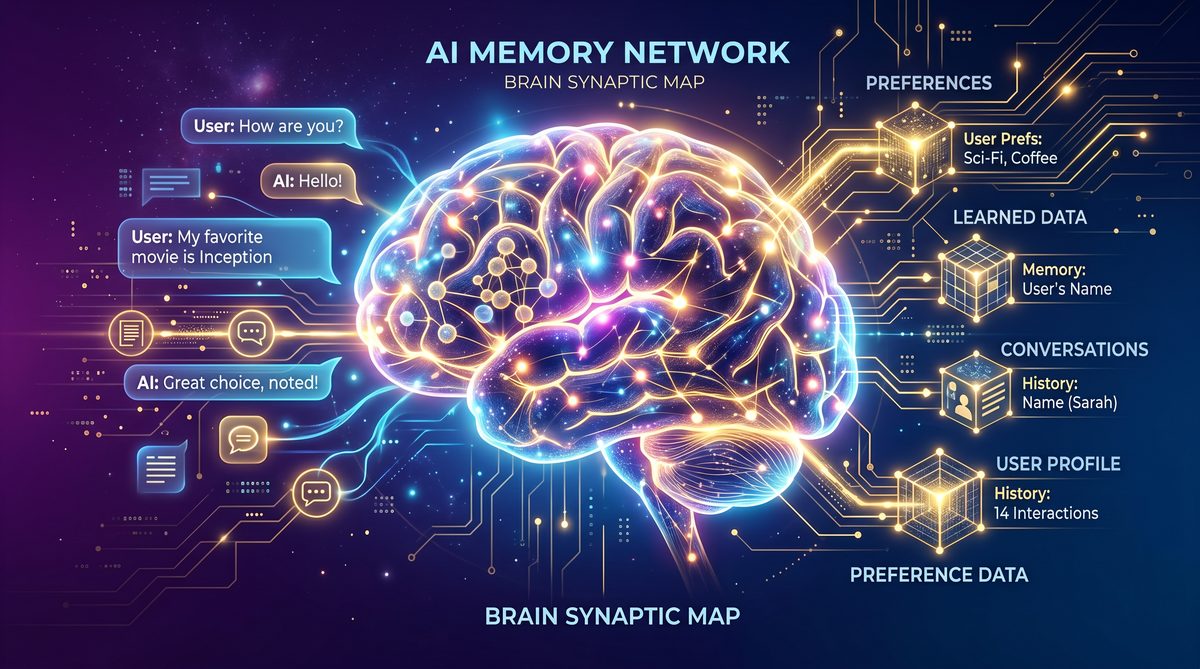
Maximizing Personal Productivity with ChatGPT Dreaming V3: Background Memory Synthesis, Automatic Preference Updates, and User-Facing Privacy & Export Controls
This guide is an in-depth, practical exploration of how ChatGPT’s Dreaming V3 memory system can be leveraged to increase individual productivity, reduce cognitive friction, and maintain trust through robust privacy and export controls. It focuses on three tightly integrated capabilities: background memory synthesis, automatic preference updates, and user-facing privacy/export controls. Each section combines psychological insights, ergonomics, hands-on walkthroughs, and workflow templates so you can adopt Dreaming V3 with confidence.
Overview: What Dreaming V3 Brings to Individual Productivity
Dreaming V3 rethinks the relationship between a user and their conversational AI by introducing a persistent, semantically organized memory bank that is synthesized in the background. Instead of asking users to constantly re-state context or preferences, Dreaming V3 continuously aligns itself to your patterns, gradually shaping a personalized experience that anticipates needs, reduces repeated setup, and surfaces relevant context at the right times.
This introduction covers the core design principles that drive the productivity benefits: low-friction persistence, proactive synthesis, user-control transparency, and auditability. These five design vectors are what enable Dreaming V3 to operate as a reliable cognitive extension rather than an opaque, autonomous agent.
For readers who want a deeper technical and conceptual background on how Dreaming memory structures are represented, serialized, and synchronized across devices, see the companion article that details architecture and data flow:
While this guide focuses on personal productivity applications of Dreaming V3, enterprise teams require additional governance layers for memory management. Our technical guide to implementing ChatGPT’s Dreaming Memory System in enterprise workflows covers the architecture for multi-tenant memory isolation, compliance-ready audit trails, and the administrative controls that IT teams need to deploy memory-enabled AI assistants across regulated industries. How to Implement ChatGPT’s Dreaming Memory System in Enterprise Workflows.
. That article contextualizes how memory shards, embeddings, and temporal decay are implemented, helping you understand the trade-offs that influence productivity features and privacy controls.
How Background Memory Synthesis Works and Why It Matters
Background memory synthesis is the process whereby the system observes interactions, consolidates signals, and generates structured memory entries without explicit commands. It combines natural-language understanding, semantic embeddings, temporal heuristics, and selective abstraction to create a memory layer that is both specific enough to be useful and general enough to remain manageable.
There are three key sub-processes in background synthesis:
- Capture and Classification: Conversations, attachments, calendar events, and integrations are captured and classified into candidate memory entries (people, projects, preferences, recurring workflows).
- Abstraction and Summarization: The system transforms raw conversational content into concise memories (for example, “Prefers stand-up meetings at 9 AM,” or “Working on Q3 marketing plan with priority on lead quality”).
- Consolidation and Deduplication: Similar memories are merged, temporal context is applied, and a relevance score is computed so the memory bank can rank recall items by utility.
Psychologically, background synthesis reduces cognitive load by handling two activities humans find costly: context reconstruction and preference recall. Instead of spending time reminding a tool about your context, the tool retains and recalls that context for you. Ergonomically, this preserves working memory for creative or analytical tasks, freeing attentional bandwidth for high-value thinking.

Psychological and Ergonomic Benefits
The productivity gains from Dreaming V3 are rooted in well-established cognitive principles.
- Reduced Context-Switching Cost: Each time a user switches tasks, there is a mental overhead to re-establish context. By preserving contextual traces, Dreaming V3 lowers the re-entry cost into complex tasks.
- Distributed Cognition: The memory bank functions as an externalized short-term to long-term memory store, enabling you to offload facts, plans, and preferences. This supports mental simulations and decision-making without overloading your working memory.
- Adaptive Scaffolding: Rather than a rigid preference sheet, the system adapts recommendations based on evolving habits, which reduces the friction of manually updating settings.
- Habituation and Nudge Alignment: Background synthesis can surface gently nudged reminders or prompts that align with your goals (habit formation) without being intrusive.
Design Trade-offs and Safety Considerations
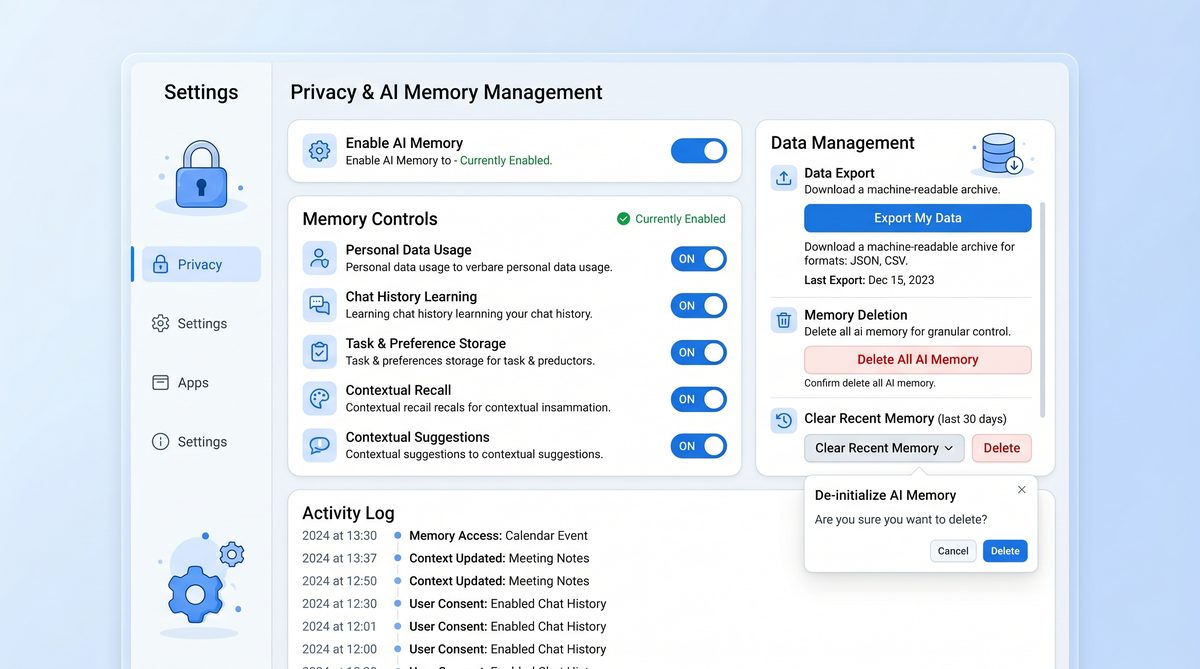
While background synthesis is powerful, it must be normalized around user control. Productivity improvements are only real if users trust the system. Dreaming V3 emphasizes transparency: synthesized memories are attributed, explainable, and editable. The system also exposes retention settings, per-memory visibility, and export controls so users can revise or remove material that they do not want stored.
Automatic Preference Updates: How They Work and How to Manage Them
Automatic preference updates are an extension of background synthesis focused on evolving user preferences over time. Rather than requiring the user to explicitly set every preference, Dreaming V3 proposes updates or applies them automatically under configurable policies.
At a technical level, the update process involves three components: detection, confidence estimation, and application. Detection identifies signals that indicate a preference (e.g., consistently rescheduling calls to morning). Confidence estimation calculates how strongly the pattern suggests a genuine preference, using metrics such as frequency, recency, and variance. Application performs the update, either immediately, after prompting for confirmation, or by suggesting the change in the assistant’s next response.
Practical Examples of Automatic Preference Updates
- Scheduling Preferences: If you reschedule meetings to late afternoons repeatedly, the system will either propose “Prefer meetings after 3 PM” or switch your default calendar availability with explicit confirmation depending on your policy.
- Tone and Formatting: When you consistently edit generated emails to be more formal, the assistant can detect the pattern and adjust its future outputs to a more formal register.
- Information Filtering: If you regularly dismiss certain topics in briefings, the system will reduce the frequency those topics are surfaced in proactive summaries.
Policies and Controls for Preference Drift
Uncontrolled preference drift can lead to frustration or loss of agency. Dreaming V3 offers granular policy controls that let you decide how aggressive automatic updates should be.
- Modes: Off (manual updates only), Suggest (assistant prompts for approval), Auto-Low (applies low-impact preferences automatically), Auto-High (applies even medium-impact preferences automatically).
- Scope Control: Preferences can be global, per-project, or per-channel. For example, a preference for “concise responses” might be global, while a preference for “detailed technical explanations” might apply only to a specific project workspace.
- Confidence Thresholds: Set thresholds for the statistical confidence required before an automatic change is made.
- Timebound Testing: Newly applied preferences can enter a trial period (e.g., two weeks) after which you can confirm, roll back, or extend them.
Workflow to Review and Approve Preference Changes
- Open the Preference Activity Pane to view candidate changes and supporting evidence (timestamps, example interactions).
- For each candidate, review the evidence, the proposed change, and expected impact. The interface provides “Why suggested” notes derived from the synthesis model.
- Choose accept, reject, or defer. If deferring, select a review date after which the suggestion reappears or expires.
- Monitor the effect of accepted changes during the trial period. If an applied change reduces productivity, reverse it with one click and provide feedback that informs future suggestions.
Together, these mechanisms make automatic preference updates predictable and reversible — creating a balance between helpful automation and user control.
Step-by-Step Walkthrough: Managing the Memory Bank
Managing the memory bank is the most practical skill for maximizing productivity with Dreaming V3. This section is a procedural guide that covers discovery, classification, editing, retention settings, and export.
First-Time Setup: Initial Hygiene and Baseline Preferences
- Open the Memory Dashboard from your assistant’s main menu. The dashboard presents an overview: total memories, recent updates, candidate suggestions, and privacy settings.
- Run the Guided Memory Audit — a recommended first-run tool that will scan conversation history and propose initial memory entries categorized into People, Projects, Preferences, Routines, and Miscellaneous.
- Review and accept the proposed entries selectively. Use bulk actions to accept low-impact items (e.g., contact details) and carefully vet sensitive or ambiguous items.
- Set retention defaults: ephemeral (30 days), medium-term (6 months), persistent (indefinite). Assign default retention to categories (contacts persistent, project notes medium-term, meeting transcripts ephemeral).
- Choose initial automatic update policy (Suggest is recommended for first-time users).
Day-to-Day Memory Management Tasks
After setup, adopt a weekly maintenance routine to keep the memory bank relevant and uncluttered. The following checklist helps maintain memory hygiene:
- Review newly synthesized memories weekly and batch accept or reject them.
- Tag and link memories to projects so they surface in project-specific briefings.
- Archive outdated memories to reduce noise while retaining the ability to restore them.
- Use pinning for critical, frequently referenced items (e.g., unique client stipulations or style guides).
Detailed Operations and UI Steps
Here is a practical step-by-step for common operations, with the corresponding expected UI elements and outcomes.
- Viewing Memory Details:
- Open the Memory Dashboard and click an entry to view its metadata: source snippets, confidence score, linked projects, visibility setting, retention timer, and edit history.
- The panel displays “Why I remember this” with citations to original conversations or documents.
- Editing a Memory:
- Click Edit to change the memory text. Add clarifying notes or expand the entry. Edits are versioned.
- Change categories or tags to ensure the memory surfaces in the right context.
- Merging and Deduplicating:
- Select duplicate entries and choose Merge. The system presents a combined view and highlights conflicting fields that require manual resolution.
- Merging improves recall precision and reduces contradictory suggestions.
- Archiving and Restoring:
- Archive to hide an entry from active results without deleting it. Archived items appear in a separate view and can be restored or permanently deleted.
- Pinning and Prioritization:
- Pin an item to boost its recall priority for relevant queries or briefings.
- Use priority toggles (low, normal, high) to control how prominent that memory is in automated summaries and proactive nudges.
Retention and Forgetting Controls
Retention is central to both productivity and privacy. Use the following settings to align the memory lifecycle with your needs.
- Per-Category Defaults: Assign retention spans to categories like Personal, Work, Contacts, Health.
- Per-Item Overrides: Override defaults at the item level for exceptional privacy needs (e.g., client secrets, sensitive plans).
- Auto-Epoch Decay: Enable semantic decay so items that are rarely accessed gradually lose relevance and are suggested for archive or deletion.
- Immediate Forget: A one-click “Forget this conversation and related memories” option ensures rapid revocation, with logs to verify deletion.
User-Facing Privacy and Export Controls
Trust is critical. For Dreaming V3 to function as your cognitive partner, its memory operations must be transparent, auditable, and reversible. The system provides a suite of user-facing privacy and export controls designed for both individual and professional contexts.
Privacy Principles Implemented in Dreaming V3
- Visibility: You always know what the system remembers and why.
- Consent and Granularity: Preference changes and sensitive memory retention require configurable consent flows.
- Revocation: Memories can be permanently deleted with verifiable audit trails.
- Zero-Knowledge and Encryption Options: For sensitive data, local-only or end-to-end encrypted memory storage is supported depending on platform and device capabilities.
Export Options and Formats
Export controls are designed for portability and forensic transparency. You might export memories for backup, migration, legal discovery, or personal analysis. Dreaming V3 provides:
- Full Export: All memories and metadata in a machine-readable, timestamped archive (JSON with schema documentation and media attachments packaged separately).
- Selective Export: Choose categories, tags, or date ranges and export only relevant subsets.
- Redacted Export: Automatic redaction options remove or obfuscate PII (personal identifiers) before export.
- Encrypted Export: Exports can be encrypted with a passphrase or public-key so only authorized recipients can decrypt.
- Audit Log Export: Export action logs showing creation, modification, deletion events and user approvals for legal and compliance use cases.
Step-by-Step: Exporting Your Memory Bank
- Open the Memory Dashboard and navigate to Export Controls.
- Choose export type: Full or Selective. Select categories, tags, or date ranges for selective export.
- Configure redaction rules: toggle PII redaction, remove attachments, or apply generic masking for names/emails.
- Choose encryption: none, passphrase, or public-key (upload recipient public-key if needed).
- Initiate export. You will receive a notification when the archive is ready and a signed checksum to verify integrity.
- Download and verify the checksum to ensure the archive matches the system’s output.
Visibility and Auditability: Keeping a Trustworthy Record
Every memory entry includes an immutable provenance record: source(s) (conversation snippet, document, webhook), timestamp, synthesizer model version, and optional human annotation. Actions such as creation, edit, merge, or deletion are logged and can be exported for auditing. This enables compliance workflows and personal verification.
For teams and enterprise contexts, Dreaming V3 can be integrated with centralized compliance tooling and directory services. For a detailed look at patterns, policies, and recommended configurations for enterprise rollouts, including how memory governance is enforced at scale, see:
The scale of enterprise AI adoption is accelerating rapidly, as demonstrated by Samsung Electronics’ decision to deploy ChatGPT Enterprise and Codex to all 267,000 employees worldwide. Our detailed analysis of this landmark deployment examines the technical infrastructure, change management strategies, and measurable productivity gains that Samsung achieved within the first 90 days of their global rollout. Samsung Electronics Deploys ChatGPT Enterprise and Codex to All Employees.
. That article lays out how large organizations adapt Dreaming memory to corporate data policies, user provisioning, and audit requirements.
Fine-Grained Visibility Controls
- Per-Memory Visibility: Control whether a memory is Private (only you), Team (shared with specific collaborators), Workspace (shared within a workspace), or Public (explicitly shared links for external access).
- Per-Source Consent: For integrations (calendar, email, third-party docs), set whether the assistant may synthesize memories from those sources.
- Per-Conversation Gates: Use explicit gates to allow or block memory synthesis on a per-conversation basis. Each gate is recorded so you can later review what was allowed.
Optimizing Personal Workflows with Dreaming V3
Now we move from system features to actionable workflow patterns. Dreaming V3 can be configured to assist various roles and tasks. Each pattern below shows setup, ongoing operation, and measurable productivity outcomes.
Knowledge Worker: Daily Brief and Project Context
Goal: Reduce morning ramp-up time and ensure project continuity across interruptions.
- Setup:
- Create a “Daily Brief” memory template containing a short checklist of priorities, outstanding tickets, and meeting agenda notes.
- Tag project-related meetings and emails so Dreaming V3 synthesizes updates into the project’s memory stream.
- Ongoing operations:
- Each morning, open the Daily Brief, which is auto-populated with prioritized items based on memory relevance and deadlines.
- Use suggested actions provided by the assistant (e.g., draft follow-up emails, prepare a quick slide deck) which use memories for context.
- Outcomes: Shorter ramp-up time, fewer forgotten commitments, and improved continuity across asynchronous work.
Developer: Contextual Code Memory and Debugging Assistant
Goal: Maintain a searchable, contextual memory of architectural decisions, bug patterns, and troubleshooting steps.
- Setup:
- Configure the assistant to synthesize memories from code review comments, ticketing systems, and pull request discussions.
- Use project-specific tags like “arch-decision”, “bug-pattern”, “test-flake” so relevant memories surface during debugging.
- Ongoing operations:
- When debugging, query the assistant for “recent similar bugs” and the system returns synthesized memories including root cause, fix, and link to source code.
- Pin important troubleshooting patterns to preserve institutional knowledge.
- Outcomes: Faster MTTR (mean time to resolution), less repetitive onboarding for new team members, and fewer lost decisions.
Manager: Meeting Memory and Follow-Ups
Goal: Transform meetings into actionable, persistent artifacts without additional note-taking overhead.
- Setup:
- Enable meeting capture with selective redaction (sensitive revenue numbers redacted by default).
- Create meeting roles and map them to memory visibility (e.g., attendees see action items; stakeholders see summaries).
- Ongoing operations:
- After each meeting, Dreaming V3 posts a concise summary and generates suggested follow-ups assigned to participants.
- Use the follow-up tracker, backed by memory entries, to monitor progress and receive reminders aligned with your availability preferences.
- Outcomes: Fewer lost action items, clearer accountability, and reduced meeting fatigue.
Student or Researcher: Persistent Reading Notes and Hypothesis Memory
Goal: Create an organized, searchable memory of readings, experiment notes, and nascent hypotheses that supports later writing and reproducibility.
- Setup:
- Configure the assistant to synthesize memory from annotated PDFs and conversation snippets labeled with research topics.
- Establish retention policy: keep research artifacts persistent unless marked for redaction.
- Ongoing operations:
- Tag observations with hypothesis labels and link them to experiments. Use the AI to generate summaries for literature reviews with citations pulled from memories.
- Export compilation of notes as a structured bibliography or dataset for reproducibility.
- Outcomes: More efficient literature synthesis, fewer lost ideas, and better reproducibility.
Templates and Quick-Start Configurations
Below are three quick templates to accelerate adoption. Each is a recommended starting point you can import into Dreaming V3’s onboarding wizard.
- Morning Brief Template: Priorities, calendar digest, 3x daily focus blocks, top unread mentions.
- Project Memory Template: Core goals, stakeholders, open tasks, known constraints, relevant artifacts.
- Meeting Capture Template: Attendees with roles, decisions, action items with owners and deadlines, redaction rules.
Advanced Tips, Troubleshooting, and Memory Hygiene
Handling Contradictory Memories
Over time, conflicting memories can accumulate (e.g., “Prefers morning meetings” vs. “Prefers late afternoon for leadership”). Use these steps to reconcile contradictions:
- Identify conflicts via the Memory Conflict Report in the dashboard.
- Review provenance and confidence scores for each conflicting item.
- Decide whether the conflict reflects a context shift (timebound preference) or an error. Mark context shifts with a validity window.
- Use Merge with manual editing to combine consistent elements and remove outdated fragments.
Versioning, Backups, and Recovery
Dreaming V3 includes version control for edits and a snapshot system for periodic backups. Best practices:
- Schedule weekly snapshots to an encrypted personal backup location to ensure recoverability.
- Maintain an export archive monthly if your workflow demands higher assurance or for long-term research projects.
- Use the Restore workflow in cases where a mistaken bulk action has removed or altered memories.
Privacy-First Defaults You Should Consider
For most users, productivity and privacy are complementary. The following defaults strike a conservative balance while preserving core usefulness:
- Default synthesis only from explicit conversational channels; require opt-in for email/document mining.
- Set initial automatic preference mode to Suggest, with gradual transition to Auto-Low after two months of confirmed, beneficial suggestions.
- Enable provenance visualization by default so every memory shows source snippets and synthesizer model details.
Audit and Compliance Considerations
If you are in a regulated domain, use the audit log exports to populate compliance reports. Configure data retention to match legal requirements, and consult legal and security teams to define the retention and export policies. Enterprises typically integrate Dreaming V3 with DLP (Data Loss Prevention) and SIEM (Security Information and Event Management) tools to add additional monitoring layers.
Putting It All Together: A Personal Adoption Roadmap
To convert features into durable productivity gains, adopt a phased roadmap with measurable checkpoints.
Phase 1: Awareness and Baseline (Week 0–1)
- Complete the Guided Memory Audit and set baseline retention preferences.
- Enable Suggest mode for automatic updates.
- Run the Morning Brief template for one week and measure ramp-up time each morning.
Phase 2: Iteration and Tuning (Week 2–6)
- Adjust retention and visibility per encountered privacy needs.
- Accept or reject suggested preference changes and document the effect.
- Set a weekly memory hygiene routine and implement snapshot backups.
Phase 3: Optimization and Automation (Week 7+)
- Move to Auto-Low for non-sensitive preferences once you observe stable, accurate suggestions.
- Implement role-specific templates across projects and share pinned memories with collaborators where appropriate.
- Use exports to maintain your own portability archive and continue monitoring the impact on productivity.
This phased approach reduces the risk of unwanted surprise automation while allowing you to reap the benefits of persistent, synthesized memories.
Frequently Asked Questions and Concise Answers
Will synthesized memory make incorrect assumptions?
Occasionally. The system uses confidence estimation and provenance to minimize errors, and all memories are editable or removable. Use Suggest mode initially to vet automated inferences.
How easy is it to delete everything?
Very easy. Dreaming V3 provides both per-item deletion and a one-click “Forget me” workflow that permanently removes all personal memories and exports a signed deletion confirmation.
Can I restrict synthesis to local-only device storage?
Yes. On supported platforms, local-only memory storage is available to keep sensitive memories off cloud-backed repositories. Encryption options are also provided for exported archives.
How does Dreaming V3 handle shared memories in teams?
Shared memories carry team-level visibility metadata and can be governed by workspace policies. Actions like deletion or export can require role-based approvals based on enterprise policy.
