
20 ChatGPT-5.5 Prompts for Content Creators: Blog Posts, Social Media, Video Scripts, and Newsletter Copy
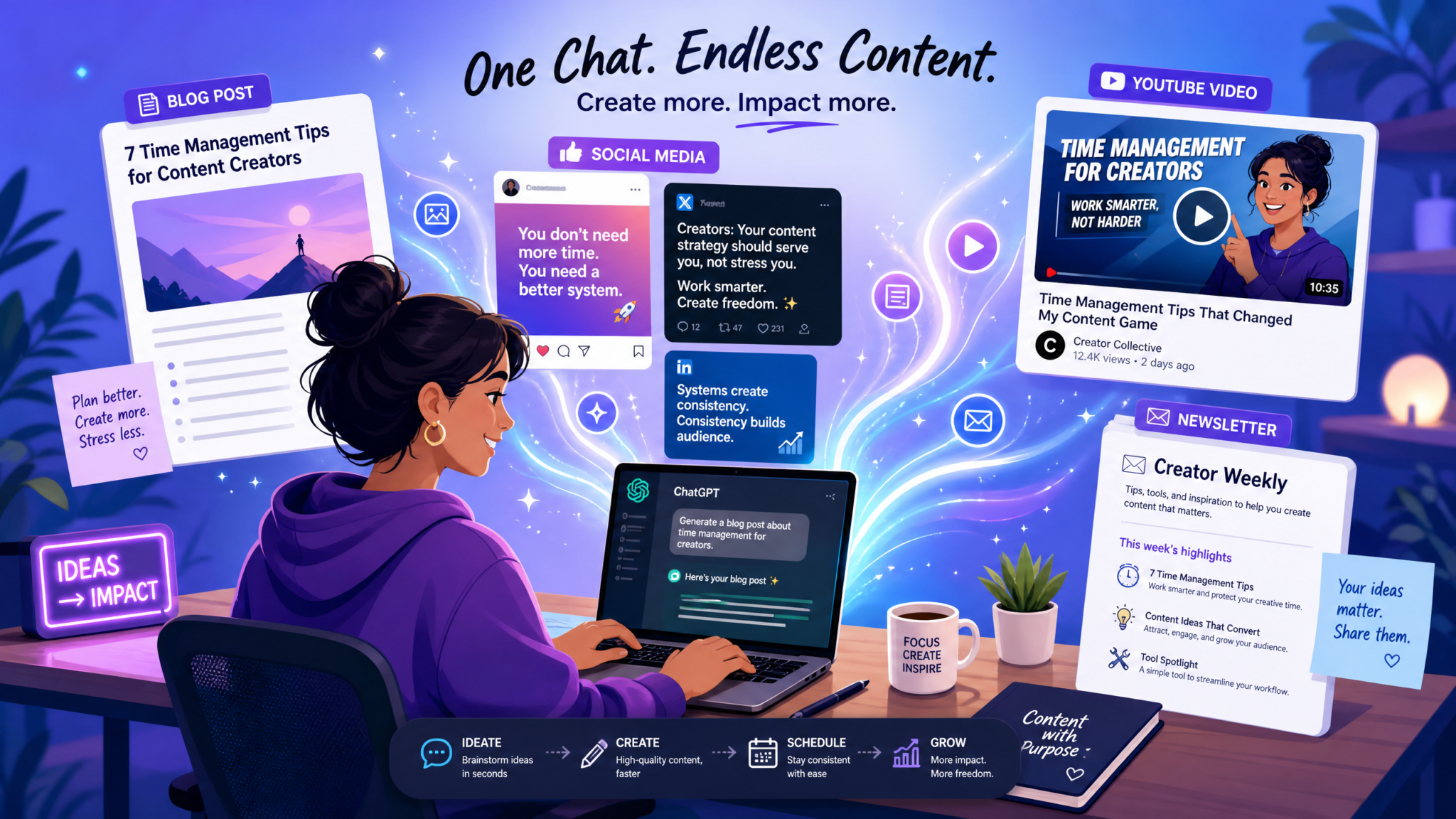
Comprehensive ChatGPT-5.5 Prompting Guide for Content Creators
As content creators and teams scale production, structured prompts for advanced models like ChatGPT-5.5 become a competitive advantage. This guide is a practical, hands-on reference with 20 ready-to-use prompts—organized into four sections—each accompanied by a full prompt you can copy, an explanation of why it works, customization variables to adapt it to your niche, and the exact output format to expect.
Whether you’re optimizing long-form blog production, repurposing material for social platforms, scripting video content, or building high-conversion email sequences, these prompts are engineered to produce consistent, usable outputs. Use them as templates, combine variables, and iterate with the model to refine voice, depth, and specificity. For deeper technical practice and iterative workflows, see related resources like The Big Prompt Engineering Story: What July 13’s News Means for Developers and Prompting ChatGPT’s GPT-5.5 Instant for Multi-Turn Safety-Aware Conversations: Best Practices for Developers.
Note: Each prompt below is formulated for ChatGPT-5.5’s advanced context handling—explicitly instructing structure, length, tone, and quality checks. For best results, provide clear context and examples in the variables section.
How to use this guide
Copy any prompt from the sections below into your ChatGPT-5.5 session. Replace the customization variables with your inputs. Ask for iterations, ask the model to validate sources, or request alternate tones. If you plan to integrate outputs into a CMS or editorial workflow, request JSON or Markdown variants using the customization variables. Many prompts also include follow-up checks (fact verification, internal linking suggestions) so you can build a deterministic pipeline for publishing.
Section 1 — Blog Post Creation
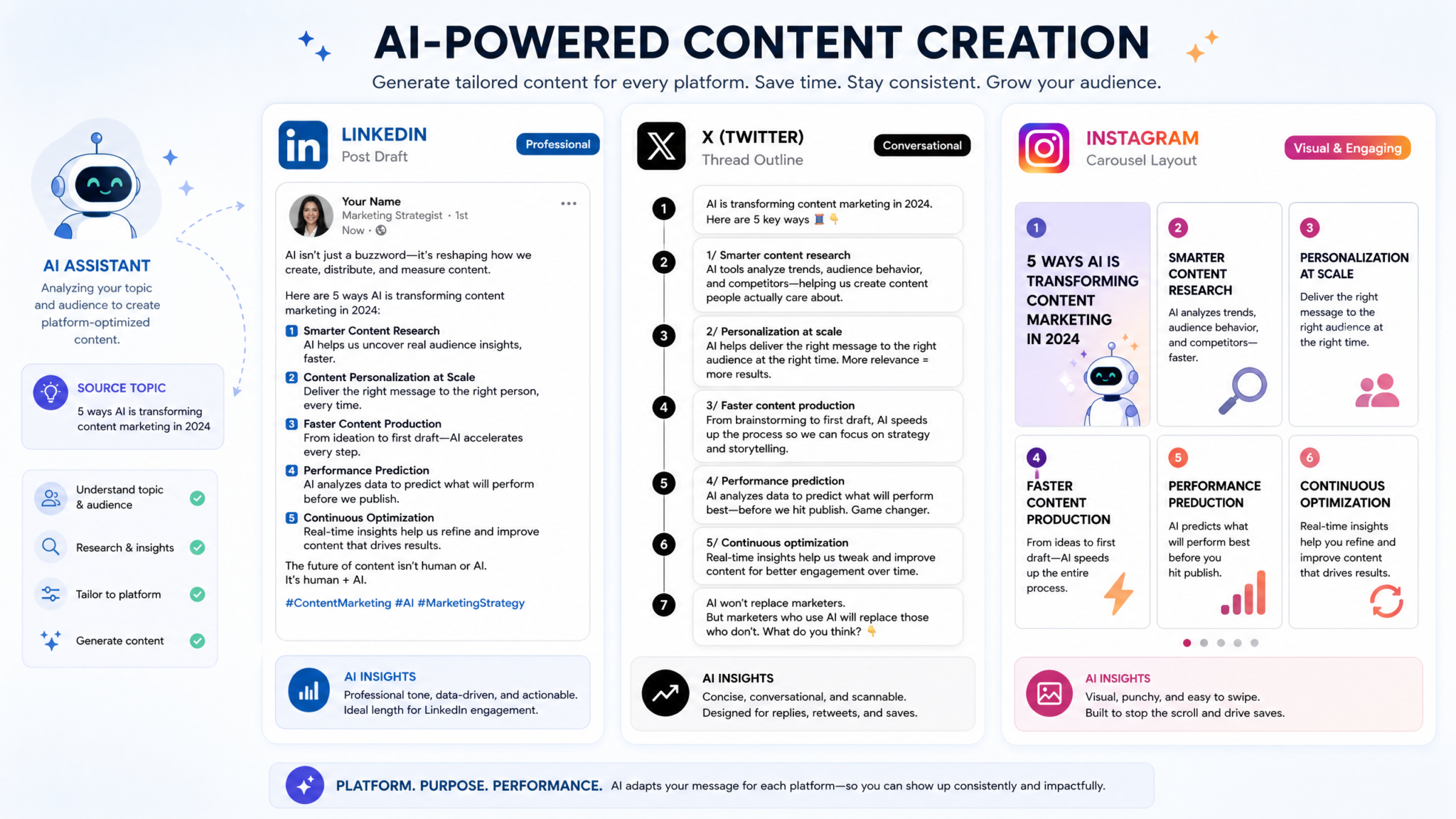
Blog content is still central to discovery and thought leadership. The five prompts below cover ideation-to-publish workflows: outlines, introductions, data integration, comparison frameworks, and repurposing. Each prompt helps content creators reduce drafting time while preserving editorial quality and SEO intent. For content operations teams, these prompts can be integrated into editorial checklists and 50 GPT-5.5 Prompts for Marketing Teams: Campaign Strategy, Content Creation, and Analytics conversions.
Prompt 1 — Long-form article outline generator
Act as an expert content strategist and outline generator. Produce a detailed long-form article outline based on the following inputs:
- Topic: {TOPIC}
- Audience: {AUDIENCE_DESCRIPTION}
- Target word count: {WORD_COUNT}
- Primary keyword: {PRIMARY_KEYWORD}
- Related keywords to include: {RELATED_KEYWORDS}
- Tone: {TONE}
- Content goal: {GOAL} (e.g., educate, convert, rank for keyword, link magnet)

Output format:
1) Title ideas (5 variations, include keyword)
2) SEO meta title and meta description (one set)
3) Article structure with H2s, H3s, and H4s (include brief 1-2 sentence intent for each section)
4) Suggested data points, case studies, and internal/external link suggestions (3 internal, 5 external)
5) Estimated word counts per section that sum to the target word count

Be concise but thorough. Mark any sections that require original research or interviews.
Why this works
This prompt instructs the model to behave as a strategist rather than only a writer. It specifies SEO elements (meta title/description and keyword usage), structural granularity (H2/H3/H4 levels), and editorial needs (data points, link suggestions). The output is immediately actionable for writers and editors because it assigns purpose and estimated word counts for each section.
Customization variables
- {TOPIC}: Specific topic or title seed (e.g., “AI-assisted onboarding templates”).
- {AUDIENCE_DESCRIPTION}: Who the article is for (e.g., “SaaS product managers at Series A startups”).
- {WORD_COUNT}: Total target length (e.g., 2,500 words).
- {PRIMARY_KEYWORD} and {RELATED_KEYWORDS}: For SEO targeting.
- {TONE}: e.g., “authoritative but approachable”.
- {GOAL}: Primary content objective.
Expected output format
Structured outline with numbered sections: list of title ideas, meta title/meta description, full H2-H4 hierarchy with section intents, suggested sources, and per-section word counts. Ready for copy/paste into a brief or CMS.
Prompt 2 — SEO-optimized introduction writer
Write an SEO-optimized introduction paragraph(s) for the article based on:
- Title: {TITLE}
- Primary keyword: {PRIMARY_KEYWORD}
- Secondary keywords: {SECONDARY_KEYWORDS}
- Hook type: {HOOK} (e.g., startling stat, rhetorical question, anecdote)
- Length: {PARAGRAPH_WORD_COUNT} (e.g., 80-140 words)
- Tone: {TONE}

Include a first paragraph and a short transition sentence that leads to the first H2. Ensure the primary keyword appears naturally in the first 20-30 words. Also provide 3 alternative hooks with 1-sentence rewrites for A/B testing.
Why this works
Introductions set the tone and play a big role in SEO and engagement metrics. This prompt forces keyword placement early (useful for ranking), prescribes an attention hook, and produces alternatives for editorial A/B testing. The transition sentence is critical for flow into your first major section.
Customization variables
- {TITLE}: Final article title or working title.
- {PRIMARY_KEYWORD}/{SECONDARY_KEYWORDS}: For natural insertion.
- {HOOK}: Which psychological trigger to use.
- {PARAGRAPH_WORD_COUNT}: Controls length for readability.
- {TONE}: e.g., “conversational professional”.
Expected output format
One to two paragraphs (80–140 words) with keyword placement, plus 3 one-sentence alternative hooks for A/B testing. Delivered as plain text and ready to paste into the article.
Prompt 3 — Data-driven content with statistics integration
Produce a fact-checked, data-integrated subsection for the article on:
- Subsection title: {SUBSECTION_TITLE}
- Topic summary: {SUBSECTION_BRIEF}
- Key data points required: {DATA_POINTS} (e.g., market size, growth rate, benchmark metrics)
- Required citation style: {CITATION_STYLE} (e.g., inline URL citations, numbered references)
- Data freshness threshold: {YEARS} (e.g., within last 3 years)
- Confidence level: {CONFIDENCE_CHECK} (e.g., "flag any estimates, and mark where primary sources are needed")

Include:
- A 200-400 word text that synthesizes the data
- Inline citations / footnotes for each data point
- A short 'how we found this' methodology note (2-3 sentences)
- Suggested visualization ideas (charts or tables) and captions
Why this works
Editors often need actionable, verifiable data to support claims. This prompt instructs the model to prioritize recent sources, provide citations, and disclose methodology. The visualization suggestions help designers and data teams turn prose into assets. It also helps maintain editorial standards because it flags where original research is necessary.
Customization variables
- {SUBSECTION_TITLE} and {SUBSECTION_BRIEF}: Context for the subsection.
- {DATA_POINTS}: Specific metrics you want included.
- {CITATION_STYLE}: How to present sources.
- {YEARS}: Maximum age of data allowed.
- {CONFIDENCE_CHECK}: Degree of source transparency you require.
Expected output format
200–400 words with inline citations (or numbered references) and a short methodology note; plus bulleted visualization suggestions. This output is suitable for inclusion directly in a blog article or for QA review.
Prompt 4 — Comparison/review article framework
Create a comparison framework for an in-depth review article comparing:
- Products/tools: {PRODUCT_A} vs {PRODUCT_B} (can be more than two)
- Comparison criteria: {CRITERIA_LIST} (e.g., pricing, onboarding, integrations, support)
- Audience profile: {AUDIENCE}
- Use-cases to test: {USE_CASES}
- Scoring method: {SCORING_METHOD} (e.g., 1-10, pass/fail, weighted score)

Output:
- A standard review scorecard template (table structure description)
- A section-by-section review template (H2/H3 headings)
- A repeatable testing checklist for each criterion (step-by-step)
- A short verdict paragraph template for each audience persona
Why this works
Comparison articles drive purchase-intent traffic and can earn links. This prompt yields a reproducible testing and scoring methodology so reviews remain consistent across articles. The testing checklist lets product teams or reviewers replicate results, improving credibility and editorial standards.
Customization variables
- {PRODUCT_A}/{PRODUCT_B}: Products, tools, or services to compare.
- {CRITERIA_LIST}: Specific features/criteria to evaluate.
- {AUDIENCE}: Who the verdict is for.
- {USE_CASES}: Real-world scenarios to test.
- {SCORING_METHOD}: Preferred scoring approach.
Expected output format
Structured template including a scorecard layout, section templates for the review, a step-by-step testing checklist, and persona-specific verdict paragraphs. Ready for use by reviewers and editors.
Prompt 5 — Content repurposing from existing material
Take the source material described below and create a repurposing plan with deliverables:
- Source content: {SOURCE_TYPE} (e.g., blog URL, transcript, whitepaper)
- Target assets: {TARGET_ASSETS} (e.g., 3 social posts, 1 infographic, 1 newsletter)
- Brand voice: {BRAND_VOICE}
- Must-preserve points: {KEY_POINTS}
- SEO/keyword considerations: {KEYWORDS}

Produce:
1) A step-by-step repurposing workflow (who does what and timeline)
2) Exact content snippets for each target asset (copy variants)
3) Visual suggestions and copy length limits per platform
4) Suggested CTAs and tracking UTM parameters
Why this works
Repurposing increases ROI on cornerstone content. This prompt maps source content to a production plan with concrete deliverables and copy variants. It reduces friction between content, design, and growth teams by specifying CTAs and tracking parameters.
Customization variables
- {SOURCE_TYPE}: Provide the source (paste text or URL).
- {TARGET_ASSETS}: List of assets to create.
- {BRAND_VOICE}: Tone and style constraints.
- {KEY_POINTS}: Core messages that must persist.
- {KEYWORDS}: SEO terms for repurposed assets.
Expected output format
Project-style deliverable with a production timeline, copy snippets per asset, design notes, CTAs, and example UTM tags—ready for handoff to growth and design teams.
Section 2 — Social Media Content
Social platforms require specialized copy and timing. The five prompts in this section make it faster to produce platform-tailored posts, threads, carousels, and engagement-focused captions that drive shares, saves, and click-throughs.
Prompt 6 — LinkedIn thought leadership posts
Generate a LinkedIn thought leadership post series (3 posts) based on:
- Core insight: {CORE_INSIGHT}
- Hook style: {HOOK_STYLE} (e.g., contrarian, personal story, data-led)
- Target persona: {PERSONA}
- Action CTA: {CTA}
- Maximum length per post: {MAX_CHARS} (LinkedIn character guidance)
- Hashtags: {HASHTAGS} (up to 5)

For each post:
- Provide a headline line (first line)
- Full post copy with line breaks for readability
- Suggested image or visual and alt text
- Engagement prompts (questions to ask in comments)
Why this works
LinkedIn excels with narrative-driven professional content. The prompt breaks posts into headline, body, visual, and comment prompts. This structure increases the likelihood of shares and saves while providing visuals and alt text to support accessibility and reach.
Customization variables
- {CORE_INSIGHT}: The provable insight or thesis you’re promoting.
- {HOOK_STYLE}: Which engagement trigger to use.
- {PERSONA}: Who the post speaks to.
- {CTA}: Desired response (e.g., visit article, book demo).
- {MAX_CHARS} and {HASHTAGS}.
Expected output format
Three LinkedIn-ready posts with headline lines, structured body copy, visual suggestions with alt text, and comment engagement prompts. Ready to paste into the LinkedIn composer.
Prompt 7 — Twitter/X thread creator with hooks
Create a concise Twitter/X thread (6-12 tweets) that communicates:
- Core topic: {TOPIC}
- Primary hook: {HOOK}
- Key takeaways: {TAKEAWAYS} (3-5 bullets)
- Tone: {TONE} (e.g., witty, authoritative)
- Call to action: {CTA} (e.g., link to blog, follow, comment)
- Thread style: {STYLE} (e.g., list-based, narrative, stepwise)

Output:
- A threaded sequence with tweet numbers (1/8, 2/8)
- Suggested images or GIF prompts for up to 3 tweets
- Hashtags and a concise first tweet that maximizes retweet potential
Why this works
Threads need strong hooks and clear progression. This prompt enforces tweet numbering and provides visual suggestions that boost engagement. The provision of 3–5 key takeaways helps the writer scaffold the thread and ensures consistent messaging.
Customization variables
- {TOPIC} and {HOOK}.
- {TAKEAWAYS}: Key points to include.
- {TONE} and {CTA}.
- {STYLE}: Narrative or list-driven thread.
Expected output format
Numbered thread (e.g., 1/N) with tweet copy for each step, image/GIF prompts, hashtag suggestions, and CTA included in the final tweet.
Prompt 8 — Instagram carousel script generator
Design an Instagram carousel (8–10 slides) script for {TOPIC}:
- Target audience: {AUDIENCE}
- Visual angle: {VISUAL_ANGLE} (e.g., minimalist, data-driven, illustrated)
- Main message: {MAIN_MESSAGE}
- Slide breakdown constraints: headline (short), supporting sentence (longer), CTA slide
- Image assets available: {ASSETS} (e.g., logo, screenshots, charts)
- Accessibility: include alt text for each slide

Output:
- Slide-by-slide copy (slide 1 headline, slide 2 supporting insight, ... slide N CTA)
- Image description or designer notes per slide
- Suggested captions and first comment for link/hashtags
Why this works
Carousels require a narrative arc across slides. This prompt produces a slide-level script with clear designer notes and alt text for accessibility. Including the available assets ensures practical visual recommendations and reduces back-and-forth with design teams.
Customization variables
- {TOPIC} and {AUDIENCE}.
- {VISUAL_ANGLE} and {MAIN_MESSAGE}.
- {ASSETS} to indicate what can be used visually.
Expected output format
Slide-by-slide copy (8–10 slides) with designer notes, alt text for each image, and a suggested caption plus first-comment copy containing links/hashtags.
Prompt 9 — Platform-specific tone adaptation
Adapt the following base message for four platforms: LinkedIn, Twitter/X, Instagram caption, and TikTok script:
- Base message: {BASE_MESSAGE}
- Brand voice: {BRAND_VOICE}
- Character limits and style considerations per platform
- Desired CTA for each platform: {CTAS_BY_PLATFORM}

For each platform, output:
- Platform-adapted headline/first line
- Full copy adapted to tone and length
- Any formatting suggestions (line breaks, emojis, hashtags)
- One quick performance tip for that platform
Why this works
This prompt consolidates cross-platform consistency while respecting platform norms. It ensures brand voice remains consistent and provides tactical formatting tips that often impact engagement (line breaks on LinkedIn, hashtags on Instagram, etc.). The per-platform CTA keeps conversion paths distinct.
Customization variables
- {BASE_MESSAGE}: The canonical message you want adapted.
- {BRAND_VOICE}: Tone guide.
- {CTAS_BY_PLATFORM}: Individual CTAs per platform.
Expected output format
Four platform-specific rewrites, each with formatting guidance and one practical performance tip for posting strategy.
Prompt 10 — Engagement-optimized caption writer
Write 6 social captions optimized for engagement (platform: {PLATFORM}), based on:
- Content image/video description: {MEDIA_DESCRIPTION}
- Core message: {CORE_MESSAGE}
- Audience: {AUDIENCE}
- Tone: {TONE}
- Engagement mechanism: {MECHANISM} (e.g., ask question, caption CTA, poll prompt)
- Length range: {MIN}-{MAX} words

For each caption:
- Provide an A/B variant
- Include 3 hashtag suggestions and 1 emoji strategy
- Suggest one comment to seed and one reply template to boost conversation
Why this works
Captions that prompt micro-conversations boost reach. This prompt generates A/B variants for testing, provides hashtag strategies, and even pre-writes comments to seed initial engagement. The reply template helps scale community management with consistent brand voice.
Customization variables
- {PLATFORM}, {MEDIA_DESCRIPTION}, and {CORE_MESSAGE}.
- {AUDIENCE}, {TONE}, and {MECHANISM}.
- {MIN}-{MAX} word constraints.
Expected output format
Six captions with A/B variants, hashtags, emoji strategy, starter comment, and reply template—optimized for platform-specific engagement.
Section 3 — Video Script Writing
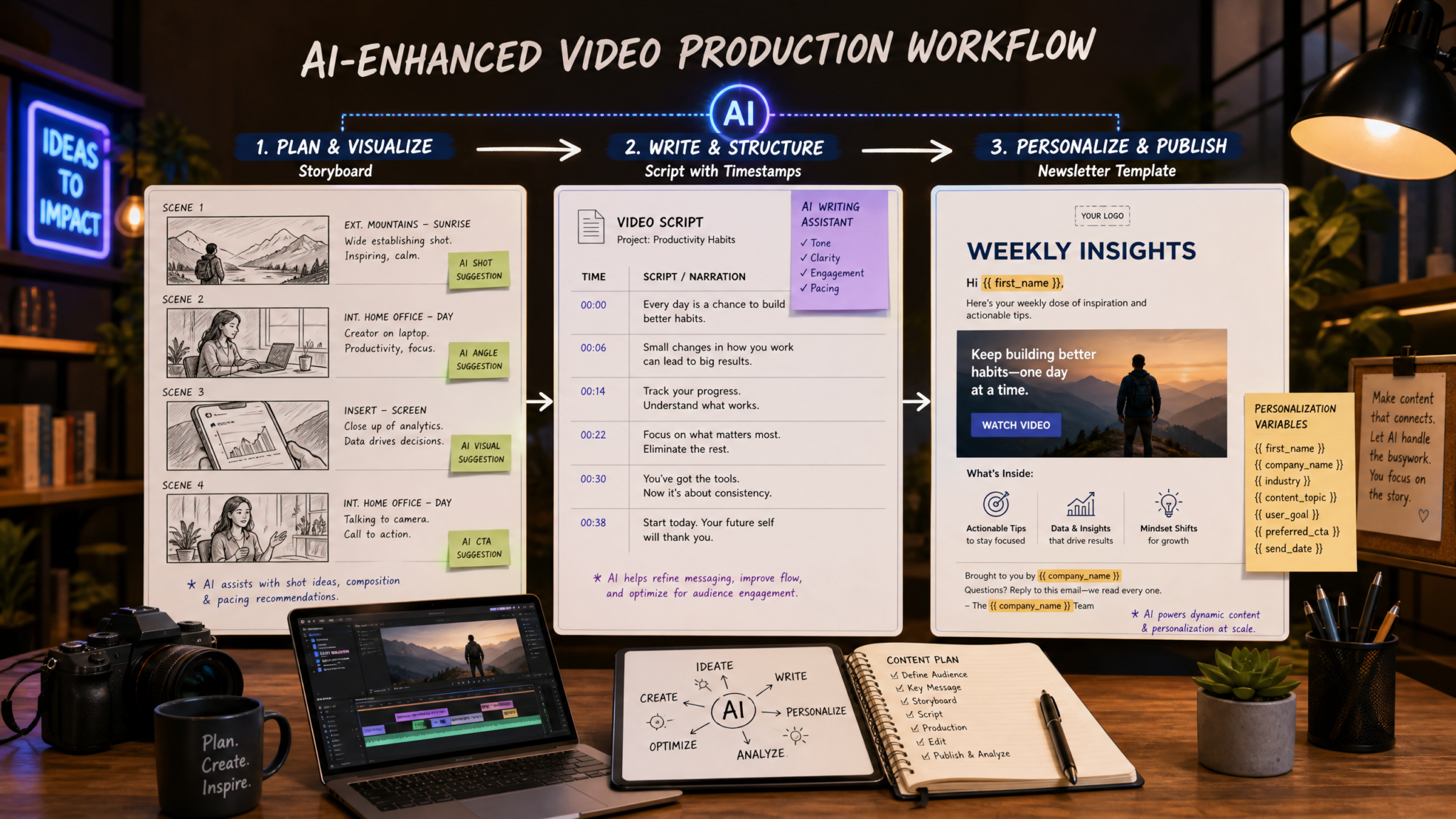
Video is central to discovery and retention. This section’s prompts help writers and producers create retainable long-form scripts, punchy short-form sequences, timestamped tutorials, interview prep, and metadata that improves discoverability.
Prompt 11 — YouTube long-form script with retention hooks
Write a detailed YouTube script designed for watch-time retention:
- Video topic: {VIDEO_TOPIC}
- Desired length: {DURATION_MINUTES} minutes
- Target audience: {AUDIENCE}
- Key sections with retention hooks: {HOOKS} (e.g., 0:00 bold promise, 0:45 micro-story, 2:30 reveal)
- Personality/tone: {TONE}
- Visual cues: {VISUALS} (e.g., on-screen text, cuts, B-roll)

Output:
- Timestamped script with speaker lines and camera directions (0:00, 0:30 etc.)
- Suggested B-roll and on-screen graphics per timestamp
- A 1-2 sentence SEO-optimized video description and 5 keyword tags
Why this works
YouTube rewards watch time. This prompt instructs the model to place retention hooks and micro-stories at strategic timestamps, ensuring a rhythm that keeps viewers engaged. Camera directions and B-roll suggestions help editors visualize the sequence, making production faster and more consistent.
Customization variables
- {VIDEO_TOPIC}, {DURATION_MINUTES}, and {AUDIENCE}.
- {HOOKS}: Where to place retention elements.
- {TONE} and {VISUALS}.
Expected output format
Timestamped script with camera/B-roll directions, plus SEO-ready description and 5 tags. The script is ready for read-through and editor handoff.
Prompt 12 — Short-form video script (Reels/TikTok/Shorts)
Generate 3 short-form video scripts (15–60 seconds) for {PLATFORM}:
- Core idea: {CORE_IDEA}
- Hook (0–3 seconds): {HOOK}
- Beat structure: {BEATS} (e.g., hook, demonstration, payoff)
- CTA: {CTA} (e.g., follow, link in bio)

For each script:
- Provide a shot list (angles, duration)
- On-screen text and captions
- Suggested music/tempo and hashtag pack
Why this works
Short-form platforms favor immediate hooks and clear beats. This prompt produces shot-level instructions and on-screen text to ensure content works without sound (a common user behavior), and includes music/hashtag guidance to increase discoverability.
Customization variables
- {PLATFORM}, {CORE_IDEA}, and {HOOK}.
- {BEATS} and {CTA}.
Expected output format
Three shot-by-shot scripts (15–60s) with on-screen text, captions, music suggestions, and a hashtag pack tailored to the platform.
Prompt 13 — Tutorial walkthrough script with timestamps
Create a detailed tutorial script with timestamps and steps:
- Tutorial topic: {TUTORIAL_TOPIC}
- Skill level: {SKILL_LEVEL} (beginner/intermediate/advanced)
- Tool/software used: {TOOL}
- Learning objectives: {OBJECTIVES}
- Estimated duration: {DURATION_MINUTES}

Output:
- Step-by-step instructions with timestamps (0:00, 1:23, 3:45)
- Screenshots or command snippets where applicable
- Troubleshooting FAQs and common mistakes section
- Suggested chapter markers and a short summary for the video description
Why this works
Tutorial viewers value clear steps, time-saving markers, and troubleshooting tips. This prompt gives editors precise timestamps for chapters and screenshots/command snippets for technical accuracy. The FAQs reduce support load and improve learner outcomes.
Customization variables
- {TUTORIAL_TOPIC}, {SKILL_LEVEL}, {TOOL}.
- {OBJECTIVES} and {DURATION_MINUTES}.
Expected output format
Timestamped tutorial script, screenshot/command snippet placeholders, FAQ/troubleshooting, and chapter markers for upload platforms like YouTube.
Prompt 14 — Interview preparation and question generator
Generate a pre-interview prep pack:
- Guest profile: {GUEST_PROFILE} (bio, role, notable work)
- Interview theme: {THEME}
- Desired angle: {ANGLE} (e.g., career lessons, product roadmap)
- Time available: {DURATION_MINUTES}
- Audience interests: {AUDIENCE_INTERESTS}

Provide:
- 12 prioritized questions (categorized as opener, deep dive, quick-fire, closing)
- Follow-up prompts for each question
- Two short pre-interview scripts for host and guest (intro and outro)
- Red flags and off-limits topics
Why this works
Good interviews balance structure and spontaneity. This prompt organizes questions by depth, provides follow-ups (so interviews can adapt), and includes logistical content like intros and outtros. The red-flag list helps maintain friendly boundaries, especially for high-profile guests.
Customization variables
- {GUEST_PROFILE}, {THEME}, and {ANGLE}.
- {DURATION_MINUTES} and {AUDIENCE_INTERESTS}.
Expected output format
Twelve prioritized questions with follow-ups, host/guest pre-interview scripts, and a red flags list to avoid problematic topics.
Prompt 15 — Video description and metadata optimizer
Optimize video metadata for discoverability:
- Video title: {RAW_TITLE}
- Primary keyword: {PRIMARY_KEYWORD}
- Secondary keywords: {SECONDARY_KEYWORDS}
- Target audience: {AUDIENCE}
- Main CTA: {CTA}

Output:
- SEO-optimized title (max 100 characters)
- 150–300 word video description with keywords naturally included and a clear CTA
- 10 keyword tags prioritized for relevance
- Suggested chapter titles with timestamps (for description)
- 3 thumbnail text variations and microcopy for A/B tests
Why this works
Metadata determines discoverability on platforms like YouTube. This prompt produces a title that balances keywords with clickability, a description designed to convert and rank, tags for platform signals, and thumbnail text variations to test CTR. Chapter timestamps help usability and search indexing.
Customization variables
- {RAW_TITLE}, {PRIMARY_KEYWORD}, and {SECONDARY_KEYWORDS}.
- {AUDIENCE} and {CTA}.
Expected output format
Optimized title, 150–300 word description, 10 tags, chapter timestamps, and three thumbnail microcopy variations—ready for upload and A/B testing.
Access 40,000+ AI Prompts for ChatGPT, Claude & Codex — Free!
Subscribe to get instant access to our complete Notion Prompt Library — the largest curated collection of prompts for ChatGPT, Claude, OpenAI Codex, and other leading AI models. Optimized for real-world workflows across coding, research, content creation, and business.
Section 4 — Newsletter and Email Copy
Newsletters and email sequences remain one of the highest-ROI channels for monetization and retention. The five prompts here enable personalization at scale, launch sequences, re-engagement flows, subject line testing, and segmentation-specific content adaptation.
Prompt 16 — Weekly newsletter framework with personalization
Design a weekly newsletter framework with personalization tokens:
- Newsletter name: {NEWSLETTER_NAME}
- Audience segments: {SEGMENTS} (e.g., new subscribers, power users)
- Core sections: {SECTIONS} (e.g., lead story, tips, resource links)
- Personalization tokens available: {TOKENS} (e.g., first_name, company, last_article_read)
- Primary goal: {GOAL} (e.g., drive clicks to blog, increase trial signups)
- Frequency & send time: {SCHEDULE}

Produce:
- A newsletter template (header, sections, footer) with placeholders
- 4 versioned opening paragraphs tailored to segments
- Best practices checklist for deliverability and subject line timing
Why this works
Newsletters scale better when built as modular templates with personalization tokens. This prompt creates a reproducible template and segment-specific openings that increase relevance. A deliverability checklist reduces the risk of lower inbox placement.
Customization variables
- {NEWSLETTER_NAME}, {SEGMENTS}, and {SECTIONS}.
- {TOKENS}, {GOAL}, and {SCHEDULE}.
Expected output format
A templated newsletter with HTML-friendly placeholders, four segment-specific openings, and a deliverability checklist. This is ready to import into your ESP (email service provider).
Prompt 17 — Product launch email sequence
Create a 5-email product launch sequence:
- Product name: {PRODUCT_NAME}
- Launch timeline: {LAUNCH_DATES}
- Key benefits: {KEY_BENEFITS}
- Target segments: {SEGMENTS}
- Special offers: {OFFERS} (e.g., early-bird discount)
- Tone and brand guardrails: {VOICE}

For each email:
- Subject line variations (3 each)
- Preheader text
- Full email body (100–250 words when appropriate)
- CTA buttons and suggested links
- Timing and trigger rules (relative to launch dates)
Why this works
Product launches require a coordinated cadence across awareness, education, urgency, and conversion. This prompt defines the sequence and metadata for deliverability and A/B testing. Subject line variations and preheaders are included to maximize open rates across the funnel.
Customization variables
- {PRODUCT_NAME}, {LAUNCH_DATES}, and {KEY_BENEFITS}.
- {SEGMENTS}, {OFFERS}, {VOICE}.
Expected output format
Five fully drafted emails with subject line variations, preheaders, CTAs, and timing rules. Ready for sequence setup in an ESP.
Prompt 18 — Re-engagement campaign copy
Write a 3-email re-engagement campaign targeted at dormant users:
- Dormancy definition: {DORMANCY_WINDOW} (e.g., 90 days)
- User persona and product usage: {USER_PROFILE}
- Re-engagement incentives: {INCENTIVES}
- Tone: {TONE}
- Mobile-first constraints: {MOBILE_FIRST} (yes/no)

Provide:
- Subject line A/B pairs for each email
- Full copy for each email optimized for quick scanning
- One in-email micro-survey (single question) with 3 response options
Why this works
Re-engagement needs to be targeted and low-friction. The micro-survey provides signal to segment users further based on intent. Mobile-first considerations ensure the copy is short and scannable on smaller screens, improving conversion from inactive lists.
Customization variables
- {DORMANCY_WINDOW}, {USER_PROFILE}, and {INCENTIVES}.
- {TONE} and {MOBILE_FIRST}.
Expected output format
Three email templates with subject line A/B pairs, short copy, a one-question in-email survey, and tips for mobile optimization.
Prompt 19 — Subject line A/B testing generator
Generate 12 subject lines to A/B test for an email:
- Email goal: {GOAL} (e.g., open, click to article)
- Email audience: {AUDIENCE}
- Tone buckets to test: {TONES} (e.g., urgency, curiosity, benefit)
- Constraints: {CONSTRAINTS} (e.g., emoji allowed, char limit)

Output:
- 12 subject lines grouped by tone bucket (4 per bucket if three buckets)
- Suggested preheaders matched to the subject lines
- A one-paragraph testing plan that includes sample sizes and statistical confidence suggestions
Why this works
Subject line testing should be intentional and measurable. This prompt produces subject lines across defined tone buckets, pairs preheaders, and includes a testing plan so the marketing team can analyze statistical significance rather than rely on intuition.
Customization variables
- {GOAL}, {AUDIENCE}, and {TONES}.
- {CONSTRAINTS} for character and emoji rules.
Expected output format
Twelve subject lines organized by tone, matched preheaders, and a concise testing plan with sample size and significance guidance.
Prompt 20 — Subscriber segmentation content adapter
Adapt an existing email/newsletter copy for three specific segments:
- Base copy: {BASE_COPY}
- Segments: {SEGMENT_LIST} (e.g., new users, power users, churn-risk)
- Personalization tokens available: {TOKENS}
- Conversion goal: {GOAL}

Produce:
- Three adapted copies with segment-specific hooks and CTAs
- Suggested dynamic content rules (if/else based on tokens)
- One tracking plan snippet (events and UTM parameters)
Why this works
Segmentation increases relevance and conversion. This prompt turns a single base message into segmented variants while specifying dynamic content logic for ESPs. The tracking plan makes performance evaluation straightforward and reduces ambiguity between marketing and analytics teams.
Customization variables
- {BASE_COPY}, {SEGMENT_LIST}, and {TOKENS}.
- {GOAL} to guide CTA adjustments.
Expected output format
Three segment-specific email copies with rules for dynamic token insertion and a short tracking plan with suggested UTM parameters for analytics teams.
Best practices, workflow integration, and tips
To get the most from these prompts, follow these operational best practices:
- Start with clear variables: The quality of the output is proportional to the clarity and specificity of inputs. Maintain a shared variable sheet with canonical brand voice, primary keywords, and content goals.
- Iterate in short cycles: Use the model’s outputs as drafts—ask for “shorten by 30%,” “more data-driven,” or “rewrite for X persona.” Prompt chaining (outline → section → paragraph → SEO check) produces higher-quality content than a single large request.
- Use standardized output formats: Request JSON, Markdown, or CMS-ready HTML when integrating into editorial workflows. That reduces manual cleanup and speeds publish time.
- Verify facts and sources: Even advanced models can hallucinate. Use the data integration prompt’s citation output to validate key claims and mark any statistics that require proprietary data or interviews.
- Automate sanity checks: Build small scripts or use the model to run editorial checks—readability scores, keyword density, or headline CTR predictions—before human review.
Editorial checklist for model outputs
- Confirm proper use of primary keywords without stuffing.
- Validate any quoted statistics or studies with the original source.
- Run tone and brand-voice compliance tests against a voice style guide.
- Ensure accessibility: alt text for images, descriptive link copy, and short paragraphs.
- Apply legal and compliance filters for regulated industries.
Examples: Applying prompts in a real workflow
Scenario example: A SaaS marketing team needs a pillar article, social amplification assets, and a launch email sequence for a new feature.
Workflow (condensed):
- Use Prompt 1 to generate the long-form outline and section word counts.
- Use Prompt 3 to draft a data-driven subsection with recent benchmarks.
- Use Prompt 2 to produce an SEO-optimized introduction and two hook variants.
- Feed the completed article into Prompt 5 for repurposing (social posts, carousel scripts created via Prompt 8, short-form video scripts via Prompt 12).
- Finally, use Prompt 17 to create the product launch email sequence and Prompt 19 to generate subject line variations for A/B testing.
This modular approach—outline first, then sections, then repurposing—keeps content consistent and measurable. It also allows different teams (writers, designers, growth) to work concurrently while maintaining a single source of truth.
Ethics, sourcing, and compliance reminders
When using generative models for content that cites facts, statistics, or legal/medical guidance, always:
- Verify citations against primary sources and include proper attribution in final drafts.
- Keep a change-log of AI-assisted edits for editorial transparency and audits.
- Flag any content that could be considered sensitive or that requires expert review.
- Ensure you have rights to images, music, and any third-party assets the model recommends.
For teams operating in regulated industries (healthcare, finance, legal), implement an expert review step before publishing any content derived from these prompts.
Closing: Next steps and scaling
These 20 prompts are designed to form the backbone of a content production system. To scale further:
- Automate prompt filling from your content brief system or CMS metadata.
- Use the model to generate editorial assignments, QA checklists, and analytics summaries after publication.
- Run periodic audits of outputs for brand consistency and accuracy.
For teams refining their AI-assisted content operations, combining these prompts with structured editorial workflows, single-source truth variables, and clear quality gates yields the best balance of speed and reliability. For tactical examples and deeper process templates, consult our other resources on The Big Prompt Engineering Story: What July 13’s News Means for Developers and 30 ChatGPT-5.5 Prompts for Marketing Professionals — Campaign Strategy, Content Optimization, Audience Analysis, and Performance Reporting.
Quick reference: Where to plug each prompt into your pipeline
- Ideation & planning: Prompt 1, Prompt 5
- Drafting core content: Prompt 2, Prompt 3, Prompt 4
- Repurposing & social: Prompts 6–10
- Video creation: Prompts 11–15
- Email & newsletter: Prompts 16–20
Use these as templates and iterate. The more precise your variables and the clearer your editorial checks, the better the outputs you’ll receive from ChatGPT-5.5.
If you want, I can convert any of the above prompts into JSON-ready templates for direct integration with an editorial CMS or generate a sample output for a specific variable set—tell me which prompt and provide the variables.
