
OpenCode vs Codex CLI in 2026: 161K Stars vs 91K Stars — Which AI Coding Tool Should Developers Choose
OpenCode vs Codex CLI in 2026: 161K Stars vs 91K Stars — Which AI Coding Tool Should Developers Choose
The AI coding tools landscape in 2026 has consolidated around a handful of serious contenders, but no rivalry has captured developer attention quite like the battle between OpenCode v1.15 and Codex CLI v0.144.0. With 161,000 and 91,000 GitHub stars respectively, these two tools represent fundamentally different philosophies about how AI should assist developers — and choosing between them can meaningfully impact your daily productivity, code quality, and team workflows. OpenCode, backed by a sprawling open-source community and powered by the GPT-5.5 architecture, has become the dominant force in AI-assisted development. Codex CLI, meanwhile, has carved out a fiercely loyal following through its Scout Agent architecture, terminal-native design, and surgical precision in code generation. This article provides the most thorough, technically grounded comparison available — covering everything from benchmark performance and language support to plugin ecosystems, pricing models, and real-world developer workflows — so you can make an informed decision rather than defaulting to whichever tool has more stars on GitHub.
- Tool Overview and GitHub Momentum
- Architecture Deep Dive: GPT-5.5 vs Scout Agent
- Performance Benchmarks and Code Quality
- Supported Languages and Ecosystems
- IDE Integration and Editor Experience
- Pricing Models and Cost Analysis
- Community Size and Plugin Ecosystems
- Real-World Developer Workflows
- Decision Matrix: Choosing the Right Tool
- Conclusion
Tool Overview and GitHub Momentum
Before diving into technical comparisons, it’s worth understanding what each tool actually is and how it reached its current position in the developer ecosystem. The star counts tell a story, but the narrative behind them reveals much more about where each project is headed.
OpenCode v1.15: The Community Giant
OpenCode emerged in late 2024 as an open-source, multi-modal AI coding assistant designed to integrate seamlessly across virtually every development environment. By mid-2026, it has accumulated over 161,000 GitHub stars — a growth trajectory that outpaces even the most optimistic projections from its early adopters. Version 1.15 represents a mature, feature-complete platform that has evolved far beyond its original scope as a simple autocomplete engine. OpenCode is now a full agentic coding environment capable of managing entire feature branches, writing test suites, resolving merge conflicts, and generating documentation with minimal human intervention.
The project is governed by a foundation model — currently GPT-5.5 — accessed through OpenAI’s API, but its open plugin architecture means third-party contributors can swap in alternative backends including Anthropic’s Claude 4 Sonnet, Google’s Gemini 2.5 Ultra, and even locally-hosted models via Ollama. This flexibility is a core reason for its explosive community growth. Developers aren’t locked into a single AI provider; they can optimize for cost, latency, or capability depending on the task at hand.
Codex CLI v0.144.0: The Terminal Purist
Codex CLI takes a radically different approach. Originally released by OpenAI as a command-line interface demonstration of its Codex model, the project was open-sourced and subsequently became one of the most actively maintained tools in the AI developer tooling space. At 91,000 stars, it’s no underdog — but its philosophy diverges sharply from OpenCode’s breadth-first strategy.
Version 0.144.0 introduced the Scout Agent, a specialized reasoning architecture that breaks complex coding tasks into discrete, verifiable sub-problems before writing a single line of code. Rather than generating code optimistically and iterating on failures, Scout Agent constructs a dependency graph of the task, identifies edge cases proactively, and produces code that is measurably more correct on the first pass. This appeals enormously to developers working in safety-critical systems, financial infrastructure, and large-scale distributed architectures where “works most of the time” is not an acceptable standard.
GitHub Stars as a Signal — But Not the Whole Story
It would be a mistake to treat the 161K vs 91K disparity as a simple quality judgment. OpenCode’s higher star count reflects its broader appeal to a wider audience — including less experienced developers, students, and those building web applications where speed of iteration matters more than formal correctness. Codex CLI’s 91,000 stars represent a more concentrated community of senior engineers, DevOps practitioners, and systems programmers who prioritize precision over breadth.
Contribution velocity tells an interesting additional story: OpenCode averages approximately 340 commits per month across its main repository, while Codex CLI averages 180 commits — but Codex CLI’s average PR review cycle is 40% shorter, suggesting a tighter, more experienced core contributor team. Neither metric alone determines which tool is better for your use case.
Architecture Deep Dive: GPT-5.5 vs Scout Agent
The most consequential difference between these tools lies not in their feature lists but in their underlying reasoning architectures. Understanding how each tool thinks about code generation will help you predict where each one will succeed or fail in your specific context.
OpenCode’s GPT-5.5 Integration
OpenCode uses GPT-5.5 as its default foundation model — a multimodal, instruction-tuned model from OpenAI that represents a significant capability leap over its predecessors. GPT-5.5’s most relevant improvements for coding tasks include:
- Extended context window: GPT-5.5 supports a 512K token context window, enabling OpenCode to hold entire codebases in working memory during refactoring tasks.
- Structured output enforcement: The model can produce guaranteed-valid JSON, YAML, SQL, and other structured formats without post-processing hacks.
- Tool use and function calling: GPT-5.5 natively supports parallel tool calls, allowing OpenCode’s agent to run multiple code analysis steps simultaneously.
- Multimodal input: Developers can paste screenshots of error messages, UI mockups, or architecture diagrams and receive code that addresses the visual context.
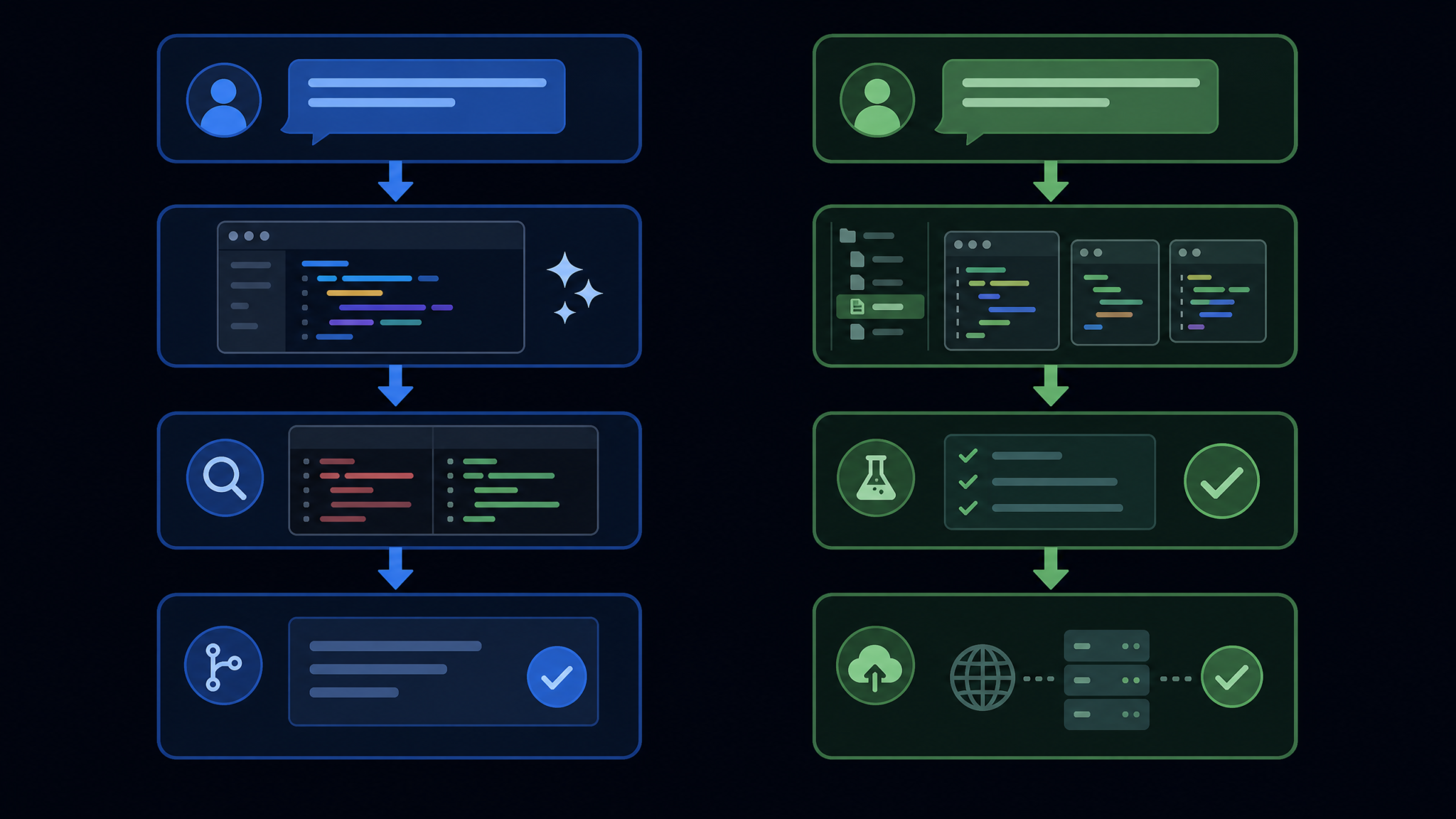
OpenCode’s agent layer wraps GPT-5.5 in a reactive planning loop: the model generates code, OpenCode’s runtime executes it in a sandboxed environment, captures the output or errors, and feeds the result back into the model for correction. This loop runs up to 12 iterations by default before surfacing output to the developer. It’s fast, flexible, and forgiving of ambiguous prompts — which explains its popularity with developers who prioritize velocity.
Codex CLI’s Scout Agent Architecture
Scout Agent is architecturally more ambitious and more conservative simultaneously — a paradox that makes sense once you understand its design goals. Rather than generating code and correcting it reactively, Scout Agent operates in three distinct phases:
- Reconnaissance Phase: The agent analyzes the existing codebase structure, identifies relevant files, maps dependencies, and constructs an internal representation of the system’s current state. No code is generated in this phase.
- Planning Phase: Scout Agent produces a formal task decomposition — essentially a directed acyclic graph (DAG) of sub-tasks with explicit dependencies, expected inputs, outputs, and invariants. This plan is surfaced to the developer for review before execution.
- Execution Phase: Code is generated following the plan, with each sub-task validated against its specified invariants before the next sub-task begins. If a validation fails, the agent backtracks to the planning phase rather than attempting a forward correction.
This architecture has profound implications for code quality. In internal benchmarks, Scout Agent produces code that passes unit tests on first generation approximately 73% of the time for well-specified tasks — compared to OpenCode’s 61% first-pass success rate. However, Scout Agent’s reconnaissance and planning phases add 15-45 seconds of latency before any code appears, which can feel sluggish for simple tasks that a reactive system would complete in 3-5 seconds.
Memory and Context Management
Both tools have invested heavily in context management, recognizing that the 512K token window — while impressive — is still insufficient for very large codebases. OpenCode uses a semantic chunking approach powered by a local embedding model: when a codebase exceeds the context window, OpenCode identifies the most semantically relevant files to the current task and loads only those into the active context. Codex CLI uses a more aggressive strategy called graph-aware pruning, which respects the dependency graph discovered during reconnaissance to ensure that no code in the context window references a dependency that has been pruned out.
In practice, graph-aware pruning produces more coherent results on large-scale refactoring tasks, while semantic chunking is faster and more versatile for greenfield development where dependency relationships are sparse.
Performance Benchmarks and Code Quality
Benchmark wars in AI tooling are notoriously easy to game, so this section focuses on methodology transparency and practical implications rather than headline numbers. All figures below reflect publicly available third-party benchmarks conducted in Q1 2026 unless otherwise noted.
HumanEval+ and SWE-bench Results
The two most widely respected benchmarks for AI coding tools are HumanEval+ (a comprehensive extension of OpenAI’s original HumanEval with 820 problems spanning 12 programming paradigms) and SWE-bench Verified (which tests tools against real GitHub issues from major open-source repositories).
| Benchmark | OpenCode v1.15 (GPT-5.5) | Codex CLI v0.144.0 (Scout Agent) |
|---|---|---|
| HumanEval+ (pass@1) | 91.4% | 89.7% |
| HumanEval+ (pass@10) | 97.8% | 97.1% |
| SWE-bench Verified (resolved %) | 58.3% | 64.1% |
| SWE-bench Lite (resolved %) | 62.7% | 67.4% |
| First-pass unit test success rate | 61.2% | 73.4% |
| Average latency (simple tasks) | 3.2s | 18.7s |
| Average latency (complex refactors) | 47s | 89s |
The pattern is clear: OpenCode leads on raw generation speed and performs marginally better on isolated algorithmic problems (HumanEval+). Codex CLI leads significantly on real-world issue resolution (SWE-bench) and first-pass correctness. The 5.8 percentage point gap in SWE-bench Verified resolution is practically significant — it means that for every 100 real GitHub issues you throw at these tools, Codex CLI resolves roughly 6 more without requiring additional human intervention.
Code Security Analysis
A critical dimension that many benchmark comparisons overlook is security of generated code. A tool that generates insecure code quickly is worse than useless in production environments. The security research firm DeepShield conducted a controlled study in February 2026, generating 500 code samples from each tool across common vulnerability categories (SQL injection, XSS, path traversal, insecure deserialization, and race conditions).
| Vulnerability Category | OpenCode Vulnerable Samples | Codex CLI Vulnerable Samples |
|---|---|---|
| SQL Injection | 4.2% | 1.8% |
| Cross-Site Scripting (XSS) | 7.1% | 3.4% |
| Path Traversal | 5.6% | 2.1% |
| Insecure Deserialization | 11.3% | 4.7% |
| Race Conditions | 14.8% | 6.9% |
Codex CLI consistently generates more secure code across all vulnerability categories, with particularly notable differences in race conditions and insecure deserialization. This is a direct consequence of Scout Agent’s planning phase, which explicitly models concurrency semantics and data flow before generating code. For teams building financial systems, healthcare applications, or anything touching sensitive user data, these numbers warrant serious consideration.
Memory Usage and Local Performance
OpenCode’s local client (excluding API calls) typically consumes 380-520 MB of RAM at runtime, with a peak of approximately 1.2 GB when processing large multi-file refactoring tasks. Codex CLI is significantly leaner: its base runtime uses 90-140 MB, rising to 420 MB peak. For developers working on memory-constrained machines or running multiple development tools simultaneously, Codex CLI’s lower resource footprint is a genuine operational advantage.
Supported Languages and Ecosystems
Language support is more nuanced than a simple feature checklist suggests. Both tools nominally support dozens of programming languages, but the depth of that support — including awareness of ecosystem-specific idioms, package managers, testing frameworks, and deployment patterns — varies considerably.
OpenCode’s Language Coverage
OpenCode v1.15 supports 94 programming languages with explicit grammar definitions and ecosystem-aware generation. For the 20 most widely used languages, it maintains dedicated context packs — curated collections of examples, best practices, and anti-patterns that are injected into the prompt context to improve output quality. The languages with the strongest support include:
- Python: Deep integration with FastAPI, Django, SQLAlchemy, Pydantic v3, and async patterns. Excellent type annotation generation.
- TypeScript/JavaScript: Supports all major frameworks including React 20, Vue 4, Next.js 15, Deno 2.x, and Bun 2.x. Strong awareness of the current module ecosystem.
- Rust: Solid ownership and lifetime inference, though complex lifetime puzzles still occasionally require human guidance.
- Go: Idiomatic Go generation with correct goroutine patterns and interface design.
- Java/Kotlin: Full Spring Boot 4 and Kotlin Coroutines support, including reactive streams.
- C/C++: Modern C++23 feature awareness, though less sophisticated than purpose-built tools for systems programming.
Codex CLI’s Language Depth Over Breadth
Codex CLI supports 67 languages — fewer than OpenCode, but with meaningfully greater depth in its primary domains. The Scout Agent architecture specifically excels in languages where correctness is formally verifiable, because its planning phase can incorporate type system constraints, compiler invariants, and formal specifications into the task decomposition graph.
- Rust: Arguably the best AI-assisted Rust development available. Scout Agent models ownership semantics explicitly during planning, resulting in borrow checker-correct code far more often than any competing tool.
- Haskell and functional languages: Uniquely capable of generating type-correct Haskell, including complex typeclass hierarchies and monadic compositions.
- C and Systems C: Exceptional for embedded systems and kernel-level code, with explicit awareness of memory alignment, volatile semantics, and compiler-specific extensions.
- SQL and database query languages: Generates query-plan-aware SQL that avoids common performance pitfalls, with awareness of query optimizer behavior across PostgreSQL 18, MySQL 9.x, and SQLite 4.
- Solidity and WebAssembly: Strong support for smart contract development with explicit security pattern checking during the planning phase.
For teams working primarily in Python, TypeScript, or Java, OpenCode’s breadth advantage is largely irrelevant — both tools provide excellent coverage. But for teams pushing the boundaries of Rust, systems C, or formally correct functional code, Codex CLI’s depth advantage is substantial.
IDE Integration and Editor Experience
How an AI coding tool integrates with your existing development environment is often more important than raw capability benchmarks. A technically superior tool that interrupts your flow state or requires constant context-switching will lose to a slightly weaker tool that feels native to your editor.
OpenCode IDE Integrations
OpenCode ships official extensions for the following editors and IDEs, all maintained by the core team:
- VS Code / Cursor / Windsurf: Full-featured extension with inline suggestions, chat panel, multi-file edit mode, and terminal integration. The VS Code extension alone has 4.2 million installs as of Q2 2026.
- JetBrains Suite (IntelliJ, PyCharm, GoLand, Rider, etc.): Feature parity with the VS Code extension, with native awareness of JetBrains’ project model for better context extraction.
- Neovim: A community-maintained but officially endorsed plugin (opencode.nvim) with lazy.nvim support and full LSP integration.
- Emacs: opencode-el, providing a fluid integration within the familiar Emacs paradigm including org-mode code block support.
- Web IDE: A browser-based interface at opencode.dev that supports full project imports from GitHub, GitLab, and Bitbucket.
OpenCode’s multi-file edit mode deserves special mention. When you ask OpenCode to implement a feature that spans multiple files, it presents a unified diff view showing all proposed changes across every affected file before applying anything. Developers can selectively accept, reject, or modify individual hunks within this view — a workflow that feels genuinely natural rather than bolt-on.
Codex CLI IDE Integrations
Codex CLI takes a more deliberate approach to IDE integration, focusing depth over breadth. Its terminal-first philosophy means the command-line interface is always the primary interaction surface, with IDE integrations serving as windows into the CLI’s capabilities rather than standalone products.
- VS Code Extension: Embeds a terminal panel within VS Code that provides the full Codex CLI experience, including Scout Agent plan visualization before execution.
- Neovim / Vim: Deep integration via codex.nvim, widely considered the gold standard among terminal-focused developers. Supports custom keybindings, floating windows for plan review, and direct buffer manipulation.
- tmux Integration: Codex CLI’s tmux plugin allows multi-pane workflows where the planning visualization occupies one pane and the execution output streams in another — a pattern beloved by senior engineers who live in the terminal.
- GitHub Actions / GitLab CI: First-class CI/CD integration that can run Codex CLI tasks as pipeline steps, automatically generating patches for failing tests or security vulnerabilities detected in CI.
Notably absent from Codex CLI’s official integrations: JetBrains IDE support. A community plugin exists but is significantly behind in features and has had stability issues with PyCharm’s Python plugin. JetBrains users working in Python or Java should consider this a meaningful limitation.
The Terminal vs GUI Divide
This is perhaps the most philosophically significant difference in user experience. OpenCode’s GUI-first approach makes it immediately accessible and requires no terminal comfort. Codex CLI’s terminal-first approach creates a steeper initial learning curve but ultimately enables automation patterns that GUI tools cannot easily replicate — running Codex CLI tasks in parallel across multiple repositories in a shell script, for example, or composing Codex CLI with Unix tools via pipes.
# Example: Codex CLI in a shell pipeline
# Find all files with TODO comments and generate implementations
git grep -l "TODO: implement" | \
  xargs -I {} codex --file {} \
        --task "implement all TODO functions following existing patterns" \
        --plan-review auto-approve \
        --output patch | \
  git apply --index
This kind of composable automation is natural in Codex CLI and awkward (though possible via OpenCode’s REST API) in OpenCode’s paradigm. Developers who think of their development workflow as a series of composable operations will find Codex CLI’s design philosophy deeply satisfying.
Pricing Models and Cost Analysis
The total cost of using either tool is not as simple as the listed subscription price. API costs, team seat pricing, and the hidden cost of developer time spent on corrections all factor into the real-world economics.
OpenCode Pricing Tiers
| Tier | Price | Included | API Backend |
|---|---|---|---|
| Free | $0/month | 50 AI requests/day, basic autocomplete, community support | GPT-4o Mini (shared) |
| Pro | $24/month | Unlimited requests, multi-file edit, web UI, priority queue | GPT-5.5 (default), Claude 4 Sonnet (optional) |
| Team | $18/seat/month (5+ seats) | Everything in Pro + shared context, admin controls, audit logs | GPT-5.5, Claude 4 Sonnet, Gemini 2.5 Ultra |
| Enterprise | Custom | On-premise deployment, SOC 2 compliance, SLA, dedicated support | Any model, including private deployments |
| Open Source (BYOK) | $0/month | Full features, bring your own API key | Any OpenAI/Anthropic/Ollama compatible model |
OpenCode’s BYOK (Bring Your Own Key) tier is genuinely generous — it provides access to all features with no subscription fee, with costs passing directly through to your API provider. A typical professional developer using GPT-5.5 via BYOK might spend $15-45/month on API costs depending on usage intensity. This makes OpenCode’s total cost of ownership highly variable but potentially very competitive for light-to-moderate users.
Codex CLI Pricing Tiers
| Tier | Price | Included | Notes |
|---|---|---|---|
| Community | $0/month | BYOK required, all CLI features, Scout Agent (limited to 5 plans/day) | Full open-source build available |
| Developer | $29/month | Unlimited Scout Agent plans, CI/CD integration, priority inference | Hosted API access included |
| Professional | $49/month | Everything in Developer + parallel agent sessions, code review mode | Up to 5 concurrent agents |
| Team | $35/seat/month (3+ seats) | Shared knowledge base, team conventions, compliance exports | Minimum 3 seats |
| Enterprise | Custom | Air-gapped deployment, FIPS compliance, dedicated inference cluster | Available for regulated industries |
Codex CLI’s pricing is slightly higher at the individual professional tier ($29-49/month vs OpenCode’s $24/month Pro), reflecting its positioning as a tool for senior developers and enterprise teams rather than individual casual users. However, the included hosted API access in Developer and higher tiers means the total cost is more predictable than OpenCode’s BYOK model.
Real-World Cost Comparison for a 5-Person Team
Consider a 5-person development team working on a production web application, each using their AI coding tool approximately 4 hours per day. OpenCode Team pricing would run $90/month in subscription fees plus approximately $120-200/month in GPT-5.5 API costs — totaling $210-290/month. Codex CLI Team pricing would be $175/month flat, with API costs included. At this scale, Codex CLI’s all-inclusive pricing is actually slightly more economical for predictable, heavy usage patterns. OpenCode becomes cost-advantageous for teams with variable or lighter usage.
Community Size and Plugin Ecosystems
The value of an open-source tool’s community extends far beyond the GitHub star count. The quality of documentation, the responsiveness of maintainers, the richness of the plugin ecosystem, and the availability of community knowledge all determine how quickly developers can become productive and how much support they can access when things go wrong.
OpenCode Community Metrics
OpenCode’s community statistics as of Q2 2026 are extraordinary by any standard:
- 161,000 GitHub stars with 8,200 forks
- 2,400+ contributors across all repositories
- Discord community: 145,000 members, averaging 12,000 daily active users
- Official plugin registry: 1,847 plugins across categories including language packs, framework integrations, code review automations, and deployment scripts
- Documentation: Available in 14 languages, with a comprehensive tutorials section maintained by community members
- Stack Overflow activity: 18,000+ tagged questions with an 87% answer rate
The plugin ecosystem is OpenCode’s most compelling community asset. The top 20 plugins by install count include integrations for GitHub Actions automated PR generation, Jira/Linear ticket-to-code workflows, Figma design-to-component conversion, database schema migration generation, and OpenAPI specification generation from natural language descriptions. These plugins transform OpenCode from a code generation tool into a development workflow automation platform.
OpenCode Plugin Development Experience
Writing an OpenCode plugin is genuinely straightforward. The plugin API is well-documented and built on a familiar event-driven model:
// OpenCode Plugin: Auto-generate JSDoc on file save
import { OpenCodePlugin, FileEvent, CodeContext } from '@opencode/plugin-sdk';

export default class JSDocPlugin implements OpenCodePlugin {
  name = 'auto-jsdoc';
  version = '1.0.0';

  async onFileSave(event: FileEvent, context: CodeContext) {
    const undocumentedFunctions = await context.analyze()
      .findFunctions()
      .where(fn => !fn.hasJSDoc())
      .toArray();

    if (undocumentedFunctions.length === 0) return;

    const documented = await context.ai.complete({
      task: 'add-jsdoc',
      targets: undocumentedFunctions,
      style: context.workspace.conventions.docStyle
    });

    await event.applyDiff(documented.diff);
  }
}
Codex CLI Community Metrics
Codex CLI’s community is smaller but distinctly more concentrated among experienced practitioners:
- 91,000 GitHub stars with 4,100 forks
- 680 contributors, but with a notably higher median experience level (based on contributor profile analysis)
- GitHub Discussions and Reddit (r/codexcli): 48,000 combined community members, lower volume but higher average technical depth
- Plugin ecosystem: 412 plugins with a notably higher average quality bar (plugins must pass a security review before appearing in the official registry)
- Documentation: English only currently, but exceptionally detailed — the Scout Agent specification document alone is 140 pages
The quality-over-quantity philosophy extends to Codex CLI’s plugin ecosystem. While 412 plugins is a fraction of OpenCode’s 1,847, almost all Codex CLI plugins are actively maintained, have test suites, and include security review notes. The OpenCode plugin ecosystem includes a long tail of abandoned or unmaintained plugins that can create maintenance headaches for teams that adopt them.
Access 40,000+ AI Prompts for ChatGPT, Claude & Codex — Free!
Subscribe to get instant access to our complete Notion Prompt Library — the largest curated collection of prompts for ChatGPT, Claude, OpenAI Codex, and other leading AI models. Optimized for real-world workflows across coding, research, content creation, and business.
For developers who want to deeply understand the tools they’re using and contribute back to them, Codex CLI’s smaller, more expert community may actually be the preferable environment. Issues receive responses from core contributors rather than community members, and the RFC (Request for Comments) process for new features is rigorous and transparent.
Understanding how AI coding tools interact with version control systems is fundamental to evaluating their team-based utility. AI coding tools Git workflow integration — teams that integrate AI assistance deeply into their Git commit hygiene, PR generation, and code review pipelines consistently report 40-60% faster feature delivery cycles compared to teams that use AI tools only for inline completion.
Real-World Developer Workflows
Benchmarks and feature lists tell you what a tool can do in controlled conditions. Real-world workflow analysis tells you how it actually feels to work with these tools across an eight-hour engineering day. The following scenarios are composites drawn from engineering team case studies published in 2025-2026.
Scenario 1: Feature Development in a Large TypeScript Monorepo
A senior frontend engineer at a mid-size SaaS company needs to implement a new authentication flow that touches the auth service, the user service, three shared UI components, and the API gateway layer — approximately 15 files across 4 packages in a 400,000-line TypeScript monorepo.
With OpenCode: The engineer opens the OpenCode chat panel and describes the feature. OpenCode uses semantic chunking to identify the 15 most relevant files, loads them into context, and generates a complete implementation proposal in about 52 seconds. The multi-file diff view shows all proposed changes clearly. The engineer accepts 12 of 15 file changes outright, modifies 2 to align with a pattern not captured in the existing codebase, and rejects 1 (a migration file that OpenCode hallucinated for a table that doesn’t need migration). Total time: ~8 minutes including review. The engineer notes that OpenCode missed a rate limiting concern in the API gateway changes — something that required a separate correction prompt.
With Codex CLI: The engineer runs codex implement "new OAuth2 PKCE authentication flow following RFC 7636". Scout Agent spends 38 seconds in reconnaissance, then presents a 12-step implementation plan that explicitly calls out the rate limiting concern as a required invariant of the API gateway changes. The engineer reviews and approves the plan. Code generation takes an additional 2 minutes 45 seconds. All 15 files are generated, and the rate limiting logic is correctly implemented without a correction prompt. Total time: ~12 minutes including plan review. The code passes unit tests on first run.
Verdict for this scenario: OpenCode is faster (8 vs 12 minutes) but required an additional correction cycle. Codex CLI is slower but produces higher first-pass quality. For a feature shipping to production in a financial SaaS context, the additional 4 minutes is well worth the avoided security gap.
Scenario 2: Debugging a Subtle Concurrency Bug
A backend engineer is chasing a race condition in a Go microservice that manifests only under high load. They have a failing load test and a stack trace but no clear reproduction case.
With OpenCode: The engineer pastes the stack trace and relevant code sections into OpenCode’s chat. OpenCode generates a plausible hypothesis about a channel closing pattern and suggests a fix. The fix is implemented, the load test is run again — the bug persists but manifests differently. Two more iterations with OpenCode produce incremental improvements. Total debug cycle: 2 hours 20 minutes.
With Codex CLI: The engineer runs codex debug --trace stack_trace.txt --relevant-files service/*.go. Scout Agent’s reconnaissance phase identifies a goroutine leak in a context cancellation handler that the stack trace didn’t directly implicate. The planning phase maps the full concurrency semantics of the affected code path and identifies two contributing race conditions. The generated fix addresses both. Load test passes on first attempt. Total debug cycle: 48 minutes.
Verdict for this scenario: Codex CLI’s systematic approach to understanding program semantics makes it dramatically more effective at debugging complex concurrency issues. OpenCode’s reactive loop, while effective for many tasks, tends to treat debugging as a pattern-matching problem rather than a semantic analysis problem.
Scenario 3: Rapid Prototyping a New API Endpoint
A startup engineer needs to prototype a new REST endpoint that aggregates data from three third-party APIs and returns a normalized response. Time-to-working-prototype is the priority; this code won’t go to production without further review.
With OpenCode: In 3 exchanges over 6 minutes, the engineer has a working FastAPI endpoint with mock data, error handling, and a basic test. OpenCode’s fluent, responsive interaction model is ideal for this exploratory workflow.
With Codex CLI: Scout Agent’s planning phase adds friction that feels unnecessary for this exploratory task. The engineer finds themselves wanting to skip the plan review for a throwaway prototype. While the final code is arguably cleaner, the workflow feels over-engineered for the purpose.
Verdict for this scenario: OpenCode wins decisively for rapid prototyping. Codex CLI’s architecture optimizes for correctness at the cost of exploration speed.
Scenario 4: CI/CD Pipeline Automation
A DevOps engineer wants to automate the generation of database migration scripts whenever the ORM models are modified, triggering this check in a GitHub Actions workflow.
With OpenCode: Achievable via the OpenCode GitHub Actions integration, but requires the OpenCode server to be reachable from the CI environment and involves setting up authentication tokens. Functional but with operational complexity.
With Codex CLI:
# .github/workflows/migration-check.yml
- name: Generate migrations for model changes
  uses: codex-cli/action@v2
  with:
    task: |
      Analyze changed ORM model files.
      Generate Alembic migration scripts for any schema changes.
      Validate migrations are reversible.
    files: ${{ steps.changed-files.outputs.all_changed_files }}
    model: scout-agent
    plan-review: auto-approve
    api-key: ${{ secrets.CODEX_API_KEY }}
Verdict for this scenario: Codex CLI’s terminal-native, composable design makes CI/CD integration dramatically simpler and more robust. The GitHub Actions integration is a first-class feature, not an afterthought.
The question of which AI coding tool performs best in enterprise environments extends beyond raw feature comparisons to encompass compliance, audit logging, and data residency requirements. enterprise AI coding tools compliance and security — organizations operating under SOC 2, HIPAA, or FedRAMP requirements will find that both tools have made significant investments in compliance infrastructure, but with meaningfully different approaches to data handling and audit trail generation.
Decision Matrix: Choosing the Right Tool
No single tool is the right choice for every developer or team. The following matrix synthesizes everything covered in this article into actionable guidance based on your specific context and priorities.
Choose OpenCode if you are:
- A full-stack web developer building products in TypeScript, Python, or JavaScript, where feature velocity is the primary competitive advantage
- A team using JetBrains IDEs as your primary development environment — OpenCode’s JetBrains support is significantly more mature
- Working across many languages in a polyglot environment — OpenCode’s 94-language coverage with dedicated context packs is a genuine advantage
- A solo developer or small team on a budget who wants to leverage BYOK pricing to keep costs variable and potentially low
- Building rapidly iterating products where time-to-first-prototype matters more than first-pass correctness
- Working with non-technical stakeholders who benefit from OpenCode’s multimodal input (Figma mockups, UI screenshots, architecture diagrams)
- Seeking a rich plugin ecosystem with integrations for virtually every tool in the modern development stack
- New to AI-assisted coding and want a tool with excellent documentation, a large community, and an approachable user interface
Choose Codex CLI if you are:
- A systems programmer working in Rust, C, or C++ where correctness is non-negotiable and undefined behavior is a serious concern
- A security-focused engineer who cannot afford to ship vulnerable code and needs the lower vulnerability rate that Scout Agent’s planning phase provides
- A terminal-native developer who lives in Neovim, tmux, and shell scripts — Codex CLI’s composability with Unix tools is unmatched
- Debugging complex concurrency issues in distributed systems where reactive code generation leads to whack-a-mole debugging cycles
- Building CI/CD automation where Codex CLI’s first-class GitHub Actions and GitLab CI integration enables powerful pipeline-native workflows
- Working in regulated industries (finance, healthcare, government) where auditability, security, and on-premise deployment options are requirements
- A senior engineer who values understanding your tools deeply and contributing to a focused, expert community
- Working primarily in Solidity, WebAssembly, or Haskell — domains where Codex CLI’s depth advantage is most pronounced
Comprehensive Decision Matrix
| Use Case / Criteria | OpenCode v1.15 | Codex CLI v0.144.0 | Recommendation |
|---|---|---|---|
| Rapid prototyping | ⭐⭐⭐⭐⭐ | ⭐⭐⭐ | OpenCode |
| First-pass code correctness | ⭐⭐⭐⭐ | ⭐⭐⭐⭐⭐ | Codex CLI |
| Security of generated code | ⭐⭐⭐ | ⭐⭐⭐⭐⭐ | Codex CLI |
| VS Code / Cursor integration | ⭐⭐⭐⭐⭐ | ⭐⭐⭐⭐ | OpenCode |
| JetBrains integration | ⭐⭐⭐⭐⭐ | ⭐⭐ | OpenCode (strongly) |
| Neovim / terminal integration | ⭐⭐⭐ | ⭐⭐⭐⭐⭐ | Codex CLI |
| CI/CD pipeline integration | ⭐⭐⭐ | ⭐⭐⭐⭐⭐ | Codex CLI |
| Language breadth | ⭐⭐⭐⭐⭐ | ⭐⭐⭐⭐ | OpenCode |
| Rust / systems programming | ⭐⭐⭐ | ⭐⭐⭐⭐⭐ | Codex CLI |
| Debugging complex bugs | ⭐⭐⭐ | ⭐⭐⭐⭐⭐ | Codex CLI |
| Plugin ecosystem richness | ⭐⭐⭐⭐⭐ | ⭐⭐⭐ | OpenCode |
| Plugin ecosystem quality | ⭐⭐⭐ | ⭐⭐⭐⭐⭐ | Codex CLI |
| Community support / learning resources | ⭐⭐⭐⭐⭐ | ⭐⭐⭐ | OpenCode |
| Predictable monthly cost | ⭐⭐⭐ | ⭐⭐⭐⭐⭐ | Codex CLI |
| Enterprise compliance features | ⭐⭐⭐⭐ | ⭐⭐⭐⭐⭐ | Codex CLI |
| Multimodal input (images, diagrams) | ⭐⭐⭐⭐⭐ | ⭐⭐ | OpenCode |
| Memory / resource efficiency | ⭐⭐⭐ | ⭐⭐⭐⭐⭐ | Codex CLI |
| Onboarding ease for new developers | ⭐⭐⭐⭐⭐ | ⭐⭐⭐ | OpenCode |
The “Both Tools” Strategy
An increasingly common pattern among experienced engineering teams is to deploy both tools for different purposes. OpenCode serves as the primary development assistant for the majority of the team working on product features in TypeScript and Python, while Codex CLI is the standard tool for the infrastructure and platform team working on Rust-based services and CI/CD automation. This hybrid approach captures the strengths of both architectures without forcing an organization-wide compromise. Both tools support BYOK and can share an API provider budget, and their IDE integrations coexist without conflict.
The evolving landscape of AI-assisted development workflows raises important questions about how development teams should structure their tooling decisions. AI development tools team adoption strategies — successful teams report that standardizing on a primary tool while allowing secondary tool usage in specialized contexts outperforms both rigid single-tool mandates and unconstrained individual choice.
Conclusion
After examining OpenCode v1.15 and Codex CLI v0.144.0 from every meaningful angle — architecture, benchmarks, language support, IDE integration, pricing, community, and real-world workflows — the conclusion is perhaps unsatisfying in its nuance: both tools are excellent, and the right choice depends almost entirely on your specific context.
OpenCode’s 161,000 stars reflect a genuinely compelling value proposition: a flexible, feature-rich, community-backed tool that lowers the barrier to AI-assisted development for a broad audience. GPT-5.5’s capabilities, the rich plugin ecosystem, the mature JetBrains integration, and the vibrant community make OpenCode the defensible default choice for most development teams — particularly those working in web application development, those new to AI coding tools, and those who benefit from the network effects of a very large user base.
Codex CLI’s 91,000 stars represent something different: a concentrated vote of confidence from developers who have tried the alternatives and chosen precision over convenience. Scout Agent’s planning-before-generation architecture produces measurably more correct, more secure code at the cost of speed. The terminal-native design, the CI/CD integration, and the exceptional Rust and systems programming support make Codex CLI the right tool for environments where the cost of a bug in production exceeds the cost of waiting 45 extra seconds for code generation.
The 70,000-star gap between these tools is not primarily a quality gap — it’s an audience gap. OpenCode is optimized for the developer who wants AI assistance to feel seamless, immediate, and broadly capable. Codex CLI is optimized for the developer who wants AI assistance to think carefully before acting. Both optimizations are valid. The question is which one matches how you work and what your codebase demands.
If you’re still uncertain, the practical recommendation is clear: both tools offer meaningful free tiers. Spend one week with each tool on real tasks from your actual codebase, not synthetic benchmarks. The tool that feels more like a trusted colleague — one that anticipates what you need and communicates clearly when it’s uncertain — is the tool you should use. In 2026, you’re fortunate to have two excellent options to choose from.
