
The AI Eisenhower Matrix: How to Automate Task Prioritization with ChatGPT in 2026
⚡ The Brief
- What it is: The AI Eisenhower Matrix is an automated task prioritization tool using ChatGPT to categorize tasks based on urgency and importance.
- Who it’s for: It’s designed for developers and professionals seeking efficient task management and prioritization in a fast-paced environment.
- Key takeaways: Learn how AI like ChatGPT can automate task categorization, enhance productivity, and focus on high-impact activities using the Eisenhower Matrix.
- Pricing/Cost: Costs vary depending on the AI platform and subscription model; explore options like GPT-5.4 or Claude Opus 4.7 for pricing details.
- Bottom line: Leveraging AI for task prioritization can transform productivity by automating mundane tasks and highlighting critical activities.
✓ Instant access✓ No spam✓ Unsubscribe anytime
In the fast-paced world of knowledge work, effective prioritization isn’t just a productivity hack — it’s a necessity. The Eisenhower Matrix, a time-tested framework popularized by Dwight D. Eisenhower, remains one of the most powerful tools for making sense of overwhelming to-do lists. But as task complexity grows and distractions multiply, professionals need smarter, automated ways to apply this method in real time.
Enter ChatGPT and advanced AI assistants in 2026: tools capable of instantly transforming chaotic task dumps into clear, actionable priorities. This article dives deep into the AI-powered Eisenhower Matrix, showing how to leverage ChatGPT to automate task categorization, delegation, and review, enabling you to focus on what truly moves the needle.
The Eisenhower Matrix: The Four Quadrants Explained with AI Examples
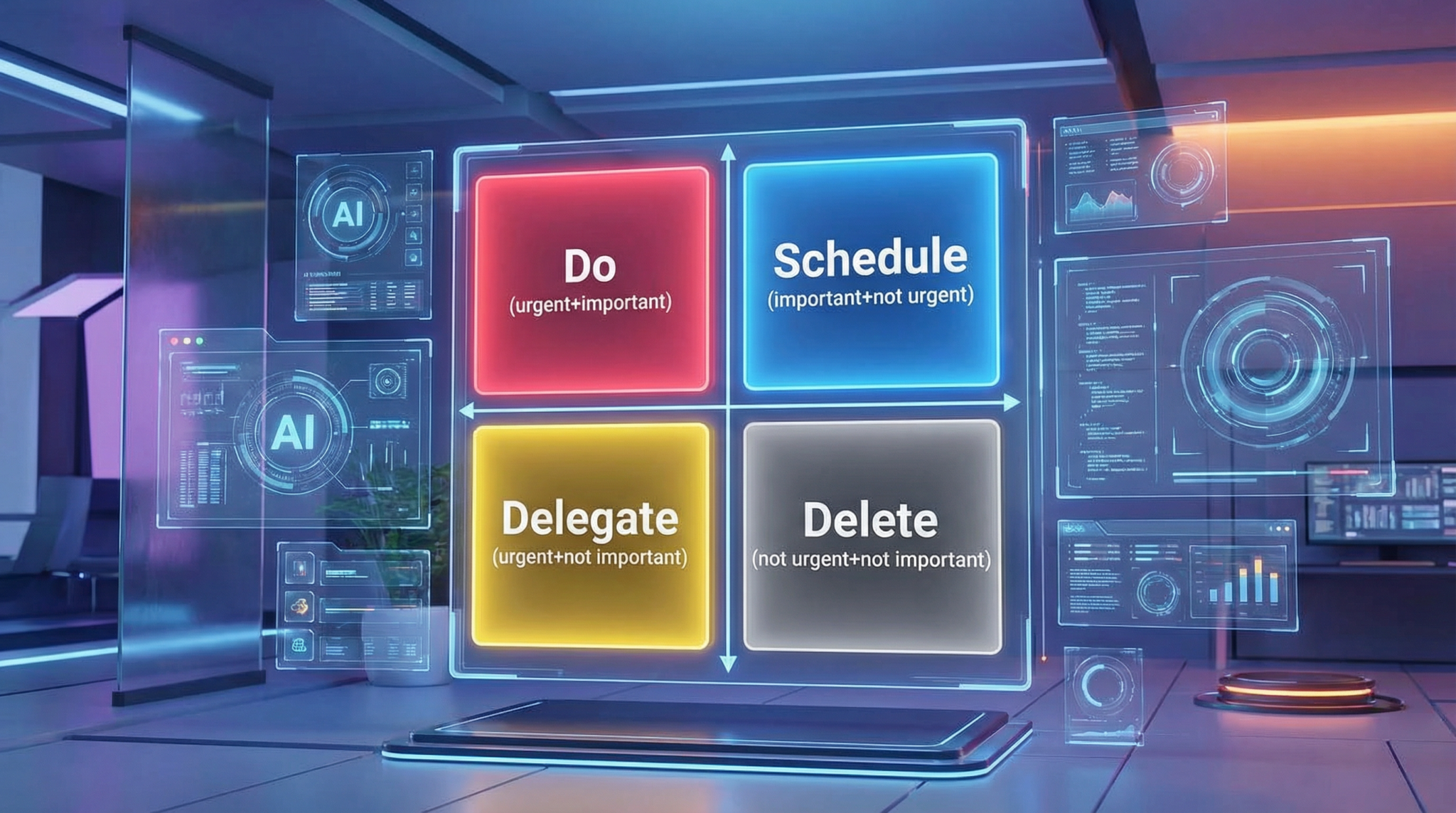
The Eisenhower Matrix divides tasks into four quadrants based on urgency and importance. Understanding the nuances of these quadrants is essential before layering in AI automation.
Quadrant 1: Urgent and Important (Do First)
These are critical tasks with pressing deadlines and significant impact — think crisis management, major client deliverables, or urgent bug fixes. In 2026, ChatGPT can recognize such tasks by analyzing keywords like “immediate,” “deadline,” or “critical.” For example, a product manager’s task “Resolve production outage affecting 10,000 users” would be flagged here.
AI can then suggest focused action plans or send calendar reminders to ensure timely completion.
Quadrant 2: Not Urgent but Important (Schedule)
This quadrant includes strategic work that drives long-term success: planning, relationship building, skill development, and innovation. While these tasks lack urgency, neglecting them leads to reactive firefighting.
ChatGPT can identify these by detecting tasks with words like “plan,” “research,” “strategy,” or “prepare.” For example, “Develop Q3 marketing strategy” or “Schedule leadership training” fit here.
AI can assist by automatically scheduling these tasks in your calendar during optimal focus periods and generating detailed project outlines.
Quadrant 3: Urgent but Not Important (Delegate)
These tasks demand immediate attention but don’t require your unique expertise — such as routine approvals, meeting coordination, or standard reporting. AI excels at flagging these and can even draft delegation emails or internal messages.
For instance, ChatGPT can take a task like “Compile weekly sales report” and generate a professional delegation email to your analyst team, saving you time and mental bandwidth.
Quadrant 4: Not Urgent and Not Important (Eliminate or Minimize)
These are distractions that neither add value nor require action, such as excessive social media browsing or irrelevant meetings. AI can detect these tasks by identifying low-value keywords or habitual patterns and recommend removal or drastic reduction.
Automating identification helps professionals stop wasting time on low-impact activities and reclaim focus for more meaningful work.
From Chaos to Clarity: How to Paste Your Chaotic To-Do List and Get Instant Prioritization
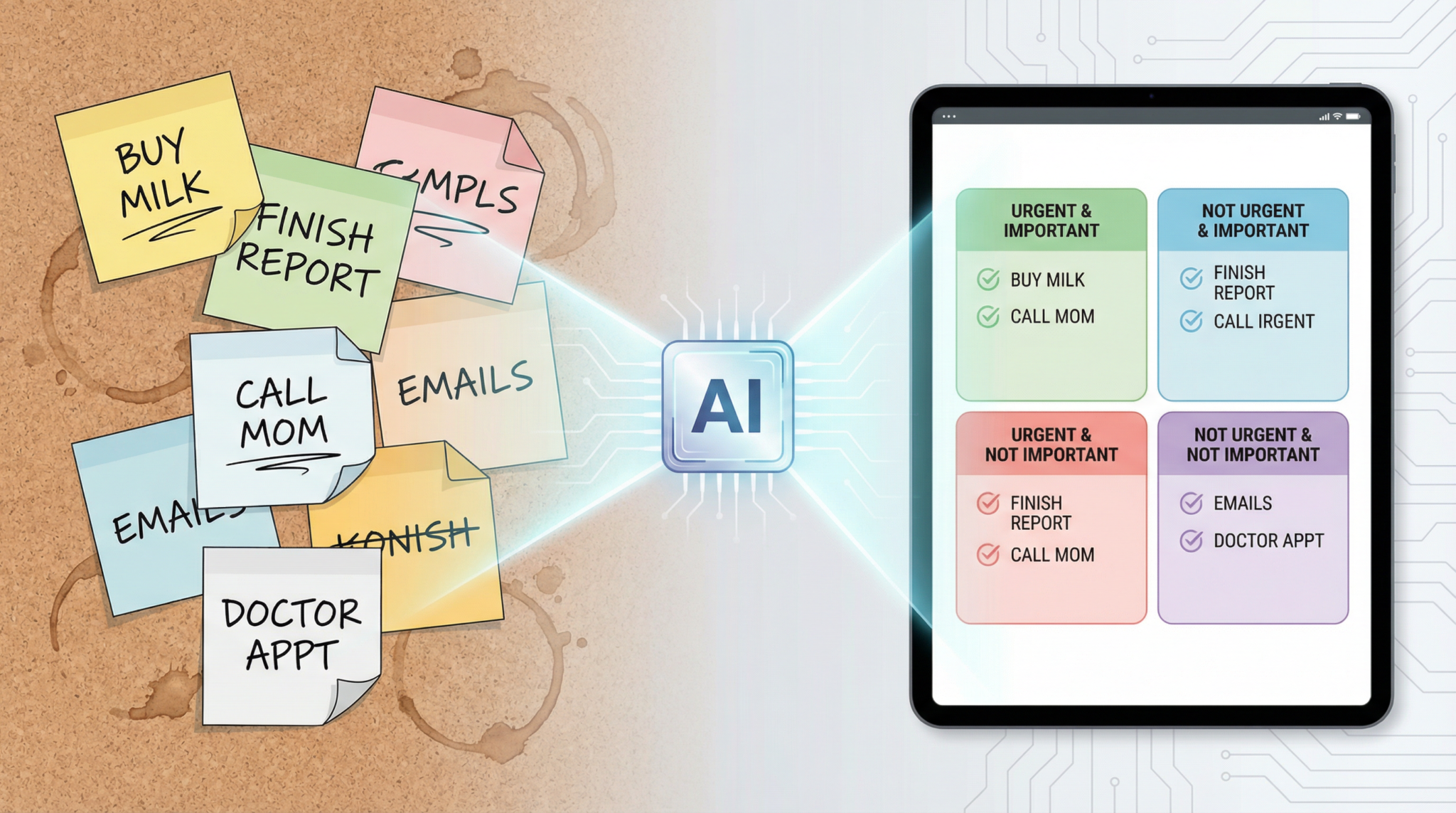
One of the most frustrating bottlenecks for professionals is taking a sprawling, unsorted to-do list and figuring out what to do next. ChatGPT’s natural language processing capabilities enable you to paste a raw list of tasks — no matter how messy — and receive an instant, structured Eisenhower Matrix prioritization.
Step-by-Step Implementation
- Gather your tasks: Export or copy your to-do list from any source — email, Slack, project management tools, or handwritten notes.
- Input to ChatGPT: Paste the list into ChatGPT with a prompt requesting Eisenhower Matrix classification. For instance, you can use the prompt provided below to instruct ChatGPT to categorize tasks into the four quadrants.
- Review the AI output: ChatGPT returns a prioritized table of tasks, grouped by quadrant, with explanations and suggested next steps.
- Integrate with your workflow: Export the results to your task manager or calendar. Many professionals automate this pipeline using APIs or no-code integrations.
Here is an example prompt to get precise prioritization:
Act as a productivity coach providing guidance on implementing the Eisenhower Matrix. Your task is to share practical steps for using the matrix effectively, examples of task categorization, and insights into how this method can boost overall productivity. Explain the 4 quadrants of the matrix, emphasizing the importance of prioritization and time management. Offer actionable tips on how to apply the Eisenhower Matrix to daily tasks and decision-making. My first request is to: [Insert your list of tasks here]
Pro Tip:
For large task lists, instruct ChatGPT to break down tasks by project or context to improve clarity. You can also ask for estimated effort or suggested deadlines to enhance scheduling accuracy.
Using ChatGPT to Draft Delegation Emails for Quadrant 3 Tasks
Delegation remains one of the most underutilized strategies for maximizing productivity. Identifying urgent but non-important tasks is just the start — effectively handing them off is equally critical. ChatGPT’s language generation capabilities make it easy to create clear, polite, and context-aware delegation emails.
How to Automate Delegation Email Drafting
- Identify Q3 tasks: Using AI prioritization, extract all tasks that fall under urgent but not important.
- Provide task context: Supply ChatGPT with the task details, recipient info, and any relevant deadlines.
- Generate the email: Prompt ChatGPT to draft a concise delegation email including scope, expectations, and deadlines.
- Review and customize: Make minor edits to personalize tone or add attachments.
- Send and track: Use your email client or automation tools to send and monitor progress.
Example delegation prompt:
“Draft a professional email to my operations assistant, Sarah, delegating the task of compiling the monthly client performance report. Include instructions to gather data from the sales and support teams, and a deadline of next Friday.”
By automating this step, you reduce cognitive load and free time for more strategic work.
Weekly Review Automation with AI: Staying Ahead of Your Priorities
Weekly reviews are vital for maintaining control over evolving workloads. Traditionally time-consuming, these reviews can now be streamlined with AI to provide actionable insights and proactive adjustments.
Automating Your Weekly Eisenhower Matrix Review
- Data aggregation: Use AI to pull in all new tasks, completed items, and calendar events from multiple sources.
- Reclassification: Have ChatGPT reassess task priority based on updated context, deadlines, and dependencies.
- Progress summary: Generate a concise report highlighting accomplishments, blockers, and shifts in priorities.
- Next steps recommendation: Receive AI-suggested adjustments to your matrix and scheduling for the coming week.
This approach ensures no important tasks slip through the cracks and helps identify emerging urgent issues proactively.
Implementation Tips:
- Integrate AI review prompts into calendar reminders or task management workflows.
- Use AI-generated insights as the basis for your weekly planning meetings or personal reflection.
- Leverage AI to flag tasks that have been stuck in Quadrant 2 too long, encouraging timely action.

Real-World Case Study: Project Manager Emily Leverages AI to Revolutionize Task Prioritization
Background: Emily Le, a senior project manager at a global software firm, manages cross-functional teams handling multiple product launches simultaneously. Her daily challenge was juggling dozens of competing priorities without burnout or missed deadlines.
Challenge
Emily’s traditional manual methods for prioritization and delegation were inefficient. She faced:
- Overwhelming task lists from email, Jira tickets, and Slack messages.
- Difficulty distinguishing urgent from important tasks amidst constant interruptions.
- Time-consuming delegation processes that diluted her focus on leadership.
AI-Driven Solution
Emily integrated ChatGPT-based automation into her workflow as follows:
- Task Aggregation: She pasted all tasks from various tools into ChatGPT and requested Eisenhower Matrix classification daily.
- Instant Prioritization: The AI returned categorized lists, enabling her to focus on Q1 and Q2 tasks first.
- Delegation Automation: For Q3 tasks, Emily used ChatGPT to draft delegation emails, which she reviewed and sent with minimal edits.
- Weekly Review: Emily automated a weekly AI-generated summary report to track progress and reclassify any shifting priorities.
Results
- 30% reduction in time spent on task sorting and email drafting.
- Improved on-time delivery rates by 25% across projects.
- Lower stress levels and enhanced strategic focus reported by Emily.
- Team members appreciated clarity and timely communication from delegation emails.
Emily’s case exemplifies how AI-powered Eisenhower Matrix automation is not just theoretical but a game-changer for high-stakes knowledge work in 2026.
Conclusion
The AI Eisenhower Matrix represents the next frontier in productivity for professionals and knowledge workers. By leveraging ChatGPT’s natural language understanding and generation capabilities, you can transform overwhelming, unstructured task lists into crystal-clear priorities, automate delegation with professional communication, and maintain continuous control via intelligent weekly reviews.
Integrating this system empowers you to focus on impact-driven work, reduce cognitive overload, and lead your projects and teams more effectively. Start experimenting today by pasting your to-do list into ChatGPT and watch how AI can elevate your prioritization game.
For more practical AI productivity workflows and prompts, explore our comprehensive AI productivity prompts guide and related articles like how to use ChatGPT for project management and automate email workflows with AI.
Access 40,000+ AI Prompts for ChatGPT, Claude & Codex — Free!
Subscribe to get instant access to our complete Notion Prompt Library — the largest curated collection of prompts for ChatGPT, Claude, OpenAI Codex, and other leading AI models. Optimized for real-world workflows across coding, research, content creation, and business.
Access Free Prompt LibraryFrequently Asked Questions
How accurate is ChatGPT at categorizing tasks into the Eisenhower Matrix?
ChatGPT’s accuracy depends on the clarity of task descriptions and the prompt design. When provided with detailed lists and clear instructions, it can categorize tasks with high precision, especially when combined with iterative feedback and human review.
Can AI fully replace manual prioritization?
While AI significantly accelerates and enhances prioritization, human judgment remains critical for context-sensitive decisions. AI is best used as an assistive tool, providing recommendations that professionals can adapt.
How do I integrate AI prioritization with existing task management tools?
Many professionals use APIs, Zapier, or no-code platforms to connect ChatGPT outputs with tools like Asana, Trello, or Microsoft To Do. You can automate task creation, tagging, and due-date assignment based on AI-generated priorities.
What privacy considerations should I keep in mind when sharing tasks with AI?
Ensure that sensitive or confidential information is handled according to your company’s policies. Use on-premise or private AI instances where possible, and anonymize data if necessary before inputting it into AI models.
🕐 Instant∞ Unlimited🎁 Free
Frequently Asked Questions
How does the AI Eisenhower Matrix work with ChatGPT?
The AI Eisenhower Matrix uses ChatGPT to analyze task lists, categorizing them into four quadrants based on urgency and importance. By identifying keywords and context, ChatGPT automates task prioritization, helping users focus on high-impact activities and streamline their workflow efficiently.
What are the benefits of using AI for task prioritization?
AI enhances task prioritization by automating the categorization process, reducing cognitive load, and ensuring important tasks are not overlooked. It allows professionals to focus on strategic activities, improves time management, and increases overall productivity by leveraging advanced AI capabilities.
Can AI handle complex task lists effectively?
Yes, AI like ChatGPT can handle complex task lists by using advanced natural language processing to understand context and urgency. It efficiently categorizes tasks, suggests action plans, and even automates scheduling, making it a powerful tool for managing intricate workloads.
Is the AI Eisenhower Matrix suitable for all industries?
The AI Eisenhower Matrix is versatile and can be adapted to various industries. Its ability to prioritize tasks based on urgency and importance makes it applicable to sectors like tech, finance, healthcare, and more, where effective task management is crucial for success.
What AI models are recommended for task automation in 2026?
In 2026, models like GPT-5.4, Claude Opus 4.7, and Gemini 3 are recommended for task automation. These models offer advanced capabilities in natural language processing and can be integrated into task management systems to enhance productivity and efficiency.
How does AI improve the Eisenhower Matrix's effectiveness?
AI improves the Eisenhower Matrix by automating task categorization, reducing human error, and providing real-time insights. It enhances decision-making by offering structured outputs and action plans, ensuring that important tasks are prioritized and completed efficiently.
