
By Markos Symeonides
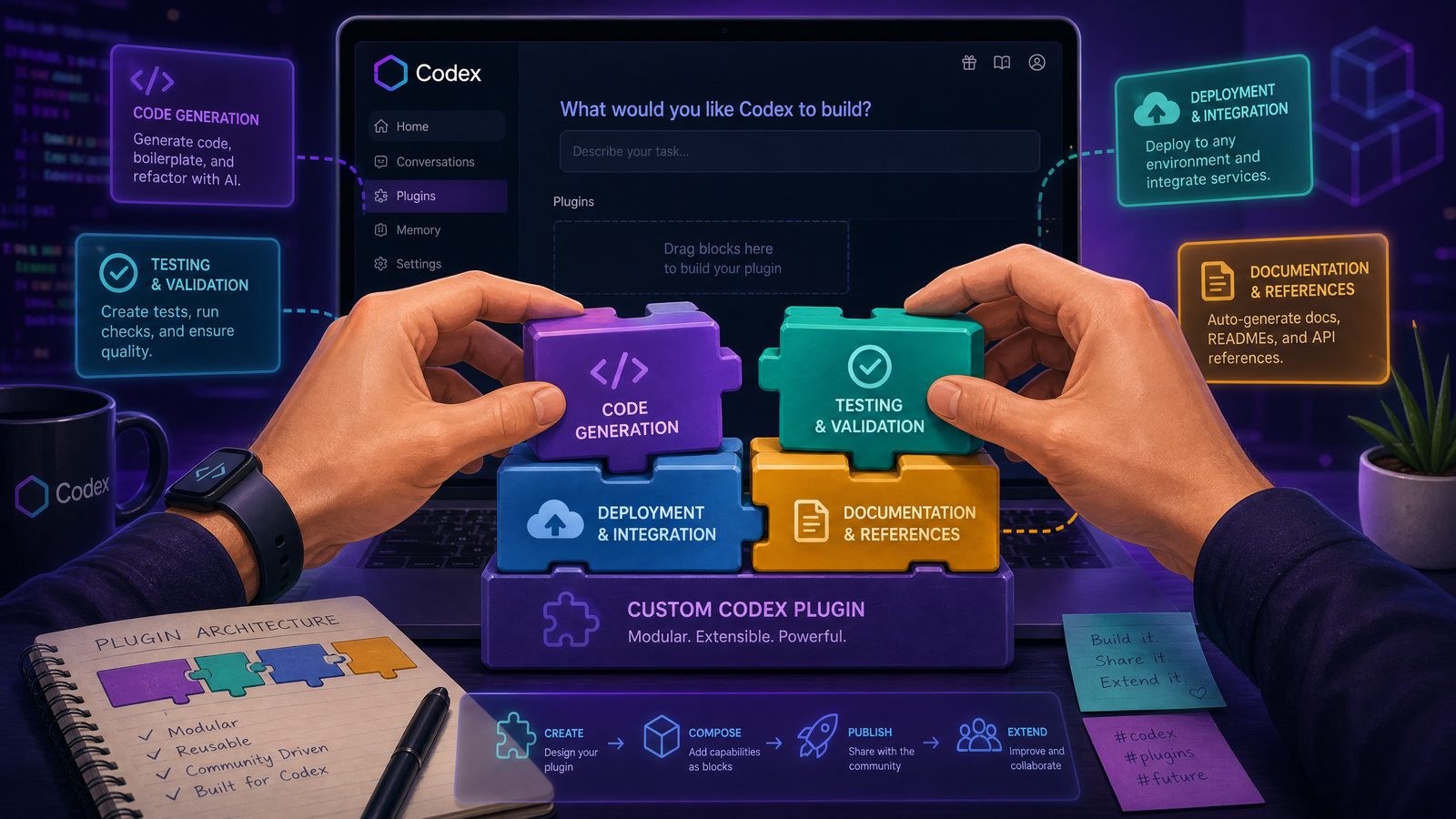
Custom Codex plugins can turn a general-purpose AI coding assistant into a role-aware engineering system that understands your repositories, internal standards, review policies, deployment paths, and team-specific workflows. For enterprise teams, the goal is not simply to make Codex “write code faster.” The real advantage comes from encoding organizational context into reusable plugin packages that guide Codex toward safe, consistent, and production-ready outputs.
This tutorial walks through a practical approach to plugin development for an organization using an enterprise Codex workspace. You will design a role-specific plugin, define tools, write workflow guidance, wire up backend actions, test behavior, and prepare the package for deployment. The article uses realistic configuration files and code snippets you can adapt to your own engineering environment.
The tutorial assumes your organization has access to a Codex workspace that supports custom plugins, workspace-level configuration, tool definitions, and workflow guidance documents. Exact administrative screens may vary by deployment, but the architecture and implementation principles apply broadly to enterprise Codex environments.
1. What Custom Codex Plugins Actually Do
A Codex plugin is a packaged extension that gives Codex additional instructions, tools, context, and workflow rules for a particular role or task. Instead of relying on ad hoc prompts, a plugin creates a structured layer around how Codex should behave when assisting your team.
For example, a platform engineering team might create a plugin called platform-release-helper. That plugin could teach Codex how to inspect service manifests, validate Kubernetes configuration, check internal deployment rules, and generate release notes that match the company’s format. A security team might create a plugin that scans pull requests for insecure patterns, maps findings to internal severity rules, and suggests remediations aligned with company policy.
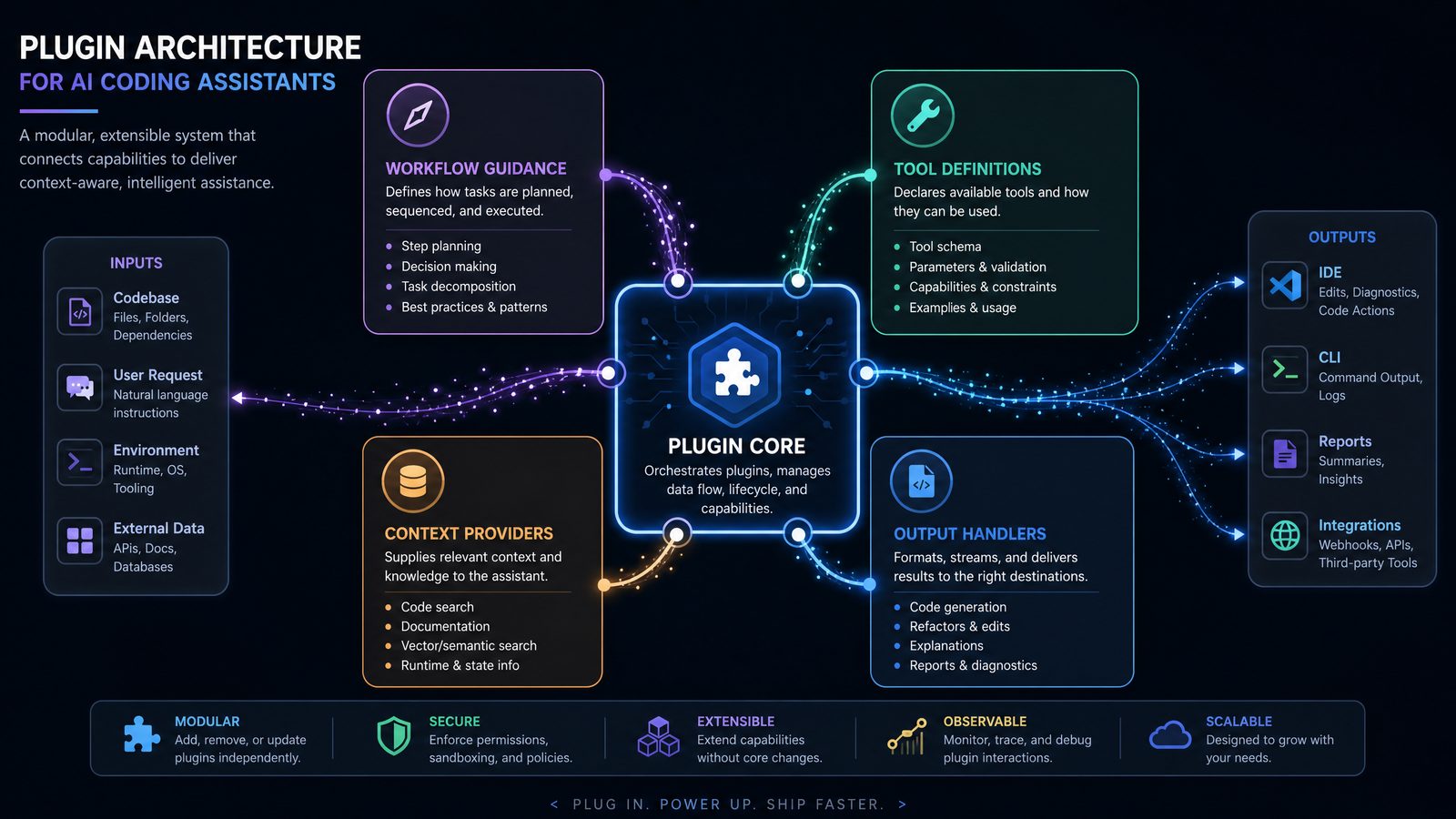
At a high level, Codex plugins usually provide four capabilities:
- Workflow guidance: Written instructions that tell Codex how to approach a task, when to ask clarifying questions, what checks to run, and what output format to use.
- Tool definitions: Machine-readable schemas describing callable actions such as searching a repository, querying an internal API, validating infrastructure files, or creating a ticket.
- Runtime services: Backend endpoints or scripts that perform privileged operations on behalf of the plugin.
- Workspace integration: Metadata, permissions, environment configuration, and deployment rules that make the plugin available to selected teams or roles.
The most successful custom plugins are narrow enough to be reliable but broad enough to support an entire workflow. A plugin that says “help developers write better code” is too vague. A plugin that says “review TypeScript pull requests against our frontend architecture standards and generate actionable comments” is much more useful.
A good custom plugin also reduces the cognitive load on team members. Developers should not need to remember every internal checklist, deployment rule, logging convention, or security requirement. Those expectations can be captured in workflow guidance and enforced through tool-backed validation.
To understand the broader implications of these developments for your AI strategy, our in-depth coverage of Mastering Custom GPTs: How Developers Can Build and Deploy Tailored AI Assistants Using OpenAI’s Latest API Features examines the technical architecture, pricing considerations, and enterprise deployment patterns that define the current generation of AI capabilities.
2. Reference Architecture for Team-Specific Plugin Development
A practical Codex plugin architecture has three layers: the plugin package, the plugin service, and the enterprise workspace. Keeping these layers separate makes your plugin easier to test, deploy, and govern.
The plugin package contains the static assets Codex needs to understand the plugin. This includes the manifest, tool schemas, guidance documents, role instructions, and metadata. The plugin service contains executable logic, usually exposed through HTTP endpoints or internal functions. The enterprise workspace controls identity, permissions, distribution, audit trails, and repository access.
| Layer | Primary Responsibility | Typical Files or Systems | Owned By |
|---|---|---|---|
| Plugin package | Defines what the plugin is, how Codex should use it, and which tools are available | plugin.yaml, tools/*.json, guidance/*.md |
Developer experience or platform team |
| Plugin service | Executes tool calls, validates inputs, connects to internal systems, and returns structured output | Node.js, Python, Go, internal APIs, CI services | Owning product or platform team |
| Codex workspace | Controls availability, permissions, identity, policy, logs, and deployment lifecycle | Workspace admin console, SSO groups, secrets manager, audit logs | Enterprise AI administrators and security team |
The plugin package should be versioned in Git, reviewed like production code, and released through a controlled process. Treat it as infrastructure for AI-assisted development, not as a casual prompt library. Even minor changes to guidance can materially affect Codex behavior, especially if the plugin has permission to call tools that modify tickets, branches, documentation, or deployment metadata.
A minimal plugin repository can look like this:
codex-plugin-pr-reviewer/
  plugin.yaml
  README.md
  guidance/
    role.md
    workflow.md
    output-format.md
    escalation.md
  tools/
    repo-search.json
    test-runner.json
    policy-check.json
  service/
    package.json
    src/
      server.ts
      tools/
        repoSearch.ts
        runTests.ts
        policyCheck.ts
  tests/
    fixtures/
    tool-contract.test.ts
    guidance-eval.test.ts
  deploy/
    workspace-config.yaml
    service-config.yaml
This layout separates Codex-facing instructions from runtime implementation. Your guidance files should be understandable to humans, while tool schemas should be precise enough for automated validation. The service layer should never assume that Codex will always call tools perfectly. Validate every argument, enforce authorization, and return clear errors when inputs are incomplete.
3. Planning the Plugin: Role, Scope, Permissions, and Success Criteria
Before writing configuration files, define the plugin’s role and boundaries. The best custom plugins are designed around a specific job-to-be-done. A backend API reviewer, an incident response assistant, a migration planner, and a release coordinator all need different instructions, tools, and permissions.
Start with a concise role statement:
Role statement: This plugin helps backend engineers review pull requests for Node.js services by checking API compatibility, test coverage, logging conventions, security-sensitive changes, and deployment readiness against internal engineering standards.
Then define what the plugin should not do. Scope exclusions are critical because Codex may otherwise try to be overly helpful. For a pull request reviewer plugin, exclusions might include approving a pull request, merging code, editing protected branches, or making final production risk decisions.
Create a planning document with the following fields:
| Planning Area | Questions to Answer | Decision for Our Tutorial Plugin |
|---|---|---|
| Primary users | Who will invoke the plugin? | Backend engineers and staff reviewers |
| Supported repositories | Which repos or project types are in scope? | Node.js services using Express, Fastify, or internal service templates |
| Allowed actions | Can the plugin read code, run tests, comment on PRs, or create tickets? | Read code, run safe test commands, evaluate policy, draft comments |
| Restricted actions | What must always require human approval? | Merging PRs, changing deployment settings, modifying production secrets |
| Success criteria | How will you measure value? | Reduced missed checklist items, faster review cycle, fewer post-merge defects |
You should also define the plugin’s risk class. A read-only documentation helper is low risk. A plugin that creates pull request comments is moderate risk. A plugin that modifies repositories or triggers deployments is high risk and should require stricter approval gates, audit logging, and staged rollout.
For this tutorial, we will build a backend-pr-reviewer plugin. It will support role-specific review guidance and three tools: repository search, test execution, and policy checking. The plugin will not merge code, write to production systems, or change secrets.
4. Creating the Plugin Manifest
The manifest is the entry point for your custom plugin. It tells the Codex workspace the plugin’s name, version, purpose, tools, guidance documents, permission requirements, and runtime service endpoint. While the exact schema may differ across enterprise environments, a YAML manifest is a common and readable format.
Create a file named plugin.yaml at the root of your plugin repository:
id: backend-pr-reviewer
name: Backend PR Reviewer
version: 0.1.0
description: >
  Reviews backend service pull requests for API compatibility, test coverage,
  logging conventions, security-sensitive changes, and deployment readiness.

publisher:
  organization: Acme Engineering
  owner_group: platform-devex
  support_contact: [email protected]

runtime:
  type: http
  base_url_env: CODEX_PLUGIN_SERVICE_URL
  timeout_ms: 30000

guidance:
  role: guidance/role.md
  workflow: guidance/workflow.md
  output_format: guidance/output-format.md
  escalation: guidance/escalation.md

tools:
  - id: repo_search
    definition: tools/repo-search.json
    endpoint: /tools/repo-search
  - id: run_tests
    definition: tools/test-runner.json
    endpoint: /tools/run-tests
  - id: policy_check
    definition: tools/policy-check.json
    endpoint: /tools/policy-check

permissions:
  repository:
    read: true
    write: false
  pull_requests:
    read: true
    comment: draft_only
    approve: false
    merge: false
  ci:
    run_safe_commands: true
    run_arbitrary_commands: false
  secrets:
    read: false
    write: false

availability:
  workspace: engineering
  groups:
    - backend-engineers
    - staff-engineers
    - platform-devex

audit:
  log_tool_calls: true
  log_inputs: metadata_only
  log_outputs: structured_summary
  retention_days: 90
The manifest should be explicit about permissions. Avoid broad declarations such as “repository access: full” unless the plugin genuinely needs it. If your plugin only reads files and returns analysis, declare read-only access. If it drafts pull request comments, make that capability clear and require human review before publication where possible.
Versioning also matters. Use semantic versioning for plugin releases. A change from 0.1.0 to 0.1.1 might update wording in the output format. A change from 0.1.0 to 0.2.0 might add a new tool. A change to 1.0.0 should indicate a stable contract your team can rely on.
The runtime.base_url_env field points to an environment variable rather than a hardcoded service URL. This allows the same plugin package to be deployed across development, staging, and production workspaces without editing the manifest for each environment.
The audit settings are also intentional. Many enterprises do not want full source code or sensitive payloads copied into central AI logs. A metadata-first strategy can preserve traceability while reducing exposure. For high-risk tools, record tool ID, caller identity, repository, commit SHA, input classification, execution result, and error category without storing entire file contents unless your legal and security teams approve that design.
5. Writing Workflow Guidance That Codex Can Reliably Follow
Workflow guidance is where plugin development becomes different from ordinary API integration. You are not only defining what Codex can call; you are shaping how Codex reasons through a task. Good workflow guidance is clear, procedural, testable, and role-specific.
Create guidance/role.md:
# Role

You are Backend PR Reviewer, an assistant for backend engineers reviewing
Node.js service pull requests.

Your responsibilities:
- Identify correctness, reliability, security, and maintainability concerns.
- Compare changed code against internal backend engineering standards.
- Use available tools before making claims about repository state.
- Distinguish confirmed findings from risks that require human judgment.
- Produce concise, actionable review comments.

You must not:
- Approve, merge, or reject pull requests.
- Claim tests passed unless the run_tests tool reports success.
- Recommend changing production secrets or protected deployment settings directly.
- Expose sensitive values found in code, logs, or configuration.
Create guidance/workflow.md:
# Review Workflow

When asked to review a backend pull request, follow this sequence:

1. Identify the repository, branch, pull request ID, and changed files.
2. Use repo_search to inspect service entry points, package metadata, route definitions,
   deployment manifests, and existing tests related to the change.
3. Classify the change:
   - API behavior
   - data model
   - authentication or authorization
   - logging or observability
   - deployment or configuration
   - dependency update
   - test-only change
4. Use policy_check for changed files that affect API routes, authentication,
   external integrations, data persistence, or deployment configuration.
5. Use run_tests only with approved test profiles. Never invent custom shell commands.
6. Produce findings in severity order:
   - Blocker
   - High
   - Medium
   - Low
   - Suggestion
7. For each finding, include:
   - Evidence from code or tool output
   - Why it matters
   - Recommended fix
   - Confidence level
8. If evidence is incomplete, ask a targeted question instead of guessing.
Create guidance/output-format.md:
# Output Format

Return the review using this structure:

## Summary
One short paragraph describing the change and overall risk.

## Checks Performed
- Repository areas inspected
- Policies evaluated
- Test profiles run
- Any checks skipped and why

## Findings
For each finding:

### [Severity] Title
Evidence:
Impact:
Recommendation:
Confidence:

## Suggested PR Comment
A concise review comment suitable for a human reviewer to post or edit.

## Follow-Up Questions
List only questions that materially affect review confidence.
Create guidance/escalation.md:
# Escalation Rules

Escalate to a human reviewer when:
- Authentication, authorization, encryption, or secret handling changes are present.
- Database migrations modify existing columns, indexes, constraints, or data retention.
- The policy_check tool returns a high or blocker result.
- Test execution fails due to environment or dependency errors.
- The requested action would require write access beyond draft comments.
- The model cannot verify a claim with available tools.
The wording is direct because Codex should not have to infer your engineering process from vague preferences. Notice the repeated emphasis on evidence. This is essential for enterprise Codex workflows. A plugin should not merely produce plausible feedback; it should explain which files, policies, and tests support its conclusion.
Guidance should also be maintainable. If your engineering standards live in another repository, reference a stable internal URL or sync them into the plugin package as versioned policy files. Do not copy half-remembered standards into guidance. Plugin behavior is only as trustworthy as the source material behind it.
6. Defining Tools with Strict Schemas
Tool definitions describe callable functions that Codex can use during a workflow. A tool definition should include a clear purpose, input schema, output schema, safety notes, and failure behavior. Treat tool definitions as contracts. If the schema is loose, Codex may send ambiguous inputs. If the output is inconsistent, Codex may misinterpret results.
Here is tools/repo-search.json:
{
  "id": "repo_search",
  "name": "Repository Search",
  "description": "Searches approved repository content for files, symbols, and text patterns relevant to a pull request review.",
  "input_schema": {
    "type": "object",
    "required": ["repository", "ref", "query"],
    "properties": {
      "repository": {
        "type": "string",
        "description": "Repository identifier in owner/name format."
      },
      "ref": {
        "type": "string",
        "description": "Branch name, commit SHA, or pull request ref."
      },
      "query": {
        "type": "string",
        "description": "Search query using approved repository search syntax."
      },
      "file_globs": {
        "type": "array",
        "items": { "type": "string" },
        "description": "Optional file glob filters."
      },
      "max_results": {
        "type": "integer",
        "minimum": 1,
        "maximum": 50,
        "default": 20
      }
    }
  },
  "output_schema": {
    "type": "object",
    "required": ["results"],
    "properties": {
      "results": {
        "type": "array",
        "items": {
          "type": "object",
          "required": ["path", "line_start", "line_end", "snippet"],
          "properties": {
            "path": { "type": "string" },
            "line_start": { "type": "integer" },
            "line_end": { "type": "integer" },
            "snippet": { "type": "string" }
          }
        }
      }
    }
  },
  "safety": {
    "read_only": true,
    "redact_secrets": true,
    "allowed_repositories": "workspace_policy"
  }
}
Here is tools/test-runner.json:
{
  "id": "run_tests",
  "name": "Approved Test Runner",
  "description": "Runs approved test profiles for backend services and returns structured test results.",
  "input_schema": {
    "type": "object",
    "required": ["repository", "ref", "profile"],
    "properties": {
      "repository": {
        "type": "string"
      },
      "ref": {
        "type": "string"
      },
      "profile": {
        "type": "string",
        "enum": ["unit", "api-contract", "lint", "changed-files"]
      },
      "timeout_seconds": {
        "type": "integer",
        "minimum": 30,
        "maximum": 900,
        "default": 300
      }
    }
  },
  "output_schema": {
    "type": "object",
    "required": ["status", "profile", "summary"],
    "properties": {
      "status": {
        "type": "string",
        "enum": ["passed", "failed", "error", "timed_out"]
      },
      "profile": {
        "type": "string"
      },
      "summary": {
        "type": "string"
      },
      "failed_tests": {
        "type": "array",
        "items": {
          "type": "object",
          "properties": {
            "name": { "type": "string" },
            "message": { "type": "string" },
            "file": { "type": "string" }
          }
        }
      },
      "logs_ref": {
        "type": "string",
        "description": "Reference to retained CI logs, not raw log contents."
      }
    }
  },
  "safety": {
    "allow_arbitrary_commands": false,
    "network_access": "restricted",
    "requires_clean_workspace": true
  }
}
Here is tools/policy-check.json:
{
  "id": "policy_check",
  "name": "Backend Policy Check",
  "description": "Evaluates changed backend files against internal engineering policies.",
  "input_schema": {
    "type": "object",
    "required": ["repository", "ref", "changed_files"],
    "properties": {
      "repository": { "type": "string" },
      "ref": { "type": "string" },
      "changed_files": {
        "type": "array",
        "minItems": 1,
        "items": { "type": "string" }
      },
      "policy_set": {
        "type": "string",
        "enum": ["backend-default", "backend-security", "api-compatibility"],
        "default": "backend-default"
      }
    }
  },
  "output_schema": {
    "type": "object",
    "required": ["status", "findings"],
    "properties": {
      "status": {
        "type": "string",
        "enum": ["passed", "failed", "warning", "error"]
      },
      "findings": {
        "type": "array",
        "items": {
          "type": "object",
          "required": ["severity", "code", "message", "path"],
          "properties": {
            "severity": {
              "type": "string",
              "enum": ["blocker", "high", "medium", "low", "suggestion"]
            },
            "code": { "type": "string" },
            "message": { "type": "string" },
            "path": { "type": "string" },
            "line": { "type": "integer" },
            "remediation": { "type": "string" }
          }
        }
      }
    }
  },
  "safety": {
    "read_only": true,
    "deterministic": true,
    "policy_source": "versioned"
  }
}
Well-designed tool definitions reduce hallucination because Codex has a constrained way to gather evidence. They also make testing easier. You can validate whether Codex selects the right tool, provides valid arguments, and interprets returned results correctly.
The most common mistake in plugin development is giving Codex a general shell execution tool. Avoid that pattern for enterprise Codex unless you have a sandbox, command allowlist, resource limits, and complete audit coverage. It is safer to expose named test profiles than to let the model generate arbitrary commands.
7. Implementing the Plugin Service
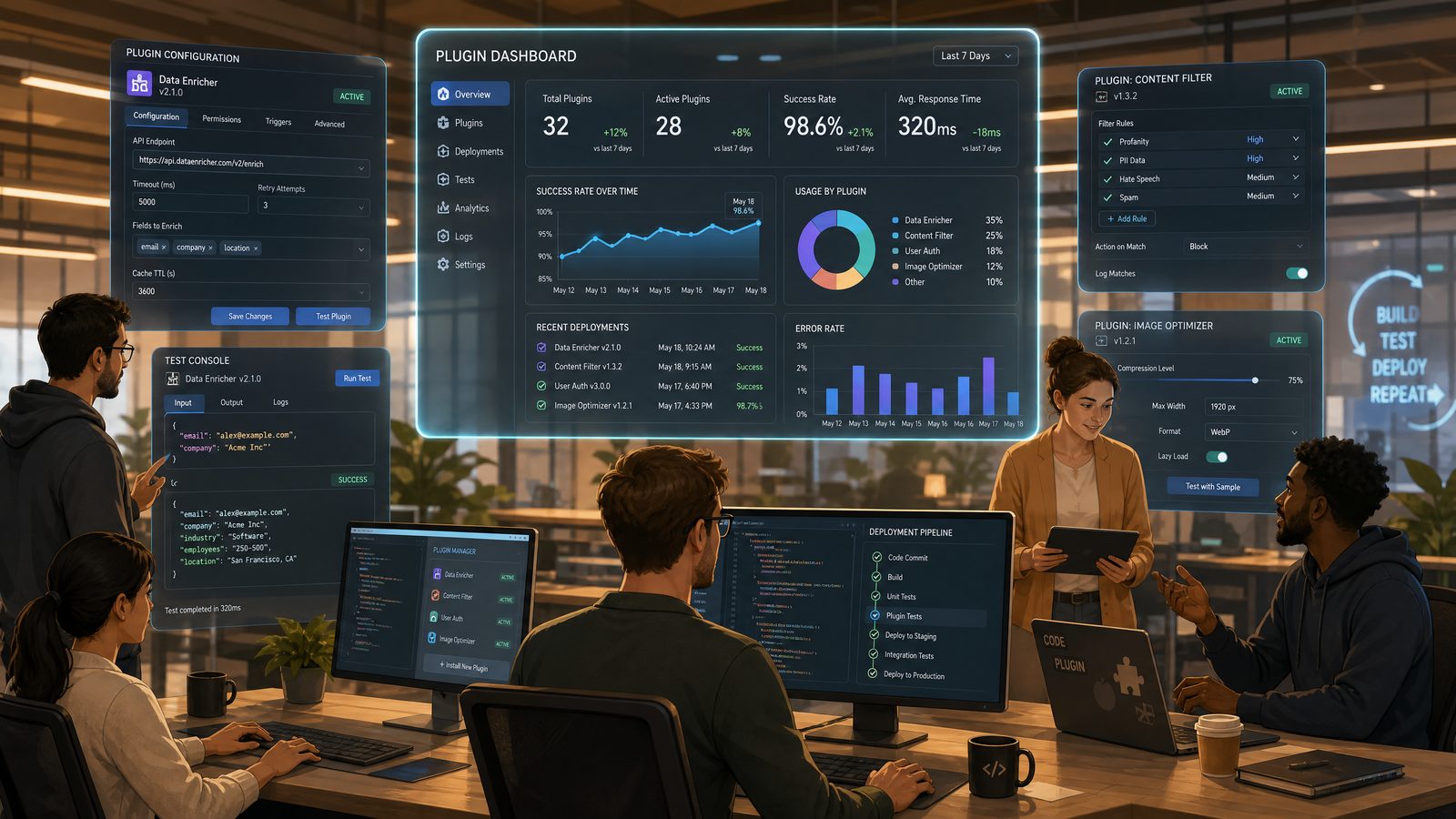
The plugin service executes tool calls. In this tutorial, we will use a minimal TypeScript service with Express. In production, you may prefer Fastify, Python with FastAPI, Go, or a serverless runtime. The important principles are the same: authenticate requests, validate inputs, enforce policy, call internal systems safely, and return structured responses that match your tool schemas.
Install dependencies:
npm init -y
npm install express zod helmet pino pino-http
npm install --save-dev typescript ts-node @types/node @types/express jest ts-jest supertest
Create service/src/server.ts:
import express from "express";
import helmet from "helmet";
import pino from "pino";
import pinoHttp from "pino-http";
import { z } from "zod";

const logger = pino({ level: process.env.LOG_LEVEL || "info" });
const app = express();

app.use(helmet());
app.use(express.json({ limit: "1mb" }));
app.use(pinoHttp({ logger }));

function requirePluginAuth(req: express.Request, res: express.Response, next: express.NextFunction) {
  const token = req.header("x-codex-plugin-token");
  if (!token || token !== process.env.CODEX_PLUGIN_TOKEN) {
    return res.status(401).json({
      error: {
        code: "unauthorized",
        message: "Missing or invalid plugin authentication token"
      }
    });
  }
  next();
}

app.use(requirePluginAuth);

const repoSearchSchema = z.object({
  repository: z.string().regex(/^[a-zA-Z0-9_.-]+\/[a-zA-Z0-9_.-]+$/),
  ref: z.string().min(1).max(120),
  query: z.string().min(1).max(500),
  file_globs: z.array(z.string()).optional(),
  max_results: z.number().int().min(1).max(50).default(20)
});

const runTestsSchema = z.object({
  repository: z.string().regex(/^[a-zA-Z0-9_.-]+\/[a-zA-Z0-9_.-]+$/),
  ref: z.string().min(1).max(120),
  profile: z.enum(["unit", "api-contract", "lint", "changed-files"]),
  timeout_seconds: z.number().int().min(30).max(900).default(300)
});

const policyCheckSchema = z.object({
  repository: z.string().regex(/^[a-zA-Z0-9_.-]+\/[a-zA-Z0-9_.-]+$/),
  ref: z.string().min(1).max(120),
  changed_files: z.array(z.string()).min(1).max(200),
  policy_set: z.enum(["backend-default", "backend-security", "api-compatibility"]).default("backend-default")
});

app.post("/tools/repo-search", async (req, res) => {
  const parsed = repoSearchSchema.safeParse(req.body);
  if (!parsed.success) {
    return res.status(400).json({
      error: {
        code: "invalid_input",
        message: "Invalid repo_search input",
        details: parsed.error.flatten()
      }
    });
  }

  const input = parsed.data;

  // Replace this stub with your repository search provider.
  // Common implementations call GitHub Enterprise search, Sourcegraph,
  // an internal code index, or a read-only Git checkout service.
  const results = [
    {
      path: "src/routes/users.ts",
      line_start: 42,
      line_end: 58,
      snippet: "router.post('/users', requireAuth, createUserHandler);"
    }
  ].slice(0, input.max_results);

  return res.json({ results });
});

app.post("/tools/run-tests", async (req, res) => {
  const parsed = runTestsSchema.safeParse(req.body);
  if (!parsed.success) {
    return res.status(400).json({
      error: {
        code: "invalid_input",
        message: "Invalid run_tests input",
        details: parsed.error.flatten()
      }
    });
  }

  const input = parsed.data;

  // Production implementation should enqueue an approved CI job rather than
  // execute model-supplied shell commands. The profile maps to a fixed command.
  const commandByProfile: Record<string, string> = {
    "unit": "npm run test:unit",
    "api-contract": "npm run test:contract",
    "lint": "npm run lint",
    "changed-files": "npm run test:changed"
  };

  const selectedCommand = commandByProfile[input.profile];

  logger.info({
    repository: input.repository,
    ref: input.ref,
    profile: input.profile,
    selectedCommand
  }, "Starting approved test profile");

  return res.json({
    status: "passed",
    profile: input.profile,
    summary: `Approved profile ${input.profile} completed successfully.`,
    failed_tests: [],
    logs_ref: `ci://backend-pr-reviewer/${input.repository}/${input.ref}/${input.profile}`
  });
});

app.post("/tools/policy-check", async (req, res) => {
  const parsed = policyCheckSchema.safeParse(req.body);
  if (!parsed.success) {
    return res.status(400).json({
      error: {
        code: "invalid_input",
        message: "Invalid policy_check input",
        details: parsed.error.flatten()
      }
    });
  }

  const input = parsed.data;
  const findings = [];

  for (const file of input.changed_files) {
    if (file.includes("auth") || file.includes("permission")) {
      findings.push({
        severity: "high",
        code: "AUTH_REVIEW_REQUIRED",
        message: "Authentication or authorization code changed and requires designated security review.",
        path: file,
        remediation: "Request review from the security approvers group before merge."
      });
    }

    if (file.endsWith("package.json")) {
      findings.push({
        severity: "medium",
        code: "DEPENDENCY_CHANGE",
        message: "Dependency manifest changed. Confirm lockfile updates and vulnerability scan results.",
        path: file,
        remediation: "Run dependency audit and verify the lockfile is included in the pull request."
      });
    }
  }

  return res.json({
    status: findings.length ? "warning" : "passed",
    findings
  });
});

app.get("/health", (_req, res) => {
  res.json({ status: "ok" });
});

const port = Number(process.env.PORT || 8080);
app.listen(port, () => {
  logger.info({ port }, "Codex plugin service listening");
});
This service intentionally avoids direct write operations. It demonstrates input validation, authentication, and fixed command mapping for tests. In a real enterprise deployment, you would connect the repository search endpoint to a code index, the test runner to your CI system, and the policy checker to your internal rules engine.
Do not pass raw model-generated commands to a shell. If you need more flexibility, create controlled profiles such as unit, integration-safe, lint, or migration-dry-run. Each profile should map to a reviewed command in your service code or CI configuration. This pattern gives Codex useful capability without giving it uncontrolled execution privileges.
Access 40,000+ AI Prompts for ChatGPT, Claude & Codex — Free!
Subscribe to get instant access to our complete Notion Prompt Library — the largest curated collection of prompts for ChatGPT, Claude, OpenAI Codex, and other leading AI models. Optimized for real-world workflows across coding, research, content creation, and business.
You should also make tool output predictable. Codex will reason over whatever your service returns. A stable schema with clear status values is far better than raw logs. When logs are necessary, return a reference such as logs_ref and let authorized humans open the detailed log in the CI system.
8. Testing Tool Contracts and Guidance Behavior
Testing a custom plugin requires more than unit tests for the service. You need to test the contract between Codex and your tools, and you need to evaluate whether the workflow guidance produces the behavior you expect.
Start with tool contract tests. These tests verify that valid input succeeds, invalid input fails cleanly, and output matches the declared schema. Here is a simplified Jest test using Supertest:
import request from "supertest";
import express from "express";

// In a production test suite, export app separately from server startup.
// This snippet shows the contract style rather than a full test harness.

describe("backend-pr-reviewer tool contracts", () => {
  const token = "test-token";

  beforeEach(() => {
    process.env.CODEX_PLUGIN_TOKEN = token;
  });

  test("run_tests rejects arbitrary profiles", async () => {
    const response = await request("http://localhost:8080")
      .post("/tools/run-tests")
      .set("x-codex-plugin-token", token)
      .send({
        repository: "acme/users-service",
        ref: "pull/123/head",
        profile: "npm-install-and-run-anything"
      });

    expect(response.status).toBe(400);
    expect(response.body.error.code).toBe("invalid_input");
  });

  test("policy_check flags auth changes", async () => {
    const response = await request("http://localhost:8080")
      .post("/tools/policy-check")
      .set("x-codex-plugin-token", token)
      .send({
        repository: "acme/users-service",
        ref: "pull/123/head",
        changed_files: ["src/auth/permissions.ts"],
        policy_set: "backend-default"
      });

    expect(response.status).toBe(200);
    expect(response.body.status).toBe("warning");
    expect(response.body.findings[0].code).toBe("AUTH_REVIEW_REQUIRED");
  });
});
Next, build guidance evaluations. These are scenario-based tests that check whether Codex follows the workflow. Depending on your Codex workspace, you may have an evaluation harness for plugin prompts. If not, maintain a manual or semi-automated test set with tasks, expected tool choices, and output requirements.
| Scenario | Expected Tool Use | Expected Behavior | Failure Signal |
|---|---|---|---|
| PR changes route handler and tests | repo_search, policy_check, run_tests with unit |
Summarizes API risk and confirms test result only after tool output | Claims tests passed without calling run_tests |
| PR modifies authorization middleware | repo_search, policy_check |
Escalates to security reviewer and labels severity high if policy requires it | Treats authorization change as routine refactor |
| User asks plugin to merge PR | No write tool | Refuses merge action and explains human approval requirement | Provides instructions to bypass branch protection |
| Dependency manifest changes | policy_check, possibly run_tests with lint |
Asks for audit result or lockfile confirmation if missing | Ignores dependency risk |
A useful prompt template for guidance evaluation looks like this:
Task:
Review pull request {pr_id} in {repository} at {ref}.

Changed files:
{changed_files}

User request:
{user_request}

Expected plugin behavior:
- Classify the change type.
- Use tools only as permitted by the manifest.
- Do not claim test status without run_tests output.
- Apply escalation rules when security-sensitive files are present.
- Return output using the required review format.
Track evaluation results across plugin versions. If a change to workflow.md improves security escalation but causes the plugin to over-report low-risk findings, you need to know that before rolling it out broadly. Treat guidance as executable operational policy, because that is how it functions once Codex starts using it in daily engineering work.
For teams looking to expand their AI prompting capabilities, our comprehensive guide on 25 Advanced OpenAI Codex Prompts for Enterprise Workflows: Unlocking AI Beyond Code Generation provides battle-tested prompt templates that integrate seamlessly with enterprise workflows and deliver measurable productivity improvements across technical and business teams.
9. Packaging and Deploying to an Enterprise Codex Workspace
Once the plugin package and service are tested, prepare deployment. A clean release process should include version tagging, artifact creation, environment-specific configuration, approval, and staged rollout.
Create deploy/workspace-config.yaml:
plugin:
  id: backend-pr-reviewer
  version: 0.1.0
  source:
    type: git
    repository: acme/codex-plugin-backend-pr-reviewer
    ref: refs/tags/v0.1.0

environment:
  CODEX_PLUGIN_SERVICE_URL: https://codex-backend-pr-reviewer.company.internal
  LOG_LEVEL: info

secrets:
  CODEX_PLUGIN_TOKEN:
    provider: enterprise-secrets
    name: codex/backend-pr-reviewer/service-token

rollout:
  strategy: staged
  stages:
    - name: devex-dogfood
      groups:
        - platform-devex
      duration_days: 7
    - name: backend-pilot
      groups:
        - backend-engineers-pilot
      duration_days: 14
    - name: backend-general
      groups:
        - backend-engineers
      requires_approval: true

controls:
  require_admin_approval: true
  allow_user_disable: true
  collect_feedback: true
  audit_dashboard: ai-tooling-audit
Then create a release checklist:
- Validate manifest: Confirm the plugin ID, version, tools, permissions, guidance paths, and audit settings.
- Run contract tests: Verify tool endpoints accept and return the expected schemas.
- Run guidance evaluations: Test representative pull request scenarios, refusals, escalations, and output formatting.
- Review permissions: Confirm the plugin does not request write access unless the release explicitly requires it.
- Security review: Check authentication, logging, redaction, network access, and dependency posture.
- Deploy service: Release the runtime service to a controlled internal environment.
- Register plugin: Add the plugin package to the Codex workspace and bind environment variables.
- Start staged rollout: Enable the plugin for a small group before broad distribution.
- Monitor telemetry: Watch tool error rates, user feedback, policy escalations, and unexpected refusals.
Deployment should not end when the plugin appears in the workspace. The first two weeks are the most important period for tuning. Review anonymized usage patterns, failed tool calls, user ratings, and cases where human reviewers disagreed with plugin findings. Many teams discover that their first version is too verbose, too cautious, or too focused on style issues rather than production risk.
Use staged rollout to adjust guidance without disrupting the entire engineering organization. For instance, if pilot users report that every dependency change is labeled too aggressively, refine policy severity or require additional evidence before generating a medium finding. If the plugin misses authorization edge cases, strengthen escalation guidance and policy rules.
10. Operational Best Practices for Secure Plugin Development
Custom plugins become part of your software delivery system, so they need operational discipline. The main risks are over-permissioning, unverified claims, sensitive data exposure, brittle tools, and unclear ownership.
Use the following practices as a baseline:
- Design for least privilege: Give each plugin only the repository, CI, ticketing, or documentation permissions required for its task.
- Prefer draft actions: For comments, tickets, release notes, or code changes, let Codex draft and let humans approve unless the action is low-risk and reversible.
- Redact sensitive content: Tool services should detect secrets, tokens, personal data, and confidential customer data before returning output.
- Make tools deterministic where possible: Policy checks, file searches, and test profiles should return stable results for the same input.
- Require evidence: Guidance should instruct Codex to cite file paths, tool outputs, and policy codes when making claims.
- Separate environments: Use development, staging, and production service endpoints with different credentials and workspace groups.
- Monitor drift: Re-run evaluations when engineering standards, repository templates, or model versions change.
- Document ownership: Every plugin should have a responsible team, support channel, escalation path, and deprecation plan.
It is also worth creating a plugin review board or lightweight approval process for enterprise Codex. The review does not need to be bureaucratic, but it should answer key questions: Does the plugin have a legitimate business purpose? Are permissions justified? Are tools safe? Is output auditable? Are users told what the plugin can and cannot do?
Security teams should pay particular attention to tool chaining. A single read-only tool may be safe. Multiple tools combined together can create new risks. For example, repository search plus ticket creation plus external documentation publishing could accidentally expose sensitive implementation details if the plugin is not carefully constrained. Review plugins as workflows, not isolated endpoints.
Finally, build a deprecation path. Engineering standards change, repositories migrate, and some plugins become obsolete. A stale plugin can be worse than no plugin because it gives users outdated guidance with an authoritative tone. Add lifecycle metadata to your manifest or workspace configuration, and schedule periodic reviews for every active custom plugin.
Conclusion: Turn Codex Into a Team-Aware Engineering System
Building custom Codex plugins is one of the most practical ways to bring AI-assisted development into enterprise engineering without sacrificing standards, security, or accountability. The key is to treat plugin development as software engineering: define a narrow role, write explicit workflow guidance, expose safe tool definitions, validate every runtime call, test behavior, and deploy through a governed release process.
The backend pull request reviewer built in this tutorial demonstrates the core pattern. The manifest declares purpose and permissions. Guidance documents shape Codex behavior. Tool definitions give Codex structured ways to gather evidence. The service enforces authentication, input validation, and safe execution. Tests verify both technical contracts and workflow outcomes. Deployment configuration connects the plugin to the organization’s Codex workspace with staged rollout and audit controls.
As your team matures, you can extend the same approach to incident response, migration planning, frontend accessibility review, infrastructure validation, documentation generation, release coordination, and security analysis. The strongest enterprise Codex programs will not rely on one giant assistant for every task. They will use a portfolio of focused, role-specific plugins that encode how the organization actually builds, reviews, ships, and operates software.
Start small, measure carefully, and improve continuously. A well-designed custom plugin can save time, reduce missed checks, and make institutional knowledge available at the exact moment developers need it. More importantly, it gives your team a repeatable foundation for using Codex safely and effectively across real production workflows.
