
40 GPT-5.5 Prompts for Product Managers: From PRDs to User Research
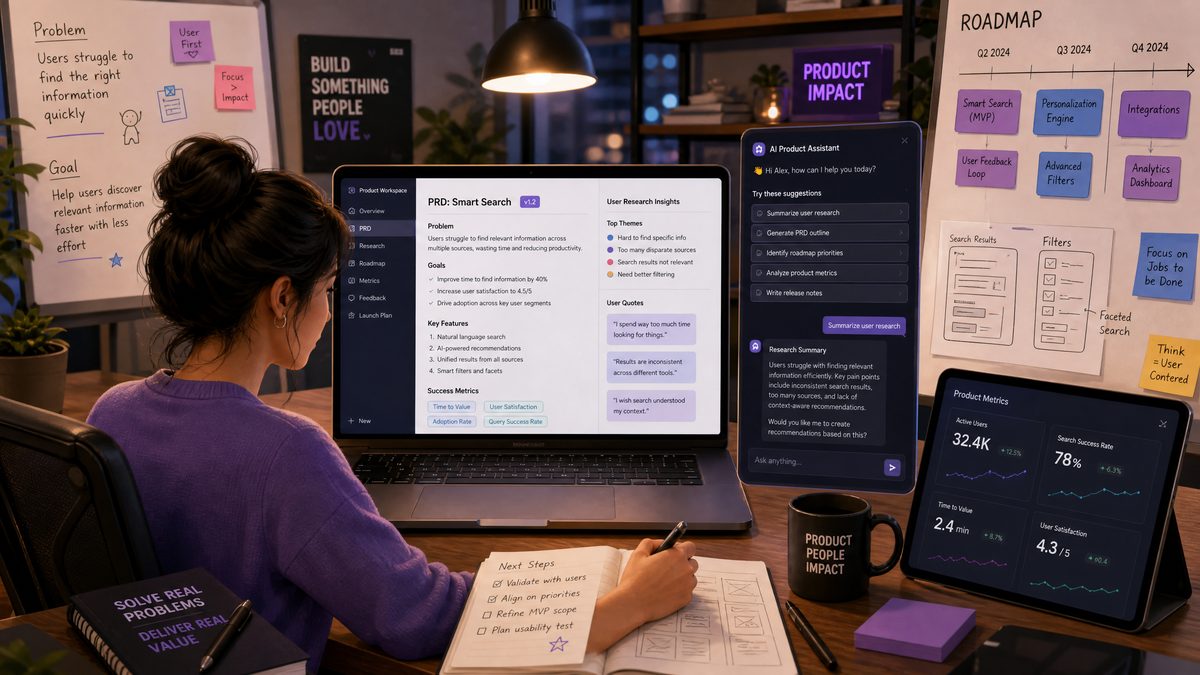
As product managers, leveraging AI tools like GPT-5.5 can dramatically enhance efficiency and decision-making across the product lifecycle. This comprehensive guide presents 40 expertly crafted prompts tailored specifically for product managers. Each prompt is designed to tap into GPT-5.5’s advanced reasoning capabilities, helping you create clear documentation, perform insightful analysis, and communicate effectively with stakeholders.
Organized into eight critical product management areas, these prompts come with usage context, sample outputs, and pro tips for customization. Copy-paste and adapt these prompts to your product workflow to accelerate your impact and deliver exceptional results.
1. Product Requirements Documents (PRDs)
Prompt 1: Generate a concise PRD outline for a new feature
“Create a concise Product Requirements Document (PRD) outline for a new feature that enables users to schedule posts on our social media platform. Include sections such as Overview, Goals, User Stories, Functional Requirements, Non-functional Requirements, and Success Metrics.”When to use: Kickstart PRD creation for new features to ensure comprehensive coverage of all essential sections.
Example output format:
| Section | Content |
|---|---|
| Overview | Brief feature description and rationale |
| Goals | Key objectives the feature aims to achieve |
| User Stories | List of user-centric scenarios |
| Functional Requirements | Detailed feature behaviors and capabilities |
| Non-functional Requirements | Performance, security, and usability criteria |
| Success Metrics | Quantitative and qualitative KPIs to measure impact |
Pro tip: Customize the outline by adding sections tailored to your organization’s standards, such as Compliance or Localization.
Prompt 2: Draft detailed functional requirements for a feature
“Write detailed functional requirements for a two-factor authentication system integrating SMS and authenticator apps for a mobile banking app. Include user flows, error handling, and fallback options.”When to use: When you need clear, actionable functional specs for developers and QA teams.
Example output format:
- The system shall prompt users for a verification code after entering credentials.
- Support SMS-based codes sent within 30 seconds.
- Support authenticator apps generating time-based one-time passwords (TOTP).
- If SMS delivery fails, allow fallback to email verification.
- Display clear error messages for invalid or expired codes.
Pro tip: Specify the user journey stage or target device/platform for more precise requirements.
Prompt 3: Summarize non-functional requirements for a SaaS product
“Summarize key non-functional requirements for a SaaS project management tool focusing on scalability, availability, security, and usability.”When to use: To frame critical system attributes influencing architecture and operational decisions.
Example output format:
- Scalability: Support 10,000 concurrent users with < 200ms response time.
- Availability: 99.9% uptime with failover mechanisms.
- Security: Enforce AES-256 encryption for data at rest and in transit.
- Usability: Intuitive UI with accessibility compliance (WCAG 2.1 AA).
Pro tip: Request prioritization or risk assessments for each non-functional requirement.
Prompt 4: Create success criteria for a feature launch
“Define success criteria for launching a ‘dark mode’ feature in a mobile news app, focusing on user adoption, retention, and performance.”When to use: To align stakeholders on measurable goals pre-launch.
Example output format:
- At least 30% of active users enable dark mode within first 2 weeks.
- Retention rate among dark mode users improves by 10% over one month.
- App performance (load time) does not degrade beyond 5% post-launch.
Pro tip: Tailor criteria to your product’s business goals and user behavior metrics.
Prompt 5: Identify risks and dependencies in a PRD
“List potential risks and dependencies for implementing a multi-language support feature in an e-commerce platform PRD.”When to use: To proactively manage blockers and plan mitigation strategies.
Example output format:
| Risk/Dependency | Description | Mitigation |
|---|---|---|
| Translation quality | Inaccurate or inconsistent translations | Use professional translators and review cycles |
| Third-party localization tools | Reliance on external APIs for language support | Evaluate SLA and fallback plans |
| UI layout adjustments | Text expansion may break layouts | Design flexible UI components |
Pro tip: Request severity ratings or timeline impacts for each risk/dependency.
Prompt 6: Generate a glossary of key terms for a PRD
“Create a glossary of key technical and business terms used in a PRD for a fintech payment app.”When to use: To ensure clarity and shared understanding across cross-functional teams.
Example output format:
| Term | Definition |
|---|---|
| PCI DSS | Payment Card Industry Data Security Standard, a security standard for credit card data. |
| Chargeback | A reversal of a credit card transaction initiated by the cardholder. |
| API Gateway | A server that acts as an API front-end, handling requests and enforcing policies. |
Pro tip: Ask GPT to include industry-standard references or links for complex terms.
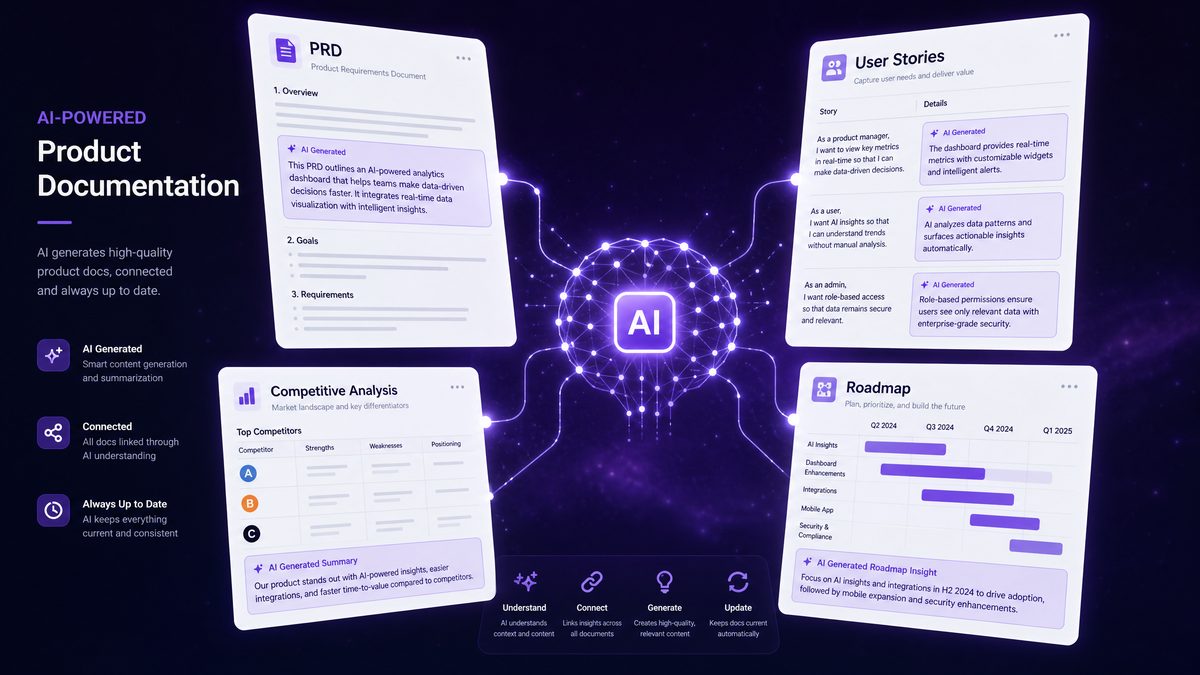
2. User Story Writing
Prompt 7: Write user stories for a new onboarding flow
“Generate 5 detailed user stories for a new onboarding flow that includes account creation, tutorial walkthrough, and preference settings for a fitness tracking app.”When to use: To clearly articulate user needs and expected behaviors during onboarding.
Example output format:
- As a new user, I want to create an account quickly using email or social login so I can get started immediately.
- As a user, I want a step-by-step tutorial so I understand how to use core features.
- As a user, I want to set my fitness goals during onboarding to receive personalized recommendations.
Pro tip: Specify persona types or pain points to generate more targeted stories.
Prompt 8: Convert feature requirements into user stories
“Convert the following feature requirements into user stories: ‘Allow users to filter product search results by price, rating, and brand with instant updates.’”When to use: When transforming technical specs into user-centric narratives for agile teams.
Example output format:
- As a shopper, I want to filter products by price so I can find items within my budget.
- As a shopper, I want to filter by rating to see highly rated products first.
- As a shopper, I want filters to update results instantly without page reloads for a smooth experience.
Pro tip: Request acceptance criteria alongside user stories for clarity.
Prompt 9: Write acceptance criteria for a user story
“Provide acceptance criteria for a user story: ‘As a user, I want to reset my password via email verification.’”When to use: To define clear conditions for story completion and testing.
Example output format:
- User can request password reset by entering registered email.
- System sends a reset link valid for 24 hours.
- Clicking the link directs user to a secure password reset page.
- Password must meet complexity requirements.
- User receives confirmation after successful reset.
Pro tip: Include negative test scenarios or edge cases for robustness.
Prompt 10: Create user stories for accessibility improvements
“Generate user stories focused on improving accessibility for a web-based email client.”When to use: When planning features to enhance accessibility compliance and user experience.
Example output format:
- As a visually impaired user, I want screen reader support so I can navigate emails easily.
- As a colorblind user, I want adjustable color contrast options.
- As a keyboard-only user, I want full navigation without mouse usage.
Pro tip: Customize by specifying WCAG guidelines or target assistive technologies.
Prompt 11: Suggest improvements to existing user stories
“Review and improve the following user story to make it more actionable and testable: ‘As a user, I want faster load times.’”When to use: To refine vague or incomplete user stories before sprint planning.
Example output format:
Improved user story:
- As a user, I want the homepage to load within 3 seconds on a 4G network so that I can start using the app quickly.
Pro tip: Request to add acceptance criteria or define performance benchmarks.
3. Competitive Analysis
Prompt 12: Generate a competitive feature comparison table
“Create a competitive analysis table comparing our project management tool with Asana, Trello, and Monday.com regarding task management, collaboration, integration, and pricing.”When to use: To benchmark your product against competitors for strategic positioning.
Example output format:
| Feature | Our Tool | Asana | Trello | Monday.com |
|---|---|---|---|---|
| Task Management | Kanban, List, Timeline | Kanban, List, Calendar | Kanban | Kanban, Gantt |
| Collaboration | Comments, Mentions | Comments, Mentions | Comments | Comments, Chat |
| Integrations | Slack, Zapier | Slack, Zapier, Salesforce | Slack | Slack, Salesforce, Zapier |
| Pricing | Free & Pro plans | Free & Premium | Free & Business Class | Multiple tiers |
Pro tip: Request pros and cons per competitor for deeper insights.
Prompt 13: Summarize competitor SWOT analysis
“Provide a SWOT analysis summary for competitor Spotify in the music streaming industry.”When to use: To understand competitor strengths, weaknesses, opportunities, and threats.
Example output format:
- Strengths: Large user base, personalized playlists, exclusive content.
- Weaknesses: High royalty costs, limited offline features in free tier.
- Opportunities: Expansion into podcasts, AI-driven recommendations.
- Threats: Competition from Apple Music, regulatory challenges.
Pro tip: Ask for actionable strategic recommendations based on the SWOT.
Prompt 14: Identify gaps in competitor offerings
“Analyze the top 3 competitors in online education platforms and identify gaps or underserved areas in their course offerings.”When to use: To find opportunities for differentiation through product features or content.
Example output format:
- Limited courses targeting senior professionals’ upskilling.
- Insufficient interactive learning features (e.g., live Q&A).
- Lack of localized content in non-English languages.
Pro tip: Request prioritization of gaps by market impact.
Prompt 15: Generate competitor product positioning statements
“Create positioning statements for competitors Zoom, Microsoft Teams, and Google Meet in the video conferencing market.”When to use: To clarify competitive landscape messaging for your own product positioning.
Example output format:
- Zoom: ‘Easy-to-use video conferencing platform tailored for enterprises and educators with high reliability.’
- Microsoft Teams: ‘Integrated collaboration hub combining chat, meetings, and file sharing within Microsoft 365.’
- Google Meet: ‘Secure and simple video meetings accessible to anyone with a Google account.’
Pro tip: Request differentiation points relative to your product.
Prompt 16: Analyze pricing strategies of competitors
“Compare pricing strategies of top cloud storage providers: Dropbox, Google Drive, and OneDrive, highlighting tiers, limits, and unique offerings.”When to use: To inform your product’s pricing model and competitive positioning.
Example output format:
| Provider | Free Tier | Paid Tiers | Unique Features |
|---|---|---|---|
| Dropbox | 2GB | Plus: 2TB; Family: 2TB shared | Smart Sync, extensive third-party app support |
| Google Drive | 15GB shared | 100GB to 2TB via Google One | Deep Google ecosystem integration |
| OneDrive | 5GB | 100GB standalone; Office 365 bundles | Office 365 integration, Personal Vault |
Pro tip: Ask for recommendations on pricing adjustments based on market trends.
4. User Research and Interviews
Prompt 17: Create interview questions for user research
“Generate 10 open-ended interview questions to understand pain points for remote workers using project management software.”When to use: To design effective qualitative user interviews.
Example output format:
- Can you describe your typical day using project management tools?
- What are the biggest challenges you face coordinating with your team remotely?
- How do the current tools support or hinder your productivity?
Pro tip: Tailor by user role or experience level.
Prompt 18: Summarize key findings from user interview transcripts
“Summarize common themes and insights from this user interview transcript about a mobile banking app (transcript follows).”When to use: After conducting interviews, to synthesize qualitative data quickly.
Example output format:
- Users find login process cumbersome due to frequent 2FA prompts.
- Need for clearer transaction history labeling was expressed.
- Desire for integrated budgeting tools was a recurring theme.
Pro tip: Provide raw transcripts as input for best results.
Prompt 19: Generate user personas based on research data
“Create 3 user personas for a meal delivery app based on provided user demographics and behavior data.”When to use: To visualize distinct user types and guide design decisions.
Example output format:
| Persona | Demographics | Goals | Frustrations |
|---|---|---|---|
| Busy Professional | Age 28-40, urban | Quick, healthy meals | Limited time to browse menus |
| Budget-Conscious Student | Age 18-25, campus | Affordable options | Unclear pricing and hidden fees |
| Health Enthusiast | Age 30-50, fitness-focused | Nutrition info, meal customization | Limited dietary filters |
Pro tip: Include psychographics or technology preferences for richer personas.
Prompt 20: Design a user survey for feature feedback
“Create a 10-question survey to gather user feedback on a new video editing feature in a social media app.”When to use: To quantify user satisfaction and identify areas for improvement.
Example output format:
- How often do you use the new video editing feature? (Never, Rarely, Often, Always)
- How intuitive do you find the editing controls? (1-5 scale)
- What features would you like to see added?
Pro tip: Balance quantitative and qualitative questions for actionable insights.
Prompt 21: Analyze user feedback for sentiment and key issues
“Analyze this user feedback dataset for sentiment trends and highlight the top 3 issues mentioned regarding our mobile app.”When to use: To quickly identify sentiment polarity and recurring problems from feedback.
Example output format:
- Overall sentiment is 65% positive, 25% neutral, 10% negative.
- Top issues: app crashes during login, slow load times, confusing navigation.
Pro tip: Provide feedback data in CSV or text format for best analysis.
5. Product Roadmap Planning
Prompt 22: Outline a 6-month product roadmap for a SaaS CRM
“Create a high-level 6-month product roadmap for a SaaS CRM platform focusing on mobile app launch, AI-powered lead scoring, and integration expansion.”When to use: To visualize strategic milestones and align teams on priorities.
Example output format:
| Timeframe | Initiative | Goals |
|---|---|---|
| Month 1-2 | Mobile App Launch | Deliver MVP for iOS/Android, onboard beta users |
| Month 3-4 | AI Lead Scoring | Develop ML models, integrate into sales dashboard |
| Month 5-6 | Integration Expansion | Support Salesforce, HubSpot APIs |
Pro tip: Request risk factors or resource estimates for each initiative.
Prompt 23: Prioritize roadmap features based on business impact
“Given the following feature list and business goals, prioritize the features for the next roadmap cycle with justification.”When to use: To align feature prioritization with strategic objectives.
Example output format:
1. AI-driven customer segmentation – High impact on revenue growth.
2. Enhanced reporting dashboard – Medium impact; improves user retention.
3. Social media integrations – Low impact; limited user demand currently.
Pro tip: Provide feature descriptions and current metrics for better prioritization accuracy.
Prompt 24: Suggest quarterly themes for a product roadmap
“Suggest 4 quarterly strategic themes for an e-commerce platform product roadmap focused on growth, customer experience, and technology modernization.”When to use: To frame roadmap initiatives around focused, thematic objectives.
Example output format:
- Q1: Accelerate Customer Acquisition through Personalization
- Q2: Enhance Checkout and Payment Experience
- Q3: Scale Platform Infrastructure for Peak Traffic
- Q4: Expand Loyalty Program and Referral Features
Pro tip: Ask for associated KPIs or success metrics per theme.
Prompt 25: Create a risk assessment matrix for roadmap initiatives
“Develop a risk assessment matrix for the following roadmap initiatives: cloud migration, new payment gateway, and customer referral program.”When to use: To anticipate risks and plan mitigation strategies for roadmap execution.
Example output format:
| Initiative | Risk | Likelihood | Impact | Mitigation |
|---|---|---|---|---|
| Cloud Migration | Data loss | Medium | High | Comprehensive backups and testing |
| Payment Gateway | Integration delays | High | Medium | Early vendor engagement and buffer time |
| Referral Program | Low adoption | Low | Medium | Marketing campaigns and incentives |
Pro tip: Incorporate risk owner assignments for accountability.
Prompt 26: Suggest cross-functional dependencies for roadmap items
“Identify key cross-functional dependencies for launching a new AI chatbot feature in a customer service platform.”When to use: To coordinate efforts across teams and avoid bottlenecks.
Example output format:
- Engineering dependency on NLP model training from Data Science team.
- Legal review for compliance with user data privacy regulations.
- Marketing preparation for user communication and launch campaigns.
- Customer Support training for chatbot escalation procedures.
Pro tip: Request suggested timelines or checkpoints for each dependency.
6. Feature Prioritization
Prompt 27: Apply RICE scoring to prioritize features
“Calculate RICE scores for the following features with given Reach, Impact, Confidence, and Effort values and rank them accordingly.”When to use: To objectively prioritize features using the RICE framework.
Example output format:
| Feature | Reach | Impact | Confidence | Effort | RICE Score |
|---|---|---|---|---|---|
| Feature A | 1000 | 3 | 80% | 5 | 480 |
| Feature B | 500 | 5 | 90% | 8 | 281.25 |
Pro tip: Provide clear numeric inputs and request explanations for scores.
Prompt 28: Prioritize features using MoSCoW method
“Classify the following feature requests into Must-have, Should-have, Could-have, and Won’t-have categories based on their descriptions and business goals.”When to use: To facilitate stakeholder alignment on feature importance.
Example output format:
- Must-have: User login and authentication
- Should-have: Social media sharing
- Could-have: Dark mode UI
- Won’t-have: Augmented reality support (for current cycle)
Pro tip: Ask GPT to justify each classification for transparency.
Prompt 29: Generate a weighted scoring model for features
“Create a weighted scoring model for evaluating features based on criteria: Customer Value (40%), Revenue Potential (30%), Development Cost (20%), and Strategic Alignment (10%).”When to use: To apply a customized quantitative approach for feature prioritization.
Example output format:
Access 40,000+ AI Prompts for ChatGPT, Claude & Codex — Free!
Subscribe to get instant access to our complete Notion Prompt Library — the largest curated collection of prompts for ChatGPT, Claude, OpenAI Codex, and other leading AI models. Optimized for real-world workflows across coding, research, content creation, and business.
| Feature | Customer Value (40%) | Revenue (30%) | Cost (20%) | Alignment (10%) | Total Score |
|---|---|---|---|---|---|
| Feature X | 8 (3.2) | 7 (2.1) | 5 (1.0) | 9 (0.9) | 7.2 |
Pro tip: Request scoring templates or formula explanations.
Prompt 30: Analyze trade-offs between two competing features
“Compare trade-offs between implementing a live chat support feature versus an AI-based chatbot for customer service.”When to use: To evaluate pros and cons for investment decisions.
Example output format:
- Live Chat Support: Higher human touch, increased operational costs, slower response times.
- AI Chatbot: Scalable 24/7 support, potential accuracy limitations, initial development effort.
Pro tip: Ask for impact on customer satisfaction and long-term ROI.
7. Stakeholder Communication
Prompt 31: Draft an email update for stakeholders on feature progress
“Write a professional email update to stakeholders summarizing the progress, blockers, and next steps for the upcoming mobile app redesign.”When to use: For regular, clear communication maintaining stakeholder confidence.
Example output format:
Subject: Mobile App Redesign - Progress Update

Dear Team,

We have completed the initial design phase of the mobile app redesign. The prototype is now undergoing usability testing. Currently, our main blocker is finalizing backend API integration, expected to resolve within two weeks.

Next steps include incorporating user feedback and preparing for development sprints.

Please let me know if you have any questions.

Best regards,
[Your Name]
Pro tip: Personalize tone based on stakeholder familiarity and urgency.
Prompt 32: Create a presentation outline for a product demo
“Outline a presentation for a product demo to investors focusing on key features, market opportunity, and monetization strategy.”When to use: To prepare structured, persuasive demo presentations.
Example output format:
- Introduction and Market Overview
- Demo of Key Features
- Competitive Landscape
- Business Model and Monetization
- Roadmap and Growth Strategy
- Q&A
Pro tip: Request suggested visuals or talking points for each slide.
Prompt 33: Prepare talking points for a product launch meeting
“Generate key talking points for a product launch meeting with sales, marketing, and support teams.”When to use: To ensure all teams are aligned and informed before launch.
Example output format:
- Product overview and unique value proposition
- Target customer segments and use cases
- Key features and demo highlights
- Sales enablement resources and pricing
- Support procedures and escalation paths
Pro tip: Tailor points for specific team concerns or roles.
Prompt 34: Write a status report summarizing sprint achievements
“Compose a status report summarizing the achievements, challenges, and next sprint goals for the latest development sprint.”When to use: To keep stakeholders and teams informed about sprint progress.
Example output format:
Sprint 12 Status Report

Achievements:
- Completed user authentication module.
- Fixed critical bugs in payment processing.

Challenges:
- Delay in API documentation from third-party vendor.

Next Sprint Goals:
- Integrate payment gateway.
- Begin UI redesign for dashboard.

Regards,
[Your Name]
Pro tip: Include metrics or velocity updates if available.
Prompt 35: Draft FAQs for internal stakeholder onboarding
“Generate a list of FAQs to onboard internal stakeholders on a new customer support ticketing system.”When to use: To ensure smooth adoption and reduce onboarding questions.
Example output format:
- What is the purpose of the new system?
- How do I create and assign tickets?
- What SLAs are associated with ticket resolution?
- Who do I contact for technical support?
Pro tip: Update FAQs regularly based on common queries.
8. Metrics and KPI Definition
Prompt 36: Define KPIs for a subscription-based SaaS product
“List and explain the top 5 KPIs to track for a subscription-based SaaS product focusing on growth and retention.”When to use: To establish meaningful success metrics aligned with business goals.
Example output format:
- Monthly Recurring Revenue (MRR): Tracks predictable revenue growth.
- Customer Churn Rate: Measures percentage of lost customers monthly.
- Customer Lifetime Value (CLTV): Estimates total revenue from a customer.
- Customer Acquisition Cost (CAC): Cost to acquire a new customer.
- Net Promoter Score (NPS): Gauges customer satisfaction and loyalty.
Pro tip: Request industry benchmarks for each KPI.
Prompt 37: Suggest metrics to evaluate feature success post-launch
“Recommend measurable metrics to evaluate the success of a newly launched in-app messaging feature.”When to use: To track adoption, engagement, and impact of new features.
Example output format:
- Percentage of active users utilizing messaging within first month.
- Average number of messages sent per user per week.
- Retention rate comparison between users who use messaging vs. those who don’t.
- User satisfaction scores from post-launch surveys.
Pro tip: Integrate qualitative feedback alongside quantitative metrics.
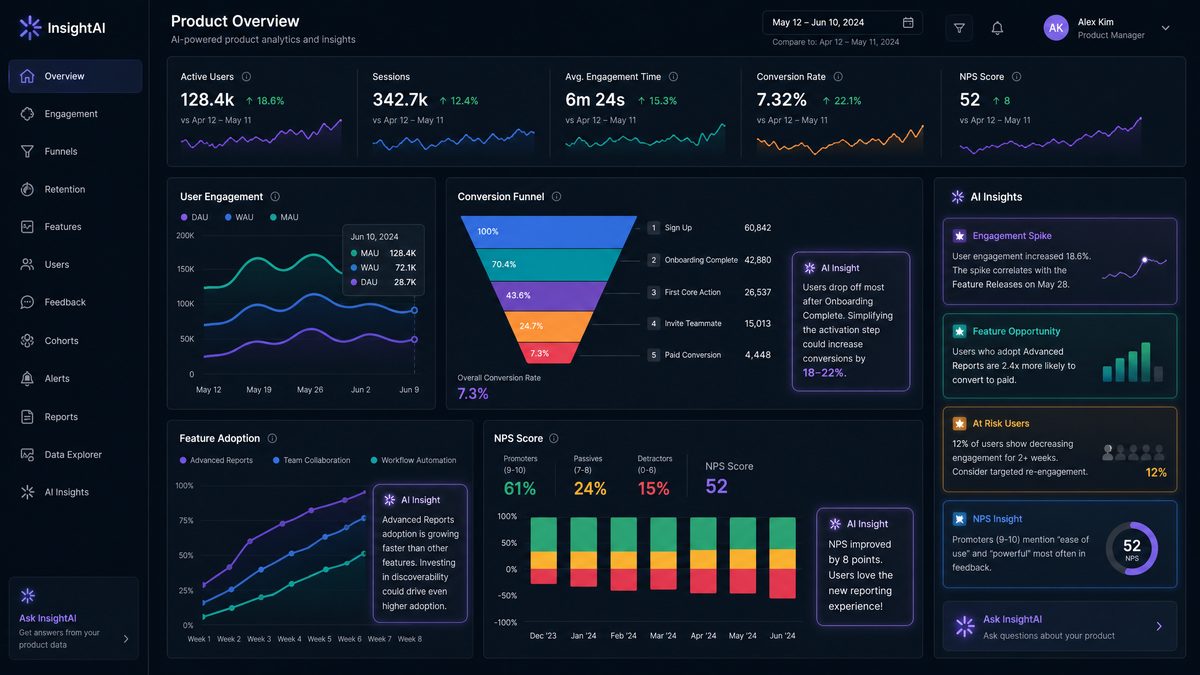
Prompt 38: Create a dashboard layout for product KPIs
“Design an optimal dashboard layout presenting key product KPIs for executive review.”When to use: To visualize critical metrics clearly and support decision-making.
Example output format:
- Top section: MRR and Churn Rate with trend graphs.
- Middle section: User engagement metrics like DAU/MAU ratios.
- Bottom section: Feature adoption rates and NPS scores.
- Alerts area: KPIs outside target thresholds.
Pro tip: Request suggestions for visualization types (charts, tables).
Prompt 39: Identify leading and lagging indicators for product growth
“Explain leading and lagging indicators relevant to monitoring product growth and give examples.”When to use: To balance immediate signals and long-term outcome metrics.
Example output format:
- Leading indicators: Website traffic, trial sign-ups, user engagement rates.
- Lagging indicators: Revenue growth, churn rate, customer lifetime value.
Pro tip: Request suggestions on how to act on each indicator.
Prompt 40: Develop a KPI tracking plan with data sources and update frequency
“Create a KPI tracking plan including key metrics, data sources, owners, and update frequency for a mobile health app.”When to use: To organize and operationalize KPI monitoring efforts.
Example output format:
| KPI | Data Source | Owner | Update Frequency |
|---|---|---|---|
| Daily Active Users (DAU) | App analytics platform | Product Analyst | Daily |
| Average Session Length | App analytics platform | UX Team | Weekly |
| Crash Rate | Crash reporting tool | Engineering Lead | Real-time |
| NPS Score | User surveys | Customer Success | Monthly |
Pro tip: Include escalation procedures if KPIs deviate significantly from targets.
For teams implementing infrastructure automation, our comprehensive guide on 50 Production-Ready Codex CLI Prompts for Automating DevOps and Infrastructure Tasks provides 50 battle-tested prompts covering Kubernetes orchestration, CI/CD pipeline generation, and cloud resource provisioning that complement the strategies discussed in this article.
For a deeper exploration of related AI capabilities and implementation strategies, our comprehensive resource on GPT-5.5 Creative Writing Controversy: Why Users Report Degraded Output After the May 2026 Update provides additional context, practical examples, and expert analysis that extends the concepts covered in this article.
Professionals in finance and investment banking can extract significant value from AI-powered analysis workflows. Our specialized guide on GPT-5.5 Prompts for Financial Analysis and Investment Research: The Complete Playbook presents curated prompts for portfolio evaluation, market trend identification, and risk assessment modeling.
Conclusion
GPT-5.5 offers product managers a powerful assistant capable of accelerating documentation, analysis, and communication tasks with precision and depth. The 40 prompts outlined in this guide cover essential product management domains—from crafting comprehensive PRDs and writing actionable user stories to conducting competitive analyses and defining impactful KPIs. By integrating these prompts into your workflows, you can enhance clarity, improve stakeholder alignment, and make data-driven decisions faster.
Remember to customize prompts with your product context and goals to unlock GPT-5.5’s full potential. Whether you’re planning your next roadmap, synthesizing user research, or communicating progress, these prompts provide a solid foundation for leveraging AI to elevate your product management practice.
