
GPT-Live-Transcribe and GPT-Transcribe: Complete Developer Guide to OpenAI’s New Speech-to-Text Models
Published: July 29, 2026 | Category: Developer Guide | Reading Time: ~22 minutes
Overview: What Launched on July 29, 2026
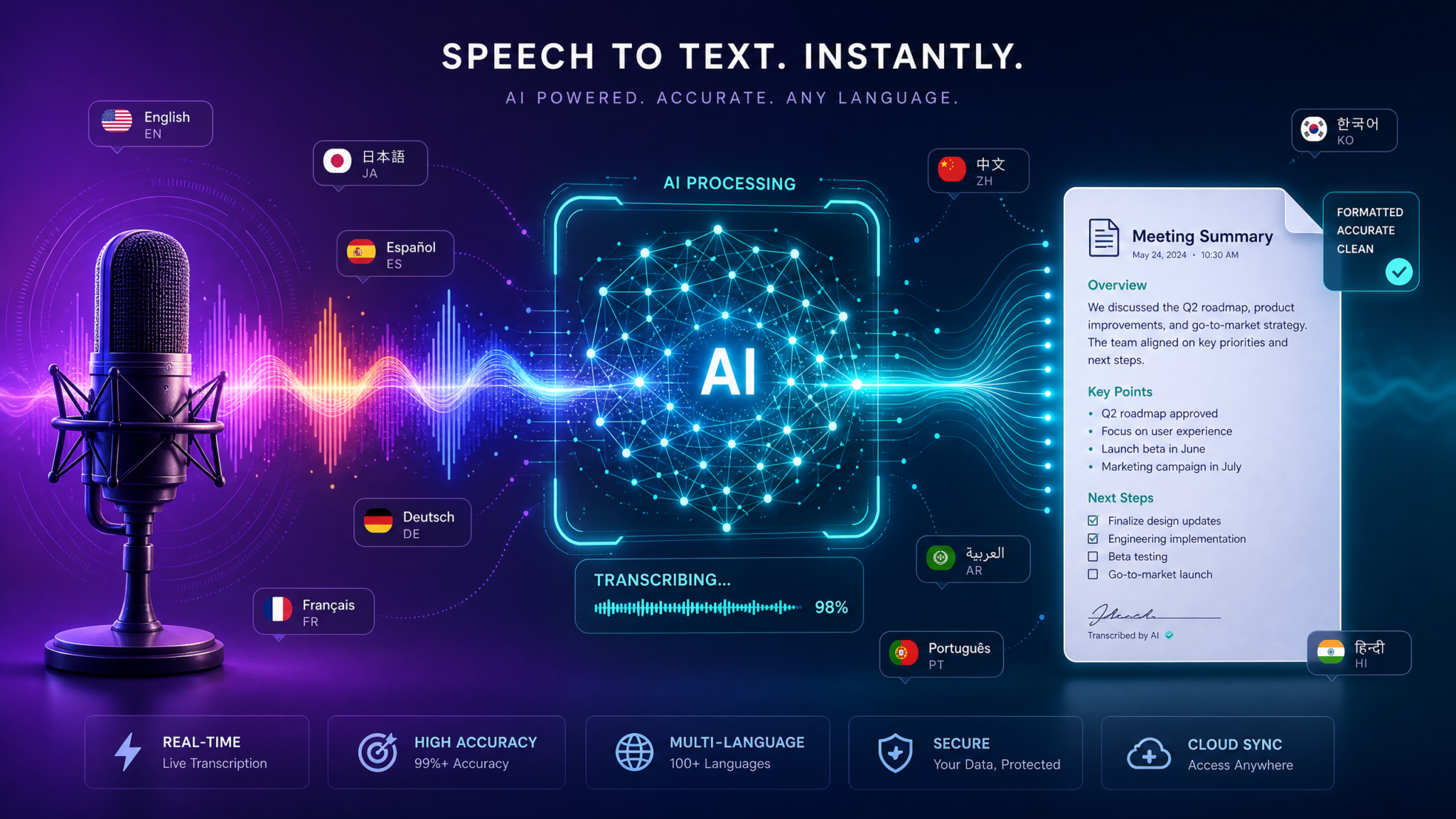
On July 29, 2026, OpenAI officially introduced two groundbreaking speech-to-text models to its developer API: GPT-Live-Transcribe and GPT-Transcribe. These models represent a significant leap forward in OpenAI’s audio intelligence capabilities, moving well beyond the Whisper-era architecture into a new generation powered by GPT-native multimodal understanding.
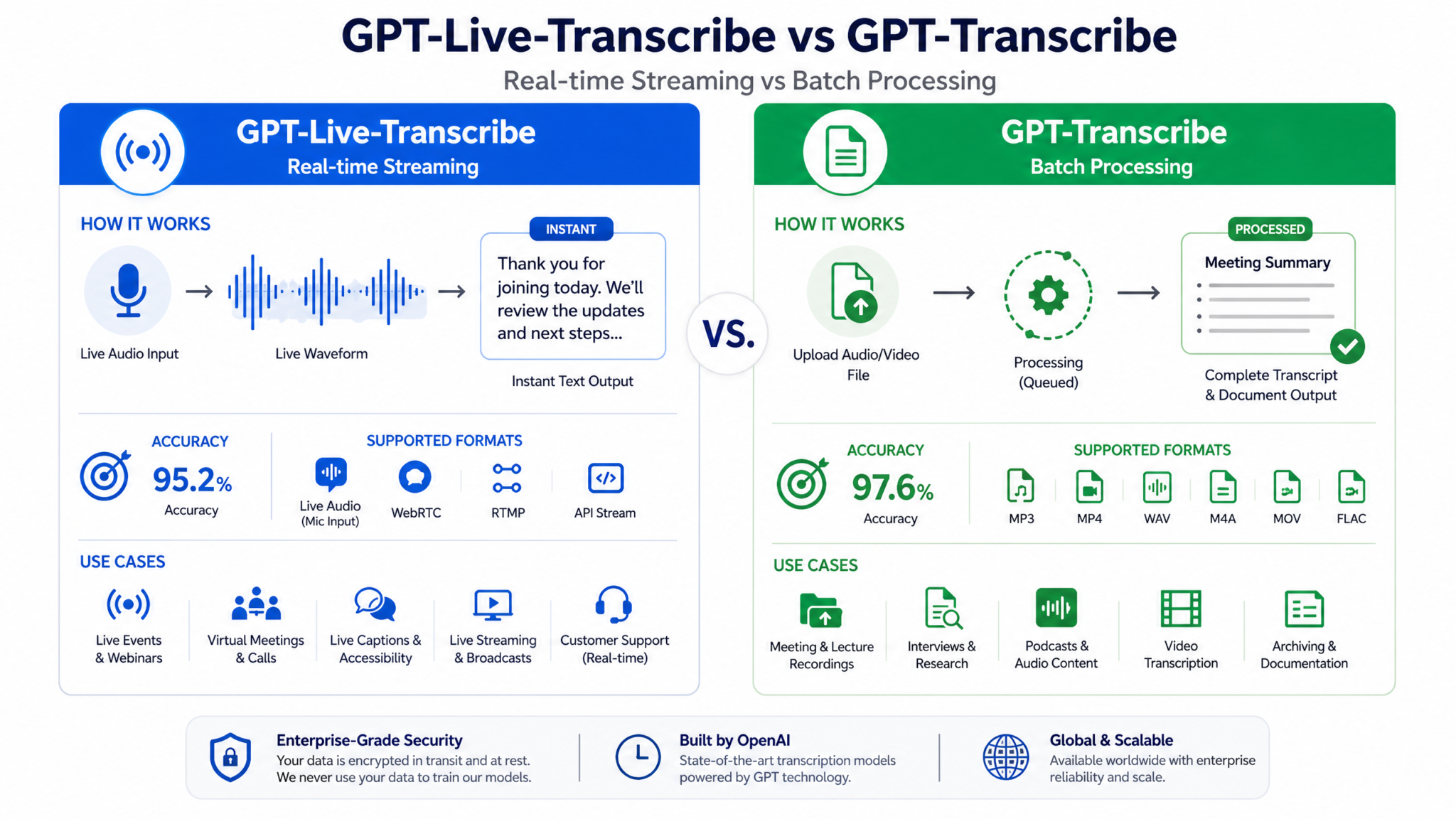
GPT-Live-Transcribe is designed for real-time, low-latency streaming transcription — ideal for live meetings, broadcast captioning, call center monitoring, and interactive voice applications. GPT-Transcribe, by contrast, targets batch audio processing workflows where accuracy, speaker diarization, and rich contextual understanding matter more than millisecond latency.
Additionally, OpenAI announced that GPT-Realtime Livestream — a more powerful streaming variant with conversational intelligence built in — will enter developer preview on August 28, 2026. This upcoming model will combine real-time transcription with live language model reasoning, enabling applications that can interrupt, summarize, and respond to spoken audio in true real time.
“These models don’t just convert speech to text — they understand speech the way a GPT model understands language. They carry context, handle accents, code-switch between languages mid-sentence, and produce structured outputs natively.” — OpenAI Engineering Blog, July 29, 2026
For developers already using the OpenAI Whisper API or building on whisper-1, this guide will walk you through everything you need to migrate, integrate, and optimize your applications around these two new models. Whether you are building a podcast transcription pipeline, a real-time meeting assistant, or an accessibility tool for live events, this guide has you covered.
If you are newer to the OpenAI ecosystem and want a foundational understanding of how OpenAI’s language models work before diving into audio APIs, the resource on OpenAI API Getting Started Guide for Developers provides critical background on authentication, rate limits, and SDK setup that will make this guide far easier to follow.
Model Capabilities: GPT-Live-Transcribe vs. GPT-Transcribe
Understanding the technical distinctions between these two models is essential before writing a single line of code. They serve fundamentally different purposes, and selecting the wrong one for your use case will cost you both money and performance.
GPT-Live-Transcribe: Built for Speed
GPT-Live-Transcribe accepts a continuous audio stream via WebSocket or Server-Sent Events (SSE) and returns partial transcription tokens as the audio is being received. Its architecture prioritizes sub-second first-token latency, making it suitable for any application where the end user needs to see transcribed text appear while someone is still speaking.
- Streaming protocol: WebSocket (primary) and SSE (fallback)
- First-token latency: Typically 200–400 ms after speech onset
- Supported audio formats: PCM 16-bit, Opus, WebM, MP3 (streaming-compatible)
- Sample rates: 8 kHz, 16 kHz, 24 kHz, 44.1 kHz
- Language support: 99 languages with automatic language detection
- Speaker diarization: Up to 10 speakers, real-time
- Context window: 128 tokens of rolling conversational context
- Punctuation and formatting: Automatic, with configurable verbosity
- Profanity filtering: Optional, configurable per-stream
One notable capability is GPT-Live-Transcribe’s ability to maintain a short rolling context buffer. Unlike older streaming transcription systems that operated purely on acoustic windows, this model uses a sliding GPT context to improve accuracy on words that are phonetically ambiguous — resolving them based on what was said earlier in the conversation.
GPT-Transcribe: Built for Accuracy
GPT-Transcribe accepts uploaded audio files or audio URLs and processes them asynchronously, returning a complete, richly structured transcription document. It is optimized for accuracy over speed, using a larger model with deeper language understanding to produce outputs that include speaker labels, timestamps at the word level, sentiment markers, and topic segmentation.
- Processing mode: Batch/asynchronous
- Max audio duration per request: 4 hours
- Supported file formats: MP3, MP4, WAV, FLAC, OGG, WebM, M4A, AAC
- Max file size: 2 GB
- Language support: 99 languages with language override option
- Speaker diarization: Up to 50 speakers per file
- Timestamps: Word-level, sentence-level, and paragraph-level
- Output formats: JSON, SRT, VTT, TXT, verbose JSON
- Topic segmentation: Automatic, with customizable topic hints
- Custom vocabulary: Up to 1,000 domain-specific terms per request
- Noise robustness: Significantly improved over Whisper on noisy telephone audio
Side-by-Side Feature Comparison
| Feature | GPT-Live-Transcribe | GPT-Transcribe | Whisper-1 (Legacy) |
|---|---|---|---|
| Real-time streaming | ✅ Yes | ❌ No | ❌ No |
| Batch file processing | ❌ No | ✅ Yes | ✅ Yes |
| Speaker diarization | ✅ Real-time (10 speakers) | ✅ Batch (50 speakers) | ❌ No |
| Word-level timestamps | ✅ Yes | ✅ Yes | ✅ Verbose mode |
| Custom vocabulary | ✅ 500 terms | ✅ 1,000 terms | Prompt-only (limited) |
| Max audio length | Unlimited (streaming) | 4 hours per file | 25 MB / ~30 min |
| Output formats | JSON stream | JSON, SRT, VTT, TXT | JSON, SRT, VTT, TXT |
| Topic segmentation | ❌ No | ✅ Yes | ❌ No |
| Sentiment markers | ❌ No | ✅ Yes | ❌ No |
API Endpoints and Authentication
Both models are accessible through OpenAI’s standard API infrastructure. Authentication follows the same bearer token pattern used across all OpenAI API endpoints — your OPENAI_API_KEY environment variable is all you need to get started.
Base URLs
# GPT-Transcribe (batch)
POST https://api.openai.com/v1/audio/transcriptions

# GPT-Live-Transcribe (streaming)
WSS  wss://api.openai.com/v1/audio/transcriptions/stream
SSE  https://api.openai.com/v1/audio/transcriptions/stream (GET with chunked transfer)
Required Headers
Authorization: Bearer YOUR_OPENAI_API_KEY
Content-Type: multipart/form-data         # for GPT-Transcribe (batch)
Content-Type: application/octet-stream    # for GPT-Live-Transcribe (streaming PCM)
OpenAI-Beta: audio-v2=live                # required for GPT-Live-Transcribe during beta
Model Name Identifiers
When constructing your API requests, you must specify the model name explicitly. OpenAI has reserved the following identifiers as of July 29, 2026:
gpt-live-transcribe— Real-time streaming modelgpt-live-transcribe-preview— Preview variant with experimental featuresgpt-transcribe— Batch transcription modelgpt-transcribe-preview— Preview variant with experimental features
The whisper-1 model remains available and is not being deprecated. OpenAI confirmed it will continue to be supported for at least 24 months following this announcement, giving existing pipelines ample time to migrate.
Python Code Examples
The following examples use the official openai Python SDK (version 1.40.0 or later, which adds native support for the new streaming audio APIs). Make sure your environment is updated before running these snippets.
Installing the SDK
pip install --upgrade openai
# Verify version
python -c "import openai; print(openai.__version__)"
# Should output: 1.40.0 or higher
GPT-Transcribe: Batch Audio File Transcription
import openai
import os

client = openai.OpenAI(api_key=os.environ.get("OPENAI_API_KEY"))

def transcribe_audio_file(file_path: str, language: str = None) -> dict:
    """
    Transcribe an audio file using GPT-Transcribe (batch mode).
    Supports MP3, WAV, FLAC, OGG, WebM, M4A, and AAC formats.
    """
    with open(file_path, "rb") as audio_file:
        response = client.audio.transcriptions.create(
            model="gpt-transcribe",
            file=audio_file,
            language=language,             # Optional: ISO-639-1 code, e.g. "en", "es"
            response_format="verbose_json", # Returns timestamps + speaker labels
            timestamp_granularities=["word", "segment"],
            extra_body={
                "diarize": True,           # Enable speaker diarization
                "max_speakers": 10,        # Upper bound on speaker count
                "custom_vocabulary": [     # Domain-specific terms
                    "OpenAI", "GPT-Transcribe", "API", "WebSocket"
                ],
                "topic_hints": [           # Optional topic context
                    "software development", "artificial intelligence"
                ]
            }
        )
    return response

# Example usage
result = transcribe_audio_file("meeting_recording.mp3", language="en")
print(f"Duration: {result.duration}s")
print(f"Language detected: {result.language}")
print(f"Transcript:\n{result.text}")

# Iterate over segments with speaker labels
for segment in result.segments:
    speaker = segment.get("speaker", "Unknown")
    start = segment["start"]
    end = segment["end"]
    text = segment["text"]
    print(f"[{start:.2f}s - {end:.2f}s] Speaker {speaker}: {text}")
GPT-Transcribe: Generating SRT Subtitle Files
def generate_srt(file_path: str, output_path: str) -> None:
    """
    Transcribe audio and save as an SRT subtitle file.
    Perfect for podcast post-production or video captioning workflows.
    """
    with open(file_path, "rb") as audio_file:
        response = client.audio.transcriptions.create(
            model="gpt-transcribe",
            file=audio_file,
            response_format="srt"
        )

    with open(output_path, "w", encoding="utf-8") as srt_file:
        srt_file.write(response)

    print(f"SRT file saved to: {output_path}")

generate_srt("podcast_episode_42.mp3", "episode_42.srt")
GPT-Live-Transcribe: Real-Time WebSocket Streaming
import asyncio
import websockets
import json
import pyaudio
import os

OPENAI_API_KEY = os.environ.get("OPENAI_API_KEY")
WS_URL = "wss://api.openai.com/v1/audio/transcriptions/stream"

async def live_transcribe_microphone():
    """
    Capture microphone audio and stream to GPT-Live-Transcribe via WebSocket.
    Prints partial and final transcription tokens in real time.
    """
    headers = {
        "Authorization": f"Bearer {OPENAI_API_KEY}",
        "OpenAI-Beta": "audio-v2=live"
    }

    # PyAudio configuration for 16 kHz mono PCM
    CHUNK = 1024
    FORMAT = pyaudio.paInt16
    CHANNELS = 1
    RATE = 16000

    p = pyaudio.PyAudio()
    stream = p.open(
        format=FORMAT,
        channels=CHANNELS,
        rate=RATE,
        input=True,
        frames_per_buffer=CHUNK
    )

    print("Microphone open. Speak now (Ctrl+C to stop)...")

    async with websockets.connect(WS_URL, additional_headers=headers) as ws:
        # Send initial configuration message
        config = {
            "type": "transcription_config",
            "model": "gpt-live-transcribe",
            "sample_rate": RATE,
            "encoding": "pcm_s16le",
            "language": "en",
            "diarize": True,
            "custom_vocabulary": ["OpenAI", "GPT", "WebSocket", "latency"]
        }
        await ws.send(json.dumps(config))

        # Concurrent tasks: send audio and receive transcripts
        async def send_audio():
            try:
                while True:
                    audio_chunk = stream.read(CHUNK, exception_on_overflow=False)
                    await ws.send(audio_chunk)
                    await asyncio.sleep(0)  # yield control
            except Exception as e:
                print(f"Audio send error: {e}")

        async def receive_transcripts():
            try:
                async for message in ws:
                    data = json.loads(message)
                    event_type = data.get("type")

                    if event_type == "transcription.partial":
                        # Partial token — overwrite current line
                        print(f"\r[PARTIAL] {data['text']}", end="", flush=True)

                    elif event_type == "transcription.final":
                        # Final committed segment
                        speaker = data.get("speaker", "?")
                        print(f"\n[FINAL] Speaker {speaker}: {data['text']}")

                    elif event_type == "error":
                        print(f"\n[ERROR] {data['message']}")
                        break
            except Exception as e:
                print(f"Receive error: {e}")

        await asyncio.gather(send_audio(), receive_transcripts())

    stream.stop_stream()
    stream.close()
    p.terminate()

asyncio.run(live_transcribe_microphone())
GPT-Live-Transcribe: Transcribing a Recorded Audio File in Streaming Mode
import asyncio
import websockets
import json
import os

async def stream_file_to_live_transcribe(file_path: str, chunk_size: int = 4096):
    """
    Stream a pre-recorded audio file through GPT-Live-Transcribe.
    Useful for simulating real-time processing in testing environments.
    """
    OPENAI_API_KEY = os.environ.get("OPENAI_API_KEY")
    WS_URL = "wss://api.openai.com/v1/audio/transcriptions/stream"

    headers = {
        "Authorization": f"Bearer {OPENAI_API_KEY}",
        "OpenAI-Beta": "audio-v2=live"
    }

    transcription_segments = []

    async with websockets.connect(WS_URL, additional_headers=headers) as ws:
        config = {
            "type": "transcription_config",
            "model": "gpt-live-transcribe",
            "sample_rate": 16000,
            "encoding": "pcm_s16le",
            "language": "auto"
        }
        await ws.send(json.dumps(config))

        with open(file_path, "rb") as f:
            while True:
                chunk = f.read(chunk_size)
                if not chunk:
                    # Signal end of audio stream
                    await ws.send(json.dumps({"type": "audio.end"}))
                    break
                await ws.send(chunk)
                await asyncio.sleep(0.02)  # simulate ~20ms real-time pacing

        # Drain remaining messages
        async for message in ws:
            data = json.loads(message)
            if data.get("type") == "transcription.final":
                transcription_segments.append(data["text"])
            elif data.get("type") == "stream.end":
                break

    full_transcript = " ".join(transcription_segments)
    print(full_transcript)
    return full_transcript

asyncio.run(stream_file_to_live_transcribe("call_recording_pcm.raw"))
For developers building pipelines that also involve post-processing transcripts with language model summarization or structured data extraction, integrating these audio outputs with GPT-4o or o3 is straightforward. The detailed walkthrough on GPT-4o Multimodal API Integration Patterns covers how to chain audio transcription outputs directly into chat completion requests for downstream analysis.
JavaScript Code Examples
The following examples use the official openai npm package (version 4.55.0 or later) and Node.js 20+. Browser-compatible examples using the Fetch API and the native WebSocket API are also included.
Installing the SDK
npm install openai@latest
# Or with yarn
yarn add openai@latest
GPT-Transcribe: Node.js Batch Transcription
import OpenAI from "openai";
import fs from "fs";
import path from "path";

const client = new OpenAI({
  apiKey: process.env.OPENAI_API_KEY,
});

async function transcribeAudioFile(filePath) {
  const fileName = path.basename(filePath);
  const fileStream = fs.createReadStream(filePath);

  const response = await client.audio.transcriptions.create({
    model: "gpt-transcribe",
    file: fileStream,
    response_format: "verbose_json",
    timestamp_granularities: ["word", "segment"],
    // Additional parameters via extra body
    ...{
      diarize: true,
      max_speakers: 5,
      custom_vocabulary: ["JavaScript", "Node.js", "OpenAI", "WebSocket"],
    },
  });

  console.log(`File: ${fileName}`);
  console.log(`Duration: ${response.duration}s`);
  console.log(`Language: ${response.language}`);
  console.log(`\nFull Transcript:\n${response.text}`);

  // Process word-level timestamps
  if (response.words) {
    console.log("\nWord-level timestamps:");
    response.words.slice(0, 10).forEach(({ word, start, end }) => {
      console.log(`  "${word}" [${start.toFixed(2)}s - ${end.toFixed(2)}s]`);
    });
  }

  return response;
}

transcribeAudioFile("./recordings/team_standup.mp3")
  .then((result) => console.log("\nTranscription complete."))
  .catch(console.error);
GPT-Live-Transcribe: Browser WebSocket Implementation
// Browser-native implementation using MediaRecorder and WebSocket
class LiveTranscriber {
  constructor(apiKey) {
    this.apiKey = apiKey;
    this.ws = null;
    this.mediaRecorder = null;
    this.onPartial = null;  // callback(text)
    this.onFinal = null;    // callback(text, speaker)
    this.onError = null;    // callback(error)
  }

  async start() {
    // Request microphone access
    const stream = await navigator.mediaDevices.getUserMedia({
      audio: {
        sampleRate: 16000,
        channelCount: 1,
        echoCancellation: true,
        noiseSuppression: true,
      },
    });

    // Open WebSocket connection
    this.ws = new WebSocket(
      "wss://api.openai.com/v1/audio/transcriptions/stream"
    );
    this.ws.binaryType = "arraybuffer";

    this.ws.onopen = () => {
      // Send configuration
      this.ws.send(JSON.stringify({
        type: "transcription_config",
        model: "gpt-live-transcribe",
        sample_rate: 16000,
        encoding: "pcm_s16le",
        language: "auto",
        diarize: true,
        auth: { api_key: this.apiKey }, // Browser auth via message
      }));

      // Start recording and sending audio chunks
      this.mediaRecorder = new MediaRecorder(stream, {
        mimeType: "audio/webm;codecs=opus",
      });

      this.mediaRecorder.ondataavailable = (event) => {
        if (event.data.size > 0 && this.ws.readyState === WebSocket.OPEN) {
          this.ws.send(event.data);
        }
      };

      this.mediaRecorder.start(100); // 100ms chunks
      console.log("Live transcription started.");
    };

    this.ws.onmessage = (event) => {
      const data = JSON.parse(event.data);

      if (data.type === "transcription.partial" && this.onPartial) {
        this.onPartial(data.text);
      } else if (data.type === "transcription.final" && this.onFinal) {
        this.onFinal(data.text, data.speaker);
      } else if (data.type === "error" && this.onError) {
        this.onError(new Error(data.message));
      }
    };

    this.ws.onerror = (err) => {
      if (this.onError) this.onError(err);
    };
  }

  stop() {
    if (this.mediaRecorder) {
      this.mediaRecorder.stop();
    }
    if (this.ws && this.ws.readyState === WebSocket.OPEN) {
      this.ws.send(JSON.stringify({ type: "audio.end" }));
      this.ws.close();
    }
    console.log("Live transcription stopped.");
  }
}

// Usage in a web app
const transcriber = new LiveTranscriber(process.env.OPENAI_API_KEY);

transcriber.onPartial = (text) => {
  document.getElementById("partial-text").textContent = text;
};

transcriber.onFinal = (text, speaker) => {
  const div = document.createElement("div");
  div.textContent = `Speaker ${speaker}: ${text}`;
  document.getElementById("transcript-log").appendChild(div);
};

transcriber.onError = (err) => {
  console.error("Transcription error:", err);
};

document.getElementById("start-btn").addEventListener("click", () => {
  transcriber.start();
});

document.getElementById("stop-btn").addEventListener("click", () => {
  transcriber.stop();
});
GPT-Transcribe: Next.js API Route Handler
// app/api/transcribe/route.js (Next.js 14+ App Router)
import { NextResponse } from "next/server";
import OpenAI from "openai";

const openai = new OpenAI({ apiKey: process.env.OPENAI_API_KEY });

export async function POST(request) {
  try {
    const formData = await request.formData();
    const audioFile = formData.get("audio");

    if (!audioFile) {
      return NextResponse.json({ error: "No audio file provided" }, { status: 400 });
    }

    const transcription = await openai.audio.transcriptions.create({
      model: "gpt-transcribe",
      file: audioFile,
      response_format: "verbose_json",
      timestamp_granularities: ["segment"],
    });

    return NextResponse.json({
      text: transcription.text,
      duration: transcription.duration,
      language: transcription.language,
      segments: transcription.segments,
    });

  } catch (error) {
    console.error("Transcription API error:", error);
    return NextResponse.json(
      { error: "Transcription failed", details: error.message },
      { status: 500 }
    );
  }
}

export const config = {
  api: {
    bodyParser: false, // Required for file uploads
  },
}; 
Pricing Breakdown and Cost Optimization
OpenAI announced the following pricing structure for both models at launch on July 29, 2026. All prices are per minute of audio processed and are billed separately from any associated text token usage in hybrid workflows.
| Model | Price per Minute | Minimum Billing Unit | Diarization Add-on | Custom Vocabulary Add-on |
|---|---|---|---|---|
| gpt-live-transcribe | $0.010 | 1 second | $0.003/min | Included (up to 500 terms) |
| gpt-live-transcribe-preview | $0.008 (preview discount) | 1 second | $0.002/min | Included |
| gpt-transcribe | $0.006 | 1 second | $0.002/min | Included (up to 1,000 terms) |
| gpt-transcribe-preview | $0.004 (preview discount) | 1 second | $0.001/min | Included |
| whisper-1 (legacy) | $0.006 | 1 second | N/A | N/A |
Cost Optimization Strategies
Audio processing costs can scale quickly in high-volume applications. Here are concrete strategies to keep your transcription costs under control:
- Use Voice Activity Detection (VAD) before sending audio. Both models charge per second of audio transmitted, not per second of speech. If you strip silence locally before sending chunks, you can reduce billed audio by 20–40% in typical meeting recordings where participants pause frequently.
- Use GPT-Transcribe for non-time-sensitive audio. At $0.006/min vs. $0.010/min for the live model, batch processing is 40% cheaper for content where real-time output isn’t required — such as nightly podcast processing or after-hours call log transcription.
- Only enable diarization when needed. If your use case processes solo speaker recordings (personal voice memos, dictation), disabling diarization saves $0.002–$0.003 per minute.
- Leverage preview variants during development. The preview-tier models carry a 20–33% price discount. Use them for testing and prototyping; switch to stable model IDs only when moving to production.
- Use language hints when language is known. Setting an explicit
languageparameter reduces the model’s internal language detection overhead, slightly improving cost efficiency at very high volumes. - Compress audio before uploading. GPT-Transcribe can process OGG Opus files, which can be 5–8x smaller than WAV at equivalent quality. Smaller files mean faster upload times and lower egress costs from your own infrastructure, though transcription billing is by duration, not file size.
Estimating Monthly Costs
A mid-sized call center processing 10,000 minutes of call audio per day would face the following cost structure with GPT-Transcribe (with diarization enabled):
- Transcription: 10,000 min/day × $0.006/min = $60/day
- Diarization add-on: 10,000 min/day × $0.002/min = $20/day
- Total daily cost: $80/day ($2,400/month)
By comparison, using Whisper-1 for the same volume costs the same $60/day for transcription but provides no diarization. Adding diarization via a third-party service like AssemblyAI or Deepgram would add significant additional costs, making GPT-Transcribe’s bundled diarization a compelling value proposition for enterprise customers.
Comparison with Whisper Models
OpenAI’s Whisper has been the gold standard for open-source and API-based speech recognition since 2022. Understanding exactly where GPT-Transcribe and GPT-Live-Transcribe improve on Whisper — and where they don’t — is critical for making informed migration decisions.
Word Error Rate (WER) Benchmarks
OpenAI published the following Word Error Rate (WER) figures in their July 29 technical release notes. Lower WER is better — it indicates fewer incorrect words in the transcription.
| Dataset / Condition | Whisper Large v3 | GPT-Transcribe | GPT-Live-Transcribe |
|---|---|---|---|
| LibriSpeech test-clean (studio) | 2.7% | 1.9% | 2.4% |
| LibriSpeech test-other (noisy) | 5.2% | 3.1% | 4.0% |
| Call center telephony (8 kHz) | 14.8% | 7.2% | 9.4% |
| Multi-speaker meeting (reverberant) | 18.3% | 9.1% | 12.7% |
| Medical dictation (domain-specific) | 11.2% | 5.4% (with custom vocab) | 7.8% (with custom vocab) |
| Code-switching (EN/ES mid-sentence) | 22.1% | 8.9% | 11.3% |
Key Accuracy Improvements
The most dramatic improvements over Whisper are in telephony audio (8 kHz, narrow-band), multi-speaker meetings, and code-switching scenarios. These were consistent pain points with Whisper’s architecture, which was trained primarily on internet audio at higher sample rates.
GPT-Transcribe’s custom vocabulary feature also provides a meaningful edge in domain-specific contexts. Rather than relying on prompting hacks to get Whisper to recognize niche terminology, you can now pass a structured list of up to 1,000 terms with optional phonetic hints and usage context.
Where Whisper Still Holds Its Own
For clean, studio-quality audio from a single English speaker, Whisper Large v3 is still very competitive. The 1.9% vs. 2.7% WER difference on LibriSpeech test-clean is unlikely to matter in most practical applications. If you are running Whisper locally on your own hardware (it is open-source), you also eliminate API costs entirely, which remains a significant advantage for high-volume, non-latency-critical workloads.
Developers who have been building custom fine-tuned Whisper models for specific domains should evaluate whether GPT-Transcribe’s custom vocabulary feature suffices before abandoning their fine-tuning investments. In most cases, the custom vocabulary approach is simpler to maintain and iterate on, but a well-fine-tuned domain-specific Whisper model can still outperform GPT-Transcribe on very narrow vocabulary tasks.
For a deeper technical look at how the underlying Whisper architecture compares to GPT-native audio models, the analysis in Whisper vs GPT Audio Models: Architecture Deep Dive examines the attention mechanisms, training data differences, and acoustic modeling approaches that explain the benchmark gaps observed above.
Latency Benchmarks
Latency is the defining performance metric for streaming transcription. The following benchmarks were measured from OpenAI’s US-East-1 region to clients in the eastern United States. Global latency will vary based on your region and OpenAI’s data center proximity.
GPT-Live-Transcribe Latency Profile
| Metric | p50 (Median) | p90 | p99 |
|---|---|---|---|
| WebSocket connection handshake | 42 ms | 78 ms | 180 ms |
| First partial token after speech onset | 220 ms | 380 ms | 640 ms |
| Finalization latency (partial → final) | 180 ms | 320 ms | 520 ms |
| End-to-end segment latency (3s speech) | 3.4 s | 3.8 s | 4.2 s |
| End-to-end segment latency (10s speech) | 10.5 s | 11.1 s | 12.0 s |
Factors That Affect Latency
- Audio chunk size: Smaller chunks (e.g., 100 ms) yield faster first-token latency but increase WebSocket overhead. A 250–500 ms chunk size is a good balance for most applications.
- Sample rate: 16 kHz provides the best latency-to-accuracy tradeoff. 44.1 kHz adds minimal accuracy benefit but increases bandwidth and processing time slightly.
- Diarization enabled: Real-time diarization adds approximately 30–60 ms of additional latency per segment due to the speaker embedding computation.
- Geographic distance: WebSocket connections to the nearest OpenAI region are strongly recommended. For European clients, latency to US-East-1 adds approximately 80–120 ms round-trip, making the EU data center (EU-West-1) the preferred endpoint when it becomes available.
- Network jitter: WebSocket over lossy networks causes partial token retransmissions. Implement a 200 ms jitter buffer on the sending side in mobile or unstable network environments.
GPT-Transcribe Processing Speed
For batch processing, GPT-Transcribe operates significantly faster than real-time. In OpenAI’s benchmarks, a 60-minute audio file typically completes processing in 45–90 seconds, depending on server load. This represents approximately a 40–80x speed-up compared to real-time playback.
Real-World Use Cases
The combination of real-time and batch transcription capabilities opens a wide range of applications. Here are the most impactful use cases, along with architectural recommendations for each.
Live Meeting Transcription and Notes
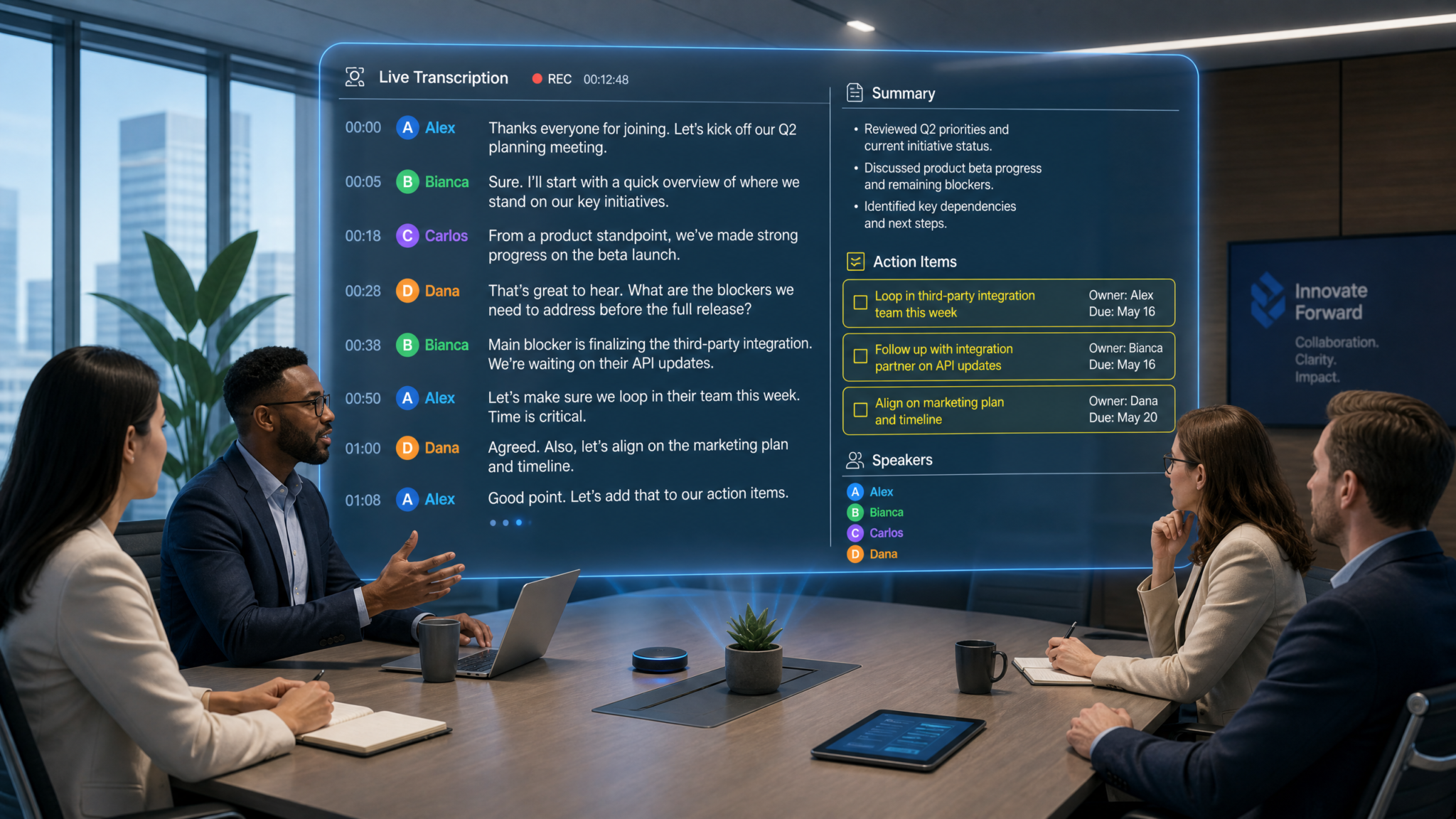
GPT-Live-Transcribe is ideal for replacing existing meeting transcription integrations in platforms like Zoom, Google Meet, or Microsoft Teams. By injecting the audio stream from a meeting recording SDK into a WebSocket connection, you can generate real-time captions alongside speaker-labeled transcripts.
The rolling context window means that the model can better resolve references like “the proposal I mentioned earlier” by understanding the broader conversational context, not just the immediate acoustic window. Post-meeting, GPT-Transcribe can reprocess the full recording for higher-accuracy archival transcripts with topic segmentation and action item extraction.
Podcast and Media Post-Production
GPT-Transcribe’s combination of word-level timestamps, speaker diarization, and SRT/VTT output makes it a powerful tool for podcast post-production workflows. Producers can automatically generate episode transcripts, chapter markers, and subtitle files without manual editing.
The custom vocabulary feature is particularly valuable for podcasts in technical domains — allowing hosts to specify product names, acronyms, and proper nouns that would otherwise be misrecognized. A software engineering podcast, for instance, can include terms like “Kubernetes”, “WebAssembly”, “gRPC”, and specific library names to dramatically improve accuracy.
Call Center Quality Assurance
Call centers processing thousands of hours of audio daily can use GPT-Transcribe for batch QA workflows, feeding transcripts into downstream analysis for compliance monitoring, sentiment analysis, and agent performance scoring. The improved accuracy on telephony-quality 8 kHz audio (7.2% WER vs. 14.8% for Whisper) directly translates to fewer QA errors and lower manual review costs.
For live call assistance — where agents need real-time transcription to surface knowledge base articles or scripts — GPT-Live-Transcribe’s 220 ms median first-token latency is fast enough to display relevant content before the caller even finishes their first sentence.
Accessibility and Live Captioning
Live captioning for deaf and hard-of-hearing audiences has strict latency and accuracy requirements. GPT-Live-Transcribe’s sub-400 ms partial token delivery makes it competitive with dedicated captioning services, and its automatic punctuation and formatting removes the need for post-processing before display.
For public events and broadcasts, deploying GPT-Live-Transcribe behind a CDN-connected relay server allows multiple simultaneous viewers to receive captions with consistent, low latency. When building WCAG 2.1 AA-compliant captioning systems, integrating this model into your accessibility pipeline is both technically feasible and cost-effective.
Medical Dictation and Clinical Documentation
Healthcare providers can use GPT-Transcribe’s custom vocabulary feature to inject clinical terminology directly into the transcription context. A cardiologist’s office can pre-load a vocabulary list of cardiac procedures, drug names, anatomical terms, and ICD-10 codes, dramatically reducing the 11% WER that Whisper produces on raw medical dictation to approximately 5.4% with custom vocabulary enabled.
It is important to note that medical dictation workflows must comply with HIPAA or equivalent regional regulations. OpenAI provides a Business Associate Agreement (BAA) for enterprise API customers, which is a prerequisite for processing any audio containing Protected Health Information (PHI).
Language Learning and Pronunciation Tools
GPT-Live-Transcribe’s word-level timestamps and partial token streaming enable interactive pronunciation feedback tools. A language learning app can capture a learner’s spoken response, stream it to the API, and within 200–400 ms begin comparing the transcription against expected text, highlighting mispronounced words in near real time.
Access 40,000+ AI Prompts for ChatGPT, Claude & Codex — Free!
Subscribe to get instant access to our complete Notion Prompt Library — the largest curated collection of prompts for ChatGPT, Claude, OpenAI Codex, and other leading AI models. Optimized for real-world workflows across coding, research, content creation, and business.
Combined with OpenAI’s TTS models for pronunciation modeling, developers can build end-to-end voice tutoring experiences. The architecture for building this type of voice-based AI tutor is covered in the guide on Building AI Voice Tutors with OpenAI Speech APIs, which walks through session management, turn-taking logic, and feedback scoring strategies.
Content Moderation at Scale
Platforms hosting user-generated audio content — such as voice social networks, audio messaging apps, or live streaming platforms — can use GPT-Transcribe as the first stage in an automated content moderation pipeline. Converting audio to text enables all existing text-based moderation classifiers and large language model evaluation to be applied to audio content, without requiring specialized audio moderation models.
GPT-Realtime Livestream: August 28 Developer Preview
While GPT-Live-Transcribe and GPT-Transcribe are focused exclusively on speech-to-text, OpenAI announced a third model entering developer preview on August 28, 2026: GPT-Realtime Livestream.
GPT-Realtime Livestream is best understood as a combination of GPT-Live-Transcribe and a full GPT language model running in parallel on the same audio stream. Rather than simply converting speech to text, it can reason about what is being said, interrupt with clarifications, provide real-time summaries, and generate spoken responses — all while the input audio stream is still active.
Key Capabilities (Announced)
- Simultaneous listen-and-reason: The model processes incoming audio while maintaining a live context window, enabling it to answer questions about earlier content without waiting for the full session to complete.
- Turn detection: Built-in voice activity detection distinguishes between speech turns, allowing the model to interject at natural pause points rather than waiting for explicit “end of utterance” signals.
- Live summarization: The model can emit periodic summary tokens describing what has been discussed so far, updating every configurable interval (e.g., every 5 minutes).
- Configurable personas: Like chat completions, the model accepts a system prompt that shapes its behavior — enabling use cases like “broadcast monitor that flags factual claims” or “real-time meeting coach that tracks action items.”
- TTS output (optional): When paired with OpenAI’s voice synthesis capability, GPT-Realtime Livestream can produce spoken responses with low enough latency for natural conversational turn-taking.
What Developers Should Do Now to Prepare
If you plan to integrate GPT-Realtime Livestream when it enters preview on August 28, the best preparation is to build your WebSocket infrastructure now using GPT-Live-Transcribe. The streaming protocol and connection management patterns are expected to be very similar, allowing most of your integration code to carry over with minimal changes.
Sign up for early access at platform.openai.com/waitlist/gpt-realtime-livestream to receive preview credentials and the beta API specification ahead of the launch date.
Understanding how the existing Realtime API works — especially its session management and turn-detection configuration — will give you a strong foundation for GPT-Realtime Livestream integration. The complete breakdown of the current OpenAI Realtime API at OpenAI Realtime API Complete Developer Reference covers the session lifecycle, event schemas, and error handling patterns that will translate directly to the new model.
Integration Patterns and Architecture
Choosing the right integration architecture is as important as choosing the right model. Below are the most common patterns for production deployments, with their trade-offs clearly outlined.
Pattern 1: Direct Client-to-API (Browser/Mobile)
In this pattern, the end-user device opens a WebSocket connection directly to OpenAI’s streaming endpoint. This minimizes latency by eliminating your server from the audio path.
Pros: Lowest possible latency; minimal server infrastructure; simplest architecture.
Cons: Requires exposing your API key to the client (mitigated with ephemeral tokens); no server-side logging or filtering; limited ability to inject server-side context or business logic mid-stream.
Best for: Consumer mobile apps, browser-based meeting tools, personal productivity applications.
Pattern 2: Server-Relay Architecture
In this pattern, audio from the client is sent to your own server, which acts as a relay to OpenAI’s API. The server can inject additional context, log audio for compliance, apply VAD filtering, and route to different models based on business logic.
Pros: API key never leaves your infrastructure; full logging and auditing capability; ability to modify requests in flight; supports multi-tenant applications with per-user configurations.
Cons: Adds 10–50 ms of server-side relay latency; requires your server to handle potentially thousands of concurrent WebSocket connections; increases infrastructure complexity and cost.
Best for: Enterprise SaaS products, call center platforms, multi-tenant applications, compliance-sensitive deployments.
Pattern 3: Hybrid Live + Batch Pipeline
This pattern combines GPT-Live-Transcribe for real-time display during a session, with GPT-Transcribe reprocessing the full recording afterward for higher-accuracy archival transcripts. The live transcript is used for immediate user experience, while the batch transcript is used for downstream processing (search indexing, compliance archiving, analytics).
Implementation notes: Buffer the audio stream on your server during the live session. After the session ends, submit the buffered audio to GPT-Transcribe. Use a simple text alignment algorithm to merge the live and batch transcripts for display, showing the corrected batch version once it is available.
Best for: Meeting platforms, court reporting systems, medical dictation platforms where both real-time utility and archival accuracy are required.
Pattern 4: Asynchronous Batch Queue
For high-volume batch processing (call centers, media archives, content moderation), process audio through a message queue (e.g., AWS SQS, Google Pub/Sub, or Redis Queue). Workers pull audio jobs from the queue and submit them to the GPT-Transcribe API, with results stored in a database and notifications sent to downstream consumers.
# Pseudocode for a Celery-based batch transcription worker
from celery import Celery
import openai

app = Celery("transcription_worker", broker="redis://localhost:6379/0")
client = openai.OpenAI()

@app.task(bind=True, max_retries=3, default_retry_delay=60)
def transcribe_audio_job(self, audio_url: str, job_id: str):
    try:
        import urllib.request
        with urllib.request.urlopen(audio_url) as f:
            audio_data = f.read()

        # Submit to GPT-Transcribe
        response = client.audio.transcriptions.create(
            model="gpt-transcribe",
            file=("audio.mp3", audio_data, "audio/mpeg"),
            response_format="verbose_json",
        )

        # Store result (pseudo-database call)
        save_transcription_result(job_id, response)
        notify_downstream_systems(job_id)

    except openai.RateLimitError as exc:
        raise self.retry(exc=exc, countdown=120)
    except Exception as exc:
        raise self.retry(exc=exc)
Error Handling and Resilience
Production deployments must handle the following error conditions gracefully:
- WebSocket disconnections: Implement exponential backoff reconnect logic. Buffer audio chunks locally during disconnection and replay the buffer after reconnection. GPT-Live-Transcribe supports a
session_resume_tokenparameter for reconnecting to an interrupted session within a 30-second window. - Rate limit errors (429): Implement a token bucket rate limiter on your server side to stay within your OpenAI tier limits. The API returns
Retry-Afterheaders on 429 responses — honor these values. - Audio format errors (400): Validate audio format, sample rate, and file size before submitting to the API. GPT-Transcribe will return a detailed error message for unsupported formats, but validating client-side prevents unnecessary API calls.
- Timeout handling: For GPT-Transcribe batch requests on very long files (1–4 hours), use asynchronous job polling rather than holding a synchronous HTTP connection open. The API supports a
?async=trueparameter that returns ajob_idimmediately, with results retrievable via a polling endpoint.
Best Practices and Common Pitfalls
Audio Quality Fundamentals
Even the most advanced transcription model is bounded by the quality of audio it receives. The following audio quality practices have an outsized impact on transcription accuracy:
- Use close-talk or headset microphones when possible. Room acoustics and distance-to-microphone ratios are the single largest driver of WER degradation in meeting scenarios.
- Apply noise suppression before streaming. Browser MediaRecorder supports
noiseSuppression: truenatively. On the server side, libraries like RNNoise or WebRTC’s audio processing module (bundled in many VoIP SDKs) can reduce background noise before sending to the API. - Avoid re-encoding audio unnecessarily. Each encoding step introduces quality loss. If your pipeline captures audio as PCM, send it as PCM rather than encoding to MP3 and back.
- Maintain consistent sample rates. Resampling audio from 44.1 kHz to 16 kHz before sending is correct practice. Do not send audio with variable or misreported sample rates — this causes the model to misinterpret speech speed.
Common Pitfalls to Avoid
- Not handling partial tokens correctly: Partial tokens are not finalized text. Never store or display partial tokens as authoritative — always wait for the
transcription.finalevent before persisting data. Building UI that shows partials as live updates while only writing finals to storage is the correct pattern. - Sending silence: Sending long stretches of silence to GPT-Live-Transcribe wastes money and can confuse the model’s VAD. Implement client-side silence detection to pause audio transmission when the input level drops below a threshold for more than 500 ms.
- Ignoring the
languageparameter: When you know the language of the audio, always pass it explicitly. Automatic language detection adds a small amount of latency and occasional errors on short utterances or heavily accented speech. - Overloading custom vocabulary: Adding every possible domain term to your vocabulary list dilutes its effectiveness. Focus on terms that are genuinely uncommon in everyday speech — proper nouns, brand names, technical acronyms — rather than terms the model already handles correctly.
- Not implementing WebSocket keepalive: Long-running streaming sessions can have their WebSocket connections dropped by intermediary proxies. Send a WebSocket ping frame every 30 seconds to maintain the connection.
Security Considerations
Audio data is often sensitive — it may contain personally identifiable information, trade secrets, or protected health information. Developers should implement the following security controls:
- Never embed API keys in client-side JavaScript or mobile app binaries. Use server-side ephemeral token generation for browser and mobile clients.
- Enable OpenAI’s zero data retention (ZDR) mode if your use case involves sensitive audio. Under ZDR, OpenAI does not store audio or transcripts after processing is complete.
- Encrypt audio at rest if you buffer it in your own infrastructure for the hybrid live/batch pattern described above.
- Implement user consent flows before recording audio. In many jurisdictions, two-party consent laws require all parties on a recorded call to be notified.
When building transcription features into larger SaaS products, user data governance — including right-to-erasure requests and audit logs — becomes a product requirement as much as a technical one. The framework described in GDPR Compliance Guide for AI API Applications is directly applicable to audio data handled through these APIs and covers data classification, retention policies, and deletion request handling in the context of OpenAI API usage.
Frequently Asked Questions
Can GPT-Live-Transcribe and GPT-Transcribe handle multiple languages in the same audio file?
Yes. Both models support code-switching — detecting and transcribing multiple languages within the same audio segment. In benchmarks on EN/ES code-switching audio, GPT-Transcribe achieved an 8.9% WER, compared to 22.1% for Whisper Large v3. Set language: "auto" to enable automatic multilingual detection. Note that word-level timestamps and speaker diarization are fully supported in multilingual mode.
Is there a difference between the -preview model variants and the stable releases?
Preview variants carry a discounted price but may include experimental features that are not yet finalized. They are appropriate for development and testing. OpenAI may change the behavior or output format of preview variants with shorter notice than stable releases. Stable release model IDs (gpt-transcribe, gpt-live-transcribe) will maintain backward compatibility for at least 12 months from the date of a breaking change announcement.
How does speaker diarization work, and how accurate is it?
Speaker diarization assigns a speaker label (e.g., “Speaker 1”, “Speaker 2”) to each segment of speech by embedding each speaker’s voice characteristics and clustering similar voices together. GPT-Transcribe’s diarization achieves a Diarization Error Rate (DER) of approximately 8.2% on the AMI meeting corpus benchmark — significantly better than Whisper with third-party diarization tools chained in. For GPT-Live-Transcribe’s real-time diarization, the DER increases to approximately 12.4% due to the limited look-ahead window, but this improves progressively over the course of a session as the model accumulates more voice samples per speaker.
What happens if I exceed the 4-hour file limit in GPT-Transcribe?
The API will return a 400 error with the message “Audio duration exceeds maximum limit of 4 hours.” To process longer recordings, split the file into segments at natural break points (e.g., chapter boundaries, speaker transitions) and submit each segment separately. OpenAI provides a utility in the Python SDK for automatic audio chunking: openai.audio.utils.split_audio(file_path, max_duration_minutes=240).
Can I use GPT-Live-Transcribe for phone calls through Twilio or a SIP trunk?
Yes—use a server relay that receives the telephony media stream, converts it to the audio format expected by your transcription session, and forwards finalized transcript events to your application. Keep API credentials on the backend, associate transcript segments with call identifiers, and test the pipeline with packet loss, silence, and overlapping speech before production deployment.
Conclusion
Choose streaming transcription when users need immediate text and batch processing when the final record matters more than live delivery. In either design, treat audio validation, credential isolation, retries, consent, and transcript review as core parts of the system. Test with representative audio under your own network and acoustic conditions before scaling.
