⚡ TL;DR — Key Takeaways
- What it is: A complete developer walkthrough for setting up GPT-5.1 in a solo developer’s production stack, covering account provisioning, API keys, SDK installation, structured outputs, tool use, prompt caching, observability, and cost controls.
- Who it’s for: Solo developers and indie hackers shipping SaaS products in 2026 who already know Python or TypeScript and want a pragmatic, production-ready GPT-5.1 scaffold without hand-waving.
- Key takeaways: GPT-5.1’s prompt caching cuts repeated-context costs by 90%; project-scoped API keys and billing isolation are essential for multi-project setups; GPT-5.1-Codex scores 76.3% on SWE-bench Verified for code-heavy workloads.
- Pricing/Cost: GPT-5.1 is priced at $1.25 per million input tokens and $10 per million output tokens; a solo developer can run a production AI backend for under $40/month with proper caching and cost controls in place.
- Bottom line: GPT-5.1 is the pragmatic default for solo developers in 2026 — not the top benchmark scorer (Claude Opus 4.7 leads agentic SWE-bench), but the most polished developer experience with the best-documented failure modes.
✔ Instant access✔ No spam✔ Unsubscribe anytime
Why GPT-5.1 Changed the Math for Solo Developers
A solo developer shipping a SaaS product in 2026 can now run a production-grade AI backend for under $40/month in API spend. That number was closer to $400 eighteen months ago. The driver is GPT-5.1 — released by OpenAI in late 2025 at $1.25 input / $10 output per million tokens with a 400K context window and prompt caching that knocks 90% off repeated context costs.
For a one-person engineering team, the economics matter more than the benchmarks. You are not running A/B tests across seven foundation models. You are picking one, wiring it into your stack, and shipping. GPT-5.1 has become the default pragmatic choice for that profile of developer — not because it tops every leaderboard (Claude Opus 4.7 still wins on agentic SWE-bench tasks, and Gemini 3.1 Pro is cheaper at long-context retrieval), but because the developer experience around it is the most polished and the failure modes are the best documented.
This walkthrough is the complete setup a solo developer needs: account provisioning, key management, SDK installation, the first working call, structured outputs, tool use, prompt caching configuration, observability, and cost controls. By the end you will have a production-ready scaffold you can fork into any project. No hand-waving, no “consult the docs” cop-outs.
One assumption: you are comfortable with Python or TypeScript, have a terminal you can run commands in, and can read a JSON schema. If those are foreign, start with a Python tutorial first and come back. This is not a beginner’s guide to programming — it is a beginner’s guide to GPT-5.1 for people who already program.
A note on model choice before you commit. GPT-5.1 is the workhorse tier. If your workload is code-heavy, GPT-5.1-Codex is a sibling fine-tuned for software tasks and scored 76.3% on SWE-bench Verified at release (source). If you need bleeding-edge reasoning and can absorb the cost, GPT-5.2-Pro or GPT-5.5 are options — but for 90% of solo-dev workloads, GPT-5.1 is the right tradeoff between capability, latency, and price. Start here, profile your actual usage, then upgrade selectively.
Concretely, the cost shift unlocks new product categories for indie builders: AI-native note-takers, autonomous research agents, customer-support copilots, and retrieval-augmented generation (RAG) pipelines that previously demanded VC funding to operate. With prompt caching, a chatbot serving 10,000 daily conversations on a stable system prompt can run for roughly $15–$25/month — margin territory that makes bootstrapped pricing models like $9/month subscriptions genuinely profitable rather than aspirational.
For a closer look at the tools and patterns covered here, see our analysis in Setting Up Gemini 3.1 Pro for Solo Developers — Complete Developer Walkthrough, which covers the practical implementation details and trade-offs.
Account Setup, Keys, and the Things Nobody Tells You
Create an account at platform.openai.com using an email you control long-term. Do not use a personal Gmail you might lose access to — solo developers have lost keys and billing history this way. Use a dedicated work email or a domain you own.
Once in, the order of operations matters:
- Add a payment method first. Free trial credits no longer cover GPT-5.1 in 2026 — they apply only to the nano tier. Add a card, deposit $20 of prepaid credit, and set a hard monthly limit of $100 in Settings → Limits. You can raise it later.
- Create a project, not just a workspace. Projects are the unit of billing isolation. Name it after your product (e.g.
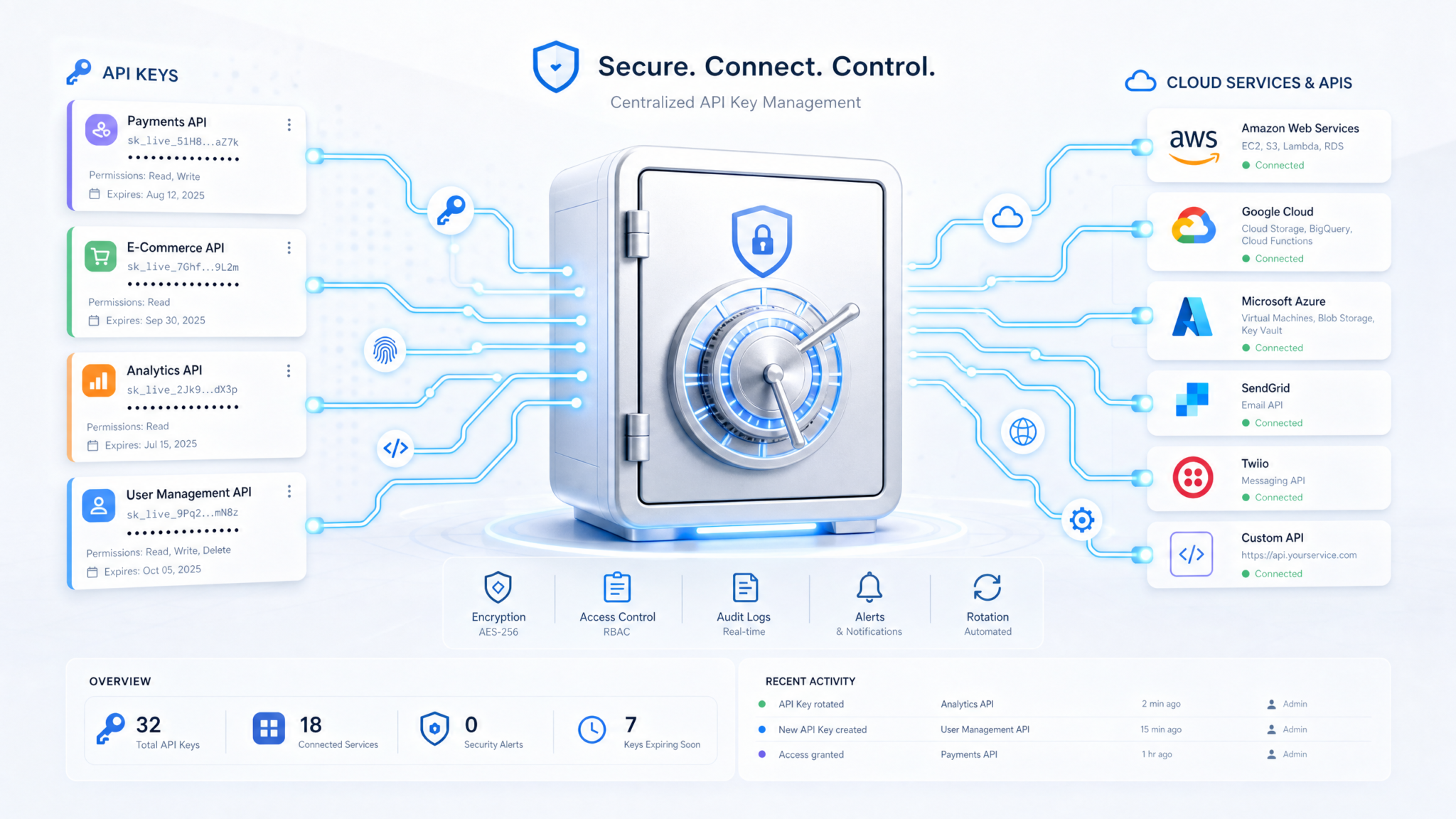
invoice-classifier-prod). Create a separateinvoice-classifier-devproject for local testing. This matters for cost attribution when you have three side projects fighting for the same key. - Generate a project-scoped API key. Under the project, go to API keys → Create new secret key. Restrict the key’s permissions to only the endpoints you need — at minimum
model.requestfor Responses API. Copy it once; OpenAI does not show it again. - Store the key in a secrets manager. Never commit it. Never paste it in a chat. For local dev, use
direnvwith a.envrcfile gitignored. For deployment, use your platform’s secret store (Vercel Environment Variables, Fly.io Secrets, AWS Parameter Store). If you commit a key by accident, revoke it in the dashboard within 60 seconds — OpenAI’s abuse detection is fast, but bots scraping GitHub are faster. - Enable usage alerts. Configure email alerts at $25, $50, and $90 of your $100 cap. The first time you accidentally loop a recursive function calling the API, you will be grateful.
Two configuration items most tutorials skip. First, set your organization default model to GPT-5.1 under Settings → Organization → Default model. This prevents accidentally calling the more expensive GPT-5.2-Pro when you forget to specify a model name. Second, enable Zero Data Retention (ZDR) if your project handles PII — it is a checkbox in project settings and removes the 30-day abuse-monitoring buffer. ZDR is gated by use case for some industries (healthcare, legal, financial services) and may require a short approval form; submit it before you start prototyping, not the week before launch. Also enable SSO and 2FA on the org owner account — a compromised root login is worse than a leaked project key because it exposes all billing history and downstream keys. ZDR availability is documented at source.
For the SDK, install the official client. Python:
pip install openai==1.54.0 python-dotenv tenacityTypeScript:
npm install openai@^4.73.0 dotenv p-retryPin the version. The OpenAI SDK has had three breaking changes since the GPT-5 launch and floating versions in requirements.txt will bite you on a Sunday night deploy. tenacity (Python) and p-retry (Node) handle the rate-limit backoff you will need — the SDK retries internally but only on transport errors, not on 429s with the modern Responses API.
Verify the install works with a one-liner before you write anything real:
from openai import OpenAI
client = OpenAI()  # reads OPENAI_API_KEY from env
r = client.responses.create(model="gpt-5.1", input="Reply with the single word: ready")
print(r.output_text)
If that prints ready, your scaffold is correct. If you get a 401, your key is wrong or scoped to the wrong project. If you get a 404 on the model, your account does not have GPT-5.1 access yet — new accounts sometimes need the first $5 of prepaid credit to fully unlock the model catalog. Wait an hour and retry.
The First Production Call: Responses API, Structured Outputs, and Caching
CTA-OVERHAUL-2026-04-26 STARTGet Free Access to 40,000+ AI Prompts
Join 40,000+ AI professionals. Get instant access to our curated Notion Prompt Library with prompts for ChatGPT, Claude, Codex, Gemini, and more — completely free.
Get Free Access Now →No spam. Instant access. Unsubscribe anytime.
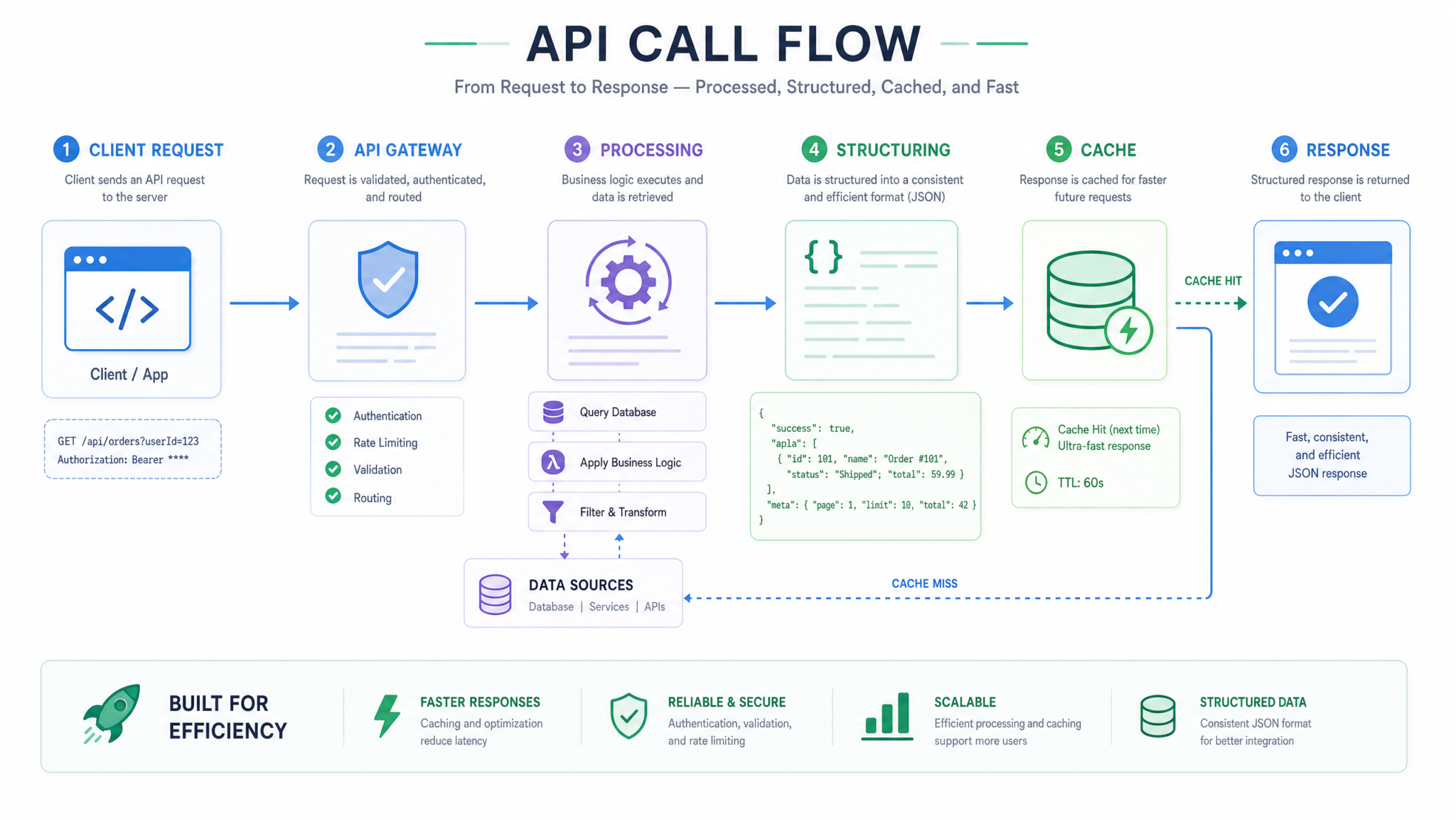
The Responses API replaced Chat Completions as the recommended endpoint in 2025. If you are reading old tutorials that use client.chat.completions.create(), that endpoint still works for backward compatibility but you are giving up native tool use, the reasoning effort parameter, and prompt caching by default. Use Responses.
Here is a production-shaped call with the patterns you will actually use:
from openai import OpenAI
from pydantic import BaseModel
import os

client = OpenAI(api_key=os.environ["OPENAI_API_KEY"])

class InvoiceFields(BaseModel):
    vendor: str
    amount_usd: float
    invoice_date: str  # ISO 8601
    line_items: list[str]
    confidence: float  # 0.0 to 1.0

SYSTEM_PROMPT = """You are an invoice parser. Extract structured fields from\nthe OCR'd invoice text the user provides. If a field is ambiguous, set\nconfidence below 0.7. Never hallucinate values not present in the source."""

def parse_invoice(ocr_text: str) -> InvoiceFields:
    response = client.responses.parse(
        model="gpt-5.1",
        input=[
            {"role": "system", "content": SYSTEM_PROMPT},
            {"role": "user", "content": ocr_text},
        ],
        text_format=InvoiceFields,
        reasoning={"effort": "low"},  # low/medium/high
        max_output_tokens=2000,
    )
    return response.output_parsed
Three things worth pointing out. First, responses.parse() with a Pydantic model gives you guaranteed schema-conformant output. The model cannot return malformed JSON — OpenAI enforces this at the sampling layer via constrained decoding, which masks invalid tokens during generation rather than retrying after the fact. This eliminates roughly 40% of the brittle parsing code, regex fallbacks, and JSON-repair libraries that defined LLM applications in 2023—2024, and it makes downstream type-safe pipelines (FastAPI, SQLModel, dataclasses) trivial to wire up.
Second, reasoning.effort is the GPT-5.1 dial. low runs at about 800ms per call and is correct for extraction, classification, and simple Q&A. medium (around 2.5s) handles multi-step reasoning. high (5—15s) is for code synthesis and proofs. The price is the same across efforts but the output token count climbs with effort because the model burns more reasoning tokens internally. Default to low and only escalate when you measure a quality problem.
Third, prompt caching is automatic for any prefix above 1024 tokens, but you control whether it hits. Put your system prompt and any static context (style guides, schema definitions, few-shot examples) at the start of your input, and keep dynamic user content at the tail. The cache hit rate on the static prefix drops the input price from $1.25/M to $0.125/M — a 10x discount that compounds at scale. For an app making 50,000 calls a month with a 4K-token system prompt, that is the difference between $250 and $25 in cache-eligible spend.
The full Responses API parameter list is documented at source, but the ones you actually need for a solo project are: model, input, text_format (for structured outputs), reasoning.effort, max_output_tokens, tools, tool_choice, and store (set to false if you don’t want OpenAI to retain the conversation for 30 days for abuse monitoring). If you are building a multi-tenant SaaS with HIPAA, SOC 2, or GDPR obligations, you almost certainly want store=false and a Zero Data Retention agreement on your account.
Cost Control, Observability, and the Mistakes That Cost You Money
The OpenAI dashboard provides basic usage graphs, but for real cost control and observability, you need to instrument your own application. Every response from the OpenAI API includes response.usage.input_tokens and response.usage.output_tokens. Log these to your metrics system (Prometheus, Datadog, whatever you use), along with request metadata like user ID, prompt template version, and latency. This granular telemetry allows you to answer questions like:
- What is the average cost per invoice parsed?
- Which prompts are the most expensive?
- Is my caching strategy actually working?
- What is the cost impact of switching from
reasoning.effort=lowtomedium? - Which customer cohorts drive 80% of my token spend?
The biggest mistake solo developers make is not setting hard limits in the OpenAI billing dashboard. The second biggest is not monitoring token consumption in real time. The third is not understanding the pricing model. GPT-5.1 is priced per token. If you send 10,000 tokens of input and get 1,000 tokens of output, you pay for 10,000 input tokens and 1,000 output tokens at their respective rates. Prompt caching changes this by making repeated input tokens significantly cheaper (often 50-90% off), but it doesn’t eliminate the cost entirely, and cache hits require identical prefixes.
Another common mistake is not handling rate limits gracefully. The OpenAI API has generous rate limits, but you can still hit them, especially during development, traffic spikes, or when scaling up. Use a library like tenacity (Python) or p-retry (Node) to automatically retry requests with exponential backoff and jitter. This prevents your application from crashing under 429 errors and ensures that your requests eventually go through without thundering-herd retries.
Finally, consider using a proxy or a caching layer in front of the OpenAI API. This can dramatically reduce costs by serving cached responses for deterministic, identical requests and can also provide an additional layer of rate limiting, audit logging, and security key isolation. For example, you could use Nginx with a Redis backend to cache responses, deploy a Cloudflare Worker at the edge, or build a simple Flask/Express app to act as a centralized gateway for all your LLM traffic.
Deploying, Versioning Prompts, and Handling the Long Tail
When you move from local development to production, you need a strategy for deploying your application, versioning your prompts, and handling the long tail of edge cases.
For deployment, use a platform that supports easy environment variable management for your API keys. Vercel, Fly.io, and AWS Lambda are all good choices, each offering serverless scaling, edge runtime support, and built-in secrets management to protect your GPT-5.1 credentials. Ensure your deployment pipeline automatically runs tests and linting before pushing to production, and consider adding canary deployments or feature flags to gradually roll out prompt changes.
Prompt versioning is crucial. Just like code, prompts evolve. Store your prompts in a version control system (Git) and associate each prompt version with a specific application version. This allows you to roll back to a previous prompt if a new one introduces regressions. Consider using a dedicated prompt management tool or building a simple internal tool to manage your prompts.
The long tail of edge cases is where most AI applications fail. Your model will encounter inputs it hasn’t seen before, and it will make mistakes. You need a strategy for identifying these edge cases, analyzing them, and improving your prompts or fine-tuning your model. This often involves:
- **Human-in-the-loop:** Have humans review a sample of model outputs and provide feedback, ideally through a structured annotation workflow that captures severity, category, and suggested corrections.
- **Logging and monitoring:** Log all model inputs and outputs, and monitor for errors, latency spikes, token usage anomalies, or unexpected behavior using observability platforms like Datadog, Langfuse, or Helicone.
- **A/B testing:** Test new prompts or model versions against existing ones to measure their impact on performance, tracking metrics like task completion rate, user satisfaction, and hallucination frequency.
- **Fine-tuning:** For persistent issues, consider fine-tuning a custom model on your specific data. GPT-5.1 offers fine-tuning capabilities, but it’s an advanced topic beyond the scope of this walkthrough.
Remember, AI development is an iterative process. You won’t get it perfect on the first try. Embrace experimentation, learn from your mistakes, and continuously improve your application.
When GPT-5.1 Is Not the Right Choice
Useful Links
- OpenAI API Documentation
- OpenAI Python Library GitHub
- Pydantic Documentation
- Tenacity Library Documentation
- Anthropic Claude API
While GPT-5.1 is a powerful and versatile model, it’s not always the best choice. Here are some scenarios where you might consider alternatives:
- **Extremely long context windows:** If your application requires processing extremely long documents (e.g., entire books or legal contracts) that exceed GPT-5.1’s 400K context window, you might need a model like Gemini 3.1 Pro, which is optimized for long-context retrieval and has a larger context window.
- **Bleeding-edge reasoning for agentic tasks:** For highly complex agentic tasks that require advanced reasoning capabilities, Claude Opus 4.7 might offer superior performance, albeit at a higher cost.
- **Strictly on-premise or air-gapped environments:** If your application needs to run in a strictly on-premise or air-gapped environment without internet access, you’ll need to use open-source models that can be deployed locally, such as Llama 4, Mistral Large 3, or DeepSeek V4, which offer competitive performance with full data sovereignty.
- **Very low latency requirements:** For applications with extremely low latency requirements (e.g., real-time conversational AI, voice assistants, or high-frequency trading signals), you might need to explore smaller, faster models like GPT-5.1-mini, Claude Haiku, or specialized inference solutions running on optimized hardware such as Groq or Cerebras.
- **Cost-sensitive applications with simple tasks:** For very simple tasks where cost is the primary concern—like basic classification, sentiment analysis, or templated responses—and you don’t need the advanced capabilities of GPT-5.1, older or smaller models might be more cost-effective.
Always evaluate your specific needs and constraints before committing to a particular model. The AI landscape is evolving rapidly, and new models and solutions are constantly emerging. Benchmark candidate models against your real-world workloads, factor in total cost of ownership, and stay informed so you can adapt your choices as your requirements change.
While GPT-5.1 is a powerful and versatile model, it’s not always the best choice. Here are some scenarios where you might consider alternatives:
- **Extremely long context windows:** If your application requires processing extremely long documents (e.g., entire books or legal contracts) that exceed GPT-5.1’s 400K context window, you might need a model like Gemini 3.1 Pro, which is optimized for long-context retrieval and has a larger context window.
- **Bleeding-edge reasoning for agentic tasks:** For highly complex agentic tasks that require advanced reasoning capabilities, Claude Opus 4.7 might offer superior performance, albeit at a higher cost.
- **Strictly on-premise or air-gapped environments:** If your application needs to run in a strictly on-premise or air-gapped environment without internet access, you’ll need to use open-source models that can be deployed locally.
- **Very low latency requirements:** For applications with extremely low latency requirements (e.g., real-time conversational AI), you might need to explore smaller, faster models or specialized inference solutions.
- **Cost-sensitive applications with simple tasks:** For very simple tasks where cost is the primary concern, and you don’t need the advanced capabilities of GPT-5.1, older or smaller models might be more cost-effective.
Always evaluate your specific needs and constraints before committing to a particular model. The AI landscape is evolving rapidly, and new models and solutions are constantly emerging. Stay informed and be prepared to adapt your choices as your requirements change.
wp:mailpoet/subscription-form {“formId”:5} /