
The ChatGPT Work Automation Playbook: 12 Prompts for Document Workflows, Slide Decks, and Website Prototypes
ChatGPT Work Playbook: 12 Production-Ready Prompts for Non-Coders
Author: Markos Symeonides. Date: July 10, 2026.
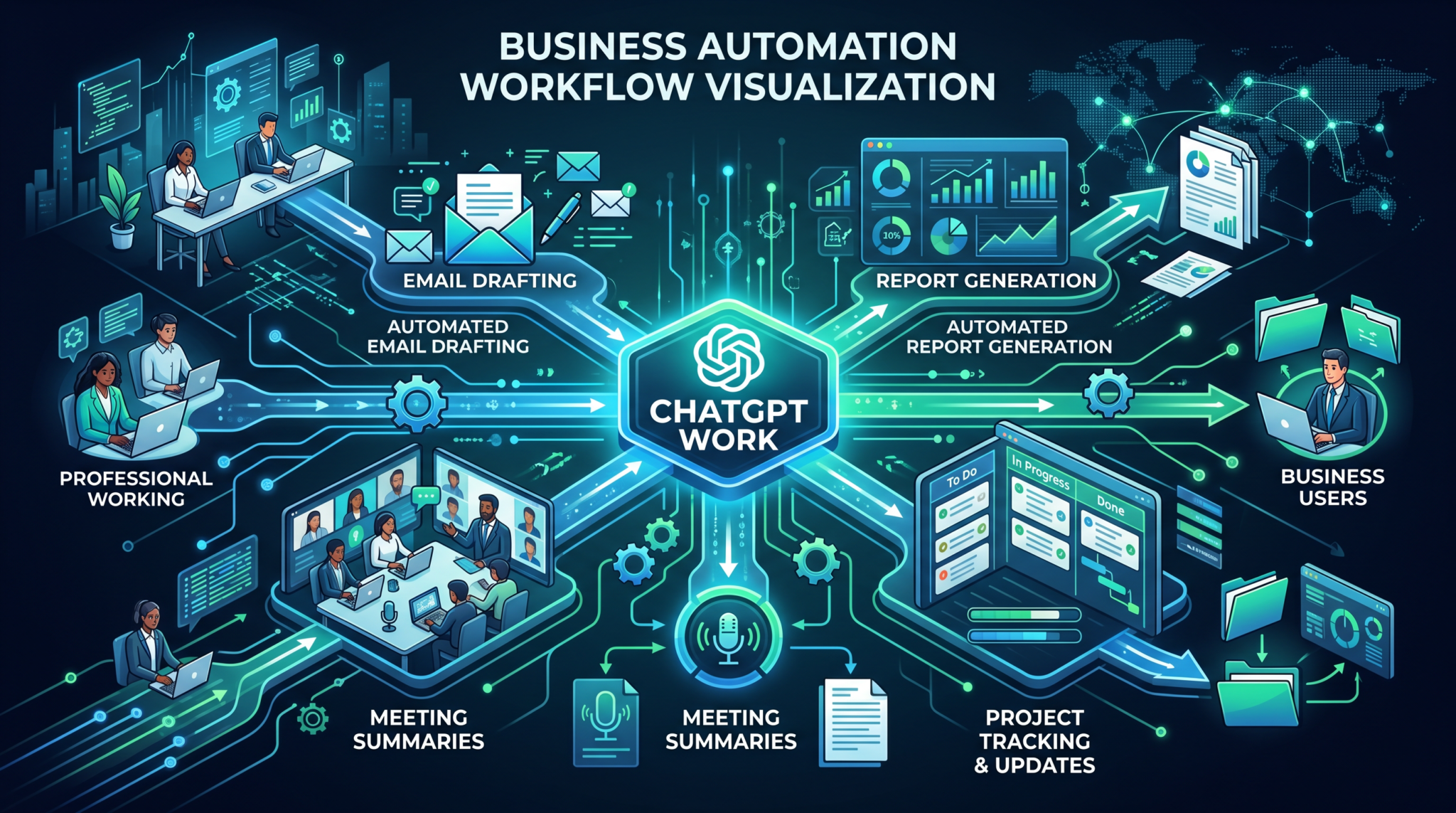
On July 9, 2026, OpenAI launched ChatGPT Work, a new agent powered by GPT-5.6 and designed for white-collar professionals who need coding-level capability without writing code. ChatGPT Work can create documents, presentations, and hosted websites end-to-end, orchestrating complex, multi-step workflows across formats. This playbook provides 12 production-ready prompts tailored for ChatGPT Work’s strengths, enabling non-coders to deliver professional-grade outputs reliably and at scale.
Unlike general chat models, ChatGPT Work is an execution-focused agent that behaves like a collaborative teammate. It plans, drafts, reviews, and packages deliverables, and it can output in multiple formats—DOCX, PDF, PPTX, CSV, and hosted web artifacts—without requiring you to manage code or infrastructure. The key to extracting its full value is clear prompting with roles, constraints, structured inputs, versioning, and explicit acceptance criteria.
GPT-5.6 introduces three reasoning tiers you can select per task. In this playbook, each prompt includes a recommended mode aligned to complexity and risk:
| Reasoning Tier | When to Use | Characteristics | Typical Outputs |
|---|---|---|---|
| Tier 1 — Express | Fast drafting, light edits, simple transforms | Low latency, minimal tool orchestration | Short memos, minor revisions, quick summaries |
| Tier 2 — Balanced | Moderate complexity, multi-part outputs | Structured reasoning, limited revisions, basic data handling | Reports, standard slide decks, light research syntheses |
| Tier 3 — Deep | High-stakes documents, multi-format deliverables, long-horizon planning | Rigorous chain-of-thought planning, cross-file consistency, iterative QA | Contracts, investor decks, websites with interactive elements |
Best practices to keep in mind before you begin:
- Be explicit about roles and guardrails. Tell ChatGPT Work to act as a specific professional, enumerate constraints (e.g., legal jurisdictions, brand tone), and define non-negotiables.
- Provide structured inputs and variable placeholders. Use standardized fields (e.g., {{Company_Name}}, {{Close_Date}}) so you can reuse prompts without rewriting.
- Define acceptance criteria and deliverable checklists. Say exactly what files, formats, and style rules you expect. Require internal QA by the agent before handing off.
- Version and name outputs predictably. Include versioning (e.g., v1.0-draft, v1.1-redlines) and require a change log and summary of differences with each iteration.
- Use the appropriate reasoning tier. Reserve Tier 3 — Deep for complex, multi-artifact packages and legal or investor-facing materials; use Tier 1 — Express for quick editing.
- Automate feedback loops. Instruct the agent to generate a review checklist and to pause for approval before final export and hosting.
- Embed compliance, accessibility, and localization from the start. Include WCAG guidance, jurisdiction constraints, and i18n hooks in your prompt requirements.
- Prefer data attachments and clear schemas. When providing spreadsheets, include a schema description (e.g., column types, units) to reduce misinterpretation.
- Require testable outputs. For websites, demand a QA test plan with viewport coverage; for documents, require a table of contents validation and style consistency pass.
- Secure sensitive inputs. Avoid unnecessary PII. Where needed, instruct the agent to mask or tokenize PII in working drafts and summaries.
For a deeper exploration of this topic, our comprehensive article on OpenAI Launches GPT-Live: Full-Duplex Voice That Listens and Speaks Simultaneously provides detailed analysis, practical examples, and actionable strategies that complement the concepts discussed in this section.
For a deeper exploration of this topic, our comprehensive article on GPT-5.6 Gets US Government Approval: Inside the Sol, Terra, and Luna Model Family provides detailed analysis, practical examples, and actionable strategies that complement the concepts discussed in this section.
For a deeper exploration of this topic, our comprehensive article on How OpenAI’s $30 Billion Revenue Target Is Reshaping the AI Industry: From Research Lab to Enterprise Platform provides detailed analysis, practical examples, and actionable strategies that complement the concepts discussed in this section.
Section 1: Document Workflows (4 Prompts)
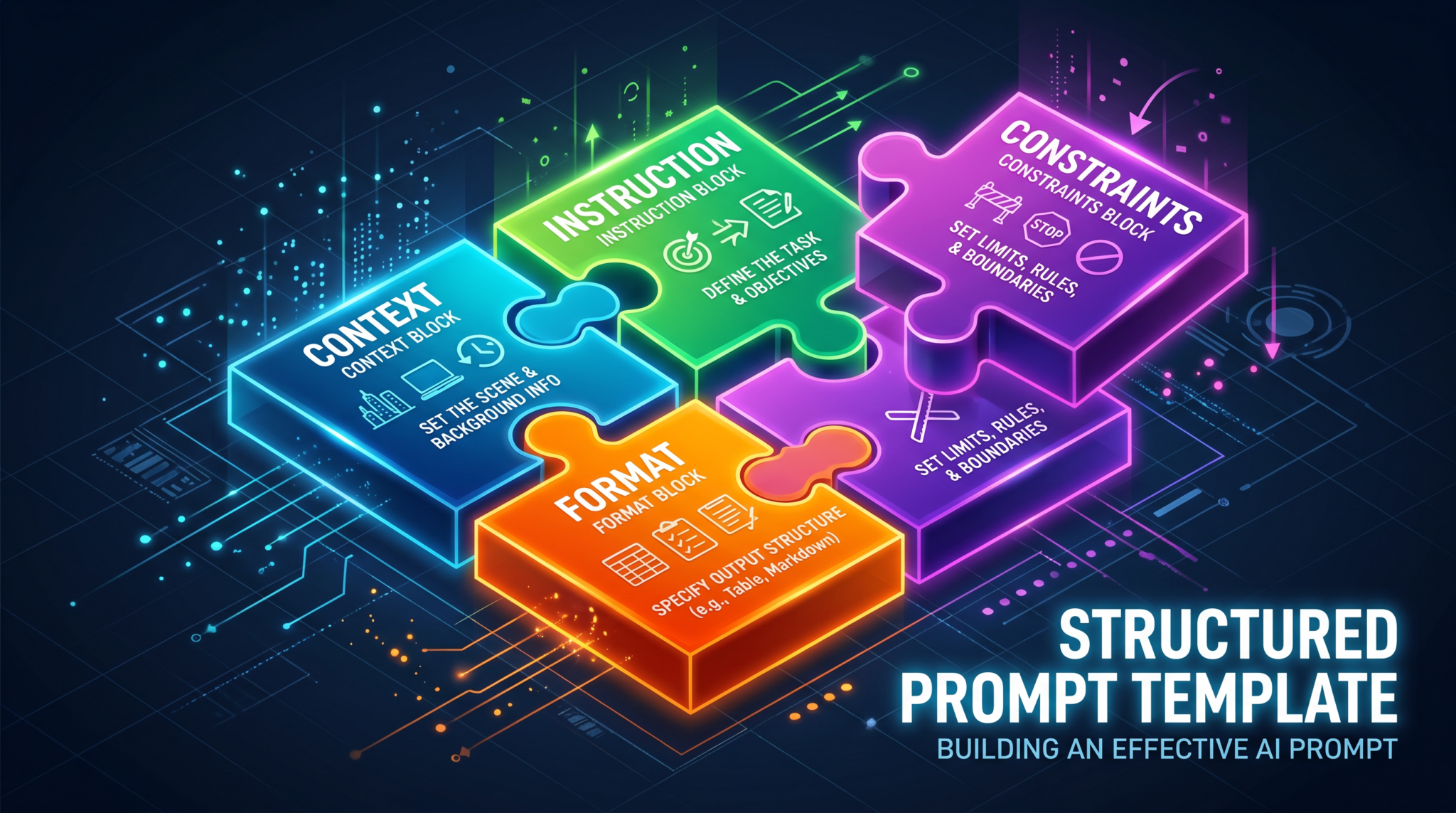
This section equips you with four document-centric workflows that leverage ChatGPT Work to coordinate data gathering, drafting, formatting, and packaging across DOCX and PDF. Each prompt is parameterized with variables you can paste in and update per project, turning high-friction authoring into a repeatable process.
Prompt 1: Automated Contract Generation with Variable Fields
Use this prompt to generate, review, and package a customized professional services agreement or master service agreement (MSA) using structured variables. It includes clause toggles, jurisdictional variations, and an internal redline mechanism for negotiating alternative terms—without you writing a line of code.
Full instruction text
ROLE: You are ChatGPT Work acting as a senior commercial counsel and contract automation specialist. Your goal is to generate a production-ready Professional Services Agreement (PSA) tailored to the inputs, along with redline and negotiation artifacts.

REASONING MODE: Tier 3 — Deep

INPUTS (paste or attach):
- Business summary: {{Business_Summary}}
- Parties:
  - Client legal name: {{Client_Legal_Name}}
  - Provider legal name: {{Provider_Legal_Name}}
- Jurisdiction and governing law: {{Jurisdiction}}
- Contract currency: {{Currency}}
- Effective date: {{Effective_Date}}
- Term: {{Term_Months}} months
- Renewal: {{Renewal_Auto_or_Manual}}
- Payment terms (days): {{Payment_Terms_Days}}
- Late fee policy: {{Late_Fee_Policy}}
- Service description and deliverables: {{Service_Description}}
- Service levels and response times: {{SLA_Details}}
- Data handling and privacy: {{Data_Privacy_Profile}} (e.g., includes PII? cross-border? subprocessors?)
- Security requirements: {{Security_Requirements}}
- IP ownership: {{IP_Ownership_Model}} (e.g., work-made-for-hire, joint, license-back)
- Confidentiality duration (years): {{Confidentiality_Years}}
- Limitation of liability cap: {{Liability_Cap_Formula}} (e.g., fees paid in prior 12 months)
- Insurance requirements: {{Insurance_Requirements}}
- Subcontracting allowed? {{Subcontracting_YN}}
- Assignment allowed? {{Assignment_YN}}
- Branding and publicity permissions: {{Publicity_Permissions}}
- Termination for convenience: {{T4C_YN}}
- Termination notice (days): {{Termination_Notice_Days}}
- Dispute resolution: {{Dispute_Resolution}} (e.g., arbitration, venue)
- Exhibit list and contents: {{Exhibits_Summary}}
- Company style guide or brand voice: {{Style_Guide_Notes}}

DELIVERABLES:
1) PSA main agreement (DOCX and PDF), styled per {{Style_Guide_Notes}}, with professional numbering and cross-references.
2) Exhibit A: Statement of Work template (DOCX) with variable placeholders for scope, acceptance, and pricing.
3) Clause library appendix (DOCX) listing alternative clauses and when to use them.
4) Negotiation pack:
   - a) Redlined version comparing “Provider-Preferred” vs “Client-Preferred” positions (DOCX).
   - b) Issue list matrix (CSV) with severity, fallback positions, and justifications.
5) Executive summary (1 page PDF) outlining key terms, risks, and non-negotiables.
6) Change log (Markdown and embedded in DOCX properties), versioned as: PSA-{{Client_Legal_Name}}-v1.0-draft, etc.

CONSTRAINTS AND QA:
- Align with {{Jurisdiction}} law and standard commercial norms.
- Ensure internal consistency (definitions, references, exhibits).
- Include an annex of defined terms.
- Accessibility: Headings and lists properly formatted; readable fonts.
- Privacy: If {{Data_Privacy_Profile}} involves PII, include DPA reference language and cross-border transfer clauses.
- Run an internal legal QA checklist; pause for my approval before final export.

WORKFLOW:
1) Confirm inputs; identify any missing or ambiguous fields and propose defaults with rationale.
2) Draft PSA main agreement; show a clause map and TOC first for my review.
3) Iterate once on feedback; finalize formatting.
4) Generate the negotiation pack and clause library.
5) Produce executive summary.
6) Export all files and present a download bundle with version names. Provide a one-paragraph email-ready cover note.

BEGIN by summarizing the inputs and listing any questions. Do not export until I approve the TOC and key economic terms.
Recommended reasoning mode: Tier 3 — Deep
Expected output:
- Professionally formatted PSA (DOCX, PDF) styled per brand, with consistent cross-references, defined terms, and annexes.
- SOW template (DOCX) with clearly marked variable fields for scope, milestones, acceptance criteria, and pricing models.
- Clause library appendix listing alternative language for liability, indemnity, IP, privacy, and termination with usage notes.
- Negotiation pack including a redline and an issue list matrix (CSV) that prioritizes and justifies positions.
- Executive summary PDF highlighting headline terms, deviations from market norms, and flagged risks.
- Versioned files with change logs and a short cover note suitable for email to counterparties.
Implementation tips:
- Attach any legacy contracts you want emulated; instruct the agent to extract tone and structure before drafting.
- Provide a jurisdictional checklist or firm playbook so the agent can align clause choices to policy.
- Use numeric variables for fees and caps; specify currency and tax handling to avoid ambiguities.
- For speed, ask the agent to surface a “delta to market” section itemizing non-standard terms for quick stakeholder sign-off.
- Include a second pass where the agent generates a “client-friendly” redline if you expect pushback.
Prompt 2: Multi-Format Report Creation (PDF, DOCX, Slides)
Turn raw data and narrative inputs into a cohesive report package that includes a polished PDF, an editable DOCX source, and an executive slide summary. This prompt is ideal for analytics summaries, marketing performance reports, and product updates that need both depth and executive-ready brevity.
Full instruction text
ROLE: You are ChatGPT Work acting as a senior analyst and publications editor. Create a comprehensive report package across DOCX, PDF, and slides from the inputs.

REASONING MODE: Tier 2 — Balanced (use Tier 3 — Deep if data wrangling is complex)

INPUTS:
- Report title: {{Report_Title}}
- Reporting period: {{Reporting_Period}}
- Audience: {{Audience_Profile}} (e.g., execs, managers, technical)
- Objectives and key questions: {{Objectives_List}}
- Data attachments (CSV/XLSX) with schema: {{Data_Schema_Notes}}
- Narrative inputs or discovery notes: {{Narrative_Notes}}
- Visual brand kit (fonts, colors, logo notes): {{Brand_Kit}}
- Style and tone: {{Tone}} (e.g., concise, data-driven)
- Length target: {{Length_Target}} pages for main report

DELIVERABLES:
1) Main report in DOCX (editable) and exported to a press-ready PDF with front matter, TOC, figures, and references.
2) Executive summary slide deck (PPTX) with 8–12 slides, branded per {{Brand_Kit}}.
3) Data appendix (CSV or XLSX) with summary tables used in figures (to ensure reproducibility).
4) Figure index and alt text for accessibility.

CONSTRAINTS AND QA:
- Label all figures and tables; reference them in text.
- Use consistent units, date formats, and currency.
- Ensure color choices pass contrast checks; include alt text for all visuals.
- Include a methods section documenting data sources and caveats.
- Provide a one-paragraph abstract and 5 bullet key takeaways on page 1.

WORKFLOW:
1) Validate inputs and infer missing metadata; ask clarifying questions if needed.
2) Prepare outline and figure list; pause for approval.
3) Draft report prose, integrate charts (line, bar, cohort as appropriate), and produce executive slides.
4) Run a style and accessibility pass; fix any inconsistencies.
5) Export DOCX, PDF, PPTX, and data appendix; present download links and a change log.

BEGIN by proposing an outline and list of 6–10 figures aligned to {{Objectives_List}}.
Recommended reasoning mode: Tier 2 — Balanced (upgrade to Tier 3 if the data schema is complex or the narrative is high-stakes)
Expected output:
- An editable DOCX report with robust structure, figure callouts, and clean styles, plus a final PDF export optimized for distribution.
- A concise PPTX deck with executive takeaways, 1–2 high-impact charts, and a visual summary of risks/opportunities.
- A data appendix and figure index ensuring transparency and reproducibility, including alt text and color-contrast compliance.
- Change log summarizing revisions and any assumptions introduced during synthesis.
Implementation tips:
- Attach a brand kit or share explicit font and color values; otherwise, request a neutral, accessible theme.
- Provide a data dictionary to reduce guesswork; specify aggregation windows and time zones for time series.
- Ask for a “risks and mitigations” box in the executive summary for faster stakeholder decisions.
- Require that all images and charts embed source references and footnotes for auditability.
- When sharing externally, instruct the agent to scrub PII and watermark drafts.
Prompt 3: Meeting Minutes to Action Items Pipeline
Convert unstructured meeting transcripts into structured minutes, decision logs, and action item trackers, with exports suitable for circulation and follow-up. This prompt creates a reusable governance loop for recurring meetings.
Full instruction text
ROLE: You are ChatGPT Work acting as a chief of staff and meeting operations lead. Transform meeting transcripts into actionable artifacts and follow-up materials.

REASONING MODE: Tier 2 — Balanced

INPUTS:
- Meeting name: {{Meeting_Name}}
- Date and time: {{Meeting_DateTime}}
- Attendees and roles: {{Attendees_List}}
- Transcript or notes (attach): {{Transcript_Attachment}}
- Agenda (if any): {{Agenda}}
- Decision authority and quorum rules: {{Governance_Rules}}
- Follow-up cadence: {{Followup_Cadence}} (e.g., weekly, monthly)
- File naming convention: {{File_Naming_Convention}}

DELIVERABLES:
1) Minutes (DOCX and PDF) with sections: Attendance, Agenda, Discussion, Decisions, Action Items.
2) Action item tracker (CSV) with fields: ID, Owner, Description, Priority, Due Date, Status, Dependencies.
3) Decision log (CSV) with fields: ID, Decision, Rationale, Owner/Sponsor, Effective Date, Impacted Docs.
4) One-page summary email draft to attendees with highlights and asks.
5) Calendar-friendly ICS attachment for the next meeting (optional; propose).
6) Versioned filenames per {{File_Naming_Convention}}.

CONSTRAINTS AND QA:
- Attribute statements neutrally; avoid speculation.
- Resolve ambiguities by listing questions; do not invent owners or dates.
- Flag risks, blockers, and unresolved topics in a separate “Issues” section.
- Accessibility: clear headings, bulleted lists, and consistent styles.

WORKFLOW:
1) Parse transcript; identify themes, decisions, and discrete actions using owners mentioned.
2) Propose owners and due dates only if explicitly confirmed; otherwise mark “TBD” and list follow-up questions.
3) Draft minutes and trackers; pause for my confirmation on owners and dates.
4) Apply edits and export final artifacts; present download links and summary email.

BEGIN by extracting a draft list of decisions and actions for my review before producing the full minutes.
Recommended reasoning mode: Tier 2 — Balanced
Expected output:
- Professional minutes in DOCX and PDF with a structured Decisions and Action Items section.
- CSV trackers suitable for importing into task systems or spreadsheets, with unique IDs and statuses.
- A concise email draft recapping outcomes, asking for confirmation on any TBDs, and linking to files.
- Optional ICS file proposing the next meeting date, aligning with the specified cadence.
Implementation tips:
- Provide consistent attendee naming conventions to reduce duplicate owner entries.
- Include your team’s definition of priorities (e.g., P1/P2/P3) and what constitutes “Done.”
- If recording recurring meetings, instruct the agent to append to a single master decision log.
- Require a “parking lot” section to track deferred topics.
Prompt 4: Research Brief Compilation from Multiple Sources
Aggregate and synthesize findings across articles, reports, and datasets into a rigorous research brief with citations, an annotated bibliography, and a risk/assumption register. This is especially useful for market scans, competitive analysis, and due diligence.
Full instruction text
ROLE: You are ChatGPT Work acting as a research lead and editorial synthesizer. Build a defensible research brief from provided sources and notes.

REASONING MODE: Tier 3 — Deep

INPUTS:
- Research question: {{Research_Question}}
- Scope and boundaries: {{Scope_Definition}}
- Source materials (attach or link text): {{Sources_List}}
- Time horizon: {{Time_Horizon}}
- Geographies of interest: {{Geographies}}
- Audience and use case: {{Audience_Use_Case}}
- Required citation style: {{Citation_Style}} (e.g., APA, Chicago)
- Brand/tone: {{Tone}}

DELIVERABLES:
1) Research brief (DOCX and PDF) including:
   - Executive summary (bulleted and narrative)
   - Key findings with evidence and counterpoints
   - Data visualizations (as appropriate)
   - Implications and recommendations
   - Assumptions and limitations
2) Annotated bibliography (DOCX) with source summaries, credibility rating, and relevance mapping to {{Research_Question}}.
3) Risk register (CSV) listing uncertainties, severity, likelihood, mitigation options.
4) Slide summary (PPTX) with 8–10 slides for executive readout.
5) Citations embedded per {{Citation_Style}} and a references section.

CONSTRAINTS AND QA:
- Distinguish between fact, inference, and opinion; label clearly.
- Track all claims to source passages; provide page numbers or anchor text when possible.
- Note recency and potential bias of sources.
- Accessibility: alt text for figures; color-contrast compliant palette.

WORKFLOW:
1) Inventory sources; assess credibility and gaps; propose a complementary search plan if needed.
2) Produce an outline and a claims-evidence map; pause for approval.
3) Draft the brief and bibliography; generate figures if data is provided.
4) QA: verify citations, run a bias and limitations pass, and check for internal consistency.
5) Finalize and export all artifacts; provide a change log and a one-paragraph email-ready summary.

BEGIN by listing source coverage and identifying gaps or conflicting evidence for my confirmation.
Recommended reasoning mode: Tier 3 — Deep
Expected output:
- A cohesive, citation-backed research brief in DOCX/PDF with transparent claims and limitations.
- An annotated bibliography rating credibility and linking each source to specific findings.
- A risk register that surfaces uncertainties and suggests mitigation paths.
- A compact executive slide readout distilling the essence for decision-makers.
Implementation tips:
- Define the boundaries up front: what’s in scope, what’s explicitly out of scope, and why.
- Attach or paste key source excerpts to avoid misinterpretation; specify required citation style strictly.
- Request a “Disconfirming evidence” box in every section to reduce confirmation bias.
- Ask for separate versions: one neutral for external sharing, one candid for internal strategy.
Section 2: Slide Deck Creation (4 Prompts)
Slide decks are often the decisive medium in executive and investor communications. These prompts steer ChatGPT Work to produce structured, visually consistent decks with clear narratives and speaker notes—without you touching slides manually. Each includes explicit requests for brand adherence, visual hierarchy, and accessibility.
Prompt 5: Investor Pitch Deck from Business Plan
Transform a detailed business plan into a crisp, compelling investor deck. This prompt enforces a standard storyline—problem, solution, market, traction, business model, GTM, competition, team, financials, ask—while tailoring claims to evidence and keeping design consistent with your brand.
Full instruction text
ROLE: You are ChatGPT Work acting as a venture storyteller and design director. Build an investor pitch deck from a business plan and supporting data.

REASONING MODE: Tier 3 — Deep

INPUTS:
- Company name: {{Company_Name}}
- One-liner: {{One_Liner}}
- Business plan (attach): {{Business_Plan}}
- Market research and TAM/SAM/SOM (attach): {{Market_Data}}
- Traction metrics (MRR/ARR, growth, retention): {{Traction_Metrics}}
- Competitive landscape: {{Competitive_Notes}}
- GTM and pricing model: {{GTM_Pricing}}
- Roadmap highlights: {{Roadmap}}
- Team bios: {{Team_Bios}}
- Financial model (attach): {{Financial_Model}}
- Fundraising ask and use of funds: {{Ask_Use_of_Funds}}
- Brand kit: {{Brand_Kit}}
- Target investor profile: {{Investor_Profile}} (e.g., seed, Series A, sector focus)

DELIVERABLES:
1) Pitch deck (PPTX) 12–16 slides, branded per {{Brand_Kit}}, including:
   - Title & mission
   - Problem & why now
   - Solution & demo/architecture overview
   - Market size (TAM/SAM/SOM) with sources
   - Traction & growth drivers
   - Business model & unit economics
   - GTM strategy
   - Competitive matrix & edge
   - Product roadmap
   - Team and advisors
   - Financials & projections (3–5 years)
   - Funding ask & milestones
2) Speaker notes for each slide (200–300 words).
3) One-page “teaser” PDF (optional).
4) Data sanity checks and a red-flag list.

CONSTRAINTS AND QA:
- All quantitative claims must cite sources (footnotes).
- Visual hierarchy: headings, subheads, consistent layout, alt text for images.
- Keep text concise; push detail into speaker notes.
- Maintain consistent metrics (currency, periods).
- Provide 3 slide variants for the “Market” and “Competitive” slides for A/B testing.

WORKFLOW:
1) Extract core narrative and metrics from the business plan and attachments.
2) Draft an outline; pause for my approval.
3) Build slides with branded templates and visuals; include speaker notes.
4) QA: check for data consistency and narrative coherence; flag any weak claims.
5) Export PPTX and optional teaser PDF; present a review checklist.

BEGIN by proposing a one-sentence narrative arc and slide outline for review.
Recommended reasoning mode: Tier 3 — Deep
Expected output:
- A polished investor deck with consistent brand visuals, clear hierarchy, and practical speaker notes.
- Optional one-page teaser PDF for cold outreach.
- Alternatives for market sizing and competitive framing to test with advisors.
- A red-flag checklist to focus pre-meeting prep.
Implementation tips:
- Attach a recent financial model and specify the exact quarters shown to avoid stale charts.
- Ask for a “What we will prove with this round” slide connecting milestones to use of funds.
- Provide 2–3 competitor artifacts (webpages, decks) for the agent to reflect realistic positioning.
- Request a “friction audit” of the story to highlight areas likely to trigger investor questions.
Prompt 6: Quarterly Business Review (QBR) Slides
Generate a comprehensive QBR deck combining KPIs, highlights, learnings, and commitments for the next quarter. This prompt ensures consistent narratives across departments, with an emphasis on data accuracy and action plans.
Full instruction text
ROLE: You are ChatGPT Work acting as an operations program manager and presentation architect. Build a QBR slide deck from data and notes.

REASONING MODE: Tier 2 — Balanced (upgrade to Tier 3 if cross-departmental with complex data joins)

INPUTS:
- Company or BU: {{Org_Unit}}
- Quarter and year: {{Quarter_Year}}
- KPIs and targets (CSV/XLSX): {{KPI_Data}}
- Highlights and lowlights: {{Highlights_Lowlights}}
- Key initiatives and outcomes: {{Initiatives}}
- Customer and revenue insights: {{Customer_Revenue_Notes}}
- Risks and mitigations: {{Risks_Mitigations}}
- Next quarter OKRs or commitments: {{Next_OKRs}}
- Brand kit: {{Brand_Kit}}

DELIVERABLES:
1) QBR deck (PPTX) 15–25 slides, covering:
   - Title & agenda
   - KPI performance vs targets (sparklines and variance)
   - Wins and misses with root-cause analysis
   - Customer stories and churn learnings
   - Product and ops updates
   - Financial snapshot and forecast deltas
   - Risk register and mitigations
   - Next quarter OKRs/commitments and owners
   - Appendix with detailed tables
2) Speaker notes (150–250 words per slide).
3) Data appendix (CSV/XLSX) with pivot tables used.

CONSTRAINTS AND QA:
- Ensure time alignment of KPIs; document any adjustments to targets.
- Visual accessibility: color-contrast compliant; provide alt text.
- Maintain cross-slide consistency in metrics definitions.
- Use data labels and concise annotations on charts.

WORKFLOW:
1) Validate KPI schema and targets; ask clarifying questions.
2) Propose deck outline and chart list; pause for approval.
3) Build slides and speaker notes; include variance explanations.
4) QA: cross-verify numbers and definitions; compile appendix.
5) Export PPTX and data appendix; share review checklist.

BEGIN by summarizing KPI coverage and any missing metrics that could impede a trustworthy QBR.
Recommended reasoning mode: Tier 2 — Balanced
Expected output:
- A clear, data-rich QBR deck with consistent definitions and a balanced narrative about wins and misses.
- Speaker notes to guide presenters and ensure consistent messaging across audiences.
- A data appendix substantiating each chart and table.
Implementation tips:
- Attach KPI definitions and formulae; instruct the agent to display them in the appendix.
- Ask for a risk trend slide showing movement from last quarter to now.
- Request a “Leadership asks” slide summarizing decisions or resources needed.
- Provide audience segmentation (e.g., board vs. team) to generate optional alternative cuts.
Prompt 7: Technical Architecture Presentation for Non-Technical Stakeholders
Translate a technical system design into an accessible presentation for business stakeholders. This prompt maintains accuracy while emphasizing business value, risks, and trade-offs without jargon overload.
Full instruction text
ROLE: You are ChatGPT Work acting as a solutions architect and business translator. Create a stakeholder-friendly technical architecture deck.

REASONING MODE: Tier 3 — Deep

INPUTS:
- Project or system name: {{System_Name}}
- Target audience: {{Audience_Profile}} (e.g., executives, legal, sales)
- Source docs (attach): {{Technical_Docs}}
- Key business goals: {{Business_Goals}}
- Non-functional requirements: {{NFRs}} (e.g., availability, latency, compliance)
- Risks and constraints: {{Risks_Constraints}}
- Integration landscape: {{Integrations}}
- Roadmap phases: {{Phases}}
- Brand kit: {{Brand_Kit}}

DELIVERABLES:
1) Architecture deck (PPTX) 12–18 slides, including:
   - Problem framing & business objectives
   - High-level architecture diagram with data flows
   - Component overviews with roles and SLAs
   - Security, privacy, and compliance posture
   - Failure modes and resilience strategy
   - Scalability and cost considerations
   - Implementation phases and milestones
   - Risks, trade-offs, and decision log
   - KPIs and monitoring plan
2) Speaker notes emphasizing business value and risk management.
3) One-slide executive summary and glossary.

CONSTRAINTS AND QA:
- Keep diagrams readable; annotate flows with plain-language labels.
- Avoid jargon; define necessary terms in the glossary.
- Align with {{NFRs}} and highlight any gaps or open decisions.
- Accessibility: ensure diagram alt text and color contrast.

WORKFLOW:
1) Read and extract core architecture and constraints from {{Technical_Docs}}.
2) Draft an outline and a first-pass diagram description; pause for approval.
3) Build the deck with clear visuals and business-first framing.
4) QA: verify consistency with requirements; list open questions.
5) Export PPTX and executive summary; provide a review checklist.

BEGIN by proposing a one-slide exec summary and a simplified architecture narrative in plain language for review.
Recommended reasoning mode: Tier 3 — Deep
Expected output:
- A visually clear deck that accurately conveys architectural choices and their business implications.
- Readable diagrams with annotations and alt text, tied to KPIs and NFRs.
- Speaker notes that help non-technical sponsors grasp risk, cost, and timeline trade-offs.
- A concise glossary to demystify technical terms.
Implementation tips:
- Provide a current-state diagram so the agent can generate before/after comparisons.
- Attach security and compliance standards to anchor the security posture slide.
- Request a “What we are not building” slide to manage scope expectations.
- Ask for a phased rollout plan with decision gates and success criteria per phase.
Prompt 8: Training Material Slide Series
Produce a structured training curriculum with slides, facilitator notes, exercises, and assessments. This prompt is ideal for onboarding, product training, and compliance refreshers, and it can be repurposed across cohorts.
Full instruction text
ROLE: You are ChatGPT Work acting as a learning experience designer. Build a modular training slide series with facilitator support.

REASONING MODE: Tier 2 — Balanced (use Tier 3 if assessments require detailed scenario design)

INPUTS:
- Course title: {{Course_Title}}
- Target learners: {{Learner_Profile}}
- Learning objectives (SMART): {{Learning_Objectives}}
- Source materials (attach): {{Source_Docs}}
- Duration and modality: {{Duration_Modality}} (e.g., 3x60 min sessions, live/async)
- Brand kit: {{Brand_Kit}}
- Assessment style: {{Assessment_Style}} (e.g., multiple choice, scenarios)
- Accessibility requirements: {{Accessibility_Notes}}

DELIVERABLES:
1) Slide decks (PPTX) per module: Intro, Core Topics, Practice, Assessment, Wrap-up.
2) Facilitator guide (DOCX) with timing, prompts, and troubleshooting tips.
3) Learner handouts (PDF) summarizing key concepts and checklists.
4) Assessment items (DOCX/CSV) with answer keys and rationale; include item difficulty tags.
5) Feedback form (DOCX/CSV) with Likert scales and open-ended questions.

CONSTRAINTS AND QA:
- Align content to {{Learning_Objectives}}; map slides to objectives explicitly.
- Ensure materials are accessible (alt text, readable fonts, color contrast).
- Vary interactions every 10–15 minutes; include practical scenarios.
- Keep jargon minimal; include a glossary for key terms.

WORKFLOW:
1) Synthesize a course blueprint: module structure, timing, and objective mapping; pause for approval.
2) Build slides and facilitator notes; design assessments aligned to objectives.
3) Produce learner handouts and feedback form.
4) QA for accuracy, accessibility, and flow; adjust pacing as needed.
5) Export PPTX, DOCX, and PDF materials; present a rollout plan.

BEGIN by presenting the course blueprint and objective-to-content map for approval.
Recommended reasoning mode: Tier 2 — Balanced
Expected output:
- Modular PPTX decks with clear objective coverage and engaging activities.
- Facilitator guide with timing, prompts, and answers to common learner questions.
- Assessment items with rationales and difficulty tags, exportable to CSV for LMS ingestion.
- Accessible learner handouts and feedback tools for continuous improvement.
Implementation tips:
- Provide real-world scenarios or anonymized cases to ground practice exercises.
- Ask for a pre-assessment to calibrate learner baselines and tailor pacing.
- Request alternate slide variants for time-constrained sessions.
- Incorporate a “teach-back” exercise where learners summarize key concepts to reinforce retention.
Section 3: Website Prototypes (4 Prompts)
This section covers hosted web artifacts that ChatGPT Work can assemble, style, and publish. You will instruct the agent to generate responsive pages, basic interactivity, and content variants, along with accessibility and performance checks. These prompts assume no coding: ChatGPT Work plans and builds the assets, then presents a hosted preview URL and a downloadable package.
Access 40,000+ AI Prompts for ChatGPT, Claude & Codex — Free!
Subscribe to get instant access to our complete Notion Prompt Library — the largest curated collection of prompts for ChatGPT, Claude, OpenAI Codex, and other leading AI models. Optimized for real-world workflows across coding, research, content creation, and business.
Prompt 9: Landing Page from Product Brief
Spin up a high-converting, responsive landing page from a product brief. The agent will generate copy, layout, imagery guidance, metadata, and A/B test variants, then host a preview version. This is ideal for validation campaigns and product launches.
Full instruction text
ROLE: You are ChatGPT Work acting as a conversion-focused web producer and UX writer. Build and host a responsive landing page with A/B variants.

REASONING MODE: Tier 3 — Deep

INPUTS:
- Product name: {{Product_Name}}
- Value proposition: {{Value_Prop}}
- Target audience: {{Target_Audience}}
- Key features (3–5): {{Key_Features}}
- Primary CTA: {{Primary_CTA_Text}} (e.g., "Start free trial")
- Secondary CTA (optional): {{Secondary_CTA_Text}}
- Brand kit: {{Brand_Kit}}
- Social proof (logos, quotes): {{Social_Proof}}
- FAQ questions: {{FAQ_Questions}}
- Compliance and disclaimers: {{Compliance_Notes}}
- SEO keywords and meta description: {{SEO_Keywords}}, {{Meta_Description}}
- Analytics requirements: {{Analytics_Notes}}

DELIVERABLES:
1) Hosted landing page with:
   - Hero section (headline, subhead, primary CTA)
   - Feature highlights with icons
   - Social proof (logos/testimonials)
   - Visual explainer or product image placeholders
   - FAQ and compliance footer
   - Contact capture form (name, email, company, consent checkbox)
2) A/B variant (at least 1) testing headline and hero layout.
3) SEO metadata and Open Graph tags.
4) Accessibility and performance pass with improvement notes.
5) Downloadable code/assets bundle.

CONSTRAINTS AND QA:
- Mobile-first responsive layout; test at 360px, 768px, 1024px, 1440px viewports.
- Accessibility: proper heading hierarchy, alt text, focus states, contrast.
- Performance: optimize image placeholders and defer non-critical scripts.
- Copy tone aligned to {{Brand_Kit}}; avoid jargon.

WORKFLOW:
1) Draft copy (hero, features, FAQ) and propose wireframes; pause for approval.
2) Build the page and an A/B variant; integrate basic analytics per {{Analytics_Notes}}.
3) QA accessibility and performance; fix issues.
4) Publish a hosted preview URL; provide a change log and next-step recommendations.

BEGIN by presenting 3 hero headline options and a wireframe sketch description for the hero and feature sections.
Recommended reasoning mode: Tier 3 — Deep
Expected output:
- A hosted, mobile-responsive landing page with clear CTAs, SEO metadata, and an A/B variant for testing.
- Copy, layout, and image guidance that align to brand and accessibility standards.
- A downloadable package of site assets along with a QA report and changelog.
Implementation tips:
- Provide brand palettes and logo assets; request a neutral fallback theme if absent.
- Specify the analytics tag (if any) and event tracking schema for CTA clicks and form submissions.
- Ask for pre-filled alt text recommendations for product images to speed compliance checks.
- Request three headline alternates: value-led, urgency-led, and social-proof-led for rapid tests.
Prompt 10: Internal Dashboard Prototype
Create a hosted internal dashboard prototype that visualizes key metrics from a CSV or simple spreadsheet. The agent will handle layout, charts, basic filters, and a faux authentication gate appropriate for a prototype. This speeds stakeholder feedback before committing engineering time.
Full instruction text
ROLE: You are ChatGPT Work acting as a data product prototyper. Build a responsive internal dashboard prototype from provided data.

REASONING MODE: Tier 3 — Deep

INPUTS:
- Dashboard title: {{Dashboard_Title}}
- Audience and use case: {{Audience_Use_Case}}
- Data file (CSV/XLSX) and schema: {{Data_Schema}}
- Key metrics and dimensions: {{Metrics_Dimensions}}
- Filters required: {{Filters}}
- Update cadence (for prototype notes): {{Update_Cadence}}
- Brand kit: {{Brand_Kit}}
- Access considerations: {{Access_Notes}}

DELIVERABLES:
1) Hosted dashboard prototype with:
   - KPI header cards (3–6)
   - Time series and breakdown charts
   - Filters (date range, segments)
   - Download buttons (CSV for current view)
   - About/metadata panel (data sources, last updated)
2) Faux authentication screen (username/password placeholder) for demo realism.
3) Accessibility support (alt text, keyboard navigation basics).
4) Performance pass for common devices; responsive layout.
5) Downloadable code/assets bundle.

CONSTRAINTS AND QA:
- Use clear chart titles and units; avoid misleading scales.
- Explain data freshness and known caveats.
- Ensure filters interact predictably; no orphan states.
- Provide contrast-compliant color palette; alt text for all charts.

WORKFLOW:
1) Validate data schema and propose a chart plan; pause for approval.
2) Build the prototype with filters and KPI cards; enable CSV export of filtered data.
3) QA interactions and accessibility; fix issues.
4) Publish hosted preview and provide a feedback checklist.

BEGIN by presenting a chart plan (chart types, metrics, dimensions) mapped to {{Metrics_Dimensions}} for confirmation.
Recommended reasoning mode: Tier 3 — Deep
Expected output:
- A responsive hosted dashboard prototype with common filters, KPI cards, and clear data caveats.
- Accessible charts with alt text, legible legends, and consistent units and formats.
- Downloadable raw and filtered data exports for stakeholder validation.
- A feedback checklist guiding stakeholder review and iteration.
Implementation tips:
- Include a small, representative dataset to keep prototype assets lightweight and fast.
- Define metric formulas explicitly (e.g., retention = users_retained / users_start_cohort).
- Request annotations for notable events to contextualize time series charts.
- Ask for printer-friendly stylesheets if stakeholders prefer PDF snapshots.
Prompt 11: Event Registration Site with Form Handling
Launch a simple event registration site with a form that captures attendee details, handles basic validation and consent, and provides an admin export. The agent will structure pages, manage hosted functionality appropriate to prototypes, and include communication templates.
Full instruction text
ROLE: You are ChatGPT Work acting as an event microsite producer. Build and host a registration site with form handling and admin export.

REASONING MODE: Tier 3 — Deep

INPUTS:
- Event name: {{Event_Name}}
- Date, time, and location: {{Event_Details}}
- Event overview and agenda highlights: {{Event_Overview}}
- Registration fields: {{Registration_Fields}} (e.g., name, email, company, role, dietary, consent)
- Capacity limit (optional): {{Capacity_Limit}}
- Confirmation and reminder text: {{Comms_Text}}
- Privacy policy and consent language: {{Privacy_Consent}}
- Brand kit: {{Brand_Kit}}
- Admin needs: {{Admin_Needs}} (e.g., CSV export, count by dietary requirements)

DELIVERABLES:
1) Hosted microsite with pages:
   - Home/Overview
   - Agenda
   - Registration form with validations, consent checkbox, and thank-you page
   - Privacy/terms
2) Form handling that captures submissions and enables admin CSV export (including timestamp).
3) Confirmation email template and calendar invite (.ics) template.
4) Accessibility and performance pass; responsive layout.
5) Admin dashboard page (simple) showing counts (e.g., total registrations, capacity remaining, dietary breakdown).

CONSTRAINTS AND QA:
- Validate required fields, email format, and consent before submission.
- Provide friendly error messages and clear success states.
- Respect {{Capacity_Limit}} with waitlist option if enabled.
- Accessibility: labels, focus order, contrast, keyboard navigation.
- Include a privacy notice per {{Privacy_Consent}} and link to policy.

WORKFLOW:
1) Draft site map and wireframes; propose form fields and validation rules; pause for approval.
2) Build pages and form handling; implement capacity logic if provided.
3) Publish hosted preview; surface an admin CSV export and counts page.
4) Provide confirmation email and ICS templates; run QA and fix issues.

BEGIN by listing the proposed form schema, validation rules, and success/waitlist flows for my approval.
Recommended reasoning mode: Tier 3 — Deep
Expected output:
- A hosted event site with a working registration form, thank-you flow, and admin CSV export capability.
- Accessibility-compliant forms with validations and clear messaging.
- Admin counts and capacity management logic suitable for a pilot event.
- Email and calendar invite templates aligned to brand voice.
Implementation tips:
- Define consent text precisely and indicate data retention periods to align with privacy norms.
- Ask for a public “Registration is closed” state and a private override for admin testing.
- Provide a dietary and accessibility needs taxonomy so counts aggregate meaningfully.
- Require a test plan with form edge cases (invalid email, missing consent, capacity exceeded).
Prompt 12: Portfolio/Showcase Site with Responsive Design
Spin up a personal or team portfolio site showcasing projects, case studies, and testimonials. The agent will generate a responsive layout, accessible navigation, and content templates you can iterate over—all hosted and packaged for download.
Full instruction text
ROLE: You are ChatGPT Work acting as a brand-forward web producer. Create and host a responsive portfolio/showcase site.

REASONING MODE: Tier 2 — Balanced (use Tier 3 for complex galleries or localization)

INPUTS:
- Portfolio owner name: {{Owner_Name}}
- Tagline and bio: {{Tagline_Bio}}
- Work categories: {{Categories}}
- Projects with details (title, summary, role, outcomes, media): {{Projects}}
- Testimonials (optional): {{Testimonials}}
- Contact and social links: {{Contact_Social}}
- Brand kit: {{Brand_Kit}}
- Accessibility requirements: {{Accessibility_Notes}}
- SEO metadata: {{SEO_Meta}}

DELIVERABLES:
1) Hosted portfolio site with:
   - Home page (hero, featured projects)
   - Projects index with filters by {{Categories}}
   - Project detail template (rich text, images/video, outcomes)
   - About page
   - Contact page with form and anti-spam basics
2) Responsive design and accessible navigation; skip links, landmarks, focus styles.
3) Lazy-loading for media and basic performance optimizations.
4) SEO metadata and Open Graph tags; sitemap.
5) Downloadable code/assets bundle.

CONSTRAINTS AND QA:
- Mobile-first layout; test 360px to 1440px widths.
- Provide alt text and transcripts/captions where applicable.
- Maintain color contrast and font legibility; adhere to {{Brand_Kit}}.
- Ensure contact form has clear consent and spam prevention.

WORKFLOW:
1) Propose IA (information architecture) and component library; pause for approval.
2) Build pages and templates; populate example projects from {{Projects}}.
3) QA accessibility (keyboard nav, screen reader labels) and performance (LCP/CLS basics).
4) Publish hosted preview and provide a maintenance cheatsheet.

BEGIN by presenting the IA outline and a component list (hero, card, gallery, testimonial, contact form) for confirmation.
Recommended reasoning mode: Tier 2 — Balanced (upgrade to Tier 3 if you need multi-language support or heavy media galleries)
Expected output:
- A sleek hosted portfolio site with project filters, accessible navigation, and responsive design.
- Reusable project templates and content blocks for easy iteration.
- SEO-ready metadata and sitemap to support discovery.
- A downloadable package for archival or migration.
Implementation tips:
- Provide a consistent project schema so the agent can auto-generate cards and detail pages.
- Request light/dark theme variants if your brand supports theme switching.
- Ask for a content audit checklist to keep projects current and remove stale work.
- Include a simple “Now” page to share current focus and updates with followers.
Deployment Checklist and Best Practices
Regardless of which prompt you choose, robust deployment hinges on careful input preparation, reasoned mode selection, and a disciplined review cycle. Use this checklist to raise quality and reduce rework.
- Inputs and Variables
- Confirm all required variables are supplied; ask the agent to enumerate missing fields before drafting.
- Provide data schemas for attachments; clarify units, time zones, and definitions.
- Attach brand kits, legal policies, and any must-use templates to anchor outputs.
- Reasoning Tier Selection
- Tier 1 — Express: quick edits, minor rewrites, rapid turns where stakes are low.
- Tier 2 — Balanced: multi-part documents or slides with some data, where speed and quality must be balanced.
- Tier 3 — Deep: contracts, investor materials, hosted sites, or any deliverable with legal, financial, or reputational risk.
- Planning and Approval Gates
- Require the agent to present an outline, wireframes, or chart plans before building.
- Pause for approval at each gate; capture decisions and changes in a log.
- Enforce a maximum of two iteration cycles before finalization to prevent drift.
- Quality Assurance
- Accessibility: alt text, contrast, headings, keyboard nav. Ask the agent to run its own A11y checklist.
- Data integrity: consistent units, clear formulas, and footnoted sources.
- Copy standards: active voice, plain language, and audience-appropriate tone.
- Legal/compliance: jurisdictional clauses, privacy and consent, trademark use.
- Localization hooks: date formats, currency, and time zones ready for change.
- Security and Privacy
- Minimize PII in drafts; mask where possible. Provide only what is necessary.
- Include consent text and retention periods for any data collection in web forms.
- Review hosted outputs to ensure no sensitive information is published.
- Versioning and Naming
- Use consistent naming: {{Project}}-{{Artifact}}-vX.Y-{{Status}} (e.g., QBR2026-Deck-v1.0-draft).
- Require the agent to embed change logs and summary diffs with each export.
- Handover and Maintenance
- Request a maintenance or update plan for websites and living documents.
- Ensure downloadable bundles are archived with README files and license notes.
- Schedule periodic content audits for sites and portfolios.
- Stakeholder Communication
- Have the agent produce email-ready summaries and “what changed” notes for each iteration.
- For execs, request one-slide briefs and bullet takeaways to accelerate decisions.
Conclusion
ChatGPT Work brings coding-caliber capability to non-coders by orchestrating documents, slides, and hosted websites with rigorous planning and QA. The 12 prompts in this playbook are designed to slot directly into your day-to-day workflows—contracts, reports, investor materials, training, dashboards, and sites—while respecting brand, compliance, and accessibility standards.
To get the most out of ChatGPT Work, approach it like a senior teammate: define roles, provide structured inputs, set acceptance criteria, and insist on internal QA before delivery. Choose the right reasoning tier for the job—Express for speed, Balanced for structure, Deep for high-stakes outcomes—and demand versioned, testable deliverables.
With these prompts, non-coders can reliably produce production-grade outputs and iterate quickly with stakeholders—freeing time to focus on strategy, relationships, and decisions rather than formatting and glue work. As your organization adopts ChatGPT Work, standardize these patterns, templatize your variables, and keep improving your review loops. The result is not just faster output, but higher quality work with stronger governance and lower risk.
