
25 GPT-6 Astra Prompts for Autonomous Professional Work: Initiative, Skills, Subagents, Testing, and Deliverables
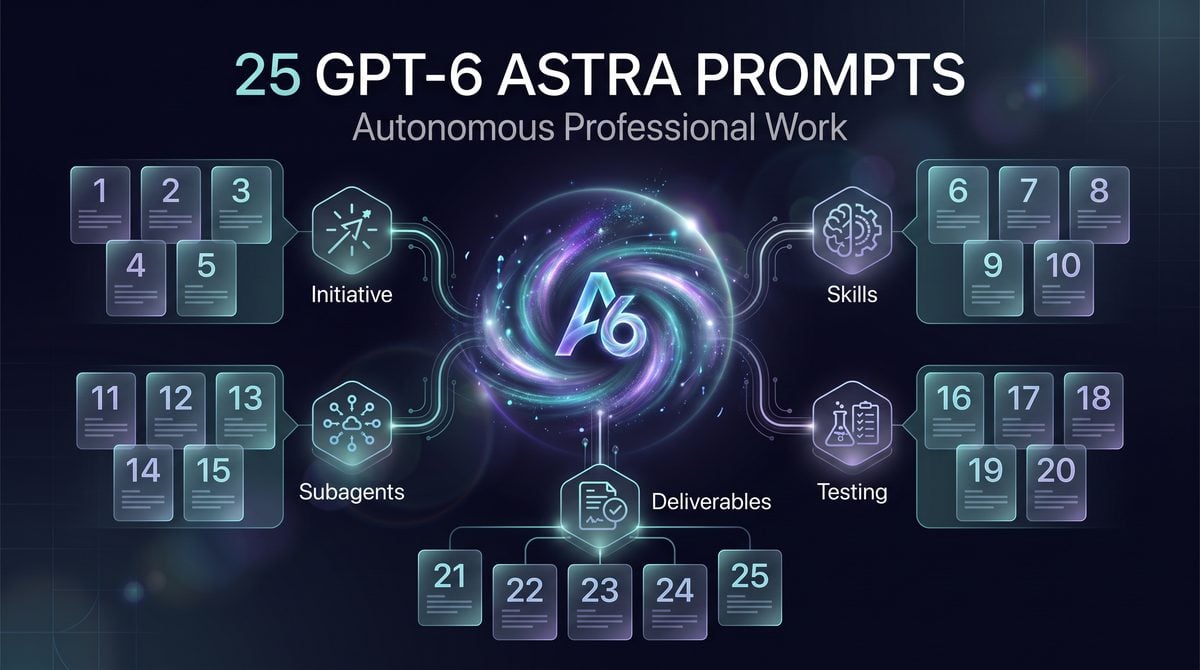

How to Use These GPT-6 Astra Prompts Without Turning Autonomy Into Ambiguity
GPT-6 Astra changes prompt design because OpenAI documents several behavioral differences that matter in real work: it is more likely to ask clarifying questions when missing information could change the result, more sensitive to instructions embedded in skills and AGENTS.md, less likely to delegate unless explicitly directed, and more inclined to test broadly unless the test scope is constrained. OpenAI also describes Astra as stronger at producing template-conforming professional artifacts such as documents, spreadsheets, presentations, websites, games, and applications while pulling only relevant context into the output. The prompts in this article are built around those documented behaviors rather than around generic “be an autonomous agent” wording.
The practical consequence is that a good Astra prompt should do more than state the task. It should tell the model when to ask, when to proceed, which instructions are authoritative, which subagents or tools are allowed, how much verification is enough, and what the final deliverable must look like. If those boundaries are absent, Astra may spend useful effort clarifying a decision you expected it to infer, follow a stale skill instruction you forgot was loaded, do the work alone when delegation would be safer, or run a wider test suite than the task warrants.
This prompt collection is designed for professional workflows where the model is expected to take initiative but not invent authority. The prompts are suitable as starting points for ChatGPT, Codex-style work sessions, internal agents, or Responses API applications that use Astra, but they are not policy documents, approval systems, access controls, or compliance guarantees. A prompt can tell the model not to modify production data; it cannot replace permissions, code review, audit logging, change management, sandboxing, or a human approval checkpoint where your organization requires one.
For ChatGPT Autonomous Work Prompts, The ChatGPT Work Mode Playbook — 12 Prompts for Autonomous Research, Report Generation, Email Drafting, and Project Coordination is the most relevant adjacent resource. The ChatGPT Work Mode prompt playbook covers autonomous research, reports, email, and project coordination, providing an established baseline that these Astra-specific prompts extend with tighter initiative and verification controls.
The Five Astra Behaviors These Prompts Target
| Documented Astra behavior | Prompt-design risk | Prompt-design response |
|---|---|---|
| More likely to ask clarifying questions when the answer could change the result | The session stalls on questions the user considers nonblocking, or proceeds after asking too many broad questions. | Define “blocking ambiguity,” cap the number of questions, and allow progress on reversible or assumption-safe work. |
More sensitive to instructions in skills and AGENTS.md |
Loaded instructions may dominate the task even when they are outdated, too broad, or inappropriate for the current deliverable. | Ask the model to inventory applicable instructions, identify conflicts, and prefer the most specific current instruction unless the user overrides it. |
| May delegate less often unless explicitly directed | A complex task may be handled monolithically, reducing review separation and parallel exploration. | Specify when to create subagents, what each subagent owns, and how their outputs must be reconciled. |
| May test more broadly than needed | The model can spend time expanding test scope beyond the risk profile of the change. | Define a test budget, required checks, optional checks, and stop conditions before work begins. |
| Improved tendency toward template-conforming professional artifacts | A vague request can still produce a polished but misaligned document. | Provide the target schema, required sections, forbidden content, and acceptance criteria for the final artifact. |
The key pattern is not “make the prompt longer.” The key pattern is “make the operating rules explicit where Astra’s behavior is known to differ.” For example, if you want initiative, do not merely say “act autonomously.” Say which decisions are safe to make, which assumptions must be logged, which actions require approval, and which deliverables must be returned before any irreversible operation. This gives Astra room to move while preventing the prompt from becoming a vague permission slip.
Replace Variables Before You Run a Prompt
Each prompt in this series uses variables such as {goal}, {system}, {repository}, {audience}, {deadline}, {allowed_tools}, {forbidden_actions}, and {acceptance_criteria}. Replace every variable with concrete information before running the prompt. If a variable is not applicable, replace it with an explicit value such as “not applicable,” “no external tools,” or “read-only analysis only.” Leaving placeholders in place creates ambiguity and may encourage the model to infer operational details you did not authorize.
Example variable replacement

Bad:
{goal}: improve onboarding
{allowed_tools}: use whatever helps
{acceptance_criteria}: make it good

Better:
{goal}: reduce first-week support tickets by rewriting the admin onboarding checklist
{allowed_tools}: read the uploaded support-ticket export and the current checklist; do not browse external websites
{acceptance_criteria}: return a revised checklist, a table mapping each change to a ticket theme, and three unresolved questions for the operations lead
Use variables to separate reusable prompt structure from task-specific facts. This matters because Astra is documented as sensitive to instruction sources; if your template contains permanent operating rules and your variable block contains current task facts, it becomes easier to spot conflicts. A reusable prompt might say “do not perform irreversible actions,” while the variable block might say “environment: staging only” and “authorization: propose changes but do not apply them.” That separation is easier to audit than a single paragraph of mixed instructions.
For AI Agent Instruction Design, Context Design: The 2026 Paradigm Shift from Static Prompts to Dynamic AI Instruction Systems is the most relevant adjacent resource. The Context Design guide explains the shift from one-off prompts to durable instruction systems, supporting this masterclass’s emphasis on hierarchy, skills, and stable operational context.
Define Authorization Boundaries in Operational Language
Autonomous professional work fails when “help me finish this” is interpreted as permission to take actions the user did not intend. Before using any of the prompts, write the authorization boundary in operational language: what the model may read, what it may draft, what it may change, what it may execute, what it may send, and what it must ask before doing. This is especially important when Astra is connected to tools such as file search, code execution, hosted shell, computer use, MCP, or application-owned functions, because prompt wording does not replace tool permissions or environment controls.
Authorization boundary template

Read allowed:
- {documents, repositories, tickets, analytics exports, screenshots}

Draft allowed:
- {plans, patches, emails, policies, spreadsheets, presentations}

Execute allowed:
- {tests, local scripts, staging-only commands, read-only queries}

Never do without approval:
- {production writes, customer communications, payments, credential changes, legal commitments}

Stop and ask if:
- {the task requires access not listed above, the instruction conflicts with policy, the result would be irreversible, or evidence is insufficient}
Do not hide authorization rules in soft language such as “be careful” or “avoid risky actions.” Use verbs that map to real operations: read, write, execute, delete, merge, deploy, email, publish, purchase, invite, revoke, and approve. If the model cannot do those things directly, the rule is still useful because it shapes proposed workflows and prevents the assistant from recommending steps that exceed the operator’s role.
Operational warning: A prompt is not an access-control mechanism. If a user, tool, service account, browser session, or shell can perform an action, you must rely on permissions, sandboxing, approval workflows, and monitoring to enforce the boundary. The prompt should describe the boundary so the model can cooperate with it; it should not be the only thing standing between a draft plan and a production change.
Calibrate Clarifying Questions Instead of Banning Them
OpenAI’s prompting guidance says Astra is more likely to ask clarifying questions when user input could materially change the result. That is useful for professional work, but only if the prompt distinguishes blocking questions from nonblocking questions. A blocking question is one where a wrong assumption would cause rework, policy violation, material misstatement, data loss, or delivery to the wrong audience. A nonblocking question is one where the model can proceed with a documented assumption and expose the assumption in the final deliverable.
Clarification rule to include in prompts

Ask at most {number} blocking questions before starting.
If a missing detail is nonblocking, proceed with a clearly labeled assumption.
Do not ask preference questions when the acceptance criteria already imply the answer.
If authorization, data access, safety, privacy, or irreversible action is unclear, stop and ask.
This rule lets Astra preserve its documented caution without turning every task into a discovery interview. For example, a marketing brief may not require a question about tone if the audience and channel are specified, but it should require a question before using confidential customer names. A code migration may proceed with assumptions about naming style, but it should stop before applying changes outside the declared repository or running commands against production services.
Verify Outcomes With Evidence, Not Confidence
The prompts in later sections ask Astra to verify work through concrete checks: comparing against acceptance criteria, running scoped tests, citing files inspected, producing before-and-after tables, listing assumptions, and separating verified facts from recommendations. This matters because Astra may test more broadly than needed; without a defined verification plan, “be thorough” can expand into unnecessary exploration. Verification should be proportionate to the risk of the task and should produce artifacts a human can inspect.
A useful verification instruction has three parts: required checks, optional checks, and stop conditions. Required checks are the minimum evidence needed to accept the work, such as “run unit tests for the changed module” or “validate every spreadsheet formula in the summary tab.” Optional checks are extra work the model may perform if time and tool access permit. Stop conditions tell the model when not to keep expanding, such as “do not run full end-to-end tests unless the touched files affect checkout.”
Verification scope example

Required:
- Confirm each deliverable item maps to an acceptance criterion.
- Identify every file, data source, or document used.
- Run only the tests directly related to the changed component.

Optional:
- Suggest broader regression tests for the human owner to schedule later.

Stop:
- Do not create new test infrastructure.
- Do not run production-impacting commands.
- Do not continue testing after two unrelated failures; report them separately.
Read the Prompts as Templates, Not Overrides
The 25 prompts that follow are copy-ready, but they are not meant to be copied blindly. Replace the variables, remove capabilities your environment does not provide, and add your organization’s approval rules before use. If a prompt says “delegate to subagents,” that means instruct the model to structure work into specialist threads where your interface or workflow supports it; it does not imply that every ChatGPT or API environment exposes the same subagent system. If a prompt says “test,” specify whether that means reasoning checks, document validation, code execution, sandbox tests, or human review.
The safest way to use these prompts is to run them first on low-risk work, compare the output against your existing standard operating procedures, and revise the variable block until the model’s initiative matches your tolerance. Astra’s strengths make it more useful for complex professional artifacts and autonomous execution, but the same strengths make precision more important. The goal is not to suppress initiative; it is to channel initiative through explicit scope, authorization, delegation, testing, and deliverable rules.
Prompts 1–9: Autonomous Execution, Instruction Hygiene, and Source Control

These first nine prompts are designed for GPT-6 Astra workflows where the model is expected to continue productively without turning uncertainty into unchecked action. OpenAI’s Astra prompting guidance says the model is more likely to ask clarifying questions when the answer could change the result, is more sensitive to instructions in skills and AGENTS.md, may delegate less often unless explicitly directed, and may test more broadly than needed. The prompts below convert those behaviors into operational rules: when to infer, when to pause, when to use reversible actions, when to audit instructions, and how to keep long-context work grounded in the most authoritative sources.
1. Prompt: Autonomous Follow-Through With Explicit Stop Conditions
Use case: Use this when you want Astra to keep working through a professional task without repeatedly asking for permission, while still stopping before irreversible, externally visible, or authorization-sensitive actions. This fits research briefs, internal implementation plans, content audits, backlog grooming, sales enablement drafts, and technical design reviews.
You are responsible for completing the task below with autonomous follow-through.

Task:
{{TASK}}

Business objective:
{{OBJECTIVE}}

Allowed actions:
- Infer missing low-risk details when the likely answer is clear.
- Continue through dependent subtasks without waiting for approval.
- Produce reviewable interim artifacts if a final answer requires assumptions.
- Flag assumptions in-line instead of hiding them.

Stop and ask before:
- Taking irreversible actions.
- Sending, publishing, deleting, purchasing, committing, deploying, or changing access.
- Making a decision where two plausible interpretations would materially change the result.
- Using information not provided in the task, source materials, or authorized tools.

Output format:
1. Final deliverable
2. Assumptions made
3. Decisions deferred for approval
4. Evidence or source basis
5. Recommended next action
Variables: Replace {{TASK}} with the concrete work request, such as “draft a partner launch checklist from these notes.” Replace {{OBJECTIVE}} with the outcome, such as “reduce launch risk for a two-week pilot.” If the task has hard boundaries, add them directly under allowed actions.
Expected output: Astra should produce a finished artifact rather than a list of questions, while separating assumptions from decisions that require human approval. The result should be easy to review because the deliverable, assumptions, deferred decisions, evidence, and next action are in predictable sections.
Verification step: Check every item under “Assumptions made” and confirm it is low-risk and reversible. If an assumption would change contractual, security, legal, financial, or customer-facing behavior, rerun the prompt with that item moved into “Stop and ask before.”
2. Prompt: Inferred Scope From Sparse Instructions
Use case: Use this when the request is brief but the work domain has predictable structure, such as “prepare the QBR outline,” “review the migration plan,” or “turn this customer call into next steps.” The prompt encourages Astra to infer a practical scope while documenting where the inference came from.
Convert the sparse request below into a complete, reviewable work product.

Sparse request:
{{SPARSE_REQUEST}}

Known context:
{{KNOWN_CONTEXT}}

Infer scope using this order:
1. Explicit instructions in the request.
2. Directly relevant context supplied in this conversation.
3. Common professional structure for this artifact type.
4. Conservative assumptions that avoid irreversible commitments.

Do not expand scope into unrelated strategy, speculative features, or actions outside {{AUTHORITY_BOUNDARY}}.

Before producing the deliverable, write a one-paragraph "Inferred scope" note that explains what you included and excluded. Then complete the work.

Deliver:
- Inferred scope
- Finished artifact
- Exclusions
- Questions that would improve a future revision but are not blocking now
Variables: {{SPARSE_REQUEST}} can be a one-line task. {{KNOWN_CONTEXT}} should include the relevant audience, deadline, product, team, or source notes. {{AUTHORITY_BOUNDARY}} might be “internal planning only,” “drafting only,” or “analysis only; no customer commitments.”
Expected output: The answer should not stall on broad clarification. It should show the inferred scope first, then a completed artifact whose boundaries can be inspected. This is useful with Astra because OpenAI documents that the model may ask focused questions when ambiguity could matter; the prompt tells it which ambiguity is acceptable to resolve by inference.
Verification step: Review the “Exclusions” list before reviewing the artifact. If a missing item is essential, add it to {{KNOWN_CONTEXT}} and rerun. If Astra included work outside the authority boundary, tighten the boundary and treat the previous response as a draft, not an approved result.
3. Prompt: Concrete Reviewable Results Instead of Activity Summaries
Use case: Use this when you need outputs that managers, engineers, lawyers, marketers, or operators can inspect directly. It prevents “I analyzed the files” style responses by requiring artifacts, diffs, tables, decision logs, or checklists that make the work auditable.
Complete the assigned work and return concrete reviewable results, not a progress summary.

Assignment:
{{ASSIGNMENT}}

Source materials:
{{SOURCE_MATERIALS}}

Definition of done:
{{DEFINITION_OF_DONE}}

Acceptable reviewable artifacts include:
- A completed document section
- A table with decisions and rationale
- A proposed patch or change list
- A checklist with pass/fail evidence
- A risk register with owners and mitigations
- A before/after comparison

Do not say "I reviewed" unless you also provide what changed, what you found, or what decision follows.

Return:
1. Completed result
2. Review map showing where each requirement was addressed
3. Open risks or unresolved conflicts
4. Suggested approval path
Variables: {{ASSIGNMENT}} should name the work product. {{SOURCE_MATERIALS}} can be pasted notes, file names, excerpts, or tool-access instructions. {{DEFINITION_OF_DONE}} should define the minimum acceptable result, such as “all launch checklist rows have owner, due date, dependency, and risk level.”
Expected output: The response should include the actual artifact and a review map. Astra is described by OpenAI as stronger at producing template-conforming professional artifacts; this prompt gives it the template and forces traceability from requirements to output.
Verification step: Use the review map as a checklist. For each requirement, confirm there is a corresponding section, row, patch, or decision. Reject responses that only restate the assignment or summarize activity without a concrete artifact.
4. Prompt: Reversible Actions First, Approval Before Commitments
Use case: Use this for agentic workflows that touch code, documents, configurations, spreadsheets, project plans, or browser-based systems. The prompt channels initiative into safe preparatory work while reserving commits, deploys, sends, deletes, and permission changes for explicit approval.
Proceed using a reversible-actions-first policy.

Goal:
{{GOAL}}

Environment or tool context:
{{ENVIRONMENT}}

You may autonomously:
- Inspect, read, compare, draft, simulate, summarize, validate, and prepare.
- Create proposed changes as drafts, patches, plans, or checklists.
- Run non-destructive tests or analyses if authorized by {{AUTHORIZED_TEST_SCOPE}}.
- Identify the exact irreversible action that would be needed later.

You must not autonomously:
- Commit, merge, deploy, publish, send, delete, purchase, change permissions, rotate secrets, or alter production data.
- Modify live customer-facing behavior.
- Claim an irreversible action was completed if only a draft was prepared.

Output:
1. Reversible work completed
2. Proposed irreversible actions, if any
3. Evidence supporting each proposed action
4. Approval request written as a concise decision
Variables: {{GOAL}} names the end state. {{ENVIRONMENT}} describes the repo, workspace, admin console, CMS, CRM, or project tool. {{AUTHORIZED_TEST_SCOPE}} should be narrow, such as “local unit tests only,” “read-only spreadsheet validation,” or “staging environment checks only.”
Expected output: Astra should do useful preparatory work and clearly identify which steps need approval. The prompt does not grant authorization or bypass platform controls; it creates a review boundary for professional workflows where the cost of accidental publication, deletion, or deployment is high.
Verification step: Confirm the “Reversible work completed” section contains only actions that can be discarded without external impact. If the model proposes an irreversible action, require a human decision and evidence review before executing it through any tool or system.
5. Prompt: Clarification Thresholds for Ambiguous Requests
Use case: Use this when you want to benefit from Astra’s documented tendency to ask focused questions without letting clarification loops block routine work. The prompt defines which uncertainties are blocking and which should be handled as stated assumptions.
Handle ambiguity using the clarification thresholds below.

Request:
{{REQUEST}}

Context:
{{CONTEXT}}

Ask a clarifying question only if the answer would materially change:
- The target audience
- The legal, security, financial, or compliance posture
- The system, customer, or dataset affected
- The approval path
- The final format required for review
- Whether an action is reversible

Do not ask about:
- Minor wording preferences
- Formatting choices that can be reasonably inferred
- Details that can be represented as assumptions
- Enhancements that can be listed as optional follow-ups

If no blocking question exists, proceed and include:
1. Brief assumption log
2. Completed deliverable
3. Optional questions for refinement
Variables: {{REQUEST}} is the user’s task. {{CONTEXT}} should include audience, constraints, source material, and any known workflow rules. If your organization has special approval criteria, add them to the “materially change” list.
Expected output: The model should ask zero or a small number of high-value questions when a true blocker exists. Otherwise, it should proceed with an assumption log and completed deliverable. This pattern is especially useful for executives and operators who need momentum but cannot accept silent assumptions on regulated or customer-impacting decisions.
Verification step: Inspect any question Astra asks. If the question would not materially change the work, update the prompt with an example of non-blocking ambiguity. If it proceeds without asking, verify that material compliance, security, audience, and reversibility questions were not silently assumed.
6. Prompt: Task Decomposition With Delegation Instructions
For AI Agent Task Planning, The Codex Task Decomposition Playbook: How to Break Complex Projects into Agent-Ready Subtasks for 10x Faster Delivery is the most relevant adjacent resource. The Codex task-decomposition playbook demonstrates how to divide complex objectives into agent-ready subtasks with clear dependencies and acceptance criteria, complementing the planning prompts in this collection.
Decompose the work into an execution plan before completing it.

Objective:
{{OBJECTIVE}}

Inputs:
{{INPUTS}}

Available helpers, tools, or subagents:
{{HELPERS}}

Planning rules:
- Identify independent subtasks that can proceed in parallel.
- Identify dependent subtasks that must wait for prior results.
- Delegate work only when the helper has a clear input, output, and acceptance test.
- Keep responsibility for integration, conflict resolution, and final quality with the primary agent.
- If no helper is appropriate, say so and explain why.

Return:
1. Task breakdown table
2. Delegation plan
3. Work you will complete directly
4. Integration checklist
5. Final deliverable or first execution step
Variables: {{OBJECTIVE}} should state the final outcome, not just the activity. {{INPUTS}} may include files, notes, tickets, metrics, or constraints. {{HELPERS}} can name available tools, subagents, review roles, or “none available.”
Expected output: The answer should include a decomposition table and a delegation plan with acceptance tests. The prompt prevents vague delegation by requiring clear inputs and outputs for each helper, while keeping the primary model accountable for the integrated result.
Verification step: Check whether every delegated subtask has an acceptance test and whether dependencies are sequenced correctly. If a helper is asked to make a policy, security, or final approval decision without authorization, revise the plan so that the helper only gathers evidence or drafts a recommendation.
7. Prompt: Skill Conflict Audit Before Execution
Use case: Use this when Astra has access to skills or tool instructions that may overlap, conflict, or be stale. OpenAI’s Astra guide says the model is more sensitive to instructions in skills, so conflicting skill instructions can produce surprising behavior unless audited before execution.
Before executing the task, audit the relevant skills and instructions for conflicts.

Task:
{{TASK}}

Available skills or instruction sources:
{{SKILL_LIST}}

Operational policy:
{{OPERATIONAL_POLICY}}

Audit steps:
1. Identify which skills or instruction sources are relevant.
2. Extract the specific instruction that affects this task.
3. Detect conflicts, outdated assumptions, unsafe permissions, or formatting contradictions.
4. Rank instruction priority using this order:
   a. System and platform rules
   b. Organization policy
   c. Task-specific user instructions
   d. Skill instructions
   e. Reusable style or format preferences
5. Ask for clarification only if the conflict changes the permitted action or final deliverable.

Return:
- Relevant instruction inventory
- Conflict table
- Resolution decision
- Safe execution plan
- Deliverable, if no blocking conflict remains
Variables: {{TASK}} is the work request. {{SKILL_LIST}} should list the skill names, short descriptions, or pasted instruction snippets available to the model. {{OPERATIONAL_POLICY}} should include organization-level rules that outrank reusable skill guidance.
Expected output: Astra should first inventory relevant instructions, then resolve conflicts before acting. This reduces the risk that a reusable skill’s old formatting rule, aggressive automation instruction, or domain assumption overrides the current task.
Verification step: Review the conflict table before accepting the deliverable. If a skill instruction is treated as higher priority than organization policy or the current task, correct the priority order and rerun the prompt.
8. Prompt: AGENTS.md Instruction Hygiene Review
For AGENTS.md Governance, How to Create Custom Code Review Rules for Codex with AGENTS.md: Complete Repository Governance Playbook is the most relevant adjacent resource. The AGENTS.md repository-governance playbook shows how Codex review rules and scoped instructions can be versioned close to code, making it directly relevant to Astra skill and instruction hygiene.
Review the AGENTS.md instructions below for hygiene, safety, and execution clarity.

AGENTS.md content:
{{AGENTS_MD}}

Repository or workspace purpose:
{{WORKSPACE_PURPOSE}}

Expected agent responsibilities:
{{AGENT_RESPONSIBILITIES}}

Evaluate the file for:
- Ambiguous instructions that could be interpreted too broadly.
- Missing authorization boundaries.
- Conflicts with task-specific user instructions.
- Test instructions that are too broad for routine changes.
- Formatting rules that could override required deliverable templates.
- Tool or command instructions that need environment qualifiers.
- Instructions that should be split into mandatory, recommended, and optional sections.

Return:
1. Hygiene score: low, medium, or high risk
2. Issue table with severity and rationale
3. Proposed revised AGENTS.md section
4. Questions for maintainers
5. Immediate safe edits versus edits requiring approval
Variables: {{AGENTS_MD}} should contain the relevant file text or excerpts. {{WORKSPACE_PURPOSE}} might be “Node.js monorepo for internal billing tools” or “marketing content workspace.” {{AGENT_RESPONSIBILITIES}} defines what agents are expected to do, such as “draft patches only” or “run local tests and propose PR text.”
Expected output: The response should separate risky instruction patterns from safe wording improvements. The revised section should be concrete enough to paste into a review, but not represented as already approved or applied unless the user has authorized editing.
Verification step: Compare the proposed revision against your actual agent permissions. If the revision permits commands, deployments, credential handling, or broad test execution that your environment does not allow, downgrade those instructions to “requires explicit approval.”
9. Prompt: Long-Context Source Prioritization for Large Inputs
Use case: Use this when Astra receives a large set of documents, transcripts, tickets, policies, specifications, or code excerpts. The model supports very large context windows, but a long context is still not a license to treat every source as equal. This prompt forces source ranking before synthesis so the output relies on authoritative and current material.
Prioritize sources before synthesizing the answer.

Question or deliverable:
{{QUESTION_OR_DELIVERABLE}}

Sources provided:
{{SOURCE_LIST_OR_EXCERPTS}}

Source priority rules:
1. Current explicit instructions outrank older general references.
2. Primary source documents outrank summaries.
3. Final approved decisions outrank drafts, comments, and brainstorming notes.
4. Domain-owner material outranks secondhand interpretation.
5. Newer sources outrank older sources only when authority is otherwise equal.
6. If sources conflict, do not average them; identify the conflict and choose the highest-priority source.

Process:
- Build a source priority table.
- Identify conflicts, duplicates, and stale material.
- Use only relevant context in the final deliverable.
- Quote or cite source labels when a decision depends on a specific source.
- List excluded sources and why they were not used.

Return:
1. Source priority table
2. Conflict and staleness notes
3. Final answer or artifact
4. Source-to-claim map
5. Unresolved questions
Variables: {{QUESTION_OR_DELIVERABLE}} is the work product, such as “create the migration risk register” or “summarize the approved enterprise policy.” {{SOURCE_LIST_OR_EXCERPTS}} should label each source with title, owner, date if known, and status such as draft, approved, transcript, email, ticket, or policy.
Expected output: Astra should produce a source priority table before the final artifact, then map important claims back to the controlling source. This uses the model’s long-context capacity while reducing the operational risk of letting stale, low-authority, or irrelevant text leak into the answer.
Verification step: Spot-check the source-to-claim map. For each major recommendation, confirm the cited source is the highest-authority relevant source available. If the model relies on an outdated note over an approved policy, correct the source labels and rerun the prompt.
Prompts 10–18: Delegation, Verification, and Professional Deliverables

These nine prompts focus on work that commonly fails when an autonomous model is given too much freedom without operational constraints: delegating to subagents, running parallel research without scope drift, handing work between agents, choosing the right amount of testing, stopping after evidence is sufficient, producing reviewable code-review evidence, building spreadsheets, following presentation templates, and writing concise technical explanations. OpenAI’s Astra prompting guidance says the model may delegate less often unless explicitly directed and may test more broadly than needed, so the prompts below make delegation, verification scope, and stopping rules explicit instead of assuming the model will infer them.
For Multi Agent Workflow Prompts, Mastering Multi-Agent Prompts: Advanced Techniques for Codex and Claude Code Orchestration is the most relevant adjacent resource. The multi-agent prompting guide covers role assignment, orchestration, cross-checking, and handoffs for Codex and Claude Code, extending this article’s Astra subagent delegation patterns.
10. Prompt: Subagent Delegation With Named Roles and Non-Overlapping Work
Intended outcome: Force Astra to delegate when delegation is useful, while preventing duplicate work, hidden assumptions, and vague “researcher/reviewer” roles. This is useful because OpenAI documents that Astra may delegate less often unless explicitly directed.
- Variables:
[PRIMARY_GOAL],[SUBAGENT_ROLES],[SHARED_CONTEXT],[FORBIDDEN_ACTIONS],[FINAL_DELIVERABLE]. - Best fit: Complex analysis, implementation planning, policy review, launch preparation, and artifact production where several viewpoints should be separated.
- Operational warning: Do not use this to bypass access controls; each subagent inherits the same permissions and restrictions as the main task.
You are the lead agent for [PRIMARY_GOAL].

Delegate work explicitly to the following subagents:
[SUBAGENT_ROLES]

Shared context:
[SHARED_CONTEXT]

Rules:
1. Assign each subagent a non-overlapping scope.
2. State what each subagent must produce and what evidence it must cite or attach.
3. Do not allow any subagent to perform these actions: [FORBIDDEN_ACTIONS].
4. If two subagents need the same source or file, designate one as owner and require the other to consume the owner’s summary plus quoted evidence.
5. After subagents report back, reconcile conflicts in a decision log.
6. Produce [FINAL_DELIVERABLE] with a section named “Delegation Map” and a section named “Conflict Resolution.”

Before beginning, show the delegation map and wait only if an assignment would require a forbidden action.
Filled example: “Primary goal: prepare a migration plan from a legacy billing service to the new payments API. Subagent roles: dependency mapper, risk reviewer, test planner, customer-impact writer. Forbidden actions: changing production configuration, contacting customers, creating tickets.” This prompt works because it tells Astra that delegation is required, defines work ownership, and asks for conflict reconciliation rather than a blended answer with no provenance.
11. Prompt: Parallel Research Boundaries With Source Ownership
Intended outcome: Run parallel research without letting agents broaden the question, double-count the same source, or cite material they did not actually inspect. This is especially important for long-context and browsing-style work where a model can appear comprehensive while mixing source categories.
- Variables:
[RESEARCH_QUESTION],[SOURCE_CATEGORIES],[EXCLUSIONS],[DECISION_STANDARD],[OUTPUT_FORMAT]. - Best fit: Vendor comparisons, regulatory scans, competitor messaging audits, technical documentation reviews, and market-entry research.
Research question:
[RESEARCH_QUESTION]

Use parallel research, but keep these boundaries:
- Source categories to cover: [SOURCE_CATEGORIES]
- Exclusions: [EXCLUSIONS]
- Decision standard: [DECISION_STANDARD]

Assign one research lane per source category. For each lane:
1. Define the exact question the lane answers.
2. List sources inspected or files reviewed.
3. Extract only facts that affect the decision standard.
4. Mark any claim as “unsupported” if the source does not directly support it.
5. Do not use another lane’s sources unless the lead agent explicitly records the transfer.

Final output:
[OUTPUT_FORMAT]

Include a “Boundary Compliance” table with columns: lane, allowed scope, sources used, excluded items avoided, unresolved gaps.
Filled example: “Research question: should we position our analytics product around finance teams or operations teams next quarter? Source categories: customer interviews, CRM notes, competitor websites, support tickets. Exclusions: analyst reports older than 18 months, unsourced sales opinions. Decision standard: strongest evidence of urgent budgeted demand.” The prompt narrows the work to decision-relevant evidence and prevents a parallel setup from turning into a general research essay.
12. Prompt: Inter-Agent Handoff Packet for Work That Must Continue Later
Intended outcome: Create a handoff that another agent, developer, analyst, or operator can resume without rereading the entire conversation. The handoff separates facts, assumptions, open questions, decisions, and next actions.
- Variables:
[WORKSTREAM],[CURRENT_STATE],[COMPLETED_WORK],[KNOWN_RISKS],[NEXT_OWNER]. - Best fit: Long-running coding tasks, migration work, customer research, compliance review, incident follow-up, and asynchronous agent workflows.
Create an inter-agent handoff packet for [WORKSTREAM].

Current state:
[CURRENT_STATE]

Completed work:
[COMPLETED_WORK]

Known risks:
[KNOWN_RISKS]

The next owner is [NEXT_OWNER].

The handoff must include:
1. Objective in one paragraph.
2. Decisions already made, with rationale.
3. Facts verified, with source/file references where available.
4. Assumptions not yet verified.
5. Open questions that could change the outcome.
6. Files, systems, dashboards, or documents touched.
7. Do-not-repeat work.
8. Recommended next three actions.
9. Stop conditions and approval gates.

Write for a capable agent that has not seen the prior conversation. Do not include conversational history unless it changes the work.
Filled example: “Workstream: refactor onboarding email scheduler. Current state: branch created, tests failing in scheduler timezone cases. Completed work: extracted queue adapter, added fixture data. Known risks: production sends are time-sensitive. Next owner: backend implementation agent.” This handoff design avoids the common failure mode where the next worker repeats exploration because the previous agent summarized activity instead of preserving operational state.
13. Prompt: Calibrated Test Scope for a Code or Content Change
Intended outcome: Prevent under-testing high-risk changes and over-testing low-risk edits. OpenAI’s guidance notes that Astra may test more broadly than needed, so this prompt makes it justify the verification boundary before running checks.
- Variables:
[CHANGE_DESCRIPTION],[RISK_LEVEL],[AVAILABLE_TESTS],[TIME_BUDGET],[RELEASE_CONTEXT]. - Best fit: Pull requests, documentation updates, analytics queries, spreadsheet models, email campaigns, and configuration changes.
Calibrate the test scope before verifying this change.

Change:
[CHANGE_DESCRIPTION]

Risk level:
[RISK_LEVEL]

Available tests/checks:
[AVAILABLE_TESTS]

Time budget:
[TIME_BUDGET]

Release context:
[RELEASE_CONTEXT]

First produce a “Test Scope Plan” with:
- What could break.
- Minimum checks required.
- Optional checks that are useful but not necessary.
- Checks that would be excessive for this change.
- The reason for each inclusion or exclusion.

Then run or specify only the minimum required checks unless a failure, ambiguity, or high-risk dependency justifies expanding scope. If scope expands, record the trigger.
Filled example: “Change: update pricing FAQ copy on the website. Risk level: medium because legal wording is involved. Available tests: link checker, screenshot diff, accessibility scan, legal approval checklist. Time budget: 30 minutes. Release context: same-day campaign launch.” The model should not decide to run the full application regression suite unless the change touches application behavior; the prompt demands proportional verification.
14. Prompt: Stop Conditions After Passing Checks
Intended outcome: Stop autonomous work after enough evidence has been collected, instead of letting the model keep polishing, retesting, or expanding scope. This is useful for operators who need bounded execution and predictable review points.
- Variables:
[TASK],[PASSING_CHECKS],[MAX_EXTRA_WORK],[REVIEW_ARTIFACT]. - Best fit: Bug fixes, data cleanup, report generation, test repair, website edits, and support macros.
Complete [TASK] and stop when the defined checks pass.

Passing checks:
[PASSING_CHECKS]

Maximum extra work after checks pass:
[MAX_EXTRA_WORK]

Required review artifact:
[REVIEW_ARTIFACT]

Rules:
1. Once all passing checks are satisfied, do not expand scope.
2. Do not perform opportunistic refactors, copy rewrites, formatting changes, or new research after the stop condition.
3. If you notice unrelated issues, list them under “Follow-up, Not Performed.”
4. If a check cannot be run, explain why and provide the strongest available substitute evidence.
5. End with a “Stop Condition Met” statement or a “Stop Condition Not Met” statement.

Proceed with the smallest safe change that satisfies the task.
Filled example: “Task: fix the broken CSV export date column. Passing checks: unit test for date formatting passes, sample export opens correctly, no changes outside export module. Max extra work: none except updating the changelog line. Review artifact: short diff summary and test output.” This prompt is valuable when the cost of extra initiative exceeds the benefit, such as release freezes or narrow production hotfixes.
15. Prompt: Code-Review Evidence Instead of a Confidence Statement
Intended outcome: Make a code-review assistant produce verifiable evidence: changed files, relevant diffs, tests run, risks, and unresolved questions. This avoids vague approvals such as “looks good” without proof.
- Variables:
[PR_OR_DIFF],[REVIEW_STANDARD],[PROJECT_RULES],[AREAS_OF_CONCERN]. - Best fit: Pull request review, generated-code review, refactor validation, security-sensitive changes, and release-readiness checks.
Review this code change using evidence, not confidence.

Change to review:
[PR_OR_DIFF]

Review standard:
[REVIEW_STANDARD]

Project rules:
[PROJECT_RULES]

Areas of concern:
[AREAS_OF_CONCERN]

Return:
1. Summary of intended behavior.
2. Files reviewed.
3. Evidence table with columns: concern, evidence inspected, finding, severity, recommended action.
4. Tests or checks run, including exact command names if available.
5. Tests not run and why.
6. Approval recommendation: approve, request changes, or needs human decision.
7. Minimal patch suggestions only for issues directly supported by evidence.

Do not approve based on style preference alone. Do not invent test results. If evidence is missing, say what is missing.
Filled example: “Review standard: no regression in password reset flow, no logging of tokens, follows existing controller pattern. Project rules: avoid new dependencies, keep migrations reversible. Areas of concern: token expiry, audit logs, email throttling.” The prompt turns review into an auditable artifact that a maintainer can verify quickly.
16. Prompt: Spreadsheet Production With Formulas, Assumptions, and Audit Checks
Intended outcome: Generate a spreadsheet-ready model that contains formulas, assumptions, validation checks, and clear tabs rather than a static table. OpenAI says Astra is better at producing template-conforming spreadsheets and professional artifacts, but you still need to specify structure and audit rules.
- Variables:
[BUSINESS_QUESTION],[INPUTS],[TABS_REQUIRED],[FORMULA_CONVENTIONS],[AUDIT_CHECKS]. - Best fit: Budget planning, hiring plans, pricing analysis, campaign forecasts, SaaS funnel models, and operational capacity plans.
Create a spreadsheet specification for [BUSINESS_QUESTION].

Inputs:
[INPUTS]

Required tabs:
[TABS_REQUIRED]

Formula conventions:
[FORMULA_CONVENTIONS]

Audit checks:
[AUDIT_CHECKS]

Output a spreadsheet build plan with:
1. Tab names and purpose.
2. Column schema for each tab.
3. Example rows where useful.
4. Formulas in spreadsheet notation.
5. Assumptions table with owner and confidence level.
6. Audit checks that detect broken formulas, missing inputs, or impossible values.
7. A final “How to Review” section for a finance or operations reviewer.

Keep hardcoded assumptions on an Assumptions tab. Do not bury assumptions inside formulas.
Filled example: “Business question: forecast support staffing for the next two quarters. Inputs: ticket volume by week, average handle time, SLA target, holidays, current headcount, contractor capacity. Required tabs: Assumptions, Raw Inputs, Forecast, Staffing Gap, Audit. Formula conventions: use named assumptions and weekly granularity. Audit checks: negative headcount, SLA above 100%, missing holiday weeks.” The key instruction is to separate inputs from formulas so the spreadsheet can be reviewed and maintained.
17. Prompt: Presentation Template Adherence With Slide-by-Slide Constraints
Intended outcome: Produce a presentation outline that follows an existing template, instead of creating a generically polished deck. Astra’s launch materials emphasize better template-conforming professional documents, but adherence improves when the prompt names slide roles, content limits, and prohibited deviations.
- Variables:
[AUDIENCE],[PRESENTATION_GOAL],[TEMPLATE_RULES],[SOURCE_MATERIAL],[SLIDE_COUNT]. - Best fit: Board updates, sales decks, quarterly business reviews, product strategy reviews, and customer implementation plans.
Create a presentation that follows the provided template rules.

Audience:
[AUDIENCE]

Goal:
[PRESENTATION_GOAL]

Template rules:
[TEMPLATE_RULES]

Source material:
[SOURCE_MATERIAL]

Slide count:
[SLIDE_COUNT]

For each slide, provide:
1. Slide number and template layout name.
2. Slide title.
3. One-sentence takeaway.
4. Body content within the template’s word or bullet limits.
5. Visual suggestion that fits the template.
6. Source material used.
7. Items intentionally omitted because they do not fit the template.

Do not add new slide types. Do not exceed the slide count. Do not change the narrative order unless you explain the template conflict.
Filled example: “Audience: CFO and revenue leadership. Goal: decide whether to fund partner marketing expansion. Template rules: 8 slides, each slide has one headline, maximum three bullets, chart-first for data slides, final slide must be decision request. Source material: campaign spend, pipeline attribution, partner list, risks.” This prompt is appropriate when brand, executive attention, or sales consistency matters more than creative freedom.
18. Prompt: Concise Technical Writing With Compression Rules
Intended outcome: Turn complex technical material into concise writing without deleting caveats, prerequisites, or operational warnings. This is useful for release notes, incident updates, API docs, internal runbooks, and customer-facing explanations.
- Variables:
[SOURCE_TEXT],[TARGET_READER],[MAX_LENGTH],[MUST_KEEP],[TONE]. - Best fit: Developer documentation, executive summaries, changelog entries, support escalations, and migration notices.
Rewrite the following technical material concisely.

Source text:
[SOURCE_TEXT]

Target reader:
[TARGET_READER]

Maximum length:
[MAX_LENGTH]

Must keep:
[MUST_KEEP]

Tone:
[TONE]

Compression rules:
1. Preserve prerequisites, warnings, version names, dates, limits, and irreversible actions.
2. Remove repetition, throat-clearing, and implementation detail the target reader does not need.
3. Replace vague adjectives with concrete behavior.
4. Keep uncertainty explicit; do not make unsupported guarantees.
5. If the maximum length forces a tradeoff, prioritize safety-critical and decision-critical information.
6. Return a “Dropped Details” list after the rewrite.

Output:
- Concise version.
- Dropped Details.
- Risks if this is shortened further.
Filled example: “Target reader: enterprise admin. Maximum length: 180 words. Must keep: migration date, affected workspace, rollback owner, user-visible change, and warning that access policies are unchanged. Tone: direct and calm.” The prompt prevents concision from becoming oversimplification by requiring a dropped-details list and a risk note.
| Prompt | Primary control | Failure mode it prevents |
|---|---|---|
| 10 | Named subagent roles | Undelegated or duplicated work |
| 11 | Research lanes and exclusions | Scope drift and unsupported synthesis |
| 12 | Handoff packet | Lost state between agents |
| 13 | Test scope plan | Over-testing or under-testing |
| 14 | Explicit stop condition | Unbounded polishing after success |
| 15 | Evidence table | Review based on confidence instead of proof |
| 16 | Assumptions and audit checks | Static spreadsheets that cannot be reviewed |
| 17 | Slide template constraints | Generic decks that ignore the required format |
| 18 | Compression rules | Concise writing that drops critical caveats |
Recommendation: When a task involves delegation, verification, or professional artifacts, put the control mechanism directly in the prompt: role ownership, source boundaries, handoff fields, test scope, stop conditions, evidence requirements, formula conventions, slide limits, or compression rules. Astra’s stronger autonomous behavior is most useful when the success criteria are concrete enough for a reviewer to inspect.
Prompts 19–25: Computer-Use Planning, Course Correction, QA, Recovery, and Acceptance
19. Prompt: Browser and Computer-Use Plan Before Taking Actions
Intended outcome: Use this prompt when Astra may browse, operate a remote computer, inspect files, or interact with an application. It forces a plan before action, separates reversible observation from state-changing steps, and creates an approval checkpoint for actions that could modify data, spend money, send messages, or affect customers.
Variables: {objective}, {allowed_tools}, {systems_or_sites}, {forbidden_actions}, {approval_required_for}, {deliverable}.
You are assisting with a browser or computer-use task.

Objective:
{objective}

Allowed tools or environments:
{allowed_tools}

Systems, sites, or applications in scope:
{systems_or_sites}

Forbidden actions:
{forbidden_actions}

You must request human approval before:
{approval_required_for}

Before using browser or computer-control capabilities, produce:
1. A short action plan grouped into Observe, Analyze, and Act.
2. A list of every step that is reversible and every step that is not.
3. The exact evidence you will collect before making a recommendation.
4. The first approval checkpoint, stated as a question.
5. The expected final deliverable: {deliverable}

Do not log in, submit, publish, delete, purchase, message, upload, download sensitive data, or change settings unless that action is explicitly authorized in this conversation.
Filled example: Replace the variables with: objective “compare three competitor pricing pages and summarize packaging changes,” allowed tools “web search and browser only,” systems “public competitor websites,” forbidden actions “forms, account creation, scraping behind login, automated high-volume access,” approval required “downloading files or contacting sales,” and deliverable “one-page competitive pricing memo.”
Why this fits Astra: OpenAI documents Astra as supporting tools such as web search and computer use in the Responses API, and the launch materials emphasize stronger performance in browsing and computer-use work. The operational risk is that better execution can make an imprecise instruction more consequential, so this prompt requires the model to classify steps before touching external systems.
20. Prompt: Change-Course Instruction for a Running Task
Intended outcome: Use this prompt when new facts, stakeholder feedback, or a changed priority should redirect the work without losing already completed evidence. In API settings that support mid-turn steering, this is the kind of instruction an operator can send as a course correction; in ordinary chat use, it works as a structured follow-up message.
Variables: {original_goal}, {new_instruction}, {preserve}, {discard_or_deprioritize}, {new_deadline_or_constraint}, {required_acknowledgement}.
Course correction for the current task:

Original goal:
{original_goal}

New instruction:
{new_instruction}

Preserve this work unless it directly conflicts with the new instruction:
{preserve}

Discard or deprioritize:
{discard_or_deprioritize}

New constraint:
{new_deadline_or_constraint}

Before continuing, acknowledge the change by producing:
{required_acknowledgement}

Then continue only with work that is consistent with the new instruction. If a tool action has already started and cannot be undone, say so plainly and describe the safest next step.
Filled example: “Original goal: prepare a full migration plan. New instruction: narrow it to the first two services only. Preserve: inventory, risk register, and test evidence already gathered. Discard: detailed rollout steps for services three through six. New constraint: fit on two pages. Required acknowledgement: a three-bullet summary of what changes, what remains valid, and what you will do next.”
Why this fits Astra: OpenAI documents mid-turn steering for GPT-6 Astra over a WebSocket connection to the Responses API, with the important limitation that steering does not undo already emitted output or cancel already started tools. This prompt turns that limitation into an operating rule by asking the model to identify irreversible work and continue from the safest valid state.
21. Prompt: Focused Mid-Task Question Instead of Blocking the Whole Job
Intended outcome: Use this prompt to exploit Astra’s tendency to ask clarifying questions when an answer could change the result, while preventing it from stopping all progress unnecessarily. The model must continue independent work and ask only the question that materially affects the blocked decision.
Variables: {task}, {known_information}, {unknown_decision}, {safe_to_continue}, {question_limit}, {fallback_if_no_answer}.
Work on this task without waiting unless a missing answer would materially change the result:

Task:
{task}

Known information:
{known_information}

Potentially blocking unknown:
{unknown_decision}

Work that is safe to continue:
{safe_to_continue}

Question limit:
Ask no more than {question_limit} focused question(s). Each question must include:
- Why the answer matters.
- The default assumption you will use if I do not answer.
- Which parts of the task you will continue while waiting.

Fallback if no answer arrives:
{fallback_if_no_answer}
Filled example: “Task: draft a customer renewal-risk memo. Known information: usage fell 18% in the last quarter and two executive sponsors changed roles. Unknown decision: whether to recommend a discount or an executive outreach plan. Safe to continue: analyze risk signals, draft timeline, list evidence gaps. Question limit: one. Fallback: recommend outreach first and mark discount strategy as requiring sales approval.”
Why this fits Astra: The GPT-6 Astra prompting guidance says the model is more likely to ask clarifying questions when input could change the result. This prompt makes that behavior productive by requiring a narrow question, a default assumption, and continued progress on non-dependent work.
22. Prompt: Artifact QA Against Requirements, Template, and Evidence
Intended outcome: Use this prompt after Astra creates a document, spreadsheet, presentation, website, policy, or code artifact. It requires a structured quality pass against the user’s requirements, the chosen template, cited evidence, calculations, and unresolved assumptions.
Variables: {artifact_type}, {requirements}, {template_or_format_rules}, {source_materials}, {known_risks}, {qa_output_format}.
Perform a quality review of the {artifact_type} before treating it as final.

Requirements:
{requirements}

Template or format rules:
{template_or_format_rules}

Source materials:
{source_materials}

Known risks:
{known_risks}

QA procedure:
1. Check every requirement and mark Pass, Partial, Fail, or Not Applicable.
2. Check whether the artifact follows the required template and naming conventions.
3. Identify claims, numbers, formulas, or recommendations that need evidence.
4. Find irrelevant context that should be removed.
5. List assumptions that remain unresolved.
6. Provide the smallest set of edits needed to make the artifact review-ready.

Return the QA in this format:
{qa_output_format}
Filled example: For a board update, use requirements “five slides, no more than three bullets per slide, include revenue risk, mitigation owner, and decision request,” template rules “title, situation, options, recommendation, ask,” sources “CRM export, finance forecast, support escalations,” risks “overstating causality from limited data,” and output “table plus prioritized edit list.”
Why this fits Astra: OpenAI describes Astra as better at producing template-conforming documents, spreadsheets, presentations, websites, games, and applications while pulling only relevant context into outputs. This QA prompt turns that strength into a repeatable acceptance gate rather than assuming the first artifact is correct.
23. Prompt: Executive Deliverable With Decision, Tradeoffs, and Next Action
Intended outcome: Use this prompt when the final consumer is an executive, customer sponsor, board member, or cross-functional lead who needs a decision-ready artifact rather than a complete research transcript. It compresses work into recommendation, rationale, tradeoffs, risks, and the next authorized action.
Variables: {audience}, {decision_to_support}, {evidence_base}, {options_considered}, {constraints}, {format}, {tone}.
Create an executive deliverable for {audience}.

Decision to support:
{decision_to_support}

Evidence base:
{evidence_base}

Options considered:
{options_considered}

Constraints:
{constraints}

Required format:
{format}

Tone:
{tone}

The deliverable must include:
1. One-sentence recommendation.
2. Three strongest reasons for the recommendation.
3. Main tradeoff or downside.
4. Risks and mitigations.
5. Decision needed from the audience.
6. Next action after approval.
7. Appendix notes only if essential.

Do not include process narration, hidden assumptions, or raw research unless it changes the decision.
Filled example: “Audience: CFO and VP Sales. Decision: whether to fund a two-week renewal rescue sprint. Evidence: product usage decline, support tickets, account owner notes. Options: discount, executive outreach, feature escalation, no action. Constraints: no new headcount and response due Friday. Format: one-page memo. Tone: direct, commercially realistic.”
Why this fits Astra: The launch documentation emphasizes professional-work performance and relevant-context selection. This prompt uses those behaviors for a concrete business artifact by explicitly excluding process narration and forcing the model to state the decision the reader must make.
24. Prompt: Failure Recovery After Tool, Test, or Assumption Breakdown
Intended outcome: Use this prompt when a browser action fails, a test breaks, a file is missing, a tool result is inconsistent, or a key assumption turns out wrong. It prevents the model from papering over the problem and requires a recoverable plan with evidence.
Variables: {failure_observed}, {current_state}, {work_completed}, {suspected_causes}, {available_tools_or_files}, {recovery_limit}, {escalation_rule}.
Recover from the following failure without hiding uncertainty:

Failure observed:
{failure_observed}

Current state:
{current_state}

Work completed so far:
{work_completed}

Suspected causes:
{suspected_causes}

Available tools, files, or evidence:
{available_tools_or_files}

Recovery limit:
{recovery_limit}

Escalation rule:
{escalation_rule}

Return:
1. What failed and what did not fail.
2. The most likely cause, labeled as confirmed or unconfirmed.
3. The safest recovery path.
4. Any data, code, or artifact that must be rolled back or rechecked.
5. The next diagnostic step.
6. The point at which you will stop and ask for human help.
Filled example: “Failure observed: generated spreadsheet totals do not match source CSV. Current state: draft workbook created, no distribution. Work completed: data import, pivot summary, chart. Suspected causes: duplicate rows or incorrect currency column. Tools: source CSV and code interpreter. Recovery limit: two diagnostic passes. Escalation: stop if totals still differ by more than 0.5%.”
Why this fits Astra: Astra may test more broadly than needed unless scope is explicit, according to the prompting guidance. This recovery prompt constrains diagnostics to a budget, separates confirmed facts from hypotheses, and defines when the model must stop instead of expanding the investigation indefinitely.
25. Prompt: Final Acceptance Review Before Delivery
Intended outcome: Use this as the last prompt before sending, publishing, committing, or handing off a professional artifact. It checks authorization, completeness, evidence, unresolved risks, and whether the deliverable matches the requested format.
Variables: {final_artifact}, {original_request}, {acceptance_criteria}, {authorization_boundary}, {evidence_required}, {delivery_format}.
Perform a final acceptance review before delivery.

Final artifact:
{final_artifact}

Original request:
{original_request}

Acceptance criteria:
{acceptance_criteria}

Authorization boundary:
{authorization_boundary}

Evidence required:
{evidence_required}

Delivery format:
{delivery_format}

Return:
1. Acceptance checklist with Pass, Partial, or Fail.
2. Evidence for each Pass.
3. Exact fixes required for each Partial or Fail.
4. Any action that still needs human approval.
5. A final delivery version only if all critical criteria pass.
6. If critical criteria do not pass, do not pretend the artifact is ready; provide the shortest remediation plan.
Filled example: “Final artifact: customer-facing migration email. Original request: announce the maintenance window and rollback plan. Acceptance criteria: accurate date, customer impact, support contact, no unsupported promises. Authorization boundary: do not send email or imply legal approval. Evidence: approved maintenance ticket and support rota. Delivery format: subject line plus email body.”
Why this fits Astra: Better template adherence and professional artifact generation still require a final human-governed acceptance step. This prompt keeps the review auditable by requiring evidence for passes and by blocking delivery when critical criteria fail.
Implementation Guidance for Combining These Prompts
Use a Four-Layer Prompt Composition Pattern
Recommendation: Build each autonomous-work prompt from four layers: role, boundaries, procedure, and acceptance. The role states the professional function, the boundaries define tools and approvals, the procedure tells Astra how to proceed, and the acceptance layer specifies what must be true before the work is considered complete.
| Layer | What to specify | Operational reason |
|---|---|---|
| Role | “Act as a migration analyst,” “Act as a QA reviewer,” or “Act as an executive memo drafter.” | Prevents generic assistance and selects the work style expected from the artifact. |
| Boundaries | Allowed tools, forbidden actions, approval gates, data sensitivity, and stop conditions. | Autonomous execution must not be confused with permission to act outside policy. |
| Procedure | Observe, analyze, act, test, recover, and summarize steps. | Gives Astra enough structure to continue work without repeatedly asking for routine direction. |
| Acceptance | Checklist, evidence requirement, template constraints, and final delivery format. | Turns model output into a reviewable artifact instead of a confidence-based answer. |
For AI Workflow Quality Assurance, AI-Generated Code Is Creating a New Software Bottleneck: Complete Guide to Validation, Testing, and Quality Assurance for AI-Assisted Development is the most relevant adjacent resource. The AI-generated-code quality guide explains validation, testing, and review bottlenecks, reinforcing why every autonomous Astra workflow needs explicit evidence and acceptance checks.
Set Human Authorization Boundaries Before the Model Starts
Operational rule: Treat prompts as control surfaces, not authorization systems. A prompt can instruct Astra to ask before sending a message, editing production data, changing access settings, making purchases, or publishing a file, but the surrounding application, administrator policy, and human operator must still enforce those boundaries.
Examples of actions that should usually require explicit approval: external communications, customer-visible publication, financial commitments, deletion or overwriting of records, permission changes, credential handling, regulated-data processing, production deployment, legal or HR decisions, and any action that cannot be easily reversed. This list is a recommended governance baseline, not a statement of product permissions.
Developer warning: If you implement these prompts with API tools, remember that tool execution is controlled by your application design. Tool definitions, job runners, audit logs, allowlists, and approval workflows should enforce the same boundaries that the prompt describes, because natural-language instructions alone are not a reliable security perimeter.
Evaluate the Prompt Set With a Practical Acceptance Checklist
Evaluation checklist: Test these prompts on low-risk internal tasks before applying them to customer-facing or production work. Use realistic ambiguity, stale files, conflicting instructions, tool failures, and template constraints so you can see whether the model asks useful questions, continues safe work, and stops at the right approval boundary.
- Clarification control: Does the model ask only the questions that could materially change the outcome, and does it continue independent work while waiting?
- Tool discipline: Does it distinguish observation from state-changing action before using browser or computer-control capabilities?
- Instruction hierarchy: Does it respect project instructions, skills, and file-level guidance without allowing stale or conflicting instructions to dominate the task?
- Delegation fit: If subagents or parallel workers are available, does the model delegate only where roles are non-overlapping and useful?
- Test scope: Does it run enough checks to support the deliverable without expanding into unnecessary testing?
- Artifact quality: Does the output match the requested format, cite or identify its evidence, remove irrelevant context, and expose assumptions?
- Failure behavior: When a tool, test, or assumption fails, does it separate confirmed facts from hypotheses and stop at the escalation rule?
- Final acceptance: Does it refuse to call the work final when critical criteria remain partial or failed?
Measurement suggestion: Score each test run on a simple 0–2 scale for boundary adherence, evidence quality, format compliance, unnecessary questions, unnecessary actions, and recovery behavior. The useful comparison is not whether Astra sounds polished, but whether the workflow produces reviewable work with fewer operator interventions and fewer unapproved actions.
Conclusion: Make Autonomy Reviewable, Not Invisible
GPT-6 Astra’s documented behavior makes it a strong candidate for complex professional work that combines long context, tools, reasoning, and polished deliverables. The same capabilities require stricter prompting discipline: define what the model may do, what it must ask, how it should recover, and what evidence proves the artifact is ready.
The safest high-leverage pattern is to let Astra take initiative inside a bounded work envelope. Give it permission to observe, analyze, draft, test, compare, and prepare deliverables; require approval for irreversible or external actions; and end every workflow with acceptance criteria that a human or automated reviewer can inspect.
Access 40,000+ AI Prompts for ChatGPT, Claude & Codex — Free!
Subscribe to get instant access to our complete Notion Prompt Library — the largest curated collection of prompts for ChatGPT, Claude, OpenAI Codex, and other leading AI models. Optimized for real-world workflows across coding, research, content creation, and business.
Useful Links
