
OpenAI Codex for Non-Developers: 7 New Features That Make AI Coding Accessible to Everyone
Introduction – Why Codex Is No Longer Just for Developers
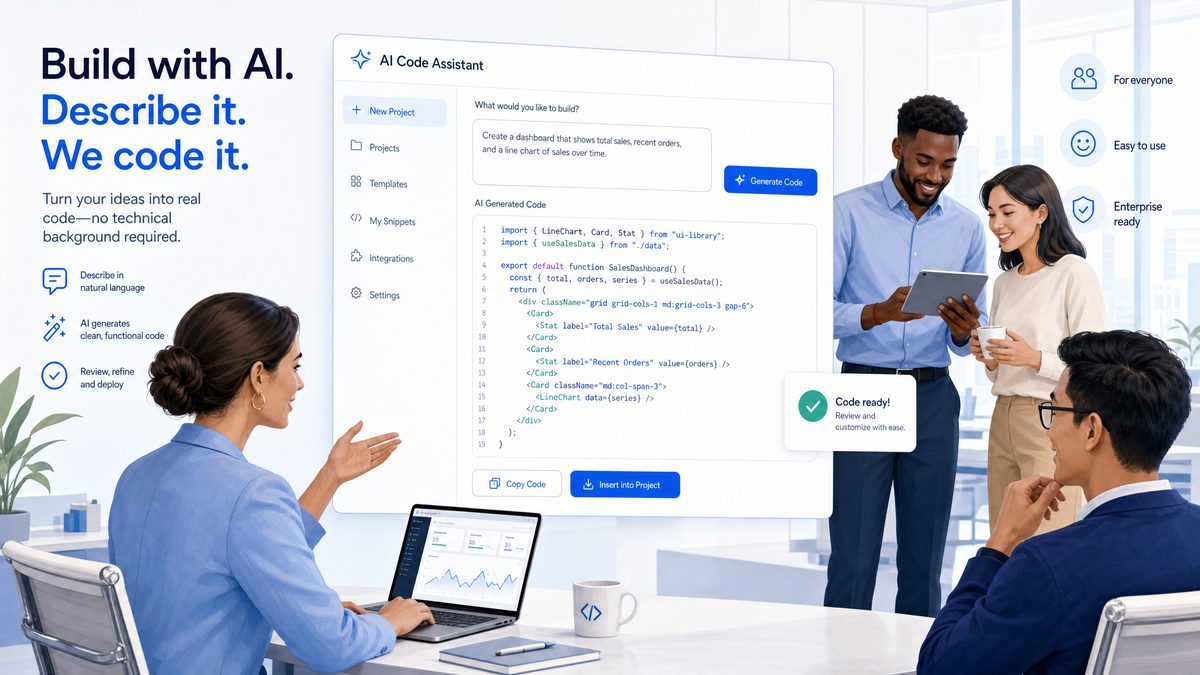
OpenAI’s Codex has long been celebrated as a powerful AI model designed primarily to assist software developers in generating code from natural language prompts. However, the newly redesigned Codex marks a fundamental transformation in its intended user base and functionality. Moving beyond the developer community, Codex now targets non-technical knowledge workers—project managers, marketers, analysts, and business professionals—enabling them to harness AI-powered automation and assistance without needing to write or understand code. This evolution reflects OpenAI’s commitment to democratizing AI access, making advanced productivity tools accessible to a broader audience.
This comprehensive guide explores the seven innovative features introduced in OpenAI’s redesigned Codex, illustrating how these capabilities empower non-technical users. From context-aware interfaces and built-in image generation to collaborative workflows and natural language task descriptions, the new Codex is positioned as a universal productivity platform competing with prominent tools like Notion AI and Microsoft Copilot.
The Strategic Shift: From Coding Tool to Universal AI Platform
Originally launched as a coding assistant, Codex excelled at interpreting natural language prompts to write and debug code, accelerating software development. However, OpenAI recognized the potential of Codex to extend far beyond this narrow focus. The strategic pivot involves transitioning Codex from a developer-centric tool into a versatile AI assistant optimized for a wide range of business tasks.
This shift is evidenced by the introduction of features specifically tailored to non-technical users. Rather than requiring users to understand programming languages or scripting, the redesigned Codex offers intuitive controls and natural language interfaces to simplify complex workflows. This approach aligns with the growing demand for AI tools that enhance productivity across diverse industries, including marketing, finance, HR, and operations.
By integrating capabilities such as built-in image generation, enhanced browser functionality, and collaborative team workflows, OpenAI positions Codex alongside competitive platforms like Notion AI and Microsoft Copilot. These platforms emphasize seamless integration into existing business processes, enabling teams to automate repetitive tasks, generate content, and collaborate more efficiently—all without specialized technical knowledge.
This transformation unlocks new possibilities for knowledge workers seeking intelligent automation that adapts to their unique workflows. With Codex’s expanded focus, users can now leverage AI to improve decision-making, streamline communication, and boost overall productivity in daily business operations.
Feature 1: Work Type Selector
One of the cornerstone enhancements in the redesigned Codex is the Work Type Selector. This feature dynamically adapts the user interface and AI behavior based on the specific task or project a user is attempting to accomplish. By selecting a predefined work type, users receive a customized experience tailored to their unique needs, eliminating the complexity of navigating generic AI assistant modes.
How It Works: Upon launching Codex, users are prompted to choose from a variety of work types such as “Report Generation,” “Data Analysis,” “Marketing Copy,” “Customer Support,” or “Project Planning.” The system then adjusts the available tools, templates, AI prompts, and output formatting to align with the selected category.
Use Cases:
- Marketing Teams: Selecting “Marketing Copy” configures Codex to generate persuasive content, taglines, and email drafts using industry-specific language and tone.
- Business Analysts: Choosing “Data Analysis” enables Codex to focus on summarizing datasets, writing SQL queries in the background, and producing visualizations, all through natural language commands.
- Customer Support: Opting for “Customer Support” adjusts Codex to draft empathetic responses, FAQs, and troubleshooting guides tailored to client inquiries.
This selective interface reduces cognitive load and improves AI output relevance, empowering non-technical users to achieve targeted results without extensive customization.
Example Workflow:
1. User opens Codex dashboard.
2. Selects 'Project Planning' from Work Type Selector.
3. Interface displays project templates and timeline tools.
4. User types "Create a 6-month marketing project plan."
5. Codex generates structured plan with milestones and resource allocation.
Feature 2: Built-in Image Generation
Previously, integrating images into AI-generated content required external multi-cloud providers (MCPs) or third-party tools, complicating workflows for non-technical users. The redesigned Codex incorporates built-in image generation, enabling users to create visuals directly within the platform without leaving the interface or relying on external services.
This integration leverages OpenAI’s advanced image synthesis models, allowing users to generate graphics, charts, diagrams, or conceptual artwork simply by describing the desired image in natural language. For example, a user can input “Create a pie chart showing quarterly sales distribution” or “Generate a futuristic office workspace illustration,” and Codex will produce a high-quality image embedded into the project.
Benefits for Non-Technical Users:
- Seamless Multimedia Content Creation: Users can enrich presentations, reports, and marketing materials with relevant images without graphic design skills.
- Time Savings: Instant visual generation eliminates the need to source or create images manually.
- Consistent Design Language: Built-in controls ensure images align stylistically with generated text content for cohesive outputs.
This feature is particularly valuable for business professionals who rely on visual communication but lack access to or expertise with traditional design software.
Feature 3: Enhanced Browser Capabilities
The redesigned Codex introduces faster, more reliable browser use as a critical upgrade to its AI-assisted web interaction capabilities. This improvement addresses previous limitations in Codex’s ability to retrieve, parse, and synthesize information from online sources in real-time.
By optimizing the underlying browser engine and integrating advanced caching and error-handling mechanisms, Codex now provides users with significantly enhanced performance when performing tasks such as:
- Researching market trends and competitor information
- Extracting data from web dashboards and portals
- Generating summaries of lengthy articles or reports
- Automating data entry from web forms or tables
For non-technical knowledge workers, this means Codex can serve as a reliable digital assistant that actively interacts with web environments to gather and process information on demand. Users can request information updates or ask Codex to monitor specific web pages, thus streamlining workflows that traditionally required manual browsing and data extraction.
Technical Insight: The enhanced browser utilizes a headless Chromium instance with AI-guided navigation algorithms, enabling context-aware decision-making during web interactions. This results in fewer errors, faster response times, and more accurate data retrieval.
Feature 4: Model Selection Flexibility
Unlike earlier versions where users were limited to a fixed AI model, the new Codex offers expanded model selection flexibility within the platform. This allows users to choose from a curated set of OpenAI’s language and multimodal models depending on their specific task requirements, balancing factors such as speed, accuracy, and cost.
For non-technical users, this flexibility is exposed through an intuitive dropdown menu with descriptive labels rather than technical model names. For example, options include “Fast Response (lightweight),” “Balanced Accuracy,” and “Deep Analysis (most powerful).”
Use Cases:
- Quick Drafting: Select a lightweight model for rapid content generation when speed is paramount.
- Complex Analysis: Choose a more powerful model for nuanced data interpretation or multi-step reasoning.
- Cost Management: Lower-cost models help manage budget constraints while maintaining acceptable quality.
This feature introduces enterprise-grade customization to the Codex experience without overwhelming users with technical jargon, enabling more efficient resource utilization and tailored AI assistance.
Feature 5: Project Templates for Business
To further simplify the adoption of AI-driven workflows, OpenAI has integrated simplified project templates specifically designed for common business tasks. These templates act as pre-configured starting points, bundling relevant AI prompts, data structures, and output formats aligned with typical organizational needs.
Examples of available templates include:
- Sales Pipeline Tracker: Automates the categorization and prioritization of leads with status updates and follow-up reminders.
- Financial Report Generator: Summarizes key performance indicators and generates narrative explanations from raw data inputs.
- Content Calendar Planner: Organizes marketing campaigns with scheduling, task assignments, and deadline tracking.
- HR Onboarding Checklist: Guides new employee orientation processes with automated document generation and task management.
These templates reduce the barrier to entry for non-technical users by providing structured frameworks that can be adapted to specific organizational contexts without requiring coding or complex configurations.
Example: A marketing manager can select the “Content Calendar Planner” template, input key campaign dates and objectives in natural language, and receive a fully formatted calendar with AI-generated content ideas and task reminders ready for team collaboration.
For users interested in boosting their overall efficiency, combining Codex’s new project templates with advanced workflow management tools can dramatically streamline daily operations. [INTERNAL_LINK]
As non-developers begin harnessing OpenAI Codex’s new features to simplify AI-driven coding tasks, understanding how to maximize ChatGPT’s capabilities becomes increasingly valuable; the article ChatGPT Skills, Projects, and Recurring Tasks: The Complete 2026 Productivity Stack delves into practical strategies for leveraging ChatGPT to streamline workflows, build effective projects, and manage recurring tasks—essential knowledge for anyone looking to enhance their productivity with AI tools.
Feature 6: Natural Language Task Descriptions
One of the most transformative features of the redesigned Codex is its ability to replace traditional code commands with natural language task descriptions. This advancement allows users to communicate their objectives using plain, conversational language rather than technical syntax or scripting.
For example, instead of writing a script to filter customer data based on purchase history, a user can simply instruct Codex: “Show me all customers who made a purchase in the last 30 days and spent over $500.” Codex interprets this request and executes the equivalent function behind the scenes.
This natural language interface dramatically lowers the learning curve for knowledge workers, enabling them to harness powerful automation and data processing capabilities without prior programming knowledge.
Benefits:
- Accessibility: Non-technical users can perform complex tasks without intermediaries or technical training.
- Speed: Tasks are completed faster as users avoid translating objectives into code.
- Reduced Errors: Natural language inputs reduce the likelihood of syntax mistakes common in coding.
Code Example Comparison:
// Traditional scripting approach
function filterCustomers(customers) {
  return customers.filter(c => c.lastPurchaseDate >= '2024-05-01' && c.totalSpent > 500);
}

// Codex natural language prompt
"Filter customers who purchased after May 1, 2024, with spending over $500."
Feature 7: Collaborative Workflows
Recognizing that productivity increasingly depends on teamwork, OpenAI has embedded collaborative sharing and team workflows directly into Codex. This feature allows multiple users to work simultaneously within projects, share AI-generated content, assign tasks, and maintain version control—all within a unified platform.
Key capabilities include:
- Real-Time Co-Editing: Team members can collaboratively edit documents, code snippets, or project plans with AI assistance visible to all participants.
- Role-Based Access Control: Administrators can define permissions to ensure data security and appropriate collaboration levels.
- Integrated Communication: Built-in chat and comment threads facilitate contextual discussions alongside project artifacts.
- Workflow Automation: Automate task assignments and reminders triggered by AI-generated insights or project milestones.
This collaborative framework transforms Codex from a solitary AI assistant into a comprehensive productivity hub that supports distributed teams and cross-functional workflows.
For organizations evaluating AI platforms with collaboration at the forefront, Codex’s new capabilities position it strongly among leading productivity tools. [INTERNAL_LINK]
As AI tools continue to evolve, understanding how to leverage them effectively in real-world development workflows becomes essential; for instance, Claude Opus 4.7 for Production AI Code Review in 2026 offers insights into advanced AI-driven code review processes designed for large-scale, production environments, making it a valuable resource for those interested in the practical deployment and oversight of AI-generated code discussed in the context of OpenAI Codex’s accessibility features.
Who Should Switch to Codex (and Who Shouldn’t)
The redesigned Codex offers compelling advantages for a broad spectrum of business users, but it is important to understand which roles and use cases will benefit most from the platform—and where limitations remain.
Ideal Candidates for Codex:
- Non-Technical Knowledge Workers: Professionals in marketing, sales, finance, HR, and operations who require AI assistance without coding.
- Small to Medium Businesses: Teams seeking an all-in-one productivity platform that integrates AI-driven content generation, project management, and collaboration.
- Enterprises Exploring AI Adoption: Organizations looking to pilot AI tools with minimal training overhead for their business units.
- Creative Professionals: Content creators and designers benefiting from built-in image generation and natural language interaction.
Who Might Not Benefit:
- Experienced Developers: Codex’s simplifications may limit granular control and customization required for advanced programming tasks.
- Highly Regulated Industries: Organizations with strict compliance requirements may require additional security and audit features not currently emphasized in Codex.
- Users Needing Specialized Domain Models: Tasks requiring niche AI models outside OpenAI’s offerings might find Codex insufficient.
Ultimately, the decision to adopt Codex should be based on an assessment of workflow needs, team skillsets, and the desired balance between ease of use and technical control.
Deep Dive: Practical Applications of Codex for Non-Developers
To truly appreciate the capabilities of OpenAI’s redesigned Codex, it is essential to explore concrete examples and practical applications across various business functions. By translating abstract features into real-world scenarios, non-technical users can better envision how Codex integrates into their daily workflows, driving efficiency and innovation.
Marketing and Content Creation
Marketing teams frequently juggle diverse content types, from blog posts and social media updates to campaign emails and product descriptions. Codex’s natural language understanding and built-in image generation allow marketers to quickly produce high-quality, brand-aligned content without waiting on creative or technical resources.
Example: A marketing manager can instruct Codex to “Generate a LinkedIn post promoting our new AI-powered analytics tool focusing on its ease of use for business analysts.” Within seconds, Codex outputs a polished, persuasive post with an accompanying image illustrating data insights. The manager can then tweak the tone or call to action using simple prompt adjustments.
Codex also supports rapid A/B testing content variants by generating multiple versions of the same copy, enabling marketers to optimize messaging based on audience response.
Data Analysis and Reporting
Non-technical users in finance, sales, or operations often require insights from complex datasets but lack the coding skills to manipulate data effectively. Codex’s natural language task descriptions and model flexibility empower these users to generate queries, summaries, and visualizations effortlessly.
Example: A sales analyst can type “Show me a bar chart of monthly revenue by region for the last year” and receive a ready-to-use visualization. Codex automatically generates the underlying data query and assembles the chart, even suggesting insights such as identifying top-performing regions or seasonal trends.
This functionality reduces dependence on data engineers and accelerates decision-making by delivering actionable insights directly to business stakeholders.
Customer Service and Support
In customer-facing roles, timely and empathetic communication is critical. Codex’s context-aware AI can draft personalized responses, troubleshoot common issues, and create comprehensive FAQ sections tailored to specific product lines or client concerns.
Example: A customer support agent can input “Draft a response apologizing for delayed shipment and offering a 10% discount voucher” and receive a professionally worded reply ready for immediate dispatch. Simultaneously, Codex can update the support knowledge base with the latest information, ensuring consistent messaging across channels.
This reduces response times and enhances customer satisfaction without requiring agents to formulate responses from scratch.
Project Management and Collaboration
Project managers benefit from Codex’s ability to generate structured plans, timelines, and task breakdowns from simple instructions. The collaborative workflows feature further
