
Complete Guide to Claude for Legal: Setting Up Anthropic’s 20+ Connectors and Practice-Area Plugins
Introduction
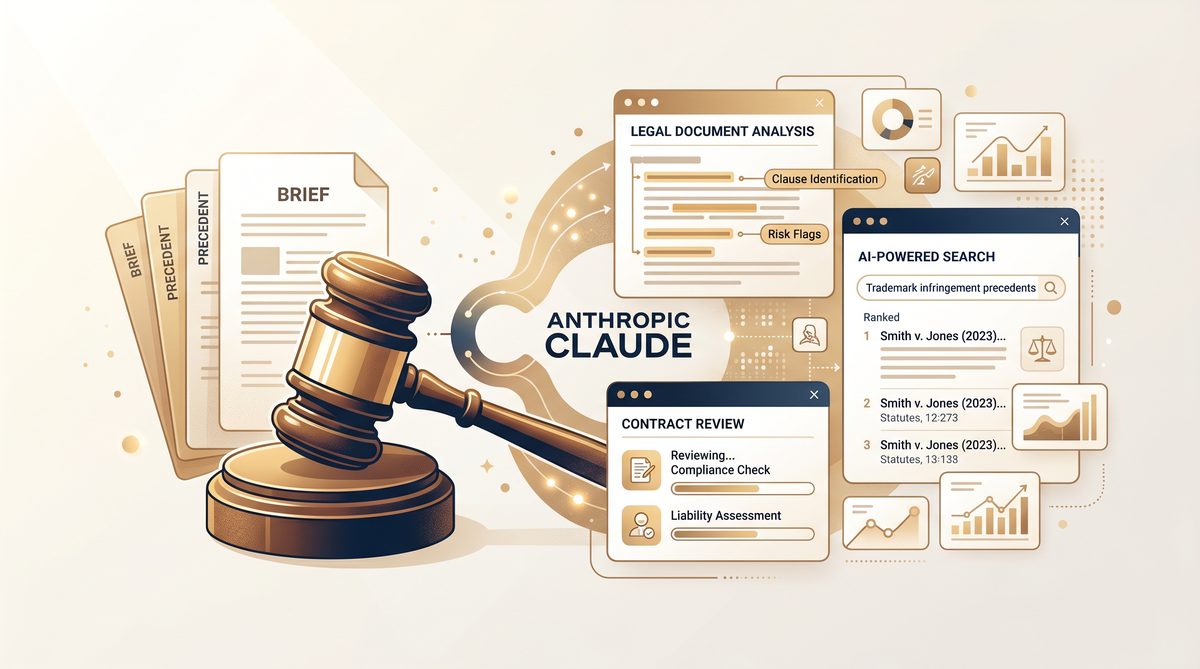
The legal industry is undergoing a transformative shift as artificial intelligence (AI) technologies rapidly evolve and integrate into daily practice. From document review and legal research to contract analysis and case management, AI-powered tools are reshaping how legal professionals operate, driving efficiency, accuracy, and deeper insights. Among the emerging AI platforms tailored specifically for legal applications, Anthropic’s Claude stands out as a game-changer. With its advanced natural language understanding, robust privacy safeguards, and an expanding ecosystem of over 20 specialized connectors and practice-area plugins, Claude is uniquely positioned to meet the complex demands of modern legal workflows.
In recent years, the adoption of AI within law firms and legal departments has accelerated dramatically. Firms are no longer experimenting with rudimentary chatbots or generic AI assistants; instead, they are deploying sophisticated solutions that integrate directly with trusted legal research databases, case management systems, and document repositories. This shift is driven by a need to reduce the time spent on repetitive tasks, improve the quality of legal analysis, and enhance collaboration both internally and with clients. Claude’s introduction into this space marks a significant step forward because it combines powerful AI capabilities with tailored connectors to industry-leading platforms such as Thomson Reuters CoCounsel, Westlaw, Harvey, Box, and Everlaw. These integrations enable seamless workflows that leverage existing infrastructures while unlocking new levels of automation and insight.
Claude’s approach to legal AI transcends simple question-answering or keyword search. It offers context-aware, conversational AI that can interpret complex legal queries, draft documents, summarize case law, and even assist with compliance checks. This is particularly critical in a field where nuance and precision are paramount. Additionally, the platform’s customizable practice-area plugins allow legal professionals to tailor Claude’s functionality to specialties ranging from corporate law and litigation to intellectual property and regulatory compliance. This granular customization ensures that the AI assistant is not a one-size-fits-all solution but a finely tuned partner that understands the specific needs and terminology of each legal domain.
For legal professionals considering AI adoption, understanding the breadth and depth of Claude’s capabilities—and how to implement its extensive suite of connectors—is essential. This guide delves into the complete setup process, providing step-by-step instructions to integrate Claude with your existing legal technology stack. As AI adoption trends continue to reshape law firms’ operations and competitive strategies, exploring how Claude synergizes with platforms like Thomson Reuters CoCounsel and Westlaw can provide a roadmap for successful digital transformation. For a detailed analysis of how legal AI adoption is evolving across different firm sizes and practice areas, refer to our comprehensive overview of AI implementation strategies in modern law firms Complete Guide to Claude Security: AI-Powered Vulnerability Scanning for Enterprise Codebases.
By leveraging Claude’s cutting-edge AI features and its seamless integrations with premier legal tools, attorneys and legal teams can enhance productivity, reduce manual workload, and deliver higher-value outcomes for their clients. This guide aims to equip legal professionals—from solo practitioners to large firms—with the knowledge and technical insight needed to harness Claude’s full potential and stay at the forefront of legal innovation.
The Evolution of AI in Legal Practice and Claude’s Unique Position
Introduction: The Rise of AI in Legal Practice
Artificial Intelligence (AI) has rapidly transformed various industries, and the legal sector is no exception. Traditionally, legal professionals relied heavily on manual research methods, extensive document review, and precedent analysis that demanded significant time and resources. The advent of AI-powered tools has revolutionized these processes, enabling faster, more accurate, and cost-effective legal services.
Early AI applications in law focused on document automation, contract analysis, and rudimentary legal research, but they often lacked the sophistication to understand nuanced legal language or complex reasoning. The emergence of Large Language Models (LLMs) such as GPT-3 marked a significant shift, enabling AI to generate human-like text and comprehend intricate legal queries. However, these models also faced challenges related to context retention, reasoning depth, and data privacy—factors critical in legal environments.
Claude’s Architectural Advantages in Legal Contexts
Anthropic’s Claude represents a new generation of LLMs specifically designed to address the unique demands of high-stakes industries such as law. Claude distinguishes itself from other models through several key features that enhance its suitability for legal applications:
- Extended Context Window: Claude supports a significantly larger context window than many traditional LLMs, allowing it to process and analyze entire legal documents or multiple case files in a single interaction. This capability is crucial for legal professionals who need to consider comprehensive facts, precedents, and statutes simultaneously.
- Enhanced Reasoning Abilities: Claude is engineered with advanced reasoning frameworks that allow it to parse complex legal arguments, identify logical inconsistencies, and offer structured analyses. This contrasts with earlier models that were prone to generating plausible but legally inaccurate responses.
- Robust Privacy and Safety Protocols: Given the sensitive nature of legal data, Claude implements stringent privacy measures. Its architecture minimizes data exposure risks and complies with regulatory standards, ensuring that client confidentiality is maintained—an area where many AI platforms fall short.
Consider a scenario where a corporate legal team is reviewing a merger agreement spanning hundreds of pages, accompanied by numerous supplementary documents such as compliance reports, regulatory filings, and prior related contracts. Traditional LLMs might struggle to maintain coherence when referencing disparate sections of these documents. Claude’s extended context window enables it to retain and cross-reference all relevant information, facilitating a holistic and accurate analysis within a single session.
Deep-Dive: How Claude Excels Compared to Other LLMs in Legal Settings
Other popular LLMs, while powerful, often operate with a more limited context window—commonly 2,048 to 4,096 tokens—which restricts their ability to integrate extensive documents or multifaceted legal arguments. This limitation can force legal professionals to break down queries into smaller parts, increasing the risk of losing critical context and making the process inefficient.
Moreover, Claude’s design emphasizes interpretability and alignment with user intent, which is vital in legal scenarios where precision is non-negotiable. By incorporating constitutional AI principles, Claude reduces the likelihood of generating harmful or biased outputs—a frequent challenge when working with generic language models.
For example, when tasked with drafting a legal memorandum on a complex intellectual property dispute, Claude not only provides a coherent summary of relevant case law but also identifies potential counterarguments and highlights jurisdictional nuances. This level of nuanced reasoning and contextual awareness goes beyond surface-level text generation and mirrors the analytical rigor expected from seasoned legal professionals.
Privacy Considerations: Why Claude is Preferable for Legal Data
Confidentiality is a cornerstone of legal practice. AI systems must guarantee that sensitive client information is protected against unauthorized access or data leakage. Claude incorporates privacy-preserving mechanisms such as data minimization, on-premises deployment options, and encrypted communication channels. This contrasts with many cloud-based LLM services where user data is processed off-site without robust guarantees on data retention policies.
In practice, this means a law firm can confidently integrate Claude into their workflows without compromising ethical obligations or regulatory compliance, such as GDPR or HIPAA, depending on jurisdiction and case type. This assurance not only protects clients but also shields firms from reputational risks and legal liabilities.
Comparative Analysis: Claude vs. Traditional Legal Research Methods
| Feature/Capability | Traditional Legal Research | Claude (Anthropic’s LLM) |
|---|---|---|
| Speed of Research | Hours to days depending on complexity | Seconds to minutes; real-time interaction |
| Handling Large Volumes of Text | Manual review with risk of oversight | Processes thousands of tokens with contextual understanding |
| Contextual Integration | Fragmented, often requiring cross-referencing | Maintains extended context window for holistic analysis |
| Reasoning and Argument Development | Dependent on individual expertise and time | Generates structured arguments and identifies inconsistencies |
| Data Privacy & Confidentiality | Firm-controlled and compliant with legal standards | Built-in privacy features; supports compliance and data minimization |
| Cost Efficiency | High labor costs and potential for overtime | Reduces manual labor; scalable and cost-effective |
| Adaptability to Practice Areas | Requires specialized training and knowledge | Customizable plugins for diverse legal domains |
In summary, Claude’s advanced capabilities bridge the gap between human legal expertise and AI efficiency. By understanding and integrating vast amounts of legal knowledge with superior reasoning and privacy safeguards, Claude empowers legal professionals to enhance their productivity and quality of service. In the following sections, we will explore how to set up Claude’s 20+ connectors and practice-area plugins, optimizing its use for various legal workflows.

Setting Up Anthropic’s 20+ Connectors for Law Firms
Anthropic’s suite of over 20 connectors is a cornerstone feature of Claude for Legal, enabling law firms to seamlessly integrate the AI assistant with their existing enterprise infrastructure. These connectors facilitate secure access to internal document management systems, cloud storage platforms such as SharePoint and Google Drive, as well as custom-built databases and proprietary legal practice tools. Proper setup and configuration of these connectors are essential to maximize Claude’s effectiveness in automating workflows, conducting advanced legal research, and managing case documentation with precision.
This section provides a comprehensive, step-by-step guide to setting up and configuring Anthropic’s enterprise connectors within a law firm environment. Each subsection delves into specific connector types, required permissions, data mapping strategies, and best practices to ensure data integrity and compliance with privacy standards.
1. Preparing Your Enterprise Environment for Connector Integration
Before beginning the connector setup process, law firms must assess their existing IT infrastructure and establish prerequisites to ensure smooth integration:
- Audit Existing Systems: Identify all document repositories, databases, and cloud storage platforms in use. Confirm versions, API availability, and authentication mechanisms.
- Assign Administrative Roles: Designate IT administrators or system managers responsible for granting access permissions, creating API credentials, and overseeing data governance.
- Review Security Policies: Evaluate internal security protocols regarding external application access, data encryption standards, and audit logging.
- Obtain API Credentials: For each target system (e.g., SharePoint, Google Drive), generate API keys or OAuth tokens required for secure connector authentication.
- Map Data Sources: Catalog document libraries, folders, and database schemas to understand the scope of data accessible via connectors.
Completing these preparatory steps lays the foundation for a trouble-free connector configuration experience.
2. Connecting to Internal Document Management Systems (DMS)
Most law firms rely heavily on internal DMS platforms such as iManage, NetDocuments, or proprietary systems. Anthropic’s connectors enable Claude to access these repositories, facilitating instant retrieval and summarization of case files, contracts, and court documents.
Step-by-Step Configuration:
- Access the Claude Admin Console: Log into the Claude for Legal administration portal using your enterprise credentials.
- Navigate to the Connectors Section: Select ‘Add New Connector’ and choose the appropriate DMS from the list of supported systems.
- Authenticate the Connector: Input the API credentials or service account details. For OAuth-based systems, follow the authorization prompts to grant Claude access.
- Set Connector Permissions: Define the scope of access, specifying the document libraries or folders Claude can index. It is advisable to limit access to only relevant practice areas or client files to maintain confidentiality.
- Configure Data Synchronization: Choose between real-time syncing or scheduled batch updates. Real-time syncing is preferred for active litigation cases, whereas batch syncing may suffice for archival research.
- Map Metadata Fields: Align the metadata from your DMS (e.g., document type, client name, matter number, creation date) with Claude’s internal data model. This mapping ensures accurate search and retrieval functions.
- Test the Connection: Initiate a test synchronization to verify that documents are properly indexed and metadata is correctly assigned.
- Monitor Logs and Adjust Settings: Review connector performance logs for errors or permission issues. Adjust access scopes or synchronization frequency as needed.
Example Configuration:
For a firm using iManage, the connector setup might look like this:
- API Endpoint:
https://imanage.yourfirm.com/api/v2/ - OAuth Client ID and Secret: Generated in iManage Admin Portal
- Access Scope: Folders tagged with “Litigation” and “Corporate” practice areas
- Metadata Fields Mapped:
- Document Title → title
- Client Matter Number → matter_id
- Author → creator
3. Integrating Cloud Storage Platforms (SharePoint, Google Drive, Box)
Cloud storage platforms are frequently used for collaborative document drafting and sharing. Integrating Claude with these platforms allows legal teams to analyze shared documents directly within their collaborative environments.
Step-by-Step Configuration for SharePoint:
- Register an Application in Azure AD: Create a new application registration in the Azure Active Directory portal to obtain a Client ID and Tenant ID.
- Generate a Client Secret: Create a new client secret for the registered application.
- Assign API Permissions: Grant the application ‘Sites.Read.All’ and ‘Files.Read.All’ permissions under Microsoft Graph API. Ensure admin consent is granted.
- Configure the Connector in Claude: In the Claude Admin Console, select the SharePoint connector and input the Client ID, Tenant ID, and Client Secret.
- Specify Site URLs: Provide the URLs of the specific SharePoint sites or document libraries Claude should access.
- Test and Validate: Run a test query to confirm Claude can retrieve documents from the specified SharePoint sites.
When integrating these platforms, it is crucial to implement robust enterprise data security protocols Complete Guide to Claude Managed Agents: Dreaming, Outcomes, and Multiagent Orchestration to ensure that sensitive client information remains protected across all cloud environments. This includes configuring role-based access controls (RBAC) and enabling multi-factor authentication (MFA) for all users accessing the integrated systems.
4. Connecting to Custom Databases and Proprietary Tools
Many law firms utilize custom-built databases for specialized case management or proprietary legal research tools. Anthropic provides generic REST API and SQL connectors to facilitate integration with these bespoke systems.
Step-by-Step Configuration for SQL Databases:
- Establish Network Connectivity: Ensure the database server is accessible from Claude’s IP addresses, potentially requiring firewall rule adjustments or VPN configurations.
- Create a Read-Only Service Account: Generate a database user account with strictly read-only permissions to prevent accidental data modification.
- Configure the SQL Connector: In the Claude Admin Console, select the SQL connector (e.g., PostgreSQL, MySQL) and input the connection string, including host, port, database name, and service account credentials.
- Define Query Scopes: Specify the tables or views Claude is permitted to query. Avoid granting access to tables containing highly sensitive personal identifiable information (PII) unless absolutely necessary.
- Test Query Execution: Execute sample SQL queries through the connector interface to verify data retrieval and formatting.
By meticulously configuring these connectors, law firms can create a unified, AI-powered ecosystem where Claude acts as a central intelligence hub, seamlessly accessing and analyzing data across disparate enterprise systems.

Integrating Practice-Area Plugins: Thomson Reuters, Westlaw, Harvey, Box, and Everlaw
Beyond enterprise connectors, Claude’s true power in the legal sector is unlocked through its specialized practice-area plugins. These plugins are designed to integrate deeply with industry-standard legal platforms, enabling sophisticated workflows tailored to specific legal disciplines. This section explores the integration strategies and use cases for five premier platforms: Thomson Reuters CoCounsel, Westlaw, Harvey, Box, and Everlaw.
Thomson Reuters CoCounsel Integration
Thomson Reuters CoCounsel is a leading AI legal assistant that provides comprehensive legal research, document review, and drafting capabilities. Integrating Claude with CoCounsel enhances the analytical depth and conversational flexibility of the platform.
Integration Strategy:
The integration typically involves utilizing the CoCounsel API to route complex queries to Claude’s advanced reasoning engine. Administrators must configure API keys within the CoCounsel administrative dashboard, specifying Claude as the preferred LLM for specific task types, such as multi-jurisdictional comparative analysis or intricate contract summarization.
Use Cases:
- Complex Legal Research: When a user queries CoCounsel regarding a nuanced point of law involving conflicting precedents, Claude can synthesize the findings into a coherent, structured memorandum, highlighting the jurisdictional splits and predicting potential judicial outcomes based on historical data.
- Drafting Legal Arguments: Claude can assist in drafting appellate briefs by analyzing the relevant case law retrieved by CoCounsel and structuring the arguments logically, ensuring all counterarguments are addressed.
Westlaw Integration
Westlaw remains a foundational tool for legal research, offering an exhaustive database of case law, statutes, and secondary sources. Integrating Claude with Westlaw transforms how legal professionals interact with this vast repository of information.
Integration Strategy:
Integration is achieved via the Westlaw API, allowing Claude to execute natural language searches directly against the Westlaw database. The setup requires configuring authentication tokens and defining search parameters to ensure Claude retrieves the most relevant and authoritative sources.
Use Cases:
- Conversational Case Law Retrieval: Instead of constructing complex Boolean search strings, attorneys can ask Claude natural language questions (e.g., “Find recent cases in the Second Circuit discussing the application of the fair use doctrine to AI-generated art”). Claude translates this into an optimized Westlaw query, retrieves the cases, and provides a synthesized summary of the holdings.
- Statutory Interpretation: Claude can analyze a specific statute retrieved from Westlaw and provide a detailed breakdown of its legislative history, subsequent amendments, and key judicial interpretations, saving hours of manual research.
Harvey Integration
Harvey is an AI platform built specifically for elite law firms, focusing on contract analysis, due diligence, and regulatory compliance. Integrating Claude enhances Harvey’s ability to process massive volumes of complex legal text with superior accuracy.
Integration Strategy:
The integration leverages Harvey’s extensible architecture, allowing Claude to serve as the underlying cognitive engine for specific analytical modules. Configuration involves establishing secure API connections and mapping Harvey’s proprietary data structures to Claude’s input formats.
Use Cases:
- M&A Due Diligence: During a merger or acquisition, Claude can power Harvey’s due diligence module to rapidly review thousands of contracts, identifying change-of-control provisions, indemnification clauses, and potential liabilities with high precision.
- Regulatory Compliance Audits: Claude can analyze a company’s internal policies against a database of evolving regulatory requirements (e.g., GDPR, CCPA) retrieved by Harvey, highlighting compliance gaps and suggesting remediation strategies.
Box Integration
Box is a widely used secure cloud content management platform. While discussed briefly in the connectors section, its specific application as a practice-area plugin involves deeper workflow automation for legal document management.
Integration Strategy:
The Box plugin utilizes the Box API to enable Claude to not only read documents but also interact with Box’s metadata, workflow triggers, and collaboration features. Setup requires OAuth 2.0 authentication and configuring webhook listeners to trigger Claude’s analysis upon document upload or modification.
Use Cases:
- Automated Contract Triage: When a new contract is uploaded to a specific Box folder, the plugin triggers Claude to automatically review the document, extract key terms (e.g., parties, effective date, governing law), and populate the corresponding metadata fields in Box, streamlining the intake process.
- Collaborative Drafting: Legal teams can use Claude within the Box interface to suggest revisions, draft alternative clauses, and summarize comments from multiple stakeholders on a shared document.
Everlaw Integration
Everlaw is a premier cloud-based e-discovery platform used for litigation and investigations. Integrating Claude significantly accelerates the document review phase of e-discovery.
Integration Strategy:
The integration involves connecting Claude to Everlaw’s API, allowing the AI to access and analyze document sets within specific litigation databases. Configuration requires setting up secure data pipelines and defining the scope of analysis (e.g., privilege review, relevance coding).
Use Cases:
- Predictive Coding and Relevance Review: Claude can analyze a seed set of documents coded by attorneys and then autonomously review the remaining document universe, assigning relevance scores and identifying key evidentiary themes, drastically reducing the time and cost of manual review.
- Privilege Log Generation: Claude can assist in identifying potentially privileged communications (e.g., attorney-client privilege, work product doctrine) within the Everlaw database and automatically generate draft entries for a privilege log, complete with justifications based on the document’s content and context.
Summary of Integration Benefits
| Platform | Primary Function | Key Benefits of Claude Integration |
|---|---|---|
| Thomson Reuters CoCounsel | Legal Research & Drafting | Enhanced reasoning for complex queries; structured memorandum generation. |
| Westlaw | Case Law & Statutory Database | Conversational search interface; synthesized summaries of judicial holdings. |
| Harvey | Contract Analysis & Due Diligence | High-precision review of massive document volumes; automated compliance audits. |
| Box | Secure Content Management | Automated metadata extraction; streamlined contract triage and collaborative drafting. |
| Everlaw | E-Discovery & Litigation Support | Accelerated predictive coding; automated privilege log generation. |
Security, Compliance, and Best Practices for Legal Teams
The integration of advanced AI tools like Claude into legal workflows introduces significant opportunities for efficiency, but it also necessitates a rigorous approach to security and compliance. Legal professionals are bound by strict ethical obligations to protect client confidentiality and maintain attorney-client privilege. Furthermore, law firms must adhere to a complex web of regulatory frameworks, including SOC 2, HIPAA, and GDPR. This section outlines the critical security considerations and best practices for configuring Claude to ensure robust compliance.
Understanding Regulatory Frameworks and AI Compliance
When deploying Claude, law firms must evaluate how the AI platform interacts with data governed by specific regulations:
- SOC 2 (System and Organization Controls 2): SOC 2 compliance ensures that a service provider securely manages data to protect the interests of the organization and the privacy of its clients. Anthropic’s enterprise offerings are designed to meet SOC 2 Type II standards, providing assurance regarding security, availability, processing integrity, confidentiality, and privacy.
- HIPAA (Health Insurance Portability and Accountability Act): For firms handling medical malpractice, personal injury, or healthcare regulatory cases, HIPAA compliance is mandatory. Claude can be configured to operate within HIPAA-compliant environments, typically requiring a Business Associate Agreement (BAA) with Anthropic and ensuring that Protected Health Information (PHI) is encrypted and access-controlled.
- GDPR (General Data Protection Regulation): Firms operating in or dealing with clients from the European Union must comply with GDPR. This involves ensuring data minimization, obtaining explicit consent for data processing, and providing mechanisms for data deletion (the “right to be forgotten”). Claude’s architecture supports these requirements by allowing administrators to control data retention policies and prevent user inputs from being used to train foundational models.
Safeguarding Attorney-Client Privilege
Maintaining attorney-client privilege is paramount. The introduction of a third-party AI tool raises concerns about whether sharing information with the AI constitutes a waiver of privilege. To mitigate this risk, firms must ensure that their agreement with Anthropic explicitly states that the AI provider acts as an agent of the firm, bound by strict confidentiality obligations, and that the data is not shared with unauthorized third parties or used for external model training.
Implementing robust access controls is also essential. Claude should be configured so that only authorized personnel working on a specific matter can access the corresponding data and AI interactions. This compartmentalization prevents internal data breaches and upholds the ethical wall (or “Chinese wall”) protocols often required in large firms.
Best Practices for Secure Claude Configuration
To maximize security and maintain compliance in cloud environments How Harvey Achieved Dramatic Legal AI Breakthroughs Using Anthropic’s Claude Dreaming Feature, legal IT teams should adhere to the following best practices when configuring Claude and its connectors:
- Implement Role-Based Access Control (RBAC): Define granular user roles within the Claude Admin Console. Ensure that users only have access to the connectors, plugins, and data necessary for their specific roles and active cases.
- Enable Multi-Factor Authentication (MFA): Require MFA for all users accessing the Claude platform and any integrated enterprise systems to protect against compromised credentials.
- Data Encryption: Verify that all data transmitted between the firm’s infrastructure and Claude is encrypted in transit using TLS 1.2 or higher. Ensure that any cached data, such as logs or transcripts, is encrypted at rest with industry-standard algorithms like AES-256.
- Audit Logging: Enable detailed audit trails for all interactions with Claude, including user access, data inputs, and outputs. Regularly review logs for anomalies or unauthorized activity.
- Data Retention and Deletion: Implement automated policies for timely deletion of AI interaction data. Define retention periods that align with organizational compliance requirements and regulatory mandates.
- Regular Compliance Reviews: Schedule periodic audits of Claude’s deployment and usage to ensure ongoing adherence to security and privacy standards. Update configurations as regulations evolve.
- Employee Training: Conduct comprehensive training sessions for all users on compliance risks and best practices when using AI tools, emphasizing the importance of safeguarding client information.
By meticulously applying these best practices, legal teams can confidently integrate Claude into their workflows while maintaining rigorous compliance with security and privacy standards. This not only protects clients but also strengthens the firm’s reputation and trustworthiness in handling sensitive legal matters.
Useful Links
- Anthropic Official Claude Documentation
- Thomson Reuters Legal Solutions
- Everlaw Legal Technology Resources
- Legal Robot Developer API Documentation
- Clio Legal Practice Management Software
- LawGeex AI Contract Review Resources
- Fastcase Legal Research Tools
- Ravel Law Legal Analytics Blog
- LegalSifter AI Contract Review Resources
Conclusion
The integration of Claude with over 20 connectors and specialized practice-area plugins marks a significant advancement in the application of AI within the legal sector. By enabling seamless connections to established platforms such as Thomson Reuters, Everlaw, Clio, and others, legal professionals can now harness the power of Anthropic’s Claude to automate routine workflows, enhance legal research, and streamline document review processes with unprecedented efficiency and accuracy. These integrations empower lawyers, paralegals, and legal technologists to focus on higher-value tasks by offloading labor-intensive data extraction, contract analysis, and case management to AI-driven tools tailored specifically for legal contexts.
Furthermore, the availability of practice-area-specific plugins ensures that Claude’s capabilities are not generic but finely tuned to meet the nuanced demands of different legal disciplines, from corporate law and litigation to intellectual property and regulatory compliance. This level of customization facilitates greater precision in legal drafting, risk assessment, and strategic decision-making, reducing errors and increasing confidence in outcomes. As legal professionals adopt these AI-enhanced workflows, the broader legal ecosystem stands to benefit from accelerated case resolutions, improved client service, and cost savings.
In summary, the comprehensive suite of Claude connectors and plugins represents a transformative shift toward intelligent legal practice. It demonstrates how cutting-edge AI can be thoughtfully integrated into existing infrastructures to augment human expertise rather than replace it. For legal professionals striving to remain competitive and innovative in a rapidly evolving landscape, mastering these tools is essential. This guide serves as a foundational resource to unlock the full potential of Claude’s integrations, ultimately driving greater productivity, insight, and success in legal practice.
Access 40,000+ AI Prompts for ChatGPT, Claude & Codex — Free!
Subscribe to get instant access to our complete Notion Prompt Library — the largest curated collection of prompts for ChatGPT, Claude, OpenAI Codex, and other leading AI models. Optimized for real-world workflows across coding, research, content creation, and business.
