
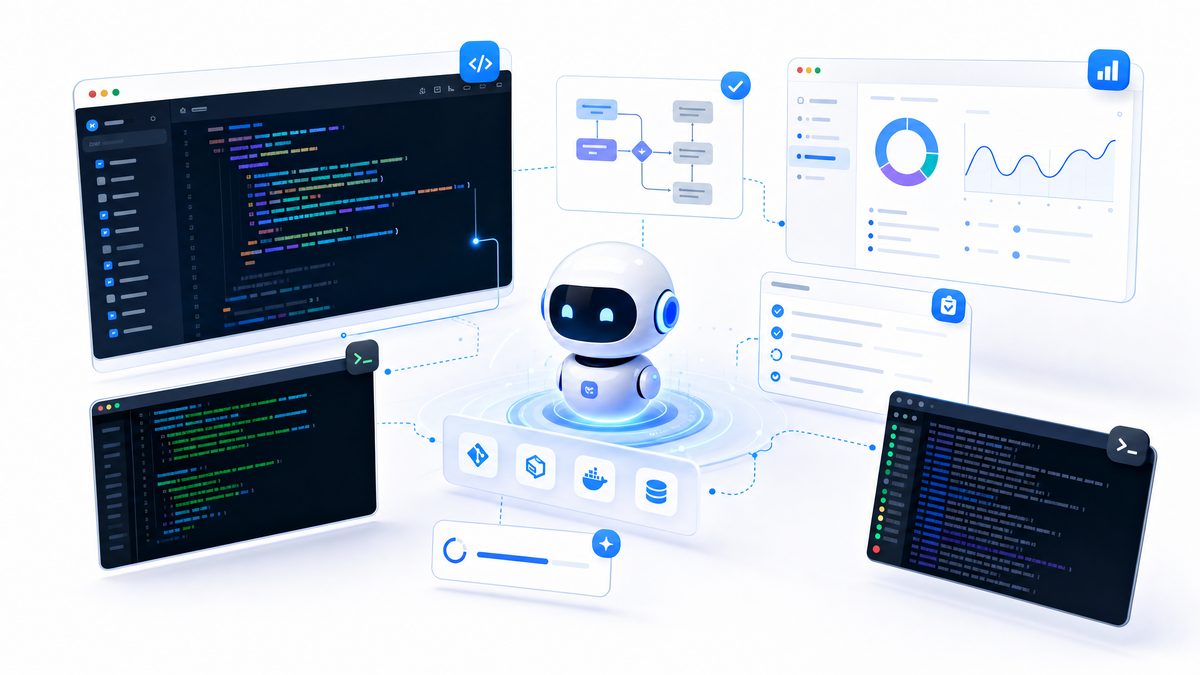
How to Build Automated Workflows with OpenAI Codex Background Agents and Computer Use
[IMAGE_PLACEHOLDER_HEADER]Artificial intelligence (AI) continues to revolutionize how we interact with technology, enabling computers to perform complex tasks with remarkable efficiency. One of the most transformative innovations in this space is OpenAI’s Codex, an advanced AI model that translates natural language instructions into executable code.
Beyond simple code generation, Codex empowers developers and non-developers alike to build automated workflows that simulate human computer interactions across graphical user interfaces (GUI) and web environments. These capabilities enhance productivity, streamline operations, and foster innovation across diverse industries.
In this comprehensive tutorial, we will explore how to harness the power of OpenAI Codex to design and implement automated workflows using background agents. Focusing on computer GUI and web automation, you will learn to deploy multi-agent parallel processing techniques to coordinate intelligent AI agents that can perform a variety of tasks—ranging from web scraping and data extraction to form automation—without requiring deep scripting knowledge.
Traditional automation frameworks like Selenium or PyAutoGUI often involve brittle and verbose code that breaks with minor UI changes and demands significant programming expertise. By contrast, Codex’s natural language understanding lowers the barrier to entry and enhances maintainability. Coupled with robust execution environments like Playwright or Puppeteer and intelligent feedback loops, Codex-driven automation is adaptive, scalable, and more resilient.
Throughout this guide, you’ll gain a strong conceptual understanding, learn how to set up your environment, design effective AI agents, and implement practical automated workflows powered by OpenAI Codex. Mastering these techniques will unlock unprecedented operational efficiency and flexibility in automation.
Understanding OpenAI Codex for Automated Computer Use and Multi-Agent Orchestration
[IMAGE_PLACEHOLDER_SECTION_1]OpenAI Codex is a powerful large language model trained on massive datasets comprising both natural language and programming code. While it’s best known for generating code snippets and programming assistance, Codex’s capabilities extend significantly into interpreting complex logical workflows and transforming natural language commands into granular, actionable GUI instructions.
The Paradigm Shift: From Traditional Scripting to Natural Language-Driven Automation
Historically, automating GUI interactions involved writing verbose, fragile code, for example:
driver.find_element(By.ID, "search-box").send_keys("query")
With Codex-powered automation, the same task can be expressed intuitively in natural language:
“Go to the search bar, type ‘query’, and press enter.”
Codex interprets this instruction and generates the detailed sequence of mouse clicks, keyboard inputs, and navigation commands needed to perform the action. This approach dramatically reduces the programming expertise required, improves maintainability, and enhances robustness against UI changes—especially when paired with execution layers like Playwright or Puppeteer, augmented by visual recognition or accessibility APIs.
Key Components of a Codex-Driven Automated Workflow System
Building a reliable Codex-powered automation platform involves integrating several crucial modules:
- User Interface for Task Specification: Enables users to describe automation goals in plain English or natural language.
- Orchestration Layer: Breaks down complex workflows into manageable sub-tasks, assigns them to individual agents, and manages overall workflow state.
- Codex Agent: The AI interpreter that converts natural language sub-tasks into executable command sequences following a structured schema.
- Execution Environment: Browser or desktop GUI contexts (either headless or visible) that perform the commands and provide real-time feedback through DOM snapshots, screenshots, or accessibility information.
- Feedback and Error Handling Loop: Continuously monitors execution success, manages retries when errors occur, and dynamically replans unfinished or failed tasks based on results.
Multi-Agent Parallelism: Scaling Automation through Concurrent Codex Agents
[IMAGE_PLACEHOLDER_SECTION_2]Multi-agent parallelism allows several Codex agents to operate simultaneously on different parts of a workflow, significantly enhancing throughput and scalability. This paradigm unlocks advanced use cases such as:
- Concurrent Web Research: Agents independently browsing multiple websites or search engines to gather comprehensive data.
- Parallel Data Validation: Cross-checking and verifying information across various sources to improve accuracy.
- Distributed Form Automation: Automating multiple form submissions concurrently or segmenting complex forms across agents.
- Exploratory Task Execution: Simultaneous exploration of divergent sites, decision trees, or content branches to optimize results.
Designing an effective multi-agent system requires careful attention to:
- Task Decomposition: Dividing large objectives into discreet, independently executable units to minimize interdependencies.
- Inter-Agent Communication: Establishing protocols for data sharing, synchronization, and collaborative decision-making among agents.
- Conflict Management: Preventing or resolving contradictory commands or resource contention to maintain stability.
- Resource Optimization: Efficient management of browser instances, API rate limits, and computation to scale without unnecessary overhead.
The combination of Codex’s natural language fluency and multi-agent orchestration results in automation workflows that are robust, adaptive, and capable of addressing complex real-world GUI challenges.
Setting Up Your Development Environment for Codex-Powered Automated Workflows
[IMAGE_PLACEHOLDER_SECTION_3]Successful automation starts with a well-configured development environment designed for AI-driven workflows. Follow this step-by-step guide to prepare your setup optimized for Codex integration.
Prerequisites and Essential Tools
Ensure you have the following installed and configured:
- Python 3.8 or higher: The primary scripting language for interaction with OpenAI’s Python SDK and automation libraries.
- OpenAI API Key: Acquire your API key from the OpenAI Platform to access Codex services.
- Node.js and npm (recommended): Necessary for installing and managing Playwright or Puppeteer browser automation packages.
Step 1: Create a Project Directory and Set Up a Python Virtual Environment
Isolate your project dependencies by creating a dedicated virtual environment:
mkdir codex_automation_project
cd codex_automation_project
python3 -m venv venv
source venv/bin/activate  # On Windows: venv\Scripts\activate
Step 2: Install Required Python Packages
Install core libraries for Codex API, browser automation, environment variable management, and HTML parsing:
openai: Official OpenAI Python SDK for communicating with Codex.playwright: Advanced browser automation framework covering Chromium, Firefox, and WebKit.python-dotenv: For secure loading of environment variables.beautifulsoup4andlxml: Libraries for parsing and extracting HTML data effectively.
pip install openai playwright python-dotenv beautifulsoup4 lxml
playwright install  # Installs necessary browser binaries
Step 3: Secure Management of Your OpenAI API Key
Never embed your API key directly in the source code. Instead, place your key in a .env file at the project root:
OPENAI_API_KEY="sk-YOUR_OPENAI_API_KEY_HERE"
Load and configure your API key securely in Python:
from dotenv import load_dotenv
import os

load_dotenv()
api_key = os.getenv("OPENAI_API_KEY")

import openai
openai.api_key = api_key
Step 4: Initialize Playwright for Browser Automation
Use Playwright to launch and control browser sessions programmatically in headless mode for better speed and resource efficiency:
from playwright.sync_api import sync_playwright

def launch_browser():
    playwright = sync_playwright().start()
    browser = playwright.chromium.launch(headless=True)
    context = browser.new_context()
    page = context.new_page()
    return playwright, browser, context, page
For multi-agent architectures, run multiple browser instances or contexts concurrently to isolate and parallelize agent execution effectively.
Designing Codex Agents for Non-Coding Automation Tasks
[IMAGE_PLACEHOLDER_SECTION_4]OpenAI Codex excels not only at generating code but also at operating as an intelligent agent that interprets user instructions and breaks them down into detailed GUI operations. Well-structured agent design is crucial to developing reliable, maintainable automation solutions.
Translating Natural Language Prompts into Actionable Commands
Consider this example instruction:
“Find the latest news about AI from three different news websites, extract the headlines and URLs, and save them into a CSV file.”
Codex can decompose this into an ordered set of deliberate actions:
- Navigate sequentially to each specified news website.
- Identify the relevant news or search sections on the pages.
- Extract headlines and associated URLs from each source.
- Compile the data and export it to a CSV file.
The output from Codex is typically textual commands that require interpretation by a specialized execution environment to complete these operations.
Establishing a Structured Command Language for GUI Automation
To bridge Codex’s natural language outputs with execution layers like Playwright, implement a structured JSON-based command schema. Examples of such commands include:
{
  "action": "click",
  "target": "button",
  "label": "Submit"
}
Or:
{
  "action": "type",
  "target": "input",
  "label": "email",
  "text": "[email protected]"
}
This structured format enables automated parsing and direct translation into browser automation commands, improving both robustness and maintainability.
Iterative Feedback Loops and Robust Error Handling
Resilient automation demands a solid feedback mechanism that continuously monitors execution and adapts dynamically. Key strategies include:
- When elements are not found, agents attempt alternative selectors or retry after configurable delays.
- Detect and automatically dismiss unexpected pop-ups, modals, or alerts during execution.
- Trigger fallback extraction methods, such as Optical Character Recognition (OCR) or different DOM queries, if the primary method fails.
This adaptiveness markedly improves reliability in dynamic and unpredictable environments, setting Codex-driven automation apart from fragile scripting methods.
Implementing Multi-Agent Parallel Workflows with Codex
[IMAGE_PLACEHOLDER_SECTION_5]Running multiple Codex agents concurrently enables substantial improvements in automation speed and workflow scalability. Each agent focuses on a dedicated task or data source, allowing complex goals to be reached efficiently.
Popular Use Cases for Multi-Agent Parallel Automation
- Market Intelligence Gathering: Scraping competitor pricing, product details, and promotions from numerous e-commerce platforms simultaneously.
- Data Enrichment: Collecting additional information like contact details, social profiles, or metadata in parallel to augment datasets.
- High-Volume Form Submission: Distributing thousands of form entries among agents to manage throughput and avoid server throttling.
Building a Robust Orchestration Layer
The orchestration layer manages task assignment, agent monitoring, and consolidation of results. Key features include:
- Dynamic Task Queues: Prioritize and schedule workloads based on task complexity and agent availability.
- Agent Health Monitoring: Detect stalled, unresponsive, or failed agents to trigger retries or escalate issues.
- Result Aggregation: Combine outputs from multiple agents into unified reports or datasets.
- Inter-Agent Communication: Facilitate synchronization and data sharing through messaging queues or shared storage solutions.
Designing these systems effectively is essential for scaling Codex-driven automation to enterprise-grade workflows.
Conclusion: Unlocking New Potentials with OpenAI Codex Background Agents
OpenAI Codex represents a monumental leap in bridging human intent with computer execution by interpreting natural language into precise automation commands. Combined with well-designed background agents and multi-agent orchestration, Codex enables sophisticated, scalable workflows that outperform traditional scripting methods in flexibility and resilience.
By following the strategies outlined in this tutorial—from environment setup and agent design to multi-agent coordination—you are well-equipped to create advanced AI-driven automation that accelerates productivity, minimizes errors, and adapts to evolving interfaces.
Ready to transform your automation projects with AI? Start exploring Codex-powered agents today and harness the future of intelligent workflow automation.
Useful Links
- Comprehensive Guide to OpenAI Codex for Developers
- Getting Started with Playwright for Browser Automation
- OpenAI API Keys Management
