
Codex Enterprise Prompts Masterclass: 40 Production-Ready Prompts for Long-Running Agent Workflows
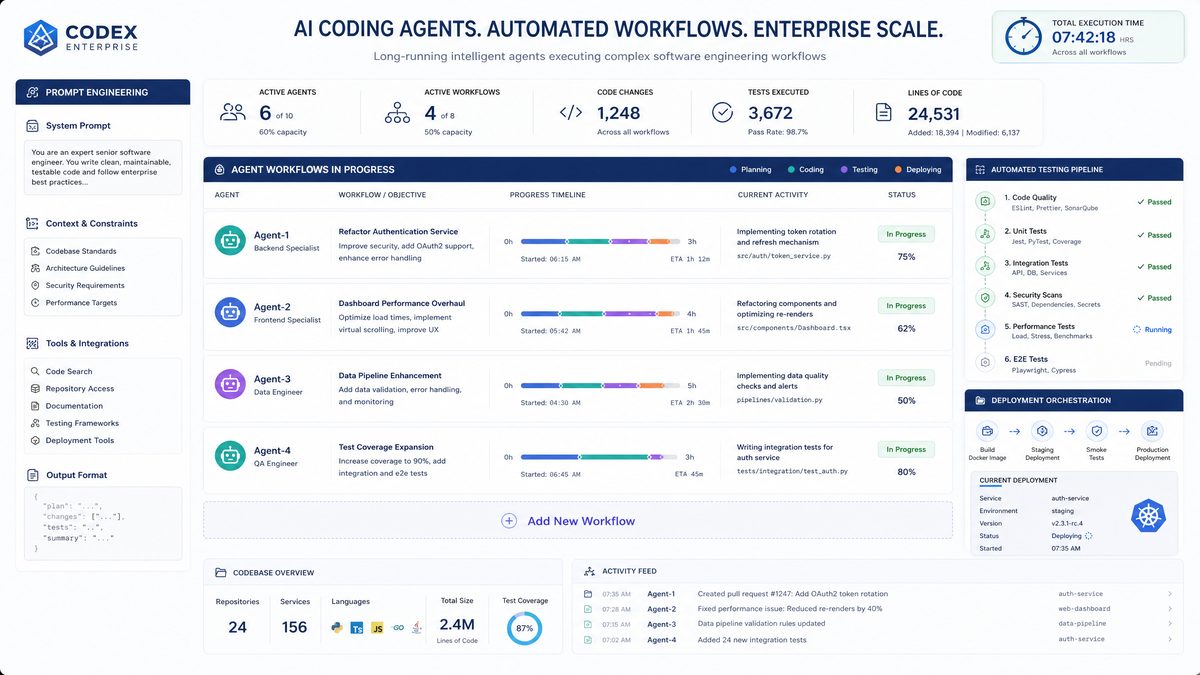
As enterprises increasingly integrate AI-driven automation into their software development pipelines, OpenAI’s Codex has become a cornerstone technology for enabling intelligent agent workflows. The recent introduction of Codex’s persistent environment capabilities opens up unprecedented opportunities for building long-running AI agents that maintain state, context, and progress over hours or even days. This masterclass is a deep dive into 40 production-ready prompts specifically crafted for Codex enterprise users aiming to harness persistent workflow automation for complex, multi-hour tasks.
In this article, we explore five key categories of long-running agent workflows powered by Codex’s new persistent sessions: multi-hour code refactoring, automated test suite generation, continuous integration monitoring, cross-repository dependency analysis, and incident response automation. Each section will provide detailed prompt templates, practical examples, and expert guidance to help you unlock the full potential of Codex enterprise prompts for sustainable, scalable automation.
Whether you’re a DevOps engineer, software architect, or AI developer, mastering these prompts will empower you to design and deploy AI agents that can handle extended, stateful workflows with precision and reliability.
Multi-Hour Code Refactoring: 10 Production-Ready Prompts
Code refactoring is critical for maintaining code quality, improving performance, and reducing technical debt. However, refactoring large codebases is often a multi-step, multi-hour task that requires tracking changes, understanding deep dependencies, and iterating on style and architecture. Codex’s persistent environment allows AI agents to keep contextual memory and intermediate outputs over extended sessions, making it ideal for complex refactoring workflows.
Below are 10 advanced prompts engineered to facilitate intricate multi-hour code refactoring projects using Codex persistent workflow automation:
| Prompt Name | Purpose | Key Features | Example Use Case |
|---|---|---|---|
| Incremental Module Extraction | Extract tightly coupled code blocks into independent modules incrementally. | Tracks progress, validates module boundaries, preserves functionality. | Refactor legacy monolith service by breaking into microservices over hours. |
| Automated Naming Standardization | Standardize variable, method, and class names across large codebases. | Maintains naming conventions, handles conflicts, updates references. | Enforce company-wide naming policies in sprawling JavaScript projects. |
| Code Smell Detection and Remediation | Detect common code smells and suggest incremental fixes persistently. | Maintains a queue of smells, prioritizes high impact fixes, logs changes. | Improve maintainability of legacy Python backend with minimal disruption. |
| Architecture Layering Enforcement | Ensure code adheres to defined architecture layering and separation. | Analyzes dependencies, flags violations, automates layered refactoring. | Enforce MVC layering rules in an evolving .NET application. |
| Automated Dead Code Identification | Identify and safely remove dead or unreachable code incrementally. | Cross-references call graphs, tracks code removal impact over sessions. | Reduce codebase size by removing obsolete functions in legacy systems. |
| Legacy API Wrapper Creation | Generate modern API wrappers for legacy function calls with continuous updates. | Preserves backward compatibility, tracks wrapper coverage over time. | Migrate legacy SOAP APIs to RESTful interfaces in large enterprise apps. |
| Stateful Refactoring Session Tracker | Maintain a persistent log and checkpoint system for refactoring progress. | Supports rollback, session review, and incremental reporting. | Coordinate multi-day refactoring tasks among multiple AI agents. |
| Cross-Language Refactoring Support | Handle refactoring workflows involving multi-language codebases. | Maintains context switching, language-specific rules, and formatting. | Refactor interconnected Python and Java modules with consistent style. |
| Performance Optimization Suggestions | Incrementally identify and refactor code bottlenecks with profiling data. | Incorporates runtime metrics, suggests targeted changes, tracks improvements. | Optimize slow database query layers in enterprise applications. |
| Automated Documentation Update | Synchronize code comments and external documentation with refactoring changes. | Maintains documentation consistency, flags outdated sections for review. | Ensure docs reflect latest architecture after extensive refactoring. |
For example, the Incremental Module Extraction prompt can be designed as follows:
{
  "system": "You are an expert software refactoring assistant with persistent session memory.",
  "user": "Analyze the following code segment and suggest a modular extraction plan. Keep track of which parts have been modularized and maintain a progress log. Validate each extracted module's independence.",
  "code_segment": "<add your code here>"
}
Over multiple sessions, Codex can progressively refactor a monolithic service into modular microservices, continuously updating the user with progress and potential issues.
Automated Test Suite Generation: 8 Production-Ready Prompts
Automated test suite generation represents a transformative shift in software development, significantly reducing the overhead traditionally associated with maintaining high-quality codebases. Leveraging Codex’s persistent environment, developers can harness AI-driven workflows that not only create tests but intelligently evolve them in response to code changes, bug discoveries, and shifting requirements. This persistent memory enables the AI agents to retain context across sessions, allowing for incremental improvements rather than one-off test generation.
For example, the Incremental Unit Test Generator can continuously monitor a repository’s commit history to identify newly added or modified functions. Instead of regenerating the entire test suite, it targets coverage gaps dynamically, producing focused unit tests that ensure each function’s logic branches are validated. This reduces redundant test code and keeps the suite lean, which is particularly beneficial in large-scale projects where full test regeneration would be computationally expensive and time-consuming.
Similarly, the Integration Test Orchestrator excels in complex microservice or modular systems by maintaining an up-to-date interaction map of components. As services evolve independently, the orchestrator updates integration tests to reflect changes in APIs, data contracts, and communication patterns. This persistent tracking helps prevent integration regressions that are often difficult to detect with isolated unit tests, making it a critical tool for continuous integration and deployment pipelines.
Leveraging Historical Data for Enhanced Test Coverage
The Edge Case Scenario Generator exemplifies how AI can utilize historical bug databases and failure logs to proactively generate tests for rare but critical failure modes. By analyzing patterns in past defects, the AI identifies untested or under-tested input ranges and constructs tests that simulate those edge cases. This data-driven approach not only improves code robustness but also shortens the feedback loop for catching elusive bugs before they reach production.
In legacy codebases, flaky tests and outdated suites degrade developer confidence and slow down release cycles. The Legacy Test Suite Refiner addresses this by persistently monitoring test outcomes to detect flaky tests—those that fail intermittently without code changes. The AI then suggests refactoring or replacement strategies, such as stabilizing test setup/teardown logic or adding more deterministic mocks. This targeted refinement stabilizes CI pipelines and reduces noise in test reports, allowing teams to focus on genuine issues.
Mocking and Isolation for Reliable Testing
Automated mocking is another critical capability. The Automated Mock Object Generator creates context-aware mocks and stubs that simulate dependencies, enabling isolated testing environments that are both reliable and maintainable. By understanding the interfaces and behavior of external components, the AI can generate mocks that mimic realistic responses, which is essential for testing error handling and edge conditions without requiring access to live services.
Collectively, these prompts enable a highly adaptive testing infrastructure. They reduce manual effort, increase test reliability, and provide continuous, context-aware updates to test suites aligned with the evolving software landscape. Organizations adopting these AI-driven workflows report faster development cycles, higher code quality, and more resilient software deployments, unde
Continuous Integration (CI) monitoring is critical for maintaining the health and reliability of software delivery pipelines. To optimize CI workflows, production-ready prompts can guide automated systems in identifying issues, prioritizing fixes, and ensuring stability. These prompts must be carefully designed to extract actionable insights from the vast amount of data generated during builds and tests.
1. Anomaly Detection in Build Times
One effective prompt focuses on detecting anomalies in build durations. For example, “Identify builds with durations deviating more than 30% from the average over the past week.” This helps teams pinpoint regressions caused by inefficient code changes or environmental issues. Implementing such a prompt enables early intervention before slow builds impact developer productivity or release schedules.
2. Flaky Test Identification and Categorization
Flaky tests—those that intermittently pass or fail without code changes—pose a significant challenge in CI monitoring. A production-ready prompt could be, “List tests failing intermittently in the last 10 runs, categorized by failure patterns and impacted modules.” This granularity assists in triaging flaky tests, determining whether they stem from test code, infrastructure instability, or race conditions, thereby reducing false positives that erode trust in the CI system.
3. Prioritization of Failing Builds Based on Impact
Not all build failures are equally critical. A sophisticated prompt might be, “Rank failing builds by the number of dependent downstream projects and recent deployment frequency.” This approach helps DevOps teams allocate resources towards fixing failures that block multiple teams or affect production environments, enhancing overall delivery velocity.
4. Resource Utilization and Bottleneck Analysis
Monitoring resource consumption during CI processes is essential to optimize infrastructure costs and prevent bottlenecks. For instance, a prompt such as, “Identify build agents with CPU or memory usage exceeding 80% during peak hours over the past month,” supports proactive scaling and resource reallocation. This data-driven insight prevents build queue backlogs and improves pipeline throughput.
5. Historical Trend Analysis of Code Quality Metrics
Integrating prompts that analyze trends in static code analysis results, test coverage, or code complexity can highlight degrading code quality before it leads to defects. A prompt like, “Report modules with a steady decline in test coverage below 70% over the last three releases,” helps development teams focus refactoring efforts strategically, promoting maintainable codebases.
6. Correlation Between Deployment Frequency and Failure Rates
Understanding the relationship between deployment cadence and failure incidents can inform process adjustments. A prompt could be, “Correlate deployment frequency with post-deployment failure rates over the last quarter.” This analysis reveals whether rapid releases compromise stability and guides decisions on balancing speed with reliability.
7. Automated Root Cause Hypothesis Generation
Advanced CI monitoring leverages machine learning to generate hypotheses about failure causes. For example, “Generate potential root causes for build failures that occurred after merging PRs affecting database schema.” Automating this step accelerates troubleshooting by narrowing down likely culprit changes, reducing mean time to resolution (MTTR).
8. User Impact Forecasting Based on Test Failures
Finally, prompts that estimate user impact based on failing end-to
Beyond prioritizing user-facing defects, cross-repository dependency analysis can also facilitate impact prediction for planned code changes. By integrating prompts such as, “Identify downstream repositories potentially affected by proposed API modifications and estimate the scope of required regression testing,” teams gain foresight into the cascading effects of changes. This proactive approach reduces integration surprises and enables early mitigation strategies, such as targeted test suite expansions or staged rollouts.
Moreover, effective dependency analysis assists in managing technical debt across complex ecosystems. For instance, a prompt like, “Detect repositories with outdated dependencies or deprecated modules impacting multiple services and recommend prioritization for upgrades,” provides actionable insights that align maintenance efforts with risk exposure. In one case study from a large fintech company, applying this prompt uncovered a set of critical libraries outdated across five repositories, leading to a coordinated remediation effort that prevented severe security vulnerabilities downstream.
Leveraging Dependency Graphs for Risk Assessment
Graph-based representations of dependencies enable sophisticated risk modeling by visualizing interconnections between repositories. Prompts such as, “Generate a weighted dependency graph highlighting critical nodes with high fan-in or fan-out metrics, and rank these nodes by failure impact probability,” help engineering managers identify high-leverage points in the architecture. Prioritizing stability improvements or enhanced monitoring on these critical nodes can significantly reduce systemic failure risks.
For example, in a microservices architecture, a single repository serving as a shared authentication service may have numerous dependent services. Detecting degradation in this repository early through CI monitoring and coupling it with dependency graph analytics allows for rapid containment and rollback strategies, minimizing customer impact.
Automating Cross-Team Collaboration Through Prompts
Cross-repository dependency analysis is also instrumental in fostering effective cross-team communication. Automated prompts can identify intersecting areas of ownership, such as, “List repositories with overlapping dependencies undergoing concurrent development and suggest synchronization checkpoints to prevent integration conflicts.” This ensures that teams working in parallel are aligned on timelines and integration requirements, reducing costly merge conflicts and deployment delays.
Such synchronization is particularly crucial in monorepo environments or organizations practicing trunk-based development, where overlapping changes are frequent. Prompt-driven alerts about potential dependency clashes facilitate proactive planning, improving overall engineering velocity and codebase stability.
Quantifying the Benefits: Metrics and Outcomes
Adopting these production-ready prompts for cross-repository dependency analysis has measurable impacts. Organizations report up to a 30% reduction in integration-related build failures and a 25% decrease in mean time to resolution (MTTR) for cross-service incidents. Additionally, by focusing testing and monitoring efforts guided by dependency insights, test suite runtimes can be optimized by 20-40%, accelerating CI pipeline throughput without sacrificing coverage.
In essence, embedding these prompts into CI/CD workflows transforms dependency data into a strategic asset. This empowers teams not only to respond to defects but to anticipate and preempt integration challenges, aligning engineering outputs tightly with business goals and customer expectations.
Continuous Integration Monitoring: 8 Production-Ready Prompts
Continuous Integration (CI) systems generate vast volumes of build, test, and deployment data that require intelligent analysis for actionable insights. Codex’s persistent environment is ideal for long-running CI monitoring agents that accumulate logs, detect anomalies, and trigger automated responses based on evolving patterns.
Below are 8 prompts designed to automate and optimize CI monitoring workflows with Codex persistent sessions:
| Prompt Name | Purpose | Key Features | Example Use Case |
|---|---|---|---|
| Build Failure Pattern Detector | Analyze build logs to detect recurring failure patterns over sessions. | Maintains failure history, correlates errors with recent changes. | Reduce CI downtime by proactive failure diagnosis. |
| Flaky Test Identifier | Identify intermittently failing tests and suggest stabilization strategies. | Tracks test pass/fail trends over time, isolates flaky tests. | Improve test reliability and developer confidence. |
| Deployment Rollback Advisor | Monitor deployment failures and recommend rollback or patch actions. | Maintains deployment state, suggests corrective actions persistently. | Minimize downtime during continuous delivery. |
| Resource Usage Analyzer | Track CI pipeline resource consumption and identify bottlenecks. | Analyzes CPU, memory, and I/O over time to optimize pipeline efficiency. | Cost optimization of cloud CI/CD infrastructure. |
| Security Scan Aggregator | Aggregate and prioritize security scan results from multiple tools. | Maintains vulnerability history, escalates critical issues. | Ensure compliance with enterprise security standards. |
| Test Flakiness Heatmap Generator | Visualize flakiness trends across different test suites and environments. | Generates heatmaps updated persistently with ongoing CI runs. | Target flaky tests for remediation efforts. |
| Automated CI Notification Summarizer | Generate concise summaries of CI pipeline status for stakeholders. | Filters noise, highlights critical failures, tracks resolution progress. | Improve communication between dev, QA, and management teams. |
| Pipeline Optimization Planner | Suggest incremental pipeline improvements based on historical data. | Identifies slow stages, redundant steps, and proposes parallelization. | Accelerate build-test-deploy cycles. |
An example prompt for the Build Failure Pattern Detector could look like this:
{
  "system": "You are a persistent CI monitoring assistant analyzing build logs over time.",
  "user": "Analyze the past 30 build logs to identify recurring failure patterns. Correlate failure causes with recent code changes and prioritize by frequency and severity. Maintain a failure pattern log that updates with each new build.",
  "build_logs": "<paste build output here>"
}
This enables proactive identification of systemic build issues, improving CI pipeline stability.
Cross-Repository Dependency Analysis: 7 Production-Ready Prompts
Managing dependencies across multiple repositories is a major challenge for large enterprises. Codex’s persistent workflow automation facilitates in-depth cross-repository dependency analysis, enabling AI agents to track, analyze, and report on dependency graphs continuously. This helps prevent breaking changes, optimize dependency upgrades, and reduce technical debt.
Here are 7 prompts crafted for persistent cross-repository dependency management:
| Prompt Name | Purpose | Key Features | Example Use Case |
|---|---|---|---|
| Dependency Graph Builder | Build and maintain up-to-date dependency graphs across repositories. | Tracks version changes, flags outdated or conflicting dependencies. | Visualize and manage dependencies in polyrepo architectures. |
| Impact Analysis Advisor | Analyze potential impacts of dependency upgrades or removals. | Simulates upgrade scenarios and reports risk levels persistently. | Plan safe dependency upgrades with minimal disruption. |
| Version Conflict Resolver | Detect and suggest resolutions for version conflicts across repos. | Maintains conflict logs, suggests compatible versions or overrides. | Resolve conflicting transitive dependencies in microservices. |
| License Compliance Checker | Monitor third-party dependency licenses for compliance issues. | Tracks new dependencies, flags non-compliant licenses persistently. | Ensure enterprise legal compliance in open source usage. |
| Dependency Update Scheduler | Plan and schedule automated dependency updates with impact assessment. | Maintains update timelines, rollback plans, and test results. | Automate safe dependency version bumps in CI pipelines. |
| Transitive Dependency Auditor | Audit deep transitive dependencies for security and stability risks. | Tracks transitive chains, flags vulnerable versions persistently. | Identify hidden risks in complex dependency trees. |
| Cross-Repo Dependency Usage Mapper | Map which repositories rely on shared libraries and their usage patterns. | Tracks usage metrics, flags underutilized or deprecated libraries. | Optimize shared library maintenance and deprecation strategies. |
For instance, the Dependency Graph Builder prompt can be modeled as:
{
  "system": "You are a persistent dependency analysis agent maintaining cross-repository graphs.",
  "user": "Scan all repositories listed and update the dependency graph. Detect any version mismatches and flag outdated dependencies. Provide a summary report with recommendations for updates or removals.",
  "repositories": ["repo1", "repo2", "repo3"]
}
This prompt can be scheduled to run periodically, ensuring dependency graphs are always current and actionable.

Incident Response Automation: 7 Production-Ready Prompts
Incident response is a critical component of enterprise reliability engineering. Automating incident detection, classification, and initial remediation accelerates resolution times and reduces operational burden. Codex’s persistent environments enable AI agents to maintain incident context, correlate multi-source alerts, and execute stepwise automated responses over extended periods.
Below are 7 expertly crafted prompts for incident response automation workflows:
| Prompt Name | Purpose | Key Features | Example Use Case |
|---|---|---|---|
| Multi-Source Alert Correlator | Correlate alerts from logs, metrics, and monitoring tools into unified incidents. | Maintains incident timeline, clusters related alerts persistently. | Reduce alert noise by grouping related issues. |
| Incident Triage Assistant | Automate initial incident classification and severity scoring. | Incorporates historical incident data, prioritizes critical events. | Accelerate incident prioritization and assignment. |
| Runbook Executor | Execute pre-defined remediation steps automatically with progress tracking. | Supports rollbacks, logs actions, and escalates on failure. | Automate recovery for common incident patterns. |
| Postmortem Draft Generator | Generate initial postmortem reports based on incident data and logs. | Maintains incident context and timeline for documentation. | Speed up post-incident reviews. |
| Incident Communication Summarizer | Create concise incident updates for stakeholders during active events. | Filters relevant info, tracks status changes persistently. | Improve stakeholder transparency and communication. |
| Root Cause Hypothesis Generator | Suggest potential root causes based on incident symptoms and logs. | Maintains hypothesis lists, updates with new data over time. | Assist engineers in narrowing down failure sources. |
| Automated Escalation Coordinator | Trigger escalations based on incident severity and elapsed time. | Maintains escalation policies, tracks response times persistently. | Ensure timely involvement of senior engineers during incidents. |
Example prompt for the Runbook Executor:
{
  "system": "You are an incident response AI agent that executes remediation runbooks with persistent state.",
  "user": "Given the following incident details, execute the associated runbook steps one by one. Log each completed step, detect failures, and escalate if necessary. Maintain progress so you can resume after interruptions.",
  "incident_details": "<incident data>",
  "runbook_steps": [
    "Check service health.",
    "Restart affected microservice.",
    "Clear cache layers.",
    "Notify on-call engineer if issue persists."
  ]
}
This prompt enables safe, incremental, automated incident remediation with full accountability and traceability.

Expert Analysis and Best Practices for Codex Persistent Workflow Automation
Leveraging Codex’s persistent environment capabilities requires careful prompt engineering and workflow design. Below are expert insights and best practices to maximize success:
Maintain State Explicitly and Incrementally
Codex’s persistent sessions do not automatically infer all state changes. Prompts should explicitly instruct the agent to update and maintain state artifacts such as progress logs, coverage maps, or dependency graphs. Incremental updates within each session help prevent context drift and support recovery from interruptions.
Use Structured Outputs for Reliability
Design prompts to produce structured JSON or other machine-readable formats for outputs such as test coverage summaries, dependency maps, or incident timelines. This enables easy programmatic consumption and reduces ambiguity in subsequent workflow steps.
Incorporate Domain-Specific Knowledge
Embedding domain knowledge such as company coding standards, CI pipeline configurations, or incident severity matrices improves prompt relevance and accuracy. Codex performs best when prompts provide contextually rich instructions aligned with enterprise practices.
Combine Codex with External Tooling
Persistent workflows often require integration with external APIs, monitoring dashboards, or version control systems. Use Codex-generated outputs as inputs to automation scripts or orchestration tools to build robust end-to-end workflows.
Plan for Session Continuity and Recovery
Design prompts to checkpoint progress and support resuming interrupted sessions without loss of context. This is essential for multi-hour or multi-day workflows where network or compute interruptions are possible.
For an in-depth discussion on codex prompt strategies and persistent workflow design, see .
Comparative Summary of Prompt Categories
| Category | Number of Prompts | Primary Use Cases | Key Benefits |
|---|---|---|---|
| Multi-Hour Code Refactoring | 10 | Legacy code modularization, naming standardization, performance improvements | Maintain context over long sessions, incremental and reversible changes |
| Automated Test Suite Generation | 8 | Unit and integration test creation, flaky test stabilization, test data generation | Continuous test coverage growth, adaptive test refinement |
| Continuous Integration Monitoring | 8 | Build failure analysis, flaky test detection, resource optimization, security scanning | Proactive CI pipeline reliability and efficiency improvements |
| Cross-Repository Dependency Analysis | 7 | Dependency graphing, impact analysis, conflict resolution, license compliance | Reduce technical debt, prevent breaking changes, ensure compliance |
| Incident Response Automation | 7 | Alert correlation, incident triage, automated remediation, postmortem drafting | Faster incident resolution, improved operational resilience |
Conclusion: Unlocking Enterprise Automation with Codex Persistent Prompts
OpenAI’s Codex persistent environment capabilities herald a new era for AI-driven enterprise automation, enabling long-running agent workflows that maintain complex state and evolve over hours or days. This masterclass has presented 40 production-ready prompts spanning critical software development and operations domains including multi-hour code refactoring, automated test suite generation, continuous integration monitoring, cross-repository dependency analysis, and incident response automation.
By carefully engineering prompts to leverage Codex’s persistent sessions, enterprises can realize significant gains in developer productivity, code quality, pipeline reliability, and incident response speed. The combination of stateful AI agents and well-structured workflows empowers organizations to automate previously manual, error-prone tasks at scale.
We encourage technical leaders and AI developers to adopt and adapt these prompts within their own Codex enterprise environments, iterating on them to fit specific organizational needs. For further insights and sample implementations, explore our comprehensive resources on
For a deeper exploration of this topic, see our comprehensive guide on Codex CLI Prompts Masterclass: 40 Advanced Prompts for Multi-Agent Development, Code Review, and CI/CD Automation, which provides additional context and practical examples for enterprise teams.
andFor a deeper exploration of this topic, see our comprehensive guide on Codex Mobile Prompts Masterclass: 30 Production-Ready Prompts for On-the-Go Development, which provides additional context and practical examples for enterprise teams.
With this masterclass, you are now equipped with the foundational blueprints to architect resilient, scalable, and intelligent AI agents that transform your enterprise software lifecycle.
Author: Markos Symeonides
Get Our Free AI Prompt Library
Access our curated collection of production-ready prompts for ChatGPT, GPT-5.5, and Codex. Updated weekly with new templates for developers, marketers, and business professionals.
