
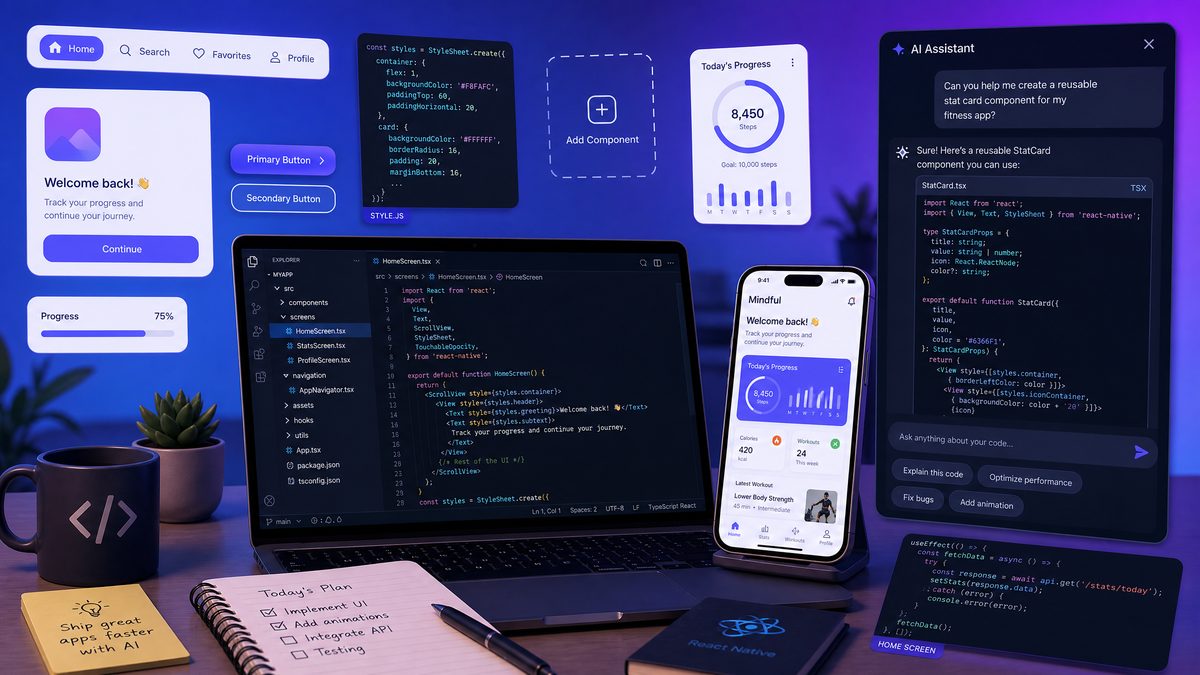
Developers increasingly rely on mobile devices to stay productive outside the traditional desktop environment. OpenAI’s Codex, with its powerful code understanding and generation capabilities, unlocks new possibilities for on-the-go development. However, to leverage Codex effectively on mobile, prompts must be concise yet precise, accommodating shorter context windows and often voice input. This masterclass presents 30 production-ready Codex prompts optimized specifically for mobile usage, organized into four essential developer workflows: Quick Bug Fixes, Code Review on the Go, Architecture Decisions, and Documentation & Communication. Each prompt includes expected output formats and practical notes for mobile developers.
Quick Bug Fixes (8 Prompts)
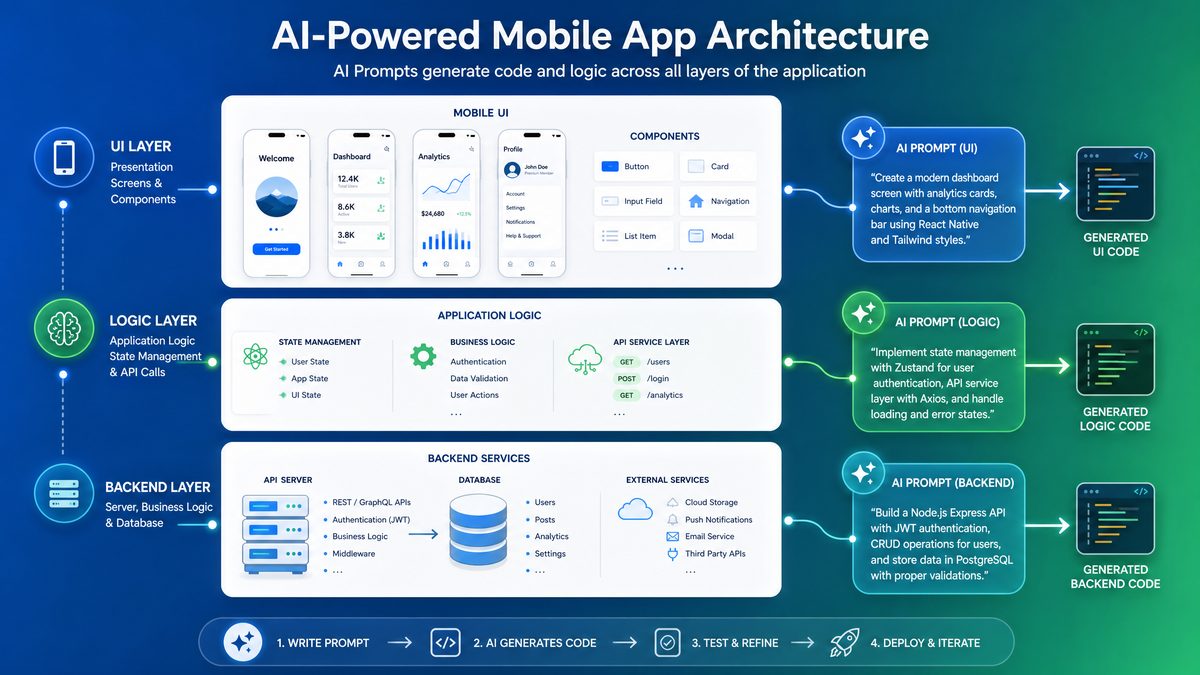
When you encounter bugs during mobile development sessions, speed and accuracy are critical. These prompts are tailored for rapid error diagnosis, stack trace analysis, and hotfix generation, all optimized for compact input and quick Codex response times.
Prompt 1: Diagnose Error Message
Prompt: Explain this error: [paste error message]
Expected Output: Clear explanation of the error cause and possible root issues in 2-3 sentences.
Mobile Tip: Use voice input to dictate the error message if typing is cumbersome. Keep error messages concise to stay within token limits.
Prompt 2: Analyze Stack Trace
Prompt: Analyze stack trace: [paste stack trace]
Expected Output: Step-by-step breakdown of where the error originated, highlighting file names and line numbers with suggestions.
Mobile Tip: Copy the stack trace from logs and paste directly. Avoid long irrelevant logs by trimming before input.
Prompt 3: Generate Hotfix Patch
Prompt: Write hotfix for bug: [describe bug briefly]
Expected Output: A minimal code snippet that fixes the bug, ready for insertion with comments.
Mobile Tip: Use brief bug descriptions to reduce input length; Codex can infer details from concise context.
Prompt 4: Suggest Debugging Steps
Prompt: Steps to debug this: [describe issue]
Expected Output: A numbered list of prioritized debugging actions relevant to the described issue.
Mobile Tip: Keep issue descriptions focused; use bullet points to input multiple symptoms efficiently.
Prompt 5: Identify Null Pointer Causes
Prompt: Why null pointer in [function/class name]?
Expected Output: Common scenarios leading to null pointer exceptions in the given context with prevention tips.
Mobile Tip: Use autocomplete for function/class names to minimize typing errors.
Prompt 6: Fix Syntax Errors
Prompt: Fix syntax errors in: [paste code snippet]
Expected Output: Corrected code snippet with error explanations inline.
Mobile Tip: Limit snippet size to under 50 lines to reduce processing time.
Prompt 7: Optimize Slow Function
Prompt: Make this function faster: [paste function code]
Expected Output: Optimized version of the function with performance improvement notes.
Mobile Tip: Focus on core logic, remove unrelated code before input.
Prompt 8: Convert Error to Warning
Prompt: Change this error to warning in: [paste code snippet]
Expected Output: Modified code snippet that downgrades error handling to warning with rationale.
Mobile Tip: Use specific error names to help Codex target the correct code segment.
Tips for Effective Mobile Codex Usage – Quick Bug Fixes
To maximize efficiency during bug fixes on mobile, leverage clipboard management tools to quickly copy/paste errors and stack traces. Use voice-to-text for error descriptions, but review for accuracy before submission. Keep inputs concise; Codex performs best with focused context. Employ prompt templates to reduce repetitive typing and speed up interaction.
Code Review on the Go (7 Prompts)
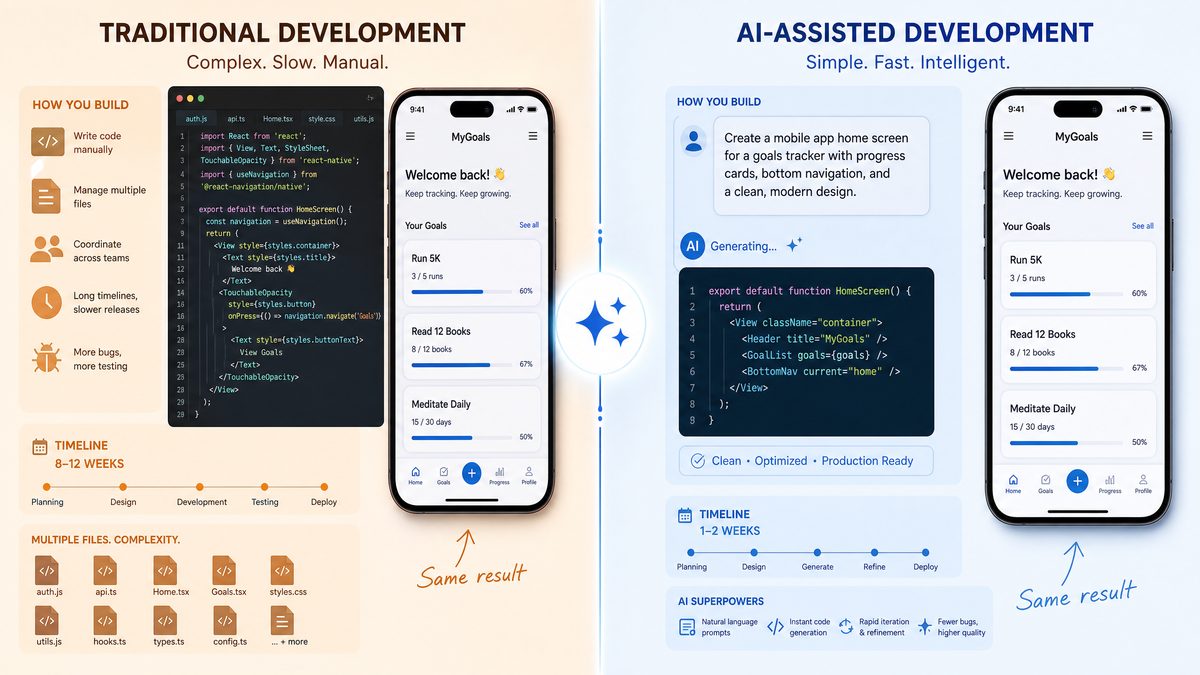
Mobile developers often need to review pull requests, audit code security, or assess performance without a full desktop setup. These concise prompts help conduct effective code reviews with Codex, tailored for mobile constraints.
Prompt 9: Summarize PR Changes
Prompt: Summarize PR: [paste diff or code]
Expected Output: Bullet-point summary highlighting key additions, deletions, and impact.
Mobile Tip: Use shortened diffs or key changed files only to fit mobile token limits.
Prompt 10: Identify Security Issues
Prompt: Find security flaws in: [paste code snippet]
Expected Output: List of potential security vulnerabilities with severity ratings and mitigation suggestions.
Mobile Tip: Provide language and framework context to improve security analysis accuracy.
Prompt 11: Check for Memory Leaks
Prompt: Does this leak memory? [paste function or class]
Expected Output: Yes/no answer with explanation, highlighting problematic code lines.
Mobile Tip: Avoid large classes; focus prompts on individual functions for clarity.
Prompt 12: Suggest Performance Improvements
Prompt: Make this code faster: [paste snippet]
Expected Output: Optimized code and a brief explanation of changes.
Mobile Tip: Use version and platform details for context-sensitive suggestions.
Prompt 13: Verify Code Style Compliance
Prompt: Check style for: [paste code]
Expected Output: List of style violations and recommended fixes based on common style guides.
Mobile Tip: Mention the style guide (e.g., PEP8, Airbnb) to tailor feedback.
Prompt 14: Review API Usage
Prompt: Is API used correctly here? [paste code]
Expected Output: Confirmation and notes on correct or incorrect API usage with alternatives.
Mobile Tip: Specify the API and version for precise assessment.
Prompt 15: Detect Dead Code
Prompt: Is any code unused? [paste snippet]
Expected Output: Identification of dead or unreachable code fragments with removal advice.
Mobile Tip: Provide surrounding code context to improve dead code detection.
Tips for Effective Mobile Codex Usage – Code Review
For mobile code reviews, prioritize reviewing critical files and avoid overwhelming Codex with entire repositories. Combine Codex insights with mobile code editors or Git clients for faster navigation. Use concise prompts and explicitly state the scope (e.g., one function or file) for precise feedback. Leverage voice notes for adding personal review comments alongside Codex output.
Architecture Decisions (8 Prompts)
Mobile development often requires swift architectural decisions without the luxury of extensive whiteboard sessions. These prompts facilitate rapid design pattern recommendations, system design evaluations, and technology stack assessments tailored for quick mobile interaction.
Prompt 16: Recommend Design Pattern
Prompt: Best design pattern for [problem description]
Expected Output: Named design pattern with summary and usage example in relevant language.
Mobile Tip: Use concise problem statements emphasizing key constraints or goals.
Prompt 17: Suggest System Architecture
Prompt: Design system for [brief use case]
Expected Output: High-level architecture diagram description and component roles.
Mobile Tip: Break complex systems into smaller features for stepwise design prompts.
Prompt 18: Evaluate Tech Stack
Prompt: Pros/cons of using [technology] for [use case]
Expected Output: Balanced list of advantages and disadvantages relevant to the scenario.
Mobile Tip: Mention platform and scale requirements for tailored responses.
Prompt 19: Compare Databases
Prompt: Compare SQL vs NoSQL for [data type/use case]
Expected Output: Table or bullet comparison focusing on performance, scalability, and complexity.
Mobile Tip: Use bullet points for easy reading on small screens.
Prompt 20: Suggest Microservices Boundaries
Prompt: Define microservice boundaries for [application]
Expected Output: List of logical service boundaries with responsibilities and interaction notes.
Mobile Tip: Provide domain context briefly to improve boundary suggestions.
Prompt 21: Recommend Caching Strategy
Prompt: Caching strategy for [application scenario]
Expected Output: Appropriate caching types, TTL recommendations, and invalidation approaches.
Mobile Tip: Include data freshness and consistency requirements.
Prompt 22: Suggest API Architecture
Prompt: Best API style for [client types/use case]
Expected Output: Recommendation between REST, GraphQL, gRPC, etc., with pros and cons.
Mobile Tip: Specify expected client platforms and data needs.
Prompt 23: Recommend Scalability Techniques
Prompt: Scale [application type] for 1M users
Expected Output: Strategies for load balancing, database sharding, horizontal scaling, and CDN usage.
Mobile Tip: Focus on top 3-5 strategies to keep output concise.
Tips for Effective Mobile Codex Usage – Architecture Decisions
For architectural prompts on mobile, brevity is key. Use well-structured, minimal problem statements and specify constraints to narrow Codex’s scope. Avoid overly broad questions and iterate with follow-up prompts for detail. Use bullet points or numbered lists in inputs to clarify complex requirements. When possible, save prompt templates for common architecture questions to quickly adapt on mobile.
Documentation & Communication (7 Prompts)
Clear documentation and streamlined communication are vital when working remotely or on mobile devices. These prompts help generate README files, API documentation, and team updates efficiently, optimized for quick mobile interaction and easy reading.
Prompt 24: Generate README
Prompt: Write README for [project name] with features and setup
Expected Output: Structured README with sections: Overview, Features, Installation, Usage, License.
Mobile Tip: Use project keywords or bullet lists to quickly feed features.
Prompt 25: Create API Docs
Prompt: API docs for [endpoint/method] in [language]
Expected Output: Method signature, parameters, responses, error codes, and examples formatted in markdown.
Mobile Tip: Provide concise endpoint descriptions and parameter lists for accuracy.
Prompt 26: Summarize Meeting Notes
Prompt: Summarize meeting notes: [paste notes]
Expected Output: Bullet summary with action items, decisions, and deadlines.
Mobile Tip: Dictate notes via voice, then clean up before summarizing.
Prompt 27: Draft Team Update Email
Prompt: Write team update on [topic] with progress and blockers
Expected Output: Polished email draft with greeting, update body, and call-to-action.
Mobile Tip: Use key phrases from voice notes to compose draft quickly.
Access 40,000+ AI Prompts for ChatGPT, Claude & Codex — Free!
Subscribe to get instant access to our complete Notion Prompt Library — the largest curated collection of prompts for ChatGPT, Claude, OpenAI Codex, and other leading AI models. Optimized for real-world workflows across coding, research, content creation, and business.
Prompt 28: Generate Code Comments
Prompt: Add comments to: [paste code snippet]
Expected Output: Code with clear inline and block comments explaining logic.
Mobile Tip: Submit smaller code chunks to maintain clarity.
Prompt 29: Create Changelog Entry
Prompt: Write changelog for version [x.y.z] with features and fixes
Expected Output: Formatted changelog entry with categorized bullet points.
Mobile Tip: Use voice or shorthand for listing changes, then expand via prompt.
Prompt 30: Explain Code to Non-devs
Prompt: Explain this code simply: [paste snippet]
Expected Output: Layman’s explanation suitable for stakeholders or clients.
Mobile Tip: Keep snippets very short to avoid overly technical output.
Tips for Effective Mobile Codex Usage – Documentation & Communication
When creating documentation or communication on mobile, use markdown-compatible outputs for easy sharing and formatting. Leverage voice input for drafting and then refine prompts to generate structured content. Keep inputs and expected outputs clear and concise for rapid generation. Use bullet points or numbered lists within prompts to improve Codex’s understanding and output structure.
Advanced Prompt Engineering Techniques for Mobile Codex Users
To truly harness Codex’s power on mobile devices, developers should master advanced prompt engineering techniques that optimize both input efficiency and output quality. One such technique involves prompt chaining, where multiple small prompts are sequenced to build up a complex response over multiple interactions. For example, instead of requesting a full system design in one prompt, a developer can first ask for a component list, then drill down into individual component responsibilities, and finally request integration details. This modular approach fits well with mobile usage constraints, allowing Codex to process manageable chunks and deliver more focused responses.
Another effective strategy is the use of context priming. By including a brief primer or style guide at the start of prompts, developers can guide Codex to produce outputs aligned with project conventions or coding standards. For instance, including “Use PEP8 style guide” or “Follow React hooks best practices” at the beginning of a prompt helps Codex tailor its code generation accordingly. On mobile, where typing is limited, storing such primers as reusable snippets or templates saves significant time.
Moreover, leveraging placeholders and variable substitution within prompts enables rapid customization without retyping entire queries. Mobile developers can maintain prompt templates with placeholders like [FUNCTION_NAME] or [ERROR_MESSAGE], then quickly replace those via clipboard or voice commands. This method reduces cognitive load and accelerates interactions, especially when combined with mobile automation tools like keyboard shortcuts or text expanders.
Finally, incorporating validation prompts enhances reliability. After Codex generates code or explanations, a follow-up prompt can request a checklist or test cases to verify the output’s correctness. For example, after generating a bug fix, a prompt like “Provide test cases to validate this fix” ensures the developer has immediate artifacts for integration testing. This two-step approach promotes quality assurance without needing desktop resources.
Mobile Development Environment Integration Strategies with Codex
Integrating Codex-powered prompt workflows into mobile development environments substantially boosts productivity by unifying code editing, prompt input, and output consumption. Several modern mobile IDEs and code editors support plugin architectures or API hooks that can be leveraged to embed Codex interactions directly into the development workspace. For example, editors like CodeSandbox Mobile or GitHub Codespaces accessed via mobile browsers can be paired with Codex prompt panels through browser extensions or custom keyboard apps, enabling seamless prompt submissions without context switching.
Additionally, integrating Codex with popular version control mobile apps enhances code review and patch generation workflows. By linking Codex prompt templates to pull request views, developers can trigger security scans, style checks, or summary prompts with a single tap. This tight integration reduces friction in the review process and provides actionable insights instantly.
Developers can also adopt mobile automation platforms such as Tasker on Android or Shortcuts on iOS to create automated workflows that combine screen scraping, clipboard management, and Codex API calls. For instance, a workflow might automatically capture an error message from a mobile log viewer, send it as a prompt to Codex, and then display the explanation in a notification or floating window. This hands-free approach is particularly beneficial during field testing or when physically interacting with devices is limited.
Finally, pairing Codex with cloud-based IDEs accessible on mobile devices enables persistent context storage and multi-session continuity. Using cloud storage for prompt history and generated outputs allows developers to pick up where they left off, even when switching between devices. This persistence mitigates the limited input speed on mobile and helps maintain productive workflows over longer periods.
Security and Privacy Considerations When Using Codex on Mobile Devices
While Codex offers tremendous benefits for mobile development, it is crucial to address security and privacy implications associated with transmitting code and project data over networks to AI services. Developers must ensure sensitive code, proprietary algorithms, or credentials are never inadvertently shared in prompts. This concern is heightened on mobile devices, which may operate over less secure public or cellular networks.
Implementing prompt sanitization practices is a recommended first step. Before submitting code snippets or error logs to Codex, developers should manually or automatically redact sensitive information such as API keys, proprietary identifiers, or personally identifiable information (PII). Tools or scripts integrated into mobile workflows can assist in recognizing and masking such data preemptively.
Another layer of security involves using encrypted communication channels and VPNs when interacting with Codex APIs, especially on public Wi-Fi networks. Mobile developers should verify that their AI clients enforce TLS encryption and consider additional endpoint security measures to prevent man-in-the-middle attacks or data leaks.
For organizations with strict compliance requirements, establishing on-premises or private cloud Codex instances might be necessary. Though not always feasible for mobile usage, hybrid approaches can be designed where sensitive processing occurs internally, and only non-sensitive queries are sent to public AI services. Developers should coordinate with security teams to classify data sensitivity and define appropriate usage policies.
Finally, developers must be aware of the data retention and privacy policies of AI service providers. Understanding what data is stored, for how long, and how it is used helps in making informed decisions about integrating Codex into mobile workflows. When possible, enable options to disable data logging or request data deletion to safeguard intellectual property and user privacy.
Best Practices for Voice Input with Codex on Mobile
Voice input is an invaluable tool for mobile developers using Codex, especially when typing long code snippets or error messages is impractical. However, to maximize accuracy and utility, certain best practices should be followed. First, using a high-quality microphone and minimizing background noise significantly improves speech recognition accuracy, reducing transcription errors that could confuse Codex.
Second, developers should adopt a clear and deliberate speaking style, enunciating keywords and programming terms distinctly. For example, saying “Open bracket, return zero, close bracket semicolon” instead of “return zero” can help Codex reconstruct code syntax correctly. Additionally, pausing slightly between code tokens and commands allows voice recognition software to parse inputs more reliably.
Third, leveraging voice macros or custom vocabularies configured in mobile speech-to-text settings can streamline input. For instance, mapping “function name” to insert a placeholder or auto-expanding spoken shortcuts like “if statement” to actual code snippets reduces manual correction. Pairing these with Codex prompt templates allows developers to combine natural language with structured input efficiently.
Finally, always review the transcribed text before submitting to Codex. This ensures that any misheard characters, punctuation, or keywords are corrected to prevent misinterpretation. Combining voice input with quick manual edits strikes a balance between speed and accuracy, essential for productive mobile development sessions.
Optimizing Codex Output for Mobile Display and Usability
Given the limited screen real estate on mobile devices, optimizing Codex’s output for readability and usability is critical. One effective technique is requesting outputs formatted in markdown or simplified HTML, allowing seamless display in mobile editors or note-taking apps that support rich text. This includes using bullet points, numbered lists, and code blocks that enhance scannability.
Developers can also prompt Codex to generate summaries or concise explanations rather than verbose paragraphs, making it easier to digest information on small screens. For example, adding instructions like “Provide a brief summary in 3 bullet points” or “Explain in simple terms under 100 words” helps tailor responses to mobile contexts.
Another approach is to ask Codex to separate output into sections with clear headers, enabling quick navigation. For instance, when generating architectural recommendations, prompts can specify “Group recommendations under headings like ‘Pros’, ‘Cons’, and ‘Examples’.” This structural clarity aids in faster comprehension and note-taking on mobile devices.
Additionally, developers should consider truncating or chunking large outputs into manageable parts. Using prompt chaining, as discussed earlier, allows parsing or reviewing lengthy content incrementally. Mobile apps can support this by displaying partial outputs with ‘Load More’ options, improving user experience without overwhelming the interface.
Finally, integrating Codex output with mobile clipboard managers and note apps supports effortless transfer and reuse of generated content. Prompting Codex to produce output compatible with target apps (e.g., markdown for Obsidian or plain text for SMS) facilitates smoother workflows and reduces formatting overhead.
Production-Ready Prompt Summary Table
| Category | Prompt Example | Expected Output | Mobile Optimization |
|---|---|---|---|
| Quick Bug Fixes | Explain this error: [error message] | Concise error cause explanation | Use voice input; concise error snippets |
| Quick Bug Fixes | Fix syntax errors in: [code] | Corrected snippet with inline comments | Limit snippet size; focused code blocks |
| Code Review | Find security flaws in: [code] | Security issues and mitigation list | Specify language/framework; short snippets |
| Code Review | Summarize PR: [diff] | Bullet summary of changes | Short diffs; highlight key files only |
| Architecture | Best design pattern for [problem] | Pattern name + example | Concise problem description |
| Architecture | Compare SQL vs NoSQL for [use case] | Bullet comparison | Use bullets; focus on key factors |
| Documentation | Write README for [project] | Structured README markdown | Use keywords; bullet lists |
| Documentation | Summarize meeting notes: [notes] | Actionable bullet summary | Voice notes cleaned before prompt |
Final Thoughts
Mastering Codex on mobile requires intentional prompt engineering that balances brevity and context. This collection of 30 production-ready prompts empowers developers to tackle debugging, code review, architecture, and documentation effectively while on the move. By combining these prompts with mobile-specific tips—such as voice input optimization, focused context windows, and prompt templating—you can unlock the full power of Codex anywhere. For deeper dives, see our
For professionals looking to maximize their AI productivity, our comprehensive guide on Codex Sites Prompts Masterclass: 40 Advanced Prompts for Building SaaS Dashboards, Internal Tools, and Client Portals provides dozens of tested, production-ready prompts that deliver consistent results across complex workflows and real-world business scenarios.
,
For professionals looking to maximize their AI productivity, our comprehensive guide on Codex CLI Prompts Masterclass: 40 Advanced Prompts for Multi-Agent Development, Code Review, and CI/CD Automation provides dozens of tested, production-ready prompts that deliver consistent results across complex workflows and real-world business scenarios.
, and
Organizations evaluating their AI strategy should review our comprehensive analysis in OpenAI’s Codex for Open Source Program: How Maintainers Can Get 6 Months of ChatGPT Pro and Codex Free, which provides actionable insights on implementation approaches, performance expectations, and integration patterns for enterprise environments.
