
50 GPT-5.5 Prompts for Technical Writers: API Documentation, User Guides, Release Notes, and Knowledge Base Articles

50 GPT-5.5 Prompts for Technical Writers: API Documentation, User Guides, Release Notes, and Knowledge Base Articles
By the ChatGPT AI Hub Editorial Team | Technical Writing & AI Productivity
Technical writers occupy a unique position in the software development lifecycle. They translate dense engineering specifications into documentation that developers can integrate, end users can follow, and support teams can reference under pressure. The arrival of GPT-5.5 — with its dramatically improved instruction-following, context retention across long documents, and nuanced understanding of technical terminology — has fundamentally changed what’s achievable in a documentation workflow. Where earlier models occasionally hallucinated API parameters or produced vague procedural steps, GPT-5.5 handles multi-step technical reasoning with a fidelity that makes it genuinely useful for production documentation.
This guide delivers 50 battle-tested prompts organized by documentation category. Each prompt is designed to be used directly or adapted to your specific product context. Alongside the prompts, you’ll find guidance on structuring your inputs for better outputs, common failure modes to avoid, and workflow integration strategies that help teams ship documentation faster without sacrificing accuracy. Whether you’re documenting a REST API for a fintech startup, writing a user guide for an enterprise SaaS product, or managing a sprawling internal knowledge base, these prompts will accelerate your output and improve its quality.
Understanding GPT-5.5’s Technical Writing Capabilities
Before diving into the prompt library, it’s worth understanding what makes GPT-5.5 particularly suited to technical writing tasks. The model demonstrates significantly improved performance on structured output generation — it can produce valid JSON schemas, maintain consistent formatting across long documents, and correctly handle nested information hierarchies. Its expanded context window means you can feed it an entire API reference file and ask it to generate consistent documentation across all endpoints in a single pass.
GPT-5.5 also exhibits better calibration around uncertainty. When a parameter description is ambiguous or a code sample has an edge case, the model is more likely to flag the ambiguity than fabricate a confident answer. This is critical for technical documentation, where a single incorrect parameter type or missing authentication header can waste hours of a developer’s time.
The model responds exceptionally well to role-framing prompts combined with style guides. If you tell GPT-5.5 to write as a senior technical writer following the Microsoft Writing Style Guide with a specific audience in mind, the output shifts meaningfully — tone, sentence structure, and terminology choices all adapt. This makes the prompts in this guide more than templates; they’re tunable instruments.
How to Use These Prompts Effectively
Every prompt in this collection follows a four-part structure: role assignment, context specification, task definition, and output constraints. You should customize the context block with your actual product details before using any prompt in production. The prompts use bracketed variables — such as [PRODUCT_NAME], [ENDPOINT_URL], and [AUTH_METHOD] — to mark the fields you’ll replace.
For the best results with GPT-5.5, front-load your constraints. Tell the model what format you want, what sections to include, what tone to use, and what audience you’re writing for — all before you describe the actual task. This mirrors how GPT-5.5’s attention mechanisms process instructions and results in outputs that require fewer revision cycles. If you’re working within a documentation platform like Confluence, Notion, or a docs-as-code setup with MkDocs or Docusaurus, specify that in your prompt so the model formats the output appropriately.
Enterprise teams deploying AI agents at scale should also review our in-depth coverage of GPT-5.5 vs Claude Opus 4.8: The Complete Enterprise Developer’s Comparison Guide for 2026, which addresses related architectural decisions and operational considerations that directly impact the implementations described above.
Section 1: API Documentation Prompts (Prompts 1–12)
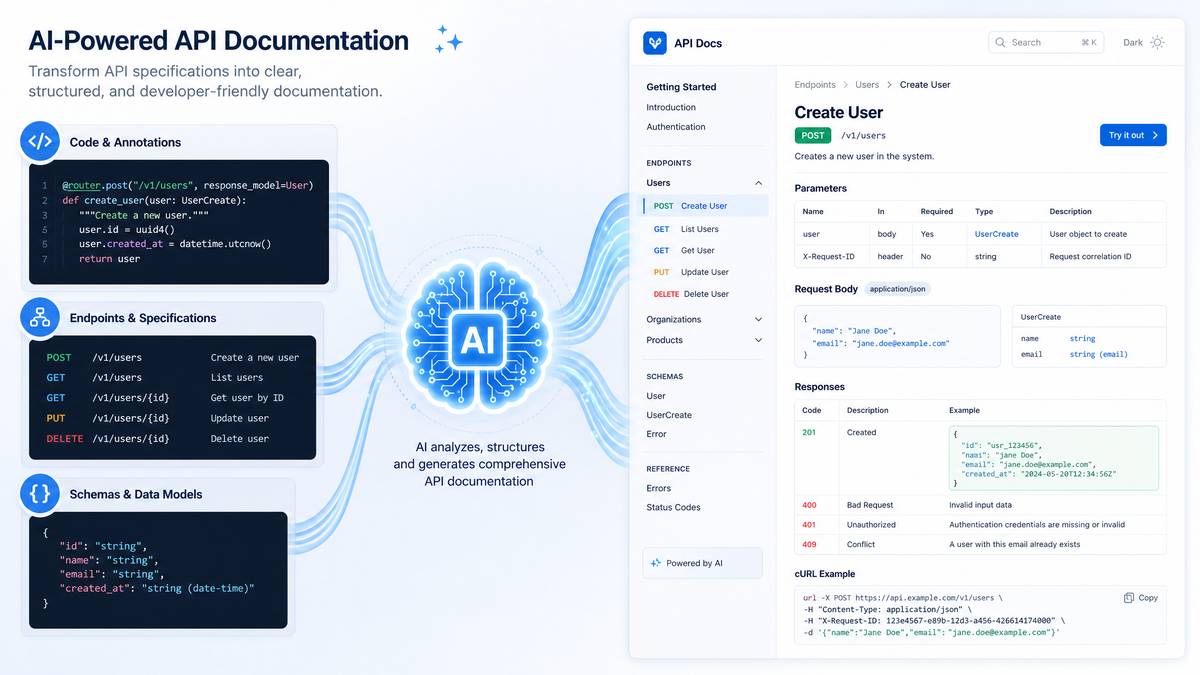
API documentation is among the most technically demanding writing tasks because errors have immediate, measurable consequences. A wrong data type in a request body example causes integration failures. A missing OAuth scope leaves developers confused. The prompts below are designed to generate accurate, developer-friendly API documentation when paired with real endpoint specifications.
Prompt 1: Full Endpoint Reference Page
You are a senior technical writer with 10 years of experience documenting REST APIs
for developer audiences. Write a complete reference page for the following API endpoint.

Endpoint: [ENDPOINT_URL]
Method: [HTTP_METHOD]
Authentication: [AUTH_METHOD]
Request parameters: [PARAMETERS]
Request body schema: [SCHEMA]
Response schema: [RESPONSE_SCHEMA]
Error codes: [ERROR_CODES]

Format the output as developer documentation with these sections in order:
1. Overview (2-3 sentences describing what the endpoint does)
2. Authentication requirements
3. Request parameters table (name, type, required/optional, description)
4. Request body (with a valid JSON example)
5. Response body (with a valid JSON example for a 200 success)
6. Error responses table (code, message, likely cause)
7. Code examples in cURL and Python using the requests library

Use precise technical language. Do not use passive voice for action descriptions.
Flag any ambiguity in the provided schema rather than assuming.
Prompt 2: Authentication and Authorization Guide
Act as a technical writer documenting security and authentication for a developer portal.

Write a complete authentication guide for [PRODUCT_NAME]'s API. The API uses [AUTH_METHOD]
(e.g., OAuth 2.0 with PKCE / API key header / JWT bearer token).

Include:
- How to obtain credentials (step-by-step numbered list)
- How to include credentials in requests (with code examples in at least 3 languages:
  JavaScript fetch, Python requests, and cURL)
- Token expiry behavior and refresh patterns if applicable
- Common authentication errors with resolution steps
- Security best practices specific to this auth method

Audience: intermediate developers who know REST APIs but may be new to [AUTH_METHOD].
Tone: Direct, informative, no marketing language.
Length: Approximately 600-800 words plus code blocks.
Prompt 3: API Changelog Entry
You are a technical writer creating a developer-facing changelog entry.

Write a changelog entry for the following API update:
- Change type: [BREAKING_CHANGE / DEPRECATION / NEW_FEATURE / BUG_FIX]
- What changed: [DESCRIPTION_OF_CHANGE]
- Affected endpoints: [ENDPOINTS]
- Migration path: [MIGRATION_STEPS]
- Effective date: [DATE]
- API version: [VERSION]

Format the entry with:
1. A bold title line: version number + release date
2. A one-sentence summary of the change
3. Technical details section explaining what changed and why
4. Migration instructions with before/after code examples if breaking
5. A deprecation timeline if applicable

Be specific and actionable. Developers reading this entry should know exactly
what to change in their code and by when.
Prompt 4: OpenAPI/Swagger Description Block
Write OpenAPI 3.0 description strings for the following API endpoint.
These strings will appear in a Swagger UI and developer portal.

Endpoint purpose: [ENDPOINT_PURPOSE]
Operation ID: [OPERATION_ID]
Parameters: [PARAMS_LIST]

For each field, write:
1. A concise summary (max 10 words, used in navigation)
2. A full description (2-4 sentences, supports Markdown)
3. Parameter descriptions (one sentence each, include valid range/format if applicable)
4. Example values that are realistic and representative

Output the result as YAML-formatted OpenAPI description blocks only.
Do not include full schema definitions, only the description strings.
Prompt 5: SDK Quickstart Guide
Write a quickstart guide for developers integrating [SDK_NAME] SDK for [LANGUAGE/PLATFORM].

The guide should take a developer from zero to their first successful API call in
under 15 minutes. Structure:

1. Prerequisites (what they need before starting)
2. Installation (package manager command, version requirements)
3. Initialization (how to configure the SDK with credentials)
4. First API call (complete working code example with comments)
5. Handling the response (parsing the response object, accessing key fields)
6. Error handling (try/catch pattern with the SDK's error types)
7. Next steps (3-4 bullet points with links to deeper documentation sections)

Use [LANGUAGE/PLATFORM] idioms and conventions throughout.
Show complete, runnable code — not pseudocode or truncated snippets.
Include inline comments explaining non-obvious lines.
Prompt 6: Webhook Integration Guide
Write a comprehensive webhook integration guide for [PRODUCT_NAME].

The guide is for backend developers setting up webhook receivers. Cover:
1. How webhooks work in [PRODUCT_NAME] (brief conceptual overview, 100 words max)
2. Available webhook events (present as a table: event name, trigger, payload preview)
3. How to register a webhook endpoint in [PRODUCT_NAME]
4. Payload structure with a complete JSON example
5. Signature verification (show the exact HMAC verification code in Node.js and Python)
6. Responding to webhooks (status codes, response timing requirements)
7. Retry behavior (how many retries, backoff schedule)
8. Testing webhooks locally (recommend a tunneling tool and show CLI commands)
9. Troubleshooting table: symptom → likely cause → resolution

Security note: emphasize that signature verification is mandatory, not optional.
Prompts 7–12: Additional API Documentation Prompts
| Prompt # | Task | Key Instruction Elements |
|---|---|---|
| 7 | Rate Limiting Documentation | Explain limits per tier, show 429 error handling with exponential backoff code |
| 8 | Pagination Guide | Cover cursor-based, offset, and page-token patterns; show iteration loops in code |
| 9 | Error Reference Page | Full error code catalog with category grouping, causes, and resolution steps |
| 10 | Data Model Reference | Document object schema with field types, constraints, and relationship diagrams in text |
| 11 | Versioning Policy Page | Explain version lifecycle, sunset policy, migration support windows |
| 12 | API Migration Guide (v1 → v2) | Side-by-side endpoint comparison, automated migration script comments, rollback plan |
Section 2: User Guide and End-User Documentation Prompts (Prompts 13–22)
User guides serve an entirely different audience than API references. Where developers want precision and code, end users want clarity and confidence. The prompts in this section are engineered to produce task-oriented documentation that respects the reader’s time and assumes varying levels of technical comfort.
Prompt 13: Feature Overview and Getting Started Guide
You are a technical writer creating end-user documentation for [PRODUCT_NAME],
a [PRODUCT_CATEGORY] product.

Write a "Getting Started" guide for the feature: [FEATURE_NAME].

Target audience: [AUDIENCE_DESCRIPTION] (e.g., "marketing managers at mid-size companies
who are comfortable with SaaS tools but not technical")

Structure the guide as:
1. What is [FEATURE_NAME]? (2-3 sentences, benefit-focused, no jargon)
2. Before you begin (prerequisites or permissions needed)
3. Step-by-step setup (numbered steps, one action per step, present tense imperative verbs)
4. Your first [key action] (a complete walkthrough of the primary use case)
5. Common configurations (3-4 variations users frequently set up)
6. What to do if something looks wrong (3-4 common issues with fixes)

Rules:
- Every step must begin with a verb
- Do not use the phrase "simply" or "just"
- Keep sentences under 20 words where possible
- Use second person ("you") throughout
Prompt 14: How-To Article for a Specific Task
Write a task-based how-to article for [PRODUCT_NAME] documentation.

Task: How to [SPECIFIC_TASK]
User goal: [WHAT_USER_WANTS_TO_ACHIEVE]
Assumed knowledge: [WHAT_USER_ALREADY_KNOWS]
Product area: [NAVIGATION_PATH_IN_PRODUCT]

Format:
- Title: "How to [Specific Task]"
- Estimated time: [X minutes]
- A one-paragraph introduction explaining when and why a user would do this task
- Prerequisites list (bullet points)
- Numbered step-by-step instructions (include UI element names in bold)
- Expected result description (what they'll see when it works correctly)
- Variations section if the task differs between plans or user roles
- Related tasks section with 3 links (write the link text and target topic names;
  do not write URLs)

Use consistent UI terminology. Refer to buttons by their exact label text.
Prompt 15: Troubleshooting Guide
Write a troubleshooting guide for [PRODUCT_NAME] covering [FEATURE_OR_AREA].

Structure this as a symptom-based guide, not a feature-based one.
Users arrive at this page with a problem, not a feature in mind.

For each issue below, write a structured entry:
Issues to cover: [LIST_OF_ISSUES]

Each entry format:
**Symptom:** [What the user sees or experiences]
**Likely causes:** [Bulleted list of 2-4 causes]
**Resolution steps:** [Numbered steps; offer the fastest fix first]
**If the issue persists:** [Escalation path or diagnostic command]

After all entries, add:
- A "Collecting diagnostic information" section showing how to export logs
  or capture relevant data before contacting support
- A table mapping error messages to their troubleshooting entry

Tone: Calm, direct, no blame language. Never imply user error without offering a fix.
Prompt 16: Administrator Configuration Guide
You are writing an administrator guide for [PRODUCT_NAME].

Document the configuration process for [CONFIGURATION_AREA] (e.g., SSO setup,
user permissions, data retention policies).

Audience: IT administrators and system admins with enterprise software experience.

Include:
1. Configuration overview and business impact of each setting
2. Required permissions to access this configuration area
3. Step-by-step configuration walkthrough with setting names in code formatting
4. Configuration options table: setting name | type | default | description | impact
5. Integration dependencies (what other systems or settings this affects)
6. Testing the configuration (how to verify settings are applied correctly)
7. Rollback procedure if configuration causes issues
8. Audit log entries this configuration generates

Use technical precision. Admins need exact setting names and expected system behavior.
Prompt 17: Feature Comparison Documentation
Write feature comparison documentation for [PRODUCT_NAME] plans/tiers.

Plans to compare: [PLAN_NAMES]
Feature areas to cover: [FEATURE_CATEGORIES]

Create:
1. An introductory paragraph explaining how to use this comparison to choose a plan
2. A comprehensive feature comparison table with:
   - Feature name
   - Description (one sentence)
   - Availability per plan (✓, ✗, or specific limits)
3. Sections below the table expanding on the most commonly evaluated features
4. A "Frequently asked questions about plan differences" section with 5 Q&As

Write for a procurement audience — managers comparing options before a purchasing decision.
Avoid promotional language. Present information neutrally and factually.
Prompts 18–22: Additional User Guide Prompts
| Prompt # | Task | Key Instruction Elements |
|---|---|---|
| 18 | Onboarding Checklist Documentation | Progressive disclosure structure, milestone-based steps, estimated completion times per section |
| 19 | Accessibility Feature Guide | Cover keyboard navigation, screen reader compatibility, WCAG 2.1 AA compliance notes |
| 20 | Mobile App User Guide Section | Platform differences (iOS vs Android), gesture instructions, offline behavior documentation |
| 21 | Integration Setup Guide | Third-party tool connection steps, data flow explanation, permission scope requirements |
| 22 | Data Export and Import Guide | File format specifications, field mapping tables, error handling during import |
Section 3: Release Notes and Changelog Prompts (Prompts 23–30)
Release notes occupy a peculiar position in technical documentation — they need to serve multiple audiences simultaneously. Developers scanning for breaking changes, product managers tracking feature delivery, and end users looking for new capabilities all read the same document with completely different goals. GPT-5.5 is particularly good at structuring release notes content when given clear audience segmentation instructions.
Prompt 23: Product Release Notes (Multi-Audience)
Write release notes for [PRODUCT_NAME] version [VERSION_NUMBER], released [DATE].

Changes included:
- New features: [FEATURES_LIST]
- Improvements: [IMPROVEMENTS_LIST]
- Bug fixes: [BUG_FIXES_LIST]
- Breaking changes: [BREAKING_CHANGES]
- Deprecations: [DEPRECATIONS]

Structure the release notes with audience-labeled sections:

**For Everyone:** New features and significant improvements (benefit-focused,
non-technical language, 2-3 sentences per item)

**For Developers:** API changes, SDK updates, breaking changes, and deprecations
(technical, include version numbers, migration notes, and code snippets where needed)

**Bug Fixes:** List format with ticket/issue reference if provided, one sentence per fix,
describe the fix not just the symptom

**Known Issues:** Any remaining issues shipped knowingly, with workarounds

Start with a 50-word executive summary of the release.
Highlight breaking changes with a ⚠️ warning symbol.
Use past tense for fixes, present tense for new capabilities.
Prompt 24: Deprecation Notice
Write a formal deprecation notice for [FEATURE_OR_ENDPOINT_NAME] in [PRODUCT_NAME].

Details:
- What is being deprecated: [DESCRIPTION]
- Reason for deprecation: [REASON]
- Deprecation date (when it stops working): [DATE]
- Replacement/alternative: [REPLACEMENT]
- Migration effort estimate: [LOW/MEDIUM/HIGH]

The notice should include:
1. Clear statement of what is being deprecated and when
2. Why this is being deprecated (transparent reasoning builds trust)
3. What to use instead, with a link reference to the alternative documentation
4. Step-by-step migration instructions from old to new
5. Before/after code comparison showing the equivalent implementation
6. Timeline: announcement → warning period → removal
7. How to contact the team with migration questions

Tone: Respectful of the disruption this causes. Acknowledge the work involved
without being apologetic about the product decision.
Prompt 25: Internal Engineering Release Announcement
Write an internal release announcement for the engineering and product teams at
[COMPANY_NAME] for the deployment of [RELEASE_NAME/VERSION].

This is an internal communication, not public documentation.

Include:
1. What was deployed and when (precise, bullet-pointed)
2. Infrastructure or architecture changes team members should know about
3. Feature flags and their current state (enabled for which % of users)
4. Monitoring: which dashboards to watch, what metrics to baseline
5. Rollback procedure if critical issues emerge (steps + point of contact)
6. Known issues or edge cases discovered in testing
7. On-call escalation path for the next 48 hours

Tone: Technical and informative. Engineers value precision over polish here.
Format: Structured document suitable for posting in a Slack channel or Confluence page.
Prompt 26: SaaS Feature Announcement for Customer-Facing Changelog
Write a customer-facing changelog entry for a public "What's New" page.

Feature: [FEATURE_NAME]
What it does: [FEATURE_DESCRIPTION]
Who benefits: [TARGET_USER_PERSONA]
Availability: [PLAN_AVAILABILITY]
Release date: [DATE]

Write this in a voice that is: professional but warm, specific but accessible,
exciting without being hyperbolic.

Format:
- Feature title (bold, 5 words or fewer)
- One-sentence value statement (lead with the user benefit)
- 2-3 sentence description of what the feature does and how to access it
- "How to get started" — 2-3 steps maximum
- A brief note on availability if it's not available to all users

Do not use words like: "game-changing," "revolutionary," "powerful," "robust,"
"seamless," or "intuitive."
Prompts 27–30: Additional Release Notes Prompts
| Prompt # | Task | Key Instruction Elements |
|---|---|---|
| 27 | Security Patch Release Notes | CVE references, severity rating (CVSS), affected versions, upgrade urgency level |
| 28 | Beta Feature Documentation | Clear beta status labeling, feedback channels, known limitations, stability expectations |
| 29 | End-of-Life Product Notice | Support timeline, data export instructions, migration path to replacement product |
| 30 | Hotfix Documentation | Root cause summary, impact assessment, timeline from detection to resolution, prevention measures |
Section 4: Knowledge Base Article Prompts (Prompts 31–40)
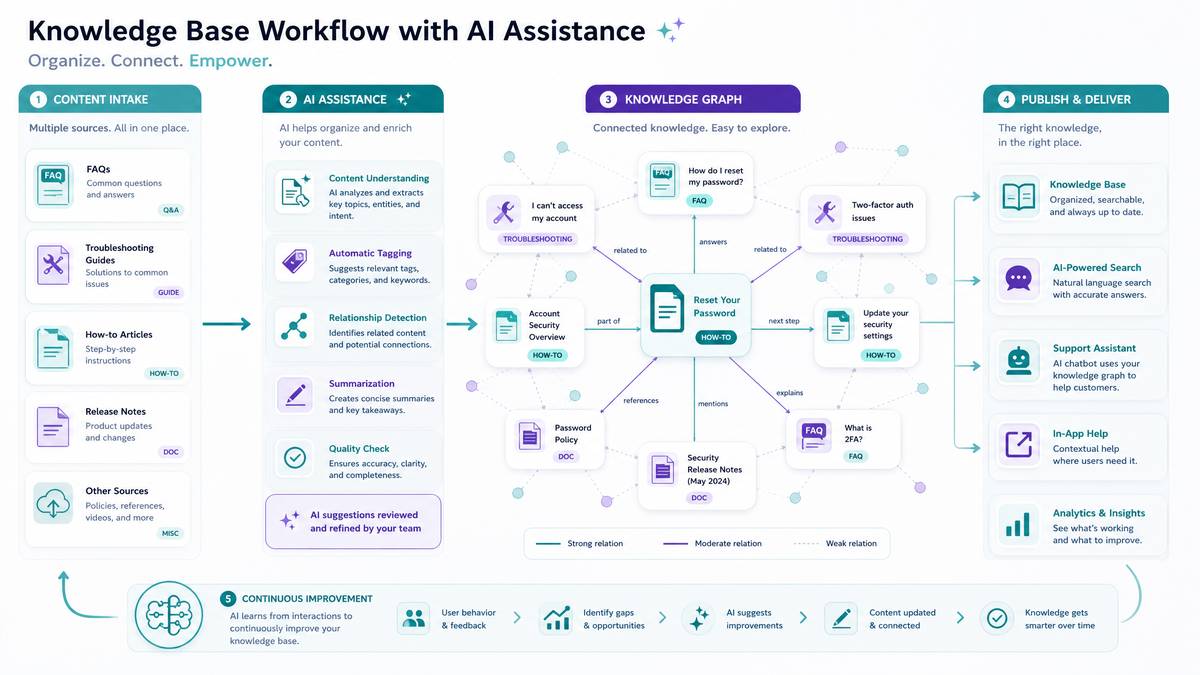
Knowledge base articles serve both customers seeking self-service answers and support teams looking for reference material during escalations. The best KB articles are structured for scanning — users rarely read them linearly. They search, land on a page, scan for their specific scenario, and either find their answer or bounce to contact support. GPT-5.5 can generate well-structured KB content efficiently when given clear scenario parameters.
One underutilized technique is providing GPT-5.5 with actual support ticket language before prompting it to write KB content. Feeding the model 5-10 support tickets about the same issue and asking it to identify the common confusion points produces KB articles that address real user mental models rather than idealized ones.
For teams looking to expand their AI capabilities with proven prompt patterns, our comprehensive guide on 50 GPT-5.5 Prompts for Data Engineers: ETL Pipelines, Data Quality, Warehouse Design, and Real-Time Streaming provides battle-tested templates that complement the strategies discussed in this article and can be immediately applied to production workflows.
Prompt 31: FAQ Article from Support Tickets
You are a technical writer analyzing support data to create knowledge base content.

I'm providing you with [NUMBER] support ticket summaries related to [TOPIC]:
[PASTE_TICKET_SUMMARIES]

Analyze these tickets and:
1. Identify the top 5-7 distinct questions or confusion points
2. Write a structured FAQ article addressing each question
3. For each Q&A:
   - Write the question as the user would phrase it (colloquial, from their perspective)
   - Write a direct answer starting with a one-sentence response
   - Expand with steps or details where needed
   - Include a "Related to this" line pointing to 1-2 other KB article topics

After the FAQ, write a brief "When to contact support" section listing scenarios
that go beyond self-service.

Prioritize questions by frequency — the most common confusion first.
Prompt 32: Conceptual Overview Article
Write a conceptual overview article for [PRODUCT_NAME]'s knowledge base explaining:
[CONCEPT_NAME]

This article answers the question "What is [CONCEPT_NAME] and how does it work?" —
not "How do I set it up?" (that's a separate procedural article).

Target reader: A new user who has just started using [PRODUCT_NAME] and encountered
this concept for the first time.

Structure:
1. Definition: What is [CONCEPT_NAME]? (3-4 sentences, plain language)
2. Why it matters: The business or workflow problem it solves
3. How it works: A conceptual explanation with an analogy if helpful
4. Key terms: A mini-glossary of 4-6 related terms they'll encounter
5. How [CONCEPT_NAME] relates to other features (brief, link to those articles by title)
6. Common misconceptions (2-3 things users often assume incorrectly)

Avoid setup instructions in this article. Its purpose is understanding, not doing.
Prompt 33: Account and Billing KB Article
Write a knowledge base article for [PRODUCT_NAME] answering billing questions about
[BILLING_TOPIC] (e.g., plan upgrades, invoice downloads, failed payments, refunds).

This is a sensitive topic — users asking billing questions may be frustrated or worried.

Article structure:
1. Title: A clear question format (e.g., "How does [PRODUCT_NAME] handle failed payments?")
2. Quick answer box: 2-3 sentences with the direct answer (highlight this visually —
   note it as [CALLOUT BOX] in your output)
3. Detailed explanation: Full context with step-by-step instructions where actions needed
4. What [PRODUCT_NAME] does automatically vs. what the user must do
5. Timeline information (when things happen, grace periods, notification schedule)
6. Frequently asked follow-up questions (3-4 Q&As)
7. Contact information section: when and how to reach billing support

Tone: Reassuring and clear. No bureaucratic language. Acknowledge that billing issues
are stressful and prioritize speed-to-resolution for the reader.
Prompt 34: Security and Privacy KB Article
Write a knowledge base article explaining [PRODUCT_NAME]'s approach to [SECURITY_TOPIC]
(e.g., data encryption, access controls, GDPR compliance, two-factor authentication).

Audience: Business users and IT decision-makers evaluating [PRODUCT_NAME] for enterprise use.

The article must be accurate and specific — do not make claims that could be
construed as legal guarantees unless I provide specific compliance certifications.

Provided compliance/security details: [SECURITY_DETAILS]

Structure:
1. Overview of [PRODUCT_NAME]'s [SECURITY_TOPIC] approach (4-5 sentences)
2. Technical implementation details (specific encryption standards, protocols,
   certifications — use what I've provided above)
3. What users and admins control vs. what [PRODUCT_NAME] manages
4. Step-by-step guide for configuring security settings relevant to this topic
5. Audit and monitoring capabilities
6. Incident response: what happens if a security event occurs
7. Compliance documentation: how to request security reports or certifications

Flag any areas where you'd need more specific information from me to be accurate.
Prompt 35: Video Tutorial Companion Article
Write a text-based knowledge base article that complements a video tutorial on
[TUTORIAL_TOPIC] for [PRODUCT_NAME].

Some users will read this instead of watching the video. Others will use it
as a reference while following along.

The tutorial covers: [TUTORIAL_STEPS_OUTLINE]

Write the article so it:
1. Opens with what the reader will accomplish (not "in this article")
2. Lists prerequisites with specific version numbers or settings required
3. Follows the same sequence as the tutorial but as written steps
4. Adds detail the video glosses over (exact field names, expected values,
   loading times to expect)
5. Includes a "Common mistakes at this step" note after the 2-3 most error-prone steps
6. Ends with a "What to do next" section

Format steps as numbered items. Sub-steps use a. b. c. lettering.
Include [SCREENSHOT SUGGESTION: description] markers where visuals would help —
these will be replaced by the design team.
Prompts 36–40: Additional Knowledge Base Prompts
| Prompt # | Task | Key Instruction Elements |
|---|---|---|
| 36 | Product Glossary Entry | Term definition, context of use, related terms, don’t-confuse-with warnings |
| 37 | Best Practices Guide | Recommendation with rationale, risk of not following, measurable outcome where possible |
| 38 | Use Case / Solution Article | Scenario setup, user persona, step-by-step workflow, success criteria |
| 39 | Limits and Quotas Reference | Table format, per-plan limits, how limits are measured, what happens when exceeded |
| 40 | Onboarding KB Article Series Outline | Article sequence, dependencies between articles, progression from beginner to advanced |
Section 5: Internal Documentation and Developer Experience Prompts (Prompts 41–50)
Internal documentation — runbooks, architecture decision records, onboarding guides, and process documents — is often the most neglected category in a documentation portfolio. It’s also the most expensive to neglect. Poor internal docs slow onboarding, increase bus factor risk, and generate recurring support load on senior engineers. GPT-5.5’s ability to synthesize technical meeting notes, Slack threads, and code comments into coherent documentation makes it especially valuable for this category.
Access 40,000+ AI Prompts for ChatGPT, Claude & Codex — Free!
Subscribe to get instant access to our complete Notion Prompt Library — the largest curated collection of prompts for ChatGPT, Claude, OpenAI Codex, and other leading AI models. Optimized for real-world workflows across coding, research, content creation, and business.
Prompt 41: Architecture Decision Record (ADR)
Write an Architecture Decision Record (ADR) for the following technical decision.

Use the Nygard ADR format with these sections: Title, Status, Context, Decision,
Consequences.

Decision details:
- What we decided: [DECISION]
- Why we considered it: [TRIGGER/PROBLEM]
- Alternatives we evaluated: [ALTERNATIVES]
- Why we chose this option: [RATIONALE]
- Tradeoffs accepted: [TRADEOFFS]
- Date: [DATE]
- Decision makers: [NAMES/ROLES] (use roles only if names should be omitted)

Additional context to weave in: [TECHNICAL_CONTEXT]

Write the Context section to capture enough background that someone reading this
in 2 years understands why this decision was necessary. Write the Consequences
section to cover both positive outcomes and the technical debt or constraints
this decision creates.

Tone: Objective, precise. ADRs are historical records — write as if for posterity.
Prompt 42: Engineering Runbook
Write an operational runbook for [SERVICE_NAME] to be used by on-call engineers.

Service description: [SERVICE_DESCRIPTION]
Infrastructure: [INFRA_DETAILS] (e.g., AWS ECS, Kubernetes, serverless)
Monitoring: [MONITORING_TOOLS]
On-call rotation: [ROTATION_DETAILS]

The runbook must cover:

**Service Overview** (1 paragraph: what it does, what breaks if it's down, SLA)

**Common Alerts and Response Procedures**
For each alert: [ALERT_LIST]
- Alert name and severity
- What it means
- Immediate triage steps (numbered)
- Resolution procedure
- Escalation criteria

**Scheduled Maintenance Procedures**
- [MAINTENANCE_TASKS] with step-by-step instructions

**Rollback Procedure**
- Conditions that trigger a rollback
- Exact commands with syntax (use code blocks)
- Verification steps post-rollback

**Contacts and Escalation**
- On-call contact method
- Team Slack channel
- Vendor support contacts with account numbers/SLA tiers

This document will be used under stress at 3am. Prioritize clarity and
precision over completeness. Steps must be unambiguous.
Prompt 43: Developer Onboarding Guide
Write a developer onboarding guide for new engineers joining the [TEAM_NAME] team
at [COMPANY_NAME].

The guide covers their first two weeks. Structure by week and day groupings:

Week 1 focus: Environment setup, codebase orientation, first contribution
Week 2 focus: System architecture, key workflows, team processes

For each section include:
1. Learning objectives (what they should know/be able to do after this section)
2. Step-by-step setup or orientation tasks
3. Key people to meet and why
4. Documents/wikis to read (reference by name, not URL)
5. A verification checkpoint (how they know they've completed this section successfully)

Technical environment details: [ENV_DETAILS]
Key repositories: [REPOS]
Tools used: [TOOLS_LIST]
Team rituals: [RITUALS] (standups, sprint ceremonies, etc.)

Include a "Common first-week gotchas" section at the end — the 5 things that
trip up new engineers most often, with specific fixes.
Prompt 44: Process Documentation for Non-Engineering Teams
Write process documentation for [PROCESS_NAME] used by the [TEAM_NAME] team.

This process involves both human steps and interactions with [TOOLS/SYSTEMS].

Audience: New team members who have domain knowledge but don't know
[COMPANY_NAME]'s specific processes yet.

Process details: [PROCESS_STEPS_AND_CONTEXT]

Document this as:
1. Process overview (what problem this process solves, frequency, owner)
2. Roles and responsibilities table: role | responsibilities | decision authority
3. Step-by-step process flow (numbered, include decision points as "If X, go to step N")
4. Tool-specific instructions for each system interaction
5. Exceptions and edge cases (the situations that don't fit the standard flow)
6. Quality checks (how to verify the process was completed correctly)
7. Handoff points (who receives what, in what format, when)

After the process document, write a one-page process summary suitable for
printing and posting near a workstation.
Prompt 45: Technical Specification Document
Write a technical specification document for [FEATURE_NAME].

This spec will be used by: engineers building the feature, QA writing test cases,
and technical writers documenting the feature.

Input information:
- Product requirements: [PRD_SUMMARY]
- Technical approach: [TECH_APPROACH]
- API/data model changes: [CHANGES]
- Dependencies: [DEPENDENCIES]
- Performance requirements: [PERF_REQS]
- Security considerations: [SECURITY]

Spec structure:
1. Overview (problem statement and proposed solution, 200 words max)
2. Goals and non-goals (explicit list of both — non-goals are especially important)
3. Technical design (architecture description, data flow, key decisions)
4. API/Interface specification (endpoint definitions, request/response schemas)
5. Data model changes (schema diff format)
6. Error handling and edge cases
7. Testing requirements (unit, integration, load testing expectations)
8. Rollout plan (feature flags, gradual rollout percentage targets)
9. Open questions (unresolved decisions that need answers before build)
10. Appendix (diagrams as text, references)

Flag sections where you need more technical input from me to complete accurately.
Prompt 46: Style Guide for a Documentation System
Write a documentation style guide for [COMPANY_NAME]'s technical writing team.

This guide will govern all external documentation for [PRODUCT_NAME].

Base it on the [STYLE_GUIDE_FOUNDATION] (e.g., Microsoft Writing Style Guide /
Google Developer Documentation Style Guide) with the following company-specific
modifications: [MODIFICATIONS]

The guide must cover:
1. Voice and tone (with examples of on-brand vs. off-brand writing)
2. Terminology standards (preferred terms and terms to avoid — present as a table)
3. Formatting rules (headings, lists, code blocks, tables, callouts)
4. Procedure writing conventions (step structure, UI element formatting, verb usage)
5. Code example standards (language coverage requirements, comment style, naming conventions)
6. Screenshot and image guidelines
7. Link writing standards (anchor text rules, external vs. internal link handling)
8. Accessibility requirements in content
9. Localization considerations (content that's difficult to translate and how to handle it)
10. Content review process and approval workflow

Include a "Quick reference" card at the end summarizing the 15 most important rules.
Prompt 47: Incident Post-Mortem Documentation
Write a post-mortem document for the following incident.

Incident details:
- Date/time of incident: [DATETIME]
- Duration: [DURATION]
- Severity: [SEVERITY_LEVEL]
- Services affected: [SERVICES]
- Customer impact: [IMPACT_DESCRIPTION]
- Root cause: [ROOT_CAUSE]
- Timeline of events: [TIMELINE]
- Resolution: [RESOLUTION_STEPS]
- Team involved: [TEAM_ROLES] (use roles, not names)

Follow a blameless post-mortem format. The goal is systemic learning, not fault assignment.

Document structure:
1. Incident summary (5-7 sentences: what happened, impact, duration, resolution)
2. Timeline (chronological table: time | event | who | action taken)
3. Root cause analysis (5 Whys analysis based on provided root cause)
4. Contributing factors (systemic issues that allowed this to happen)
5. What went well (detection, communication, or response that worked)
6. Action items table: action | owner role | priority | due date | success metric
7. Lessons learned (3-5 broader insights for the team)

The tone must be constructive and forward-looking throughout.
Prompts 48–50: Final Internal Documentation Prompts
| Prompt # | Task | Key Instruction Elements |
|---|---|---|
| 48 | Data Dictionary / Data Catalog Entry | Field name, data type, business definition, source system, update frequency, data owner, sample values |
| 49 | Compliance Documentation Summary | Regulatory requirement mapping, evidence collection description, audit trail documentation, review schedule |
| 50 | Documentation Audit Report | Coverage assessment by product area, staleness identification, gap analysis, prioritized remediation plan |
Advanced Prompting Strategies for Technical Documentation
Beyond the individual prompts, there are several meta-strategies that significantly improve the quality of documentation generated by GPT-5.5. Understanding these transforms you from a prompt user into a prompt architect — someone who can construct effective prompts for novel documentation challenges that go beyond the 50 examples here.
The Specification-First Method
Before generating documentation prose, use GPT-5.5 to extract and structure the raw technical information from your inputs. Feed it a code file, API spec, or engineering ticket and ask it to produce a structured brief — a JSON or YAML object containing all the fields your documentation template requires. Then, in a second prompt, use that brief to generate the documentation. This two-pass approach prevents the model from hallucinating details to fill gaps and produces documentation grounded in verifiable source material.
Pass 1 - Extract:
"Analyze the following Python function and extract documentation fields as JSON:
function_name, parameters (name/type/default/description), return_type,
return_description, exceptions_raised, example_input, example_output.
If any field cannot be determined from the code, set its value to null.

[PASTE_CODE]"

Pass 2 - Document:
"Using the following extracted specification [PASTE_JSON], write a docstring
in NumPy format for this function. For any null fields, write a
[NEEDS_VERIFICATION] marker instead of a description."
Consistency Enforcement Across Documentation Sets
When documenting multiple endpoints or features, inconsistency is the enemy. GPT-5.5 can help enforce consistency by acting as both writer and reviewer. After generating a set of documentation items, use a prompt that provides two or more examples and asks the model to generate the next item “matching the structure, tone, and terminology patterns” of the examples. This anchoring technique dramatically reduces the variance between documentation pieces.
Documentation Linting and Review Prompts
GPT-5.5 is an effective documentation reviewer as well as creator. The following prompt pattern turns it into a documentation linter:
Review the following API documentation for these specific issues:
1. Inconsistent terminology (flag any terms used differently across sections)
2. Missing required information (check against this template: [TEMPLATE])
3. Code examples that may not work as written (flag syntax issues or missing imports)
4. Passive voice in procedural steps
5. Vague language ("may," "might," "usually," "sometimes") without specifics
6. Accessibility issues (missing alt text markers, unclear link text)

For each issue found:
- Quote the problematic text
- Identify which of the 6 issues it represents
- Suggest a specific correction

[PASTE_DOCUMENTATION]
Structuring Your Documentation Workflow with GPT-5.5
Individual prompts gain significantly more value when embedded in a repeatable workflow. Technical writing teams that see the greatest productivity gains from AI tools aren’t using them ad hoc — they’re building structured content pipelines with clear stages where AI augments specific steps.
Recommended Four-Stage Pipeline
| Stage | Activity | GPT-5.5 Role | Human Role |
|---|---|---|---|
| 1. Intake | Gather source material (specs, tickets, code, SME notes) | Extract structured data from unstructured inputs, generate documentation briefs | Validate extracted information against source, fill gaps |
| 2. Draft | Generate documentation content | Produce full draft using prompts from this guide | Select appropriate prompt, provide complete context variables |
| 3. Review | Accuracy and quality checking | Run documentation linting prompts, consistency checks, identify gaps | Technical accuracy verification (must be human), SME sign-off |
| 4. Publish | Format and deploy content | Convert between formats (Markdown → RST, prose → table), generate SEO metadata | Final approval, publication workflow execution |
A critical note on this pipeline: stage 3 technical accuracy review must remain a human responsibility. GPT-5.5 can flag potential issues and inconsistencies, but it cannot verify whether a documented API parameter actually behaves as described in a live system. The highest-value use of AI in documentation is in stages 1, 2, and 4 — the structural and linguistic work. The accuracy verification that sits at the center of stage 3 requires a developer, QA engineer, or deeply product-knowledgeable technical writer to sign off.
Integrating These Prompts into Your Toolchain
For teams using docs-as-code workflows, these prompts can be embedded into editor workflows. VS Code extensions that connect to the OpenAI API allow technical writers to trigger prompts directly from their editing environment. Teams using Confluence or Notion can build prompt-based page templates that pre-populate with AI-generated drafts. For API documentation specifically, tools like Mintlify, Readme.io, and Stoplight can be paired with GPT-5.5 prompt scripts that generate description strings from OpenAPI schemas in batch.
The prompts marked for code examples work especially well in Jupyter notebooks for technical writers embedded in engineering teams — the notebook format lets you keep the input specification, the prompt, and the generated output together in a reproducible, version-controlled artifact.
Calibrating Tone and Voice Across Documentation Types
One of the most powerful features of GPT-5.5 is its ability to shift register — to modulate between the terse precision of an API reference, the encouraging warmth of a user onboarding guide, and the grave clarity of a security incident notice. But this flexibility requires explicit instruction. Leaving tone unspecified produces adequate but generically corporate documentation.
The following tone specifications, added to any prompt in this guide, produce distinctly different outputs and can be mixed and matched based on your documentation system’s voice:
| Documentation Type | Recommended Tone Instruction |
|---|---|
| API Reference | “Precise, minimal, no hedging. Describe behavior exactly as it occurs.” |
| Developer Tutorial | “Encouraging but not condescending. Explain the ‘why’ behind each step.” |
| End-User Help Article | “Calm, confident, task-focused. The user has a problem; get to the solution fast.” |
| Release Notes | “Matter-of-fact for fixes, slightly enthusiastic for new features, grave for security items.” |
| Internal Runbook | “Terse, imperative. Written for someone operating under stress with time pressure.” |
| Post-Mortem | “Analytical, blameless, constructive. Focus on systems and patterns, not individuals.” |
| Architecture Decision Record | “Authoritative and permanent. Future readers should understand the context, not just the decision.” |
Common Failure Modes and How to Avoid Them
Even with well-crafted prompts, GPT-5.5 produces suboptimal documentation output in predictable failure patterns. Knowing these failure modes in advance lets you build counter-instructions directly into your prompts.
Hallucinated Technical Details
When you don’t provide complete specifications, GPT-5.5 will infer missing details plausibly rather than flagging them as absent. Always include an explicit instruction: “If any required information is not present in my input, write [MISSING: field name] rather than generating an assumption.” This transforms a dangerous hallucination into a visible gap that’s easy to fill.
Generic Template Examples
Without explicit instruction, code examples often use generic variable names like myVariable, exampleData, or apiKey123. Specify that examples should use realistic domain-appropriate values: “Use realistic example data from the [INDUSTRY] domain. User IDs should look like production IDs, not ‘user123’.”
Structure Drift in Long Documents
For long documentation pieces, GPT-5.5 may drift from the specified structure partway through. Combat this by breaking long documents into sections and generating each section separately, or by providing an explicit outline that the model must follow exactly: “Generate each of the following sections in order. Do not add sections not listed. Do not skip any listed section.”
Over-Qualification and Hedging
Technical documentation that says “this may work in most cases” or “you might want to consider” erodes user confidence. Add this to any technical writing prompt: “Do not hedge unless the behavior is genuinely variable. State facts about the product’s behavior directly. If something always happens, say it always happens.”
Measuring Documentation Quality with AI Assistance
A complete AI-augmented documentation practice includes quality measurement, not just production. GPT-5.5 can help establish quality baselines and identify drift over time. For teams maintaining large documentation libraries, a monthly audit prompt — where GPT-5.5 reviews a random sample of articles against your style guide and scores them on specific dimensions — provides ongoing quality signals without requiring a full human audit cycle.
Dimensions worth measuring algorithmically include: readability score targets (Flesch-Kincaid for user docs; technical density for API references), step-to-word ratio in procedural articles (high word counts per step often indicate over-explanation), and terminology consistency across articles. These aren’t substitutes for user testing, but they catch structural and stylistic issues before they reach your readers.
Building a Prompt Library Your Whole Team Can Use
The 50 prompts in this guide are most valuable when they’re part of a shared, maintained library rather than individual discoveries. The most effective way to operationalize this is to store prompts in your team’s knowledge base (appropriately, given the topic) with metadata that makes them discoverable: documentation type, audience, product area, and example outputs from previous uses.
Prompt versioning matters too. As GPT-5.5 is updated and as your product’s documentation needs evolve, prompts that worked well last quarter may produce different results today. Treat your prompt library with the same discipline as your code library: version it, test changes, and document why specific instruction patterns were added. The technical writers who will use this guide most effectively are those who treat it as a starting point for a living prompt practice, not a static reference.
The 50 prompts collected here represent a substantial starting library for any technical documentation function. But the real skill being developed — learning to specify documentation requirements precisely enough that an AI model can execute them faithfully — is a transferable capability that will serve technical writers throughout the coming generation of AI-assisted knowledge work.
