
Codex Background Tasks Masterclass: 30 Production-Ready Prompts for Autonomous Code Review, Refactoring, and Continuous Improvement
By the ChatGPT AI Hub Editorial Team | Advanced AI Engineering | 18 min read
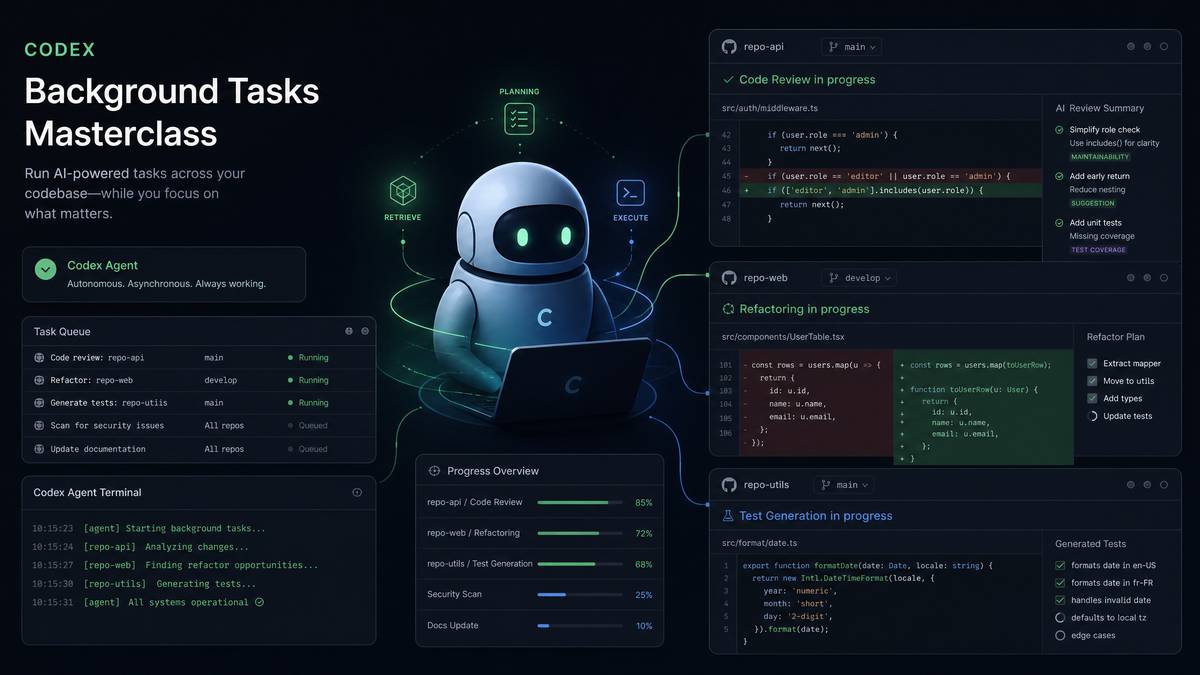
OpenAI’s Codex background task execution mode represents a fundamental shift in how engineering teams interact with AI-assisted development. Rather than treating Codex as a reactive assistant that waits for prompts, background task mode enables Codex to operate as an autonomous agent—scanning repositories, generating pull requests, refactoring legacy code, updating dependencies, and producing comprehensive test suites without moment-to-moment developer oversight. This masterclass delivers 30 production-hardened prompts organized into six mission-critical categories, along with architectural guidance for integrating these tasks into existing CI/CD pipelines and engineering workflows.
The prompts in this guide have been engineered for teams running codebases at scale: enterprise monorepos, microservice architectures, open-source projects with sprawling dependency trees, and startups that need to punch above their weight in engineering quality. Each prompt is designed to be self-contained, contextually rich, and scoped precisely enough that Codex can execute it autonomously without ambiguity halting the task mid-execution.
Understanding Codex Background Task Execution: Architecture and Capabilities
Before deploying any prompt in production, engineering teams need a firm conceptual model of how Codex background tasks differ from synchronous chat-based interactions. In standard usage, Codex responds to a single input and waits for follow-up. Background task mode fundamentally changes this contract: Codex is given a task definition, a context boundary (typically a repository or codebase segment), tool access permissions, and an output target—then executes asynchronously, often taking minutes or tens of minutes to complete complex multi-file operations.
The execution model operates through a multi-step agentic loop. Codex first performs a reconnaissance phase, reading relevant files and building an internal representation of the codebase’s architecture, patterns, and conventions. It then generates a task plan, executes each step while calling available tools (file read/write, shell execution, test runners, linting tools), and produces structured output in the form of diffs, pull request descriptions, or report files. Critically, Codex maintains context across this entire process—it can reference a function it read in step one when writing a test in step fourteen.
Tool Access Configuration for Background Tasks
Effective background task prompts assume specific tool configurations. Before deploying these prompts, ensure your Codex environment is configured with the appropriate tool permissions. The following table outlines the tool access requirements for each category of task covered in this guide:
| Task Category | Required Tools | Optional Enhancements | Risk Level |
|---|---|---|---|
| Code Review | File read, Git log access | Static analysis tool output, coverage reports | Low (read-only) |
| Refactoring | File read/write, test runner | AST tools, linter auto-fix | Medium |
| Dependency Updates | Package manager CLI, file write | Vulnerability scanner, changelog fetcher | Medium-High |
| Test Generation | File read/write, test runner | Coverage reporter, mock framework detection | Low |
| Documentation | File read/write | Spell checker, link validator | Low |
| Security Audit | File read, shell (semgrep/bandit) | CVE database access, SAST integration | Low (read-only output) |
Prompt Anatomy for Autonomous Execution
Every high-performing background task prompt shares a consistent anatomy. The absence of any one of these elements significantly increases the probability of Codex producing incomplete or misaligned output. A production-ready background task prompt must contain: (1) a precise task verb that signals the type of operation, (2) a scope definition that bounds which files or modules are affected, (3) a convention anchor that tells Codex how to interpret existing patterns, (4) an output specification that defines format and destination, and (5) a guard condition that specifies what Codex should NOT do.
# Prompt Anatomy Template
[TASK VERB] + [SCOPE] in [REPOSITORY/DIRECTORY]
following [CONVENTION ANCHOR: existing patterns/style guide/framework conventions]
Output: [FORMAT] to [DESTINATION]
Constraints: [GUARD CONDITIONS]
Success criteria: [VERIFICATION METHOD]
Category 1: Autonomous Code Review Prompts
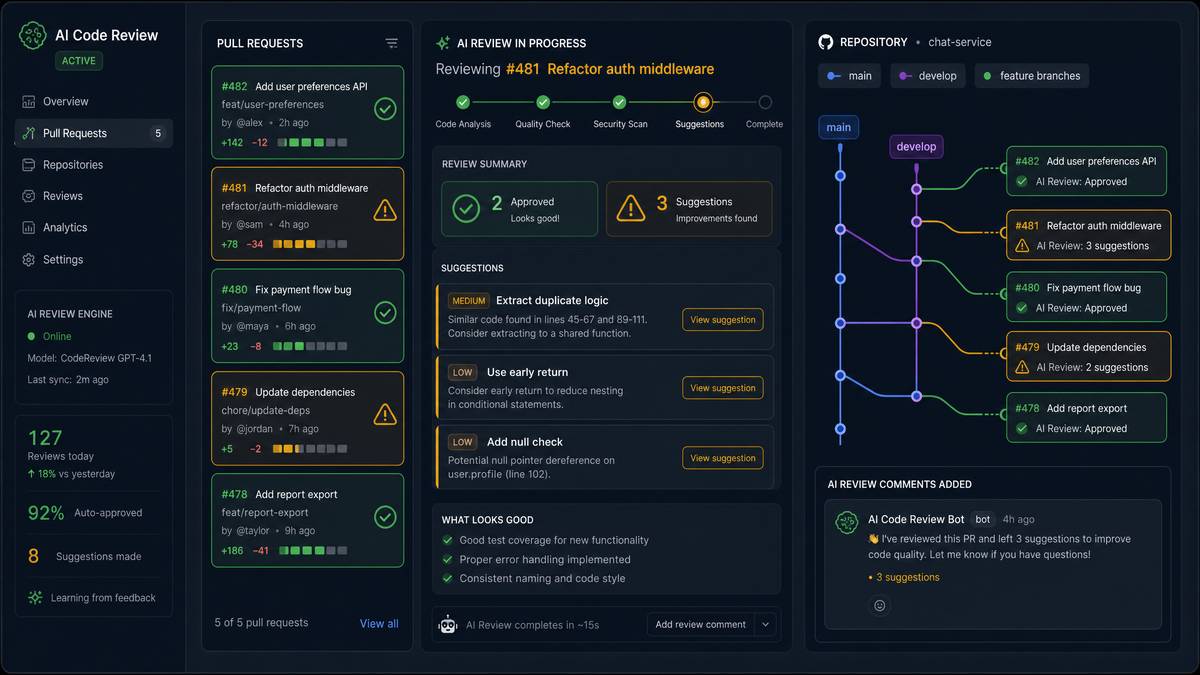
Automated code review via background tasks delivers consistent, bias-free analysis across pull requests and batch repository audits. Unlike human reviewers who may focus on familiar code paths, Codex performs exhaustive analysis across every function, class, and module within scope. The following five prompts cover the full spectrum of code review use cases, from per-PR analysis to full codebase audits.
Prompt 1: Pull Request Security and Logic Review
Perform a comprehensive code review of the diff in pull request #[PR_NUMBER]
in this repository. Your review must cover:

1. Security vulnerabilities: injection risks, authentication bypasses,
   improper input validation, sensitive data exposure in logs or responses
2. Logic errors: off-by-one errors, null pointer risks, unhandled edge cases,
   race conditions in async operations
3. Performance regressions: N+1 queries, unnecessary re-renders,
   memory leaks, blocking operations in async contexts
4. Code quality: adherence to existing naming conventions,
   single-responsibility principle violations, excessive complexity (cyclomatic > 10)

For each issue found, provide:
- File path and line number
- Severity: [CRITICAL | HIGH | MEDIUM | LOW | INFO]
- A one-paragraph explanation of the risk
- A specific code suggestion in diff format

Output a structured review as a GitHub PR comment using markdown.
Do NOT approve or request changes via the API—only post the comment body.
Do NOT modify any source files.
Prompt 2: Architectural Consistency Audit
Analyze the entire src/ directory of this repository for architectural
consistency violations. Focus on:

1. Identify all places where business logic leaks into the presentation
   layer (components directly calling database/API functions without
   going through the service layer)
2. Find any circular dependencies between modules using static import analysis
3. Locate violations of the established repository pattern where data access
   logic exists outside of files matching the pattern **/repositories/*.ts
4. Identify God Objects: classes or modules with more than 15 methods
   or more than 500 lines that should be decomposed

Map each violation to the specific architectural pattern it breaks.
Generate a markdown report saved to docs/architecture-audit-[DATE].md.
Include a mermaid diagram showing the actual dependency graph of modules
with circular dependencies highlighted in red.
Do NOT modify any source files during this audit.
Prompt 3: Complexity and Maintainability Scoring
Calculate maintainability metrics for all TypeScript/JavaScript files
in the src/ directory. For each file, compute:

1. Cyclomatic complexity per function (flag any function > 10 as HIGH, > 20 as CRITICAL)
2. Cognitive complexity score (using the SonarSource definition)
3. Lines of code per function (flag > 50 lines as a refactoring candidate)
4. Parameter count per function (flag > 4 parameters as HIGH)
5. Nesting depth (flag > 4 levels as HIGH)

Aggregate these into a per-file maintainability score on a 0-100 scale
(higher = more maintainable). Produce:
- A JSON report at reports/maintainability-[DATE].json
  with the full data structure
- A markdown summary at reports/maintainability-summary-[DATE].md
  with the 20 most problematic files ranked by score
- A list of the 10 specific functions that are highest priority for refactoring,
  with the dominant reason for each (complexity, length, or nesting)
Prompt 4: API Contract Drift Detection
Compare the API contracts defined in openapi.yaml (or swagger.json)
against the actual route handler implementations in src/routes/.

For every endpoint defined in the spec:
1. Verify the handler exists and maps to the correct HTTP method and path
2. Check that all required request body fields are validated in the handler
3. Check that all documented response schemas match what the handler actually returns
4. Identify endpoints in the spec with no implementation (not yet built)
5. Identify route handlers with no corresponding spec entry (undocumented endpoints)

Categorize findings as:
- BREAKING: spec says X, implementation does Y in a way that breaks clients
- DRIFT: implementation diverges from spec but may not break current clients
- MISSING_IMPL: documented but not implemented
- UNDOCUMENTED: implemented but not documented

Output a report to docs/api-contract-drift-[DATE].md.
Do not modify any source files or the spec file.
Prompt 5: Dependency Usage Dead Code Analysis
Analyze the package.json dependencies against actual import/require
usage across all files in src/ and test/.

1. Identify packages listed in dependencies{} that are never imported
   in src/ (candidates for removal)
2. Identify packages in dependencies{} that are only imported in test/
   files (should be in devDependencies{})
3. Identify packages in devDependencies{} that are imported in src/
   files (should be in dependencies{})
4. Find internal modules or utility files in src/utils/ and src/helpers/
   that are defined but never imported anywhere (dead code)

For each finding, provide the package name, where it is (or isn't) used,
and the recommended action. Calculate the estimated bundle size reduction
from removing unused dependencies using the bundlephobia size data if available.

Save the analysis to reports/dependency-audit-[DATE].md.
Category 2: Automated Refactoring Prompts
Refactoring prompts for background execution require the highest degree of precision in guard conditions. When Codex is modifying source files autonomously, the prompt must specify exactly which transformations are safe to apply atomically and which require human review. The following prompts follow a “refactor and verify” pattern: Codex makes changes, runs the existing test suite, and reports results. If tests fail, Codex reverts the specific change that caused the failure and documents it for human review.
For a hands-on implementation perspective that complements this discussion, our step-by-step walkthrough in Gemini 3.1 Pro Automation: How to Analyze Data Hands-Free with AI provides the technical depth needed to translate these concepts into working production systems.
Prompt 6: Promise Chain to Async/Await Migration
Refactor all Promise chain patterns (.then().catch()) in src/ to use
async/await with try/catch blocks. Apply this transformation file by file,
running `npm test -- --testPathPattern=[CURRENT_FILE_TEST]` after each file.

Transformation rules:
1. Convert `.then(result => { ... })` to `const result = await promise`
2. Convert `.catch(err => { ... })` to a try/catch block wrapping the await
3. Convert `.then().finally()` chains to try/catch/finally
4. Where a function uses .then(), add the `async` keyword to the parent function
5. Handle Promise.all() chains by converting to
   `const [a, b] = await Promise.all([promiseA, promiseB])`
6. Do NOT transform cases where .then() is used for chaining in a builder
   pattern (non-Promise objects)

After each file transformation:
- Run the test command for that file
- If tests pass: keep the change and proceed to next file
- If tests fail: revert that file using git checkout,
  log the failure to reports/refactor-async-failures.md, and continue

At the end, output a summary to reports/refactor-async-summary.md
listing files successfully refactored, files skipped, and files that failed.
Prompt 7: Magic Number and String Extraction
Scan all files in src/ for magic numbers and magic strings, then extract
them into typed constants.

Detection criteria:
- Magic numbers: numeric literals that appear more than once across the
  codebase OR that encode a business concept (timeouts, limits, status codes,
  multipliers) even if used once
- Magic strings: string literals used in comparisons, as object keys in
  multiple places, or encoding domain concepts (status strings, event names,
  route paths used more than once)

Transformation steps:
1. Create or append to src/constants/index.ts (or the equivalent for the
   detected language/framework)
2. For each magic value, infer a SCREAMING_SNAKE_CASE name from context
3. Group constants into namespaced objects:
   HTTP_STATUS, TIMEOUTS, PAGINATION, EVENTS, etc.
4. Replace all original occurrences with the named constant
5. Add a JSDoc comment to each constant explaining its purpose inferred
   from usage context

Run `npm run lint && npm test` after all changes.
Report any lint errors or test failures in reports/constants-extraction-report.md.
Do NOT extract string literals that are user-facing messages or UI copy—
only extract technical/system constants.
Prompt 8: Error Handling Standardization
Audit and standardize error handling patterns across src/ to conform
to the following standard:

Target pattern: All service-layer functions must either:
a) Throw instances of custom error classes defined in src/errors/
b) Return a Result type: { success: true, data: T } | { success: false, error: AppError }

Current violations to fix:
1. Functions that throw raw Error('message') strings — convert to
   the appropriate custom error class from src/errors/
2. Functions that swallow errors with empty catch blocks —
   add at minimum a structured log call and re-throw or return error Result
3. Controller functions that don't have a try/catch around service calls —
   add error boundary and map to appropriate HTTP status codes
4. Console.log(error) calls — replace with the project's logger
   (detect from existing usage: winston/pino/bunyan pattern)

If src/errors/ doesn't exist, create it with a base AppError class
and subclasses: ValidationError, NotFoundError, UnauthorizedError,
ConflictError, ExternalServiceError.

Run the full test suite after all changes.
Generate a diff summary to reports/error-handling-standardization.md.
Prompt 9: Component Decomposition for React/Vue Files
Identify React components in src/components/ and src/pages/ that exceed
300 lines of JSX/TSX and decompose them into smaller, focused components.

For each file exceeding 300 lines:
1. Identify logical UI sections that can be extracted (rendered lists,
   modal content, form sections, card layouts)
2. Identify repeated JSX patterns (3+ similar element structures)
   that should become a parameterized child component
3. Extract identified sections into new files in a subdirectory
   named after the parent component:
   e.g., UserDashboard/ with UserDashboard.tsx, UserStatsPanel.tsx,
   UserActivityFeed.tsx, UserSettingsCard.tsx
4. Ensure all extracted components are properly typed with TypeScript interfaces
5. Update the parent component to import and use the new child components

After decomposition, run `npm run build` to verify no TypeScript errors.
Run `npm test` and report any failures.
Do NOT decompose components if the extraction would require passing
more than 6 props to the child — note these as requiring
context/state management review instead.
Prompt 10: Database Query Optimization Pass
Analyze all database query patterns in src/repositories/ and src/models/
for optimization opportunities. Target ORM: [Prisma/TypeORM/Sequelize/Knex —
detect from package.json].

Identify and fix:
1. N+1 query patterns: loops that execute queries inside iterations —
   convert to bulk queries with include/join or Promise.all()
2. Missing select field specifications: queries that fetch all columns
   when only specific fields are used — add explicit field selection
3. Missing pagination: queries that return unbounded result sets
   without limit/offset or cursor pagination
4. Repeated identical queries within the same request scope —
   introduce a request-scoped cache using a Map initialized at
   service function entry
5. Queries inside transaction blocks that could be parallelized —
   convert to Promise.all() within the transaction

For N+1 fixes, show the before/after query count in comments.
Run the test suite after each file modification.
Output an optimization report to reports/query-optimization-[DATE].md
with estimated query reduction per fix.
Category 3: Dependency Management Prompts
Dependency management is one of the highest-value applications for Codex background tasks because it combines multiple tedious manual steps—reading changelogs, checking for breaking changes, updating code, running tests—into a single autonomous workflow. The prompts in this section implement a conservative “update and verify” strategy that prioritizes stability over always being on the latest version.
Prompt 11: Safe Minor and Patch Dependency Updates
Update all npm dependencies that have available patch or minor version
upgrades (NOT major version bumps) using the following process:

1. Run `npm outdated --json` to get the current state
2. Filter to only packages where the wanted version differs
   from current version in patch (x.x.N) or minor (x.N.x) position
3. Group updates into batches of 5 related packages
   (group by category: testing tools, build tools, utility libraries,
   framework plugins)
4. For each batch:
   a. Run `npm update [package1] [package2] ...`
   b. Run `npm run build && npm test`
   c. If successful: keep changes, proceed to next batch
   d. If failing: run `npm install [package@previous-version]`
      for each package in the batch individually, testing after each revert,
      to identify the breaking package
   e. Log any package that caused failures to reports/dependency-update-failures.md

5. After all safe updates, run `npm audit` and report
   remaining vulnerabilities to reports/post-update-audit.md

Do NOT update packages with "alpha", "beta", "rc", or "next" in their version.
Do NOT update packages where the new version's package.json shows
a change in the "engines.node" requirement beyond the current Node.js version.
Prompt 12: Security Vulnerability Remediation
Perform a security-focused dependency remediation pass:

1. Run `npm audit --json` and parse the output
2. For each vulnerability with severity HIGH or CRITICAL:
   a. Identify the vulnerable package and the fix version
   b. Check if `npm audit fix` can resolve it without breaking changes
   c. If fix_available.isSemVerMajor is false: apply the fix automatically
   d. If fix_available.isSemVerMajor is true: document the vulnerability
      in reports/manual-security-fixes-required.md with:
      - CVE identifier
      - Affected package and version range
      - Recommended fix version
      - Summary of the vulnerability
      - Any known breaking changes in the fix version

3. For vulnerabilities where the fix requires updating a transitive dependency:
   - Check if the parent package has a version that bundles the fixed transitive
   - If so, update the parent package and test

4. After applying all automatic fixes, run the full test suite
5. Generate reports/security-remediation-[DATE].md with:
   - Vulnerabilities fixed (automatic)
   - Vulnerabilities requiring manual intervention
   - Current security score before and after

Do NOT modify lockfile manually. Only use npm/yarn/pnpm CLI commands.
Prompt 13: Node.js Version Compatibility Update
Prepare this codebase for Node.js [TARGET_VERSION] compatibility.
Current Node.js version in use: [CURRENT_VERSION].

Perform the following analysis and updates:

1. Update .nvmrc and .node-version files to [TARGET_VERSION]
2. Update the engines.node field in package.json
3. Update the node-version in all GitHub Actions workflow files in .github/workflows/
4. Update Dockerfile base images: replace `FROM node:[CURRENT_VERSION]`
   with `FROM node:[TARGET_VERSION]`
5. Check package.json dependencies: identify any packages that explicitly
   require node <[TARGET_VERSION] in their engines field —
   list these in reports/node-version-incompatible-deps.md

Code-level changes required for [TARGET_VERSION]:
- If upgrading to Node 18+: replace any `node-fetch` usage with native `fetch`
- If upgrading to Node 20+: replace `--experimental-vm-modules` jest config
  with standard ESM support
- If upgrading to Node 22+: check for any deprecated `url.parse()` usage
  and replace with `new URL()`

Run `npm install && npm run build && npm test` after all changes.
Report any failures in reports/node-upgrade-issues.md.
Category 4: Test Generation Prompts
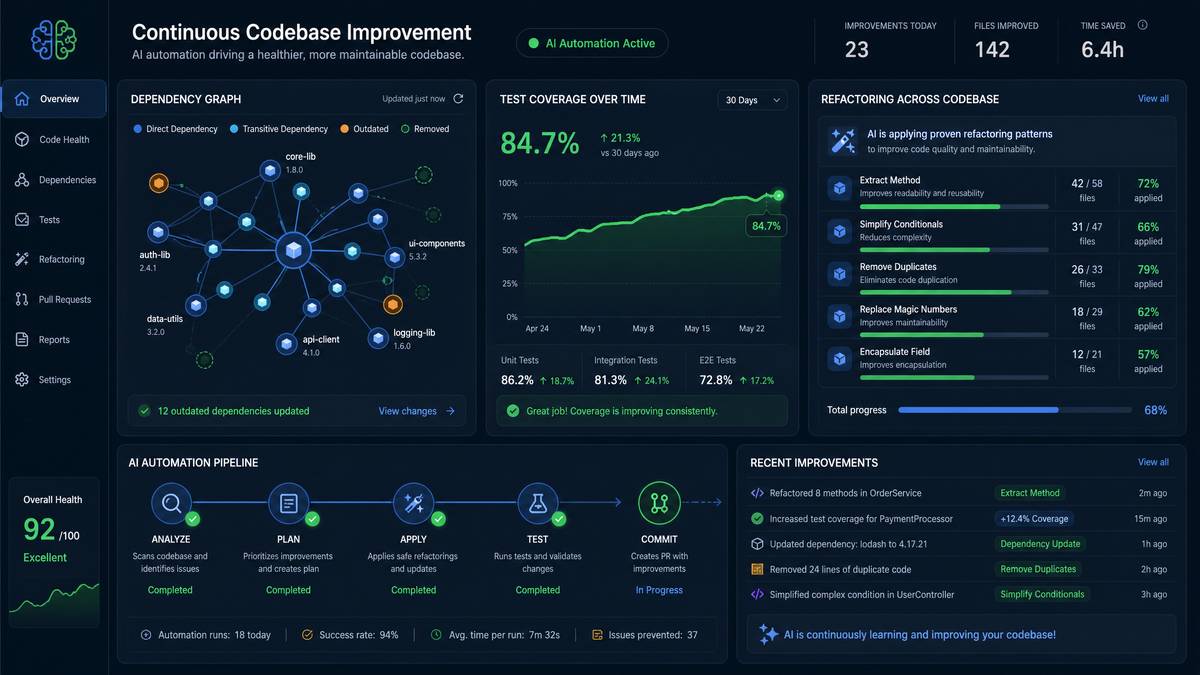
Test generation is where Codex background tasks deliver some of the most measurable ROI. A well-crafted test generation prompt can take a module from 20% coverage to 80% coverage overnight, catching regressions that human developers would have needed hours to write tests for. The key to effective test generation prompts is providing Codex with the testing framework context and mocking strategy upfront, rather than letting it infer—inference leads to inconsistent patterns across generated tests.
Teams seeking additional context on related developments will find valuable insights in our coverage of 5 Best AI Research Tools for automation Compared — Features, Pricing, Use Cases, which explores interconnected themes and practical applications that build upon the foundations established in this article.
Prompt 14: Service Layer Unit Test Generation
Generate comprehensive unit tests for all service files in src/services/
that currently have less than 60% line coverage (detected via
`npm run test:coverage -- --coverageReporters=json`).

Testing framework: Jest with TypeScript
Mocking approach: jest.mock() for all imports at the module level
Assertion style: expect().toBe() / expect().toEqual() / expect().toHaveBeenCalledWith()

For each service function, generate tests covering:
1. Happy path: valid inputs producing expected output
2. Edge cases: empty arrays, null/undefined inputs, zero values,
   maximum boundary values
3. Error paths: each thrown error type should have a dedicated test
   verifying the correct error class and message
4. Async behavior: verify Promise resolution and rejection handling
5. Side effects: verify that dependent services/repositories were called
   with correct arguments using toHaveBeenCalledWith()

File naming: place test file at src/services/__tests__/[ServiceName].test.ts

Mock generation rules:
- Auto-detect all injected dependencies from the constructor or function parameters
- Create typed mocks using jest.Mocked<T> generics
- Use jest.fn().mockResolvedValue() for async mocks,
  jest.fn().mockReturnValue() for sync
- Reset all mocks in a beforeEach() block

After generating all test files, run `npm test` and fix any
compilation or assertion errors in the generated tests.
Target: achieve minimum 80% line coverage for each service file.
Prompt 15: API Integration Test Generation
Generate integration tests for all REST API routes defined in src/routes/
using supertest against the Express/Fastify/Koa app instance.

Testing framework: Jest + Supertest
Database strategy: Use the test database configured in .env.test.
Run migrations before the test suite with `npm run migrate:test`.
Authentication: If routes require auth, generate JWT tokens using
the project's token utility (detect from auth middleware imports).

For each route, generate tests for:
1. Successful requests with valid payloads — verify status code and response body shape
2. Validation failures — test each required field missing individually,
   verify 400 response with field-specific error messages
3. Authentication/authorization — test unauthenticated requests (401),
   and if role-based, test insufficient permissions (403)
4. Not found cases — test requests for non-existent resources (404)
5. Conflict/duplicate cases — where applicable, test idempotency and conflict (409)

File naming: src/routes/__tests__/[routeName].integration.test.ts

Use beforeAll/afterAll blocks for database setup/teardown.
Use beforeEach to reset database state to a clean fixture using
the factory pattern detected in existing test files.

Run the integration test suite after generation.
Report coverage improvements in reports/integration-test-coverage.md.
Prompt 16: Property-Based Test Generation with Fast-Check
Identify pure functions in src/utils/ and src/helpers/ that are
candidates for property-based testing and generate fast-check tests.

A function is a property-based test candidate if it:
- Takes primitive inputs (strings, numbers, arrays, objects with primitive values)
- Returns a deterministic output without side effects
- Has mathematical or logical properties that should hold for any input

For each candidate function, identify and encode 3-5 properties. Examples:
- String manipulation: output length <= input length (for trimming functions)
- Array operations: idempotency (applying twice = applying once),
  preservation of length, no mutation of input
- Numeric functions: range bounds, commutativity where applicable
- Parsing functions: parse(stringify(x)) === x (round-trip property)
- Sorting functions: output is sorted, output length equals input length,
  all input elements present in output

Use fast-check arbitraries: fc.string(), fc.integer(), fc.array(),
fc.record(), fc.oneof(), fc.option()

File naming: src/utils/__tests__/[utilName].property.test.ts

After generation, run `npm test -- --testPathPattern=property`
and fix any generated tests that fail. Property failures (not errors)
should be documented in reports/property-test-findings.md as potential bugs.
Prompt 17: Snapshot Test Audit and Update
Audit all existing Jest snapshot tests in the repository for staleness
and quality issues.

1. Find all .snap files in __snapshots__ directories
2. For each snapshot file:
   a. Check if the corresponding test file still exists —
      if not, delete the orphaned .snap file
   b. Check if each individual snapshot in the file corresponds
      to an active test — delete obsolete snapshots
   c. Analyze snapshots larger than 100 lines — these are likely
      testing too much structure and should be replaced with
      targeted assertions on specific properties

3. For snapshots identified as too broad (>100 lines):
   - Identify the 3-5 most semantically important properties being captured
   - Replace the snapshot assertion with specific expect().toMatchObject()
     assertions targeting those properties
   - Delete the replaced snapshot entries from the .snap file

4. Run `npm test` to verify all snapshot tests pass after modifications
5. Run `npm test -- --updateSnapshot` only if there are expected
   structural changes, not to silence failures

Report findings in reports/snapshot-audit-[DATE].md:
deleted orphans, oversized snapshots refactored, remaining snapshot count.
Prompt 18: End-to-End Test Scenario Generation
Generate Playwright end-to-end test scenarios for the critical user
journeys in this application. Detect the frontend framework from package.json.

Identify critical user journeys by analyzing:
1. Routes in src/App.tsx (or router configuration) — each protected route
   represents a feature that needs E2E coverage
2. Form components — each form submit handler represents a user action to test
3. The README or docs/user-journeys.md if it exists

Generate test scenarios for each critical journey following this structure:

\`\`\`typescript
// tests/e2e/[featureName].spec.ts
import { test, expect } from '@playwright/test';

test.describe('[Feature Name]', () => {
  test.beforeEach(async ({ page }) => {
    // Authentication setup
  });

  test('completes [happy path description]', async ({ page }) => {
    // Step-by-step user actions
    // Assertions after each significant action
  });

  test('shows validation error when [invalid condition]', async ({ page }) => {
    // Invalid input scenario
  });

  test('handles [error/network failure] gracefully', async ({ page }) => {
    // Error scenario using page.route() to mock API failures
  });
});
\`\`\`

Use data-testid selectors where they exist, fall back to semantic selectors
(role, label) for accessibility compliance.
Do NOT use CSS class selectors or positional selectors (nth-child).

After generating all test files, run `npx playwright test --reporter=list`
and fix any configuration or selector issues in the generated tests.
Category 5: Documentation Generation and Maintenance
Documentation is perpetually out of date in most engineering organizations—not because developers don't value it, but because the feedback loop between code changes and documentation updates is weak. Codex background tasks close this loop by running documentation generation passes as part of the CI/CD pipeline, ensuring that API docs, architecture guides, and inline comments evolve in lockstep with the code they describe.
Prompt 19: JSDoc/TSDoc Comment Generation
Add comprehensive JSDoc/TSDoc comments to all exported functions,
classes, and interfaces in src/ that currently lack documentation.

Comment requirements per export type:

For functions:
- @param tag for each parameter with type description and accepted values
- @returns tag describing what is returned and under what conditions
- @throws tag for each error type the function can throw with conditions
- @example tag with a realistic usage example (not a trivial one)

For classes:
- Class-level description explaining the responsibility and usage context
- @param tags in constructor JSDoc
- JSDoc for each public method following function rules above
- @property tags for public properties

For interfaces and types:
- Interface-level description
- Comment for each property explaining its purpose and acceptable values

Formatting rules:
- Keep descriptions under 80 characters per line
- Use present tense ("Returns the user" not "This function returns the user")
- Do NOT generate generic descriptions like "Gets the value" —
  infer meaningful descriptions from the function name, parameters,
  and implementation body

After adding comments, run `npm run build` to verify no TypeScript errors
and `npm run lint` to verify comment formatting.
Generate a count of documented vs. undocumented exports
before and after in reports/documentation-coverage.md.
Prompt 20: Automated README Generation from Codebase Analysis
Generate or significantly update the repository's README.md based on
direct analysis of the codebase structure and content.

Analyze and document:
1. Project purpose: infer from package.json description,
   main entry point, and top-level route/feature structure
2. Architecture overview: generate a text description of the major layers
   (identified from directory structure) and their responsibilities
3. Setup instructions: extract from any existing scripts in package.json
   (dev, build, test, migrate, seed) and present as numbered steps
4. Environment variables: scan all .env.example, config files,
   and process.env. references in src/ — list every variable with
   its purpose, whether it's required or optional, and example values
5. API documentation summary: list all top-level routes with HTTP method,
   path, brief description, and auth requirement (detected from middleware)
6. Development workflow: document the Git workflow implied by branch
   naming patterns and any CONTRIBUTING.md content
7. Testing: document how to run unit tests, integration tests, and E2E tests
   with the specific commands from package.json scripts

Format the README with proper markdown, a table of contents at the top,
and a status badge section using shields.io format for build, coverage,
and license badges (extract license from package.json).

Do NOT overwrite sections that contain substantial hand-written content
(>10 lines not generated by tooling) — append generated sections instead.
Category 6: Continuous Security and Compliance Prompts
Security automation through background tasks enables engineering teams to maintain a continuous security posture rather than relying on periodic manual audits or annual penetration tests. These prompts are designed to run as scheduled background tasks—daily or on every merge to main—providing an ongoing security baseline that catches newly introduced vulnerabilities before they reach production.
Prompt 21: OWASP Top 10 Pattern Scan
Perform a static analysis scan of src/ for patterns associated with
the OWASP Top 10 vulnerabilities. Do not use external scanning tools—
perform this analysis through direct code reading.

Check for each category:

A01 - Broken Access Control:
- Route handlers that read user ID from request body/params instead
  of from authenticated session/token
- Missing authorization checks before resource access (user can access
  other users' data by changing an ID)

A02 - Cryptographic Failures:
- Passwords or secrets stored without hashing
- Use of MD5 or SHA1 for security purposes (not checksums)
- Hardcoded cryptographic keys or weak random number generation
  (Math.random() for security purposes)

A03 - Injection:
- SQL query string concatenation or template literals with user input
- Dynamic command execution (exec, spawn) with user-controlled input
- NoSQL injection patterns in MongoDB query construction

A05 - Security Misconfiguration:
- CORS configured with wildcard origin in production config files
- Debug/stack traces exposed in production error responses
- Default credentials or empty password fields

A07 - Identification and Authentication Failures:
- JWT verification without algorithm specification (allowing alg:none)
- Missing token expiration checks
- Passwords compared with == instead of constant-time comparison

A09 - Security Logging Failures:
- Authentication events (login, logout, failed attempts) without logging
- Sensitive operations (permission changes, data exports) without audit logs

For each finding: file, line, severity, description, recommended fix.
Output to reports/owasp-scan-[DATE].md. Do NOT modify source files.
Prompt 22: Secrets and Credentials Leak Detection
Scan the entire repository (including all non-.gitignore-excluded files)
for accidentally committed secrets, credentials, and sensitive configuration.

Detection patterns to scan for:

High-confidence secret patterns:
- AWS access key format: AKIA[0-9A-Z]{16}
- Generic API key assignments: apiKey = "[A-Za-z0-9]{20,}",
  api_key: "[A-Za-z0-9]{20,}"
- JWT tokens committed in code or test fixtures (eyJ[A-Za-z0-9-_]+)
- Database connection strings with credentials:
  mongodb://username:password@, postgresql://user:pass@
- Private key headers: -----BEGIN (RSA|EC|OPENSSH) PRIVATE KEY-----
- Generic password assignments in non-test files:
  password = "...", PASSWORD = "..." (not process.env references)

Medium-confidence patterns (review required):
- IP addresses hardcoded in production configuration files
- Internal domain names/URLs hardcoded (not localhost)
- Any string matching common secret formats in .env files
  that are tracked by git (check .gitignore coverage)

For each finding:
- File path and line number
- Pattern matched (redact the actual value in the report —
  show only first 4 and last 2 characters)
- Confidence level: HIGH or MEDIUM
- Recommended action: rotate credential, move to environment variable,
  or add to .gitignore

Output to reports/secrets-scan-[DATE].md.
Flag the total count in a summary header.
Do NOT output the actual secret values anywhere in the report.
Prompt 23: License Compliance Audit
Perform a license compliance audit for all dependencies in package.json
(both dependencies and devDependencies).

For each dependency:
1. Identify its license from the package's license field and LICENSE file
2. Categorize the license into:
   - PERMISSIVE: MIT, BSD-2, BSD-3, ISC, Apache-2.0, Unlicense
   - WEAK_COPYLEFT: LGPL-2.0, LGPL-2.1, LGPL-3.0, MPL-2.0
   - STRONG_COPYLEFT: GPL-2.0, GPL-3.0, AGPL-3.0
   - UNKNOWN: No license information found
   - COMMERCIAL: Commercial/proprietary licenses

3. Flag any dependencies with licenses incompatible with this project's
   license (read from package.json license field):
   - If project is MIT/Apache: flag all GPL and AGPL dependencies
     in production dependencies{} as INCOMPATIBLE
   - If project is GPL: flag any commercial/proprietary dependencies

4. Flag UNKNOWN license packages as requiring manual review

Output a formatted table in reports/license-compliance-[DATE].md:
| Package | Version | License | Category | Status | Action Required |

Provide a summary count by category and highlight all INCOMPATIBLE
and UNKNOWN entries prominently.
Category 7: Performance and Observability Prompts
Prompt 24: Logging Standardization and Observability Enhancement
Audit and standardize all logging calls in src/ to ensure production
observability requirements are met.

Current logging anti-patterns to fix:
1. console.log(), console.error(), console.warn() calls —
   replace with the project's structured logger
   (detect: winston/pino/bunyan from package.json)
2. Log messages that are plain strings without structured context —
   convert to structured objects:
   logger.info({ userId, action, resourceId }, 'User performed action')
3. Error logs that log only err.message without the full error object —
   ensure err (the full Error object) is passed for stack trace capture
4. Missing correlation IDs: HTTP request handlers that don't include
   a requestId in log context — add request ID propagation from headers
   (X-Request-ID or X-Correlation-ID)

Required log events to add if missing:
- HTTP request start and completion with duration (middleware level)
- Database query errors (in repository layer catch blocks)
- External HTTP calls to third-party APIs: log URL, status, duration
- Background job start/completion/failure
- Authentication events: login success, login failure, token refresh

Log level standards:
- ERROR: unexpected failures requiring investigation
- WARN: expected errors (validation, 404s, rate limits)
- INFO: significant business events (user created, payment processed)
- DEBUG: detailed technical flow (only emit in non-production environments)

Run the test suite after changes.
Output a modification summary to reports/logging-standardization.md.
Prompt 25: Performance Budget Enforcement
Analyze the frontend bundle configuration and generated build artifacts
to enforce performance budgets.

If a webpack/vite/rollup config exists:
1. Parse the bundle analyzer output if available
   (stats.json or bundle-stats.json)
2. Identify chunks exceeding 250KB gzipped —
   these violate a standard performance budget
3. For oversized chunks, trace which imports contribute the most to size
4. Suggest specific code-splitting strategies using dynamic imports:
   - Route-level splitting for page components
   - Feature-level splitting for large feature modules loaded conditionally
   - Vendor chunk optimization: separate rarely-changing dependencies

Generate the specific import changes needed:
- Convert `import ComponentX from './ComponentX'` to
  `const ComponentX = lazy(() => import('./ComponentX'))`
  with appropriate Suspense wrapper
- Add suggested splitChunks configuration for webpack or
  manualChunks for vite

For backend (Node.js): identify any synchronous fs or compute-intensive
operations in request handlers that should be offloaded to worker threads
or background queues.

Output actionable recommendations with estimated size reductions
to reports/performance-budget-[DATE].md.
Do NOT modify build configuration files — only output recommendations
and the specific code changes for dynamic imports.
Category 8: Specialized Automation Prompts
Prompt 26: Database Migration Safety Audit
Audit all database migration files in the migrations/ directory
(or db/migrations/, prisma/migrations/) for safety and reversibility.

For each migration file, check:

Dangerous operations (flag as BLOCKING — require explicit review before running):
1. DROP TABLE or DROP COLUMN without a corresponding data backup step
2. ALTER COLUMN that changes data type in a way that could truncate data
   (VARCHAR(255) to VARCHAR(100), TEXT to INT)
3. Adding NOT NULL constraints to existing columns without a DEFAULT value
   or prior backfill step
4. Deleting indexes on high-traffic tables without a replacement index
5. Missing transaction wrapping for multi-statement migrations

Reversibility check:
- Every migration should have a corresponding down() function or rollback method
- Flag any migration with an empty down() or a down() that just throws
  'irreversible migration' — document the specific reversibility strategy needed

Performance risk:
- ADDING INDEX on large tables without CONCURRENTLY (PostgreSQL) —
  will lock the table
- Full table scans in UPDATE statements without WHERE clause index coverage

Output a prioritized list in reports/migration-safety-audit-[DATE].md.
For each issue: migration file, line, issue type (BLOCKING/WARNING/INFO),
description, recommended fix.
Do NOT modify any migration files.
Prompt 27: Internationalization Readiness Audit
Audit the codebase for internationalization (i18n) readiness.
Detect the i18n framework in use from package.json
(react-i18next, vue-i18n, i18next, formatjs).

Scan src/components/ and src/pages/ for:

1. Hardcoded user-facing strings not going through the translation function:
   - Text content in JSX/template literals: <p>Hello World</p>


   - String props that are user-visible: hint="Enter email",
     aria-label="Close dialog", title="Settings"
   - Alert/notification messages in JavaScript: alert('Error occurred')
   - Error messages returned to the UI from service layer

2. Hardcoded date/number formatting:
   - new Date().toLocaleDateString() without locale parameter
   - Number.toFixed() without Intl.NumberFormat for currency or percentages
   - Hardcoded currency symbols ($, €, £) in display strings

3. Plural forms not handled:
   - String concatenation to build plural messages:
     `${count} item` + (count !== 1 ? 's' : '')
     Instead of using the i18n framework's plural handling

For each hardcoded string found:
- Generate the translation key (namespace.component.descriptiveKey format)
- Generate the t() call replacement
- Add the English default value to the appropriate translations/en.json file

Output all new translation keys to reports/i18n-new-keys-[DATE].json
in the format used by the detected i18n framework.
Report the total count of hardcoded strings found to reports/i18n-audit-[DATE].md.
Access 40,000+ AI Prompts for ChatGPT, Claude & Codex — Free!
Subscribe to get instant access to our complete Notion Prompt Library — the largest curated collection of prompts for ChatGPT, Claude, OpenAI Codex, and other leading AI models. Optimized for real-world workflows across coding, research, content creation, and business.
Prompt 28: GraphQL Schema and Resolver Audit
If this codebase uses GraphQL (detected from package.json:
graphql, apollo-server, type-graphql, nexus, pothos), perform a comprehensive
schema and resolver audit.

Schema analysis:
1. Identify types with no resolvers (schema-only, likely incomplete features)
2. Find fields typed as String that encode structured data
   (should be custom scalar types or proper object types)
3. Identify mutations without input validation (missing @constraint directives
   or manual validation in resolver)
4. Check for missing @deprecated directives on fields that have replacement fields
5. Identify N+1 resolver patterns: resolvers for list fields that
   execute per-item database queries without DataLoader

Resolver security audit:
1. Resolvers that expose sensitive fields (password, token, secret)
   that should be explicitly excluded
2. List resolvers without pagination arguments (first/last/limit/offset)
3. Mutations without authentication checks at the resolver level
   (not relying solely on gateway-level auth)

DataLoader opportunities:
- Identify all resolver functions that call repository.findById(parent.relatedId)
  in a field resolver context — these are N+1 problems
- For each N+1 pattern found, provide the DataLoader implementation pattern

Output findings to reports/graphql-audit-[DATE].md.
If DataLoader is already in the project, show the pattern for using
the existing DataLoader setup. If not, show the setup code needed.
Prompt 29: Monorepo Package Boundary Enforcement
If this is a monorepo (detected by presence of packages/, apps/, libs/
directories or workspace configuration in package.json), enforce
package boundary rules.

Analyze imports across all workspace packages:

1. Detect and report import boundary violations:
   - apps/[app-name] importing directly from another apps/[other-app]
     (apps should only import from packages/libs)
   - packages/[lib-name] importing from apps/ (circular architecture violation)
   - Any package importing from a path using ../../ that crosses
     package boundaries instead of using the package's public export

2. Public API surface analysis for each package:
   - Check if each package has an index.ts that defines its public exports
   - Identify cases where other packages import from deep internal paths
     (packages/ui/src/internal/helpers) instead of the public index
   - List which internal modules are being used across boundaries
     (these should be promoted to public API or refactored)

3. Dependency rule validation:
   - Read the workspace dependency configuration (nx.json, turbo.json,
     or infer from tsconfig path aliases)
   - Verify actual import patterns match declared dependencies
   - Packages not listed as dependencies but imported anyway

Output violations grouped by severity to reports/monorepo-boundaries-[DATE].md.
Provide the tsconfig paths or package.json workspace changes needed
to enforce boundaries programmatically.
Prompt 30: Continuous Improvement Orchestration Prompt
Execute a full continuous improvement cycle for this repository.
This is a meta-task that orchestrates multiple sub-analyses and produces
a prioritized improvement backlog.

Phase 1 — Measurement (read-only):
1. Calculate overall test coverage via `npm run test:coverage`
2. Count TypeScript errors via `npx tsc --noEmit 2>&1 | wc -l`
3. Count ESLint errors/warnings via `npm run lint -- --format=json`
4. Run `npm audit --json` for vulnerability count
5. Check git log for files changed most frequently in last 90 days:
   `git log --since="90 days ago" --name-only --format="" | sort | uniq -c | sort -rn | head -20`

Phase 2 — Analysis:
Using the measurement data:
1. The 20 most frequently changed files with low coverage = highest ROI test targets
2. Files with TypeScript errors = blocking issues
3. HIGH/CRITICAL npm audit findings = security debt
4. High ESLint error density per file = code quality debt hotspots

Phase 3 — Backlog Generation:
Generate a prioritized improvement backlog at IMPROVEMENT_BACKLOG.md with:

Each backlog item must include:
- Title (imperative verb + specific file/module)
- Type: [SECURITY | QUALITY | COVERAGE | PERFORMANCE | DEBT]
- Priority: [P1-CRITICAL | P2-HIGH | P3-MEDIUM | P4-LOW]
- Estimated effort: [SMALL: <2h | MEDIUM: 2-8h | LARGE: 8h+]
- Which background task prompt from this session would address it
- Success criteria (measurable)

Sort by: P1 first, then by lowest effort-to-impact ratio.
Generate a summary dashboard section at the top of IMPROVEMENT_BACKLOG.md
showing headline metrics: coverage %, error counts, vulnerability counts.
This file should be committed and updated on each CI run.
Integrating Background Task Prompts into CI/CD Pipelines
The prompts above deliver maximum value when integrated as scheduled or event-triggered pipeline stages rather than run manually. The following GitHub Actions workflow demonstrates how to structure a continuous improvement pipeline that orchestrates several of these background tasks as part of a nightly job:
# .github/workflows/codex-continuous-improvement.yml
name: Codex Continuous Improvement

on:
  schedule:
    - cron: '0 2 * * 1-5'  # 2 AM Monday-Friday
  workflow_dispatch:
    inputs:
      task_category:
        description: 'Task category to run'
        required: true
        type: choice
        options:
          - security-audit
          - test-generation
          - dependency-update
          - all

jobs:
  security-scan:
    name: OWASP Security Pattern Scan
    runs-on: ubuntu-latest
    if: >
      github.event_name == 'schedule' ||
      github.event.inputs.task_category == 'security-audit' ||
      github.event.inputs.task_category == 'all'
    steps:
      - uses: actions/checkout@v4
      - name: Run Codex Security Audit Task
        uses: openai/codex-action@v1
        with:
          prompt-file: .codex/prompts/owasp-scan.md
          tools: 'read_file,list_directory'
          output-path: reports/
      - name: Upload Security Report
        uses: actions/upload-artifact@v4
        with:
          name: security-reports-${{ github.run_number }}
          path: reports/owasp-scan-*.md

  dependency-updates:
    name: Safe Dependency Updates
    runs-on: ubuntu-latest
    if: github.event.inputs.task_category == 'dependency-update' || github.event.inputs.task_category == 'all'
    steps:
      - uses: actions/checkout@v4
      - uses: actions/setup-node@v4
        with:
          node-version: '20'
          cache: 'npm'
      - name: Run Codex Dependency Update Task
        uses: openai/codex-action@v1
        with:
          prompt-file: .codex/prompts/safe-dependency-update.md
          tools: 'read_file,write_file,run_command'
          allowed-commands: 'npm,git'
      - name: Create Pull Request
        uses: peter-evans/create-pull-request@v6
        with:
          commit-message: 'chore: automated dependency updates via Codex'
          title: '[Automated] Safe Dependency Updates'
          body-path: reports/dependency-update-summary.md
          branch: 'codex/dependency-updates-${{ github.run_number }}'
          labels: 'automated, dependencies'
Prompt Engineering Principles for Production Reliability
Across all 30 prompts in this guide, several prompt engineering principles emerge as critical for reliable autonomous execution. Understanding these principles allows teams to adapt and extend these prompts for their specific architectures without degrading reliability.
The Five Reliability Principles
| Principle | Description | Example Application |
|---|---|---|
| Explicit Guard Conditions | Every prompt should specify what Codex must NOT do, not just what it should do | "Do NOT modify any source files" in audit prompts; "Do NOT update major versions" in dependency prompts |
| Test-and-Verify Loops | Refactoring prompts should include test execution after each transformation unit | Run tests per-file, revert on failure, continue to next file |
| Output Anchoring | Specify exact file paths and formats for all outputs | "Save to reports/[name]-[DATE].md" rather than "generate a report" |
| Convention Detection | Instruct Codex to detect existing patterns before applying new ones | "Detect from package.json", "detect from existing test files" |
| Scope Boundaries | Explicitly define which directories or file patterns are in scope | "Files in src/ only", "exported functions only", "non-test files" |
Handling Ambiguity in Autonomous Execution
One of the most common failure modes in background task execution is ambiguity halting: Codex encounters a situation the prompt didn't anticipate and either stops execution or makes a conservative guess that diverges from intent. The solution is anticipatory prompt design—enumerate the most likely ambiguous cases and specify resolution strategies upfront. In the refactoring prompts above, this is handled through explicit fallback instructions: "If the test command cannot be determined from package.json, skip test verification for that file and flag it in the report." This keeps the task executing while preserving a human-reviewable record of skipped verifications.
Another critical technique is the "report don't assume" heuristic. When Codex cannot determine something from available context—the correct error class to use, the appropriate log level, whether a dependency is safe to update—instruct it to document its uncertainty rather than choose arbitrarily. Background tasks that complete with clear uncertainty documentation are far more valuable than tasks that complete with silently wrong decisions embedded in source files.
Measuring the ROI of Background Task Automation
Engineering leadership teams evaluating investment in Codex background task infrastructure need measurable outcomes to justify adoption. The following metrics framework provides a before/after comparison structure that engineering teams can operationalize within their first month of deployment:
| Metric | Measurement Method | Typical Baseline | Target After 90 Days |
|---|---|---|---|
| Test coverage (line) | Coverage reporter in CI | 30-50% | 70-85% |
| Mean time to remediate HIGH vulnerabilities | Snyk/npm audit tracking | 14-30 days | 1-3 days |
| Undocumented exported functions | TypeDoc coverage report | 60-80% undocumented | < 20% undocumented |
| ESLint error density (errors/KLOC) | ESLint JSON reporter aggregated in CI | 15-40 errors/KLOC | < 5 errors/KLOC |
| PR review cycle time | Git provider API (average merge time) | 2-5 days | < 1 day (automated review pre-filters) |
| Dependency freshness (% on latest minor) | npm outdated reporting | 40-60% | > 85% |
Advanced Configuration: Custom Prompt Libraries and Team Standards
The most mature teams using Codex background tasks don't deploy generic prompts—they build and maintain a custom prompt library that encodes their specific architecture, conventions, and quality standards. This library typically lives in a .codex/prompts/ directory at the repository root and is version-controlled alongside the codebase. Each prompt file is a markdown document combining the base prompt from a guide like this one with organization-specific amendments: the team's error class hierarchy, their specific test patterns, their internal library names, and their quality gates.
A mature prompt library structure for an enterprise team might look like this:
.codex/
├── prompts/
│   ├── review/
│   │   ├── pr-security-review.md
│   │   ├── architecture-audit.md
│   │   └── api-contract-drift.md
│   ├── refactor/
│   │   ├── async-migration.md
│   │   ├── error-standardization.md
│   │   └── query-optimization.md
│   ├── test/
│   │   ├── service-unit-tests.md
│   │   ├── api-integration-tests.md
│   │   └── e2e-scenarios.md
│   └── security/
│       ├── owasp-scan.md
│       ├── secrets-detection.md
│       └── license-audit.md
├── conventions/
│   ├── error-classes.md      # Documents custom error hierarchy
│   ├── testing-patterns.md   # Documents mock patterns and factories
│   └── logging-standards.md  # Documents logger usage and levels
└── config/
    └── tool-permissions.json  # Maps prompt categories to allowed tools
The conventions/ directory is particularly powerful: by including a reference to these files in each prompt ("before proceeding, read .codex/conventions/error-classes.md to understand the error hierarchy in use"), teams ensure Codex is always working from team-specific context rather than generic assumptions.
The Path Toward Fully Autonomous Code Quality Management
The 30 prompts in this guide represent the current frontier of what Codex background task execution makes practical in production environments. But the trajectory of this technology points toward something more comprehensive: a continuous code quality management system where these tasks run in coordinated sequences, share context across executions, and progressively improve a codebase's quality posture without manual scheduling or intervention.
In this model, the Prompt 30 orchestration prompt runs nightly and generates a prioritized backlog. CI/CD automation then selects the highest-priority items within safe risk bounds (read-only audits, test generation, documentation) and schedules them for the next available background task slot. Higher-risk operations (refactoring, dependency updates) are queued as draft pull requests for human approval. The engineering team shifts from writing code and fixing bugs to reviewing AI-generated improvements and setting quality policies—a fundamental upgrade in leverage.
The investment required to reach this state is modest: a few days to configure the CI/CD integrations, a week to customize the prompt library for your architecture, and an ongoing commitment to reviewing and merging the automated pull requests that Codex generates. The return—measurable improvements in coverage, security posture, documentation completeness, and technical debt reduction—begins accumulating from the first automated run.
Teams that establish this capability now are building an engineering multiplier that compounds over time. Every refactoring prompt run leaves the codebase in a state where the next refactoring prompt has less to do. Every test generation pass closes coverage gaps that protect against future regressions. The codebase, guided by autonomous continuous improvement, becomes incrementally better every single day—without burning developer time on the mechanical work of making it so.
