
Codex Sites Masterclass: 30 Production-Ready Prompts for Building Interactive Dashboards, Client Portals, Data Visualizations, and Automated Reporting Apps
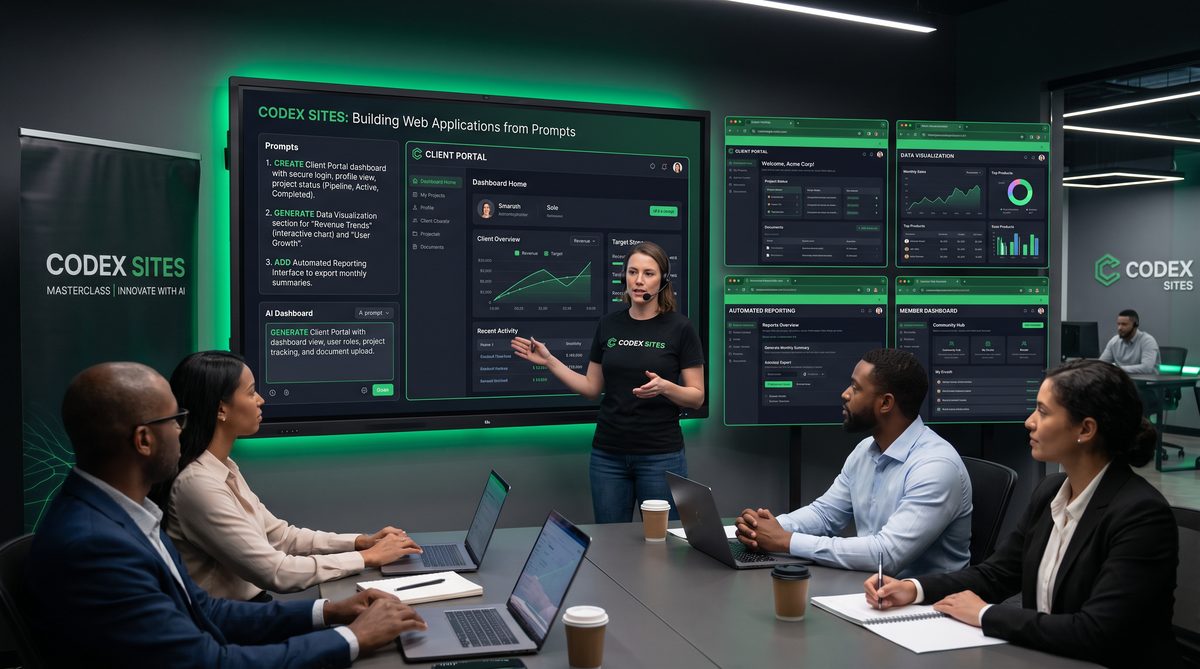
Masterclass: 30 Production-Ready Prompts for Codex Desktop App — Build Interactive Web Applications with Codex Sites
This masterclass is an advanced, practical guide that teaches how to craft production-ready prompts for the Codex Desktop App to generate complete, interactive front-ends using Codex Sites. It covers how to specify full-page structure, connect to mocked APIs, style interfaces with Tailwind CSS, handle user interactions, and bake accessibility, testing, and deployment considerations into prompts so the generated code is ready for hands-on integration.
The techniques and prompt patterns here are designed for engineering teams, product managers, and technical designers who want to reliably generate robust UI scaffolds and prototypes that can evolve into production applications. The advice focuses on repeatable templates, modularization, and verification strategies so each generated artifact is both usable and maintainable.
How to structure prompts for Codex Sites
A high-quality Codex Sites prompt is a detailed contract between the human intent and the generator. Think of it as a mini-spec that includes: purpose, target users, required pages and components, data contracts (mock API), interaction patterns, accessibility rules, styling system (Tailwind tokens), build and test instructions, and acceptance criteria. Prompts that omit any of these elements frequently produce brittle or incomplete outputs.
Core prompt components to always include:
- Objective: One-sentence summary: what the site should accomplish.
- Pages & Routes: list of pages and route patterns, including dynamic parameters.
- Data Contracts: explicit mock API endpoints with request/response shapes (JSON), pagination, filters, and example payloads.
- UI Components: desired components and their behavioral specifications (tables, charts, forms, modals, toasts).
- Styling: Tailwind utility classes and design tokens, dark-mode behavior, maximum width constraints, spacing scale.
- Interactions: required client-side interactions: sorting, filtering, optimistic updates, validation flows, and error handling.
- Access Control: authentication/authorization rules and mock JWT flows for testing.
- Testing & Deliverables: unit test scaffolds, E2E test scenarios, and acceptance criteria for each page.
A minimal but practical prompt header can be structured as:
Objective: [one sentence]
Primary Users: [role descriptions]
Pages: [list of pages / routes]
Mock API: [endpoints, method, example response]
Components: [table, chart, forms, etc.]
Styling: Tailwind; base font-size, color tokens, spacing
Interactions: list of interactive behaviors
Deliverables: list of files and tests to return
When crafting a production-ready prompt, be explicit about error states, loading states, and how components should behave on edge cases (empty lists, slow network, 500 errors). Codex Sites performs best when you provide concrete examples for the mock API and an acceptance checklist it must satisfy in the generated repository.
Best practices and patterns
Use modular prompts: request each page or component be generated as isolated modules with clearly exported props and types. This supports code reuse and easier testing. Prefer explicit props interfaces over black-box composition so that future developers can stub or swap components easily.
Use Tailwind configuration blocks inside the prompt to declare color palettes, spacing scale, and custom utilities. Ask Codex Sites to emit a tailwind.config.js with those tokens and to reference them in class strings rather than ad-hoc color values.
Always require a mock server (simple Express or JSON Server) and an OpenAPI-like comment in the project root describing endpoints. This aligns generated front-ends with expectations for real integrations and facilitates contract testing.
Include accessibility checkpoints: semantic HTML, keyboard focus management, ARIA attributes on custom widgets, meaningful alt text, color contrast ratios, and automated Lighthouse audit scripts. Prompts that require these checks produce more robust artifacts.
Section A — Interactive Dashboards
Interactive dashboards are frequently requested for product analytics, revenue monitoring, and operations. When generating dashboards with Codex Sites, you need to be explicit about data refresh intervals, aggregation windows, drill-down flows, and performance considerations for large datasets. Each dashboard prompt below provides a production-ready specification for Codex Sites to produce a scaffolded dashboard with Tailwind styling, chart components, and a mock API.
Prompt 1 — Real-time Operations Dashboard (kiosk mode)
Goal: A real-time operations dashboard optimized for a large wall-mounted display (kiosk), auto-refreshing every 10 seconds, with alerts and high-contrast styling.
Prompt (deliverable requirements for Codex Sites):
Generate a single-page dashboard app using Codex Sites and Tailwind CSS. Requirements:
- One page: /dashboard (full-bleed layout, fixed header).
- Widgets: live KPI cards (throughput, error rate, avg latency), a time-series line chart with streaming updates, a top-10 table, and an alert feed.
- Mock API:
  GET /api/kpi -> { throughput: 1200, errorRate: 0.02, avgLatencyMs: 180 }
  GET /api/metrics?from=...&to=... -> [{timestamp: "...", value: ...}, ...]
  GET /api/top -> [{id, name, count}]
  GET /api/alerts -> [{id, severity, message, createdAt}]
- Auto-refresh: poll metrics endpoints every 10s with fetch and use request cancellation on unmount.
- Styling: dark mode, Tailwind config with palette (indigo-600 for primary, red-500 for alerts).
- Behavior: highlight values that exceed thresholds and push visible alert banners.
- Testing: include unit test for data polling logic and a Cypress scenario that simulates a spike in errorRate.
- Deliverables: pages/Dashboard.jsx, components/KpiCard.jsx, components/StreamingChart.jsx, mock-server/index.js, tailwind.config.js
Extra guidance: instruct Codex Sites to make chart interactions accessible (keyboard pan/zoom), exportable CSVs from tables, and to include optimistic UI updates when acknowledging alerts.
Prompt 2 — Multi-tenant Admin Dashboard with Role Filters
Goal: Admin dashboard supporting tenants and role-based filtering across widgets.
Prompt (concise but precise):
Create a dashboard app with multi-tenant support. Requirements:
- Routes: /admin, /admin/tenants/:tenantId
- Top-left tenant selector (searchable), role-based toggles (viewer, editor, admin).
- Widgets: revenue trends, active users, usage heatmap, and tenant activity logs table with server-side pagination.
- Mock API:
  GET /api/tenants -> [{id,name}]
  GET /api/tenants/:id/metrics?page=..&size=.. -> {items:[], total}
- Implement tenant scoping header that updates all widgets.
- Styling: clean white theme, Tailwind tokens: primary #0ea5a4, accent #1e293b.
- Auth: mock JWT flow; include Login page that returns token; components read token from localStorage.
- Deliverables: include tests for tenant selector and server-side pagination.
Implementation notes: ask Codex Sites to separate data layer (api client) from UI to enable server replacement later.
Prompt 3 — Executive Metrics Dashboard with PDF Export
Goal: Read-only executive dashboard emphasizing snapshot exports for board meetings.
Prompt:
Build an executive dashboard with export capability.
- Pages: /exec
- Components: summary cards, compact sparkline charts, one large comparison bar chart, and a "Create Snapshot" button that renders current view to a printable PDF.
- Mock API responses should include monthly aggregates.
- Styling: Tailwind; print stylesheet to hide non-essential UI and scale to A4.
- Deliverables: include a headless PDF generation route in mock-server that returns a base64 PDF for download testing.
PDF export should work client-side using html2pdf or server-side stub that returns a static PDF to simulate generation time.
Prompt 4 — Metric Explorer with Live Query Builder
Goal: Interactive metric explorer where users build queries using an intuitive builder, preview results, and save views.
Prompt:
Create a metric explorer app:
- Routes: /explorer
- Query builder UI: fields (date range, metric, group-by, filters), live preview table, and chart.
- Mock API:
  POST /api/query -> {columns:[], rows:[]}
- Allow saving queries (client-side store by default).
- Styling: Tailwind; compact form components.
- Behavior: inline validation, loading skeletons, and query timeouts with retry suggestion.
- Deliverables: include component tests for the query builder and persisted saved queries UI.
Emphasize clear error messaging for long-running queries and allow users to cancel requests in progress.
Prompt 5 — Operational Heatmap for Resource Usage
Goal: Heatmap visualization for resource usage (CPU, memory, I/O) across clusters with filterable overlays.
Prompt:
Generate a heatmap dashboard:
- Page: /heatmap
- Widgets: heatmap grid, left-side filter drawer (cluster, metric type, time-range), legend and tooltips.
- Mock API:
  GET /api/heatmap?metric=cpu&from=&to= -> {cells:[{x,y,value}], xLabels:[], yLabels:[]}
- Make cells keyboard navigable and accessible by screen readers.
- Styling: use Tailwind color scale tokens; ensure contrast for low/high values.
- Deliverables: components/Heatmap.jsx with documented props, mock-server endpoint, and a minimal accessibility test.
Ensure the heatmap gracefully degrades on mobile by providing a stacked list alternative view.
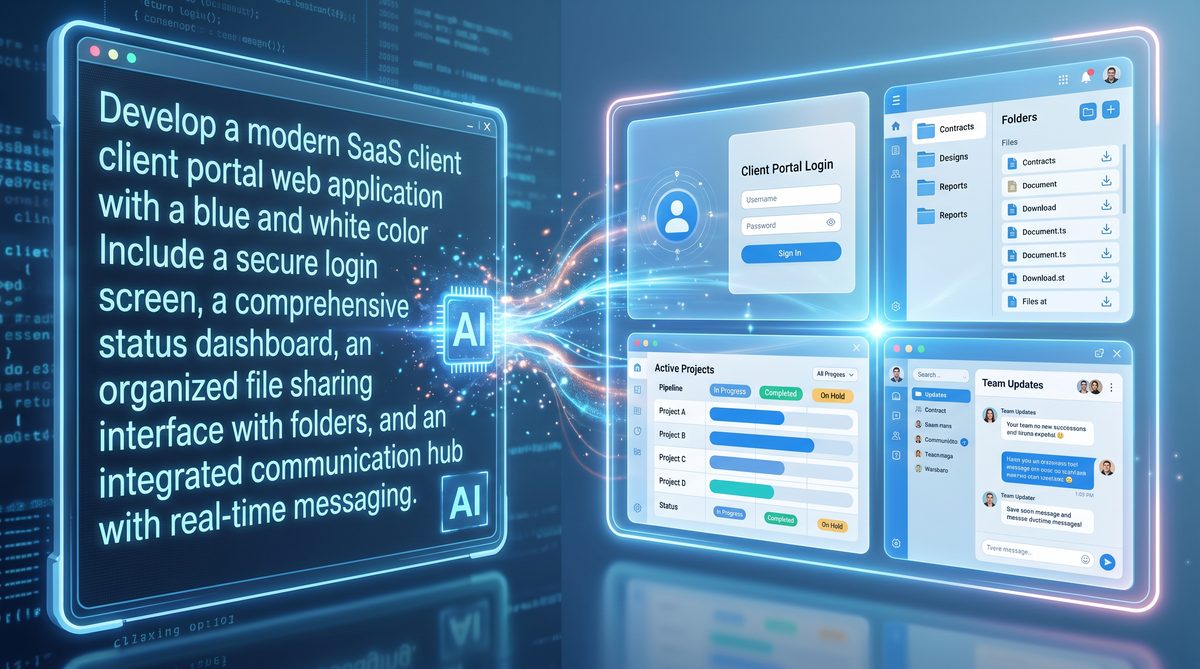
Prompt 6 — Alert Triage Dashboard with Workflow Actions
Goal: Dashboard focused on alert triage where users can assign, snooze, escalate, and annotate alerts.
Prompt:
Create an alert triage dashboard:
- Routes: /triage
- Components: alert list with action menu per alert (assign, snooze, escalate, annotate).
- Mock API: PATCH /api/alerts/:id -> returns updated alert
- Workflow: optimistic UI updates for assignment; rollback on failure.
- Styling: Tailwind; include keyboard shortcuts for common actions.
- Deliverables: include a test that simulates optimistic rollback.
Specify exact error payload shapes so the site can display structured error details to the user.
Prompt 7 — Cost & Usage Dashboard with Forecasting Widget
Goal: Dashboard tracking cloud costs with a forecasting widget using simple linear extrapolation and user-adjustable forecast horizon.
Prompt:
Build cost dashboard:
- Pages: /costs
- Widgets: monthly cost card, forecast chart with slider (1–12 months), top-cost services table.
- Mock API endpoints should provide historical monthly costs.
- Implement client-side forecast calculation using least-squares linear regression.
- Styling: Tailwind, neutral palette, emphasize monetary values.
- Deliverables: include math helper functions and unit tests for forecast logic.
Prompt 8 — KPI Comparison Grid with Inline Editing
Goal: Editable KPI grid where managers can enter targets and save them; includes validation and change history preview.
Prompt:
Create an editable KPI grid:
- Route: /kpis
- Table: rows per KPI, columns for current value, target (editable), variance, and history modal.
- Mock API:
  GET /api/kpis
  PATCH /api/kpis/:id -> {before, after, changedBy}
- Include undo for recent edits and local change buffering before commit.
- Styling: Tailwind; ensure editable cells are keyboard-first.
- Deliverables: components/KpiGrid.jsx and tests for the undo buffer.
Prompt 9 — Mobile-First Dashboard with Offline Mode
Goal: Dashboard that is mobile-optimized and provides basic offline viewing via service worker caching.
Prompt:
Generate a mobile-first dashboard:
- Pages: /mobile-dashboard
- Behavior: responsive layout, top-level refresh button, and offline caching of last successful data payload using service worker and IndexedDB for fallback.
- Mock API: same endpoints as a simplified metrics set.
- Styling: Tailwind; ensure touch targets are large and accessible.
- Deliverables: include service worker registration, caching strategy, and a simple fallback UI when offline.
Section B — Client Portals
Client portals require careful prompt specification for authentication flows, per-client data isolation, billing interfaces, and secure document exchange. When generating portals with Codex Sites, explicitly include the data model for clients, documents, invoices, and role-based permissions. The following prompts are structured to create production-capable client portals with mock backend endpoints and tests.
Prompt 10 — Client Onboarding Portal with Document Upload
Goal: Smooth onboarding experience with step-by-step forms, file uploads, and progress indicators.
Prompt:
Create a multi-step client onboarding portal:
- Routes: /signup -> /signup/step-1 ... /signup/confirm
- Steps: company info, contact info, upload verification documents, review & submit.
- Mock API:
  POST /api/onboarding -> {id, status}
  POST /api/uploads -> {fileId, url}
- File uploads: implement chunked upload simulation and client-side validation (type/size).
- Styling: Tailwind; provide progress bar and per-step validation messages.
- Deliverables: include accessibility checks and a test that ensures the file upload client rejects oversized files.
Persist partial form data to localStorage to avoid loss if the user closes the browser.
Prompt 11 — Billing Portal with Payment Method Management
Goal: Billing center where clients manage invoices, payment methods, and download statements.
Prompt:
Build a billing portal:
- Routes: /billing, /billing/invoices/:id, /billing/methods
- Features: list of invoices, invoice detail with PDF download, card management (add, remove, set default), and subscription plan change flow.
- Mock API:
  GET /api/invoices
  GET /api/invoices/:id -> {pdfUrl}
  POST /api/payments -> {status}
- Simulate 3D-secure flow by returning a requiresAction flag on certain payments.
- Styling: Tailwind; emphasize clarity in monetary formatting; include currency selector.
- Deliverables: include test for card add flow and simulated 3D-secure redirect handling.
Include client-side masking for card numbers and ensure PCI-sensitive flows are clearly mocked, not real.
Prompt 12 — Secure Document Exchange with Permissioned Access
Goal: Portal for secure upload and download of documents with role-based access and audit logs.
Prompt:
Create a secure document portal:
- Routes: /documents, /documents/:id
- Features: folder tree, per-file permissions, audit timeline, preview for PDFs and images.
- Mock API:
  GET /api/docs
  PUT /api/docs/:id/permissions -> {success}
  GET /api/docs/:id/audit -> [{event, actor, timestamp}]
- Access control: expose mock user roles and tenant headers; UI must hide unauthorized actions.
- Styling: Tailwind; use clear permission badges and confirm dialogs on destructive actions.
- Deliverables: implement a small audit viewer and tests for permission enforcement in the UI.
Encourage Codex Sites to provide an “explain access rules” modal that displays the applied permission logic for debugging.
Prompt 13 — Partner Portal with SSO and Delegated Admins
Goal: Partner portal supporting single sign-on (SSO) flows and delegated administration of sub-accounts.
Prompt:
Generate a partner portal:
- Routes: /partners, /partners/:id/subaccounts
- Auth: mock SSO using SAML-like redirect flow; accept an SAMLResponse to issue a mock token.
- Features: create subaccounts, assign delegated admins, and audit their activity.
- Mock API:
  POST /api/sso/assert -> {token, user}
  GET /api/partners/:id/subaccounts
- Styling: Tailwind; make admin flows explicit and provide role-based UI hints.
- Deliverables: include SSO flow tests and a dev README showing how to trigger SSO assertions.
Prompt 14 — Client Analytics Portal with Data Export Controls
Goal: Client-facing analytics portal with granular export permissions and scheduled export jobs.
Prompt:
Create a client analytics portal:
- Routes: /analytics
- Features: dashboards scoped to client, CSV/JSON export controls, scheduled exports setup (daily/weekly), and export history.
- Mock API:
  POST /api/exports -> {jobId, status}
  GET /api/exports/:id -> {status, downloadUrl}
- Permissioning: only clients with export permission can create scheduled exports; include fail cases for exceeded export quotas.
- Styling: Tailwind; clearly surface export costs or quotas.
- Deliverables: include tests for permission enforcement and scheduled job state transitions.
Ensure exports include parameterization and sanitized column selection to protect sensitive fields.
Prompt 15 — Collaborative Workspace with Comment Threads
Goal: Portal enabling clients and internal teams to comment on items, resolve threads, and receive real-time updates.
Prompt:
Build a collaborative workspace:
- Routes: /workspace
- Features: item list, comment threads with mentions, resolve/ reopen, in-app notifications.
- Mock API:
  GET /api/items
  POST /api/items/:id/comments -> {comment}
  WS /ws/notifications -> push events
- Include optimistic updates for posting comments and real-time updates via WebSocket mock.
- Styling: Tailwind; ensure focus management for keyboard navigation through threads.
- Deliverables: include tests for real-time notification display and comment resolve behavior.
Real-time updates can be emulated by a mock WebSocket server returning deterministic messages for E2E tests.
Prompt 16 — Admin Console for Client Support with Contextual Logs
Goal: Support console allowing agents to view client context, recent activity, and to perform actions like account suspension or invoice reissue.
Prompt:
Create an admin support console:
- Routes: /support, /support/clients/:clientId
- Features: client summary card, recent activity feed, quick actions (ban, send email, reissue invoice), and contextual log viewer.
- Mock API:
  GET /api/clients/:id/context -> {summary, recentEvents}
  POST /api/clients/:id/actions -> {result}
- Include confirmation modal patterns and role-based audit trails.
- Styling: Tailwind; emphasize utility and low visual clutter for fast workflows.
- Deliverables: include end-to-end test that verifies quick actions and their UI consequences.
Provide explicit descriptions for each quick action’s side effects so Codex Sites can generate appropriate warnings and state changes.
Prompt 17 — White-Labeled Client Portal Generator
Goal: A generator that produces white-labeled client portals based on tenant metadata (logo, primary color, domain).
Prompt:
Generate a white-labelable client portal scaffold:
- Route: /home
- Input: tenant metadata endpoint GET /api/tenant/:id/meta -> {name, logoUrl, primaryColor, theme}
- The site should apply tenant tokens to tailwind.config.js and generate per-tenant CSS variables.
- Include previews for administrator to test different logos and color tones.
- Deliverables: include a small CLI script that swaps tenant metadata and bootstraps a preview instance.
Ask Codex Sites to emit clear theming docs and a fallback when metadata is missing.
Section C — Custom Data Visualizations
Data visualizations often require careful prompt language about interaction affordances: pan/zoom, tooltips, selection-linked filters, and exportable image formats. Prompts in this section emphasize modular chart components, mock data generation, responsive SVG or canvas implementations, and accessibility semantics for charts.
Prompt 18 — Multi-Series Interactive Line Chart with Annotations
Goal: Reusable multi-series line chart component supporting annotations, hover tooltips, and series toggling.
Prompt:
Create a MultiSeriesLineChart component and a demo page:
- API: GET /api/series?ids=... -> [{seriesId, label, points:[{x, y}]}]
- Features: show/hide series, custom annotations (add, edit, remove), hover and focus tooltips, and keyboard navigation across data points.
- Styling: Tailwind for container and legend; chart internals can use D3 or chartjs but must be accessible.
- Deliverables: components/MultiSeriesLineChart.jsx with Storybook stories and unit tests.
Require semantic descriptions for charts and ensure color-blind safe palettes in tailwind.config.
Prompt 19 — Sankey Diagram for User Journeys
Goal: Visualize user flow between product screens using a Sankey diagram with clickable nodes that filter the underlying logs table.
Prompt:
Build a Sankey visualization page:
- Mock API: GET /api/journeys -> {nodes:[{id,label}], links:[{source,target,value}]}
- Interaction: clicking a node filters a downstream activity log table; hovering shows aggregated counts.
- Styling: Tailwind; ensure nodes are large enough to be touchable.
- Deliverables: include test verifying node click triggers filter and table updates.
Prompt 20 — Choropleth Map for Region-Based Metrics
Goal: Region map showing per-country or per-state metrics with legend-driven thresholds and drill-down to regional reports.
Prompt:
Create a choropleth map component:
- API:
  GET /api/regions?level=country -> [{regionCode, value}]
  GET /api/regions/:code/details -> {breakdown}
- Features: hover tooltips, click-to-drill, legend slider to adjust thresholds, and printable snapshot export.
- Styling: Tailwind; require color ramp with accessible contrast.
- Deliverables: include fallback list view and tests for drill-down behavior.
When specifying map shapes, provide geojson or ask Codex Sites to use a built-in dataset; be explicit if offline use is required.
Prompt 21 — Network Graph for Entity Relationships
Goal: Interactive force-directed network graph supporting node clustering, search, and export of visible subgraphs.
Prompt:
Generate a network graph component:
- API: GET /api/graph?seed=... -> {nodes:[{id,label,type}], edges:[{source,target,weight}]}
- Features: drag nodes, cluster by type, search nodes, selected subgraph export (JSON).
- Styling: Tailwind; ensure controls for toggling physical simulation and resetting layout.
- Deliverables: include a small sample dataset and tests for search and export functionality.
Prompt 22 — Small Multiples Grid for Comparative Analysis
Goal: Small multiples layout rendering the same chart across different entities to allow visual comparison.
Prompt:
Build small multiples:
- API: GET /api/multiples?entities=... -> returns series per entity.
- Layout: responsive grid, each cell with thumbnail chart and summary metric; clicking opens expanded view.
- Performance: virtualization for large numbers of entities.
- Styling: Tailwind; provide consistent axes and scaling options.
- Deliverables: include virtualization test and docs on when to use normalization vs. same-scale comparison.
Prompt 23 — Animated Transitioning Charts for Storytelling
Goal: Series of transitioning charts that animate between dataset states to narrate a data story with play/pause controls.
Access 40,000+ AI Prompts for ChatGPT, Claude & Codex — Free!
Subscribe to get instant access to our complete Notion Prompt Library — the largest curated collection of prompts for ChatGPT, Claude, OpenAI Codex, and other leading AI models. Optimized for real-world workflows across coding, research, content creation, and business.
Prompt:
Create an animated storytelling page:
- API: GET /api/storyframes -> [{frameId, data, caption}]
- Features: play/pause, per-frame captions, smooth transitions between frames, and a scrubber for frame selection.
- Styling: Tailwind; ensure animation can be disabled for accessibility.
- Deliverables: include a reduced-motion toggle and tests ensuring that accessibility setting disables animations.
Prompt 24 — Interactive Statistical Summary Widget with Sampling
Goal: Small widget that computes and displays statistical summaries (mean, median, stddev) with on-demand sampling to quickly estimate large datasets.
Prompt:
Generate a StatSummary component:
- API: POST /api/sample -> {sampleSize, sampleData}
- Behavior: choose sampling strategy (random, stratified), display inputs, compute metrics client-side, and show confidence intervals.
- Styling: Tailwind; include explanation text of sampling method for non-technical users.
- Deliverables: component tests for sampling behavior and math validation.
Section D — Automated Reporting Tools & Interfaces
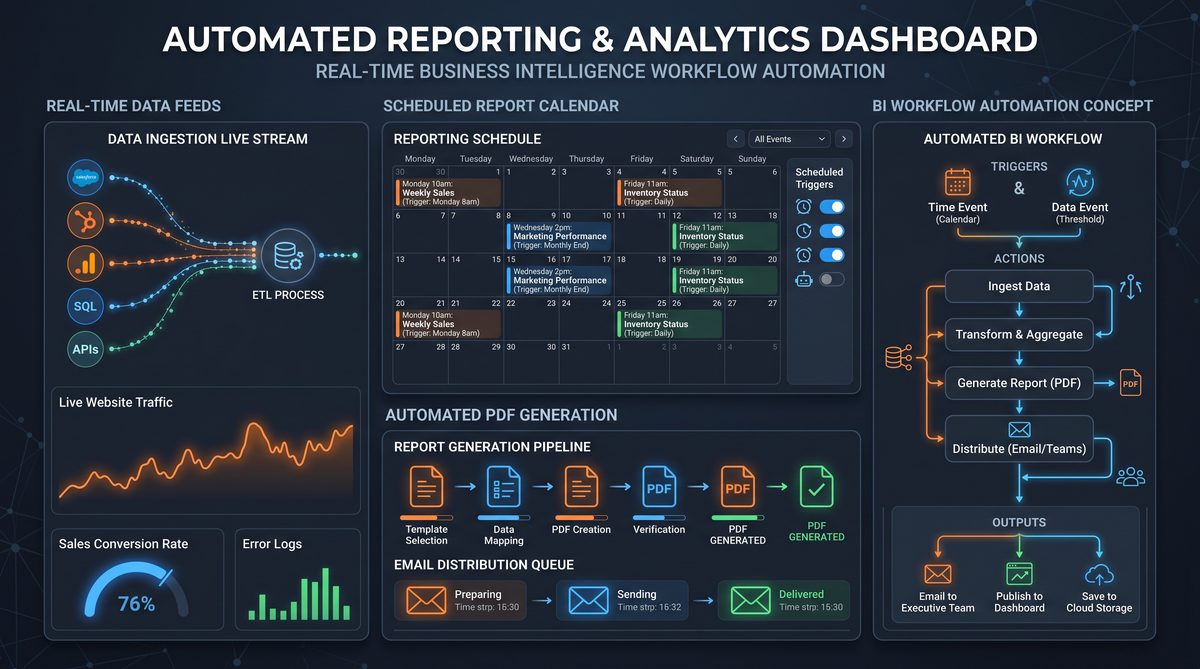
Reporting tools require structured prompts that communicate scheduling, templating, destination integrations (email, SFTP, Slack), and templated content rules. Prompts below outline production-ready reporting systems, including mock job runners, retry strategies, and preview UIs for report templates.
Prompt 25 — Scheduled PDF Report Generator with Template Editor
Goal: System to schedule PDF reports using editable templates and preview functionality.
Prompt:
Build a reporting tool:
- Routes: /reports, /reports/:id/edit
- Features: WYSIWYG template editor for header/footer, dynamic placeholders, schedule (cron-like), preview PDF generator, and delivery destinations.
- Mock API:
  POST /api/reports -> {id, status}
  GET /api/reports/:id/preview -> {previewUrl}
- Include safe placeholder rendering and a preview mode with dummy data.
- Styling: Tailwind; ensure template editor has a code/preview split view.
- Deliverables: mock-server that simulates job queue and a small test suite for scheduling UI.
Ask Codex Sites to include a change log for templates and a dry-run mode for previews.
Prompt 26 — Compliance Reporting Interface with Audit Trails
Goal: Reporting interface tailored for compliance teams, including verifiable audit trails and signed snapshots.
Prompt:
Create a compliance reporting interface:
- Routes: /compliance
- Features: report generation with immutable audit entries, chain-of-custody metadata, and signed artifacts (mock signature).
- Mock API:
  POST /api/compliance/reports -> {artifactId, signedAt}
  GET /api/compliance/reports/:id/audit -> [{action, actor, timestamp}]
- Styling: Tailwind; include a secure download flow with signed temporary URLs.
- Deliverables: include tests asserting that audit entries are recorded on actions.
Prompt 27 — Slack-Integrated Alerts & Report Delivery
Goal: Interface to configure Slack notifications and deliver scheduled reports to channels with mention rules and summary snippets.
Prompt:
Build Slack integration features:
- Routes: /integrations/slack
- Features: configure workspace, channel destinations, summary snippet templates, and mention rules for thresholds.
- Mock API:
  POST /api/integrations/slack/test -> {ok:true}
- Simulate Slack webhook responses and error statuses.
- Styling: Tailwind; include a test button that simulates post and returns a mock message link.
- Deliverables: include tests for different Slack error responses (rate-limit, auth error).
Prompt 28 — Ad-hoc CSV Export Builder with Column Selection
Goal: Give users a flexible CSV export builder where they select columns, ordering, and filters and receive a downloadable file.
Prompt:
Create a CSV export builder:
- Routes: /exports/csv
- Features: column chooser, reorder via drag and drop, data filters, and export preview sample rows.
- Mock API:
  POST /api/exports/csv -> {downloadUrl}
- Styling: Tailwind; include feedback for long exports (job id and progress).
- Deliverables: include test for export parameter validation and large-data path (job queued).
Prompt 29 — Email Summary Reports with Template Variables
Goal: Email report builder using template variables and substitution preview; supports scheduled and on-demand sends.
Prompt:
Build an email report system:
- Routes: /email-reports
- Features: template editor with preview using sample data, recipient list management, and schedule options.
- Mock API:
  POST /api/email/send -> {status}
- Ensure email templates support conditional blocks and loop constructs in a simple templating language.
- Styling: Tailwind; add test send mode that routes to a developer inbox endpoint.
- Deliverables: include tests verifying variable substitution and template safety (no HTML injection).
Prompt 30 — Reporting Observability Dashboard with Retry and Error Insights
Goal: Observability dashboard for the reporting subsystem showing job queues, retries, error categories, and SLA metrics.
Prompt:
Generate a reporting observability dashboard:
- Routes: /reports/observability
- Widgets: queue length, average job latency, retry counts by reason, heatmap of failure times.
- Mock API:
  GET /api/report-jobs -> {jobs:[{id, status, startedAt, finishedAt, error}]}
- Provide drill-through to job detail page with error stack and payload preview.
- Styling: Tailwind; include retry action in the UI with optimistic updates.
- Deliverables: tests that simulate spikes in failures and verify alerts and escalations appear.
Require good pagination and filtering for historical job data to keep UI performant.
Prompt Patterns, Parameterization, and Templates
Reusable prompt patterns accelerate production readiness. Below are templates you can adapt for new pages or components. Each includes variables to substitute and a recommended delivery checklist.
-
Page Scaffold Template
Objective: [objective] Route: [route] Pages: [list] Mock API: [endpoints with sample payloads] Components: [components list] Styling: Tailwind with tokens [token list] Interactions: [interactions] Deliverables: [files and tests] Acceptance Criteria: [user-facing test scenarios] -
Component Template
Component: [name] Props: [props and types] API Contracts: [data shape] Accessibility: [aria rules] Styling: [tailwind classes] Tests: [unit tests] Documentation: [prop docs and examples] -
Mock API Contract Template
Endpoint: [METHOD] /api/...
Description: [purpose]
Request: [query params/body example]
Response: [example JSON]
Errors: [error status and payload examples]
Notes: [pagination, throttling]
For each prompt you issue to Codex Sites, replace template variables with concrete examples. A prompt that provides explicit mock responses and acceptance test steps yields deterministic output you can iterate on.
Testing, Debugging, and Production Considerations
Tests should be part of the prompt. Ask Codex Sites to generate unit tests (Jest), component snapshots, and at least one E2E scenario (Cypress or Playwright) per user flow. Provide example test data and simulate network faults to ensure graceful degradation.
For deployment, request a Dockerfile or simple Vercel/Netlify config in the prompt. Include environment variable hints in README and a mock-secrets.json for local development (do not include real secrets). Ask Codex Sites to include a CI configuration snippet (GitHub Actions) that runs tests and performs linting.
Security notes to include in prompts:
- Never hard-code secrets; return placeholders and a README explaining how to provision secrets.
- Mock JWT issuance and validation and clearly document where to swap with a real auth provider.
- Validate inputs on both client and server stubs and sanitize outputs displayed in templates.
- Include Content Security Policy suggestions and recommend server-side header settings in README.
Accessibility, Performance & Maintainability
Prompts should require semantic HTML output, proper landmarks (header, nav, main, footer), label associations for form controls, and a reduced-motion option. For performance, request lazy-loading for non-critical components, code-splitting by route, and prefetch hints for critical APIs. Encourage Codex Sites to include a Lighthouse report script in the repository and to annotate heavy components with TODOs for potential optimization.
Maintainability: ask for TypeScript types or PropTypes for all major components, a small component library directory, and documentation comments above complex logic. Request a clear README that outlines project structure, how to run the mock server, how to run tests, and how to swap mock APIs for real endpoints.
Prompt Library Versioning & Team Workflows
Treat your prompt library as code: version it in a repository, tag stable prompts, and create a changelog for prompt updates. Include prompt metadata in each template: compatibility (Codex Desktop App version), expected runtime (React/Preact/Vanilla), and supported charting libraries. This allows teams to select prompts that align with their stack choices and to automate prompt-based scaffolding in CI/CD.
Workflow recommendation: create a PR template when a new prompt or a prompt update is committed. The template should include a short description, intended use cases, expected outputs, and any notes about generated test requirements.
Related resources
For deeper techniques in analyzing data used to populate dashboards, consult the companion article that expands on data transformation patterns and statistical methods used by dashboards:
For a deeper exploration of this topic, our comprehensive analysis on Codex Data Analysis Masterclass: 30 Production-Ready Prompts for Automated Reporting, Dashboard Generation, and Business Intelligence Workflows provides detailed implementation strategies, real-world case studies, and actionable frameworks that complement the concepts discussed in this section.
. That article delves into data cleansing, aggregation windows, sampling strategies, and validation pipelines—topics you should reference when crafting the mock API payloads and acceptance criteria for Codex Sites prompts.
If your focus is operations and prompt engineering for operational tasks, the following resource provides a complementary collection of prompts for operational roles and managers:
For a deeper exploration of this topic, our comprehensive analysis on 50 GPT-5.5 Prompts for Operations Managers: Supply Chain Optimization, Process Automation, Resource Allocation, and Performance Dashboards provides detailed implementation strategies, real-world case studies, and actionable frameworks that complement the concepts discussed in this section.
. It includes examples for automated runbooks, log summarization prompts, and escalation workflows that pair well with the client portals and reporting prompts in this masterclass.
Appendix — Quick Reference Prompt Checklist
Use this checklist when composing prompts for Codex Sites:
- Objective and one-sentence summary at top.
- List of pages, routes, and dynamic params.
- Explicit mock API endpoints and sample responses.
- Tailwind tokens and expected theme behavior.
- Component list with behavioral specs and accessibility rules.
- Auth expectations (mock flows) and role-based UI behavior.
- Tests to generate (unit and E2E) and sample test cases.
- Deliverables: file list, scripts (start, dev, test, build), and a README.
Keep prompts deterministic by including exact example payloads and limiting ambiguous terms like “nice” or “modern” without clarification. Instead, describe spacing scales, color tokens, and font sizes.
Closing notes
The 30 prompts presented in this masterclass are templates and patterns that can be adapted and combined to rapidly construct production-capable front-ends with Codex Sites. The real value comes from iterating on generated artifacts: refine the mock API, add coverage in tests, and evolve styling tokens into a design system. Prompt engineering in this context is a discipline of precise specification, testing, and documentation; invest the time upfront to produce repeatable, high-quality scaffolded applications.
When iterating, maintain small changes in prompt variants and record the exact prompt used alongside the generated repository so you can reproduce or update artifacts reliably. With this approach, Codex Desktop App and Codex Sites become powerful accelerators for producing interactive dashboards, client portals, custom visualizations, and reporting tools ready for integration into production workflows.
