
The Complete Guide to ChatGPT-5.5 Memory and Personalization: How to Train Your AI Assistant to Understand Your Work Style
The Complete Guide to ChatGPT-5.5 Memory and Personalization: How to Train Your AI Assistant to Understand Your Work Style
Author: Markos Symeonides
Table of Contents
- Why Memory and Personalization Matter
- How ChatGPT-5.5 Memory Works
- Setting Up Custom Instructions
- Training ChatGPT to Understand Your Style
- Memory Management: Review, Edit, Reset
- Personalization by Use Case
- Advanced Techniques for Persistent Project Contexts
- Privacy and Security Considerations
- ChatGPT vs Claude vs Gemini: Personalization and Memory
- Tips for Teams: Shared Guidance and Governance
- Troubleshooting Common Issues
- Conclusion and Next Steps
Why Memory and Personalization Matter
Most of the value of an AI assistant emerges when it remembers you—your preferences, your tone, the constraints of your job, and the context of your ongoing projects. Without memory and personalization, you’re stuck repeating yourself in every chat. With them, you get compounding returns: the AI anticipates your needs, adapts to your style, and accelerates work rather than slowing it down.
ChatGPT-5.5 introduces a more consistent, opt-in memory layer designed to store durable, high-signal facts about your preferences, style, and active work. Combined with custom instructions, you can train your assistant to be the kind of collaborator you want: a structured editor, a concise coder, a meticulous researcher, or a pragmatic business analyst. This guide shows you how to set it up, what to store, how to maintain it, and how to apply it across writing, coding, research, and business workflows.
How ChatGPT-5.5 Memory Works
What “Memory” Means in Practice
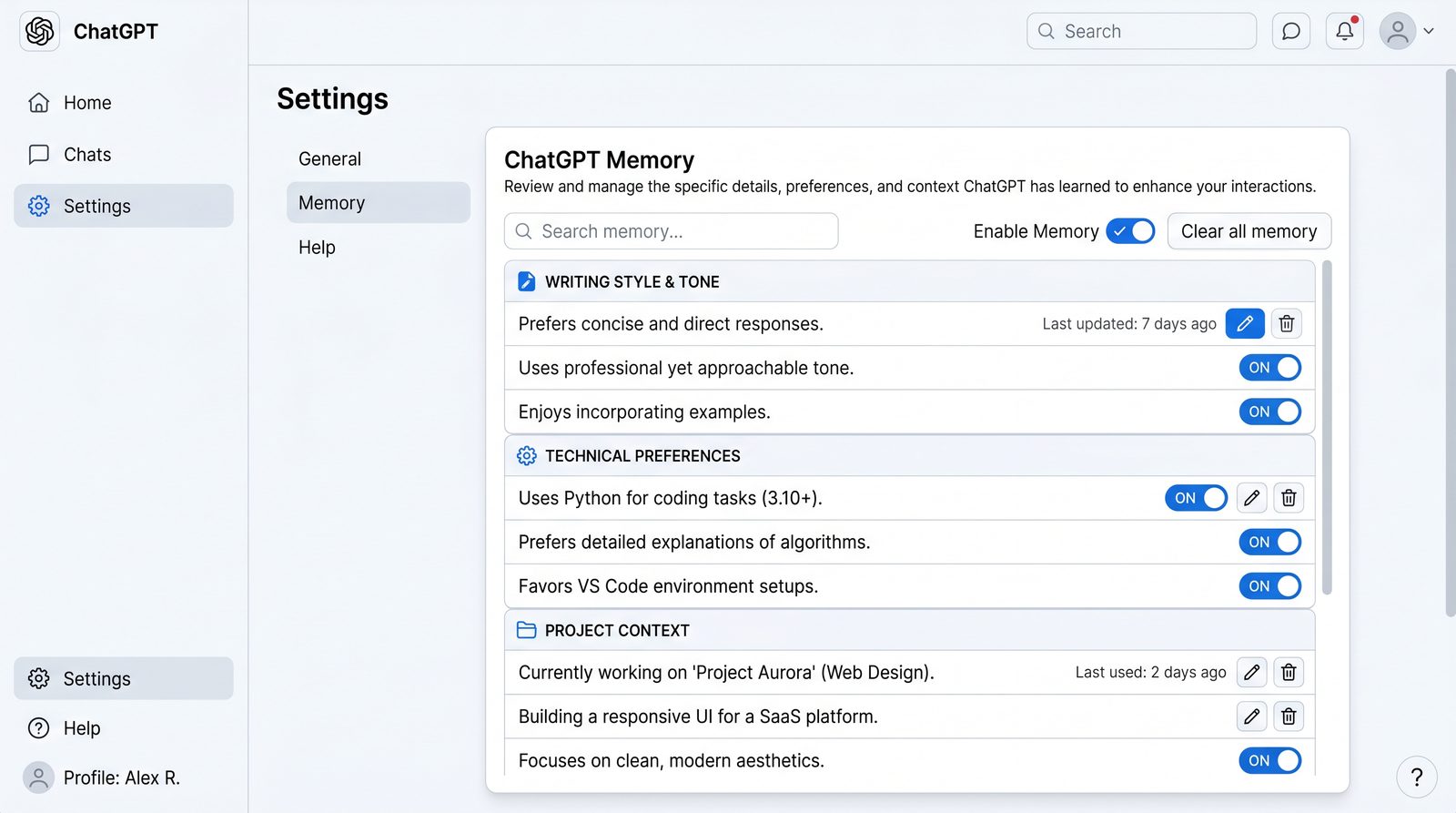
Memory is an opt-in feature that lets ChatGPT retain high-level facts about you across conversations. It’s not a transcript of your chats and it is not about storing every detail. Memory is:
- Selective: Only high-signal facts the model deems useful are saved, or what you explicitly add.
- Scoped: Intended for personal preferences, style rules, recurring projects, and factual tidbits (e.g., “uses Oxford commas”).
- Controllable: You can review, edit, or delete memory items and disable memory entirely.
Types of Information Memory Can Store
- Writing preferences (tone, formatting, voice, citation style).
- Coding preferences (languages, frameworks, linters, code style, verbosity).
- Research norms (citation format, level of rigor, breadth vs depth).
- Business constraints (industry, audience, compliance rules, brand voice).
- Active projects and recurring tasks (e.g., “weekly newsletter on Wednesdays”).
How Memory Is Applied During a Chat
At the start of a new conversation, ChatGPT-5.5 retrieves relevant memory items and integrates them with your prompt and any documents you attach. Relevance is determined by topic overlap (e.g., “code” vs “writing”), your explicit task, and the model’s internal heuristics. Memory influences:
- Response structure and length (e.g., always summarizing with bullet points).
- Tone and voice (e.g., “friendly, concise, active voice”).
- Formatting (e.g., “always include a TL;DR”).
- Default tools or modalities (e.g., prefer code examples in Python).
Anatomy of a Memory Item
Memory items are typically short, scoped statements. As a mental model, you can think of an item as a small record with tags, source, and content:
{
  "id": "mem_01HZX93SW7",
  "source": "user_added",
  "tags": ["writing", "style", "formatting"],
  "created_at": "2026-02-21T13:21:09Z",
  "content": "Use Oxford commas; prefer AP style headlines; always add a 1-sentence summary."
}
While you don’t manage memory in JSON directly in the UI, it helps to conceptualize it this way to keep individual items focused and auditable.
Memory Lifecycle
- Creation: Set via custom instructions, explicit “remember” commands, or model-suggested memory (you approve).
- Retrieval: Relevant items are loaded per chat based on task, tags, and heuristics.
- Application: Influences generation (tone, structure, defaults, guardrails).
- Review: You can edit or delete in the Memory manager.
What Not to Store
- Secrets, credentials, confidential or regulated data.
- Long passages that should live in files or project docs instead.
- Ephemeral details (e.g., “meeting at 2pm today”).
Setting Up Custom Instructions
What Custom Instructions Do
Custom instructions set the default behavior of ChatGPT in every conversation. They complement memory by providing “always-on” guidance that doesn’t need to be inferred. Think of custom instructions as policy and memory as facts.
UI Setup: Recommended Structure
In the ChatGPT app, open Custom instructions and fill two main sections. Here’s a battle-tested template:
Section: What would you like ChatGPT to know about you to provide better responses?
- Role: Product manager in B2B SaaS, audience is executives and engineers.
- Voice: Concise, data-driven, proactive; avoid hype.
- Writing: Oxford commas; AP-style headlines; 1-sentence TL;DR at top.
- Coding: Prefer Python 3.12, type hints, docstrings, Black formatting.
- Research: Cite sources with links; flag uncertainty with confidence levels.
- Business: Assume US market; avoid legal advice; suggest experiments and metrics.
- Accessibility: Use descriptive alt text and color-agnostic cues.
- Constraints: Avoid sharing or persisting sensitive data.
Section: How would you like ChatGPT to respond?
- Structure:
  1) TL;DR (1–2 sentences)
  2) Answer (bulleted steps or numbered plan)
  3) Risks/Assumptions
  4) Next actions (checklist)
- Formatting: Clear headings (h2/h3), short paragraphs, code blocks for examples.
- Style: Active voice, minimal adjectives, cut filler, prefer specifics.
- Defaults: If coding, show unit tests first. If research, include a source list.
- Ask: If requirements are ambiguous, ask 2–3 clarifying questions before proceeding.
API Setup: System Message Template
If you’re using the API, encapsulate custom instructions in a system message. Keep it modular for maintainability.
{
  "model": "gpt-5.5",
  "messages": [
    {
      "role": "system",
      "content": [
        {"type": "text", "text": "You are a concise, data-driven assistant for a B2B SaaS PM."},
        {"type": "text", "text": "Rules: Oxford commas; AP headlines; 1-sentence TL;DR; cite sources with links."},
        {"type": "text", "text": "Coding defaults: Python 3.12; type hints; docstrings; Black formatting; include unit tests."},
        {"type": "text", "text": "Always ask 2–3 clarifying questions if requirements are ambiguous."}
      ]
    },
    {"role": "user", "content": "Draft a migration plan from Stripe v2 to v3."}
  ]
}
Separating Policy from Preference
- Put hard rules in custom instructions (policy).
- Put mutable preferences and project-specific facts in memory.
- Keep both concise; avoid redundancy to reduce conflicts.
Training ChatGPT to Understand Your Style
Build a Mini Style Guide
Create a small document that captures the essence of your voice, with examples. Use it to seed memory and as a pinned reference for projects.
# style.yaml
voice: "confident, compassionate, precise"
tone: "warm but direct; no fluff"
diction:
  prefer: ["short verbs", "specific nouns"]
  avoid: ["very", "extremely", "really", "obviously"]
formatting:
  headlines: "AP style"
  paragraphs: "short, 3–5 lines"
  bullets: "use parallel structure; lead with action"
structure:
  default: ["TL;DR", "Answer", "Risks", "Next steps"]
examples:
  positive:
    - before: "Our solution is very innovative and really helpful."
      after:  "Our solution reduces deployment time by 35% on average."
    - before: "Obviously, you'll want to integrate with the API."
      after:  "Integrate via the REST API using the /v2/events endpoint."
  negative:
    - "Hype, abstract promises, jargon without definitions."
Seed Memory with Atomic Style Facts
Extract atomic facts from your style guide and save them to memory. Keep items short and independent:
- “Use Oxford commas.”
- “AP-style headlines.”
- “Start with a 1-sentence TL;DR.”
- “Avoid filler words: very, really, obviously.”
Two-Step Training Loop: Calibrate and Lock
- Calibration: Provide a writing sample and ask the model to infer rules.
- Lock-in: Convert those rules into explicit memory items and custom instructions.
User:
Here are two writing samples. Infer 5–8 crisp style rules, with do/don't. Then ask me to confirm which to persist in memory.

Sample A:
[Paste 200–400 words you like]

Sample B:
[Paste 200–400 words you like]
Once the model proposes rules, accept the ones you want and ask it to add them to memory. Keep rules unambiguous and test them on a fresh prompt.
Few-Shot Style Conditioning
For high-fidelity tone, include examples in the first message of a project thread. Use labeled examples to guide the model.
System:
You write in a confident, precise style. Oxford commas; AP headlines; TL;DR first.

User:
Mimic this style in the output.

Style example (positive):
"Shipping slipped two weeks due to blocked reviews. Next sprint, gate merges on CI health and add on-call rotations."

Style example (negative):
"Our processes are very inefficient and really need improvements."

Task:
Draft a 250-word status update for stakeholders on the API deprecation plan. Include risks and next steps.
Automated Consistency Check
Ask the model to audit its own output against your style rules before returning the final answer.
User:
Before final output, run a checklist:

- TL;DR present?
- Oxford commas?
- AP headline?
- Avoided filler words?
- Included next steps (3–5 items)?

If any fail, revise once and proceed.
Memory Management: Review, Edit, Reset
Golden Rules
- Keep memory items short, atomic, and evergreen.
- Prefer documents for long, evolving information; reference them per project.
- Review memory monthly; prune stale items to avoid conflicts.
What to Store vs What to Pin
- Store: Preferences, stable facts, recurring routines.
- Pin: Project briefs, glossaries, code standards, long policies.
Memory Hygiene Checklist
- Duplicate rules removed to avoid over-weighting.
- Conflicting instructions resolved in favor of most recent policy.
- Sensitive or client-identifying info removed.
- Industry changes reflected (e.g., new compliance rules).
Quick Commands You Can Use in Chat
- “Remember this: Always use APA citations with DOI links when available.”
- “Forget the rule about APA; switch to Chicago Author-Date.”
- “List my current memory items about writing and research.”
- “Show conflicts between my coding rules.”
Reset Scenarios
- Switching roles or industries.
- Adopting a new style guide.
- Onboarding to a new company with different policies.
If you need a total reset, clear memory from the Memory manager and edit custom instructions accordingly. For temporary deviations (e.g., writing in a different voice), ask the model to ignore memory for that session:
User:
For this chat only, ignore writing style memory and emulate the attached brand guide instead.
Personalization by Use Case
Writing and Editing
Baseline Writing Profile
- Audience: CTOs and product leaders
- Length defaults: 800–1200 words for articles; 200–300 for updates
- Tone: Direct, analytical, no hype
- Formatting: AP headlines, TL;DR, h2/h3 structure
- Citations: Links inline; references list at end if > 3 sources
Memory Items
- “Use Oxford commas.”
- “Always add a 1–2 sentence TL;DR.”
- “Avoid ‘very’, ‘really’, ‘obviously’, ‘extremely’.”
- “Default to 800–1200 words unless specified.”
Prompt Template: Outline + Draft
User:
Goal: Write a 1,000-word article on database observability trends for 2026.

Constraints:
- Audience: CTOs at mid-market SaaS
- Structure: TL;DR, Introduction, 3 h2 sections with h3 subsections, Conclusion
- Style: My default writing profile and memory rules
- Sources: Include 5–7 links; annotate with 1-sentence relevance

Deliverables:
1) Outline with working headline (AP style)
2) Draft matching the outline
3) Source list at the end
Editing Workflow
- Generate outline; review and tweak.
- Draft with citations; check for style adherence.
- Run self-audit checklist; revise.
- Ask for a 150-word abstract and social snippets.
Code Example: Post-Processing Headline Styles
If you automate with the API, you can post-process headlines with a small function to enforce AP style rules before publishing.
def ap_title_case(headline: str) -> str:
    # Simplified AP Style title case with small-words exception
    small = {"a","an","and","at","but","by","for","in","nor","of","on","or","so","the","to","up","via"}
    words = headline.strip().split()
    capped = []
    for i, w in enumerate(words):
        lw = w.lower()
        is_small = lw in small and 0 < i < len(words)-1
        capped.append(lw if is_small else lw.capitalize())
    return " ".join(capped)
Coding and Code Review
Baseline Coding Profile
- Languages: Python 3.12, TypeScript
- Standards: PEP 8, Black, mypy; ESLint/Prettier with strict rules
- Testing: Pytest first, include edge cases; Jest for TS
- Docs: Docstrings with param/return; README snippets
- Security: Prefer libraries with active maintenance; no plaintext secrets
Memory Items
- “Prefer Python 3.12 with type hints and pytest.”
- “Provide unit tests before final solution.”
- “Avoid external dependencies unless justified.”
- “Document functions with docstrings and examples.”
Prompt Template: Feature with Tests First
User:
Task: Implement a JSON schema validator for incoming webhook payloads.

Constraints:
- Language: Python 3.12
- Tests first: Provide pytest suite covering valid/invalid payloads and edge cases
- Style: Type hints, docstrings; Black formatting
- Dependencies: Use 'jsonschema' only if necessary; justify

Deliverables:
1) tests/test_payload_validator.py
2) src/payload_validator.py
3) README snippet explaining usage
Example Output Skeleton
# tests/test_payload_validator.py
import pytest
from src.payload_validator import validate_payload, ValidationError

def test_valid_payload():
    payload = {"id": "evt_123", "type": "invoice.created", "data": {"amount": 1200}}
    assert validate_payload(payload) is True

def test_missing_fields():
    with pytest.raises(ValidationError):
        validate_payload({"type": "invoice.created"})

def test_invalid_types():
    with pytest.raises(ValidationError):
        validate_payload({"id": 123, "type": 99, "data": "x"})

# src/payload_validator.py
from typing import Any, Dict

class ValidationError(Exception): ...

def validate_payload(payload: Dict[str, Any]) -> bool:
    """
    Validate incoming webhook payloads.
    Requirements:
      - id: str
      - type: str
      - data: dict
    """
    if not isinstance(payload, dict):
        raise ValidationError("Payload must be a dict")
    for field, typ in (("id", str), ("type", str), ("data", dict)):
        if field not in payload or not isinstance(payload[field], typ):
            raise ValidationError(f"Invalid {field}")
    return True
API Pattern: Enforce Defaults Programmatically
Wrap user prompts with a system primer to maintain coding standards.
Access 40,000+ AI Prompts for ChatGPT, Claude & Codex — Free!
Subscribe to get instant access to our complete Notion Prompt Library — the largest curated collection of prompts for ChatGPT, Claude, OpenAI Codex, and other leading AI models. Optimized for real-world workflows across coding, research, content creation, and business.
const systemPrimer = `
You're a senior Python engineer.
Defaults:
- Python 3.12, type hints, docstrings, Black
- Tests first with pytest
- Justify added dependencies
- Show risk notes and complexity
`;

const messages = [
  { role: "system", content: systemPrimer },
  { role: "user", content: "Build a CSV diff utility with tests." }
];
Research and Note-Taking
Baseline Research Profile
- Scope: Summarize primary sources; flag speculation
- Citations: APA style with links or DOIs
- Rigor: Provide confidence levels (High/Medium/Low)
- Structure: TL;DR, Evidence, Synthesis, Open Questions
Memory Items
- “Use APA citations with links or DOIs.”
- “Include confidence levels per claim.”
- “Flag gaps; propose follow-ups.”
Prompt Template: Evidence-First Summaries
User:
Task: Summarize the latest approaches to preventing prompt injection in retrieval-augmented generation (RAG).

Constraints:
- APA citations with links/DOIs
- Confidence per claim; High/Medium/Low
- Structure: TL;DR, Evidence (citations inline), Synthesis, Open Questions
- Note limitations and areas of uncertainty
Structured Notes Export (Markdown)
# TL;DR
[2–3 sentences]

## Evidence
- Claim 1 (High): [Citation]
- Claim 2 (Medium): [Citation]

## Synthesis
- [Integrated summary]

## Open Questions
- [3–5 follow-ups]
Business, Ops, and Customer Workflows
Baseline Business Profile
- Audience: Execs and cross-functional stakeholders
- KPIs: Revenue, retention, activation; define each metric explicitly
- Risk: Compliance and security first; no legal advice
- Comms: Brief exec summary; action plan with owners/dates
Memory Items
- “Lead with KPIs and context for execs.”
- “Include owners and dates in action plans.”
- “Escalate security/compliance risks; suggest mitigation.”
Prompt Template: Decision Memo
User:
Task: Create a 1-page decision memo on consolidating billing systems.

Constraints:
- Exec summary (5–7 lines)
- Options: status quo vs consolidation vs managed service
- Compare on cost, time to value, risk, maintainability
- Action plan with owners/dates; include risk register
CRM/CS Workflow Ideas
- Draft customer updates with account notes (manually pasted or file-attached); memory holds tone and structure.
- Generate QBR decks: feed KPIs and outcomes; memory controls narrative style.
- Post-mortems: standard template with root cause, impact, corrective actions.
Advanced Techniques for Persistent Project Contexts
When Memory Isn’t Enough
Memory is best for stable preferences and brief facts. For long documents, evolving project briefs, or large knowledge bases, use project files, pinned artifacts, or API-based vector stores. Combine them with memory for best results.
Pattern: Project Manifest + Reference Pack
Create a single “project manifest” that links to or embeds your key docs (brief, glossary, constraints). Load it at the start of each project chat.
# manifest.yaml
project: "API Deprecation 2026"
objective: "Migrate all clients from v2 to v3 by Sept 30"
stakeholders:
  - "CTO"
  - "Head of Support"
constraints:
  - "No breaking changes without 90-day notice"
  - "HIPAA compliance for healthcare clients"
docs:
  brief: "docs/brief.md"
  glossary: "docs/glossary.md"
  rollout_plan: "docs/rollout_plan.md"
style:
  - "Use project default tone: direct, precise"
  - "Include risks and mitigations"
Prompt: Load Manifest and Work
User:
Load the attached manifest.yaml and the referenced docs. Adopt constraints and glossary as authoritative for this project. Summarize the plan in 10 bullets, then generate a stakeholder email draft.
Assistant API: Threads + Vector Store
For persistent contexts in apps, use threads and a vector store to retrieve relevant chunks each turn. Below is a simplified example using a vector store for project documents.
Python Example
import os
from openai import OpenAI

client = OpenAI(api_key=os.environ["OPENAI_API_KEY"])

# 1) Create a vector store and add project docs
vs = client.vector_stores.create(name="api-deprecation-2026")
with open("docs/brief.md", "rb") as f1, open("docs/rollout_plan.md", "rb") as f2:
    client.vector_stores.file_batches.upload_and_poll(
        vector_store_id=vs.id,
        files=[f1, f2]
    )

# 2) Create an assistant wired to this vector store
assistant = client.assistants.create(
    name="Deprecation Assistant",
    model="gpt-5.5",
    instructions=(
        "Use project docs from the vector store. "
        "Follow exec-summary-first structure; include risks and next steps."
    ),
    tools=[{"type": "file_search"}],
    tool_resources={"file_search": {"vector_store_ids": [vs.id]}}
)

# 3) Create a thread, attach user question
thread = client.threads.create()
client.messages.create(
    thread_id=thread.id,
    role="user",
    content="Draft a 250-word update for execs on progress and risks."
)

# 4) Run the assistant
run = client.runs.create(thread_id=thread.id, assistant_id=assistant.id)
# Poll until complete, then fetch messages
JavaScript Example
import OpenAI from "openai";
import fs from "fs";

const client = new OpenAI({ apiKey: process.env.OPENAI_API_KEY });

// Create vector store and upload files
const vs = await client.vectorStores.create({ name: "api-deprecation-2026" });
await client.vectorStores.fileBatches.uploadAndPoll(vs.id, {
  files: [
    fs.createReadStream("docs/brief.md"),
    fs.createReadStream("docs/rollout_plan.md")
  ]
});

// Assistant bound to the vector store
const assistant = await client.assistants.create({
  name: "Deprecation Assistant",
  model: "gpt-5.5",
  instructions: "Use project docs; exec summary first; list risks and next steps.",
  tools: [{ type: "file_search" }],
  tool_resources: { file_search: { vector_store_ids: [vs.id] } }
});

// Thread and run
const thread = await client.threads.create();
await client.messages.create(thread.id, {
  role: "user",
  content: "Summarize progress, include risk register with owners."
});
const run = await client.runs.create(thread.id, { assistant_id: assistant.id });
// Poll run status, then fetch messages
Pattern: Context Packs by Topic
Maintain separate context packs (vector stores or folders) per topic—e.g., “coding-standards”, “brand-voice”, “customer-A.” Attach the relevant packs to a session to avoid cross-contamination. Keep memory generic; keep packs specific.
Short-Term vs Long-Term State
- Short-term: Use per-thread context and attachments.
- Long-term: Memory for preferences; docs for evolving projects.
Versioning Your Guidance
When your style or standards change, bump a version. Note it in memory and prefix documents with version numbers:
- Memory: "Coding standards v3 active as of 2026-06-01."
- Files: "coding-standards-v3.md", "brand-voice-v2.md"
Privacy and Security Considerations
Opt-In and Control
- Memory is opt-in and can be disabled at any time.
- You can review and delete individual memory items.
- Custom instructions are editable; you can clear them in one click.
Data Classification
- Public/Non-sensitive: Safe for memory (e.g., “use AP headlines”).
- Internal but non-sensitive: Prefer project docs with appropriate access controls.
- Sensitive/Regulated: Do not store in memory; use redacted docs or offline workflows.
Redaction and Minimization
Before sharing docs, remove client names, account IDs, secrets, or PII. Consider pseudonymization (Client A, Project X) when you need to discuss patterns rather than specifics.
Model Improvement Settings
Check your data controls. If you have a setting to allow or disallow your content to be used for model improvement, choose per your policies and risk appetite. Many organizations require opting out for confidential work.
Team Policies
- Publish a short AI usage policy: what to store, what to avoid.
- Provide templates for memory and custom instructions.
- Require redaction and review for sensitive documents.
ChatGPT vs Claude vs Gemini: Personalization and Memory
Feature Comparison
| Capability | ChatGPT-5.5 | Claude | Gemini |
|---|---|---|---|
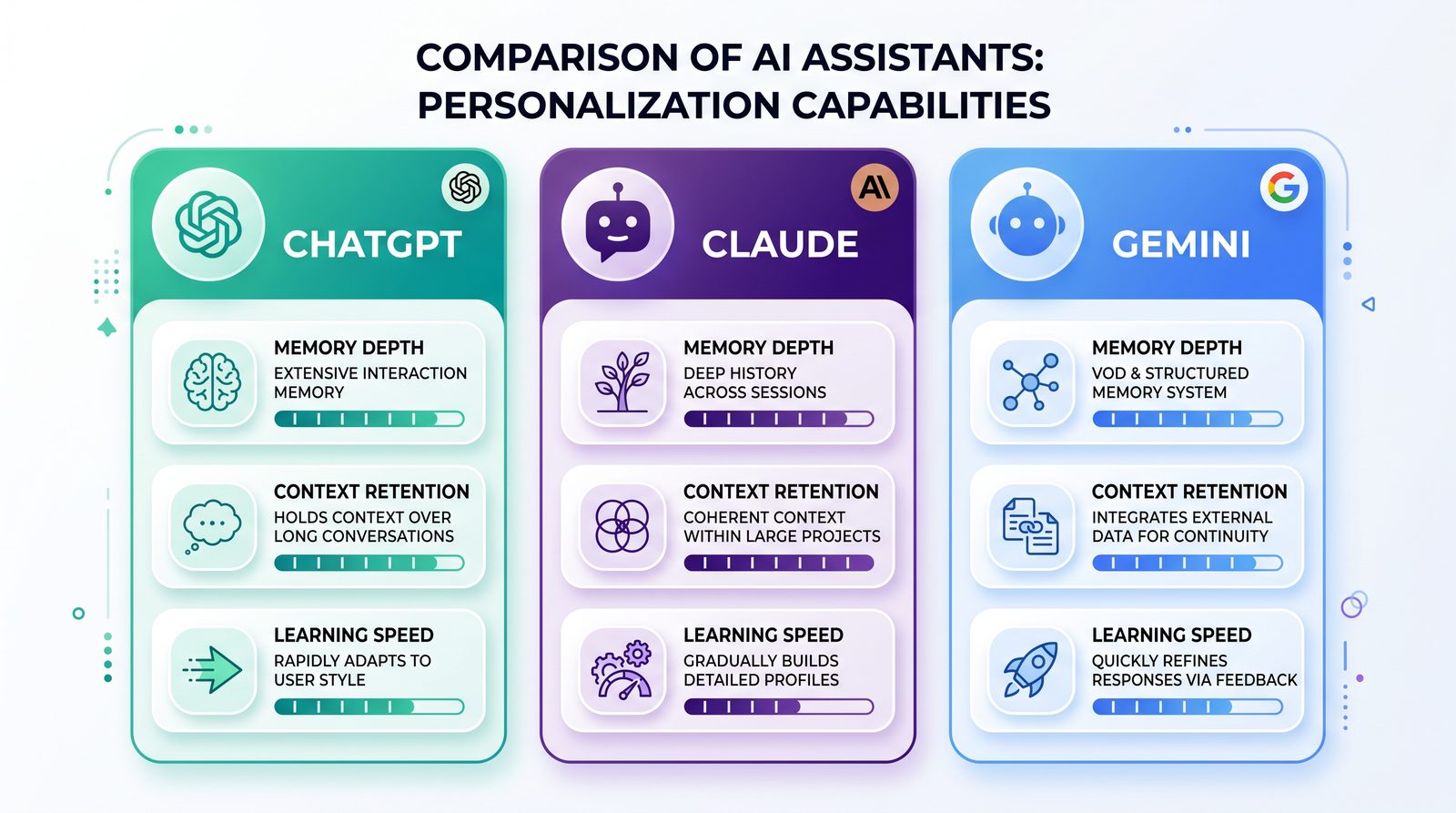
| Long-term Personal Memory | Opt-in memory storing preferences and facts across chats; user-managed | Emphasis on project/workspace context; less granular personal memory depending on plan/features | Personalization via “Gems” and custom prompts; long-term personal memory varies by product tier |
| Custom Instructions / Persona | Robust custom instructions applied globally | System prompts and workspace guidance; strong steerability | Custom “Gems” with instructions and examples |
| Project Context / Knowledge | File attachments, vector stores via Assistants/API | Workspaces and artifacts for persistent project materials | Drive/Docs integrations and persistent “Gems” contexts |
| Style Conditioning | Few-shot + memory rules; high fidelity with examples | Few-shot and artifact outputs; strong text quality | Few-shot and Examples; can be combined with Docs |
| Team Governance | Org controls, shared prompts/files, data retention controls | Enterprise controls, workspace-level assets | Admin controls via Google Workspace; data regions and controls |
Choosing the Right Tool
- If you need strong, user-level memory of preferences and a broad plugin/tool ecosystem, ChatGPT-5.5 is a strong fit.
- If your work is organized around workspaces and collaborative artifacts, Claude’s approach can be effective for teams.
- If your environment is deeply integrated with Google Workspace and you prefer custom “Gems,” Gemini is attractive.
In practice, many teams standardize on one primary assistant while keeping others available for specific strengths. Maintain a common style guide and project manifests to transfer across tools with minimal friction.
Tips for Teams: Shared Guidance and Governance
Team-Level Custom Instructions
Create a shared “Team Instructions” document that members paste into their custom instructions or load as a pinned reference. Example:
- Voice: Clear, direct, no hype; prefer specifics
- Structure: TL;DR, Answer, Risks, Next steps
- Formatting: h2/h3 headings, short paragraphs, bullets
- Coding: Python 3.12/TypeScript defaults; tests first
- Research: APA citations with links; confidence levels
- Security: No secrets or PII; redact customer names
- Accessibility: Include alt text; avoid color-only cues
Role-Specific Overlays
Layer role-specific rules on top of team instructions (e.g., Engineering, Support, Marketing). Keep overlaps small and explicit to avoid conflicts.
Shared Memory vs Personal Memory
- Use shared docs for team-level rules; avoid writing team policy into personal memory.
- Use personal memory for individual preferences (e.g., preferred citation style).
Governance and Change Management
- Version policies and style guides (v1, v2…).
- Announce changes in a changelog and update templates.
- Audit memory items quarterly for conflicts with new policies.
Onboarding Pack
- Provide the team’s custom instructions, style guide, and project manifest templates.
- Offer example prompts for common tasks (code review, incident comms, research briefs).
- Run a 30-minute training on memory hygiene and privacy.
Quality Assurance Loop
- Peer-review AI outputs against the style checklist.
- Log recurring issues and update instructions accordingly.
- Maintain a small library of high-quality exemplars for few-shot prompts.
Troubleshooting Common Issues
“It’s Not Following My Style”
- Check for conflicting custom instructions or memory items.
- Reduce overlap and remove ambiguous rules.
- Add a self-audit checklist step in the prompt.
- Provide a positive and a negative example; label them.
“It Keeps Forgetting My Preferences”
- Confirm memory is enabled and contains your rules.
- Ensure your rules are atomic and high-level (not buried in long text).
- Re-seed critical rules via custom instructions rather than memory.
- Start a fresh thread if the current one veers off; attach reference docs.
“It Applies Business Rules to Creative Work”
- Ask it to ignore memory for the current chat and follow a project-specific guide.
- Scope memory rules with tags like “business” vs “creative”; ask the model to list loaded tags.
“It Hallucinates Sources or Stats”
- Enforce a rule: “Only cite sources you can link; otherwise label as ‘common knowledge’ or ‘uncertain.’”
- Request confidence levels per claim; revise or remove low-confidence claims.
- Use a retrieval step with your own documents or sources.
“It Over-Indexes on One Rule”
- Remove duplicate memory entries to avoid overweighting.
- Balance rules (e.g., “concise but include at least one example”).
“Project Context Leaks into Unrelated Chats”
- Move project-specific details to documents and unpin them when done.
- Keep memory generic; remove project names and specifics.
API-Specific Issues
- Ensure you’re reusing the same thread for persistent context when appropriate.
- Attach the right vector store(s) per project; avoid mixing knowledge bases.
- Version your instructions; confirm the latest version is loaded in the system prompt.
Conclusion and Next Steps
Memory and personalization are force multipliers for ChatGPT-5.5. Set clear custom instructions to define your guardrails and defaults. Use memory for durable, high-signal facts about your style and workflows. For ongoing projects, keep context in documents or vector stores and attach them per session. Maintain hygiene by reviewing memory monthly, versioning your guidance, and separating policy (custom instructions) from preference (memory) and from project knowledge (docs).
To go deeper into building robust workflows, see these resources on ChatGPT AI Hub:
With thoughtful setup and regular maintenance, your AI assistant will begin to feel like a true teammate—anticipating your needs, matching your voice, and accelerating your work across writing, coding, research, and business operations.
