
35 ChatGPT-5.5 Prompts for Data Analysts: SQL Generation, Dashboard Creation, Statistical Analysis, and Automated Reporting

35 ChatGPT-5.5 Prompts for Data Analysts: SQL Generation, Dashboard Creation, Statistical Analysis, and Automated Reporting
Author: Markos Symeonides
This masterclass curates 35 production-ready prompts tailored for data analysts who want to move faster with ChatGPT-5.5 across five critical workflows: SQL generation, dashboard creation, statistical analysis, automated reporting, and data pipelines. Each prompt includes when to use it, customization ideas, and code examples to help you go from zero to delivery with confidence.
Use these prompts directly or as blueprints. Combine them with your stack (PostgreSQL, Snowflake, BigQuery, Power BI, Tableau, Airflow, dbt, pandas) and adapt to your data contracts and metric definitions. For deeper techniques, see Prompt Engineering, SQL Window Functions, and Data Quality.
Table of Contents
SQL Generation (7 Prompts)
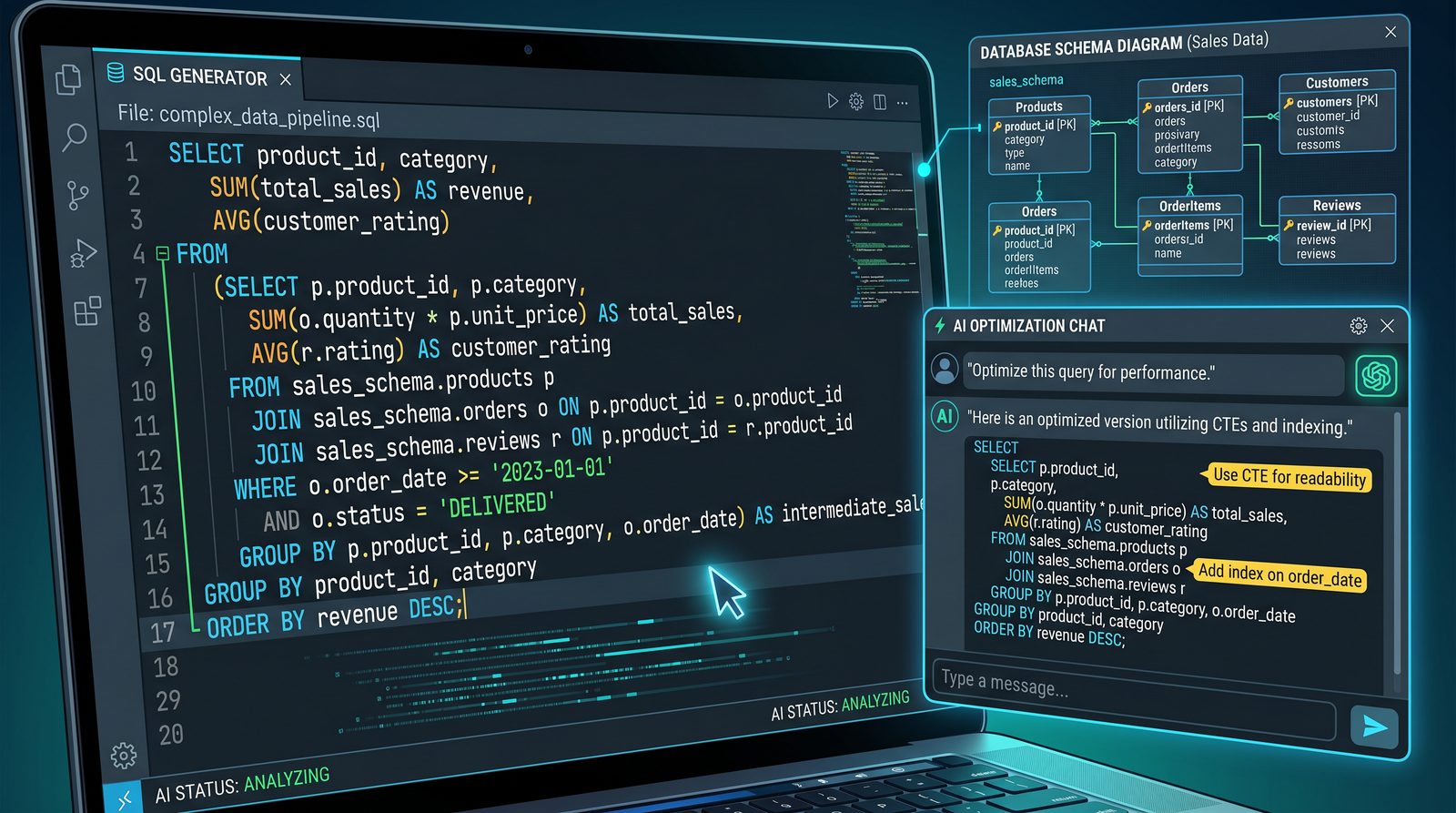
1) Multi-Table Join with Safe Filters and Null Handling
Full prompt text:
Act as a senior analytics engineer. Write a SQL query in {{WAREHOUSE_DIALECT}} that:
- Joins {{FACT_TABLE}} (fact) with {{DIM_CUSTOMERS}} (cust) and {{DIM_PRODUCTS}} (prod)
- Filters by {{DATE_COLUMN}} between '{{START_DATE}}' and '{{END_DATE}}' (inclusive)
- Treats nulls in {{COUNTRY_COLUMN}} as 'Unknown'
- Returns: order_id, order_date, customer_id, customer_country, product_id, product_name, qty, net_revenue
- Computes net_revenue = {{QTY_COLUMN}} * {{PRICE_COLUMN}} - COALESCE({{DISCOUNT_COLUMN}}, 0)
- Only include orders where qty > 0 and net_revenue > 0
- Avoids duplicate rows using a deterministic grain (one row per {{FACT_GRAIN}})
- Includes comments explaining assumptions and keys
Provide the final query and a brief rationale.
When to use: For foundational report queries combining facts and dimensions with clean filtering and computed measures. Ideal as a starting point for BI widgets and ad hoc analysis.
Customization tips:
- Swap {{WAREHOUSE_DIALECT}} to ‘PostgreSQL’|’Snowflake’|’BigQuery’.
- Replace {{FACT_GRAIN}} with unique key (e.g., order_id).
- Add LEFT JOIN vs INNER JOIN based on nullability expectations.
- Include soft deletes (e.g., fact.deleted_at IS NULL).
Example (PostgreSQL):
-- Grain: one row per order_id
SELECT
  f.order_id,
  f.order_date,
  f.customer_id,
  COALESCE(c.country, 'Unknown') AS customer_country,
  f.product_id,
  p.product_name,
  f.qty,
  (f.qty * f.unit_price - COALESCE(f.discount_amount, 0))::numeric(12,2) AS net_revenue
FROM fact_orders f
JOIN dim_customers c ON f.customer_id = c.customer_id
JOIN dim_products p ON f.product_id = p.product_id
WHERE f.order_date BETWEEN DATE '2024-01-01' AND DATE '2024-03-31'
  AND f.qty > 0
  AND (f.qty * f.unit_price - COALESCE(f.discount_amount, 0)) > 0;
2) Time Series Aggregation with Flexible Bucketing
Full prompt text:
Create a {{WAREHOUSE_DIALECT}} SQL that aggregates {{MEASURE}} from {{FACT_TABLE}} into {{BUCKET_GRANULARITY}} buckets (valid: day|week|month|quarter), filtered by {{DATE_COLUMN}} in ['{{START_DATE}}', '{{END_DATE}}'].
- Use DATE_TRUNC (or equivalent) to compute bucket_ts
- Output: bucket_ts, {{DIMENSION_1}}, {{DIMENSION_2}}, sum_{{MEASURE}}
- Ensure weeks start on {{WEEK_START}} (Mon|Sun) if supported
- Order by bucket_ts ascending
Explain edge cases for partial buckets and timezone if applicable.
When to use: For KPI trends, seasonal analysis, weekly or monthly reporting. Ensures consistent time bucketing across tools.
Customization tips:
- Set WEEK_START for BigQuery (use FORMAT_TIMESTAMP and WEEK). For Snowflake, use WEEK_START session parameter.
- Add WHERE filters for key segments (e.g., region, channel).
- Wrap in a view for reuse across dashboards.
Example (BigQuery):
SELECT
  DATE_TRUNC(order_date, MONTH) AS bucket_ts,
  region,
  channel,
  SUM(revenue) AS sum_revenue
FROM fact_orders
WHERE order_date BETWEEN '2024-01-01' AND '2024-06-30'
GROUP BY bucket_ts, region, channel
ORDER BY bucket_ts;
3) Window Functions for Retention and Ranking
Full prompt text:
Write SQL using window functions to compute:
- First purchase date per customer
- Cohort_month = DATE_TRUNC(first_purchase_date, month)
- Month_number_since_first_purchase
- Revenue per customer per month and retention flag (1 if revenue > 0)
- Rank products per customer by revenue within each month
Tables:
- {{FACT_SALES}}(customer_id, order_date, product_id, revenue)
- {{DIM_PRODUCTS}}(product_id, category)
Output: cohort_month, month_number, customer_id, product_id, category, monthly_revenue, retention_flag, product_rank.
Provide an efficient solution with CTEs and rationale.
When to use: Cohort analyses, customer retention dashboards, product affinity ranking within cohorts.
Customization tips:
- Switch revenue to orders_count for non-monetary retention.
- Partition by segment (e.g., plan tier).
- Limit product_rank to top-N per customer/month.
Example (PostgreSQL):
WITH firsts AS (
  SELECT customer_id, MIN(order_date) AS first_order
  FROM fact_sales
  GROUP BY customer_id
),
monthly AS (
  SELECT
    s.customer_id,
    DATE_TRUNC('month', s.order_date)::date AS month_ts,
    s.product_id,
    SUM(s.revenue) AS monthly_revenue
  FROM fact_sales s
  GROUP BY 1, 2, 3
),
joined AS (
  SELECT
    m.*,
    f.first_order,
    DATE_TRUNC('month', f.first_order)::date AS cohort_month
  FROM monthly m
  JOIN firsts f USING (customer_id)
),
final AS (
  SELECT
    cohort_month,
    EXTRACT(MONTH FROM AGE(month_ts, cohort_month))::int AS month_number,
    customer_id,
    product_id,
    p.category,
    monthly_revenue,
    CASE WHEN monthly_revenue > 0 THEN 1 ELSE 0 END AS retention_flag,
    RANK() OVER (
      PARTITION BY customer_id, month_ts
      ORDER BY monthly_revenue DESC
    ) AS product_rank
  FROM joined j
  JOIN dim_products p USING (product_id)
)
SELECT * FROM final
ORDER BY cohort_month, month_number, customer_id, product_rank;
4) Parameterized SQL Template for BI
Full prompt text:
Produce a parameterized SQL template ({{WAREHOUSE_DIALECT}}) suitable for a BI tool that accepts variables:
- :start_date, :end_date, :regions (array), :min_revenue (numeric)
- Filters: order_date between :start_date and :end_date, region IN :regions, revenue >= :min_revenue
- Metrics: total_orders, total_revenue, avg_order_value
- Group by {{GROUPING_DIM}} (e.g., channel, product_category)
Include comments showing how to bind variables in {{BI_TOOL}}.
When to use: Reusable widgets where filters change per user. Ensures safe prepared statements and consistent metrics.
Customization tips:
- Swap array binding syntax for your driver (e.g., BigQuery @regions).
- Add currency conversion if multi-currency is required.
- Provide NULL-safe filters with COALESCE for optional parameters.
Example (Snowflake with Looker-style binds):
-- BI Parameters: :start_date, :end_date, :regions, :min_revenue
SELECT
  {{GROUPING_DIM}} AS dim,
  COUNT(DISTINCT order_id) AS total_orders,
  SUM(revenue) AS total_revenue,
  CASE WHEN SUM(revenue) > 0 THEN SUM(revenue) / NULLIF(COUNT(order_id), 0) END AS avg_order_value
FROM fact_orders
WHERE order_date BETWEEN :start_date AND :end_date
  AND region IN (:regions)
  AND revenue >= :min_revenue
GROUP BY 1
ORDER BY total_revenue DESC;
5) Upserts and Slowly Changing Dimensions (Type 2) with MERGE
Full prompt text:
Write a {{WAREHOUSE_DIALECT}} MERGE statement to implement SCD Type 2 on {{DIM_TABLE}} using staging table {{STG_TABLE}} with keys ({{BUSINESS_KEY}}). Requirements:
- On match with attribute change, expire current row (set valid_to = CURRENT_DATE - 1, is_current = 0) and insert new row (valid_from = CURRENT_DATE, valid_to = NULL, is_current = 1)
- On no change, do nothing
- On new key, insert new current row
Include audit fields: created_at, updated_at, source_system.
When to use: Tracking historical changes in dimensional attributes (e.g., customer segment, region) for accurate back-in-time reporting.
Customization tips:
- Define change detection by hashing attribute columns.
- Use timezone-aware CURRENT_TIMESTAMP if needed.
- Batch by partitions for performance.
Example (Snowflake):
MERGE INTO dim_customer d
USING stg_customer s
ON d.customer_nk = s.customer_nk AND d.is_current = 1
WHEN MATCHED AND (
  NVL(d.segment,'') <> NVL(s.segment,'') OR
  NVL(d.region,'') <> NVL(s.region,'')
) THEN
  UPDATE SET d.valid_to = CURRENT_DATE - 1, d.is_current = 0, d.updated_at = CURRENT_TIMESTAMP
WHEN NOT MATCHED BY TARGET THEN
  INSERT (customer_sk, customer_nk, segment, region, valid_from, valid_to, is_current, created_at, updated_at, source_system)
  VALUES (SEQ_CUSTOMER_SK.NEXTVAL, s.customer_nk, s.segment, s.region, CURRENT_DATE, NULL, 1, CURRENT_TIMESTAMP, CURRENT_TIMESTAMP, s.source_system);
6) Event Funnel with CTEs and Deduped Steps
Full prompt text:
Create a funnel SQL using CTEs over {{EVENT_TABLE}} with columns (user_id, event, event_time, session_id).
Funnel steps in order: {{STEP1}}, {{STEP2}}, {{STEP3}}, {{STEP4}}.
Requirements:
- Deduplicate multiple same-step events per user per session (keep earliest timestamp)
- Enforce step order (each step must occur after previous step_time)
- Output: cohort_date (DATE_TRUNC(event_time,'day') of STEP1), users_step1..step4 counts, step-through rates
- Include a table showing conversion at each step
When to use: Marketing/product funnels from raw event streams for product analytics and conversion optimization.
Customization tips:
- Choose session or user-level funnels depending on your use case.
- Add ATTRIBUTION_SOURCE for campaign segmentation.
- Switch time windows (e.g., 7-day funnels) with WHERE conditions.
Example (PostgreSQL):
WITH base AS (
  SELECT user_id, event, event_time::timestamp, session_id
  FROM events
  WHERE event_time::date BETWEEN '2024-03-01' AND '2024-03-31'
),
dedup AS (
  SELECT DISTINCT ON (user_id, session_id, event)
    user_id, session_id, event, MIN(event_time) OVER (PARTITION BY user_id, session_id, event) AS step_time
  FROM base
),
steps AS (
  SELECT
    user_id, session_id,
    MIN(CASE WHEN event = 'view' THEN step_time END) AS t1,
    MIN(CASE WHEN event = 'add_to_cart' THEN step_time END) AS t2,
    MIN(CASE WHEN event = 'checkout' THEN step_time END) AS t3,
    MIN(CASE WHEN event = 'purchase' THEN step_time END) AS t4
  FROM dedup
  GROUP BY 1,2
),
ordered AS (
  SELECT *,
    CASE WHEN t2 >= t1 THEN t2 END AS t2o,
    CASE WHEN t3 >= t2o THEN t3 END AS t3o,
    CASE WHEN t4 >= t3o THEN t4 END AS t4o
  FROM steps
)
SELECT
  DATE_TRUNC('day', t1)::date AS cohort_date,
  COUNT(*) FILTER (WHERE t1 IS NOT NULL) AS users_step1,
  COUNT(*) FILTER (WHERE t2o IS NOT NULL) AS users_step2,
  COUNT(*) FILTER (WHERE t3o IS NOT NULL) AS users_step3,
  COUNT(*) FILTER (WHERE t4o IS NOT NULL) AS users_step4,
  ROUND(COUNT(*) FILTER (WHERE t2o IS NOT NULL)::numeric / NULLIF(COUNT(*) FILTER (WHERE t1 IS NOT NULL),0), 4) AS rate_1_to_2,
  ROUND(COUNT(*) FILTER (WHERE t3o IS NOT NULL)::numeric / NULLIF(COUNT(*) FILTER (WHERE t2o IS NOT NULL),0), 4) AS rate_2_to_3,
  ROUND(COUNT(*) FILTER (WHERE t4o IS NOT NULL)::numeric / NULLIF(COUNT(*) FILTER (WHERE t3o IS NOT NULL),0), 4) AS rate_3_to_4
FROM ordered
GROUP BY 1
ORDER BY 1;
7) Query Tuning and Index Suggestions
Full prompt text:
Given this SQL, suggest performance optimizations for {{WAREHOUSE_DIALECT}}:
{{YOUR_QUERY}}
- Identify unnecessary subqueries/CTEs
- Propose indexes/cluster keys/partition pruning
- Replace SELECT * with explicit columns
- Provide a rewritten query if beneficial
- Note trade-offs for materializing intermediate results
When to use: Before productionizing a slow report or dbt model. Great for quick wins in warehouses with partitioning and clustering.
Customization tips:
- Paste EXPLAIN/EXPLAIN ANALYZE output to get targeted advice.
- Include table row counts and cardinality if available.
- Indicate SLAs and concurrency to optimize for throughput vs latency.
Example Advice (generalized):
-- Replace scalar subqueries with JOINs on pre-aggregated CTE
-- Add cluster by (order_date, region) to optimize time+region filters
-- Use APPROX_COUNT_DISTINCT for cardinality estimates in BI
-- Ensure partition filters on order_date to prune older partitions
Dashboard Creation (7 Prompts)
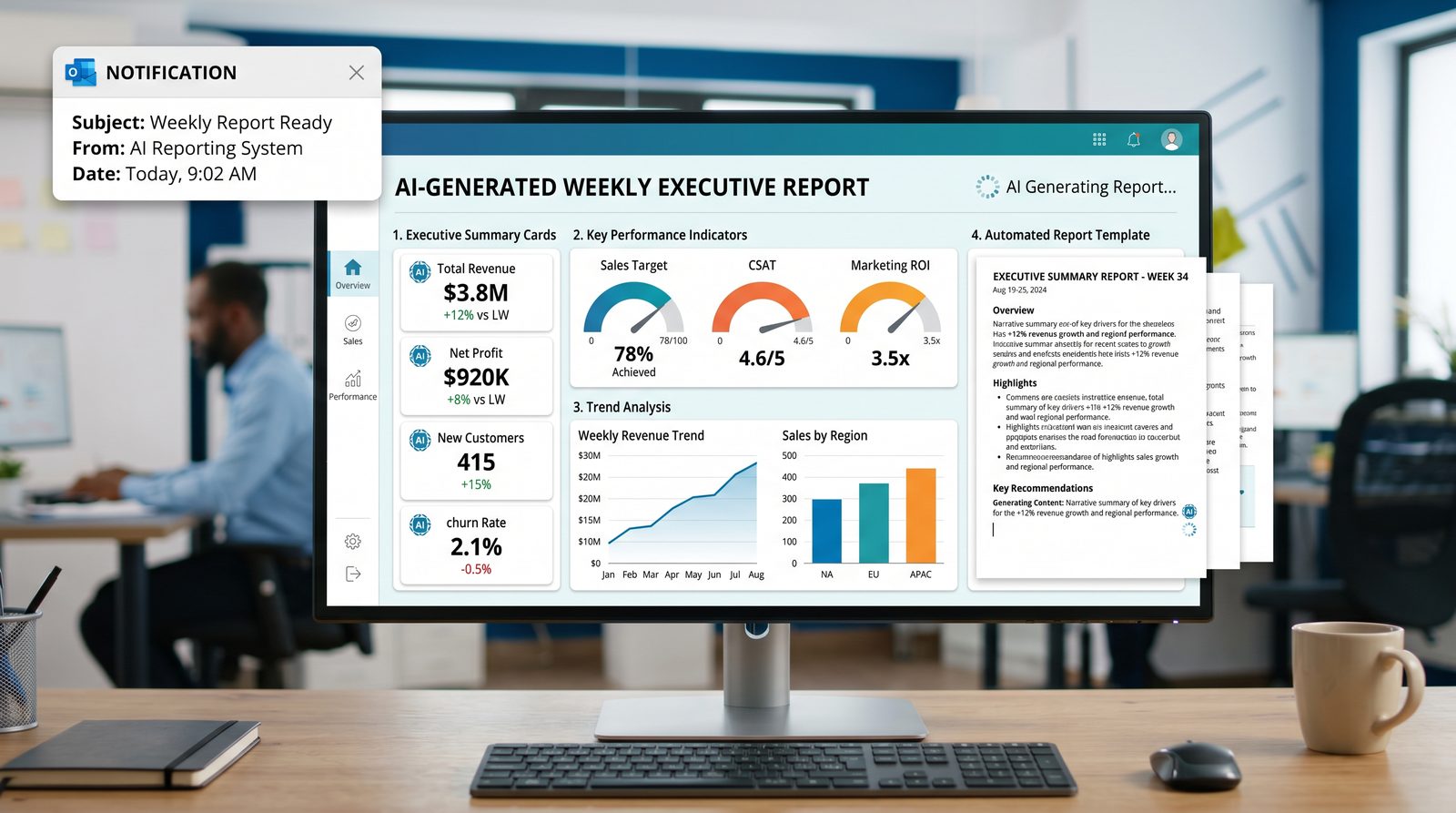
8) KPI Dashboard Blueprint from Business Questions
Full prompt text:
You are a BI lead. Create a dashboard specification for {{TEAM}} answering:
- Primary questions: {{QUESTIONS_LIST}}
- KPIs: precise metric definitions with formula and grain
- Dimensions: slice-and-dice fields (e.g., region, channel, plan)
- Layout: grid with chart types, position, size
- Filters: defaults and persistence rules
- Data sources: tables/views with data contracts
- Refresh cadence and acceptable data latency
- Access control and row-level security rules
Output a structured spec followed by a rationale.
When to use: Starting a new dashboard or revamping an existing one. Aligns stakeholders on definitions, layout, and governance before building.
Customization tips:
- Translate KPIs to LookML/DAX afterward.
- Include explicit metric owners and escalation paths.
- Add annotations for seasonality and holidays.
Example Layout Snippet (JSON-like):
{
  "kpis": [
    {"name": "Revenue", "formula": "SUM(revenue)", "grain": "day"},
    {"name": "AOV", "formula": "SUM(revenue)/COUNT(order_id)", "grain": "day"}
  ],
  "layout": [
    {"viz": "line", "kpi": "Revenue", "pos": [0,0], "size": [6,3]},
    {"viz": "bar", "kpi": "Revenue by Region", "pos": [6,0], "size": [6,3]}
  ],
  "filters": {"date": "last_90_days", "region": "All"}
}
9) Chart Recommendations with Data Semantics
Full prompt text:
Given dataset semantics:
- Metrics: {{METRICS_LIST}} with units
- Dimensions: {{DIMENSIONS_LIST}} with types (time, categorical, geo)
Recommend chart types per metric-dimension pair, including:
- Best default chart, alternatives, and when to use each
- Sort orders and aggregation rules
- Tooltip and label strategy
- Small multiples vs stacked vs faceted guidance
Return a table of recommendations and brief rationale.
When to use: Selecting the right visualization to avoid misleading charts and improve interpretability.
Customization tips:
- Specify audience (executive vs operational) to adjust complexity.
- Include performance considerations for high-cardinality dimensions.
- Set color palette tokens for brand alignment.
Example Recommendation Table:
| Metric | Dimension | Default Chart | Alternatives | Notes |
|---|---|---|---|---|
| Revenue | Month | Line | Area, Column | Use moving average overlay |
| AOV | Region | Bar | Dot plot | Sort by value desc |
| Conversion Rate | Funnel Step | Funnel | Bar | Show step-through rates |
10) Generate BI Queries for Each Dashboard Tile
Full prompt text:
From this dashboard spec {{DASHBOARD_SPEC}}, generate the SQL for each tile in {{WAREHOUSE_DIALECT}}:
- Reuse CTEs for shared filters
- Keep consistent metric definitions
- Include comments referencing metric owners
- Optimize for BI by reducing row count (pre-aggregate where possible)
Return named queries for each tile.
When to use: Translating a signed-off spec into ready-to-run queries that your BI tool can connect to directly.
Customization tips:
- Emit view definitions instead of inline queries to centralize logic.
- Parameterize date and region filters per tile.
- Store definitions in dbt models with tests.
Example Snippet:
-- Tile: Revenue by Region (last 90 days)
WITH base AS (
  SELECT order_date::date AS d, region, SUM(revenue) AS revenue
  FROM fact_orders
  WHERE order_date >= CURRENT_DATE - INTERVAL '90 days'
  GROUP BY 1,2
)
SELECT d, region, revenue
FROM base
ORDER BY d, region;
11) Power BI DAX Measures from Metric Definitions
Full prompt text:
Convert these metric definitions into DAX measures for Power BI:
- Total Revenue = SUM(fact_orders[revenue])
- AOV = [Total Revenue] / COUNT(fact_orders[order_id])
- Conversion Rate = DIVIDE([Sessions with Purchase], [Total Sessions])
- Rolling 28-Day Revenue
Include friendly formatting (currency, %), and a Date table reference.
When to use: You have metric definitions but need robust, reusable DAX measures with proper time intelligence.
Customization tips:
- Specify Date table name and relationships.
- Set measure display folders for organization.
- Include alternate result for division by zero.
Example DAX:
Total Revenue := SUM(fact_orders[revenue])

AOV := DIVIDE([Total Revenue], COUNT(fact_orders[order_id]))

Rolling 28-Day Revenue :=
CALCULATE(
  [Total Revenue],
  DATESINPERIOD('Date'[Date], MAX('Date'[Date]), -28, DAY)
)

Conversion Rate := DIVIDE([Sessions with Purchase], [Total Sessions])
12) Tableau Calculated Fields and Parameter Controls
Full prompt text:
Generate Tableau calculated fields for:
- AOV
- Cohort Month (from first order date)
- Parameterized Top N products
Also define: a parameter 'Top N' (int), and a filter calc to show only top N by revenue per category.
Include calc names and formulas.
When to use: Building interactive Tableau dashboards with user-driven parameters and ranked lists.
Customization tips:
- Align table calculation addressing to your viz level.
- Use FIXED LODs for stable rankings across filters.
- Add pretty labels for cohorts (e.g., YYYY-MMM).
Example Calculations:
// AOV
SUM([Revenue]) / COUNT([Order ID])

// Cohort Month
DATETRUNC('month', { FIXED [Customer ID] : MIN([Order Date]) })

// Rank by Revenue per Category
RANK_DENSE(SUM([Revenue]))

// Top N Filter (using Parameter [Top N])
RANK_DENSE(SUM([Revenue])) <= [Top N]
13) Interaction Design: Drillthroughs, Filters, and States
Full prompt text:
Create an interaction map for {{BI_TOOL}} dashboard:
- Filter hierarchy: global date, regional, segment filters
- Cross-filtering rules between charts
- Drillthrough targets (e.g., transaction detail)
- Saved views and default states for new users
- Performance notes (e.g., avoid high-cardinality cross-filters)
Return a clear spec with examples.
When to use: To ensure users can navigate from KPIs to granular insights without performance regressions.
Customization tips:
- Define which filters propagate to which tiles (scoped filters).
- Consider caching strategy for high-traffic views.
- Document back-navigation patterns.
Example Interaction Map (excerpt):
- Global Filters: Date (last 90 days), Region (multi-select)
- Cross-Filter: Clicking a bar in "Revenue by Region" filters "Top Products" and "Customer Segments"
- Drillthrough: From "Revenue by Region" to "Order List" with region/date context
- Saved View: "EMEA Last 30 Days" for Sales Ops team
14) Accessible and Brand-Aligned Color Themes
Full prompt text:
Propose a color palette and theme tokens for {{BI_TOOL}} that:
- Align with brand hex codes: {{PRIMARY}}, {{SECONDARY}}, {{ACCENT}}
- Ensure WCAG AA contrast for text on backgrounds
- Provide categorical palette for up to {{N_CATEGORIES}} categories
- Define sequential/diverging scales for heatmaps
- Include states for alerts (success, warning, danger)
Return theme tokens and usage guidance.
When to use: Establishing consistent, accessible visuals across dashboards—especially for enterprise rollouts.
Customization tips:
- Include dark mode variants.
- Test palettes on color blindness simulators.
- Reserve accent colors for callouts and anomalies.
Example Tokens:
{
  "brand": {"primary": "#0041D0", "secondary": "#00A1B2", "accent": "#F08A24"},
  "categorical": ["#0041D0","#00A1B2","#F08A24","#6A5ACD","#2E8B57","#B22222"],
  "sequential": {"low":"#E6F2FF","high":"#0041D0"},
  "diverging": {"low":"#B22222","mid":"#F2F2F2","high":"#2E8B57"},
  "alerts": {"success":"#2E8B57","warning":"#F0A202","danger":"#B22222"}
}
Statistical Analysis (7 Prompts)
15) A/B Test Design and Analysis with Correct Test Selection
Full prompt text:
Design and analyze an A/B test for metric {{METRIC}}:
- Determine appropriate test (t-test, proportion z-test, Mann-Whitney) based on data properties
- Specify randomization unit and stratification variables
- Compute effect size, p-value, confidence intervals
- Include multiple-testing correction if {{NUM_TESTS}} > 1
- Provide Python (pandas, scipy, statsmodels) code for analysis
- Offer interpretation guidance and business recommendation
When to use: Planning and reading out experiments, avoiding common pitfalls like incorrect test choice or ignoring stratification.
Customization tips:
- Add CUPED or pre-experiment covariate adjustment.
- Define minimal detectable effect for planning.
- Include sequential testing boundaries if monitoring mid-test.
Example Python:
import pandas as pd
from statsmodels.stats.proportion import proportions_ztest
from statsmodels.stats.weightstats import DescrStatsW, CompareMeans

# Example: proportion test (conversion)
conv_A = 1200; n_A = 40000
conv_B = 1350; n_B = 40050
stat, pval = proportions_ztest([conv_A, conv_B], [n_A, n_B])
effect = (conv_B/n_B) - (conv_A/n_A)
print({"z": stat, "p": pval, "effect": effect})
16) Regression Modeling and Interpretability
Full prompt text:
Given dataset with target {{TARGET}} and features {{FEATURES}}, specify:
- Appropriate model (linear/logistic/Poisson) with link function
- Preprocessing (encoding, scaling, interactions)
- Diagnostics (residuals, multicollinearity via VIF)
- Python code using statsmodels to fit and interpret coefficients
- Translate coefficients into business terms
When to use: Modeling continuous or binary outcomes with interpretable coefficients to inform levers.
Customization tips:
- Include regularization (L1/L2) if high-dimensional.
- Consider non-linear terms or splines for curvature.
- Report marginal effects for logistic regression.
Example Python:
import pandas as pd
import statsmodels.api as sm
import statsmodels.formula.api as smf

# Logistic regression example
df = pd.read_csv('dataset.csv')
model = smf.logit("converted ~ sessions + channel + region", data=df).fit()
print(model.summary())
# Marginal effects
mfx = model.get_margeff()
print(mfx.summary())
17) Time Series Forecasting with ARIMA/Prophet
Full prompt text:
Produce a forecasting plan for time series {{SERIES_NAME}}:
- Check stationarity and seasonality
- Choose ARIMA/SARIMA or Prophet with holidays
- Provide Python code to fit, cross-validate, and forecast next {{HORIZON}} periods
- Include confidence intervals and backtesting metrics (MAPE, RMSE)
- Guidance on handling anomalies and promotions
When to use: Planning inventory, budgets, or capacity with reliable short-term forecasts.
Customization tips:
- Include external regressors (price, marketing spend).
- Use weekly seasonality for high-frequency retail.
- Aggregate to stable granularity to reduce noise.
Example Python (Prophet-like):
from prophet import Prophet
import pandas as pd

df = pd.read_csv('sales_ts.csv')  # columns: ds, y
m = Prophet(weekly_seasonality=True, yearly_seasonality=True)
m.fit(df)
future = m.make_future_dataframe(periods=30)
fcst = m.predict(future)
print(fcst[['ds','yhat','yhat_lower','yhat_upper']].tail())
18) Power Analysis and Sample Size Estimation
Full prompt text:
Compute sample size for experiment on {{METRIC}}:
- Baseline rate/mean: {{BASELINE}}
- Minimum detectable effect: {{MDE}}
- Alpha: {{ALPHA}}, Power: {{POWER}}
- Variance estimate if available
Return formula, assumptions, and Python code to compute required sample size per variant.
When to use: Planning experiments to avoid underpowered tests and wasted traffic.
Customization tips:
- Account for clustering/correlation (design effect).
- Adjust for multiple variants and tests.
- Include expected conversion volatility by segment.
Example Python (proportions):
from statsmodels.stats.power import NormalIndPower
power = NormalIndPower()
baseline = 0.05
mde = 0.005
alpha = 0.05
target_power = 0.8
n_per_group = power.solve_power(effect_size=(mde / (baseline*(1-baseline))**0.5),
                                alpha=alpha, power=target_power, alternative='two-sided')
print(n_per_group)
19) Outlier Detection and Robust Statistics
Full prompt text:
Provide an outlier detection plan for {{DATASET}} and metric {{METRIC}}:
- Choose robust measures (median, MAD, IQR)
- Flag rules (e.g., 3*MAD, IQR fences) with pros/cons
- Python code to tag outliers and optionally Winsorize
- Guidance on reporting with/without outliers
When to use: Cleaning metrics sensitive to spikes (e.g., revenue per order) or preparing robust analyses.
Customization tips:
- Combine statistical and domain thresholds (e.g., max logical price).
- Use seasonal decomposition to detect seasonal outliers.
- Track outlier rate as a quality KPI.
Example Python:
import numpy as np
import pandas as pd

def mad_outliers(x, k=3.5):
  med = np.median(x)
  mad = np.median(np.abs(x - med))
  return np.abs(x - med) > k * 1.4826 * mad

df['is_outlier'] = mad_outliers(df['aov'].values)
df['aov_wins'] = df['aov'].clip(lower=df['aov'].quantile(0.01),
                                upper=df['aov'].quantile(0.99))
20) Correlation, Multicollinearity, and Feature Importance
Full prompt text:
Analyze multicollinearity and importance for features {{FEATURES}} predicting {{TARGET}}:
- Compute correlation matrix and VIFs
- Recommend feature drops or transformations
- Fit a regularized model (Lasso/Ridge) and report coefficients
- Provide Python code and interpretation
When to use: Preparing features for regression models and identifying redundant predictors.
Customization tips:
- Standardize variables before regularization.
- Use domain grouping to avoid dropping business-critical features.
- Combine SHAP values for tree-based models if using XGBoost.
Example Python:
import pandas as pd
from statsmodels.stats.outliers_influence import variance_inflation_factor
from sklearn.linear_model import LassoCV
from sklearn.preprocessing import StandardScaler

X = df[['sessions','price','discount','ad_spend']].values
sc = StandardScaler()
Xs = sc.fit_transform(X)
vifs = [variance_inflation_factor(Xs, i) for i in range(Xs.shape[1])]
lasso = LassoCV(cv=5).fit(Xs, df['revenue'])
print({"VIFs": vifs, "coeffs": lasso.coef_})
21) Causal Inference with Difference-in-Differences
Full prompt text:
Design a difference-in-differences analysis for policy/change {{INTERVENTION}}:
- Define treatment and control groups, pre/post windows
- State assumptions (parallel trends, no spillovers)
- Provide regression specification with fixed effects
- Python (statsmodels) code and sanity checks (placebo tests)
- Interpret the ATT and limitations
When to use: Estimating causal impact of non-randomized changes like pricing updates, feature rollouts, or regional campaigns.
Customization tips:
- Use event-study (dynamic DiD) for leads/lags.
- Aggregate to stable time units with enough pre-period.
- Check parallel trends with visualization.
Example Python:
import pandas as pd
import statsmodels.formula.api as smf

# df columns: y, treated (0/1), post (0/1), entity, time
model = smf.ols("y ~ treated*post + C(entity) + C(time)", data=df).fit(cov_type='HC1')
print(model.summary())
Automated Reporting (7 Prompts)
22) Weekly Business Review (WBR) Template Generator
Full prompt text:
Access 40,000+ AI Prompts for ChatGPT, Claude & Codex — Free!
Subscribe to get instant access to our complete Notion Prompt Library — the largest curated collection of prompts for ChatGPT, Claude, OpenAI Codex, and other leading AI models. Optimized for real-world workflows across coding, research, content creation, and business.
Generate a Weekly Business Review outline for {{ORG_UNIT}} including:
- Headline KPIs vs last week and vs same week last year
- Key drivers and attribution (product, region, channel)
- Risks and opportunities with quantified impact
- Action items with owners and deadlines
- Appendix: definitions, data sources, refresh timestamps
Return a structured template and suggested sections.
When to use: Standardizing weekly communications with stakeholders and ensuring consistent narrative and accountability.
Customization tips:
- Include variance waterfall sections.
- Add forecast vs actuals with confidence intervals.
- Automate with notebook/BI exports later (see prompt 28).
Example Outline:
1. Executive Summary
2. KPI Overview (Revenue, Orders, AOV, Conversion)
3. Drivers (by Region, by Product, by Channel)
4. Risks & Opportunities
5. Actions & Owners
6. Appendix (Definitions, Data Sources, Data Quality Notes)
23) Narrative from Metrics with Threshold-Based Insights
Full prompt text:
Write a concise narrative from the following metrics:
- Revenue: {{REV_NOW}} vs {{REV_PREV}} ({{REV_DELTA}}%), vs LY {{REV_LY_DELTA}}%
- Conversion: {{CR_NOW}} vs {{CR_PREV}}
- AOV: {{AOV_NOW}} vs {{AOV_PREV}}
- Top movers: {{TOP_MOVERS_LIST}}
- Notable anomalies: {{ANOMALIES}}
- Confidence: {{CONFIDENCE_NOTE}}
Use crisp sentences, quantify impacts, and suggest root causes where plausible.
When to use: Translating numbers into executive-ready commentary for emails or slides.
Customization tips:
- Adjust tone for audience (exec vs ops).
- Tag insights by owner to facilitate follow-up.
- Include linked references to charts or tickets if available.
Example Output:
Revenue rose 6.3% WoW (+$1.2M), driven by +9% sessions from paid search and a +2% conversion uptick. AOV held steady (-0.4%). EMEA led growth (+12%) while APAC softened (-3%), likely due to shipment delays. No critical anomalies detected. Confidence: high.24) KPI Anomaly Detection Summary
Full prompt text:
Given time series metrics {{METRICS_TS}}, produce an anomaly summary:
- Method: STL decomposition + z-score on residuals
- Flag thresholds: {{Z_THRESHOLD}}
- Group anomalies by direction (spike/dip) and magnitude
- Recommend immediate checks (data quality vs real signal)
Return a table and a short ops playbook.
When to use: Daily monitoring of KPIs to quickly separate data issues from real changes.
Customization tips:
- Integrate with your alerting thresholds.
- Whitelist known events (e.g., holiday spikes).
- Include links to lineage and freshness dashboards.
Example Python (conceptual):
import pandas as pd
from statsmodels.tsa.seasonal import STL
import numpy as np

ts = pd.read_csv('kpi.csv', parse_dates=['ds']).set_index('ds')['y']
res = STL(ts, period=7).fit()
z = (res.resid - res.resid.mean())/res.resid.std()
anoms = ts[(z.abs() >= 3)]
print(anoms.tail())
25) Slack/Email Digest Generator with Guardrails
Full prompt text:
Draft a Slack/email digest for {{AUDIENCE}}:
- Top 3 KPI changes with absolute and % deltas
- One chart thumbnail per KPI
- Plain-language explanation and next-step owners
- Guardrails: avoid false alarms by requiring 2 consecutive anomalous points or control-chart rule
Produce a concise message and bullet list of actions.
When to use: Automated daily or weekly updates that are actionable and not noisy.
Customization tips:
- Include a snooze/acknowledge workflow.
- Attach lineage links for quick triage.
- Tag users by handle for accountability.
Example Template:
[Daily KPI Digest]
1) Revenue: +5.4% (+$220k), 2 consecutive spikes — Owner: @anna (check promo impact)
2) Conversion: -0.7pp, control rule #2 triggered — Owner: @li
3) Refund Rate: +0.2pp — Owner: @sam (investigate SKU-123)
Charts: attached
Next steps: open tickets #456, #457
26) Auto-Commentary for Charts
Full prompt text:
Generate auto-commentary for a line chart of {{METRIC}} by {{TIME_DIM}}:
- Summarize overall trend and last {{N}} periods
- Mention seasonal patterns and recent anomalies
- Quantify min, max, volatility (std dev)
- Close with 2 hypotheses and 2 follow-up analyses
When to use: Adding context to dashboards so viewers get key takeaways without manual annotation.
Customization tips:
- Tailor tone for leadership vs analysts.
- Include comparisons to targets or forecasts.
- Add links to deeper analyses/queries.
Example Commentary:
Revenue trended upward (+8% MoM) with a seasonal end-of-month spike. Last two weeks saw a +3% above-trend increase, likely tied to the spring promotion. Volatility decreased (std dev -15% vs prior month). Hypotheses: (1) improved paid search ROAS, (2) faster shipping times. Follow-ups: segment by channel and region; compare to forecast residuals.27) Metric Definition and Change Log Generator
Full prompt text:
Build a metric definition document for {{METRIC_LIST}}:
- Name, owner, formula, grain, filters
- Source tables/views and lineage notes
- Known caveats and limitations
- Change log with date, description, approver
Return in a table and append a versioning policy.
When to use: Ensuring metrics are consistently understood and tracked across teams and changes are audited.
Customization tips:
- Link to dbt docs or catalog.
- Include test coverage status (e.g., schema tests).
- Add deprecation timelines for old metrics.
Example Table:
| Metric | Owner | Formula | Grain | Sources | Caveats |
|---|---|---|---|---|---|
| Revenue | Finance | SUM(net_revenue) | Daily | fact_orders | Excludes tax/refunds |
| Conversion Rate | Growth | Orders/Sessions | Daily | fact_orders, fact_sessions | Bot traffic excluded |
28) Report Automation: SQL to Notebook/PDF Pipeline Scaffold
Full prompt text:
Create a Python scaffold that:
- Runs SQL queries from ./queries/*.sql against {{WAREHOUSE}}
- Loads results into pandas
- Renders a notebook or HTML report with charts and commentary
- Exports to PDF and emails to {{RECIPIENTS}}
Include project structure, dependency list, and sample code.
When to use: End-to-end automation of routine reports with reproducibility and version control.
Customization tips:
- Use papermill to parameterize notebooks.
- Store secrets in environment variables or a vault.
- Integrate with Airflow or GitHub Actions for scheduling.
Example Project Structure and Code:
# structure
reports/
  queries/
    kpi.sql
  report.py
  requirements.txt

# report.py (excerpt)
import pandas as pd, sqlalchemy as sa, matplotlib.pyplot as plt
engine = sa.create_engine("postgresql+psycopg2://user:pass@host/db")
with open('queries/kpi.sql') as f:
    q = f.read()
df = pd.read_sql(q, engine)
df.plot(x='date', y='revenue')
plt.savefig('kpi.png')
Data Pipeline (7 Prompts)
29) Ingestion and Schema Inference for CSV/JSON into Warehouse
Full prompt text:
Draft an ingestion plan for files in {{STORAGE_PATH}} (CSV/JSON):
- Detect schema and data types robustly (nulls, arrays)
- Create landing and cleaned tables with naming conventions
- Handle late-arriving data and reprocessing
- Provide SQL/DDL for {{WAREHOUSE}} and a Python loader script
- Include partitioning and clustering strategy
When to use: Setting up new raw data sources with clear contracts and scalable storage.
Customization tips:
- Include schema evolution strategy (additive columns).
- Normalize nested JSON into relational tables as needed.
- Use checksum to detect duplicate files.
Example DDL (BigQuery):
CREATE TABLE raw.events
PARTITION BY DATE(event_time)
CLUSTER BY user_id
AS
SELECT
  TIMESTAMP(event_time) AS event_time,
  user_id,
  event_name,
  SAFE_CAST(JSON_VALUE(props, '$.sku') AS STRING) AS sku,
  SAFE_CAST(JSON_VALUE(props, '$.price') AS FLOAT64) AS price
FROM EXTERNAL_QUERY(...);
Example Loader (Python):
from google.cloud import bigquery
client = bigquery.Client()
job = client.load_table_from_uri(
    'gs://bucket/path/*.json', 'project.dataset.events',
    job_config=bigquery.LoadJobConfig(source_format=bigquery.SourceFormat.NEWLINE_DELIMITED_JSON)
)
job.result()
30) dbt Model Skeleton with Tests
Full prompt text:
Generate a dbt model skeleton for {{MODEL_NAME}}:
- Sources: {{SOURCE_LIST}}
- Staging model with renamed/standardized columns
- Intermediate model with business logic
- Final mart model with primary key and constraints
- Add tests: unique, not_null, accepted_values
Return model SQL and schema.yml fragments.
When to use: Establishing reproducible transformations with tests and lineage for analytics engineering.
Customization tips:
- Use macros for common cleaning tasks.
- Add exposures for BI dashboards.
- Document columns with descriptions in schema.yml.
Example dbt SQL and YAML:
-- models/stg_orders.sql
SELECT
  order_id,
  customer_id,
  CAST(order_date AS date) AS order_date,
  revenue
FROM {{ source('app', 'orders') }}

-- models/int_orders.sql
WITH base AS (SELECT * FROM {{ ref('stg_orders') }})
SELECT *, revenue / NULLIF(qty,0) AS aov FROM base

-- models/mart_orders.sql
SELECT * FROM {{ ref('int_orders') }}

# models/schema.yml (excerpt)
models:
  - name: mart_orders
    columns:
      - name: order_id
        tests: [not_null, unique]
31) Data Quality Checks with Great Expectations
Full prompt text:
Propose Great Expectations suites for dataset {{DATASET}}:
- Freshness checks and row count thresholds
- Column-level expectations (types, ranges, regex)
- Referential integrity between {{TABLE_A}} and {{TABLE_B}}
- Run configuration and CI integration
Provide example YAML and Python runner.
When to use: Enforcing data contracts and catching issues before they hit BI and models.
Customization tips:
- Tag critical expectations to fail pipelines.
- Emit Slack notifications on failure.
- Store validation results in S3/GCS for auditing.
Example YAML (excerpt):
expectations:
  - expect_table_row_count_to_be_between:
      min_value: 1000
  - expect_column_values_to_not_be_null:
      column: order_id
  - expect_column_values_to_be_between:
      column: revenue
      min_value: 0
Runner (Python):
from great_expectations.checkpoint import SimpleCheckpoint
import great_expectations as ge

context = ge.get_context()
checkpoint = SimpleCheckpoint(
    "orders_checkpoint",
    context,
    validations=[{"batch_request": {...}, "expectation_suite_name": "orders_suite"}],
)
results = checkpoint.run()
assert results["success"]
32) Airflow DAG for Daily Analytics Pipeline
Full prompt text:
Create an Airflow DAG that:
- Runs at {{CRON}}
- Steps: ingest -> transform (dbt) -> validate (GE) -> publish (views) -> notify
- Idempotent tasks with retries and timeout
- Passes run_date parameter to queries
Return DAG code with sensible defaults and logging.
When to use: Orchestrating repeatable, observable pipelines from raw to published analytics.
Customization tips:
- Use task groups for clarity.
- Adopt the TaskFlow API for Pythonic DAGs.
- Tag SLAs and owners for alerting.
Example Airflow DAG (excerpt):
from airflow import DAG
from airflow.operators.bash import BashOperator
from datetime import datetime

with DAG("daily_analytics", start_date=datetime(2024,1,1), schedule="0 6 * * *", catchup=False) as dag:
    ingest = BashOperator(task_id="ingest", bash_command="python ingest.py {{ ds }}")
    dbt = BashOperator(task_id="dbt_run", bash_command="dbt run --vars 'run_date: {{ ds }}'")
    ge = BashOperator(task_id="ge_validate", bash_command="python validate.py {{ ds }}")
    publish = BashOperator(task_id="publish", bash_command="python publish_views.py {{ ds }}")
    notify = BashOperator(task_id="notify", bash_command="python notify.py {{ ds }}")
    ingest >> dbt >> ge >> publish >> notify
33) Incremental Load with Watermarking
Full prompt text:
Design an incremental load for {{TABLE}}:
- Use {{TIMESTAMP_COLUMN}} as watermark and track last_run_ts
- Load only new/updated rows since last watermark
- Handle late-arriving updates within a lookback window (e.g., 3 days)
- Provide SQL and pseudo-code for state management
- Ensure idempotency
When to use: Efficiently updating fact tables or staging layers without reprocessing full history.
Customization tips:
- Store last_run_ts in a control table.
- Include soft delete logic if applicable.
- Partition by date for pruning.
Example SQL (Snowflake):
INSERT INTO stg_orders
SELECT *
FROM src_orders
WHERE updated_at >= DATEADD(day, -3, (SELECT COALESCE(MAX(run_ts), '1970-01-01') FROM ctl_runs WHERE job='stg_orders'));
State Management (Python):
last = get_last_run_ts('stg_orders')
lookback = last - timedelta(days=3)
# query source with updated_at >= lookback
# load and then set ctl_runs.run_ts = now()
34) Idempotent De-duplication and Primary Key Strategy
Full prompt text:
Propose a deduplication strategy for {{DATASET}} with natural keys {{KEYS}}:
- Define primary key for analytics (surrogate vs natural)
- Implement idempotent dedupe (keep latest by {{UPDATED_AT}})
- Provide SQL for de-duped view or table
- Document tie-breakers and caveats
When to use: Cleaning inconsistent upstream data into stable, single-source-of-truth records for analytics.
Customization tips:
- Use hash keys for composite natural keys.
- Persist deduped tables for performance-critical joins.
- Add audit columns to trace source records.
Example SQL (PostgreSQL):
CREATE MATERIALIZED VIEW mart_orders_dedup AS
SELECT DISTINCT ON (order_id)
  *
FROM stg_orders
ORDER BY order_id, updated_at DESC, ingestion_time DESC;
35) Cost Optimization and Partitioning Strategy
Full prompt text:
Recommend a cost optimization plan for {{WAREHOUSE}}:
- Partition and cluster strategy for large tables
- Materialize hot aggregates and incrementally update
- Replace row-level BI queries with pre-aggregated tables where feasible
- Use storage tiers and retention policies for cold data
- Provide example DDL and rewrite an expensive query into a cheaper one
When to use: Reducing warehouse spend while preserving performance and SLAs.
Customization tips:
- Tag queries by team for chargeback/showback.
- Set auto-suspend/auto-resume for compute clusters.
- Leverage approximate functions when acceptable.
Example (BigQuery):
-- Partition by date, cluster by high-cardinality dimension
CREATE TABLE mart.revenue_daily
PARTITION BY DATE(order_date)
CLUSTER BY region, channel AS
SELECT DATE(order_date) AS d, region, channel, SUM(revenue) AS revenue
FROM fact_orders
GROUP BY 1,2,3;

-- Replace this:
SELECT SUM(revenue) FROM fact_orders WHERE DATE(order_date) BETWEEN '2024-01-01' AND '2024-06-30';

-- With this:
SELECT SUM(revenue) FROM mart.revenue_daily WHERE d BETWEEN '2024-01-01' AND '2024-06-30';
Putting It All Together
These 35 prompts are designed to be copied into ChatGPT-5.5 and adapted to your stack and data contracts. Start each with clear variables (tables, columns, dates, tools), and include context like data volumes and SLAs to get precise, production-ready outputs. Combine prompts across sections—for example, generate SQL (Section 1), convert to dbt models (Section 5), validate with Great Expectations (Section 5), and narrate results in WBRs (Section 4). For foundational techniques and deeper dives, explore Prompt Engineering, SQL Window Functions, and Data Quality.
Consistency beats cleverness: standardize metric definitions, parameterize queries, enforce data quality at the edges, and automate reporting with guardrails. With disciplined prompting and these templates, you can shorten delivery cycles, improve reliability, and focus on impactful analysis.
