
Codex CLI 0.144 Arrives — New Writes Approval Mode, MCP Auth, and Multi-Agent Concurrency Controls
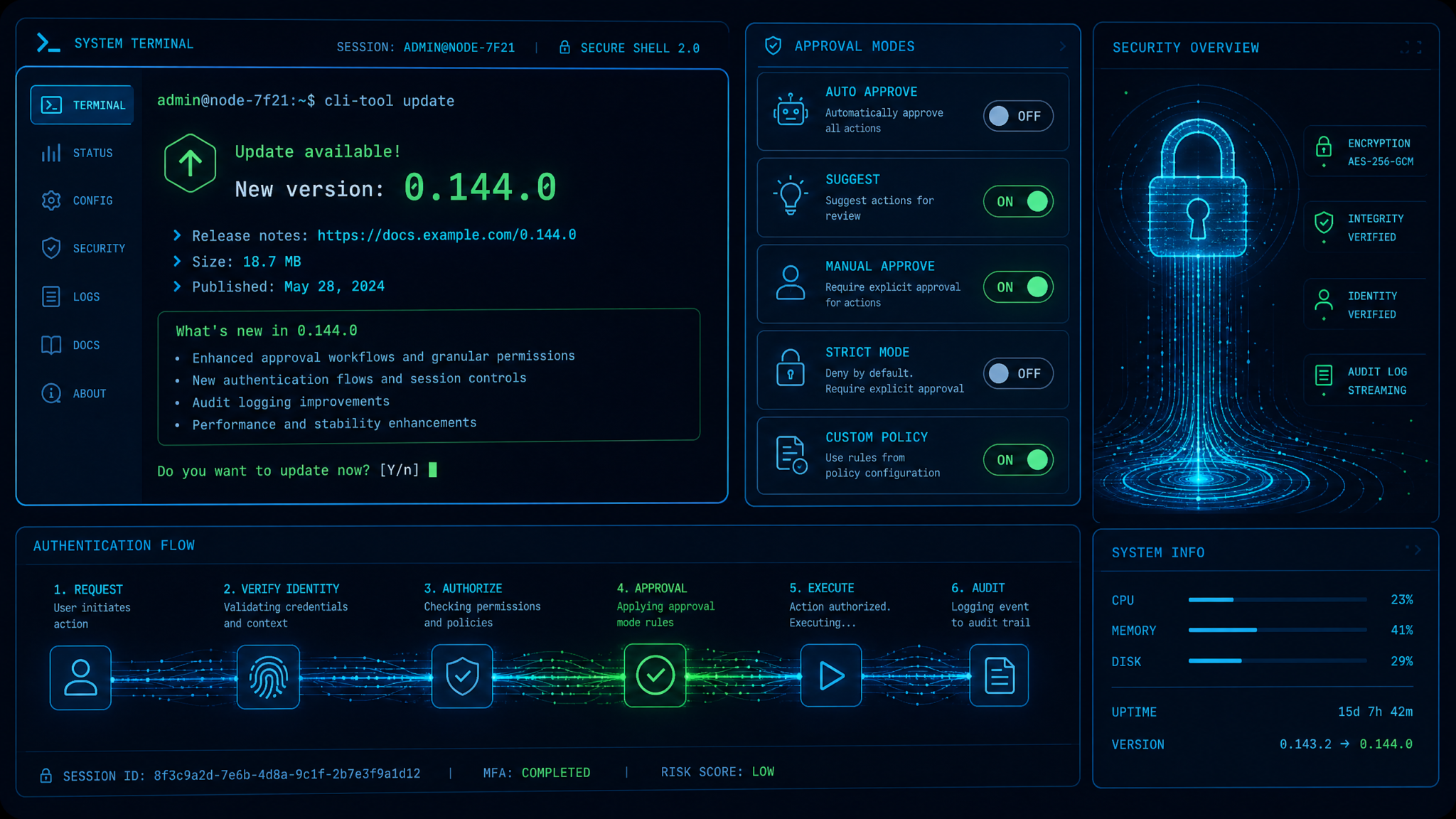
Codex CLI 0.144.0 Released: App-Approval Writes Mode, Interactive MCP Auth, Concurrency Warnings, and Enterprise-Ready Refinements
On July 9, 2026, the Codex CLI 0.144.0 release landed in tandem with the ChatGPT desktop app merger, signaling a coordinated push toward unified identity, safer automation, and more intelligible cost controls across development and production environments. While the desktop merger streamlines user-facing workflows, Codex CLI 0.144.0 focuses squarely on developer and operator experience: a new “writes” app-approval mode that sharpens the guardrails between read-only and mutating operations; first-class, interactive authentication for MCP tools without experimental opt-ins; host-provided authentication with runtime login redirects; smarter warnings when ultra reasoning meets high multi-agent concurrency; clearer handling for usage-limit reset credits; and a slate of reliability improvements across macOS, Windows, and model lifecycle recovery.
Grounding these additions is a consistent design motif: reduce friction for routine tasks while demanding explicit acknowledgment for risky ones. The “writes” approval mode is emblematic—Codex can proceed opportunistically with declared read-only actions, yet it pauses to get your go-ahead before writing, deleting, or otherwise making irreversible changes. With 0.144.0, teams will find it easier to delegate autonomy to agents where it’s safe, and to inject human oversight only where it’s essential.
This report dissects what changed in 0.144.0, how those changes slot into real-world workflows, and concrete steps to adopt the release quickly and safely—complete with configuration examples, troubleshooting pointers, and operational playbooks tailored to enterprise environments.
What’s New in 0.144.0
Codex CLI 0.144.0 debuts a series of usability, safety, and platform updates that touch nearly every step in the agent lifecycle—from tool authentication to concurrent orchestration and policy-driven approvals. Here is an overview of the major items, followed by implementation-level guidance for each:
- New “writes” app-approval mode: Agents can execute declared read-only actions without interruption, but must prompt for confirmation on any write operation. This mode preserves momentum for exploration while interposing a confirmation step for riskier mutations.
- MCP tools interactive authentication: Tools that implement the Model Context Protocol can now request authentication interactively as a stable feature—no experimental flags or preview channels required.
- Runtime Codex authentication with hosted login redirects: App-server hosts can inject authentication at runtime, redirecting users to a hosted login flow and returning to the CLI once consent is complete. This improves single-sign-on parity and simplifies headless and ephemeral sessions.
- Ultra reasoning concurrency warnings: When ultra reasoning mode combines with elevated multi-agent concurrency, Codex now issues proactive warnings about the risk of rapid usage growth, enabling teams to tune parallelism before costs spike.
- Usage-limit reset credits: Credits that reset or replenish usage now show type and expiration, and you can choose which credit to redeem—finally demystifying credit consumption order and expiration behavior.
- Reliability and bug fixes: Improved model compaction recovery, crash fixes for Intel macOS when using Code Mode, and more robust Windows sandboxing. The Guardian auto-review pipeline received enhancements as well, and a subsequent 0.144.2 hotfix resolved a short-lived regression.
- Amazon Bedrock identifiers: Bedrock-hosted model names now explicitly identify the GPT-5.6 family and variant, supporting clearer routing, quotas, and policy mapping when deploying across providers.
| Capability | What Changed in 0.144.0 | Primary Benefit | Ideal Users |
|---|---|---|---|
| App Approval | New “writes” mode separates read vs. write approvals | Fewer interruptions for safe reads, explicit confirmation for writes | Developers, SREs, SecOps |
| MCP Auth | Interactive auth is stable; no experimental opt-in | Smoother onboarding and tool interoperability | Platform teams, Tooling authors |
| Hosted Auth | App servers can provide Codex auth via login redirects | Better SSO alignment, ephemeral session handling | Enterprise IT, Identity admins |
| Ultra Reasoning | Concurrency warnings for high parallelism | Prevents runaway usage and spend | Cost owners, MLOps engineers |
| Credits | Credit type and expiration displayed; choose redemption | Transparent budgeting and auditability | Finance, Procurement |
| Reliability | Model compaction recovery, macOS/Windows fixes | Fewer crashes and stuck states | Everyone |
| Guardian | Auto-review improvements; 0.144.2 regression fix | More accurate automated policy checks | Compliance, Security review |
| Bedrock | GPT-5.6 family/variant reflected in names | Clearer routing and quotas across providers | Multi-cloud AI teams |
In the following sections, we unpack each of these items with concrete examples, configuration snippets, and operational patterns you can adopt immediately in development and production.
For a deeper exploration of this topic, our comprehensive article on The Real Cost of AI Coding Agents in 2026 — Codex, Claude Code, Cursor, and GitHub Copilot Compared provides detailed analysis, practical examples, and implementation strategies that complement the concepts discussed in this section.
The Writes Approval Mode Explained
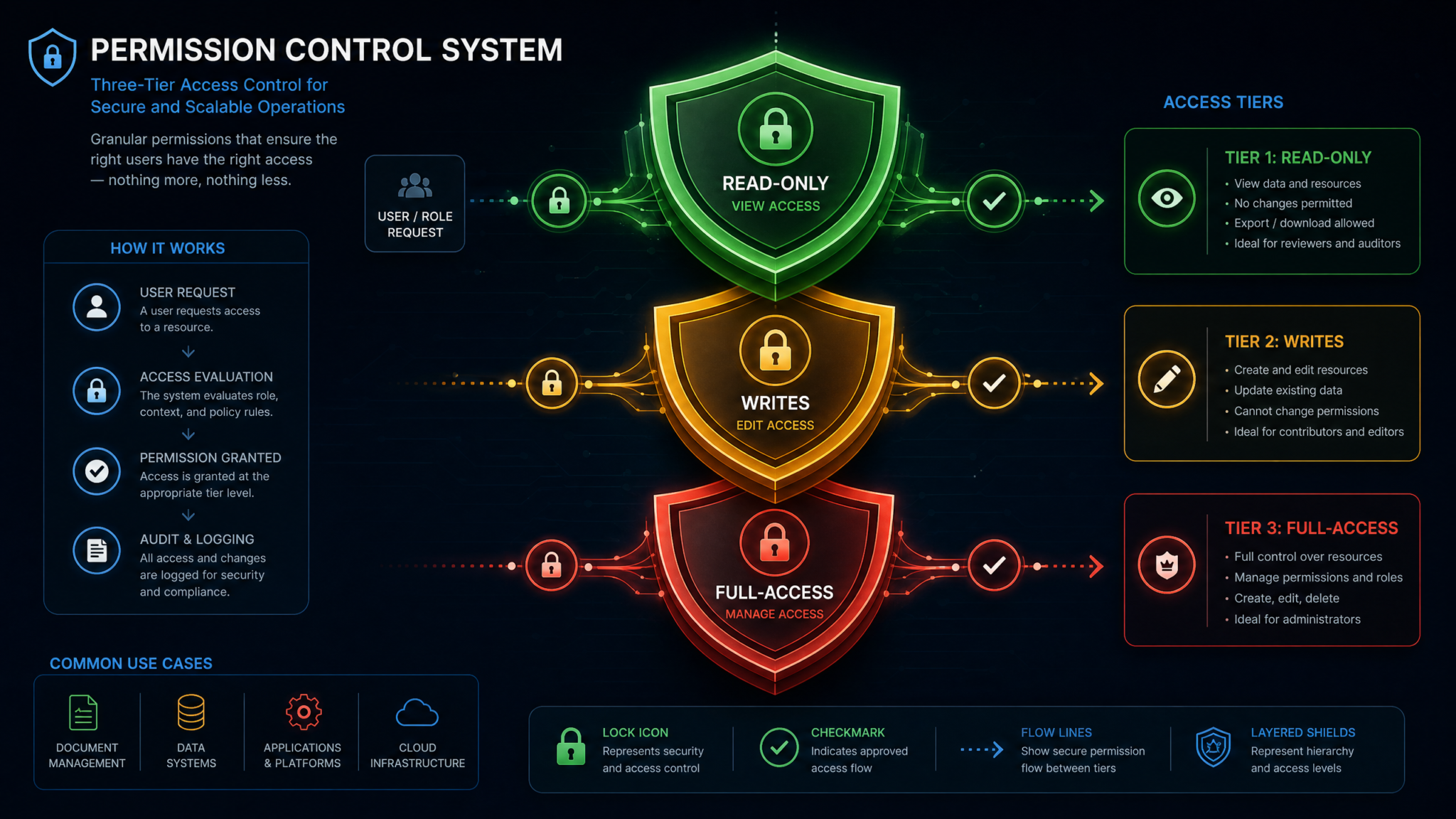
The new “writes” app-approval mode in Codex CLI 0.144.0 addresses a long-standing challenge: how to keep agents unblocked for exploration and analysis while preventing unintended data mutations, code rewrites, or state changes. Previously, teams commonly toggled between permissive and strict modes, or built custom wrappers that tried to infer intent from tool calls and filenames. The “writes” mode brings that control into the core approval pathway with a simple, predictable rule: declared read-only actions can proceed automatically; any action that writes, deletes, alters state, or sends transactional instructions triggers a confirmation prompt.
How it works
Under the hood, Codex relies on an action capability declaration model. Tools, file-system adapters, code-edit operations, and service connectors advertise their intended behavior as read-only or mutating. In “writes” mode, Codex trusts read-only declarations to proceed without intervention, while deferring to the operator (or a policy engine) when a tool declares a mutating capability.
Importantly, “read-only” is not guessed at runtime; it’s declared in the tool metadata and can be audited. That means observability is improved, and you can establish governance rules that flag ambiguous or mis-declared capabilities before they land in production. For legacy tools that don’t declare capabilities, Codex conservatively treats them as potentially mutating and requests confirmation when they attempt operations that look like writes (for example, file modifications, package installs, or stateful API calls).
Enabling the mode
Teams can enable “writes” mode via a command flag, environment variable, or project configuration file. Below are example approaches; any one is sufficient.
# One-off invocation
codex run --approval=writes

# Persistent for your shell session
export CODEX_APPROVAL_MODE=writes

# Project-wide setting in codex.yml
approval:
  mode: writes
  on-deny: fail   # or "ask-again", "skip"
When enabled, you will see confirmation prompts when Codex attempts to perform mutating actions. You can respond per-action, per-session, or apply a rule for a defined scope (for example, “allow writes to ./examples only for this session”).
Declaring capabilities in tools
If you author tools or integrate third-party utilities into Codex, declare their capabilities so that “writes” mode can make correct decisions without excessive prompts. The following is an illustrative MCP tool manifest excerpt that marks read vs. write actions:
{
  "name": "repo-tools",
  "version": "1.2.0",
  "actions": [
    {
      "id": "scan-codebase",
      "title": "Scan codebase for dependency issues",
      "capabilities": ["read"]
    },
    {
      "id": "apply-patch",
      "title": "Apply unified diff to repository",
      "capabilities": ["write"]
    },
    {
      "id": "open-pr",
      "title": "Open pull request",
      "capabilities": ["write", "network"]
    }
  ]
}
With this declaration, “scan-codebase” can run without interruption in “writes” mode, while “apply-patch” and “open-pr” will trigger a prompt. For sensitive environments, add policy conditions to further constrain write actions (for example, only allow “open-pr” against sandbox branches).
Prompt ergonomics and batching
To avoid prompt fatigue, Codex groups similar write actions and offers scoped approvals. Typical scopes include:
- Single Action: Approve once for a specific action instance.
- Action Type (Session): Approve a specific action type (e.g., “apply-patch”) for the current session.
- Path Scope (Session): Approve writes only under a directory prefix (e.g., “./migrations”).
- Project Policy: Persist an approval or denial rule in codex.yml under a specific environment or role profile.
For example, suppose an agent proposes to update documentation files and then regenerate a changelog. You might approve “write to ./docs” for the session and still require a separate confirmation for the changelog update if it falls outside that path or uses a separate tool with different capabilities.
Auditing and policy as code
All prompted actions in “writes” mode are recorded in the session log, along with your decision and scope. In addition, Codex supports “policy as code” entries in project configuration. Here’s a skeleton policy that codifies typical enterprise guardrails:
approval:
  mode: writes
  rules:
    - match:
        action: "open-pr"
        branch: "!/^main|release/"
      allow: true
      scope: "session"
    - match:
        action: "apply-patch"
        path: "^./migrations/"
      allow: true
      scope: "path"
    - match:
        action: "apply-patch"
      allow: false
      reason: "Patch application restricted to migration directory"
    - match:
        action: "*"
        capabilities: ["write"]
      require: "ticket-id"
      prompt: "Enter change ticket ID to proceed with write"
In this example, write operations get streamlined where they’re safe (like migration directories) and constrained or documented elsewhere. The built-in prompting flow can capture attributes (for example, change ticket IDs) and attach them to the audit log for later review.
Legacy and ambiguous tools
Many organizations rely on older tools or scripts without explicit capability declarations. In “writes” mode, Codex errs on the side of caution. You will see prompts for operations detected as writes, such as file modifications or network posts that imply state changes. To reduce interruptions, add a thin metadata shim for your legacy tool that declares intent, or wrap it in a small MCP proxy that marks capabilities and validates arguments.
Common pitfalls and how to avoid them
- Silent state changes via environment: If a tool reads an env var like DRY_RUN=false to commit changes, mark the action as write-capable even if the default path is read-only, or add a policy rule that flips to write on those flags so Codex prompts correctly.
- Generated scripts: When Codex writes a script and then executes it, the execution may include write operations. Instruct Codex to lint the script and print the intended write targets before asking for approval to run it.
- Mixed read/write actions: Split mixed operations into explicit read and write actions to get the full benefit of automatic reads and prompted writes. Keep the write surface minimal.
Example session transcript
$ codex run --approval=writes
Agent: I will scan ./src for deprecated APIs. Proceeding (read-only).
Agent: Found 3 deprecated symbols. Proposing a patch.
Prompt: The action "apply-patch" will modify 5 files under ./src (write).
        Approve once, approve for session, approve under ./src only, deny?
User: Approve under ./src only.
Agent: Patch applied under scope ./src. Next, regenerate CHANGELOG.md (write).
Prompt: The action "regenerate-changelog" will write to ./CHANGELOG.md.
User: Approve once.
Agent: Done. Summary written to ./reports/scan-2026-07-09.txt (write).
Prompt: Write to ./reports/scan-2026-07-09.txt?
User: Approve for session.
This sequence illustrates the friction profile: reads flow without nags; writes are explicit, scoped, and auditable.
For a deeper exploration of this topic, our comprehensive article on The Complete Guide to GPT-5.6 Sol, Terra, and Luna API Pricing — Choosing the Right Tier for Your Budget provides detailed analysis, practical examples, and implementation strategies that complement the concepts discussed in this section.
MCP Interactive Authentication
Codex CLI 0.144.0 makes interactive authentication a first-class citizen for tools built on MCP, eliminating the need for experimental flags or preview channels. This is particularly timely as more teams rely on MCP to standardize tool protocols for retrieval, code actions, test harnesses, and deployment automation. With interactive auth available by default, tool onboarding becomes simpler, and operators can better align the toolchain with identity providers and secrets vaults.
What interactive auth means in practice
When a tool advertises that it requires authentication—via OAuth2, API keys, signed tokens, or federated identities—Codex can now initiate a guided login sequence. Depending on the tool’s auth method, Codex may:
- Open a device or browser flow where you grant consent and return with a code.
- Prompt for credentials or a one-time passcode in the terminal.
- Delegate to the host application or app-server (see the next section) for a managed, SSO-aligned redirect.
Once complete, Codex stores the resulting credential in your configured secrets backend (for example, OS keychain, secure file store, or an enterprise vault via a plugin), scoped to the tool and project. Tokens are refreshed automatically when supported by the provider.
Declaring auth in MCP tools
Tool authors should declare the expected authentication method and scopes in their MCP manifests. The format below is a representative example for a tool that uses OAuth2 with device codes:
{
  "name": "artifact-registry",
  "version": "0.9.7",
  "auth": {
    "type": "oauth2-device",
    "issuer": "https://login.example.com",
    "client_id": "codex-cli-artifacts",
    "scopes": ["read:packages", "write:packages"],
    "redirect": "device"
  },
  "actions": [
    { "id": "list-packages", "capabilities": ["read"] },
    { "id": "publish-package", "capabilities": ["write"] }
  ]
}
With this declaration in place, Codex can detect when credentials are missing or expired and launch the correct flow. Operators can then layer policy on top (for example, allow read scopes by default but require a ticket ID or manager approval for adding write scopes).
User flow examples
$ codex tools add artifact-registry --from=https://tools.example.com/registry.json
Tool "artifact-registry" added.
This tool requires authentication (oauth2-device).
Open https://login.example.com/device and enter code: H9KQ-LW2M
Waiting for confirmation...
Authenticated as [email protected] (scopes: read:packages).
Note: write:packages will trigger a separate confirmation in writes approval mode.
When a write action is attempted and the current token does not include the write scope, Codex will launch a scope upgrade flow, during which your “writes” approval policy still applies. This composes nicely: the interactive auth obtains the credential; the approval system decides whether to use it for a mutating action.
Backends and secure storage
By default, Codex stores credentials in the most secure native mechanism available (macOS Keychain, Windows Credential Manager, or a secure file store on Linux). Enterprises can configure a vault plugin to route secrets to an approved backend. The following shows a minimal vault plugin configuration in codex.yml:
secrets:
  backend: "vault"
  config:
    address: "https://vault.company.tld"
    mount: "kv/codex"
    auth_method: "oidc"
    role: "codex-cli"
With this in place, tokens acquired via interactive auth are written to, and read from, the vault—never lingering in plaintext on developer machines.
Error handling and retries
0.144.0 ships with improved auth error handling for MCP tools. If a device code expires or the user cancels the browser flow, Codex presents actionable next steps—retry, switch method, or fall back to a different identity profile if one is available. Transient network failures are retried with backoff; persistent errors result in a clear message that includes the tool’s auth type and issuer URL.
Runtime Codex Authentication via Hosted Login Redirects
In addition to interactive MCP auth, 0.144.0 extends authentication flexibility to the Codex runtime itself. App-server hosts can provide Codex authentication at runtime by initiating a hosted login redirect. This enables consistent sign-in behavior whether you’re using the ChatGPT desktop app or running Codex in a terminal, and it aligns with enterprise SSO requirements—even for ephemeral or containerized sessions.
When to use hosted redirects
Hosted login redirects are ideal when:
- SSO policies require centralized consent and conditional access checks that the CLI must respect.
- You want parity with the desktop app’s authentication flow, including step-up authentication for sensitive projects.
- Codex runs inside a non-interactive environment (like a build agent) that still needs to obtain a user-bound credential via a side channel or device flow.
Implementing a redirect-capable host
At a high level, your app server needs to expose endpoints to start and complete the login flow, and Codex must be configured to trust that server as an identity provider. A minimal setup might look like this:
# codex.yml
auth:
  provider: "hosted"
  host:
    issuer: "https://auth.company.tld/codex"
    start_path: "/start"
    callback_path: "/callback"
    client_id: "codex-cli"
    pkce: true
    scopes: ["codex:run", "tools:use"]

# CLI usage
codex auth login
On invocation, Codex contacts the issuer’s /start endpoint, receives a login URL (or device code), and waits for the callback. Your app server handles identity provider redirects, MFA, device attestation, and policy evaluation, returning a token on the callback that Codex stores using the configured secrets backend.
Security recommendations
- Use PKCE for OAuth2 code flows and enforce TLS with modern ciphers.
- Pin issuer certificates or validate via a trusted CA bundle managed by your endpoint security.
- Scope tokens to the minimal set of actions required. Rely on refresh tokens only where necessary, and rotate signing keys on a regular schedule.
- Log authentication events to your SIEM with actor, source IP, device posture, and project context.
Fallbacks and headless environments
If Codex detects a headless environment (no browser), it automatically requests a device code from the host auth server and prints a short URL and code. In CI systems, pair this with protected environment variables or short-lived service tokens so builds can proceed without storing long-lived credentials.
For a deeper exploration of this topic, our comprehensive article on How to Optimize Your Codex Credit Usage — A Developer’s Guide to Token-Based Pricing provides detailed analysis, practical examples, and implementation strategies that complement the concepts discussed in this section.
Ultra Reasoning and Multi-Agent Concurrency Warnings
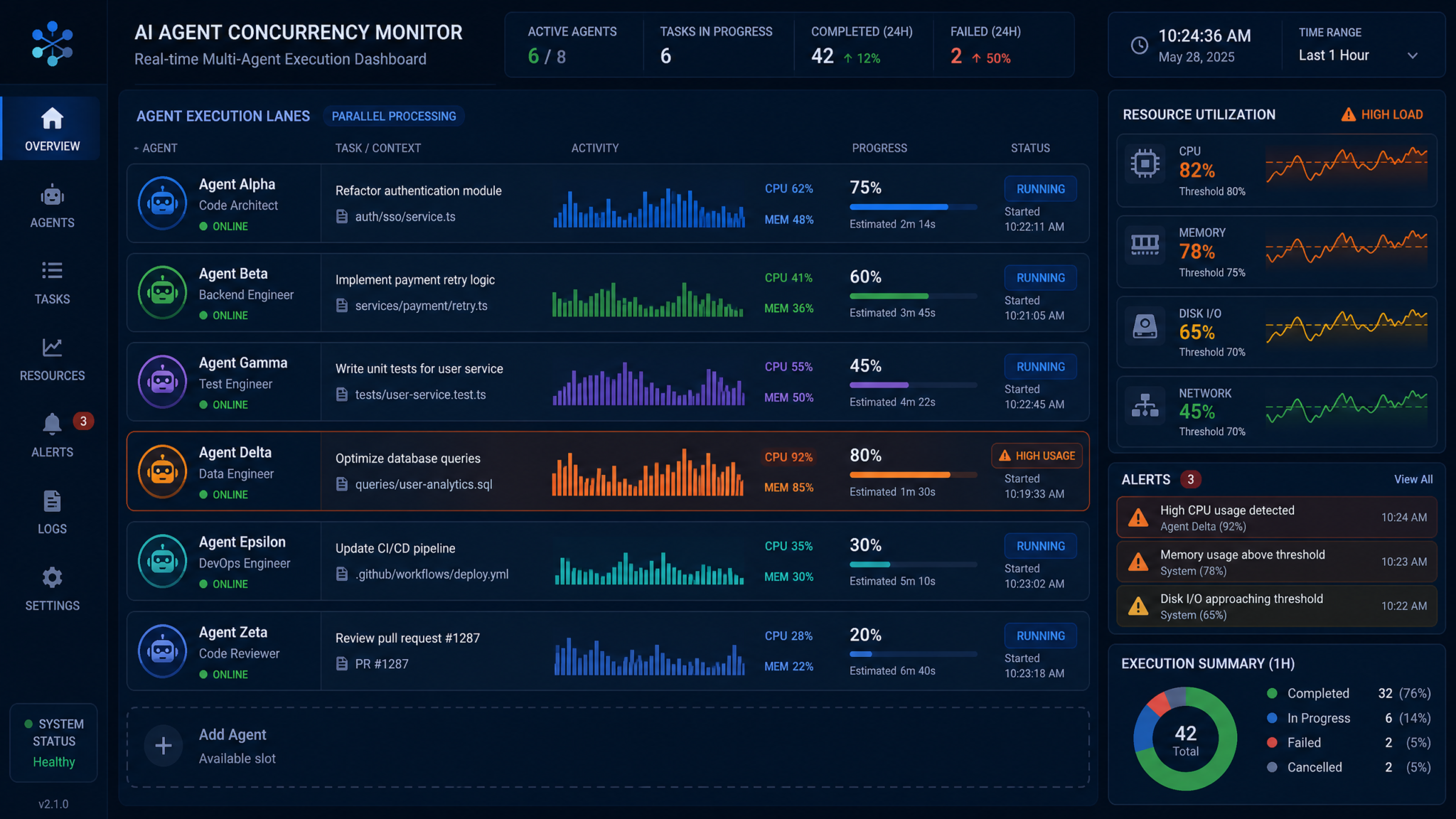
Ultra reasoning modes deliver deeper chains of thought, stronger tool-use planning, and richer code synthesis. The trade-off is computational intensity: longer context windows, nested tool calls, and parallel speculative branches can drive usage up quickly—especially when multiple agents run concurrently. Codex CLI 0.144.0 introduces proactive warnings when it detects configurations that combine ultra reasoning with high concurrency, giving operators an early chance to tune parallelism or set explicit budgets.
What triggers a warning
Warnings are heuristic-based and consider several signals:
- Ultra reasoning enabled (for example, a model profile or flag that opts into deeper planning and reflection passes).
- Configured agent pool size or concurrency flags exceeding recommended thresholds.
- Observed tool-call fan-out within a session (for example, multiple concurrent sub-agents per task).
- Recent usage velocity (token consumption per minute) surpassing a threshold derived from your org’s historical baseline.
The warning appears before Codex begins executing additional agents, and it suggests specific remediations: reduce concurrency, cap speculative depth, or set per-agent budgets. You can proceed as-is, accept the suggested tuning, or open an interactive wizard to apply changes to the current run only.
Controlling concurrency
0.144.0 adds consistency across flags and configuration keys for concurrency, speculative depth, and rate limits. Here is an example configuration showing project defaults with per-profile overrides:
# codex.yml
profiles:
  default:
    reasoning:
      mode: ultra
      speculative_depth: 2
    concurrency:
      agents: 4
      per_agent_tool_calls: 3
      rate_limit_tpm: 120000  # tokens per minute
  ci:
    reasoning:
      mode: standard
    concurrency:
      agents: 8
      per_agent_tool_calls: 2
      rate_limit_tpm: 200000
At runtime, you can override these:
codex run --profile=default --max-agents=2 --speculative-depth=1
When the combination of ultra reasoning and concurrency exceeds a safe envelope, Codex prints a summary estimate. For example:
Warning: Ultra reasoning + high concurrency may raise usage quickly.
Current plan:
  agents=6, speculative_depth=3, per_agent_tool_calls=4
Estimated peak usage: 420k tokens/min
Suggested adjustments:
  --max-agents=3 --speculative-depth=1 (est. 140k tokens/min)
Proceed with current plan [y/N]?
Budget controls and hard caps
Beyond warnings, you can enforce hard budgets to prevent overruns. Budgets can be set per run, per day, or per project. When a hard cap is reached, Codex will stop launching new agents and wind down existing work safely.
codex run --budget.tokens=500000 --budget.hard-cap --approval=writes
In “writes” mode, these budgets combine well with confirmation gating: reading and planning can continue, while write prompts give you the chance to reject expensive downstream actions before they start.
Choosing concurrency for common workloads
| Workload | Recommended Agents | Speculative Depth | Notes |
|---|---|---|---|
| Code refactor in mono-repo | 2–3 | 1 | Limit parallel diffs; use path scoping in “writes” mode |
| RAG with heavy retrieval | 3–5 | 1–2 | Cache retriever results; cap per_agent_tool_calls |
| Exploratory data analysis | 2 | 1 | Turn off ultra if cost sensitivity is high |
| Test generation and execution | 4–6 | 1 | Gate writes to only test directories; apply budgets |
Usage-Limit Reset Credits: Transparency and Control
One of the more quietly transformative changes in 0.144.0 is the handling of usage-limit reset credits. Historically, credits could reduce spend or reset quotas, but it wasn’t always obvious which credit was being consumed or when it would expire. Now, Codex surfaces the credit type and expiration date and lets you pick which credit to redeem—vital for finance teams and project leads managing multiple grants, trials, or promotional credits.
Viewing credits
Use the following command to list available credits alongside detailed metadata:
$ codex usage credits list
ID       TYPE             AMOUNT   REMAINING   EXPIRES       NOTES
crd_1    promo            200.00   200.00      2026-08-31    Summer launch credit
crd_2    reset            500.00   500.00      2026-09-15    Quarterly reset
crd_3    research-grant   1000.00  750.50      2026-12-31    Model evals only
Each entry indicates how much remains and when it expires, enabling you to prioritize usage accordingly.
Choosing which credit to redeem
When initiating a run, you can set the preferred credit ID or a selection policy. If you do nothing, Codex uses your organization’s default redemption order. To be explicit, use:
codex run --use-credit=crd_1
Alternatively, define a policy in codex.yml:
usage:
  credit_policy:
    order: ["promo", "reset", "research-grant"]
    fallback: "deny-when-none"
This ensures short-lived credits burn down first. Finance teams can align these policies with fiscal calendars to minimize waste from expirations.
Restrictions and scoping
Some credits have constraints, such as “research only” or “training not allowed.” Codex enforces these at runtime and will warn if you attempt a run that violates constraints. With “writes” mode and multi-agent concurrency warnings, you can further tailor execution to fit within both budgetary and policy guardrails.
Bug Fixes and Reliability Improvements
Codex CLI 0.144.0 invests in stability across three fronts: model lifecycle management, macOS compatibility (notably Intel chipsets with Code Mode), and Windows sandboxing. Operators should expect fewer interruptions during long-running tasks and smoother behavior on heterogeneous fleets.
Model compaction recovery
Model compaction—vacuuming accumulated artifacts in local caches and streamlining model packs—can leave sessions in an indeterminate state if interrupted. 0.144.0 introduces robust recovery semantics: partial compactions auto-rollback to the last consistent checkpoint, and the CLI validates all content hashes before resuming normal operation. If a compaction collides with an active run, Codex defers the compact and surfaces a clean message instead of halting with a cryptic error.
Intel macOS Code Mode crash fixes
Some Intel macOS users reported sporadic crashes when using Code Mode, particularly when switching rapidly between large project contexts. 0.144.0 includes targeted fixes in the file-watching and syntax-highlighting subsystems that previously triggered out-of-bounds memory access patterns. You should see:
- Stabilized behavior when toggling Code Mode on large repos.
- Reduced CPU spikes when indexing complex languages and mixed encodings.
- Fewer dropped file events and better incremental re-indexing.
If you experienced crashes before, clear cached indices and let 0.144.0 rebuild them:
codex cache clear --indexes
codex code index --full
Windows sandbox improvements
Windows developers benefit from a hardened sandbox with stricter token permissions and improved isolation between concurrent runs. File descriptor leaks under heavy tool churn have been resolved, and temporary directories are now cleaned deterministically on run completion, lowering the odds of “directory busy” errors and ensuring reproducible builds.
Diagnostics and crash triage
New diagnostics include per-session health summaries and a “report” command that bundles logs, environment info, and anonymized traces appropriate for enterprise support channels:
codex diag report --redact=secrets,paths --out=report.zip
This makes it easier to collaborate with your platform team or vendor support when investigating edge cases.
Guardian Auto-Review Updates
Guardian, Codex’s automated policy and safety review layer, received several improvements in 0.144.0 to reduce false positives and sharpen findings. Most notably, Guardian is now better at interpreting intent when an agent proposes a sequence that includes both analysis and mutation. In concert with “writes” mode, Guardian pre-filters low-risk reads and focuses human attention where it’s warranted.
What changed
- Context-sensitive checks: Guardian considers recent read-only analyses when evaluating a follow-on write, weighing the justification and scope rather than treating actions in isolation.
- Path-aware policies: Finer-grained matching by path pattern and repository metadata (for example, write proposals under “/generated” or “/experimental” receive lighter treatment than production-critical directories).
- Signal tuning: Weighting adjustments reduce noisy warnings triggered by benign network calls that do not alter server state.
Regression and 0.144.2 hotfix
Shortly after 0.144.0, a regression surfaced in certain chained-tool workflows where Guardian could stall on ambiguous action graphs. The 0.144.2 patch restored expected behavior by tightening the action graph resolver and re-adding a heuristic that treats repeated idempotent writes as low-risk when scoped. If you operate complex multi-tool pipelines and noticed stalled auto-reviews, upgrade to 0.144.2; the improvement is non-disruptive and backward compatible with 0.144.0 configurations.
Operational guidance
Review your Guardian policies in the context of “writes” mode. In many cases, you can simplify Guardian rules now that the approval pathway reliably gates mutations. Keep Guardian focused on cross-cutting concerns—secrets exfiltration, privacy-sensitive data handling, and policy compliance across tools—while letting “writes” mode manage the day-to-day mutation prompts.
Amazon Bedrock Model Names: GPT-5.6 Family and Variant
For teams deploying across clouds, clarity in model naming is crucial. Codex CLI 0.144.0 updates its Amazon Bedrock integration so model names explicitly identify the GPT-5.6 family and variant. This reduces confusion when setting quotas, routing tasks, and aligning project policies with provider-specific catalogs.
New naming patterns
Names now convey both family and variant dimensions consistently. Examples below illustrate how identifiers might appear via Bedrock:
| Old (Ambiguous) | New (Explicit) | Notes |
|---|---|---|
| gpt-56 | gpt-5.6-ultra | Explicitly denotes ultra reasoning variant |
| gpt-56x | gpt-5.6-pro | “Pro” differentiates cost/latency from “ultra” |
| gpt-56-mini | gpt-5.6-mini | Lightweight variant for throughput |
When you run Codex on Bedrock, you can reference the explicit names to map policies and budgets precisely. For example, in codex.yml:
providers:
  bedrock:
    model: "gpt-5.6-pro"
    region: "us-east-1"
    fallback: "gpt-5.6-mini"
policies:
  - match:
      provider: "bedrock"
      model: "gpt-5.6-ultra"
    deny:
      reason: "Ultra not permitted in CI"
This clarity also makes it easier to correlate spend to specific model families and variants in cloud billing dashboards.
What This Means for Enterprise Teams
Codex CLI 0.144.0 is not just a quality-of-life release for individual developers; it’s a meaningful inflection point for enterprise AI operations. The new “writes” mode, in particular, rebalances autonomy and oversight without forcing organizations to choose between velocity and control.
Security and compliance posture
Security teams gain two immediately actionable levers:
- Granular mutation gating via “writes” approval with auditable logs and scoped approvals.
- Guardian refinements that focus attention on cross-tool risks while avoiding noise from benign actions.
Together, these support a defense-in-depth strategy: agents can explore broadly in read-only mode, while writes are contextualized, documented, and tied to identity. Pair this with hosted login redirects so that all high-value actions are bound to SSO-enforced policies, device posture, and step-up authentication as needed.
Identity integration and provisioning
With interactive MCP auth stable and host-provided Codex auth, identity administrators can consolidate sign-in experiences and provisioning flows:
- Provision tool access through existing group memberships. If a developer moves teams, group-based scopes adjust automatically.
- Shorten time-to-first-use for new tools: Codex launches the auth flow on demand, eliminating pre-provisioning steps.
- Enforce conditional access policies uniformly across desktop and CLI usage.
Document the end-to-end flow for your teams, including how to recover from expired tokens, how to request elevated scopes for writes, and which projects use hosted redirects versus direct provider auth.
Cost governance
Ultra reasoning concurrency warnings, budgets, and explicit credit redemption combine to give finance and platform teams much tighter control. Recommended practices include:
- Define per-environment budgets (dev, staging, prod) and enable hard caps for CI/automation contexts.
- Set conservative concurrency defaults for ultra reasoning profiles and empower teams to raise them deliberately with visibility.
- Adopt a “shortest-expiration-first” credit policy to reduce waste and review credit usage monthly alongside project forecasts.
Add dashboards that visualize “prompts vs. writes” ratios per project. If you see a spike in writes relative to reads, investigate whether a team has adopted a new tool, changed policy scopes, or overlooked an approval rule that would contain those writes to safer paths.
Developer experience
For developers, the net effect of 0.144.0 should be fewer prompts during early exploration and clearer, faster consent when making changes. Encourage teams to:
- Split tools into explicit read and write operations so “writes” mode can maximize auto-approval for reads.
- Use session and path-scoped approvals during iterative work, and codify recurring patterns as project policies.
- Leverage the MCP interactive auth to adopt new tools on demand, removing blockers around credential setup.
Operations and SREs
Codify a standard runbook for runaway usage warnings. When a warning triggers:
- Review suggested tuning and apply adjustments to concurrency or speculative depth.
- Check whether the run is consuming the intended credit and adjust with –use-credit if appropriate.
- If the run must proceed at high concurrency, attach a budget and enable a hard cap to protect other workloads.
For platform resilience, adopt the diagnostic report tooling and set up automated collection of anonymized traces for failure cases. Validate that Windows and macOS Intel fleets have updated to 0.144.0 or later and that caches were rebuilt if crashes previously occurred.
Policy lifecycle
As “writes” mode takes hold, some legacy policies may be redundant. Conduct a policy inventory and retire rules that:
- Duplicatively block writes that are now scoped by directory or action via “writes” mode rules.
- Flag low-risk network calls that Guardian now classifies correctly.
- Enforce interactive login flow mechanics that hosted redirects supersede.
Keep high-value policies that address sensitive data exfiltration, cross-project lateral movement, or unexpected privilege escalation. Measure noise reduction by tracking the ratio of policy alerts resolved as “informational” before and after the update.
Migrations and adoption checklist
- Upgrade path: Move from prior versions to 0.144.0, and to 0.144.2 if your pipelines hit the Guardian regression.
- Enable “writes” mode organization-wide, starting in dev and staging; educate teams on prompt scopes and best practices.
- Update MCP tool manifests to declare capabilities explicitly; split mixed read/write flows.
- Roll out hosted login redirects for projects requiring SSO parity with the desktop app; test device-code fallback.
- Set default budgets and concurrency envelopes for ultra reasoning, with environment-specific overrides.
- Define a credit redemption policy and train leads on selecting credits per run.
- Standardize diagnostic reporting and log retention policies for audit and support.
Practical Examples and Configurations
The following recipes illustrate how to put 0.144.0 features to work in common enterprise scenarios.
Safeguarding a schema migration
When rolling out a database schema migration with Codex assistance, combine “writes” mode with path and action scoping:
# codex.yml
approval:
  mode: writes
  rules:
    - match:
        action: "apply-migration"
        path: "^./db/migrations/"
      allow: true
      scope: "path"
    - match:
        action: "apply-migration"
      allow: false
      reason: "Migrations must be under ./db/migrations/"
During a run:
Access 40,000+ AI Prompts for ChatGPT, Claude & Codex — Free!
Subscribe to get instant access to our complete Notion Prompt Library — the largest curated collection of prompts for ChatGPT, Claude, OpenAI Codex, and other leading AI models. Optimized for real-world workflows across coding, research, content creation, and business.
$ codex run --profile=release
Agent: Proposing migration script for add_index_users_email.
Prompt: The action "apply-migration" will write under ./db/migrations/ (allowed by policy).
Agent: Migration file created. Next, apply to staging DB (write, network).
Prompt: Confirm apply to staging? Approve once / deny / require ticket
User: Approve once with ticket: OPS-12345
Multi-cloud model routing with Bedrock and budgets
Define providers and budgets so that exploration uses a cost-effective variant while CI uses a stable, faster model:
# codex.yml
providers:
  bedrock:
    model: "gpt-5.6-mini"
    region: "us-west-2"
profiles:
  explore:
    provider: "bedrock"
    reasoning:
      mode: ultra
      speculative_depth: 1
    concurrency:
      agents: 2
    budgets:
      tokens: 150000
  ci:
    provider: "bedrock"
    model: "gpt-5.6-pro"
    reasoning:
      mode: standard
    concurrency:
      agents: 6
    budgets:
      tokens: 500000
      hard_cap: true
Run with:
codex run --profile=explore --approval=writes
codex run --profile=ci --approval=writes --use-credit=crd_2
Onboarding a new MCP tool with interactive auth
Suppose your QA team adopts a test orchestrator tool via MCP that needs OAuth2. You add it and let Codex guide the auth flow:
$ codex tools add qa-orchestrator --from=https://tools.company.tld/qa.json
Added "qa-orchestrator" (requires auth: oauth2).
Open https://id.company.tld/device and enter code: W7FM-ZP3S
Authenticated. Scopes: read:tests
Note: write:tests will be requested on first use and is gated by writes approval.
When running tests that generate baselines (a write):
Agent: Generating new baseline images (write).
Prompt: "qa-orchestrator" requests write:tests scope via hosted login.
Open the browser to continue [Y/n]? Y
Returning with scope: write:tests
Prompt: Approve writes to ./tests/baseline for session? [y/N] y
Troubleshooting and FAQs
We enabled “writes” mode, but we still get too many prompts
Examine tool capability declarations. If a tool lumps read and write into a single action, split them to reduce prompts. Add path-scoped approvals for directories that frequently receive generated content. Persist project-level rules in codex.yml where patterns are consistent.
Interactive auth succeeds, but tokens are not found on the next run
Confirm your secrets backend configuration. On Linux, ensure the secure file store directory is writable and not being wiped by ephemeral container policies. For enterprise vaults, check role and mount path settings. Run:
codex auth status
codex auth whoami
to verify the active identity and token scopes.
Ultra reasoning warnings trigger even at modest concurrency
Warnings also factor in recent usage velocity. If another team’s workload recently spiked usage for the same org, thresholds may be temporarily lower. Apply a per-run budget to avoid interruption, or lower speculative depth. Over time, the baseline readjusts.
Guardian blocked an action we believe is safe
Review recent context. If the write truly follows from a read-only analysis with strong justification, you may be hitting a conservative path rule. Update Guardian path sensitivity or migrate the check into a “writes” mode rule scoped to safe directories. If you upgraded to 0.144.0 without 0.144.2 and see stalls, move to 0.144.2.
Release Coordination with the ChatGPT Desktop App Merger
The July 9, 2026 release coincided with the ChatGPT desktop app merger, and you may notice shifts in how identity and session context flow between desktop and CLI:
- Identity cohesion: Hosted login redirects yield a familiar consent window and SSO posture across both experiences.
- Credential portability: Short-lived tokens issued through the hosted flow are valid across desktop and CLI within policy-scoped lifetimes, reducing reauthentication churn.
- Policy parity: Admin-defined conditional access, device posture checks, and step-up prompts now apply consistently to automated and manual workflows.
If your organization uses both desktop and CLI, validate that role profiles and scopes map equivalently. In mixed-mode sessions where you start work in the desktop app and continue in the CLI, ensure that any elevated scopes (for instance, write permissions) are not over-provisioned; the “writes” approval gate remains your last, crucial checkpoint.
Security Considerations in Depth
0.144.0’s design makes it easier to satisfy both least-privilege and accountability principles:
- Least privilege: Keep default scopes read-only; elevate on-demand with interactive auth and prompt for justification when escalating writes.
- Accountability: Audit trails now capture capability declarations, approvals, and associated justifications (like ticket IDs).
- Separation of duties: Guardian and “writes” mode serve distinct purposes—Guardian handles policy reasoning across contexts, while “writes” mode enforces per-action consent.
To strengthen your posture further, consider:
- Signing tool manifests and verifying signatures before loading capabilities.
- Using PKCE and enforcing modern TLS stack constraints in hosted redirect flows.
- Rotating credentials frequently, including client secrets on the app server side.
- Red-teaming agent workflows to probe for prompt bypasses or unintended side effects.
Performance and Scalability Notes
While warnings help avoid runaway costs, teams still need predictable throughput. Pay attention to IO-bound segments (retrieval, large file reads) versus compute-bound segments (reasoning, synthesis). “Writes” mode does not significantly impact performance except where it must pause for consent, and the new prompt batching keeps overhead minimal relative to the protected actions’ cost.
For large organizations, centralize concurrency defaults in a shared codex.yml and let teams override locally with documented justifications. This policy-as-code approach lets platform teams roll out safe global baselines without stifling local optimization.
Extensibility: Building Tools for the New Paradigms
Tool authors can maximize compatibility and safety by embracing three patterns:
- Explicit capability declaration: Avoid “maybe-write” ambiguity. If a parameter can flip to write, include “write” in capabilities and let “writes” mode prompt when those parameters are present.
- Auth strategy declaration: Choose a stable interactive method (device, browser redirect) and document fallback options. Publish issuer and scope requirements up front.
- Idempotent design: Where possible, make write actions idempotent and reversible. Guardian’s heuristics reward idempotent semantics with lighter scrutiny.
Example: a deployment tool might expose separate actions: “plan-deploy” (read), “apply-deploy” (write), and “rollback-deploy” (write). The “plan” output should fully describe the anticipated writes so users can make an informed approval in “writes” mode.
Monitoring and Observability
Enable session-level telemetry sinks that capture:
- Action graph: sequence of read and write actions, with approvals and denials.
- Token usage over time: spikes correlated with concurrency and ultra reasoning toggles.
- Auth events: scope elevation, hosted redirect initiations, and device-code completions.
- Credit consumption: which credit was redeemed and remaining balance.
Export anonymized traces to your observability stack. In security-conscious environments, strip file contents and payloads but retain metadata (file count, byte counts, path patterns). This supports both audit and performance tuning without exposing sensitive data.
Case Studies: Applying 0.144.0 in Practice
Large enterprise refactor with gated writes
A platform team orchestrated a repository-wide deprecation cleanup using Codex agents. They enabled “writes” mode with path-scoped approvals for non-production directories and required change-ticket annotations for any writes outside “/experiments” and “/docs.” Over two weeks, they achieved uninterrupted read-only analysis while enacting fewer than 5% of proposed writes. Every write carried a ticket ID and reviewer note, making the compliance review straightforward.
Research lab with credit discipline
A research group managed multiple grants with distinct expiration timelines. By surfacing credit metadata and enabling explicit redemption, they burned short-lived credits first while reserving long-lived credits for late-quarter needs. Concurrency warnings prevented a costly overrun when a batch of experiments launched with ultra reasoning at high agent counts; they reduced agents from eight to three, staying within budget without materially impacting results.
Hybrid Windows/macOS shop stability jump
A mixed fleet saw intermittent Windows sandbox file-lock errors and macOS Intel Code Mode crashes. After upgrading to 0.144.0 and rebuilding indexes, crash rates fell below 0.1% of sessions, and sandbox cleanup eliminated recurring “busy directory” states. The team adopted the new diagnostic bundle command to streamline vendor escalations.
Versioning, Rollout, and Backward Compatibility
Codex CLI 0.144.0 is backward compatible with most configurations. Changes that may require attention:
- Approval behavior: If you relied on implicit approvals for writes, “writes” mode won’t change your defaults unless you enable it. Once enabled, expect prompts where tools declare mutating capabilities.
- MCP auth: If you used experimental flags, remove them; the feature is now stable. Ensure vault or keychain configurations are correct if moving from file-based tokens.
- Guardian heuristics: If you tuned policies to compensate for noisier signals pre-0.144.0, you can simplify them now. Confirm upgrade to 0.144.2 if you hit the chained-tool regression.
- Bedrock identifiers: Update scripts and dashboards that parse model names to accommodate the explicit family/variant strings.
Staged rollout recommendations:
- Pilot in a small team with “writes” mode enabled and budgets configured.
- Verify hosted login redirects in all target environments (desktop parity, headless fallback).
- Update MCP tool manifests for capabilities and auth declarations; run smoke tests.
- Roll wider with monitoring for prompt volume, usage velocity, and credit redemption patterns.
Command Reference Additions in 0.144.0
While not exhaustive, the following commands and flags are of particular interest in this release:
- –approval=writes: Enables the new gating mode.
- codex usage credits list: Surfaces credit metadata.
- –use-credit=ID: Chooses which credit to redeem.
- –max-agents, –speculative-depth: Tunable concurrency; trigger warnings under ultra reasoning when set high.
- codex auth login: Initiates hosted login redirect flow.
- codex diag report: Generates an anonymized diagnostic bundle.
Integrate these into your run scripts and CI pipelines where appropriate.
Policy Examples for Common Teams
Docs team
approval:
  mode: writes
  rules:
    - match: { path: "^./docs/" }
      allow: true
      scope: "path"
    - match: { capabilities: ["write"] }
      allow: false
      reason: "Writes restricted to ./docs/ for docs team"
Data science team
profiles:
  ds:
    reasoning: { mode: ultra, speculative_depth: 1 }
    concurrency: { agents: 3, per_agent_tool_calls: 2 }
    budgets: { tokens: 250000 }
approval:
  mode: writes
  rules:
    - match: { action: "persist-notebook", path: "^./notebooks/" }
      allow: true
      scope: "path"
Release engineering
providers:
  bedrock: { model: "gpt-5.6-pro", region: "us-east-1" }
approval:
  mode: writes
  rules:
    - match: { action: "open-pr", branch: "!/^main|release/" }
      allow: true
    - match: { action: "merge-pr", branch: "^release/" }
      require: "ticket-id"
      prompt: "Enter change advisory ticket ID"
policies:
  - match: { provider: "bedrock", model: "gpt-5.6-ultra" }
    deny: { reason: "Ultra not allowed in release pipelines" }
Risk Management and Governance
0.144.0 equips governance bodies with levers to structure risk:
- Define a standard taxonomy of read vs. write for your tool estate, and enforce capability declaration in reviews.
- Use Codex’s approval logs as evidence in change management processes (CABs, audits).
- Set budget policies that default to deny when no valid credit is available; add exceptions only with documented business justification.
- Integrate Guardian alerts with ticketing to ensure follow-up and resolution tracking.
As with any governance shift, start with collaborative pilots. Developer champions can identify friction points early and propose path-scoped rules or tool refactors to keep momentum high.
Developer Enablement and Training
Roll out concise training that focuses on practice over theory:
- Hands-on lab for “writes” mode using a sandbox repo with safe directories and deliberate denial cases.
- Interactive auth walkthrough for two MCP tools—one device-flow and one hosted redirect.
- Concurrency tuning exercises where teams respond to ultra reasoning warnings with budgets and adjusted flags.
Provide quick-reference cards for the most common commands, scopes, and approval options. Include the diagnostic report command and common error signatures (for example, how expired device codes present).
Measuring Success
Define and track the following KPIs in the first 60 days post-upgrade:
- Prompt-to-write ratio: Target fewer prompts for read-only actions; stable or improved review quality for writes.
- Budget adherence: Fewer budget overruns, with warnings addressed proactively.
- Credit efficiency: Reduced expired credit waste; increased alignment of credit use with project intent.
- Stability metrics: Lower crash and sandbox error rates on macOS Intel and Windows.
- Policy signal quality: Decrease in false-positive Guardian alerts; higher precision on escalations.
Use these indicators to fine-tune policy defaults, concurrency envelopes, and training materials.
Conclusion
Codex CLI 0.144.0 arrives with a clear thesis: the fastest path to safe, scalable agent adoption is to remove friction from low-risk actions and elevate human judgment for consequential ones. The “writes” approval mode operationalizes that principle in a way that respects developer flow while satisfying enterprise controls. Rounding it out are powerful quality-of-life features—interactive MCP auth without caveats, hosted login redirects for consistent identity, intelligent warnings when ultra reasoning meets aggressive concurrency, transparent credit management, and platform hardening across macOS and Windows. Guardian’s refined auto-review complements this toolkit, and the quick 0.144.2 regression fix shows a continued commitment to reliability.
For most organizations, the recommended path is straightforward: upgrade to 0.144.0 (and 0.144.2 if you exercise complex chained-tool flows), enable “writes” mode, declare tool capabilities, standardize identity via interactive and hosted flows, and adopt budgets with sensible concurrency defaults. In return, expect smoother developer experiences, lower operational risk, clearer cost controls, and a stronger compliance posture—exactly what mature AI operations demand as usage scales.
With the July 9, 2026 release aligning CLI and desktop app experiences, teams can standardize across environments without sacrificing security or velocity. Codex CLI 0.144.0 is a capable foundation for the next chapter of agent-assisted development and operations.
