
Optimize Your OpenAI Codex Credits Under the April 2026 Token-Based Pricing Model: A Complete Developer Guide
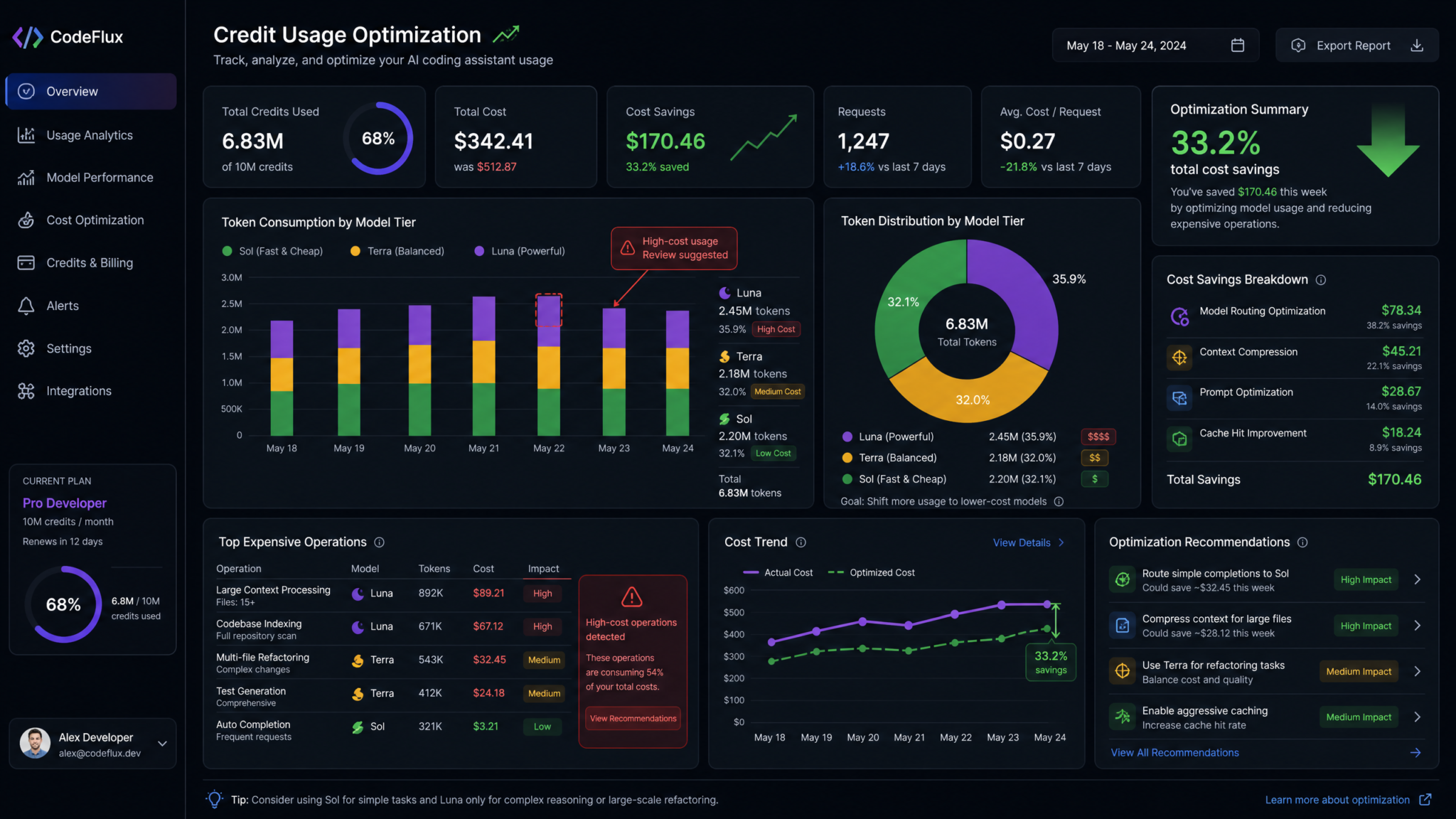
OpenAI’s April 2026 token-based pricing for Codex puts every developer in the driver’s seat: you now pay in credits for the exact number of input, cached input, and output tokens your workloads consume. That’s a welcome shift toward transparency, but it also makes optimization a first-class engineering problem. Teams that learn to shape prompts, route workloads to the right tier, and take advantage of caching can cut monthly spend dramatically—while maintaining, or even improving, overall performance.
This tutorial is a practical field guide to running lean without sacrificing outcomes. You’ll learn how to budget, measure, and optimize token usage for day-to-day development, automation, and production services powered by Codex. We’ll break down the new rate card, show you how caching works, provide copy‑paste examples to minimize outputs, and walk through real credit calculations for common scenarios such as code review, test generation, refactoring, and CI bots. For leaders, we close with an enterprise budgeting framework, including policies, guardrails, and dashboards you can deploy in under a week to keep costs predictable.
What Changed: The April 2026 Token-Based Pricing Model
OpenAI Codex now bills in credits per million tokens across three dimensions: input tokens, cached input tokens, and output tokens. Think of them as three line items on your ledger:
- Input tokens: all tokens the model ingests that are not served from cache (system messages, user prompts, function/tool specs, context windows, documents, etc.).
- Cached input tokens: tokens previously submitted and re-used in subsequent requests via Codex’s request-level input caching mechanism. Matching cache content is dramatically cheaper than fresh input.
- Output tokens: everything the model generates as a response (including function call JSON, assistant text, and tool arguments).
The business implication is straightforward: reduce uncached input, increase cache hits, and keep outputs tight. The technical levers are prompt design, stable templates, and selective model routing.
Why this matters to developers
Under this model, optimization becomes predictable and tunable. Every improvement you make—such as trimming boilerplate from prompts or turning explanations into structured JSON—is directly reflected in the credits line. For most teams, the new system meets or undercuts previous effective spend, especially if you adopt simple practices like caching shared system prompts and constraining answer formats. The average developer can expect around $100–$200 per month in credits at healthy utilization. We’ll show you exactly how to size that budget and how to stay under it in production.
The Rate Card: Models and Credit Costs
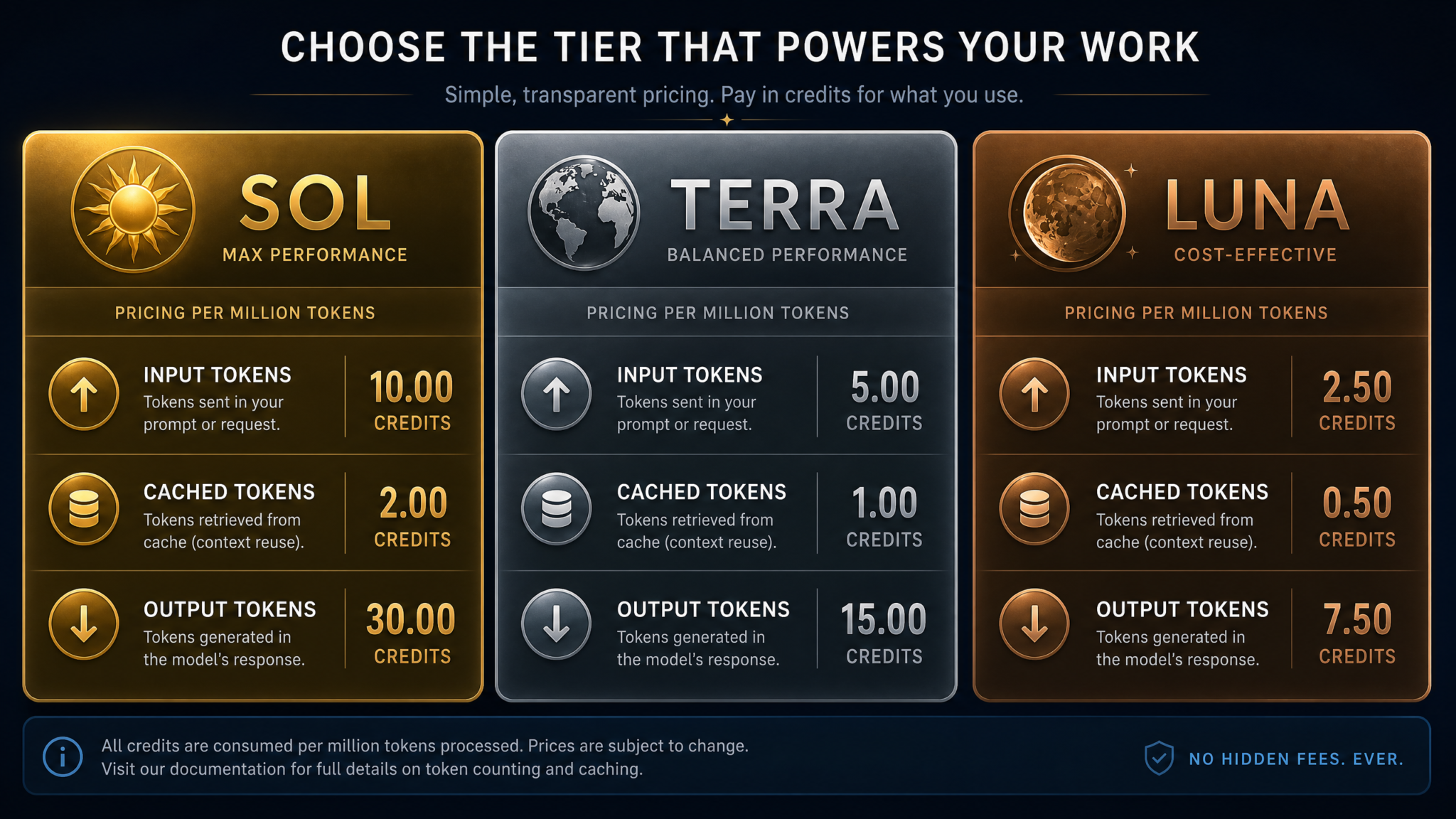
Here’s the complete breakdown per million tokens. Values are credits per million tokens for each category:
| Model | Input Tokens | Cached Input Tokens | Output Tokens | Positioning |
|---|---|---|---|---|
| GPT‑5.6 Sol | 125 | 12.5 | 750 | Premium reasoning, complex multi-step planning, high-fidelity code tasks |
| GPT‑5.6 Terra | 62.5 | 6.25 | 375 | Balanced performance and cost, strong default for most engineering tasks |
| GPT‑5.6 Luna | 25 | 2.5 | 150 | High-throughput routine tasks, templated drafts, linting, lookups |
| GPT‑5.5 | 125 | 12.5 | 750 | Legacy support and parity for certain advanced features |
How to read this table
- Input tokens are 10x more expensive than cached inputs for the same tier (e.g., Sol: 125 vs 12.5). That’s your most powerful lever.
- Output tokens are the cost driver if your prompts request long-form answers or verbose code. Reducing output size yields large savings, especially on Sol and GPT‑5.5.
- Luna is by far the cheapest for throughput workloads. If you can solve a task with Luna prompts, you can often save 60–80% of credits vs Terra and over 80% vs Sol.
Cost formula
For a single request, credits_consumed is:
credits =
  (uncached_input_tokens / 1_000_000) * INPUT_RATE
+ (cached_input_tokens   / 1_000_000) * CACHED_INPUT_RATE
+ (output_tokens         / 1_000_000) * OUTPUT_RATE
Where rates come from the table above for your selected model tier. If you enable a speed or “fast mode” multiplier, apply it to eligible components (see Fast Mode section below). In your dashboard, Codex shows per-request usage so you can validate calculations.
Budgeting: What Does a Typical Developer Spend?
Across active daily use—pair programming, code review, test generation, and CI helpers—most developers consume roughly $100–$200 per month in credits. Power users or automation-heavy teams will spend more; casual users less. The key drivers are:
- Average daily requests
- Average input size and cache hit rate
- Average output length
- Model tier mix (Luna vs Terra vs Sol)
- Whether fast mode is used during peak hours
In this guide, we’ll walk through multiple scenarios and show you how to get under your target budget without compromising on developer happiness or model quality. For a quick overview, consider a developer who runs 200 requests/day, each with a 1.5k input (1k uncached, 500 cached) and 350 output tokens, mostly on Terra. That’s roughly:
// Terra rates: 62.5 input, 6.25 cached input, 375 output (per million)
// Daily
credits_day = (200 * (1000 * 62.5 + 500 * 6.25 + 350 * 375)) / 1_000_000
            = (200 * (62_500 + 3_125 + 131_250)) / 1_000_000
            = (200 * 196_875) / 1_000_000
            = 39_375_000 / 1_000_000
            = 39.375 credits/day

// Monthly (22 working days)
= 866.25 credits/month
Depending on your organization’s credit per dollar conversion, that typically lands in the $100–$200/month zone for a single developer. Your actual conversion rate appears in billing; we’ll focus on credits here to keep comparisons model‑agnostic. For product documentation on billing plans, see your Codex billing portal or ask your admin. If your team wants a deeper pricing explainer, check the internal knowledge base and
For a deeper exploration of related concepts, our comprehensive article on ChatGPT Work Launches: OpenAI’s Super App Brings Codex Power to Non-Coders provides detailed analysis and practical frameworks that complement the strategies discussed in this section.
for continuously updated details.
Strategy 1: Maximize Cached Input Tokens
Cached inputs can be 10x cheaper than fresh inputs in the same tier (e.g., 12.5 credits vs 125 on Sol). The mechanism rewards stability: the more often you reuse the same tokens in your request context, the more you shift cost from “input” to “cached input.”
What counts as cacheable input
- Stable system prompts that define your role, tone, safety policies, or coding conventions.
- Tool/function specifications that rarely change (JSON schemas, tool signatures).
- Large reference documents that remain constant across sessions (coding style guides, API stubs, legal policies).
- Few-shot exemplars used repeatedly in the same exact form (or in parameterized templates that resolve to identical text).
What breaks the cache
- Minor textual edits to the cached block (extra whitespace, newlines, or version strings). Treat cached prompt blocks as immutable artifacts.
- Rotating identifiers or timestamps inside the cached block.
- Reordering or splitting previously contiguous cached sections.
Engineering patterns that increase cache hits
- Centralize your system prompt as a versioned asset. Reference it by ID in your code and only change it on releases.
- Separate stable instructions from per-request content. Compose at runtime by concatenating [cacheable block] + [dynamic user input].
- Parameterize outside the cached text. For example, don’t embed usernames or dates inside the system prompt; pass them in a separate user message.
- Use consistent tool schemas and avoid transient attributes that would alter the tool definition text.
Example: building a cache-friendly prompt composer
Below is a minimal pattern for constructing requests so that your stable preamble and tool specs remain byte-identical across requests.
// JavaScript/TypeScript (Node.js) — pseudocode; adapt to your SDK version
import OpenAI from "openai";
const client = new OpenAI({ apiKey: process.env.OPENAI_API_KEY });

// Immutable, versioned system preamble (DO NOT inject request-specific values here)
const SYSTEM_V1 = `
You are Codex-Assist v1.4. Follow Google's JavaScript style guide.
Return structured results as JSON matching the provided schema when requested.
Never include secrets in outputs.
`;

// Immutable tool schema (stable)
const TOOLS_SCHEMA_V3 = `
{
  "type": "object",
  "properties": {
    "action": { "type": "string", "enum": ["summarize", "refactor", "test"] },
    "language": { "type": "string", "enum": ["js", "ts", "py"] },
    "constraints": { "type": "array", "items": { "type": "string" } }
  },
  "required": ["action","language"]
}
`;

// Set your SDK's input caching flag or policy on the stable blocks.
// Consult your SDK docs for the exact parameter name. Some SDKs accept
// message-level metadata like: { role, content, cache: true }.
const messages = [
  { role: "system", content: SYSTEM_V1, cache: true },       // stable, cacheable
  { role: "system", content: TOOLS_SCHEMA_V3, cache: true }, // stable, cacheable
  // Dynamic, uncached per-request content
  { role: "user", content: "Refactor this function to be pure and add tests:\n\n" + sourceCode }
];

const response = await client.chat.completions.create({
  model: "gpt-5.6-terra",
  messages,
  // Constrain output tokens to cut costs (see Strategy 3)
  max_output_tokens: 300,
  response_format: { type: "json_object" } // Avoid verbose prose
});

console.log(response.usage); // Inspect token counts: input, cached_input, output
Python variant
# Python — pseudocode; adapt to your SDK version
from openai import OpenAI
client = OpenAI()

SYSTEM_V1 = """
You are Codex-Assist v1.4. Follow PEP 8. Prefer pure functions and property-based tests.
Return JSON when asked; validate against provided schema.
"""

TOOLS_SCHEMA_V3 = """
{"type":"object","properties":{"action":{"type":"string","enum":["summarize","refactor","test"]},
"language":{"type":"string","enum":["py","js","ts"]},"constraints":{"type":"array","items":{"type":"string"}}},
"required":["action","language"]}
"""

messages = [
    {"role": "system", "content": SYSTEM_V1, "cache": True},       # stable
    {"role": "system", "content": TOOLS_SCHEMA_V3, "cache": True}, # stable
    {"role": "user", "content": "Generate unit tests for the following module:\n\n" + module_code}
]

resp = client.chat.completions.create(
    model="gpt-5.6-terra",
    messages=messages,
    max_output_tokens=280,
    response_format={"type": "json_object"},
)
print(resp.usage)
How much does caching save?
Consider a workload with a 1,200‑token system block and tool schema (cacheable) plus 800 dynamic user tokens per request. You run 1,000 requests per day on Terra. Without caching, all 2,000 tokens/request are billed at 62.5 credits/million input. With caching, only the 800 dynamic tokens are billed as input, and 1,200 tokens are billed at 6.25 credits/million cached input. The daily delta is:
// Terra
no_cache = (2000 * 62.5) / 1_000_000 * 1000 = 125_000_000 / 1_000_000 = 125 credits/day

with_cache = ((800 * 62.5) + (1200 * 6.25)) / 1_000_000 * 1000
           = (50_000 + 7_500) / 1_000_000 * 1000
           = 57_500_000 / 1_000_000
           = 57.5 credits/day

savings = 125 - 57.5 = 67.5 credits/day (~54% reduction)
Across a 22‑day month, that’s 1,485 credits saved for a single integration—often the difference between a healthy budget and overrun. To go further, adopt a versioned prompt registry and forbid ad‑hoc edits to cacheable blocks in pull requests. Document it alongside your internal style guide and reference it in your developer onboarding, ideally with a short “before/after” usage screenshot.
Strategy 2: Choose the Right Model Tier Per Task
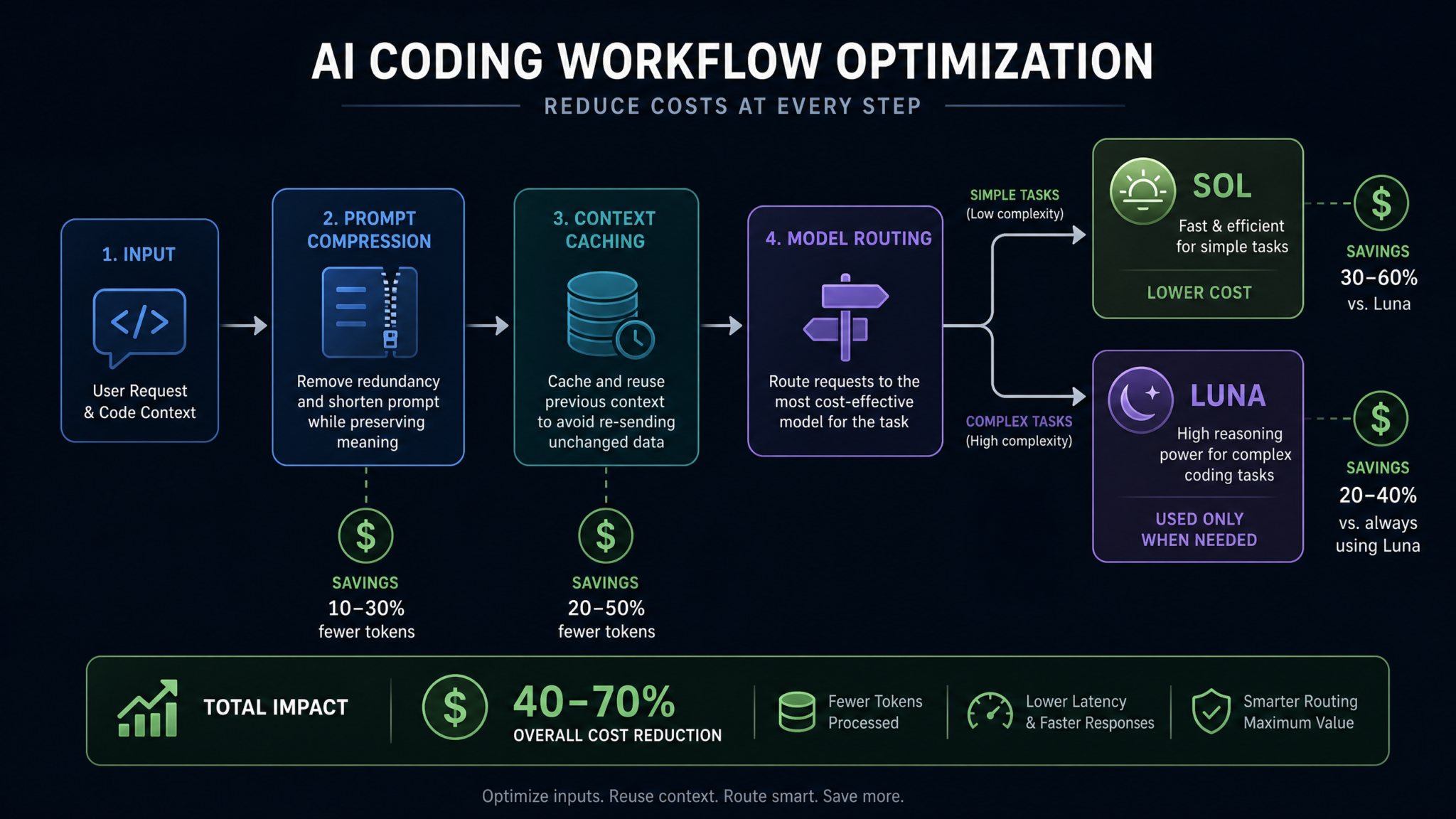
Routing every task to Sol is the simplest approach—and the fastest way to run up your bill. Instead, match the model to the complexity and risk of the task. Start with Luna for routine or repetitive tasks, move to Terra for moderate reasoning, and reserve Sol for the problems that genuinely demand multi‑stage planning or precision under ambiguity. GPT‑5.5 remains an option for legacy parity or when specific behaviors align with your stack, but its output cost is as high as Sol, so route carefully.
Task-to-model matrix
| Task Type | Recommended Tier | Rationale |
|---|---|---|
| Linting, code formatting, docstring normalization | Luna | Deterministic, low ambiguity; throughput prioritized |
| Unit test boilerplate, schema conversions, simple refactors | Luna → Terra | Start Luna; escalate to Terra if failing assertions or edge cases appear |
| Code review summaries, small PR risk assessment | Terra | Balance reasoning with cost; enforce concise outputs |
| Binary-to-text reverse engineering, performance tuning plans | Sol | High ambiguity and planning; minimize volume, maximize correctness |
| Legacy/generation parity (migrating from older flows) | GPT‑5.5 | Use for short outputs only; output rates match Sol |
| Knowledge lookup + snippet extraction | Luna | Constrain outputs to JSON snippets; cheap and fast |
| Architecture RFC drafting | Terra → Sol | Do a first pass on Terra; ask Sol for validations or risk analysis |
Automated routing pattern
Implement a router that selects a model based on declared task complexity and risk. Start low, sample results, and promote only when failure criteria are met.
// JS/TS: lightweight router
function chooseModel(task) {
  if (task.risk === "low" && task.tokens.output_max <= 200) return "gpt-5.6-luna";
  if (task.risk === "medium" || task.requires_reasoning) return "gpt-5.6-terra";
  if (task.risk === "high" || task.requires_planning) return "gpt-5.6-sol";
  return "gpt-5.6-terra";
}

async function runTask(task) {
  const model = chooseModel(task);
  return await client.chat.completions.create({
    model,
    messages: task.messages,
    max_output_tokens: task.tokens.output_max,
    response_format: task.response_format || { type: "json_object" },
  });
}
A small router like this can cut 30–60% of your credits without hurting developer experience. Instrument it with per‑tier usage counters and promote/demote rules using real error metrics, not gut feel. Tie those counters to your internal dashboard so teams see their Luna/Terra/Sol mix at a glance. If you maintain product docs, include a one‑pager on routing strategies and
For a deeper exploration of related concepts, our comprehensive article on The Big Prompt Engineering Story: What July 13’s News Means for Developers provides detailed analysis and practical frameworks that complement the strategies discussed in this section.
guidelines to reduce output length and retries.
Strategy 3: Minimize Output Tokens Through Precise Prompting
Output tokens cost the most. For Sol and GPT‑5.5, output is 750 credits per million, dwarfing even uncached input. The fastest way to reduce spend is to be surgical about what you ask for and how the answer is formatted.
Five patterns to shrink outputs
- Ask for structured JSON with a compact schema. Avoid prose unless required.
- Impose strict length limits: “Return at most N lines/tokens/characters.”
- Separate generation from explanation. First, generate code; only if needed, request a short rationale capped at, say, 120 tokens.
- Use enumerations over narratives. If you need three risks, ask for three bullet points, not “a discussion.”
- Stream and truncate. If you stream tokens, you can stop once enough data is produced and discard the rest client-side.
Code example: compact JSON outputs
// JS/TS
const messages = [
  { role: "system", content: "Return compact JSON only. No prose. Keys must be short. If a value does not exist, use null." },
  { role: "user", content: "Summarize this PR into risks, changed modules, and a 1-line title:\n\n" + diffText }
];

const response = await client.chat.completions.create({
  model: "gpt-5.6-terra",
  messages,
  max_output_tokens: 220, // small cap
  // Force compact JSON: no extraneous whitespace
  response_format: { type: "json_object", schema: {
    type: "object",
    properties: {
      title: { type: "string", maxLength: 80 },
      modules: { type: "array", items: { type: "string", maxLength: 60 } },
      risks: { type: "array", items: { type: "string", maxLength: 120 }, maxItems: 3 }
    },
    required: ["title","modules","risks"],
    additionalProperties: false
  }},
  // Optionally bias towards shorter outputs if your SDK supports length penalties
  // length_penalty: 0.2
});
Constrain by tokens, not just characters
Characters are a weak proxy. Where supported, set max_output_tokens. If your SDK does not expose token-length directly, estimate using your tokenizer and back into a safe cap. Always validate actual usage in the response metadata.
# Python: estimate tokens with a tokenizer (replace with your org's tokenizer)
def estimate_tokens(text: str) -> int:
    # Placeholder function. Use your official tokenizer here.
    # For planning, assume ~4 characters per token in English as a rough bound.
    return max(1, round(len(text) / 4))

# Setting a conservative cap
approx_needed = 180
cap = int(approx_needed * 1.15)  # 15% headroom
resp = client.chat.completions.create(
    model="gpt-5.6-terra",
    messages=messages,
    max_output_tokens=cap,
    response_format={"type": "json_object"},
)
Two-step generation to cut verbosity
If you must provide explanations, split the workflow:
- Step 1 (Luna/Terra): Generate the code or artifacts strictly, no commentary.
- Step 2 (Luna): Summarize the rationale to under 100 tokens if the user explicitly asks for it.
This pattern avoids paying high output costs on Sol when an explanation would suffice on Luna.
Strategy 4: Default to Luna for Routine Work, Use Sol Only for Complex Reasoning
Use Luna by default for tasks that don’t require deep reasoning: linting, extraction, small regex rewrites, templated doc generation, and simple unit tests. If Luna fails a deterministic check (e.g., tests don’t compile), promote to Terra. Sol should be a last resort for ambiguity-heavy tasks—interpreting vague requirements, generating nontrivial algorithms, or planning multi‑stage migrations. The bulk of your day-to-day development can live on Luna with careful prompt engineering.
Promotion ladder with automated fallbacks
// Pseudocode: promotion ladder
async function runWithPromotion(task) {
  let models = ["gpt-5.6-luna", "gpt-5.6-terra", "gpt-5.6-sol"];
  for (const model of models) {
    const resp = await client.chat.completions.create({
      model,
      messages: task.messages,
      max_output_tokens: task.tokens.output_max,
      response_format: task.response_format
    });
    const ok = await task.validator(resp);
    if (ok) return { model, resp };
  }
  throw new Error("All tiers failed validation");
}
Validation should be automatic: compile the generated code, run unit tests, or verify JSON against a schema. This keeps credits low while ensuring quality, and it yields clean telemetry for future routing decisions. For organizations documenting this approach, include a pattern library and
For a deeper exploration of related concepts, our comprehensive article on How to Use Codex Record and Replay to Turn Any Workflow Into a Reusable Skill provides detailed analysis and practical frameworks that complement the strategies discussed in this section.
guidelines so engineers can copy known-good recipes rather than improvising prompts.
Strategy 5: Monitor Usage via Codex Settings → Usage Panel
Real optimization requires measurement. Open Codex settings → Usage to see per-request token counts broken down by input, cached input, and output. Filter by model tier and time window; export CSVs to join with internal logs. Set alerts for daily and monthly thresholds, and share usage rollups with engineering managers weekly.
Step-by-step: creating a weekly usage ritual
- Monday morning: Export prior week’s usage from the Codex Usage panel.
- Join with your internal router logs (task type, validation outcomes, errors).
- Compute per-task credits (input vs cached input vs output).
- Identify top 5 high-output prompts; refactor them to structured JSON with max_output_tokens.
- Spot-check cache hit rates; stabilize any drifting system prompts or tool specs.
- Share a short Loom or doc on one win—e.g., “Cut 40% from code review bot by removing prose.”
Programmatic measurement in code
// JS/TS: attach usage to logs
const resp = await client.chat.completions.create({ /* ... */ });
const { input_tokens, cached_input_tokens, output_tokens } = resp.usage || {};
log.info("codex_usage", {
  model: "gpt-5.6-terra",
  input_tokens,
  cached_input_tokens,
  output_tokens,
  credits: estimateCredits("gpt-5.6-terra", { input_tokens, cached_input_tokens, output_tokens })
});

// Helper
function estimateCredits(model, { input_tokens, cached_input_tokens, output_tokens }) {
  const R = {
    "gpt-5.6-sol":   { in:125, c:12.5, out:750 },
    "gpt-5.6-terra": { in:62.5, c:6.25, out:375 },
    "gpt-5.6-luna":  { in:25, c:2.5, out:150 },
    "gpt-5.5":       { in:125, c:12.5, out:750 }
  }[model];
  return (input_tokens/1e6)*R.in + (cached_input_tokens/1e6)*R.c + (output_tokens/1e6)*R.out;
}
Fast Mode: Speed vs. Credits
Fast mode prioritizes latency, typically by allocating more compute or reducing internal sampling steps. The trade-off is higher credit consumption. Your dashboard lists the exact multiplier; apply it to the eligible components (commonly output, and sometimes input) as indicated. If the multiplier is m, the adjusted formula is:
credits_fast =
  (uncached_input_tokens / 1_000_000) * INPUT_RATE * m_in
+ (cached_input_tokens   / 1_000_000) * CACHED_INPUT_RATE * m_in
+ (output_tokens         / 1_000_000) * OUTPUT_RATE * m_out
Many teams reserve fast mode for interactive use (developer chat, inline completions) and disable it for batch jobs and CI. A simple policy switch—fast for foreground, standard for background—can cut spend by double digits with negligible impact on perceived performance for non-interactive tasks.
Feature flagging fast mode
// JS/TS: environment-based switch
const FAST = process.env.CODEX_FAST_MODE === "1";
const model = "gpt-5.6-terra";

const response = await client.chat.completions.create({
  model,
  messages,
  // Some SDKs expose a fast_mode or priority parameter; use if available
  // fast_mode: FAST,
  // Or as metadata/hint:
  // priority: FAST ? "low-latency" : "balanced"
});
Real-World Examples with Credit Calculations
Example 1: Code review assistant on Terra
Setup: You post PR diffs to Codex and receive a structured summary: title, changed modules, three risks. You use Terra, with a 1,400‑token stable system + tool schema (cached) and a 900‑token diff (uncached). Output is capped at 220 tokens of JSON.
// Terra: 62.5 in, 6.25 cached, 375 out (per million)
input_uncached  = 900 tokens
input_cached    = 1400 tokens
output          = 220 tokens

credits = (900/1e6)*62.5 + (1400/1e6)*6.25 + (220/1e6)*375
        = 0.05625 + 0.00875 + 0.0825
        = 0.1475 credits/request

For 300 PRs/day: 44.25 credits/day
Monthly (22 days): 973.5 credits
Optimization levers:
- Trim output to 180 tokens: saves (40/1e6)*375*300 ≈ 4.5 credits/day
- Increase cacheable preamble to 1,800 by moving examples out of user message: more cached, less input
Example 2: Test generation bot on Luna with promotion to Terra
Setup: Generate unit tests for changed files. Luna first with 1,000 cached tokens (framework + schema) and 600 dynamic tokens (file content), output up to 260 tokens of tests. If compilation fails, promote to Terra (20% of the time).
// Luna: 25 in, 2.5 cached, 150 out
// Terra: 62.5 in, 6.25 cached, 375 out

Luna credits/request = (600/1e6)*25 + (1000/1e6)*2.5 + (260/1e6)*150
                     = 0.015 + 0.0025 + 0.039
                     = 0.0565

Terra credits/request = (600/1e6)*62.5 + (1000/1e6)*6.25 + (260/1e6)*375
                      = 0.0375 + 0.00625 + 0.0975
                      = 0.14125

Blended (80% Luna, 20% Terra) = 0.8*0.0565 + 0.2*0.14125
                              = 0.0452 + 0.02825
                              = 0.07345 credits/request

For 500 files/day: 36.725 credits/day
Monthly (22 days): 807.95 credits
Example 3: Architecture RFC assistance—Terra draft, Sol validation
Setup: Terra drafts a concise outline; Sol evaluates risks. Terra request: 1,200 cached, 800 input, 200 output. Sol request: 1,200 cached (reused), 600 input (outline), 160 output.
// Terra draft
T = (800/1e6)*62.5 + (1200/1e6)*6.25 + (200/1e6)*375
  = 0.050 + 0.0075 + 0.075
  = 0.1325

// Sol validation
S = (600/1e6)*125 + (1200/1e6)*12.5 + (160/1e6)*750
  = 0.075 + 0.015 + 0.12
  = 0.21

Total per RFC cycle: 0.3425 credits
For 60 RFCs/month: 20.55 credits
Example 4: Large context knowledge extraction on Luna
Setup: Index a product manual; ask for structured answers. 3,000 cached tokens (manual section), 300 dynamic question tokens, 120 output.
// Luna
credits = (300/1e6)*25 + (3000/1e6)*2.5 + (120/1e6)*150
        = 0.0075 + 0.0075 + 0.018
        = 0.033 credits/request

At 2,000 requests/day: 66 credits/day
Monthly (22 days): 1,452 credits
Optimization:
- De-duplicate manual chunks to maximize cache reuse.
- Force outputs to a 3-field JSON to cap verbosity.
Example 5: CI compliance check (policy text reuse via cache)
Setup: Every commit is evaluated against a static policy text (2,500 tokens cached). Dynamic diff: 700 tokens; output: 180 tokens.
// Terra
credits = (700/1e6)*62.5 + (2500/1e6)*6.25 + (180/1e6)*375
        = 0.04375 + 0.015625 + 0.0675
        = 0.126875 credits/request

At 1,200 commits/day: 152.25 credits/day
Monthly (22 days): 3,349.5 credits
Savings vs no cache:
no_cache = ((700+2500)/1e6)*62.5 + (180/1e6)*375
         = (3200/1e6)*62.5 + 0.0675
         = 0.2 + 0.0675
         = 0.2675 credits/request

Daily delta at 1,200 commits: (0.2675 - 0.126875) * 1200 ≈ 168.75 credits/day
Instrumenting and Enforcing Output Constraints
Minimizing output isn’t just about max_output_tokens. It’s about ensuring downstream consumers accept compact outputs and reject verbosity. Wire these constraints into validators and CI so that a sprawling, prose-heavy answer fails fast and retries with a stricter prompt or a cheaper model.
Validator example: reject non-JSON or oversize outputs
// JS/TS
function validateCompactJSON(text, maxTokens) {
  try {
    const obj = JSON.parse(text);
    const tokens = estimateTokens(text);
    if (tokens > maxTokens) return { ok: false, reason: "too_long" };
    if (Array.isArray(obj) || typeof obj !== "object") return { ok: false, reason: "not_object" };
    return { ok: true, reason: null };
  } catch {
    return { ok: false, reason: "invalid_json" };
  }
}
Prompt Patterns That Reduce Credits
Pattern 1: Role + Rules + Format, all cacheable
System (cacheable):
Role: Senior code assistant. Primary objective is correctness and minimal diffs.
Rules:
- Follow project style guide (v3.1).
- Never include commentary unless explicitly requested.
- Always return JSON conforming to the provided schema.
Format:
- JSON only, no backticks, no markdown.

User (dynamic):
Task: Produce tests for the given function. Input will follow after a delimiter.
Constraints: No network calls; isolate side effects; 200 tokens max output.

Input:
<<CODE>>
... file contents ...
<</CODE>>
Pattern 2: Function-first, rationale on demand
System (cacheable):
Return only the function implementation first. Do not explain.

User (dynamic):
Write a function "parseConfig" in TypeScript that parses INI text to { sections: Record<string,Record<string,string>> }.
- No comments in code.
- 160 tokens max.
If I reply with "WHY", respond with at most 80 tokens explaining key decisions.
Pattern 3: JSON pointers and diffs instead of full text
When updating large documents or configs, ask for JSON Patch (RFC 6902) or a compact custom patch format rather than full files. You’ll pay a fraction of the output cost.
User (dynamic):
Given this package.json and these new dependencies, create a minimal JSON Patch with "add" or "replace" ops only.
Return JSON patch array, max 10 ops, no prose.
Counting Tokens: Tooling and Guardrails
Token counting is the single source of truth for your budget. You need two layers: estimation before calling Codex, and ground-truth after you receive a response (from response.usage). Use estimators to set caps and split requests; use the ground truth for billing and dashboards.
Client-side estimators
// JS/TS: rough estimator (replace with your tokenizer)
export function estimateTokens(text) {
  // Very rough: ~4 chars/token English. Replace with official tokenizer.
  return Math.max(1, Math.round(text.length / 4));
}

export function estimateRequestCredits(model, inputUncached, inputCached, outputMax) {
  const R = {
    "gpt-5.6-sol":   { in:125, c:12.5, out:750 },
    "gpt-5.6-terra": { in:62.5, c:6.25, out:375 },
    "gpt-5.6-luna":  { in:25,  c:2.5,  out:150 },
    "gpt-5.5":       { in:125, c:12.5, out:750 }
  }[model];
  return (inputUncached/1e6)*R.in + (inputCached/1e6)*R.c + (outputMax/1e6)*R.out;
}
Ground-truth usage logging
# Python
resp = client.chat.completions.create(model="gpt-5.6-luna", messages=messages, max_output_tokens=200)
u = resp.usage
log.info("usage", extra={
    "model": "gpt-5.6-luna",
    "input": u.get("input_tokens"),
    "cached_input": u.get("cached_input_tokens"),
    "output": u.get("output_tokens")
})
“Do This, Not That”: Common Anti-Patterns
- Anti-pattern: Embedding timestamps or user IDs in system prompts. Fix: keep cacheable blocks immutable; pass dynamics in user messages.
- Anti-pattern: Asking for full files when a patch suffices. Fix: request minimal diffs.
- Anti-pattern: Using Sol for every call. Fix: route to Luna/Terra by default; promote only on failure.
- Anti-pattern: Letting outputs run long “just in case.” Fix: hard caps plus validators.
- Anti-pattern: Not checking the Usage panel. Fix: weekly review and alerts.
Enterprise Team Budgeting Strategies
At scale, you need budgets, guardrails, and visibility. The goal is to empower developers while keeping spend predictable and aligned to business value. Here’s a blueprint you can implement in one sprint.
1) Set per-seat budgets and team-level envelopes
- Baseline: $100–$200 per developer per month.
- Teams with automation or CI bots: 2–5× individual baseline.
- Keep a shared buffer (10–20%) at the org level for spikes.
2) Enforce routing policies
- Default to Luna; Terra on validated need; Sol behind approval for background jobs.
- Approval can be automated by routes that check task labels or expected output size.
3) Require caching for stable components
- All system prompts and tool specs must be versioned and flagged as cacheable.
- CI rule: reject PRs that modify cacheable blocks without a version bump and justification.
4) Output control policies
- Max output token caps by task type (e.g., 150 for code diffs, 220 for PR summaries).
- JSON-only responses for bots; human prose allowed only in interactive contexts.
- Reject and retry with stricter prompts if caps are exceeded.
5) Dashboards and alerts
- Daily per-team credits by dimension: input vs cached vs output.
- Top 10 most expensive prompts and call sites.
- Model mix (Luna/Terra/Sol) with targets and deviations.
6) Quarterly cost reviews
- Refactor top 10% spend by moving verbose outputs to JSON patch formats.
- Consolidate duplicative system prompts across products.
- Update router thresholds based on validation pass rates.
Sample monthly budget worksheet
| Team | Seats | Baseline Credits/Seat | Automation Credits | Projected Total | Variance vs Last Month |
|---|---|---|---|---|---|
| Platform | 18 | 18 × 150 = 2,700 | 1,200 | 3,900 | -6% |
| Mobile | 10 | 10 × 140 = 1,400 | 300 | 1,700 | +2% |
| Data | 12 | 12 × 180 = 2,160 | 2,000 | 4,160 | +9% |
Putting It All Together: A Reference Architecture
Combine five pillars into a production-ready stack that is cost-aware by design:
- Prompt Registry: Versioned, immutable prompts and tool schemas with cache flags.
- Model Router: Luna→Terra→Sol with validation-driven promotion.
- Output Enforcer: JSON-only for bots, hard token caps, schema validation.
- Usage Telemetry: Every response logs input/cached/output tokens plus estimated credits.
- Dashboards & Alerts: Per-team spend, top call sites, and exceptions (e.g., Sol used without justification).
Reference code skeleton
// JS/TS
class CodexClient {
  constructor(openai, registry, logger) {
    this.openai = openai;
    this.registry = registry;
    this.logger = logger;
  }

  composeMessages(templateId, dynamicContent) {
    const tpl = this.registry.get(templateId);
    return [
      { role: "system", content: tpl.system, cache: true },
      { role: "system", content: tpl.tools, cache: true },
      { role: "user", content: dynamicContent }
    ];
  }

  chooseModel(task) {
    if (task.tier === "auto") {
      // Example heuristic
      if (task.risk === "low" && task.outputMax <= 200) return "gpt-5.6-luna";
      if (task.risk === "high" || task.requiresPlanning) return "gpt-5.6-sol";
      return "gpt-5.6-terra";
    }
    return task.tier;
  }

  async run(task) {
    const model = this.chooseModel(task);
    const messages = this.composeMessages(task.templateId, task.dynamic);
    const resp = await this.openai.chat.completions.create({
      model,
      messages,
      max_output_tokens: task.outputMax,
      response_format: task.responseFormat || { type: "json_object" }
    });
    const u = resp.usage || {};
    this.logger.info("codex_usage", {
      model,
      input: u.input_tokens,
      cached: u.cached_input_tokens,
      output: u.output_tokens
    });
    const ok = await task.validator(resp);
    if (!ok) throw new Error("validation_failed");
    return resp;
  }
}
Frequently Asked Questions
How do I decide when to use Sol vs Terra?
Use Terra by default for engineering tasks; promote to Sol when you can’t enforce correctness with validators alone or when ambiguity and multi-step planning dominate. Add a measurable rule: if output correctness is below X% after two Terra attempts, escalate to Sol.
Should I prefer cached input over smaller prompts?
Do both. Stabilize and cache your shared instructions, then minimize dynamic text. Don’t bloat your cacheable blocks just to hit cache; keep them concise and stable.
What about long answers—can I post-process to trim costs?
You pay for all generated tokens, even if you truncate locally. The right strategy is to constrain generation up front with max_output_tokens and compact schemas.
How can I forecast monthly costs?
Instrument your app to log input, cached input, and output tokens per request. Compute rolling averages and multiply by daily request counts. Use team dashboards to catch drifts early.
Is GPT‑5.5 still viable?
Yes for specific parity needs or when behavior matches your legacy workflows. But its output rate equals Sol’s; make outputs short or consider Terra/Luna when possible.
Playbooks for Common Engineering Workflows
Code review bot
- Tier: Terra
- Prompt: Stable system with style guide + JSON schema (cacheable), dynamic diff.
- Output: 180–220 tokens JSON (title, modules, risks).
- Validator: JSON schema check; modules must match diff paths.
Refactor assistant
- Tier: Luna first, Terra on failure.
- Prompt: Function-first; no commentary.
- Output: Patch format; 160–220 tokens.
- Validator: Compile and run unit tests; reject long prose.
Test generation
- Tier: Luna→Terra promotion ladder.
- Prompt: Cache testing framework boilerplate and schema.
- Output: Strict cap; JSON structure or code block only.
- Validator: Tests compile; coverage increases by N%; no network calls.
Analytics: Converting Telemetry into Action
Your logs become a cost-performance laboratory. Track these metrics at the call site and aggregate daily:
- Cache hit rate: cached_input_tokens / (cached_input_tokens + uncached_input_tokens)
- Output/input ratio: output_tokens / (uncached_input_tokens + cached_input_tokens)
- Promotion frequency: percent of calls escalating from Luna→Terra→Sol
- Validator pass rate: correctness over time by model tier
- Credits per successful task: total credits / tasks completed
Example SQL for a usage warehouse
-- Example: BigQuery/SQL-like
WITH requests AS (
  SELECT
    timestamp,
    model,
    usage.input_tokens AS in_tokens,
    usage.cached_input_tokens AS cached_tokens,
    usage.output_tokens AS out_tokens,
    validator_passed
  FROM codex.logs
  WHERE timestamp >= TIMESTAMP_SUB(CURRENT_TIMESTAMP(), INTERVAL 7 DAY)
)
SELECT
  model,
  COUNT(*) AS calls,
  SUM(in_tokens) AS sum_in,
  SUM(cached_tokens) AS sum_cached,
  SUM(out_tokens) AS sum_out,
  SUM(out_tokens) / NULLIF((SUM(in_tokens) + SUM(cached_tokens)), 0) AS out_to_in_ratio,
  AVG(CASE WHEN validator_passed THEN 1 ELSE 0 END) AS pass_rate
FROM requests
GROUP BY model
ORDER BY calls DESC;
Governance: Policies That Keep Spend Predictable
- Model routing: default Luna, Terra for reasoning, Sol by exception.
- Caching mandate: all shared prompts and schemas are cache-flagged and versioned.
- Output caps: enforced at call-time and via validators; escalating strictness on retry.
- Fast mode: interactive use only; disabled for batch and CI unless SLOs require it.
- Quarterly audits: refactor top spend, consolidate prompts, improve routers.
Appendix A: A Small Credits Calculator
// JS/TS: command-line calculator (pseudocode)
import yargs from "yargs";

const rates = {
  "gpt-5.6-sol":   { in:125, c:12.5, out:750 },
  "gpt-5.6-terra": { in:62.5, c:6.25, out:375 },
  "gpt-5.6-luna":  { in:25,  c:2.5,  out:150 },
  "gpt-5.5":       { in:125, c:12.5, out:750 }
};

const argv = yargs(process.argv.slice(2))
  .option("model", { type: "string", demandOption: true })
  .option("in", { type: "number", describe: "uncached input tokens", demandOption: true })
  .option("cin", { type: "number", describe: "cached input tokens", default: 0 })
  .option("out", { type: "number", describe: "output tokens", demandOption: true })
  .option("m_in", { type: "number", describe: "fast multiplier input", default: 1 })
  .option("m_out", { type: "number", describe: "fast multiplier output", default: 1 })
  .parseSync();

const r = rates[argv.model];
const credits = (argv.in/1e6)*r.in*argv.m_in + (argv.cin/1e6)*r.c*argv.m_in + (argv.out/1e6)*r.out*argv.m_out;
console.log(`Estimated credits: ${credits.toFixed(6)}`);
Appendix B: Cost Design Checklist
- Prompts are split into cacheable system/tool blocks and dynamic user content.
- All cacheable blocks are versioned and immutable across requests.
- Default model is Luna; router promotes based on validator outcomes.
- Outputs are JSON where possible, with strict token caps.
- Usage logs include input, cached input, output tokens, and estimated credits.
- Fast mode is feature-flagged and disabled for batch jobs.
- Dashboards show credits by dimension, top call sites, and model mix.
Appendix C: Detailed Scenario Walkthroughs
Scenario: Repository-wide refactor assistant
Goal: Rename a commonly used utility function across 5,000 files while adding tests. Plan: Use Luna to propose patches per file, validate compilation; promote to Terra only for failing files. Cache the refactor policy and patch schema.
- Cacheable: 1,600‑token policy + 400‑token patch schema = 2,000 tokens
- Dynamic: 700 tokens/file
- Output: 180 tokens/file (JSON patch)
- Assume 15% of files need Terra
// Luna per-file
L = (700/1e6)*25 + (2000/1e6)*2.5 + (180/1e6)*150
  = 0.0175 + 0.005 + 0.027
  = 0.0495

// Terra per-file
T = (700/1e6)*62.5 + (2000/1e6)*6.25 + (180/1e6)*375
  = 0.04375 + 0.0125 + 0.0675
  = 0.12375

Blended (85% L, 15% T) = 0.85*0.0495 + 0.15*0.12375
                       = 0.042075 + 0.0185625
                       = 0.0606375 credits/file

For 5,000 files: 303.1875 credits
Scenario: Multi-language doc translation pipeline
Goal: Translate release notes into five languages with bullet‑tight formatting. Use Luna with strict JSON outputs to deliver per‑language arrays of strings. Cache the style guide and glossary.
- Cacheable: 1,800 tokens (style + glossary)
- Dynamic: 900 tokens (release notes)
- Output: 240 tokens (compact JSON strings)
// Luna
credits/request = (900/1e6)*25 + (1800/1e6)*2.5 + (240/1e6)*150
                = 0.0225 + 0.0045 + 0.036
                = 0.063 credits

For 200 releases/month: 12.6 credits
Scenario: Incident postmortem assistant
Goal: Generate a postmortem outline from logs and alerts. Use Terra for outline; Sol for risk validation if required. Cache the postmortem template and definitions.
- Cacheable: 1,400 tokens
- Dynamic: 1,100 tokens
- Output: 220 tokens
// Terra
credits = (1100/1e6)*62.5 + (1400/1e6)*6.25 + (220/1e6)*375
        = 0.06875 + 0.00875 + 0.0825
        = 0.160 credits/request

If 30% require Sol validation (add ~0.21 credits each as earlier), blended monthly for 80 incidents:
= 80*(0.7*0.160 + 0.3*(0.160+0.21)) = 80*(0.112 + 0.111) ≈ 17.84 credits
Troubleshooting: When Credits Spike
- Symptom: Output tokens surge. Fix: Identify verbose prompts; add strict caps and JSON schemas; split generation and explanation.
- Symptom: Input costs climb. Fix: Move examples into cacheable blocks; stabilize system prompts and tool specs.
- Symptom: Sol usage creeps. Fix: Update router thresholds; require validator failures to justify Sol promotion.
- Symptom: Fast mode overuse. Fix: Disable in batch contexts; implement a time-of-day or job-type switch.
Access 40,000+ AI Prompts for ChatGPT, Claude & Codex — Free!
Subscribe to get instant access to our complete Notion Prompt Library — the largest curated collection of prompts for ChatGPT, Claude, OpenAI Codex, and other leading AI models. Optimized for real-world workflows across coding, research, content creation, and business.
Key Takeaways
- Cached input saves an order of magnitude on input costs. Version and freeze your shared prompts.
- Route routine tasks to Luna; Terra for reasoning; Sol only when required.
- Outputs dominate cost on premium tiers—enforce JSON and strict token caps.
- Monitor via Codex settings → Usage, and wire usage into your logs and dashboards.
- Adopt promotion ladders and validators to keep quality high and credits low.
Next Steps
- Stand up a prompt registry with cache flags in your repo today.
- Add a minimal router (Luna→Terra→Sol) with validation-based promotion.
- Instrument usage logging and create a weekly usage review ritual.
- Refactor your top 5 most expensive prompts to compact JSON outputs with hard caps.
With these practices, engineering teams consistently land in the $100–$200 per-developer monthly range while shipping faster and more safely. The April 2026 token model rewards thoughtful design—so make cost a feature of your architecture, not an afterthought. If you need a quick internal primer, point teammates to this guide and your wiki’s spend policies. For evolving updates on rate cards and new capabilities, check your Codex billing portal and the engineering handbook pages you maintain in-house.
Finally, remember that optimization is iterative. Start with the biggest wins—cached inputs and output caps—and expand to routing and validators next. By the time you’re reviewing week two’s dashboard, you’ll already see the curve bend in your favor.
