
25 ChatGPT-5.5 Prompts for Technical Writing — API Documentation, Architecture Decision Records, Runbooks, and Developer Guides
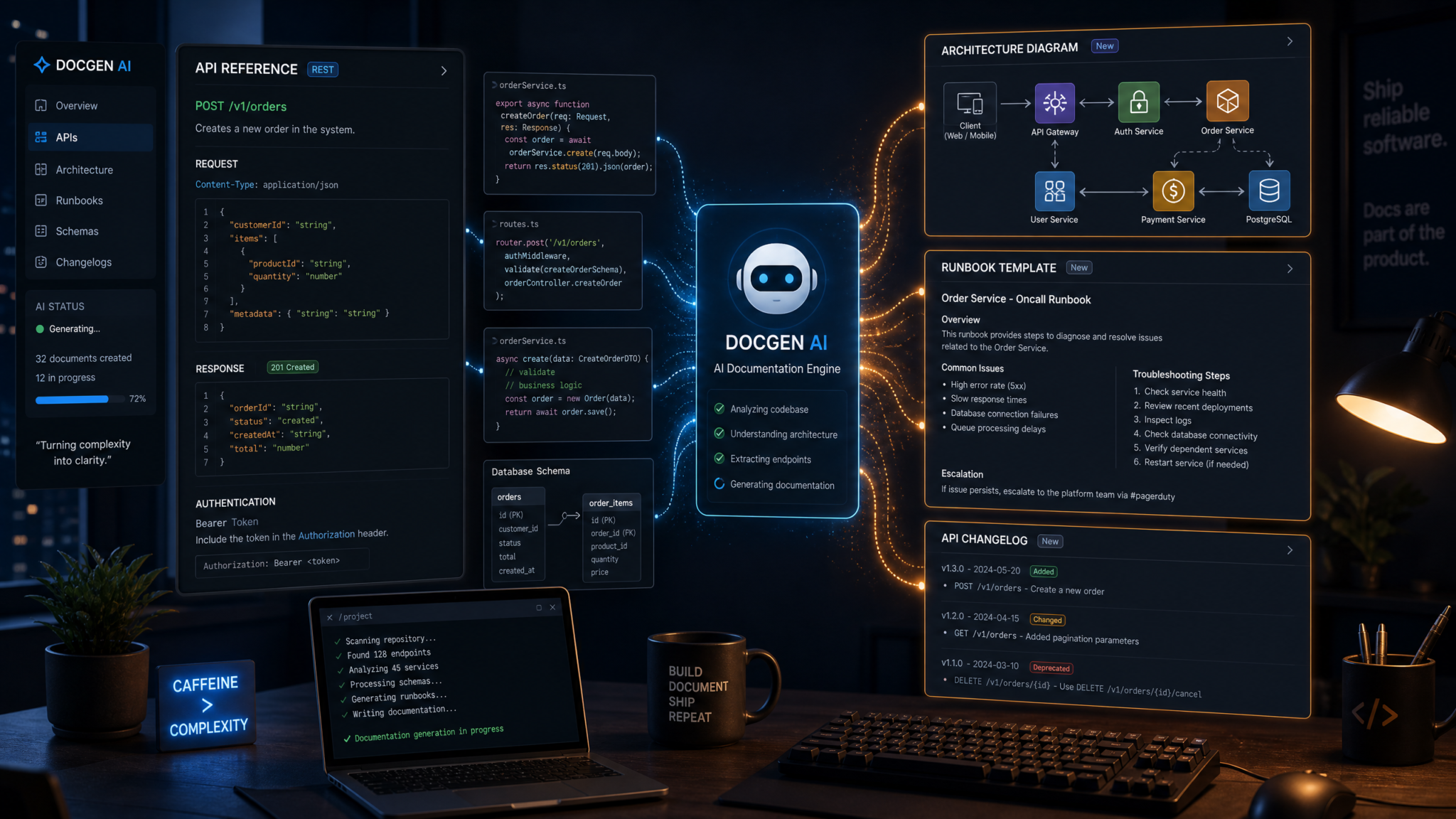
This masterclass provides 25 production-ready prompts tailored for ChatGPT-5.5 to create high-quality technical documentation. Each prompt is copy-paste-ready and organized into five focused sections: API Documentation, Architecture Decision Records (ADRs), Operational Runbooks, Developer Guides, and Release Documentation. For every prompt you’ll find: context variables to substitute, exact prompt text, the expected output format, and concrete quality criteria (checklists and measurable acceptance conditions). Where appropriate, the article includes code examples, tables that compare templates and approaches, and examples of short expected outputs you can use to validate results.
How to use these prompts
Best practices when using these prompts:
- Substitute context variables ({{like_this}}) with concrete values from your project before sending to the model.
- When you need machine-readable output (OpenAPI YAML, JSON, Markdown), include an explicit “Output format” directive in the prompt — each prompt here already contains one.
- Iterate: use a second prompt to ask the model to identify missing edge-cases or expand examples. A two-step approach (generate, then audit) improves correctness for complex docs.
- For sensitive or compliance-critical docs, always run automated linters and human review steps — the prompts include quality criteria that map to automated checks where possible.
Contents
- API Documentation (5 prompts)
- Architecture Decision Records (5 prompts)
- Operational Runbooks (5 prompts)
- Developer Guides (5 prompts)
- Release Documentation (5 prompts)
Section 1 — API Documentation (5 prompts)
API documentation prompts focus on precise, machine- and human-readable outputs: OpenAPI endpoints, authentication guides, error reference tables, SDK quickstarts, and migration guides. Use these to produce docs that developers can copy-paste and run immediately.
Prompt 1.1 — Endpoint Documentation (REST endpoint spec + examples)
Prompt:
You are an expert API technical writer. Produce endpoint documentation for the API resource "{{resource_name}}" in the service "{{service_name}}". Use the OpenAPI-like Markdown structure below. Include: purpose, path, HTTP method, required headers, URL parameters, request body schema (JSON Schema), response body schema for success and common errors, example requests (curl & JavaScript fetch), example responses (200 and 4xx/5xx), and a one-paragraph "Best practices" note. Use the following values:
- service_name: {{service_name}}
- resource_name: {{resource_name}}
- path: {{path}}
- method: {{method}}
- auth: {{auth_type}} (e.g., "Bearer token", "API key in header X-Api-Key")
- success_status: {{success_status}} (e.g., 200)
- success_schema: {{success_schema}} (JSON schema as inline JSON)
- error_codes: {{error_codes}} (list of {"code", "condition", "schema"} objects)

Output format:
- Markdown-compatible section with headings and fenced code blocks.
- Machine-copyable JSON Schemas included inline.

Quality criteria (must pass all):
1. Path and method match input exactly.
2. JSON Schemas are valid JSON (no trailing commas).
3. At least one working curl and one JavaScript fetch example that use the indicated auth.
4. Provide at least two distinct error responses with HTTP codes and example bodies.
5. Total word count for this endpoint doc: 250–700 words.

Produce the documentation now.
Context variables to replace: {{service_name}}, {{resource_name}}, {{path}}, {{method}}, {{auth_type}}, {{success_status}}, {{success_schema}}, {{error_codes}}
Example expected output snippet (short):
### GET /v1/users/{user_id}
Purpose
Retrieve a user by ID.

Path
GET /v1/users/{user_id}
Headers
- Authorization: Bearer {{token}}
- Accept: application/json

Request parameters
- user_id (path, string, required)

Success (200)
{
  "type": "object",
  "properties": {
    "id": {"type":"string"},
    "email": {"type":"string"}
  },
  "required": ["id","email"]
}

Example curl
curl -H "Authorization: Bearer $TOKEN" https://api.example.com/v1/users/123
Prompt 1.2 — Authentication Guide (OAuth2 + API key hybrid)
Prompt:
You are a security-savvy API doc author. Write an Authentication Guide for "{{service_name}}". The system supports two methods: OAuth2 (authorization_code with PKCE) and API Key (X-Api-Key header). Include:
- Overview of supported flows (diagram text)
- Step-by-step OAuth2 PKCE flow with endpoint URLs and required parameters
- Token exchange example in curl and nodejs
- How to rotate API keys safely
- Recommended header and TTL policies (include numeric examples, e.g., "access_token expires in 3600s")
- A short security checklist for reviewers

Replace variables:
- service_name: {{service_name}}
- auth_server_base: {{auth_server_base}} (like https://auth.example.com)
- token_ttl_seconds: {{token_ttl_seconds}} (e.g., 3600)

Output format:
- Markdown with numbered steps and code blocks.
- Include exact header names and sample values.

Quality criteria:
1. OAuth2 PKCE flow includes code_challenge and code_verifier steps.
2. TTL numeric values included and consistent.
3. Rotation steps include revocation endpoint and backward-compatibility guidance.
4. Actionable security checklist with at least 6 items.
5. Guide length: 300–900 words.

Produce the guide now.
Context variables to replace: {{service_name}}, {{auth_server_base}}, {{token_ttl_seconds}}
Prompt 1.3 — Error Reference Catalog (codes, causes, remediation)
Prompt:
Create an Error Reference Catalog for the "{{service_name}}" API. Format as a table with columns: HTTP Code, Error Code (string), Short Description, Likely Cause, Remediation Steps, Example Response JSON. Include at least the following codes: 400, 401, 403, 404, 409, 422, 429, 500, 503. For rate-limit errors (429), include "retry-after" header semantics (examples in seconds). Provide a 2-3 sentence "How to instrument errors" section explaining mapping of codes to monitoring alerts (e.g., PagerDuty thresholds) and a JSON schema for the error response envelope.

Variables:
- service_name: {{service_name}}
- error_envelope: {{error_envelope_name}} (e.g., "error")

Output format:
- Markdown table + JSON schema block.

Quality criteria:
1. All requested HTTP codes present.
2. Retry semantics provided for 429 with numeric examples (e.g., Retry-After: 120).
3. Example JSON responses are valid JSON and use the specified envelope name.
4. Monitoring guidance includes threshold numbers (e.g., "trigger if >5% 5xx within 5 minutes").

Produce the error catalog now.
Prompt 1.4 — SDK Quickstart (Python + JavaScript)
Prompt:
Create a one-page SDK Quickstart for the "{{service_name}}" official SDKs in Python and JavaScript. Include:
- Installation commands (pip and npm)
- Minimal authentication setup code for both languages
- Example: creating a resource {{resource_example}} (full working snippets)
- Common troubleshooting section (authentication errors, missing scopes)
- Version pinning recommendation (example: ==1.2.3)

Variables:
- service_name: {{service_name}}
- package_python: {{package_python}} (e.g., example-sdk)
- package_js: {{package_js}} (e.g., @example/sdk)
- resource_example: {{resource_example}} (e.g., "create project named 'demo'")

Output format:
- Markdown with copy-paste-ready code blocks ready to run.

Quality criteria:
1. Code examples run without additional context (assume a UNIX-like shell and node >=16).
2. Include pinned version example and explanation for backward-compatible pinning.
3. Troubleshooting covers at least three common errors with remediation steps.
4. Length: 200–500 words.

Produce the quickstart now.
Prompt 1.5 — Migration Guide (v1 → v2 API)
Prompt:
Draft a migration guide to move clients from "{{service_name}} API v1" to "v2". Include:
- High-level summary of breaking changes (list at least 6 distinct items)
- Map of endpoint changes (table: v1 path → v2 path → migration notes)
- Code migration snippets for one representative client in Python and JavaScript (before/after)
- A compatibility checklist and suggested deprecation timeline with dates relative to "release_date" you will provide.

Variables:
- service_name: {{service_name}}
- release_date: {{release_date}} (YYYY-MM-DD)
- endpoints_changed: {{endpoints_changed}} (array of objects with v1, v2, reason)

Output format:
- Markdown with tables and code diffs.
- Deprecation plan in calendar-relative terms (e.g., "90 days after {{release_date}}")

Quality criteria:
1. At least 6 breaking changes enumerated and explained.
2. Endpoint mapping table covers all provided endpoints_changed.
3. Code snippets show minimal edits required to migrate.
4. Deprecation timeline is actionable (dates or relative days).
5. Length: 400–1200 words.

Produce the migration guide now.
Developers seeking hands-on implementation guidance can follow our step-by-step walkthrough on Mastering Custom GPTs: How Developers Can Build and Deploy Tailored AI Assistants Using OpenAI’s Latest API Features, which covers the technical setup, configuration patterns, and troubleshooting approaches for production environments.
Section 2 — Architecture Decision Records (5 prompts)
ADRs capture architectural choices, trade-offs, and the rationale for long-term decisions. Use these prompts to standardize ADR creation and to produce machine-readable summaries suitable for inclusion in Git repos.
Prompt 2.1 — ADR Template (conventional with decision log)
Prompt:
Generate a standard ADR template for "{{project_name}}" following the "YAML frontmatter + Markdown body" convention. The template must contain metadata fields: id, title, status (proposed|accepted|deprecated|rejected), date, authors, tags, related_decisions (list), and summary (1 sentence). The body must have sections: Context, Decision, Consequences, Alternatives Considered (table with pros/cons), and Follow-up Tasks (assignable items). Include an example filled ADR using the decision "Adopt Postgres as primary datastore" with at least three pros and three cons.

Variables:
- project_name: {{project_name}}
- example_author: {{example_author}}

Output format:
- One YAML frontmatter block followed by Markdown body.
- The alternatives table must have columns: Alternative, Pros (bullet list), Cons (bullet list).

Quality criteria:
1. All metadata keys present in YAML frontmatter.
2. Alternatives table includes at least 3 alternatives.
3. Example ADR is realistic and contains measurable consequences (cost estimate, expected latency improvements).
4. Template size: 200–600 words.

Produce the ADR template and example now.
Context variables: {{project_name}}, {{example_author}}
Prompt 2.2 — Trade-off Analysis (latency vs. consistency)
Prompt:
Write a Trade-Off Analysis ADR comparing "Strong Consistency with Single Primary" vs "Eventual Consistency with Multi-Region Replication" for the "{{system_name}}" read-heavy service. Include:
- A one-paragraph problem statement (SLOs and RPO/RTO targets)
- Measurable impact table with dimensions: Latency (median & p95 estimates), Availability (%), Complexity (engineering effort in person-weeks), Cost (monthly $ estimate for infra), Data Freshness (seconds)
- Failure-mode analysis (at least 4 failure scenarios with impact & mitigation)
- Recommendation and rollout plan (canary % timeline and rollback criteria)

Variables:
- system_name: {{system_name}}
- slos: {{slos}} (e.g., "99.9% availability, p95 < 200ms, RPO < 60s")

Output format:
- Markdown with a comparison table and a numbered rollout plan.

Quality criteria:
1. Provide numeric estimates (latency, cost, complexity) with reasonable justifications.
2. Failure-mode analysis covers network partition, leader loss, read-after-write, and backup/restore.
3. Rollout plan includes measurable canary thresholds (e.g., error rate increase <= 0.5%).
4. Length: 400–900 words.

Produce the trade-off ADR now.
Prompt 2.3 — Technology Evaluation (Kafka vs Pub/Sub)
Prompt:
Produce a technology evaluation ADR comparing "Apache Kafka (self-managed)" vs "Managed Pub/Sub (cloud vendor)". For each option, provide:
- Short summary,
- Operational burden estimate (person-hours/month),
- Cost model (example monthly cost for 10TB ingested, 14-day retention; include assumptions),
- Feature parity table (durability, message ordering, at-least-once semantics, exactly-once support, geo-replication),
- Risk assessment and procurement considerations.

Variables:
- project_name: {{project_name}}
- ingestion_tb_month: {{ingestion_tb_month}} (e.g., 10)
- retention_days: {{retention_days}} (e.g., 14)
- cost_assumptions: {{cost_assumptions}} (e.g., price per TB or node)

Output format:
- Markdown with a detailed cost calculation and a 6-row comparison table.

Quality criteria:
1. Cost model shows math with units (e.g., "10 TB * $X/TB = $Y/month").
2. Operational burden quantified (person-hours/month) with assumptions listed.
3. Feature parity table contains at least the listed items.
4. Procurement guidance includes SLA & support criteria.

Produce the evaluation now.
Prompt 2.4 — System Design Document (high-level + sequence diagram)
Prompt:
Write a high-level System Design Document (SDD) for a service named "{{service_name}}" that ingests events, enriches them, and stores them for low-latency queries. Include:
- Goals and non-goals
- Context and data flow (component list)
- A textual sequence diagram for the path "client -> API -> ingestion queue -> enrichment worker -> OLAP store" with latency budget per step
- Capacity planning table (RPS, average payload size, compute vCPU estimates, storage projections for 1, 6, and 12 months)
- Scaling strategy and backpressure mechanisms

Variables:
- service_name: {{service_name}}
- expected_rps: {{expected_rps}} (e.g., 2000)
- avg_payload_kb: {{avg_payload_kb}} (e.g., 3)
- retention_months: {{retention_months}} (e.g., 12)

Output format:
- Markdown with bullet lists, a textual sequence diagram, and numeric capacity tables.

Quality criteria:
1. Latency budget sums to a practical total (e.g., < 500ms for end-to-end).
2. Capacity planning uses the formula: storage = expected_rps * avg_payload_kb * 3600 * 24 * days / 1024^2 for GB/month and projected to months requested.
3. Scaling strategy lists autoscaling triggers (CPU, queue depth) and exact thresholds.
4. Length: 500–1200 words.

Produce the SDD now.
Prompt 2.5 — Capacity Planning (numbers & cost model)
Prompt:
Create a capacity planning worksheet for "{{system_name}}" for the next 12 months. Input assumptions:
- baseline_rps: {{baseline_rps}} (current)
- growth_rate_month: {{growth_rate_month}} (e.g., 8% per month)
- avg_payload_kb: {{avg_payload_kb}}
- retention_days: {{retention_days}}
- target_headroom: {{headroom_percentage}} (e.g., 40)
Produce:
- Monthly RPS forecast (table for 12 months)
- Monthly storage projection in GB and TB
- Monthly compute estimate (vCPU-hours) assuming avg processing requires 0.0002 vCPU-seconds per request (provide math)
- Cost model using given unit costs (you may suggest typical values, but list assumptions clearly) for storage ($/GB-month) and compute ($/vCPU-hour)
- Final recommendations: minimum capacity to provision today and scaling policy

Variables:
- system_name: {{system_name}}
- baseline_rps: {{baseline_rps}}
- growth_rate_month: {{growth_rate_month}}
- avg_payload_kb: {{avg_payload_kb}}
- retention_days: {{retention_days}}
- headroom_percentage: {{headroom_percentage}}

Output format:
- Markdown with tables and clear formulas (show one worked example).

Quality criteria:
1. Forecast table includes numeric values for each month.
2. Storage math is explicit and verifiable.
3. Compute math uses stated per-request vCPU-seconds and converts to vCPU-hours.
4. Cost model shows both assumptions and results.

Produce the capacity planning worksheet now.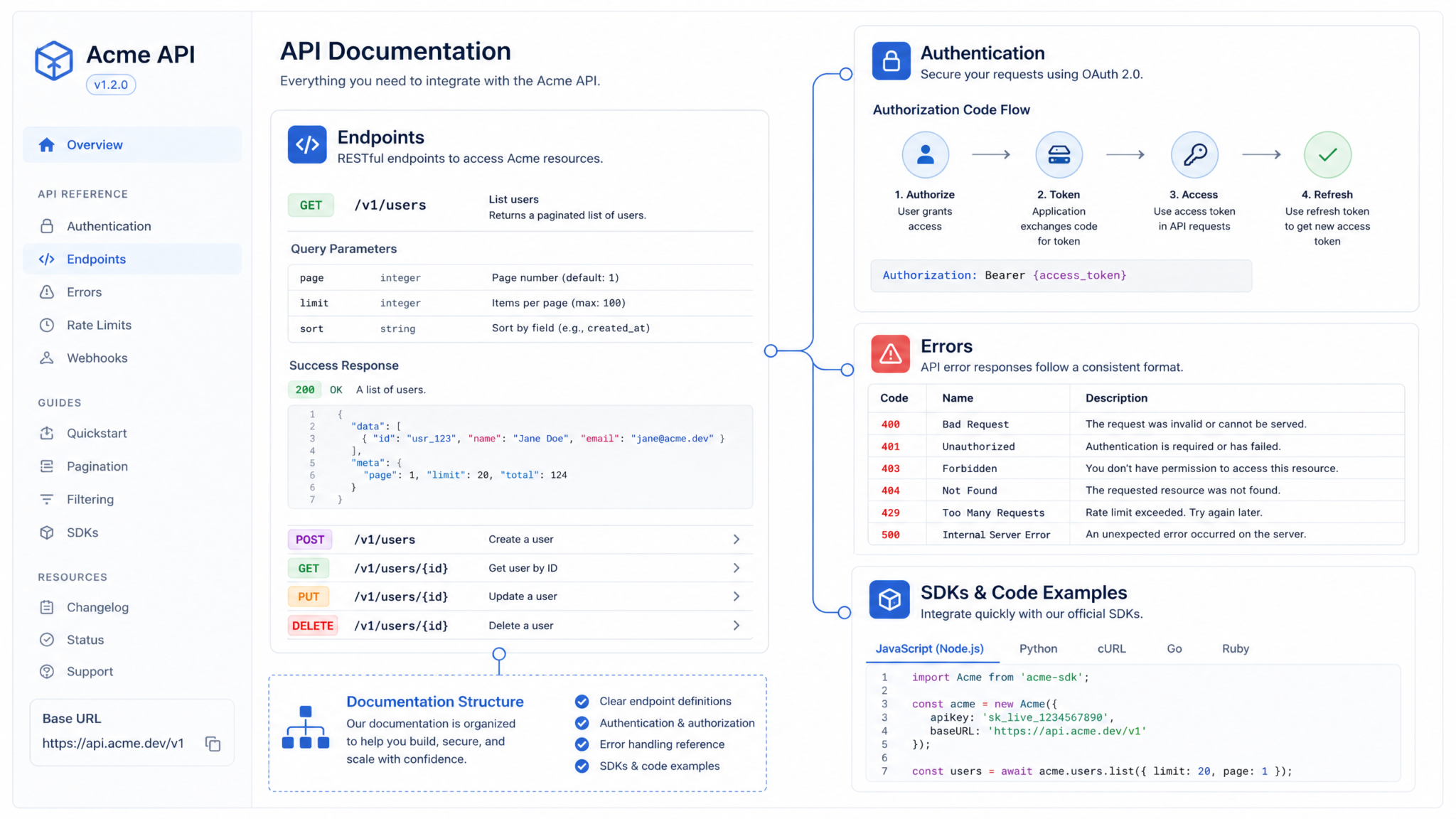
Developers seeking hands-on implementation guidance can follow our step-by-step walkthrough on How to Use Codex Record and Replay to Turn Any Workflow Into a Reusable Skill, which covers the technical setup, configuration patterns, and troubleshooting approaches for production environments.
Section 3 — Operational Runbooks (5 prompts)
Operational runbooks convert incident response knowledge into actionable, time-sensitive steps. These prompts generate playbooks, deployment runbooks, monitoring definitions, and disaster recovery procedures designed for on-call engineers.
Prompt 3.1 — Incident Response Playbook (P1 highest severity)
Prompt:
Generate an Incident Response Playbook for P1 (sev-1) incidents affecting "{{service_name}}". The playbook must be prescriptive and time-ordered with timestamps relative to incident start (T+0, T+5, T+15, T+60). Include:
- Immediate triage checklist (what to check in first 5 minutes)
- Roles and responsibilities (incident commander, lead engineer, comms)
- Fast mitigation actions with shell commands and example logs to check (e.g., "curl health endpoint", "kubectl get pods -n {{namespace}}")
- Communication templates: Slack incident channel intro, status update at T+30, postmortem notification
- Criteria to declare incident resolved and criteria for escalation to a full incident review within 72 hours

Variables:
- service_name: {{service_name}}
- namespace: {{k8s_namespace}}

Output format:
- Step-by-step timeline with numbered actions and code blocks.

Quality criteria:
1. Timeline includes T+0, T+5, T+15, T+30, T+60 and T+end markers.
2. Shell commands are syntactically correct and use the provided namespace.
3. Communication templates are complete and include essential fields (impact, scope, mitigation, next update).
4. Playbook length: 400–1000 words.

Produce the incident playbook now.
Prompt 3.2 — Deployment Procedure (safe deploy with health checks)
Prompt:
Write a Safe Deployment Procedure for "{{service_name}}" operated on Kubernetes with CI/CD. Include:
- Preconditions and required approvals
- Step-by-step canary deployment steps (percent rollout schedule)
- Health checks and observability assertions (specific Prometheus queries, expected behavior)
- Automated rollback conditions (exact metrics and thresholds)
- Post-deploy validation checklist

Variables:
- service_name: {{service_name}}
- canary_percentages: {{canary_percentages}} (e.g., [10, 25, 50, 100])
- prometheus_latency_query: {{prometheus_latency_query}} (e.g., "histogram_quantile(0.95, sum(rate(http_request_duration_seconds_bucket[5m])) by (le))")

Output format:
- Markdown with ordered steps and code/command snippets for kubectl, helm, and Prometheus queries.

Quality criteria:
1. Canary rollout steps include timing (e.g., "wait 10 minutes at 10%").
2. Health assertions include both latency and error rate with numeric thresholds.
3. Rollback conditions are specific (e.g., "if error rate > 0.5% above baseline for 5 minutes, rollback").
4. Procedure length: 300–900 words.

Produce the deployment procedure now.
Prompt 3.3 — Rollback Playbook (fast rollback + data migration undo)
Prompt:
Create a Rollback Playbook for "{{service_name}}" that covers both code rollback and undoing a schema/data migration. Include:
- When to trigger rollback (binary criteria)
- Commands for rolling back deployment artifacts (helm rollback or kubectl set image with exact flags)
- Steps to revert a migration and data rollback verification queries (SQL for PostgreSQL examples)
- Post-rollback validation checklist and communications

Variables:
- service_name: {{service_name}}
- db_name: {{db_name}}
- migration_table: {{migration_table}} (table that tracks migrations)

Output format:
- Numbered step list with code blocks for shell and SQL.

Quality criteria:
1. Rollback commands are concrete and tested syntactically.
2. SQL rollback steps include SELECT verification queries.
3. Playbook covers both code and DB migrations and mentions backups and restore time estimates.
4. Length: 300–800 words.

Produce the rollback playbook now.
Prompt 3.4 — Monitoring Setup (SLOs, metrics, dashboards)
Prompt:
Write a Monitoring Setup document for "{{service_name}}". Include:
- Suggested SLOs and SLIs (with formulas and examples)
- Prometheus metric names and alerting rules (YAML snippets for PrometheusRule)
- Dashboard widget suggestions (Grafana panels with queries)
- Alert routing and escalation policy (thresholds, minutes, pager rotas)
- Runbook links for each alert (map alert name → runbook section)

Variables:
- service_name: {{service_name}}
- example_slo_latency_ms: {{example_slo_latency_ms}} (e.g., 200)
- error_budget_percent: {{error_budget_percent}} (e.g., 0.1)

Output format:
- Markdown with YAML blocks and Grafana query suggestions.

Quality criteria:
1. At least 3 SLIs (latency, availability, error rate) with formulas.
2. Prometheus alert rules include both severity and runbook annotations.
3. Escalation policy includes concrete times and on-call roles.
4. Document length: 400–1000 words.

Produce the monitoring setup now.
Prompt 3.5 — Disaster Recovery Plan (RTO/RPO & runbook)
Prompt:
Draft a Disaster Recovery Plan for "{{system_name}}". Include:
- RTO and RPO targets with justification
- Recovery steps for full region loss (order of operations)
- Recovery environment bootstrap scripts (textual commands and example IaC snippets)
- Data restoration plan (backup cadence, retention, estimated restore time for 1TB)
- Communication and post-recovery verification checklist

Variables:
- system_name: {{system_name}}
- rto_hours: {{rto_hours}}
- rpo_seconds: {{rpo_seconds}}
- data_size_tb: {{data_size_tb}}

Output format:
- Markdown with ordered steps, code examples, and a table of estimated durations.

Quality criteria:
1. RTO and RPO numeric targets present and justified against business impact.
2. Restore time estimates include assumptions and math (e.g., "1TB at 1 Gbps ≈ ~2.5 hours transfer").
3. Recovery commands and IaC snippets clear and complete enough to be copy-pasted.
4. Length: 400–1000 words.

Produce the disaster recovery plan now.
For teams looking to maximize their productivity with structured AI interactions, our comprehensive guide on 30 ChatGPT-5.5 Prompts for Cybersecurity Professionals: Threat Hunting, Incident Response, Vulnerability Assessment, and Compliance Automation provides battle-tested templates and frameworks that complement the workflows discussed above.
Section 4 — Developer Guides (5 prompts)
Developer guides help onboard engineers, standardize code reviews, and document CI/CD and testing strategies. These prompts produce readable, actionable guides and include policy checkpoints and code examples.
Prompt 4.1 — Onboarding Document (first 30 days)
Prompt:
Create a 30-day Onboarding Plan for a new backend engineer joining the "{{team_name}}" team. The plan must include:
- Week-by-week objectives (Week 0 setup, Weeks 1–4 goals)
- Required accounts and access (exact repos, docs, dashboards)
- Small starter tasks (2-3 code tasks with step-by-step instructions and expected outputs)
- Mentorship and review checkpoints (who to meet and when)
- Measuring success (KPI checklist for onboarding completion)

Variables:
- team_name: {{team_name}}
- repo_list: {{repo_list}} (list of key repos)
- first_tasks: {{first_tasks}} (brief description of starter tickets)

Output format:
- Week-by-week table and numbered tasks.

Quality criteria:
1. Tasks are small, code-and-verify tasks with expected results.
2. Access list is explicit and actionable (repo URLs, dashboard names).
3. Measurement checklist contains at least 5 items (e.g., run tests, merge PR).
4. Length: 300–800 words.

Produce the onboarding plan now.
Prompt 4.2 — Code Review Guidelines (style + security checks)
Prompt:
Write Code Review Guidelines for "{{org_name}}" focusing on backend services in Python and TypeScript. Include:
- Checklist for reviewers (correctness, performance, security, testing, docs)
- Examples of good review comments and bad review comments (site-specific, actionable)
- Security checklist (avoid SQL injection, validate inputs, auth checks)
- Merge policy (required approvals, CI pass, time windows)

Variables:
- org_name: {{org_name}}
- required_approvals: {{required_approvals}} (e.g., 2)

Output format:
- Markdown with checklists and sample comments.

Quality criteria:
1. Reviewer checklist contains at least 10 items across categories.
2. Security checklist lists at least 6 concrete controls with examples.
3. Merge policy includes required approvals and CI gating rules.
4. Length: 300–700 words.

Produce the code review guidelines now.
Prompt 4.3 — Testing Strategy (unit, integration, e2e)
Prompt:
Design a Testing Strategy for "{{project_name}}" covering unit tests, integration tests, and end-to-end (E2E) tests. Provide:
- Test pyramid recommendations (target percentages for unit:integration:e2e)
- Specific tooling recommendations and command-line examples (pytest, jest, Playwright)
- Test data management guidelines and fixture strategy
- CI test parallelization example with estimated time savings (use concrete numbers)

Variables:
- project_name: {{project_name}}
- unit_pct: {{unit_pct}} (e.g., 70)
- integration_pct: {{integration_pct}} (e.g., 25)
- e2e_pct: {{e2e_pct}} (e.g., 5)

Output format:
- Markdown with numeric targets, commands, and sample CI YAML snippet.

Quality criteria:
1. Test pyramid percentages add to 100 and are justified.
2. CI snippet demonstrates parallel test matrix with estimated runtime improvements.
3. Tooling examples include exact commands for local and CI runs.
4. Length: 400–900 words.

Produce the testing strategy now.
Prompt 4.4 — CI/CD Pipeline Documentation (GitOps + tests + artifacts)
Prompt:
Document the CI/CD pipeline for "{{repository_name}}" that uses GitOps. Include:
- Diagram text of pipeline stages (build, test, artifact publish, deploy)
- Sample CI YAML that builds artifacts, runs unit and integration tests, publishes Docker image with semantic version tag
- Promotion strategy from staging to production (manual approval gates, canary)
- Artifact retention policies and storage costs estimation (e.g., image sizes and retention days)

Variables:
- repository_name: {{repository_name}}
- image_size_mb: {{image_size_mb}}
- retention_days: {{retention_days}}

Output format:
- Markdown with YAML code block, shell commands, and a table with cost estimation.

Quality criteria:
1. CI YAML is syntactically valid (GitHub Actions or GitLab) and includes semantic versioning via tags.
2. Promotion strategy lists manual gates and monitoring checks.
3. Cost estimation uses image size and retention_days to compute storage usage.
4. Length: 400–1000 words.

Produce the CI/CD pipeline docs now.
Prompt 4.5 — Contribution Guide (open-source repo)
Prompt:
Write a Contribution Guide for an open-source repo "{{repo_name}}". Include:
- How to file issues and PR templates (two templates)
- Branching strategy and naming conventions
- Release tagging policy
- Code of conduct summary and reporting procedure
- Local development setup commands and common pitfalls

Variables:
- repo_name: {{repo_name}}
- main_branch: {{main_branch}}

Output format:
- Markdown with code fences for templates and commands.

Quality criteria:
1. Include at least two templates (issue and PR) in fenced blocks.
2. Branch naming conventions are explicit and actionable.
3. Local setup commands tested logically.
4. Length: 300–800 words.

Produce the contribution guide now.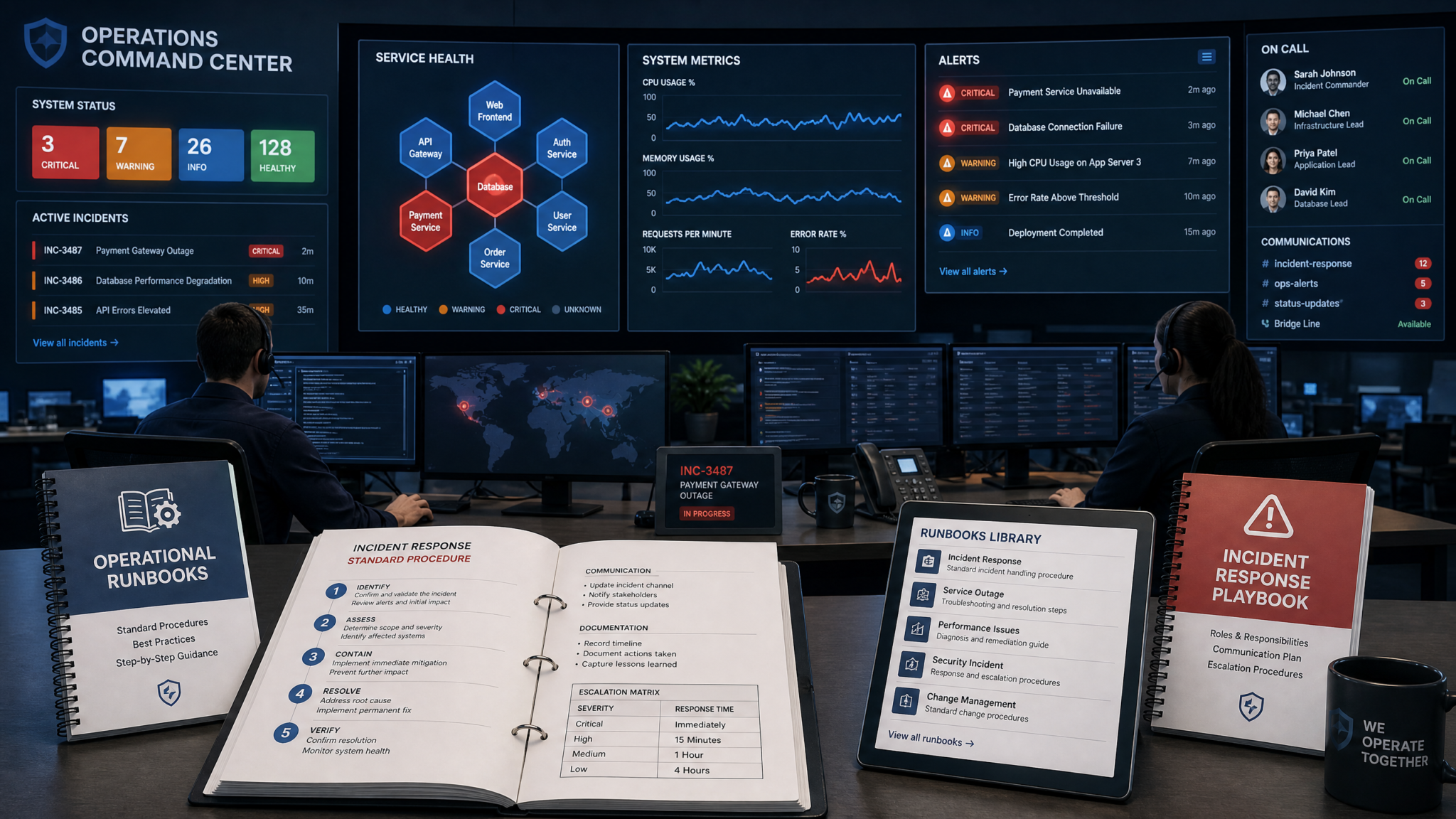
For teams looking to maximize their productivity with structured AI interactions, our comprehensive guide on Mastering Prompt Engineering: Advanced Techniques for ChatGPT Power Users in 2026 provides battle-tested templates and frameworks that complement the workflows discussed above.
Section 5 — Release Documentation (5 prompts)
Release documentation includes changelogs, release notes, deprecation notices, upgrade guides, and feature announcements. These prompts provide templates and examples for both internal engineering stakeholders and external users.
Prompt 5.1 — Changelog (Keep a Changelog format)
Prompt:
Produce a Changelog entry in "Keep a Changelog" format for release "{{release_version}}" of "{{project_name}}". Include:
- Unreleased vs released sections
- Categorize changes into Added, Changed, Deprecated, Removed, Fixed, Security
- For each item, include a short description and a link to the PR (use {{pr_base_url}}/{{pr_number}})
- A summary paragraph highlighting breaking changes and migration impact

Variables:
- project_name: {{project_name}}
- release_version: {{release_version}}
- pr_list: {{pr_list}} (array of {number, category, short_desc})

Output format:
- Markdown Keep a Changelog layout.

Quality criteria:
1. All provided PRs appear under correct categories.
2. Breaking changes must be labeled and include migration notes.
3. Entry length: 150–400 words.

Produce the changelog entry now.
Prompt 5.2 — Release Notes (public-facing)
Prompt:
Write public-facing Release Notes for version "{{release_version}}" of "{{product_name}}". Include:
- Short summary (2–3 sentences)
- Key features with short examples/screenshots placeholders (use descriptive alt text)
- Notable bug fixes with user impact explanation
- Upgrade instructions for users (if applicable)
- Links to detailed docs or migration guides

Variables:
- product_name: {{product_name}}
- release_version: {{release_version}}
- highlights: {{highlights}} (array of feature descriptions)

Output format:
- Markdown suitable for a product blog post / release page.

Quality criteria:
1. Release notes are concise and non-technical while linking to deeper technical docs.
2. Upgrade instructions are step-by-step if breaking changes exist.
3. Length: 200–600 words.

Produce the release notes now.
Prompt 5.3 — Deprecation Notice (API field deprecated)
Prompt:
Create a Deprecation Notice for the API field "{{field_name}}" in endpoint "{{path}}". Include:
- Reason for deprecation
- Timeline: announcement date, soft-deprecation (warnings), hard deprecation (remove) with dates
- Migration steps with example requests to use the replacement field
- How to opt-in for extended support and contact channels

Variables:
- field_name: {{field_name}}
- path: {{path}}
- announcement_date: {{announcement_date}} (YYYY-MM-DD)
- removal_date: {{removal_date}} (YYYY-MM-DD)

Output format:
- Markdown notice ready to publish in API docs.

Quality criteria:
1. Timeline includes at least three milestones with dates.
2. Migration steps include example requests and responses.
3. Contact and extended support options are explicit.
4. Length: 200–500 words.

Produce the deprecation notice now.
Prompt 5.4 — Upgrade Guide (minor and major)
Prompt:
Draft an Upgrade Guide from "{{from_version}}" to "{{to_version}}" for "{{component_name}}". Provide two sections: Minor upgrade (backward-compatible steps) and Major upgrade (breaking changes). Include:
- Pre-upgrade checklist (backup, run tests, feature flags)
- Exact commands for upgrade in staging and production
- Rollback plan and expected downtime (or none)
- Validation steps (smoke tests with commands)

Variables:
- component_name: {{component_name}}
- from_version: {{from_version}}
- to_version: {{to_version}}
- backup_command: {{backup_command}}

Output format:
- Markdown with preflight checks and explicit commands.

Quality criteria:
1. Provide both staging and production commands.
2. Rollback plan includes timeline and steps.
3. Validate steps include explicit smoke test commands and expected outputs.
4. Length: 300–900 words.

Produce the upgrade guide now.
Prompt 5.5 — Feature Announcement (external users + internal engineering)
Prompt:
Compose a Feature Announcement for a new capability "{{feature_name}}" aimed at both external users and internal engineering teams. Include:
- Elevator pitch (one sentence)
- Benefits (3 bullet points for customers, 3 for engineers)
- Quickstart example (3–5 lines of code or commands)
- Internal rollout steps (feature flagging, telemetry events to add)
- SLAs or performance expectations

Variables:
- feature_name: {{feature_name}}
- telemetry_events: {{telemetry_events}} (list of event names)

Output format:
- Two-part document: "For Users" and "For Engineers" sections in Markdown.

Quality criteria:
1. Quickstart runs conceptually in under 2 minutes.
2. Telemetry events and instrumentation are explicitly listed.
3. Performance expectations have numeric goals where applicable.
4. Length: 200–600 words.

Produce the feature announcement now.
Developers seeking hands-on implementation guidance can follow our step-by-step walkthrough on OpenAI Codex Automation: How to Analyze Data Hands-Free with AI, which covers the technical setup, configuration patterns, and troubleshooting approaches for production environments.
Comparison Tables and Practical Examples
Below are comparison tables and runnable examples you can use to validate outputs and integrate into CI checks. These comparisons are intended to help choose templates and to standardize doc quality across teams.
ADR Template Comparison
| Template | Structure | Best for | Pros | Cons |
|---|---|---|---|---|
| YAML frontmatter + Markdown | Metadata + Context/Decision/Consequences | Repo inclusion and automation | Machine-readable metadata, easy to index | Requires frontmatter parser for tooling |
| Plain Markdown ADR | Title + sections | Informal teams, quick docs | Simple, human-first | Harder to automate and query |
| Template with RFC-style review | Formalized template with proposal & comments | Large orgs with review governance | Encourages thorough debate | Slower decision process |
Runbook vs Playbook — Quick Comparison
| Aspect | Runbook | Playbook |
|---|---|---|
| Purpose | Operational steps for routine ops | Incident-specific, time-critical guidance |
| Audience | Ops engineers & SREs | On-call responders, incident commanders |
| Format | Procedural, checklists | Timeline-based, triage & comms |
Sample OpenAPI snippet (example of machine-readable output a prompt should create)
{
  "openapi": "3.0.1",
  "info": {
    "title": "Example API",
    "version": "v1"
  },
  "paths": {
    "/v1/users/{id}": {
      "get": {
        "summary": "Get user by ID",
        "parameters": [
          {"name":"id","in":"path","required":true,"schema":{"type":"string"}}
        ],
        "responses": {
          "200": {"description":"OK","content":{"application/json":{"schema":{"$ref":"#/components/schemas/User"}}}},
          "404": {"description":"Not found"}
        }
      }
    }
  },
  "components": {
    "schemas": {
      "User": {"type":"object","properties":{"id":{"type":"string"},"email":{"type":"string"}},"required":["id","email"]}
    }
  }
}
Sample OpenAI-style API call (example code for automation)
curl https://api.openai.example/v1/chat/completions \
  -H "Authorization: Bearer $OPENAI_KEY" \
  -H "Content-Type: application/json" \
  -d '{
    "model": "gpt-5.5",
    "messages": [{"role":"system","content":"You are a technical writer."},{"role":"user","content":"<PASTE PROMPT HERE>"}],
    "max_tokens": 1200
  }'
Note: Replace the endpoint and authentication details with your provider's values. The example demonstrates how to call a large model in a single request and request structured content. For long outputs, split prompts or use streaming if available.
Quality Assurance: Automated Checks and Linters
To ensure generated documentation meets quality criteria, integrate these automated checks into your CI pipeline:
- JSON Schema validator for any included JSON schemas (ajv or jsonschema).
- OpenAPI linter for endpoint docs (spectral).
- Spellchecker and style linter (Alex, Vale) for tone and inclusivity.
- YAML/Markdown syntax checks and frontmatter validators.
- Scripted smoke tests that execute example curl and SDK snippets to validate basic responses (mock or staging endpoints).
# Example: simple CI smoke test for endpoint docs (bash)
set -e
BASE_URL="https://staging.api.example.com"
TOKEN="$TOKEN"
RESPONSE=$(curl -sS -H "Authorization: Bearer $TOKEN" "$BASE_URL/v1/health")
echo "Health: $RESPONSE"
if [[ "$RESPONSE" != *"ok"* ]]; then
  echo "Health check failed"
  exit 1
fi
Access 40,000+ AI Prompts for ChatGPT, Claude & Codex — Free!
Subscribe to get instant access to our complete Notion Prompt Library — the largest curated collection of prompts for ChatGPT, Claude, OpenAI Codex, and other leading AI models. Optimized for real-world workflows across coding, research, content creation, and business.
FAQ — Frequently Asked Questions
Answers focus on pragmatic guidance and explicit operational details.
Q1: How do I choose between generating docs in Markdown vs OpenAPI YAML?
Choose OpenAPI YAML when you need machine-readable API specs for client generation, automated testing, or contract-first workflows. Use Markdown when you need human-readable narrative, example-driven tutorials, or marketing-friendly docs. A hybrid approach works well: generate OpenAPI YAML for formal specs and include a generated Markdown "developer-friendly" summary per endpoint (use the Endpoint Documentation prompt to produce both).
Q2: What acceptance criteria should I include in CI to validate generated docs?
At minimum: 1) JSON/YAML validity, 2) OpenAPI lint score below threshold (e.g., Spectral error count = 0), 3) Example curl commands execute against a staging mock and return expected HTTP codes, 4) No blocked words flagged by style linter, 5) Required metadata present in ADR frontmatter. Automate these checks as gates on merge.
Q3: How do I ensure the model's examples are up-to-date with my codebase?
Provide the model with small, authoritative context snippets (function signatures, schema snippets, or sample responses) when generating docs. Additionally, include file references and require the model to confirm line numbers or signature versions. Integrate a periodic validation job that runs example snippets in a sandbox environment to detect drift.
Q4: Can these prompts be used for regulated or security-sensitive documentation?
Yes, but with caveats. Use the model to draft, then require human sign-off from security/compliance teams. For regulatory content, maintain an audit trail of edits, store ADR metadata in VCS, and include approved language blocks or templates that the model must reuse verbatim. Never rely solely on generated content for compliance claims.
Q5: How should I structure prompts to minimize hallucinations in technical content?
Force the model to output in strict machine-readable formats (JSON, YAML, or AST-like structures) and validate the output programmatically. Provide precise schemas, examples, and constraints in the prompt. Ask the model to "reason step by step" only for analysis tasks, not for final machine-readable artifacts. When possible, ask for citations to source files or commit hashes and verify them.
Q6: What's a good iteration pattern for complex docs?
Use a 3-step pattern: 1) Draft: generate the doc using the relevant prompt. 2) Audit: run an automated checklist via a second prompt that checks for missing sections, inconsistent metrics, or invalid JSON. 3) Fix: ask the model to apply the audit's suggested fixes and produce a final document. Keep the audit output machine-readable to integrate into CI.
Q7: How can I make generated docs easy to maintain over time?
Keep metadata and identifiers in frontmatter (IDs, related PRs, authors). Store documents in Git and include ADR/Doc links in your codebase README. Standardize templates and reuse prompts so future generations are consistent. Maintain a changelog for docs themselves and review docs during major releases.
Q8: Should I store generated docs in a separate docs repo or alongside code?
Store operational runbooks and ADRs alongside code that they affect to keep context and ensure PRs can update docs concurrently. Public docs and marketing-oriented release notes can live in a docs repo or website repo. Use Git submodules or automation to keep canonical sources synchronized if necessary.
Practical Prompt Engineering Tips for Technical Writers
- Always specify the output format (e.g., "Return only valid JSON conforming to this schema").
- Provide constraints like word counts or character limits to keep outputs consistent for publishing.
- Include sample inputs and sample expected outputs in the prompt when possible; the model mirrors structure.
- Use iterative prompts: "Generate", then "List missing items", then "Produce final with fixes".
- Prefer declarative templates (frontmatter, tables) to increase consistency across documents.
Appendix: Reusable Prompt Snippets and Checks
Below are short, reusable snippets you can add to the top or bottom of any prompt to make outputs more usable in production workflows.
Snippet — Enforce JSON Schema compliance
Always output a JSON object that validates against the following JSON Schema:
{
  "$schema": "http://json-schema.org/draft-07/schema#",
  "type": "object",
  "required": ["title","date","body"],
  "properties": {
    "title":{"type":"string"},
    "date":{"type":"string","format":"date"},
    "body":{"type":"string"}
  }
}
Return only the JSON in your response.
Snippet — Ask for a short human-summary + machine section
Format the response in two parts:
1) A one-paragraph human-summary (max 120 words).
2) A machine-readable section (start with "MACHINE:" followed by valid JSON).
Do not include any text outside these two sections.
Final checklist before publishing generated docs
- Run JSON/YAML validators on any machine-readable blocks
- Execute at least one example request in a sandbox/staging environment
- Run style and spell checks
- Obtain human peer review for security, correctness, and compliance
- Commit to Git with a clear commit message referencing PR or ADR IDs
Author: Markos Symeonides
