
The GPT-Live Real-Time Audio Playbook — 10 Prompts for Voice Interfaces, Live Transcription, Meeting Summarization, and Conversational AI Prototyping
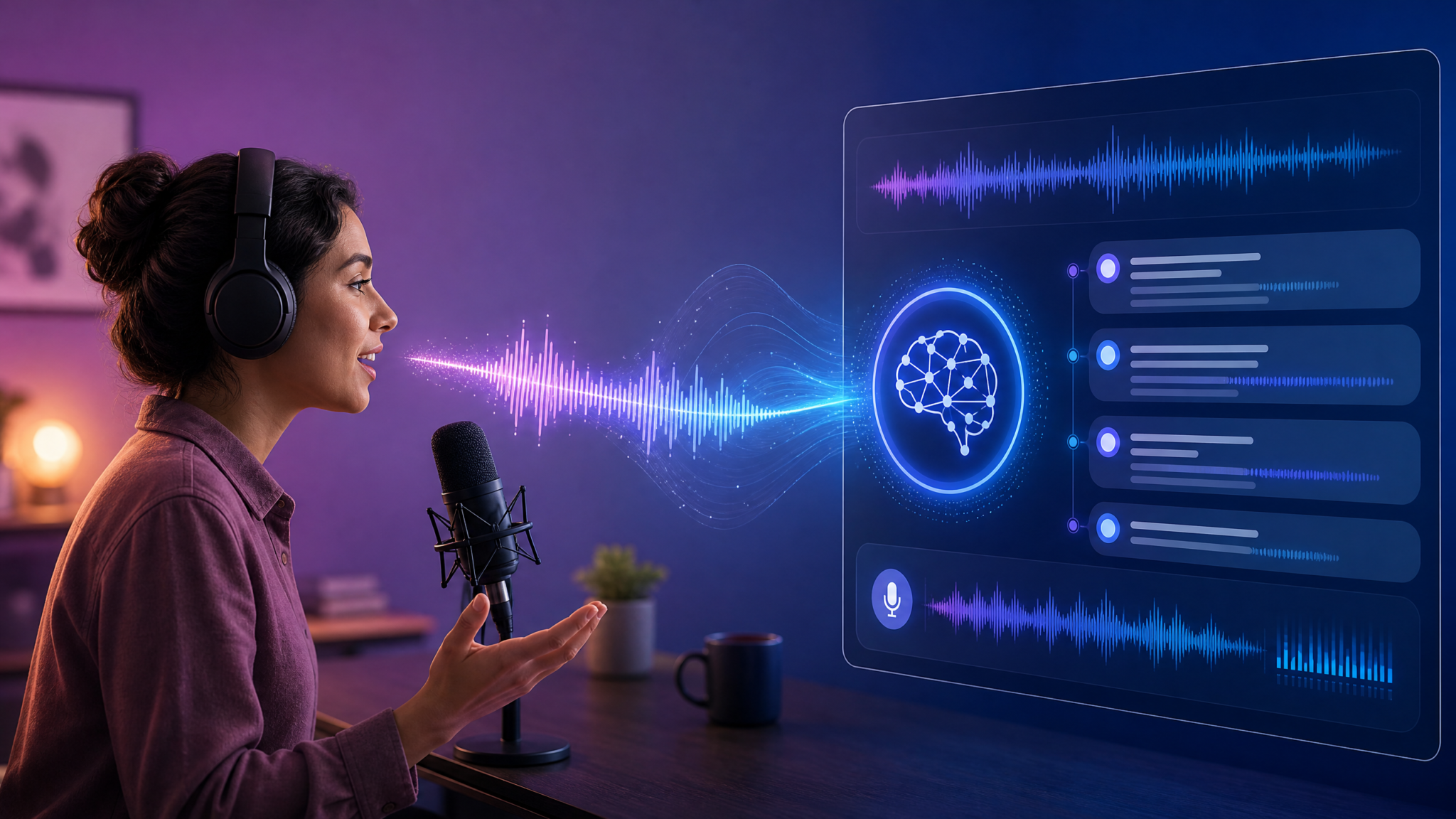
GPT-Live is OpenAI’s first audio model that listens and speaks simultaneously, powered by GPT-5.5. It enables low-latency, streaming speech recognition, on-the-fly response generation, and expressive speech synthesis in a single end-to-end model. This playbook provides 10 production-ready prompting patterns and integration recipes you can use to build voice customer support agents, live meeting transcribers and summarizers, live translators, voice coding assistants, podcast summarizers, accessibility narrators, voice data entry tools, language tutors, sales coaches, and brainstorming facilitators.
This guide covers: system-level instructions for GPT-Live, example user prompts, integration patterns (WebSocket / WebRTC / streaming REST), schema-driven outputs, diarization & speaker handling, interruption management, and patterns to keep latency low while maintaining accuracy. Each prompt includes best practices, sample payloads, and code snippets you can adapt to your application. Throughout the article you’ll find inline placeholders for assets and internal navigation references:
For teams looking to maximize their productivity with structured AI interactions, our comprehensive guide on 111 Awesome ChatGPT Prompts for Keyword Research – … provides battle-tested templates and frameworks that complement the workflows discussed above.
How GPT-Live changes real-time audio apps
Traditional architectures split audio capture, ASR, NLU, and TTS into separate components. GPT-Live collapses those steps: it receives a streaming audio input, produces partial and final transcripts, generates actions/responses, and speaks responses in real time. The result is simpler integrations, fewer moving parts, and new UX patterns like simultaneous listening-and-speaking (barge-in handling), expressive character voices, and immediate summarization.
Key capabilities to design for:
- Streaming partial transcripts (low-latency captions while speech is ongoing).
- Simultaneous speak/listen — the model can produce a spoken reply while continuing to process incoming audio.
- Schema-guided outputs (JSON or other structured formats) to integrate results into downstream systems.
- Diarization and speaker tags (when available) and confidence scores.
- Low-latency interruption and confirmation flows for voice UX.
How to use this playbook
Each of the 10 prompts below contains:
- A concise “what it does” summary.
- System instructions (a robust system prompt to guide behavior).
- An example user prompt / utterance block tailored for GPT-Live’s streaming mode.
- Integration patterns with sample events or WebSocket payloads and pseudo-code.
- Best practices and edge-case handling notes.
- Optional schema examples for structured outputs.
Where relevant, you’ll also find small tables comparing integration patterns and quick implementation examples for WebSocket and WebRTC. Keep this playbook as a template: tweak personality, voice, and safety constraints for your domain.
1. Voice Customer Support — Real-time, context-aware help
What it does
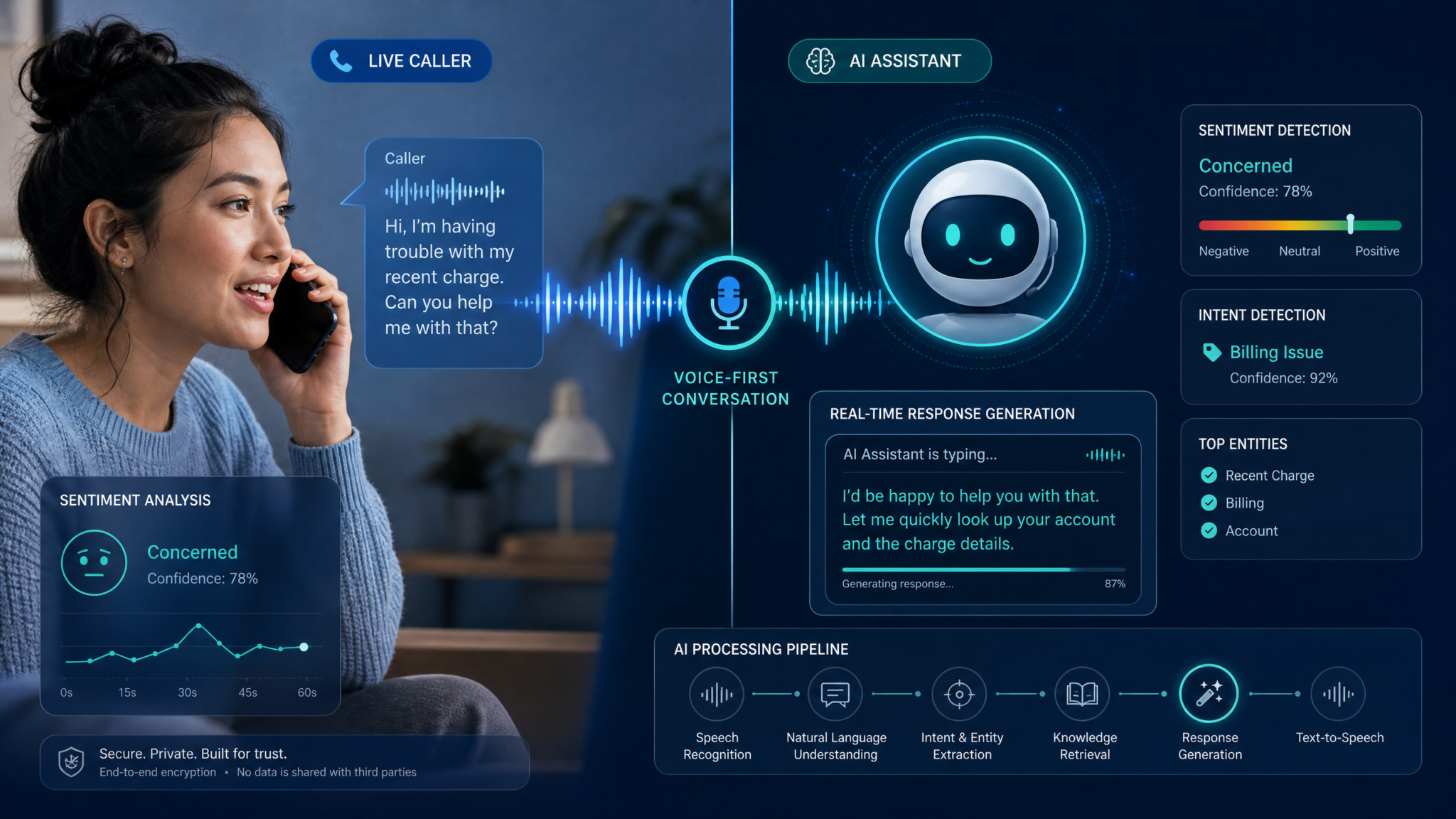
Deliver a natural, low-latency voice agent that answers customer questions, performs account lookups by calling backend APIs, and hands off to a human agent with context and a summary. The system listens continuously, produces partial transcripts, can clarify ambiguous customer requests, and can speak responses while still listening for interruptions or confirmations.
System instructions
{
  "role": "system",
  "content": "You are GPT-Live, a real-time customer support voice assistant. Act politely, stay concise, and confirm critical account actions before performing them. Always ask for consent before accessing or modifying sensitive data. Provide brief answers (<20s spoken) when possible. If the user is unclear, ask one clarifying question. Use the 'action' channel to call backend APIs (e.g., CHECK_ACCOUNT, RESET_PASSWORD, CREATE_TICKET). Tag sensitive operations and require a 2-factor confirmation code before executing. Emit structured output for logging: {intent, confidence, entities, actions}."
}
User prompt (example)
{
  "role": "user",
  "streaming_audio": true,
  "utterance": "Hi, I can't access my account — it says my password is incorrect. Can you reset it?",
  "context": {
    "user_id": "user-1234",
    "last_interaction": "2026-07-17T14:22:03Z"
  }
}
Integration patterns
Recommended architecture: client captures microphone audio and streams to a server or directly to GPT-Live via a low-latency channel (WebSocket or WebRTC). The model streams partial transcripts back and can emit events with actions for your backend. Use a short-lived session token scoped to the user and operation.
| Pattern | When to use | Pros | Cons |
|---|---|---|---|
| WebSocket streaming | Direct browser -> server -> GPT-Live | Simple, controllable, supports chunked events | Requires server relay for authentication in browsers |
| WebRTC | Low-latency, peer-like audio streaming | Lower latency, native audio routing | More complex signaling, NAT traversal |
Example WebSocket event flow
// Client -> Server -> GPT-Live: AUDIO_CHUNK events (base64 PCM or Opus)
{ "type": "audio_chunk", "data": "<base64_audio_chunk>", "timestamp": 162..." }

// GPT-Live -> Server -> Client: PARTIAL_TRANSCRIPT events
{ "type": "partial_transcript", "text": "I can't access my account", "offset": 120 }

// GPT-Live -> Server: ACTION event to request backend
{ "type": "action", "name": "CHECK_ACCOUNT", "params": { "user_id": "user-1234" } }

// Backend -> Server -> GPT-Live: ACTION_RESULT event
{ "type": "action_result", "name": "CHECK_ACCOUNT", "result": { "status": "locked", "last_login": "..." } }

// GPT-Live -> Client: SPEECH_START + audio chunks for response
{ "type":"speech_start", "voice":"support_agent_v1" }
Best practices and edge cases
- Always ask to confirm before acting on PII or performing destructive actions. Use a short, spoken confirmation and accept either voice confirmation or a code (2FA).
- Emit structured logs for auditing: include timestamps, session IDs, and actions taken.
- Support barge-in: if the user interrupts while the assistant is speaking, allow them to cancel or correct the operation.
- Use confidence thresholds for intent classification; when confidence is low, ask a focused clarifying question instead of guessing.
Sample structured output
{
  "intent": "password_reset",
  "confidence": 0.93,
  "entities": { "user_id": "user-1234" },
  "actions": [
    { "name": "REQUEST_2FA", "status": "pending" }
  ],
  "spoken_response": "I can help with that. Can I send a verification code to your phone ending in 34?",
  "should_escalate": false
}
For teams looking to maximize their productivity with structured AI interactions, our comprehensive guide on The Codex Guardian Auto-Review Playbook — 10 Prompts for Automated Code Review, PR Feedback, and Quality Gates provides battle-tested templates and frameworks that complement the workflows discussed above.
2. Meeting Transcription and Real-Time Summarization
What it does
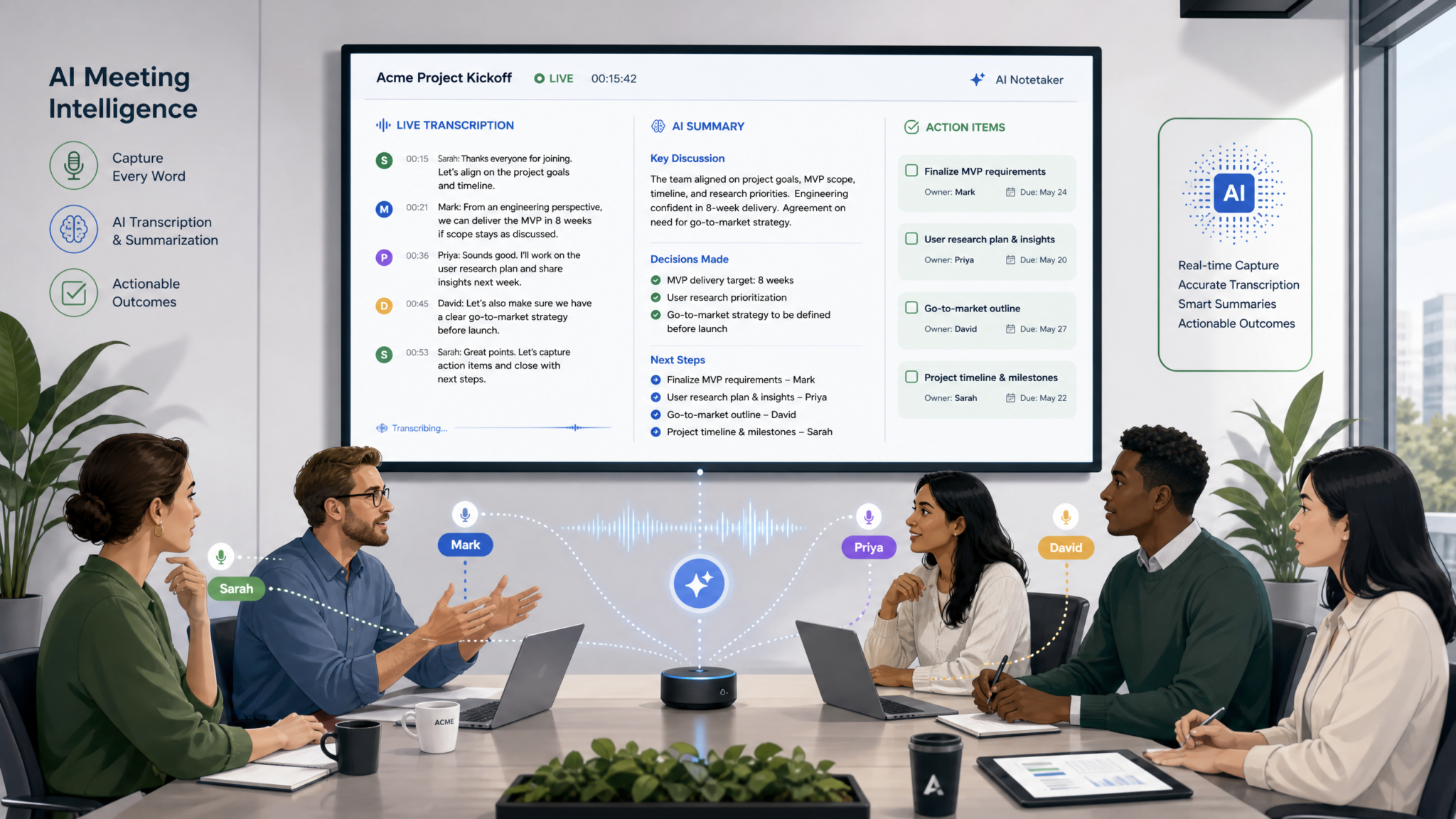
Continuously transcribes multi-speaker meetings, produces live partial transcripts, annotates speaker diarization, and generates rolling summaries and action items. GPT-Live can issue intermediate summaries at configurable intervals (e.g., every 5 minutes) and a final concise meeting minutes document at the end.
System instructions
{
  "role": "system",
  "content": "You are GPT-Live, a real-time meeting assistant. Continuously provide partial and final transcripts with speaker tags. Every N minutes (configurable), produce a 'rolling summary' capturing key decisions, action items, and open questions. At meeting end, produce a concise set of meeting minutes: summary (<=3 paragraphs), decisions, action items with assignees, and follow-up questions. Prioritize correctness of facts, tag uncertainty where present, and request clarification if speaker roles are unclear."
}
User prompt (example)
{
  "role": "user",
  "instruction": "Start meeting capture: meeting_id=meet-9876, rollup_interval=5m, speakers=['Alice','Bob','Jordan']",
  "streaming_audio": true
}
Integration patterns
Two integration patterns are common:
- Edge capture + relay: Browser captures audio from all participants (e.g., aggregated audio mix) and streams to GPT-Live. Use server-side mixing when needed to preserve microphone quality and timestamps.
- Per-participant upstream: Each participant's client streams to the server separately. Server forwards separate channels to GPT-Live for diarization and speaker labeling.
| Feature | Implementation notes |
|---|---|
| Diarization | Prefer per-participant channels or embedded speaker_id metadata. If unavailable, enable model diarization and reconcile with client-side voiceprints. |
| Timing & timestamps | Include audio timestamps on each chunk so the model can align transcripts and generate time-coded action items. |
| Rolling summary cadence | Use interval-based triggers. Keep each rolling summary limited to 3–5 bullets to maintain clarity. |
Example event flow for meeting capture
// Client sends separate channels for each participant
{ "type":"audio_chunk", "channel":"alice", "data":"<base64>", "timestamp":"2026-07-17T15:00:12Z" }
{ "type":"audio_chunk", "channel":"bob", "data":"<base64>", "timestamp":"2026-07-17T15:00:13Z" }

// GPT-Live emits partial transcript with speaker tags
{ "type":"partial_transcript", "speaker":"alice", "text":"We need the Q3 marketing budget..." }

// At 5m, GPT-Live emits a rolling summary
{ "type":"rolling_summary", "interval_start":"...","interval_end":"...","summary":"Discussed Q3 budget increases; action: Bob to draft proposal due Friday." }

// Final minutes when meeting ends
{ "type":"final_minutes", "summary":"...", "decisions":[...], "action_items":[...] }
Best practices and edge cases
- When speaker labels are unknown, allow participants to self-identify at start or rely on voice profile registration for accurate diarization.
- For privacy-sensitive meetings, provide opt-out and mute detection and redaction of PII in final artifacts.
- For long meetings, generate intermediate archives to bound memory usage and maintain fast retrieval.
One common pattern: produce both a real-time caption stream for live participants and a structured "minutes" JSON for downstream tools. Example: {"minutes_id":"...", "summary":"...", "action_items":[{assignee, description, due_date}]}.
Organizations evaluating their AI strategy will find additional depth in our detailed analysis covering The Complete Guide to ChatGPT Pricing in 2026 — Free, Go, Plus, Pro, Business, and Enterprise Compared, which explores the practical implementation considerations and decision frameworks relevant to enterprise deployments.
3. Live Translation — Speak in Source Language, Hear Real-Time Translation
What it does
Listen to a speaker in language A, transcribe, and simultaneously produce synthesized speech in language B in near real time. Optionally produce on-screen captions (source+target) and allow two-way conversational translation for multilingual meetings or travel assistants.
System instructions
{
  "role": "system",
  "content": "You are GPT-Live, a low-latency translation assistant. Always transcribe the source speaker before producing translated speech. Preserve named entities (names, places) and mark them as 'literal' when a literal copy is better than translation. Provide both partial source transcripts and partial translations with timestamps. Keep the translated output faithful; if content is ambiguous, verbalize uncertainty: say 'probably' or ask a quick clarifying question. For simultaneous two-way conversation, use short sentence-level translation to minimize lag."
}
User prompt (example)
{
  "role": "user",
  "instruction": "Translate Spanish->English. Voice output: male_en_v2. Provide on-screen captions: source and target. Minimize latency.",
  "streaming_audio": true
}
Integration patterns
Key tradeoffs are latency vs. accuracy. Two patterns:
- Sentence-level: Wait until sentence end (voice activity/silence detection) for more accurate translations. Lower interruption risk, slightly higher latency.
- Interleaved partial translation: Produce partial translations as speaker speaks to lower latency; risk of rewording as sentence finalizes (emit corrections as "update" events).
Sample WebSocket event flow
// Partial source transcript
{ "type":"partial_transcript", "lang":"es", "text":"vamos a aumentar el presupuesto..." }

// Partial translation
{ "type":"partial_translation", "lang":"en", "text":"we are going to increase the budget..." }

// Final translation and speech synthesis start
{ "type":"translation_final", "lang":"en", "text":"We will increase the budget by 10%.", "speech_start":true, "voice":"male_en_v2" }
Best practices and edge cases
- Detect code-switching: if the speaker switches languages mid-sentence, label segments appropriately and preserve language markers.
- Name transliteration: for proper nouns not common in the target language, keep the original and provide a phonetic transliteration if requested.
- Customization: allow custom glossaries for domain-specific terms (medical, legal) to avoid catastrophic mistranslation.
For two-way conversations, consider "floor control": small TTL buffers that allow the translator to speak while still giving the original speaker the chance to interrupt and correct. This reduces the risk of speaking over the current speaker's subsequent remarks.
4. Voice Coding Assistant — Speak Your Code, Fix Bugs, and Run Tests
What it does
Allow developers to talk to an assistant that transcribes spoken code, refactors functions, explains test failures, and can read or produce code in multiple languages. It supports reading file contexts, inserting patches, and executing developer-defined commands. The assistant can stream code line-by-line as the developer dictates and confirm before applying changes to the repository.
System instructions
{
  "role": "system",
  "content": "You are GPT-Live, a voice-driven coding assistant. When transcribing code, maintain precise punctuation and indentation. If the speaker's code is ambiguous, repeat it back for confirmation. Support code block outputs labeled with language tags and Git patch actions: {patch, file_path, diff}. Limit spoken explanations to short summaries when asked. Provide a 'dry-run' patch preview before applying. Validate syntax where possible and run static linters if configured."
}
User prompt (example)
{
  "role": "user",
  "instruction": "Open file src/api/user.js and replace the fetchUser function to use pagination. Dry-run the patch first.",
  "streaming_audio": true,
  "repo_context": { "branch":"feature/live-assistant", "files":["src/api/user.js"] }
}
Integration patterns
Recommended flow:
- Client sends short audio snippets per "utterance" to minimize transcription ambiguity (press-to-talk or voice activity detection).
- Assistant returns code blocks with diffs in structured JSON for your repo manager to apply or reject.
- On acceptance, the backend applies the patch using a git service (GitHub API, GitLab) and returns a confirmation event.
Example assistant output (structured patch)
{
  "intent":"modify_file",
  "file":"src/api/user.js",
  "patch":"--- a/src/api/user.js\n+++ b/src/api/user.js\n@@ -10,7 +10,22 @@\n-async function fetchUser(id) {\n-  const res = await fetch(`/users/${id}`);\n-  return res.json();\n-}\n+async function fetchUser(id, { page = 1, perPage = 25 } = {}) {\n+  const res = await fetch(`/users/${id}?page=${page}&per_page=${perPage}`);\n+  return res.json();\n+}\n",
  "dry_run": true,
  "explanation":"Added pagination query params with defaults. No syntax errors detected."
}
Best practices and edge cases
- Spell punctuation explicitly if needed — e.g., say "open parenthesis" or allow a "literal mode" where punctuation is typed as-is.
- Use small utterances when reading or dictating code to reduce transcription errors and make confirmation steps simpler.
- For sensitive repos, require explicit voice confirmation and an additional 2FA step before merging or pushing changes.
5. Podcast Summarizer — Turn Episodes into Digestible Notes
What it does
Ingest streaming podcast audio (live or recorded) and produce: time-stamped episode chapters, concise summaries, show notes, and quotes suitable for social media. For live streams, produce rolling highlights and a final episode transcript with metadata (guests, topics, sponsor mentions).
System instructions
{
  "role": "system",
  "content": "You are GPT-Live, a real-time podcast summarizer. Provide chapter markers (start_time, title, short_description), pull out notable quotes, identify guests and host identifiers, and generate 3 social-media-ready quote cards each with <140 characters. For live shows, mark 'live-highlights' during the stream; if a quote contains sponsor content, tag it as 'sponsored'. Output structured JSON for show notes and a full transcript in completed form."
}
User prompt (example)
{
  "role": "user",
  "instruction": "Summarize live episode: 'Future of AI' with hosts John and Maya. Emit chapter markers every time topic shifts and produce social snippets.",
  "streaming_audio": true
}
Integration patterns
Two flows:
- Live highlight stream: emit 'highlight' events with timestamp and short text as they happen.
- Post-episode full processing: after recording, request a final pass to produce polished show notes, time-coded transcript, and social content.
Sample JSON show notes
{
  "title":"The Future of AI",
  "episode_id":"pod-2026-07-17-01",
  "chapters":[
    { "start":"00:00:30", "title":"Intro & Sponsor", "description":"Hosts introduce theme and sponsor." },
    { "start":"00:05:12", "title":"Scaling Models", "description":"Discussion on compute and data." }
  ],
  "quotes":[
    { "ts":"00:14:05", "text":"Models scale, but we must scale ethics too.", "speaker":"Maya" }
  ],
  "social_snippets":[ "AI will amplify human creativity. #FutureOfAI" ]
}
Best practices and edge cases
- For live streams, use highlight TTLs to let producers edit before publishing social snippets.
- Tag sponsor mentions to support ad insertion or compliance checks.
- For multi-guest shows, capture speaker bios early to label guests correctly in the notes.
6. Accessibility Narrator — Read UI & Documents Aloud Naturally
What it does
Read user interface elements, documents, and dynamic content in a natural, accessible voice. The narrator can describe images using alt text or generate brief image descriptions, summarize long pages, and speak at configurable speed and verbosity levels. It supports interactive navigation commands (next paragraph, spell word, skip table) and can adapt to user preferences for detail level.
System instructions
{
  "role":"system",
  "content": "You are GPT-Live, an accessibility-focused narrator. Prefer concise, unambiguous descriptions. For images, use provided alt text; if alt text is not available, generate a short description (<=20 words) and mark it with 'generated_alt'. When summarizing, identify headings and skip repeated navigation instructions. Respect user's reading speed preference (slow, normal, fast). Offer navigation hints when idle: 'say next to continue'. Avoid idioms and metaphors that may confuse screenreader users."
}
User prompt (example)
{
  "role": "user",
  "instruction": "Narrate the 'Product Details' page, read headings and bullet points, and summarize the warranty section in one sentence. Reading speed: slow.",
  "page_context": { "headings":[...], "images":[{ "src":"...", "alt":null }] }
}
Integration patterns
Implement as a client-side assistive service that can be triggered by keyboard shortcuts or accessibility hooks. Provide metadata to the assistant: element roles, aria labels, and alt text. For remote content (PDF), send a textual extraction or OCR snippets for the assistant to read.
Navigation command examples for a user
User: "next paragraph"
Assistant (spoken): "Paragraph 4: The warranty covers manufacturing defects for 12 months..."
User: "describe image three"
Assistant: "Image 3 (generated_alt): two people assembling a bicycle frame."
Best practices and edge cases
- When generating alt text, avoid hallucination: if uncertain, say "unable to determine image details" or ask for confirmation.
- Allow the user to switch verbosity (concise -> detailed) and reading speed on the fly.
- For highly formatted data (tables, charts), present a short summary and offer to read row-by-row upon request.
7. Voice Data Entry — Fill Forms, Capture Notes, and Update Records
What it does
Transform spoken inputs into structured data for CRM forms, inventory entries, or clinical notes. The assistant extracts fields, validates entity formats (dates, phone numbers), and emits structured payloads. It supports voice-driven form navigation and can confirm ambiguous values before committing.
System instructions
{
  "role": "system",
  "content": "You are GPT-Live, a data entry assistant. Convert spoken inputs into structured JSON matching the provided schema. For missing or ambiguous fields, ask one concise question. Validate field formats (ISO dates, E.164 phone numbers) and provide normalized outputs. Confirm before saving changes. Emit structured 'form_filled' events and 'validation_errors' if present."
}
User prompt (example)
{
  "role": "user",
  "instruction": "Create a new lead: name, email, phone, company, note. If phone invalid, ask for clarification.",
  "streaming_audio": true,
  "schema": {
    "type":"object",
    "properties":{
      "name":{"type":"string"},
      "email":{"type":"string","format":"email"},
      "phone":{"type":"string","format":"e164"},
      "company":{"type":"string"},
      "note":{"type":"string"}
    },
    "required":["name","email"]
  }
}
Integration patterns
Send the schema up front to the model so it knows the target structure. For latency-sensitive forms, allow "interim save" of partial structures and a final commit step after validation.
// Assistant emits a structured filled form
{
  "type":"form_filled",
  "data":{
    "name":"Patricia Gomez",
    "email":"[email protected]",
    "phone":"+441234567890",
    "company":"Green Labs Ltd.",
    "note":"Interested in enterprise plan, prefers demo next week."
  },
  "validation_errors":[]
}
Best practices and edge cases
- Always normalize phone numbers and dates to machine formats before writing to backend systems.
- For sensitive fields (SSNs, health data), mask spoken confirmations and require a second verification channel.
- Provide a simple voice command to review and edit filled fields (e.g., "Edit phone number to...").
8. Language Tutoring — Conversational Practice, Pronunciation Coaching
What it does
Provide an interactive language tutor that listens to a learner speaking, gives gentle corrections, suggests better phrasing, scores pronunciation, and offers adaptive lesson plans. The assistant can role-play scenarios (e.g., ordering food) and produce short drills or practice prompts in real time.
System instructions
{
  "role":"system",
  "content": "You are GPT-Live, a patient language tutor. Identify errors in grammar, vocabulary, and pronunciation. Give concise, supportive corrections and a short explanation when needed. Provide pronunciation tips and optionally play back your own spoken model response. Score pronunciation on a 1–5 scale and mark uncertain estimations with low confidence. Adapt difficulty based on the learner's stated level. Encourage the student after corrections."
}
User prompt (example)
{
  "role": "user",
  "instruction": "Practice ordering coffee in French (A2 level). After each utterance, provide a pronunciation score and a corrected version if necessary.",
  "streaming_audio": true,
  "target_language":"fr"
}
Integration patterns
Key flows:
- Immediate feedback: short utterances with instant pronunciation score (allowing playback of model's ideal phrase).
- Lesson session: maintain a session state with learner profile, historical corrections, and targeted exercises.
Example feedback format
{
  "utterance":"Je voudrais un café s'il vous plaît",
  "pronunciation_score":4,
  "corrections":[ { "type":"phoneme", "detail":"s'il pronounced as 'seel' not 'sil'" } ],
  "model_response":"Très bien! You can also say: 'Je prendrais un café, s'il vous plaît.'"
}
Best practices and edge cases
- Avoid discouraging users: phrase corrections positively and limit correction frequency per minute to maintain flow.
- For tonal languages (Mandarin), provide pitch contour hints and visual aids when possible.
- Allow switching to "transcription-only" mode for users who prefer to read corrections rather than hear them.
9. Sales Coaching — Real-Time Feedback and Role-Play
What it does
Analyze salesperson calls live or in replay and provide immediate coaching: objection handling suggestions, talk-time balance, question count, next-step recommendations, and a succinct post-call scorecard. For role-play, adopt the buyer persona and challenge the salesperson with realistic objections.
System instructions
{
  "role": "system",
  "content": "You are GPT-Live, a realtime sales coach. Monitor talk time and questions asked. Provide short in-ear coaching tips when appropriate (private channel), e.g. 'Ask about budget now', and produce a final scorecard with strengths, weaknesses, and recommended next steps. During role-play, assume the buyer persona specified in the instruction and adapt complexity to the salesperson's level."
}
User prompt (example)
{
  "role": "user",
  "instruction": "Coach: live-call-mode=true, private_coach_channel=true. Listen to my outbound call and suggest objection responses in the private channel.",
  "streaming_audio": true
}
Integration patterns
Implement a private audio channel (or short TTS blips) to provide micro-coaching. Keep public responses short and non-intrusive. For recordings, produce a post-call JSON scorecard.
{
  "call_metrics": { "talk_time_pct": 65, "questions_asked": 2 },
  "scorecard": { "overall": 72, "strengths":["clear value proposition"], "weaknesses":["didn't ask discovery questions"], "next_steps":"Schedule discovery call; ask more open questions."}
}
Best practices and edge cases
- Respect call compliance: do not inject coaching during regulated calls unless allowed. Offer a silent private channel (text-only) when audio interruptions are disallowed.
- Personalize coaching to the individual's product and playbook to avoid generic advice.
- Measure and present quantitative metrics to help sales reps track progress over time.
10. Brainstorming Facilitator — Live Ideation and Structured Outputs
What it does
Act as a real-time facilitator that listens to a group brainstorming session, groups ideas thematically, suggests next prompts to drive creativity, and outputs structured idea collections. The assistant supports prioritization frameworks (e.g., RICE, Impact/Effort) and can run quick micro-surveys ("raise hands" detection by audio signature or explicit spoken counts) to pick winners.
System instructions
{
  "role": "system",
  "content": "You are GPT-Live, a neutral brainstorming facilitator. Capture ideas as concise bullets and cluster them by theme. Offer divergent and convergent prompts to stimulate ideation. When asked, rank ideas by a selected framework (RICE, Impact/Effort) and provide reasoning. Detect and timestamp 'idea pulses' (moments with high idea density) and suggest follow-up experiments or prototypes."
}
User prompt (example)
{
  "role": "user",
  "instruction": "Facilitate a 20-minute ideation for 'improving onboarding'. Cluster ideas, capture 30-second idea blips, and rank top 5 by Impact/Effort.",
  "streaming_audio": true
}
Integration patterns
Prefer short utterance capture mode so the facilitator can index and cluster idea blips easily. Use event batching to send idea clusters to downstream product management tools. Provide an exportable JSON and optionally a slide-ready summary.
{
  "ideas":[
    { "id":"i1", "text":"Onboarding checklist with progress bar", "theme":"UX", "impact":8, "effort":3 },
    { "id":"i2", "text":"Live guided tour with chat", "theme":"Guided", "impact":9, "effort":6 }
  ],
  "recommended_experiments":[ "A/B test progress bar vs guided tour" ]
}
Best practices and edge cases
- Avoid suppressing participant voices; the facilitator summarizes rather than filters ideas unless instructed.
- For hybrid meetings, provide a shared canvas or export so remote collaborators can follow clustering in real time.
- When detecting "raise hands" by audio, validate with explicit voice confirmations to prevent miscounts.
Cross-cutting integration patterns and implementation reference
Below are patterns and code snippets that apply across many prompts. Use them as templates to integrate GPT-Live into browser or server applications.
1) WebSocket streaming architecture (simplified)
// Client: open WebSocket and stream audio in 20–200ms chunks
ws.send(JSON.stringify({ type: "session_start", model: "gpt-live-5.5", voice:"agent_v1", metadata:{ user_id:"user-xxx" } }));

// send audio
ws.send(JSON.stringify({ type: "audio_chunk", payload: "<base64_pcm>", timestamp: "..." }));

// receive partial transcripts and events
ws.onmessage = (msg) => {
  const event = JSON.parse(msg.data);
  if (event.type === "partial_transcript") { showCaption(event.text); }
  if (event.type === "speech_audio") { playAudioChunk(event.payload); }
  if (event.type === "action") { callBackend(event.name, event.params); }
};
2) WebRTC direct audio (low-latency)
// Use WebRTC for native mic streaming. Create peer connection and forward to server that bridges to GPT-Live.
// Signaling and TURN/STUN required. Server forwards audio frames as a continuous stream to GPT-Live.
3) Structured event schema (recommended)
Design a compact event envelope that the model can emit and your application can parse deterministically. Example:
{
  "event_type":"assistant_event",
  "timestamp":"2026-07-17T15:22:13Z",
  "payload":{
    "kind":"transcript|translation|action|summary|form_filled",
    "content":{ ... },
    "confidence":0.92
  }
}
4) Handling interruptions & barge-in
- Implement a short "interrupt window" where user speech cancels in-progress assistant audio.
- Signal the model with "interrupt" events and allow it to gracefully stop current synthesis and re-evaluate the new input.
5) Security, privacy, and compliance
- Scope tokens to per-session limits and mute long-term retention by default for PII-sensitive flows.
- Emit explicit redaction markers for PII and provide a mechanism to scrub logs on request.
- For regulated domains (health, finance), maintain audit trails and require stronger authentication before actions.
| Feature | Implementation tip |
|---|---|
| Latency reduction | Use small audio chunks and partial transcript streaming; prefer WebRTC for the lowest end-to-end delay. |
| Accuracy | Include contextual metadata (user profile, domain, glossaries) with session start to bias the model. |
| Robustness | Build fallback flows (retranscription, escalate to human) when confidence is low. |
Prompt engineering patterns for GPT-Live
Writing effective system prompts for GPT-Live has recurring patterns:
- Role & demeanor: define agent persona and tone (concise, empathetic, professional).
- Action schema: list allowed actions (backend calls, file writes) and required confirmations for each.
- Output format: require structured JSON or event envelopes for programmatic consumption.
- Safety rules: define PII handling, redaction, and escalation thresholds.
- Latency constraints: mention maximum spoken response duration for voice flows.
{
  "role":"system",
  "content":"You are a brief, helpful assistant. Use the following JSON schema for actionable events: { ... }. Never perform actions without explicit user consent. Keep spoken replies <=18 seconds."
}
Access 40,000+ AI Prompts for ChatGPT, Claude & Codex — Free!
Subscribe to get instant access to our complete Notion Prompt Library — the largest curated collection of prompts for ChatGPT, Claude, OpenAI Codex, and other leading AI models. Optimized for real-world workflows across coding, research, content creation, and business.
FAQ
Q: What makes GPT-Live different from a separate ASR + LLM + TTS stack?
A: GPT-Live unifies streaming ASR, context-aware comprehension, and speech synthesis into a single model pipeline. That reduces integration complexity, lowers the need for inter-component state synchronization, and enables unique features like simultaneous listen-and-speak (barge-in aware), rolling summaries computed while listening, and schema-driven action outputs emitted in real time.
Q: How should I handle interruptions and users talking over the assistant?
A: Implement an interruption policy: when the client detects voice activity during assistant speech, send an 'interrupt' event to GPT-Live. The model should stop speaking and re-evaluate the new audio. Keep utterances short and confirm destructive actions to avoid accidental commits due to overlapping audio.
Q: How do I get structured outputs reliably?
A: Provide a clear JSON/schema in the system prompt and request the assistant to emit outputs strictly conforming to that schema. Use "action" events for backend calls and request 'dry-run' patches when changing files or records. Validate outputs on your server side and fallback or ask clarifying questions when the model returns invalid JSON.
Q: Can GPT-Live identify speakers automatically?
A: GPT-Live supports diarization when given multi-channel audio or speaker metadata. For best accuracy, send separate channels per participant or supply a speaker roster with voice samples. If only single mixed audio is available, diarization may be less accurate — consider registering participants' voiceprints for improved labeling.
Q: What are recommended chunk sizes and audio formats?
A: Send 20–200ms chunks of compressed or PCM audio (Opus preferred for WebRTC). Smaller chunks reduce latency but increase message frequency. Provide timestamps with each chunk to allow accurate alignment for transcripts and summaries.
Q: How do I reduce hallucinations in factual tasks (e.g., account status)?
A: Avoid letting the model fabricate facts about external systems. Instead, use explicit action events: ask the assistant to call BACKEND_CHECK with params, wait for action_result, and then generate a response grounded in the returned data. Include "do not guess" rules in the system prompt.
Q: How should I handle PII and compliance?
A: Treat PII specially: require voice or multi-factor confirmation before exposing or changing it. Provide redaction rules in the system prompt and emit redaction markers in logs. Scope session tokens tightly and consider storing minimal raw audio. For regulated industries, add audit trails and human-in-the-loop approvals for certain actions.
Q: Can the model produce multiple voice personas or emotional styles?
A: Yes. Specify voice name and style in the session metadata. You can also instruct the model regarding tone (empathetic, neutral, excited). Keep these constraints in the system prompt to maintain consistent behavior across sessions.
Q: How many concurrent sessions can I run? What about cost?
A: Capacity, concurrent sessions, and pricing depend on provider quotas and your subscription. Architect your service with session pooling and graceful degradation (e.g., partial transcripts without synthesis) to control costs. Batch non-real-time tasks for lower-cost processing.
Q: Where can I find example integrations and code?
A: Look for SDKs and GitHub repos from the SDK provider or community. This playbook includes example WebSocket and WebRTC patterns you can adapt. For reusable event schemas and UI components, create a shared library across projects and standardize on structured event outputs described earlier.
Teams implementing these capabilities in production will benefit from the architectural patterns and optimization strategies detailed in How the Apple vs OpenAI Lawsuit Could Reshape AI Talent Wars and Intellectual Property in 2026, which addresses the scaling considerations most relevant to enterprise workloads.
Appendix: Prompt Templates and Reusable Fragments
Use these fragments to compose or customize system prompts quickly for your domain.
Persona + Safety
"You are GPT-Live, a friendly and concise assistant. Always ask for explicit consent before accessing or modifying sensitive data. If unsure, ask one clarifying question."
Action schema fragment
"When performing backend operations, emit actions using this format:
{ 'type': 'action', 'name': '<ACTION_NAME>', 'params': {...} }
Wait for 'action_result' before generating the final spoken response."
Translation fragment
"For translation tasks, prefer literal translations for named entities and provide transliteration when helpful. Emit both source and target captions with timestamps."
These fragments can be concatenated and extended with domain-specific rules (e.g., industry compliance statements) to produce robust system prompts for each application you build.
