
OpenAI Codex Hits 10 Million Users: The Complete 2026 Guide to Getting Started with AI-Powered Development

OpenAI Codex Hits 10 Million Users: The Complete 2026 Guide to Getting Started with AI-Powered Development
Author: Markos Symeonides
OpenAI Codex has reached a landmark: 10 million active users. The milestone, which follows a doubling in adoption since the launch of ChatGPT Work on July 9, underscores a new reality for software development in 2026—coding with AI is now mainstream. This guide is your comprehensive, practical path from first setup to advanced workflows with Codex, including GPT-5.6 model integration, end-to-end project recipes, and deployment with Codex Sites.
Why the 10 Million Milestone Matters
Ten million developers, data practitioners, and product teams now rely on AI to ship code faster, with higher quality, and with fewer context switches. The acceleration since July 9 when ChatGPT Work became widely available—bringing enterprise-ready admin controls, compliance, and team collaboration—signals a shift from niche experimentation to organization-wide, policy-compliant rollouts.
For beginners, this surge means richer learning resources, more reliable tooling, and faster feedback loops. For teams at scale, it brings network effects: shared prompt libraries, vetted code recipes, and consistent review standards that turn AI from a novelty into a reliable teammate.
Key takeaways from the adoption curve
- Training and enablement timelines have compressed. Teams that once needed quarters to standardize AI usage now do so in weeks, aided by workspace policies and pre-approved templates.
- Context-aware coding is the norm. Models like GPT-5.6 are optimized for repository-scale context, allowing meaningful refactors and cross-service reasoning.
- AI-driven governance has matured. Admins can set boundaries on data, access, and output types to protect IP and maintain compliance while enabling productivity.
Who this guide is for
- Beginner developers seeking a step-by-step Codex getting started tutorial that builds real confidence.
- Experienced engineers upgrading to GPT-5.6-powered Codex with advanced structured outputs and integration patterns.
- Team leads and CTOs planning rollouts, guardrails, and KPI frameworks tied to real outcomes.
Codex in 2026: What It Is and How It Fits
OpenAI Codex is an AI coding assistant designed to understand, write, explain, and transform code across languages and frameworks. In 2026, Codex is accessible in three primary modes:
- Interactive pair-programming within IDEs (VS Code, JetBrains, and popular terminal editors).
- Chat-based coding in the browser (workspace-aware, with context attachments such as files, gists, and repositories).
- API-driven programmatic integration for CI/CD, code review bots, and internal developer platforms.
Codex is not a replacement for human developers—it is an accelerator. It augments human judgment with instant boilerplate generation, precise patches, thorough code explanations, and automated tests. With GPT-5.6 under the hood, Codex improves long-context comprehension and structured outputs for safer, more deterministic automation.
How Codex differs from general-purpose chat
- Code-first instruction tuning: Codex is specialized to follow coding-specific instructions and style guides.
- Repository grounding: It reads and reasons about your project structure, dependencies, and conventions.
- Diff-oriented patches: It proposes minimal, reviewable changes rather than rewriting entire files unnecessarily.
- Execution-aware workflow: It reasons over stack traces, tests, and logs to suggest targeted fixes.
Timeline and context
Codex originated from models fine-tuned on code tasks and evolved alongside the broader GPT family. The July 9 launch of ChatGPT Work catalyzed adoption by offering enterprise-grade workspaces where Codex thrives—shared policies, audited usage, and team-based prompt libraries. The 10 million user mark reflects a community now large enough to standardize best practices and identify reliable patterns for prompts, workflows, and governance.
System Requirements, Accounts, and Plans
Before you write your first line with Codex, ensure your environment supports an efficient developer loop. Most installations are straightforward, but planning a clean setup saves hours later.
System requirements
- Operating systems: Windows 11, macOS 13+, popular Linux distributions (Ubuntu LTS recommended for CI).
- IDE support: Latest VS Code or JetBrains family (IntelliJ, PyCharm, WebStorm). Neovim users can connect via community adapters.
- Network: Stable broadband; outbound HTTPS (443) access to OpenAI endpoints; enterprise proxies configured to allow IDE extension traffic.
- Optional: GPU not required for client usage; CI containers should include build tools and language servers to validate Codex-generated code.
Account types and typical plan tiers
Exact pricing and quotas vary by region and organization size. Conceptually, teams choose among tiers that balance usage limits, collaboration, and governance. Use this matrix to decide which configuration fits your stage:
| Tier | Ideal For | Context Limits | Team Features | Security & Compliance | Notes |
|---|---|---|---|---|---|
| Starter | Students, hobbyists, solo devs | Medium | Personal project contexts | Basic data controls | Great for learning and prototypes |
| Pro | Freelancers, small teams | Large | Shared prompts, limited roles | Workspace-level data retention options | Balances cost and capability |
| Work | SMBs to mid-market | Very large | Team workspaces, admin policies, SSO | Advanced logging, DLP controls | Catalyst for the recent adoption surge |
| Enterprise | Regulated industries, global orgs | Enterprise-scale | Org-wide templates, SCIM, granular roles | Custom data boundaries, audit exports | Best for governed, cross-department rollouts |
For workspace administration best practices and policy templates aligned with ChatGPT Work, see
For a deeper exploration of related capabilities and workflows, our comprehensive guide on How to Integrate Codex Library with Your Existing ChatGPT Workflows: Complete Migration and Setup Guide provides detailed strategies and practical examples that complement the techniques discussed in this article.
.
Installing and Configuring Codex
Follow these steps for a clean, reproducible installation. They assume you’ll pair an IDE plugin with workspace policies and, optionally, API usage.
Step 1 — Create or join a workspace
- Create an OpenAI account or join your organization’s workspace.
- Assign roles: Admins manage policies; Developers use Codex in IDEs and the web; Security reviewers can audit logs.
- Enable Codex features in the workspace. Review default data retention, logging, and content filters before allowing repository access.
Step 2 — Install the IDE extension
- VS Code: Install the Codex extension from the official marketplace. Authenticate using your workspace SSO.
- JetBrains: Install the Codex plugin; link your IDE to the organization workspace.
- Terminal editors: Configure the CLI helper and your preferred keybindings for inline suggestions and chat.
Step 3 — Connect repositories and contexts
Codex thrives on context. Grant the extension read access to your repository (local and/or remote). Add context attachments when you chat: architecture diagrams, API schemas, config files, or performance reports. The model’s comprehension improves dramatically with accurate, minimal context.
Step 4 — Choose your model and defaults
- Model: Select GPT-5.6-powered Codex for long-context refactors and structured outputs.
- Style guide: Point Codex to your linters, formatters, and naming conventions.
- Diff mode: Prefer patch-based changes for safer code reviews.
- Temperature: Default to low (0.1–0.3) for determinism; raise for creative tasks like domain modeling.
Step 5 — Secrets and compliance
- Set redaction policies for secrets in prompts and logs.
- Allowlist repositories and directories; blocklist sensitive files (keys, configs).
- Enable audit logs for code generation and automated changes.
Step 6 — API access (optional)
If you plan to automate code reviews or CI tasks, prepare API access. Use short-lived tokens or workload identities. For production, prefer scoped service accounts and environment-level secrets. Keep models and parameters pinned per pipeline to avoid drift when models update.
Your First 10 Minutes with Codex
The fastest way to build confidence is to ship a tiny improvement end to end:
- Open your repo and ask Codex: “Add a utility to validate email addresses (RFC 5322 compliant) with tests.”
- Review the plan Codex proposes. Ask it to explain the trade-offs.
- Generate the code with patch diffs. Apply tests and run locally.
- Introduce a bug deliberately, feed the failing test output to Codex, and ask for a minimal fix.
- Request documentation comments and usage examples.
- Commit with a message crafted by Codex that references the issue tracker.
This loop—plan, generate, test, fix, document—mirrors how you’ll use Codex daily.

Core Workflows: Code Generation, Debugging, and Refactoring
Codex shines when you give it clear intent, the right context, and a crisp definition of “done.” Below are battle-tested patterns to adopt immediately.
1) Code generation: From scaffolds to production-ready modules
Approach code generation as a negotiation. You set constraints; Codex proposes options; you refine until the output meets your standards.
Prompt template for new functionality
Goal: Implement a rate limiter middleware for Express.js.
Constraints:
- Use TypeScript, no external deps beyond express and lru-cache.
- Configurable: windowMs, maxRequests, keyFn.
- Provide unit tests with Jest, 95% branch coverage.
- Follow existing project conventions in src/middleware and src/utils.
- Return minimal patch diffs against main.

Context:
- Include relevant files: src/app.ts, src/utils/cache.ts, package.json, tsconfig.json.
- Our code style is StandardJS with Prettier overrides.

Deliverables:
- Middleware module file
- Tests
- Example usage snippet for README
Why it works: tight constraints reduce guesswork; explicit files guide context; coverage targets create a measurable “done.”
Generating API clients and SDKs
Given an OpenAPI schema or GraphQL introspection result, Codex can generate typed clients, error mappers, and retry logic. Provide the spec and the language target, and specify error semantics. Example:
Generate a TypeScript client for the Orders API (OpenAPI v3 attached).
- Use fetch with AbortController.
- Expose typed errors (4xx, 5xx).
- Idempotent retry for 429 and certain 5xx with exponential backoff.
- Include integration tests that mock the fetch layer.
2) Debugging: Turn logs and traces into precise fixes
Codex’s debugging superpower is context alignment: you supply failing tests, stack traces, and environment details; it triangulates the smallest fix to restore expected behavior.
Error triage playbook
- Paste the failing test output and the related test file.
- Include the module under test and recent diffs that touched it.
- Ask for a minimal patch diff plus an explanation tied to the root cause.
- Request a reproducer script to validate in isolation.
| Error Type | What to Provide | What to Ask Codex For | Risk Notes |
|---|---|---|---|
| Null/undefined exceptions | Trace, function source, upstream caller | Guard patterns, invariant checks, contracts | Watch for masking deeper logic bugs |
| Race conditions | Concurrent traces, locks, timing logs | Deterministic repro harness, serialization strategy | Ensure performance impact is acceptable |
| SQL errors | Query text, schema, execution plan | Index suggestions, parameterization, migration patch | Validate against dev/prod parity |
| Memory leaks | Heap snapshots, allocation hotspots | Release paths, pooling strategy, stress test | Beware premature optimizations |
Debugging example
Bug: Intermittent 500 on POST /checkout under load.
Context: Node 20, Postgres 15, connection pool size 10.

Artifacts:
- Stack trace showing "Client has already been released to the pool"
- Recent diff adding async validation

Ask Codex:
- Explain the likely cause tied to our pool management
- Produce a minimal patch diff
- Provide a load test snippet (k6) to confirm the fix
3) Refactoring: Safely evolve architecture and APIs
Codex helps with migrations (e.g., Express to Fastify), module extraction, and cross-cutting improvements like introducing dependency injection or centralizing logging. The key is to decompose work into reviewable steps with invariants.
Refactor plan template
Goal: Migrate from custom logger to pino across the repo.
Invariants:
- Log levels unchanged
- Structured JSON format enforced
- No breaking changes to public API

Plan:
1) Introduce adapter at src/log/index.ts with same interface
2) Replace imports in modules A/B/C with codemod
3) Update middleware to include requestId
4) Add tests to assert structured logs
5) Remove old logger and deprecations

Deliverables:
- Codemod script
- Patch diffs per step
- Rollback plan
Once the plan is agreed, request stepwise diffs and run tests after each step. For larger repos, ask Codex to identify high-churn hotspots where refactors deliver the most value first.
Prompt Engineering for Developers: Patterns That Work
Great prompts read like tight engineering tickets. They set scope, context, tests, and constraints. Below are patterns used by high-performing teams.
Patterns and anti-patterns
- Pattern: “Minimal patch diffs” prompts reduce risk and merge conflicts.
- Pattern: “Explain before you change” prompts catch misunderstandings early.
- Pattern: “Tests-first” prompts force codex to define acceptance criteria.
- Anti-pattern: Vague goals (“Improve performance”). Always specify targets (“Reduce P95 latency from 480ms to 250ms in endpoint X”).
- Anti-pattern: Dumping entire repo. Curate context to relevant modules and configs.
Reusable prompt template
Task: [What to build/fix/refactor]
Constraints: [Languages, libs, style guides, perf/security targets]
Context: [Files, diffs, configs, logs]
Tests: [What must pass, coverage targets]
Output: [Patch diff, file paths, commit msg]
Risks: [What to avoid, invariants]
For deeper techniques on structuring instructions, role prompts, and progressive elaboration, see
For a deeper exploration of related capabilities and workflows, our comprehensive guide on ChatGPT Coding Masterclass Part 2: Prompt Engineering for Developers in the Era of GPT-5.3-Codex provides detailed strategies and practical examples that complement the techniques discussed in this article.
.
Guardrails in prompts
- License awareness: State allowed licenses and attribution rules for snippets.
- Security posture: Require input validation, escaping, and explicit threat model notes.
- Performance budgets: Define budgets per function or endpoint to avoid regressions.
Integrating GPT-5.6 with Codex
GPT-5.6 brings three practical advantages to Codex workflows:
- Longer, more faithful context handling for repository-scale changes.
- Improved function calling and structured outputs for deterministic automation.
- Better multilingual reasoning across polyglot codebases.
Model selection and version pinning
- Pin the exact model variant for reproducibility in CI and code review bots.
- Keep a staging job that tests new minor releases against your prompt suite before promotion.
- Record model IDs and parameters in commit metadata for traceability.
Structured outputs for safer automation
When you need Codex to produce machine-readable artifacts (e.g., JSON patches, AST transforms), ask for strict schemas. In programmatic use, validate outputs before execution.
// Pseudocode for a structured output request
request = {
  model: "gpt-5.6-codex",
  temperature: 0.1,
  system: "You are a coding assistant that produces minimal, safe patches.",
  input: "Add input validation to the checkout endpoint as per spec.",
  response_format: {
    type: "json",
    schema: {
      type: "object",
      properties: {
        patches: {
          type: "array",
          items: {
            type: "object",
            properties: {
              path: { type: "string" },
              diff: { type: "string" }
            },
            required: ["path","diff"]
          }
        }
      },
      required: ["patches"]
    }
  }
}

// Validate JSON, then apply diffs with your patch tool
Function calling for tool integration
Combine GPT-5.6 function calling with local tools—linters, type checkers, test runners—so Codex can plan changes, call tools, and iterate until tests pass. Keep a strict interface and sanitize all inputs/outputs.
// Example function registry (pseudocode)
functions = [
  {
    name: "run_tests",
    description: "Executes unit tests and returns summary",
    parameters: { type: "object", properties: { path: { type: "string" } } }
  },
  {
    name: "apply_patch",
    description: "Applies a unified diff to a file",
    parameters: { type: "object", properties: { path: { type: "string" }, diff: { type: "string" } } }
  }
]

// The agent proposes patches, calls run_tests until green, then returns final diffs
Cost and latency hygiene
- Right-size context: include only relevant files and recent diffs.
- Cache compiled summaries of large modules to avoid resending full files.
- Use low temperature and deterministic seeds for repeatability in CI.
For head-to-head analysis of GPT-5.6 code reliability and long-context performance, see
For a deeper exploration of related capabilities and workflows, our comprehensive guide on GPT-5.6 Sol Benchmarks Revealed: How OpenAI’s Flagship Model Stacks Up Against Claude Fable 5 and Opus 4.8 provides detailed strategies and practical examples that complement the techniques discussed in this article.
.
Codex Sites: From Repo to Live Web in Minutes
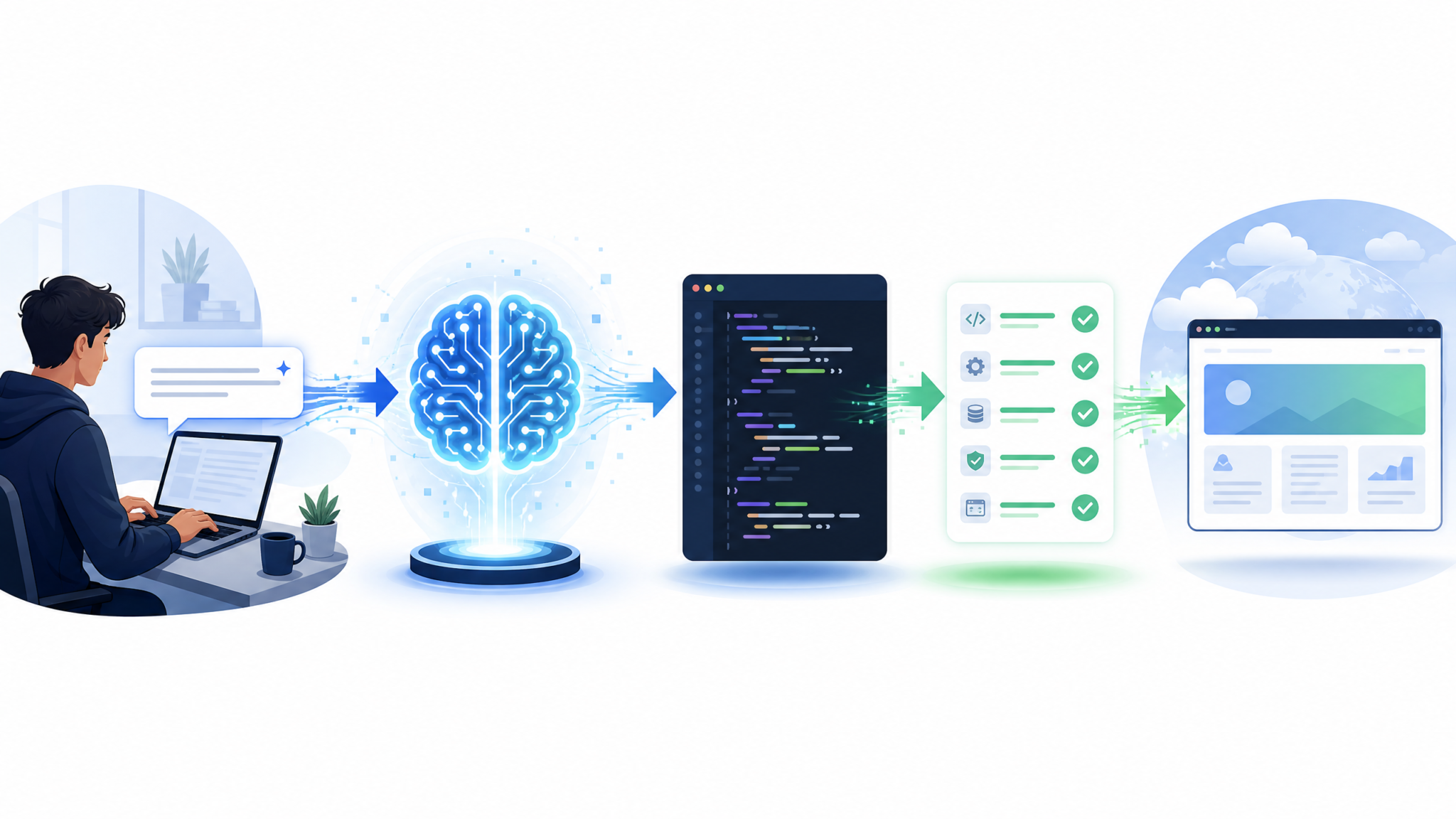
Codex Sites streamlines web deployment by pairing code intelligence with managed hosting. The workflow emphasizes preview-first, safe-by-default deployments. This is particularly useful for marketing sites, documentation, dashboards, and small full-stack apps.
Core concepts
- Auto-detection: Codex detects frameworks (Next.js, Astro, SvelteKit, Remix) and build commands.
- Serverless boundaries: API routes run in serverless functions with sensible timeouts and memory caps.
- Environment management: Encrypted env vars per branch and environment (dev, preview, prod).
- Preview URLs: Every pull request gets an isolated preview with logs and performance metrics.
Deploying your first site
- Connect your repository and select the branch to deploy.
- Codex inspects package.json or equivalent to propose build/output settings.
- Add environment variables and secrets. Codex validates usage paths and flags missing vars at build time.
- Trigger the first build. Review logs for framework auto-config and any migration suggestions.
- Validate the preview URL. Ask Codex to generate a synthetic test plan (Lighthouse, accessibility, SEO checks).
- Promote to production with an auditable change record.
Static + serverless example
// Project: docs site with a feedback API
Framework: Astro + serverless functions

Codex Sites config (conceptual):
- Build: npm run build
- Static output: ./dist
- Functions: ./api/*.ts (edge runtime)
- Env: FEEDBACK_API_KEY (encrypted), RATE_LIMIT=10/min
- Policies: CORS allowlist, input size limit 256KB
Operational guardrails
- Secrets scanning: Codex flags accidental key exposures in build artifacts.
- Dependency health: Warns about known vulnerabilities and proposes patch upgrades via PRs.
- Rollback: One-click revert to previous preview or production deployment.
Hands-On Project Recipes
The best way to evaluate Codex is to build something real. These recipes demonstrate end-to-end flows you can adapt to your stack.
Recipe 1 — FastAPI microservice with auth, caching, and tests
Goal: Stand up a resilient service with endpoints, JWT auth, Redis caching, and pytest coverage.
Prompt:
"Create a FastAPI microservice 'inventory' with the following:
- Endpoints: GET /items/{id}, POST /items
- JWT auth with scopes (read:items, write:items)
- Redis caching on GET with 60s TTL, cache bust on POST
- Pydantic models with strict types
- pytest with 90%+ coverage and a GitHub Actions CI workflow
- Dockerfile (multi-stage), docker-compose for local dev
- Minimal patch diffs and commit messages per module"
What to expect:
- Codex scaffolds project structure, models, routers, and dependency injection for Redis.
- Generates JWT utilities with tests, including token expiry and scope checks.
- CI config runs tests, linters, and type checks on PRs; Codex suggests caching strategies.
CI example (GitHub Actions)
name: ci
on:
  pull_request:
    branches: [ main ]
jobs:
  test:
    runs-on: ubuntu-latest
    steps:
      - uses: actions/checkout@v4
      - uses: actions/setup-python@v5
        with:
          python-version: "3.11"
      - name: Install deps
        run: pip install -r requirements.txt
      - name: Lint & Typecheck
        run: |
          black --check .
          ruff .
          mypy .
      - name: Run tests
        run: pytest --cov=inventory --maxfail=1 -q
Recipe 2 — React dashboard with streaming updates
Goal: Build a React app that visualizes live metrics from a WebSocket API with optimistic UI updates and robust error handling.
Prompt:
"Scaffold a React 18 app with:
- Data layer using React Query
- WebSocket client that merges streaming updates into the cache
- Components: RealtimeChart, MetricsTable, ErrorToast
- Comprehensive tests with React Testing Library
- Accessibility: aria-* attributes, keyboard navigation"
Testing composite states
// Request Codex to generate tests that cover:
// 1) Warmer cache -> WS update -> UI merge
// 2) Offline mode -> queue updates -> replay on reconnect
// 3) Error boundary fallback with retry
Recipe 3 — Data ETL with Polars and SQL
Goal: Ingest CSVs, transform with Polars, load into a warehouse, and create optimized SQL views.
Prompt:
"Write an ETL job:
- Read CSVs from S3 (schema attached)
- Transform with Polars (null handling, type coercion, dedupe)
- Upsert to Postgres staging, then merge to prod with conflict resolution
- Create materialized views for top queries
- Add metrics: rows processed, error counts, duration
- Unit + integration tests (pytest + testcontainers)"
SQL optimization requests
// Provide EXPLAIN ANALYZE output and ask Codex to:
// - Propose composite indexes
// - Rewrite CTEs for better planner utilization
// - Add partial indexes matching WHERE patterns
Recipe 4 — Monorepo refactor with codemods
Goal: Migrate a monorepo from CommonJS to ES Modules with minimal disruption.
Prompt:
"Plan and execute a CJS->ESM migration:
- Identify module boundaries and side-effect imports
- Generate jscodeshift codemods to convert require/module.exports to import/export
- Update tsconfig, build scripts, and Node runtime flags
- Provide rollback strategy and PR breakdown by package
- Run tests and smoke checks after each package conversion"
Maximizing Productivity with Codex
Productivity gains compound when you combine prompt discipline with tight feedback loops.
Daily routine blueprint
- Start with a standup prompt: “Summarize yesterday’s PRs, failing tests, and top TODOs from issues.”
- For each task, request a plan with explicit acceptance criteria and risks.
- Default to patch diffs, run tests locally, and ask Codex to write missing tests.
- End the day by requesting a changelog and TODOs for tomorrow, including links to relevant files.
Token and time efficiency
- Shorten context with “file ranges” (only the functions you’re changing) and commit diffs instead of full files.
- Cache and reuse module summaries; ask Codex to generate canonical summaries you paste into context for future tasks.
- Batch small fixes into a single prompt where they touch the same module or pattern.
Team scaling patterns
- Prompt library: Maintain versioned, reviewed prompt templates for common tasks (APIs, auth, logging, testing).
- Code review copilot: Let Codex draft review comments, but require humans to approve merge-critical changes.
- Golden tests: Capture subtle regressions; instruct Codex to preserve them during refactors.
- Playbooks: Document “When to ask Codex” and “When to write manually” to avoid overuse or misuse.
Measuring ROI and quality
| KPI | Definition | Target Improvement | Notes |
|---|---|---|---|
| Lead time for changes | Commit to prod | 20–40% reduction | Codex accelerates boilerplate and tests |
| MTTR | Incident to recovery | 25–50% reduction | Faster root-cause analysis with logs + diffs |
| Coverage | Lines/branches tested | +10–20 points | Codex fills test gaps aggressively |
| PR review time | Open to approval | 30–60% reduction | Codex drafts diffs and summaries |
Evidence from industry studies and large-scale rollouts shows AI-assisted coding increases task completion speed and developer satisfaction, particularly for boilerplate, tests, and debugging. Your mileage varies with prompt discipline, repo hygiene, and governance.
Common Pitfalls and How to Avoid Them
Most missteps come from unclear goals, poor context, or unguarded automation. Here’s how to steer clear.
Pitfall 1: Vague prompts yield vague code
Fix: Always specify acceptance criteria and invariants. Add tests-first prompts.
Pitfall 2: Oversharing sensitive data
Fix: Enforce redaction. Blocklist secrets. Use minimal context. Educate teams on safe copy/paste habits.
Pitfall 3: Overwriting working code
Fix: Prefer minimal patch diffs. Ask for explanations before modifications. Review generated plans.
Pitfall 4: Chasing creativity when you need determinism
Fix: Lower temperature, pin model versions, and use structured outputs for critical tasks.
Access 40,000+ AI Prompts for ChatGPT, Claude & Codex — Free!
Subscribe to get instant access to our complete Notion Prompt Library — the largest curated collection of prompts for ChatGPT, Claude, OpenAI Codex, and other leading AI models. Optimized for real-world workflows across coding, research, content creation, and business.
Pitfall 5: Neglecting license and attribution
Fix: State license policy in prompts. Run a license scanner. Keep a provenance trail for generated code.
Pitfall 6: Letting model updates change behavior unnoticed
Fix: Pin versions in CI, run a prompt regression suite, and promote updates via staging first.
Pitfall 7: Blind trust in performance claims
Fix: Add benchmarks and perf budgets to prompts. Validate with tooling (Lighthouse, k6, JMH, pytest-benchmark).
Security, Compliance, and Governance
Rollouts that last pair Codex with strong guardrails. Aim for transparency, least privilege, and auditability.
Data governance
- Segregate workspaces by data sensitivity. Avoid mixing regulated codebases with public projects.
- Set data retention policies per team; ensure logs exclude secrets and PII.
- Monitor for prompt injection patterns when Codex ingests external content (docs, APIs).
Access controls
- Use SSO and SCIM for user lifecycle. Rotate service credentials.
- Enforce repository allowlists for the IDE plugin. Disable auto-access to personal projects on corporate devices.
- Approve model access at the workspace level with change logs.
Audit and reporting
- Export usage logs for code generation and apply patch ops. Track who approved what.
- Correlate Codex activity with PRs, incidents, and deployments to detect anomalies.
- Run periodic review of prompts that impact compliance (e.g., data exports, crypto modules).
Advanced Techniques for Power Users
Once your basics are solid, push Codex further with these patterns.
Repository-scale refactors with long context
- Ask Codex to construct a dependency graph of modules and services, then target the highest-degree nodes first.
- Use summary files: have Codex produce a “map” document for each module capturing responsibilities, public API, and risks. Reuse these in future prompts.
- Split multi-step refactors into transactional PRs that can ship independently.
Design-to-code flows
Attach design artifacts (component inventories, tokens) and ask Codex to produce responsive components and storybooks. Include accessibility tests and visual regression tests in the acceptance criteria.
AST-aware transformations
For high-confidence rewrites, request codemods or AST-based transforms rather than regex. Codex can generate jscodeshift, Babel plugins, or ts-morph scripts based on succinct change rules.
Hybrid human-in-the-loop automation
- Let Codex propose a plan; humans rubber-stamp the plan; automation executes steps via function calls.
- Gate sensitive steps (schema migrations, secrets rotation) behind manual approval.
- Require green tests before merging auto-generated patches.
Troubleshooting Codex Behavior
When Codex falls short, diagnose systematically.
Symptom: Hallucinated imports or APIs
Resolution: Provide package.json/pyproject.toml, lockfiles, and actual versions. Ask Codex to cross-check against installed packages and to propose safe fallbacks.
Symptom: Refactor breaks runtime behavior despite passing tests
Resolution: Add property-based tests or contract tests. Ask Codex to generate such tests and to describe invariants in comments.
Symptom: Sluggish responses or timeouts
Resolution: Reduce context size; summarize large files; switch to staged generation (plan → patch → tests). Confirm network stability and workspace rate limits.
Symptom: Non-deterministic outputs across runs
Resolution: Lower temperature; set deterministic seeds; provide stricter constraints; use structured outputs; pin model version.
Adoption Timeline: A Four-Week Rollout Plan
Use this sample timeline to adopt Codex with minimal disruption and maximum learning.
| Week | Focus | Activities | Success Criteria |
|---|---|---|---|
| 1 | Setup & Safety | Workspace policies, IDE installs, prompt training, secret redaction | All devs enabled; guardrails verified; first small tasks shipped |
| 2 | Core Workflows | Code generation, debugging, refactors; prompt library creation | Test coverage +10 pts; 3–5 modules improved; time-to-fix down |
| 3 | Automation | CI bots for tests and code review; structured outputs; cost monitoring | Auto comments on PRs; green builds; predictable spend |
| 4 | Scale & Measure | Adopt Codex Sites for web previews; KPI dashboards; governance review | Lead time reduced; preview deploys reliable; playbooks published |
Language and Framework Coverage
Codex supports a wide range of languages. Performance varies with ecosystem complexity and test infrastructure quality.
| Language | Typical Uses | Codex Strengths | Watchouts |
|---|---|---|---|
| Python | APIs, data, ML tooling | Fast scaffolds, tests, data transforms | Pin versions to avoid dependency churn |
| JavaScript/TypeScript | Web apps, Node services | Component generation, codemods, CI scripts | Mind bundler configs and runtime targets |
| Java/Kotlin | Enterprise services, Android | Boilerplate reduction, Spring configs | Strict typing requires precise prompts |
| Go | Microservices, CLIs | Idiomatic interfaces, tests, concurrency patterns | Keep APIs small; expect opinionated suggestions |
| C# | Web, desktop | ASP.NET scaffolds, testing, LINQ queries | Framework version differences can trip suggestions |
| SQL | Analytics, apps | Query generation, tuning, migrations | Always validate with EXPLAIN plans |
Real-World Governance Case Study
A mid-size fintech adopted Codex across 120 developers. Their approach illustrates disciplined rollout:
- Workspaces split by sensitivity: customer-facing apps vs. back-office tooling.
- Prompt registry: every prompt template tracked, reviewed, and versioned.
- Model pinning: GPT-5.6 for refactors, lighter models for doc generation.
- Quality gates: No auto-merge; green tests and human review required.
- Results after 90 days: 32% faster delivery on small-to-medium features, 41% reduction in debugging time, test coverage up from 68% to 82%.
Their biggest lesson: focusing on guardrails and repeatability early prevents costly rework and builds trust with security and compliance teams.
Glossary of Codex Concepts
- Context: The files, diffs, and metadata provided to Codex.
- Patch diff: A minimal change set suitable for code review (unified diff format).
- Function calling: A protocol for models to request tool execution.
- Structured output: Responses formatted to a schema (e.g., JSON) for safer automation.
- Codemod: A scripted code transformation using an AST.
- Long context: Capability to reason over large codebases or multi-file changes at once.
Frequently Asked Questions (FAQ)
1) How is Codex different from regular ChatGPT for coding?
Codex is tailored for software development. It prioritizes repository-aware reasoning, minimal patch diffs, adherence to style guides, and integration with developer tools. While general chat can write code, Codex is optimized for change safety and deeper project context, making it better suited for production workflows.
2) Do I need GPT-5.6 to get value from Codex?
No. Codex works with multiple model families. GPT-5.6 enhances long-context understanding and structured outputs, which are especially helpful for large refactors and automation. For smaller tasks, earlier models may be sufficient. Many teams mix models by task type to balance cost and performance.
3) Can Codex deploy my project automatically?
Yes, for supported web stacks Codex Sites can build previews and promote to production in a managed workflow. Always review build logs, validate previews, and ensure environment variables and secrets are set correctly before promotion. For complex backends, integrate Codex with your existing CI/CD pipeline.
4) How do I keep Codex from leaking secrets?
Enable workspace redaction, blocklist secret files, and avoid pasting secrets into prompts. Use environment variables and secret managers, and audit logs periodically. Train your team with a “least sensitive necessary context” principle.
5) What programming languages does Codex support best?
Codex performs strongly in Python, JavaScript/TypeScript, Java/Kotlin, Go, and C#. It also helps with SQL and infrastructure-as-code. Real performance depends on your ecosystem, code quality, and the thoroughness of your tests and prompts.
6) How do we control costs?
Right-size context, cache summaries, prefer minimal diffs, and set default temperatures low. For automation, use structured outputs and deterministic seeds to reduce retries. Monitor usage per team and promote model updates only after passing staged benchmarks.
7) Can Codex run offline or on-prem?
Codex is delivered as a cloud service. For sensitive environments, pair strict network policies, data redaction, and workspace segmentation. If your organization requires on-prem or private connectivity, consult your account team about available enterprise options and data controls.
8) What are the biggest risks of AI-assisted coding?
Risks include over-reliance (merging unreviewed code), undisclosed license issues, and subtle logic regressions. Mitigate with tests-first prompts, human review requirements, license scanning, and KPI dashboards that watch for negative deltas in error rates or performance.
Actionable Checklist: From Zero to Productive
- Create a workspace and enable Codex features; define redaction and retention policies.
- Install the IDE extension; authenticate via SSO.
- Connect your repo and curate a minimal, accurate context for the first task.
- Adopt the “plan → patch → tests → review” loop as your default workflow.
- Pin GPT-5.6 for long-context tasks; stage model updates before promotion.
- Build a shared prompt library; require minimal diffs and explanations before changes.
- Integrate Codex with CI for automated test runs and draft review comments.
- Use Codex Sites for preview deploys; validate with synthetic tests before production.
- Track KPIs and run monthly governance reviews with security and platform teams.
Related Learning Paths
If you want to go deeper into complementary topics, explore:
-
For a deeper exploration of related capabilities and workflows, our comprehensive guide on ChatGPT Coding Masterclass Part 2: Prompt Engineering for Developers in the Era of GPT-5.3-Codex provides detailed strategies and practical examples that complement the techniques discussed in this article.
for patterns that translate business requirements into robust code changes.
-
For a deeper exploration of related capabilities and workflows, our comprehensive guide on How to Integrate Codex Library with Your Existing ChatGPT Workflows: Complete Migration and Setup Guide provides detailed strategies and practical examples that complement the techniques discussed in this article.
to configure organization-wide policies, roles, and data safeguards.
-
For a deeper exploration of related capabilities and workflows, our comprehensive guide on GPT-5.6 Sol Benchmarks Revealed: How OpenAI’s Flagship Model Stacks Up Against Claude Fable 5 and Opus 4.8 provides detailed strategies and practical examples that complement the techniques discussed in this article.
for comparative insights on performance, quality, and cost across coding tasks.
