
The Codex Plugin Ecosystem Playbook: 10 Essential Plugins for Developers, Designers, and Data Scientists in 2026
The Codex Plugin Ecosystem Playbook: 10 Essential Plugins for Developers, Designers, and Data Scientists in 2026
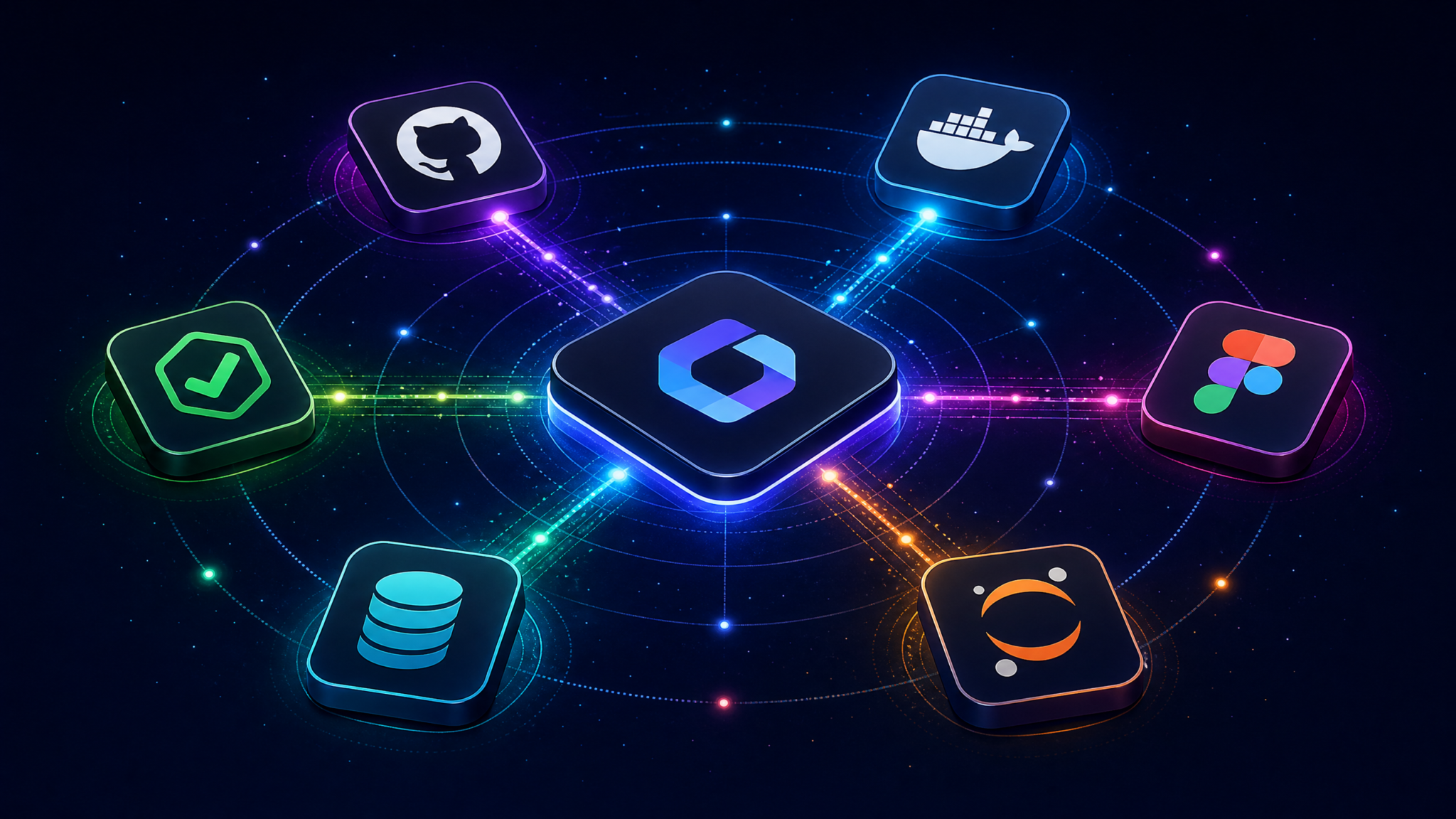
When OpenAI launched the Codex desktop application’s plugin ecosystem in July 2026, it fundamentally changed how technical professionals interact with AI-assisted workflows. Rather than treating Codex as a monolithic tool, the plugin architecture transformed it into a composable platform where developers, designers, and data scientists could inject deep, context-aware intelligence directly into their existing toolchains. Within the first 90 days of launch, the official Codex Plugin Marketplace exceeded 400 published extensions, with adoption rates outpacing comparable ecosystems like VS Code extensions in their early years. This guide cuts through the noise to identify the 10 plugins that genuinely move the needle for each professional role.
This playbook is structured for practitioners who need to make informed decisions quickly. Each plugin review covers the technical architecture, step-by-step setup, concrete use cases with real workflow examples, and honest limitations you won’t find in marketing copy. Whether you’re a backend engineer trying to close the loop between AI code generation and CI/CD pipelines, a product designer wanting Codex to understand your design system tokens, or a data scientist who needs Codex to query a live PostgreSQL schema before writing analysis code, this guide has you covered.
Understanding the Codex Plugin Architecture: How Extensions Actually Work
Before evaluating individual plugins, understanding the underlying architecture is essential for making smart integration decisions. Codex plugins operate on a three-layer model: the Context Injection Layer, the Action Execution Layer, and the Response Rendering Layer. The Context Injection Layer is where plugins earn their value — it allows extensions to prepend structured metadata, live data, and schema information into the Codex prompt context window before the model processes any user query. This is fundamentally different from simple API wrappers; the plugin is shaping what Codex knows before it speaks.
The Action Execution Layer handles bidirectional operations. When Codex generates code or a configuration, plugins in this layer can intercept the output and trigger real-world actions: pushing a commit, running a test suite, or rendering a Figma component. This capability is governed by a sandboxed permission model using OAuth 2.0 scopes and explicit user-granted capabilities, meaning no plugin can perform destructive operations without a confirmation dialog. The permission manifest is declared in a codex-plugin.json file at the plugin root, which the Codex runtime validates at install time.
{
  "name": "github-codex-connector",
  "version": "2.1.0",
  "permissions": [
    "context:read_repository",
    "action:create_pull_request",
    "action:run_workflow",
    "render:diff_viewer"
  ],
  "context_hooks": ["on_file_open", "on_session_start"],
  "action_endpoints": {
    "create_pr": "https://api.github.com/repos/{owner}/{repo}/pulls",
    "trigger_ci": "https://api.github.com/repos/{owner}/{repo}/actions/workflows"
  }
}
The Response Rendering Layer allows plugins to register custom UI components that display inside the Codex chat interface. Rather than returning raw text, a database plugin can render an interactive table; a visualization plugin can embed a live chart. These components are built with a lightweight subset of React and communicate with the Codex host via a postMessage API, keeping the plugin sandbox isolated from the main application process. For developers evaluating the ecosystem, this architecture means that well-built plugins feel native rather than bolted on — a distinction that separates the 10 plugins in this guide from the majority of the marketplace catalog.
Plugin distribution happens through the Codex Plugin Marketplace, accessible directly from the desktop application’s sidebar. Enterprise teams can also configure a private registry URL in the Codex workspace settings, enabling internal plugin distribution without public marketplace exposure. This enterprise registry feature has been a significant driver of adoption in regulated industries where proprietary tooling cannot be published publicly. For more context on how Codex fits into broader AI development workflows, see OpenAI Codex Desktop Application Complete Guide 2026.
Developer Plugins: Closing the Loop Between AI Generation and Production Systems
Plugin 1: GitHub Codex Connector (Official)
The GitHub Codex Connector is the single most-installed plugin in the marketplace, and for good reason — it transforms Codex from a code suggestion tool into a full repository-aware development partner. At its core, the plugin indexes your connected repositories and injects live context including branch state, open pull requests, recent commit history, CI/CD workflow status, and issue metadata directly into every Codex session. When you ask Codex to “fix the authentication bug in the user service,” it already knows the current state of that file, which tests are failing, and what the last three commits touched.
Setup Instructions: Install from the Codex Plugin Marketplace by searching “GitHub Codex Connector.” Authenticate via GitHub OAuth — the plugin requests repo, workflow, and read:org scopes. After authentication, select which repositories to index. Indexing a 50,000-line codebase typically completes in under two minutes. Configure the context depth in plugin settings: shallow (last 10 commits, open PRs), standard (last 50 commits, all open issues, workflow history), or deep (full blame data, all branches, complete issue history). For most teams, standard provides the best balance between context richness and prompt efficiency.
Best Use Cases: The plugin excels at PR review assistance — paste a diff link and ask Codex to identify potential regressions based on the existing test coverage it can see. It also shines for onboarding: new team members can ask “how does the payment processing flow work?” and receive answers grounded in the actual codebase rather than generic explanations. The automated commit message generation, which reads the staged diff and writes a Conventional Commits-formatted message, saves measurable time at scale.
Limitations: The plugin does not support GitHub Enterprise Server deployments running versions below 3.8. Repository indexing for monorepos exceeding 2 million lines of code can cause noticeable latency in context injection. The plugin also cannot access GitHub Copilot suggestions, meaning there’s no cross-contamination of AI context — a deliberate design decision by OpenAI.
Plugin 2: Docker Orchestrator Plugin
The Docker Orchestrator Plugin addresses one of the most friction-filled parts of modern development: the gap between writing application code and actually running it in a containerized environment. This plugin connects Codex to your local Docker daemon and any configured remote Docker contexts (including Docker Desktop, Rancher Desktop, and remote SSH hosts). It injects real-time container state, running service health, resource utilization, and compose file configurations into the Codex context window.
Access 40,000+ AI Prompts for ChatGPT, Claude & Codex — Free!
Subscribe to get instant access to our complete Notion Prompt Library — the largest curated collection of prompts for ChatGPT, Claude, OpenAI Codex, and other leading AI models. Optimized for real-world workflows across coding, research, content creation, and business.
Setup Instructions: The plugin requires Docker socket access, which on macOS and Linux means adding your user to the docker group or running Codex with appropriate permissions. On Windows, it connects via the named pipe at \\.\pipe\docker_engine. After installation, the plugin auto-discovers all running containers and compose projects. Configure watched compose files in the plugin settings panel — the plugin will monitor these files for changes and automatically refresh context. For Kubernetes users, the plugin supports kubeconfig-based context switching, though Kubernetes support is marked as beta in the current release.
# Example: Codex with Docker plugin context generates targeted fixes
# User query: "Why is my postgres container failing health checks?"
# Plugin injects: container logs, health check command, resource stats

# Codex-generated diagnostic and fix:
HEALTHCHECK --interval=30s --timeout=10s --start-period=60s --retries=3 \
  CMD pg_isready -U ${POSTGRES_USER} -d ${POSTGRES_DB} || exit 1

# Plugin then offers to apply this change directly to the Dockerfile
# and rebuild the affected service with one click
Best Use Cases: Debugging container startup failures is where this plugin genuinely saves hours. Rather than manually grepping logs and cross-referencing documentation, Codex can see the full container state and generate targeted fixes. The plugin also excels at Dockerfile optimization — it analyzes your existing Dockerfile alongside the running container’s layer cache state and suggests specific improvements for build time and image size reduction.
Limitations: The plugin cannot interact with containers running in rootless mode on some Linux distributions due to socket permission constraints. It does not support Podman as an alternative container runtime, though the plugin’s GitHub repository shows this is on the roadmap for Q1 2027. Remote Docker context support requires SSH key authentication; password-based SSH is not supported.
Plugin 3: TestForge — Automated Testing Framework Integration
TestForge integrates Codex with your project’s testing infrastructure, covering Jest, Pytest, Go’s testing package, RSpec, and JUnit. The plugin’s most powerful capability is its coverage-aware test generation: it reads your existing test suite, identifies untested code paths using instrumented coverage data, and prompts Codex to generate tests specifically targeting those gaps. This is a fundamentally different approach from asking Codex to “write tests for this function” in isolation — TestForge gives Codex the full picture of what’s already tested and what isn’t.
Setup Instructions: TestForge requires a testforge.config.json file in your project root to declare the test framework, coverage tool, and test runner command. The plugin ships with a CLI initializer: run npx testforge-init or pip install testforge-codex && testforge init to generate this file automatically. After configuring the plugin in Codex, run an initial coverage analysis by clicking “Analyze Coverage” in the TestForge panel — this generates a coverage map that persists in your project’s .codex/ directory and updates after each test run.
Best Use Cases: The mutation testing integration is TestForge’s standout feature. It runs Stryker (for JavaScript/TypeScript) or mutmut (for Python) in the background and surfaces surviving mutants — tests that should catch a bug but don’t — directly in the Codex interface. You can then ask Codex to strengthen specific tests with full awareness of why they’re currently insufficient. For teams targeting 80%+ coverage on critical paths, this workflow reduces the manual effort of coverage gap analysis by a significant margin.
Limitations: TestForge’s coverage analysis requires instrumented test runs, which adds overhead to the initial setup. Projects using custom test runners or non-standard framework configurations may require manual testforge.config.json authoring. The mutation testing feature is computationally expensive and is disabled by default for projects with more than 10,000 tests.

Designer Plugins: Bridging the Gap Between Design Systems and AI Assistance
Plugin 4: Figma Codex Bridge
The Figma Codex Bridge is the most sophisticated designer-facing plugin in the ecosystem, and it operates on a bidirectional model that no competing tool had achieved before July 2026. On the input side, the plugin connects to your Figma workspace via the Figma REST API and injects component metadata, design tokens, auto-layout constraints, and variant properties into Codex’s context. On the output side, when Codex generates UI code, the plugin can validate that the generated components respect the design system’s constraints and flag deviations before the code reaches a developer’s hands.
Setup Instructions: Generate a Figma Personal Access Token from your Figma account settings (Account → Personal access tokens). Paste this token into the Figma Codex Bridge settings panel and select which Figma teams and projects to index. The plugin will fetch all published component libraries accessible to your account. Configure your primary design system file — this is the file whose tokens and components will be injected as high-priority context. For teams using Figma Variables, enable the “Token Injection” toggle to have all variable collections (color, spacing, typography, radius) automatically included in every Codex session.
/* Example: Figma Codex Bridge injects token context */
/* Plugin-injected context (invisible to user, visible to Codex): */
/*
  Design System: Acme DS v3.2
  Color Tokens: --color-primary-500: #2563EB, --color-neutral-900: #111827
  Spacing Scale: 4px base, tokens: space-1(4px) through space-16(64px)
  Border Radius: radius-sm(4px), radius-md(8px), radius-lg(16px), radius-full(9999px)
  Typography: font-sans(Inter), size-sm(14px/1.5), size-base(16px/1.5), size-lg(18px/1.75)
*/

/* Codex-generated component respects injected tokens: */
.card {
  padding: var(--space-6); /* 24px */
  border-radius: var(--radius-lg); /* 16px */
  background: var(--color-neutral-0);
  border: 1px solid var(--color-neutral-200);
}
Best Use Cases: The plugin’s “Component Gap Analysis” feature is invaluable for design system maintainers. It compares the components in your Figma library against the components in your codebase (supporting React, Vue, and Svelte) and surfaces discrepancies: components that exist in Figma but not in code, components that exist in code but not in Figma, and components where the props API diverges from the Figma variant structure. Codex can then generate the missing components or migration guides with full awareness of both systems. For teams managing large design systems, see Building Scalable Design Systems with AI Tools in 2026.
Limitations: The plugin’s API access is read-only; it cannot push changes back to Figma files. Teams using FigJam boards rather than standard Figma files will find that FigJam content is not indexed. The plugin currently supports only published component libraries — draft components in unpublished files are not accessible via the API.
Plugin 5: Adobe Creative Cloud Connector
The Adobe Creative Cloud Connector extends Codex’s awareness into the Adobe ecosystem, with primary support for Adobe XD (still widely used in enterprise environments), Adobe Express, and Adobe Fonts. The plugin’s most practical capability for designers is its ability to extract color palettes, character styles, and component states from XD documents and translate them into CSS custom properties, Tailwind configuration objects, or design token JSON formats compatible with Style Dictionary. This translation layer eliminates the manual work of converting design specifications into developer-consumable formats.
Setup Instructions: The connector requires the Adobe Creative Cloud desktop application to be installed and running. Authentication uses Adobe’s IMS OAuth flow — click “Connect Adobe Account” in the plugin settings and complete the browser-based authorization. Grant the creative_sdk and openid scopes. After authentication, the plugin lists all XD documents in your Creative Cloud storage. Select documents to index; the plugin will extract assets and metadata on a 15-minute refresh cycle. For Adobe Fonts integration, enable the “Font Context” toggle to have your activated font list injected into Codex sessions, allowing it to reference actual available typefaces rather than generic font suggestions.
Best Use Cases: The most impactful use case is automated style guide generation. Point the plugin at an XD document, ask Codex to “generate a complete Style Dictionary token file from this design,” and receive a structured JSON token file that maps directly to your design decisions. Teams migrating from XD to Figma have also used this plugin to extract and document their existing XD design systems before the migration, creating a paper trail of design decisions that would otherwise be lost.
Limitations: Adobe Illustrator and Photoshop files are not supported — the connector is limited to XD and Express formats. The plugin requires an active Creative Cloud subscription; free-tier Adobe accounts cannot authenticate. XD documents with complex prototype flows may have interaction data stripped during extraction, as the plugin focuses on visual and component metadata rather than prototyping logic.
Plugin 6: DesignToken.ai — Design System Intelligence Layer
DesignToken.ai is a third-party plugin that has emerged as the standard tool for teams managing multi-brand or multi-platform design systems. Unlike the Figma and Adobe connectors which focus on extracting existing design data, DesignToken.ai is purpose-built for design token governance: tracking token changes across versions, detecting token drift between platforms (iOS, Android, web), and generating migration guides when tokens are renamed or deprecated. The plugin integrates with Style Dictionary, Theo, and the W3C Design Token Community Group format.
Setup Instructions: DesignToken.ai requires a token source configuration file at .designtoken/sources.json in your project root. This file declares token source files, output platforms, and transformation pipelines. The plugin ships with a setup wizard that walks through this configuration interactively. Connect your token repository (supports Git-based sources, Figma Tokens plugin exports, and direct Style Dictionary configurations). After setup, the plugin maintains a token changelog that Codex can reference when generating code — ensuring that generated code uses current token names rather than deprecated ones.
Best Use Cases: Token migration is where DesignToken.ai saves the most time. When a design system team renames --color-brand-primary to --color-interactive-default, the plugin generates a complete codebase migration checklist, and Codex can execute the refactoring across all affected files with awareness of context — distinguishing between semantic uses that should migrate and hardcoded values that need design review. The plugin’s cross-platform drift detection has caught numerous cases where iOS and Android token values diverged from the web specification without anyone noticing.
Limitations: DesignToken.ai is a paid plugin with a freemium model — the free tier limits token tracking to 500 tokens and one platform target. Enterprise pricing is required for multi-brand configurations. The plugin’s Git integration requires repository access, which may conflict with enterprise security policies that restrict third-party OAuth applications.
Data Science Plugins: Grounding AI Assistance in Real Data and Infrastructure
Plugin 7: JupyterBridge — Notebook-Native Codex Integration
JupyterBridge is the plugin that data scientists have been requesting since Codex’s initial release, and the July 2026 plugin ecosystem finally delivered it properly. The plugin creates a live connection between Codex and running Jupyter kernels (supporting JupyterLab 4.x, Jupyter Notebook 7.x, and VS Code’s Jupyter extension). When a kernel is connected, Codex has access to the current namespace — all defined variables, their types, shapes, and sample values — as well as the execution history of the current session. This context transforms Codex from a generic Python assistant into a collaborator that understands your specific data.
Setup Instructions: Install the JupyterBridge server extension with pip install jupyterbridge-codex and enable it with jupyter server extension enable jupyterbridge_codex. Restart your Jupyter server. In Codex, install the JupyterBridge plugin and enter your Jupyter server URL and token (found in the Jupyter server startup output). The plugin will list running kernels; select the kernel to connect. Once connected, a “Kernel Context” indicator in the Codex sidebar shows the current namespace size and last execution time. For JupyterHub deployments, the plugin supports hub-authenticated connections using JupyterHub API tokens.
# Example: JupyterBridge injects namespace context
# Plugin-visible kernel state:
# df_sales: DataFrame, shape (125000, 18), dtypes: [int64(4), float64(8), object(6)]
# df_customers: DataFrame, shape (45000, 12)
# model: sklearn.ensemble.RandomForestClassifier, fitted=True, n_estimators=200
# X_train: ndarray, shape (100000, 15)
# y_pred: ndarray, shape (25000,), values: [0, 1], distribution: 73% class 0

# User asks: "Why might my model have poor recall on class 1?"
# Codex response is grounded in actual class distribution visible in y_pred:

from sklearn.metrics import classification_report
import matplotlib.pyplot as plt

# Given class imbalance (73/27 split visible in y_pred distribution)
# Consider class_weight parameter or resampling strategies
print(classification_report(y_test, y_pred, target_names=['No Churn', 'Churn']))

# Recommended: Adjust class weights to address imbalance
from sklearn.ensemble import RandomForestClassifier
model_balanced = RandomForestClassifier(
    n_estimators=200,
    class_weight='balanced',  # Addresses the 73/27 imbalance
    random_state=42
)
Best Use Cases: Exploratory data analysis acceleration is the primary use case — rather than writing boilerplate df.describe() and df.info() calls, you can ask Codex “what are the data quality issues in df_sales?” and receive a targeted analysis based on the actual DataFrame shape and dtypes. The plugin also enables context-aware visualization suggestions: Codex can see that a column has a highly skewed distribution and recommend the appropriate plot type and transformation rather than generic charting code. For an overview of how AI tools are transforming data science workflows, see AI-Powered Data Science Workflows: Tools and Best Practices 2026.
Limitations: The namespace injection can become expensive for sessions with very large objects — injecting metadata for a 10GB DataFrame is fast, but if you’ve loaded multiple large objects, the context injection overhead becomes noticeable. The plugin does not support R kernels in the current version; Julia kernel support is experimental. Kernel connections are not persistent across Codex restarts; you must reconnect after each session.
Plugin 8: DataConnect — Universal Database Schema Connector
DataConnect solves one of the most persistent friction points in AI-assisted data work: Codex generating SQL queries that reference tables, columns, or relationships that don’t exist in the actual database. The plugin maintains live schema awareness for PostgreSQL, MySQL, SQLite, BigQuery, Snowflake, Redshift, and DuckDB, injecting table definitions, column types, foreign key relationships, and index information into every Codex session. The result is SQL generation that is not just syntactically correct but semantically valid for your specific schema.
Setup Instructions: DataConnect uses read-only database connections — the plugin explicitly requests only SELECT privileges and will refuse to store credentials that have write access (enforced via a connection test that attempts a write operation and verifies it fails). Configure connections in the plugin settings panel with standard connection string format. For cloud databases, the plugin supports IAM-based authentication for BigQuery and Snowflake SSO. Schema indexing runs on connect and refreshes every 30 minutes or on-demand. For sensitive environments, enable “Schema-Only Mode” which indexes metadata without sampling any row data.
-- Example: DataConnect-grounded SQL generation
-- Plugin-injected schema context (partial):
-- orders(id BIGINT PK, customer_id INT FK→customers.id,
--        status VARCHAR(20) CHECK IN('pending','shipped','delivered','cancelled'),
--        total_amount DECIMAL(10,2), created_at TIMESTAMPTZ)
-- order_items(id BIGINT PK, order_id BIGINT FK→orders.id,
--             product_id INT FK→products.id, quantity INT, unit_price DECIMAL(10,2))

-- User asks: "Show me revenue by month for 2026, excluding cancelled orders"
-- Codex generates schema-aware query:

SELECT
    DATE_TRUNC('month', o.created_at) AS month,
    COUNT(DISTINCT o.id) AS order_count,
    SUM(oi.quantity * oi.unit_price) AS revenue
FROM orders o
JOIN order_items oi ON oi.order_id = o.id
WHERE o.status != 'cancelled'  -- Uses actual CHECK constraint values
  AND o.created_at >= '2026-01-01'
  AND o.created_at < '2027-01-01'
GROUP BY DATE_TRUNC('month', o.created_at)
ORDER BY month;
Best Use Cases: Complex multi-table query generation is where DataConnect pays for itself immediately. Data scientists who previously spent 20-30 minutes constructing joins across unfamiliar schemas can now describe the analysis they need in plain language and receive correct, optimized SQL on the first attempt. The plugin also excels at query optimization: it can see existing indexes and suggest query rewrites that take advantage of them. DBAs have used DataConnect to audit Codex-generated queries for performance issues before they reach production.
Limitations: DataConnect does not support MongoDB or other document databases in the current version — NoSQL support is listed as a roadmap item. The plugin's schema injection can become very large for databases with hundreds of tables; the plugin automatically truncates to the 50 most recently accessed tables to stay within context limits, which can cause issues when working with unfamiliar parts of a large schema. Stored procedure and view definitions are indexed but function bodies are not included in the injected context due to size constraints.

Plugin 9: VizForge — Data Visualization Intelligence
VizForge integrates Codex with the leading Python and JavaScript visualization ecosystems: Matplotlib, Seaborn, Plotly, Altair, D3.js, and Observable Plot. The plugin's core value proposition is visualization recommendation intelligence — it analyzes the data types, distributions, and relationships in your current dataset (via JupyterBridge integration or direct data upload) and recommends the most appropriate chart types before you write a single line of code. This is not a simple lookup table; the recommendation engine considers sample size, cardinality, the number of variables, and the analytical question being asked.
Setup Instructions: VizForge works as a standalone plugin or in conjunction with JupyterBridge. For standalone use, configure your preferred visualization library in the plugin settings. For JupyterBridge integration, ensure JupyterBridge is installed and a kernel is connected — VizForge will automatically access the kernel namespace through JupyterBridge's context sharing API. No additional authentication is required. Enable the "Accessibility Audit" feature in settings to have Codex automatically check generated visualizations against WCAG 2.2 color contrast requirements.
Best Use Cases: The plugin's strongest use case is generating publication-quality visualizations for reports and papers. Rather than iterating through matplotlib's notoriously complex API, you can describe the visualization in natural language — "a faceted scatter plot showing the relationship between feature importance and model accuracy across five cross-validation folds, with confidence intervals" — and receive complete, styled code that renders correctly on the first run. The accessibility audit feature has been particularly valuable for teams publishing dashboards, catching color contrast issues that would otherwise require manual review.
Limitations: VizForge's recommendations are calibrated for statistical analysis use cases and may suggest overly complex chart types for simple business reporting scenarios. The D3.js code generation is functional but produces verbose code that experienced D3 developers would refactor for maintainability. The plugin does not support Tableau, Power BI, or Looker — it is strictly focused on programmatic visualization libraries.
Plugin 10: MLFlow Codex Integration
The MLFlow Codex Integration plugin closes the loop between AI-assisted model development and experiment tracking, connecting Codex to your MLFlow tracking server to inject experiment history, run metrics, parameter configurations, and model registry state into the Codex context. When you're iterating on a model and ask Codex for suggestions, it can see that your last 15 runs with increased learning rates all showed validation loss divergence, and calibrate its recommendations accordingly. This experiment-aware assistance is qualitatively different from generic machine learning advice.
Setup Instructions: Configure the MLFlow tracking server URI in the plugin settings — this can be a local server (http://localhost:5000), a remote server, or a managed service like Databricks MLFlow. If your tracking server requires authentication, provide your MLFlow username and password or Databricks personal access token. The plugin will list all experiments accessible to your credentials; select which experiments to include in context injection. Configure the "Recency Window" setting to control how many recent runs are injected — the default of 20 runs balances context richness against prompt efficiency. For teams using MLFlow Model Registry, enable the "Registry Context" toggle to include model versions, stage transitions, and deployment history.
# Example: MLFlow plugin enables experiment-aware suggestions
# Plugin-injected context shows last 5 runs of experiment "churn_prediction_v3":
# Run 4a2f: lr=0.01, layers=[256,128,64], val_auc=0.847, val_loss=0.312 (best)
# Run 3b1e: lr=0.001, layers=[512,256,128], val_auc=0.831, val_loss=0.341
# Run 2c9d: lr=0.1, layers=[256,128,64], val_auc=0.789, val_loss=diverged
# Run 1d8c: lr=0.01, layers=[128,64], val_auc=0.823, val_loss=0.358

# User: "How should I try to improve beyond 0.847 AUC?"
# Codex, seeing the experiment history, suggests targeted next steps:

import mlflow
import mlflow.pytorch

with mlflow.start_run(run_name="churn_v3_attention"):
    # Based on run history: architecture size isn't the bottleneck
    # (512-layer run underperformed 256-layer run)
    # Try attention mechanism on the winning architecture
    model = ChurnModelWithAttention(
        layers=[256, 128, 64],  # Proven architecture from run 4a2f
        attention_heads=4,       # New: self-attention on feature interactions
        dropout=0.3
    )
    mlflow.log_params({
        "architecture": "attention_256_128_64",
        "learning_rate": 0.01,  # Proven LR from best run
        "attention_heads": 4
    })
Best Use Cases: Hyperparameter optimization guidance is the primary use case — Codex with MLFlow context can identify patterns in your experiment history that suggest which parameter dimensions are most worth exploring next, effectively acting as a lightweight Bayesian optimization advisor grounded in your actual results rather than theoretical priors. The model registry integration is valuable for production ML teams: Codex can see which model version is currently in production, what its metrics were at promotion time, and flag if a new candidate model shows regressions on metrics that weren't part of the original evaluation criteria.
Limitations: The plugin requires MLFlow 2.x or higher; MLFlow 1.x tracking servers are not supported. For very large experiments with thousands of runs, the plugin's context injection truncates to the most recent runs by default, which may miss historically important baselines. The plugin does not integrate with competing experiment tracking platforms like Weights & Biases or Neptune.ai — teams using those platforms must wait for separate plugins, which are currently in beta.
Plugin Comparison: Choosing the Right Stack for Your Role
With 10 plugins reviewed, the practical question is which combination to install and configure. The following table summarizes each plugin across the dimensions most relevant to adoption decisions: setup complexity, context injection size, whether it requires paid external services, and its primary value proposition.
| Plugin | Role | Setup Complexity | Context Size Impact | Paid External Service? | Primary Value | Maturity |
|---|---|---|---|---|---|---|
| GitHub Codex Connector | Developer | Low | Medium | No (public repos free) | Repository-aware code generation | GA (Official) |
| Docker Orchestrator | Developer | Low-Medium | Low | No | Container debugging and optimization | GA |
| TestForge | Developer | Medium | Medium | No | Coverage-driven test generation | GA |
| Figma Codex Bridge | Designer | Low | Medium-High | Yes (Figma subscription) | Design system-aware UI code | GA |
| Adobe CC Connector | Designer | Low-Medium | Low-Medium | Yes (CC subscription) | XD asset extraction and token generation | GA |
| DesignToken.ai | Designer | Medium-High | Low | Yes (paid tiers) | Token governance and migration | GA |
| JupyterBridge | Data Scientist | Medium | Variable | No | Live kernel namespace awareness | GA |
| DataConnect | Data Scientist | Medium | High (large schemas) | No (self-hosted DBs) | Schema-grounded SQL generation | GA |
| VizForge | Data Scientist | Low | Low | No | Intelligent visualization generation | GA |
| MLFlow Integration | Data Scientist | Medium | Medium | Optional (managed MLFlow) | Experiment-aware ML guidance | GA |
For teams with mixed roles — the increasingly common "full-stack data engineer" profile — the recommended baseline stack is GitHub Codex Connector (universal), JupyterBridge, and DataConnect. This combination covers the most ground with the least setup overhead and is appropriate as a starting point before adding role-specific plugins. Teams running containerized ML training pipelines should add Docker Orchestrator and MLFlow Integration to complete the loop between development, containerization, and experiment tracking.
Context Window Management: Running Multiple Plugins Without Degrading Performance
One of the most practically important topics that plugin documentation consistently underemphasizes is context window management. Each plugin injects metadata into the Codex context window, and running five or six plugins simultaneously can consume a significant portion of the available context before you've typed a single word. Understanding how to configure plugins for context efficiency is the difference between a performant multi-plugin setup and a sluggish experience where Codex is working with a truncated view of your environment.
The Codex desktop application provides a Context Budget panel (accessible via Settings → Context Management) that shows a real-time breakdown of context consumption by source: system prompt, plugin injections, conversation history, and your current input. Each plugin's context contribution is configurable — most plugins expose a "context depth" or "injection verbosity" setting that controls how much metadata they inject. As a general rule, configure plugins you use occasionally to "minimal" injection mode and reserve "full" injection for the one or two plugins central to your current task.
Codex also supports "Plugin Profiles" — named configurations that activate specific plugin sets and their context settings with a single click. A developer might have a "PR Review" profile that activates GitHub Codex Connector at full depth and disables all other plugins, and a "Feature Development" profile that activates GitHub, Docker, and TestForge at standard depth. Creating these profiles takes five minutes and eliminates the cognitive overhead of manually toggling plugin settings when switching between task types. For a deeper dive into optimizing Codex performance settings, see Codex Desktop Performance Optimization and Configuration Guide.
The interaction between JupyterBridge and DataConnect deserves special mention for data scientists. When both plugins are active simultaneously, there's a risk of context collision: JupyterBridge injects DataFrame metadata while DataConnect injects schema information, and for large namespaces with many loaded tables, the combined injection can approach 15-20% of the total context budget. The recommended configuration is to enable JupyterBridge's "Schema Deduplication" setting, which detects when DataConnect is active and suppresses redundant schema information that would otherwise be injected twice — once from the kernel namespace and once from the database connection.
Building Custom Plugins: The Developer Opportunity in the Codex Ecosystem
For engineering teams with internal tools, proprietary systems, or specialized workflows not covered by existing marketplace plugins, building a custom Codex plugin is a realistic undertaking. The Codex Plugin SDK, released alongside the July 2026 plugin ecosystem, provides TypeScript and Python SDKs with comprehensive documentation and a local development server for testing. A functional context injection plugin can be built in a few hours by a developer familiar with REST APIs and basic TypeScript or Python.
The plugin development workflow centers on three files: the codex-plugin.json manifest (shown earlier), the context provider module, and optionally the action handler and renderer modules. The context provider is a function that receives the current session state and returns a structured context object that Codex will inject. Here's a minimal example of a custom internal wiki connector:
// custom-wiki-plugin/src/context-provider.ts
import { CodexContextProvider, SessionState, ContextObject } from '@openai/codex-plugin-sdk';

export const wikiContextProvider: CodexContextProvider = async (
  session: SessionState
): Promise => {
  // Extract keywords from the current conversation
  const keywords = extractKeywords(session.recentMessages);

  // Query internal wiki API
  const wikiResults = await fetch(`https://wiki.internal/api/search`, {
    method: 'POST',
    headers: { 'Authorization': `Bearer ${session.credentials.wiki_token}` },
    body: JSON.stringify({ query: keywords, limit: 5, format: 'summary' })
  }).then(r => r.json());

  return {
    source: 'Internal Wiki',
    priority: 'medium',
    content: wikiResults.articles.map(article => ({
      title: article.title,
      summary: article.summary,
      url: article.url,
      last_updated: article.updated_at
    })),
    format: 'structured_list'
  };
};

function extractKeywords(messages: string[]): string {
  // Simple keyword extraction from recent messages
  const combined = messages.slice(-3).join(' ');
  // In production, use a more sophisticated extraction approach
  return combined.replace(/[^\w\s]/g, '').split(' ')
    .filter(w => w.length > 4)
    .slice(0, 10)
    .join(' ');
}
The Codex Plugin SDK handles authentication credential storage (using the system keychain on macOS/Windows/Linux), context size budgeting (the SDK will warn if your context object exceeds recommended size limits), and the communication protocol between your plugin and the Codex host process. Publishing to the marketplace requires passing an automated security review that checks for network requests to non-declared endpoints, absence of data exfiltration patterns, and valid permission declarations. Internal plugins distributed via private registry bypass the marketplace review process but are still validated against the security manifest at install time.
Teams considering custom plugin development should evaluate the build-versus-wait decision carefully. The marketplace is growing rapidly, and a plugin that doesn't exist today may be published by a third party within months. Custom plugins make the most sense for: internal systems with no public API (proprietary CMSs, internal knowledge bases, custom monitoring platforms), compliance-sensitive environments where third-party plugins cannot be granted data access, and highly specialized workflows where the specific combination of context injection and action execution is unique to the organization's stack.
Security, Privacy, and Enterprise Considerations for the Codex Plugin Ecosystem
Enterprise adoption of the Codex plugin ecosystem requires careful evaluation of the security model, particularly for plugins that inject sensitive data — database schemas, source code, design assets — into the Codex context. Understanding what data leaves the local machine and how it's handled by OpenAI's infrastructure is non-negotiable for regulated industries and organizations handling sensitive intellectual property.
The fundamental data flow is this: plugin-injected context is combined with your input and sent to OpenAI's API for processing. This means that database schema information injected by DataConnect, code injected by GitHub Codex Connector, and design token data injected by Figma Codex Bridge all travel to OpenAI's servers as part of the API request. Organizations operating under GDPR, HIPAA, or SOC 2 requirements should evaluate whether this data transfer is permissible under their data processing agreements. OpenAI's enterprise API agreements include data processing addendums that address this specifically — teams without an enterprise agreement should not assume the standard API terms are sufficient for regulated data.
The plugin permission model provides meaningful security guarantees within the local environment. The sandboxed execution model prevents plugins from accessing filesystem paths outside their declared scope, making network requests to undeclared endpoints, or executing system commands without explicit user approval. The permission manifest validation at install time catches obvious permission escalation attempts, though it cannot prevent sophisticated plugins from using declared permissions in unintended ways. The recommended enterprise practice is to maintain an approved plugin list in the Codex workspace policy file, distributed via MDM or configuration management, that restricts which plugins employees can install.
| Security Consideration | Risk Level | Mitigation | Enterprise Control Available? |
|---|---|---|---|
| Schema/code data sent to OpenAI API | Medium-High | Enterprise DPA, data classification policy | Yes (API data residency options) |
| Third-party plugin marketplace access | Medium | Approved plugin allowlist via workspace policy | Yes (private registry enforcement) |
| OAuth credential storage | Low | System keychain integration (OS-managed) | Partial (keychain policy) |
| Plugin action execution (write operations) | Medium | Confirmation dialogs, audit logging | Yes (action logging to SIEM) |
| Private registry plugin integrity | Low-Medium | Code signing for private registry plugins | Yes (signing key management) |
For organizations running Codex in air-gapped or restricted network environments, it's worth noting that most plugins in this guide require outbound internet access — either to their own APIs (GitHub, Figma, Adobe) or to OpenAI's API endpoint. The only plugins in this list that can operate in a fully air-gapped configuration are JupyterBridge (local kernel connection only), DataConnect (local database connections), and Docker Orchestrator (local daemon connection). MLFlow Integration can operate on a local tracking server but requires OpenAI API access for the Codex model itself, which cannot be self-hosted in the current architecture.
The Road Ahead: What's Coming to the Codex Plugin Ecosystem in Late 2026 and 2027
The July 2026 launch was explicitly positioned by OpenAI as the foundation release of the plugin ecosystem, with a public roadmap indicating several significant capability expansions. The most anticipated upcoming feature is Plugin Chaining, which will allow plugins to pass context and outputs to each other in a declared pipeline rather than all injecting independently into the same context window. This would enable, for example, a workflow where DataConnect extracts schema context, passes it to JupyterBridge's context handler, which then generates a DataFrame skeleton pre-populated with the correct column names and types — all before the user types their first query.
The Codex Plugin API v2, currently in developer preview, introduces streaming action execution — allowing plugins to show real-time progress for long-running operations like large test suite runs or database migrations rather than blocking the interface until completion. The v2 API also adds support for plugin-defined keyboard shortcuts and command palette entries, enabling power users to trigger common plugin actions without navigating to the plugin panel. Developers interested in the v2 API can access the preview documentation through the Codex Developer Portal.
Third-party developers are already building several high-demand plugins expected to reach GA in late 2026: a Weights & Biases integration to complement the MLFlow plugin, a Terraform/OpenTofu connector for infrastructure-as-code-aware assistance, a Slack integration for injecting relevant thread context into Codex sessions, and a Jira/Linear connector for product management context injection. The competitive dynamic between these forthcoming plugins and the existing ecosystem will likely drive quality improvements across the board as developers compete for marketplace adoption.
For data scientists and ML engineers, the most significant upcoming development is the planned integration between the Codex plugin ecosystem and OpenAI's own model fine-tuning API — enabling a workflow where MLFlow-tracked experiment results can be used to generate fine-tuning datasets for custom models, with Codex assisting in the dataset curation and quality review process. This capability, if it ships as described in OpenAI's developer blog, would create a genuinely novel AI-assisted ML development loop with no current equivalent in the market. Staying current with the Codex plugin ecosystem developments is essential for practitioners looking to maintain a competitive edge — for the latest updates on OpenAI's development tools, see OpenAI Developer Tools and API Updates: Complete 2026 Coverage.
The Codex plugin ecosystem is still in its early innings, but the 10 plugins covered in this guide represent the current state of the art for extending AI assistance into the real workflows of developers, designers, and data scientists. The common thread across all 10 is context specificity — each plugin's value is proportional to how precisely it grounds Codex's responses in your actual environment rather than generic knowledge. As the ecosystem matures and plugin chaining enables more sophisticated workflows, the gap between Codex with thoughtfully configured plugins and Codex without them will only grow wider. The practitioners who invest in understanding and configuring this ecosystem now will have a compounding advantage as the platform evolves through 2027 and beyond.
