
25 ChatGPT Prompts for AI-Powered Morning Routines: Daily Briefings, Schedule Planning, and Productivity Automation
25 ChatGPT Prompts for AI-Powered Morning Routines: Daily Briefings, Schedule Planning, and Productivity Automation
Your morning sets the tone for everything that follows. Yet most people spend the first hour of their day in reactive mode — scrolling through emails, doom-scrolling social media, and scrambling to remember what they were supposed to accomplish. AI changes all of that. With the right ChatGPT prompts, you can build a fully automated, personalized morning routine that delivers your news digest, optimizes your calendar, plans your meals, tracks your goals, and briefs you on everything you need to hit the ground running — all before your second cup of coffee. This guide gives you 25 copy-paste-ready prompts, organized by category, with customization variables in brackets so you can tailor each one to your exact life, work, and goals.
- Why AI-Powered Morning Routines Actually Work
- Using ChatGPT’s Scheduled Tasks Feature
- Daily Briefing Prompts
- Schedule Optimization Prompts
- News Digest Prompts
- Email Triage Prompts
- Fitness Planning Prompts
- Meal Prep Prompts
- Commute and Transit Prompts
- Goal Tracking and Reflection Prompts
- Advanced Customization and Chaining Prompts
- Conclusion

Why AI-Powered Morning Routines Actually Work
The science behind morning routines is well-established. Research consistently shows that people who structure their mornings with intentional rituals report higher productivity, lower cortisol levels, and better decision-making throughout the day. The problem has never been that routines don’t work — it’s that building and maintaining them requires constant cognitive overhead. You have to remember what to do, in what order, and why.
AI eliminates that overhead entirely. Instead of thinking about your routine, you simply follow it. ChatGPT, used with the right prompts, becomes your personal chief of staff: aggregating information, filtering noise, identifying priorities, and presenting you with exactly what you need to know at the exact moment you need to know it.
What makes AI-powered morning routines especially powerful is the concept of contextual personalization. Unlike a generic productivity app that sends everyone the same weather notification, ChatGPT can understand your specific role, your current projects, your health goals, your dietary restrictions, and your personal values — and synthesize all of that into guidance that’s actually relevant to you.
The Four Pillars of an Effective AI Morning Routine
- Information Aggregation: Pulling together everything you need to know from scattered sources into a single, coherent briefing
- Priority Filtering: Using AI to distinguish between what’s urgent, what’s important, and what can wait — before you’re emotionally invested in the wrong tasks
- Decision Support: Giving you pre-analyzed options for scheduling, meals, fitness, and communication so you spend less cognitive energy on low-stakes decisions
- Progress Accountability: Comparing your current state to your stated goals so you stay aligned with what actually matters to you
The 25 prompts in this guide are engineered around these four pillars. Each one is designed to deliver maximum signal with minimum noise, so your mornings become a source of clarity instead of chaos.
Using ChatGPT’s Scheduled Tasks Feature
ChatGPT’s scheduled tasks feature (available in ChatGPT Plus) allows you to set up recurring prompts that run automatically at specified times. This transforms the prompts in this guide from something you have to remember to use into a true automated system. Here’s how to set it up effectively:
Setting Up Your First Scheduled Task
- Navigate to ChatGPT and click on your profile icon
- Select “Tasks” or look for the scheduled tasks option in your dashboard
- Choose “New Task” and specify the time and frequency (daily, weekdays only, etc.)
- Paste your prompt into the task prompt field
- Enable notifications so ChatGPT can deliver results to your device
For morning routines, the ideal setup involves staggered scheduling. Rather than dumping all your morning information at once, configure different prompts to run at different times: your news digest at 6:00 AM, your schedule optimization at 6:30 AM, and your goal reflection prompt at 7:00 AM. This creates a natural cadence that unfolds alongside your morning rather than overwhelming you all at once.
Pro Tips for Scheduled Tasks
- Use ChatGPT’s memory: Tell ChatGPT key facts about yourself (your job, your current projects, your health goals) so scheduled prompts don’t need to include lengthy context every time
- Set weekday-only schedules for work-related prompts and create a separate weekend routine with different priorities
- Chain context forward: End each scheduled prompt with a line like “Save this summary for reference in my afternoon check-in” so your morning output feeds into later automated tasks
- Test prompts manually first: Run each prompt interactively and refine it until the output is exactly what you want before scheduling it
Even if you don’t use the scheduled tasks feature, you can create a simple morning ChatGPT ritual by bookmarking a custom GPT or a set of prompts you work through sequentially each morning. The prompts below are designed to work either way.
Daily Briefing Prompts
The daily briefing is the cornerstone of any AI-powered morning routine. Think of it as your morning newspaper, executive summary, and personal assistant all rolled into one. These prompts generate a structured overview of what your day contains and what it demands.
Prompt 1: The Comprehensive Daily Briefing
“Good morning. Please generate my daily briefing for [TODAY’S DATE]. I am a [YOUR ROLE/PROFESSION] working on [CURRENT MAIN PROJECTS]. Today I have the following scheduled: [PASTE YOUR CALENDAR EVENTS]. My top three priorities this week are [PRIORITY 1], [PRIORITY 2], and [PRIORITY 3]. Based on this information, provide: (1) A one-paragraph executive summary of what today demands, (2) The single most important thing I must accomplish today, (3) Two or three potential obstacles I should anticipate, (4) A suggested focus word or theme for the day. Keep the entire briefing under 300 words and use clear section headers.”
Customization tips: Replace [YOUR ROLE/PROFESSION] with specifics like “product manager at a SaaS startup” or “freelance graphic designer” for more targeted analysis. The more context you provide about your current projects, the more relevant the obstacle anticipation will be.
Prompt 2: The 60-Second Voice-Ready Briefing
“Create a 60-second spoken briefing that I can listen to while getting ready this morning. Format it as natural, conversational speech — not bullet points. Include: today’s date and day of the week, the weather in [YOUR CITY] (note: if you don’t have real-time access, use seasonal averages and flag this), my three most important tasks for today based on these notes: [PASTE TODAY’S TASK LIST], and one motivational sentence related to my current goal of [YOUR CURRENT MAJOR GOAL]. Write it in second person (‘Today is Tuesday…’) as if a calm, supportive voice is speaking directly to me.”
Use case: This prompt pairs perfectly with ChatGPT’s voice mode. Schedule it for 6:15 AM and listen to it hands-free while you’re making breakfast or getting dressed.
Prompt 3: The Strategic Morning Mindset Prompt
“I’m starting my workday. Here’s my context: I work in [INDUSTRY/FIELD], my role involves [KEY RESPONSIBILITIES], and my biggest challenge this month is [CURRENT CHALLENGE]. Before I open my email or look at Slack, help me establish a strategic mindset for the day. Give me: (1) One reframe that positions today’s challenges as opportunities, (2) The single question I should be asking myself throughout the day to stay aligned with what matters most, (3) A brief reminder of my long-term goal ([YOUR 6-MONTH OR ANNUAL GOAL]) and how today connects to it. Keep your response focused and energizing — no more than 200 words.”
Schedule Optimization Prompts
Schedule optimization is where AI provides some of its most immediate and measurable value. These prompts don’t just remind you what’s on your calendar — they analyze it, identify problems, and suggest rearrangements that align your time allocation with your actual priorities.
Prompt 4: Deep Work Block Optimizer
“Here is my schedule for today: [PASTE FULL SCHEDULE WITH TIMES]. I need at least [X] hours of uninterrupted deep work time to work on [DEEP WORK TASK]. My peak cognitive performance hours are typically [YOUR PEAK HOURS, e.g., ‘9 AM to noon’]. Please analyze my schedule and: (1) Identify the best available time block for deep work, (2) Flag any meetings or commitments that could potentially be shortened, delegated, or moved, (3) Suggest a revised schedule with your recommended deep work block protected, (4) Identify any ‘buffer zones’ I should keep for unexpected demands. Format your response as a clean revised schedule plus a brief explanation of your reasoning.”
Prompt 5: Energy-Based Task Sequencing
“I have the following tasks to complete today: [LIST ALL TASKS]. Please organize these tasks according to an energy-based schedule. My energy pattern is: [DESCRIBE YOUR TYPICAL ENERGY PATTERN, e.g., ‘high focus in the morning, social energy peaks at midday, creative thinking works best in late afternoon, low energy after 4 PM’]. For each time slot, suggest which type of task fits best (cognitively demanding, creative, administrative, collaborative, etc.) and map my specific tasks accordingly. Include a brief rationale for your sequencing choices. Also flag any tasks that I should consider delegating or eliminating entirely based on the information provided.”
Prompt 6: Meeting Prep Briefing Generator
“I have [NUMBER] meetings today: [LIST EACH MEETING WITH ATTENDEES AND STATED PURPOSE]. For each meeting, generate a rapid prep briefing that includes: (1) The single most important outcome I should achieve from this meeting, (2) One or two clarifying questions I should be ready to ask, (3) Any potential tension or ambiguity I should be prepared to navigate, (4) The ideal length for this meeting if we stay focused. Present this as a clean table with columns for Meeting Name, Key Outcome, Questions to Ask, Watch For, and Ideal Duration.”
Using These Prompts with Your Calendar Tools
For maximum effectiveness, integrate these scheduling prompts with your existing calendar workflow. If you use Google Calendar, export your daily view as text by copying the events and pasting them directly into the prompt. If you use Notion or another task manager, paste your task board or daily notes. The more raw data you give ChatGPT, the more precise its optimization suggestions will be. Many power users also maintain a “context document” in their ChatGPT memory that contains their typical weekly structure, so scheduling prompts can work from a baseline without requiring full context dumps every morning.
For professionals who want to systematically improve their productivity stack, understanding how ChatGPT interacts with workflow automation tools is essential. ChatGPT for Productivity and Workflow Automation explores how to connect ChatGPT with tools like Zapier, Make, and Google Workspace so your AI-generated schedule can be automatically pushed back into your actual calendar — eliminating the manual step of implementing ChatGPT’s recommendations.
News Digest Prompts
Staying informed without getting overwhelmed is one of the defining productivity challenges of our time. These prompts help you get a signal-filtered, personally relevant news digest without the anxiety and time drain of open-ended news consumption.
Prompt 7: Personalized Industry News Digest
“I work in [YOUR INDUSTRY] and specifically in [YOUR NICHE/SPECIALIZATION]. My role requires me to stay current on [LIST 3-5 SPECIFIC TOPICS, e.g., ‘AI regulation, enterprise software trends, venture capital activity in SaaS’]. Please create a structured morning news briefing template that I can use daily. The template should have sections for: (1) Must-Know Headlines (maximum 3 items that directly affect my work), (2) Emerging Trends Worth Watching (1-2 items), (3) Competitive Intelligence (anything relevant to [YOUR INDUSTRY] that could affect my organization), (4) One Broader Context Story that connects industry news to larger societal or economic trends. Note that I’ll be providing you with actual news content — this prompt is to establish the template structure and filtering criteria. When I paste in news content, apply these filters ruthlessly and omit anything that doesn’t meet the relevance bar.”
Prompt 8: The 5-Minute News Triage
“I’m going to paste in the headlines and brief summaries from my RSS feed and news apps from the past 24 hours. Your job is to act as my news editor with extremely high standards for relevance. My filters are: I care about [TOPIC 1], [TOPIC 2], and [TOPIC 3]. I do NOT want content about [TOPICS TO EXCLUDE]. For each relevant item, give me a one-sentence summary and a relevance score from 1-10 with a brief justification. Group your output into: ‘Read Now’ (score 8-10), ‘Read Later Today’ (score 5-7), and ‘Skip’ (score 1-4). Here are the headlines: [PASTE HEADLINES AND SUMMARIES]”
Prompt 9: Weekly Context Builder
“It’s [DAY OF WEEK]. Help me understand the news context I’m stepping into this week. Based on your knowledge of ongoing stories and trends in [YOUR AREAS OF INTEREST], give me: (1) The two or three ongoing narratives I should be tracking this week, (2) Any scheduled events (earnings releases, policy decisions, conferences, product launches in my industry) happening this week that I should know about, (3) A question I should be investigating this week to stay ahead of a trend that most people in my field haven’t fully grasped yet. Format this as a brief ‘Week in Context’ section for my morning briefing.”
Email Triage Prompts
Email is the productivity black hole that swallows entire mornings. These prompts don’t eliminate email — they make sure you only spend time on the emails that actually deserve your attention, and they help you respond to the ones that do faster and better.
Prompt 10: Morning Email Priority Matrix
“I’m going to paste in the subject lines, senders, and first lines of the emails in my inbox from the last 18 hours. Please sort them into four quadrants: (1) Respond Immediately — requires my input before 10 AM today, (2) Respond Today — important but not urgent, can be handled in my afternoon email block, (3) Delegate or Forward — should be handled by [COLLEAGUE NAME/TEAM], (4) Read/Archive — informational only, no response required. For any email in quadrant 1, also suggest a 1-2 sentence response framework I can build from. My role is [YOUR ROLE] and I report to [MANAGER/STAKEHOLDER]. Here are my emails: [PASTE EMAIL SUBJECTS, SENDERS, AND FIRST LINES]”
Prompt 11: The 3-Sentence Email Response Generator
“I need to respond to the following email quickly and professionally without getting sucked into a long exchange. Here is the email: [PASTE EMAIL]. My position on this matter is: [YOUR POSITION/ANSWER]. My goal for this response is: [e.g., ‘provide a clear answer while maintaining the relationship’, ‘politely decline while keeping the door open’, ‘move the project forward by getting a decision’]. Write three different versions of a response, each under 100 words: Version A (direct and efficient), Version B (warm and collaborative), Version C (brief acknowledgment that buys time). I’ll choose the most appropriate one.”
Prompt 12: Email Batch Processing Template
“Help me design a 20-minute email processing system for my morning routine. My email patterns are: I typically receive [APPROXIMATE NUMBER] emails per day, my most common types of incoming email are [LIST TYPES, e.g., ‘project status updates, client requests, internal approvals, newsletter subscriptions’], and my most time-consuming email activities are [LIST ACTIVITIES]. Design a systematic workflow I can follow every morning that includes: decision rules for each email type, template responses I can customize for my three most common email scenarios, a script for emails I need to delay without being unresponsive, and a ‘parking lot’ category for things I need to research before responding. Make this feel like a system I can actually stick to, not a productivity fantasy.”
Fitness Planning Prompts
Physical health and mental performance are inseparable. These prompts help you integrate evidence-based fitness planning into your morning routine in a way that’s adaptive, realistic, and aligned with your specific goals — not just a generic workout generator.
Prompt 13: Adaptive Daily Workout Planner
“Design today’s workout for me based on the following: My fitness goal is [GOAL, e.g., ‘build strength while losing body fat’]. My current fitness level is [BEGINNER/INTERMEDIATE/ADVANCED]. I have [X MINUTES] available this morning. My equipment access is [HOME/GYM/MINIMAL EQUIPMENT]. Yesterday I did [DESCRIBE YESTERDAY’S ACTIVITY OR ‘rest day’]. This week I have already trained [MUSCLE GROUPS OR TYPES OF WORKOUTS]. My physical limitations or injuries are [LIST ANY, or ‘none’]. Please provide a complete workout with: warm-up (5 minutes), main session (with sets, reps, and rest periods), and cool-down (5 minutes). Include modifications for any exercises that might be difficult at my level. Also tell me on a scale of 1-10 how intense this session should feel and why.”
Prompt 14: Morning Movement Micro-Plan
“I only have 10-15 minutes for movement this morning before I need to start work, but I want to use it to maximum effect. My current biggest physical challenge is [e.g., ‘I sit at a desk all day and have tight hips and a stiff neck’]. My goal for this micro-session is [e.g., ‘increase energy and focus for deep work’ OR ‘counteract yesterday’s intense lower body workout’ OR ‘reduce stress before a high-pressure morning’]. Give me a 10-12 minute movement sequence that I can do in my living room with no equipment. Include: the sequence in order, time for each movement, brief coaching cues for proper form on any technical movements, and an explanation of why this specific sequence serves my stated goal.”
Prompt 15: Weekly Fitness Schedule Optimizer
“I want to plan my fitness schedule for the week starting [DATE]. My available workout windows are: [LIST DAYS AND TIMES, e.g., ‘Monday 6 AM: 45 minutes, Tuesday no time, Wednesday 6 AM: 60 minutes…’]. My training goals in priority order are: [1. PRIMARY GOAL, 2. SECONDARY GOAL]. I want to follow a [TRAINING STYLE, e.g., ‘strength training with cardio’]-based program. Please create a balanced weekly schedule that: distributes training load intelligently across the week, ensures adequate recovery between sessions targeting the same muscle groups, fits within my available time windows, and includes a note on what to do if I miss a scheduled session. Present this as a clean weekly table.”
The intersection of physical performance and cognitive output is one of the most exciting areas of AI-assisted personal development. Crafting highly specific fitness prompts requires understanding both exercise science and effective prompt engineering. Best ChatGPT Prompts for Health and Fitness Planning provides an extensive library of fitness-specific prompts covering everything from periodization planning to recovery optimization and nutrition timing — perfect for building out a more comprehensive wellness layer to your morning AI routine.

Meal Prep Prompts
Food choices made in the morning — or planned in the morning — have cascading effects on energy, focus, and mood throughout the entire day. These prompts leverage AI to make your nutritional decisions effortless, personalized, and aligned with your health goals.
Prompt 16: Morning Meal and Nutrition Planner
“Plan today’s meals for me. Here is my context: My dietary approach is [e.g., ‘Mediterranean’, ‘high-protein low-carb’, ‘plant-based’, ‘no specific diet but avoiding gluten’]. My calorie target is approximately [CALORIES] per day. Today’s physical activity level will be [LOW/MODERATE/HIGH] because [REASON]. I currently have these ingredients available: [LIST WHAT’S IN YOUR FRIDGE/PANTRY]. My time constraints are: [e.g., ’10 minutes for breakfast, no time for lunch prep so I need something portable, 30 minutes for dinner’]. Please plan breakfast, lunch, dinner, and one snack. For each, include: meal name, key ingredients, rough prep time, approximate calories and macros, and one specific reason why this meal serves my goals today.”
Prompt 17: Weekly Meal Prep Strategy
“I want to do meal prep this weekend to support a productive work week. My household size is [NUMBER OF PEOPLE]. Our dietary preferences and restrictions are: [LIST]. My nutrition goals are [GOALS]. My weekly food budget is approximately [BUDGET]. I want to spend no more than [X HOURS] on meal prep. Please create a meal prep plan that includes: a shopping list organized by store section, a prep sequence (what to cook first to maximize efficiency), five days of lunches I can grab-and-go, three easy weeknight dinners that use the prepped ingredients, and two breakfast options I can have ready in advance. Also suggest two batch-cooked proteins that can be used across multiple meals to minimize repetition.”
Prompt 18: Performance Nutrition Briefing
“I have a cognitively demanding day ahead. My schedule includes: [KEY DEMANDING ACTIVITIES, e.g., ‘two hours of deep writing work in the morning, a high-stakes client presentation at 2 PM, then a team workshop from 4-6 PM’]. Based on cognitive performance nutrition principles, advise me on: (1) What to eat for breakfast to optimize focus for this morning’s deep work, (2) What to eat or drink between morning work and the 2 PM presentation to maintain energy without a crash, (3) What to avoid today given my schedule, (4) Timing recommendations for meals and caffeine relative to my key performance windows. Back each recommendation with a brief explanation of the underlying mechanism (e.g., glycemic index, caffeine half-life, etc.).”
Commute and Transit Prompts
For those who commute, the journey to work represents 30 minutes to two hours of daily time that can either be lost or leveraged. Even for remote workers, the “commute” time — that transitional buffer between home life and work mode — benefits enormously from intentional design. These prompts help you make that time count.
Prompt 19: Commute Learning Plan
“I have a [X-MINUTE] commute each morning. I want to use this time to learn about [SKILL OR TOPIC YOU WANT TO DEVELOP]. I currently have [BEGINNER/INTERMEDIATE] knowledge of this subject. My learning goal by the end of [TIMEFRAME, e.g., ‘3 months’] is to be able to [SPECIFIC CAPABILITY]. Please design a commute learning curriculum for me that includes: recommended podcast episodes or series, specific chapters or sections of [BOOK TITLE] I should prioritize, audio content I can consume passively while driving vs. active note-taking activities for transit commutes, a suggested weekly rhythm (e.g., Monday = podcast episode, Wednesday = review notes, Friday = reflection), and a simple metric I can use to measure weekly progress.”
Access 40,000+ AI Prompts for ChatGPT, Claude & Codex — Free!
Subscribe to get instant access to our complete Notion Prompt Library — the largest curated collection of prompts for ChatGPT, Claude, OpenAI Codex, and other leading AI models. Optimized for real-world workflows across coding, research, content creation, and business.
Prompt 20: Pre-Work Mental Transition Protocol
“I’m about to start my workday and I need a mental transition protocol — a structured set of thoughts, intentions, and micro-practices I can do during my [COMMUTE/PRE-WORK PERIOD] to shift from home/personal mode into high-performance work mode. My current biggest challenge with this transition is [e.g., ‘I carry stress from home into work’ OR ‘I struggle to focus immediately and waste the first 30 minutes’ OR ‘I feel anxious about the volume of work’]. Create a 5-step mental transition protocol I can follow every morning. Each step should take under 2 minutes and be practical (not vague motivational advice). Include a specific thinking exercise, a brief intention-setting practice, and a way to mentally ‘close the door’ on non-work concerns until the evening.”
Prompt 21: Commute Productivity Audit
“Audit my commute for productivity potential. Here is my commute situation: I travel by [TRANSPORT METHOD] for approximately [TIME]. During this commute I am [DESCRIBE CURRENT COMMUTE ACTIVITY, e.g., ‘usually scrolling social media’ OR ‘listening to music’ OR ‘driving in silence’]. My current biggest learning and development goal is [GOAL]. My work skills I most need to improve are [SKILLS]. My personal interests outside of work are [INTERESTS]. Please provide: (1) A ranked list of the highest-value activities I could do during my specific commute, (2) Concrete starter recommendations for each activity (specific podcast, app, or practice), (3) A suggested Monday-through-Friday commute schedule that balances professional development, personal interests, and mental recovery, (4) One simple habit I could start this week that would compound significantly over the next year.”
Goal Tracking and Reflection Prompts
Goal tracking is where morning routines typically fall apart. People write down ambitious goals in January and never look at them again. AI-assisted goal tracking creates a daily feedback loop that keeps your goals visible, meaningful, and actionable — turning abstract aspirations into concrete daily decisions.
Prompt 22: Daily Goal Alignment Check
“Run my daily goal alignment check. My current goals by time horizon are:
– 90-day goal: [GOAL AND DEADLINE]
– Annual goal: [GOAL]
– 5-year vision: [VISION STATEMENT]Yesterday I accomplished: [LIST WHAT YOU DID].
Today I plan to do: [LIST TODAY’S PLANNED TASKS].Please analyze: (1) How well does today’s plan serve my 90-day goal? Give a percentage alignment score and explain. (2) Is there anything on today’s list that doesn’t serve any of my stated goals and should be questioned? (3) Is there anything missing from today’s plan that would meaningfully advance my 90-day goal? (4) One specific action I can take in the next 24 hours that would make the most progress toward my annual goal. Be direct and honest — I want analysis, not encouragement.”
Prompt 23: Weekly Review and Reset
“Conduct my weekly review with me. Here is my data from last week:
– Tasks completed: [LIST]
– Tasks not completed: [LIST]
– Key wins: [LIST]
– Key struggles: [LIST]
– Hours worked: [APPROXIMATE HOURS]
– Progress on main project: [STATUS]My goals for this week were: [LIST LAST WEEK’S GOALS].
Please provide: (1) An honest assessment of last week — what patterns do you notice in what got done vs. what didn’t? (2) The underlying cause of my biggest struggle last week (look for systemic issues, not just surface-level excuses), (3) Three goals for this week that are appropriately ambitious but realistic given last week’s performance, (4) One process change I should make this week based on what you’ve observed in my data.”
Prompt 24: Habit Tracker Morning Check-In
“Morning habit check-in. My current habit stack is:
[HABIT 1]: [TARGET FREQUENCY] — Current streak: [DAYS]
[HABIT 2]: [TARGET FREQUENCY] — Current streak: [DAYS]
[HABIT 3]: [TARGET FREQUENCY] — Current streak: [DAYS]
[HABIT 4]: [TARGET FREQUENCY] — Current streak: [DAYS]I have been building these habits for [X WEEKS/MONTHS]. My current main challenge with my habit stack is [DESCRIBE CHALLENGE].
Please: (1) Identify which habit is most at-risk based on my streaks and stated challenges, (2) Suggest a specific ‘minimum viable version’ of my struggling habit for today if I’m pressed for time, (3) Identify if any habits might be working against each other or competing for the same willpower/time resources, (4) Give me one habit science insight that’s directly applicable to my current situation.”
Prompt 25: The Morning Intentions and Evening Prediction
“I want to set my intentions for today using a structured prediction method. Here is my context: Today is [DAY/DATE]. My scheduled commitments are: [LIST]. My most important work task is: [TASK]. My energy level right now is [1-10]. My mood right now is [WORD OR PHRASE].
Please help me with a structured intention-setting exercise:
Part 1 — Prediction: Based on my schedule and stated energy level, predict how I am most likely to feel at 5 PM today if things go normally. What will I wish I had done differently?
Part 2 — Intention: Based on that prediction, what should my primary intention be for today — one sentence I can return to throughout the day?
Part 3 — Commitment: Suggest one specific, time-bound commitment I can make right now that, if kept, will make this day feel like a success regardless of what else happens.
Keep each part under 100 words. Be specific, not generic.”
Advanced Customization and Chaining Prompts
Individual prompts are powerful. Chained prompt sequences — where the output of one prompt becomes the input of the next — are transformative. This section covers how to build a fully integrated morning prompt workflow that runs like an automated system.
Building Your Master Morning Context Document
The most effective users of AI morning routines maintain a “master context document” that they paste at the beginning of their morning ChatGPT session (or store in ChatGPT’s memory). This document contains:
- Professional context: Your role, company, current projects, key stakeholders
- Personal goals: Your 90-day, annual, and 5-year goals
- Health parameters: Dietary restrictions, fitness goals, current program
- Schedule patterns: Your typical weekly structure, peak performance hours
- Communication preferences: Your tone style, relationships with key contacts
- Current challenges: What you’re actively working on improving
With this context stored in ChatGPT’s memory, you can use much shorter prompts each morning and still get highly personalized output. Instead of providing full context in every prompt, you simply reference it: “Using my stored context, generate today’s briefing.”
The Sequential Morning Stack
Here’s how to chain several of the above prompts into a cohesive 20-minute morning AI session:
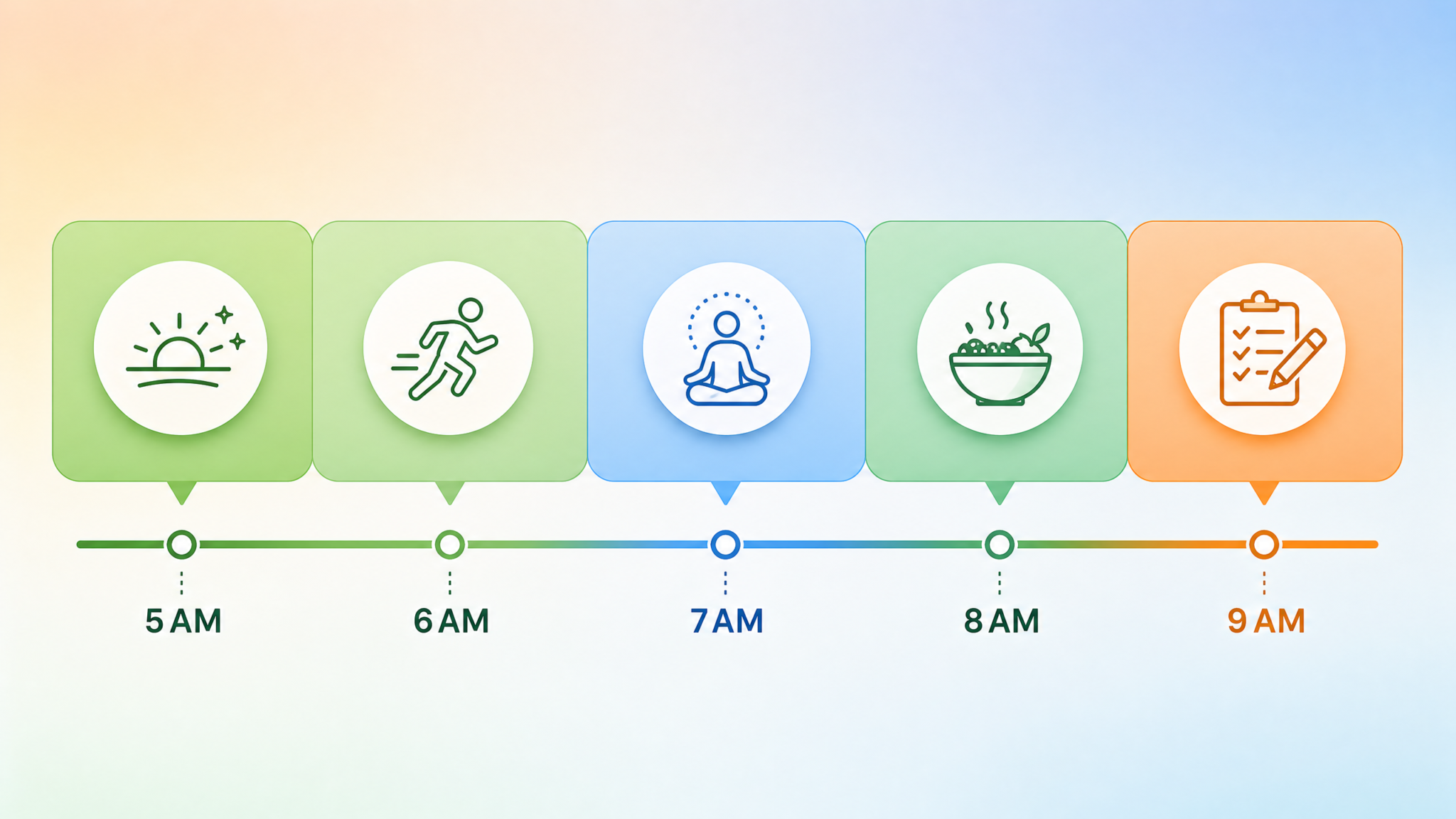
7:00 AM (2 minutes) — Run Prompt 1 (Daily Briefing) while coffee brews
7:02 AM (3 minutes) — Run Prompt 4 (Schedule Optimization) using your actual calendar
7:05 AM (5 minutes) — Run Prompt 10 (Email Priority Matrix) with yesterday's inbox
7:10 AM (3 minutes) — Run Prompt 22 (Goal Alignment Check)
7:13 AM (2 minutes) — Run Prompt 25 (Morning Intentions)
7:15 AM — Begin your workday with full situational awareness
The key to making this stack sustainable is radical ruthlessness about scope. Don’t try to run all 25 prompts every morning. Pick five to seven that address your highest-leverage areas and run those consistently. As you establish the habit, you can rotate in other prompts based on the day’s specific demands.
Creating Prompt Templates with Variables
Store your most-used prompts as text snippets using a tool like TextExpander, Notion, or even your phone’s text replacement feature. Create shortcuts like /briefing that expand to your full daily briefing prompt, with cursor positions at the variable fields so you can quickly fill in the day’s specifics. This turns a 3-minute typing session into a 30-second fill-in-the-blank exercise.
Weekday vs. Weekend Routine Variations
Your Saturday morning has completely different requirements from your Monday morning. Build a separate weekend prompt stack that emphasizes personal goals, health, relationships, and leisure planning rather than professional productivity. Weekend prompts to consider:
- A family/social schedule optimizer that coordinates multiple people’s needs
- A weekend wellness plan that includes recovery metrics from the week
- A creative project planning prompt for personal development work
- A financial review prompt that checks weekend spending against monthly budget goals
- A personal learning session planner for deep-dive topics you don’t have time for during the week
Integrating with Other AI Tools
ChatGPT doesn’t have to work alone in your morning routine. Consider building a broader AI ecosystem where different tools handle what they do best:
| Task | Primary Tool | ChatGPT Role |
|---|---|---|
| Real-time news aggregation | Feedly, RSS reader | Triage and summarize pasted headlines |
| Calendar management | Google Calendar, Outlook | Analyze and optimize the schedule |
| Weather information | Weather app | Incorporate into briefing and recommendations |
| Fitness tracking data | Apple Health, Garmin, Whoop | Generate adaptive workout based on recovery data |
| Task management | Todoist, Things, Notion | Prioritize and sequence tasks intelligently |
| Gmail, Outlook | Triage, draft responses, summarize threads |
The power of this approach is that ChatGPT becomes the synthesis layer — taking data and content from specialized tools and transforming it into actionable intelligence. Rather than switching between six different apps to piece together your morning picture, you consolidate everything into one intelligent conversation.
As you build confidence with these individual prompts, you’ll naturally start discovering new applications specific to your role, industry, and lifestyle. The discipline of crafting effective prompts is itself a valuable skill that compounds over time. How to Write Better ChatGPT Prompts for Work and Personal Productivity offers a structured framework for prompt engineering that will help you refine each of these prompts and create new ones that perfectly match your unique workflow requirements — including techniques for reducing token usage, improving output consistency, and handling complex multi-step tasks.
Measuring the ROI of Your Morning AI Routine
After two to four weeks of consistent use, it’s worth auditing whether your morning AI routine is actually delivering value. Key questions to assess:
- How much faster do you reach your “deep work” state each morning compared to before?
- Are you spending less time on low-priority tasks?
- Has your goal completion rate improved on a weekly basis?
- Are you making fewer reactive decisions (responding to whatever is loudest rather than most important)?
- How has your energy and mood by midday changed?
The most successful users of AI morning routines report that the biggest benefits show up not in the morning itself, but in the quality of decisions made throughout the rest of the day. When your priorities are crystal clear from 7 AM onward, you naturally resist scope creep, irrelevant meetings, and low-value requests — because you’ve already had a conversation with yourself (and your AI) about what actually matters.
One underappreciated dimension of AI-powered productivity is how it can be extended beyond the individual to benefit entire teams. If you’re managing a team, the same principles that make your personal morning routine more effective can be applied at the organizational level. ChatGPT Prompts for Team Management and Leadership covers how managers and team leaders can use structured AI prompts to run more effective standups, distribute workload more intelligently, track team-level goals, and coach team members with greater specificity and impact.
Conclusion: Your AI Morning Routine Starts Tomorrow Morning
The 25 prompts in this guide represent a complete toolkit for transforming your mornings from reactive to intentional, from chaotic to structured, and from information-overwhelming to clarity-delivering. But like any tool, they only work if you use them consistently.
The single best piece of advice for getting started: don’t implement all 25 prompts at once. Pick two or three that address your most painful morning problems right now. If email paralyzes your mornings, start with the email triage prompts. If you constantly feel like you’re working hard but not on the right things, start with the goal alignment and schedule optimization prompts. Build from a small, stable foundation.
As you refine your personalized prompts, you’ll develop an intuition for where AI adds the most value in your specific life and workflow. You’ll also start noticing patterns in ChatGPT’s responses — places where it consistently gives you better insights than you’d arrive at on your own, and places where you need to override it with your own judgment. That calibration process is itself enormously valuable, because it forces you to articulate your own priorities with greater clarity.
The future of productivity isn’t about working harder or finding yet another app. It’s about building intelligent systems that do the cognitive overhead work so you can show up to your actual work — creative, strategic, human work — with full attention and full energy. Your AI-powered morning routine is the foundation of that system. Start building it tomorrow morning.
Each of the prompts in this guide includes customization variables in brackets. Fill them in once, save your personalized versions somewhere accessible, and within a week you’ll have a morning routine that knows more about your goals, your schedule, and your priorities than most human assistants ever would. The technology is ready. The prompts are ready. Your best mornings are waiting.
