
25 ChatGPT Prompts for AI-Powered File Organization: Document Sorting, Naming Conventions, Folder Structures, and Knowledge Base Building
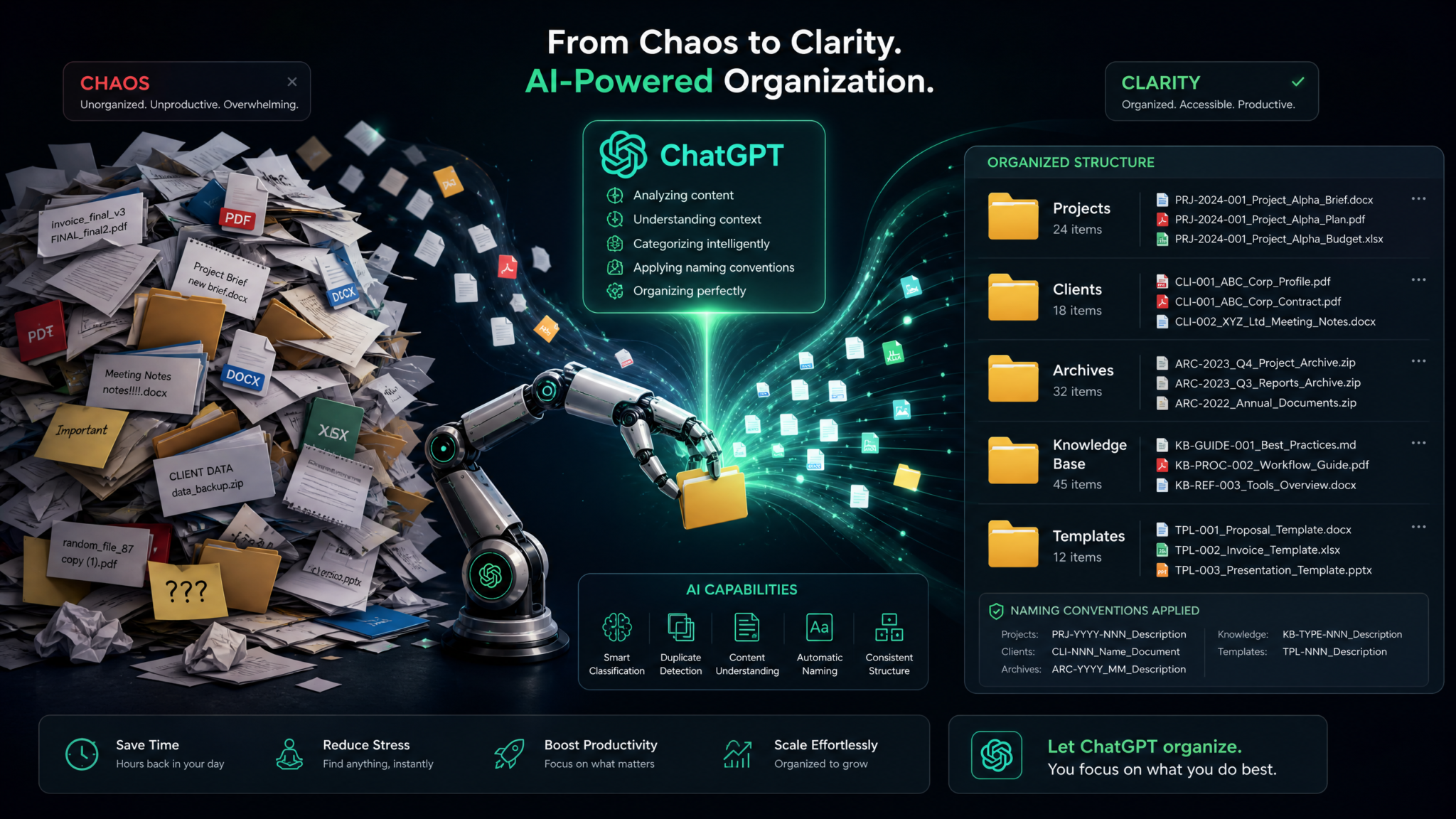
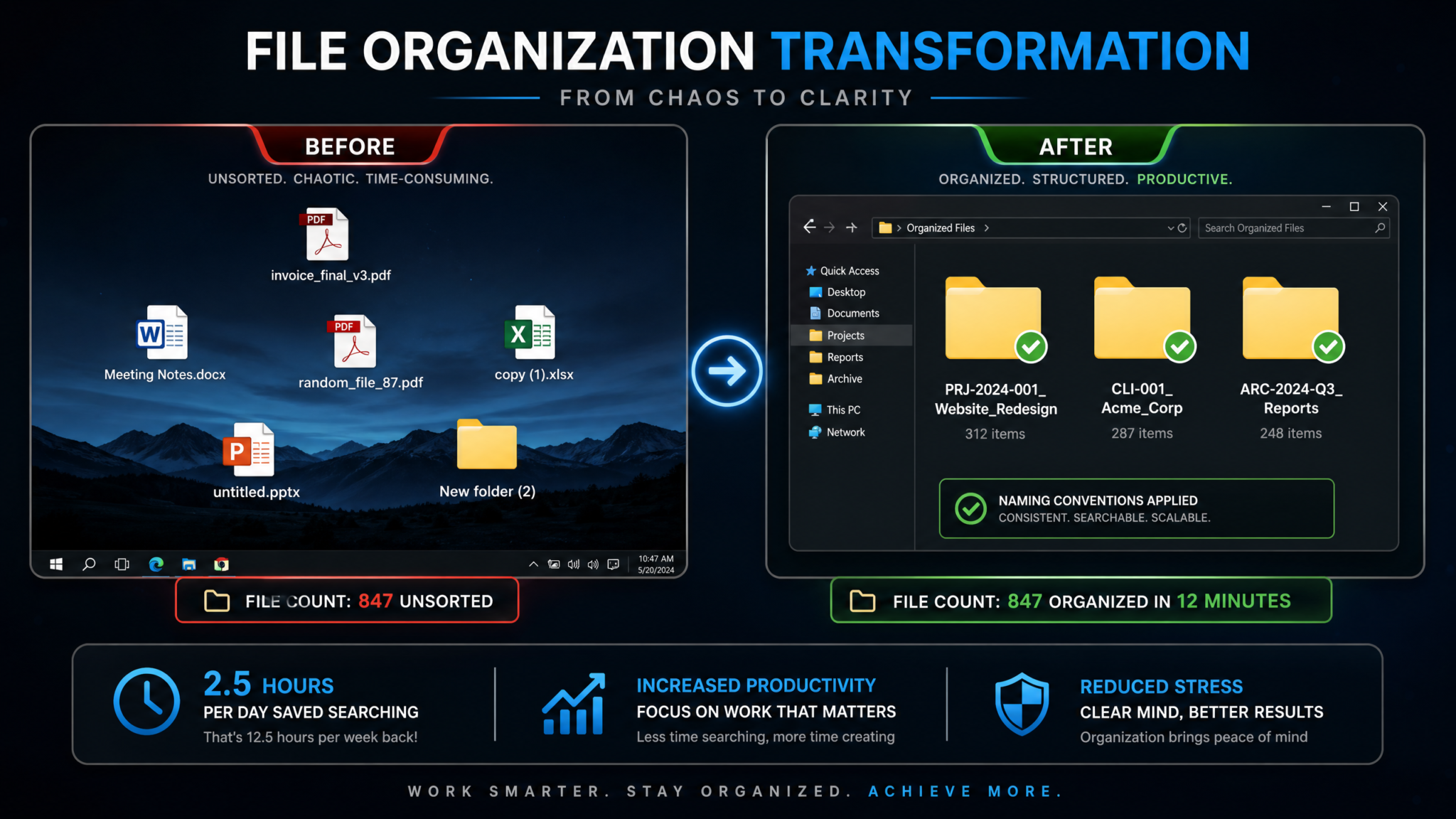
The average knowledge worker spends 2.5 hours every single day searching for information — that’s roughly 31% of the workday lost to digital clutter, misfiled documents, and inconsistent naming systems. According to IDC research, this translates to approximately $14,209 per employee per year in lost productivity. Yet despite this staggering cost, most professionals still organize their digital files the same way they did in 2005: intuitively, inconsistently, and reactively. ChatGPT changes this equation entirely. With the right prompts, you can design intelligent folder architectures, build enterprise-grade naming conventions, create self-maintaining knowledge bases, and automate the kind of document hygiene that used to require a dedicated information architect.
This masterclass delivers 25 battle-tested ChatGPT prompts across five critical domains of file organization. Whether you’re a solo freelancer drowning in client deliverables, a team lead managing a shared drive for 50 people, or a researcher trying to make sense of thousands of research papers, these prompts will transform how you think about — and execute — digital organization. Each prompt comes with a full explanation of its purpose, what output you should expect, and specific customization tips so you can adapt it to your exact situation.
Why File Organization Is the Foundation of Productivity
Before diving into the prompts, it’s worth understanding precisely why file organization sits at the foundation of everything else you do with information. Productivity systems like GTD, Agile, and OKRs all depend on a single assumption: that when you need information, you can retrieve it quickly and confidently. When that assumption fails — when your “final_FINAL_v3_revised.docx” is buried three folder levels deep in a directory called “Misc” — every downstream system collapses.
The problem compounds at scale. A solo professional might manage 5,000 files. A small team accumulates 50,000. An enterprise department can have millions of documents across shared drives, email attachments, cloud storage, and local machines. Without a deliberate, enforced organizational architecture, entropy wins. Files drift into the wrong folders, naming conventions mutate across team members, and institutional knowledge siloes inside individual hard drives rather than flowing into shared systems where it creates value.
What makes ChatGPT particularly powerful for this challenge is its ability to reason about structure rather than just content. You’re not asking it to write a document — you’re asking it to design the system that holds documents. This meta-level thinking is where AI assistance provides the highest leverage. A well-designed folder structure built with AI assistance in an afternoon can save your team thousands of hours over the next five years.
The Four Pillars of Effective File Organization
- Discoverability: Any file can be found within 30 seconds without using search
- Consistency: Every team member applies the same rules, every time
- Scalability: The system handles 10x growth without restructuring
- Maintainability: Keeping the system clean requires minimal ongoing effort
The 25 prompts in this guide are organized to address all four pillars. Let’s start building.
Category 1: Folder Structure Design
Folder structure is your file system’s architecture. A bad architecture — too flat, too deep, or too ambiguous — creates friction at every level. These five prompts help you design folder hierarchies that are intuitive, scalable, and purpose-built for your specific context.
Prompt 1: Project Hierarchy Designer
You are an expert information architect specializing in digital file systems for professional services firms. Design a comprehensive folder hierarchy for a [TYPE OF BUSINESS] that manages [NUMBER] active projects simultaneously. The structure must:

1. Accommodate project lifecycle stages from initial brief to final delivery and archiving
2. Allow team members to find any deliverable within 3 clicks or 30 seconds
3. Scale from 10 to 200 projects without restructuring
4. Support both client-facing and internal files with clear separation
5. Include a standard sub-structure template that replicates across every project

Business context: [DESCRIBE YOUR BUSINESS TYPE, E.G., "boutique UX design agency serving mid-market SaaS companies"]
Team size: [NUMBER] people
Primary file types: [LIST YOUR MAIN FILE TYPES, E.G., Figma files, PDFs, Word docs, video files]
Storage platform: [GOOGLE DRIVE / DROPBOX / ONEDRIVE / LOCAL SERVER]

Provide the full folder tree using indentation to show hierarchy levels. After the tree, explain the logic behind each top-level folder and provide a one-paragraph onboarding guide a new team member could read to understand the system in under 5 minutes.
Why This Prompt Works: By specifying the constraint of “3 clicks or 30 seconds,” you force the AI to prioritize practical usability over theoretical completeness. The scaling requirement (10 to 200 projects) ensures ChatGPT designs for growth rather than your current state. The inclusion of an onboarding guide is critical — a system no one understands is a system no one follows.
Expected Output: A fully indented folder tree with 3–5 levels of depth, explanatory rationale for each major branch, and a plain-language onboarding paragraph. The output typically includes a root-level structure like 00_ADMIN / 01_ACTIVE-PROJECTS / 02_ARCHIVE / 03_RESOURCES / 04_TEMPLATES with detailed sub-structures for each.
Customization Tips: Add “Include naming conventions for each folder level” to get consistent folder names. Specify “Do not use special characters in folder names” if you’re working across Windows and Mac. Add “Flag any folders that commonly become dumping grounds and explain how to prevent it” for a more defensive architecture.
Prompt 2: Department Structure Architect
Design a shared drive folder structure for a [DEPARTMENT NAME] department of [NUMBER] people within a [COMPANY SIZE] company. The structure must solve these specific pain points we currently experience:

Pain points:
- [LIST 3-5 SPECIFIC FRUSTRATIONS, E.G., "Can't find the latest version of proposal templates", "New hires don't know where to save client research", "Sensitive HR files are accessible to the wrong people"]

Requirements:
- Clear separation of confidential vs. general-access content
- Standard location for meeting notes, SOPs, and department templates
- Integration points with [OTHER DEPARTMENTS, E.G., Finance, Legal, Marketing]
- Support for recurring project types: [LIST YOUR RECURRING WORK TYPES]

Deliverable:
1. Full annotated folder tree
2. Access permissions matrix (who can view/edit which folders)
3. "Where does this file go?" decision flowchart in text format
4. List of 5 common filing mistakes and how your structure prevents them
Why This Prompt Works: Leading with pain points grounds the AI’s design in real problems rather than abstract best practices. The permissions matrix output is particularly valuable for teams using Google Drive or SharePoint where granular access control is possible. The decision flowchart forces the AI to surface the implicit logic behind folder placement, making the system teachable.
Expected Output: A four-part deliverable including a fully annotated folder structure, a table mapping roles to folder access levels, a text-based flowchart (using arrows and decision nodes), and a list of common filing errors with structural solutions.
Customization Tips: Paste in your current messy folder structure and ask ChatGPT to “redesign this existing structure, preserving the logic that works and fixing what doesn’t.” For remote teams, add “The structure must work identically on Mac, Windows, and mobile apps.”
Prompt 3: Personal Knowledge System Builder (PARA Method)
I want to build a personal file organization system based on Tiago Forte's PARA method (Projects, Areas, Resources, Archive) but customized for my specific situation. Here is my context:

My roles and responsibilities:
- [LIST YOUR PROFESSIONAL ROLES, E.G., "Product manager at a startup, freelance consultant, side project founder"]

My primary tools and platforms:
- Note-taking: [OBSIDIAN / NOTION / APPLE NOTES / EVERNOTE]
- File storage: [GOOGLE DRIVE / DROPBOX / LOCAL]
- Task management: [TODOIST / NOTION / ASANA]

My current file chaos:
- [DESCRIBE YOUR CURRENT SITUATION, E.G., "Approximately 8,000 files across Desktop, Downloads, and Google Drive with no consistent structure"]

What I want to achieve:
- [LIST YOUR GOALS, E.G., "Be able to find any document in under 30 seconds", "Never lose a client deliverable", "Build a reference library for my area of expertise"]

Design my complete PARA implementation with:
1. Exact folder names and hierarchy for each PARA category
2. Decision rules for which category each file type belongs in
3. A weekly maintenance routine (maximum 20 minutes)
4. Migration strategy for my existing 8,000 files
5. Integration points between my note-taking app and file storage
Why This Prompt Works: The PARA method is powerful but abstract. This prompt operationalizes it for your exact tools and file types, bridging the gap between theory and daily practice. The migration strategy element is often overlooked — most guides tell you how to set up a new system but not how to escape your existing one.
Expected Output: A customized PARA implementation with concrete folder names, a decision tree for categorizing new files, a timed weekly ritual, and a phased migration plan that doesn’t require a weekend of reorganizing.
Customization Tips: Add “I tend to abandon systems after 2 weeks — design in friction-reduction mechanisms to prevent this” for a psychologically resilient implementation. ChatGPT Prompts for Personal Productivity Systems
Prompt 4: Archive Strategy Designer
Design a comprehensive archiving strategy for a [BUSINESS TYPE] that has accumulated [NUMBER] years of files totaling approximately [FILE COUNT OR SIZE]. The strategy must address:

Archive triggers:
- What criteria determine when active files move to archive status?
- How long should different file categories be retained?
- What are the legal/compliance retention requirements for [INDUSTRY]?

Archive structure:
- How should archived files be organized for future retrieval?
- Should the archive mirror the active structure or use a different taxonomy?
- How do we handle ongoing projects that reference archived assets?

Archive maintenance:
- How often should the archive be reviewed?
- What is the deletion/destruction protocol for files past retention dates?
- How do we prevent the archive from becoming a second layer of chaos?

Provide:
1. Archive trigger checklist (conditions that move a file to archive)
2. Retention schedule table by file category and industry regulation
3. Archive folder structure (with rationale for how it differs from active structure)
4. Quarterly archive audit process
5. Archive README template that future team members can follow
Expected Output: A retention schedule table, archive trigger checklist, structural design for the archive, and a reusable README template. The compliance component is especially useful for industries like healthcare, finance, or legal where retention periods are mandated.
Customization Tips: Add your specific regulatory framework (GDPR, HIPAA, SOX) to get compliance-aware retention periods. For teams using cloud storage, specify “Include storage cost optimization — flag which file types can be compressed or converted before archiving.”
Prompt 5: Cross-Platform Sync Structure Planner
I work across [LIST YOUR DEVICES AND PLATFORMS, E.G., MacBook Pro, Windows work desktop, iPhone, iPad, Google Drive, Dropbox, OneDrive]. Design a cross-platform file organization system that:

1. Has a single source of truth for every file category
2. Minimizes sync conflicts and version confusion
3. Specifies which files live on which platform and why
4. Handles files that need to be accessible across all platforms vs. those that stay local
5. Creates a clear protocol for working offline and syncing when reconnected

My workflow priorities:
- [LIST YOUR TOP 3 WORKFLOW NEEDS, E.G., "Quick mobile access to reference docs", "Large video files that can't sync to cloud", "Collaboration with external clients on shared folders"]

Provide:
1. Platform assignment matrix (file types mapped to their home platform)
2. Sync conflict prevention rules
3. Offline working protocol
4. Monthly sync health check routine
5. Migration plan from my current multi-platform chaos to this system
Expected Output: A platform assignment matrix showing where each file type lives and syncs, conflict prevention rules, and a health check routine. This prompt is particularly valuable for professionals who’ve accumulated redundant copies across platforms and need a rationalized single-source architecture.
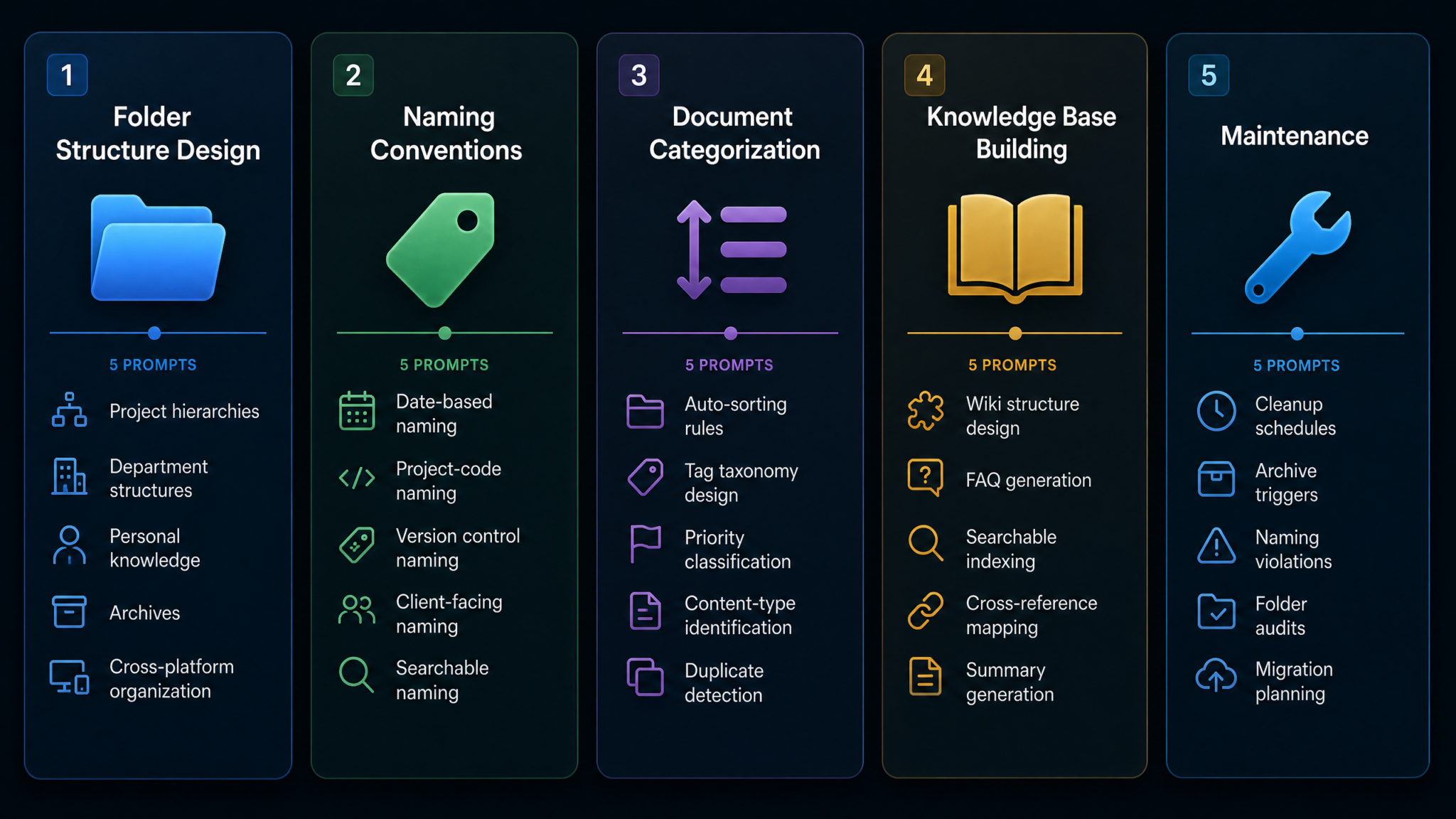
Category 2: Naming Convention Systems
Folder structure tells files where to live. Naming conventions tell them how to identify themselves. A good naming system makes files self-describing — you should be able to understand the content, date, version, and owner of any file without opening it. These five prompts build comprehensive naming systems for different contexts.
Prompt 6: Date-Based Naming Convention Builder
Design a date-based file naming convention system for [CONTEXT, E.G., "a marketing team producing weekly reports, monthly campaigns, and quarterly reviews"]. The system must:

1. Use ISO 8601 date format (YYYY-MM-DD) for universal sortability
2. Handle files that span date ranges (e.g., weekly reports)
3. Distinguish between the file creation date, document date, and revision date
4. Work across Windows (no special characters), Mac, and Linux
5. Be learnable in under 10 minutes by a new team member

File types we need to name:
[LIST YOUR FILE TYPES, E.G., Meeting notes, campaign briefs, performance reports, client proposals, financial statements]

Provide:
1. Full naming pattern for each file type with [VARIABLE] variables clearly marked
2. Real examples of each pattern applied to actual file names
3. Anti-patterns table showing common mistakes and their correct alternatives
4. A one-page cheat sheet in text format that can be pasted into a team wiki
5. Edge cases and how to handle them (e.g., files produced by vendors who have their own naming system)
Why This Prompt Works: The ISO 8601 requirement is non-negotiable for date-based systems — it’s the only format that sorts correctly in file explorers across all operating systems. The anti-patterns table is where this prompt really earns its value: it documents the common failure modes before they happen.
Expected Output: A naming pattern library with live examples, an anti-patterns reference table (e.g., “2023-March-15 vs. 2023-03-15”), a cheat sheet, and a section on external files that arrive with non-compliant names — which is a real operational problem most naming guides ignore.
Example Pattern Output: For a weekly marketing report: YYYY-MM-DD_YYYY-MM-DD_MKT-WeeklyReport_v[VERSION].ext rendering as 2024-01-15_2024-01-21_MKT-WeeklyReport_v1.2.pdf
Prompt 7: Project Code Naming System
Create a project-code-based file naming system for [ORGANIZATION TYPE] where every file can be traced back to its parent project, client, and department. Requirements:

Project code structure:
- Maximum [NUMBER] characters for the project code
- Must encode: client identifier, project type, year, sequential number
- Must be unique across all projects, past and present
- Must be pronounceable and memorable for verbal communication

Department prefixes needed:
[LIST DEPARTMENTS, E.G., MKT = Marketing, DEV = Development, FIN = Finance, OPS = Operations, HR = Human Resources]

File type suffixes needed:
[LIST FILE TYPES, E.G., BRIEF, DECK, REPORT, CONTRACT, INVOICE, SPEC, DESIGN]

Deliverable:
1. Project code generation algorithm with examples
2. Department and file type abbreviation registry (complete table)
3. Full naming formula: [PROJECT-CODE]_[DEPT]_[FILETYPE]_[DATE]_[VERSION]
4. Naming collision prevention rules
5. Project code registry template (spreadsheet format described in text)
6. Script pseudocode for auto-generating project codes from a project intake form
Expected Output: A complete naming architecture with a registry system, collision prevention rules, and pseudocode for automation integration. The registry template is crucial — without a central ledger of project codes, the system breaks down as teams grow.
Customization Tips: Add “The system must integrate with our [PROJECT MANAGEMENT TOOL, E.G., Asana, Jira, Monday.com] project IDs” to create direct linkages between your file system and task management tool.
Prompt 8: Version Control Naming Convention
Design a rigorous version control naming convention for documents (not code) that prevents the proliferation of "final_FINAL_v3_revised_APPROVED" files. The system must cover:

Version types:
- Draft versions (internal, pre-review)
- Review versions (sent for feedback)
- Approved versions (signed off by stakeholder)
- Published/delivered versions (sent to client or published externally)
- Archived versions (superseded, kept for reference)

Branching scenarios:
- Two people editing simultaneously (concurrent versions)
- Client requesting changes after approval (post-approval revisions)
- Templates vs. completed documents derived from templates
- Translated versions of the same document

Requirements:
- Must work without a shared server (file names must be self-describing)
- Must be unambiguous — two team members must always agree on which version is current
- Include a "this is definitely the final version" signal in the name itself

Provide:
1. Semantic versioning adaptation for documents (MAJOR.MINOR.PATCH logic explained)
2. Status suffix system (DRAFT, REVIEW, APPROVED, FINAL, ARCHIVE)
3. Concurrent editing naming protocol
4. Version history log template (text format)
5. The one rule that overrides all others when team members disagree about versioning
Expected Output: A semantic versioning system adapted for documents (e.g., v2.1-REVIEW), a status suffix taxonomy, concurrent editing protocols, and the “supreme rule” — typically something like “the file in the designated deliverables folder with the highest version number and FINAL status is the canonical version.”
Customization Tips: For legal or regulated documents, add “Include an audit trail requirement — every version must be preserved, nothing deleted.” ChatGPT Prompts for Document Workflow Automation
Prompt 9: Client-Facing File Naming Standards
Create a client-facing file naming standard for a [SERVICE TYPE] business. These names appear in client inboxes, client portals, and deliverable packages — they represent our brand and professionalism.

Client communication context:
- We send approximately [NUMBER] files per client per project
- Clients include [CLIENT TYPES, E.G., corporate procurement managers, small business owners, creative directors]
- Files are delivered via: [EMAIL / CLIENT PORTAL / SHARED DRIVE / USB]
- Our brand voice is: [DESCRIBE, E.G., "professional and precise" or "friendly and approachable"]

Problems we currently experience:
[LIST CLIENT-FACING FILE NAMING PROBLEMS, E.G., "Clients can't find our files in their inboxes because the names are cryptic", "Our internal project codes confuse clients", "Multiple deliverables for the same project get mixed up"]

Design:
1. Client-facing naming format (separate from internal naming)
2. Translation layer: how internal names map to external names
3. Client portal folder naming standards
4. Deliverable package naming (when sending multiple files as a set)
5. Email attachment naming best practices
6. Versioning for clients (simpler than internal versioning — clients don't need to see v1.4.2)
Expected Output: A parallel naming system for external use, a translation matrix between internal and client-facing names, portal folder standards, and simplified client versioning (e.g., “Draft 1, Draft 2, Final” rather than semantic versioning).
Prompt 10: Searchable Naming Pattern Optimizer
Analyze and redesign our current file naming approach to maximize findability through search tools (macOS Spotlight, Windows Search, Google Drive Search, Dropbox search).

Our current naming problems:
[PASTE EXAMPLES OF YOUR CURRENT FILE NAMES, E.G., "IMG_20231015_083422.jpg", "New Document (3).docx", "ProjectStuff_edited_mike.xlsx"]

Search behavior patterns:
- What words do team members typically search for when looking for files?
- [LIST 10 COMMON SEARCH QUERIES YOUR TEAM USES]
- What information is most often missing from current file names?

Platform-specific search optimization:
- We primarily search using: [SPOTLIGHT / WINDOWS SEARCH / GOOGLE DRIVE / FINDER]
- We do/do not have content indexing enabled

Design a search-optimized naming system that:
1. Front-loads the most searchable terms (searchers usually type 1-3 words)
2. Uses consistent vocabulary (not synonyms — "meeting" always, never "mtg" or "call-notes")
3. Includes a controlled vocabulary glossary for the 50 most common terms
4. Maximizes the signal-to-noise ratio in file names
5. Works for both human memory and machine search
Expected Output: A controlled vocabulary glossary, front-loading analysis, search-optimized naming patterns, and a synonym-to-standard-term mapping (the “never use mtg, always use meeting” reference list). This prompt pairs powerfully with Prompt 6 or 7 to create a complete naming system.
Category 3: Document Categorization
Even with perfect folder structures and naming conventions, the categorization problem persists: how do you correctly classify documents as they arrive, especially at volume? These five prompts tackle the categorization challenge from multiple angles.
Prompt 11: Auto-Sorting Rules Engine
Create a comprehensive auto-sorting rules engine for automatically categorizing incoming files. This will be used to:
a) Brief an AI assistant on how to sort files on our behalf
b) Configure Hazel (Mac) or File Juggler (Windows) automated sorting rules
c) Train team members to file consistently

Our incoming file types and sources:
[LIST YOUR INCOMING FILES, E.G., "Email attachments from clients (contracts, briefs, feedback), downloaded invoices from SaaS tools, exported reports from analytics platforms, photos from team events"]

Our destination folder structure:
[DESCRIBE YOUR FOLDER STRUCTURE OR PASTE IT]

Design a rules engine with:
1. File attribute rules (based on name pattern, extension, file size, creation date)
2. Content keyword rules (if the file contains these words, file it here)
3. Source rules (files from this email domain go to this folder)
4. Conflict resolution rules (what happens when a file matches multiple rules)
5. Exception handling rules (what to do with files that match no rules)
6. Rules written in plain English AND in Hazel/File Juggler syntax where applicable
Expected Output: A plain-English rules library with corresponding automation syntax. The conflict resolution and exception handling sections are where this prompt earns its value — these edge cases are where most automated sorting systems fail and create more chaos than they solve.
Customization Tips: Add “Include confidence scoring — flag files where the rule match is ambiguous for human review rather than auto-filing them incorrectly.” Best AI Tools for Document Management and Automation
Prompt 12: Tag Taxonomy Creator
Design a comprehensive tag taxonomy for a [CONTEXT, E.G., "research-heavy consulting firm"] that uses tags to create cross-folder discovery of related content. The taxonomy must solve the fundamental limitation of hierarchical folders: a file can only live in one folder but may be relevant to multiple contexts.

Our content universe:
- Total approximate file count: [NUMBER]
- Main subject domains: [LIST 5-10 SUBJECT AREAS]
- User roles who will use tags: [LIST ROLES AND THEIR SEARCH BEHAVIORS]
- Tag platform: [FINDER TAGS / NOTION PROPERTIES / DEVONTHINK / WINDOWS FILE TAGS / OTHER]

Tag design requirements:
1. Maximum [NUMBER] tags per file (forces precision, prevents tag bloat)
2. Tags must work across three axes: Topic, Project Type, Status
3. Must be maintainable — a taxonomy that grows uncontrolled becomes unusable
4. Include governance rules (who can create new tags, how are duplicates prevented)

Deliver:
1. Complete tag list organized by axis (Topic / Project Type / Status)
2. Tag naming conventions (capitalization, separators, length limits)
3. Tagging guide: which tags are mandatory vs. optional
4. Tag governance protocol (quarterly tag review process)
5. Worked examples: apply your taxonomy to these 10 sample files [LIST SAMPLE FILE NAMES]
Expected Output: A three-axis tag taxonomy with governance rules, mandatory vs. optional tag guidance, and worked examples that show the system in action. The governance section is essential — without it, any tag taxonomy devolves into 500 tags used by one person each.
Prompt 13: Priority Classification System
Create a document priority classification system that helps [ROLE, E.G., "executive assistants", "project managers", "solo consultants"] instantly understand the urgency and importance of any document without opening it.

Classification axes needed:
- Time sensitivity (how quickly does this require action?)
- Strategic importance (how critical is this to key objectives?)
- Audience level (who needs to see this, and how senior are they?)
- Action required (does this require a response, signature, review, or filing?)

My current pain point: [DESCRIBE THE SPECIFIC PROBLEM, E.G., "I open my Downloads folder and can't tell which of the 40 files there need immediate attention vs. which are reference material"]

Design:
1. Priority classification matrix (2x2 or 3x3 grid with clear quadrant definitions)
2. Visual signaling system using file name prefixes (e.g., "!!_URGENT_", "#_REVIEW-BY-FRIDAY_")
3. Color-coding system for platforms that support it (Finder labels, Google Drive colors)
4. Classification decision tree (5 yes/no questions that assign a priority level)
5. Weekly priority inbox review process (15-minute triage routine)
Expected Output: A priority matrix, prefix-based visual signaling system, platform-specific color coding guide, and a triage decision tree. This system is particularly powerful when combined with the naming conventions from Category 2.
Prompt 14: Content-Type Detection Framework
Build a content-type detection framework that classifies documents by their functional role rather than just their file extension. A .docx file could be a contract, a meeting agenda, a project brief, or an SOP — the extension tells us nothing about how to file or use it.

Our document universe contains these functional types:
[LIST YOUR FUNCTIONAL DOCUMENT TYPES, E.G., Contracts, SOPs, Meeting Notes, Project Briefs, Research Reports, Financial Projections, Client Proposals, Training Materials, Templates, Reference Guides]

For each document type, design:
1. Detection signals: keywords, phrases, or structural patterns that identify this type
2. Mandatory metadata: what information must be captured when filing this type
3. Retention requirement: how long must this type be kept
4. Access level: who should have access by default
5. Action trigger: what workflow is initiated when this type arrives

Format as a classification card for each document type that can be used to:
a) Train team members on correct classification
b) Brief an AI assistant to auto-classify documents
c) Configure document management software rules
Expected Output: A library of classification cards, one per document type, each containing detection signals, metadata requirements, retention rules, access levels, and action triggers. This prompt creates the foundation for AI-assisted document processing workflows.
Prompt 15: Duplicate File Identification Strategy
Design a systematic strategy for identifying and resolving duplicate and near-duplicate files in a file system with approximately [NUMBER] files across [STORAGE PLATFORMS].

Types of duplication I need to handle:
1. Exact duplicates (identical files with different names or in different locations)
2. Near-duplicates (same document at different version stages)
3. Format duplicates (.docx and its .pdf export, both kept "just in case")
4. Backup duplicates (files copied to "backup" folders manually)
5. Sync duplicates (files duplicated by cloud sync errors)

Provide:
1. Duplicate detection criteria for each type (what makes two files "duplicates"?)
2. Resolution rules: which version wins when duplicates are found?
3. Safe deletion protocol (how to verify a file is safe to delete before removing it)
4. Tools and methods for finding each type of duplicate (both manual and automated)
5. Prevention system: structural and process changes that prevent future duplication
6. A duplicate resolution log template for tracking what was deleted and why
Expected Output: A comprehensive duplicate taxonomy with resolution rules, a safe deletion protocol (to prevent accidental loss of important files), tool recommendations, and a prevention framework. The deletion log is important for compliance and peace of mind.
Access 40,000+ AI Prompts for ChatGPT, Claude & Codex — Free!
Subscribe to get instant access to our complete Notion Prompt Library — the largest curated collection of prompts for ChatGPT, Claude, OpenAI Codex, and other leading AI models. Optimized for real-world workflows across coding, research, content creation, and business.
Category 4: Knowledge Base Building
A collection of well-organized files is not a knowledge base. A knowledge base adds relationships, summaries, search infrastructure, and navigational context that allows information to compound in value rather than just accumulate in volume. These five prompts transform organized files into a living, queryable knowledge system.
Prompt 16: Wiki Structure from Scattered Files
I have [NUMBER] scattered files across [PLATFORMS] that collectively represent [DESCRIBE THE KNOWLEDGE DOMAIN, E.G., "5 years of client project learnings, process documentation, and strategic decisions"] for our team. Design a wiki architecture that synthesizes this scattered knowledge into a coherent, navigable knowledge base.

Current state:
[DESCRIBE YOUR CURRENT SITUATION, E.G., "Word docs in Google Drive, email threads with important decisions, Slack messages with undocumented tribal knowledge, meeting notes in various formats"]

Team context:
- Wiki audience: [WHO WILL USE THIS WIKI AND HOW]
- Primary wiki platform: [NOTION / CONFLUENCE / GITBOOK / OBSIDIAN / CODA]
- Current knowledge gaps (things we know aren't documented): [LIST 5 GAPS]

Design:
1. Top-level wiki structure (main sections with rationale)
2. Page template library (standard templates for each content type)
3. Cross-linking strategy (how pages reference each other)
4. Navigation design (how users discover content they don't know exists)
5. Content migration plan (how to move from scattered files to wiki pages)
6. Freshness protocol (how to flag and update stale content)
7. "Getting started" guide for a new hire using only the wiki
Expected Output: A complete wiki architecture with navigation design, page templates, cross-linking strategy, and a migration plan from files to wiki pages. The freshness protocol is often missing from wiki designs and is the reason most wikis become ghost towns within 12 months.
Customization Tips: Add your most important existing documents as context and ask ChatGPT to “demonstrate how you would structure the content of [DOCUMENT NAME] into the wiki architecture you’ve designed.” How to Build a Team Knowledge Base Using ChatGPT
Prompt 17: FAQ Generator from Existing Documents
Analyze the following documents and generate a comprehensive FAQ knowledge base that captures the most important information in a format that's faster to query than the original source documents.

Documents to analyze:
[PASTE DOCUMENT CONTENT OR DESCRIPTIONS OF DOCUMENTS]

FAQ design requirements:
1. Questions should match how people actually ask, not how documents are structured
2. Answers should be self-contained (answer the question completely without saying "see section 3.2")
3. Each answer should cite its source document for verification
4. Group questions into logical categories that match user mental models
5. Include "Related questions" links between related FAQs

Additional deliverables:
1. List of questions that the documents imply but don't explicitly answer (knowledge gaps)
2. Contradictions found between documents (flagged for resolution)
3. Outdated information that needs verification (flagged with age indicators)
4. FAQ maintenance schedule: which questions are likely to need updating and when

Format the FAQ for direct import into [TARGET PLATFORM, E.G., Notion, Confluence, a static HTML page].
Expected Output: A categorized FAQ with source citations, a knowledge gap list, contradiction flags, and a maintenance schedule. The contradiction detection is especially valuable when synthesizing documents written by different people at different times — inconsistencies are common and dangerous.
Prompt 18: Searchable Index Creator
Create a searchable master index for a document collection of approximately [NUMBER] files covering [SUBJECT DOMAIN]. The index must make the full collection queryable without opening individual documents.

Index design requirements:
1. Each entry must capture: file name, location path, date, author, document type, topic tags, key entities (people, companies, projects mentioned), 2-sentence summary, related documents
2. The index itself must be stored as a [FORMAT, E.G., CSV, Notion database, spreadsheet] for easy filtering and searching
3. Index must support these query types: "all documents about [TOPIC]", "all documents from [DATE RANGE]", "all documents mentioning [PERSON/COMPANY]", "all documents of [TYPE]"

Index population strategy:
1. Template for manually indexing high-priority documents
2. Prompt template for using AI to generate index entries from document content
3. Bulk indexing workflow for processing large backlogs
4. Incremental indexing routine (indexing new files as they arrive)

Provide:
1. Index schema (field names, data types, accepted values)
2. Index entry template with field-by-field instructions
3. AI prompt for generating index entries from pasted document content
4. Search query cookbook: 20 example queries and how to execute them in the index
5. Index governance: who maintains it, how are errors corrected
Expected Output: A complete index schema, population strategy, search query cookbook, and governance model. The AI prompt for generating index entries (a meta-prompt within this prompt) is particularly useful for bootstrapping the index against a large backlog.
Prompt 19: Cross-Reference Mapping System
Design a cross-reference mapping system for a document collection where related documents need to be discoverable from each other. The goal is to build a network of relationships between documents that surfaces connections a folder hierarchy cannot express.

Document collection context:
[DESCRIBE YOUR COLLECTION, E.G., "200 client project files spanning 8 years, including proposals, contracts, deliverables, and post-mortems for 45 clients across 3 industry verticals"]

Relationship types to map:
1. Sequential relationships (Document B is the revised version of Document A)
2. Parent-child relationships (Document B was created from Document A as a template)
3. Reference relationships (Document B cites or builds on Document A)
4. Conflict relationships (Document B contradicts Document A — needs resolution)
5. Thematic relationships (Documents A, B, and C all address the same topic from different angles)

Deliverables:
1. Relationship taxonomy (complete list of relationship types with definitions)
2. Cross-reference log schema (how to record relationships in a master register)
3. Cross-reference notation system for use within documents themselves
4. Visualization approach: how to map the network for presentation
5. Relationship discovery process: systematic method for identifying relationships in an existing collection
6. Cross-reference maintenance: how to update the map when documents change or are deleted
Expected Output: A relationship taxonomy, cross-reference log schema, in-document notation system, and a discovery process for retroactively mapping an existing collection. This prompt creates the connective tissue that transforms isolated documents into an interconnected knowledge graph.
Prompt 20: Summary Generation for Large Collections
Design a scalable summary generation system for a large document collection. The goal is to create navigable summaries at multiple levels of abstraction so that users can quickly assess the relevance of documents without reading them fully.

Collection details:
[DESCRIBE YOUR COLLECTION — size, types, age range, subject matter]

Summary hierarchy needed:
- Level 1: Document abstract (3-5 sentences capturing the document's core content and purpose)
- Level 2: Section summaries (1-2 sentences per major section)
- Level 3: Key takeaways (5 bullet points maximum)
- Level 4: Action items (concrete next steps implied or stated in the document)
- Level 5: Collection summary (executive overview of an entire folder or project)

Provide:
1. Prompt templates for generating each level of summary using AI
2. Summary metadata schema (what fields accompany each summary)
3. Summary storage strategy (where summaries live relative to source documents)
4. Summary review process (how to verify AI-generated summaries for accuracy)
5. Collection-level synthesis: prompt for generating a "State of the Collection" report that summarizes an entire document set in 1-2 pages
6. Use case scenarios: how different user roles (executive, analyst, new hire) use each summary level
Expected Output: A complete five-level summary system with prompt templates for each level, metadata schema, storage strategy, and use case scenarios by role. The “State of the Collection” report prompt is especially valuable for quarterly reviews and onboarding.
Category 5: Maintenance and Automation
The best-designed file system degrades without maintenance. Files accumulate in the wrong places, naming conventions drift, and the archive fills with junk. These five prompts build the maintenance infrastructure that keeps your system performing over time — with the minimum possible manual effort.
Prompt 21: Cleanup Schedule Designer
Design a realistic, sustainable file system cleanup schedule for [CONTEXT, E.G., "a 5-person marketing team with a shared Google Drive of approximately 30,000 files"]. The schedule must:

1. Balance thoroughness with time investment (total maintenance time must not exceed [TIME LIMIT] per month)
2. Distribute responsibility across team members fairly
3. Escalate to deeper cleaning at appropriate intervals (daily quick-scan → weekly triage → monthly deep clean → quarterly audit → annual review)
4. Include specific tasks, not vague directives like "clean up files"
5. Have measurable completion criteria (how do you know the cleanup is done?)

Team context:
- Who is responsible for the shared drive: [ROLE/PERSON]
- Biggest recurring sources of clutter: [LIST 3-5 SPECIFIC CLUTTER SOURCES]
- Tools available for automation: [LIST TOOLS, E.G., Hazel, Zapier, Google Apps Script]

Deliverables:
1. Five-tier maintenance calendar (daily through annual) with specific task lists
2. Time estimates for each task
3. Responsibility matrix (which tasks are individual vs. team vs. admin)
4. Quick-win automations that eliminate recurring manual tasks
5. "Messy file" amnesty protocol — how to handle team members who aren't following conventions without creating conflict
Expected Output: A five-tier maintenance calendar with specific, time-bounded tasks, a responsibility matrix, automation recommendations, and the team management protocol — which is often the most practically useful section because file system problems are frequently cultural as much as structural.
Prompt 22: Archive Trigger Automation Designer
Design an automated archive trigger system that moves files to archive status based on objective, rule-based criteria — removing the need for human judgment in routine archiving decisions.

Our file system:
[DESCRIBE YOUR SYSTEM, PLATFORMS, AND APPROXIMATE SCALE]

Archive trigger criteria to design rules for:
1. Age-based triggers (files not accessed in X days/months)
2. Project-status triggers (files whose parent project has been marked complete)
3. Replacement triggers (files that have been superseded by a newer version)
4. Size-based triggers (files over X MB that are rarely accessed)
5. Location-based triggers (files sitting in temp/downloads/desktop locations too long)

For each trigger type, provide:
- Trigger condition (specific, measurable criterion)
- Pre-archive check (verification before moving — prevents accidental archiving of active files)
- Archive destination (which archive folder, following what naming convention)
- Notification protocol (who is informed, how)
- Reversal process (how to unarchive if a mistake is made)
- Implementation method for [YOUR PLATFORM: Google Drive / Dropbox / Windows / macOS]

Also provide: A trigger testing protocol — how to validate that triggers are working correctly before running them on your full file system.
Expected Output: Rule specifications for five trigger types, each with complete pre-archive checking and reversal protocols. The testing protocol is essential — automated archiving without testing is how organizations accidentally archive critical active files. Automating Document Workflows with ChatGPT and Zapier
Prompt 23: Naming Convention Violation Detector
Create a naming convention compliance checking system that identifies files violating our established naming standards. This will be used to:
a) Run a one-time audit of our existing file system
b) Create ongoing monitoring for new file additions
c) Brief team members on exactly what they're doing wrong

Our naming conventions:
[PASTE YOUR COMPLETE NAMING CONVENTION RULES]

Violation types to detect:
1. Format violations (wrong date format, wrong separator characters)
2. Missing required elements (no date, no version number, no project code)
3. Prohibited characters or patterns (spaces, special characters, ambiguous abbreviations)
4. Case convention violations (wrong capitalization pattern)
5. Length violations (file names too long or too short to be useful)
6. Vocabulary violations (using non-standard synonyms from our controlled vocabulary)

Design:
1. Violation taxonomy with severity levels (Critical / Major / Minor)
2. Detection patterns for each violation type (regex patterns where applicable)
3. Violation report template
4. Correction guidance for each violation type (not just what's wrong — how to fix it)
5. Bulk correction workflow for high-volume violations
6. Gamification approach for improving team compliance over time
Expected Output: A violation taxonomy with severity ratings, detection patterns (including regex for technical implementation), a report template, and correction guidance. The gamification section produces creative approaches to improving team adoption — leaderboards, compliance streaks, or team challenges — which have strong track records for culture-wide behavior change.
Prompt 24: Folder Audit Report Generator
Design a comprehensive folder audit report framework that gives stakeholders a clear picture of the health of our file system. The audit should be runnable [FREQUENCY, E.G., quarterly] and produce consistent, comparable results over time.

Audit scope: [DEFINE SCOPE, E.G., "entire company Google Drive" or "the Marketing department shared drive only"]

Metrics to measure:
1. Structural compliance (do folders match the approved hierarchy?)
2. Naming convention compliance (% of files following naming standards)
3. File age distribution (are files being archived appropriately?)
4. Storage distribution (which folders consume the most space?)
5. Activity patterns (which folders have the most/least recent activity?)
6. Orphaned files (files in root or unexpected locations)
7. Permission anomalies (files with unexpected access settings)

Report structure:
1. Executive summary (1 page: key metrics and critical findings)
2. Compliance scorecard (numeric scores by category)
3. Critical findings (issues requiring immediate action)
4. Trend comparison (how metrics compare to previous audit)
5. Recommendations (prioritized action list with effort estimates)
6. Appendix (detailed violation lists for each category)

Provide: Complete report template with section headings, metric definitions, scoring rubric, and data collection methods for each metric.
Expected Output: A complete audit report template with scoring rubric, metric definitions, and data collection instructions. The trend comparison section is particularly valuable for demonstrating ROI of file organization investments to leadership.
Prompt 25: Migration Planning Assistant
Create a comprehensive migration plan for moving from our current chaotic file system to a new, well-designed organizational architecture. This is a high-risk operation — files must not be lost, corrupted, or made inaccessible during the transition.

Current state:
- File count: [APPROXIMATE NUMBER]
- Storage platforms: [LIST ALL CURRENT PLATFORMS]
- Team size: [NUMBER] people who need uninterrupted access during migration
- Biggest structural problems: [LIST 3-5 SPECIFIC ISSUES]

Target state:
- New folder structure: [DESCRIBE OR PASTE TARGET STRUCTURE]
- New naming conventions: [DESCRIBE]
- New platform (if changing): [PLATFORM]
- Go-live deadline: [DATE OR TIMEFRAME]

Migration constraints:
- Files cannot be inaccessible for more than [TIME LIMIT]
- [NUMBER] people need continuous access during migration
- Budget for migration tools: [BUDGET OR "ZERO — MANUAL ONLY"]

Deliverable: Complete migration playbook including:
1. Pre-migration audit and preparation checklist
2. Phased migration schedule with rollback points at each phase
3. Team communication plan (what to tell team members and when)
4. File redirect protocol (temporary bridges between old and new locations)
5. Testing and validation checklist (how to verify migration was successful)
6. Post-migration monitoring plan (first 30 days after go-live)
7. Rollback plan (what to do if migration fails at any phase)
8. Success metrics (how will you know the migration achieved its goals?)
Expected Output: A complete migration playbook with eight components, including the rollback plan — which is the single most important element of any file migration and the one most organizations skip until disaster strikes. The phased approach with explicit rollback points at each phase is the professional-grade approach to migration risk management.
Customization Tips: Add “We have [NUMBER] files that are currently in use by active projects and cannot be moved during the migration — design around these immovable files.” For cloud-to-cloud migrations, specify both source and destination platforms to get platform-specific guidance on migration tools and API limits. Complete Guide to AI-Assisted Knowledge Management Systems
Putting It All Together: A System That Runs Itself
These 25 prompts are most powerful when used as a coherent system rather than isolated tools. Here’s a recommended implementation sequence for building your complete file organization system from the ground up:
Phase 1: Architecture (Week 1)
Start with Prompts 1–3 to design your folder structure, then use Prompt 5 to plan cross-platform sync. At this stage, you’re designing on paper — no files are moved yet.
Phase 2: Convention Layer (Week 2)
Apply Prompts 6, 7, and 8 to build your naming convention system. Combine these into a single master naming guide document. Use Prompt 10 to optimize for searchability.
Phase 3: Classification Infrastructure (Week 3)
Deploy Prompts 11 and 12 to build your sorting rules and tag taxonomy. These become the operational intelligence layer on top of your structural design.
Phase 4: Migration (Weeks 4–6)
Use Prompt 25 to plan and execute migration. This is the highest-risk phase — give it the most time and never skip the rollback planning.
Phase 5: Knowledge Layer (Month 2)
Once your file system is organized, apply Prompts 16–20 to elevate it from a storage system to a knowledge system. This is where the compounding returns really begin.
Phase 6: Automation and Maintenance (Ongoing)
Deploy Prompts 21–24 to make the system self-maintaining. The goal is a file system that requires less than 30 minutes of maintenance per week to stay in peak condition.
Comparison: Manual vs. AI-Assisted File Organization
| Task | Manual Approach | AI-Assisted Approach | Time Saved |
|---|---|---|---|
| Folder structure design | 2–8 hours (committee discussions) | 30–60 minutes | 75–90% |
| Naming convention documentation | 3–5 hours | 45–90 minutes | 70–80% |
| FAQ generation from documents | 4–10 hours per 50 docs | 1–2 hours per 50 docs | 75–85% |
| Audit report creation | 1–2 days | 2–4 hours | 80% |
| Migration planning | 1–2 weeks | 2–4 hours | 90%+ |
Key Principles to Carry Forward
- Design for retrieval, not storage: The purpose of every organizational decision is to make information findable, not to make filing feel orderly in the moment.
- Simplicity scales, complexity breaks: The more elaborate your system, the more it will break under real-world conditions. Every layer of complexity requires a corresponding layer of maintenance.
- Documentation is infrastructure: A folder structure or naming convention that exists only in someone’s head is not a system — it’s a single point of failure. Every decision must be written down and accessible.
- Automate the routine, humanize the exceptions: Use automation for predictable, repetitive categorization decisions and reserve human judgment for genuinely ambiguous cases.
- Measure and iterate: Use Prompt 24’s audit framework to measure system health quarterly. File organization is not a one-time project — it’s an ongoing practice with measurable outcomes.
The 2.5 hours per day that the average knowledge worker spends searching for information is not inevitable. It’s the predictable consequence of treating file organization as an afterthought rather than an investment. With ChatGPT as your organizational architect, you can design, implement, and maintain a file system that returns those hours — not just once, but every single day.
The prompts in this guide represent hundreds of hours of professional information architecture thinking, distilled into reusable, customizable starting points. Adapt them to your context, combine them as a system, and iterate based on what your specific team and workflow requires. The foundation is now in front of you — building on it starts with the first prompt you run today.
