
Build Your First OpenAI Agents API Workflow: Permissions, Hosted Sandbox, Streaming Events, Recovery, Follow-Ups, and Cleanup

What you will build in this tutorial
This tutorial builds a first, production-shaped OpenAI Agents API workflow rather than a throwaway prompt. By the end, you should have a small server-side project that creates an OpenAI-hosted session, waits for the hosted environment to become ready, sends a task, streams events, distinguishes root-turn outcomes from intermediate progress, handles follow-up input safely, recovers after a disconnected stream by inspecting saved state, saves published artifacts, and deletes the session when the work is finished.
The Agents API is an OpenAI-managed interface to the Codex harness. OpenAI manages session orchestration, durable state, context compaction, and recovery infrastructure; your application still owns the task contract, user authorization, API-key handling, tool scope decisions, validation, audit logging, budget controls, and user-facing failure handling. Treat the API as an execution substrate, not as an application governance system.
The workflow in this tutorial uses the OpenAI-hosted environment because it gives you a managed Linux workspace with Python, Node.js, and command-line tools. In that environment, /workspace is the working directory, files can persist across turns while the sandbox exists, and files placed under /workspace/outputs can be published as immutable artifacts after a turn completes. That artifact behavior is useful for first workflows because it gives you a concrete object to verify, download, and clean up.
This opening section establishes the non-negotiable setup decisions: the application key must have the documented permissions, the key must remain outside the agent sandbox, SDK calls use the beta Agents namespace, raw HTTP calls need the beta header, and your local repository should separate server credentials from files that may be uploaded into the hosted environment. If you already have a clean server project and a scoped key, you can skim the tables and use the project layout as a checklist.
Prerequisites and fit checks before you write code
You need an OpenAI project where you can create an application API key with the required permissions, a local development machine with a current server-side runtime, and a package manager appropriate for your language. This tutorial assumes you will call the API from a trusted backend process, not from a browser, mobile app, notebook shared with collaborators, or any client environment where users can extract credentials.
This tutorial covers building multi-agent systems with the OpenAI Codex SDK, including SDK installation, authentication, and configuration in a Python environment. The complete How to Build Multi-Agent Systems with OpenAI Codex SDK: Orchestrating Autonomous Coding Agents article provides the destination-specific detail for this section’s OpenAI SDK Setup Guide decision because it is the closest allowed match for readers who need SDK setup context before following an agent workflow tutorial.
This guide explains AI agent security in 2026 with a focus on credential management, containment, and the risks of agents operating against real systems. The complete AI Agents Are Hacking Real Systems: Complete Guide to AI Agent Security, Credential Management, and Containment in 2026 article provides the destination-specific detail for this section’s API Key Security Guide decision because the current article discusses permissions and safe agent execution, so a credential-management and containment guide is directly relevant to API key handling.
There is an important data-control fit check. OpenAI’s Agents API documentation states that the current API supports data residency only in the United States and does not support Zero Data Retention; selecting a self-hosted sandbox does not make Agents API sessions ZDR-eligible. If your organization requires non-US residency or ZDR for this workload, do not treat this tutorial as a compliant workaround.
| Requirement | Why it matters for the first workflow | Operational check |
|---|---|---|
| Server-side execution | The Agents API key authorizes session creation, event retrieval, and response-related writes; exposing it to clients would let users spend quota or access sessions outside your intended flow. | Run API calls only from a backend process and return sanitized status to the client. |
| Scoped application key | The documented quickstart requires specific application-key permissions for Agents API workflows. | Create or select a key with api.agents.read, api.agents.write, and api.responses.write. |
| Hosted sandbox awareness | Session creation starts environment setup but does not prove the sandbox is connected or ready. | Wait for environment state to reach connected before assuming commands or files can run. |
| Event-state handling | agent.session.idle and a closed stream are not success conditions. |
Track root turn outcomes such as completed, failed, cancelled, and required-action states. |
| Artifact plan | Hosted artifacts are published from /workspace/outputs after a turn and should be saved before deletion workflows remove access paths you still need. |
Download required artifacts before deleting the session. |
Required application-key permissions
For the workflow covered in this tutorial, OpenAI’s Agents API quickstart specifies an application API key with three permissions: api.agents.read, api.agents.write, and api.responses.write. Treat those scopes as the minimum documented permission set for this path rather than as a suggestion to use an unrestricted key.
api.agents.readis needed for reading Agents API resources such as session state and saved items that your recovery and inspection logic depends on.api.agents.writeis needed for creating sessions, submitting input, cancelling active work, and deleting sessions when cleanup is complete.api.responses.writeis required by the documented Agents API workflow because the managed harness relies on response-writing capability during execution.
The key should stay in the application tier and should not be embedded inside the hosted sandbox. The hosted sandbox can execute code and work with files, so copying the application key into /workspace, injecting it into setup commands, or placing it in inline session files would collapse the boundary between your control plane and the agent’s execution workspace.
Use separate keys for local development, staging, and production if your organization’s key-management policy supports that separation. OpenAI has released project-key expiration and maximum-lifetime controls, so administrators can reduce stale-key exposure; however, expiration controls do not replace least privilege, log review, secret rotation procedures, or incident response when a key is exposed.
Beta namespace and raw HTTP header
The Agents API is documented under a beta interface. When using OpenAI SDKs, the Agents API surface is exposed through the beta namespace, written as beta.agents. Later code sections will keep Agents-specific operations under that namespace so the distinction is visible during review and so your team does not confuse Agents session state with a plain one-shot Responses API call.
If you call the API with raw HTTP instead of an SDK, include the documented beta header: OpenAI-Beta: agents=v1. OpenAI’s documentation notes that SDKs add the beta header for SDK-based calls, but raw HTTP clients must send it explicitly. A missing beta header is a configuration error, not something to hide behind broad retry logic.
# Raw HTTP clients must include the beta header.
# This snippet intentionally omits the request URL and body because later
# sections build the session request step by step.

Authorization: Bearer ${OPENAI_API_KEY}
OpenAI-Beta: agents=v1
Content-Type: application/json
Keep the header near your API client construction rather than scattering it across handlers. Centralizing the beta header makes it easier to audit when the API changes, and it prevents a class of bugs where session creation uses one client configuration while event retrieval or cleanup uses another.
Safe local project layout
A first Agents API project should make the security boundary obvious from the directory tree. The safest pattern is to keep all OpenAI calls in server code, keep environment files ignored by version control, keep sample task inputs free of secrets, and use a dedicated directory for outputs downloaded from published artifacts. Do not mirror your whole repository into the sandbox just because the hosted environment can work with files.
agents-first-workflow/
  .gitignore
  .env.local                  # ignored; contains local development secrets
  package.json                # or the equivalent manifest for your runtime
  src/
    server/
      openaiClient.*          # constructs SDK/raw HTTP client with beta config
      sessions.*              # create, retrieve, cancel, delete session helpers
      streamEvents.*          # event loop and root-turn state machine
      recovery.*              # reconnect, list saved items, reconcile item IDs
      artifacts.*             # download and verify published artifacts
    workflows/
      firstHostedRun.*        # tutorial orchestration script or route handler
  sandbox-inputs/
    README.txt                # non-secret files safe to send into the session
  downloaded-artifacts/
    .gitkeep                  # local destination for artifacts you save
The sandbox-inputs/ directory is intentionally separate from src/ and from environment files. When you later attach files to a hosted session, only include files that the agent actually needs. OpenAI’s hosted environment supports files by Files API ID or inline base64, and inline payloads have documented size limits, so your file-selection code should be deliberate rather than a recursive upload of the repository.
Your .gitignore should block local secrets, downloaded artifacts that may contain user data, temporary logs, and dependency directories. The exact ignore file depends on your runtime, but the principle is stable: anything that contains credentials, user-provided data, generated reports, or session transcripts should require an explicit decision before it enters version control.
.env
.env.local
downloaded-artifacts/*
*.log
node_modules/
dist/
build/
__pycache__/
.venv/
Do not place the application API key in sandbox-inputs/ for “convenience.” If the agent needs to call an external service, design a narrow server-side tool or a reviewed credential path instead of handing the sandbox broad application credentials. The hosted sandbox is useful precisely because it can run code, install configured packages, and produce artifacts; those capabilities also make secret isolation mandatory.
The lifecycle this tutorial will implement
The full workflow follows the documented Agents API lifecycle: create a session, follow setup until the environment is connected, submit input, observe progress through events, inspect the root turn outcome, retrieve saved state when needed, continue with follow-up input only after subscribing to the stream, save required artifacts, and delete the session after cleanup. Each step has a failure mode that the code must handle explicitly.
- Create a hosted session with only the files and environment configuration required for the task.
- Wait for the hosted environment to report
connected; treatfailedas an environment setup error that needs inspection. - Submit the first user input and stream events without assuming that stream closure means completion.
- Track root turn states, including
agent.session.turn.completed,agent.session.turn.failed,agent.session.turn.cancelled, andagent.session.requires_action. - Verify outputs and tool results rather than treating a completed turn as proof that every tool succeeded.
- Before sending follow-up input, subscribe to the event stream so early follow-up events are not missed.
- If the stream disconnects, open a new stream, retrieve saved session items with pagination, reconcile by item ID, apply buffered events, and resume live handling.
- Download artifacts published from
/workspace/outputsbefore relying on later deletion or sandbox-expiry behavior. - Delete the session when finished, and if deletion receives a busy-session conflict, retry with a bounded delay instead of looping forever.
Two conditions are deliberately excluded from the success definition. First, agent.session.idle only indicates that the session is idle; it does not prove the task met your acceptance criteria. Second, closing an event stream does not cancel execution; cancellation is an explicit session action that stops the active turn while preserving prior session work.
Implementation rule: build your first Agents API workflow as a state machine, not as a single request followed by optimistic parsing. The state machine should know whether it is waiting for environment readiness, streaming an active root turn, handling required action, recovering from disconnect, verifying artifacts, cancelling, or deleting the session.
The next section will turn this setup into concrete code: a minimal client wrapper, a hosted-session creation request, readiness polling or event handling, and the first streamed turn with root-outcome tracking. Keep this opening checklist nearby while you implement; most production incidents in agent workflows come from skipped boundaries, not from the mechanics of making the first API call.
Create the hosted session, wait for readiness, stream the turn, and collect artifacts
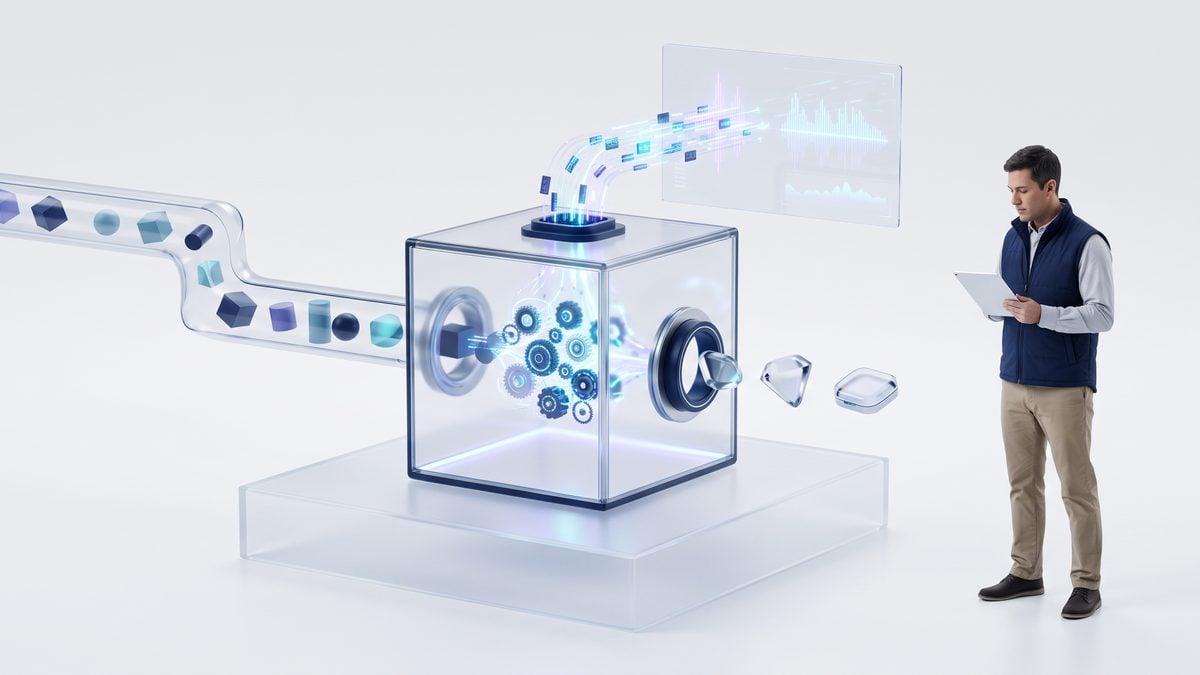
The first implementation milestone is not “send a prompt.” It is to create a durable Agents API session with an OpenAI-hosted environment, prove that the sandbox reached the documented connected state, provide only the files the task actually needs, stream the resulting turn with root-turn outcome detection, and persist enough state to recover if your process loses the stream. OpenAI’s Agents API documentation treats a session as durable state that preserves configuration, conversation, and saved work across turns; your client code should therefore store the session_id alongside your own conversation, job, or ticket record as soon as the create call succeeds.
The OpenAI-hosted environment is a Linux workspace whose working directory is /workspace. According to OpenAI’s hosted-environment documentation, each session receives a separate workspace, files persist across turns while the sandbox exists, and files written under /workspace/outputs are published as immutable artifacts after a turn completes. That last detail is operationally important: if you want a report, archive, chart, patch, or generated dataset to be downloadable after the sandbox expires, instruct the agent to save it under /workspace/outputs, then download the published artifact before deleting the session.
This enterprise Codex security guide examines sandboxing, permissions, network boundaries, credentials, and deployment controls, giving readers the governance context they need before adopting an OpenAI-hosted Agents API environment. The complete Running Codex Safely in Enterprise Environments: A Practical Guide for Engineering Leaders and Security Teams article provides the destination-specific detail for this section’s Codex Hosted Environments decision because the target focuses on securely operating Codex in enterprise environments and is more relevant than a speculative acquisition article.
Step 1: define a safe session payload
The create-session response means environment setup has started; it does not mean the sandbox is ready. The payload should therefore describe the agent, the OpenAI-hosted environment, the initial files, and the network posture, but your code must still wait for the environment state to become connected. The example disables network access because the tutorial task only needs local files; if your real workflow requires network access, OpenAI documents enabled, disabled, and restricted modes, where restricted mode accepts only exact hostnames and does not accept wildcards, protocols, paths, or ports.
import base64
import hashlib
import json
import os
import time
from dataclasses import dataclass
from pathlib import Path
from typing import Any, Dict, Iterable, List, Optional

from openai import OpenAI

client = OpenAI()  # Reads the application API key from OPENAI_API_KEY on the server.

MODEL = os.environ["OPENAI_AGENT_MODEL"]  # Choose a model allowed for your project.

MAX_INLINE_FILE_BYTES = 5 * 1024 * 1024
MAX_TOTAL_INLINE_BYTES = 10 * 1024 * 1024
MAX_CREATE_FILES = 50


def b64_file(path: Path) -> Dict[str, Any]:
    """Prepare one small input file for inline base64 delivery to the hosted environment."""
    raw = path.read_bytes()
    if len(raw) > MAX_INLINE_FILE_BYTES:
        raise ValueError(f"{path.name} exceeds the documented 5 MiB inline-file limit")
    return {
        "path": f"/workspace/input/{path.name}",
        "contents": {
            "type": "base64",
            "data": base64.b64encode(raw).decode("ascii"),
        },
        "metadata": {
            "sha256": hashlib.sha256(raw).hexdigest(),
            "bytes": len(raw),
        },
    }


def build_session_payload(input_paths: List[Path]) -> Dict[str, Any]:
    """Build the documented Agents API concepts: agent, environment, session configuration."""
    if len(input_paths) > MAX_CREATE_FILES:
        raise ValueError("OpenAI documents a maximum of 50 files supplied at session creation")

    files = [b64_file(path) for path in input_paths]
    total_raw = sum(item["metadata"]["bytes"] for item in files)
    if total_raw > MAX_TOTAL_INLINE_BYTES:
        raise ValueError("Inline create payload exceeds the documented 10 MiB total raw limit")

    return {
        "agent": {
            "model": MODEL,
            "instructions": (
                "You are a careful coding and analysis agent. "
                "Use only files in /workspace/input unless explicitly instructed otherwise. "
                "Write final downloadable outputs to /workspace/outputs. "
                "Create /workspace/outputs/manifest.json describing each output file, "
                "its purpose, and any validation checks performed."
            ),
        },
        "environment": {
            "type": "openai-hosted",
            "network": {
                "access": "disabled"
            },
            "files": files,
            "env": {
                "TASK_PROFILE": "first-agents-api-workflow"
            },
        },
    }
The file-safety logic performs three checks before the request leaves your server: no more than 50 files at session creation, no inline file larger than 5 MiB before base64 encoding, and no more than 10 MiB total inline raw payload. OpenAI also documents Files API file and published-artifact limits; use Files API IDs for larger inputs that fit the documented Files API path, and zip multiple generated outputs in the workspace when you need to retrieve several files as one published artifact.
Step 2: wrap SDK calls behind a small adapter
The Python SDK uses the documented beta namespace for Agents API operations. Keep a thin adapter around the beta calls so the rest of your application depends on the lifecycle contract rather than scattering stream, pagination, and artifact handling across controllers. The method names below are intentionally grouped by responsibility; when you upgrade the SDK during the public beta, the adapter is the only layer that should need mechanical adjustment.
@dataclass
class SessionRef:
    id: str


class AgentsApi:
    def __init__(self, openai_client: OpenAI):
        self.client = openai_client

    def create_session(self, payload: Dict[str, Any]) -> Any:
        return self.client.beta.agents.sessions.create(**payload)

    def retrieve_session(self, session_id: str) -> Any:
        return self.client.beta.agents.sessions.retrieve(session_id)

    def send_input(self, session_id: str, text: str) -> Any:
        return self.client.beta.agents.sessions.input.create(
            session_id=session_id,
            input=[{"role": "user", "content": text}],
        )

    def stream_events(self, session_id: str):
        return self.client.beta.agents.sessions.events.stream(session_id=session_id)

    def list_items_page(self, session_id: str, cursor: Optional[str] = None) -> Any:
        return self.client.beta.agents.sessions.items.list(
            session_id=session_id,
            after=cursor,
        )

    def list_artifacts_page(self, session_id: str, cursor: Optional[str] = None) -> Any:
        return self.client.beta.agents.sessions.artifacts.list(
            session_id=session_id,
            after=cursor,
        )

    def download_artifact(self, session_id: str, artifact_id: str) -> bytes:
        return self.client.beta.agents.sessions.artifacts.content(
            session_id=session_id,
            artifact_id=artifact_id,
        ).read()

    def cancel_active_turn(self, session_id: str) -> Any:
        return self.client.beta.agents.sessions.cancel(session_id=session_id)

    def delete_session(self, session_id: str) -> Any:
        return self.client.beta.agents.sessions.delete(session_id)


api = AgentsApi(client)
If you use raw HTTP instead of the SDK, include the documented beta header OpenAI-Beta: agents=v1 on Agents API requests. SDKs add the beta header for their beta namespace, but a direct HTTP client, queue worker, or internal gateway will not do that unless you configure it. Missing the beta header is a common integration failure when teams test with the SDK and then reimplement the same call through an enterprise service mesh.
Step 3: create the session, then wait for connected
The hosted sandbox may still be installing configured resources or preparing files after session creation. Treat connected as the readiness gate, and treat failed as an environment failure that should be surfaced to the operator or job record. Do not send task input merely because the create response returned an ID.
def get_path(obj: Any, *names: str, default=None):
    cur = obj
    for name in names:
        if isinstance(cur, dict):
            cur = cur.get(name, default)
        else:
            cur = getattr(cur, name, default)
        if cur is default:
            return default
    return cur


def wait_for_environment_connected(
    session_id: str,
    timeout_seconds: int = 300,
    poll_seconds: float = 2.0,
) -> Any:
    deadline = time.monotonic() + timeout_seconds

    while time.monotonic() < deadline:
        session = api.retrieve_session(session_id)
        state = (
            get_path(session, "environment", "state")
            or get_path(session, "environment", "status")
        )

        if state == "connected":
            return session

        if state == "failed":
            error = get_path(session, "environment", "error", default={})
            raise RuntimeError(f"Hosted environment failed during setup: {error}")

        time.sleep(poll_seconds)

    raise TimeoutError("Hosted environment did not reach connected state before timeout")


payload = build_session_payload([
    Path("local_inputs/task.md"),
    Path("local_inputs/sample.csv"),
])

created = api.create_session(payload)
session_id = created.id
# Persist session_id in your own job database before continuing.
ready_session = wait_for_environment_connected(session_id)
Use bounded waits and explicit failure states because a hosted session consumes resources and may be billed separately from model usage at container rates, according to OpenAI’s hosted-sandbox notes. Also remember that connected sandboxes receive keep-alives, but if activity and keep-alives stop for one hour, OpenAI says the sandbox can be deleted and that timeout is not configurable. Durable session state and published artifacts are separate from the live workspace; design your workflow so a lost workspace does not mean a lost audit trail.
Step 4: stream events and classify root versus subagent work
OpenAI’s events documentation warns that agent.session.idle and a closed stream are not success conditions. The root turn outcome is established by root-level agent.session.turn.completed, agent.session.turn.failed, or agent.session.turn.cancelled; even then, a completed turn does not guarantee every tool or command inside the turn succeeded. In multi-agent runs, subagents have their own context while sharing the same environment filesystem, so your event handler should distinguish root-agent outcomes from subagent events and avoid treating a coordination item as proof that a subagent has finished.
ROOT_SUCCESS = "agent.session.turn.completed"
ROOT_FAILED = "agent.session.turn.failed"
ROOT_CANCELLED = "agent.session.turn.cancelled"
SESSION_FAILED = "agent.session.failed"
REQUIRES_ACTION = "agent.session.requires_action"
IDLE = "agent.session.idle"


def event_type(event: Any) -> str:
    return get_path(event, "type", default="")


def event_subagent_id(event: Any) -> Optional[str]:
    return get_path(event, "subagent_id") or get_path(event, "item", "subagent_id")


def event_turn_id(event: Any) -> Optional[str]:
    return get_path(event, "turn_id") or get_path(event, "item", "turn_id")


def is_root_turn_event(event: Any, expected_root_turn_id: Optional[str]) -> bool:
    """Root events have no subagent_id and, when known, match the submitted root turn."""
    if event_subagent_id(event):
        return False
    if expected_root_turn_id is None:
        return True
    return event_turn_id(event) in (None, expected_root_turn_id)


def run_turn_with_stream(session_id: str, user_text: str) -> Dict[str, Any]:
    root_turn_id = None
    seen_items: Dict[str, Any] = {}
    terminal_event = None
    subagent_events: List[Dict[str, Any]] = []

    with api.stream_events(session_id) as stream:
        submitted = api.send_input(session_id, user_text)
        root_turn_id = get_path(submitted, "turn_id") or get_path(submitted, "id")

        for event in stream:
            typ = event_type(event)
            item_id = get_path(event, "item", "id") or get_path(event, "id")

            if item_id:
                seen_items[item_id] = event

            if event_subagent_id(event):
                subagent_events.append({
                    "type": typ,
                    "turn_id": event_turn_id(event),
                    "subagent_id": event_subagent_id(event),
                    "item_id": item_id,
                })
                continue

            if typ == REQUIRES_ACTION:
                required_actions = get_path(event, "required_actions", default=[])
                raise RuntimeError(
                    "Session requires application action before it can continue: "
                    + json.dumps(required_actions, default=str)
                )

            if typ == SESSION_FAILED:
                raise RuntimeError(f"Session failed: {event}")

            if typ in {ROOT_SUCCESS, ROOT_FAILED, ROOT_CANCELLED} and is_root_turn_event(event, root_turn_id):
                terminal_event = event
                break

            if typ == IDLE:
                # Informational only. Do not mark the workflow successful from idle.
                continue

    if terminal_event is None:
        raise RuntimeError(
            "Stream ended before a root terminal event. Recover from saved items before retrying."
        )

    outcome = event_type(terminal_event)
    if outcome == ROOT_FAILED:
        raise RuntimeError(f"Root turn failed: {terminal_event}")
    if outcome == ROOT_CANCELLED:
        raise RuntimeError(f"Root turn was cancelled: {terminal_event}")

    return {
        "turn_id": root_turn_id,
        "terminal_event": terminal_event,
        "seen_items": seen_items,
        "subagent_events": subagent_events,
    }


turn_result = run_turn_with_stream(
    session_id,
    (
        "Analyze /workspace/input/sample.csv using the instructions in "
        "/workspace/input/task.md. Save a concise report and manifest under "
        "/workspace/outputs. If you create intermediate scratch files, keep them "
        "outside /workspace/outputs unless they are required deliverables."
    ),
)
The handler opens the stream before submitting input so early events are less likely to be missed. This ordering is especially important for follow-up input, because OpenAI documents that streams do not replay missed events and recommends subscribing before sending follow-up input. If the user sends input while a turn is already active, it steers that active turn; if the session is idle, it starts a new turn. Your product UI should make that difference visible because “add a requirement to the current run” and “start a new iteration” are different user intents.
Step 5: recover state after a disconnected stream
A network disconnect, worker restart, browser tab close, or reverse-proxy timeout does not automatically cancel the agent’s work. OpenAI explicitly warns that closing an event stream does not cancel the task. The safe recovery pattern is to open a new stream, buffer new events, retrieve the session and saved items while connected, rebuild local state by item ID, apply the buffered updates, and resume live handling. Do not blindly resubmit the same prompt; that can duplicate file edits, tool calls, or generated artifacts.
def list_all_items(session_id: str) -> Dict[str, Any]:
    """List endpoints are paginated; collect pages and key saved work by item ID."""
    items: Dict[str, Any] = {}
    cursor = None

    while True:
        page = api.list_items_page(session_id, cursor=cursor)
        for item in get_path(page, "data", default=[]):
            item_id = get_path(item, "id")
            if item_id:
                items[item_id] = item

        cursor = get_path(page, "next_cursor") or get_path(page, "after")
        if not cursor:
            break

    return items


def recover_after_stream_disconnect(session_id: str, buffer_seconds: float = 1.0) -> Dict[str, Any]:
    buffered_events: List[Any] = []

    with api.stream_events(session_id) as stream:
        start = time.monotonic()
        while time.monotonic() - start < buffer_seconds:
            try:
                buffered_events.append(next(stream))
            except StopIteration:
                break

        session = api.retrieve_session(session_id)
        saved_items = list_all_items(session_id)

        for event in buffered_events:
            item_id = get_path(event, "item", "id") or get_path(event, "id")
            if item_id:
                saved_items[item_id] = event

        return {
            "session": session,
            "items_by_id": saved_items,
            "buffered_event_count": len(buffered_events),
        }
Saved items recover completed work but not every intermediate event, so use them to reconcile state, not to reconstruct a perfect replay. For example, if your UI missed progress-token events but saved command items show that a report was written and the root turn later completed, you can update the job record from saved items and artifacts. If saved items show a failed command or a required action that your app has not satisfied, the next step is to handle that state explicitly, not to submit the same input again.
Step 6: validate outputs before downloading artifacts
Validation should be independent of the root completion event. The agent can complete a turn after handling errors, skipping optional work, or writing a partial deliverable. A practical first-run contract is to require a machine-readable /workspace/outputs/manifest.json, then compare the published artifacts with that manifest and your own acceptance criteria. The example below checks that artifacts exist, downloads them one at a time, and verifies that a manifest was among the published outputs.
def list_all_artifacts(session_id: str) -> List[Any]:
    artifacts: List[Any] = []
    cursor = None

    while True:
        page = api.list_artifacts_page(session_id, cursor=cursor)
        artifacts.extend(get_path(page, "data", default=[]))

        cursor = get_path(page, "next_cursor") or get_path(page, "after")
        if not cursor:
            break

    return artifacts


def retrieve_artifacts(session_id: str, download_dir: Path) -> List[Path]:
    download_dir.mkdir(parents=True, exist_ok=True)

    artifacts = list_all_artifacts(session_id)
    if not artifacts:
        raise RuntimeError(
            "Root turn completed but no published artifacts were found. "
            "Check whether the agent wrote files under /workspace/outputs."
        )

    saved_paths: List[Path] = []
    for artifact in artifacts:
        artifact_id = get_path(artifact, "id")
        name = get_path(artifact, "filename") or get_path(artifact, "name") or artifact_id
        if not artifact_id:
            raise RuntimeError(f"Artifact without an ID cannot be downloaded: {artifact}")

        content = api.download_artifact(session_id, artifact_id)
        target = download_dir / Path(name).name
        target.write_bytes(content)
        saved_paths.append(target)

    if not any(path.name == "manifest.json" for path in saved_paths):
        raise RuntimeError(
            "Artifacts were published, but manifest.json is missing. "
            "Treat the turn as incomplete until a human or automated validator reviews it."
        )

    return saved_paths


downloaded = retrieve_artifacts(session_id, Path("agent_downloads") / session_id)
print("Downloaded artifacts:", [str(path) for path in downloaded])
OpenAI’s files documentation distinguishes live environment files, published artifacts, and session items. Deleting an artifact does not delete the live file in the running environment, and self-hosted environment files are retrieved through the provider or mounted filesystem rather than the Agents Artifacts API. In this tutorial’s hosted-sandbox path, download the published artifacts before deleting the session, because session deletion and sandbox expiry are lifecycle boundaries you should not leave to an operator’s memory.
Step 7: send a follow-up only after subscribing again
A follow-up reuses the same session and prior work, which is the main reason to use a durable session rather than launching independent one-shot calls. Because streams do not replay, subscribe first, then send the follow-up. The follow-up can ask for a revision to a saved output, a narrower explanation, a new artifact, or a corrective action based on your validator’s findings.
follow_up_result = run_turn_with_stream(
    session_id,
    (
        "Revise the report to add a one-paragraph limitations section. "
        "Do not change the input data. Save the revised report and an updated "
        "manifest.json under /workspace/outputs."
    ),
)

downloaded_after_followup = retrieve_artifacts(
    session_id,
    Path("agent_downloads") / session_id / "followup",
)
If the user wants to stop the active turn rather than steer it, call the cancellation operation for the session instead of closing the stream. OpenAI documents cancellation as stopping the active turn while preserving the session and prior work. That distinction lets your application implement a “stop current run” control without erasing the previous conversation, uploaded files, saved items, or already published artifacts.
Step 8: clean up with bounded retry for busy sessions
Cleanup should be explicit and observable. OpenAI’s hosted-environment documentation says deleting a busy session can return 409, so retry with a bounded delay rather than looping indefinitely. Before deletion, ensure your artifact downloader has completed and your job database has recorded the root outcome, artifact IDs or file checksums, validation results, and any manual-review requirement.
def delete_session_with_bounded_retry(
    session_id: str,
    attempts: int = 5,
    initial_delay: float = 2.0,
) -> None:
    delay = initial_delay
    for attempt in range(1, attempts + 1):
        try:
            api.delete_session(session_id)
            return
        except Exception as exc:
            status_code = getattr(exc, "status_code", None)
            if status_code != 409 or attempt == attempts:
                raise
            time.sleep(delay)
            delay = min(delay * 2, 30.0)


# Run only after artifacts and session state have been persisted.
delete_session_with_bounded_retry(session_id)
This section’s code deliberately treats session creation, environment readiness, stream handling, root-turn outcomes, output validation, artifact retrieval, follow-up turns, and deletion as separate stages. That separation is what prevents the common failure modes: sending input before the sandbox is connected, mistaking idle for success, losing stream events and retrying blindly, assuming root completion proves every tool succeeded, forgetting that subagents share one filesystem, or deleting the session before immutable artifacts are safely downloaded.
Recover cleanly, steer active work, and make follow-ups idempotent

The Agents API session model is durable, but the event stream is not a replay log. OpenAI’s sessions documentation says a session preserves configuration, conversation, and saved work, while a turn is an asynchronous work cycle; the events documentation also states that streams do not replay missed events. The practical consequence is that your application must treat streaming as a live transport and saved session items as the recovery source of truth when the transport fails, the browser refreshes, a worker restarts, or a mobile network drops.
For production code, use one application-owned state machine that is keyed by your internal conversation ID, the Agents API session ID, the current root turn ID when known, and saved item IDs. Do not key business actions only by event arrival order, because reconnects can change the order in which your app sees live buffered events versus retrieved saved items. A reliable implementation subscribes first, sends follow-up input second, reconciles saved items by stable IDs, and applies side effects only after checking that the relevant item or turn has not already been processed.
This tutorial shows how to embed Codex in an internal operations dashboard using an app-server pattern, MCP tools, streaming, and human approvals. The complete How to Embed Codex in an Internal Operations Dashboard with App-Server, MCP Tools, Streaming, and Human Approvals article provides the destination-specific detail for this section’s Streaming Event Handling decision because it directly matches the streaming and approval-event handling concerns in the Agents API workflow.
Decision rule: create a new turn or steer the active turn
The same “send input” action has different semantics depending on the session’s current state. If the session is idle, follow-up input begins a new turn in the existing durable session. If the session already has an active turn, follow-up input steers that active turn. Your UI should make this distinction explicit, because a user asking “also check the tests” during active work is not the same operational event as asking a new question after the previous turn reached a root outcome.
| Observed session state | User action | Expected Agents API behavior | Application rule |
|---|---|---|---|
| Idle and no active root turn | User submits a new instruction | The input starts a new turn in the existing session. | Subscribe to the event stream before sending input, then record the new turn once observed. |
| Active root turn | User sends clarification, constraint, or correction | The input steers the active turn. | Subscribe first if not already connected, send the steering input, and attach the local note to the active turn record. |
| Requires action | Application receives required actions | The turn is waiting for function results or environment connection work. | Inspect required_actions, authorize each action, submit the required result or connection response, and continue streaming. |
| Failed, cancelled, or session failed | User asks to retry or continue | A new request may continue from saved session state, but missed stream events are not replayed. | Retrieve the session and paginated saved items first; retry only after reconciling what already happened. |
The safest default is “subscribe before send” for every follow-up path, not only for the initial turn. OpenAI’s events guide specifically recommends subscribing before sending follow-up input so early events are not missed. This matters when the agent immediately emits agent.session.requires_action, starts a command, produces an item, or reaches a root turn outcome faster than your client expects.
// Proposed application workflow; adapt names to the SDK or HTTP adapter you use.
async function sendFollowUpSafely({ appConversationId, text }) {
  const state = await db.loadConversation(appConversationId);

  if (!state.agentSessionId) {
    throw new Error("No Agents API session is attached to this conversation.");
  }

  // 1. Open the stream first. Streams do not replay missed events.
  const stream = await agentsAdapter.openSessionEventStream({
    sessionId: state.agentSessionId
  });

  // 2. Start an event pump before sending the input.
  const pump = pumpEventsToReducer({
    stream,
    appConversationId,
    sessionId: state.agentSessionId
  });

  // 3. Send input after the subscription exists.
  await agentsAdapter.submitInput({
    sessionId: state.agentSessionId,
    input: text
  });

  // 4. Let the reducer classify whether this became a new idle-turn
  //    or steering input for an already-active turn.
  return pump;
}
This pattern also protects browser-based products that use a server as the API boundary. The browser can display “connecting” while the server opens the stream, and the server should not acknowledge that the instruction is being processed until it has either opened the stream or deliberately chosen a webhook or polling path. Keep the application API key on the server and outside the hosted sandbox; the sandbox should not become the holder of credentials that can create or modify Agents API sessions.
Represent state as an idempotent reducer, not as one-off callbacks
An idempotent reducer lets the same event, item, or recovery result be applied more than once without duplicating UI messages, re-running billing actions, publishing duplicate artifacts, or incorrectly marking a failed turn as successful. The reducer should accept three kinds of inputs: live stream events, saved session records, and saved item pages. Each update should be keyed by documented identifiers when available, especially item IDs and turn IDs, rather than by array position or wall-clock arrival time.
| Application record | Stable key | Why it exists | Idempotency check |
|---|---|---|---|
| Conversation | Your internal conversation ID | Connects your product’s user journey to one Agents API session. | One active Agents API session ID per active conversation unless your product intentionally forks sessions. |
| Session mirror | Agents API session ID | Stores current lifecycle state, environment readiness, and cleanup status. | Ignore updates for a different session ID, even if they arrive on a reused worker. |
| Turn mirror | Root turn ID when known | Separates completed, failed, cancelled, and active work cycles. | Do not downgrade a terminal root outcome based on later idle or stream-close observations. |
| Saved item mirror | Item ID | Rebuilds the durable transcript, commands, tool results, and outputs that the API has saved. | Upsert by item ID; never append blindly during reconnect. |
| Artifact mirror | Artifact ID or item-to-artifact mapping you observe | Tracks downloadable immutable outputs published from /workspace/outputs in hosted environments. |
Mark downloaded only after the download and your storage write both succeed. |
A reducer also gives compliance and support teams a clearer audit trail. Instead of saying “the stream closed,” your logs can say “root turn completed, two saved items were reconciled, one required action was satisfied, artifact download is pending review.” That distinction is operationally important because OpenAI’s documentation warns that agent.session.idle alone does not mean success, and a completed turn still does not prove that every tool succeeded.
// Example reducer shape. The event names shown are documented concepts;
// store the complete raw event separately for diagnostics.
function reduceAgentUpdate(state, update) {
  if (update.sessionId && update.sessionId !== state.sessionId) {
    return state; // Defensive guard against cross-session contamination.
  }

  switch (update.type) {
    case "agent.session.requires_action":
      return {
        ...state,
        status: "requires_action",
        requiredActions: mergeRequiredActions(
          state.requiredActions,
          update.required_actions
        )
      };

    case "agent.session.turn.completed":
      return markRootTurnTerminal(state, update.turnId, "completed");

    case "agent.session.turn.failed":
      return markRootTurnTerminal(state, update.turnId, "failed");

    case "agent.session.turn.cancelled":
      return markRootTurnTerminal(state, update.turnId, "cancelled");

    case "session.failed":
      return { ...state, status: "session_failed" };

    case "saved_item":
      return upsertSavedItemById(state, update.item);

    default:
      return appendDiagnosticOnly(state, update);
  }
}
Handle requires_action as a pause for authorization
When the stream reports agent.session.requires_action, your application should stop treating the agent as autonomously progressing and inspect the required_actions payload. OpenAI’s events documentation says this state means the application must supply function results or connect the environment. That is an application responsibility, not a generic “continue” button, because function results may require domain authorization, policy checks, user consent, or access to systems that the sandbox must not control directly.
Implement required-action handling as a small dispatcher. For a function action, validate that the requested function is allowed for this session, check that the arguments match your schema, enforce user or tenant authorization, execute the function in your trusted application environment, and submit the result back through your Agents API adapter. For an environment-connection action, connect only the approved environment path and log the decision. If an action is unknown, malformed, over budget, or outside the user’s entitlement, return a controlled failure result rather than inventing a result.
// Proposed dispatcher for required actions. Keep privileged tools on your server.
async function handleRequiredActions({ appConversationId }) {
  const state = await db.loadConversation(appConversationId);

  for (const action of state.requiredActions.pending) {
    if (await db.requiredActionAlreadyResolved(action.id)) {
      continue;
    }

    if (action.kind === "function_call") {
      const policy = await policyEngine.authorizeFunctionCall({
        userId: state.userId,
        sessionId: state.sessionId,
        functionName: action.name,
        arguments: action.arguments
      });

      if (!policy.allowed) {
        await agentsAdapter.submitFunctionResult({
          sessionId: state.sessionId,
          actionId: action.id,
          result: { ok: false, error: policy.reason }
        });
        await db.markRequiredActionResolved(action.id, "denied");
        continue;
      }

      const result = await trustedToolRuntime.call(action.name, action.arguments);

      await agentsAdapter.submitFunctionResult({
        sessionId: state.sessionId,
        actionId: action.id,
        result
      });

      await db.markRequiredActionResolved(action.id, "submitted");
      continue;
    }

    if (action.kind === "connect_environment") {
      await environmentBroker.connectApprovedEnvironment({
        sessionId: state.sessionId,
        action
      });
      await db.markRequiredActionResolved(action.id, "connected");
      continue;
    }

    await db.markRequiredActionResolved(action.id, "unsupported");
    await opsQueue.raiseIncident({
      sessionId: state.sessionId,
      reason: "Unsupported required action kind",
      action
    });
  }
}
Do not mark the root turn as successful when required actions are submitted. Required-action completion only unblocks the turn; the turn still needs a root outcome such as completed, failed, or cancelled. If your app calls an external business system during required-action handling, store your own idempotency key for that external call so reconnects or duplicate dispatcher runs cannot create duplicate tickets, trades, invoices, emails, commits, or approvals.
Recover a disconnected stream without blindly restarting work
A disconnected stream is a transport failure, not proof that the turn stopped. OpenAI’s hosted sandbox documentation also notes that closing an event stream does not cancel the task. Therefore, the first recovery action is not “retry the prompt”; it is “reconnect, buffer new events, retrieve saved state, reconcile items, and then decide.” This prevents a common failure mode where the agent actually completed a command or wrote an artifact, but the application submits the same instruction again and creates conflicting work.
The recovery sequence should begin by opening a new stream for the existing session and immediately buffering incoming events in memory or a short-lived queue. While that live stream is connected, retrieve the current session record and list saved items. Because OpenAI documents that list endpoints are paginated and one page may not contain every item, your recovery loop must continue until pagination is exhausted. After your local store is rebuilt from saved records, apply the buffered events in order and then switch to normal live handling.
// Recovery algorithm for a worker restart or dropped stream.
// Method names are adapter placeholders; preserve the ordering.
async function recoverDisconnectedSession({ appConversationId }) {
  const state = await db.loadConversation(appConversationId);
  const buffer = [];

  const stream = await agentsAdapter.openSessionEventStream({
    sessionId: state.sessionId
  });

  const stopBuffering = stream.onEvent((event) => {
    buffer.push(event);
  });

  const remoteSession = await agentsAdapter.retrieveSession({
    sessionId: state.sessionId
  });

  await db.upsertSessionMirror(appConversationId, remoteSession);

  let cursor = undefined;
  do {
    const page = await agentsAdapter.listSessionItems({
      sessionId: state.sessionId,
      cursor
    });

    for (const item of page.items) {
      await db.upsertSavedItem({
        appConversationId,
        sessionId: state.sessionId,
        itemId: item.id,
        item
      });
    }

    cursor = page.nextCursor;
  } while (cursor);

  stopBuffering();

  for (const event of buffer) {
    await applyLiveEventIdempotently({
      appConversationId,
      sessionId: state.sessionId,
      event
    });
  }

  return continueLiveHandling(stream, { appConversationId });
}
Saved items recover completed work, but they do not recover every intermediate event that might have appeared on the lost stream. Your UI should therefore avoid claiming a perfect historical replay after reconnect. A precise status message is better: “Reconnected and restored saved work; some intermediate progress messages may be unavailable.” For engineering teams, this distinction keeps observability honest and reduces support confusion when a command’s final output exists but some progress tokens or transient coordination events are absent.
This step-by-step guide walks through building and deploying a resilient production AI agent with GPT-5.4 in 2026. The complete How to Build a an AI Agent with GPT-5.4 in 2026: Step-by-Step article provides the destination-specific detail for this section’s Resilient Agent Retries decision because its production-agent resilience focus makes it a strong companion for recovery and retry patterns in the current workflow.
Reconcile saved items before accepting or downloading outputs
For hosted environments, OpenAI documents that files under /workspace/outputs are published as immutable artifacts after a turn completes and remain downloadable after sandbox expiry. The files guide also distinguishes live environment files, published artifacts, and session items. Your reconciliation layer should not treat a text mention of a file as proof that the artifact is published, and it should not treat artifact deletion as deletion of the live environment file.
Before presenting a result as complete, inspect the root turn outcome, saved items, required-action status, and artifact records. A completed root turn means the root turn completed; it does not guarantee every command, tool call, dependency installation, network fetch, or subtask succeeded. If the user requested a generated report, your acceptance check should verify that the report item or artifact exists, that its name and type match the request, that any required validation item is present, and that your application has downloaded or persisted the artifact before cleanup.
// Acceptance gate after recovery or normal completion.
async function evaluateTurnAcceptance({ appConversationId, expectedOutputs }) {
  const state = await db.loadConversation(appConversationId);

  if (state.rootTurnStatus !== "completed") {
    return { acceptable: false, reason: "Root turn did not complete." };
  }

  if (state.requiredActions.hasPending) {
    return { acceptable: false, reason: "Required actions remain pending." };
  }

  for (const output of expectedOutputs) {
    const item = await db.findSavedItemByPredicate({
      appConversationId,
      predicate: output.itemPredicate
    });

    if (!item) {
      return { acceptable: false, reason: `Missing saved item: ${output.label}` };
    }

    if (output.requiresArtifact) {
      const artifact = await db.findArtifactForItem(item.id);
      if (!artifact || artifact.downloadStatus !== "stored") {
        return {
          acceptable: false,
          reason: `Artifact not safely stored: ${output.label}`
        };
      }
    }
  }

  return { acceptable: true };
}
This acceptance gate is especially important when a user asks for multiple outputs, such as “run the analysis, create a CSV, and write a summary.” The turn can complete while one requested artifact is absent or while the summary explains that a tool failed. Your product should display that distinction instead of collapsing every terminal completion into a green checkmark.
Cancel explicitly, then recover and reconcile
Cancellation is an explicit session operation that stops the active turn while preserving the session and prior work. It is not the same as closing a browser tab, shutting down a stream reader, or losing a network connection. If the user presses “Stop,” your server should call the cancellation path exposed by your adapter, update local state to “cancellation requested,” and keep or reopen the stream long enough to observe agent.session.turn.cancelled or retrieve the saved session state.
// Proposed stop-button flow. Do not rely on stream.close() as cancellation.
async function cancelActiveTurn({ appConversationId, reason }) {
  const state = await db.loadConversation(appConversationId);

  if (!state.sessionId || state.rootTurnStatus !== "active") {
    return { cancelled: false, reason: "No active turn is recorded." };
  }

  await db.recordCancellationRequest({
    appConversationId,
    sessionId: state.sessionId,
    reason
  });

  await agentsAdapter.cancelActiveTurn({
    sessionId: state.sessionId
  });

  // Reconcile because the stream may miss the final cancellation event.
  await recoverDisconnectedSession({ appConversationId });

  const updated = await db.loadConversation(appConversationId);
  return {
    cancelled: updated.rootTurnStatus === "cancelled",
    rootTurnStatus: updated.rootTurnStatus
  };
}
After cancellation, keep the session ID attached to the conversation unless the user or retention policy requires deletion. Follow-up input can reuse the same session and prior work, which is useful when the user says, “Stop the long search and just summarize what you already found.” Before sending that follow-up, subscribe again, because the follow-up may either begin a new idle turn or steer if the cancellation did not complete as quickly as expected.
Use bounded retries for transient operations, not blind task replay
Bounded retries are appropriate for transport operations such as reconnecting a stream, retrieving a session, listing paginated items, downloading an artifact, or deleting a busy session after the active work finishes. Bounded retries are not appropriate for blindly replaying the same agent instruction after an unknown disconnect. The difference is simple: retry infrastructure operations when they are idempotent or protected by idempotency keys; retry agent work only after saved state proves the previous attempt failed, was cancelled, or needs a follow-up.
OpenAI’s hosted environment guide notes that deleting a busy session can return 409, and that case should be retried with a bounded delay. Use a maximum attempt count, a delay cap, and jitter so a fleet of workers does not stampede the API. Store cleanup state in your database so a worker crash does not restart deletion from an unbounded loop.
// Bounded cleanup retry for a busy session.
async function deleteSessionWithBoundedRetry({ appConversationId }) {
  const state = await db.loadConversation(appConversationId);
  const maxAttempts = 6;

  for (let attempt = 1; attempt <= maxAttempts; attempt++) {
    try {
      await agentsAdapter.deleteSession({ sessionId: state.sessionId });
      await db.markSessionDeleted(appConversationId);
      return { deleted: true, attempts: attempt };
    } catch (err) {
      if (err.status !== 409 || attempt === maxAttempts) {
        await db.markSessionDeleteFailed({
          appConversationId,
          status: err.status,
          message: err.message
        });
        throw err;
      }

      const delayMs = Math.min(30000, 1000 * 2 ** (attempt - 1));
      await sleep(withJitter(delayMs));
    }
  }

  return { deleted: false };
}
Apply the same retry discipline to artifact downloads. Download each required artifact, verify that your storage write succeeded, mark the artifact as stored, and only then proceed to session deletion if your workflow is finished. Because the files guide states that artifacts should be downloaded before deleting the session, cleanup should be downstream of artifact persistence rather than an automatic reaction to a completed turn.
End-to-end recovery checklist for the first workflow
Use this checklist as the acceptance test for the workflow built in this tutorial. It covers the failure modes that are easy to miss in a successful demo but costly in production: a stream disconnects while work continues, a required action pauses progress, a user sends a steering instruction during an active turn, a list call returns only one page, a duplicate event arrives after recovery, or cleanup races with a busy session.
- Persist the session ID immediately after creation. The application cannot recover or continue a durable session if the session ID exists only in a process-local variable.
- Subscribe before every follow-up input. This includes normal follow-ups, steering messages, post-cancellation instructions, and retry prompts.
- Classify input by current state. Idle input creates a new turn; active input steers the current turn; required-action state needs authorization handling before ordinary continuation.
- Handle root outcomes explicitly. Treat
agent.session.turn.completed,agent.session.turn.failed,agent.session.turn.cancelled, andsession.failedas materially different states. - Never use
agent.session.idleor stream closure as success. Idle can follow multiple situations, and stream closure is only a transport observation. - Recover by reconnecting, buffering, retrieving, paginating, and reconciling. Do not replay the user’s task until saved state has been inspected.
- Upsert saved items by item ID. This prevents duplicate transcript rows, duplicate artifact cards, and duplicate tool-result handling after reconnect.
- Gate required actions through application policy. Function results and environment connections should be authorized, logged, and idempotent.
- Cancel through the API path, not by closing the stream. Then reconcile the saved session state to confirm whether cancellation reached a terminal root outcome.
- Delete with bounded retry and only after artifact handling. A busy session may return
409; retry with a cap, and do not delete before required outputs are safely stored.
The resulting behavior is intentionally conservative: your product may wait a little longer before showing success, but it will not confuse a lost stream with a stopped turn, a completed root turn with universal tool success, or a repeated event with new work. That is the right tradeoff for an Agents API workflow that writes files, calls tools, handles follow-ups, and must survive ordinary production failures.
Cleanup, artifact handling, acceptance, and production readiness
The final stage of your first Agents API workflow is not just “download the file and delete the session.” The OpenAI documentation separates the live sandbox filesystem, immutable published artifacts, saved session items, turn outcomes, and environment lifetime, so your application needs an explicit closeout routine. A root turn can complete while an individual tool command failed, produced partial output, or wrote a file that still requires validation. Treat cleanup as a controlled handoff: reconcile the saved session state, inspect the turn outcome, verify the expected artifacts, download what you must retain, then delete artifacts and sessions according to your retention policy.
For an OpenAI-hosted environment, files written under /workspace/outputs are published as immutable artifacts after a turn completes. Those artifacts remain downloadable after the hosted sandbox expires, but OpenAI’s files guidance still recommends downloading artifacts before deleting the session. The operational reason is simple: session deletion is the boundary where your local application should no longer assume the remote workflow state is available for user recovery, audit reconstruction, or manual review.
This ChatGPT Work playbook covers autonomous research, report generation, and project coordination, offering a useful companion for deciding how verified Agents API files and artifacts should enter broader knowledge-work deliverables. The complete The ChatGPT Work Mode Playbook — 12 Prompts for Autonomous Research, Report Generation, Email Drafting, and Project Coordination article provides the destination-specific detail for this section’s Agent Artifact Workflows decision because the target directly addresses report and artifact-producing workflows, unlike the automatically selected macOS computer-use article.
Download artifacts only after state reconciliation
Before downloading any artifact, read the current session, saved items, and final root turn outcome. Do not rely on a closed stream, agent.session.idle, or even a root agent.session.turn.completed event as proof that every tool succeeded. OpenAI’s session-event guidance is explicit that streams do not replay missed events, saved items may be paginated, and completed work must be reconstructed by item ID after a disconnect. Your artifact downloader should therefore run after the same reconciliation routine you use for recovery.
-
Retrieve the session record and confirm whether the latest root turn completed, failed, or was cancelled.
-
List saved items with pagination until your local reducer has processed every relevant page, not only the first response.
-
Identify output-producing items and compare them with your expected deliverables, such as
report.md,results.csv, or a single compressed archive. -
Inspect tool or command evidence in saved items where available, because a successful final narrative can still hide a failed command that the agent worked around.
-
Download one published artifact per request, or have the sandbox zip multiple files into one artifact before publication if your workflow produces many outputs.
-
Store the downloaded artifact with your own metadata: session ID, turn ID, artifact identifier, checksum if your system calculates one, requester, review status, and deletion deadline.
// Proposed application-level closeout routine.
// Method names are illustrative adapters around the official Agents API concepts.

async function closeOutWorkflow({ sessionId, expectedArtifacts }) {
  const session = await appAgents.getSession(sessionId);

  const savedItems = [];
  for await (const page of appAgents.listAllSessionItems(sessionId)) {
    savedItems.push(...page.items);
  }

  const rootTurn = deriveLatestRootTurn(savedItems, session);
  if (!["completed", "failed", "cancelled"].includes(rootTurn.status)) {
    throw new Error("Workflow is not ready for artifact acceptance.");
  }

  const artifactPlan = matchArtifacts(savedItems, expectedArtifacts);

  if (rootTurn.status !== "completed") {
    return {
      accepted: false,
      reason: `Root turn ended as ${rootTurn.status}`,
      artifactPlan
    };
  }

  const validation = validateExpectedOutputs(savedItems, artifactPlan);
  if (!validation.ok) {
    return {
      accepted: false,
      reason: validation.reason,
      artifactPlan
    };
  }

  const downloaded = [];
  for (const artifact of artifactPlan.toDownload) {
    downloaded.push(await appAgents.downloadArtifact(sessionId, artifact.id));
  }

  return {
    accepted: true,
    rootTurn,
    downloaded
  };
}
This example intentionally uses application adapter names rather than promising a specific SDK method shape. The important production behavior is the order: reconcile first, validate second, download third, delete last. If a network interruption occurs while downloading artifacts, do not replay the agent task automatically. Reopen a stream if needed, retrieve saved session items, rebuild local state, and continue from the latest authoritative state.
Understand artifact deletion versus live environment files
Artifact deletion and filesystem deletion are different operations. OpenAI’s files guide states that deleting a published artifact does not delete the corresponding live file inside the running environment. That distinction matters when a session is still active: an agent may continue to see or modify files in /workspace, while your application may have removed a previously published immutable copy from artifact storage. If the file contains regulated data, secrets, proprietary datasets, or customer uploads, your cleanup policy should address both the published artifact and the session lifecycle rather than assuming one deletion covers all copies.
| Object | Where it exists | Cleanup implication |
|---|---|---|
| Live workspace file | OpenAI-hosted sandbox filesystem, including /workspace |
Persists across turns while the sandbox exists; artifact deletion does not remove it. |
| Published artifact | Immutable artifact created from /workspace/outputs after a turn |
Download before session deletion when your application must retain the deliverable. |
| Saved session item | Agents API session state | Use for reconciliation, recovery, audit context, and acceptance decisions. |
| Self-hosted environment file | Your provider or mounted filesystem | Retrieve through the provider or filesystem; it is not published through the Agents Artifacts API. |
| No-environment output | Session items only | No sandbox filesystem exists; read outputs from items rather than artifact storage. |
Plan for sandbox expiry instead of treating it as retention
A hosted sandbox can be deleted if activity and keep-alives stop for one hour after it is connected, and OpenAI documents that this timeout is not configurable. This expiry is an infrastructure lifecycle behavior, not a records-management strategy. Files in the sandbox persist across turns while the sandbox exists, but your application should assume the workspace can disappear after inactivity. Published artifacts survive environment expiration, which is why writing deliverables to /workspace/outputs and downloading them during closeout is the safer pattern for first workflows.
Do not use “close the stream” as a cleanup mechanism. OpenAI’s hosted-environment documentation says closing an event stream does not cancel the task. If the user requests a stop, or your system hits a policy or budget boundary, call the documented cancellation path for the active turn, then recover session state and reconcile saved items. After cancellation, you still need to decide whether partial artifacts are rejected, quarantined for review, or retained as diagnostic evidence under your policy.
Respect file and artifact limits before your first large run
The OpenAI-hosted file limits should shape your workflow design before the agent starts writing outputs. The documented limits include 50 files supplied at session creation, 5 MiB per inline file before base64 encoding, 10 MiB total inline payload per create request, 50 MiB per Files API file, 200 MiB per published artifact, and 500 MiB total outputs published together. These are not merely upload constraints; they determine whether your agent should write one compact report, split outputs by stage, or compress a directory before publication.
| Limit | Documented value | Practical design rule |
|---|---|---|
| Files supplied at session creation | 50 files | Bundle static inputs or use a smaller curated task package. |
| Inline file size before base64 | 5 MiB per file | Use the Files API path for larger inputs rather than inline payloads. |
| Total inline payload per create request | 10 MiB | Keep session creation lightweight and reproducible. |
| Files API file | 50 MiB per file | Split large datasets or pre-process them outside the session. |
| Published artifact | 200 MiB per artifact | Compress selectively and avoid dumping entire working directories. |
| Total outputs published together | 500 MiB | Define a small deliverables contract instead of publishing every intermediate file. |
Monitor cost before, during, and after the run
Hosted sandboxes are billed at container rates separately from model usage, so your first workflow should emit cost-relevant telemetry even if it is only an internal prototype. Track session creation time, environment connected time, turn start and end time, cancellation time, artifact sizes, model and tool usage fields exposed by the API, and the number of follow-up turns. If your application permits long-running tasks, add a budget policy that can cancel an active turn explicitly rather than abandoning the stream and assuming work has stopped.
A practical cost-control rule is to approve the task twice: once before the session starts and once before any expensive follow-up. The first approval confirms that the input package, network policy, and expected deliverables are correct. The second approval confirms that the previous turn’s saved items justify continuing. This prevents a common failure pattern where an agent produces a partial result, the user sends an ambiguous follow-up, and the application starts another long turn without reconciling what already happened.
Acceptance tests for the first workflow
Acceptance tests should verify the behavior of your application around the Agents API, not only the content quality of the model’s answer. OpenAI’s event model makes several false positives possible: a stream can close while work continues, agent.session.idle can appear without proving success, and a completed root turn can still include failed tool work. The following tests give platform teams a minimum gate before they expose the workflow to real users.
| Test | Procedure | Passing condition |
|---|---|---|
| Environment readiness | Create a hosted session and withhold task acceptance until environment state reaches connected. |
The app does not treat session creation as sandbox readiness. |
| Root turn outcome | Run a normal task and classify root events separately from subagent or tool events. | The app records completed, failed, or cancelled root outcomes explicitly. |
| Tool-failure awareness | Use a task that can produce a recoverable command or tool failure. | The app does not accept the workflow solely because the root turn completed. |
| Disconnected stream recovery | Interrupt the client stream during an active turn, reconnect, buffer new events, and retrieve saved items. | The local state is rebuilt by item ID without blindly restarting the task. |
| Follow-up ordering | Send a follow-up only after opening the next stream. | Early events from the follow-up are not missed. |
| Artifact closeout | Write an expected file to /workspace/outputs, complete the turn, then download it. |
The artifact is validated, downloaded, and stored before session deletion. |
| Busy deletion | Attempt deletion while work is active or immediately after cancellation. | The app handles a possible 409 with bounded retry rather than an infinite loop. |
Troubleshooting closeout failures
| Symptom | Likely cause | Operational response |
|---|---|---|
| No artifact appears after the turn | The agent wrote outside /workspace/outputs, the turn failed, or output limits were exceeded. |
Inspect saved items and command evidence; ask for a corrective follow-up only after subscribing to the stream. |
| Artifact is available but incomplete | The file was published after a partial workflow or a tool failure was not surfaced in the final answer. | Reject acceptance, retain diagnostics if policy allows, and require a new validated turn. |
| Stream closed before final status | Network interruption or client-side closure; closure does not cancel execution. | Open a new stream, buffer events, retrieve session and saved items, and rebuild state. |
Deletion returns 409 |
The session is busy. | Retry with bounded delay and surface a pending-cleanup state if the limit is reached. |
| Expected network call fails in setup or execution | Restricted network mode permits only exact hostnames and does not accept wildcards, protocols, paths, or ports. | Add only the required exact hostname if policy permits; include redirects and subdomains separately. |
Production-readiness checklist
-
Store session IDs with your conversation or job records so recovery never depends on browser memory or a single open stream.
-
Keep application API keys outside the sandbox and grant only the documented permissions required for the workflow.
-
Require the beta header for raw HTTP requests and use the documented beta SDK namespace where applicable.
-
Wait for hosted environment state to reach
connectedbefore treating setup as ready. -
Subscribe before sending follow-up input, because streams do not replay missed events.
-
Handle
requires_actionas an authorization pause, not as an error or automatic approval. -
Differentiate root turn outcomes from subagent, command, and tool events in your reducer.
-
Validate artifacts against an explicit deliverables contract before user download or downstream automation.
-
Download required artifacts before deleting the session, and delete published artifacts according to your retention policy.
-
Monitor model usage, hosted sandbox/container time, artifact size, and follow-up count as separate cost signals.
-
Use explicit cancellation for stopped work; never assume closing the event stream stopped execution.
-
Document that Agents API data residency and retention behavior are endpoint-specific and must be reviewed against your organization’s requirements.
Conclusion
A reliable first Agents API workflow ends with evidence, not optimism. You created a session, waited for a hosted environment, streamed events, recovered from interruptions, sent controlled follow-ups, and produced downloadable artifacts. The final production habit is to close the loop deliberately: reconcile saved items, verify root status, inspect tool evidence, validate artifact contents, download required outputs, apply deletion policy, and record cost-relevant telemetry. Completion does not guarantee every tool succeeded, so acceptance belongs to your application’s tests, reviewers, and policy gates rather than to a single terminal event.
Access 40,000+ AI Prompts for ChatGPT, Claude & Codex — Free!
Subscribe to get instant access to our complete Notion Prompt Library — the largest curated collection of prompts for ChatGPT, Claude, OpenAI Codex, and other leading AI models. Optimized for real-world workflows across coding, research, content creation, and business.
Useful Links
- OpenAI Agents API quickstart
- OpenAI Agents API overview
- OpenAI Agents API sessions guide
- OpenAI Agents API session events guide
- OpenAI-hosted Agents API environments
- Agents API environment files and artifacts
