
How to Build and Deploy a Full Web App with Codex Sites — From Prompt to Production in Under 10 Minutes

Building and Deploying Web Applications with OpenAI Codex Sites (July 2026)
Published July 2026. This comprehensive guide explains how to design, iterate, deploy, and operate web applications using OpenAI’s Codex Sites, a generative development platform that moved to General Availability (GA) in July 2026. The guide covers prerequisites and account requirements, hands-on prompting and iteration patterns, deployment and hosting workflow, authentication and custom domains, five practical project examples, performance and scaling considerations, a detailed comparison with Replit/Vercel/Netlify, limitations, best practices, and a FAQ tailored for developers and business stakeholders.
What Codex Sites is — and how it differs from traditional web development
Codex Sites is a generative web development environment powered by an updated Codex model family specifically trained for multi-file, full-stack web application generation and iterative refinement. Instead of starting from a blank code editor and writing code line-by-line, developers and product owners describe app intent, UX, integrations, and constraints in natural language. Codex Sites synthesizes a working site (HTML/CSS/JS and optional backend functions) and provides a live preview, an editing canvas, and deployment pipeline with built-in hosting.
Key differences from traditional web development:
- Intent-first flow: You describe the application and flow; Codex Sites generates an initial scaffold and working product. Development is conversation-driven rather than purely code-driven.
- Immediate working prototype: The platform delivers a fully functional prototype (client and server components) in minutes with mock data, allowing rapid validation with stakeholders.
- Iterative conversational edits: You can instruct Codex to change styles, add features, or refactor by natural language prompts; the system applies multi-file, semantics-aware edits.
- Integrated deployment and hosting: Codex Sites includes a deployment pipeline, authentication primitives, and domain management; you rarely need to separately provision cloud resources for most small-to-medium apps.
- Model-assisted code quality: Codex performs automated checks, linting, and suggests test scaffolding; nevertheless, human review remains essential for business-critical apps.
Codex Sites is optimized for rapid prototyping, internal tools, dashboards, marketing sites, and small-to-medium web apps where speed of iteration and time-to-value outweigh absolute manual control of every dependency.
Prerequisites and account requirements (Pro/Team plan)
As of July 2026, Codex Sites is GA and available to all users, but certain features require paid subscriptions. For production-level features (team collaboration, private hosting, SSO, higher concurrency, and custom domain management), you’ll need a Pro or Team plan. Below is a breakdown of common account tiers and feature access. Check your account’s billing console for exact availability and current quotas.
- Free tier: Access to Codex Sites prototype environment, small public deployments with a codexsites.app subdomain, limited runtime and request quotas, and non-commercial usage for evaluation.
- Pro plan: Increased runtime quotas, private projects, access to authentication templates (OAuth, email/OTP), custom environment variables, connected databases (managed PostgreSQL/Redis), and custom domain support.
- Team/Enterprise plans: Multi-user collaboration, role-based access control, single sign-on (SAML/SCIM), VPC egress support, audit logging, premium support SLAs, and predictable billing for high-volume usage.
Account requirements checklist:
- OpenAI account registered with valid billing method.
- Pro or Team subscription for private deployments, SSO, and higher quotas.
- DNS access for custom domain mapping (optional for custom domains).
- Optional: external data sources credentials (Stripe API keys, database connection strings) stored securely in Codex Sites environment secrets.
Security note: treat generated server-side code and secrets like any production asset. Rotate keys, review generated auth logic, and perform standard penetration testing before exposing production services.
How Codex Sites works at a high level
The Codex Sites platform has three core components:
- Conversational design interface: A prompt editor + preview canvas where you describe features and get iterative updates.
- Project workspace and filesystem: Multi-file project manager with versioning and a Git-like history. You can open files, see diffs, and revert changes.
- Build and deploy pipeline: An integrated runtime that builds static and serverless assets, runs tests, and deploys to a managed CDN/edge network. Authentication, analytics, and logging are built-in or connectable to third-party services.
Internally, Codex Sites leverages model-driven code generation for scaffolding and incremental edits, and orchestrates a standard CI/CD pipeline for building, testing and hosting the app. It abstracts many DevOps details while exposing critical knobs (env vars, build scripts, server functions) to developers who need control.
Step-by-step tutorial: describing your app idea to Codex
This section walks through a hands-on tutorial: creating a “Team Task Dashboard” from idea to deployed prototype. The workflow demonstrates effective prompts, iterations, and how to handle backend integrations. Use these techniques as templates for other project types.
1) Prepare the initial prompt
Effective initial prompts should include:
- The app name and one-sentence purpose.
- Key user personas (admin, contributor, viewer).
- Primary pages and functionality (e.g., login, dashboard, list, single item view, create/edit forms).
- Data model overview (entities and main fields).
- Authentication and integration requirements (OAuth with Google, Stripe, GitHub, or internal SSO).
- Styling references or a simple design system (colors, fonts, layout type).
Example initial prompt (copyable):
Project: Team Task Dashboard
Purpose: A lightweight dashboard for small teams to track weekly tasks and ownership.
Personas: Admin (manages teams), Member (creates/updates tasks), Viewer (read-only).
Pages:
 - Sign in (email + Google OAuth)
 - Team view: list of teams and members
 - Dashboard: lists active tasks, filter by assignee and status
 - Task detail and edit modal
 - Settings: manage team members, add/remove teams
Data Model:
 - Team { id, name }
 - User { id, name, email, role }
 - Task { id, title, description, status: [todo,inprogress,done], assignee_id, due_date }
Integrations: use built-in managed PostgreSQL; enable Google OAuth.
Style: minimalist, primary color #0A84FF, font Inter. Mobile responsive.
Constraints: deploy to a private site; add environment variable names for DB_URL and OAUTH_GOOGLE_CLIENT_ID/SECRET.
After sending this to Codex Sites, the platform creates a scaffold: routes, data access layer, auth handlers, and a responsive UI. Expect an initial working prototype with mocked data and an internal dev URL. Codex Sites will also present a file tree you can review.
2) Inspect the generated project and run locally in the preview
Open the project workspace, review key files:
- src/pages/index.tsx or index.html (depending on framework choice)
- server/functions/auth.ts for OAuth/email sign-in
- db/schema.sql and server/db.ts
- components/TaskList.jsx and components/TaskEditor.jsx
- codex.config.json (project metadata and deploy configs)
Tip: use Codex Sites’ file diff and comments feature to ask clarifying questions about any generated file. For example:
Prompt: "Explain the auth flow implemented in server/functions/auth.ts, and highlight potential security hardening steps for session handling and CSRF protection."
Codex will reply with a targeted explanation and may propose concrete code edits. You can then accept suggested changes or ask for more conservative implementations (e.g., JWT vs server session). This conversational audit is a powerful way to learn and apply security best practices quickly.
3) Replace mocks with real integrations
Codex Sites scaffolds database migration scripts and data-access code with placeholders. To wire a real managed database, add environment secrets in the project settings (DB_URL). Use the UI to add secrets; the deployment will reference them securely. Example environment variable keys:
- DB_URL
- SESSION_SECRET
- OAUTH_GOOGLE_CLIENT_ID
- OAUTH_GOOGLE_CLIENT_SECRET
Use the prompt to instruct Codex to replace mock adapters with real ones:
Prompt: "Replace the in-memory task store with a PostgreSQL adapter using the existing db.ts helper. Create a migration that creates teams, users, and tasks tables, and update seeding logic to run only in development."
Codex will produce migration SQL and update server-side code to use parameterized SQL or an ORM (Prisma/knex). Review generated SQL to verify primary/foreign keys, indexes on searchable fields, and transaction usage for multi-step updates.
4) Iterate UI and UX
Ask Codex to modify components, swap layout systems, or apply a design token set. Example prompt for polishing:
Prompt: "Update the dashboard grid to use a two-column layout on desktop (main list on left, detail panel on the right). Add a top-level filter bar with a global search, status chips, and due-date range picker. Use accessible color contrast for the primary blue #0A84FF and ensure focus outlines for keyboard navigation."
Codex responds with updated component code, CSS rules, and sometimes accessibility annotations (aria attributes). You can request test cases (Cypress or Playwright) for critical flows like sign-in and task creation.
5) Add tests and CI checks
Prompt example to add unit and end-to-end tests:
Prompt: "Add Jest unit tests for TaskList and TaskEditor components and add two Playwright end-to-end tests: (1) sign-in with email and create a new task; (2) change status to done and verify it's removed from 'inprogress' list. Configure the pipeline to run tests before deploy."
Codex Sites will scaffold tests, mock utilities, and update the build pipeline to run tests. You can run these in the preview environment to ensure flows work end-to-end.
Working with Codex to iterate on the design and functionality
Iterating with Codex Sites is a conversational loop: prompt — review — accept or request changes. Treat each model edit as a code review candidate. Below are techniques and prompt patterns that produce predictable, high-quality updates.
Iteration patterns
- Patch edits: Provide a precise instruction to change a component or function. Use file paths and line references when possible. Example: “In components/Header.tsx, add a company logo slot and collapse menu into a hamburger icon under 768px.”
- Refactor requests: Ask Codex to extract repeated logic into utility functions or hooks. Example: “Refactor user-related API calls into src/lib/api/users.ts and update imports.”
- Design system application: Provide token definitions and ask the model to apply them across stylesheets and components.
- Code review style prompts: Ask for a summary of security, performance, and accessibility issues along with suggested fixes.
Example prompt for a complex iteration:
Prompt: "Refactor the task data layer to use batched queries for task lists and to prefetch assignee names in a single query. Ensure queries use prepared statements and add unit tests to validate batch results. Highlight any edge cases for pagination."
The model will generate code changes and test scaffolding. Carefully review transaction boundaries and ensure any model-suggested SQL uses proper indexing for scale.
Handling merge conflicts and manual edits
When you manually edit files, Codex Sites uses a model-aware merge that attempts to preserve your changes and apply requested edits in context. If multiple edits conflict, the platform surfaces a diff and asks you to choose a resolution path. Best practice: break large edits into smaller atomic prompts and review diffs through the UI before accepting.
Collaborating with teammates
Team plans include role-based reviews and comment threads. Use comments to attach acceptance criteria and have Codex generate a “changelog summary” for a set of edits, which helps with release notes and knowledge transfer.
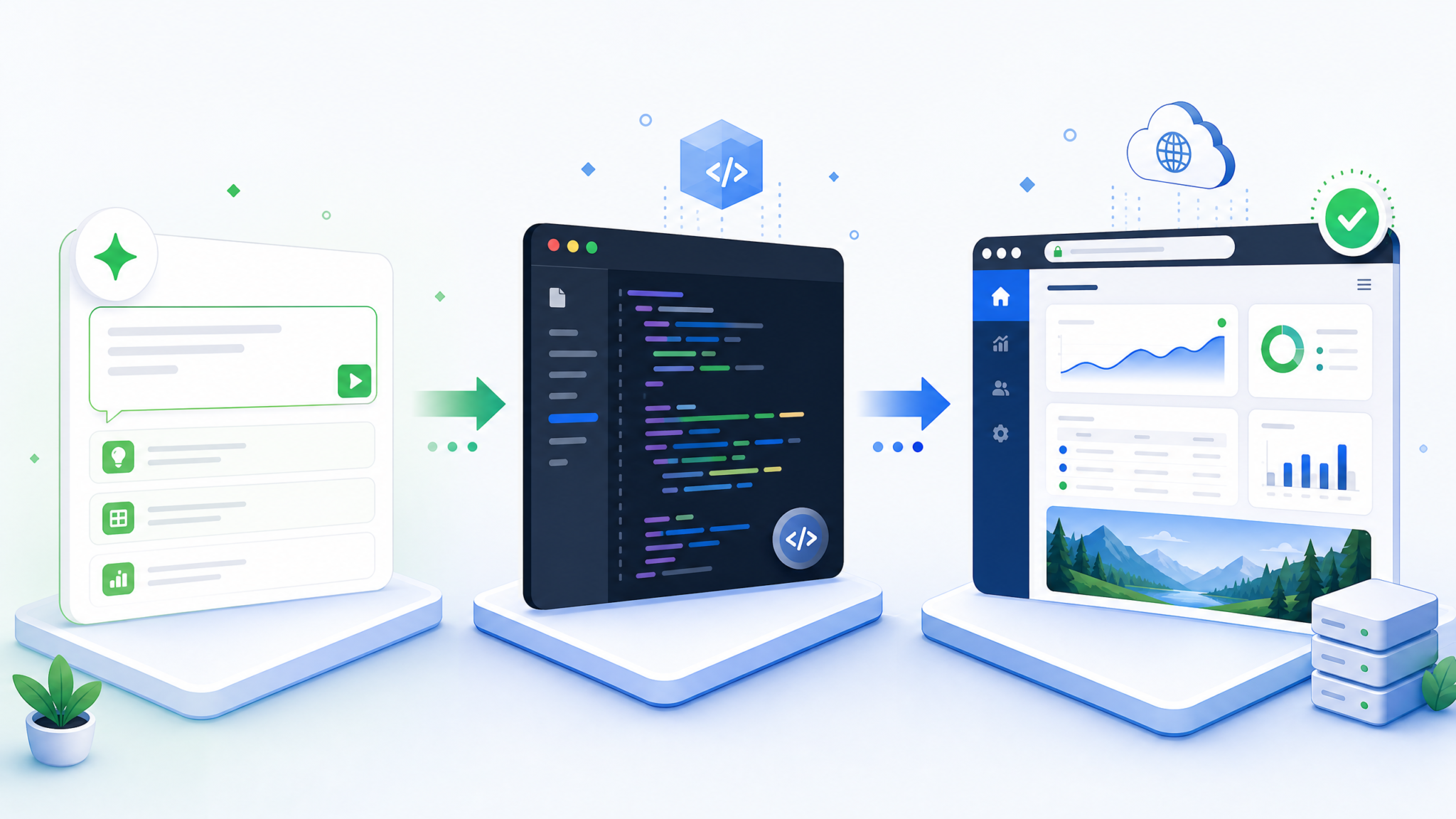
The Sites deployment workflow: built-in hosting, authentication, custom domains
Codex Sites simplifies deployment by providing managed hosting with a CDN, serverless edge functions, and integrated authentication. Here are the core pieces and a step-by-step deployment flow.
Deployment components
- Preview environments: Each change or branch can be previewed at a temporary URL hosted on Codex Sites. Useful for stakeholder validation.
- Managed runtime: Serverless functions or containerized build outputs supported; local-like environment variables and secrets management.
- CDN and edge caching: Static assets are served from a global CDN with configurable cache-control headers.
- Authentication primitives: Out-of-the-box email/OTP, OAuth providers, and SAML/SSO for enterprise plans. Sessions may be persisted in a managed Redis instance or via encrypted cookies.
- Custom domains and certificates: DNS verification via TXT/CNAME and automatic TLS via built-in certificate manager.
Deploying a site
- Create a project and ensure all tests pass in the preview environment.
- Open the deploy dialog and select the environment (staging/production). Set deployment variables (DB_URL, API keys).
- Choose authentication options (enable Google OAuth, configure callback URLs). For SSO, upload SAML metadata if required.
- Add a custom domain: configure DNS records as directed (CNAME for subdomain, A/ALIAS for apex). Codex Sites provides a verification token and automatically provisions TLS certs after verification.
- Promote preview to production. The pipeline builds, runs tests in an isolated environment, and deploys to the global CDN. You receive logs, a release diff, and automatic rollback options if health checks fail.
Authentication details
Codex Sites provides templates and secure hooks for:
- Email-based authentication with magic links or OTPs.
- OAuth with Google, GitHub, Microsoft, and more through provider connectors; for Team/Enterprise, SAML/SOAP SSO is supported.
- Session management: server-side sessions backed by managed Redis or encrypted cookies with HttpOnly and Secure flags.
- Role-based access control (RBAC) integration: define roles in the DB and annotate routes/components to authorize access.
Example environment configuration snippet (codex.config.json):
{
  "name": "team-task-dashboard",
  "env": {
    "DB_URL": "postgres://user:[email protected]:5432/tasks",
    "SESSION_SECRET": "set-in-ui",
    "OAUTH_GOOGLE_CLIENT_ID": "set-in-ui",
    "OAUTH_GOOGLE_CLIENT_SECRET": "set-in-ui"
  },
  "auth": {
    "providers": ["google"],
    "sessionStore": "redis"
  },
  "deploy": {
    "defaultBranch": "main",
    "autoRollbackOnFailure": true
  }
}
Five practical Codex Sites project examples
Below are five real-world projects with recommended prompt examples, architecture notes, and sample code snippets. Each example is designed to be achievable with Codex Sites’ built-in features and to illustrate common patterns.
1) Analytics Dashboard (admin dashboard)
Use-case: Business analysts need a dashboard aggregating events and KPIs across a product.
Initial prompt:
Project: Product Analytics Dashboard
Purpose: Provide daily/weekly metrics: DAU, signups, conversion funnel. Visualize time-series charts and top events.
Data: event store in BigQuery (read-only), small metrics cache in Redis.
Pages:
 - Login (SSO with Google)
 - Overview (timeseries, KPI cards)
 - Events explorer with filters (event name, user properties)
 - Alerts settings (set thresholds and webhook targets)
Style: professional, neutral palette, charts with tooltips and export CSV feature.
Architecture notes:
- Codex generates server-side query wrappers for BigQuery using the provider client library and creates caching layer code to avoid repeated heavy queries.
- Charts use a lightweight charting library (e.g., Chart.js or @antv) and server-side endpoints for pre-aggregated data.
Sample server endpoint skeleton (generated):
export async function getOverview(req, res) {
  const { start, end, interval } = req.query;
  // Validate inputs, then:
  const cacheKey = `overview:${start}:${end}:${interval}`;
  const cached = await cache.get(cacheKey);
  if (cached) return res.json(JSON.parse(cached));
  const rows = await bigquery.queryOverview({ start, end, interval });
  await cache.set(cacheKey, JSON.stringify(rows), { ttl: 300 });
  res.json(rows);
}
2) Personal Portfolio site (static + simple CMS)
Use-case: Designers and freelancers need a fast, SEO-friendly site with a simple CMS for project updates.
Initial prompt:
Project: Portfolio - Alex Rivera
Purpose: Serve a static homepage, projects list, project detail pages, and an admin area for updating content with Markdown.
Hosting: static CDN for public pages; admin uses serverless functions and authentication (email-based).
Style: modern, large imagery, performance-focused with image optimization.
Codex Sites will generate a static site with an admin UI that commits Markdown content to a managed content store or Git-backed CMS. For performance, it creates optimized image transforms and prefetching strategies.
3) Client Portal (auth + billing + docs)
Use-case: SaaS companies need a secure portal for clients to view invoices, manage subscriptions, and access support docs.
Initial prompt:
Project: Client Portal
Pages: Login (SSO), dashboard, invoices (list + PDF download), subscription management (integrate with Stripe), knowledge base.
Security: RBAC (client vs internal admin), audit logging for page access.
Compliance: ensure GDPR-friendly deletion workflows.
Integration tips:
- Provide Stripe keys in secrets and instruct Codex to use the official Stripe SDK serverside to manage customers and redirect to Stripe Checkout/Customer Portal for billing changes.
- Ask Codex to implement soft-deletion and data export routines for GDPR compliance.
4) Marketing Landing Page with A/B testing
Use-case: Marketers want rapid landing pages with tracked variants and conversion tracking for experiments.
Prompt example:
Project: Product Launch Landing
Goal: A/B test two hero variants, track email signups to Mailchimp, add UTM handling and simple analytics.
Requirements: Lightweight static HTML for SEO, serverless webhook to Mailchimp, variant assignment cookie.
Codex Sites will generate static pages for both variants, a serverless endpoint to record signups, and simple analytics events persisted in the provided data store. It also sets cookie rules and TTLs for consistent variant exposures.
5) Internal Tool (CRMs and light automation)
Use-case: Operations teams need a tool to manage customer outreach, schedule reminders, and generate templated emails.
Prompt example:
Project: Outreach Manager
Users: Ops staff
Features: Create contact lists, schedule reminders (calendar integration with Google Calendar), bulk email templating (SendGrid integration), audit trail.
Non-functional: restrict to internal IP range or require SSO for access.
Codex Sites will scaffold role-protected routes, job scheduling for reminders (serverless scheduled tasks), and integrations with third-party email and calendar APIs.
Best practices for prompting Codex for web apps
High-quality prompts are precise, structured, and include acceptance criteria. Below are specific patterns, templates, and examples you can reuse.
1) Use structured templates
Start with a short metadata block followed by then functional requirements. Example template:
[Project Name]
[One-sentence Purpose]
[Personas]
[Pages & Routes]
[Data model — key entities and fields]
[Auth & Integrations]
[Non-functional requirements — performance, accessibility, security]
[Design tokens — primary color, fonts, spacing]
[Acceptance Criteria — list of testable items]
This reduces ambiguity and gives the model constraints to work within.
2) Prefer incremental prompts
Break big features into smaller changes. For adding a payment flow, first ask for the pages and architecture; then ask for the Stripe server integration; finally, ask for client-side checkout and tests.
Access 40,000+ AI Prompts for ChatGPT, Claude & Codex — Free!
Subscribe to get instant access to our complete Notion Prompt Library — the largest curated collection of prompts for ChatGPT, Claude, OpenAI Codex, and other leading AI models. Optimized for real-world workflows across coding, research, content creation, and business.
3) Ask for tests and checks
Include explicit test requirements in prompts. Request unit tests and end-to-end tests for critical flows to ensure maintainability.
4) Request security hardening and explanation
Don’t just accept generated auth code; ask the model for a security review and a list of hardening recommendations (e.g., session rotation, CSRF tokens, input validation, rate limiting).
5) Use “explain then apply” pattern
Ask the model to describe the planned change before applying it. This helps you catch mismatches early. For example:
Prompt: "Explain how you will replace the mock email sender with SendGrid integration (list affected files and environment vars). After explanation, implement the change and add a test that mocks SendGrid responses."
This two-step ask reduces surprising edits and preserves readability of diffs.
Additional prompts and developer resources:
For a deeper exploration of ChatGPT prompting techniques, our comprehensive guide on What’s New in OpenAI Codex 2026: Full Breakdown for Developers provides detailed walkthroughs, practical examples, and expert recommendations that complement the strategies discussed in this section.
and
Teams implementing these workflows will benefit from understanding the foundational concepts covered in our detailed analysis of How OpenAI’s $30 Billion Revenue Target Is Reshaping the AI Industry: From Research Lab to Enterprise Platform, which examines the technical architecture and best practices for production deployments.
. For design-specific prompts, see
The techniques described above build upon the principles outlined in our in-depth tutorial on How to Use GPT-5.3-Codex for Self-Improving Code: Recursive AI Development Patterns and Practical Implementation, where we examine real-world implementation patterns and performance optimization strategies.
Limitations and what Codex Sites cannot do yet (July 2026)
Codex Sites is powerful for rapid web app development but has limitations you must consider when planning production deployments. Understand these boundaries so you can mitigate risk appropriately.
- Complex distributed systems: Codex Sites is not a replacement for full-scale systems engineering. For highly performant, multi-service architectures (microservices across multiple cloud providers, complex message buses), Codex Sites may only provide a starting scaffold.
- Regulatory and compliance-ready code: While it can scaffold audit/logging and data handling, it cannot guarantee compliance with standards like SOC2/HIPAA on its own. Enterprise plans provide additional controls, but you must perform compliance verification and sign contractual safeguards with your legal/compliance team.
- Fine-grained DevOps control: If you require bespoke network topologies, custom VPC peering, or proprietary load balancing configurations, you will likely need to export the project and manage deployment via your infrastructure pipelines.
- Garbage-in, garbage-out: Model output quality depends on the clarity of your prompts. Ambiguous requirements lead to fragile or misaligned code.
- Third-party credentials and sensitive workflows: The platform attempts to redact secrets, but secret management and secure rotation still require operational policies and validation.
- Long-term maintainability: Generated code can be idiomatic, but teams should adopt coding standards and refactor patterns generated by Codex for long-term health.
Comparison with Replit, Vercel, Netlify for rapid prototyping
Below is a direct comparison focusing on the rapid-prototyping use case. This table highlights feature differences, best-fit scenarios, and considerations when choosing a platform.
| Feature | Codex Sites (OpenAI) | Replit | Vercel | Netlify |
|---|---|---|---|---|
| Primary strength | Generative scaffolding and conversational iteration (AI-driven development) | In-browser IDE and collaborative coding; supports many languages | Optimized for frontend & serverless; global edge network | Static site hosting, serverless functions, and form/edge features |
| Best for | Rapid idea-to-prototype flow with minimal initial coding | Education, quick experiments, pair programming | Next.js and React apps with performance optimization | Static sites, JAMstack, simple serverless APIs |
| Integrated AI assistance | Yes — primary differentiator (codex model produces multi-file edits) | Limited or via third-party extensions | No native generative dev assistant (third-party tools available) | No native generative dev assistant (third-party tools available) |
| Hosting & CDN | Managed CDN + serverless (included) | Runs in containers; public URLs for repls; not CDN-first | Edge CDN and serverless edge functions | CDN for static assets and functions at edge |
| Authentication primitives | Built-in templates (email, OAuth, SSO in Team/Enterprise) | Manual integration via packages/code | Requires manual integration (Auth0, Clerk, etc.) | Manual integration (Auth0, Netlify Identity on specific plans) |
| Team collaboration | Native review workflows, RBAC (Team plan) | Live multiplayer editing; workspace sharing | Integrations for teams; preview deployments | Preview branches and team management on paid plans |
| Edge cases / Limitations | Not ideal for complex infra orchestration; model hallucination risk | Less suited for production-grade deployment scale | Requires manual infra for databases, background jobs | Best for static-first; complex server apps need extra plumbing |
When choosing a platform:
- Pick Codex Sites when rapid ideation and conversational iteration is the primary goal and you want integrated auth and hosting out-of-the-box.
- Choose Vercel or Netlify when you have a front-end framework that benefits from their edge optimizations and want fine-grained control over deployment pipelines.
- Use Replit for collaborative education and quick prototypes where in-browser editing and real-time collaboration matter.
Performance, scaling, and pricing considerations
Codex Sites hides much of the infrastructure complexity, but it’s crucial to understand performance characteristics and cost drivers so you can architect responsibly for scale.
Performance characteristics
- Static assets: Served via global CDN with configurable cache-control. For highest performance, ensure static pages are pre-rendered where possible.
- Serverless functions: Cold starts depend on language/runtime and region placement. Codex Sites offers warm-start guarantees on paid tiers for frequently called functions.
- Datastore latency: Use managed DB instances in matching regions and employ caching layers when possible to reduce tail latency.
- Edge caching: Codex Sites provides cache invalidation controls; use them to balance freshness vs performance for dynamic content.
Scaling patterns
For high traffic apps:
- Move compute-heavy logic to background workers or scheduled batch jobs to keep request latencies low.
- Use pagination, cursor-based APIs, and batched queries for list endpoints to avoid expensive full-table scans.
- Leverage CDN caching and cache-control headers to offload repeat traffic to the edge.
- Monitor and set autoscaling or quota thresholds in your Codex Sites project settings; configure alerts for high latency or error rates.
Pricing considerations
As of July 2026, pricing models include:
- Monthly subscription (Free/Pro/Team/Enterprise) for platform features and base quotas.
- Usage-based billing for bandwidth, serverless execution time, and managed database storage / operations.
- Optional add-ons for dedicated concurrency, enterprise-grade SSO, and logging retention.
Cost drivers:
- Data egress volume (large assets and heavy analytics exports).
- Serverless compute: high QPS or long-running functions inflate costs; move heavy computation to specialized compute or scheduled batch jobs.
- Managed DB operations: query-heavy workloads should adopt optimizing indices and caching to reduce operations.
Example cost comparison table (indicative — check your billing console for accurate numbers):
| Charge Type | Typical Unit | Free Tier | Pro Plan | Team / Enterprise |
|---|---|---|---|---|
| Hosting quota | Sites/month | 1 small site | 10 sites | Unlimited (managed) |
| Serverless compute | GB-s | 500 GB-s / mo | 5,000 GB-s / mo | Custom |
| Bandwidth | GB | 5 GB | 500 GB | Custom |
| Managed DB | Storage / ops | Hobby tier | Standard | Dedicated / HA |
Optimization checklist to reduce costs:
- Cache aggressively at the edge for read-heavy pages.
- Move batch jobs off the request path and schedule them during low-cost windows when possible.
- Compress and optimize images and assets; use responsive images to avoid serving large files to mobile.
- Profile and optimize slow queries and functions; set sensible pagination limits for list endpoints.
Practical prompt examples and code snippets
This section consolidates reusable prompt examples and generated code patterns you can paste into Codex Sites.
Prompt: Add Google OAuth sign-in flow
Prompt: "Add Google OAuth sign-in. Create server/function auth/google.ts that handles OAuth callback, exchanges code for tokens, and creates/updates a user in the database. Update the frontend login page with a 'Continue with Google' button that redirects to the OAuth start endpoint. Ensure callback URL is /api/auth/google/callback and list required environment variables."
// server/functions/auth/google.ts (generated skeleton)
import { URLSearchParams } from 'url';
import fetch from 'node-fetch';
import db from '../db';
import { setSession } from '../session';

export async function oauthCallback(req, res) {
  const code = req.query.code;
  const tokenResp = await fetch('https://oauth2.googleapis.com/token', {
    method: 'POST',
    body: new URLSearchParams({
      code,
      client_id: process.env.OAUTH_GOOGLE_CLIENT_ID,
      client_secret: process.env.OAUTH_GOOGLE_CLIENT_SECRET,
      redirect_uri: `${process.env.BASE_URL}/api/auth/google/callback`,
      grant_type: 'authorization_code'
    })
  });
  const tokenJson = await tokenResp.json();
  const profileResp = await fetch('https://www.googleapis.com/oauth2/v2/userinfo', {
    headers: { Authorization: `Bearer ${tokenJson.access_token}` }
  });
  const profile = await profileResp.json();
  const user = await db.upsertUserFromGoogle(profile);
  setSession(res, { userId: user.id });
  res.redirect('/dashboard');
}
Prompt: Convert list endpoint to use cursor pagination
Prompt: "Refactor GET /api/tasks to use cursor-based pagination. Accept 'limit' and 'cursor' params. Return nextCursor in the response. Update the frontend TaskList to request more items as the user scrolls."
// server/functions/tasks.js (cursor pagination example)
export async function getTasks(req, res) {
  const limit = Math.min(parseInt(req.query.limit || '20', 10), 100);
  const cursor = req.query.cursor || null; // base64 encoded last id/timestamp
  const rows = await db.query(
    `SELECT * FROM tasks WHERE (created_at < $1 OR $1 IS NULL) ORDER BY created_at DESC LIMIT $2`,
    [cursor ? new Date(Buffer.from(cursor, 'base64').toString('utf8')) : null, limit + 1]
  );
  let nextCursor = null;
  if (rows.length > limit) {
    const last = rows[limit - 1];
    nextCursor = Buffer.from(last.created_at.toISOString()).toString('base64');
    rows.splice(limit);
  }
  res.json({ items: rows, nextCursor });
}
Prompt: Add a unit test for the login flow
Prompt: "Add a Jest test that mocks the database and session store to assert that POST /api/auth/login sets a session cookie when credentials are valid and returns 401 when invalid."
// tests/auth.test.js (example)
const request = require('supertest');
const app = require('../server/app');
jest.mock('../server/db');

test('valid login sets session cookie', async () => {
  const db = require('../server/db');
  db.getUserByEmail.mockResolvedValue({ id: 'user1', passwordHash: '$2b$10$...' });
  const res = await request(app).post('/api/auth/login').send({ email: '[email protected]', password: 'secret' });
  expect(res.status).toBe(200);
  expect(res.headers['set-cookie']).toBeDefined();
});
Guidelines for reviewing generated code
Always perform a code review for generated code. Focus on:
- Input validation and sanitization.
- Authentication, session cookie security flags, and token lifetimes.
- Database queries — ensure parameterization and appropriate indexes.
- Secrets handling — verify secrets are stored in the environment/secret manager and not in plain text in the repository.
- Dependency management — check package versions and vulnerability reports.
FAQ
Q: Is Codex Sites suitable for production apps?
A: Codex Sites is suitable for many production apps, especially small-to-medium web apps, SaaS dashboards, internal tools, and marketing sites. For high-compliance systems, complex distributed architectures, or apps requiring bespoke infrastructure, Codex Sites is best used to bootstrap the project; production readiness will require human-led security reviews, performance tuning, and possibly exporting the project for custom deployment pipelines. Enterprise plans include additional controls (SSO, audit logs, VPC egress) to support production deployments.
Q: How does Codex Sites manage secrets and environment variables?
A: Secrets are managed in the project settings and injected into runtime environments at build and run time. They are encrypted at rest and redacted in UI logs. For compliance-sensitive workloads, Team/Enterprise plans offer integrations with external secret managers and VPC egress to private data stores. Always rotate secrets and avoid checking them into source files. Codex Sites can detect likely hard-coded secrets and will prompt you to move them into the secret manager.
Q: Can I export my project from Codex Sites and host it elsewhere?
A: Yes. Codex Sites lets you export the project filesystem and a build manifest. Exported projects typically include a codex.config.json and a build script that you can adapt for other hosting providers. Note: platform-specific runtime features (e.g., managed Redis) may need migration plans when moving off the platform.
Q: How do I prevent model hallucinations resulting in incorrect code?
A: Reduce hallucinations by providing explicit and constrained prompts, requesting explanations and tests before acceptance, and validating generated code with automated linters and tests. For security or integration-sensitive code, ask Codex to include comments with source citations (e.g., official SDK docs or specific API versions) and request mock-based unit tests. Always treat generated code as a starting point and perform thorough reviews.
Q: What is the recommended approach to scale database-backed features?
A: For scale, adopt denormalization or materialized views for read-heavy endpoints, add proper indexing and sharding strategies if needed, and use caching layers (e.g., managed Redis). Offload analytics to data warehouses and use pre-aggregation for dashboards. Codex Sites can generate cache layers and suggest index recommendations, but final DB architecture should be validated by database engineers for large workloads.
Q: How do I handle GDPR and data deletion requests with Codex Sites?
A: Implement data export and deletion endpoints that follow GDPR requirements. Codex Sites can scaffold endpoints for data export (producing a zipped CSV/JSON) and for data erasure. Ensure deletion is audited and consider soft-deletion patterns followed by permanent deletion after an audit period. Document retention policies in your privacy policy and include operational checks for requests processed through the portal.
Q: What support is available for enterprise customers?
A: Enterprise customers typically receive dedicated onboarding, enterprise-grade SLAs, advanced security features (SAML/SCIM, audit logs, VPC egress), and priority support. Contact your account representative for service terms and to discuss tailored compliance certifications and contractual requirements.
Q: Can Codex Sites generate mobile-first responsive designs?
A: Yes. Codex Sites can generate responsive components and layouts. Provide explicit breakpoints and mobile-first requirements in your prompt to ensure the generated design prioritizes small screens. Also request keyboard accessibility and touch target sizing to make the UI usable on mobile devices.
Final checklist before production launch
- Review and run unit and end-to-end tests for critical flows.
- Perform a security audit focusing on auth flows, secrets, and injection risks.
- Run dependency vulnerability scans and pin vetted package versions.
- Optimize performance for DB queries and cache frequently accessed data at the edge.
- Configure monitoring, logging, and alerts for latency and error budgets.
- Validate backup and disaster recovery plans for managed databases and storage.
Closing notes
OpenAI’s Codex Sites represents a significant shift in how teams can go from idea to deployed web application. For teams prioritizing speed, experimentation, and conversational iteration, Codex Sites accelerates prototyping and lowers the barrier to producing a functional end-to-end application. However, it is not a silver bullet. Maintain rigorous engineering discipline for security, performance, and compliance when moving beyond prototypes into production.
Use the prompts and patterns in this guide as templates: adapt the structured prompt template to your domain, ask for tests and security reviews as part of each change, and prefer incremental, explain-then-apply iterations. For long-term maintainability, treat generated code as a living artifact that benefits from human-driven refactoring and standards enforcement.
Additional internal resources:
Organizations evaluating these capabilities should also review our thorough examination of How to Use Codex Sites to Build and Deploy Websites from Natural Language Descriptions, which covers the enterprise considerations, security implications, and integration pathways relevant to this discussion.
and
Practitioners looking to extend these approaches will find valuable context in our detailed coverage of What’s New in OpenAI Codex 2026: Full Breakdown for Developers, which explores advanced configuration options and troubleshooting methodologies for complex deployments.
