
ChatGPT for PowerPoint is Generally Available for Enterprise and Education Workspaces
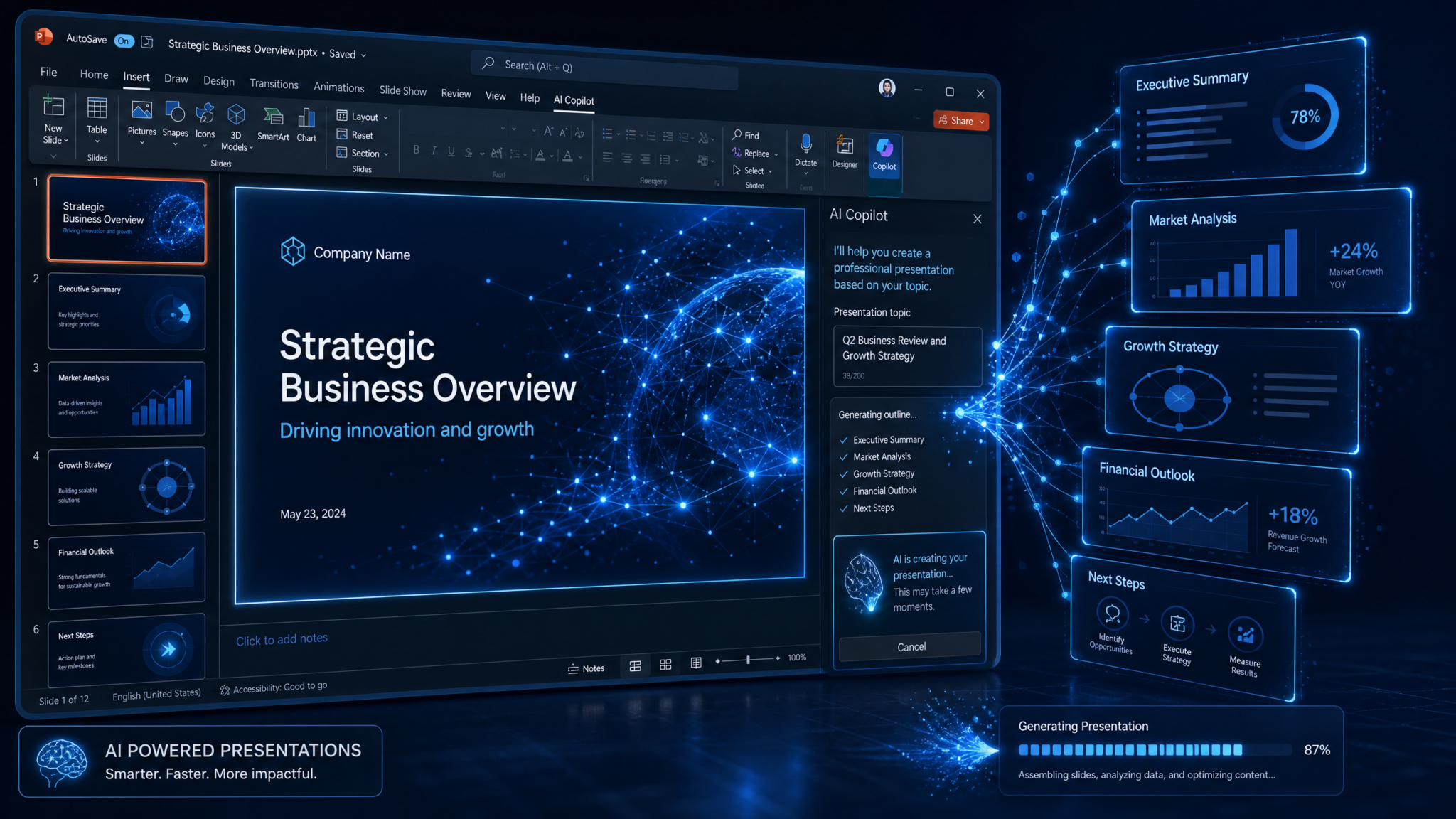
On July 6, 2026, ChatGPT for PowerPoint reached general availability for Enterprise and Education workspaces, bringing AI-assisted presentation creation, revision, and narrative analysis directly into Microsoft PowerPoint. This milestone cements a year of rapid progress in embedding AI into core productivity surfaces and formalizes a governance and compliance posture suitable for regulated industries and public sector adopters. For administrators, the release introduces turnkey deployment via workspace-level controls and Microsoft 365 channels, role-based access control (RBAC) where applicable, and critical enterprise guarantees: workspace policy enforcement, scoped source access, Compliance API coverage, EU Inference Residency, and Enterprise Key Management.
The announcement is paired with a pragmatic pricing framework: token-based credit pricing aligned with ChatGPT for Excel/Sheets, with an Enterprise promotion offering no-charge usage through August 6, 2026. For content owners, the real story is utility: users can generate and refine editable decks within PowerPoint, have the model analyze a presentation’s narrative and structure, and ground outputs on approved corporate Skills and apps to ensure that data and messaging remain anchored in authorized sources. With template matching and some brand-heavy edits still requiring human review, the feature places AI as a disciplined copilot rather than a fully autonomous designer—a positioning that many enterprise communications and brand teams will welcome.
What ChatGPT for PowerPoint Does
Editable Presentation Generation and Revision Inside PowerPoint
ChatGPT for PowerPoint enables users to create and refine presentations without leaving Microsoft PowerPoint. Rather than exporting static outputs or relying on a separate AI application, the feature works within the familiar editing surface. Key capabilities include:
- Drafting an initial deck from a prompt, outline, or high-level narrative and producing fully editable slides, including titles, body text, and structured multi-bullet layouts compatible with enterprise templates.
- Revising existing decks with instructions such as “tighten the executive summary to four bullets,” “convert these three slides into one with a comparison layout,” or “rewrite notes for a technical audience,” with changes immediately materializing as editable PowerPoint text and speaker notes.
- Infusing grounded context by drawing from approved Skills and apps, so that claims, metrics, and terminology reflect authorized sources rather than generic web content.
- Adapting tone and structure to specific audiences (executive, sales, technical, customer-facing, academic) while preserving the deck’s core message and source-cited facts.
The runtime emphasizes editability and alignment with enterprise templates. Rather than baking content into images or non-standard shapes, it uses native PowerPoint constructs (text boxes, lists, layouts) to facilitate post-generation adjustments, translation, and accessibility tooling.
Narrative and Structure Analysis of Existing Decks
Beyond drafting and copy refinement, the model can analyze a deck’s narrative and structure. It identifies the implied storyline, highlights gaps, detects repetitiveness, and recommends a clearer arc. Representative analyses include:
- Story arc diagnosis: “The current flow starts with solution details before establishing the problem; consider reversing sections and adding a one-slide summary up front.”
- Audience-appropriate depth: “Slides 9–12 dive deep into implementation specifics; for executive audiences, summarize these as a single risk/mitigation view.”
- Information design: “Slide 5 contains four competing messages; consolidate into a single ‘Why now’ slide and move benchmarks to an appendix.”
- Temporal coherence: “Metrics on Slide 4 reference Q1 2024, while Slide 10 cites 2026 targets without baseline; insert a timeline to connect milestones.”
Such analyses can be run iteratively, enabling deck authors to converge on a more persuasive narrative without reauthoring from scratch. The analysis respects scoped source access: when Skills and apps are configured, supporting citations can be surfaced from authorized repositories to justify recommended changes.
Grounding with Approved Skills and Apps
ChatGPT for PowerPoint honors organizational governance by working from configured Skills and apps rather than mixing in arbitrary, unvetted content. Administrators can approve which sources the model is allowed to reference and the scopes within those sources. Practically, that means an AI-generated executive summary can incorporate corporate definitions, product names, or policy statements that originate in authorized repositories, rather than invented or outdated language. For compliance-sensitive decks—financial reporting, regulated product materials, academic syllabi—the ability to constrain generation to sanctioned content is a guardrail as important as the model’s capabilities themselves.
Skills and apps are permission-aware: if a user lacks permissions to a particular source, ChatGPT will not surface or infer from it. When a skill is temporarily unavailable or out-of-scope for a specific workspace, the model will proceed with neutral drafting but avoid representing gated facts as authoritative. This behavior pairs well with RBAC-based access when roles determine not only who can invoke ChatGPT in PowerPoint but also which sources and operations are permissible.
Advanced Edits and Template Matching Still Require Review
General availability does not imply perfect fidelity in every scenario. Aligning with an enterprise’s most intricate PowerPoint templates—particularly those with highly customized layouts, strict corporate typography rules, or complex color/contrast behavior—may still require human review and light-touch refinement. Similarly, advanced edits that restructure charts, SmartArt, or embedded media may produce a “first draft” that design teams must finalize. The product is positioned for acceleration with accountability, not for bypassing established content and brand review workflows.
Enterprise-Grade Controls and Coverage
The GA release is accompanied by the set of enterprise assurances expected for business-critical content tooling:
- Workspace policy enforcement for consistent behavior across users and teams.
- Scoped source access to prevent data bleed between groups, projects, or regions.
- RBAC-based access where applicable, mapping capabilities to appropriate roles.
- Compliance API coverage for auditability, eDiscovery, and forensic workflows.
- EU Inference Residency to process model inferences within the EU for eligible organizations.
- Enterprise Key Management for customer-controlled encryption of stored artifacts and logs.
These assurances parallel adoption of ChatGPT across other office workloads, creating a consistent mental model for governance. Teams that already implemented controls for spreadsheet or document AI will find the PowerPoint integration follows similar patterns, an advantage that lowers operational friction. For a broader view of these controls in practice, see
For a deeper exploration of this topic, our comprehensive article on ChatGPT Work vs Claude Cowork: The Definitive 2026 Comparison for Enterprise Teams provides detailed implementation strategies, real-world benchmarks, and step-by-step workflows that complement the techniques discussed in this section.
How to Deploy ChatGPT for PowerPoint
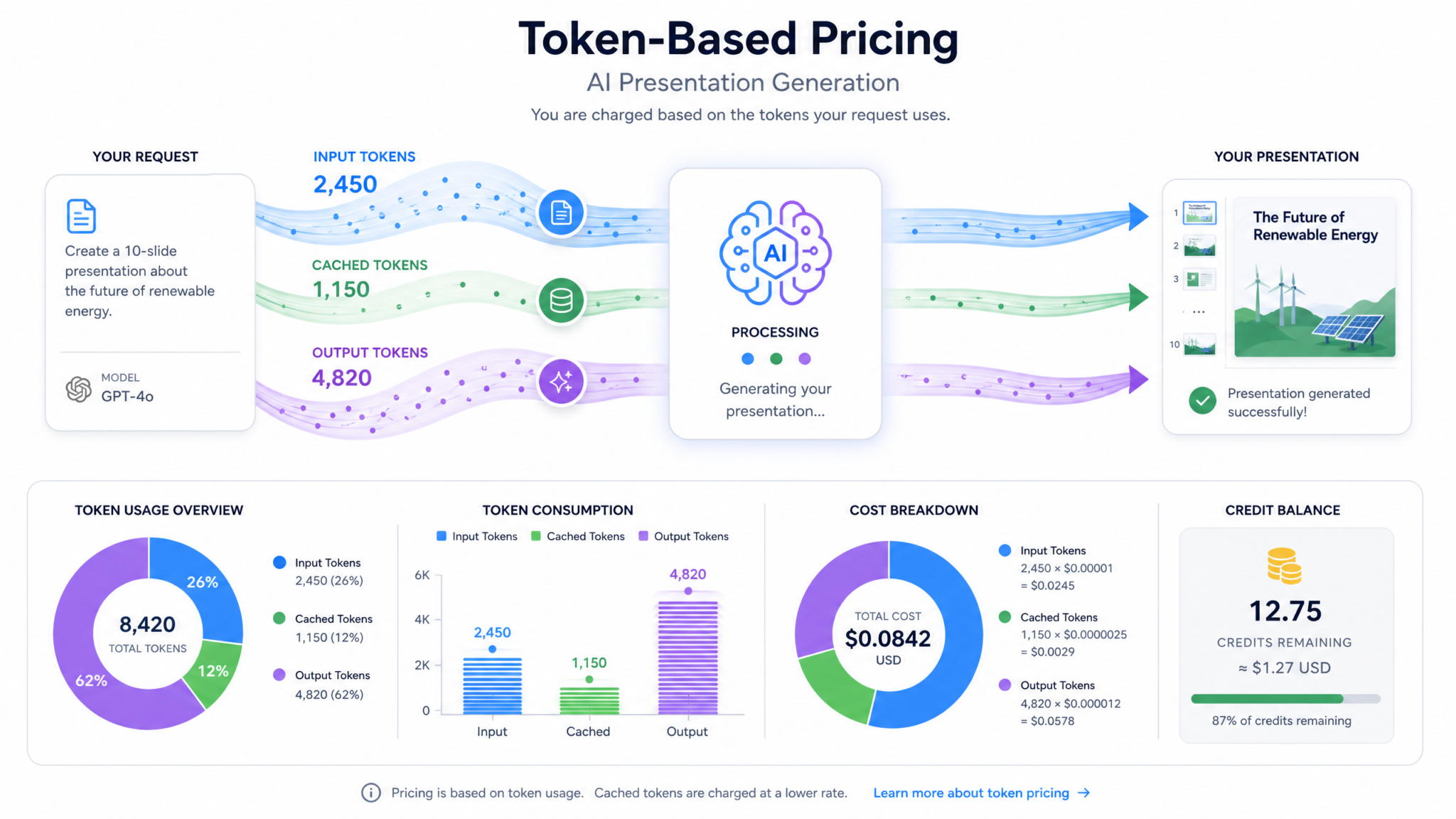
Deployment is intentionally flexible: administrators can enable the feature via workspace settings or deploy it centrally through Microsoft 365. Either path yields the same in-application experience but serves different operational preferences—centralized IT control versus workspace-led enablement. The two approaches can also co-exist in larger enterprises with federated administration.
Prerequisites
- Enterprise or Education workspace with the necessary entitlement to access ChatGPT integrations within Microsoft 365 applications.
- Administrative permissions in the ChatGPT workspace or Microsoft 365 tenant to toggle availability and configure policies.
- Defined Skills and apps (optional but recommended) to ensure AI grounding references sanctioned sources from day one.
- Documented RBAC mapping (where applicable), aligning roles with enablement scope—e.g., authors, reviewers, and approvers.
Option A: Enable via Workspace Settings
This approach lets workspace administrators activate ChatGPT for PowerPoint for specific organizational units or groups, often faster for pilot programs.
- Open workspace administration and navigate to Integrations or Applications.
- Locate ChatGPT for PowerPoint and switch availability to Enabled for targeted security groups or organizational units.
- Configure workspace policies for PowerPoint operations:
- Toggle whether the model can create new decks, only revise existing decks, or both.
- Decide whether template auto-application is allowed or restricted to specified templates.
- Attach source scopes by approving Skills and apps. Define read-only scopes for reference-only content and read/write for contexts that accept content feedback loops (e.g., glossaries).
- Bind RBAC roles where applicable:
- Creators: Can draft and revise slides and request narrative analysis.
- Reviewers: Can run analysis, approve AI-suggested structural changes, and annotate with compliance notes.
- Admins: Manage source scopes, policies, and tenant-wide enablement.
- Set Compliance API event forwarding to your logging platform or archive, ensuring events from PowerPoint operations are included.
- Pilot with a small group, capture telemetry and feedback, then expand to broader populations.
Option B: Deploy through Microsoft 365
For tenants prioritizing centralized control, deployment through Microsoft 365 provides policy-driven rollout with the same enterprise guardrails.
- In the Microsoft 365 admin environment, locate the ChatGPT integration for PowerPoint in the catalog of approved applications and enable it for designated users or groups.
- Apply service profiles:
- Define whether ChatGPT is exposed in PowerPoint for desktop, web, and mobile, based on your platform support policy.
- Associate the deployment with standard groups (e.g., Pilot Ring, Broad Ring, High-Privilege Restricted).
- Mirror or import workspace policies to ensure consistent governance across both deployment paths. When a conflict arises, the more restrictive policy should prevail by design.
- Link Skills and apps to the tenant-wide catalog, maintaining consistent scoping for all productivity apps using ChatGPT.
- Verify RBAC group membership, especially for cross-app roles that span PowerPoint and other Office surfaces.
- Validate Compliance API connectivity and retention schedules to capture PowerPoint-specific events.
RBAC-Based Access Where Applicable
RBAC ensures that access to ChatGPT’s capabilities is proportionate to role risk. In some organizations, only certain teams should be permitted to generate new decks while others are limited to analysis mode. Example mappings include:
- Content Creator: Full create/revise/analyze privileges, constrained by source scopes and DLP.
- Editor: Revise/analyze but cannot generate new content from scratch.
- Reviewer/Auditor: Analyze decks and view AI rationale/citations; cannot modify slides.
- Admin: Manage policies, Skills, RBAC mappings, and audit settings; cannot necessarily view content unless policy permits.
RBAC mapping should align with organizational structures and segregation-of-duties principles. Where legal or regulatory controls exist (e.g., information barriers), RBAC scoping must complement those controls rather than override them.
Policy Configuration Patterns
Policies determine not only whether ChatGPT for PowerPoint is enabled but also how it behaves. Administrators typically layer policies across four axes:
- Operation policy: Allowed operations, such as new deck creation, bulk restructuring, speaker notes augmentation, and narrative analysis.
- Source policy: Which Skills and apps the model may reference and to what depth (e.g., only executive summaries versus full documents).
- Residency policy: Whether EU Inference Residency is mandatory for eligible users and content.
- Logging and retention policy: Which Compliance API events are collected and for how long, including retention legal holds.
The following example illustrates a conceptual policy snippet administrators might model in their internal configuration systems. It is not a template and should be adapted to your organization’s policy framework:
{
  "app": "chatgpt_powerpoint",
  "scope": ["Sales_EU", "Corp_Comms"],
  "operations": {
    "create_deck": true,
    "revise_text": true,
    "narrative_analysis": true,
    "template_auto_apply": "restricted"
  },
  "skills": {
    "allowed": [
      {"name": "BrandGuidelines", "mode": "reference_only"},
      {"name": "PricingLibrary", "mode": "reference_only"},
      {"name": "CaseStudySummaries", "mode": "reference_only"}
    ],
    "denied": ["ExternalWebSearch"]
  },
  "residency": {
    "eu_inference": "required-for:Sales_EU"
  },
  "logging": {
    "compliance_api": "enabled",
    "retention_days": 3650,
    "redaction": ["pii", "credentials"],
    "export_targets": ["SIEM_Primary", "Archive_ColdStore"]
  },
  "rbac": {
    "roles": {
      "Creator": {"can_create": true, "can_revise": true, "can_analyze": true},
      "Reviewer": {"can_create": false, "can_revise": false, "can_analyze": true},
      "Admin": {"can_manage_policies": true, "can_manage_skills": true}
    }
  }
}
Pilot-to-Production Rollout
Successful rollouts begin with a well-scoped pilot. Recommendations:
- Establish a cross-functional pilot group representing corporate communications, sales enablement, product marketing, legal, and IT security.
- Define explicit success criteria (e.g., time-to-first-draft reduced by 40%, average revision cycles reduced by 20%).
- Limit source scopes at first; expand as adoption demonstrates responsible use.
- Use prominent but flexible templates; avoid edge-case templates until after hardening.
- Collect Compliance API telemetry to confirm event fidelity and audit chain continuity.
Transition to production once policy enforcement, Skills scoping, and audit logging are verified under realistic workloads. Conduct a final communications and training pass to align expectations: ChatGPT accelerates drafting and analysis but does not eliminate human review.
Pricing and Credit Model
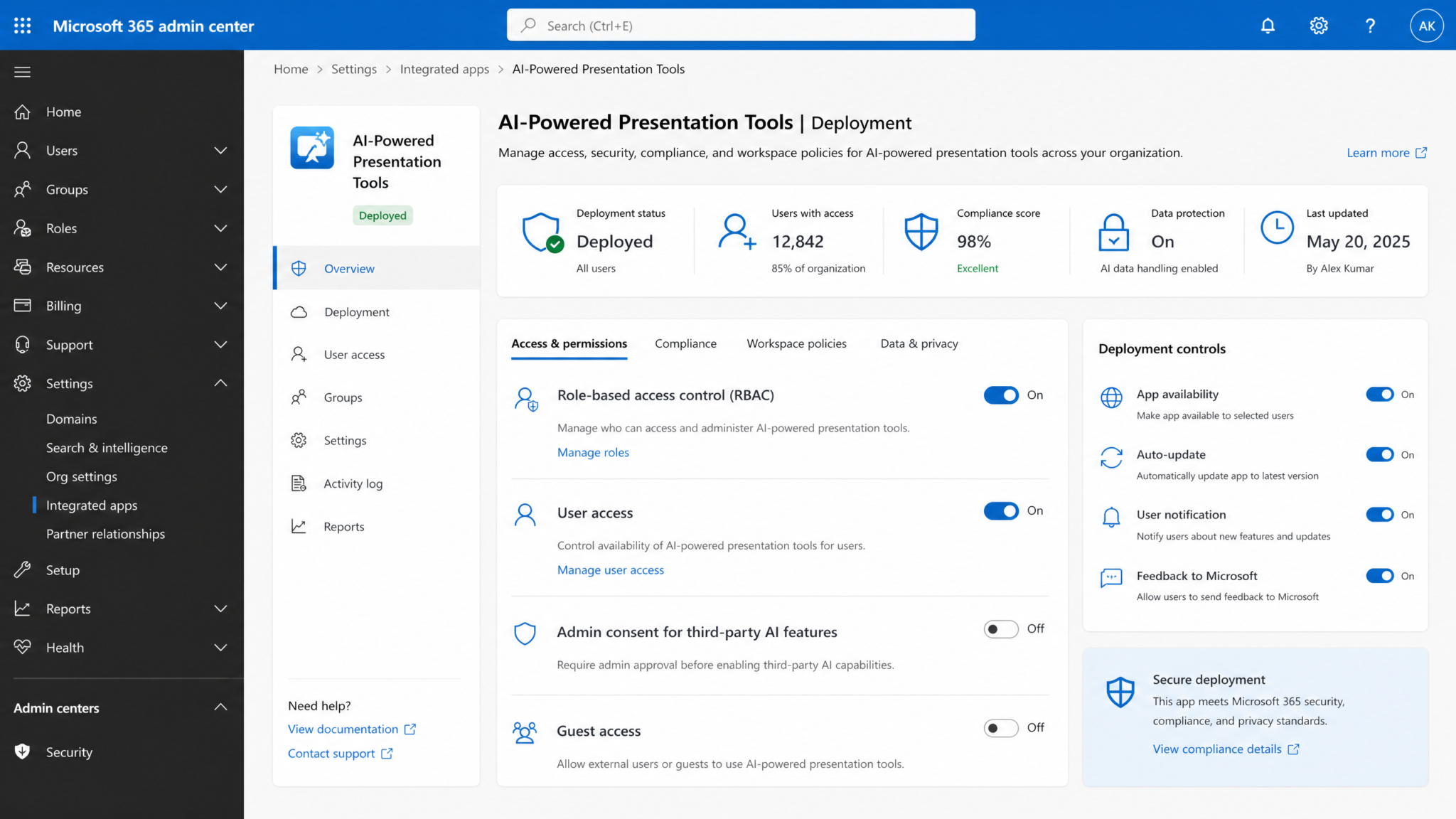
ChatGPT for PowerPoint adopts the same token-based credit pricing model used by ChatGPT for Excel/Sheets, providing predictability across office workloads. Under the GA promotion, Enterprise customers receive no-charge usage through August 6, 2026. After that date, charges accrue based on token consumption. Education workspaces follow the same model, with billing conforming to organizational agreements.
How Token-Based Pricing Works
Token pricing tracks actual model usage rather than blunt per-seat licensing. The number of tokens consumed depends on three factors: the length and complexity of the user prompt, the size of the deck context (e.g., text across slides, speaker notes), and the length of the generated or revised content. Narrative analysis that reads an entire deck uses more tokens than revising a single slide; generating a 20-slide outline consumes more than summarizing a two-slide addendum. Because the model operates within PowerPoint, only content relevant to the request is passed to the model when policies and context windows permit, reducing unnecessary token spend.
Planning and Estimating Token Usage
Admins and finance teams benefit from transparent consumption modeling. While rates match ChatGPT for Excel/Sheets, planning scenarios differ for presentations due to slide counts and speaker notes. Typical patterns:
- Single-slide rewrite with tone shift: Low token footprint, dominated by response length.
- Deck-wide narrative analysis with recommendations: Medium-to-high, influenced by deck size and requested depth of analysis.
- First-draft deck generation from a brief: Medium, with cost scaling by requested slide count and inclusion of speaker notes.
- Template-aligned restructuring for consistency: Medium, depending on layout complexity and scope of transformations.
Below is a conceptual example demonstrating how to model projected consumption. Replace placeholder values with your internal token pricing if you maintain a showback/chargeback catalog:
| Scenario | Approx. Context Size | Approx. Output Length | Relative Token Usage | Notes |
|---|---|---|---|---|
| Rewrite a single slide for executive tone | Short (a few hundred tokens) | Short (100–200 tokens) | Low | Least expensive; ideal for high-volume micro-edits. |
| Summarize 10 slides into 1 overview slide | Medium (1–2k tokens) | Short (150–300 tokens) | Low–Medium | Context dominates; output remains brief. |
| Analyze 25-slide deck narrative and propose restructure | High (3–5k tokens) | Medium (400–800 tokens) | Medium–High | Valuable for pitch readiness; budget accordingly. |
| Generate 15-slide first draft with speaker notes | Short (prompt only) | High (2–3k tokens) | Medium–High | Output length drives usage; cap slide count to control cost. |
Controls That Influence Spend
Admins can control token consumption without degrading productivity:
- Limit maximum slide generation per request; encourage iterative creation.
- Favor deck-scoped operations only when necessary; prefer slide-level actions for focused tasks.
- Encourage concise prompts and use pre-approved prompt templates for common tasks.
- Restrict heavy analysis modes to Reviewer roles or require approval for large decks.
Budgeting with Free Enterprise Usage Through August 6, 2026
Enterprise customers have a runway to measure usage patterns without incurring costs until August 6, 2026. Use this period to establish baselines, train users on efficient prompt practices, and finalize internal chargeback models. Because the pricing is consistent with ChatGPT for Excel/Sheets, organizations can extend existing budgeting and governance structures rather than invent new ones.
Security and Compliance Features
General availability arrives with a comprehensive security and compliance stance suitable for enterprises and educational institutions. Controls function at multiple layers: identity, policy, data residency, cryptographic management, and audit.
Workspace Policy Enforcement
Policies defined at the workspace level govern specific operations in PowerPoint. When a user requests a feature, the system checks policy eligibility before model invocation. Examples:
- If template auto-application is set to restricted, the model avoids switching layouts unilaterally and instead proposes a revision plan for human approval.
- If new deck generation is disabled for a group, ChatGPT is limited to analysis and revision modes.
- If specific Skills are disallowed in a geography, requests from that geography are filtered at inference time to prevent unintended data flows.
Policy enforcement is consistent across other ChatGPT-integrated productivity surfaces, enabling administrators to centralize governance rather than maintain divergent per-app configurations.
Scoped Source Access
Source scoping ensures the model references only authorized repositories. The scoping logic observes both group-level entitlements and per-user permissions. A user might have access to the Brand Guidelines Skill but not to Restricted Product Roadmaps; the model will not infer or disclose details from out-of-scope sources. This preserves information barriers and project confidentiality while still allowing AI to add value using permitted context.
The product differentiates between reference-only sources and generative sources. Reference-only sources can be cited but not summarized into new statements, whereas generative sources may be synthesized, paraphrased, and restructured within policy limits. Admins choose per source, per group.
Compliance API Coverage
Compliance is not an afterthought; ChatGPT for PowerPoint emits events that can be subscribed to for audit and governance needs. Covered event categories may include:
- Invocation metadata: user, time, operation type (create, revise, analyze), target deck identifiers (hashed or tokenized as per policy), and policy decision outcome.
- Source usage: which Skills and apps were referenced, with scopes and any denials for transparency.
- Transformation summaries: high-level descriptions of changes proposed or applied (e.g., “summarized slides 3–7 into 1 slide; tone changed to executive”).
- Residency and cryptographic contexts: inference region used, key reference for encryption operations when applicable.
Organizations can stream these events to SIEMs, data lakes, or archiving systems for monitoring, incident response, and eDiscovery workflows. Because decks frequently traverse public forums and customer-facing channels, retaining a trace of AI participation is prudent governance.
EU Inference Residency
For eligible organizations, EU Inference Residency ensures that model inferences occur within EU boundaries. This is a material control for entities governed by data residency regulations or internal policies requiring in-region processing. Residency enforcement pairs with scoping to minimize cross-border data movement, an important consideration when decks contain sensitive customer data or pre-release financial information.
Enterprise Key Management
Enterprise Key Management provides customer-controlled keys for encrypting stored artifacts and relevant logs. With EKM, organizations can rotate keys on their schedule, enforce revocation, and align encryption practices with internal standards. In conjunction with redaction policies and retention controls, EKM completes a robust data-protection posture. When paired with RBAC and residency, EKM offers organizations layered defense-in-depth for AI-assisted content creation.
Identity and Role Controls
RBAC-based access is a design pillar for this release. Roles determine who can perform high-impact operations and how widely advanced capabilities are exposed. For example, an Education workspace might allow instructors to analyze lecture decks while restricting new deck generation for students to course-specific templates. In enterprises, risk-sensitive functions such as investor relations may have more stringent roles coupled with template restrictions and additional review steps.
Comparison with Standalone AI Presentation Tools
The GA of ChatGPT for PowerPoint changes the calculus for organizations that previously evaluated standalone AI presentation tools. While dedicated AI presentation apps offer rapid ideation and slick templates, integration within PowerPoint carries distinct benefits for enterprises prioritizing fidelity, governance, and continuity of workflow.
Side-by-Side Considerations
| Dimension | ChatGPT for PowerPoint | Standalone AI Presentation Tools |
|---|---|---|
| Editing Fidelity | Native PowerPoint objects; immediate compatibility with enterprise templates; seamless handoff to design teams. | Often export-oriented; may require post-processing to align with corporate templates. |
| Governance | Workspace policy enforcement, RBAC, scoped sources, Compliance API, EKM, EU inference residency. | Varies widely; some lack enterprise-grade controls or consistent audit exports. |
| Security | Adheres to existing Microsoft 365 identity posture; honors source permissions. | May require new identity integrations; risk of data movement across unfamiliar services. |
| Workflow Fit | Inside PowerPoint; no context switching; standard review and versioning continue unchanged. | Context switching and import/export steps; potential loss of metadata or comments on transfer. |
| Compliance | Event coverage via Compliance API; retention and audit integration. | Inconsistent logging; eDiscovery and retention vary by vendor. |
| Cost Model | Token-based pricing aligned with ChatGPT for Excel/Sheets; promotional free Enterprise usage through Aug 6, 2026. | Subscription or seat-based models; less granular alignment with usage. |
| Source Grounding | Approved Skills and apps; scoped access; policy-based restrictions. | Some allow web search or limited connectors; governance varies. |
| Change Management | Leverages existing PowerPoint training; minimal new UX to learn. | Requires user retraining and new review workflows. |
Standalone AI presentation tools remain attractive for rapid ideation or when a greenfield design language is desired. However, when the requirement is “AI inside the system of record with auditable behavior,” ChatGPT for PowerPoint’s approach carries strategic advantages. For an overview of broader market options and tradeoffs, see
For a deeper exploration of this topic, our comprehensive article on The Complete AI Tools Stack for 2026: 10 Tools Evaluated provides detailed implementation strategies, real-world benchmarks, and step-by-step workflows that complement the techniques discussed in this section.
Best Practices for Enterprise Rollout
Enterprises adopting AI in content workflows need a disciplined plan that balances velocity with governance. The following practices reflect lessons learned from adjacent AI deployments and early pilots.
1. Establish a RACI for Content AI
- Responsible: Content creators who invoke ChatGPT within PowerPoint and accept/reject proposed edits.
- Accountable: Content owners and brand/comms leaders who ensure final outputs meet quality and policy standards.
- Consulted: Legal, security, and compliance to define guardrails, retention, and approved sources.
- Informed: Stakeholders impacted by messaging (e.g., product, finance, HR) who need visibility into AI-assisted materials.
Formalizing roles prevents ambiguity around who can approve AI-generated narratives or structural changes and ensures an audit trail aligns with decision rights.
2. Start with Approved Templates and Prompt Libraries
Seed your organization with a small set of templates optimized for AI-friendly layouts and a library of vetted prompts for common tasks (executive summaries, risk sections, customer case slides). This reduces variability, curbs token consumption, and yields outputs that adhere to brand tone and hierarchy.
3. Constrain Sources Aggressively Early On
Limit Skills and apps to core, authoritative repositories at launch. Overly broad source scopes can dilute messaging consistency. As confidence builds—and after compliance reviews—add more sources in measured increments.
4. Instrument Compliance from Day One
Enable Compliance API event streaming before your first production user. Validate your SIEM or archive is capturing key metadata and that queries can reconstruct major AI interactions. This allows rapid detection of policy gaps and establishes norms for acceptable usage.
5. Train for Iterative, Not Monolithic, Generation
Encourage users to generate small batches of slides and iterate, rather than requesting a 50-slide deck in one pass. Iteration improves quality, yields better token efficiency, and simplifies review. Make iterative usage a norm in your adoption playbooks.
6. Define Review Checkpoints for High-Risk Content
For investor communications, regulated product information, or materials with legal exposure, enforce a review step after AI-assisted edits. This can be policy-driven (Reviewer role approval) or process-driven (content routing through an approval queue). The goal is not to slow down everyday work but to avoid headline risk from unvetted AI statements.
7. Tune Residency and Key Controls for Geography
If you operate in the EU or process EU resident data, require EU Inference Residency for relevant groups. Use EKM to align with internal key management policies. Document these settings in your data protection addendum or internal governance wiki.
8. Measure Outcomes, Not Just Adoption
Adoption metrics (MAU/WAU, invocation counts) are necessary but insufficient. Track content cycle-time reductions, stakeholder satisfaction with narrative quality, rework rates, and brand deviations per 100 decks. Tie value to business outcomes: faster pitches, clearer executive updates, more accurate academic course materials.
Limitations and Pragmatic Expectations
GA status means supported, governable, and ready for broad rollout—but not limitless. Teams should internalize the following limitations to avoid mismatched expectations.
Template Fidelity May Need Human Touch
Highly specialized templates with unusual placeholders, strict typographic grids, or dense brand-specific iconography may not be perfectly replicated automatically. Expect design teams to perform light corrections to spacing, alignment, and complex layout nuances after AI generation or restructuring.
Advanced Content Types Require Review
Edits involving intricate SmartArt transformations, custom charts, or rich media can yield acceptable drafts but should be reviewed. Where visual semantics carry meaning—e.g., cascading process diagrams or layered architecture stacks—treat AI suggestions as starting points.
Grounding Is Only as Good as the Sources
Using approved Skills and apps is a governance strength, but stale or contradictory sources will degrade output quality. Keep Skills current, retire obsolete repositories, and synchronize terminology across brands and product lines.
Token Budgets Are Real
Deck-wide analysis of very large presentations can consume significant tokens. Enforce reasoned limits for batch operations, teach teams to chunk work, and favor revision over wholesale regeneration unless the goal is a fresh start.
Human Review Remains Essential
AI excels at speed and structure, but nuance in tone, legal fine print, and brand subtleties still benefit from human judgement. Maintain editorial checklists and final sign-off processes, especially for external-facing content.
Operational Architecture: How It Fits Together
While the product abstracts away most complexity, understanding the high-level flow helps administrators reason about policy impacts and compliance posture.
High-Level Flow
- User invokes ChatGPT within PowerPoint and submits an instruction (create, revise, analyze).
- Client assembles context: relevant slide text, speaker notes, and permissible template metadata subject to policy constraints.
- Policy engine evaluates the request: checks operation allow-list, source scopes, residency requirements, and RBAC role eligibility.
- If permitted, the service constructs a grounded prompt and routes inference respecting residency (e.g., EU) and logging directives.
- Model returns structured proposals: text revisions, layout suggestions, and rationale; the client applies changes as native PowerPoint objects.
- Compliance events are emitted, redacted as configured, and forwarded to designated sinks.
This flow preserves the principle of least privilege: only necessary content is included in the context, and only authorized sources contribute to grounding. Policies are evaluated before inference to prevent unauthorized data from entering the model context.
Context Minimization and Redaction
Context minimization reduces token consumption and risk exposure by scoping inputs to the active selection or immediate neighborhood of slides. Redaction policies scrub sensitive markers (e.g., credentials, PII) before sending to inference, with logs noting the redaction event for audit reproducibility. These guardrails complement residency and encryption to maintain a defensible security posture.
Education Workspaces: Special Considerations
Educational institutions face distinct governance challenges: mixed-age populations, research data, and privacy obligations. ChatGPT for PowerPoint’s controls map cleanly to these needs.
- Role-separated enablement: Instructors and staff may receive create/revise rights; students may be limited to analysis under supervision or restricted to course-specific templates.
- Scoped sources: Course material Skills scoped by class or department prevent cross-course contamination of content.
- Residency alignment: Institutions operating in the EU can require EU Inference Residency for student and faculty content alike.
- Audit trails: Compliance events help academic integrity offices and IT verify appropriate use in course deliverables, with retention policies tuned to academic calendars.
For research-heavy departments, pair ChatGPT’s grounding with curated Skills containing published abstracts and approved summaries, not raw datasets, to avoid misinterpretation. Maintain human oversight for any content that communicates experimental claims.
Use Cases and Workflows
Executive Update Deck
- Prompt: “Draft a 10-slide executive update summarizing Q2 outcomes and key risks. Use our approved terminology and keep it concise.”
- Model generates slides aligned to executive-read formats and inserts brief speaker notes for presenters.
- Reviewer requests a narrative analysis to confirm the arc and identify missing risk mitigations.
- AI consolidates risk items and flags an inconsistency; reviewer accepts the restructure and routes to legal for sign-off.
Sales Pitch Customization
- Seller opens a standard pitch deck and asks: “Tailor this for a mid-market healthcare prospect in the EU; keep compliance notes in the appendix.”
- ChatGPT adapts industry language, grounds claims on approved healthcare Skills, and ensures EU Inference Residency for the session.
- Reviewer checks citations and saves the tailored deck to the account folder, with Compliance API logging the transformation.
Academic Lecture Refresh
- Instructor uploads last semester’s lecture slides and requests: “Update this lecture to reflect 2026 standards and streamline slides to 20, with example exercises.”
- AI proposes a consolidated lecture with refined exercises, citing approved curricular Skills.
- Instructor reviews tone and adds local policy notes; students receive the updated deck through the LMS.
Admin Playbook: 30/60/90-Day Plan
Day 0–30: Foundations
- Enable in a pilot workspace or group; configure strict source scoping and EU residency where applicable.
- Stand up Compliance API forwarding and validate end-to-end event capture.
- Seed prompt libraries and two or three AI-optimized templates.
- Train pilot users on iterative workflows and token-efficient practices.
Day 31–60: Expansion
- Broaden pilot to two additional departments with different content profiles (e.g., product marketing, HR).
- Introduce Reviewer role approvals for sensitive content types.
- Refine Skills based on observed gaps; retire redundant or low-quality sources.
- Start defining internal showback models for post-promotion pricing.
Day 61–90: Productionization
- Enable tenant-wide access with per-group RBAC, maintain template restrictions where brand risk is highest.
- Publish governance documentation and escalation contacts.
- Integrate KPIs into business reviews (cycle time, quality ratings, rework rates, token spend per outcome).
- Conduct a post-mortem on pilot learnings and tune policies and training materials.
Quality Management and Measurement
Define Measurable KPIs
- Time-to-first-draft: Median hours from prompt to an approved first draft.
- Revision cycles: Average number of review passes before sign-off.
- Brand conformance: Instances of non-compliant typography, color usage, or layout per 100 decks.
- Narrative clarity: Stakeholder ratings on whether the storyline is coherent and persuasive.
- Token efficiency: Tokens consumed per approved slide created or revised.
Feedback Loops
Embed in-product feedback prompts, office hours for power users, and monthly governance reviews. Use Compliance API data and user surveys to inform Skills updates and prompt library tweaks. Publicize wins where the tool demonstrably saved time or improved clarity; this encourages responsible adoption.
Interoperability with Adjacent AI Workloads
The alignment with ChatGPT for Excel/Sheets pricing is not merely a billing convenience—it reflects a strategy to harmonize AI across documents, spreadsheets, and presentations. As organizations adopt common policies and RBAC across these surfaces, governance scales more cleanly. Over time, cross-surface workflows—e.g., lifting insights from a spreadsheet analysis into a deck—benefit from consistent policy semantics and shared Skills. For developers considering automation beyond point-and-click, track ecosystem changes and developer-facing improvements such as
For a deeper exploration of this topic, our comprehensive article on The Valyu Deep Research Playbook — Connecting Codex to Real-World Data provides detailed implementation strategies, real-world benchmarks, and step-by-step workflows that complement the techniques discussed in this section.
to understand how programmable workflows might evolve.
Frequently Asked Questions
When did ChatGPT for PowerPoint become generally available?
It became generally available for Enterprise and Education workspaces on July 6, 2026.
What can users do with it?
Users can create editable presentations, revise existing decks, and run narrative and structure analyses directly inside Microsoft PowerPoint. The model can reference approved Skills and apps to ground content in authorized sources.
Does it strictly follow our corporate template?
It respects templates and aims for alignment, but intricate brand templates and advanced edits may still require human review. Treat AI output as a high-quality first draft.
How is it priced?
Pricing is token-based and follows the same model as ChatGPT for Excel/Sheets. Enterprise usage is free through August 6, 2026; after that, token consumption determines cost.
How do admins enable it?
Enable via workspace settings for targeted groups or deploy centrally through Microsoft 365. Configure RBAC, source scopes, residency, and Compliance API logging.
What about security and compliance?
It supports workspace policy enforcement, scoped source access, RBAC-based access where applicable, Compliance API coverage, EU Inference Residency, and Enterprise Key Management.
Does it support Education use?
Yes. Institutions can implement role-separated enablement, scoped sources by course or department, residency requirements, and compliance event logging suitable for academic governance.
Will it access unauthorized data?
No. The model operates within the permissions and scopes defined by admins. If a user lacks access to a source, the model will not incorporate it into generation or analysis.
How can we prevent excessive token spend?
Set operation limits (e.g., maximum slides per generation), encourage iterative workflows, use prompt libraries, and restrict deck-wide analysis to specific roles.
Does it work offline?
Inference requires connectivity. Standard PowerPoint offline features apply to manual editing, but AI operations run when connected and permitted by policy.
Can we audit what the AI changed?
Compliance API events summarize operations and reference affected content. Combine this telemetry with your versioning practices to reconstruct change history.
How does EU Inference Residency work?
When enabled and applicable, inferences for eligible users/content are processed within EU infrastructure, satisfying residency requirements for those operations.
What if our templates are very complex?
Adopt a two-tier template strategy: an AI-optimized template for rapid drafting and a brand-precise template for final polish. Limit auto-application to the optimized template and have designers finalize complex layouts.
Can students use it for assignments?
Institutions should set clear policies. Common patterns allow analysis and structural guidance while constraining generative operations, especially for graded work. Use Compliance API logs to enforce academic integrity policies.
Does it replace human editors?
No. It augments authors and editors by accelerating drafting and revealing structural weaknesses. Human oversight remains essential for tone, accuracy, and policy compliance.
Governance Patterns and Sample Configurations
Pattern: Executive Communications Lockdown
- Operations: Revise and analyze only; create disabled.
- Sources: Brand Guide and Investor Relations statements (reference-only).
- Residency: Enforced EU or regional residency as applicable.
- RBAC: Reviewer approval required for any restructure recommendations.
- Compliance: Long-term retention with restricted access.
Pattern: Sales Acceleration
- Operations: Create, revise, and analyze.
- Sources: Product library, customer case summaries, competitive positioning (generative allowed).
- Residency: Per-region enforcement for regulated verticals.
- RBAC: Creators in field roles; Reviewers in enablement; Admin in sales ops.
- Compliance: Standard retention with near-real-time SIEM alerts for policy anomalies.
Pattern: Academic Course Refresh
- Operations: Create and revise for instructors; analyze for students.
- Sources: Departmental syllabi and course notes (generative allowed), institutional policies (reference-only).
- Residency: Enforced for student content if required by jurisdiction.
- RBAC: Segregation by course section; no cross-course access.
- Compliance: Semester-aligned retention; department access only.
Troubleshooting and Operational Tips
If Template Matching Is Off
- Verify the selected template is included in the allowed list for auto-application.
- Reduce slide complexity; favor standard layouts over custom placeholders during AI operations.
- Switch to an AI-optimized template for drafting, then re-apply the brand-precise template manually.
If Grounding Seems Weak
- Confirm relevant Skills are in the allowed list and current.
- Check user permissions to the sources; lack of permission can lead to ungrounded drafts.
- Tighten prompts to request citations or explicit references to known materials.
If Token Usage Spikes
- Audit deck sizes; very large decks inflate context size for analysis.
- Limit deck-wide operations and encourage slide-range selection.
- Update prompt libraries to emphasize brevity and iterative requests.
If Compliance Events Are Missing
- Verify subscription to the relevant Compliance API streams for PowerPoint operations.
- Check redaction settings; ensure they do not over-redact to the point of losing useful context.
- Test with a known-good operation and trace logs end-to-end to identify breaks.
Access 40,000+ AI Prompts for ChatGPT, Claude & Codex — Free!
Subscribe to get instant access to our complete Notion Prompt Library — the largest curated collection of prompts for ChatGPT, Claude, OpenAI Codex, and other leading AI models. Optimized for real-world workflows across coding, research, content creation, and business.
Future-Proofing Your Investment
GA is a milestone, not an endpoint. By aligning pricing, policy semantics, and RBAC across Office surfaces, organizations can extend their governance effortlessly when new capabilities arrive. The combination of EU Inference Residency and EKM suggests continued attention to regulatory landscapes and customer-controlled security models. Maintain a living internal standard for AI content governance so that when features evolve—stronger layout reasoning, deeper chart intelligence, or enhanced cross-app workflows—you can adopt them with minimal friction.
Conclusion
With general availability on July 6, 2026, ChatGPT for PowerPoint enters the enterprise and education mainstream as an in-product assistant that drafts, revises, and analyzes presentations while honoring the governance realities of large organizations. It anchors content to approved sources, fits within existing PowerPoint workflows, and extends the established enterprise posture: RBAC-based access, workspace policy enforcement, scoped source access, Compliance API coverage, EU Inference Residency, and Enterprise Key Management. Token-based pricing—aligned with ChatGPT for Excel/Sheets and free for Enterprise through August 6, 2026—lowers adoption barriers and encourages disciplined experimentation.
For communications leaders, sales enablement teams, and educators, the opportunity is immediate: faster time to clear narratives and a safer path to scale AI in one of the most visible artifacts organizations produce—the slide deck. For administrators, the journey is tractable: enable, scope, monitor, and iterate. As with every transformative tool, success lies not only in capability but in the governance and practices that channel it productively. Done right, ChatGPT for PowerPoint will shift how teams tell their stories, with speed and with guardrails.
For a broader context on enterprise capabilities that underpin this release, explore
For a deeper exploration of this topic, our comprehensive article on ChatGPT Work vs Claude Cowork: The Definitive 2026 Comparison for Enterprise Teams provides detailed implementation strategies, real-world benchmarks, and step-by-step workflows that complement the techniques discussed in this section.
