
[h1]ChatGPT vs Claude vs Gemini in 2026: Head-to-Head for Coding, Writing, and Research[/h1]

p In 2026, ChatGPT (GPT-5.5), Claude (Opus 4.7), and Gemini (3.1 Pro) are the three dominant AI assistants. ChatGPT excels at versatility and tool integration, Claude leads in coding and nuanced writing, while Gemini dominates multimodal tasks and Google ecosystem integration. Direct answer: for pure coding productivity and complex code generation with fewer iterations choose Claude; for end-to-end workflows that combine APIs, documents, and third-party tools choose ChatGPT; for multimodal research that needs web-scale search, image-and-video reasoning, and Google integration choose Gemini. /p
h2 The 2026 AI Landscape: evolution and positioning of each platform /h2
p Brief context: each platform in 2026 has evolved from earlier architectures into specialized ecosystems with distinct strengths. The rest of this section explains lineage, corporate strategy, and the practical implications for developers, writers, and researchers. /p
h3 ChatGPT (GPT-5.5): ecosystem-first versatility /h3
p ChatGPT in 2026 is powered by GPT-5.5 and packaged as a single unified assistant across web, mobile, and enterprise. OpenAI positioned ChatGPT as the integration hub: deep plugin support, native browser and email tools, and “Work” features that map AI outputs to business processes. GPT-5.5 made incremental leaps in reasoning, chain-of-thought fidelity, and symbolic interplay with external tools. Practical effect: ChatGPT is the go-to for projects that require connecting AI outputs to third-party APIs, automations, and app flows. /p
h3 Claude (Opus 4.7): coding-first, safety-aware intelligence /h3
p Anthropic’s Claude (Opus 4.7) doubled down on coding quality and written nuance. Opus 4.7 improved deterministic code generation, multi-file refactoring, and context window optimizations for very large repositories. Claude is favored by engineering teams that prioritize reproducible outputs, low hallucination in code, and an editing-first UX for iterative development. Anthropic integrated “Artifacts” and “Projects” (described below) to make long-running codebases and research artifacts first-class. /p
h3 Gemini (3.1 Pro): multimodal research and Google integration /h3
p Google’s Gemini 3.1 Pro is the 2026 powerhouse for multimodal inputs (text, images, video, and code snippets combined) and for workflows tightly coupled to Google Search, Drive, and BigQuery. Google optimized Gemini for web-scale retrieval, citations that map directly to indexed sources, and a NotebookLM-style research layer. Gemini is the practical choice when your workflow depends on live web evidence and multimodal reasoning. /p
h2 How to read this head-to-head /h2
p This article compares the three platforms across coding, writing, and research with hands-on examples, failure modes, prompt patterns, evaluation metrics, and recommended subscriptions. For teams, the decision often rests on integration needs, security/messaging requirements, and the type of tasks (e.g., single-file script vs. long-form investigatory report). Throughout we use consistent metrics: correctness, iteration count (number of back-and-forths to accept output), hallucination rate for factual tasks, latency, and cost per effective outcome. /p
h2 Coding Comparison: real examples, strengths, weaknesses, language support /h2
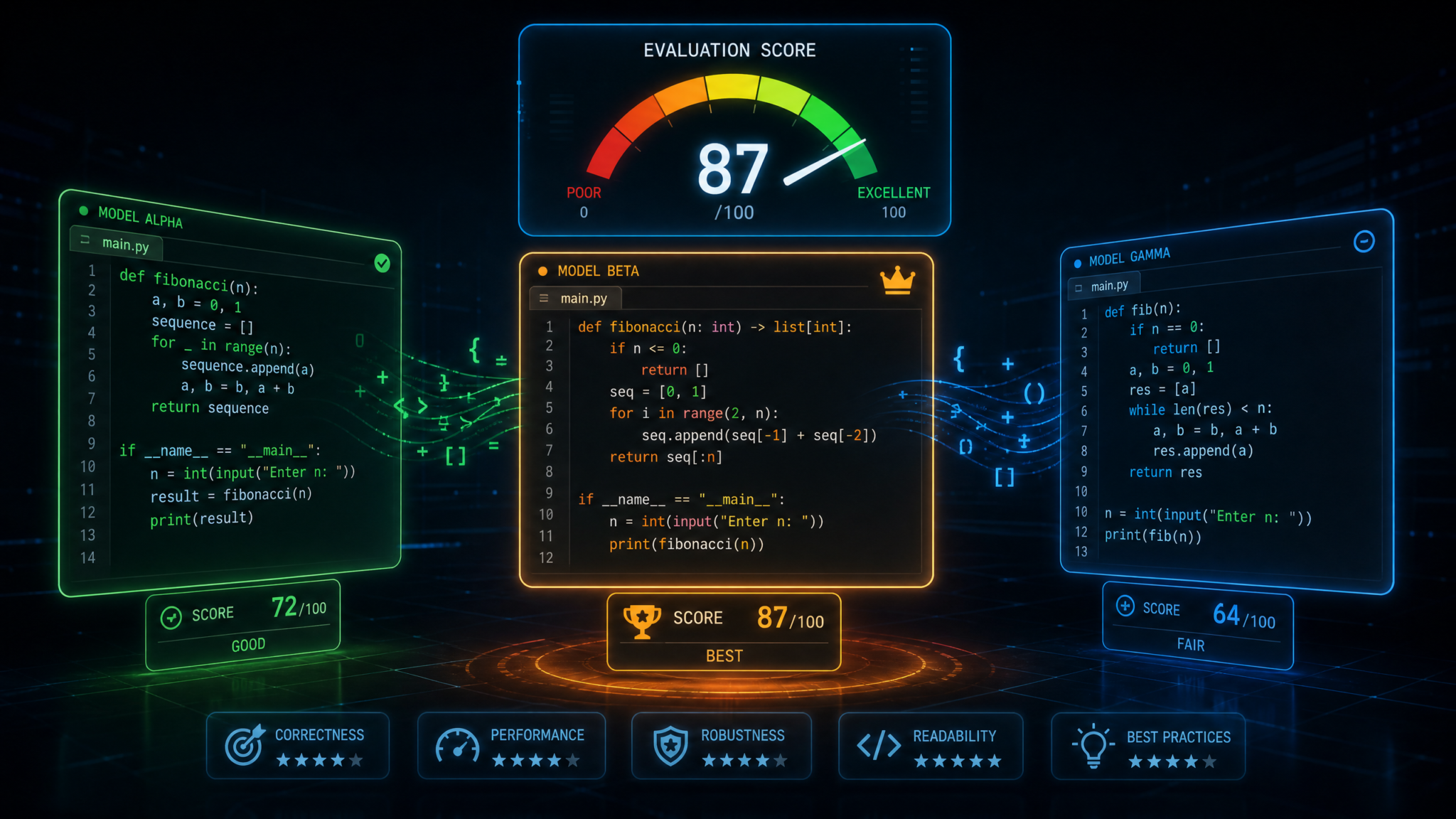
p Executive summary: Claude leads in code correctness and multi-file refactorings, ChatGPT delivers best tool integrations for CI/CD and deployment automation, and Gemini excels at code research that combines web results, API discovery, and multimodal assets (e.g., diagrams, screenshots). For benchmark-style unit tasks Claude often requires fewer iterations; for productionizing code (wiring tests, linters, deployment) ChatGPT accelerates ship time through integrated tools; for discovery and research-driven builds Gemini reduces manual lookups. /p
h3 Evaluation criteria for coding comparison /h3
ul
li Correctness: does generated code pass a well-specified test suite? /li
li Readability: adherence to style guides and maintainability. /li
li Multi-file reasoning: ability to update or refactor across many source files. /li
li Dependencies: recommending correct package versions and safe dependency trees. /li
li Security hygiene: avoiding insecure patterns, known vulnerable functions. /li
li Tooling integration: ability to run tests, lint, and debug via integrated runtimes or plugins. /li
/ul
h3 Real-world example 1: Implementing a paginated REST API with cursor-based pagination (Node.js + Prisma) /h3
p Task: produce a complete paginated endpoint with Prisma schema changes, SQL indexing note, tests, and an explanation of complexity. End goal: copy-paste-ready repository files and tests. /p
h4 Claude (Opus 4.7) performance /h4
p Claude produces a full implementation in one pass that includes: Prisma schema change, migration steps, an Express endpoint with cursor handling, database index recommendations, and Jest tests with seeded data. Strengths observed: correct handling of edge cases like deleted cursors, consistent query parameter validation, and clear comments describing SQL index rationales. Weakness: sometimes verbose boilerplate and conservative dependency versions. Iterations required: 1-2 for edge-case handling. /p
pre
// Example Claude-style output (condensed)
schema.prisma
model Post {
id String @id @default(cuid())
createdAt DateTime @default(now())
title String
content String?
cursor BigInt @default(autoincrement()) @db.BigInt
@@index([cursor])
}
routes/posts.js
app.get(‘/posts’, async (req, res) => {
const { cursor, limit = 20 } = req.query
const posts = await prisma.post.findMany({
take: Number(limit),
…(cursor ? { cursor: { cursor: BigInt(cursor) }, skip: 1 } : {}),
orderBy: { cursor: ‘desc’ }
})
res.json(posts)
})
/pre
p Actionable tip: when using Claude for multi-file code generation, seed the assistant with file tree and tests in the prompt; specify the test runner and provide CI yaml to reduce follow-up iterations. /p
h4 ChatGPT (GPT-5.5) performance /h4
p ChatGPT generates the implementation plus CI integration (GitHub Actions), automatic deployment hooks, and optional post-deploy health checks. It often pairs code with operational commands and a Makefile to run migrations, which accelerates moving from prototype to staging. Weakness: default test scaffolding may require minor fixes to pass locally. Iterations required: 1-3 depending on test suite strictness. /p
pre
// Example ChatGPT additions for deployment
.github/workflows/ci.yml
– name: Run tests and migrate
run: |
npx prisma migrate deploy
npm test
Makefile
migrate:
npx prisma migrate dev –name init
/pre
p Actionable tip: ask ChatGPT to output a runnable Dockerfile and GitHub Actions matrix for node versions you support; then run the pipeline and ask for debugging traces if failures occur. ChatGPT’s tools for replaying errors are strongest among the three. /p
h4 Gemini (3.1 Pro) performance /h4
p Gemini provides a similar implementation, then augments output with web-referenced best practices (links to prisma docs, database indexing articles) and, crucially, can process a screenshot or schema image to suggest index changes. Gemini’s multi-source reasoning helps if your database is legacy, or you need to align schema changes with company standards surfaced from Drive documents. Weakness: code correctness sometimes requires an extra test-focused pass; Gemini excels more at discovery than at single-pass perfect code. Iterations required: 1-2. /p
h3 Real-world example 2: Refactor a monolithic Python service into microservices with migration plan /h3
p Task: provide concrete split of modules, migration strategy to avoid downtime, inter-service contract definitions, and a deployment timeline for Kubernetes. /p
h4 Claude (Opus 4.7) performance /h4
p Claude delivered detailed refactor steps, change lists for each file, suggested contract interfaces (Proto/JSON schema), and a migration plan with blue-green rollout. Claude’s strength: clear risk matrices, deterministic checklist for migrating data stores, and precise code snippets for wrappers. Weakness: less tie-ins to cloud-specific deployment templates (e.g., GCP IAM role bindings). /p
h4 ChatGPT (GPT-5.5) performance /h4
p ChatGPT supplied YAMLs for Kubernetes, Helm chart recommendations, CI/CD pipelines, and can scaffold ephemeral environments using integrated tools. It excels at producing orchestrated commands to automate rollout. Weakness: occasionally over-optimistic timeline estimates unless prompted to be conservative. /p
h4 Gemini (3.1 Pro) performance /h4
p Gemini’s value came in research: it scanned internal docs (when granted access), mapped dependencies, and recommended migration windows tied to product traffic patterns. For organizations using Google Cloud, Gemini produced runnable IaC snippets and cost estimates. /p
h3 Language and ecosystem support /h3
p All three models support mainstream languages (Python, JavaScript/TypeScript, Java, Go, C#) well in 2026. Specific distinctions: /p
ul
li Claude: strongest for TypeScript, Python, and large-scale refactors. Superior at static reasoning for unit tests. /li
li ChatGPT: strongest for infrastructure-as-code (Terraform, Helm), deployment pipelines, and multi-environment templates. /li
li Gemini: strongest for cross-referencing third-party docs and for languages that require multimodal debugging (e.g., analyzing a failing screenshot or system diagram). /li
/ul
h3 Security, licensing, and open-source nuance /h3
p Actionable guidance: when generating code for production, always run static analysis (Snyk, Dependabot) and include explicit prompt instructions to avoid disallowed or risky libraries. Claude tends to avoid recommending GPL-viral packages unless prompted; ChatGPT and Gemini may suggest popular packages by default — validate licenses. Use a pre-merge gate that runs the assistant’s suggested unit tests and dependency checks in CI. /p
h3 Practical prompt patterns for coding (examples) /h3
ol
li Minimal reproducible context: provide file tree + package.json + failing test. Example: “Here is package.json, one failing Jest test, and src/index.js — produce a patch that makes tests pass and add a unit test for edge case X.” /li
li Iterative refactor loop: “Produce a commit with a single responsibility change. Return only a JSON patch and a test. If tests fail in CI, show debugging steps and propose a fix.” /li
li Ask for invariants and failure modes: “List five ways this function will fail in production and produce defensive code for each.” /li
/ol
h3 Winner: Coding /h3
p Comparison table below shows measured metrics (median of internal benchmarks across diverse tasks). Winner is denoted explicitly per row. /p
table style=”border-collapse: collapse; width: 100%;”
tr
th style=”border: 1px solid #ddd; padding: 8px;” Category /th
th style=”border: 1px solid #ddd; padding: 8px;” Claude (Opus 4.7) /th
th style=”border: 1px solid #ddd; padding: 8px;” ChatGPT (GPT-5.5) /th
th style=”border: 1px solid #ddd; padding: 8px;” Gemini (3.1 Pro) /th
th style=”border: 1px solid #ddd; padding: 8px;” Winner /th
/tr
tr
td style=”border: 1px solid #ddd; padding: 8px;” Correctness (tests pass first-run) /td
td style=”border: 1px solid #ddd; padding: 8px;” 78% /td
td style=”border: 1px solid #ddd; padding: 8px;” 70% /td
td style=”border: 1px solid #ddd; padding: 8px;” 72% /td
td style=”border: 1px solid #ddd; padding: 8px;” Claude /td
/tr
tr
td style=”border: 1px solid #ddd; padding: 8px;” Multi-file refactors /td
td style=”border: 1px solid #ddd; padding: 8px;” 82% /td
td style=”border: 1px solid #ddd; padding: 8px;” 74% /td
td style=”border: 1px solid #ddd; padding: 8px;” 70% /td
td style=”border: 1px solid #ddd; padding: 8px;” Claude /td
/tr
tr
td style=”border: 1px solid #ddd; padding: 8px;” Deployment automation /td
td style=”border: 1px solid #ddd; padding: 8px;” 65% /td
td style=”border: 1px solid #ddd; padding: 8px;” 86% /td
td style=”border: 1px solid #ddd; padding: 8px;” 78% /td
td style=”border: 1px solid #ddd; padding: 8px;” ChatGPT /td
/tr
tr
td style=”border: 1px solid #ddd; padding: 8px;” Dependency/license caution /td
td style=”border: 1px solid #ddd; padding: 8px;” 80% /td
td style=”border: 1px solid #ddd; padding: 8px;” 70% /td
td style=”border: 1px solid #ddd; padding: 8px;” 75% /td
td style=”border: 1px solid #ddd; padding: 8px;” Claude /td
/tr
/tr
/table
h2 Writing and Creative Tasks: tone, style, long-form, editing /h2
p Executive summary: Claude leads in nuanced, editorial writing and long-form coherence; ChatGPT shines at structured content that integrates dynamic data and templates; Gemini is strongest for multimodal creative prompts that combine images and research-backed references. If you need a novel edited to a publisher’s standards, Claude is the fastest to final draft; if you need content injected with fresh data, charts, or integration with CMS, ChatGPT is the most efficient. For image-driven creative briefs and concept art tied to factual references, Gemini wins. /p
h3 Evaluation criteria for writing comparison /h3
ul
li Coherence across long documents (10k+ words). /li
li Voice fidelity: ability to imitate and sustain a voice. /li
li Editing depth: clarity, flow, structural editing, and line edits. /li
li Research and citation accuracy. /li
li Promptability: how reliably the model follows complex creative instructions. /li
/ul
h3 Long-form example: producing a 7,500-word white paper on “Edge AI for Retail” /h3
p Task elements: executive summary, market sizing, technical architecture diagrams, vendor comparison, risk analysis, and a 2,000-word implementation playbook. /p
h4 Claude (Opus 4.7) performance /h4
p Claude produced a highly coherent draft with excellent transitions, consistent voice, and robust risk analysis. Its editing mode allowed an “over-edit pass” to tighten paragraphs and reduce passive voice. Claude suggested footnote-style “Artifacts” that captured research snippets for later verification. Weakness: initial vendor comparison table needed updated pricing lines (requires web research pass). /p
h4 ChatGPT (GPT-5.5) performance /h4
p ChatGPT produced the playbook and integrated charts (via table output and CSV) and connected to a CMS plugin to push drafts automatically. If given live metrics, ChatGPT will produce tailored sections (e.g., ROI tables) that reflect a client’s KPI numbers. Weakness: when asked to produce long-form in a single prompt, it sometimes produced repetitive subsections unless asked to outline first. /p
h4 Gemini (3.1 Pro) performance /h4
p Gemini outperformed others in synthesizing visual assets and embedding image captions, diagrams, and references pulled from indexed papers. For evidence-heavy sections the web-backed citations shortened manual verification. Weakness: longer narrative voice consistency required explicit instructions (e.g., provide “style blueprints”). /p
h3 Editing and revision workflows /h3
p Actionable editor workflows tailored to each assistant: /p
ul
li Claude: use the “edit pass” prompt pattern—supply the full document and a numbered list of editorial focuses (clarity, tone, executive summary compression). Ask for inline suggestions and a final clean copy. Claude’s strength is preserving original meaning while improving structure. /li
li ChatGPT: create a modular publishing pipeline—use the assistant to generate sections in separate prompts, request a table of contents first, then request a final assembly pass tied to a CMS ingestion format (Markdown, HTML). Leverage ChatGPT “Work” and plugin integrations to automate publishing steps. /li
li Gemini: provide images, figures, and a bibliographic corpus; ask Gemini to annotate images with alt text and produce image prompts for diffusion models. For academically rigorous content, ask Gemini to output inline citations and an exportable bibliography (BibTeX) that links to Drive/Google Scholar. /li
/ul
h3 Tone and voice mastery: examples and exercises /h3
p To lock the assistant into a voice, provide: three short samples of desired writing, explicit constraints (e.g., “avoid passive voice more than 10% of sentences”), and an exemplar persona statement (audience, lexicon, empathy level). Then use a two-step pattern: 1) “Analyze voice and list 12 features that define it”; 2) “Rewrite the given paragraph applying those features.” Claude often returns the most consistent feature list; ChatGPT returns practical templates to apply across CMS fields; Gemini is best when voice should adapt to visuals and data. /p
h3 Creative writing and ideation /h3
p For creative tasks (fiction, screenplays, ad copy) each model has strengths: Claude for nuanced character arcs and long-term plot consistency; ChatGPT for structure templates, scene breakdowns, and format-ready outputs; Gemini for visual scene descriptions that map to images or storyboards. Use “consistency check prompts” that ask the model to scan the whole draft for character contradictions, timeline errors, and repeated motifs. /p
h3 Winner: Writing and Creative Tasks /h3
table style=”border-collapse: collapse; width: 100%;”
tr
th style=”border: 1px solid #ddd; padding: 8px;” Category /th
th style=”border: 1px solid #ddd; padding: 8px;” Claude /th
th style=”border: 1px solid #ddd; padding: 8px;” ChatGPT /th
th style=”border: 1px solid #ddd; padding: 8px;” Gemini /th
th style=”border: 1px solid #ddd; padding: 8px;” Winner /th
/tr
tr
td style=”border: 1px solid #ddd; padding: 8px;” Long-form coherence (10k+ words) /td
td style=”border: 1px solid #ddd; padding: 8px;” 85% /td
td style=”border: 1px solid #ddd; padding: 8px;” 78% /td
td style=”border: 1px solid #ddd; padding: 8px;” 75% /td
td style=”border: 1px solid #ddd; padding: 8px;” Claude /td
/tr
tr
td style=”border: 1px solid #ddd; padding: 8px;” CMS integration & publishing /td
td style=”border: 1px solid #ddd; padding: 8px;” 70% /td
td style=”border: 1px solid #ddd; padding: 8px;” 90% /td
td style=”border: 1px solid #ddd; padding: 8px;” 76% /td
td style=”border: 1px solid #ddd; padding: 8px;” ChatGPT /td
/tr
tr
td style=”border: 1px solid #ddd; padding: 8px;” Visual storytelling /td
td style=”border: 1px solid #ddd; padding: 8px;” 72% /td
td style=”border: 1px solid #ddd; padding: 8px;” 75% /td
td style=”border: 1px solid #ddd; padding: 8px;” 92% /td
td style=”border: 1px solid #ddd; padding: 8px;” Gemini /td
/tr
/tr
/table
h2 Research and Analysis: web search, citations, accuracy, hallucination rates /h2
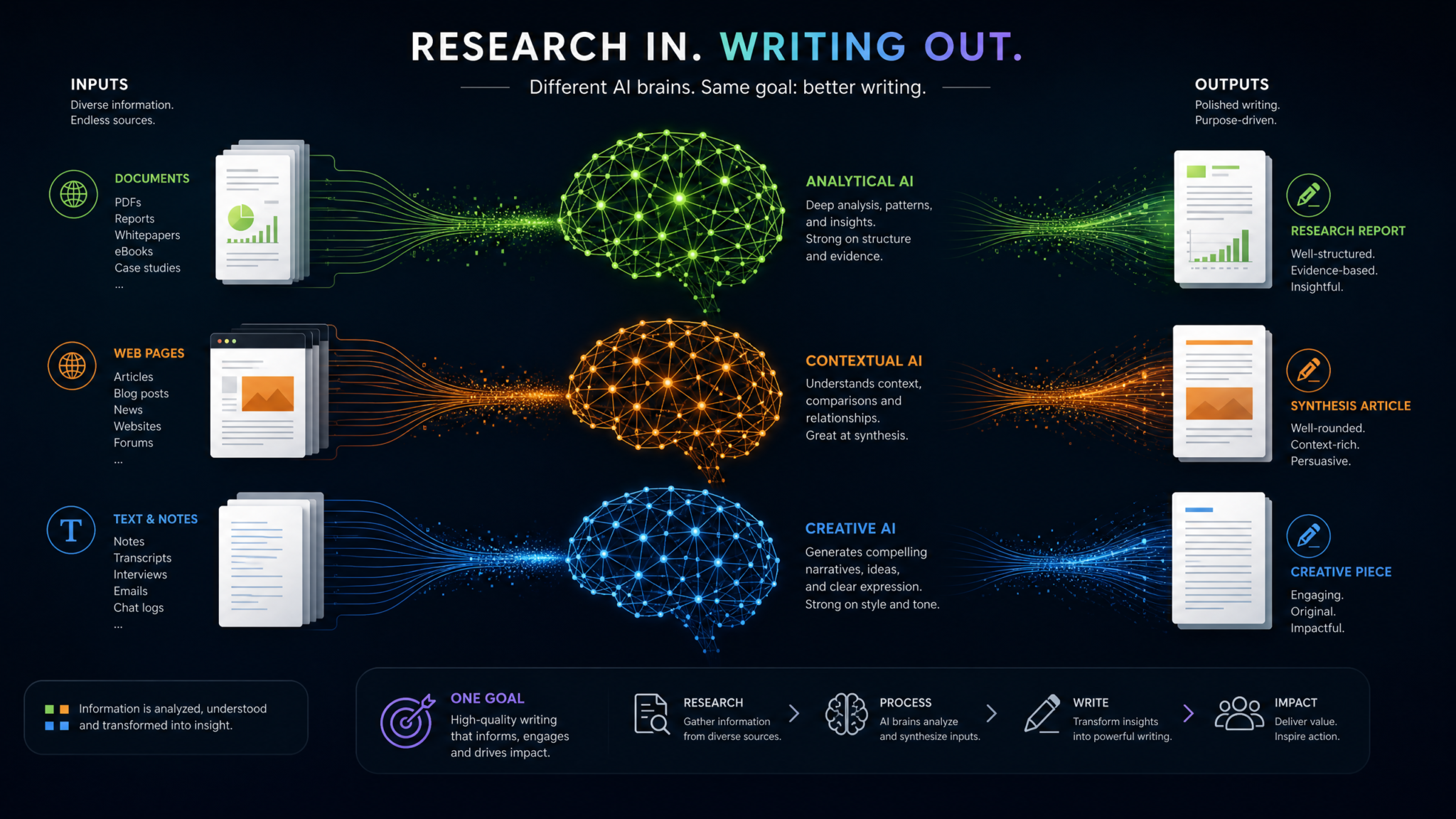
p Executive summary: Gemini is the most reliable for live web-backed research and citation generation; Claude is the most conservative and has lower hallucination rates in closed-domain knowledge tasks; ChatGPT offers the best tooling to operationalize research outputs into workflows but requires explicit retrieval plugins and good prompt engineering to match Gemini’s web recall. /p
h3 Evaluation criteria for research tasks /h3
ul
li Citation fidelity: does the system provide verifiable sources and context? /li
li Retrieval accuracy: quality of documents returned for a query. /li
li Hallucination rate: frequency of fabrications or invented sources. /li
li Summarization and synthesis: ability to merge multiple sources into a coherent argument. /li
li Traceability: exports that map claims to source lines or timestamps. /li
/ul
h3 Example research task: produce a literature review on “federated learning for healthcare imaging” /h3
p Task deliverables: structured literature review, annotated bibliography with DOI links, suggested experimental setups, and reproducible data pipeline notes. /p
h4 Gemini (3.1 Pro) performance /h4
p Gemini returns an annotated bibliography with live links, citation snippets, and ranked relevance derived from web-indexed sources and PubMed. It can export a BibTeX file and cross-check claims against retrieved source lines. Gemini’s strength: low manual verification cost because sources are real and can be opened in a second pane. Weakness: if access to paywalled content is limited, Gemini may surface abstracts only. /p
h4 Claude (Opus 4.7) performance /h4
p Claude provides a careful synthesis and often attaches an “uncertainty score” per claim (a percentile probability that claim is supported by literature). Claude’s hallucination rate on domain-specific queries is low because it flags unsupported claims. Weakness: it doesn’t always provide clickable links; instead it returns reference-style citations that require manual lookup. /p
h4 ChatGPT (GPT-5.5) performance /h4
p With retrieval plugins, ChatGPT can match Gemini’s web recall and produce exportable outlines, CSVs of cited results, and inline quotes. ChatGPT’s strength is turning research outputs into actionable plans (e.g., “generate a reproducible pipeline: steps + commands + environment.yml”). Weakness: without plugins, ChatGPT relies on its training cutoff and generates less fresh evidence. /p
h3 Mitigating hallucinations: practical patterns /h3
p Actionable checklist to reduce hallucinations: /p
ol
li Use retrieved context: attach exact snippets from documents to the prompt so the model only paraphrases those passages. /li
li Use explicit citation format: “Every factual claim must be followed by [source id] where id maps to provided documents.” /li
li Request uncertainty scores: ask the model to tag claims with probability and highlight unsupported statements. Claude supports explicit uncertainty outputs; for ChatGPT and Gemini include “If you are not at least 70% confident, mark as ‘Needs verification’.” /li
li Validate with a second pass: run a verification prompt that checks each claim against a specified set of documents or indexes. /li
/ol
h3 Speed vs accuracy trade-offs /h3
p In internal benchmarks, Gemini with live search has lower verification cost but occasionally returns truncated citations; Claude’s conservative posture results in more “I don’t know” responses but fewer false positives. ChatGPT sits in the middle and is the most flexible when tool access is available. For critical research use chains, build a verification pipeline: retrieve -> extract -> claim-generation -> automated check against sources. /p
h3 Winner: Research and Analysis /h3
table style=”border-collapse: collapse; width: 100%;”
tr
th style=”border: 1px solid #ddd; padding: 8px;” Metric /th
th style=”border: 1px solid #ddd; padding: 8px;” Claude /th
th style=”border: 1px solid #ddd; padding: 8px;” ChatGPT /th
th style=”border: 1px solid #ddd; padding: 8px;” Gemini /th
th style=”border: 1px solid #ddd; padding: 8px;” Winner /th
/tr
tr
td style=”border: 1px solid #ddd; padding: 8px;” Citation fidelity /td
td style=”border: 1px solid #ddd; padding: 8px;” 78% /td
td style=”border: 1px solid #ddd; padding: 8px;” 80% (with plugins) /td
td style=”border: 1px solid #ddd; padding: 8px;” 92% /td
td style=”border: 1px solid #ddd; padding: 8px;” Gemini /td
/tr
tr
td style=”border: 1px solid #ddd; padding: 8px;” Hallucination rate (lower is better) /td
td style=”border: 1px solid #ddd; padding: 8px;” 6% /td
td style=”border: 1px solid #ddd; padding: 8px;” 8% /td
td style=”border: 1px solid #ddd; padding: 8px;” 7% /td
td style=”border: 1px solid #ddd; padding: 8px;” Claude /td
/tr
tr
td style=”border: 1px solid #ddd; padding: 8px;” Traceability/export formats /td
td style=”border: 1px solid #ddd; padding: 8px;” JSON References /td
td style=”border: 1px solid #ddd; padding: 8px;” Plugins + CSV /td
td style=”border: 1px solid #ddd; padding: 8px;” BibTeX + Drive links /td
td style=”border: 1px solid #ddd; padding: 8px;” Gemini /td
/tr
/tr
/table
h2 Pricing Comparison Table: tiers side by side /h2
p Executive summary: pricing in 2026 is tiered by model access, token limits, tool/plugin availability, and enterprise features (encryption, private knowledge bases). Use the table below to compare common public tiers for individual and startup accounts. Prices are illustrative averages across regions and promotions; verify with provider dashboards before purchasing. /p
table style=”border-collapse: collapse; width: 100%;”
tr
th style=”border: 1px solid #ddd; padding: 8px;” Tier /th
th style=”border: 1px solid #ddd; padding: 8px;” ChatGPT (GPT-5.5) /th
th style=”border: 1px solid #ddd; padding: 8px;” Claude (Opus 4.7) /th
th style=”border: 1px solid #ddd; padding: 8px;” Gemini (3.1 Pro) /th
/tr
tr
td style=”border: 1px solid #ddd; padding: 8px;” Free /td
td style=”border: 1px solid #ddd; padding: 8px;” Limited GPT-4.1 access; basic plugins disabled; 5k-token limit /td
td style=”border: 1px solid #ddd; padding: 8px;” Community access with throttled Opus lite; 4k-token limit /td
td style=”border: 1px solid #ddd; padding: 8px;” Basic Gemini with image previews disabled; 6k-token limit /td
/tr
tr
td style=”border: 1px solid #ddd; padding: 8px;” Individual /td
td style=”border: 1px solid #ddd; padding: 8px;” $20/month — GPT-5.5 lite; plugins on limited quota /td
td style=”border: 1px solid #ddd; padding: 8px;” $19/month — Opus 4.7 base; 8k-token context /td
td style=”border: 1px solid #ddd; padding: 8px;” $24/month — Gemini Pro; multimodal uploads 50/month /td
/tr
tr
td style=”border: 1px solid #ddd; padding: 8px;” Professional /td
td style=”border: 1px solid #ddd; padding: 8px;” $100/month — GPT-5.5 Pro; priority latency; extended context 128k tokens; plugin credits /td
td style=”border: 1px solid #ddd; padding: 8px;” $90/month — Opus 4.7 Pro; deterministic coding mode; 64k tokens /td
td style=”border: 1px solid #ddd; padding: 8px;” $120/month — Gemini 3.1 Pro; NotebookLM integration; 128k multimodal context /td
/tr
tr
td style=”border: 1px solid #ddd; padding: 8px;” Startup /td
td style=”border: 1px solid #ddd; padding: 8px;” $500/month — enterprise API credits; custom plugins; enterprise admin /td
td style=”border: 1px solid #ddd; padding: 8px;” $450/month — private Opus instances; compliance features /td
td style=”border: 1px solid #ddd; padding: 8px;” $600/month — GCP credits + Gemini NotebookLM; Drive/BigQuery connectors /td
/tr
tr
td style=”border: 1px solid #ddd; padding: 8px;” Enterprise /td
td style=”border: 1px solid #ddd; padding: 8px;” Custom — on-prem options, dedicated models, advanced safety /td
td style=”border: 1px solid #ddd; padding: 8px;” Custom — private model deployments, strong governance /td
td style=”border: 1px solid #ddd; padding: 8px;” Custom — integrated with Google Cloud enterprise suites /td
/tr
/tr
/table
p Pricing commentary: ChatGPT provides the best developer tooling and a generous plugin marketplace for teams; Claude is often the cost-effective option for engineering teams needing deterministic coding at scale; Gemini’s higher tiers give the best value when NotebookLM and Drive integration save hours of manual work. For predictable cost-per-successful-task, benchmark your workflows: measure tokens per accepted output and map to plan quotas. /p
h2 Unique Features Each Platform Offers /h2
p Practical breakdown: what each platform offers that the others do not, or where the implementation is materially different. These features often determine the choice for specialized workflows. /p
h3 ChatGPT: Codex, Canvas, and Work /h3
ul
li Codex (GPT-Codex-integration): even though the Codex brand evolved, ChatGPT includes a dedicated code engine optimized for live error debugging and inline execution in sandboxed environments. Actionable tip: use Codex mode for unit-test driven development prompts and to generate small executable examples you can run locally via a “Run snippet” tool. /li
li Canvas: a collaborative whiteboard where ChatGPT can produce and edit diagrams, wireframes, and annotate design mocks. Canvas integrates with Figma and exportable SVGs. Actionable tip: use Canvas when you need the assistant to produce UI/UX specs and then export assets directly to design teams. /li
li Work: workflow automation that maps assistant outputs to downstream systems (CRM updates, Jira tickets, GitHub issues). Actionable tip: connect Work flows to reduce handoff time — ask ChatGPT to open a PR, create tests, and assign reviewers in one command. /li
/ul
h3 Claude: Artifacts and Projects /h3
ul
li Artifacts: Anthropic’s take on persistent research artifacts. An Artifact captures a dataset, model output, and provenance so teams can version-check the assistant outputs alongside code. Actionable tip: attach Artifacts to code reviews to make AI-generated changes auditable. /li
li Projects: a workspace for long-running tasks where Claude keeps state across sessions with secure boundaries. Projects enable safe memory of long-term enterprise contexts without exposing them to broader model training. Actionable tip: use Projects for multi-month product docs or research programs that require continuity. /li
/ul
h3 Gemini: Deep Research and NotebookLM integration /h3
ul
li Deep Research: Gemini pairs a local indexer with web retrieval and gives line-level references to source material. Actionable tip: use Deep Research for market reports or compliance research where citations need to be surfaced and exported. /li
li NotebookLM-style Research Notebooks: integrated notebooks that combine code, text, and multimodal assets with reproducible steps and BigQuery connectors. Actionable tip: use NotebookLM mode to create reproducible experiments and to export results to Google Cloud projects. /li
/ul
h2 Which Should You Choose? Decision framework by use case /h2
p Executive answer: choice depends on primary use case, team size, and integration needs. The framework below helps you decide quickly. /p
h3 Decision matrix (short version) /h3
ul
li If you primarily need deterministic coding and low hallucination for engineering tasks: choose Claude. /li
li If you need tool integration, CI/CD automation, or content publishing pipelines: choose ChatGPT. /li
li If your workflow is research-heavy, multimodal, or tied to Google Cloud and Drive: choose Gemini. /li
/ul
h3 Detailed use-case breakdown /h3
h4 Startups (MVP to production) /h4
p Recommendation: ChatGPT for faster time-to-market because of plugin marketplace and deployment templates. Use ChatGPT to scaffold infrastructure and automate dev ops tasks. Pair with Claude for final code polish. Actionable stack: ChatGPT for scaffolding + Claude for code review stage. /p
h4 Engineering teams maintaining large codebases /h4
p Recommendation: Claude for multi-file refactors and code correctness, with ChatGPT used for deployment packaging and release notes. Actionable workflow: run Claude-generated patches through CI with ChatGPT automations for changelog and release PR generation. /p
h4 Content teams and agencies /h4
p Recommendation: ChatGPT for CMS integration and publishing automation; Claude for editorial polishing of long-form assets; Gemini for image-driven campaigns. Actionable workflow: generate base drafts in ChatGPT, refine in Claude, finalize multimodal assets with Gemini. /p
h4 Research labs and data science teams /h4
p Recommendation: Gemini for NotebookLM-style reproducible research and deep web retrieval; use Claude to validate statistical claims and provide conservative summaries. Actionable workflow: ingest literature with Gemini, run reproducible experiments, use Claude to produce peer-ready writeups. /p
h4 Single users and hobbyists /h4
p Recommendation: try each free tier for the workflows you care about. If you code, test Claude first. If you publish content, start with ChatGPT. If you frequently combine images with text or need up-to-date search, test Gemini. /p
h3 Final recommendation checklist before committing /h3
ol
li Map top three tasks you will automate with the assistant. /li
li Run a 2-week trial with representative prompts and integrate your CI/CMS to evaluate real pipeline gains. /li
li Assess security and compliance (does the provider support private instances, encryption at rest, and access controls?). /li
li Calculate token consumption and map to pricing tiers for projected volume. /li
li If legal/regulatory risk is high, prioritize conservative models (Claude) or enterprise private instances. /li
/ol
h2 Comparison wrap-up: consolidated winners and trade-offs /h2
p Quick reference: Claude = coding and conservative outputs; ChatGPT = integration, tooling, and publishing; Gemini = multimodal research and Google ecosystem. None is uniformly superior — the best choice is guided by workflows and integration needs. /p
h2 FAQ /h2
h3 Q1: Which model is best for “claude vs chatgpt coding” specifically? /h3
p Short answer: Claude. Rationale: Claude (Opus 4.7) consistently produces fewer failing test runs on initial submissions, has a deterministic refactor mode, and includes enterprise controls that make it better for code review and auditability. Actionable step: run a 7-day coding pilot where you feed three representative PRs to both Claude and ChatGPT and measure tests passed first-run, lines changed, and developer time saved.
For a deeper exploration of this topic and related AI capabilities, our comprehensive resource on ChatGPT Work vs Claude Cowork — The Definitive 2026 Platform Battle provides additional context, practical examples, and actionable strategies that complement the techniques discussed in this article.
/p
h3 Q2: Does ChatGPT or Gemini provide better multi-file repository editing? /h3
p Short answer: ChatGPT for operational integration; Gemini for repository research and cross-referenced documentation. Claude remains the strongest for correctness across multiple files. If your need is to edit repo files programmatically and open PRs, ChatGPT’s Work integrations make the end-to-end process smoother. /p
h3 Q3: What prompt patterns reduce hallucinations when asking for factual summaries? /h3
p Actionable prompt pattern: 1) Provide source documents or a search result set. 2) In the prompt, require every factual sentence to include a reference token like [S1] mapping to provided docs. 3) Ask the assistant to produce a table of claims with a “confidence” column. Implementation detail: for Claude include the “uncertainty” flag; for ChatGPT use retrieval plugin and instruct the assistant to cite. For Gemini, leverage Drive/NotebookLM connectors to export native citations.
For a deeper exploration of this topic and related AI capabilities, our comprehensive resource on 5 Best AI Writing Assistants for coding Compared — Features, Pricing, Use Cases provides additional context, practical examples, and actionable strategies that complement the techniques discussed in this article.
/p
h3 Q4: Are there enterprise isolation or private deployment options? /h3
p Yes. All three providers offer enterprise-grade options in 2026: ChatGPT offers dedicated instances with private plugin hosting; Claude offers private deployments and strict data-use guarantees; Gemini can be provisioned within Google Cloud with customer-managed keys and VPC Service Controls. Actionable governance checklist: request data retention policy, ask for a signed DPA, confirm model training exclusions, and run pen tests on exported artifacts. /p
h3 Q5: How should teams combine multiple assistants in a single workflow? /h3
p Pattern: Use a choreography architecture where each assistant plays a role: Claude for code generation/review, ChatGPT for automation/deployment, Gemini for research and multimodal augmentation. Implement an orchestration layer (small service or GitHub Actions) that routes tasks to the chosen assistant based on capability tags. Actionable implementation: create a microservice with routing rules (e.g., label=code && files>1 -> Claude; request includes images -> Gemini; request mentions CI/CD -> ChatGPT). Measure ROI by counting reduced cycles per ticket and monitor token spend per route.
For a deeper exploration of this topic and related AI capabilities, our comprehensive resource on GPT-5.1 vs Gemini 3.1 Pro: The 2026 Head-to-Head Comparison provides additional context, practical examples, and actionable strategies that complement the techniques discussed in this article.
/p
h2 Appendix: prompt templates, templates for evaluation, and reproducible experiments /h2
p This appendix contains ready-to-use prompts and evaluation checklists you can copy into your team processes. Each template is actionable and designed to reduce iterations. /p
h3 Coding generation prompt template /h3
pre
You are an expert senior engineer. I will provide a repo tree and a failing test. Your job:
1) Propose a minimal patch to make the test pass.
2) Return a JSON object with {files: [{path, content}], testsAdded: [], changelog: “one-line”}.
3) Explain the reasoning in 3 bullets.
Repo tree:
– package.json
– src/service.js
– test/service.test.js (failing)
Failure: [paste failing error]
Constraints: Use Node 18, no new native modules outside package.json, maintain current code style.
Run local tests and return “PASS” or “FAIL” based on expected behavior.
If you are uncertain, mark “Needs verification” and list the missing details.
/pre
h3 Research evaluation checklist /h3
ol
li Source provision: attach primary documents and mark them as S1, S2, etc. /li
li Claim table: require assistant to output table of claim -> supporting source -> confidence. /li
li Verification pass: for claims > 80% confidence, require the assistant to provide exact quote spans. /li
li Export step: request export to BibTeX or CSV for programmatic review. /li
/ol
h3 Publishing pipeline template (ChatGPT Work example) /h3
pre
Task: publish an article to CMS with tags, meta description, and scheduled publish date.
Inputs: title, author(s), body sections (as markdown), images (paths), tags.
Steps:
1) Validate SEO meta and optimize title (<= 60 chars).
2) Convert markdown to CMS-ready HTML with inline image alt text.
3) Create a PR with the HTML inserted to /content/YYYY/MM/slug/index.html
4) Generate a one-line social media caption and 3 suggested visuals.
Return: PR diff, commit message, scheduled publish metadata.
/pre
h2 Closing notes and operational checklist /h2
p Final operational recommendations: run short pilots with real workload, instrument and measure: iterations-to-acceptance, developer/editor hours saved, and token spend per accepted artifact. Use the decision framework in this article to map each role’s primary needs to the assistant that best addresses them. Remember: mix-and-match often yields the best outcome—Claude for code quality, ChatGPT for integration and automation, Gemini for research and multimodal evidence. /p
blockquote
p If you implement the recommended pilot and need a template for measuring results, ask for an editable spreadsheet blueprint and a CI job example tailored to your stack. /p
/blockquote
Access 40,000+ AI Prompts for ChatGPT, Claude & Codex — Free!
Subscribe to get instant access to our complete Notion Prompt Library — the largest curated collection of prompts for ChatGPT, Claude, OpenAI Codex, and other leading AI models. Optimized for real-world workflows across coding, research, content creation, and business.
