
Mastering the ‘Routines’ Feature in Claude Code: A Comprehensive Tutorial
Author: Markos Symeonides
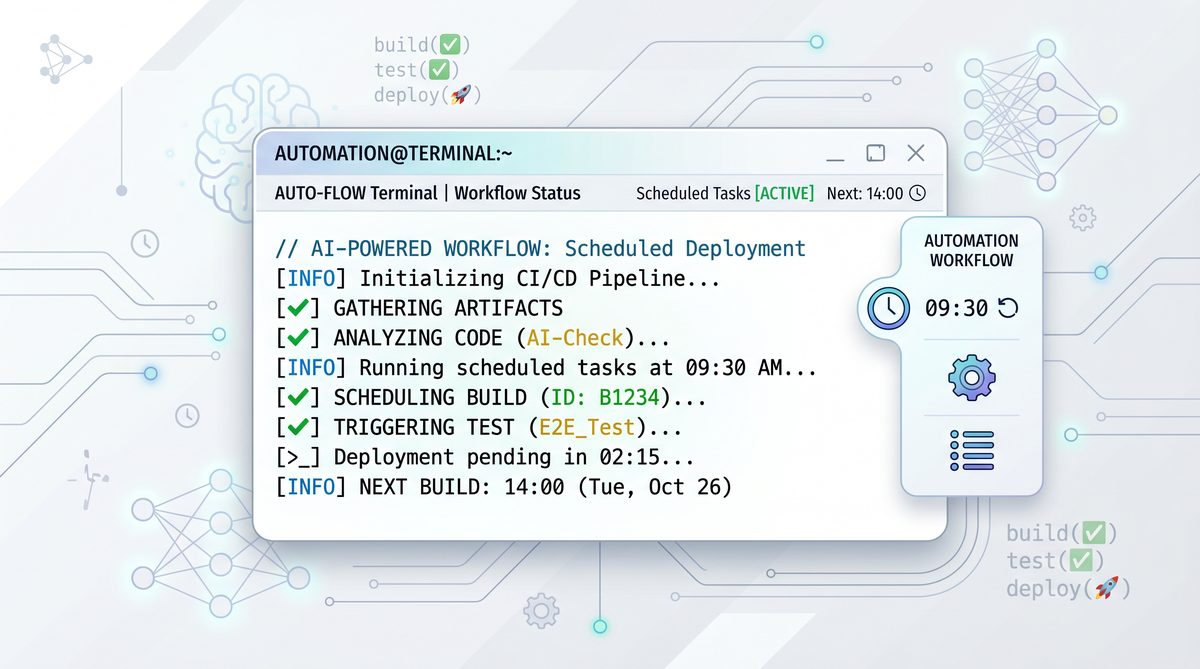
In the rapidly evolving landscape of artificial intelligence-powered development tools, Anthropic’s Claude Code has emerged as a transformative terminal-based AI assistant, streamlining coding workflows and enhancing developer productivity. By integrating advanced natural language understanding with code execution capabilities, Claude Code enables developers to interact with their codebases in unprecedented ways. Among its latest innovations is the ‘Routines’ feature—a sophisticated mechanism designed to automate, schedule, and intelligently manage recurring development tasks within the Claude Code environment.
This tutorial offers an exhaustive, step-by-step guide to configuring and running the ‘Routines’ feature. We will explore its core concepts, delve into cron-like scheduling syntax, present real-world code and configuration examples, and discuss how Claude’s reasoning engine handles unexpected errors during routine execution. Furthermore, we will examine best practices for integrating Routines into team development lifecycles to foster collaboration, reliability, and continuous improvement.
For developers, DevOps engineers, and AI enthusiasts looking to harness the full power of Claude Code’s automation capabilities, this article serves as a definitive resource. The Routines feature represents a paradigm shift in how recurring tasks are managed, moving beyond traditional static schedulers to an AI-augmented orchestration framework. Let us begin by contextualizing the significance of ‘Routines’ within the Anthropic Claude Code ecosystem and understanding the architectural principles that underpin its design.
Understanding Claude Code’s ‘Routines’ Feature: Conceptual Foundations and Capabilities
Claude Code is Anthropic’s terminal-based AI coding assistant that offers natural language interactions, code generation, refactoring, and debugging within developer environments. It serves as a conversational partner and operational extension for programmers, offering both high-level guidance and low-level command execution. Its new ‘Routines’ feature extends these capabilities by enabling users to define, schedule, and automate recurring tasks that the AI can execute autonomously or in collaboration with human oversight.
At its core, a Routine in Claude Code is a programmable sequence of commands, scripts, or AI-driven operations scheduled to run at specified intervals. These can range from simple maintenance tasks—such as running daily test health checks—to complex workflows like auditing project dependencies weekly or synchronizing documentation with codebase changes. The design philosophy behind Routines emphasizes flexibility, reliability, and intelligent automation.
The power of Routines lies in their flexibility and intelligence. Unlike traditional cron jobs or task schedulers, Claude Code Routines leverage the AI’s reasoning to adapt to unforeseen conditions, troubleshoot errors, and provide contextual insights. This means that when a Routine encounters an unexpected situation—be it an environment misconfiguration, network failure, or code regression—Claude can analyze the problem, infer potential causes, and proactively suggest or even implement fixes. This level of autonomous reasoning reduces the need for manual intervention and accelerates issue resolution.
Users can configure Routines using a cron-like syntax for scheduling, combined with natural language directives or explicit script invocations. This dual input modality allows both novice users and advanced developers to tailor Routines to their precise needs, whether through intuitive language or detailed scripting. The system supports complex workflows that interleave AI-generated operations with traditional shell commands, making it a versatile tool for a broad spectrum of automation scenarios.
Moreover, Routines are designed for seamless integration into collaborative development workflows. Teams can share, version-control, and audit Routines, enabling standardized automation practices across projects and organizations. This feature not only enhances operational efficiency but also elevates code quality and project transparency. By embedding Routines into continuous integration and continuous deployment (CI/CD) pipelines, organizations can ensure that critical maintenance tasks are consistently executed, reducing the risk of regressions and technical debt accumulation.
From a technical standpoint, Routines operate within Claude Code’s secure sandboxed execution environment, which isolates task operations and maintains system integrity. The AI reasoning engine monitors Routine executions in real-time, collecting telemetry data and applying machine learning models to detect anomalies and optimize scheduling dynamically. These capabilities position Claude Code Routines as a next-generation automation framework that bridges the gap between traditional scripting and intelligent orchestration.
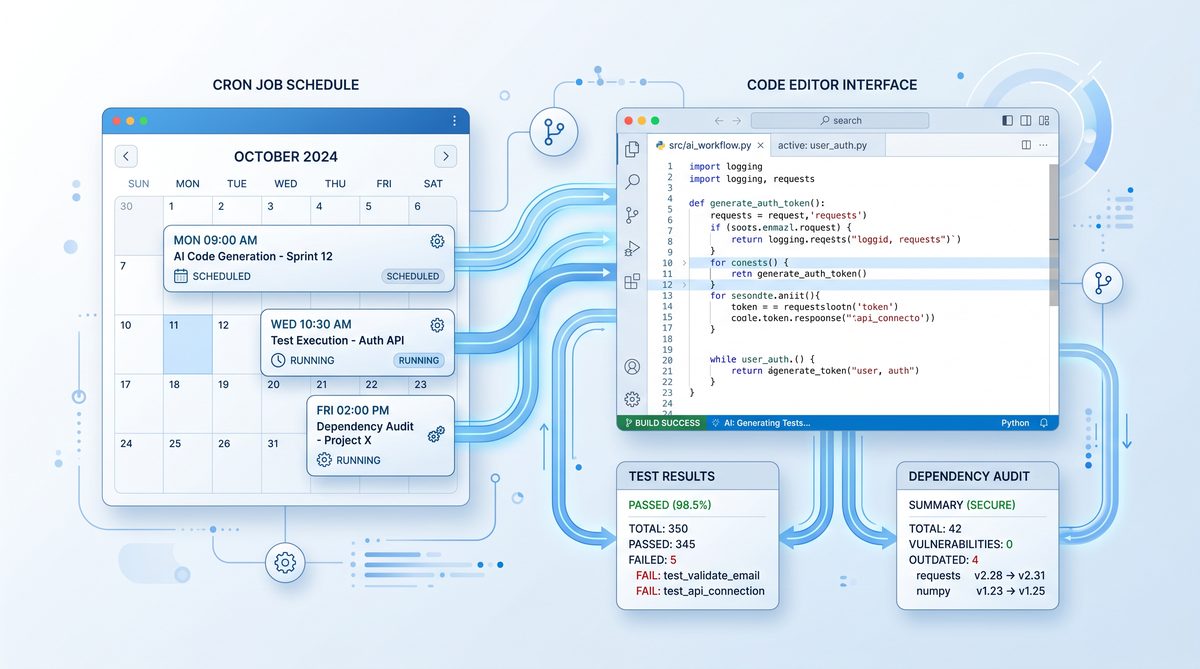
Step-by-Step Guide to Configuring and Running Routines in Claude Code
Setting up and managing Routines in Claude Code involves several stages: defining the Routine tasks, specifying the schedule using cron-like syntax, deploying the Routine, and monitoring its execution and results. This section provides a detailed walkthrough of each stage with practical examples, highlighting the nuances and advanced features available at each step.
1. Defining a Routine Task
Routines in Claude Code can be defined using either natural language commands that the AI interprets or explicit scripting using Claude Code’s internal command language. This flexibility caters to a broad range of users, from those who prefer conversational instructions to developers who require precise control over their automation tasks.
Consider a daily test health check Routine that automatically runs the project’s unit tests every morning and reports any failures. To define such a Routine, you begin by invoking the Routine creation interface in Claude Code:
routine create "Daily Test Health Check"
Claude Code then prompts for the task details. You can specify the command or script to execute, for example:
execute: "npm test"
on failure: notify team via Slack
This natural language specification instructs Claude Code to run the npm test command, interpret the results, and trigger a notification if any test fails. The AI’s natural language understanding allows it to parse the intent behind the instructions, configure appropriate listeners for command exit codes, and integrate with messaging platforms for notifications.
Alternatively, you can define the task with explicit scripting commands, which offer more granular control over error handling, retries, and environment setup. For instance:
routine define "Daily Test Health Check" {
    command: "npm test"
    environment: {
        NODE_ENV: "test",
        PATH: "/usr/local/bin:$PATH"
    }
    onError: notify("team", "Test failures detected during daily health check.")
    retryPolicy: {
        maxRetries: 3,
        intervalMinutes: 5
    }
}
This declarative style provides precise control over error handling mechanisms, notification channels, and retry strategies. The environment block ensures that the command runs with the correct context, mitigating issues related to environment drift. The retryPolicy indicates that the Routine should attempt to rerun the tests up to three times at five-minute intervals upon failure before notifying the team.
Furthermore, Routines can include pre- and post-execution hooks, allowing users to specify preparatory or cleanup actions. For example, a pre-hook might install dependencies or reset test databases, while a post-hook could archive test artifacts or update dashboards. This modularity enhances the expressiveness and robustness of Routine definitions.
2. Scheduling the Routine Using Cron-like Syntax
Once the task is defined, the next step is to schedule it using Claude Code’s cron-like syntax. This syntax closely resembles traditional Unix cron expressions but includes enhancements to accommodate AI-driven scheduling nuances and more human-friendly constructs.
The basic cron format in Claude Code is a five-field expression representing minute, hour, day of month, month, and day of week, respectively:
MIN HOUR DOM MON DOW
For example, to schedule the daily test health check at 7:00 AM every weekday, you would specify:
0 7 * * 1-5
This instructs the scheduler to trigger the Routine at the 0th minute of the 7th hour (7:00 AM), every day of the month, every month, but only Monday through Friday (days 1 to 5).
Claude Code supports extended syntax elements such as step values, ranges, and lists, allowing complex scheduling scenarios. For instance, a weekly dependency audit every Sunday at 3:30 AM can be defined as:
30 3 * * 0
In addition to static scheduling, Claude Code’s AI can dynamically adjust Routine schedules based on workload patterns or detected anomalies. For example, if the system identifies that running certain non-critical Routines during peak hours causes performance degradation, it can postpone their execution to off-peak times. This dynamic adaptation is governed by user-configurable policies and AI-driven heuristics, which analyze historical execution data, system load metrics, and project priorities.
Moreover, Claude Code supports special scheduling macros that simplify common patterns. These include expressions like @hourly, @daily, @weekly, @monthly, and @yearly. For example, scheduling at @daily runs the task once every day at midnight. Combining these macros with additional parameters allows for flexible and readable schedule definitions.
For advanced users, the scheduler supports calendar-aware expressions that consider holidays, weekends, or custom blackout periods. This is particularly useful for enterprises that need to avoid running maintenance tasks during critical business hours or regulatory reporting periods.
3. Deploying and Activating the Routine
After defining the task and schedule, deploy the Routine using the command:
routine deploy "Daily Test Health Check"
Deployment registers the Routine in Claude Code’s scheduler and initiates the first run according to the specified timing. The deployment process performs validation checks to ensure that the Routine’s commands, environment variables, and notification endpoints are correctly configured, preventing runtime failures. If any misconfiguration is detected, deployment fails with detailed diagnostics and suggestions for correction.
You can confirm the status and details of deployed Routines with:
routine list
This command displays all active Routines, their next scheduled run, last run status, and any error messages. The listing can be filtered or sorted based on criteria such as Routine name, status (active, paused, failed), or last execution time.
In addition to manual deployment, Routines can be integrated into CI/CD pipelines or triggered via API calls, enabling automated creation and updating of Routines as part of development workflows. This facilitates infrastructure-as-code practices, promoting consistency and repeatability.
Claude Code also supports pausing, resuming, and deleting Routines through intuitive commands:
routine pause "Daily Test Health Check"
routine resume "Daily Test Health Check"
routine delete "Daily Test Health Check"
These controls allow teams to manage their automation portfolios dynamically, adapting to changing project requirements or operational conditions.
4. Monitoring Routine Execution and Results
Claude Code offers comprehensive monitoring tools for Routines. Each execution produces detailed logs accessible via:
routine logs "Daily Test Health Check"
These logs include command outputs, error traces, environment snapshots, and AI-generated insights that contextualize the results. The logging system supports rich formatting, highlighting key events such as test failures, warnings, or anomalies. For long-running or multi-step Routines, logs also include timestamps for each phase, facilitating performance analysis and bottleneck identification.
In the event of failures, Claude’s reasoning engine attempts to diagnose root causes and suggest remediation steps. This is a key differentiator from conventional schedulers, which merely report error codes without interpretation. For example, if the test suite fails due to a missing dependency, Claude’s log may include a note such as:
ERROR: Test run failed - missing module 'chai'
SUGGESTION: Run 'npm install chai' or update package.json accordingly.
Beyond passive suggestions, Claude can be configured to automatically attempt certain remediations, such as installing missing packages or rolling back recent code changes. These autonomous interventions can be fine-tuned by users to balance safety and automation.
Users can configure alerts for critical failures, integrating with communication platforms like Slack, email, or webhook endpoints. Notification preferences can be customized per Routine, specifying recipients, alert thresholds, and escalation policies. For instance, a non-critical warning might trigger a low-priority message, while a build-breaking failure could escalate to paging systems or incident management platforms.
Claude Code also provides dashboards for visualizing Routine health over time, including success rates, average execution durations, and failure trends. These analytics support data-driven decision-making, enabling teams to optimize their automation strategies and identify systemic issues.
Real-World Examples of Claude Code Routines
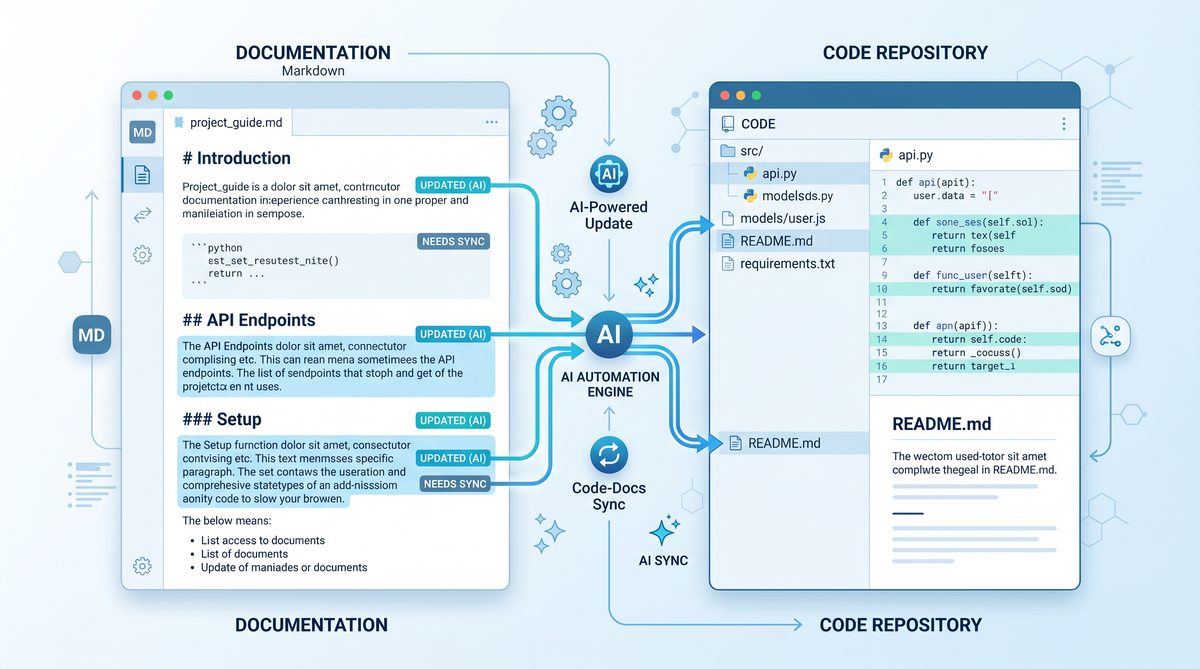
To illustrate the practical utility of Routines, we explore three representative use cases: a daily test health check, a weekly dependency audit, and a documentation synchronization check. Each example includes the Routine definition, scheduling, and error handling strategies, demonstrating how Claude Code can be adapted to diverse development needs.
Example 1: Daily Test Health Check
The daily test health check Routine automates continuous testing to ensure codebase integrity, a cornerstone of modern DevOps practices. By running tests automatically each morning, the team receives early warnings of regressions, enabling rapid response and minimizing downstream impact.
The Routine can be defined as follows:
routine create "Daily Test Health Check" {
    command: "npm test"
    schedule: "0 7 * * 1-5"
    onError: notify("dev-team", "Test suite failed during daily health check.")
    retry: 2 times with 10-minute intervals
}
This configuration schedules the Routine for 7:00 AM on weekdays, attempts automatic retries upon failure to reduce transient issues, and notifies the development team if problems persist. The notification can be routed through Slack, email, or other integrated messaging platforms. The retry mechanism is particularly useful in environments where intermittent flakiness may occur, such as external service dependencies or network variability.
To further enhance resilience, the Routine can include pre-test environment validation steps, such as verifying database connectivity or ensuring dependency versions are consistent. Post-test actions might archive logs or update continuous integration dashboards.
By embedding this Routine into the daily workflow, teams benefit from consistent quality assurance without manual overhead, fostering a culture of accountability and continuous improvement.
Example 2: Weekly Dependency Audit
Dependency management is critical for security and stability, as outdated or vulnerable packages pose significant risks. The weekly audit Routine automates the process of scanning the project’s package manager files to detect outdated or vulnerable packages and generate actionable reports.
An example configuration might be:
routine create "Weekly Dependency Audit" {
    command: "npm audit --json > audit-report.json"
    schedule: "30 3 * * 0"
    postProcess: {
        script: "python parse_audit.py audit-report.json"
        onVulnerabilitiesFound: notify("security-team", "New vulnerabilities detected in dependencies.")
    }
}
The Routine runs every Sunday at 3:30 AM, generating a JSON-formatted audit report. The postProcess block specifies a Python script that parses the audit report, evaluating the severity and count of vulnerabilities. If vulnerabilities exceed a predefined threshold, the Routine triggers notifications to the security team, ensuring prompt awareness and remediation.
This Routine can be extended with automated remediation strategies, such as opening tickets in issue trackers, suggesting package upgrades, or even initiating pull requests with updated dependency versions. Integrating these automated actions reduces manual toil and expedites vulnerability management.
By automating dependency audits, organizations can maintain compliance with security policies, avoid technical debt, and reduce exposure to known exploits.
Example 3: Documentation Sync Check
Maintaining up-to-date project documentation is essential but often overlooked. This Routine verifies synchronization between code comments, API definitions, and documentation files, preventing discrepancies that can confuse users and developers alike.
Its configuration may look like this:
routine create "Documentation Sync Check" {
    command: "doc-sync-check --compare source-code docs/"
    schedule: "0 12 * * *"
    onMismatch: notify("docs-team", "Documentation is out of sync with source code.")
}
This Routine runs daily at noon, scanning for discrepancies using the doc-sync-check tool, which compares in-code comments and API signatures against the current documentation. If mismatches are detected, the Routine triggers notifications to the documentation team, prompting updates.
Furthermore, the Routine can be expanded to generate reports summarizing specific sections that require attention or to automatically open issues in project management tools. By integrating with version control hooks, it can also block merges that introduce documentation inconsistencies, enforcing quality standards.
Automating documentation synchronization fosters better knowledge sharing, reduces onboarding times, and enhances user satisfaction.
Advanced Features: Cron-like Syntax, Error Reasoning, and Team Integration
While the previous sections covered foundational concepts and examples, this section delves deeper into the advanced functionalities that make Claude Code Routines uniquely powerful. Understanding these features enables teams to exploit the full potential of the system, tailoring automation to complex, real-world development environments.
The Cron-like Scheduling Syntax in Detail
Claude Code’s scheduling syntax builds upon the familiar five-field cron format, with additional capabilities to enhance flexibility and expressiveness. Mastery of this syntax allows for precise control over Routine execution timing, accommodating diverse operational constraints.
1. Step Values: Users can specify intervals using slashes, enabling execution at regular increments. For example, */15 * * * * runs a task every 15 minutes, which is useful for frequent monitoring activities or near-real-time automation.
2. Lists and Ranges: Multiple values or ranges can be combined with commas. For instance, 0 9,17 * * 1-5 schedules execution at 9 AM and 5 PM on weekdays, supporting workflows that require multiple checkpoints per day.
3. Special Macros: Shorthand expressions like @daily or @weekly simplify common schedules, improving readability. These macros abstract away the underlying cron fields, reducing user error.
4. AI-Driven Dynamic Scheduling: Beyond static cron expressions, Claude Code can adapt schedules based on runtime data analytics, such as postponing non-critical Routines during peak load periods or advancing critical tasks in response to detected anomalies. This dynamic scheduling leverages machine learning models trained on system telemetry, enabling context-aware automation that optimizes resource utilization and reduces conflicts.
These scheduling features are complemented by calendar-aware capabilities, such as support for time zones, daylight saving time adjustments, and holiday calendars. Users can specify schedules relative to local time zones, ensuring Routines run at appropriate times irrespective of geographic location.
By combining these elements, teams can construct sophisticated schedules that align with business cycles, operational priorities, and resource constraints.
Claude’s Reasoning Through Unexpected Errors
One of the hallmarks of Claude Code Routines is the AI’s capacity to reason about errors encountered during Routine execution. Unlike traditional automation that simply reports failures, Claude attempts to interpret error messages, infer root causes, and propose corrective actions, significantly enhancing operational resilience.
This reasoning process operates in several stages:
Error Detection: The system monitors command outputs and exit codes for anomalies, flagging any deviations from expected behavior. It employs pattern recognition techniques to classify error types, such as compilation failures, missing dependencies, or network timeouts.
Contextual Analysis: Claude cross-references error information with project metadata, recent code changes, and historical logs. This holistic view enables the AI to correlate errors with recent commits, environment changes, or external service disruptions, providing deeper insights.
Hypothesis Generation: The AI formulates potential explanations for failures, such as missing dependencies, syntax errors, or environment misconfigurations. It leverages its training data and domain knowledge to prioritize these hypotheses based on likelihood and impact.
Recommendation and Remediation: Based on hypotheses, Claude suggests specific fixes or even attempts automated resolutions, like installing missing packages or rolling back changes. These interventions can be configured for automatic execution or require manual approval, balancing autonomy with control.
For example, if a Routine fails due to a missing Node.js module, Claude might analyze the error, check the project’s package.json, and recommend running npm install or updating the dependency list. If enabled, the AI could execute these commands and rerun the Routine, closing the failure loop autonomously.
This intelligent error handling enhances resilience and reduces downtime, particularly for mission-critical Routines that underpin continuous integration and deployment pipelines.
Furthermore, the reasoning engine generates detailed diagnostic reports that document the error analysis process, aiding incident investigation and knowledge retention. These reports can be archived alongside Routine logs, creating a rich corpus of operational intelligence.
Integrating Routines into Team Development Lifecycles
For teams, embedding Claude Code Routines into the development lifecycle can significantly improve automation, communication, and quality assurance processes. Thoughtful integration ensures that Routines complement human workflows, enhance transparency, and align with organizational policies.
Version Control: Treat Routine definitions as code artifacts stored in repositories alongside application code. This practice facilitates auditability, change tracking, and collaborative editing. Using version control systems such as Git enables branching, pull requests, and code reviews for Routines, ensuring high-quality configurations and preventing unauthorized changes.
Role-Based Permissions: Manage access controls to ensure only authorized personnel can modify or deploy Routines, preventing accidental disruptions or security breaches. Claude Code supports fine-grained permissions, allowing teams to define who can create, edit, deploy, pause, or delete Routines, aligning automation governance with organizational roles.
CI/CD Pipeline Integration: Incorporate Routines as pipeline stages—for example, triggering a dependency audit before merges or deploying documentation sync post-release. This integration ensures that automation tasks are tightly coupled with code delivery processes, enabling early detection of issues and smoother releases.
Notification and Escalation Policies: Define clear alerting protocols for Routine outcomes, ensuring prompt responses to failures. Integration with team communication tools enhances visibility, while escalation policies can route critical alerts to on-call engineers or incident management systems. Claude Code supports multi-channel notifications, including Slack, Microsoft Teams, email, SMS, and custom webhooks.
Regular Reviews and Refinement: Schedule periodic assessments of Routine effectiveness, updating schedules, commands, and error handling strategies as project needs evolve. Teams can use analytics dashboards to identify underperforming Routines, adjust retry policies, or expand automation coverage. This continuous improvement cycle maximizes the value derived from Routines.
By embedding Routines thoughtfully, teams can achieve continuous automation that complements human workflows, accelerates delivery, and fosters a culture of proactive maintenance. Additionally, shared Routines serve as organizational knowledge, codifying best practices and standardizing operational procedures across projects and departments.
To aid teams in this integration journey, Claude Code provides tooling for Routine templating, enabling reusable patterns that can be customized per project or environment. This approach reduces duplication and accelerates onboarding.
The discipline of prompt engineering has evolved significantly with the emergence of agentic coding tools. Our detailed tutorial on advanced prompt engineering for AI coding agents covers the latest techniques for crafting precise, context-rich instructions that guide AI models through complex multi-file development tasks.
provides an overview of similar AI-driven automation capabilities in software engineering. For deeper insights on scheduling automation, see
Anthropic’s Claude platform extends well beyond standard conversational AI into specialized domains. Our deep dive into Claude Mythos, its cybersecurity breakthroughs, and the Project Glasswing initiative examines how Claude’s architecture enables advanced threat detection and security analysis capabilities.
. For strategies on team collaboration around AI tools, refer to
Deploying AI agents at enterprise scale requires careful orchestration across multiple systems and workflows. Our guide on enterprise AI agent orchestration from pilot to production details the architectural patterns, governance frameworks, and scaling strategies that organizations need to move beyond proof-of-concept deployments.
Useful Links
- Anthropic Official Website
- Claude Code Documentation
- Cron – Wikipedia
- npm audit Documentation
- Slack Notifications API
- Python Logging Module Documentation
- GitHub Actions Documentation
- Continuous Integration – Wikipedia
- Continuous Delivery – Wikipedia
Conclusion
The ‘Routines’ feature in Anthropic’s Claude Code represents a significant advancement in AI-assisted development automation. By combining flexible, cron-like scheduling with intelligent error reasoning and seamless integration into team workflows, Routines empower developers to automate essential maintenance and quality assurance tasks reliably and transparently. This synthesis of traditional scheduling paradigms with AI-driven adaptability marks a new era in software automation, where tasks are not only executed but understood and optimized by intelligent agents.
This tutorial has provided a detailed roadmap for configuring and deploying Routines, supported by practical examples and best practices. We explored how to define tasks using natural language or scripting, specify sophisticated scheduling patterns, deploy and monitor Routines, and leverage Claude’s reasoning capabilities to handle errors effectively. Real-world examples demonstrated the versatility of Routines across testing, security auditing, and documentation maintenance domains.
As AI-driven tools continue to mature, features like Routines will become indispensable components of modern software development lifecycles, enhancing productivity and software robustness. They enable teams to shift from reactive maintenance to proactive resilience, embedding continuous quality assurance and operational intelligence into daily workflows.
Embracing Claude Code Routines not only streamlines repetitive tasks but also fosters a proactive culture of continuous improvement and collaboration. Developers and teams who master this feature position themselves at the forefront of AI-augmented software engineering innovation, unlocking new possibilities for automation, reliability, and agility in software delivery.
Access 40,000+ AI Prompts for ChatGPT, Claude & Codex — Free!
Subscribe to get instant access to our complete Notion Prompt Library — the largest curated collection of prompts for ChatGPT, Claude, OpenAI Codex, and other leading AI models. Optimized for real-world workflows across coding, research, content creation, and business.
