
Claude for Small Business 2026: How Anthropic’s AI Is Transforming SMB Operations
Introduction to Claude for Small Business
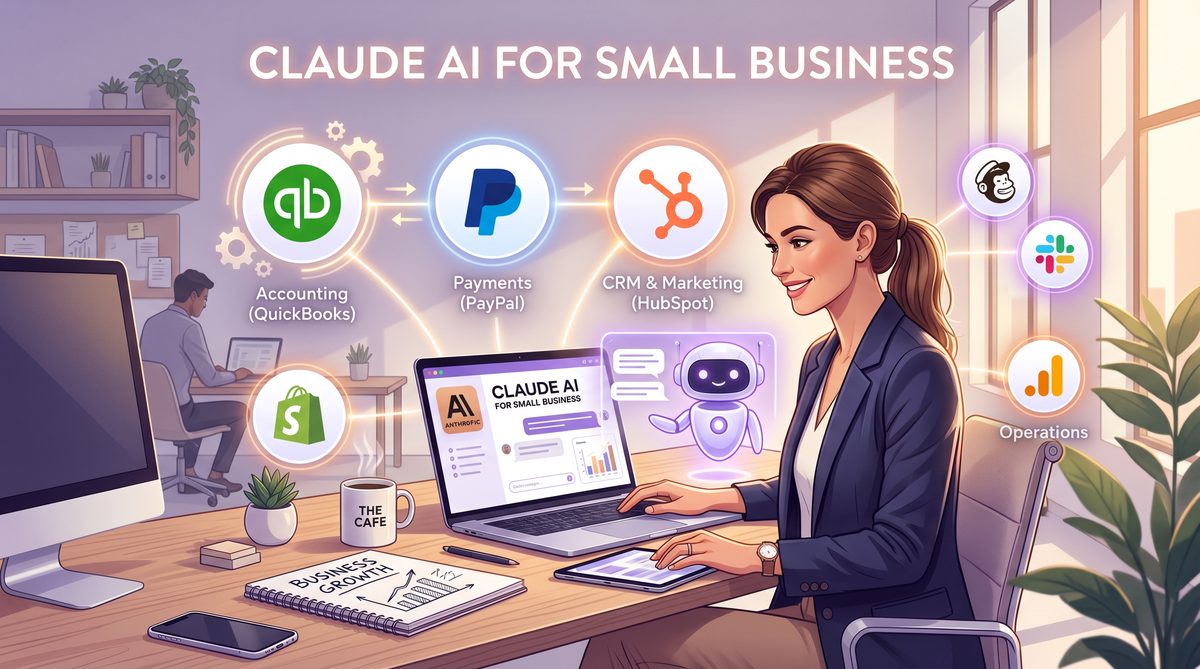
In May 2026, Anthropic launched Claude for Small Business, a tailored AI assistant designed to empower small enterprises by streamlining operations, enhancing productivity, and automating routine workflows. Building on the success of the Claude AI platform, this new offering integrates seamlessly with popular business tools and provides a curated suite of agentic workflows—ready to deploy from day one. This comprehensive guide explores the core features, installation process via Claude Cowork, integrations with leading software such as QuickBooks, PayPal, HubSpot, and Canva, and the extensive library of agentic workflows crafted to meet the unique needs of small businesses.
The release of Claude for Small Business marks a pivotal moment in democratizing access to advanced artificial intelligence technologies. Traditionally, AI-powered automation solutions were either prohibitively expensive or too complex for small businesses to adopt effectively. Anthropic’s approach with Claude for Small Business eliminates these barriers by offering a low-code, intuitive AI assistant that scales with the user’s growth trajectory.
Moreover, the platform’s design philosophy emphasizes privacy, security, and transparency—key concerns for small business owners managing sensitive customer and financial data. Claude operates with robust encryption protocols and adheres to strict data governance policies, ensuring compliance with global standards such as GDPR and CCPA.
Small businesses across various industries—including retail, professional services, hospitality, and e-commerce—have leveraged Claude to automate everything from financial reporting to marketing campaign management. This versatility, combined with easy onboarding and real-time support, positions Claude for Small Business as a transformative tool in the competitive landscape of AI-driven business software.
Seamless Installation and Setup via Claude Cowork
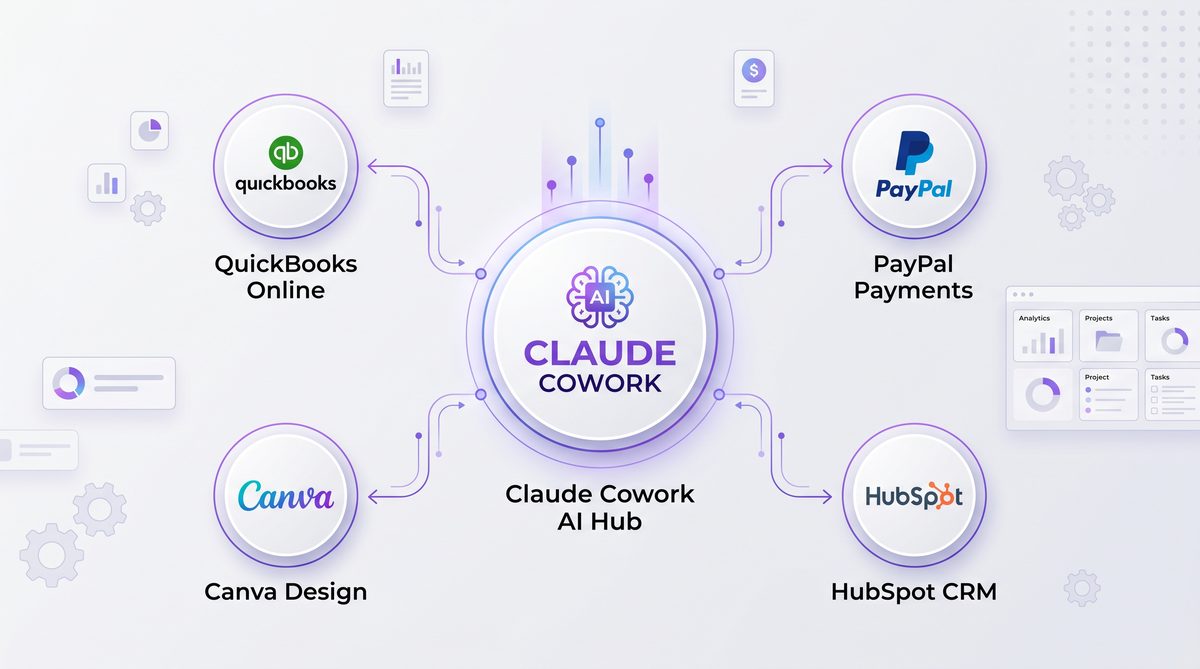
Claude Cowork serves as the centralized interface for managing Claude AI installations and configurations. The introduction of a toggle-based installation process for Claude for Small Business significantly simplifies deployment—allowing users to activate the solution within minutes without technical expertise.
Toggle Installation Process
The toggle install feature is prominently available in the Claude Cowork dashboard. Once a user logs into their Anthropic account and accesses Claude Cowork, they will see a clearly marked toggle labeled “Activate Claude for Small Business.” Enabling this toggle initiates a guided setup wizard that configures the AI assistant according to the business’s size, industry, and operational requirements.
- Step 1: Toggle Activation – Users switch the toggle to “On” to begin the installation process.
- Step 2: Business Profile Setup – The system prompts the user to input essential business information such as company name, sector, number of employees, and primary business goals.
- Step 3: Integration Preferences – Users select which third-party applications they want Claude to connect with, including QuickBooks, PayPal, HubSpot, and Canva.
- Step 4: Workflow Selection – Users choose from 15 pre-built agentic workflows designed to automate key business functions.
- Step 5: Finalize and Deploy – After confirming selections, Claude for Small Business is deployed, and the AI assistant begins assisting immediately.
Each step in the toggle installation is supported by contextual help and AI-driven recommendations. For example, during the Business Profile Setup, Claude Cowork can suggest industry-specific workflows or integrations based on the sector selected, thereby personalizing the onboarding experience further.
The installation process also includes automatic environment checks to verify compatibility with the user’s existing IT infrastructure, such as network settings and authentication protocols. This proactive validation minimizes deployment failures and provides actionable advice to resolve any detected issues.
Benefits of Toggle Installation
This toggle-driven approach reduces setup time dramatically and eliminates the need for manual configuration files or coding. Small business owners can quickly enable or disable the AI assistant as needed, facilitating experimentation and gradual adoption. Moreover, the integration preferences step ensures that Claude’s capabilities are tailored to the user’s existing software ecosystem, maximizing workflow efficiency from the outset.
The toggle system also supports multi-user access, allowing team members to collaborate on setup and ongoing management within Claude Cowork’s secure environment. This collaborative feature is particularly useful for small businesses with distributed teams or external consultants.
From a technical perspective, the toggle installation leverages Anthropic’s modular microservices architecture. When toggled on, Claude dynamically provisions necessary services and API connectors in the cloud, scaling resources based on workload demands. This elasticity ensures that performance remains consistent even as the business scales.
Furthermore, the toggle system integrates with role-based access control (RBAC), enabling administrators to delegate specific setup or management permissions to team members. This granular control enhances security and operational governance, crucial for compliance-driven industries such as finance or healthcare.
Deep Integration with Essential Business Tools
One of the defining strengths of Claude for Small Business is its native integration with critical business applications. These integrations enable real-time data exchange and automation, reducing manual input and improving decision-making accuracy. Below is a detailed overview of the key integrations:
QuickBooks Integration
By connecting Claude to QuickBooks, small businesses gain automated financial management capabilities:
- Automated Expense Categorization: Claude analyzes transaction data and categorizes expenses accurately without manual oversight. It uses machine learning models trained on accounting best practices to ensure correct classification, even when dealing with ambiguous or novel expense descriptions.
- Invoice Generation and Tracking: The AI assistant can generate invoices, track payments, and send reminders to clients based on QuickBooks records. It supports customizable invoice templates and can automate multi-currency invoicing for businesses with international customers.
- Financial Reporting: Claude produces customized financial reports and forecasts by querying QuickBooks data, helping small business owners monitor cash flow and profitability. Reports can include variance analyses, profit margin breakdowns, and scenario-based forecasting powered by predictive analytics.
In addition, Claude’s integration with QuickBooks supports audit trail generation, which is essential for compliance and tax preparation. The system timestamps all automated actions and maintains a detailed log, allowing finance teams to review AI-driven decisions easily.
PayPal Integration
PayPal’s integration extends Claude’s payment processing and reconciliation functions:
- Payment Status Alerts: Receive real-time notifications on payment completions, disputes, or chargebacks. Claude can escalate unresolved disputes by automatically flagging them for human intervention based on predefined risk thresholds.
- Automated Refund Processing: Claude can initiate and track refunds directly through PayPal, streamlining customer service. It ensures compliance with refund policies and records each transaction to maintain transparency.
- Transaction Summaries: Summarizes daily or weekly PayPal transactions with actionable insights, such as identifying peak sales periods or recurring payment issues.
Advanced use cases include integrating PayPal transaction data with inventory management, allowing Claude to adjust stock levels automatically when sales are processed, thereby maintaining real-time inventory accuracy.
HubSpot Integration
HubSpot integration enhances customer relationship management (CRM) and marketing automation:
- Lead Qualification: Claude evaluates and scores incoming leads based on CRM data, helping prioritize sales efforts. It uses natural language processing to analyze lead communications and behavioral data to assign lead quality scores dynamically.
- Automated Follow-ups: Sends personalized follow-up emails or messages triggered by customer behavior tracked in HubSpot. These communications are optimized using AI-driven content generation tailored to each prospect’s interests and engagement history.
- Campaign Performance Analysis: Generates detailed reports and recommendations to optimize marketing campaigns. Claude employs advanced attribution modeling to identify which channels and tactics yield the best ROI.
Furthermore, Claude can assist with contact segmentation and lifecycle stage management, enabling more precise targeting and nurturing strategies that drive higher conversion rates.
Canva Integration
The Canva connection streamlines creative content generation and management:
- Design Suggestions: Claude suggests design templates and visual assets based on marketing goals and brand guidelines. It leverages AI to analyze past campaign performance and current trends to recommend the most engaging styles and formats.
- Content Automation: Automatically generates social media graphics, presentations, and promotional materials within Canva. The AI can customize designs with dynamic text and images, adapting to different platforms’ specifications.
- Collaboration: Facilitates real-time collaboration on design projects by syncing edits and feedback. Claude manages version control and can notify team members of pending approvals or required actions.
Additionally, Claude supports brand compliance checks by scanning designs for adherence to preset color palettes, fonts, and logos, ensuring consistent brand identity across all creative assets.
Integration Comparison Table
| Integration | Primary Function | Key Features | Business Benefit |
|---|---|---|---|
| QuickBooks | Accounting & Finance | Expense categorization, invoice automation, financial reporting | Improved financial accuracy and time savings |
| PayPal | Payment Processing | Payment alerts, refund automation, transaction summaries | Streamlined payment management and customer service |
| HubSpot | CRM & Marketing | Lead scoring, automated follow-ups, campaign analysis | Enhanced sales prioritization and marketing effectiveness |
| Canva | Design & Content Creation | Design suggestions, content automation, collaborative editing | Accelerated content production with brand consistency |
This suite of integrations ensures that Claude for Small Business can act as a centralized AI-powered hub, orchestrating workflows across multiple platforms to reduce manual intervention and improve operational efficiency. For detailed implementation instructions and best practices on these integrations, refer to the Claude for Small Business: Anthropic Launches 15 AI Skills and 8 Connectors for SMB Automation.
Agentic Workflows: Ready-to-Run Automation for Small Business
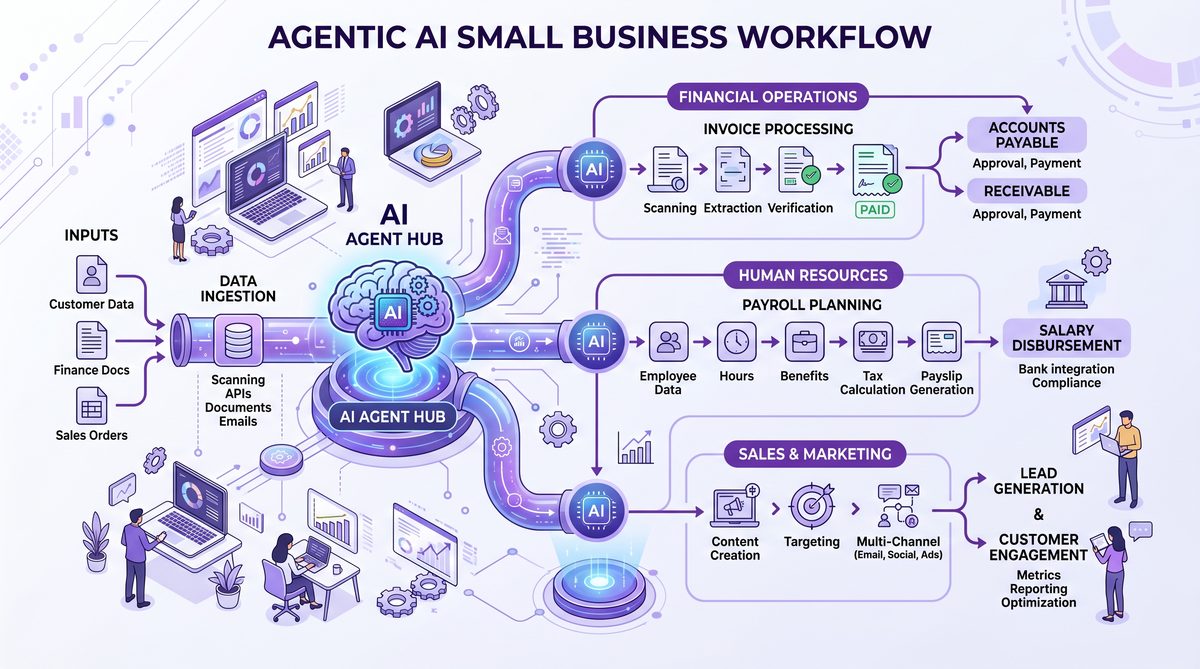
Claude for Small Business ships with 15 pre-built agentic workflows—intelligent, autonomous sequences designed to automate common and critical business processes. These workflows leverage Claude’s natural language understanding combined with integration capabilities to perform tasks with minimal user input, freeing up time and reducing errors.
Overview of the 15 Agentic Workflows
Each workflow is designed for immediate activation and can be customized through Claude Cowork’s interface. They span multiple business domains, including finance, sales, marketing, customer service, and content creation.
- 1. Automated Invoice Generation: Generates and sends invoices based on customer orders and payment status. This workflow supports various billing models such as one-time payments, subscriptions, and milestone-based billing.
- 2. Expense Reconciliation: Matches expenses from bank feeds against recorded transactions, flagging discrepancies. It can also suggest corrective actions or flag potential fraudulent activities.
- 3. Sales Lead Qualification: Scores and prioritizes sales leads using CRM data and historical conversion metrics. The workflow also integrates sentiment analysis to assess lead engagement quality.
- 4. Follow-up Email Campaign: Sends personalized follow-up emails to prospects and customers after meetings or purchases. It supports A/B testing and scheduling optimization for improved open rates.
- 5. Social Media Content Calendar: Plans, creates, and schedules social media posts based on marketing goals and trending topics. It incorporates AI-generated hashtags and optimal posting times to maximize reach.
- 6. Customer Support Ticket Routing: Automatically categorizes and routes support tickets to the appropriate team members. It uses natural language classification to detect urgency and topic.
- 7. Refund Request Processing: Manages refund workflows from customer requests to PayPal transaction reversals. It tracks refund statuses and updates customers proactively.
- 8. Financial Forecasting: Generates cash flow and revenue forecasts based on current data from QuickBooks. The workflow includes scenario analysis to model the impact of potential business decisions.
- 9. Marketing Campaign Analysis: Evaluates campaign effectiveness and recommends budget adjustments. It integrates multi-channel data to provide holistic insights.
- 10. Inventory Alerting: Monitors inventory levels and triggers reorder notifications. The workflow can also forecast demand trends using historical sales data and seasonality patterns.
- 11. Meeting Scheduling Assistant: Coordinates calendars and schedules meetings with clients and vendors. It supports multiple calendar platforms and time zone coordination.
- 12. Brand Asset Management: Organizes and suggests brand assets within Canva for easy access during content creation. The workflow tracks asset usage and expiry dates for licensing compliance.
- 13. Customer Feedback Summarization: Collects, analyzes, and summarizes customer feedback from various channels. It employs sentiment analysis and keyword extraction to highlight key trends.
- 14. Tax Compliance Reminder: Alerts users about upcoming tax deadlines and required documentation. It also provides links to relevant tax forms and filing instructions.
- 15. Employee Onboarding Automation: Automates the distribution of onboarding materials and task checklists for new hires. The workflow integrates with HR systems to update employee status automatically.
Customizing and Extending Workflows
While the pre-built workflows cover a broad spectrum of small business needs, Claude for Small Business also supports customization and expansion. Users can modify workflow steps, adjust triggers, and integrate additional tools via the Claude Cowork platform. This flexibility enables businesses to tailor automation to specific operational nuances.
For example, a retail business might enhance the Inventory Alerting workflow by linking it to their e-commerce platform’s API, while a service provider could extend the Meeting Scheduling Assistant to integrate with third-party calendar tools beyond Google Calendar.
Advanced users and developers can also create entirely new agentic workflows using the open API endpoints provided by Claude for Small Business. These APIs allow programmatic control over workflow logic, data inputs, and output actions, enabling integration with proprietary business systems or specialized SaaS applications.
To facilitate this, Anthropic provides extensive developer documentation, example scripts, and a sandbox environment within Claude Cowork. This ecosystem encourages innovation and ensures that businesses are not limited to out-of-the-box functionality but can evolve their AI automation as their needs grow.
Workflow Management and Monitoring
Claude Cowork provides a comprehensive dashboard for monitoring workflow performance, including metrics such as task completion rates, average processing times, and exception handling instances. This visibility supports continuous improvement by identifying bottlenecks or workflow failures that require human intervention.
Additionally, workflow logs are stored securely and can be exported for compliance audits or internal reviews. Alerts and notifications can be configured to keep business owners informed about critical workflow events.
The platform supports intelligent exception management—when a workflow encounters an error or ambiguous data, Claude can either escalate the issue to a human operator or attempt alternative resolution paths based on pre-configured business rules. This resiliency reduces downtime and ensures consistent process execution.
For best practices on workflow governance and advanced customization options, consult the detailed documentation available through 15 Advanced Claude 4 Prompts for Legal Research, Business Strategy, and Software Development.
Business Impact and Use Cases of Claude for Small Business
Implementing Claude for Small Business yields measurable benefits across operational, financial, and strategic dimensions. The AI assistant’s ability to autonomously handle routine tasks empowers small business owners and teams to focus on growth and innovation.
Operational Efficiency Gains
By automating repetitive processes such as invoicing, expense reconciliation, and customer follow-ups, Claude reduces manual labor hours. Early adopters report up to a 40% reduction in administrative workload within the first quarter of deployment. This efficiency gain translates directly to cost savings and improved employee satisfaction.
Moreover, Claude’s 24/7 availability means that critical tasks continue uninterrupted outside of business hours, accelerating cash flow cycles and improving responsiveness. For example, automated payment reminders and refund processing can occur overnight, reducing delays and improving customer experience.
Improved Financial Management
Integrations with QuickBooks and PayPal combined with workflows like Financial Forecasting and Tax Compliance Reminder provide small businesses with proactive financial insights and reduce the risk of costly errors or missed deadlines.
Case studies demonstrate that businesses using Claude’s financial workflows have improved their cash flow forecasting accuracy by up to 30%, enabling better planning for inventory purchases, payroll, and capital investments. Additionally, automated tax reminders have helped prevent late filing penalties, safeguarding business reputations and finances.
Enhanced Customer Engagement
Workflows such as Sales Lead Qualification and Follow-up Email Campaign enable more targeted and timely communication, improving conversion rates and customer retention. The integration with HubSpot further amplifies these capabilities by providing a unified CRM experience powered by AI.
For instance, a consulting firm utilizing Claude’s lead scoring and follow-up automation reported a 25% increase in qualified leads progressing to proposal stage, attributing the improvement to faster response times and personalized communications tailored by AI.
Streamlined Creative Processes
With Canva integration and brand asset management workflows, marketing teams can accelerate content production while maintaining brand consistency. This contributes to a stronger, more recognizable brand presence without requiring additional creative resources.
Marketing managers highlight how automated design suggestions and content scheduling have reduced campaign launch times by 50%, allowing their teams to react swiftly to market trends and customer preferences.
Use Case Examples
- Local Retailer: Uses Automated Invoice Generation and Inventory Alerting to maintain accurate sales records and prevent stockouts. The retailer also customizes the Inventory Alerting workflow to integrate with their point-of-sale system, ensuring real-time inventory tracking across multiple store locations.
- Consulting Firm: Employs Meeting Scheduling Assistant and Employee Onboarding Automation to optimize client interactions and new hire integration. The firm integrates Claude with their HR software to automatically provision system access and training resources for new employees.
- Online Service Provider: Leverages Sales Lead Qualification and Follow-up Email Campaign workflows to increase sales pipeline velocity. They utilize AI-generated personalized messaging that adapts based on customer engagement data, improving email click-through rates significantly.
For an in-depth exploration of real-world implementations and success stories, visit The Complete Guide to Anthropic Claude’s New Legal AI Tools: Thomson Reuters, Harvey, and Everlaw Integration.
Conclusion
Anthropic’s Claude for Small Business represents a significant advancement in AI-powered business automation, specifically designed to meet the unique challenges of small enterprises. The easy toggle installation within Claude Cowork, combined with deep integrations to essential business tools like QuickBooks, PayPal, HubSpot, and Canva, provides a powerful platform for operational transformation.
The availability of 15 pre-built agentic workflows allows small businesses to immediately realize productivity gains and cost reductions while maintaining flexibility for customization and future expansion. As small businesses continue to seek scalable, intelligent solutions, Claude for Small Business stands out as a comprehensive, accessible AI assistant built for growth and efficiency.
Looking ahead, Anthropic plans to expand Claude’s capabilities with additional integrations, enhanced natural language understanding for more complex workflows, and AI-driven business insights that can proactively recommend strategic actions. This ongoing innovation ensures that Claude for Small Business will remain a vital partner in the success of small enterprises worldwide.
Access 40,000+ AI Prompts for ChatGPT, Claude & Codex — Free!
Subscribe to get instant access to our complete Notion Prompt Library — the largest curated collection of prompts for ChatGPT, Claude, OpenAI Codex, and other leading AI models. Optimized for real-world workflows across coding, research, content creation, and business.
