
The Complete Guide to GPT-5.5’s Four Model Tiers: Base, Pro, Instant Mini, and When to Use Each
GPT-5.5’s Four Model Tiers: The Complete Guide to Base, Standard, Instant Mini, and Pro
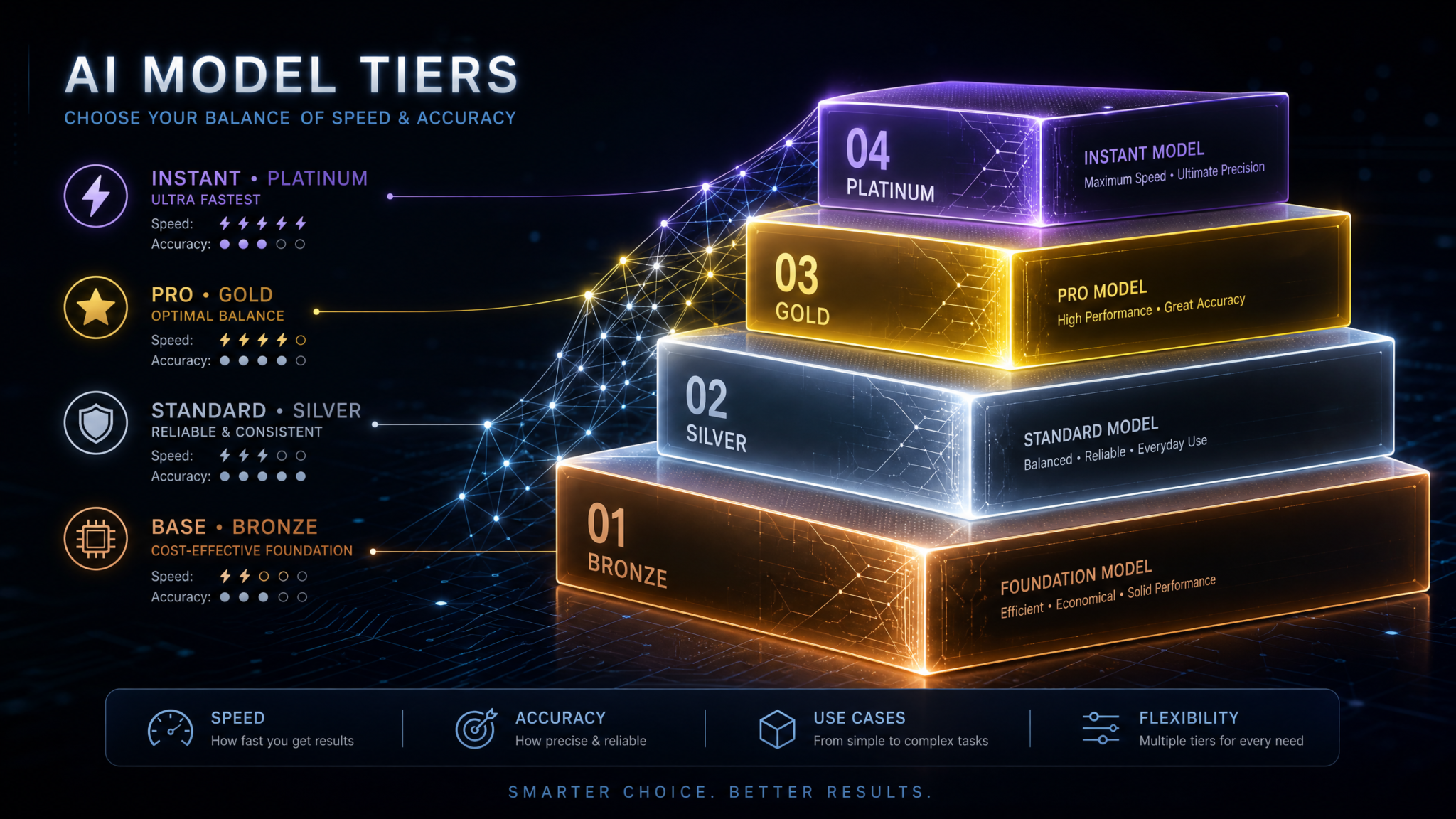
GPT-5.5 represents a maturing of the GPT family into a clearly tiered lineup designed to cover vastly different performance, cost, and latency envelopes. Four flavors are available:
- GPT-5.5 Base — launched April 23, 2026; a reliable, general-purpose foundation tuned for broad compatibility and developer control.
- GPT-5.5 (Standard) — the default high-quality tier for balanced accuracy, reasoning, and multimodal support.
- GPT-5.5 Instant Mini — rolled out in July 2026 to Free and Plus users; a fast, ultra-affordable tier for latency-sensitive and high-volume tasks with acceptable accuracy trade-offs.
- GPT-5.5 Pro — the highest-accuracy, parallel-reasoning tier optimized for multi-step, tool-rich workflows where reliability matters more than cost.
If you build or buy AI systems in 2026, these tiers are not just marketing. They’re operational levers. They decide which customer experiences you can deliver, which SLAs you can commit to, how you scale costs from prototype to production, and which risks you must mitigate. This guide is a definitive, practical reference to help you choose correctly, configure efficiently, and evolve your stack as the GPT family (including GPT-5.6) continues to expand.
We’ll cover capabilities, pricing frameworks, accuracy and latency profiles, parallel-reasoning in Pro, API access differences, rate limits, decision frameworks, real-world recipes, enterprise vs. individual developer issues, and cost optimization strategies for high-volume usage. For hard numbers like pricing and default rate limits, treat the tables here as representative planning figures and always verify the latest values in your OpenAI console before committing to production. Where applicable, we provide formulas so you can recompute costs with your own usage.
Throughout the article, look for internal-learning topics such as ,
For teams looking to maximize their AI productivity with ready-to-use templates, our collection of 30 ChatGPT-5.5 Prompts for Data Analysts: SQL Generation, Data Visualization, Statistical Analysis, and Automated Reporting provides battle-tested prompt frameworks that complement the strategies discussed in this article, covering everything from initial setup to advanced optimization workflows.
, and
For teams looking to maximize their AI productivity with ready-to-use templates, our collection of 25 ChatGPT-5.5 Prompts for Product Managers: Roadmap Planning, Feature Prioritization, Stakeholder Communication, and Market Analysis provides battle-tested prompt frameworks that complement the strategies discussed in this article, covering everything from initial setup to advanced optimization workflows.
that connect this guide to deeper how-tos.
At-a-Glance Comparison: Which GPT-5.5 Tier Fits Your Constraints?
| Dimension | GPT-5.5 Base | GPT-5.5 (Standard) | GPT-5.5 Instant Mini | GPT-5.5 Pro |
|---|---|---|---|---|
| Positioning | General-purpose, stable defaults; developer-tunable | Balanced quality, reasoning, and modalities | Fastest and lowest-cost; good-enough accuracy | Highest reliability + parallel reasoning |
| Context Window (typical) | 128k tokens | 256k tokens | 128k tokens | Up to 1M tokens (enhanced long-context SKUs) |
| Relative Accuracy | High | Very high | Moderate to high | Excellent (top-tier) |
| Relative Latency (first token) | Moderate | Moderate | Low | Moderate (parallel tasks reduce end-to-end) |
| Throughput (tokens/sec) | ~70–130 tok/s | ~80–150 tok/s | ~180–350 tok/s | ~60–120 tok/s (plus parallel tool-call gains) |
| Tool/Function Calling | Yes | Yes (robust) | Yes (lean) | Yes + multi-branch/parallel orchestration |
| Multimodal I/O | Text, image (core) | Text, image, structured tools; stronger vision | Text, lightweight image understanding | Text, image; superior cross-modal reasoning |
| Typical Use Cases | CRUD automation, batch transformations, internal tools | Assistants, RAG search, content generation, analytics | Chatbots, classification, large-scale summarization | Complex agents, research assistants, strategic analytics |
| Relative Price Tier | $$ | $$$ | $ | $$$$ |
Core positioning: If you need the absolute best reasoning under tight reliability requirements and orchestrate multiple tools per task, go Pro. If you optimize for cost and speed at scale and can tolerate more fallbacks/validation, choose Instant Mini. Standard is the “safe default” for most production assistants and RAG systems. Base is an excellent building block when you want predictable behavior and tight developer control without the price of Standard or Pro.
Release Timeline and Where GPT-5.5 Fits in the Family (Alongside GPT-5.6)
Key milestones:
- April 23, 2026 — GPT-5.5 Base release. Baseline for devs to start building against 5.5 generation behaviors.
- Mid-2026 — GPT-5.5 Standard and Pro generally available in the API and platform products for builders scaling assistants, apps, and workflows.
- July 2026 — GPT-5.5 Instant Mini rolls out to Free and Plus users, unlocking rapid prototyping and low-latency experiences for the broadest audience.
In the broader model family, GPT-5.5 coexists with the 5.x lineage and previews of GPT-5.6. The general expectation is that 5.6 emphasizes incremental reliability improvements, more robust tool-use semantics, and efficiency upgrades like smarter context packing and continuous batching. If you are budgeting for late-2026 migrations, design your systems so you can swap 5.5 tiers with 5.6 equivalents behind an abstraction layer. For example, expose “capability profiles” in code (context window size, parallel tool-call degree, rate-limit class) rather than hardcoding model IDs. Doing so lets you take advantage of future parallelism improvements and pricing changes without rewriting your orchestration logic. For readers pursuing retrieval-augmented generation, see to understand how to benchmark migration impacts on answer faithfulness and grounding.
Capabilities Deep Dive: Strengths, Trade-offs, and What They Mean in Production
GPT-5.5 Base: The Stable Workhorse
GPT-5.5 Base is the most developer-centric tier. It emphasizes consistent behavior across updates, predictable token usage, and broad compatibility with existing 4.x and 5.x tool-calling semantics. In practice, teams adopt Base when they need to roll out thousands of automations and internal utilities that don’t justify Pro-level spend but should outperform Instant Mini in edge cases.
- Consistency: Fewer “surprises” between minor versions. Prompts tuned on Base tend to remain valid longer, reducing revalidation costs.
- Control: System prompts, tool schemas, and deterministic sampling (low temperature) produce stable outputs. This matters for invoice parsing, calendar automation, and configuration generation.
- Context: With a typical 128k context window, Base comfortably handles multi-document prompts, medium-length transcripts, and codebases for refactoring suggestions.
- Accuracy: Strong on syntactic tasks, solid on fact lookup when paired with RAG, and decent at multi-step reasoning if you interleave checks and external tools.
- Cost/Efficiency: Priced below Standard, Base supports wide deployments without large per-interaction budgets.
When to prefer Base:
- High-volume data transformations where errors are easy to catch and correct downstream (e.g., CSV normalization, simple regex generation, ETL commentary).
- Internal developer productivity bots (e.g., pull request templates, docstring generation, code smell hints) where minor variability is acceptable.
- Batch content tasks with tight budgets like rewriting, tagging, and tone adjustments.
GPT-5.5 (Standard): The Balanced Default for Assistants and RAG
The Standard tier is what most teams deploy when evaluating 5.5 for the first time. It features stronger default reasoning, better resistance to distractor content in long prompts, and more robust multimodal grounding than Base. In production assistants connecting to search, databases, calendars, and LOB systems via function calling, Standard offers a sweet spot: highly useful answers with good chain-of-thought surrogates (e.g., tool-call traces) without Pro’s premium price.
- Robust reasoning: Fewer logical slips on 5–8 hop tasks compared to Base; handles medium complexity tool-plans.
- Longer context: Around 256k tokens typical; pragmatic for long PDFs, contract markups, and meeting-series recall.
- Multimodal: Improved OCR/vision grounding enabling doc Q&A, slide summarization, and table extraction workflows.
- Tool calling: More reliable function argument construction and schema adherence; lower risk of hallucinated parameters.
When to prefer Standard:
- Customer support assistants that must hit 80–90% solve rates on first response with guardrails and clarifying questions.
- RAG with diverse corpora (product docs, knowledge bases, tickets) where distractors are common.
- Content generation beyond templating—e.g., product descriptions with brand voice, SEO briefs with competitive context.
GPT-5.5 Instant Mini: Speed and Scale Above All
Instant Mini is the tier built for responsiveness and cost-sensitive scale. Rolled out in July 2026 to Free and Plus users, its defining characteristic is very low latency combined with comparatively aggressive batching and decoding strategies to keep cost profiles small. The trade-off is that accuracy on subtle reasoning steps and ambiguous queries trails Standard and Pro.
- Latency: Fastest first-token times and highest tokens-per-second throughput among the four tiers, benefiting chat UX and streaming UI patterns.
- Affordability: Lowest per-token cost. Suitable for tens of millions of daily interactions in consumer apps.
- Long enough context: ~128k tokens, which is more than adequate for most chat and summarization workflows.
- Trade-offs: More sensitive to prompt phrasing, more likely to produce shallow justifications, and requires validation layers for critical tasks.
When to prefer Instant Mini:
- Interactive chatbots where 200–400ms time-to-first-token changes perceived quality more than marginal accuracy gains.
- Classification, tagging, intent detection, and NER tasks with clear labels and high-quality training examples.
- Large-scale summarization (tickets, comments, transcripts) where downstream sampling or human spot-checks catch the small share of misses.
How to mitigate accuracy trade-offs:
- Use verification prompts: have Instant Mini justify its answer with a short evidence list; fail closed if no evidence present.
- Deploy cascades: run Instant Mini first; if confidence metrics (e.g., coverage of required fields) are low, escalate to Standard or Pro.
- Constrain via tool calls: prefer structured outputs (JSON schemas) and strict function signatures to reduce drift.
GPT-5.5 Pro: Parallel Reasoning for Complex, Tool-Rich Workflows
Pro is the highest-accuracy tier and introduces parallel-reasoning capabilities that reduce overall wall-clock time for complex tasks. Rather than a single linear chain-of-thought, Pro can branch internal plans, dispatch multiple tool calls concurrently, and reconcile results, especially when the sub-tasks are conditionally independent.
- Parallel plans: Instead of “fetch A then fetch B then compute C,” Pro can issue parallel fetches (A and B) and combine them to compute C, lowering critical path latency.
- Speculative and selective decoding: While not user-visible, these techniques stabilize outputs while maintaining throughput, making multi-hop reasoning more consistent.
- Tool orchestration: Better at determining which tools to invoke and how to structure inputs/outputs when there are 5–20 available functions.
- Long-context strength: Up to 1M tokens in enhanced SKUs allows entire repositories, policy manuals, or multi-quarter meeting logs to live in the prompt in full fidelity.
When to prefer Pro:
- Executive and research assistants synthesizing across many sources with reasoning steps that can run concurrently.
- Agentic workflows that broker multiple APIs (CRM, ERP, analytics) before deciding the next best action.
- Regulated content creation where precision and auditability beat raw speed; use Pro for final pass after Instant Mini drafts.
How Parallel Reasoning in Pro Works in Practice
While the full internals are abstracted, you can conceptualize Pro’s parallel reasoning as multi-branch planning with constrained reconciliation. The model produces a plan graph with sub-goals, identifies tool calls per sub-goal, and executes compatible branches concurrently. The runtime collects results, detects conflicts, and asks the model to synthesize a final answer with evidence.
# Pseudocode: Parallel tool-call orchestration with GPT-5.5 Pro

plan = model.plan("Compare Q2 performance of our top 3 SKUs vs industry, and draft a 150-word summary with sources.")
# Pro outputs a structured plan with branches:
# - Branch A: fetch_internal_sales(sku_list, Q2); analyze_margins
# - Branch B: fetch_industry_benchmarks(sku_list, Q2)
# - Branch C: sentiment_scan(earnings_calls, Q2)

with concurrent.futures.ThreadPoolExecutor() as pool:
    futA = pool.submit(call_tool, "fetch_internal_sales", argsA)
    futB = pool.submit(call_tool, "fetch_industry_benchmarks", argsB)
    futC = pool.submit(call_tool, "sentiment_scan", argsC)

resA, resB, resC = futA.result(), futB.result(), futC.result()

synthesis_prompt = f"""
Internal sales: {resA}
Industry benchmarks: {resB}
Sentiment: {resC}
Task: 150-word summary with 3 citations and margin deltas. State confidence.
"""
answer = model.generate(synthesis_prompt, output_schema=structured_summary)
return answer
Pro’s edge is not always raw tokens-per-second. It’s reducing the critical path by exploiting concurrency across tool calls and sub-analyses. In many production pipelines, this delivers 20–40% lower end-to-end latency on complex tasks, even if the language generation stage itself is not the fastest among the tiers.
Pricing, Rate Limits, and API Access: Planning Figures and What to Expect
Exact prices and rate limits vary by account, geography, and negotiated enterprise terms. The following tables provide representative planning figures developers have used successfully to budget and design systems. Always confirm current numbers in your OpenAI dashboard before launch.
Representative List Pricing (per 1M tokens)
| Model | Input $/M tokens | Output $/M tokens | Notes |
|---|---|---|---|
| GPT-5.5 Base | $2.00–$3.50 | $6.00–$9.00 | Value-focused; solid for batch pipelines |
| GPT-5.5 (Standard) | $5.00–$8.00 | $15.00–$24.00 | Balanced performance and cost |
| GPT-5.5 Instant Mini | $0.20–$1.00 | $0.60–$3.00 | Cheapest for massive scale, lowest latency |
| GPT-5.5 Pro | $12.00–$20.00 | $36.00–$60.00 | Highest accuracy; parallel reasoning |
These bands illustrate relative differences and help in scenario planning. For example, a 2,000 input token + 800 output token request costs roughly 0.0028 of a million tokens of each class. Multiply by the corresponding per-M token price to estimate the per-call cost. To turn this into a monthly budget, multiply by projected request counts.
# Cost estimation formula
# cost = (input_tokens / 1e6) * input_rate + (output_tokens / 1e6) * output_rate

def cost_per_call(input_tokens, output_tokens, input_rate, output_rate):
    return (input_tokens/1_000_000)*input_rate + (output_tokens/1_000_000)*output_rate

# Example: Standard tier, 2k in, 800 out, rates at $6 in / $18 out
print(cost_per_call(2000, 800, 6, 18))  # $0.0216 per call

# Monthly at 1M calls: $21,600
Default Rate Limits: Tokens/Minute and Requests/Minute
Defaults differ by account tier. Enterprise accounts can often request higher ceilings, while new developer accounts may start lower. Treat the table below as a common baseline at initial provisioning:
| Model | Default Tokens/Minute | Default Requests/Minute | Burst Behavior |
|---|---|---|---|
| GPT-5.5 Base | 500k–1M | 600–1,200 | Short bursts tolerated; sustained spikes throttled |
| GPT-5.5 (Standard) | 1M–2M | 800–1,600 | Better smoothing; continuous batching applies |
| GPT-5.5 Instant Mini | 2M–4M | 1,500–3,000 | Optimized for many small requests |
| GPT-5.5 Pro | 1M–3M | 800–1,600 | High ceilings available via request; concurrency key |
Concurrency limits and “tokens per minute” both matter. If you plan to issue many tool calls per request under Pro, treat each tool call’s response token budget as part of your total. Architect with backpressure and retries for HTTP 429 responses—particularly when your user traffic is spiky. Intelligent client libraries can meter throughput by sampling token counts and smoothing request rates. For resilient production pipelines, maintain a leaky-bucket or token-bucket limiter on the caller side.
API Access Differences and Availability
- Availability: All four tiers are generally available in the public API; however, certain enhanced Pro SKUs (e.g., 1M token context) can be gated to enterprise accounts or require an allowlist.
- Function calling: Equivalent in schema definition across tiers, but Pro adheres more strictly to complex schemas and nested object outputs.
- Batch endpoints: Instant Mini and Base are commonly used with batch/async endpoints for bulk workloads; Pro’s batch usage is viable when parallel tool orchestration is not required.
- Safety & moderation: All tiers integrate safety filters; Standard and Pro often exhibit more stable refusals and clarifications under sensitive prompts.
Context Windows, Memory, and Prompt Engineering Considerations
Context length defines the ceiling on how much instruction, prior conversation, and external data you can pass in one request. Long-context is especially meaningful for RAG, doc analysis, and multi-session assistants.
| Model | Context Window | Long-Context SKU | Best Practice |
|---|---|---|---|
| GPT-5.5 Base | 128k | — | Chunk inputs; use retrieval + compression; cache system prompts |
| GPT-5.5 (Standard) | 256k | — | Hierarchical retrieval; cite sources; verify with targeted follow-ups |
| GPT-5.5 Instant Mini | 128k | — | Keep prompts lean; enforce JSON schemas to minimize drift |
| GPT-5.5 Pro | Up to 1M | Enhanced SKU | Load full corpora; leverage parallel tool queries for retrieval |
Prompt engineering tips across tiers:
- Define strict JSON schemas for outputs and fail closed on invalid JSON.
- Use system prompts to set role, tone, and constraints; cache them across sessions when supported by your SDK or proxy.
- Minimize redundant context with document fingerprinting; pass only deltas between turns. This is central to
For teams looking to maximize their AI productivity with ready-to-use templates, our collection of 30 ChatGPT-5.5 Prompts for Data Analysts: SQL Generation, Data Visualization, Statistical Analysis, and Automated Reporting provides battle-tested prompt frameworks that complement the strategies discussed in this article, covering everything from initial setup to advanced optimization workflows.
.
- For long-context tasks, include a brief “Where to look” section in the prompt to steer attention to relevant spans.
Speed and Accuracy: What the Numbers Suggest
Benchmarks evolve, but we can establish planning ranges based on mixed reasoning suites (math word problems, multi-hop QA, code synthesis), retrieval robustness under distractors, and instruction-following fidelity. Treat the following as indicative ranges for production expectations rather than leaderboard scores.
| Dimension | Base | Standard | Instant Mini | Pro |
|---|---|---|---|---|
| Multi-step reasoning accuracy (5–8 hops) | ~72–78% | ~79–86% | ~62–74% | ~87–92% |
| RAG faithfulness under distractors | ~75–82% | ~82–88% | ~68–78% | ~88–93% |
| Function-calling schema adherence (complex) | ~90–94% | ~93–96% | ~86–92% | ~96–98% |
| Time-to-first-token (p50) | 350–600 ms | 350–650 ms | 180–350 ms | 400–700 ms |
| Throughput (tokens/sec, streaming) | 70–130 | 80–150 | 180–350 | 60–120 |
Pro’s outperformance on reasoning and schema adherence is consistent with its design: better handling of deep, parallelizable tasks and tool orchestration. Instant Mini leads on latency and throughput, giving it the best UX for fast chats and the best unit economics for bulk tagging and summarization. Standard slots in between with predictable, strong results. Base behaves well across structured tasks at a lower price point.
Decision Framework: Choosing the Right Tier
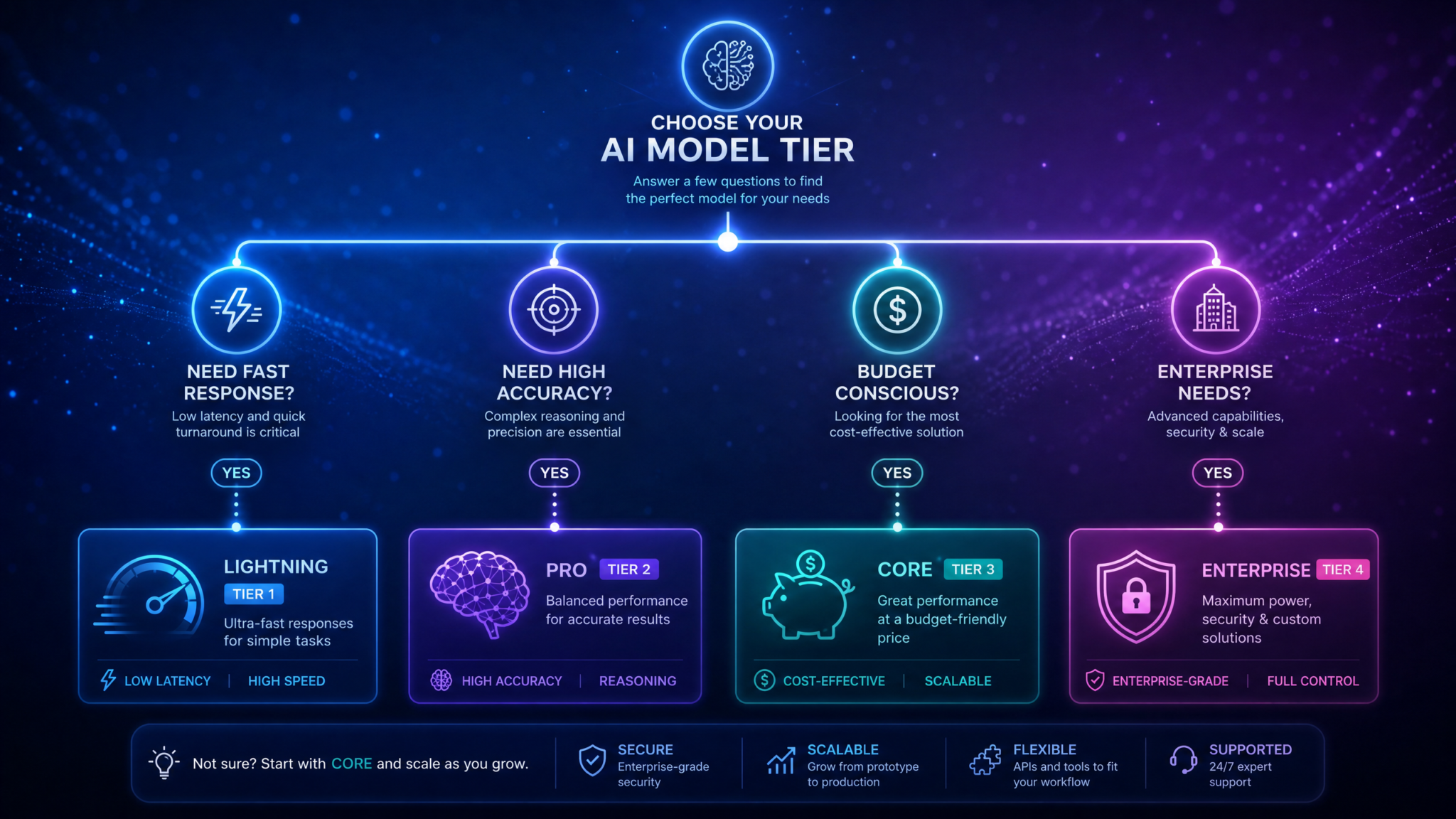
Start by articulating your primary constraint: cost, latency, or accuracy. Then layer in secondary constraints: context length, tool complexity, and rate limits. The following decision tree distills this into a quick, repeatable selection process.
Decision Tree (Simplified)

1) What is the primary constraint?
   a) Latency/cost per interaction
      - Start with Instant Mini
      - If accuracy is insufficient on evals, move to Base or Standard
   b) Accuracy/reliability
      - Start with Pro
      - If budget-limited, attempt Standard + tool-verified workflows
   c) Long-context + complex tools
      - Start with Pro (1M context SKU)
      - Try Standard if 256k suffices and tools are simpler

2) What is the workload pattern?
   a) Many small requests (chat, classification)
      - Instant Mini or Base; add escalation to Standard on failures
   b) Fewer, complex requests (analysis, agents)
      - Standard or Pro; exploit parallel tool calls with Pro

3) What is the cost ceiling?
   a) <$10 per 1k interactions (light prompts)
      - Instant Mini only (possibly Base with compression)
   b) $10–$50 per 1k interactions
      - Base or Standard with caching + cascades
   c) $50+ per 1k interactions
      - Standard or Pro; validate gains vs. unit economics

4) API constraints (rate limits, gating)
   - If you need high RPM and TPM out of the box, Instant Mini is friendlier
   - For 1M context, Pro enhanced SKU is required
Use-Case Mapping
| Use Case | Recommended Tier | Rationale | Fallback/Escalation |
|---|---|---|---|
| Consumer chatbots | Instant Mini | Latency + cost dominate; acceptable accuracy | Escalate to Standard on confidence fail |
| Enterprise helpdesk assistants | Standard | Accuracy and schema adherence balanced with cost | Escalate to Pro for regulated or VIP flows |
| Doc Q&A with long PDFs | Standard | 256k context fits; strong RAG behavior | Pro for extremely long or subtle reasoning |
| Batch summarization (tickets, calls) | Instant Mini | Largest scale at lowest cost | Base for higher fidelity on tricky categories |
| Financial analysis agents | Pro | Parallel tool queries; high accuracy | Standard with tighter guardrails |
| Code review suggestions | Base | Stable behavior; affordable | Standard for complex refactor proposals |
Practical Examples: Patterns, Prompts, and Orchestration Recipes
Example 1: Production Support Assistant with a Cascade (Instant Mini → Standard → Pro)
Goal: Deliver fast, helpful answers for common support queries at minimum cost, escalate rare or ambiguous cases to higher tiers automatically.
- Initial response (Instant Mini): Classify intent, fetch relevant KB snippets (RAG), and generate a short answer with citations.
- Validation: Check if all required fields are present (e.g., citation count ≥ 2, confidence ≥ threshold, no PII exposure).
- Escalation: If validation fails or user expresses dissatisfaction, rerun with Standard. For VIP or regulated intents, jump directly to Pro.
# Skeleton orchestration

def support_answer(user_query):
    # 1) Instant Mini pass
    mini_out = call_model("gpt-5.5-instant-mini", prompt=build_prompt(user_query), tools=[search_kb, fetch_policy])
    if passes_validation(mini_out):
        return mini_out

    # 2) Standard pass
    std_out = call_model("gpt-5.5", prompt=augment_with_feedback(user_query, mini_out), tools=[search_kb, fetch_policy, ticket_lookup])
    if passes_validation(std_out):
        return std_out

    # 3) Pro pass (VIP/regulatory)
    return call_model("gpt-5.5-pro", prompt=escalate_with_requirements(user_query, std_out), tools=[search_kb, policy_lens, compliance_check])
Teams evaluating their AI strategy should also consider the insights from our analysis of GPT-5.5 Instant Mini Rolls Out: What Changes for Free and Plus Users, which examines the practical implications of recent platform changes for development workflows, cost optimization, and team productivity across different organizational scales.
Example 2: Pro Tier Parallel Reasoning for RAG + Analytics
Goal: Synthesize insights from internal sales data, industry benchmarks, and recent news, delivering a concise executive summary with confidence and sources. Pro excels by querying multiple sources in parallel.
# Parallel tool orchestration using Pro

plan_prompt = """
You are an executive insights agent. Break down the task:
1) Pull internal Q2 sales and margin by top SKUs.
2) Pull industry benchmark growth for same SKUs.
3) Pull recent news sentiment on those SKUs.
Run independent steps in parallel. Reconcile results and write a 180-word summary with 3 citations.
"""

plan = call_model("gpt-5.5-pro", prompt=plan_prompt, response_format="plan_graph")

# Execute branches in parallel (pseudo-API)
branches = extract_branches(plan)  # A: internal_sales, B: industry_benchmarks, C: news_sentiment
results = run_parallel(branches, {
    "internal_sales": tool_internal_sales,
    "industry_benchmarks": tool_industry_benchmarks,
    "news_sentiment": tool_news_sentiment
})

synthesis_prompt = f"""
Results:
- Internal: {results['internal_sales']}
- Industry: {results['industry_benchmarks']}
- Sentiment: {results['news_sentiment']}

Write a 180-word summary. Include deltas vs. industry, anomalies, risks, and 3 citations.
"""

final = call_model("gpt-5.5-pro", prompt=synthesis_prompt, response_format="json", schema=executive_summary_schema)
In practice, this pattern cuts response time by a third compared to sequential Standard calls across tools and yields tighter adherence to required fields due to Pro’s schema reliability.
Example 3: Batch Content Generation — Base vs. Instant Mini
Goal: Rewrite 1 million product descriptions to a new style guide under a fixed budget and deadline. Two viable options:
- Instant Mini: Lowest cost and fastest throughput; add a sampling QA step that promotes 1–3% of outputs to Standard for correction.
- Base: Slightly higher cost but fewer downstream corrections; helpful if your style constraints are complex.
# Cost comparison (illustrative)
# Each item: 800 input tokens (style guide + product), 120 output tokens

items = 1_000_000
in_tok = 800 * items
out_tok = 120 * items

# Instant Mini rates (example)
mini_in, mini_out = 0.60, 1.80  # $ per 1M tokens
mini_cost = (in_tok/1e6)*mini_in + (out_tok/1e6)*mini_out

# Base rates (example)
base_in, base_out = 2.50, 7.50
base_cost = (in_tok/1e6)*base_in + (out_tok/1e6)*base_out

print("Instant Mini cost (est.): $", round(mini_cost, 2))
print("Base cost (est.): $", round(base_cost, 2))
Throughput constraint: Instant Mini’s higher tokens/sec plus better default rate limits for small requests often makes it the only way to meet aggressive deadlines without custom batching systems. If you opt for Base, plan prompt caching for style guides and product metadata to keep token use in check.
Example 4: Quant Research — When Pro Is the Only Rational Choice
Scenario: An internal research agent must evaluate 20 signals, each requiring a different API (market data, filings, sentiment, macro trends), then produce a risk-adjusted thesis and back-of-the-envelope estimate. Running these steps sequentially with Standard can exceed SLA targets and sometimes miss subtle interactions. Pro’s parallel planning offers:
- Concurrent API calls for signals with minimal dependencies.
- Conflict detection when independent sources disagree; Pro proposes resolution strategies (e.g., weigh by recency and reliability).
- Stricter schema outputs for downstream quant pipelines.
Given that the cost of a wrong thesis dwarfs token costs, Pro wins on expected value. Equip the agent with a “confidence gating” function: if confidence < 0.6 or disagreements persist, require a human review or run a Standard or Pro reattempt with different retrieval constraints.
Example 5: Real-Time Product Guidance in E-commerce with Instant Mini
Scenario: A mobile storefront assistant suggests accessories and answers quick pre-purchase questions in under 500 ms perceived latency. Instant Mini provides the only viable latency budget when factoring network overhead, server processing, and analytics logging. To keep accuracy in check:
- Use controlled product attribute schemas; never let the model invent attributes not present in the catalog.
- Prefetch and cache common Q&A spans on the client; pass fingerprints so the server can avoid retransmitting long context.
- Set a small output token cap (e.g., 80–120 tokens) to hold response time consistent.
Enterprise vs. Individual Developer Considerations
For Individuals and Small Teams
- Start with Instant Mini for prototyping. It reveals UX and workflow edges quickly.
- Promote to Standard once you see consistent failure patterns requiring better reasoning or schema adherence.
- Use Base for internal automations and dev tooling where predictability beats minor quality gains.
- Reserve Pro for high-stakes features and batch jobs where correctness trumps cost.
- Keep abstractions thin: wrap model calls in a utility that logs token counts and success/failure metrics so you can later slot in a different tier.
For Enterprises
- SLAs and observability: Pro and Standard support production-grade observability. Implement structured logs for tool calls, latencies, token usage, and failure codes (429/5xx).
- Data governance: Ensure data residency/retention policies apply equally across tiers. Some enhanced Pro features may require specific agreements.
- Rate-limits and capacity planning: Pre-negotiate higher TPM/RPM ceilings for seasonal peaks. Build replay queues and priority levels.
- Security posture: Enforce least-privilege tool credentials. Use scoped tokens per microservice; rotate keys and adopt mTLS where supported.
- Change management: Pin minor versions; gate rollouts behind feature flags; run A/B evaluations when upgrading tiers or switching to GPT-5.6 equivalents.
Cost Optimization Strategies for High-Volume API Usage
At scale, every token and millisecond matters. Combine these strategies to slash costs without sacrificing user-visible quality.
- Model cascading: Route most traffic to Instant Mini; escalate to Standard/Pro on validation failure or low confidence. Expect 30–70% cost reductions vs. single-tier Standard. See for detailed routing heuristics.
- Prompt caching: Hash and cache system prompts and static context. If your requests reuse a 6k-token style guide across 1M calls, caching can save millions of input tokens. See
For teams looking to maximize their AI productivity with ready-to-use templates, our collection of 30 ChatGPT-5.5 Prompts for Data Analysts: SQL Generation, Data Visualization, Statistical Analysis, and Automated Reporting provides battle-tested prompt frameworks that complement the strategies discussed in this article, covering everything from initial setup to advanced optimization workflows.
for implementation tips.
- Context compression: Before sending long docs, compress with Instant Mini or Base into dense summaries or key facts, then feed compressed artifacts to Standard/Pro. This two-stage approach often yields 2–5x input token savings.
- Structured outputs and strict schemas: Constraining outputs reduces retries and reduces tokens by avoiding verbose prose. Use function calls with enums and typed fields where possible.
- Dynamic routing by difficulty: Train a lightweight classifier to predict if a query is “simple,” “moderate,” or “hard” based on features (length, entity count, prior misses). Route accordingly: Instant Mini → Base/Standard → Pro.
- Output caps and summarization: Enforce output_token_limit for chat and summarization. Overly long answers are rarely helpful and cost real money.
- Retrieval hygiene: Poor retrieval explodes context size and degrades accuracy. Use high-quality embeddings and “Top-K per section” strategies to pass fewer, better chunks.
- De-duplication: Fingerprint context segments. If a user repeats a question with minor changes, send only the delta + message IDs of prior turns, not the entire conversation.
- Batching where possible: For offline jobs, use batch endpoints to amortize network overhead and exploit server-side continuous batching.
- Temperature discipline: Lower temperature where creativity isn’t required; higher temperatures lead to longer, meandering responses.
Example of embedding these strategies in a pipeline:
# Pseudocode for a cost-optimized RAG assistant

def rag_answer(query, user_id):
    # 1) Classify difficulty and intent quickly (Instant Mini)
    difficulty = call_model("gpt-5.5-instant-mini", prompt=classify_prompt(query), output="label")

    # 2) Retrieve minimal but high-quality chunks
    chunks = retrieve(query, top_k=3 if difficulty=="simple" else 6)
    compressed = call_model("gpt-5.5-instant-mini", prompt=compress_prompt(chunks), max_tokens=200)

    # 3) Answer with Standard or Pro if needed
    model_id = "gpt-5.5" if difficulty!="hard" else "gpt-5.5-pro"
    answer = call_model(model_id, prompt=compose_answer(query, compressed), max_tokens=300, schema=answer_schema)

    # 4) Validate, log tokens, and cache
    if not passes_validation(answer):
        answer = call_model("gpt-5.5", prompt=repair_prompt(query, answer), max_tokens=250)

    log_usage(user_id, tokens_used(), latency_ms())
    cache_answer(query, answer)
    return answer
How the 5.5 Tiers Fit with GPT-5.6
As organizations standardize on GPT-5.5, they should design for forward compatibility with 5.6. While product details evolve, the likely themes include:
- Reliability upgrades: Fewer edge-case failures in long chains of tool calls; improved self-check prompts.
- Efficiency improvements: Smarter packing of prompt segments, more aggressive continuous batching, and potentially better server-side cache hits.
- Enhanced orchestrations: More seamless blending of retrieval, function calls, and long-context references, particularly for Pro-equivalent tiers.
Migration tips:
- Abstract model IDs behind capability profiles (context size, accuracy tier, parallel tool degree). This way you can map GPT-5.5 to GPT-5.6 without touching business logic.
- Write conformance tests for your prompts and schemas. For example, test that required fields are present, numeric constraints are satisfied, and citations map to valid sources.
- Keep evaluation harnesses updated with your latest content and user logs, and track faithfulness, helpfulness, and latency across versions.
Real-World Scenario Recommendations
Regulated Content Publishing (Healthcare, Finance)
Use a three-stage approach: Instant Mini to draft with placeholders; Standard to ground against policy and cite sources; Pro for final policy conformance checks and to generate a change log for auditors. Maintain a whitelist of approved phrasing and an automated redline comparison to prior versions.
Sales Enablement and Battlecards
Base can produce quick battlecards from CRM notes and messaging guides. For higher-stakes presentations, run Standard for final edits that demand nuance and stronger claims. Keep a “hallucination sentinel” that flags claims lacking citations.
Legal and Contract Review
Standard handles most clause extraction and risk flagging within 256k context. For large deal rooms or M&A due diligence spanning hundreds of documents, Pro with 1M context consolidates everything in one pass and parallelizes tool calls for entity extraction and precedent lookup.
Education and Tutoring
Instant Mini delivers responsive Q&A and hints. For graded assignments requiring step-by-step rigor, Standard or Pro ensures better reasoning with verifiable steps. Keep a policy that avoids solving problems outright when not permitted, and route to Pro only for complex derivations or code debugging that need high fidelity.
Analytics Dashboards and Natural Language BI
Use Standard for most question-answering on warehouse data with tool calls (SQL generation, chart spec). Run Pro for complex, multi-table joins and anomaly investigations where multiple diagnostics should run simultaneously.
Engineering Patterns and Pitfalls
- Schema drift: Instant Mini is more likely to produce malformed JSON under pressure. Always use a JSON validator and instruct a single retry with strict correction messages. This pattern salvages 80–90% of malformed attempts without escalating tiers.
- Retrieval overload: Over-including context degrades accuracy and blows up cost. Use Max Marginal Relevance (MMR) and semantic filters to keep top-Ks small. Test with ablations.
- Over-serialization: Avoid sending identical system prompts or shared background repeatedly. Employ request deduplication via hashing and server-side caching layers.
- Latency surprises: First-token latency can spike with large contexts or simultaneous rush-hour traffic. Prewarm pools, keep system prompts moderate, and apply streaming to show partial results quickly.
- Version pinning: Pin minor versions for Pro and Standard in critical workflows to avoid drift after backend updates. Maintain a staging environment where you run shadow traffic to catch regressions.
Advanced: Designing for Parallelism with Pro
Pro’s parallel reasoning is most valuable when tasks decompose into largely independent subproblems. Design your tools and prompts to make independence obvious:
- Atomic tools: Split monolithic tools into small, single-purpose functions (e.g., fetch_metrics, compute_delta, summarize_findings) so Pro can schedule them in parallel.
- Declare dependencies: Provide schemas where each tool documents required vs. optional inputs and what outputs it guarantees; this helps the model understand which branches can run simultaneously.
- Reconciliation prompts: Give explicit instructions for conflict resolution: when two sources disagree, prefer source X; otherwise, average and remark uncertainty.
# Tool schema snippet (YAML-like pseudocode)

tools:
  - name: fetch_metrics
    inputs: {entity_id: string, period: string}
    outputs: {revenue: float, margin: float, currency: string}
    guarantees: ["currency is ISO 4217"]

  - name: fetch_industry_benchmark
    inputs: {entity_id: string, period: string}
    outputs: {rev_growth: float, margin_avg: float, n_companies: int}
    guarantees: ["n_companies > 0"]

  - name: compute_delta
    inputs: {revenue: float, margin: float, rev_growth: float, margin_avg: float}
    outputs: {delta_rev_growth: float, delta_margin: float}

reconciliation:
  - rule: "If margin_delta > 5 pp but n_companies < 5, flag low-confidence"
  - rule: "If currency != 'USD', convert at ECB spot rate"
With clear tools and rules, Pro can build a plan graph where fetch_metrics and fetch_industry_benchmark run in parallel, followed by compute_delta, and finally a synthesis step. Logging the plan graph and the execution trace is invaluable for debugging and audits.
Comparative Summary Tables
Capability Summary
| Capability | Base | Standard | Instant Mini | Pro |
|---|---|---|---|---|
| Long-context handling | Good (128k) | Very good (256k) | Good (128k) | Excellent (up to 1M) |
| Tool orchestration | Good | Very good | Decent | Excellent (parallel branches) |
| Schema adherence | High | Very high | Moderate–high | Very high |
| Cost efficiency | High | Moderate | Very high | Low–moderate |
| Latency | Moderate | Moderate | Low | Moderate (low end-to-end on complex tasks) |
Planning Matrix: Which Tier by Constraint
| Primary Constraint | Tier(s) | Notes |
|---|---|---|
| Lowest cost | Instant Mini | Use cascades for quality safety net |
| Best reasoning | Pro | Exploit parallel tool calls |
| Balanced default | Standard | Most assistants, RAG apps |
| Predictable behavior | Base | Internal tools, batch jobs |
| Very long context | Pro (1M) | Consolidate full corpora |
API Design Tips and Code Snippets
Adopt consistent patterns to make later tier changes painless.
- Model registry: Map semantic profiles to model IDs. For example, “fast_cheap” → gpt-5.5-instant-mini; “balanced” → gpt-5.5; “max_reasoning” → gpt-5.5-pro.
- Schema-first development: Author JSON Schemas for outputs. Validate and retry with a “repair” prompt when necessary.
- Observability: Log tokens in/out, rate-limit events, tool-call counts, and latencies per tier. This informs cascade thresholds and capacity planning.
# Example registry and wrapper
MODEL_REGISTRY = {
    "fast_cheap": "gpt-5.5-instant-mini",
    "balanced": "gpt-5.5",
    "predictable": "gpt-5.5-base",
    "max_reasoning": "gpt-5.5-pro"
}

def generate(profile, prompt, tools=None, schema=None, max_tokens=300, temperature=0.2):
    model_id = MODEL_REGISTRY[profile]
    return call_model(model_id, prompt=prompt, tools=tools, schema=schema,
                      max_tokens=max_tokens, temperature=temperature)
Testing, Evaluation, and Continuous Improvement
Ensure you have an evaluation harness aligned with your business KPIs. At minimum:
- Accuracy: Curate a labeled set of challenging queries and expected outputs. Score semantic correctness, schema adherence, and source citation validity.
- Latency: Track p50/p90/p99 end-to-end, including retrieval and tool calls. Compare tiers under realistic concurrency.
- Cost: Measure tokens in/out per request class. Simulate cascades and “hardness” routing to estimate monthly spend.
- Drift: Re-run evals weekly or after any backend updates. Pin versions when critical.
For RAG, test with distractor-heavy corpora and adversarial phrasing. If Standard passes but Instant Mini lags, pilot a two-tier cascade and measure the net effect. For parallel tool workflows, establish golden traces for Pro plans and check that branches and reconciliation logic remain stable after updates.
Frequently Asked Questions
How do I decide between Base and Standard if cost is secondary?
Pick Standard unless you have a specific need for Base’s predictability or you’ve tuned prompts to Base’s behavior. Standard offers stronger reasoning and tool-call reliability out of the box, which reduces the need for retries and human-in-the-loop corrections in many applications.
Is Instant Mini accurate enough for production?
Yes, in the right envelope. It performs well on short, unambiguous tasks with high-quality prompts and schemas. Pair it with validation and escalation to Standard or Pro for ambiguous or high-stakes queries. Many production assistants route 70–90% of traffic to Instant Mini and meet SLAs with cascades and quality gates.
What makes Pro faster on complex tasks if its tokens/sec is lower than Instant Mini?
Parallelism. By issuing multiple tool calls concurrently and reconciling results in one synthesis step, Pro shortens the critical path. Tasks that previously required serial calls (e.g., fetch data A, then B, then analyze C) can run A and B in parallel and only wait once.
Will my prompts for GPT-5.5 work on GPT-5.6?
Generally yes, but measure. Wrap prompts in conformance tests and run a shadow evaluation. Avoid hardcoded model IDs and tie routing to capability profiles so you can switch to 5.6 equivalents with minimal change.
Putting It All Together: A Migration Blueprint
- Profile your workload: Distribution of input/output tokens, latency targets, and accuracy thresholds.
- Pick a baseline tier: Usually Standard for new assistants; Instant Mini for chat-heavy consumer apps.
- Add quality gates: JSON schema validators, missing-field checks, citation verifiers.
- Implement cascades: Escalate to Standard or Pro based on failure patterns; instrument routing metrics.
- Optimize cost: Apply caching, compression, retrieval hygiene, and output caps.
- Prepare for 5.6: Abstract IDs, pin versions, create A/B lanes, and keep evals current.
Key Takeaways
- Four tiers, clear trade-offs: Base (predictable), Standard (balanced), Instant Mini (fast/cheap), Pro (parallel reasoning, highest accuracy).
- Instant Mini is the economical engine for chat, classification, and summarization at scale, especially with validation and cascades.
- Pro wins on complex, tool-rich workflows where parallelism and long context lower total latency and raise reliability.
- Standard is the dependable default for most assistants and RAG applications.
- Base powers internal automations and batch jobs with stable behavior and solid economics.
- Design for flexibility: Abstract capabilities, not IDs; build evaluation harnesses; plan for rate-limits and caching.
Access 40,000+ AI Prompts for ChatGPT, Claude & Codex — Free!
Subscribe to get instant access to our complete Notion Prompt Library — the largest curated collection of prompts for ChatGPT, Claude, OpenAI Codex, and other leading AI models. Optimized for real-world workflows across coding, research, content creation, and business.
Conclusion
GPT-5.5’s four-tier lineup is both a sign of the platform’s maturity and a toolkit for builders to meet diverse requirements with precision. Base gives you a predictable foundation; Standard delivers balanced excellence; Instant Mini democratizes speed and cost for massive scale; Pro brings parallel reasoning to bear on the hardest, most consequential tasks. The right choice depends on your dominant constraint—latency, cost, or accuracy—and your workload’s structure—many small queries or a few complex, tool-packed analyses.
Use this guide’s decision tree, planning tables, and orchestration recipes to cut through ambiguity. Start with a baseline tier, wire in validation and cascades, and let empirical evaluation—not guesswork—determine when to escalate. Keep an eye on GPT-5.6 as it extends reliability and efficiency, and insulate your apps with capability-driven abstractions so upgrades are safe and swift. With disciplined engineering—retrieval hygiene, prompt caching, structured outputs, and smart routing—you can meet aggressive SLAs, control costs, and deliver AI experiences your users trust.
