
In the evolving landscape of financial technology, leveraging AI tools such as GPT-5.5 has become essential for streamlining workflows, enhancing accuracy, and accelerating decision-making processes. This article presents a comprehensive playbook of 10 highly optimized GPT-5.5 prompts specifically designed for financial analysis and reporting automation. Each prompt is crafted to tackle critical finance functions including forecasting, variance analysis, financial close reporting, contract review, and more. These production-ready prompts come with detailed context, expected output structures, and tailoring tips to maximize efficiency and precision in your financial operations.

Introduction to GPT-5.5 for Financial Workflows
GPT-5.5, the latest iteration in OpenAI’s language models, delivers enhanced capabilities in natural language understanding, numerical reasoning, and extended context retention. These improvements empower the model to handle complex, multi-step financial tasks that demand both analytical rigor and clear communication. This positions GPT-5.5 as an invaluable tool for finance professionals aiming to automate labor-intensive processes such as data interpretation, complex report generation, contract and risk analysis, and regulatory compliance checks.
One of the key technical advancements in GPT-5.5 is its improved numerical reasoning through the integration of advanced tokenization strategies and optimized transformer architectures, allowing it to better process structured financial data embedded within textual prompts. This enables accurate extraction, manipulation, and synthesis of numbers alongside qualitative descriptions, a challenge that earlier models struggled to overcome.
Additionally, GPT-5.5 supports multi-turn dialog with persistent context, allowing iterative refinement of financial analyses and scenario testing within the same session. Finance teams can therefore use it interactively to explore “what-if” scenarios or drill down into anomalies detected in automated reports.
In this guide, authored by Markos Symeonides, we dive deep into 10 specific GPT-5.5 prompt templates that can be immediately deployed or customized within your finance operations to boost productivity, enhance accuracy, and drastically reduce manual errors. Each prompt example includes technical details about prompt engineering, output formatting, and integration tips.
Understanding the Anatomy of an Effective GPT-5.5 Financial Prompt
Crafting an effective prompt for financial applications involves balancing precision, context, and clarity. Below are the core components that define a high-impact GPT-5.5 financial prompt:
- Clear Objective: The prompt must unequivocally define the task or question, such as “Generate a 12-month revenue forecast” or “Identify financial risks in contract clauses.” This ensures the model does not deviate or produce vague answers.
- Contextual Data: Including relevant background info or data snippets embedded in the prompt helps ground the model’s reasoning. For example, feeding a table of historical financial figures or contract excerpts enables precise, data-driven outputs.
- Output Structure: Explicitly requesting a structured response—tables with columns, bullet lists, or narrative summaries—facilitates direct integration into dashboards or reports. Formatting instructions reduce ambiguity and increase downstream usability.
- Customization Guidance: Including tips or options for users to tailor prompts to their specific datasets, industries, or business models enhances flexibility and effectiveness.
By embedding these elements in your prompt design, you can leverage GPT-5.5’s capabilities to the fullest, generating outputs that are both accurate and readily actionable.
1. Financial Forecasting with Seasonality Adjustment
Prompt Template
"Given the historical monthly revenue data for the past 36 months, generate a 12-month forecast adjusting for seasonality effects. Provide the forecasted values in a table with columns: Month, Forecasted Revenue, Seasonality Factor, and Confidence Interval."Technical Deep Dive
This prompt instructs GPT-5.5 to perform time series forecasting with seasonality adjustments. To achieve this, GPT-5.5 internally applies concepts analogous to classical decomposition models, identifying recurring seasonal patterns within the data. While GPT models do not run explicit statistical methods like ARIMA, their training on vast financial datasets enables them to infer seasonality factors and adjust forecasts accordingly.
To improve accuracy, consider providing raw monthly revenue data embedded as JSON or CSV snippets within the prompt. For example:
{
  "2021-01": 1100000,
  "2021-02": 1050000,
  ...
  "2024-06": 1250000
}
This structured input aids GPT-5.5 in extracting numerical trends and computing seasonality factors more precisely.
Step-by-Step Usage Guide
- Prepare Historical Data: Aggregate your monthly revenue data for at least 24-36 months to capture multiple seasonal cycles.
- Embed Data in Prompt: Format the data as key-value pairs (month: revenue) and insert into the prompt text.
- Define Forecast Horizon: Specify the number of months to forecast (e.g., 12 months).
- Request Output Format: Ask explicitly for a table with columns including the seasonality factor and confidence intervals.
- Run and Review: Submit the prompt to GPT-5.5 and validate the forecast against known business cycles.
Example Output Table
| Month | Forecasted Revenue | Seasonality Factor | Confidence Interval |
|---|---|---|---|
| 2024-07 | $1,250,000 | 1.15 | ±$75,000 |
| 2024-08 | $1,100,000 | 0.95 | ±$65,000 |
| 2024-09 | $1,180,000 | 1.05 | ±$70,000 |
| 2024-10 | $1,300,000 | 1.20 | ±$80,000 |
Advanced Customization Tips
- Incorporate External Factors: Augment the prompt with economic indicators, industry trends, or planned marketing campaigns for more nuanced forecasts.
- Adjust Confidence Intervals: Specify desired confidence levels (e.g., 95%, 99%) to control the width of intervals.
- Multi-Product Forecasting: For companies with multiple revenue streams, provide segmented data and ask for individual forecasts aggregated in the output.
GPT-5.5 prompting best practices
2. Variance Analysis Explanation Generator
Prompt Template
"Analyze the following budget vs actual data for Q1 2024 and provide a detailed variance explanation. Highlight the top 3 contributors to positive and negative variances, their percentage impact, and suggest corrective actions."Technical Deep Dive
Variance analysis involves comparing planned financial metrics against actual results to uncover causes of deviations. GPT-5.5 leverages its pattern recognition and language generation skills to interpret tabular budget vs. actual data, quantify variances, and articulate the underlying business drivers.
For best results, embed detailed input data in a structured format such as:
| Item             | Budget ($) | Actual ($) | Variance ($) | Variance (%) |
|------------------|------------|------------|--------------|--------------|
| Raw Materials    | 1,000,000  | 950,000    | -50,000      | -5%          |
| Sales Volume      | 500,000    | 530,000    | +30,000      | +6%          |
| Logistics        | 200,000    | 180,000    | -20,000      | -10%         |
| Marketing        | 300,000    | 360,000    | +60,000      | +20%         |
GPT-5.5 can then rank variances by absolute or percentage impact and generate qualitative explanations based on typical financial drivers.
Step-by-Step Usage Guide
- Gather Detailed Budget and Actuals: Obtain granular financial data segmented by department, cost center, or line item.
- Structure Data: Format data into a clear table with budgeted values, actuals, and variance calculations.
- Embed Data in Prompt: Insert the table within the prompt, or provide a textual summary listing key figures.
- Define Analysis Scope: Specify the period (e.g., Q1 2024) and number of top contributors to report.
- Request Corrective Actions: Ask GPT-5.5 to suggest practical remedies based on the variances.
- Review Output: Validate variance explanations against known business events or operational issues.
Example Detailed Explanation
- Positive Variances:
- Sales Volume – +6% impact: Higher-than-expected customer demand driven by successful promotional campaigns.
- Logistics – -10% cost variance: Operational efficiencies reduced shipping expenses.
- Raw Materials – -5% cost variance: Favorable supplier negotiations lowered input prices.
- Negative Variances:
- Marketing – +20% over budget: Increased spending on digital ads to capture new markets.
- Other Overheads – +8% impact: Unplanned maintenance costs incurred during equipment upgrades.
- Currency Fluctuations – +4% impact: Adverse exchange rates increased imported material costs.
- Corrective Actions: Optimize marketing ROI by reallocating budget to high-performing channels; renegotiate supplier contracts to mitigate currency risk; implement preventive maintenance to reduce unexpected costs.
Advanced Customization Tips
- Industry Context: Tailor prompts by specifying the business sector to refine variance interpretations (e.g., manufacturing, retail, SaaS).
- Granularity: Increase data granularity for department-level or project-level variance analysis.
- Include Historical Trends: Adding past variance data can help GPT-5.5 contextualize whether variances are anomalies or part of recurring patterns.
GPT-5.5 complete technical guide
3. Automated Financial Close Reporting Summary
Prompt Template
"Summarize the key financial highlights from the monthly close report. Include total revenue, net profit, cash flow status, any anomalies detected, and recommendations for next month’s focus areas."Technical Deep Dive
Monthly financial close is a complex process involving consolidation of multiple data sources, reconciliation of accounts, and identification of discrepancies or anomalies. GPT-5.5 can synthesize this multifaceted information into concise narratives and structured summaries by parsing tabular data and textual notes embedded in the prompt.
When supplying data, it is effective to provide:
- Summary tables for key financial metrics.
- Lists of detected anomalies or unresolved items.
- Contextual comments from finance teams (optional).
Additionally, GPT-5.5 can include risk assessments by analyzing patterns in anomalies and suggesting priorities.
Step-by-Step Usage Guide
- Collect Monthly Close Data: Aggregate total revenue, net profit, cash flow, and key balance sheet items.
- Identify Anomalies: Highlight items such as inventory discrepancies, unreconciled accounts, or unusual transactions.
- Format Data: Present data in tables and bullet lists within the prompt.
- Request Summary: Ask GPT-5.5 for a structured summary including recommendations.
- Review and Integrate: Validate AI-generated summaries and incorporate into management reports.
Example Output Table
| Metric | Value | Notes |
|---|---|---|
| Total Revenue | $15,000,000 | 5% increase over prior month |
| Net Profit | $2,200,000 | Margins improved by 2% |
| Cash Flow Status | Positive | Strong operating cash flow |
| Anomalies | Inventory valuation discrepancy | Needs reconciliation |
Recommendations: Prioritize inventory audit and monitor supplier payment terms more closely to improve cash conversion cycle.
Advanced Customization Tips
- Area-Specific Focus: Direct GPT-5.5 to concentrate on specific financial statement areas such as accounts receivable or cost of goods sold.
- Incorporate Risk Metrics: Request inclusion of risk scores or likelihood estimates for detected anomalies.
- Automated Follow-Up: Chain prompts to generate action plans or task assignments based on summarized issues.
4. Contract Clause Risk Identification
Prompt Template
"Review the following contract excerpt and identify clauses that could present financial risks or obligations. Provide a risk rating (Low, Medium, High) and a brief rationale for each identified clause."Technical Deep Dive
Contracts often contain legal jargon and financial obligations that are challenging to interpret quickly. GPT-5.5’s advanced language understanding enables it to parse contract clauses, extract financial implications, and assess risk levels based on common legal-financial principles.
For effective analysis, provide the contract text in plain text or structured paragraphs. GPT-5.5 uses its contextual understanding to detect penalty clauses, payment terms, indemnities, and confidentiality obligations that might impact cash flow or expose the company to liabilities.
Step-by-Step Usage Guide
- Identify Contract Sections: Extract relevant contract sections related to financial terms.
- Input Text: Insert the contract excerpts into the prompt.
- Request Risk Assessment: Ask for clause-by-clause risk ratings and rationales.
- Validate Output: Cross-check identified risks with legal and finance teams.
- Use Follow-Up Prompts: Generate mitigation or negotiation strategies based on risk findings.
Example Output
- Clause 4.2 – Termination Penalty: High risk – Potential penalty of up to 20% of contract value if terminated early, which could severely impact cash reserves.
- Clause 7.1 – Payment Terms: Medium risk – Net 90 days payment terms may constrain working capital and require cash flow management.
- Clause 9.3 – Confidentiality: Low risk – Standard clause with no direct financial consequences.
Advanced Customization Tips
- Focus Areas: Specify if the review should emphasize financial, legal, or operational risks to tailor the output.
- Incorporate External Data: Add historical data about vendor reliability or past contract performance for richer risk context.
- Generate Risk Mitigation Plans: Use iterative prompting to request action plans or negotiation points for high-risk clauses.
enterprise data analysis with GPT-5.5
5. Expense Categorization and Trend Analysis
Prompt Template
"Categorize the following list of expenses into predefined categories (e.g., travel, office supplies, marketing) and identify any unusual spending trends in the past 6 months."Technical Deep Dive
Expense categorization is crucial for financial control and cost optimization. GPT-5.5 utilizes its contextual and semantic understanding to assign expense descriptions to appropriate categories. Additionally, it can analyze temporal spending data to detect anomalies such as spikes or drops by comparing month-over-month or year-over-year figures.
Providing transactional data with dates, amounts, and descriptions in structured formats enhances accuracy. For example, a CSV snippet:
Date,Description,Amount
2024-01-15,Flight to client meeting,1200
2024-02-10,Office stationery purchase,150
2024-03-05,Software subscription renewal,2000
Step-by-Step Usage Guide
- Compile Expense Data: Aggregate expense transactions with date, description, and amount fields for a 6-month period or longer.
- Define Categories: Specify relevant expense categories tailored to your organization’s chart of accounts.
- Embed Data in Prompt: Include recent transactions and a request to identify trends such as increasing or unusual spending.
- Analyze Output: Review categorized expenses and flagged trends for further investigation or cost control measures.
Example Output Table
| Expense Description | Category | Trend Observation |
|---|---|---|
| Flight to client meeting | Travel | Stable |
| Software subscription renewal | IT | Increasing 10% YoY |
| Office stationery purchase | Office Supplies | Spike in last month by 30% |
Advanced Customization Tips
- Custom Categories: Add or remove expense categories as per your internal accounting structure.
- Threshold Settings: Define what constitutes an “unusual” trend by specifying percentage increase or absolute amount thresholds.
- Multi-Level Categorization: Request sub-category classification (e.g., Travel -> Airfare, Accommodation) for granular insights.

6. Cash Flow Statement Narrative Generator
Prompt Template
"Generate a narrative explaining the cash flow statement for Q2 2024, highlighting operating, investing, and financing activities, and their impact on overall liquidity."Technical Deep Dive
Cash flow statements break down sources and uses of cash into operating, investing, and financing activities. GPT-5.5 can parse line-item data from these sections and produce clear, concise narratives that explain cash movements and their business implications.
To maximize output quality, provide detailed or summarized cash flow data with positive and negative flows clearly indicated. For example:
Operating Activities: +$3,000,000 (mainly from receivables collection)
Investing Activities: -$1,200,000 (capital equipment purchases)
Financing Activities: +$500,000 (short-term borrowing)
Net Increase in Cash: +$2,300,000
Step-by-Step Usage Guide
- Collect Cash Flow Data: Gather detailed cash flow statement line items for the period.
- Format Data: Summarize or list inflows and outflows by activity category.
- Embed Data in Prompt: Present data clearly within the prompt text.
- Request Narrative: Ask GPT-5.5 to generate an executive summary explaining cash sources and uses.
- Review and Customize: Adjust tone and detail level depending on your audience (e.g., board members vs. operational teams).
Example Narrative Snippet
“During Q2 2024, operating activities generated a positive cash inflow of $3 million, driven primarily by increased collections from receivables. Investing activities resulted in a net outflow of $1.2 million due to capital expenditures on new equipment. Financing activities contributed an inflow of $500,000 through short-term borrowing. Overall, the company’s liquidity improved, with a net increase of $2.3 million in cash balances.”
Advanced Customization Tips
- Include Ratios: Request inclusion of liquidity metrics like free cash flow or current ratio for deeper insight.
- Audience Tailoring: Adjust language complexity for technical finance teams or non-financial stakeholders.
- Scenario Comparison: Generate narratives contrasting current cash flow with previous periods or forecasts.
7. KPI Dashboard Insights and Recommendations
Prompt Template
"Based on the quarterly KPI data provided, summarize key performance highlights and provide at least three actionable recommendations to improve financial metrics."Technical Deep Dive
Key Performance Indicators (KPIs) are essential for tracking financial health and operational efficiency. GPT-5.5 can interpret KPI datasets, identify trends, and generate strategic recommendations by referencing best practices embedded in its training corpus.
Supplying raw KPI values, benchmark comparisons, and historical trends enables GPT-5.5 to contextualize performance and prioritize recommendations effectively.
Step-by-Step Usage Guide
- Collect KPI Data: Gather quarterly metrics such as revenue growth, margins, customer acquisition cost, and churn rates.
- Include Benchmarks: Provide industry or historical benchmarks for comparative analysis.
- Embed in Prompt: Present data as tables or bullet points.
- Request Summary: Ask GPT-5.5 to identify performance highlights and actionable recommendations.
- Evaluate Recommendations: Prioritize based on impact and feasibility.
Example Output
- Highlights:
- Revenue growth of 8% quarter-over-quarter, exceeding targets.
- Gross margin improved to 45%, driven by cost optimization.
- Customer acquisition cost increased by 12%, signaling rising marketing expenses.
- Recommendations:
- Optimize marketing spend through targeted campaigns to reduce acquisition costs.
- Explore dynamic pricing strategies to further improve margins.
- Invest in customer retention programs to sustain growth and reduce churn.
Advanced Customization Tips
- KPI Prioritization: Specify critical KPIs based on your strategic objectives.
- Time-Series Analysis: Request trend analysis over multiple quarters for deeper insight.
- Impact Scoring: Ask GPT-5.5 to rank recommendations by potential financial impact.
8. Debt Covenant Compliance Checker
Prompt Template
"Given the latest financial statements and debt covenants, evaluate compliance status. Identify any breaches and potential risks."Technical Deep Dive
Debt covenants typically require companies to maintain financial ratios within specified thresholds (e.g., debt-to-equity ratio, interest coverage ratio). GPT-5.5 can analyze financial data against these covenant formulas and provide compliance assessments.
To ensure precise evaluation, provide:
- Explicit covenant definitions with formulae and thresholds.
- Latest financial statement figures, including income statement, balance sheet, and cash flow data.
GPT-5.5 can also generate early warning indicators by identifying ratios approaching breach levels.
Step-by-Step Usage Guide
- Gather Financial Statements: Collect the latest income statement, balance sheet, and cash flow statement data.
- Detail Debt Covenants: Provide covenant terms with calculation formulas and thresholds.
- Embed Data in Prompt: Insert financial figures and covenant definitions.
- Request Compliance Evaluation: Ask GPT-5.5 to assess compliance, highlight breaches, and identify risks.
- Review and Act: Use results to inform management and lenders, and plan remedial actions if needed.
Example Output
- Compliance Status: Compliant with all covenants.
- Potential Risks: Interest coverage ratio of 3.1 approaching covenant minimum of 3.0; recommend close monitoring.
- Recommendations: Improve EBITDA margins through cost control or consider refinancing options to reduce interest expense.
Advanced Customization Tips
- Visual Indicators: Request a traffic light system (green/yellow/red) for quick compliance status review.
- Trend Analysis: Include historical compliance data to identify deteriorating trends.
- Scenario Testing: Ask for stress test simulations showing covenant impact under adverse conditions.
Managing Debt Covenants Using AI
9. Scenario Analysis and Sensitivity Testing
Prompt Template
"Perform scenario analysis on revenue projections assuming a 10% increase and 10% decrease in key input variables: sales volume, price per unit, and cost of goods sold. Present results in a comparative table."Technical Deep Dive
Scenario analysis evaluates how changes in key variables affect financial outcomes, enabling risk assessment and strategic planning. GPT-5.5 can process base case assumptions and generate alternative scenarios with adjusted inputs, calculating resulting impacts on revenue and profitability.
While GPT-5.5 is not a spreadsheet engine, it can perform arithmetic reasoning and produce tabular comparative outputs when prompted appropriately.
Step-by-Step Usage Guide
- Define Base Case: Provide baseline values for sales volume, price per unit, and cost of goods sold (COGS).
- Specify Scenario Changes: Detail percentage increases and decreases to test.
- Embed in Prompt: Format data and request comparative tabular output.
- Request Additional Metrics: Optionally ask for gross profit, net profit, or margin impacts.
- Analyze Results: Use outputs to identify key sensitivities and prepare mitigation strategies.
Example Output Table
| Scenario | Sales Volume | Price per Unit | COGS | Projected Revenue | Gross Profit |
|---|---|---|---|---|---|
| Base Case | 100,000 | $50 | $30 | $5,000,000 | $2,000,000 |
| High Volume (+10%) | 110,000 | $50 | $30 | $5,500,000 | $2,200,000 |
| Low Price (-10%) | 100,000 | $45 | $30 | $4,500,000 | $1,500,000 |
| High COGS (+10%) | 100,000 | $50 | $33 | $5,000,000 | $1,700,000 |
| Combined Low Volume & High COGS | 90,000 | $50 | $33 | $4,500,000 | $1,350,000 |
Advanced Customization Tips
- Multiple Variables: Expand to test more variables such as operating expenses or tax rates.
- Probability Weighting: Request expected value calculations incorporating likelihood of scenarios.
- Iterative Analysis: Use GPT-5.5 to generate follow-up scenario variations for deeper sensitivity testing.
10. Regulatory Compliance Checklist Generator
Prompt Template
"Create a compliance checklist for financial reporting based on the latest SOX and IFRS standards. Include key controls, documentation requirements, and audit checkpoints."Technical Deep Dive
Financial regulations such as the Sarbanes-Oxley Act (SOX) and International Financial Reporting Standards (IFRS) impose rigorous controls and documentation demands. GPT-5.5 can generate comprehensive, up-to-date compliance checklists by synthesizing regulatory requirements and best practices.
By specifying jurisdiction and organizational context, GPT-5.5 tailors checklists covering segregation of duties, access controls, reconciliation procedures, and audit readiness activities.
Step-by-Step Usage Guide
- Specify Standards: Indicate the regulatory frameworks relevant for your organization.
- Provide Company Context: Include size, industry, and financial reporting systems.
- Request Checklist: Ask for detailed controls, documentation, and audit checkpoints.
- Review and Customize: Adapt the checklist with company-specific processes and controls.
- Set Update Frequency: Request periodic reminders or updates to maintain compliance as standards evolve.
Example Output
- Key Controls: Segregation of duties, system access management, monthly reconciliation procedures.
- Documentation Requirements: Supporting schedules for journal entries, approval logs, audit trails.
- Audit Checkpoints: Control testing schedules, sample transaction reviews, variance and exception investigations.
Advanced Customization Tips
- Jurisdictional Variations: Tailor checklists for regional regulations such as GDPR or local GAAP.
- Process Integration: Align checklist items with existing ERP or financial reporting workflows.
- Automation Opportunities: Identify controls suitable for automation or AI-assisted monitoring.
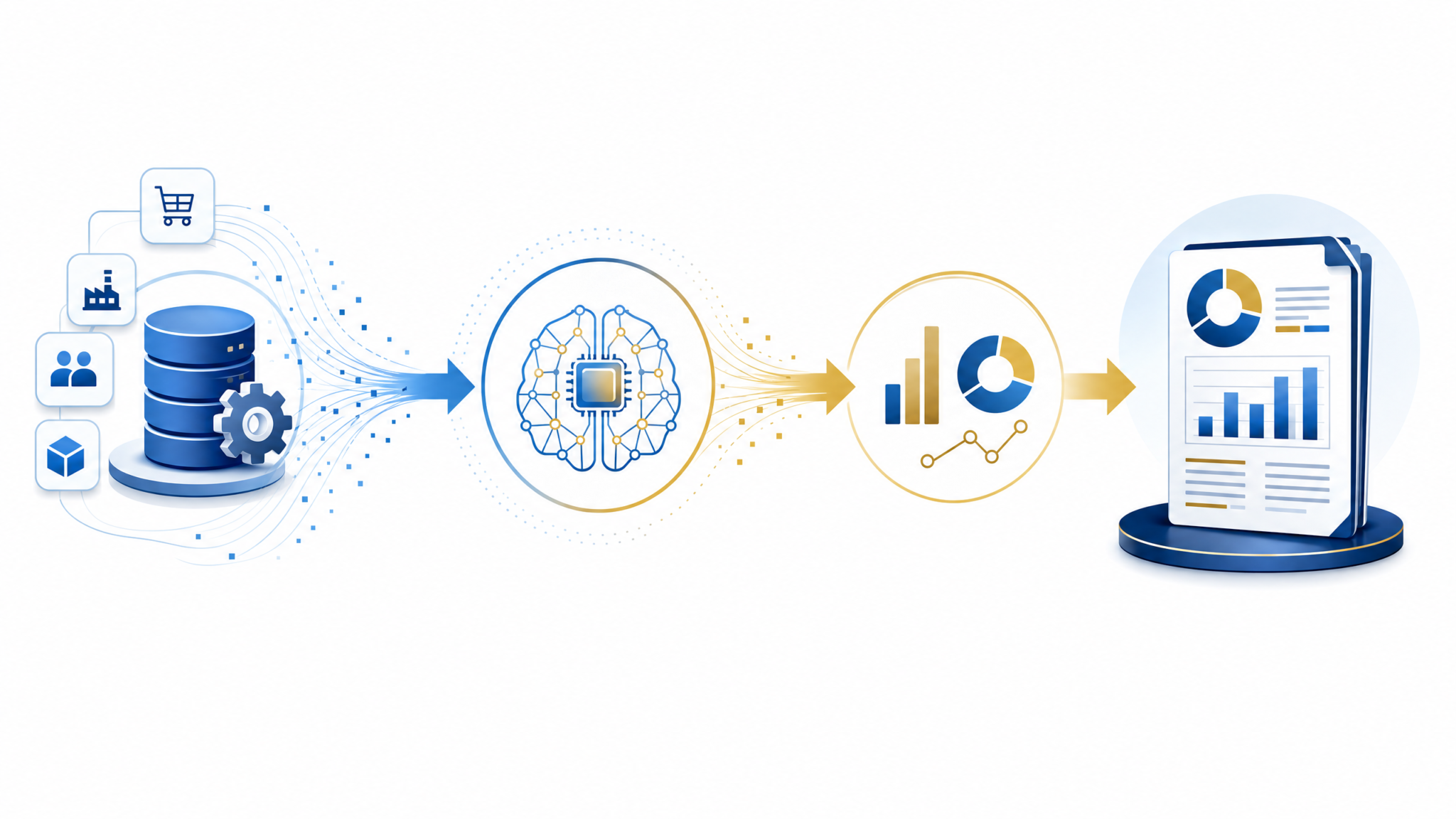
Implementing GPT-5.5 Financial Prompts in Your Workflow
Integrating GPT-5.5 prompt templates into your finance team’s workflow involves several technical and operational considerations:
- Data Preparation: Cleanse and structure input data carefully. Use standardized formats such as JSON, CSV, or tables embedded within prompts for reliable parsing.
- Model Fine-Tuning: Where possible, fine-tune GPT-5.5 with domain-specific financial data, internal reports, and terminology to enhance accuracy and relevance.
- API Integration: Embed the prompts into financial systems or BI tools via GPT-5.5 APIs. Automate data fetching and prompt generation to enable real-time or batch processing.
- Validation and Oversight: Implement human-in-the-loop mechanisms for reviewing AI outputs, especially for high-stakes decisions such as compliance or financial forecasting. Combine AI insights with expert judgment.
- Security and Privacy: Ensure sensitive financial data is handled according to corporate policies and regulations. Use private instances or encrypted transmissions as needed.
- Performance Monitoring: Track prompt response quality, latency, and error rates. Continuously optimize prompt phrasing and data inputs based on feedback.
By following these best practices, organizations can seamlessly incorporate GPT-5.5 into their financial workflows, realizing significant gains in efficiency, accuracy, and insight generation. This frees finance professionals to focus on strategic planning, analysis, and value creation rather than routine manual tasks.
AI Integration for Finance Teams
Stay Ahead with ChatGPT AI Hub
Get exclusive tutorials, prompt libraries, and breaking AI news delivered to your inbox every week.
Conclusion
GPT-5.5 represents a transformative advancement for financial analysis and reporting automation. The 10 detailed prompts outlined in this playbook by Markos Symeonides provide a robust, production-ready foundation to harness AI’s capabilities across forecasting, variance analysis, close reporting, contract review, and regulatory compliance.
Leveraging precise prompt engineering, structured data inputs, and thoughtful workflow integration, finance teams can achieve faster turnaround times, reduce human errors, and surface actionable insights that drive superior financial management and decision-making.
Embrace these GPT-5.5 financial prompts to transform your finance workflows into efficient, intelligent processes that meet the demands of today’s dynamic and complex business environment.
