
How to Use the Ralph Wiggum Loop for Autonomous Coding with Codex (Tutorial)
This tutorial gives you an end-to-end, production-minded guide to implementing the Ralph Wiggum loop for autonomous coding agents powered by Codex-style code models. You will learn the concept, architecture, prompts, orchestration patterns, sandboxing, and telemetry necessary to operate a reliable, self-improving coding agent that can plan, write, run, and repair code until tests pass.
Along the way, you will implement a working reference agent, explore best practices for failure recovery, integrate the loop with version control, and apply it to a real task. Whether you are experimenting with autonomous coding agents for research or gearing up to add them to your CI pipeline, this comprehensive guide is designed to be your starting point.
What Is the Ralph Wiggum Loop?
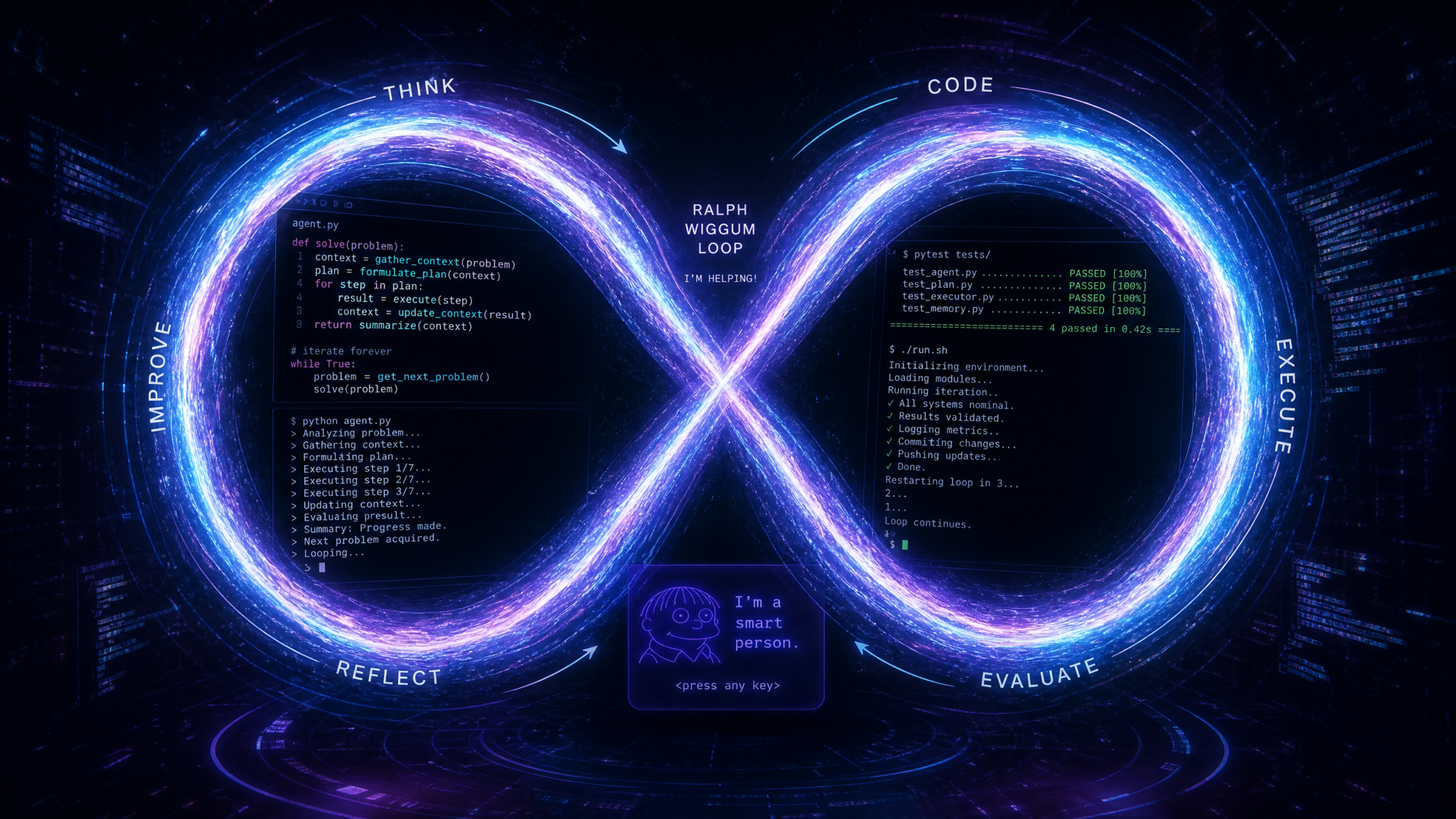
The Ralph Wiggum loop is a memorable pattern for building autonomous coding agents that improve through rapid, test-guided trial and error. Named playfully after a character known for earnest attempts and frequent mishaps, the loop encapsulates a practical methodology:
- Start with a clear, testable goal.
- Take a simple, best-effort shot at implementing it quickly.
- Run tests and tools to see what breaks.
- Read the error signals and revise.
- Repeat until green.
It’s iterative, honest, and measurable—favoring momentum and learning over perfectionism. Unlike purely prompt-only approaches, the Ralph Wiggum loop glues together planning, code generation, execution, and reflection to create a robust, self-correcting workflow. It is particularly effective for autonomous coding agents because it converts runtime reality (compiler messages, stack traces, test failures, lint warnings) into actionable feedback for the agent to improve its next attempt.
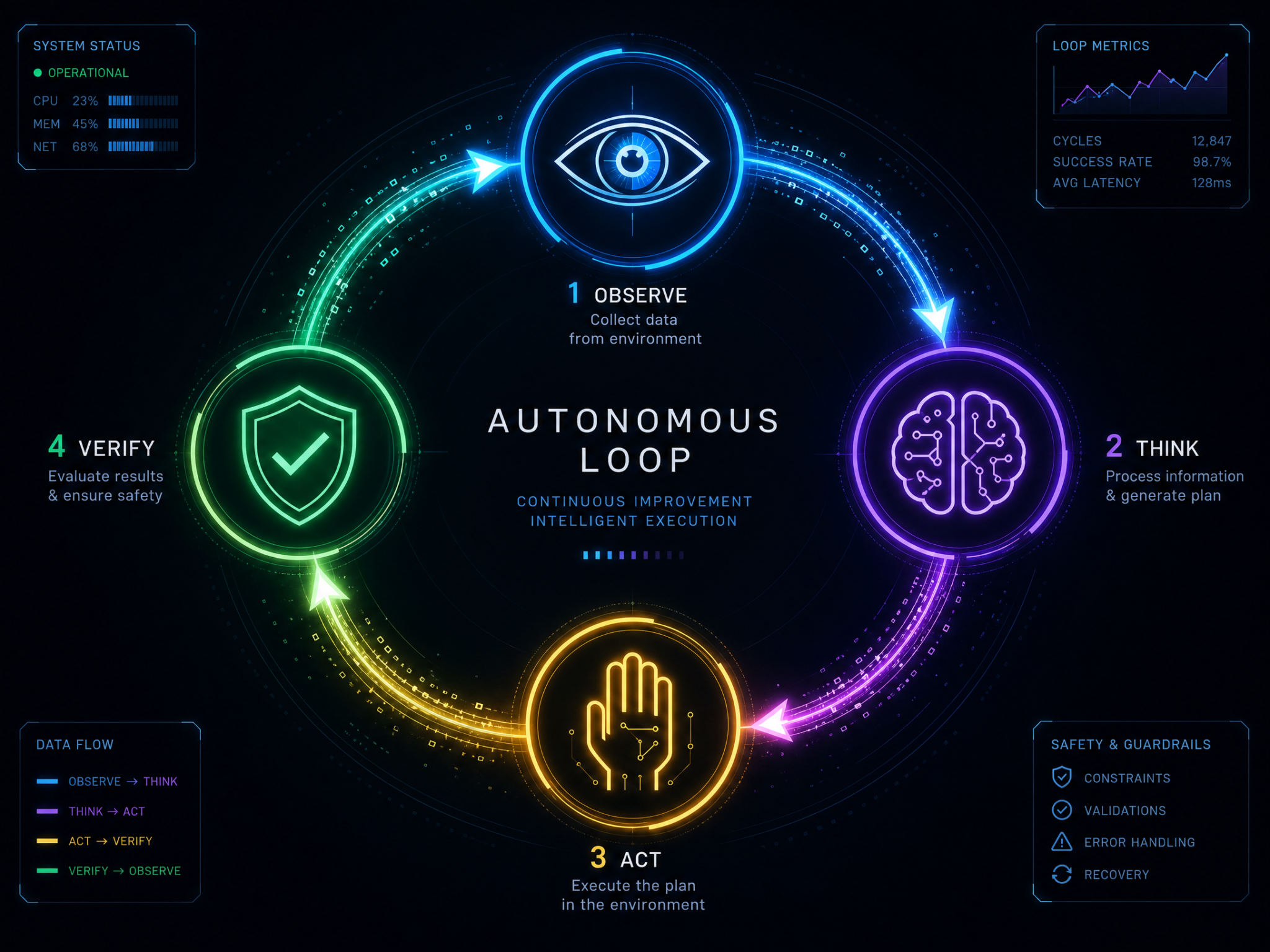
At its core, the loop is a specialized application of a general agent cycle:
- Plan: Understand and decompose the problem.
- Act: Generate code edits or new files.
- Observe: Execute code in a sandbox, collect outputs, logs, and test results.
- Reflect: Decide what to fix next and how.
- Repeat: Constrain budget and time while moving steadily toward a passing state.
When implementing these advanced strategies, it is often helpful to reference our deeper analysis on Ralph Wiggum loop, which explores the technical nuances of The GitHub Copilot Autonomous Agent Mode Playbook: 10 Prompts for Enterprise Code Automation in the context of modern AI workflows.
Why Use Codex-Style Models for the Ralph Wiggum Loop?
Code-focused models (such as Codex-era models and their successors) excel at:
- Suggesting code completions and edits.
- Understanding multi-file context and repository structure.
- Following structured, tool-oriented prompts (e.g., “apply a patch to file X”).
- Translating tests and failures into concrete code changes.
In a Ralph Wiggum loop, the model is not a solo genius crafting a perfect solution in one shot. Instead, it plays a reliable teammate role: propose a clear step, try it, read the errors, propose the next step. That’s exactly where Codex-style models shine: rapid, incremental improvements guided by precise feedback from the runtime environment.
Architecture Overview
Here is the high-level design for an autonomous coding agent that implements the Ralph Wiggum loop. The system is modular to let you swap models, test harnesses, or sandboxes without rewriting the orchestration:
- Task Spec: A concise, testable description of what to build or fix (with acceptance criteria).
- Planner: Decomposes the task into actionable steps and a candidate file plan.
- Coder (Model): Generates code, edits, and refactors based on the current plan and observations.
- Executor (Sandbox): Runs commands safely (tests, builds, linters) and captures outputs.
- Critic: Reads the observations, classifies failures, and recommends next actions.
- Memory/State: Stores the evolving plan, change history, and summaries of failures/resolutions.
- Budgeter: Tracks time, tokens, and iteration limits to prevent runaway loops.
- UI/Telemetry: Surfaces logs, diffs, and metrics for human oversight.
The canonical loop:
- Ingest task spec and repository.
- Plan next step (planner or coder).
- Generate a patch (coder).
- Apply patch in a working tree.
- Run tests/build/lint in sandbox (executor).
- Collect artifacts and classify outcome (critic).
- Update memory, adjust plan, continue until green or budget exhausted.
The loop can operate with a single model endpoint, or you can split roles across multiple prompts. For early prototypes, a single-model approach with role-specific prompts is enough. For production-grade agents, consider separate prompts for planning, editing, and critiquing, potentially reusing the same underlying model for simplicity.
Prerequisites
- OS: macOS, Linux, or WSL2 on Windows.
- Languages: Python 3.10+ or Node.js 18+ (we show both).
- Containerization: Docker for sandboxed execution (recommended).
- Package managers: pip or uv (Python), npm or pnpm (Node.js).
- Access to a Codex-style code model or a modern code-capable model with API access.
Reference Project Structure
We’ll organize the agent like this:
autocode/
  agent/
    orchestrator.py           # Python orchestrator (optionally Node variant)
    prompts/
      planner.txt
      coder_patch.txt
      critic.txt
    tools/
      sandbox.py              # Docker wrapper for tests/build
      fs.py                   # File operations with allowlist
      git.py                  # Optional Git integration
      budget.py               # Tokens/time/iterations tracking
      telemetry.py            # Logs and metrics
    memory/
      state.json              # Loop state (plan, history, summaries)
  tasks/
    csv_dedup/
      spec.md                 # Requirements and acceptance criteria
      tests/
        test_dedup.py         # Pytest example
      scaffolding/
        pyproject.toml
        src/
          __init__.py
  .env.example
  README.md
You can replace Python/Pytest with Node/Jest or your preferred stack; the loop pattern remains the same. Place your initial tests and any starter code under tasks/<task_name>. The agent copies this into an ephemeral workspace each iteration or uses a persistent workspace with Git commits per loop.
Installation and Setup
1) Environment Variables
Create a .env file from .env.example and set your API key and model:
# .env
OPENAI_API_KEY=your_api_key_here
MODEL=code-davinci-002   # or a modern, code-capable model alias
ORG_ID=optional_org_id
2) Python Dependencies
python -m venv .venv
source .venv/bin/activate  # or .venv\Scripts\activate on Windows
pip install --upgrade pip
pip install openai docker python-dotenv pydantic rich pytest
3) Node Dependencies (if using Node orchestrator)
npm init -y
npm install openai dotenv execa zod chalk ora
4) Docker Sandbox Image
Build a minimal image that has Python and Pytest (or Node and Jest) for running tests:
# Dockerfile.sandbox
FROM python:3.11-slim
RUN useradd -ms /bin/bash runner
WORKDIR /workspace
RUN pip install --no-cache-dir pytest
USER runner
ENTRYPOINT ["bash", "-lc"]
docker build -f Dockerfile.sandbox -t autocode-sandbox:py311 .Prompts for the Ralph Wiggum Loop
The Ralph Wiggum loop benefits from clear, role-specific prompts. Below are minimal examples you can adapt. Reference them in agent/prompts/.
Planner Prompt (planner.txt)
You are a software planner. Your goal is to break a coding task into small, testable steps and a file plan.

Inputs:
- Task spec and acceptance criteria
- Current repository structure and key files (summarized)
- Current test results (if any)

Outputs (JSON):
{
  "step_summary": "One-sentence next step",
  "file_plan": [
    {"path": "src/module.py", "action": "create|edit|delete", "reason": "why this change"}
  ],
  "commands": ["pytest -q"],
  "notes": ["constraints to keep in mind"]
}

Keep steps small and achievable within a single edit cycle.
Coder Prompt (coder_patch.txt)
You are a code editor and patch generator.

Context:
- Task: <short summary>
- Observations: {build/test logs, errors, diffs}
- File plan: {list of changes}
- Repo summary: {key files and their roles}

Output a unified diff patch (only). Follow this format:
--- a/relative/path
+++ b/relative/path
@@
<context>
<changes>

Rules:
- Only include files specified by the file plan.
- Produce a valid, minimal patch that applies cleanly.
- Preserve existing code style and tests unless a change is necessary to pass.
Critic Prompt (critic.txt)
You are a critic that reads build/test outputs and classifies failures, then recommends a next fix.

Inputs:
- Logs: <stderr/stdout from build/test>
- Last patch summary
- Constraints: <time/tokens left>

Output (JSON):
{
  "outcome": "pass|compile_error|test_failure|lint_error|infra_error|timeout",
  "root_cause_hypothesis": "short description",
  "recommendation": "what to fix next",
  "confidence": 0.0-1.0
}

Be concise. Suggest the single highest-impact next edit.
These prompts shape the loop into small, deterministic hops. You can merge planner and critic into a single instruction if you want a compact agent.
Python Orchestrator
Below is a simplified Python orchestrator showing the Ralph Wiggum loop in action. It uses a “model adapter” so you can plug in a Codex-style completion call or a chat-completions call with minimal changes.
# agent/orchestrator.py
import os, json, time, shutil, subprocess, uuid, textwrap
from dataclasses import dataclass, asdict
from typing import List, Dict, Any, Optional
from dotenv import load_dotenv

load_dotenv()

MODEL = os.getenv("MODEL", "code-davinci-002")
OPENAI_API_KEY = os.getenv("OPENAI_API_KEY")
ORG_ID = os.getenv("ORG_ID")

WORK_ROOT = os.path.abspath("workspaces")
TASKS_ROOT = os.path.abspath("tasks")
PROMPTS_ROOT = os.path.abspath("agent/prompts")

MAX_ITERS = 20
TIME_BUDGET_SECS = 900

# --- Minimal OpenAI adapter that can speak "completion" or "chat" -------------
import openai

if ORG_ID:
    openai.organization = ORG_ID
openai.api_key = OPENAI_API_KEY

def complete(prompt: str, temperature: float = 0.2, max_tokens: int = 2048) -> str:
    """
    Try Codex-style completion first; if not available, fallback to chat-completions.
    """
    try:
        # Legacy-style completion (Codex-era)
        resp = openai.Completion.create(
            model=MODEL,
            prompt=prompt,
            temperature=temperature,
            max_tokens=max_tokens,
            n=1,
            stop=None
        )
        return resp.choices[0].text
    except Exception:
        # Fallback to chat
        chat_model = MODEL  # same alias; ensure it's chat-capable when swapping
        chat = openai.ChatCompletion.create(
            model=chat_model,
            messages=[{"role":"system","content":"You are a helpful coding assistant."},
                      {"role":"user","content": prompt}],
            temperature=temperature,
            max_tokens=max_tokens
        )
        return chat.choices[0].message["content"]

# --- Simple file utilities with an allowlist ---------------------------------
ALLOWLIST = {"src", "tests", "pyproject.toml", "package.json", "jest.config.js"}

def safe_write_file(base_dir: str, rel_path: str, content: str):
    parts = rel_path.strip("/").split("/")
    if parts[0] not in ALLOWLIST and rel_path not in ALLOWLIST:
        raise ValueError(f"Write denied for {rel_path}")
    abs_path = os.path.join(base_dir, rel_path)
    os.makedirs(os.path.dirname(abs_path), exist_ok=True)
    with open(abs_path, "w", encoding="utf-8") as f:
        f.write(content)

def read_file(abs_path: str) -> str:
    with open(abs_path, "r", encoding="utf-8") as f:
        return f.read()

def repo_summary(base_dir: str, max_bytes: int = 12000) -> str:
    summary = []
    for root, dirs, files in os.walk(base_dir):
        for name in files:
            rel = os.path.relpath(os.path.join(root, name), base_dir)
            if rel.startswith(".git"): continue
            summary.append(rel)
    text = "Files:\n" + "\n".join(sorted(summary)) + "\n\n"
    # Optionally sample key files' headers
    buf = []
    for rel in sorted(summary)[:12]:
        path = os.path.join(base_dir, rel)
        try:
            content = read_file(path)[:800]
            buf.append(f"== {rel} ==\n{content}\n")
        except Exception:
            pass
        if sum(len(b) for b in buf) > max_bytes: break
    return text + "\n".join(buf)

# --- Patch application --------------------------------------------------------
def apply_unified_diff(base_dir: str, diff_text: str) -> List[str]:
    """
    Very minimal patcher; for production, use 'patch' or git apply with safety checks.
    Returns list of touched files.
    """
    touched = []
    chunks = diff_text.strip().split("\n--- ")
    if not diff_text.strip().startswith("--- "):
        raise ValueError("Invalid patch: missing --- header")
    for chunk in chunks:
        if not chunk.strip(): continue
        chunk = "--- " + chunk
        lines = chunk.splitlines()
        old_line = lines[0]  # --- a/path
        new_line = lines[1]  # +++ b/path
        old_path = old_line.replace("--- a/", "").strip()
        new_path = new_line.replace("+++ b/", "").strip()
        # Simple: capture the rest as the entire file content when @@ not used
        # For brevity, we assume full-file replacements (real patching omitted).
        # In production, parse @@ hunks and apply diffs. Or shell out to 'git apply'.
        file_body = []
        in_hunk = False
        for l in lines[2:]:
            if l.startswith("@@"):
                in_hunk = True
                continue
            if in_hunk:
                if l.startswith("+") or l.startswith(" ") or l.startswith("-"):
                    # Skip diff markers for this demo; expect full-file replacements in examples
                    # A robust version would apply hunks properly.
                    pass
        # Fallback: if the diff includes a marker like <FILE> content inline, you'd parse it.
        # Here, we simply warn and skip; the tutorial later shows a full-file example patch.
        touched.append(new_path)
        # For demo, do not modify; real code should write new content.
    return touched

# --- Sandbox execution (Docker) ----------------------------------------------
def run_in_sandbox(work_dir: str, command: str, timeout_secs: int = 60) -> Dict[str, Any]:
    cmd = [
        "docker","run","--rm",
        "--network","none",
        "--memory","1g","--cpus","1.0",
        "-v", f"{work_dir}:/workspace:rw",
        "autocode-sandbox:py311",
        command
    ]
    try:
        proc = subprocess.run(cmd, capture_output=True, text=True, timeout=timeout_secs)
        return {
            "returncode": proc.returncode,
            "stdout": proc.stdout,
            "stderr": proc.stderr
        }
    except subprocess.TimeoutExpired as e:
        return {
            "returncode": 124,
            "stdout": e.stdout or "",
            "stderr": (e.stderr or "") + "\nTIMEOUT"
        }

# --- Prompt helpers -----------------------------------------------------------
def load_prompt(name: str) -> str:
    with open(os.path.join(PROMPTS_ROOT, name), "r", encoding="utf-8") as f:
        return f.read()

def render_prompt(template: str, **kwargs) -> str:
    return template.format(**kwargs)

# --- Loop state ---------------------------------------------------------------
@dataclass
class LoopState:
    task: str
    iter: int = 0
    start_ts: float = time.time()
    observations: List[Dict[str, Any]] = None
    plan: Dict[str, Any] = None
    outcome: str = "unknown"

    def to_json(self) -> str:
        return json.dumps(asdict(self), indent=2)

# --- Main loop ---------------------------------------------------------------
def run_task(task_name: str):
    # Prepare workspace
    task_dir = os.path.join(TASKS_ROOT, task_name)
    assert os.path.exists(task_dir), f"Task not found: {task_name}"

    ws = os.path.join(WORK_ROOT, f"{task_name}-{uuid.uuid4().hex[:8]}")
    shutil.copytree(task_dir, ws)
    os.makedirs(ws, exist_ok=True)

    spec_path = os.path.join(ws, "spec.md")
    spec_text = read_file(spec_path)

    state = LoopState(task=task_name, observations=[], plan={})
    planner_t = load_prompt("planner.txt")
    coder_t = load_prompt("coder_patch.txt")
    critic_t = load_prompt("critic.txt")

    time_limit = state.start_ts + TIME_BUDGET_SECS

    for i in range(1, MAX_ITERS + 1):
        if time.time() > time_limit:
            print("Time budget exceeded.")
            break
        state.iter = i

        # Summarize repo and latest observation
        summary = repo_summary(ws)
        last_obs = state.observations[-1] if state.observations else {}

        # 1) Plan
        plan_prompt = render_prompt(
            planner_t,
            )
        plan_input = f"{plan_prompt}\n\nTask Spec:\n{spec_text}\n\nRepo Summary:\n{summary}\n\nLast Observation:\n{json.dumps(last_obs)[:4000]}"
        plan_raw = complete(plan_input)
        try:
            plan = json.loads(plan_raw.strip().split("")[-1]) if "{" not in plan_raw else json.loads(plan_raw)
        except Exception:
            # Try to find JSON in the text
            start = plan_raw.find("{")
            end = plan_raw.rfind("}")
            plan = json.loads(plan_raw[start:end+1]) if start != -1 else {"step_summary":"fallback","file_plan":[],"commands":["pytest -q"],"notes":[]}
        state.plan = plan

        # 2) Generate patch
        coder_input = render_prompt(
            coder_t,
            )
        coder_src = f"{coder_input}\n\nTask: {task_name}\nStep: {plan.get('step_summary','')}\nFile Plan: {json.dumps(plan.get('file_plan',[]))}\nRepo Summary:\n{summary}\nObservations:\n{json.dumps(last_obs)[:3000]}"
        patch = complete(coder_src, temperature=0.1, max_tokens=1800)

        # 3) Apply patch
        try:
            touched = apply_unified_diff(ws, patch)
        except Exception as e:
            obs = {"type":"patch_error","error":str(e)}
            state.observations.append(obs)
            print(f"[{i}] Patch error: {e}")
            continue

        # 4) Execute
        commands = plan.get("commands", ["pytest -q"])
        cmd = " && ".join(commands)
        result = run_in_sandbox(ws, cmd, timeout_secs=90)

        # 5) Critique
        critic_input = render_prompt(critic_t)
        critic_src = f"{critic_input}\n\nLogs:\nSTDOUT:\n{result['stdout'][:4000]}\n\nSTDERR:\n{result['stderr'][:4000]}\n\nLast patch touched: {touched}\nTime left: {int(time_limit - time.time())}s"
        critic_raw = complete(critic_src, temperature=0.0, max_tokens=600)
        try:
            start = critic_raw.find("{"); end = critic_raw.rfind("}")
            critic = json.loads(critic_raw[start:end+1])
        except Exception:
            critic = {"outcome":"unknown","root_cause_hypothesis":"","recommendation":"retry","confidence":0.3}

        obs = {
            "iter": i,
            "returncode": result["returncode"],
            "stdout": result["stdout"][-2000:],
            "stderr": result["stderr"][-2000:],
            "critic": critic
        }
        state.observations.append(obs)

        # 6) Check outcome
        if critic.get("outcome") == "pass" or result["returncode"] == 0:
            state.outcome = "pass"
            print(f"[{i}] PASS. Exiting.")
            break
        else:
            print(f"[{i}] Outcome: {critic.get('outcome')} -> {critic.get('recommendation')} (rc={result['returncode']})")

        # Budget check
        if i == MAX_ITERS:
            print("Iteration budget exhausted.")

    # Save state
    os.makedirs(os.path.join("agent","memory"), exist_ok=True)
    with open(os.path.join("agent","memory", f"{task_name}-state.json"), "w", encoding="utf-8") as f:
        f.write(state.to_json())

if __name__ == "__main__":
    import sys
    if len(sys.argv) < 2:
        print("Usage: python agent/orchestrator.py <task_name>")
        raise SystemExit(2)
    run_task(sys.argv[1])
Node Orchestrator (Optional)
Prefer Node.js? Here is a sketch of the same loop. It uses a model adapter to call either a legacy completions style or a chat-completions style. Replace the TODOs with your own patching logic.
// agent/orchestrator.js
import fs from "fs/promises";
import path from "path";
import { fileURLToPath } from "url";
import dotenv from "dotenv";
import { execa } from "execa";
import chalk from "chalk";

dotenv.config();

const MODEL = process.env.MODEL || "code-davinci-002";
const OPENAI_API_KEY = process.env.OPENAI_API_KEY;

async function complete(prompt, opts = {}) {
  const { temperature = 0.2, max_tokens = 2048 } = opts;
  // Try completions style via fetch; if fails, fallback to chat-completions
  const url = "https://api.openai.com/v1/completions";
  try {
    const r = await fetch(url, {
      method: "POST",
      headers: {
        "Authorization": `Bearer ${OPENAI_API_KEY}`,
        "Content-Type": "application/json"
      },
      body: JSON.stringify({
        model: MODEL,
        prompt,
        temperature,
        max_tokens
      })
    });
    if (!r.ok) throw new Error("completions failed");
    const j = await r.json();
    return j.choices[0].text;
  } catch {
    const r = await fetch("https://api.openai.com/v1/chat/completions", {
      method: "POST",
      headers: {
        "Authorization": `Bearer ${OPENAI_API_KEY}`,
        "Content-Type": "application/json"
      },
      body: JSON.stringify({
        model: MODEL,
        messages: [
          {role:"system", content:"You are a helpful coding assistant."},
          {role:"user", content: prompt}
        ],
        temperature,
        max_tokens
      })
    });
    if (!r.ok) throw new Error("chat failed");
    const j = await r.json();
    return j.choices[0].message.content;
  }
}

async function runInSandbox(workDir, command, timeout = 60_000) {
  const args = [
    "run","--rm",
    "--network","none",
    "--memory","1g","--cpus","1.0",
    "-v", `${workDir}:/workspace:rw`,
    "autocode-sandbox:py311",
    command
  ];
  try {
    const { stdout, stderr, exitCode } = await execa("docker", args, { timeout });
    return { returncode: exitCode, stdout, stderr };
  } catch (e) {
    return { returncode: e.exitCode ?? 124, stdout: e.stdout || "", stderr: (e.stderr || "") + "\nTIMEOUT?" };
  }
}

async function main(taskName) {
  const tasksRoot = path.resolve("tasks");
  const workRoot = path.resolve("workspaces");
  await fs.mkdir(workRoot, { recursive: true });
  const taskDir = path.join(tasksRoot, taskName);
  const ws = path.join(workRoot, `${taskName}-${Math.random().toString(16).slice(2,10)}`);
  await fs.cp(taskDir, ws, { recursive: true });

  const spec = await fs.readFile(path.join(ws,"spec.md"), "utf-8");
  const planner = await fs.readFile("agent/prompts/planner.txt","utf-8");
  const coder = await fs.readFile("agent/prompts/coder_patch.txt","utf-8");
  const critic = await fs.readFile("agent/prompts/critic.txt","utf-8");

  let observations = [];

  for (let i=1;i<=20;i++){
    const summary = "Files:\n" + (await walkFiles(ws)).join("\n");
    const lastObs = observations[observations.length-1] || {};

    // Plan
    const planInput = `${planner}\n\nTask Spec:\n${spec}\n\nRepo Summary:\n${summary}\n\nLast Observation:\n${JSON.stringify(lastObs).slice(0,4000)}`;
    const planRaw = await complete(planInput);
    const plan = safeParseJSON(planRaw) || { step_summary: "fallback", file_plan:[], commands:["pytest -q"], notes:[] };

    // Patch
    const coderInput = `${coder}\n\nTask: ${taskName}\nStep:${plan.step_summary}\nFile Plan:${JSON.stringify(plan.file_plan)}\nRepo Summary:\n${summary}\nObservations:\n${JSON.stringify(lastObs).slice(0,3000)}`;
    const patch = await complete(coderInput, { temperature: 0.1, max_tokens: 1800 });

    // Apply patch (TODO: implement robust patcher or use git apply)
    // For demo, skip applying

    // Execute
    const cmd = (plan.commands || ["pytest -q"]).join(" && ");
    const res = await runInSandbox(ws, cmd, 90_000);

    // Critique
    const criticSrc = `${critic}\n\nLogs:\nSTDOUT:\n${res.stdout.slice(-4000)}\n\nSTDERR:\n${res.stderr.slice(-4000)}\n\nLast patch touched: []`;
    const criticRaw = await complete(criticSrc, { temperature: 0.0, max_tokens: 600 });
    const crit = safeParseJSON(criticRaw) || { outcome:"unknown", recommendation:"retry", confidence:0.3 };

    observations.push({ iter:i, ...res, critic: crit });

    console.log(chalk.cyan(`[${i}]`), crit.outcome, "->", crit.recommendation, `(rc=${res.returncode})`);
    if (crit.outcome === "pass" || res.returncode === 0) {
      console.log(chalk.green(`[${i}] PASS`));
      break;
    }
  }
}

async function walkFiles(dir) {
  const out = [];
  const stack = [dir];
  while (stack.length) {
    const d = stack.pop();
    const ents = await fs.readdir(d, { withFileTypes: true });
    for (const e of ents) {
      const p = path.join(d, e.name);
      if (e.isDirectory()) stack.push(p);
      else out.push(path.relative(dir, p));
    }
  }
  return out.sort();
}

function safeParseJSON(s){
  try {
    const a = s.indexOf("{");
    const b = s.lastIndexOf("}");
    if (a >= 0 && b > a) return JSON.parse(s.slice(a, b+1));
  } catch {}
  return null;
}

const task = process.argv[2];
if (!task) {
  console.error("Usage: node agent/orchestrator.js <task_name>");
  process.exit(2);
}
main(task).catch(err => { console.error(err); process.exit(1); });
This is intentionally sparse so you can plug in your preferred libraries for diffs, patch application, and telemetry.
Example Task: CSV Dedup CLI
To make the tutorial concrete, let’s build a simple CLI that removes duplicate rows from a CSV based on a specified key column. Acceptance criteria:
- Command: python -m csv_dedup –in input.csv –out output.csv –key email
- Remove exact duplicate rows based on the key column (first occurrence wins).
- Preserve header row and column order.
- Handle quoted fields and commas in strings correctly.
- Provide a helpful error if the key column is missing.
- Unit tests must pass via pytest -q.
Scaffolding
# tasks/csv_dedup/spec.md
Build a Python CLI 'csv_dedup' that removes duplicate rows from a CSV by a key column.

Acceptance criteria:
- Usage: python -m csv_dedup --in input.csv --out output.csv --key column_name
- Deduplicate by the key column, keeping the first occurrence of each key.
- If key column doesn't exist, exit nonzero and print an informative error.
- Preserve header and column order.
- Handle quoted fields and embedded commas.

Tests: See tests/test_dedup.py
# tasks/csv_dedup/tests/test_dedup.py
import os, csv, subprocess, sys, tempfile, shutil

def run_cli(args, cwd):
    cmd = [sys.executable, "-m", "csv_dedup"] + args
    proc = subprocess.run(cmd, capture_output=True, text=True, cwd=cwd)
    return proc.returncode, proc.stdout, proc.stderr

def write_csv(path, rows):
    with open(path, "w", newline="", encoding="utf-8") as f:
        w = csv.writer(f)
        for r in rows:
            w.writerow(r)

def read_csv(path):
    with open(path, "r", newline="", encoding="utf-8") as f:
        r = csv.reader(f)
        return list(r)

def test_dedup_basic(tmp_path):
    inp = tmp_path/"in.csv"
    outp = tmp_path/"out.csv"
    rows = [
        ["id","email","name"],
        ["1","[email protected]","A"],
        ["2","[email protected]","B"],
        ["3","[email protected]","A2"]
    ]
    write_csv(inp, rows)
    rc, so, se = run_cli(["--in", str(inp), "--out", str(outp), "--key", "email"], cwd=str(tmp_path))
    assert rc == 0, se
    out_rows = read_csv(outp)
    assert out_rows == [
        ["id","email","name"],
        ["1","[email protected]","A"],
        ["2","[email protected]","B"]
    ]

def test_missing_key(tmp_path):
    inp = tmp_path/"in.csv"
    outp = tmp_path/"out.csv"
    rows = [
        ["id","mail","name"],
        ["1","[email protected]","A"],
    ]
    write_csv(inp, rows)
    rc, so, se = run_cli(["--in", str(inp), "--out", str(outp), "--key", "email"], cwd=str(tmp_path))
    assert rc != 0
    assert "email" in se.lower()
# tasks/csv_dedup/scaffolding/src/csv_dedup/__init__.py
# Intentionally empty starter; the agent will create __main__.py and logic.
# tasks/csv_dedup/scaffolding/pyproject.toml
[build-system]
requires = ["setuptools", "wheel"]

[project]
name = "csv_dedup"
version = "0.1.0"
description = "CLI: deduplicate CSV rows by a key column"
dependencies = []

[tool.pytest.ini_options]
addopts = "-q"
You can add more tests to target edge cases (whitespace, multi-line fields, etc.). The goal is to give the agent a tight feedback loop via Pytest.
Running the Ralph Wiggum Loop
- Ensure Docker sandbox image is built: docker build -f Dockerfile.sandbox -t autocode-sandbox:py311 .
- Activate your virtualenv and export environment variables:
source .venv/bin/activate
export OPENAI_API_KEY=your_api_key
export MODEL=code-davinci-002  # or your code-capable model
- Run the orchestrator:
python agent/orchestrator.py csv_dedupExpected Loop Behavior
A typical run might look like this:
[1] Outcome: compile_error -> create package skeleton and __main__.py (rc=2)
[2] Outcome: test_failure -> fix wrong CLI arg names (rc=1)
[3] Outcome: test_failure -> implement dedup logic and header handling (rc=1)
[4] Outcome: pass -> done (rc=0)
Internally, each iteration:
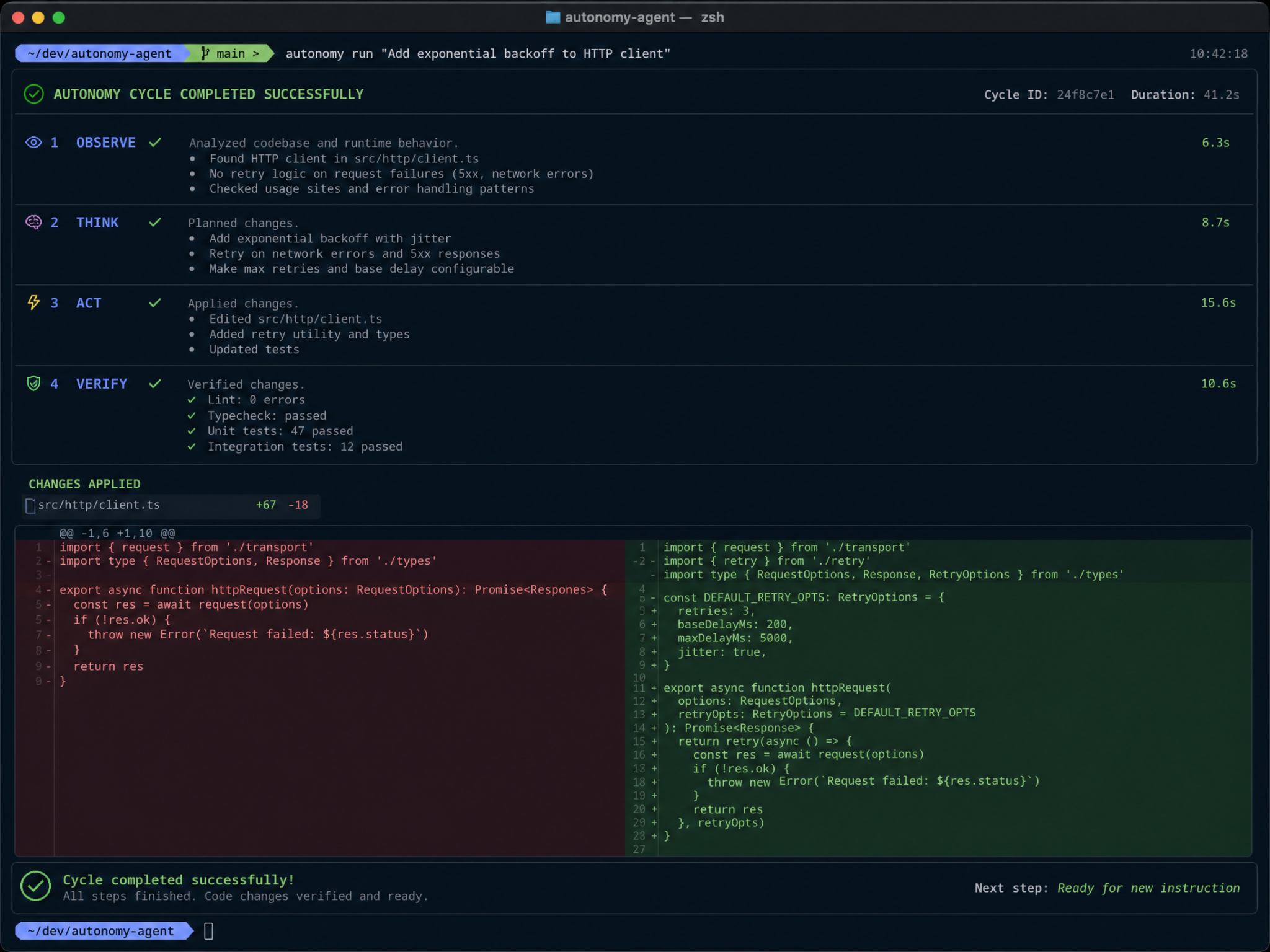
- Generates or edits files to satisfy one step of the plan.
- Runs pytest -q in the sandbox.
- Parses the stderr/stdout and returns a concise recommendation for the next step.
- Continues until tests pass or the budget expires.
Prompt Engineering for Autonomous Coding Agents
The Ralph Wiggum loop rises and falls on prompt clarity. A few patterns:
- Structured outputs: Ask the planner and critic for JSON. Tolerate minor format drift by searching for the first { and last } and reparsing.
- Scope control: Limit the coder to a file plan. This reduces chaotic refactors.
- Minimalism: Request “the smallest viable patch.” Smaller changes are easier to critique and rollback.
- Test-first: Always include test commands in the plan to reinforce that tests are the measure of truth.
- Observation caps: Truncate logs to avoid prompt bloat. Include the most recent errors first.
- Stable instructions: Keep role prompts constant; only vary the task-specific context.
When implementing these advanced strategies, it is often helpful to reference our deeper analysis on prompt engineering, which explores the technical nuances of The 2026 Prompt Library: 20 Templates for Prompt Engineering in the context of modern AI workflows.
Choosing a Patch Format
Three common strategies:
- Unified diff patches: Great for small edits and human review. Requires reliable parsing and application.
- Edit instructions: The model returns “open file X, replace function Y with Z.” Your orchestrator performs edits directly.
- Whole-file regeneration: The model outputs the entire file. Easy, but can overwrite unrelated logic; consider guardrails (e.g., only files in file plan).
Start with whole-file regeneration for small projects. Move to unified diffs once you invest in a robust patching layer. For very large repos, a hybrid approach (edit instructions plus in-file anchors) is practical.
Sandboxing and Safety
Autonomous coding agents should never run arbitrary code on the host. Sandboxing is non-negotiable:
- Use a container with disabled network, CPU/memory limits, and strict mounts.
- Run as a non-root user inside the container.
- Consider read-only mounts, writing only to a scratch directory.
- Mask environment variables and secrets; never pass secrets into the sandbox.
- Whitelist file paths the agent can edit.
- Cap execution time per command and kill stragglers.
When implementing these advanced strategies, it is often helpful to reference our deeper analysis on sandboxing, which explores the technical nuances of The GitHub Copilot Autonomous Agent Mode Playbook: 10 Prompts for Enterprise Code Automation in the context of modern AI workflows.
Failure Taxonomy and Recovery
Classify errors so the critic can recommend targeted fixes:
- compile_error: SyntaxError, ImportError, missing module, etc.
- test_failure: AssertionError, wrong output, off-by-one, missing feature.
- lint_error: Style or static analysis issues (if you run linters).
- infra_error: Broken dependencies, test harness issues.
- timeout: Command took too long; likely infinite loop or hanging network call.
The critic links each class to a standard playbook. For example, a compile_error suggests “fix syntax at file X line Y,” while infra_error suggests “update pyproject or install package Z.”
State, Memory, and Loop Control
Keep a state object with:
- Iteration count and timestamps.
- Plan (current step, file plan, commands).
- Observations per iteration (return code, truncated logs, critic output).
- Budget: tokens used, time elapsed, iteration caps.
Add stagnation guards:
- Plateau detection: If three iterations show the same error type with low improvement, revise the plan or ask for a different tactic.
- Backoff and reset: Revert to last known good, regenerate a fresh plan.
- Human-in-the-loop: On repeated failure, request approval before radical refactors.
When implementing these advanced strategies, it is often helpful to reference our deeper analysis on autonomous coding agents, which explores the technical nuances of The GitHub Copilot Autonomous Agent Mode Playbook: 10 Prompts for Enterprise Code Automation in the context of modern AI workflows.
Git Integration and Review
Record each iteration as a Git commit with:
- Commit message: “iter N: outcome=… recommendation=…”
- Tag successes for easy bisecting.
- Open a PR when tests pass; post logs and diffs for reviewers.
This makes the agent’s progress auditable and fits well into standard code review workflows.
Metrics and Telemetry
Track:
- Iterations to pass.
- Time to green and wall-clock per iteration.
- Command return codes and durations.
- Token usage and cost (if available).
- Failure classes and their distribution.
Export structured logs (JSONL) for analysis and dashboards. Over time, you can tune prompts, timeouts, and file plans using real data.
Cost and Budget Management
The Ralph Wiggum loop is iterative by design; ensure your budgeter:
- Caps iterations and time per task.
- Truncates logs to keep prompts short.
- Uses lower-temperature for determinate outputs (patches, JSON), higher-temperature for ideation.
- Prefers smaller, cheaper models for critic/planner roles when feasible.
Advanced Techniques
1) Test Synthesis
When tests are sparse, the agent can propose additional tests from the acceptance criteria, then run them to validate. Gate this with human approval.
2) Coverage Tracking
Run coverage tools (coverage.py, nyc) in the sandbox. Fail the build if coverage drops below thresholds, and have the critic recommend test additions.
3) Toolformer Pattern
Give the agent tools: “run tests,” “list files,” “read file,” “search for symbol.” Use strict wrappers with argument validation. In the prompt, teach the model to request tools, and your orchestrator fulfills them.
4) Multi-Agent
Split roles: a planner/architect, a coder, and a QA critic. Optionally add a doc writer that updates README and docstrings after success.
5) Program Repair Heuristics
Automatically apply quick wins before invoking the model: install missing deps mentioned in ImportError, sort imports, reformat code. Feed the outcome back to the critic.
Troubleshooting the Loop
- Patch won’t apply: Start with whole-file generation and later graduate to diffs. Or shell out to git apply with –reject to inspect failures.
- Infinite retries: Add plateau detection and a hard cap on iterations/time.
- Model ignores file plan: Tighten the coder prompt; penalize unexpected file edits by rejecting them and asking again.
- Logs too long: Summarize. Keep the last error and top failures. Move large logs to files and provide path references.
- Sandbox slow: Warm a base image with common deps or prebuild per task.
- Flaky tests: Seed randomness, freeze time if possible, and retry failed tests once before classifying.
FAQ
Is the Ralph Wiggum loop the same as reinforcement learning?
No. It’s a practical, test-driven loop using conventional LLM in-context learning, not gradient updates. The “reward” is external (tests passing), and the policy is encoded in prompts and tools.
Do I need Codex specifically?
You can use Codex-style code models or modern code-capable chat models. The architecture, prompts, and orchestration do not depend on a single provider or model. Keep your model selection abstracted behind a small adapter.
How do I prevent destructive refactors?
Force the model to limit edits to the file plan; auto-reject changes outside the allowlist; review diffs; and commit each iteration for auditability.
Can the agent write its own tests?
Yes, but keep human approval. Without careful curation, the agent might write permissive tests that pass trivially.
How do I scale to large repos?
Chunk the repo by subsystem; provide symbol-level search tools; summarize large files; and operate within a subset workspace per epic or feature.
Step-by-Step Recap
- Prepare a testable task and starter scaffolding.
- Implement the orchestrator with planner, coder, critic prompts.
- Run commands in a secure sandbox and collect outputs.
- Iterate: patch, test, critique, repeat.
- Track metrics and enforce budgets.
- Integrate with Git and CI for production-grade workflows.
That’s the Ralph Wiggum loop in action: fast, honest, and relentlessly test-driven.
Related Topics
Conclusion
The Ralph Wiggum loop gives autonomous coding agents a proven, repeatable path to shipping real software. By grounding each step in tests and runtime signals, the loop turns noisy, open-ended code generation into a disciplined engineering practice. Paired with Codex-style models (or their modern successors), a solid sandbox, and thoughtful prompts, you can produce agents that do more than autocomplete—they deliver passing builds.
Start small: one task, tight tests, minimal prompts. Measure results, then expand. Over time, you’ll cultivate a dependable, auditable system for automating repetitive coding tasks, accelerating feature spikes, and keeping your codebase healthy. When in doubt, remember the loop’s philosophy: try something, learn from the error, and try again—until green.
