
How to Migrate from GPT-5.5 and GPT-5.6 Sol to GPT-6 Astra: Responses API, Reasoning, Caching, and Compatibility
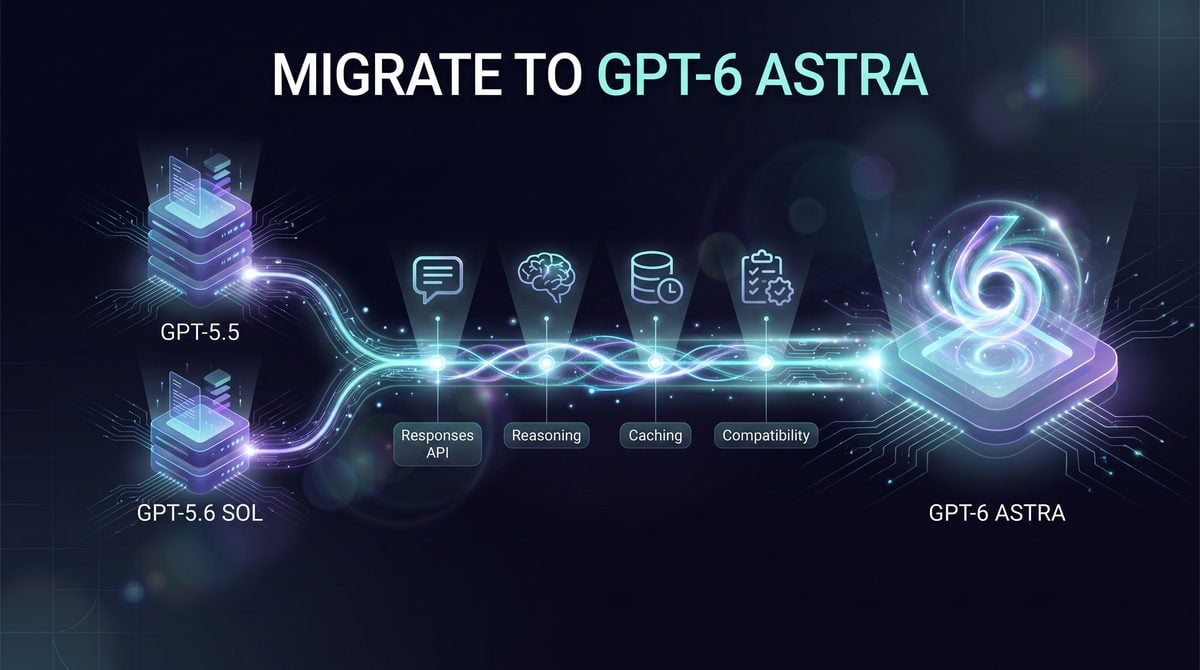

Start with access, risk, and API compatibility—not a one-line model rename
GPT-6 Astra migration work should begin with an access check, because OpenAI describes Astra rollout as staged rather than instantly available to every organization. The API model identifier is gpt-6-astra, but a production application should not assume that a successful deployment in one workspace, tenant, cloud channel, or environment means the same model is enabled everywhere else. Before changing code, verify model availability in the exact OpenAI API organization, project, regional configuration, and deployment path that will serve production traffic.
This tutorial is for teams currently running GPT-5.5-era applications or GPT-5.6 Sol workloads that use tools, long prompts, reasoning controls, cache retention, or evaluation gates. The migration is most urgent when your application needs Astra-specific capabilities documented by OpenAI, including the larger context window, higher reasoning-effort ceiling, Responses API tool support, asynchronous tool calling in later implementation stages, or better handling of complex professional artifacts. It is also relevant if your current GPT-5.5 or GPT-5.6 Sol prompts are already approaching their quality ceiling and you have measurable evaluation failures that justify testing a more capable model.
Teams should wait if their application is mostly latency-sensitive, low-margin, or already solved by a cheaper model with acceptable evaluation results. OpenAI’s reasoning guidance recommends Astra for difficult reasoning workloads, while lower-cost GPT-5.6 Terra or Luna may be better when economics or latency dominate. Waiting is also the safer choice if your organization cannot yet run the Responses API, cannot remove unsupported sampling controls, lacks a regression suite, or depends on EU data residency with a plan that assumes Fast mode, because OpenAI documents that Fast mode is unavailable for Astra with EU data residency.
For GPT-5.5 API Migration, How to Migrate from GPT-5.2 to GPT-5.5 in Production: Complete API Transition Guide with Prompt Compatibility Testing, Cost Optimization, and Rollback Strategies is the most relevant adjacent resource. The GPT-5.2-to-GPT-5.5 production migration guide covers compatibility tests, staged rollout, cost review, and rollback design, providing a proven operational template for an Astra upgrade.
For GPT-5.6 Migration Masterclass, The Complete GPT-5.6 Migration Masterclass: Moving from GPT-5.5 to Sol, Terra, or Luna is the most relevant adjacent resource. The GPT-5.6 migration masterclass maps the earlier transition from GPT-5.5 to Sol, Terra, and Luna, helping teams identify which assumptions must now be retested before moving to Astra.
Decide whether you are doing a model swap or a production migration
A model swap means changing the model identifier to gpt-6-astra in a narrow test path and checking whether a request returns. That is useful for smoke testing access, schema errors, and obvious prompt breakage, but it does not prove production readiness. A model swap can miss cost changes, tool-call incompatibilities, incomplete responses caused by reasoning budget consumption, altered clarification behavior, and cache misses caused by unstable prompt prefixes.
A production migration means treating Astra as a new runtime profile. You inventory every endpoint, remove unsupported request parameters, migrate tool calls to the Responses API where required, set explicit reasoning effort, test long-context behavior, measure cache-write and cached-read effects, confirm data-residency constraints, and run the same evaluation suite used for previous model upgrades. The decision rule is simple: if a workflow affects users, spend, regulated data, external tools, or business-critical output, it needs a migration plan rather than a model rename.
OpenAI documents gpt-6-astra with a 1,050,000-token context window, up to 922,000 input tokens, and up to 128,000 output tokens. Those limits are not an instruction to send every available document into the model. Long-context requests can change billing tier behavior, increase cache-write exposure, and make incomplete responses harder to diagnose if reasoning plus output exceed the configured budget. Treat the larger window as a capability to design around, not as a substitute for retrieval, summarization, or prompt discipline.
Operational rule: do not promote Astra to production because a single golden prompt looks better. Promote it only after the application’s real traffic classes—short requests, long-context requests, tool-using requests, cached-prefix requests, and failure cases—pass documented acceptance criteria.
Preflight inventory: map the current system before changing the model
Create a migration inventory that can be reviewed by engineering, product, finance, security, and operations. The inventory should identify where GPT-5.5 or GPT-5.6 Sol is called, which parameters are set, which tools are exposed, which prompts are stable enough for caching, and which evaluations determine release readiness. This step prevents a common failure mode: one team updates the obvious generation endpoint while another production path still uses an older tool-calling pattern or cache-retention field.
| Inventory area | What to record | Astra migration check |
|---|---|---|
| Endpoints and SDK paths | Every service, job, agent, workflow, and internal tool that calls GPT-5.5 or GPT-5.6 Sol. | Confirm whether the path already uses the Responses API, especially for function calling. |
| Tool usage | Application functions, custom tools, hosted tools, file workflows, browser workflows, code execution, and computer-use paths. | For Astra function calling, use the Responses API; do not leave tool-critical workloads on legacy assumptions. |
| Sampling controls | Any use of temperature, top_p, log-probability parameters, or wrapper defaults that add them automatically. |
Remove these parameters for Astra according to OpenAI’s migration guidance. |
| Reasoning settings | Current effort values, default reasoning policy, max-output settings, and retry behavior for incomplete responses. | Use Astra-supported efforts: low, medium, high, xhigh, or max; do not send none. |
| Prompt caching | Stable system prompts, tool definitions, long document prefixes, conversation append patterns, cache keys, and retention fields. | For applications migrating from GPT-5.5 or earlier, replace prompt_cache_retention with prompt_cache_options.ttl: "30m". |
| Data residency | Region, tenant, regulatory constraints, cloud path, and any use of Fast mode. | Verify Astra availability for the target path and remember that Fast mode is unavailable for Astra with EU data residency. |
| Budgets | Token volumes, long-context frequency, cache-write frequency, cached-read rate, output size, and retry rate. | Model the cost of reasoning and output, not only input tokens; long-context requests above documented thresholds can have different pricing treatment. |
| Evaluations | Golden tasks, adversarial tests, tool-call correctness checks, latency SLOs, human review queues, and rollback thresholds. | Run side-by-side GPT-5.6 Sol versus Astra results before traffic shifting. |
Build a compatibility ledger for request parameters
The first concrete artifact should be a compatibility ledger: a machine-readable or spreadsheet-backed list of request fields emitted by each service. This is especially important when your application uses SDK wrappers, agent frameworks, or shared middleware that may inject defaults. If a wrapper adds temperature or top_p behind the scenes, a developer may wrongly conclude that Astra is failing when the actual problem is an unsupported parameter carried over from an older profile.
{
  "workflow": "customer-support-escalation-draft",
  "current_model": "gpt-5.6-sol",
  "target_model": "gpt-6-astra",
  "api_surface": "Responses API",
  "uses_tools": true,
  "tool_calling_migration_required": true,
  "parameters_to_remove": ["temperature", "top_p", "logprobs"],
  "reasoning_effort_candidate": "medium",
  "minimum_reasoning_and_output_reserve": "25000 tokens during initial experiments",
  "prompt_cache_ttl_candidate": "30m",
  "data_residency_review_required": true,
  "evaluation_suite": "support-escalation-regression-v4",
  "rollback_model": "gpt-5.6-sol"
}
The value 25000 tokens in the inventory is not a promised requirement for every request; it reflects OpenAI’s reasoning guidance to reserve at least 25,000 tokens for reasoning and output during initial experimentation. The practical reason is that Astra can spend output budget on reasoning before producing the visible answer. If a migrated request becomes incomplete, check whether reasoning consumed the configured output budget before blaming the prompt, tool, or transport layer.
Reasoning effort deserves an explicit policy rather than a hidden default. Astra supports low, medium, high, xhigh, and max, and OpenAI documents that none is not supported and returns HTTP 400. A safe starting rule is to use low or medium for ordinary drafting and classification experiments, reserve high or above for tasks with demonstrated reasoning failures, and require approval before using the highest settings on high-volume paths. Label that rule as your organization’s operating policy, not as an OpenAI guarantee of cost, speed, or quality.
Classify tools before migrating function calls
Tool inventory should separate hosted OpenAI tools from application-executed tools because migration risk differs. OpenAI lists Astra support in the Responses API for tools including web search, file search, image generation, code interpreter, hosted shell, apply patch, skills, computer use, MCP, and tool search. That list tells you what the model can work with in the documented API surface, but it does not validate your authorization model, tool schemas, business rules, network permissions, or audit logging.
For function calling with Astra, OpenAI’s reasoning guide states that the Responses API is required. If your GPT-5.5 or GPT-5.6 Sol implementation still treats tool calls as a legacy chat-completion pattern, do not mix the model upgrade with unrelated prompt rewrites. First move the tool path to the supported Responses API shape, confirm tool-call parity on the old model where possible, and then switch the target test cohort to Astra. This sequencing makes failures easier to attribute.
Astra’s launch documentation also describes newer behaviors such as asynchronous tool calling, mid-turn steering, and configuration_update items for changing reasoning effort during a conversation while preserving the prompt prefix for caching. Those features should be treated as later migration phases unless they are essential to the initial cutover. The opening phase should prove that the existing synchronous production behavior still works with Astra before adding new control loops that change tool lifecycles or runtime steering semantics.
Plan caching and cost controls before long-context experiments
Prompt caching should be part of the opening plan, not a cleanup task after launch. OpenAI’s prompt-caching guidance for GPT-5.6 and later documents explicit and implicit breakpoints, a minimum cacheable visible prefix of 1,024 tokens, prompt_cache_options.ttl support for "30m", and the economics where cache writes and cached reads are priced differently. The practical migration task is to make stable prefixes truly stable: system instructions, tool definitions, long reference material, and routing keys should not be reordered or regenerated on every request.
If you are coming from GPT-5.5 or earlier and currently set prompt_cache_retention, plan a field-level update to prompt_cache_options.ttl: "30m". Also examine whether your application mutates timestamps, request IDs, user-specific banners, or tool lists near the beginning of the prompt. A single volatile line before an otherwise stable 50,000-token policy package can reduce cache usefulness because the shared prefix no longer matches the prior request.
Budgets must include output and reasoning, not just input. Astra’s larger context window can tempt teams to send full repositories, policy manuals, transcripts, or case histories into every call. A better decision rule is to create traffic classes: short interactive requests, cached long-prefix requests, retrieval-augmented requests, and exceptional full-context requests. Each class should have its own max-output setting, reasoning effort, cache expectation, evaluation threshold, and rollback rule.
Define the first rollout gate
The first rollout gate should answer one question: can Astra run your existing production tasks with controlled differences? A practical gate includes model access verification, Responses API compatibility, removal of unsupported sampling parameters, valid reasoning-effort settings, successful tool-call execution, no unexpected incomplete-response rate, cache behavior consistent with stable prefixes, approved data-residency posture, and finance review of projected token use. If any item fails, keep GPT-5.6 Sol or the prior GPT-5.5 path as the production default while the Astra branch is corrected.
For evaluations, run side-by-side outputs against your existing baseline rather than asking reviewers whether Astra “feels better.” Include tasks where GPT-5.6 Sol already succeeds, tasks where it fails, long-context cases, tool-call cases, malicious or malformed inputs appropriate to your domain, and outputs that must follow strict templates. Astra may ask clarifying questions more often when the input could change the result, according to OpenAI’s prompting guidance, so your evals should distinguish helpful clarification from failure to complete a task that your product expects to be handled without follow-up.
The migration opening is complete when you have an owned inventory, a compatibility ledger, a staged-access answer, a budget model, and a release gate. Only then should the team proceed to code-level request changes: setting gpt-6-astra, moving function calling to Responses, removing unsupported sampling parameters, selecting reasoning effort, updating cache TTL syntax, and validating rollback behavior under real production constraints.
Update the request contract: Responses, reasoning, and output-budget handling

The most important API change in a GPT-5.5 or GPT-5.6 Sol migration is not the model string; it is the request contract around tool use, reasoning effort, sampling parameters, and output budgeting. OpenAI documents gpt-6-astra as a Responses API model with text and image input, text output, a 1,050,000-token context window, up to 922,000 input tokens, and a 128,000-token maximum output limit. Those large limits make it tempting to run a direct swap, but a safe migration should first remove unsupported parameters, normalize reasoning controls, and make incomplete-response handling explicit.
For Responses API Developer Guide, How to Migrate from the OpenAI Assistants API to the Responses API: A Complete Developer Guide with Code Examples is the most relevant adjacent resource. The Responses API migration guide explains stateful requests, tool calls, and developer integration patterns that form the required foundation for Astra function calling.
Remove sampling and log-probability controls instead of translating them
OpenAI’s Astra migration notes say to remove temperature, top_p, and log-probability parameters. The safe implementation rule is simple: delete them from the request payload rather than mapping them to defaults. If an older GPT-5.5 or GPT-5.6 Sol integration used temperature: 0 to make outputs more stable, migrate that intent into clearer instructions, stricter schemas, narrower tool definitions, test-time validation, or a lower reasoning effort where appropriate. Do not assume that an omitted sampling parameter is equivalent to any previous numeric value.
// Before: legacy-style payload fields that should not be carried into Astra
{
  "model": "gpt-5.6-sol",
  "messages": [
    { "role": "system", "content": "Return concise JSON." },
    { "role": "user", "content": "Summarize this account." }
  ],
  "temperature": 0,
  "top_p": 0.2,
  "logprobs": true
}

// After: Responses API shape for Astra; sampling/logprob controls removed
{
  "model": "gpt-6-astra",
  "input": [
    { "role": "developer", "content": "Return concise JSON that matches the requested fields." },
    { "role": "user", "content": "Summarize this account." }
  ],
  "reasoning": { "effort": "medium" },
  "max_output_tokens": 4000
}
If your product exposes “creativity,” “determinism,” or “temperature” sliders to end users, do not silently wire those controls to Astra requests. Replace them with product-specific modes that change instructions and validation rules. For example, a “strict extraction” mode can require citations to source fields and reject extra keys, while a “drafting” mode can allow multiple alternatives. That keeps the user-facing control meaningful without sending unsupported API parameters.
Map reasoning settings deliberately and reject none
Astra supports reasoning efforts low, medium, high, xhigh, and max. It does not support none; OpenAI’s reasoning guide says sending none returns HTTP 400. That means a migration layer should validate reasoning effort before the request leaves your service. Do not let an old “no reasoning” setting pass through as none, and do not rely on the API error as normal control flow.
| Existing app setting | Recommended Astra mapping | Reason to choose it | Migration warning |
|---|---|---|---|
none, off, or “no reasoning” |
low, or route to a different model if reasoning must be absent |
Astra does not accept none, and low is the lowest documented Astra effort. |
Reject none in your request builder; sending it produces HTTP 400. |
minimal or “fast reasoning” |
low |
Use for straightforward classification, extraction, short transformations, and low-risk formatting tasks. | Do not use low effort as a substitute for schema validation or business-rule checks. |
medium or default reasoning |
medium |
Use as the first migration baseline when you need comparable behavior without over-spending the output budget. | Evaluate against your real regression set before moving difficult tasks higher. |
high, “deep,” or complex-analysis mode |
high |
Use for multi-step synthesis, tool planning, policy-heavy review, and complex code or data tasks. | Reserve enough max_output_tokens because reasoning can consume the configured output budget. |
very_high, “expert,” or “extended” |
xhigh |
Use when correctness and exhaustive analysis matter more than latency or token cost. | Gate behind task value, authorization, or explicit user selection. |
max or “exhaustive” |
max |
Use for the narrowest class of highest-value tasks where maximum reasoning effort is justified. | Test for incomplete responses and high output-budget consumption before production rollout. |
A practical migration default is medium for the first regression pass, then task-specific routing after measurement. Use low for stable, bounded transformations; high or above for tasks where a wrong answer is expensive; and max only where a slower and more expensive response is still worthwhile. OpenAI recommends reserving at least 25,000 tokens for reasoning and output during initial experimentation, which is especially important when you test high, xhigh, or max.
Python: minimal Astra Responses request with validation
The following Python example shows a request builder that strips unsupported fields before calling Astra, validates reasoning effort, and sets an explicit output budget. The example is intentionally small: use it as a pattern for centralizing compatibility checks, not as a replacement for your service’s authentication, retry, logging, or privacy controls.
from openai import OpenAI

client = OpenAI()

ASTRA_REASONING_EFFORTS = {"low", "medium", "high", "xhigh", "max"}

def normalize_reasoning_effort(value: str | None) -> str:
    if value is None:
        return "medium"

    aliases = {
        "minimal": "low",
        "fast": "low",
        "standard": "medium",
        "deep": "high",
        "very_high": "xhigh",
        "expert": "xhigh",
        "exhaustive": "max",
    }

    normalized = aliases.get(value, value)

    if normalized == "none":
        raise ValueError("gpt-6-astra does not support reasoning effort 'none'; use 'low' or route elsewhere.")

    if normalized not in ASTRA_REASONING_EFFORTS:
        raise ValueError(f"Unsupported gpt-6-astra reasoning effort: {value}")

    return normalized

def create_astra_summary(account_text: str, requested_effort: str | None = None):
    effort = normalize_reasoning_effort(requested_effort)

    response = client.responses.create(
        model="gpt-6-astra",
        input=[
            {
                "role": "developer",
                "content": (
                    "You are summarizing customer account notes for an operations team. "
                    "Return JSON with keys: risk_level, summary, next_actions. "
                    "Do not include keys that were not requested."
                ),
            },
            {
                "role": "user",
                "content": account_text,
            },
        ],
        reasoning={"effort": effort},
        max_output_tokens=4000,
    )

    if response.status == "incomplete":
        reason = getattr(response.incomplete_details, "reason", None)
        raise RuntimeError(f"Astra response incomplete: {reason}")

    return response.output_text

print(create_astra_summary("Customer reported two failed renewals and an unresolved billing ticket.", "medium"))
In a production migration, put the validator at the boundary where your application turns product settings into API parameters. That prevents stale job records, old feature flags, or archived prompt templates from reintroducing none, temperature, top_p, or log-probability requests after the main code path has been updated.
Python: function calling with Responses and Astra
Astra function calling should be implemented through Responses. The application still owns the business logic behind the function: the model may request a function call, but your service decides how to execute it, what credentials it can use, how to audit it, and what result to return. The example below exposes one application-executed function and then sends the function result back on the original call_id.
import json
from openai import OpenAI

client = OpenAI()

def lookup_invoice(invoice_id: str) -> dict:
    # Example application function. Replace with your audited data-access layer.
    records = {
        "INV-1007": {"invoice_id": "INV-1007", "status": "past_due", "amount_due": "1250.00"}
    }
    return records.get(invoice_id, {"invoice_id": invoice_id, "status": "not_found"})

initial = client.responses.create(
    model="gpt-6-astra",
    input=[
        {
            "role": "developer",
            "content": (
                "Use the invoice lookup tool when invoice status is required. "
                "After tool results arrive, explain the status and the next operational step."
            ),
        },
        {
            "role": "user",
            "content": "What should we do about invoice INV-1007?",
        },
    ],
    reasoning={"effort": "medium"},
    tools=[
        {
            "type": "function",
            "name": "lookup_invoice",
            "description": "Look up invoice status and amount due by invoice ID.",
            "parameters": {
                "type": "object",
                "properties": {
                    "invoice_id": {
                        "type": "string",
                        "description": "The invoice identifier, for example INV-1007."
                    }
                },
                "required": ["invoice_id"],
                "additionalProperties": False
            },
        }
    ],
    max_output_tokens=6000,
)

function_outputs = []

for item in initial.output:
    if item.type == "function_call" and item.name == "lookup_invoice":
        args = json.loads(item.arguments)
        result = lookup_invoice(args["invoice_id"])
        function_outputs.append(
            {
                "type": "function_call_output",
                "call_id": item.call_id,
                "output": json.dumps(result),
            }
        )

if function_outputs:
    final = client.responses.create(
        model="gpt-6-astra",
        previous_response_id=initial.id,
        input=function_outputs,
        reasoning={"effort": "medium"},
        max_output_tokens=6000,
    )
else:
    final = initial

if final.status == "incomplete":
    reason = getattr(final.incomplete_details, "reason", None)
    raise RuntimeError(f"Final Astra response incomplete: {reason}")

print(final.output_text)
Use the previous_response_id pattern when the model has produced a function call and your application is returning the result. It keeps the model’s turn sequence coherent and avoids rebuilding the whole conversation manually. Your production code should also log the function name, call_id, arguments after validation, execution status, and returned output size; those records are essential when diagnosing tool failures after a model migration.
JavaScript: Responses request and incomplete-response retry
The JavaScript example below shows the same compatibility principles for Node.js: specify model: "gpt-6-astra", use input, send a supported reasoning effort, and control the combined reasoning/output budget with max_output_tokens. The retry branch is deliberately conservative: it only continues when the response is incomplete because the output budget was reached.
import OpenAI from "openai";

const client = new OpenAI();

const ASTRA_REASONING_EFFORTS = new Set(["low", "medium", "high", "xhigh", "max"]);

function normalizeReasoningEffort(value = "medium") {
  const aliases = {
    minimal: "low",
    fast: "low",
    standard: "medium",
    deep: "high",
    very_high: "xhigh",
    expert: "xhigh",
    exhaustive: "max"
  };

  const normalized = aliases[value] ?? value;

  if (normalized === "none") {
    throw new Error("gpt-6-astra does not support reasoning effort 'none'; use 'low' or route elsewhere.");
  }

  if (!ASTRA_REASONING_EFFORTS.has(normalized)) {
    throw new Error(`Unsupported gpt-6-astra reasoning effort: ${value}`);
  }

  return normalized;
}

async function draftRunbook(incidentNotes, requestedEffort = "high") {
  const effort = normalizeReasoningEffort(requestedEffort);

  const response = await client.responses.create({
    model: "gpt-6-astra",
    input: [
      {
        role: "developer",
        content:
          "Create an operations runbook. Use sections: impact, checks, mitigation, rollback, owner questions. Be specific and avoid unsupported claims."
      },
      {
        role: "user",
        content: incidentNotes
      }
    ],
    reasoning: { effort },
    max_output_tokens: 3000
  });

  if (
    response.status === "incomplete" &&
    response.incomplete_details?.reason === "max_output_tokens"
  ) {
    const continued = await client.responses.create({
      model: "gpt-6-astra",
      previous_response_id: response.id,
      input:
        "Continue from the last complete section. Preserve the same runbook structure and do not restart.",
      reasoning: { effort },
      max_output_tokens: 8000
    });

    return continued.output_text;
  }

  if (response.status === "incomplete") {
    throw new Error(`Astra response incomplete: ${response.incomplete_details?.reason ?? "unknown"}`);
  }

  return response.output_text;
}

const output = await draftRunbook(
  "Payments API errors increased after a configuration deploy. Rollback is available. On-call needs triage steps.",
  "high"
);

console.log(output);
Do not treat every incomplete response as safe to continue. If the reason is not max_output_tokens, record the response ID and failure metadata, then route to your normal incident or retry policy. When the reason is max_output_tokens, consider whether the original budget was too low for the selected reasoning effort. During early Astra testing, increase max_output_tokens for difficult prompts before lowering reasoning effort solely to avoid truncation.
Compatibility table for the API migration
| Area | GPT-5.5 / GPT-5.6 Sol pattern you may have | Astra-compatible pattern | Required migration action |
|---|---|---|---|
| Model ID | Previous model string such as a GPT-5.5 model or gpt-5.6-sol |
gpt-6-astra |
Change only after request shape, validation, and rollout gates are ready. |
| Function calling | Legacy Chat Completions function-calling flow or mixed endpoint support | Responses API tool/function calling | Move tool definitions, function-call parsing, and function-result submission to Responses. |
| Sampling controls | temperature and top_p |
No Astra request fields for these controls | Remove them; express behavior through instructions, schemas, routing, and validation. |
| Log probabilities | logprobs or related log-probability options |
Not carried into Astra migration payloads | Remove them and redesign any confidence workflow around task-specific checks. |
| Reasoning effort | none, minimal, low, medium, high, or custom labels |
low, medium, high, xhigh, max |
Validate centrally; reject none before the API call. |
| Output limit | max_tokens or endpoint-specific completion limit |
max_output_tokens |
Set an explicit budget and check status === "incomplete". |
| Prompt cache retention | prompt_cache_retention for older GPT-5.5-era integrations |
prompt_cache_options with ttl: "30m" |
Replace the old retention field when migrating GPT-5.5 or earlier code paths. |
| Long context | Assumptions tuned to a smaller model context window | Up to 922,000 input tokens and up to 128,000 output tokens documented for Astra | Keep prefix stability, output budgets, and cache behavior under test rather than filling the window by default. |
Update cache-retention syntax while you are touching the request builder
If you are migrating from GPT-5.5 or earlier, OpenAI’s Astra migration guidance says to replace prompt_cache_retention with prompt_cache_options.ttl: "30m". This change belongs in the same request-construction layer as the model ID and reasoning validator, because cache options are easy to miss when individual teams own separate prompts. Keep the prefix stable, append new conversation turns rather than rewriting prior content, and avoid changing tool definitions unnecessarily; those design choices improve the chance that prompt caching can reuse a prefix.
const response = await client.responses.create({
  model: "gpt-6-astra",
  input: [
    {
      role: "developer",
      content: "Stable policy, formatting rules, and tool-use instructions go here."
    },
    {
      role: "user",
      content: "Analyze the attached case notes and return the required fields."
    }
  ],
  reasoning: { effort: "medium" },
  prompt_cache_options: { ttl: "30m" },
  max_output_tokens: 5000
});
Operational warning: do not combine an Astra model swap with prompt-prefix churn. If you change the system instructions, reorder tools, rename functions, and alter cache options in the same release, you will make it harder to explain latency, cost, and output differences. Freeze the stable prefix first, then migrate the endpoint and reasoning controls, then tune prompts after regression results are available.
Define a compatibility test that fails on unsupported fields
Before sending production traffic, add an automated request-shape test that builds representative Astra requests and asserts that forbidden fields are absent. This catches accidental reintroduction from shared client wrappers, old prompt templates, or user-mode settings. The test should fail if it sees temperature, top_p, logprobs, prompt_cache_retention, or reasoning.effort: "none".
function assertAstraRequestCompatible(payload) {
  const forbidden = ["temperature", "top_p", "logprobs", "prompt_cache_retention"];

  for (const key of forbidden) {
    if (Object.prototype.hasOwnProperty.call(payload, key)) {
      throw new Error(`Forbidden field for gpt-6-astra migration payload: ${key}`);
    }
  }

  if (payload.model !== "gpt-6-astra") {
    throw new Error("Expected model to be gpt-6-astra");
  }

  if (payload.reasoning?.effort === "none") {
    throw new Error("gpt-6-astra does not support reasoning effort 'none'");
  }

  if (!payload.max_output_tokens) {
    throw new Error("Set max_output_tokens explicitly and handle incomplete responses");
  }
}
This test is not a substitute for live evaluation, but it prevents the most common migration regressions from reaching the API. After it passes, run task-level comparisons using your existing golden prompts, tool-call traces, cache-sensitive long prompts, and high-reasoning workloads. Record not only final answer quality but also incomplete responses, function-call argument validity, tool-call frequency, output length, and whether higher reasoning efforts consume more of the configured output budget than your previous defaults allowed.
Make prompt caching and tool contracts cache-safe before you raise reasoning effort

GPT-6 Astra migrations become expensive and hard to debug when caching, reasoning effort, and tool definitions are changed at the same time. OpenAI’s current migration guidance for applications moving from GPT-5.5 or earlier says to replace prompt_cache_retention with prompt_cache_options.ttl: "30m", and its prompt-caching guide documents a GPT-5.6-and-later model where cache writes and cache reads are billed differently. Treat that as an API-contract change, not as a cosmetic rename: the request builder, cache-key strategy, tool registry, and reasoning controls all need to preserve stable prefixes if you want repeated long-context calls to benefit from cached reads.
The practical migration rule is simple: put everything that rarely changes at the front of the request, keep it byte-stable across calls, and move volatile user turns, retrieved snippets, and task-specific tool choices after the cacheable prefix. A cacheable prefix can include the system or developer instructions, stable tool definitions, long-lived project context, schemas, policy text, style guides, and files or summaries that are reused across a session. User-specific details that change every request should come later, because any change inside the prefix can prevent a cache hit for the remaining tokens.
OpenAI documents prompt caching with a minimum cacheable visible prefix of 1,024 tokens and supports implicit and explicit breakpoints. In migration planning, implicit caching is useful for fast experiments because the platform can identify eligible repeated prefixes, but explicit breakpoints are better for production systems where you know exactly where the stable prefix ends. Use explicit breakpoints after the last stable instruction, after a large reusable document pack, or after a stable tool block; do not place a breakpoint after volatile search results or request-specific customer data unless those values are intentionally reused.
For OpenAI Prompt Caching, Prompt Caching Strategies: 89% Cost Reduction Playbook is the most relevant adjacent resource. The prompt-caching strategy playbook explains stable prefixes, cache-hit economics, and monitoring, complementing this tutorial’s Astra-specific TTL and breakpoint changes.
Replace prompt_cache_retention with a 30-minute TTL option
If your GPT-5.5-era request builder still emits prompt_cache_retention, remove it rather than trying to maintain both fields during the Astra rollout. OpenAI’s migration guidance for GPT-5.5 or earlier specifically points to prompt_cache_options.ttl: "30m" for GPT-6 Astra-era requests. Keeping the old field in a shared request object can cause compatibility failures or misleading tests, especially if your staging path silently strips unknown fields while production sends them.
{
  "model": "gpt-6-astra",
  "input": [
    {
      "role": "developer",
      "content": "Stable operating instructions, policies, schemas, and reusable context go here."
    },
    {
      "role": "user",
      "content": "The current user request goes after the stable prefix."
    }
  ],
  "prompt_cache_options": {
    "ttl": "30m"
  },
  "reasoning": {
    "effort": "medium"
  }
}
This example is intentionally focused on the cache-retention migration. It does not imply that every workload should use medium reasoning, that every request should contain the same roles, or that a 30-minute TTL is a business-session duration. The operational decision rule is narrower: if the repeated prefix is likely to be reused inside a 30-minute window, configure the documented TTL and measure cache writes versus cache reads; if reuse happens after that window, design a smaller stable prefix or route those workloads through a different cost plan rather than assuming the old retention behavior exists.
Design prefixes that survive normal product changes
A stable prefix is not just “the first messages in the array.” It is the exact material that your application can keep consistent across requests. If your frontend injects timestamps, experiment IDs, locale-specific prose, randomly ordered JSON keys, or per-user feature flags into the developer instructions, the prefix becomes unstable even when the semantic intent is unchanged. Normalize ordering, remove diagnostic noise, and keep experiment metadata outside the cacheable block unless it actually changes model behavior.
A good Astra migration separates the request into four zones. Zone one is the stable operating contract: role, task boundaries, refusal or escalation policies, formatting rules, and reusable domain instructions. Zone two is stable capability configuration: tool definitions, schemas, and any durable project documents. Zone three is semi-stable context: conversation history or retrieved records that may remain append-only for a session. Zone four is volatile input: the current question, transient search results, temporary files, and one-off overrides. Put explicit breakpoints at the end of zones that are intentionally reusable, not at arbitrary token counts.
| Request material | Cache placement recommendation | Migration warning |
|---|---|---|
| Developer instructions and output schemas | Place early and keep stable across model versions when possible. | Changing a single schema description can invalidate later prefix reuse. |
| Tool definitions | Keep definitions stable and append new tools rather than reordering existing ones. | Reformatting or renaming tools during rollout can create avoidable cache writes. |
| Long-lived knowledge packs | Place before an explicit breakpoint when the same pack is reused. | Do not mix frequently refreshed search snippets into the same prefix block. |
| Conversation history | Prefer append-only growth when the session will make repeated calls. | Editing or summarizing earlier turns mid-session can change the prefix shape. |
| Current user request | Place after stable and semi-stable material. | Putting user-specific data before shared instructions defeats cross-request reuse. |
For long-context Astra calls, cache behavior should be part of the acceptance criteria, not an afterthought in billing review. OpenAI documents that, for GPT-5.6 and later, cache writes cost more than uncached input while cached reads are much cheaper than uncached input. That means a first request can be more expensive than an uncached design if it writes a large prefix that is never reused, while repeated requests inside the TTL can become materially cheaper. The migration test should therefore record both first-call and repeated-call behavior for realistic sessions.
For API Cost Optimization, AI Cost Optimization Playbook: Cut LLM Bills 80% is the most relevant adjacent resource. The AI cost-optimization playbook provides routing, batching, measurement, and budget-control techniques that help teams test Astra without allowing token costs to drift unchecked.
Use explicit breakpoints to separate durable instructions from volatile work
Explicit breakpoints are most valuable when your application has a predictable boundary between reusable context and task-specific input. In a legal-review workflow, the durable prefix might include the review rubric, jurisdiction-specific formatting rules, stable clause taxonomy, and a reusable contract template. The volatile section would include the current contract, deal notes, and the specific question. In a developer-agent workflow, the durable prefix might include repository conventions, patch format, testing policy, and stable tool definitions, while the volatile section contains the current bug report and changed files.
{
  "model": "gpt-6-astra",
  "prompt_cache_options": { "ttl": "30m" },
  "input": [
    {
      "role": "developer",
      "content": [
        "Stable migration policy.",
        "Stable response schema.",
        "Stable tool-use rules.",
        "Stable repository conventions.",
        "<explicit cache breakpoint at the documented boundary>"
      ]
    },
    {
      "role": "user",
      "content": "Volatile task details for this run."
    }
  ]
}
The placeholder in this schematic is deliberate: use the exact explicit-breakpoint syntax from the OpenAI prompt-caching documentation and your SDK version, and add a contract test that verifies the serialized request contains the breakpoint at the intended boundary. The important migration behavior is not the placeholder text; it is the placement rule. Put the breakpoint after stable content that meets the documented cacheable-prefix requirements, and avoid moving it during A/B tests unless the test is specifically measuring cache behavior.
Do not assume that an explicit breakpoint guarantees a cache hit. A cache read still depends on a matching cached prefix being available for the request path, TTL, and routing conditions. OpenAI documents deterministic prompt_cache_key sharding as an optimization method, which means a stable key can improve the chance that similar requests reach infrastructure with the relevant cache, but it should not be treated as a correctness dependency. Your application must produce correct answers when every call is a cache write or uncached read.
Change reasoning effort with configuration_update instead of rewriting the prefix
GPT-6 Astra supports reasoning efforts low, medium, high, xhigh, and max; it does not support none. During migration, teams often raise effort by regenerating the whole request with a modified developer message such as “think harder for this one.” That pattern is cache-hostile because it changes the stable prefix. OpenAI documents configuration_update items that can change reasoning effort during a conversation while preserving the prompt prefix for caching, so use the configuration channel for effort changes rather than mutating instructions.
{
  "type": "configuration_update",
  "reasoning": {
    "effort": "xhigh"
  }
}
Use this pattern when a request starts at medium but a later stage needs deeper analysis, such as a final security review, a high-risk financial explanation, or a complex codebase change. Keep the original developer instructions, tools, and reusable context unchanged; then send the documented configuration update to raise effort for the portion that needs it. If the response becomes incomplete because reasoning and output consume the configured budget, handle that as an output-budget and retry-policy issue rather than by stuffing new “be concise” instructions into the prefix.
A practical rollout policy is to define effort escalation outside the prompt text. For example, classify routine formatting, extraction, and templated transformations as low or medium; classify ambiguous analysis, multi-file code changes, and safety-sensitive reviews as high or above; reserve max for cases where additional latency and output cost are justified by task value. This is a recommendation, not an OpenAI guarantee of quality or latency, and it should be validated against your own task set.
Keep tool definitions stable, and expose only the tools Astra should consider
OpenAI documents GPT-6 Astra support for Responses API tools including web search, file search, image generation, code interpreter, hosted shell, apply patch, skills, computer use, MCP, and tool search. The migration trap is to generate a different tool list for every request because the old implementation treated tool definitions as cheap metadata. In a cache-aware Astra request, tool definitions are part of the prefix design. Reordering tools, changing descriptions, expanding schemas, or injecting tenant-specific wording into each tool definition can turn a reusable prefix into a stream of cache writes.
Prefer stable tool definitions with dynamic authorization handled outside the definition text. If a user is not allowed to call a tool, do not rewrite the tool’s description with user-specific caveats; use the documented tool-selection controls available to your request pattern, such as restricting the allowed tools for that turn where appropriate, or defer loading tools until they are needed. This keeps the canonical tool registry stable while still enforcing application permissions and reducing the number of tools the model must consider.
{
  "tools": [
    {
      "type": "function",
      "name": "lookup_customer_invoice",
      "description": "Retrieve invoice metadata by invoice ID.",
      "parameters": {
        "type": "object",
        "properties": {
          "invoice_id": { "type": "string" }
        },
        "required": ["invoice_id"]
      }
    },
    {
      "type": "function",
      "name": "create_support_ticket",
      "description": "Create a support ticket with a subject and customer-visible summary.",
      "parameters": {
        "type": "object",
        "properties": {
          "subject": { "type": "string" },
          "summary": { "type": "string" }
        },
        "required": ["subject", "summary"]
      }
    }
  ]
}
In this example, the stable registry avoids tenant names, temporary rollout flags, and per-request policy prose. Authorization still belongs in your application layer: the model seeing a tool definition is not a substitute for checking whether the current user, workspace, region, and workflow may execute it. The migration test should verify both sides: the serialized tool definitions remain stable across equivalent requests, and unauthorized calls are rejected by application controls even if the model attempts them.
Adopt asynchronous tools only where the application can own the lifecycle
GPT-6 Astra introduces asynchronous tool calling for Astra and later models. OpenAI documents that setting async: true on an application-executed function or custom tool lets Astra continue independent work while the application runs the tool. This is useful for slow jobs such as repository analysis, document conversion, external approval checks, or long database operations, but it is not a magic background-worker service. The application remains responsible for executing the job, assigning unique task handles, tracking lifecycle state, and returning the result on the original call_id.
{
  "type": "function",
  "name": "run_regression_suite",
  "description": "Start the regression suite for a repository branch and return a task handle.",
  "async": true,
  "parameters": {
    "type": "object",
    "properties": {
      "branch": { "type": "string" },
      "suite": { "type": "string" }
    },
    "required": ["branch", "suite"]
  }
}
Use asynchronous tools when Astra can make progress without the result, such as drafting a migration plan while tests run. Do not use them when the next step depends entirely on the tool output, because the model will either have to wait or risk producing speculative work. OpenAI distinguishes async tools from Background mode, notes that async does not apply to hosted built-in tools, and warns not to combine async tools with parallel tool calls in Multi-agent mode. Build those restrictions into your tool registry or request validator so unsupported combinations fail before they reach production traffic.
Account for EU Fast-mode limitations in deployment plans
OpenAI’s Astra documentation states that Fast mode is unavailable for Astra with EU data residency. If your GPT-5.6 Sol deployment uses region-aware routing, do not copy a single latency-mode flag into all Astra environments. Add a deployment check that rejects the unsupported combination before runtime, and make the fallback explicit: standard processing in the EU-residency path, a non-EU path only if your governance policy allows it, or a different model or mode where your compliance and product requirements permit it.
The cache implication is that latency-mode and residency choices should not be hidden inside prompt text or developer instructions. They belong in deployment configuration, routing policy, and request validation. If the same user workflow can run in multiple regions or modes, keep the semantic prompt prefix stable and vary only the transport or request options that the API supports. That prevents a regional rollout from creating unnecessary prompt variants while also avoiding the more serious error of sending an unsupported Fast-mode request for an EU-residency Astra workload.
Migration checklist for cache-safe Astra tools
- Remove
prompt_cache_retentionfrom every request path that can targetgpt-6-astra, and addprompt_cache_options.ttl: "30m"where cache reuse is intended. - Define a stable prefix boundary and add explicit breakpoints at documented message or content boundaries after durable instructions, schemas, tool definitions, or reusable context.
- Measure first-call cache writes separately from repeated-call cache reads, because GPT-5.6-and-later cache economics make one-time large prefixes a different cost profile from frequently reused prefixes.
- Move reasoning-effort escalation into
configuration_updateitems instead of changing developer instructions or rebuilding the prefix. - Keep canonical tool definitions stable, restrict usable tools through request controls or application authorization, and avoid per-request rewriting of descriptions.
- Use
async: trueonly for application-executed function or custom tools where your system can track handles, job state, and the originalcall_id. - Reject unsupported combinations in validation, including Astra
reasoning.effort: "none", async hosted built-in tools, async plus parallel tool calls in Multi-agent mode, and Fast mode with EU data residency.
Recommended rollout gate: before increasing Astra traffic, run a replay set that compares serialized request prefixes, tool arrays, reasoning updates, cache-write/read telemetry, and regional mode validation. A model-quality pass is not enough if every “successful” request rewrites the prefix and pays the cache-write path.
Run Astra through shadow tests before users see it
A production migration to gpt-6-astra should begin with a shadow lane that receives the same representative inputs as the current GPT-5.5 or GPT-5.6 Sol path but does not return Astra’s output to the user. This stage is where you verify the request contract, Responses API tool calls, reasoning-effort settings, prompt-cache behavior, and incomplete-response handling under realistic traffic without changing customer-visible behavior.
Recommended rollout practice: build the shadow lane as an explicit route, not as an ad hoc script. The route should record the legacy request, the transformed Astra request, both model outputs, tool-call traces, token usage, cache metadata that your application receives, latency, errors, and evaluator results. Do not replay sensitive production data into a new environment unless your organization’s privacy, retention, and data-residency controls permit that use.
| Shadow-test objective | What to compare | Failure signal | Operational response |
|---|---|---|---|
| API compatibility | Request validation, Responses API structure, tool definitions, reasoning settings | HTTP 400 from unsupported fields such as reasoning: none, removed sampling controls, or legacy function-call shape |
Block canary until the adapter rejects or strips incompatible fields before sending the request |
| Reasoning budget | Completion status, output length, configured output cap, incomplete responses | Responses ending incomplete because reasoning and output consumed the configured budget | Increase output budget, lower reasoning effort for that task class, or split the task |
| Prompt caching | Stable prefix identity, cache writes, cache reads, prefix churn | Frequent cache writes for prompts expected to be stable, or cache misses after small nonessential changes | Move volatile content after explicit breakpoints and keep tool definitions append-only where possible |
| Tool behavior | Tool selection, arguments, call IDs, returned results, final answer grounding | Wrong tool chosen, invalid arguments, duplicate task handles, or final output that ignores a tool result | Constrain exposed tools, improve schemas, add validation, and fail closed for unsafe tool arguments |
Build an evaluation set that reflects real decisions, not only golden answers
Your evaluation set should contain high-volume ordinary tasks, high-risk edge cases, long-context requests, tool-heavy flows, refusal or safety-sensitive cases, and malformed inputs. A small but carefully labeled set is more useful than a large unlabeled transcript dump because you need to decide whether Astra’s different reasoning and clarification behavior improves the product, changes the user experience, or breaks downstream automation.
| Evaluation category | What to measure | Example acceptance rule |
|---|---|---|
| Quality | Factuality, reasoning consistency, completeness, adherence to domain instructions | Astra must match or exceed the legacy model on critical rubric items, not merely sound more polished |
| Task completion | Whether the user’s intended outcome is completed without unnecessary escalation or clarification | Clarifying questions are acceptable only when missing information can materially change the result |
| Tool correctness | Correct tool choice, schema-valid arguments, safe argument values, correct use of returned results | No canary if tool misuse could create records, send messages, modify files, or trigger external actions incorrectly |
| Latency | End-to-end latency, model time, tool time, queue time, timeout rate | Segment by task class because high-reasoning workflows should not be compared with short support replies |
| Token cost | Input tokens, cached-input tokens, cache-write tokens, output tokens, retry tokens | Approve only when the per-completed-task cost is acceptable under observed cache hit and retry behavior |
| Safety | Policy adherence, unsafe tool attempts, suspicious instruction following, refusal correctness | Escalate any regression in high-impact or tool-enabled scenarios before broader rollout |
| Output usability | Format validity, template compliance, parseability, downstream acceptance | Structured outputs must pass machine validation, not only human review |
Move from shadow to canary with hard gates
The canary stage should expose Astra to a small, controlled share of eligible traffic after shadow tests pass. Start with low-blast-radius tasks: read-only workflows, internal users, or product areas where a human reviews output before execution. Avoid beginning with irreversible tool actions, bulk customer communication, financial decisions, privileged shell access, or any workflow where rollback cannot undo the action.
Recommended canary gate: require green results in three places before expanding traffic: automated compatibility checks, evaluator scorecards, and operator review of trace samples. A canary that only watches error rates can miss failures where the model returns a syntactically valid but operationally wrong answer.
{
  "rollout_stage": "canary_1",
  "traffic_policy": {
    "eligible_task_classes": ["read_only_research", "draft_generation", "internal_triage"],
    "excluded_task_classes": ["irreversible_tool_action", "bulk_send", "privileged_admin_change"],
    "astra_percentage": 2
  },
  "required_gates": {
    "api_error_rate": "no material regression versus baseline",
    "tool_argument_validation": "zero critical violations",
    "incomplete_response_review": "no unresolved budget pattern",
    "human_trace_review": "approved for included task classes"
  }
}
Keep routing deterministic during canary. If the same user, account, or workflow alternates randomly between Sol and Astra, you will create inconsistent conversations and pollute prompt-cache measurements. Use a stable routing key such as tenant, workspace, workflow type, or experiment bucket, and record the selected model on every response so support teams can reconstruct behavior.
For long-context systems, monitor whether canary traffic crosses the documented long-context billing threshold for GPT-6 Astra requests. The rollout decision should consider total task economics, not only raw input price, because retries, incomplete responses, cache writes, cached reads, and output volume all affect the cost of a completed task.
Roll out by workload class, not by percentage alone
A percentage-based rollout is easy to automate but can hide risk. A safer production plan expands by workload class: first internal drafting and read-only retrieval, then user-facing generation with validation, then tool-assisted workflows with reversible actions, and only later workflows that initiate external side effects. This order gives you more observations of Astra’s reasoning, formatting, and tool behavior before you allow it to operate in higher-consequence paths.
- Stage 0: offline and replay. Run curated evaluations and transcript replays with no user-visible output. Fix request-shape, reasoning, and cache issues.
- Stage 1: shadow production. Send mirrored traffic to Astra, store traces, and compare outputs without returning them to users.
- Stage 2: internal canary. Route internal users or staff-reviewed workflows to Astra, with manual review of failed or surprising traces.
- Stage 3: low-risk external canary. Enable a small deterministic segment for read-only or draft-only user workflows.
- Stage 4: validated tool workflows. Permit selected tools when schemas, authorization checks, idempotency, and result handling are verified.
- Stage 5: broader workload routing. Increase traffic only for task classes that meet quality, safety, latency, and cost thresholds.
Do not enable Astra-specific features everywhere at once. Asynchronous tool calling, mid-turn steering, and dynamic reasoning updates can be valuable, but they also add lifecycle, traceability, and recovery requirements. First migrate the stable synchronous path; then enable advanced features per workflow after you can observe call IDs, task handles, configuration updates, and reconnect behavior.
Prepare rollback before the first canary request
Rollback is easiest when the old model adapter, legacy tool path, and old prompt-cache behavior remain deployable during the migration window. If you remove those paths as part of the first Astra merge, every incident becomes a forward-fix under pressure. Keep the legacy route behind a feature flag until Astra has passed sustained production monitoring for the workloads you moved.
Define rollback triggers in advance. Examples include a spike in Responses API validation errors, repeated incomplete responses for a critical workflow, elevated tool-argument rejection, unacceptable latency for an interactive path, a material increase in per-completed-task cost, safety-review failures, or structured outputs that no longer pass downstream validation.
For AI Model Migration Rollback, GPT-5.2 and GPT-5.3-Codex Sunset: Complete Migration Guide to GPT-5.5 for Codex Users is the most relevant adjacent resource. The GPT-5.2 and GPT-5.3 Codex sunset guide demonstrates how to plan compatibility checks, cutover criteria, and fallback paths instead of treating a model migration as a one-way switch.
Operational warning: never make rollback depend on inspecting chain-of-thought. The safer control plane is observable behavior: validated tool arguments, policy outcomes, final outputs, error codes, budget exhaustion, human review labels, and auditable application logs.
Instrument the migration so operators can explain every decision
Your observability layer should make each response reconstructable. Store the model ID, reasoning effort, task class, prompt-template version, tool-definition version, cache-key strategy, output status, token counts, latency segments, tool calls, tool results, validation failures, safety labels, and rollout bucket. Redact or hash sensitive fields according to your organization’s data policy, but do not omit the metadata needed to debug production incidents.
{
  "trace_id": "generated-by-your-application",
  "model": "gpt-6-astra",
  "task_class": "customer_support_draft",
  "rollout_bucket": "canary_2",
  "reasoning_effort": "medium",
  "prompt_template_version": "support-v18",
  "tool_contract_version": "crm-readonly-v4",
  "response_status": "completed",
  "tokens": {
    "input": 18420,
    "cached_input": 12000,
    "cache_write": 0,
    "output": 1700
  },
  "latency_ms": {
    "total": 8420,
    "model": 6100,
    "tools": 1800
  },
  "validators": {
    "json_schema": "pass",
    "tool_arguments": "pass",
    "safety_review": "pass"
  }
}
For tool-enabled paths, log the tool name, call ID, argument-validation result, execution status, timeout behavior, and whether the final answer incorporated the returned result. For application-executed async tools, the application remains responsible for job execution, task-handle uniqueness, lifecycle tracking, and returning the result on the original call ID, so missing lifecycle events should page the owning service rather than be treated as a model-only issue.
For dynamic reasoning experiments, record when configuration_update items are sent and whether the prompt prefix was preserved. This matters because changing reasoning effort through the documented update mechanism can preserve the cacheable prefix, while rebuilding the whole prompt may force unnecessary cache writes and make cost analysis misleading.
Use Codex with the OpenAI Docs skill as a migration assistant, not an autopilot
Codex can accelerate the mechanical parts of the migration when you ask it to inspect your repository against the current OpenAI documentation. Use the OpenAI Docs skill to ground the work in the documented Astra contract: gpt-6-astra, Responses API function calling, supported reasoning efforts, removal of unsupported sampling parameters, updated prompt-cache options, and output-budget handling for incomplete responses.
Sample Codex task prompt:
Inspect this repository for the GPT-6 Astra migration.

Use the OpenAI Docs skill for the current GPT-6 Astra, Responses API, reasoning, and prompt-caching documentation.

Produce:
1. A file-by-file compatibility report.
2. A proposed patch that moves Astra tool calls to the Responses API.
3. Removal of unsupported temperature, top_p, and log-probability parameters from Astra requests.
4. Validation that reasoning effort is one of low, medium, high, xhigh, or max, never none.
5. Replacement of prompt_cache_retention with prompt_cache_options.ttl = "30m" where applicable.
6. Tests that fail if legacy fields reappear.

Do not assume generated changes are safe. Mark any security-sensitive, billing-sensitive, or tool-execution-sensitive change for human review.
Treat Codex output as a draft patch. A reviewer should verify that the generated changes preserve authorization checks, tenant isolation, audit logging, tool allowlists, retry limits, cache-key strategy, and data-handling rules. Run unit tests, integration tests, replay evaluations, and canary checks before merging. Generated code can correctly follow API documentation while still choosing a dangerous default for your production system.
Final migration checklist
- Confirm that the target route uses
gpt-6-astraonly where your organization has access and where the workload justifies the change. - Use the Responses API for Astra function calling; do not rely on a legacy tool-calling contract.
- Reject or strip unsupported sampling and log-probability controls in the Astra adapter.
- Validate reasoning effort as
low,medium,high,xhigh, ormax; never sendnone. - Reserve enough output budget during experiments and inspect incomplete responses before broad rollout.
- Replace legacy prompt-cache retention syntax with
prompt_cache_options.ttl: "30m"where applicable. - Keep durable prompt prefixes, tool definitions, and system instructions stable so cache behavior is measurable.
- Expose only the tools a task should consider, and validate every tool argument before execution.
- Stage rollout through replay, shadow, internal canary, low-risk external canary, validated tools, and broader routing.
- Record model, reasoning effort, rollout bucket, token usage, cache behavior, tool traces, latency, validators, and safety outcomes.
- Maintain a working rollback route that disables Astra-specific features when falling back to earlier models.
- Use Codex and the OpenAI Docs skill to propose migration patches, but require human review and production-grade tests before deployment.
Access 40,000+ AI Prompts for ChatGPT, Claude & Codex — Free!
Subscribe to get instant access to our complete Notion Prompt Library — the largest curated collection of prompts for ChatGPT, Claude, OpenAI Codex, and other leading AI models. Optimized for real-world workflows across coding, research, content creation, and business.
Useful Links
- OpenAI: GPT-6 Astra latest-model migration guide
- OpenAI: GPT-6 Astra model documentation
- OpenAI: Reasoning guide
- OpenAI: Prompt caching guide
