
OpenAI Codex Micro: The First AI Hardware Device for Developers — What We Know About the July 15 Launch
OpenAI Codex Micro: The First AI Hardware Device for Developers — What We Know About the July 15 Launch
Type: News/Feature | Published: July 3, 2026
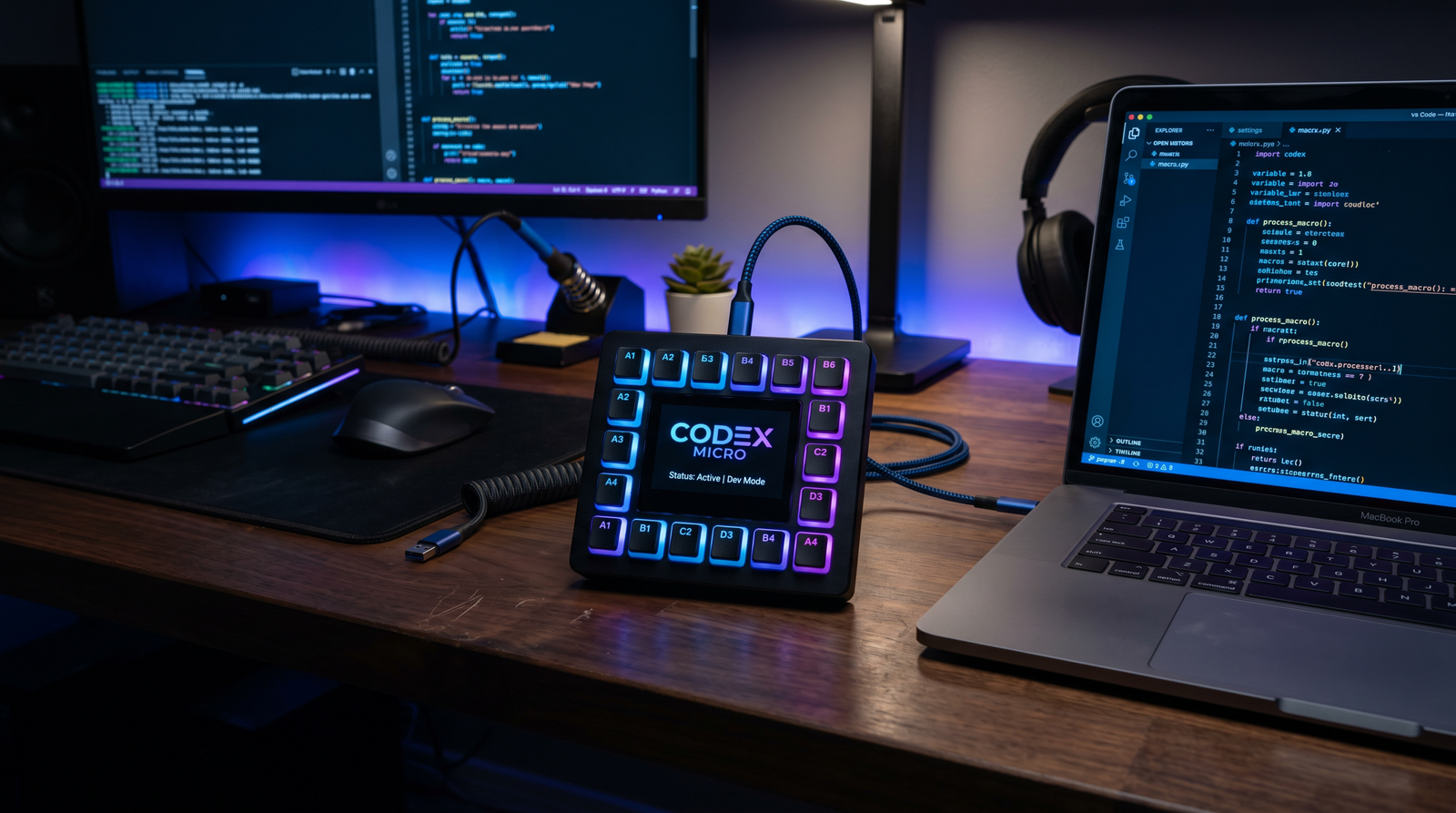
OpenAI’s first foray into developer-facing hardware is set to arrive on July 15, 2026. The device, called Codex Micro, is a compact, square-shaped controller with multiple programmable buttons intended to give developers instant, low-friction access to Codex agents without leaving their current app or terminal. With on-device (local) inference capabilities and wireless connectivity via Bluetooth Low Energy (BLE) and Wi‑Fi, Codex Micro aims to collapse context switches and make AI assistance as immediate as tapping a keycap.
In this report, we distill what is known today and provide analysis on where Codex Micro might fit in developer workflows, how it could integrate with the Codex workspace, and what to expect in terms of hardware, pricing, and competitive positioning. Where details remain unannounced, we frame them as plausible scenarios informed by industry norms for input devices and edge AI peripherals, so you can prepare for launch day with realistic expectations.
What Is Codex Micro?
Codex Micro is a square, desk-friendly hardware controller designed to make interacting with Codex agents near-instant. Rather than alt-tabbing into a chat window or invoking a keyboard shortcut, developers can press a dedicated button to trigger an agent action, pass along context, or request an explanation while staying focused on the current app—be it an IDE, terminal, design tool, or web browser. The core idea is straightforward: reduce the friction between your hands and an AI assistant that can read, reason about, and act upon your coding environment.
Three pillars define the device at launch: multiple programmable buttons, local inference, and dual-mode wireless connectivity (BLE and Wi‑Fi). The programmable buttons are the user-facing surface: they map to agent skills, scripts, or workspace actions. Local inference suggests the device can run select models or model fragments on-device for latency-sensitive or privacy-preserving tasks, forwarding larger jobs to the cloud when needed. BLE and Wi‑Fi ensure Codex Micro can pair with laptops, desktops, and possibly mobile devices while staying flexible in corporate networks.
While OpenAI has scheduled a July 15 launch, many fine-grained details—full spec sheet, pricing, and SKUs—remain to be confirmed. This article compiles what’s publicly signaled and layers in practical analysis so developers can evaluate whether Codex Micro aligns with their environment. If you already rely on
Organizations implementing these workflows will also benefit from understanding Why OpenAI Is Merging Codex and ChatGPT, which covers OpenAI merging Codex and ChatGPT into unified platform in detail. The methodologies presented there provide a natural extension of the concepts explored above, particularly for teams scaling their AI-assisted processes.
, this hardware could shift how you engage with them day-to-day.
Industrial Design and Form Factor
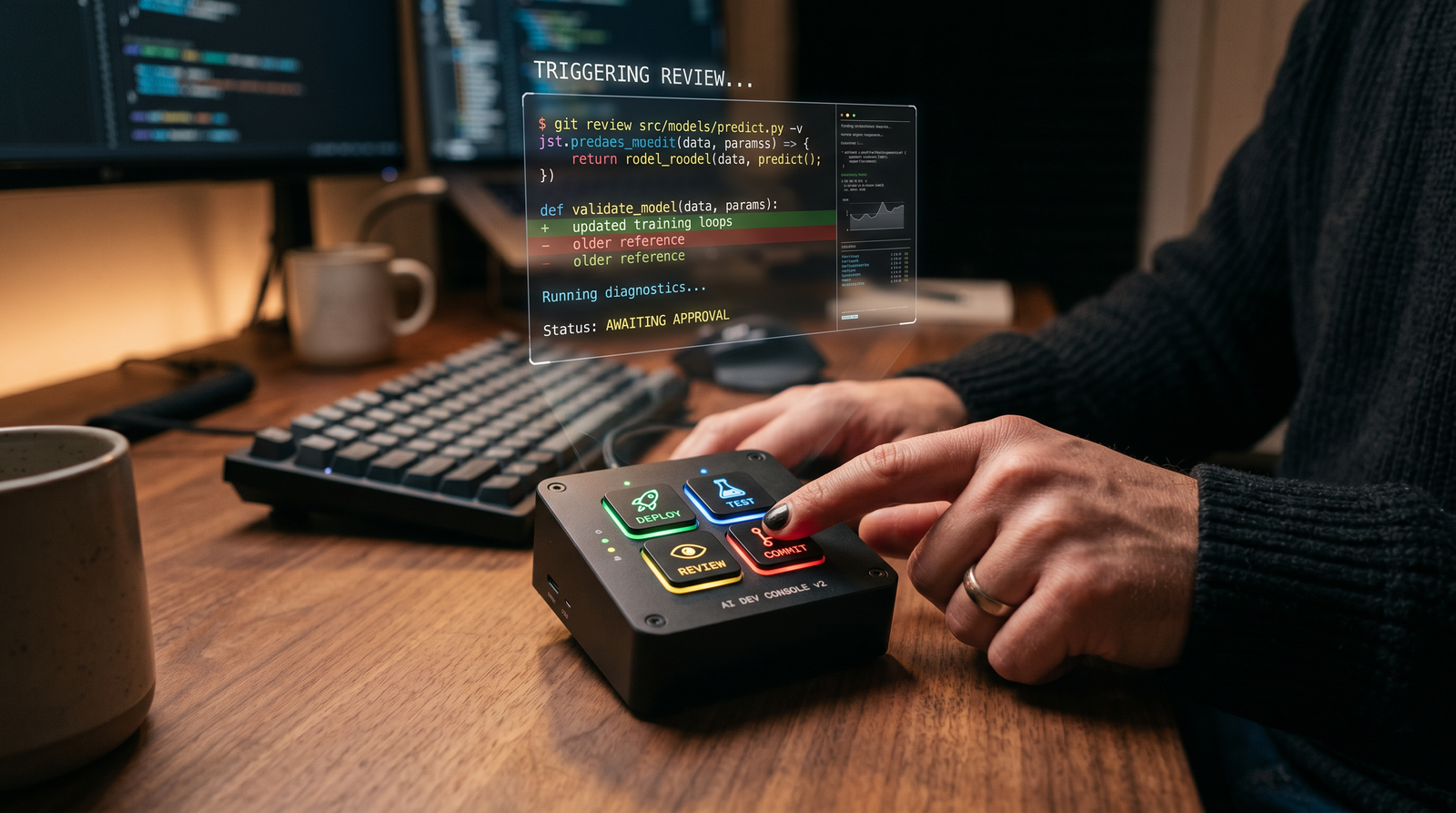
Codex Micro is described as square-shaped with multiple programmable buttons. From an ergonomics perspective, a low-profile square footprint puts all keys within comfortable reach for one-handed operation, similar to macro pads used in creative suites and streaming. It likely sits at a slight angle for visibility and tactile certainty, with non-slip feet to resist cable tug and desk vibrations.
Layout and Tactility
In the absence of a confirmed key count, developers should expect a matrix of physical buttons with clear spacing and possibly lighted indicators to communicate state changes (e.g., listening, thinking, complete). Even without tiny per-key displays, diffused status LEDs can signal that an agent action is running or awaiting input. High travel or mechanical key switches would favor tactile feedback; lower travel dome switches would favor speed and silence. Both paths serve developers; the choice will influence perceived quality and endurance cycles.
Materials and Durability
For daily use, materials matter. A rigid top plate (aluminum or reinforced polymer) reduces flex; PBT keycaps resist shine. If Codex Micro is meant for offices and on-the-go setups, a robust shell with minimal seam lines helps. Moisture resistance for the occasional spill is a plus, though formal IP ratings are uncommon for desktop macro pads. Expect a USB‑C port for wired fallback or charging if the unit includes a battery.
Accessibility and Labels
Programmable buttons imply programmable labels. If the device lacks per-key OLEDs, software overlays in the Codex workspace could display an always-on map of the current profile. For accessibility, haptic cues or distinct keycap textures can help users remember which button triggers which agent action. Color-coded caps or rings could support rapid profile switching.
Key Specifications and Architecture
OpenAI has indicated three headline attributes: programmable buttons, local inference, and BLE/Wi‑Fi. The details below combine what’s known with reasonable expectations for a modern, developer-grade macro controller with edge AI capability. Exact chips and memory configs have not been disclosed; the focus here is on operational characteristics that matter in daily use.
Programmable Button System
The programmable button system is the primary UX. Buttons can be bound to agent prompts, tool invocations, workspace actions, or external scripts. Consider the following classes of bindings:
- Agent Triggers: Start a “help me refactor this function” flow with the current file selection passed as context.
- Tool Chains: Run tests, then request a summary of failures, then open a suggested fix PR branch with a single press.
- Context Shortcuts: Pin a log snippet, screenshot, or recent stack trace to the active agent session.
- System Controls: Mute/unmute the assistant’s voice, toggle local/cloud inference, switch profiles.
Profiles allow the same hardware to serve multiple roles. A “Backend” profile might map to logs, database queries, and integration tests; a “Frontend” profile to component scaffolding, Storybook snippets, and CSS refactoring; a “Docs” profile to code comment generation and changelog drafts. Profile switching can be bound to a dedicated key or a chord press.
For portability, bindings should synchronize via the Codex workspace so your configuration appears on any machine you authorize. Expect per-key metadata including label, color, bound action, arguments, and optional LED behavior. A minimal JSON schema might look like this:
{
  "profile": "backend_default",
  "keys": [
    {
      "id": "k1",
      "label": "Refactor",
      "color": "#3B82F6",
      "action": "agent.run",
      "params": {
        "agentId": "refactorer",
        "context": "editor.selection",
        "prompt": "Refactor the selected function for readability and testability. Leave comments explaining major changes."
      }
    },
    {
      "id": "k2",
      "label": "Test+Summ",
      "color": "#10B981",
      "action": "pipeline.execute",
      "params": {
        "steps": [
          {"run": "npm test --silent"},
          {"collect": "stdout", "lines": 400},
          {"agent.summarize": {"maxTokens": 500}}
        ]
      }
    }
  ]
}
Local Inference on Device
Local inference is the headline differentiator. In practice, “local” could range from on-device wake-word or intent classification to full small-model reasoning for specific tasks. The benefits include:
- Latency: A button press can trigger an immediate, sub-50ms classification or routing decision, e.g., “is this test failure common or novel?”
- Resilience: If cloud access drops, common flows—such as retrieving recent editor context or formatting snippets—could still work.
- Privacy: Sensitive snippets might be transformed or redacted locally before any cloud call.
Expect a tiered execution model: the device decides whether to handle a request locally or escalate to the Codex workspace/cloud. Hybrid flows are probable: a local model trims and normalizes a selection, then posts a compact representation to an agent for heavier reasoning. If the device exposes a local API over BLE or Wi‑Fi, desktop daemons can cooperate (e.g., to fetch current file context from an IDE plugin) even when cloud connectivity fluctuates.
Given the form factor, thermal headroom is modest; sustained, large-model inference seems unlikely on-device. Instead, Codex Micro likely excels at low-power classification, embedding/feature extraction for small contexts, and real-time controls. Large code refactors would still be brokered by the Codex workspace.
BLE and Wi‑Fi Connectivity
BLE ensures quick pairing and low-power standby; Wi‑Fi unlocks higher-throughput sync and potentially direct LAN access to the Codex workspace or local development machines. The device could present as:
- A BLE HID or custom GATT service broadcasting button events and receiving LED/haptic updates.
- A Wi‑Fi client that connects to a local daemon or to the cloud, with optional mDNS discovery for zero-config pairing on a LAN.
For corporate environments, WPA2/WPA3 support and certificate-based provisioning will matter. BLE pairing should support numeric comparison or passkey to mitigate MITM. Expect firmware signing and OTA updates via Wi‑Fi with a fail-safe dual-partition layout to guard against update failures.
From a developer’s perspective, the sweet spot is a local desktop agent that bridges IDE context, button events, and the Codex workspace. Sample event flows might look like “button → local agent classifies intent → gather context from IDE → post to workspace agent → stream tokens back → signal completion LED.”
Integration with the Codex Workspace
Codex Micro’s value multiplies when it’s tightly integrated with the Codex workspace. Even though not all APIs are public today, a logical architecture emerges:
- Button Press: The device emits an event with key ID and active profile.
- Local Pre-Processing: Optional local model classifies or enriches the event (e.g., detect if selection includes secrets to redact).
- Context Collection: A desktop agent fetches the current file, selection, test output, or logs via IDE/terminal integrations.
- Agent Invocation: The event and context are sent to the designated Codex agent or toolchain in the Codex workspace.
- Streaming Response: The agent’s output streams back to the desktop, where it can post diffs, PRs, comments, or speak via TTS.
- Feedback Loop: The device reflects status (LED/haptic) and allows a second press to accept/apply, or a long press to revert.
In practice, you might bind one button to “Generate unit tests for the current selection” and another to “Explain failing test in human terms.” A third might “Create a branch and scaffold a feature flag.” The Codex workspace can store button profiles alongside agent definitions, so teams share consistent mappings. For organizations with standardized developer workflows, a managed profile can ensure everyone’s buttons match team SOPs from day one.
Because the device supports local inference, the first hop (classification, redaction) can run even if cloud is slow. For complex reasoning, the Codex workspace remains the orchestration point, especially when an agent needs to browse codebases, run tools, or open PRs. Used this way, Codex Micro becomes the tactile gateway to a broader, policy-controlled agent ecosystem. If your team maintains a living library of agent skills and templates, one button can be the doorway to many variations of a task. That’s where profile layers and multi-press sequences (tap, double-tap, long-press) matter.
If you are formalizing your own playbooks around
To deepen your understanding of adjacent AI capabilities, explore our detailed analysis in The Codex Refactoring Playbook, which examines 20 prompts for legacy code modernization and refactoring. The frameworks and prompt patterns discussed there integrate seamlessly with the strategies outlined in this article.
, Codex Micro could anchor repeatable rituals: daily “changelog draft,” “risk scan before merge,” “docstring audit,” and “test coverage sweep” become literal buttons on the desk, increasing compliance without nagging interrupts.
Possible Desktop Agent API Shape
While we cannot cite final endpoints, the following examples illustrate a plausible local API contract between a desktop agent and Codex Micro. To keep latencies low and programming simple, developers often prefer WebSockets or gRPC for bi-directional events, with a small REST surface for configuration.
# Example: Local WebSocket event from device to desktop agent
{
  "type": "key.press",
  "timestamp": 1720000000,
  "deviceId": "MICRO-01234",
  "profile": "backend_default",
  "keyId": "k2",
  "modifiers": { "longPress": false, "doubleTap": true }
}

# Example: Desktop agent reply to update LEDs/haptics
{
  "type": "device.feedback",
  "deviceId": "MICRO-01234",
  "effects": [
    {"keyId": "k2", "led": {"mode":"pulse","color":"#10B981","periodMs":600}},
    {"haptic": {"pattern": "short_double"}}
  ]
}
IDE and Terminal Integrations
Interfacing with IDEs is critical. VS Code, JetBrains IDEs, and Vim/Neovim all expose extension APIs to fetch selections, apply edits, and display diffs. A Codex Micro desktop agent could act as the broker: it listens for button events and coordinates with whichever editor is active. For terminals, capturing recent stdout/stderr from test runners or build tools provides the right context packet for an agent to summarize or fix.
Enterprise teams can go further by binding buttons to code review policies: “scan for secrets,” “enforce architecture rules,” or “check dependency health.” Since Codex Micro is a physical affordance, it nudges developers to run these checks at meaningful moments—before commit, before push, before merge.
Setup, Onboarding, and Configuration
First impressions hinge on a painless setup. A likely onboarding sequence:
- Power On and Pairing Mode: The device advertises over BLE. A desktop app discovers it via BLE or mDNS on Wi‑Fi.
- Secure Pairing: A numeric code on-screen (desktop) and an LED blink on the device confirm pairing.
- Account Link: Sign in to the Codex workspace and authorize the device. Policy-managed orgs may auto-provision profiles.
- Wi‑Fi Join (Optional): Add a trusted network for OTA updates and faster sync. Enterprise installs may push Wi‑Fi configs via MDM.
- Profile Sync: Default profiles appear, with prompts to import recommended bindings from your IDE or team.
- Test Round-Trip: Press a demo button to trigger a “Hello from Codex Micro” action; see LED feedback and a desktop notification.
For power users, export/import of profiles and per-environment overrides (laptop vs desktop) are key. Developers who roam between machines should be able to keep one hardware unit but shift it across contexts rapidly.
Local Agent as a Dev Dependency
If the device exposes a local API, you’ll likely install a small daemon. Teams can distribute it via package managers or MDM, with version pinning and changelog notes. Here’s a conceptual systemd service file to keep it running on Linux:
# /etc/systemd/system/codex-micro-agent.service
[Unit]
Description=Codex Micro Local Agent
After=network.target bluetooth.target

[Service]
Type=simple
User=devuser
ExecStart=/usr/local/bin/codex-micro-agent --log-level=info
Restart=on-failure
RestartSec=3

[Install]
WantedBy=default.target
Example: Mapping a Button to an Agent Flow
The snippet below shows a hypothetical command-line tool that registers a button binding to a Codex agent that writes unit tests for the current selection. Treat the endpoint paths as illustrative until official APIs are published.
#!/usr/bin/env bash
# Hypothetical CLI usage
codex-micro bind \
  --device MICRO-01234 \
  --profile backend_default \
  --key k3 \
  --label "Unit Tests" \
  --color "#F59E0B" \
  --action agent.run \
  --param agentId=test_writer \
  --param context=editor.selection \
  --param prompt="Write robust unit tests covering edge cases for the selected code."
Testing the Local Event Loop in Python
To explore how desktop apps might react to button events, here’s a simple Python prototype that listens on a WebSocket and invokes a placeholder “agent” via HTTP:
import asyncio
import json
import websockets
import requests

DEVICE_WS = "ws://localhost:4850/device"
WORKSPACE_HTTP = "http://localhost:4851/api/agent/trigger"  # illustrative

async def handle_device(ws, path):
    async for msg in ws:
        event = json.loads(msg)
        if event.get("type") == "key.press":
            key_id = event["keyId"]
            profile = event["profile"]
            # Gather context from your editor plugin (omitted)
            context = {"file": "/app/main.py", "selection": "def add(a,b): return a+b"}
            payload = {
                "agentId": "refactorer" if key_id == "k1" else "test_writer",
                "profile": profile,
                "context": context,
                "prompt": "Refactor for clarity." if key_id == "k1" else "Generate unit tests."
            }
            r = requests.post(WORKSPACE_HTTP, json=payload, timeout=30)
            print("Agent response:", r.json())
            # Signal completion (would send to device channel in real impl)
            await ws.send(json.dumps({
                "type": "device.feedback",
                "effects": [{"keyId": key_id, "led": {"mode": "solid", "color": "#10B981"}}]
            }))

async def main():
    async with websockets.serve(handle_device, "127.0.0.1", 4850):
        print("Listening for device events on ws://127.0.0.1:4850/device")
        await asyncio.Future()

if __name__ == "__main__":
    asyncio.run(main())
This prototype assumes the device or its driver forwards events on localhost. In practice, the official stack will determine transport and authentication. If you’re new to BLE programming, a
For teams exploring related capabilities, our comprehensive guide on How Enterprise AI Governance Is Evolving in 2026 provides detailed workflows and implementation strategies for enterprise AI governance and compliance tools. The techniques covered there complement the approaches discussed in this article and offer additional depth for practitioners ready to expand their AI toolkit.
is helpful to understand pairing and event delivery guarantees.
Competitive Landscape: Stream Deck, Loupedeck, and Others
Codex Micro enters a mature category: dedicated macro pads and creator consoles. The most visible incumbents include Elgato Stream Deck, Loupedeck, and a host of DIY/hacker-friendly pads. The table below frames how Codex Micro could position itself—emphasizing AI-native workflows and local inference.
| Device | Primary Audience | Buttons/Displays | AI/Agent Integration | Local Inference | Connectivity | Software Ecosystem | Typical Price (USD) |
|---|---|---|---|---|---|---|---|
| OpenAI Codex Micro | Developers using Codex agents | Multiple programmable buttons (no confirmed per-key display) | Native Codex workspace integration (expected) | Yes (headline feature) | BLE + Wi‑Fi (and likely USB‑C) | Codex workspace, IDE/terminal bridges | TBD (speculative scenarios below) |
| Elgato Stream Deck | Streamers, creators, some devs | LCD per-key displays | Via plugins/macros (third-party) | No | USB | Strong plugin ecosystem | ~$99–$249 depending on size |
| Loupedeck Live/CT | Photographers, video editors, streamers | Buttons + knobs; some displays | Via profiles/macros | No | USB | Profile-based, strong creative suite support | ~$269–$549 |
| DIY Macro Pads (e.g., QMK/X-Keys) | Hackers, devs | Varies; typically non-display keys | Custom scripts | No (unless paired with SBC) | USB/BLE (varies) | Highly customizable | $40–$200+ |
Two differentiators stand out. First, Codex Micro’s native tie-in with Codex agents means a smoother handoff between a button press and a semantically rich operation (e.g., apply patch with reasoning). Second, on-device inference can cut round-trip times for classification and privacy-sensitive transforms. Even without per-key displays, streamlined agent orchestration can be more valuable to a developer than animated key icons.
Elgato’s Stream Deck remains a formidable baseline for ergonomics and plugin breadth. If OpenAI matches the tactile feel and latency while offering single-press AI flows, Codex Micro can carve a distinct niche: an AI-native macro pad built for code rather than for scenes and media switching.
Pricing and Availability: Scenarios and Signals
OpenAI has fixed the launch date at July 15, 2026. Pricing is unannounced as of this writing. A reasoned way to think about price is to model components, positioning, and competitor anchors:
- Component Costs: A quality key matrix, BLE/Wi‑Fi module, microcontroller/NPU for local inference, and a rigid chassis suggest mid-tier BOM.
- Positioning: Aimed at professional developers—less price-sensitive than consumer peripherals if ROI is clear.
- Anchors: Stream Deck family ($99–$249), Loupedeck ($269–$549). On-device AI nudges price upward vs. pure macro pads.
Three plausible pricing scenarios, with pros and cons:
| Scenario | Price | Rationale | Pros | Cons |
|---|---|---|---|---|
| Entry | $129–$179 | Aggressive adoption push; subsidize via workspace usage | Low barrier; fast community uptake | Tighter margins; expectations vs. build quality |
| Pro Sweet Spot | $199–$299 | Parity with Stream Deck XL/Loupedeck Live but AI value-add | Signals quality; sustainable support | May deter hobbyists/early-career devs |
| Premium | $349–$449 | High-end materials; robust NPU; enterprise features | Room for enterprise services; longer support windows | Smaller immediate market; invites comparison to full creative consoles |
Availability at launch could prioritize the US and EU with staged rollouts elsewhere, depending on radio certifications. Enterprise procurement programs may follow with volume pricing and extended warranties. Watch for bundles (device + workspace credits) that effectively lower the entry price for new Codex users.
Developer Reactions and Early Sentiment
Even before full specs land, the idea of a “first-party AI macro pad” has stirred interest. Developers tend to evaluate such devices on four axes:
- Latency and Reliability: Does the button press feel instant, and does it always work?
- Action Depth: Can a single press do something genuinely helpful, not just paste a template?
- Editor Fit: Does it play nicely with VS Code, JetBrains, Vim, and CLIs?
- Team Scale: Can teams standardize mappings and enforce policy?
Common hopes include banishing context switches, turning “small but frequent” AI asks into quick taps, and making compliance checks effortless. Concerns include desk clutter, yet-another-daemon fatigue, and whether local inference will meaningfully cut latency for real workloads. The competitive bar for key feel and stability is also high given the category leaders.
If Codex Micro nails the basics—zero-miss input reliability, deterministic macros, intelligible status feedback—developers will likely forgive first-gen limitations. If it also offers intuitive profile sharing and org-level governance, the device can become the de facto gateway for agent-powered development.
Practical Use Cases for AI-Assisted Coding
To judge Codex Micro’s potential, ground it in daily developer rituals. Below are concrete, actionable bindings that a team could adopt on day one. These assume tight workspace/IDE integration and a local agent capable of pulling file and terminal context.
Refactoring and Code Health
- Refactor Selection: Agent rewrites the selected function for clarity, adds docstrings, and suggests tests.
- Extract Component: For frontend code, agent extracts a reusable component and updates imports.
- Dead Code Finder: Summarize unused code in the open file or module.
Testing and Debugging
- Generate Unit Tests: Compose robust tests for the selected function, including edge cases and mocks.
- Explain Test Failure: Summarize a failed test from recent terminal output and suggest likely fixes.
- Coverage Gap: Identify lines not covered and propose focused tests.
Docs and Communication
- Changelog Draft: Build a draft changelog from recent commits and issue links.
- Comment Enhancer: Rewrite comments for clarity and tone matching team style.
- PR Description: Summarize the diff into a high-quality PR description with impact notes.
DevOps and Tooling
- Kick Off CI with Context: Trigger CI and attach a summary of risk areas for reviewers.
- Incident Triage: Collect logs and generate a timeline from recent errors.
- Dependency Audit: Flag outdated or risky dependencies and propose upgrades.
Security Hygiene
- Secret Scan Before Commit: Run a local scan and, if needed, redact before an agent reads context.
- Policy Lint: Check code against architecture rules or banned APIs.
- License Check: Validate new dependencies’ licenses against org policy.
Example: Node.js Desktop Agent Stub
This Node.js example demonstrates a local bridge that receives device events and coordinates an “explain failure” workflow. Replace placeholder endpoints with official ones when available.
Access 40,000+ AI Prompts for ChatGPT, Claude & Codex — Free!
Subscribe to get instant access to our complete Notion Prompt Library — the largest curated collection of prompts for ChatGPT, Claude, OpenAI Codex, and other leading AI models. Optimized for real-world workflows across coding, research, content creation, and business.
import WebSocket, { WebSocketServer } from "ws";
import fetch from "node-fetch";

const DEVICE_PORT = 4860;
const WORKSPACE_ENDPOINT = "http://localhost:4851/api/agent/trigger"; // illustrative

const wss = new WebSocketServer({ port: DEVICE_PORT });

function collectTerminalContext() {
  // In practice, tail your test runner logs or integrate with your IDE
  return {
    stdout: "FAIL test_math.py::test_divide_zero ... ZeroDivisionError: division by zero",
    stderr: "",
    lastExitCode: 1
  };
}

wss.on("connection", (ws) => {
  ws.on("message", async (raw) => {
    const event = JSON.parse(raw.toString());
    if (event.type === "key.press" && event.keyId === "k4") {
      const ctx = collectTerminalContext();
      const payload = {
        agentId: "failure_explainer",
        prompt: "Explain the failing test and propose a fix with code changes.",
        context: ctx
      };
      const res = await fetch(WORKSPACE_ENDPOINT, {
        method: "POST",
        headers: { "Content-Type": "application/json" },
        body: JSON.stringify(payload)
      });
      const data = await res.json();
      console.log("Agent says:", data);

      // Update device LED (hypothetical)
      ws.send(JSON.stringify({
        type: "device.feedback",
        effects: [{ keyId: "k4", led: { mode: "pulse", color: "#EF4444" } }]
      }));
    }
  });
});

console.log("Device bridge on ws://127.0.0.1:" + DEVICE_PORT);
Example: Makefile Targets for Repeatable Flows
If your team keeps workflows in Make or npm scripts, bind keys to these stable entry points. That way, rotating tools won’t break your buttons.
# Makefile (illustrative)
test:
	pytest -q --maxfail=1 | tee .last_test.log; exit $${PIPESTATUS[0]}

explain-failure:
	curl -s -X POST http://localhost:4851/api/agent/trigger \
	  -H "Content-Type: application/json" \
	  -d '{ "agentId": "failure_explainer", "context": { "log": "'"$$(tail -n 200 .last_test.log)"'" } }'
Team Profile Matrix
Assign coherent profiles to roles so new hires onboard faster. For example:
| Role | Top 3 Buttons | Rationale |
|---|---|---|
| Backend Engineer | Refactor, Test+Summarize, Incident Triage | Speed up iteration and keep ops context close |
| Frontend Engineer | Extract Component, Fix CSS, Visual Diff Explainer | Common UI tasks become one-tap; diff insights save review time |
| SRE/Platform | Deploy Preview, Log Pattern Finder, Dependency Audit | Operational loops captured as consistent, reversible actions |
| Tech Writer | Changelog Draft, API Doc Stub, Comment Enhancer | Codify writing prompts into high-quality, standardized outputs |
Security, Privacy, and Enterprise Controls
Security is central when a hardware device interacts with source code and logs. With Codex Micro, several layers need to align:
- Device Identity: Each unit should have a unique, attestable identity. Enterprise admins can tie usage to org accounts.
- Transport Security: BLE pairing with numeric comparison/passkey; Wi‑Fi with WPA2/WPA3 and TLS to workspace services.
- Local Inference Boundaries: Clear controls over what runs locally and which data leaves the machine. Redaction models can strip secrets before cloud calls.
- Least Privilege: Desktop agents run with minimal permissions; IDE plugins prompt before applying code edits.
- Audit Trails: Workspace logs “who pressed what, when, and what changed,” helpful for regulated environments.
- Firmware Integrity: Signed OTA updates with rollback; supply-chain protections; tamper-evident boot.
Enterprise rollouts should look for MDM support, SSO enforcement, and org-managed profiles. Button actions that can write to repos must respect branch protections and require a human-in-the-loop confirmation unless explicitly permitted by policy.
Implications for AI-Assisted Coding Workflows
Physical affordances reshape behavior. The deeper implication of Codex Micro is not just faster prompts; it’s codifying your team’s best AI interactions into muscle memory. When “run tests and summarize failures” becomes a reflexive button press, quality checks happen more often and earlier. When “draft PR description” is a tap, reviews start with better context. When “scan for secrets” is tactile, leaks drop without nagging bots.
Three themes to watch:
- From Ask to Act: Buttons nudge teams toward agent actions that change code, not just chat. Expect more “apply patch with review” loops.
- Ritualized Hygiene: Security and linting become rituals embedded in flow, reducing variance across developers.
- Cognitive Load Redistribution: Fewer context switches mean more deep work; however, new abstractions (profiles, mappings) require light governance.
Of course, hardware cannot by itself solve poor prompts or misaligned incentives. Pair Codex Micro with robust agent design, clear prompts, and guardrails. Make success measurable. Over time, the best buttons will mirror your team’s highest-value agent skills and become part of your engineering culture.
What Success Looks Like: KPIs and Adoption Curves
To evaluate ROI, define KPIs before rollout and revisit them after the first month:
- Time-to-Fix: Median time from test failure to merged patch.
- Refactor Cadence: Weekly count of small refactors with accompanying tests.
- Review Latency: Time from PR open to first substantive review comment.
- Policy Compliance: Rate of pre-commit secret scans and architecture lint passes.
- Context Switches: Self-reported or measured alt-tab frequency per hour during dev sessions.
Adoption often starts with champions who maintain profiles. If the device ships with strong defaults—thoughtful “starter” buttons per popular stack—adoption will accelerate. If defaults are thin, plan to invest in profile design early.
Open Questions and What to Watch on Launch Day
As July 15 approaches, several details will shape early impressions:
- Button Count and Feel: How many keys, what switch type, and is there per-key lighting?
- Local Inference Scope: Which tasks run fully on-device? Are embeddings or classifiers included?
- Battery vs. Wired: Does it include a battery? What’s the runtime? Is USB‑C usable for data and power?
- Desktop Agent Footprint: OS support (Windows/macOS/Linux) and resource usage.
- IDE Plugins: Day-one support for VS Code, JetBrains, and Vim/Neovim.
- Enterprise Features: MDM/SSO, managed profiles, audit logs, and OTA cadences.
- Price and Bundles: Any workspace credit included? Extended warranties?
The answers determine whether Codex Micro is a niche controller or a category leader for AI-assisted development. If OpenAI delivers seamless end-to-end flows, the device could quickly become as ubiquitous as external keyboards among developers who live in the Codex ecosystem.
How to Prepare Your Team and Workspace
Regardless of final specs, you can prepare now so launch day is productive:
- Inventory Agent Skills: List your top 10 recurring agent tasks. Trim prompts to crisp instructions.
- Define Profiles: Map those tasks to 8–15 buttons per role. Decide on colors and naming conventions.
- Harden IDE Bridges: Ensure your editor plugins can fetch context and apply diffs reliably.
- Establish Guardrails: Decide which actions can apply code automatically and which require confirmation.
- Set KPIs: Choose 3–5 metrics from the KPI list to measure before/after impact.
- Pilot Group: Recruit a cross-section of developers to pilot on day one; reserve time for feedback.
- Document Rituals: Write short SOPs: when to press which button and what good output looks like.
For teams scaling fast, consider a small internal marketplace of profiles. Treat high-quality button mappings like code—review them, version them, and ship them as part of your engineering toolkit. If you maintain a knowledge base, add entries for Codex Micro usage alongside your agent library. As your playbooks mature, codify them into shared profiles so new hires are productive in week one.
Illustrative Profile Bundle (YAML)
Below is a hypothetical bundle you might distribute internally. It includes profiles for backend and frontend roles with clear color cues.
version: 1
bundle: "team-alpha-codex-micro"
profiles:
  - name: "backend_default"
    keys:
      - id: "k1"
        label: "Refactor"
        color: "#3B82F6"
        action: "agent.run"
        params:
          agentId: "refactorer"
          context: "editor.selection"
          prompt: "Refactor for clarity/testability; add comments."
      - id: "k2"
        label: "Test+Summ"
        color: "#10B981"
        action: "pipeline.execute"
        params:
          steps:
            - run: "pytest -q"
            - collect: { source: "stdout", lines: 200 }
            - agent.summarize: { maxTokens: 300 }
      - id: "k3"
        label: "PR Desc"
        color: "#F59E0B"
        action: "agent.run"
        params:
          agentId: "pr_describer"
          context: "git.diff"
          prompt: "Draft a clear PR description with risks and tests."
  - name: "frontend_default"
    keys:
      - id: "k1"
        label: "ExtractComp"
        color: "#A855F7"
        action: "agent.run"
        params:
          agentId: "component_extractor"
          context: "editor.selection"
          prompt: "Extract a reusable component and update imports."
      - id: "k2"
        label: "Fix CSS"
        color: "#EC4899"
        action: "agent.run"
        params:
          agentId: "css_fixer"
          context: "editor.selection"
          prompt: "Improve CSS for responsiveness and accessibility."
      - id: "k3"
        label: "Story Stub"
        color: "#06B6D4"
        action: "agent.run"
        params:
          agentId: "storybook_writer"
          context: "editor.selection"
          prompt: "Create Storybook stories with edge cases."
Final Take
Codex Micro represents a meaningful experiment: can a small, square pad with programmable buttons and local inference make AI assistance feel truly immediate for developers? The answer will hinge on three things OpenAI can control: tactile reliability, tight Codex workspace integration, and sensible defaults that respect how code is actually written and reviewed. If the device translates the best of Codex agents into one-tap rituals—and makes them observable, reversible, and secure—it could become the physical front door to AI-assisted development.
We’ll learn the final spec sheet, pricing, and ecosystem story on July 15. Between now and then, the most productive move is to prepare your workflows and decide which actions deserve a button on your desk. By launch day, you’ll be ready to measure impact, refine profiles, and answer the only question that matters: did the small physical change—one more square on your desk—unlock a big improvement in how your team builds software?
For deeper dives into agent design principles and hands-on setup guides, see
Organizations implementing these workflows will also benefit from understanding Why OpenAI Is Merging Codex and ChatGPT, which covers OpenAI merging Codex and ChatGPT into unified platform in detail. The methodologies presented there provide a natural extension of the concepts explored above, particularly for teams scaling their AI-assisted processes.
and
Organizations implementing these workflows will also benefit from understanding The Codex Refactoring Playbook, which covers 20 prompts for legacy code modernization and refactoring in detail. The methodologies presented there provide a natural extension of the concepts explored above, particularly for teams scaling their AI-assisted processes.
.
