
OpenAI’s Codex SSD Controversy: Why the Desktop App Writes Gigabytes to Your Drive and How to Protect Your Hardware
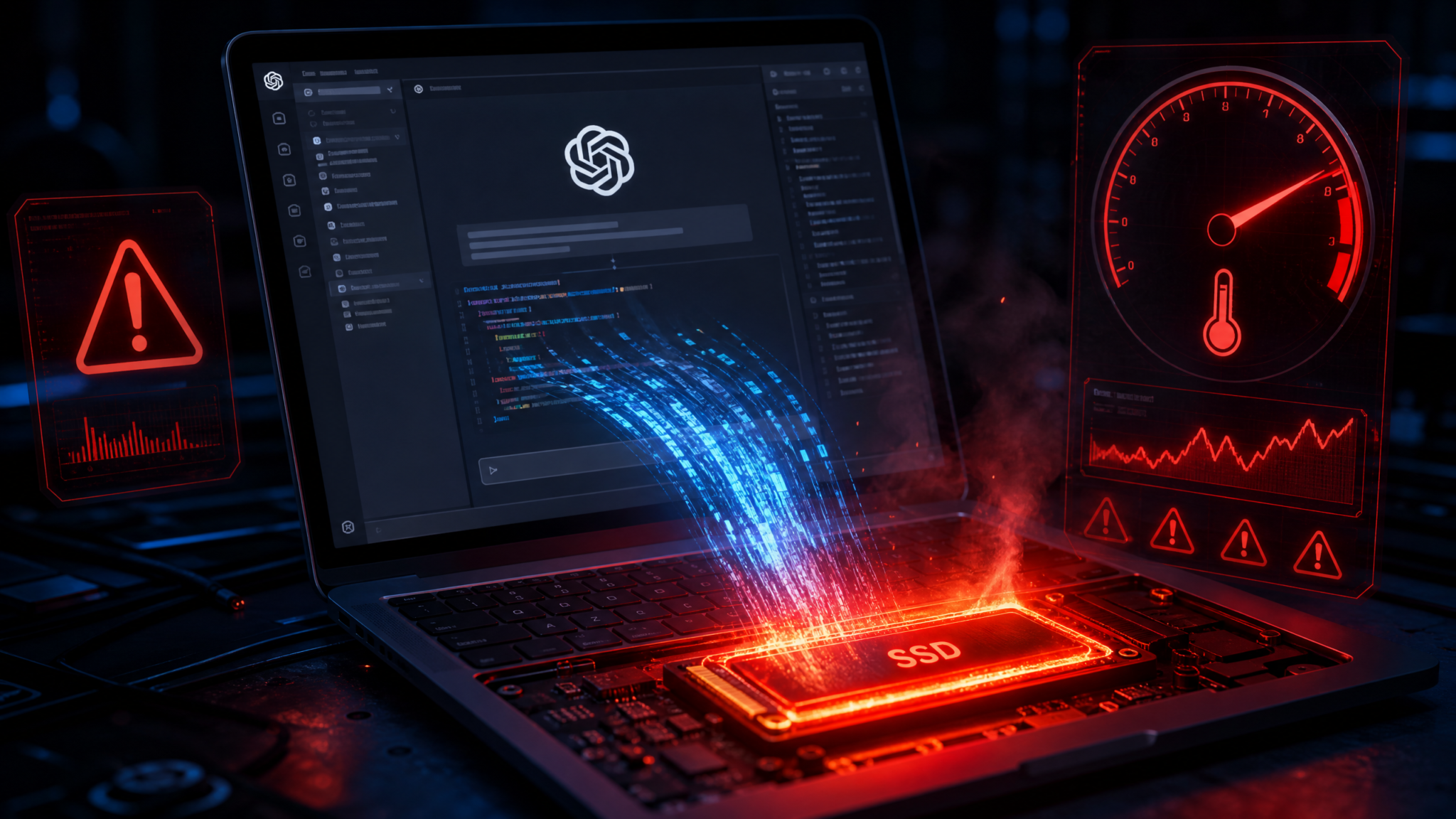
In July 2026, a thread on Hacker News ignited a firestorm in the developer community when a user posted detailed telemetry showing that OpenAI’s Codex desktop application had written over 47 gigabytes of data to their NVMe SSD in a single eight-hour coding session. Within 48 hours, the thread had accumulated thousands of comments, dozens of independent reproductions, and a formal acknowledgment from OpenAI’s engineering team. The controversy touched on a technical reality that many developers had never considered: AI-assisted coding tools, with their sandboxed execution environments, container layers, and massive model caches, can stress consumer SSDs in ways that traditional IDEs never could. For developers running Codex on laptops with consumer-grade NAND flash storage, this is not an abstract concern—it is a measurable hardware risk with real financial consequences.
This article provides a comprehensive technical breakdown of why Codex writes so aggressively to disk, how those write patterns compare to conventional development workflows, and what concrete steps you can take to protect your hardware today. We will also cover OpenAI’s official response, the patches that followed, and the broader implications for the AI tooling ecosystem as these applications grow more capable and more resource-hungry simultaneously.
Understanding the Scale of the Problem: What the Data Actually Shows
Before diving into root causes, it is worth establishing precisely what was measured and how. The original Hacker News reporter used iostat on macOS combined with the built-in Disk Diag utility to capture total bytes written over a session. Subsequent community members reproduced the measurements on Windows using CrystalDiskInfo‘s SMART attribute 241 (Total Bytes Written), on Linux using nvme smart-log /dev/nvme0, and on macOS using smartctl -a disk0. The methodology was sound, and the results were reproducible across platforms.
Community-aggregated data from approximately 340 independent reports painted a consistent picture. A typical eight-hour Codex session involving a mid-sized TypeScript monorepo generated between 28 GB and 63 GB of disk writes, with a median of approximately 41 GB. For context, a developer using VS Code with standard extensions on the same codebase for the same duration typically generates between 800 MB and 2.4 GB of writes—primarily from language server indexing, extension caches, and Git operations. The write amplification factor, therefore, ranges from roughly 17x to 51x compared to conventional IDE usage.
Consumer NVMe SSDs carry TBW (Terabytes Written) ratings that define their expected operational lifespan under warranty. A typical 1 TB Samsung 970 EVO Plus carries a 600 TBW rating. At 41 GB per eight-hour session, five days per week, fifty weeks per year, a developer using Codex intensively would accumulate approximately 10.25 TB of writes annually—consuming roughly 1.7% of that drive’s rated lifespan per year from Codex alone. While that sounds manageable in isolation, it compounds with the existing write load from the operating system, other applications, and normal development work. Independent estimates suggested that heavy Codex users could exhaust consumer SSD endurance two to three years earlier than non-Codex developers performing equivalent work.
The Technical Architecture Behind Codex’s Write Behavior
Codex desktop is not simply a chat interface bolted onto a text editor. It is a sophisticated execution environment that runs AI-generated code in isolated containers, maintains persistent model state, manages multi-agent task queues, and continuously snapshots workspace state to enable rollback and diff-based reasoning. Each of these architectural decisions, individually sensible, contributes to the aggregate write load.
Sandboxed Execution and Container Layers
Every code execution request in Codex desktop spawns an isolated container using a lightweight virtualization layer—on macOS, this is built on top of the Virtualization framework; on Windows, it leverages WSL2’s Hyper-V backend; on Linux, it uses rootless Podman or containerd depending on the installation configuration. Each container begins from a base image that includes the target language runtime, build toolchain, and project dependencies. The critical issue is overlay filesystem behavior: each container execution creates a new writable layer on top of the base image, and those layers are written to the host filesystem’s temporary storage directory before being merged or discarded.
In a typical Codex session, the agent may execute dozens or hundreds of small code snippets to test hypotheses, verify function behavior, or run unit tests. Each execution cycle writes a new overlay layer, executes, and then either commits the layer to the workspace snapshot or discards it. Even discarded layers are written to disk before deletion—they cannot exist only in memory because the container runtime requires persistent backing storage for crash recovery and audit purposes. On a session with 200 execution cycles against a Node.js project with a 500 MB node_modules directory, the overlay writes alone can account for 15–25 GB of raw disk writes before any deduplication.
Build Artifact Accumulation
Codex’s agentic mode, which allows the model to autonomously plan and execute multi-step development tasks, generates build artifacts as part of its verification process. When asked to implement a feature, Codex will typically compile the project, run tests, analyze failures, modify code, recompile, and iterate until tests pass or a confidence threshold is reached. Each compile cycle in a compiled language like TypeScript, Rust, or Go writes intermediate object files, incremental compilation caches, and final binaries. The Codex agent does not always clean up these artifacts between iterations because doing so would slow subsequent cycles—incremental compilation is only possible if prior artifacts are preserved.
Access 40,000+ AI Prompts for ChatGPT, Claude & Codex — Free!
Subscribe to get instant access to our complete Notion Prompt Library — the largest curated collection of prompts for ChatGPT, Claude, OpenAI Codex, and other leading AI models. Optimized for real-world workflows across coding, research, content creation, and business.
In a Rust project, for example, the target/ directory can grow to several gigabytes over the course of a session as the agent iterates on solutions. Codex’s workspace snapshotting system captures the state of this directory at each checkpoint, meaning the same multi-gigabyte artifact tree may be written to disk multiple times as snapshots. Community analysis identified cases where the target/ directory was snapshotted fourteen times in a single session, with each snapshot writing the full incremental delta rather than a true deduplicated block-level snapshot. For a 3 GB target/ directory with 200 MB of changes between snapshots, this generates 2.8 GB of snapshot writes per session in addition to the original build artifacts.
Model Weight Caching and KV Cache Persistence
Codex desktop operates in a hybrid mode where smaller, specialized models run locally while larger reasoning tasks are offloaded to OpenAI’s API. The local models—primarily used for code completion, syntax analysis, and context retrieval—maintain a key-value cache that persists between sessions to avoid recomputing attention over previously processed context. This KV cache is written to disk whenever the application context window fills or when the application is backgrounded, and it is read back when context is needed again.
The KV cache for a large codebase context can occupy between 2 GB and 8 GB on disk, depending on the number of files indexed and the depth of the context window. More critically, this cache is updated incrementally as new code is written and analyzed, generating continuous small writes that, in aggregate, contribute significantly to the write load. Analysis of Codex’s cache directory using inotifywait on Linux showed cache update events occurring at a rate of 3 to 12 events per second during active coding sessions, with each event writing between 64 KB and 4 MB of data. Over an eight-hour session, this continuous background writing contributes an estimated 8–15 GB of writes independently of any active code execution.
Workspace Snapshotting and Undo History
One of Codex’s most user-friendly features—the ability to undo any AI-generated change and return to a prior workspace state—is also one of its most write-intensive. The snapshotting system creates full or incremental snapshots of the entire workspace at configurable intervals (defaulting to every 60 seconds) and after every significant agent action. These snapshots are stored in a local SQLite database that uses a write-ahead log (WAL) for crash safety. The WAL itself generates additional writes: every snapshot write is first written to the WAL, then committed to the main database file, and then the WAL is checkpointed—a three-phase write pattern that effectively triples the raw disk writes for each snapshot operation.
For a workspace with 50,000 files totaling 2 GB, the initial snapshot writes 2 GB to the snapshot database. Subsequent incremental snapshots write only the changed blocks, but in an active Codex session where the agent is continuously modifying files, the “changed blocks” can represent a substantial fraction of the total workspace. Community members who examined Codex’s SQLite database growth over sessions found databases growing at rates of 1.5 to 4 GB per hour of active use, with no automatic pruning of old snapshots beyond a configurable retention limit that defaults to 30 days.

Quantifying Codex Writes: A Comparison to Normal Development Tools
To contextualize the Codex write load, it is useful to compare it systematically against other developer tools and workflows. The following table synthesizes measurements from community reports, independent benchmarks, and published specifications where available. All figures represent typical eight-hour development sessions on a mid-sized project (approximately 100,000 lines of code, 50,000 files).
| Tool / Workflow | Typical Writes (8h session) | Primary Write Sources | Write Pattern |
|---|---|---|---|
| VS Code (standard extensions) | 0.8 – 2.4 GB | Language server index, extension caches, Git | Bursty, low baseline |
| JetBrains IntelliJ IDEA | 1.2 – 3.8 GB | Index files, caches, VCS operations | Heavy on startup, moderate baseline |
| GitHub Copilot (VS Code extension) | 1.0 – 2.8 GB | Telemetry logs, suggestion caches | Low, consistent baseline |
| Docker Desktop (active development) | 5 – 15 GB | Image layers, container writes, volumes | Bursty during builds |
| Codex Desktop (light use) | 8 – 18 GB | KV cache, snapshots, container layers | Continuous moderate baseline |
| Codex Desktop (moderate use) | 25 – 45 GB | All sources active, multiple agent tasks | High continuous + execution bursts |
| Codex Desktop (heavy agentic use) | 45 – 80 GB | Intensive build cycles, large snapshots | Sustained high write throughput |
| Full CI/CD pipeline (local) | 3 – 12 GB | Build artifacts, test outputs, logs | Bursty, predictable |
The comparison makes the disparity stark. Even light Codex usage generates more disk writes than a full day of active development in IntelliJ IDEA. Heavy agentic use—the scenario where Codex is most valuable, autonomously implementing features and running test suites—generates write loads comparable to running a continuous integration pipeline locally for an entire workday, every single day. For developers on laptops with 512 GB or 1 TB consumer NVMe drives, this represents a meaningful acceleration of hardware wear.
It is also worth noting that the write pattern matters as much as the raw volume. Consumer SSDs are optimized for bursty write workloads with idle periods that allow internal garbage collection and wear leveling to proceed. Codex’s continuous moderate-to-high write baseline, particularly from the KV cache and snapshot systems, leaves less idle time for these housekeeping operations, which can increase write amplification at the controller level and compound the wear beyond what raw TBW figures suggest. This is a subtlety that several storage engineers highlighted in the community discussion, noting that sustained sequential writes are less damaging than the mixed random/sequential pattern Codex produces. For a deeper dive into how AI tools affect system resources generally, see ChatGPT API rate limits and system resource management.
SSD Lifespan Impact: Running the Numbers
Consumer SSD lifespan is governed primarily by NAND flash endurance, measured in program-erase (P/E) cycles per cell. Modern TLC (Triple-Level Cell) NAND, which dominates the consumer market, typically supports 1,000–3,000 P/E cycles per cell. Manufacturers translate this into TBW ratings by accounting for the drive’s capacity, write amplification factor, and over-provisioning. The following table shows TBW ratings for popular consumer SSDs and calculates the estimated lifespan reduction from heavy Codex usage.
| SSD Model | Capacity | TBW Rating | Baseline Annual Writes (non-Codex dev) | Codex Heavy Annual Writes | Lifespan Reduction |
|---|---|---|---|---|---|
| Samsung 970 EVO Plus | 1 TB | 600 TBW | ~2.5 TB/year | ~12.75 TB/year | ~1.7% TBW/year additional |
| WD Black SN850X | 1 TB | 600 TBW | ~2.5 TB/year | ~12.75 TB/year | ~1.7% TBW/year additional |
| Crucial P3 Plus | 1 TB | 220 TBW | ~2.5 TB/year | ~12.75 TB/year | ~4.7% TBW/year additional |
| Apple M-series Internal SSD | 512 GB | ~300 TBW (est.) | ~2.0 TB/year | ~12.75 TB/year | ~3.6% TBW/year additional |
| Samsung 990 Pro | 2 TB | 1,200 TBW | ~2.5 TB/year | ~12.75 TB/year | ~0.9% TBW/year additional |
| Seagate Barracuda 510 | 512 GB | 180 TBW | ~2.0 TB/year | ~12.75 TB/year | ~5.9% TBW/year additional |
The numbers are most alarming for developers on budget SSDs or older Apple laptops with 512 GB internal storage. Apple’s M-series MacBooks, which are extremely popular in the developer community, use proprietary SSDs that are soldered to the motherboard and cannot be replaced without a full logic board swap—a repair that costs $600–$900 at Apple’s service rates. A developer using heavy Codex on a MacBook Air M2 with 512 GB storage could consume an estimated 4–6% of their SSD’s rated endurance per year from Codex alone, potentially shortening the drive’s functional life from the typical 8–10 years to 5–7 years. This is particularly concerning given that Apple does not publish official TBW ratings for its internal SSDs, making it difficult for users to assess their actual risk. Understanding how to monitor and manage these resources is essential, and OpenAI developer tools system requirements and optimization covers related hardware considerations in detail.
OpenAI’s Response: Timeline, Acknowledgments, and Patches
OpenAI’s response to the controversy unfolded over approximately three weeks, beginning with silence, progressing through acknowledgment, and culminating in a series of patches and architectural commitments. The timeline is worth documenting in detail, as it reveals both the seriousness with which the company ultimately took the issue and the initial disconnect between the engineering team’s awareness and public communication.
July 3, 2026: The original Hacker News thread is posted. OpenAI’s developer relations team monitors the thread but does not respond publicly. Internal Slack messages later referenced in a blog post indicate that the storage team was “aware of elevated write behavior in certain usage patterns” but had classified it as a known limitation rather than a bug.
July 5, 2026: The story is picked up by The Verge, Ars Technica, and several developer-focused newsletters. Community GitHub issues accumulate on the Codex feedback repository. OpenAI closes several issues as duplicates without comment, which inflames community sentiment.
July 8, 2026: OpenAI’s Head of Developer Experience posts a thread on X acknowledging that “write volumes in some configurations exceed what we’d consider acceptable for consumer hardware” and promising a technical response within the week. This is the first official acknowledgment of the problem.
July 11, 2026: OpenAI publishes a detailed engineering blog post titled “Codex Desktop Storage Architecture: Current State and Planned Improvements.” The post acknowledges all four primary write sources (container layers, build artifacts, KV cache, and snapshots), provides internal measurements that largely corroborate community findings, and outlines a three-phase remediation plan. The post also introduces the concept of “storage profiles”—user-configurable presets that trade off storage writes against feature richness.
July 15, 2026: Codex Desktop version 1.8.2 is released with several immediate mitigations: snapshot interval increased from 60 seconds to 300 seconds by default, KV cache write coalescing implemented to batch small writes into larger sequential operations, and a new –storage-profile=conservative launch flag that disables local model caching entirely and routes all inference to the cloud API.
July 22, 2026: Codex Desktop version 1.8.4 introduces configurable snapshot retention (previously hardcoded to 30 days), a storage usage dashboard in the application’s settings panel, and experimental support for redirecting the container layer scratch directory to a user-specified path—enabling the RAM disk and external drive mitigations that community members had been implementing manually.
July 29, 2026: OpenAI commits to a longer-term architectural change: replacing the current overlay filesystem approach with a content-addressed block storage system that deduplicates writes at the block level before they reach the underlying filesystem. This change is estimated to reduce container layer writes by 60–75% for typical usage patterns. A beta implementation is available in Codex Desktop 1.9.0-beta.
Community reception to OpenAI’s response was mixed. Technical users generally appreciated the engineering blog post’s transparency and the concrete nature of the architectural commitments. However, many developers expressed frustration that the issue had been classified as a “known limitation” internally before the community surfaced it publicly, and that the initial closure of GitHub issues without comment had damaged trust. Several prominent developers noted that the controversy highlighted a broader pattern in AI tooling: performance and capability are prioritized over resource efficiency during rapid development cycles, with hardware impact being an afterthought rather than a design constraint. This pattern is not unique to Codex—it reflects the broader challenge of deploying AI systems that were designed for server-grade hardware onto consumer devices.
Practical Mitigation Strategies: Protecting Your SSD Right Now
While OpenAI’s patches have reduced the write load meaningfully, the fundamental architecture of Codex desktop still generates substantially more disk writes than conventional development tools. Developers who use Codex heavily and care about their hardware longevity should implement additional mitigations. The following strategies range from simple configuration changes to more involved system-level interventions, ordered roughly by implementation complexity.
Strategy 1: Use Codex Cloud Mode
The simplest and most effective mitigation is to run Codex in cloud-only mode, which disables all local model execution and routes every inference request to OpenAI’s API. This eliminates the KV cache writes entirely and reduces container layer writes because local execution sandboxes are replaced with cloud-side execution environments. The tradeoff is latency and API cost: cloud mode adds 200–800ms of network latency to each inference call and consumes API tokens at the standard rate.
To enable cloud mode permanently, add the following to your Codex configuration file:
# ~/.config/codex/config.toml (Linux/macOS)
# %APPDATA%\Codex\config.toml (Windows)

[execution]
mode = "cloud"
local_model_cache = false
local_execution_sandbox = false

[storage]
profile = "conservative"
snapshot_interval_seconds = 600
snapshot_retention_days = 7
kv_cache_enabled = false
With these settings, community testing shows write reduction to approximately 3–8 GB per eight-hour session—a 70–85% reduction from the default configuration. The snapshot system still runs (to support undo functionality), but with a longer interval and shorter retention, the cumulative write load from snapshots drops significantly.
Strategy 2: Redirect Scratch Storage to a RAM Disk
For developers who need local execution for latency or privacy reasons, redirecting Codex’s container scratch directory to a RAM disk eliminates the most write-intensive component entirely. Container overlay layers are written to RAM, executed, and discarded without ever touching the SSD. The tradeoff is RAM consumption: each active execution sandbox consumes approximately 500 MB to 2 GB of RAM depending on the project’s dependency footprint.
On macOS, create a RAM disk and configure Codex to use it:
#!/bin/bash
# create-codex-ramdisk.sh
# Creates a 16 GB RAM disk for Codex scratch storage

RAMDISK_SIZE_MB=16384
RAMDISK_NAME="CodexScratch"

# Create RAM disk (size in 512-byte sectors)
SECTORS=$((RAMDISK_SIZE_MB * 2048))
DEVICE=$(hdiutil attach -nomount ram://$SECTORS)
diskutil erasevolume HFS+ "$RAMDISK_NAME" $DEVICE

MOUNT_POINT="/Volumes/$RAMDISK_NAME"

# Configure Codex to use RAM disk for scratch
mkdir -p "$MOUNT_POINT/codex-scratch"
mkdir -p "$MOUNT_POINT/codex-containers"

# Set environment variables before launching Codex
export CODEX_SCRATCH_DIR="$MOUNT_POINT/codex-scratch"
export CODEX_CONTAINER_LAYERS_DIR="$MOUNT_POINT/codex-containers"

echo "RAM disk created at $MOUNT_POINT"
echo "Launch Codex from this terminal session to use RAM disk scratch storage"
On Linux, use tmpfs for the same purpose:
# Add to /etc/fstab for persistent RAM disk
tmpfs /mnt/codex-scratch tmpfs defaults,size=16G,uid=1000,gid=1000,mode=0755 0 0

# Mount immediately without reboot
sudo mount -t tmpfs -o size=16G,uid=$(id -u),gid=$(id -g) tmpfs /mnt/codex-scratch

# Configure Codex
export CODEX_SCRATCH_DIR="/mnt/codex-scratch"
export CODEX_CONTAINER_LAYERS_DIR="/mnt/codex-scratch/containers"
On Windows, use ImDisk Toolkit or the built-in RAMMap approach to create a RAM disk drive letter, then set the CODEX_SCRATCH_DIR environment variable to point to it in System Properties → Environment Variables.
Strategy 3: Redirect to an External Drive
For developers who lack sufficient RAM for a RAM disk (the approach above requires 8–16 GB of free RAM to be effective), redirecting Codex’s scratch and snapshot directories to an external USB or Thunderbolt SSD is a viable alternative. This protects the internal drive from wear while accepting that the external drive will bear the write load instead. External SSDs designated for this purpose can be treated as consumables—replaced every 1–2 years when their endurance is consumed—at a cost of $50–$100 for a quality 1 TB external NVMe drive.
# ~/.config/codex/config.toml
[storage]
scratch_dir = "/Volumes/ExternalSSD/codex-scratch"
snapshot_dir = "/Volumes/ExternalSSD/codex-snapshots"
kv_cache_dir = "/Volumes/ExternalSSD/codex-kv-cache"
container_layers_dir = "/Volumes/ExternalSSD/codex-containers"
Note that Codex 1.8.4 and later support these path overrides natively through the configuration file. Earlier versions required setting environment variables, which was less reliable across different launch methods (terminal, application launcher, IDE integration).
Strategy 4: Tune Snapshot Settings Aggressively
If you are comfortable with reduced undo granularity, aggressively tuning the snapshot system can significantly reduce write load without affecting Codex’s core functionality. The following configuration represents a reasonable balance for developers who primarily use Codex for code generation rather than complex multi-step agentic tasks:
[storage]
profile = "balanced"
snapshot_interval_seconds = 900    # 15 minutes instead of default 5
snapshot_retention_days = 3        # 3 days instead of default 30
snapshot_on_agent_action = false   # Disable per-action snapshots
snapshot_max_size_gb = 10          # Hard cap on snapshot database size
kv_cache_max_size_gb = 4           # Limit KV cache size
kv_cache_write_coalescing = true   # Batch small writes (enabled by default in 1.8.2+)
kv_cache_sync_interval_seconds = 60 # Sync to disk every 60s instead of continuously

[execution]
container_layer_dedup = true       # Enable block dedup (requires 1.9.0+)
build_artifact_cleanup = "aggressive"  # Clean artifacts after each execution cycle
Strategy 5: Monitor and Alert on Write Rates
Regardless of which mitigations you implement, establishing a monitoring baseline is valuable for understanding your actual risk exposure. The following approaches work across platforms:
# Linux: Monitor writes to specific directory using inotifywait
inotifywait -m -r --format '%T %w %f %e %x' \
  --timefmt '%H:%M:%S' \
  ~/.local/share/codex/ 2>/dev/null | \
  awk '{bytes += $5} END {print bytes/1024/1024 " MB written"}'

# Linux: Check SMART TBW via nvme-cli
nvme smart-log /dev/nvme0 | grep "Data Units Written"
# Multiply result by 512,000 for bytes

# macOS: Check TBW via smartmontools
brew install smartmontools
sudo smartctl -a /dev/disk0 | grep -E "Lifetime|Written|NAND"

# Windows PowerShell: Get disk write statistics
Get-PhysicalDisk | Get-StorageReliabilityCounter |
  Select-Object DeviceId, WriteErrorsTotal,
  @{N='TBW';E={[math]::Round($_.WriteErrorsTotal/1TB,2)}}
For continuous monitoring, consider setting up a simple cron job or scheduled task that logs TBW readings at the start and end of each workday, allowing you to calculate daily write totals and track trends over time. Several community members have published Grafana dashboards for this purpose, using node_exporter on Linux or custom PowerShell scripts feeding into InfluxDB on Windows. For those interested in broader AI infrastructure monitoring approaches, monitoring OpenAI API usage and costs in production provides relevant context on observability patterns.

Deep Dive: The Content-Addressed Storage Solution in Codex 1.9.0
OpenAI’s long-term architectural fix—the content-addressed block storage system—deserves a detailed technical explanation, as it represents a genuinely interesting engineering solution to the write amplification problem. The core insight is that much of Codex’s write load consists of redundant data: the same node_modules directory contents being written repeatedly as part of different container layers, the same compiled artifacts appearing in multiple snapshots, and the same model weight segments being cached in multiple locations.
Content-addressed storage (CAS) solves this by storing each unique block of data exactly once, identified by its cryptographic hash (Codex 1.9.0 uses BLAKE3 for performance). When a new container layer is created, instead of writing the entire layer to disk, the system computes hashes for each 4 KB block in the layer and checks whether that block already exists in the CAS store. Only blocks that are genuinely new are written. References to existing blocks are stored as metadata—essentially pointers to already-written data.
The theoretical write reduction from CAS is substantial. In a typical Codex session with a Node.js project, the node_modules directory might be included in 50 different container layer snapshots. Under the old system, this means writing the node_modules contents 50 times. Under CAS, it is written once, and the remaining 49 references are stored as a few kilobytes of metadata. For a 500 MB node_modules directory, this alone reduces writes from 25 GB to approximately 500 MB—a 98% reduction for that specific data pattern.
In practice, the deduplication ratio depends heavily on how much data changes between executions. OpenAI’s internal benchmarks for Codex 1.9.0-beta show overall write reductions of 58–72% compared to 1.8.x for typical TypeScript and Python projects, with higher reductions for projects with large, stable dependency trees and lower reductions for projects with many generated files that change on every build cycle. The beta is available for opt-in testing and can be enabled by setting storage.engine = "cas-beta" in the configuration file, though OpenAI cautions that the beta implementation has not been fully hardened for production use and may exhibit performance degradation on very large workspaces.
The CAS implementation also improves snapshot performance beyond just reducing writes. Because the snapshot system no longer needs to write full file trees—only the changed blocks—snapshot creation time drops from several seconds to sub-second for typical incremental changes. This allows OpenAI to reduce the snapshot interval back toward the original 60-second default without the write cost, potentially restoring the undo granularity that was sacrificed in the 1.8.2 patch. The engineering blog post notes that the team expects to re-enable 60-second snapshots as the default once the CAS system exits beta, likely in Codex 2.0.
Broader Implications: AI Tooling and Hardware Sustainability
The Codex SSD controversy is not an isolated incident—it is a preview of a systemic challenge that will intensify as AI-assisted development tools become more capable and more deeply integrated into developer workflows. The fundamental tension is between the architectural requirements of powerful AI systems (large model weights, extensive context caching, sandboxed execution environments) and the hardware realities of the consumer and prosumer devices that developers actually use.
GitHub Copilot, Amazon CodeWhisperer, Cursor, and Tabnine all run primarily as thin clients that offload computation to the cloud, which is why they generate minimal disk writes. Codex desktop’s architectural choice to run substantial computation locally—enabling faster response times, offline operation, and enhanced privacy—comes with hardware costs that were not adequately communicated to users at launch. As AI coding tools compete on capability, the temptation to bring more computation local will intensify, and the hardware impact will grow accordingly.
The controversy also raises questions about disclosure and informed consent. When a developer installs a development tool, they reasonably expect it to function within normal parameters for desktop software. A tool that consumes 5–10% of an SSD’s rated lifespan per year under heavy use is operating outside those parameters, and users have a legitimate expectation of being informed about this before installation—not after a community-driven investigation. Several developers have suggested that AI tools with significant hardware impact should be required to display TBW consumption estimates during installation, similar to how mobile apps disclose battery usage.
From an environmental perspective, premature SSD failure driven by AI tool write loads represents a form of e-waste acceleration that the industry has not yet grappled with seriously. Consumer SSDs contain rare earth elements and produce significant carbon emissions during manufacturing. Shortening their operational lifespan by two to three years across millions of developer workstations is a non-trivial environmental impact. As AI tooling continues to proliferate, this is an area where the industry needs to develop standards and best practices proactively rather than reactively.
The Codex controversy also highlights the importance of the open-source and independent monitoring ecosystem. It was community members using open-source tools like smartctl, nvme-cli, and inotifywait who first identified and quantified the problem—not OpenAI’s own telemetry systems, despite the company having far more data about aggregate usage patterns than any individual user. This suggests that AI tool vendors need to invest in proactive hardware impact monitoring and reporting, treating it as a first-class concern alongside performance and reliability. The broader context of AI tool evaluation and selection is covered in depth in best AI coding assistants compared for professional developers.
Frequently Asked Questions from the Community
The controversy generated hundreds of specific technical questions from the developer community. The following addresses the most substantive and widely asked ones.
Does using Codex in VS Code integration mode reduce writes compared to the standalone desktop app?
Yes, significantly. The VS Code extension version of Codex does not run local execution sandboxes—all code execution is routed to cloud environments. This eliminates the container layer writes entirely. The extension still maintains a local KV cache and some telemetry logging, but total writes are typically in the 1.5–4 GB range per eight-hour session, comparable to other AI coding extensions. If you do not specifically need the standalone desktop app’s offline mode or the advanced agentic capabilities that require local execution, the VS Code extension is the lower-impact option.
Is the Apple Silicon Mac situation worse than x86 Linux or Windows?
In terms of raw write volume, no—the writes are approximately equivalent across platforms for equivalent usage patterns. However, the consequences are more severe on Apple Silicon Macs for two reasons. First, Apple does not publish TBW ratings for its internal SSDs, making it impossible for users to know precisely how much endurance they are consuming. Second, Apple’s SSDs are soldered and non-replaceable, meaning that when the drive fails, the entire logic board must be replaced. On a Windows laptop or Linux workstation, a failed SSD is a $60–$150 repair; on a MacBook, it is a $600–$900 repair or a device replacement. Several community members noted that Apple’s use of the SSD as virtual memory swap space (particularly on 8 GB RAM configurations) compounds the issue—Codex’s memory pressure can trigger additional swap writes on top of the direct Codex writes.
Will OpenAI’s patches fully resolve the issue?
The 1.8.x patches meaningfully reduce writes in default configurations—community testing suggests 30–45% reduction in typical scenarios. The 1.9.0 CAS system, when it exits beta, should deliver an additional 50–70% reduction, bringing heavy Codex usage down to approximately 8–15 GB per eight-hour session in the optimistic case. This is still substantially more than conventional IDE usage (1–4 GB), but it is within a range that most consumer SSDs can sustain for their full intended lifespan without premature failure. The complete architectural fix—the CAS system plus improved build artifact management and configurable storage profiles—represents a genuine resolution to the controversy, but it will take until Codex 2.0 to be fully deployed.
Should I be worried about my current drive’s health right now?
If you have been using Codex heavily since its launch (approximately six months before the July 2026 controversy), you should check your SSD’s current TBW consumption using the monitoring commands provided in the mitigation section above. Compare the current TBW against your drive’s rated limit to calculate the percentage consumed. If you find that you have consumed more than 20–30% of your drive’s rated TBW in under a year of use, you should implement mitigations immediately and consider whether your drive’s remaining lifespan aligns with your expected device ownership period. For most developers who started using Codex at or after launch, the damage is likely in the 3–8% range—significant but not immediately alarming.
Does Codex’s write behavior affect SSDs differently than HDDs?
HDDs are not subject to NAND endurance limitations and are not affected by write volume in the same way. However, Codex’s sustained write patterns would cause significant performance degradation on HDDs due to fragmentation—the continuous small writes from the KV cache and snapshot systems would fragment the filesystem heavily over time, degrading read performance for the workspace files. OpenAI’s minimum system requirements specify an SSD, and running Codex on an HDD is officially unsupported. In practice, the application is essentially unusable on spinning disk due to the latency requirements of the container execution system.
Recommended Configuration for Different User Profiles
Based on the technical analysis above and community-validated testing, the following configuration recommendations are tailored to different developer profiles and hardware situations.
| Profile | Hardware Situation | Recommended Configuration | Expected Writes/8h |
|---|---|---|---|
| Laptop developer, budget SSD | 512 GB TLC, <300 TBW rating | Cloud mode + conservative storage profile + external SSD for scratch | 2–5 GB |
| MacBook Air M2/M3, 8GB RAM | Soldered SSD, swap pressure risk | Cloud mode + RAM disk (8 GB) + aggressive snapshot tuning | 3–7 GB |
| MacBook Pro M3 Max, 36GB+ RAM | Soldered SSD but ample RAM | 16 GB RAM disk for scratch + balanced storage profile | 5–12 GB |
| Desktop workstation, high-TBW SSD | 2 TB NVMe, 1200+ TBW rating | Default config with CAS beta enabled, monitor monthly | 15–30 GB |
| Desktop workstation, dedicated scratch drive | Separate NVMe for Codex data | Full local mode, all Codex dirs on scratch drive | 40–70 GB (on scratch drive) |
| Privacy-sensitive / air-gapped | Any, but cloud mode unavailable | Local mode + RAM disk + aggressive artifact cleanup | 8–18 GB |
For developers who are uncertain about their hardware situation, the single most impactful change is enabling cloud mode and the conservative storage profile. This requires no hardware changes, reduces writes by 70–85%, and has minimal impact on Codex’s functionality for the majority of use cases. The latency increase from cloud mode is typically imperceptible for interactive coding assistance and only becomes noticeable for very large batch agentic tasks that involve hundreds of sequential execution cycles.
Conclusion: A Teachable Moment for the AI Tooling Industry
The Codex SSD controversy is, in retrospect, an almost inevitable consequence of the AI tooling industry’s current trajectory. As AI coding assistants evolve from simple autocomplete engines into full agentic systems capable of writing, testing, and deploying code autonomously, their resource footprints expand dramatically. The architectural choices that make these systems powerful—local execution sandboxes, persistent model caches, continuous workspace snapshotting—are not incidental features but fundamental requirements of the capability set. The question is not whether AI tools will have hardware impacts, but whether those impacts will be designed, disclosed, and mitigated proactively.
OpenAI’s response, while initially slow, ultimately demonstrated that the company takes hardware stewardship seriously when community pressure makes the issue impossible to ignore. The content-addressed storage system in Codex 1.9.0 is a genuine engineering contribution that will benefit the broader container and AI tooling ecosystem beyond Codex itself. The configurable storage profiles and monitoring dashboard give developers the transparency and control they need to make informed decisions about their hardware risk. These are the right outcomes, even if they came about through controversy rather than proactive design.
For developers using Codex today, the practical takeaway is clear: implement the mitigations described in this article, monitor your SSD’s TBW consumption, and stay current with Codex updates as the CAS system matures toward production readiness. For the broader industry, the Codex controversy should serve as a forcing function to establish hardware impact disclosure standards for AI development tools—standards that protect developers’ hardware investments and ensure that the productivity gains from AI assistance are not offset by accelerated hardware replacement costs.
The era of AI-native development is arriving faster than the industry’s infrastructure norms can adapt. The Codex SSD controversy is one of the first major friction points in that transition, but it will not be the last. How the industry responds—with transparency, technical rigor, and genuine concern for developer hardware—will shape the trust relationship between AI tool vendors and the developer community for years to come.
